Thermaltake may not be your usual first choice for a gaming keyboard, but, is that about to change thanks to their TT Premium X1 RGB?

Product on Review: TT Premium X1 RGB
Manufacturer: Thermaltake
Street Price: £129.99 GBP / $129.99 US / $199.00 AUS
Thermaltake is not a brand you’d usually associate with gaming peripherals as they are mostly known for their chassis, coolers and PSU’s. But, could that change thanks to their newest gaming keyboard?
The TT Premium X1 RGB is the keyboard in question, and it’s off to a strong start. Out of the box, the TT Premium X1 RGB comes with Cherry MX Silver Speed switches – which we have on hand or MX Blues, so you get the idea as to the demographic this is aimed towards. Switches aside, the rest of the feature set is ample and impressive. The first noteworthy one is its broad compatibility with the rest of Thermaltake’s products. If you so happen to use a Thermaltake CPU cooler or fans, or even one of their PSU’s, then the TT Premium X1 RGB can sync with that using their software. Unfortunately, our test rig doesn’t have any compatible components to test this, but if you do, it’s a great way to sync all your lighting together.
Other great features include the smart control, highly customisable RGB, a magnetically attached wrist rest as well as an audio and USB pass-through. The smart control enables the keyboard to be synced to a dedicated app that can be downloaded on either Android or iOS. This app lets you control various things on your keyboard and adds a new way for you to interact with it. The RGB can either be controlled via the keyboard, software or the app which lets you customise the illumination to suit your style and taste. The magnetically attached wrist rest is also very handy and honestly something we’d like to see more manufacturers adopt. And finally the pass-throughs, usually a USB is all you get, Thermaltake though decided to add an audio one too, whether you’d use it or not, we can’t say, but it’s a nice addition to have.
Even with the strong attributes, the TT Premium X1 RGB’s price sets it right in the sights of a few big hitters, so does it do enough to stand above them? Read on to find out.
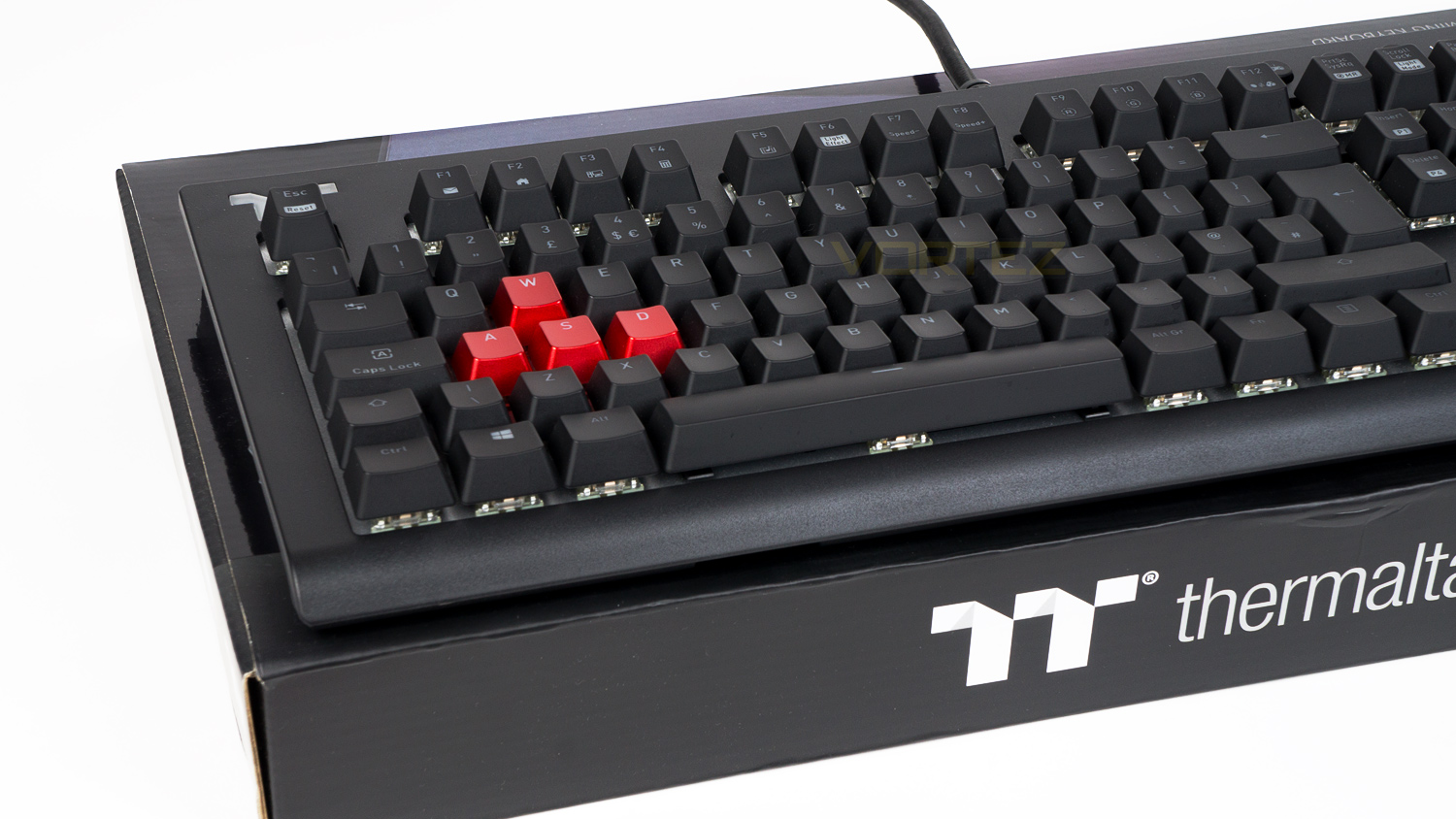
Thermaltake on the TT Premium X1 RGB:
The X1 RGB gaming keyboard comes in a sleek and stunning finish that delivers 16.8 million of true RGB color illumination with 12 dynamic lighting effects. Best yet, it is exclusively compatible with all Thermaltake TT RGB Sync Power Supply and Liquid Cooling Solutions – iRGB PSU, Riing Plus, Pacific W4 Plus CPU Water Block, Pacific RL360 Plus RGB Radiator, Floe Riing RGB 360, Pacific Lumi Plus LED Strip – and any other product range sporting the TT RGB Sync logo, enabling enthusiasts to sync all RGB colors seamlessly to all Thermaltake compatible product lines for even greater color coordination. In addition, the X1 RGB comes with an exclusively designed smartphone/tablet app with voice controlled AI for access to light functions and essential macros. The app also includes an exclusive patented designed Virtual Game Controller (VGC) mode for a truly unique and astounding mobile gaming experience.
Technical Specifications
Keyboard
Format – Full-size
Interface – Wired USB
N-key rollover with 100% anti-ghosting
RGB lighting
Volume control wheel
On-board memory – 4mb
USB and audio pass-through
Six game profiles
Switches
Switches – Cherry MX
Variant – Silver Speed
Lifespan – 50 million keystrokes
Actuation distance – 1.2mm
Actuation force – 45g
Travel distance – 3.4mm
Dimensions & Weight
Dimensions – 464.98mm (L) x 170.52mm (W) x 40.39mm (H)
18.30” (L) x 6.71” (W) x 1.59” (H)
Weight – 1.59kg / 3.5lbs
System requirements
Spare USB 2.0 / 3.0 port
Windows – 10, 8, 7
Internet connection
Format – Full-size
Interface – Wired USB
N-key rollover with 100% anti-ghosting
RGB lighting
Volume control wheel
On-board memory – 4mb
USB and audio pass-through
Six game profiles
Switches
Switches – Cherry MX
Variant – Silver Speed
Lifespan – 50 million keystrokes
Actuation distance – 1.2mm
Actuation force – 45g
Travel distance – 3.4mm
Dimensions & Weight
Dimensions – 464.98mm (L) x 170.52mm (W) x 40.39mm (H)
18.30” (L) x 6.71” (W) x 1.59” (H)
Weight – 1.59kg / 3.5lbs
System requirements
Spare USB 2.0 / 3.0 port
Windows – 10, 8, 7
Internet connection
Packaging & First Look
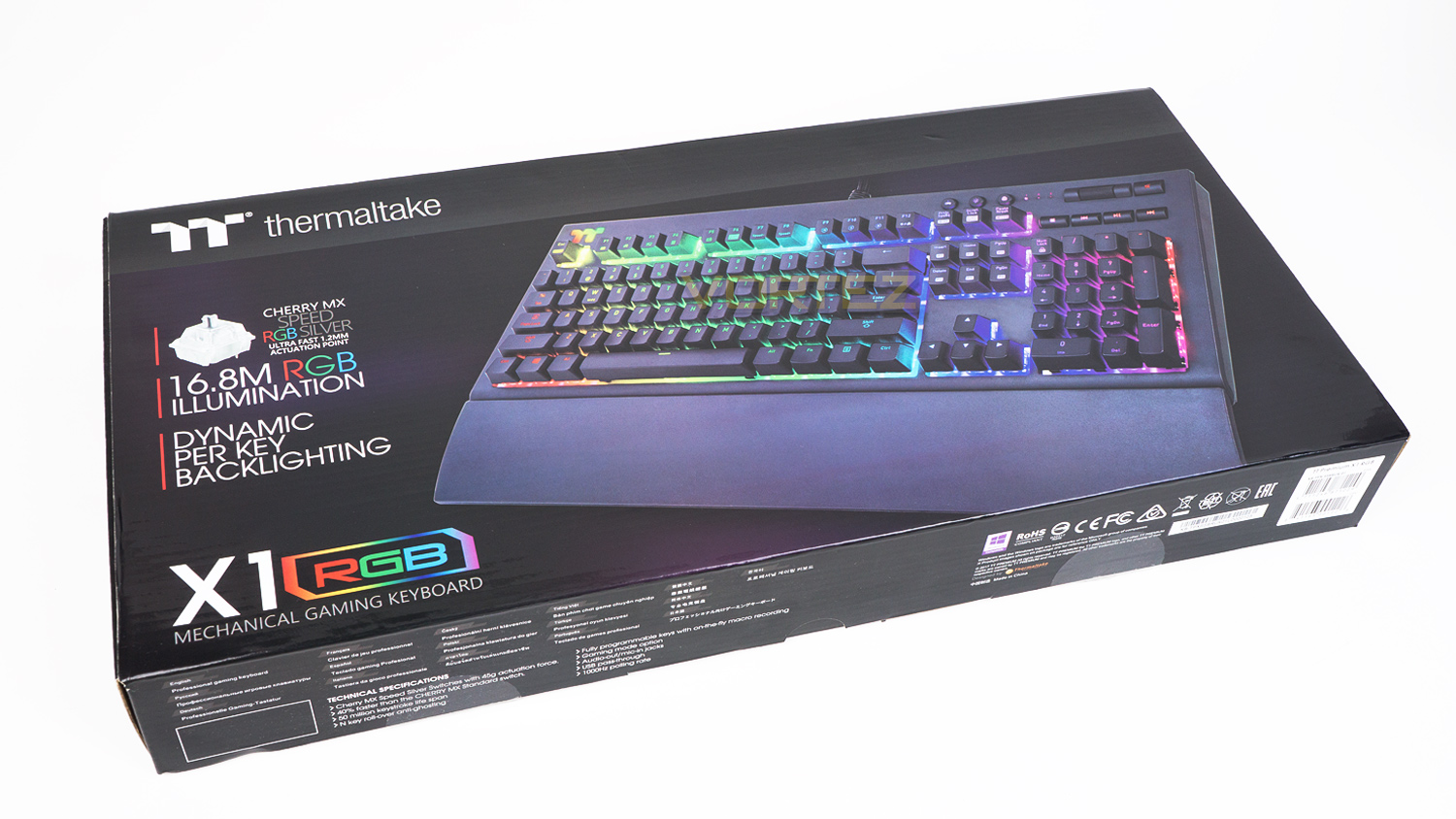
The TT Premium X1 RGB arrives in a black box with a large image of it on the front. Alongside the image is a list of a few keys features such as the switch variant and some information about its RGB capabilities.
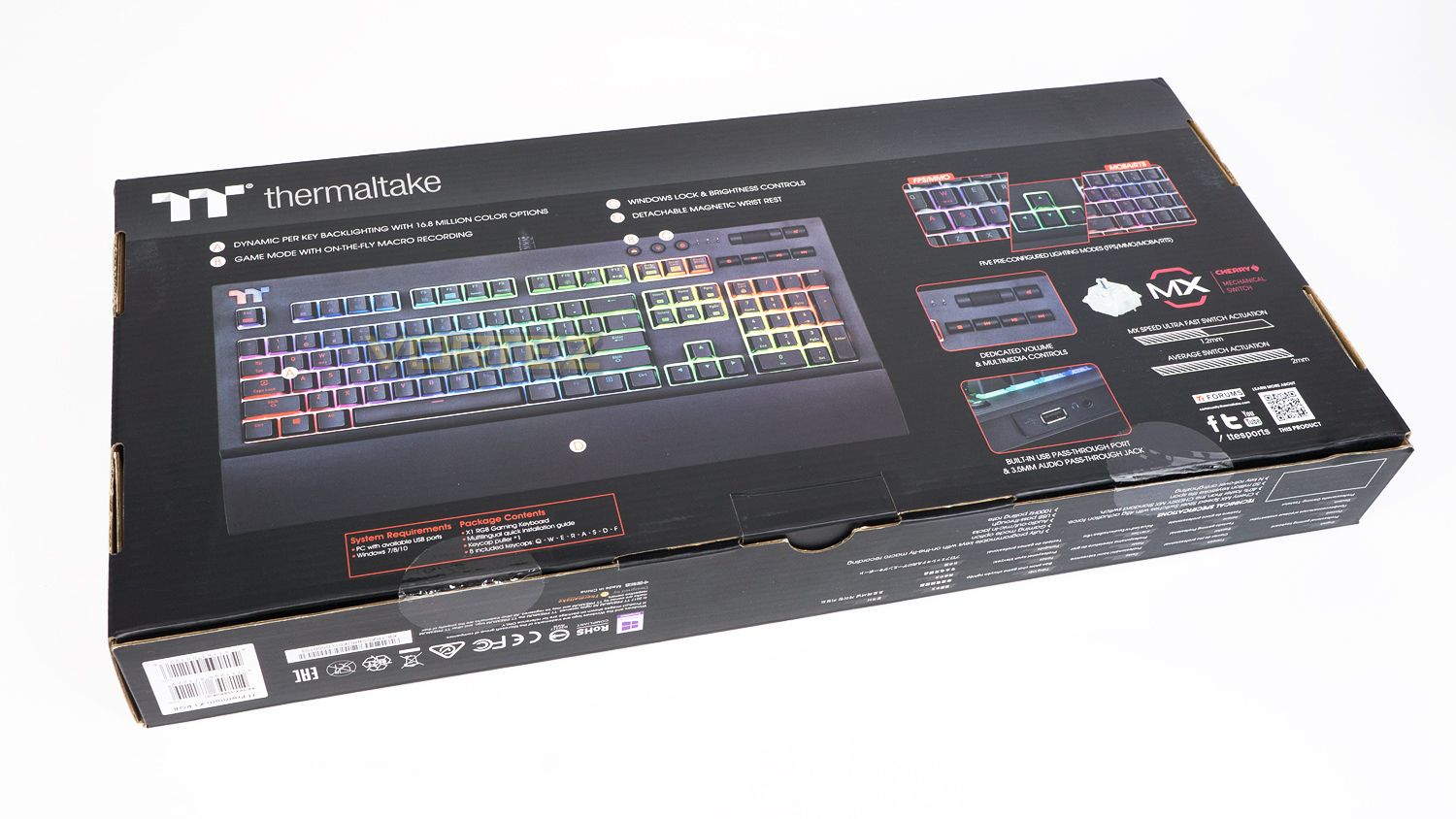
At the rear, there is another image of the TT Premium X1 RGB, but this times it’s labelled with more of its attributes. There are also a few further images highlighting some of the other additions found on the TT Premium X1 RGB.
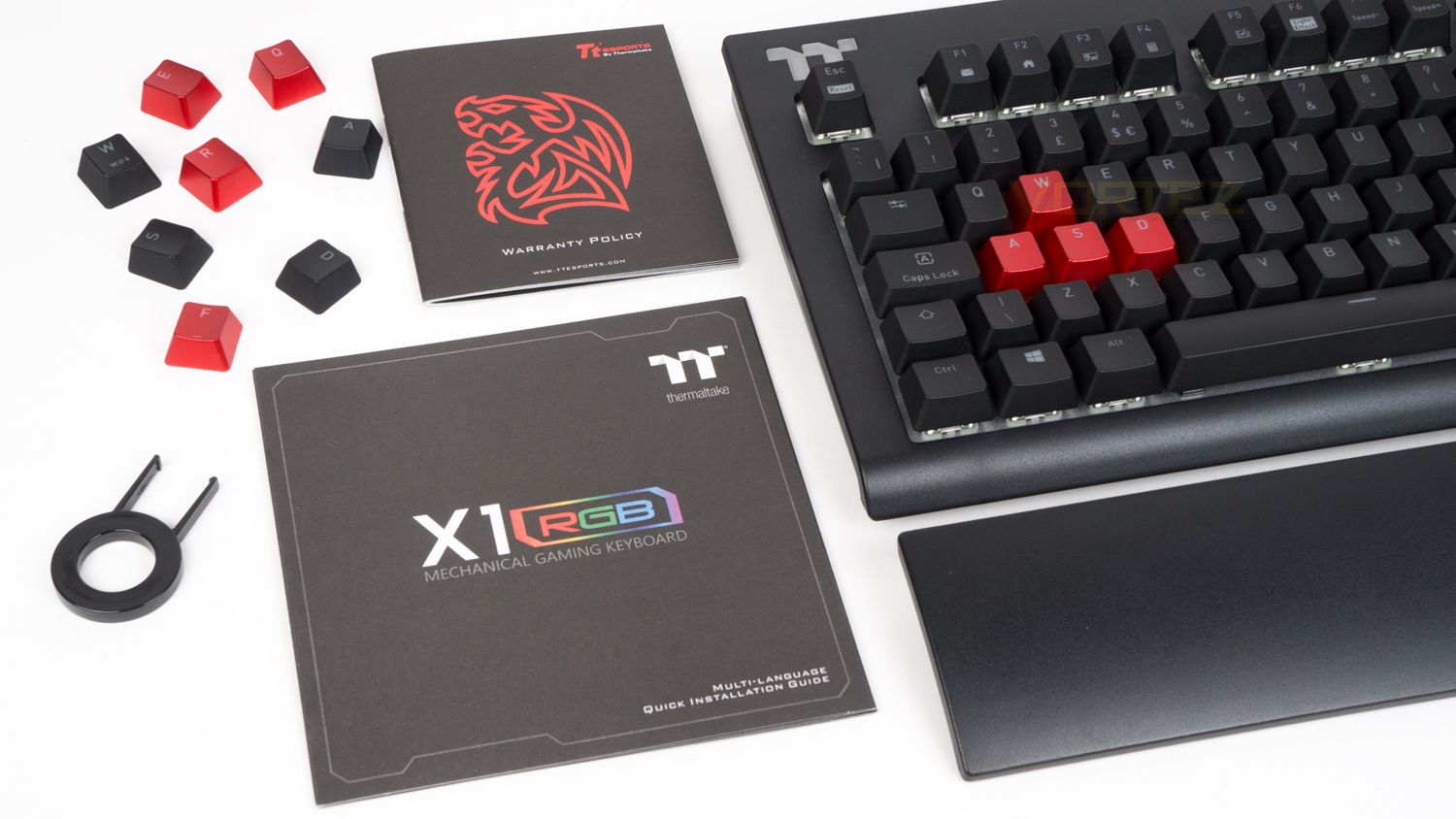
Within the box, there is the keyboard, a wrist rest, the documents, a set of replacement keycaps and a keycap puller.
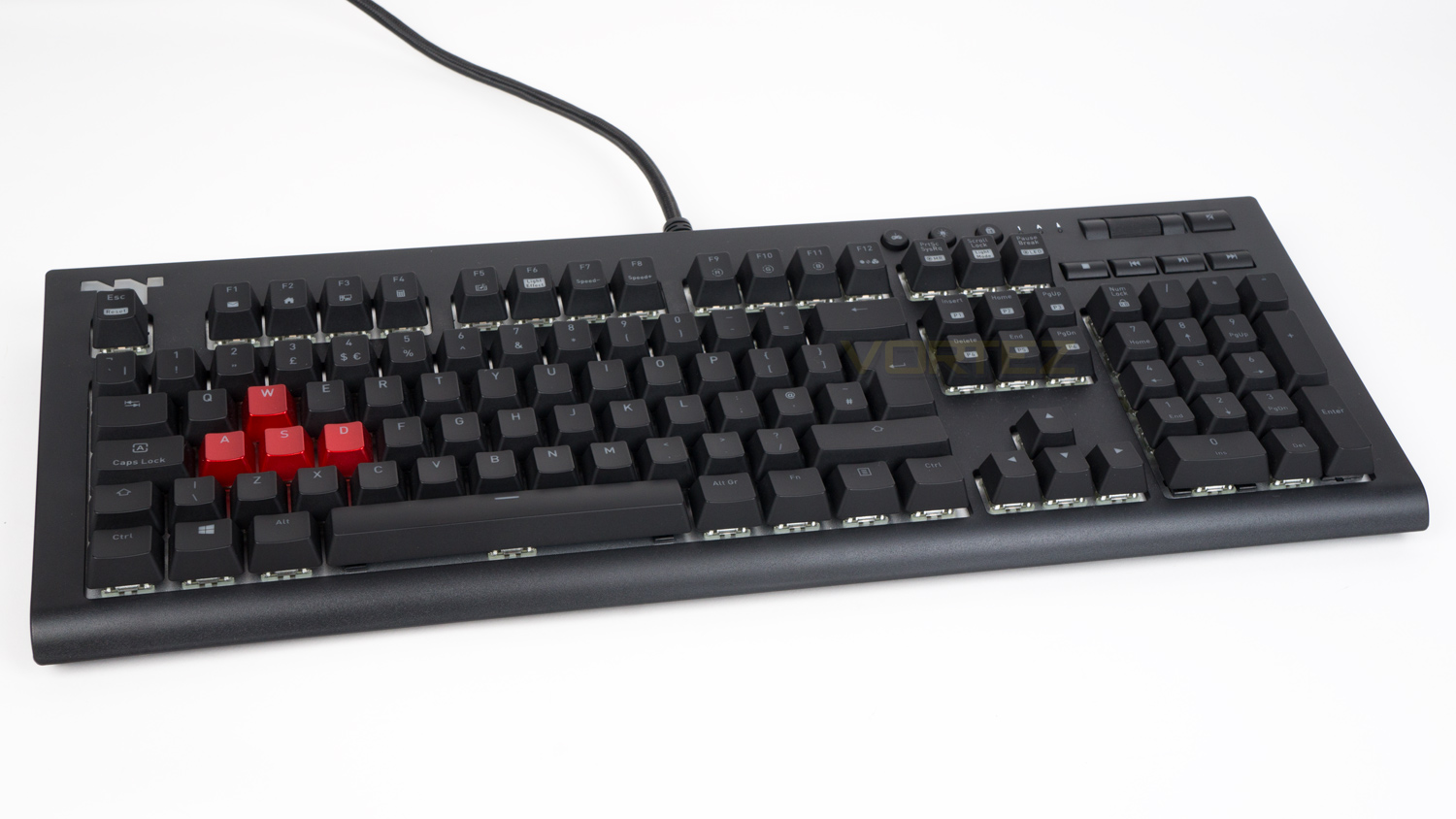
The TT Premium X1 RGB is relatively subdued thanks to the all-black finish and only one bit of branding on the entire front of the keyboard. This is great as it’s very easy to blend this into a setup and not have it detract too heavily from the aesthetic you’ve created.
Closer Look
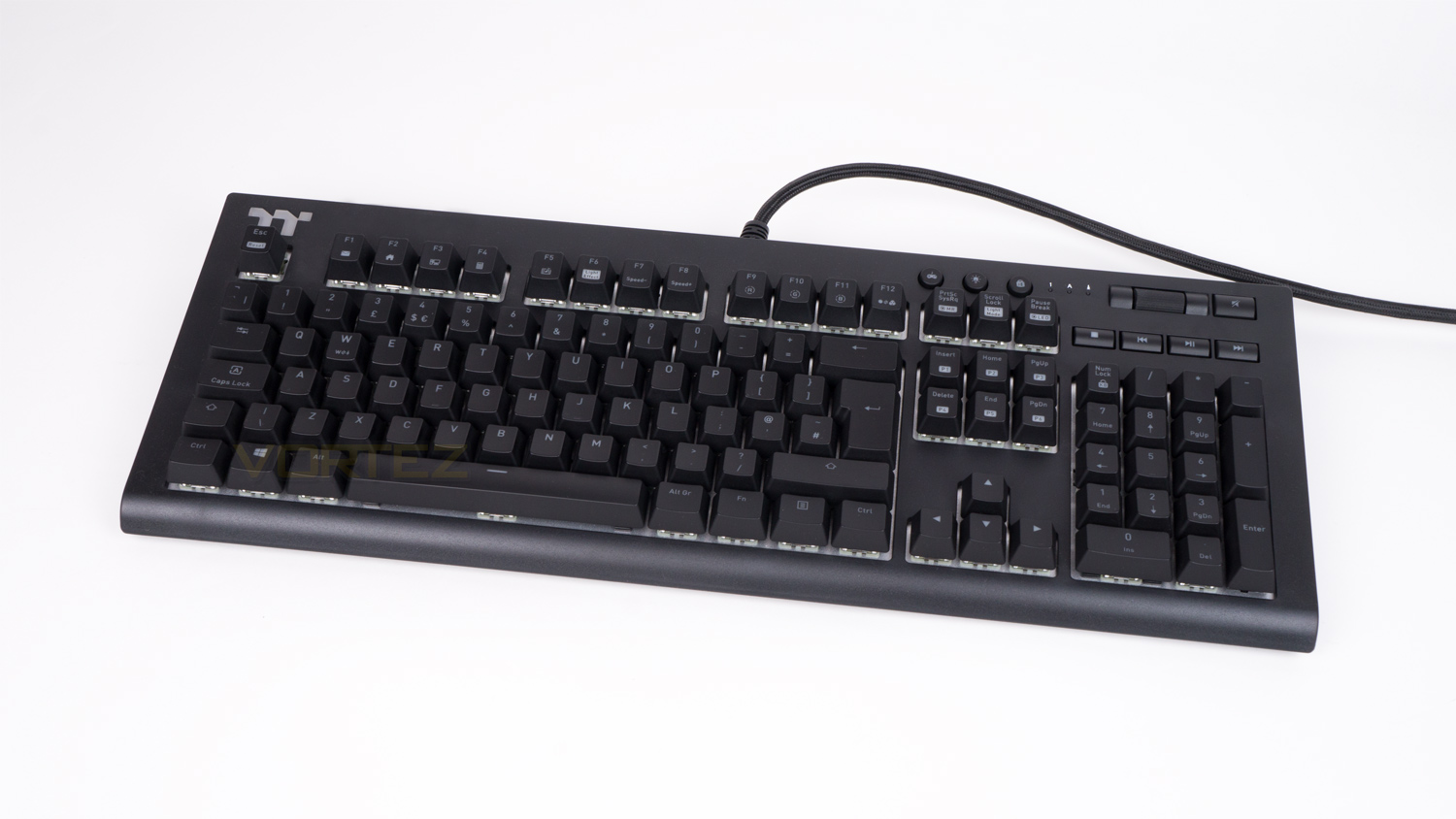
The TT Premium X1 RGB is a very large full-size keyboard as it measures in at 464.98mm (L) x 170.52mm (W) x 40.39mm (H) without the wrist rest.
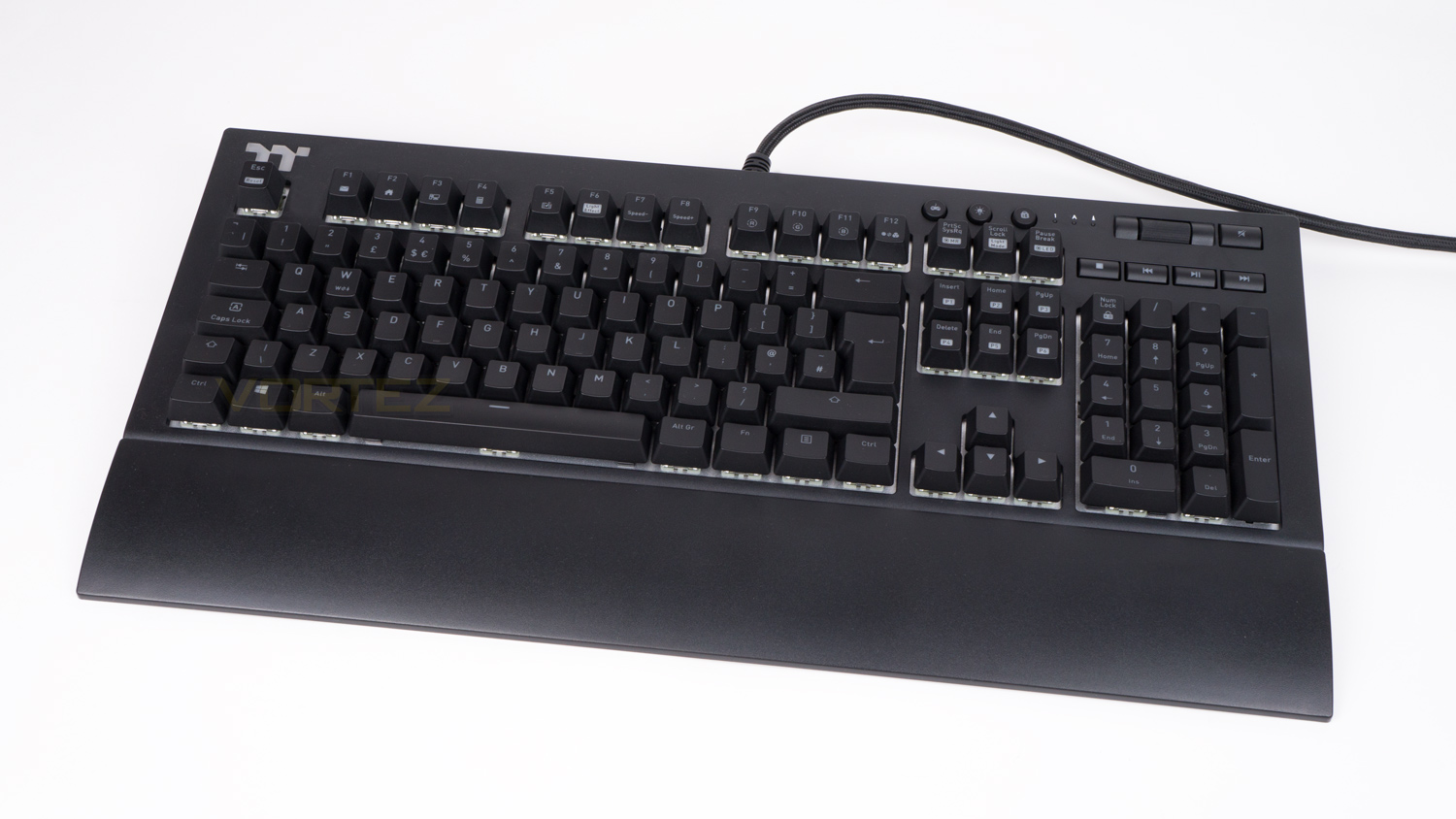
Adding the wrist rest increases the width by 65mm, so as a whole the TT Premium X1 RGB is big and you’ll need a good sized desk to accommodate it as well as mouse. The wrist rest is magnetically attached which honestly is a breath of fresh air, and more manufacturers should use this method of connecting the rest to the keyboard.
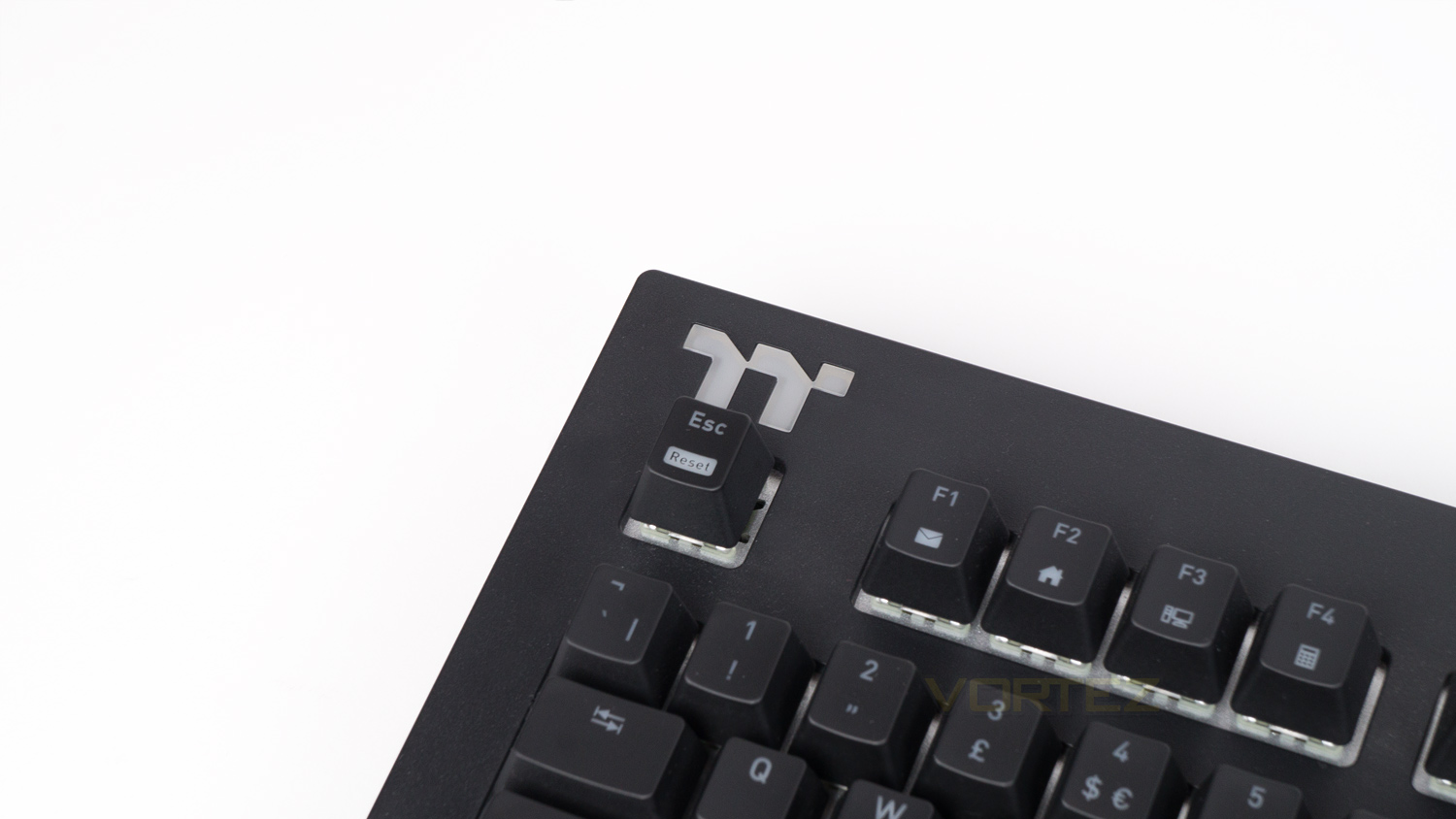
In the top left corner, there is the only bit of branding on the top surface and it’s in the form of the TT logo, this logo as doubles as an RGB area, though it can’t be customised independently.
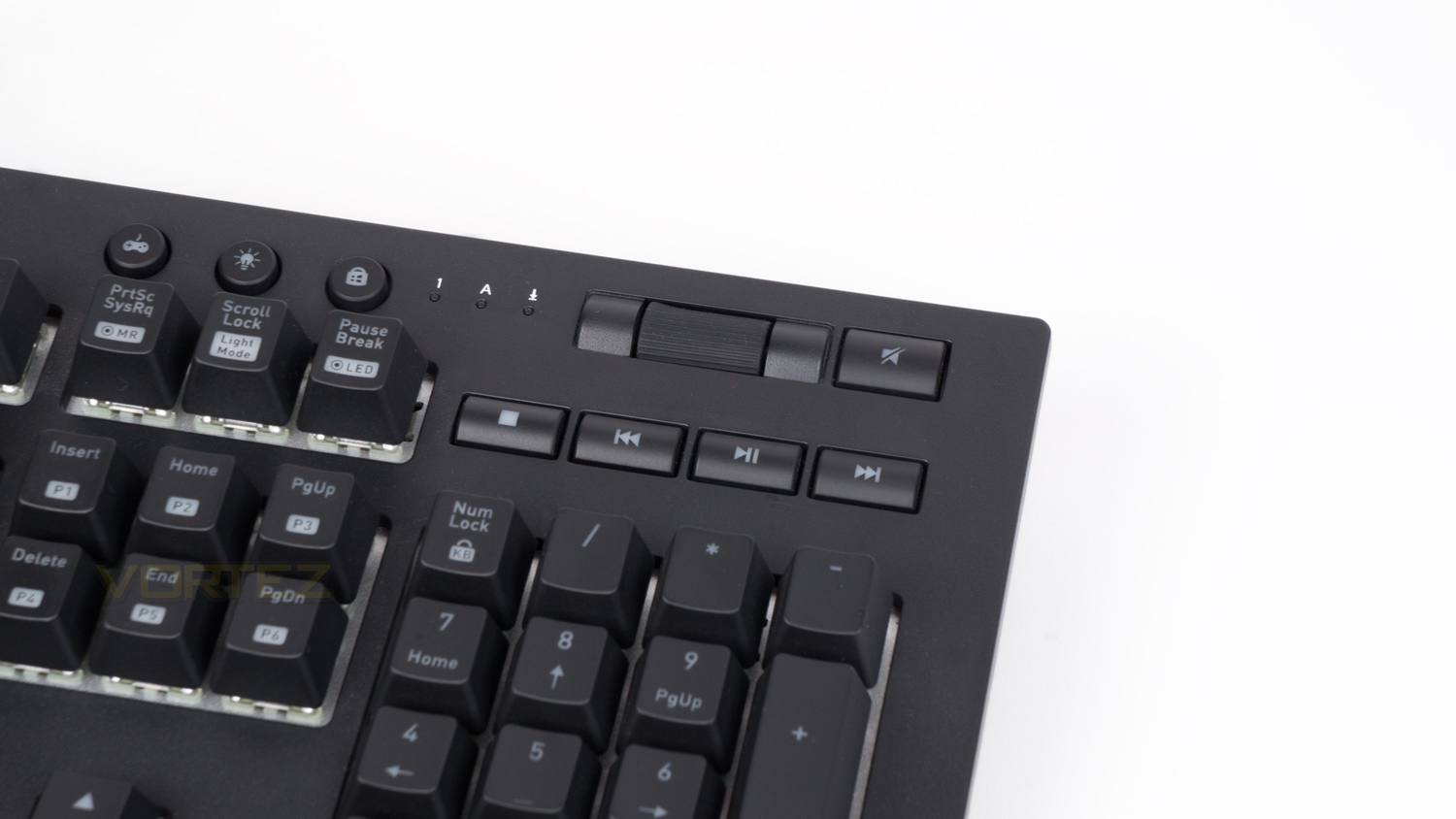
The top right of the keyboard houses the dedicated media controls; these include a volume control wheel, a mute button as well as a stop, back, play/pause and forward buttons.
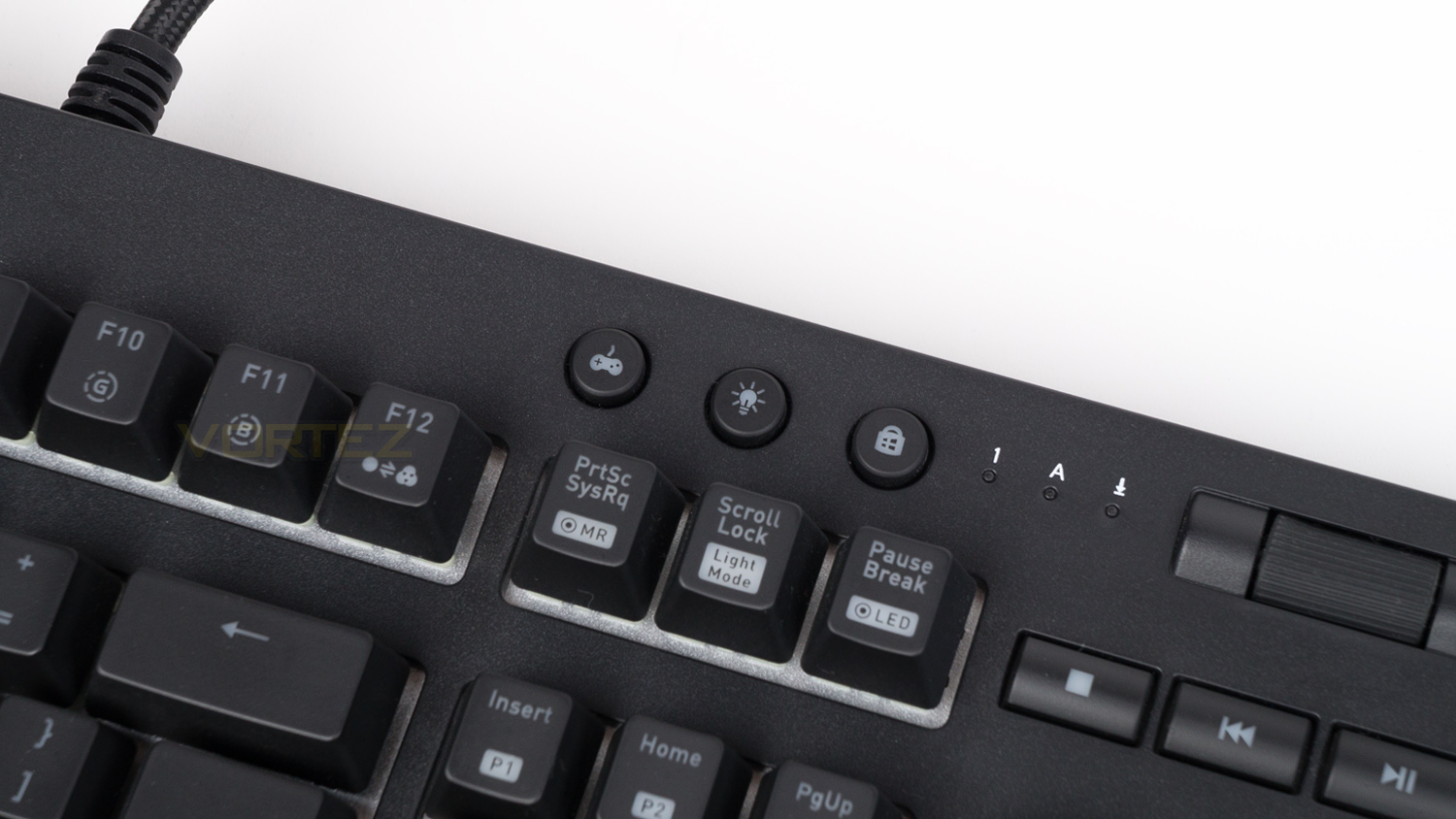
Just to the left side of the media controls are three membrane keys, these illuminate when one of the three modes are activated.
Closer Look (Continued)
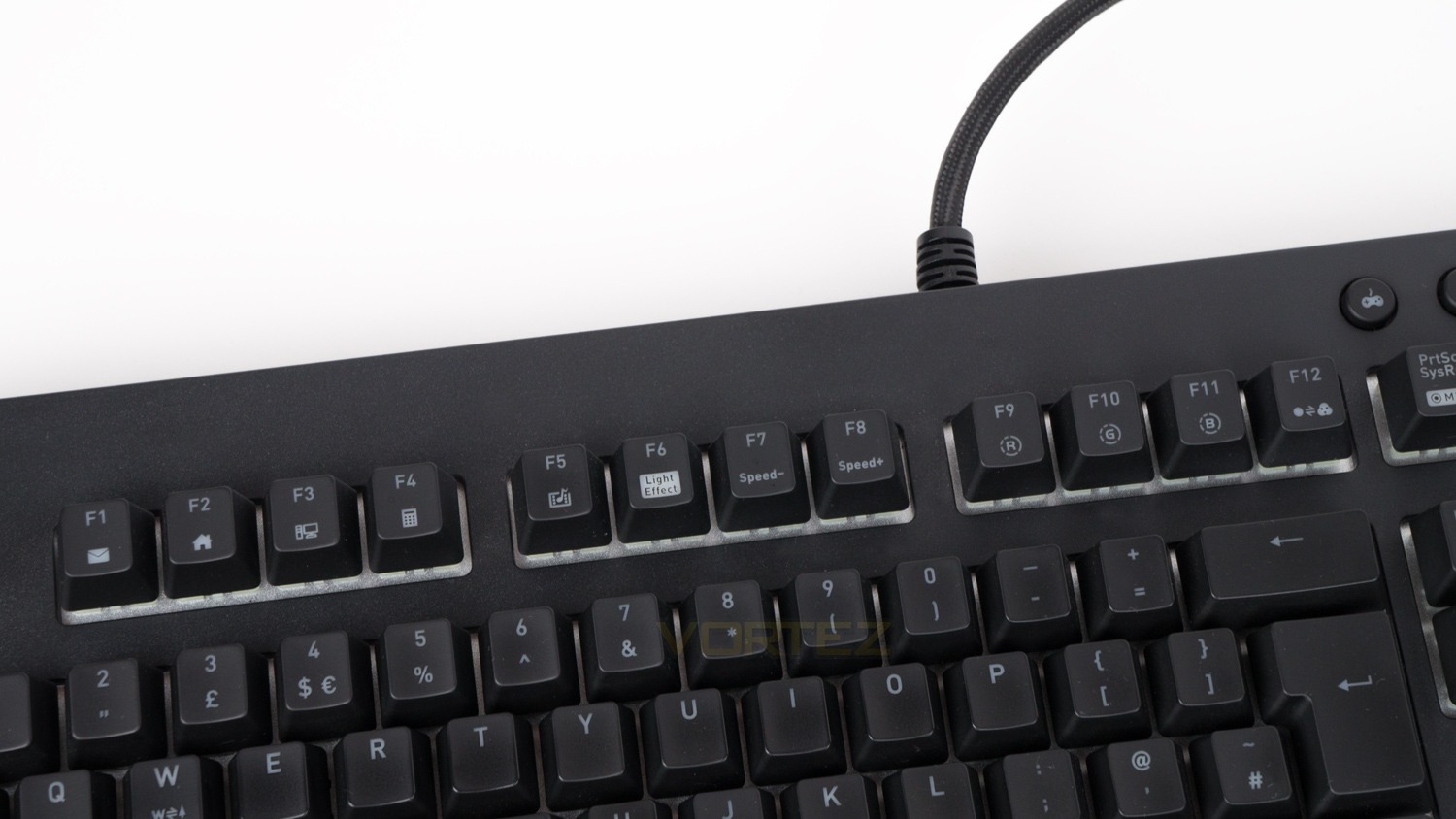
The top row of F keys are all set with a double function. F1 to F4 are system functions, F5 opens your default media player and F6 to F12 control different aspects of the illumination. The PRTSC key is for macros, the Scroll lock can be used to change the backlight mode, and finally, the Pause Break allows you to record your lighting.
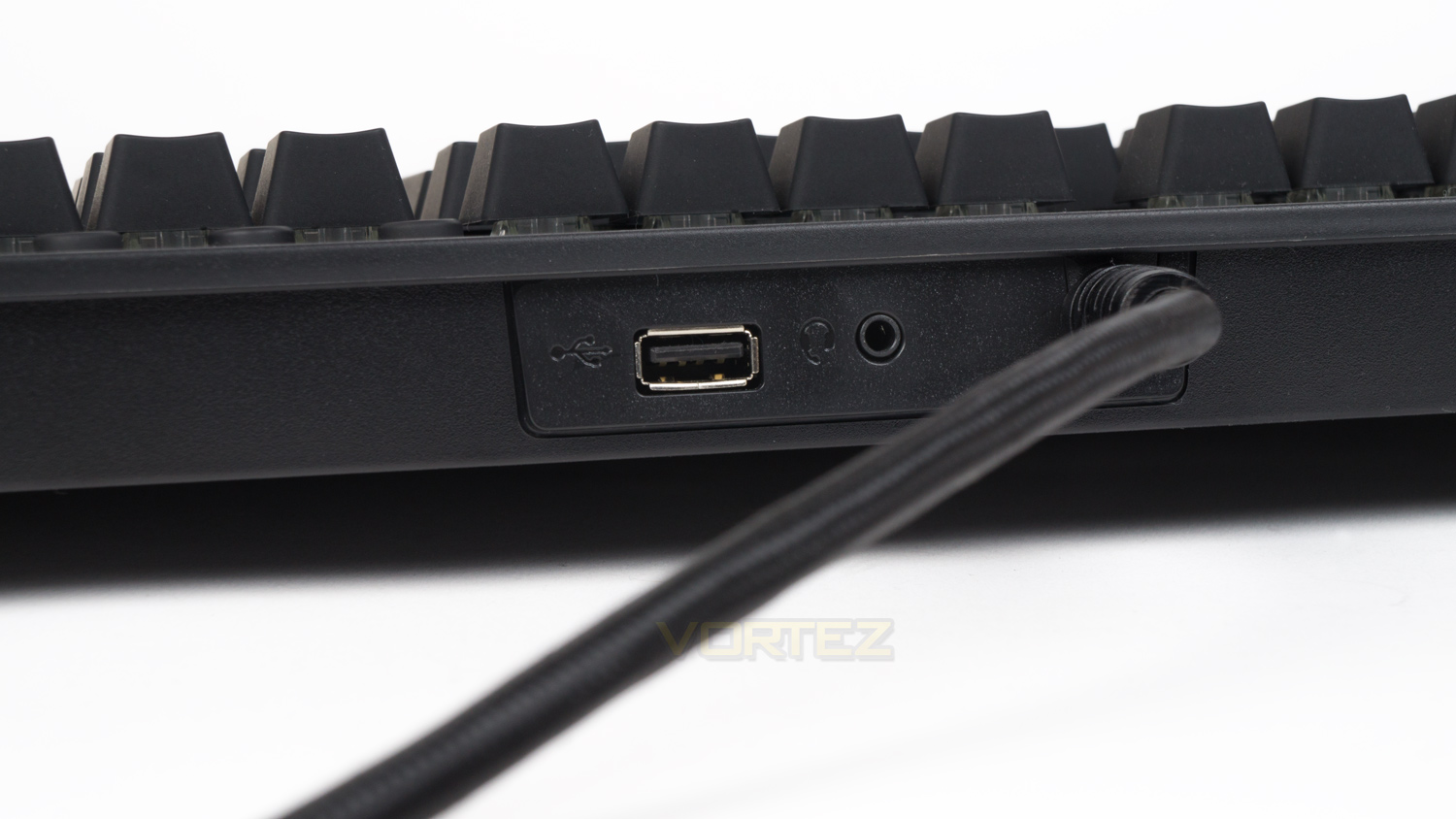
The top edge of the keyboard houses a single USB pass-through as well as an audio pass-through. This is a nice sight as usually, keyboards don’t come with both.
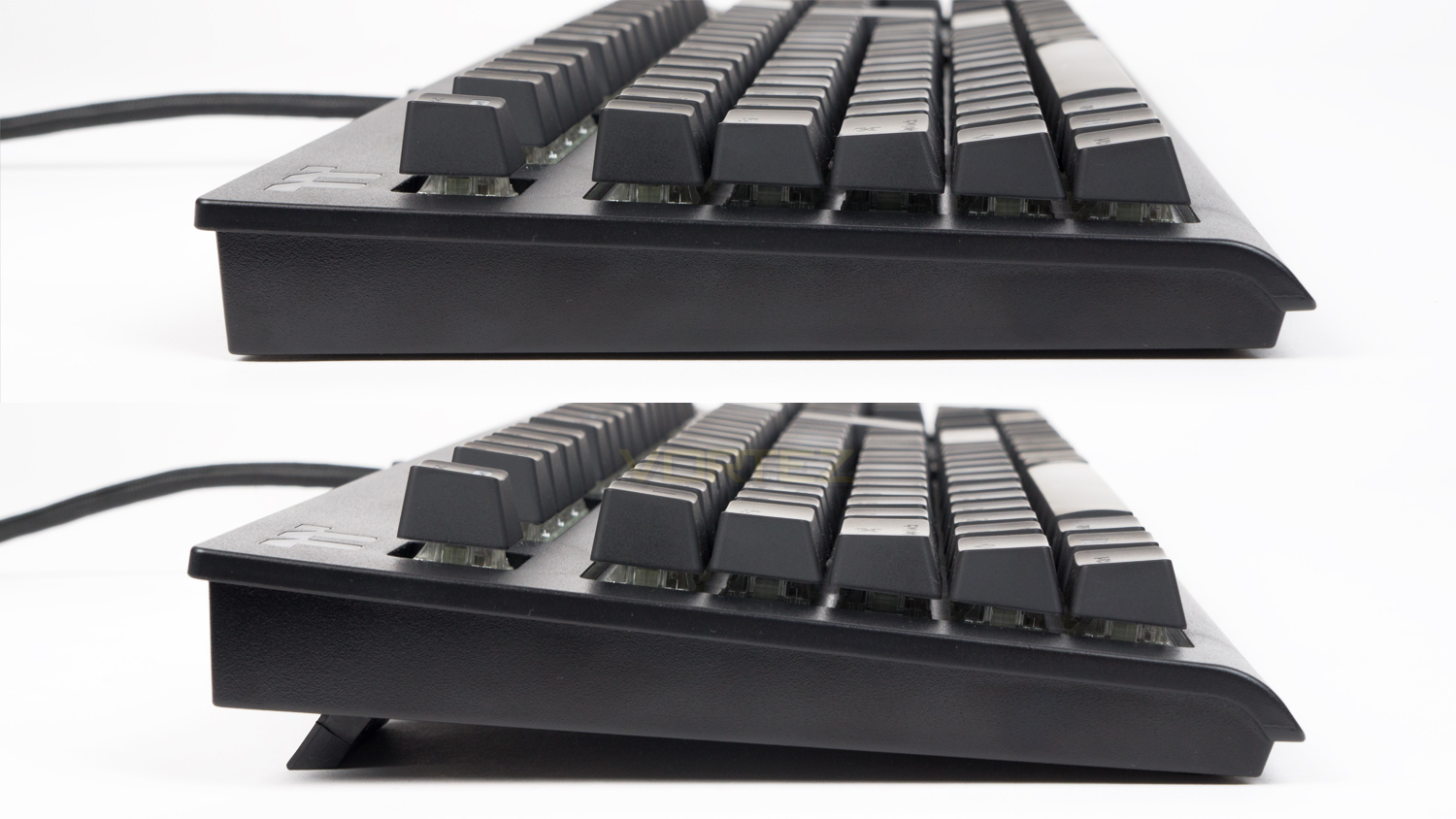
The side profile on the TT Premium X1 RGB is clean as there are no design elements or RGB accent lights. When using the main riser feet they provide roughly 13mm of lift whereas the smaller set gives around 5mm of lift. We really appreciate that there are two sets of feet as you have more scope for setting the keyboard at the right elevation.
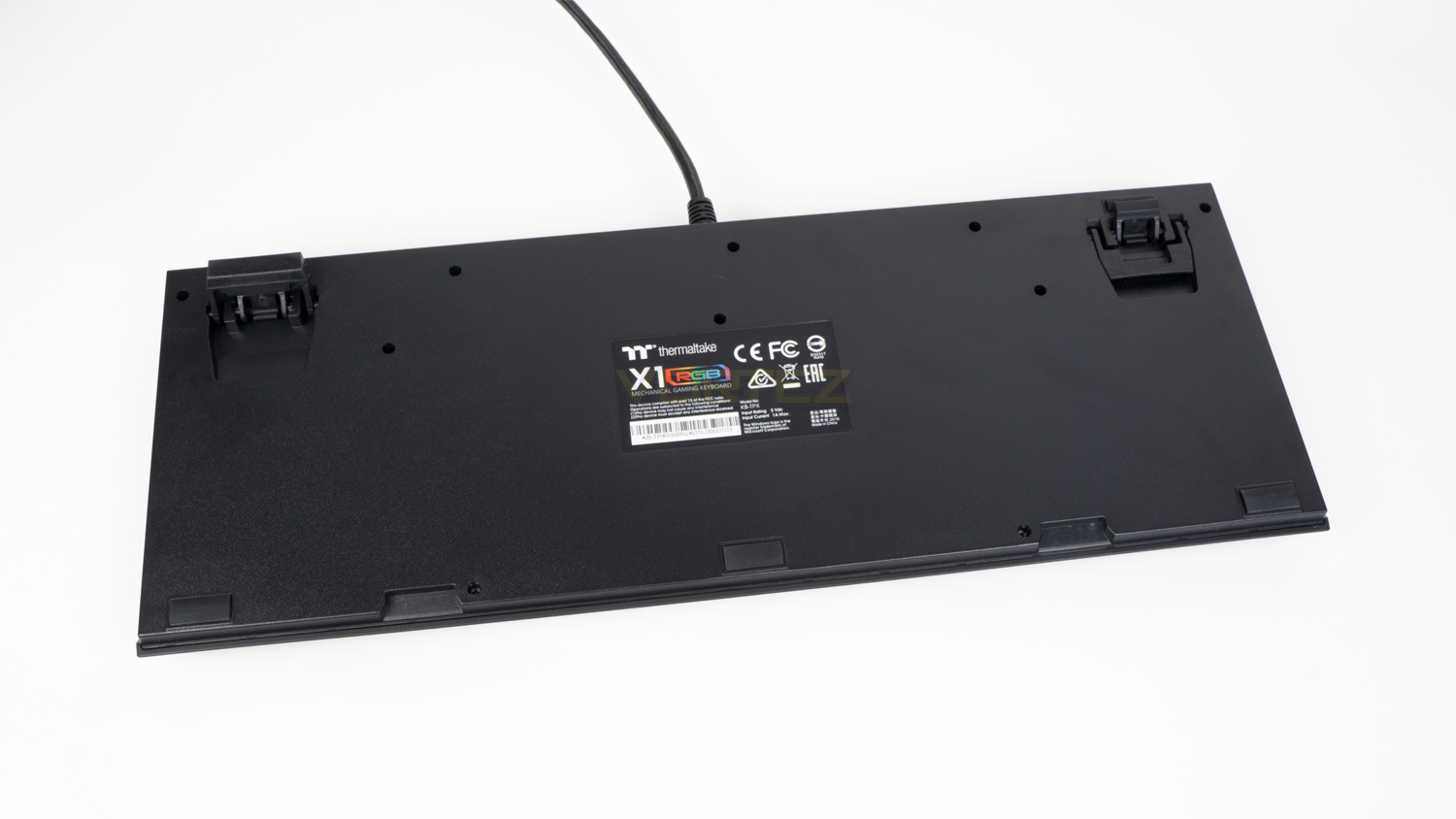
Flipping the TT Premium X1 RGB over and you can there isn’t much in terms of styling, but honestly, you don’t spend much time looking here anyways. What is here are some rubber feet, on the keyboard, there are five of them which increases to ten if you utilise the wrist rest.
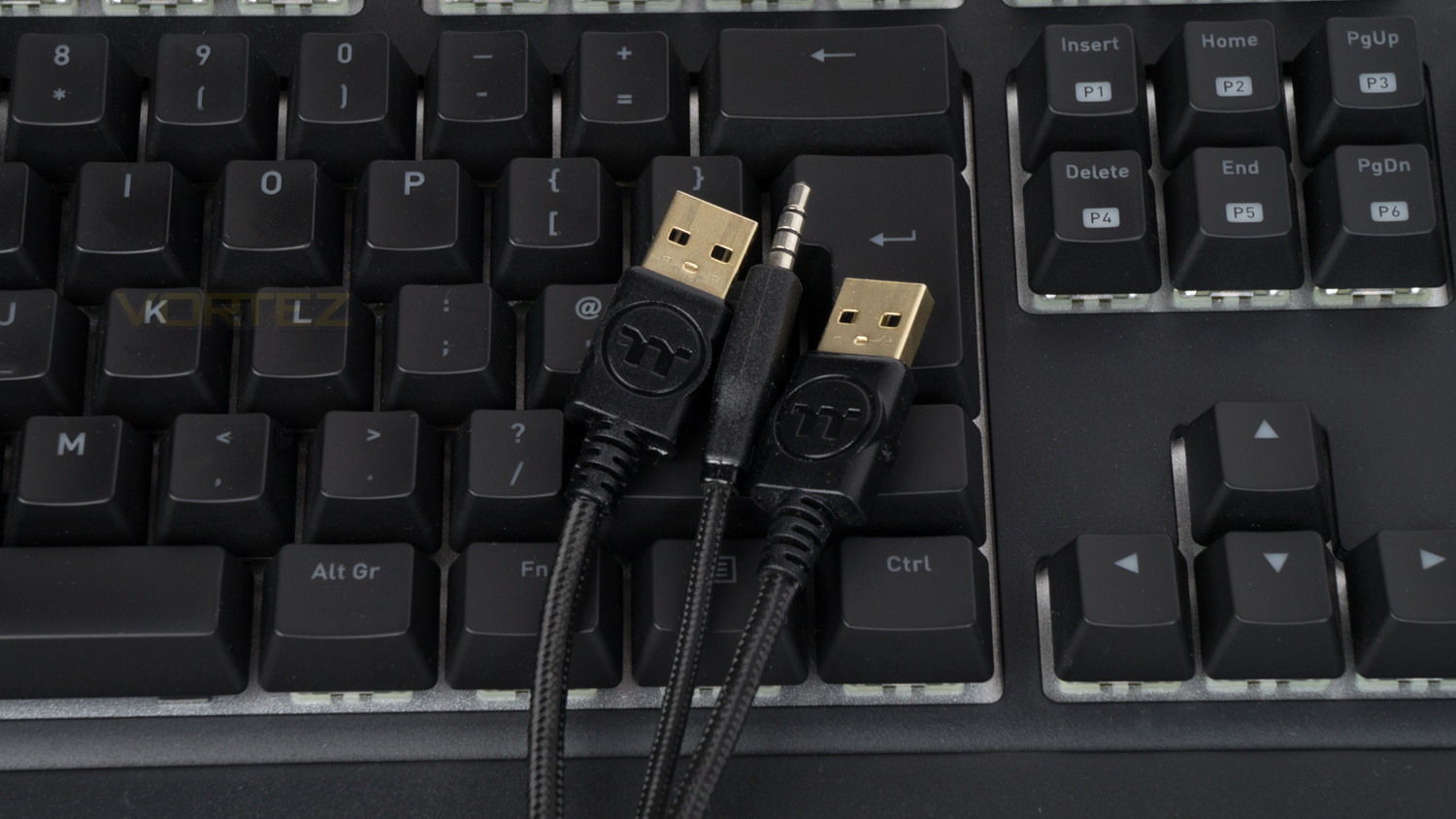
Finally to the cable and the connections. The cable is braided and thick, so it’s a bit troublesome to cable manage, though it does feel very robust. At the very end of the cable are the connections, one is for the main keyboard, one for the USB pass-through and one for the audio pass-through. This means that you’ll need quite a few spare ports to fully utilise the TT Premium X1 RGB’s features.
Software
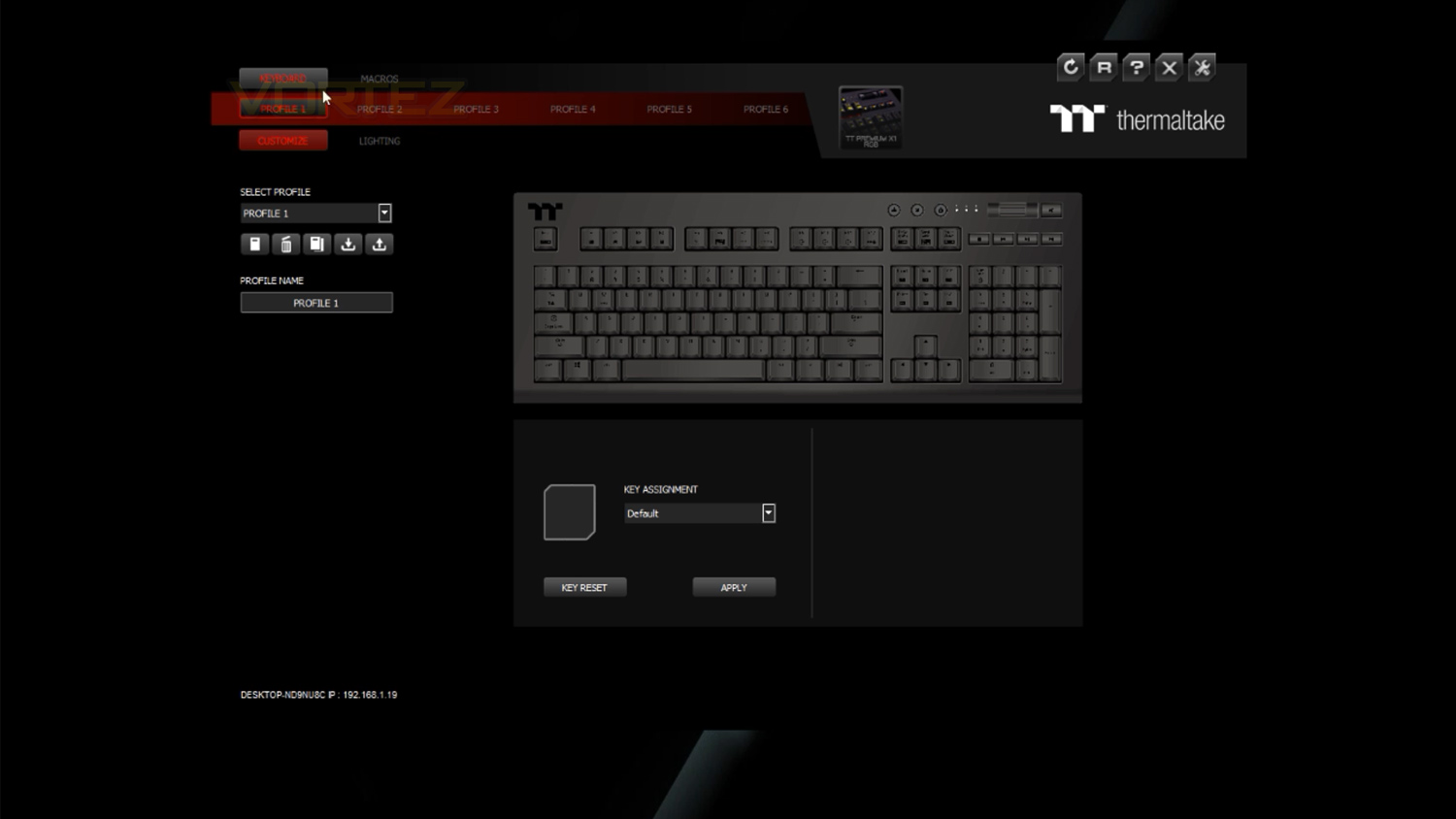
The X1 RGB software provides plenty of scope to customise the keyboard to suit you best. Within the software, you can add macros, assign new key functions and of course customise the illumination. In the lighting settings, there are plenty of different effects to choose from, and some can be further customised by adjusting the colours, speed and directionality of the effect. In terms of UI design, it’s very well laid out and easy to use, yet it’s not the most attractive software suite we’ve come across. Below is a quick demo of the software.
Also, if you use an Android or Apple device you can download Thermaltake’s X1 App which lets you control different aspects of your keyboard. Once setup – which is very easy, you can change the lighting, lighting effects, add macros, bring up a virtual keyboard or controller as well as use voice controls.
Performance Testing
Setup & Observations
Initial setup is very simple, and you just need a few ports to access the full feature set. For just the keyboard you’ll need one spare USB 2.0 or 3.0 port, if you wish to use the pass-throughs then you will need to find a spare audio port and another USB port. You can then take things a step further by downloading the software if you wish to use macros, set key assignments and tailor the illumination.
As we spend a lot of time typing, this aspect of a keyboard is very important and the TT Premium X1 RGB scores reasonably. Comfort wise the keyboard is great, the wrist rest is nicely angled and has a slightly textured surface for a bit of grip. The surface isn’t too rough though so it doesn’t fatigue or irritate your wrists. It also has the bonus of being magnetically attached which is great and makes removing it and installing almost effortless. Key spacing is solid too as there is ample room between them, this is brilliant as accidentally knocking two keys at once is a rare occurrence. The keycap coating on the surface isn’t the best we’ve encountered at this price point as it’s prone to show fingerprint grease which makes the keyboard look more used than it actually is. On the plus side though this grease does remove quite easily if you give it a quick wipe with a soft microfiber cloth. One place that does disappoint is with the Cherry MX Silver Speed switches, they are so easy to press and very fast which can be a bit fatiguing to type on for after a few hours. It does so happen to score back a few points thanks to the riser feet. Usually, there are two levels of adjustment with a keyboard, and that is all. The TT Premium X1 RGB, however, has two sets of feet that provide three levels of height adjust, this doesn’t sound like much, but it does help when trying to find the sweet spot for comfort.
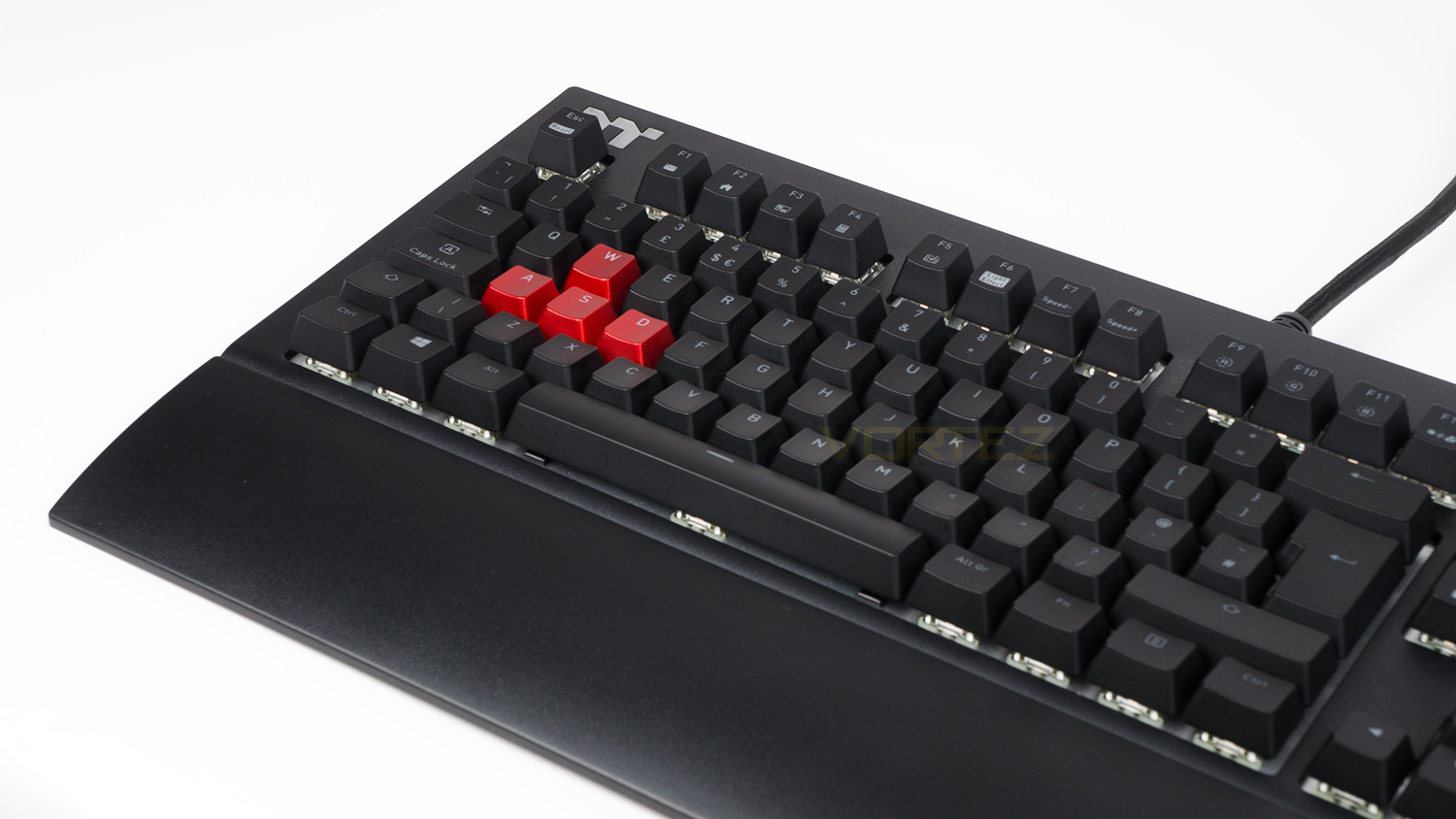
At this price point, a keyboard needs to be well made to justify its asking price, and the TT Premium X1 RGB does just about do that. The majority of the build is plastic, but it’s quite strong plastic, and the grade feels decent. Where the TT Premium X1 RGB is strong is with the construction, as it’s extremely well put together. The keyboard also has minimal flex in the chassis and just feels solid as a whole. Where it does fall down is with the surface finish as it doesn’t feel quite as nice as some other keyboards in the same price category. This, however, is not a massive deal breaker by any stretch of the imagination.
Now we get to how all the other features work and we’ll start with the media controls. These are grouped together and located in the top right-hand corner of the keyboard. The controls available allow you to adjust the volume, mute, play/pause, skip track and stop your media. The buttons are membrane-based and don’t feel that great, but they do get the job done. The volume control has a rubberised texture which feels very nice and provides some good grip so that your fingers don’t slip off it. It also adjusts the volume in increments of two which is very nice to see. The next great feature is the app control. If you use an Android or Apple based smartphone, you can download the X1 app and change various aspects of the keyboard without touching it. The aspects of the keyboard that can be changed via the app are the lighting and lighting effects. There is also scope to add macros, use a virtual keyboard or controller and finally, you can use your voice to alter various things on the keyboard. The app control worked very well the times we used it, and it provided us with a type of control you don’t often see. We especially liked the virtual controller as we found it was very useful for games that are designed to be used with a controller rather than keyboard and mouse. Will say also so that compared to physically using the keyboard or software there is a slight delay, but it wasn’t massive. One addition that is absent is the dedicated macro keys. Like with many other keyboards at the price you do have the ability to use macros though they can’t be applied to a dedicated set and have to be set to existing keys with other functions.
Performance
Thermaltake has gone tried and tested with their switch choice and provided the customer with two choices. We have their Cherry MX Silver Speed on hand, but the TT Premium X1 RGB can also be picked up with the Cherry MX Blue switches. We would have liked to have seen at least the Cherry Browns as an option as those a great for both gaming and typing.
In terms of durability, the MX Silver Speeds are rated to last 50 million keystrokes which are not quite the best as we’re now seeing Razer, Logitech and others surpass that by some margin. As for the actuation distance, these are set to register a keystroke a 1.2mm with a force of 45g, the total travel distance is 3.4mm making these the shortest that Cherry offer. The Red Silent comes close with an actuation point of 1.9mm and total travel of 3.7mm, though this is still a way off from the Silvers.
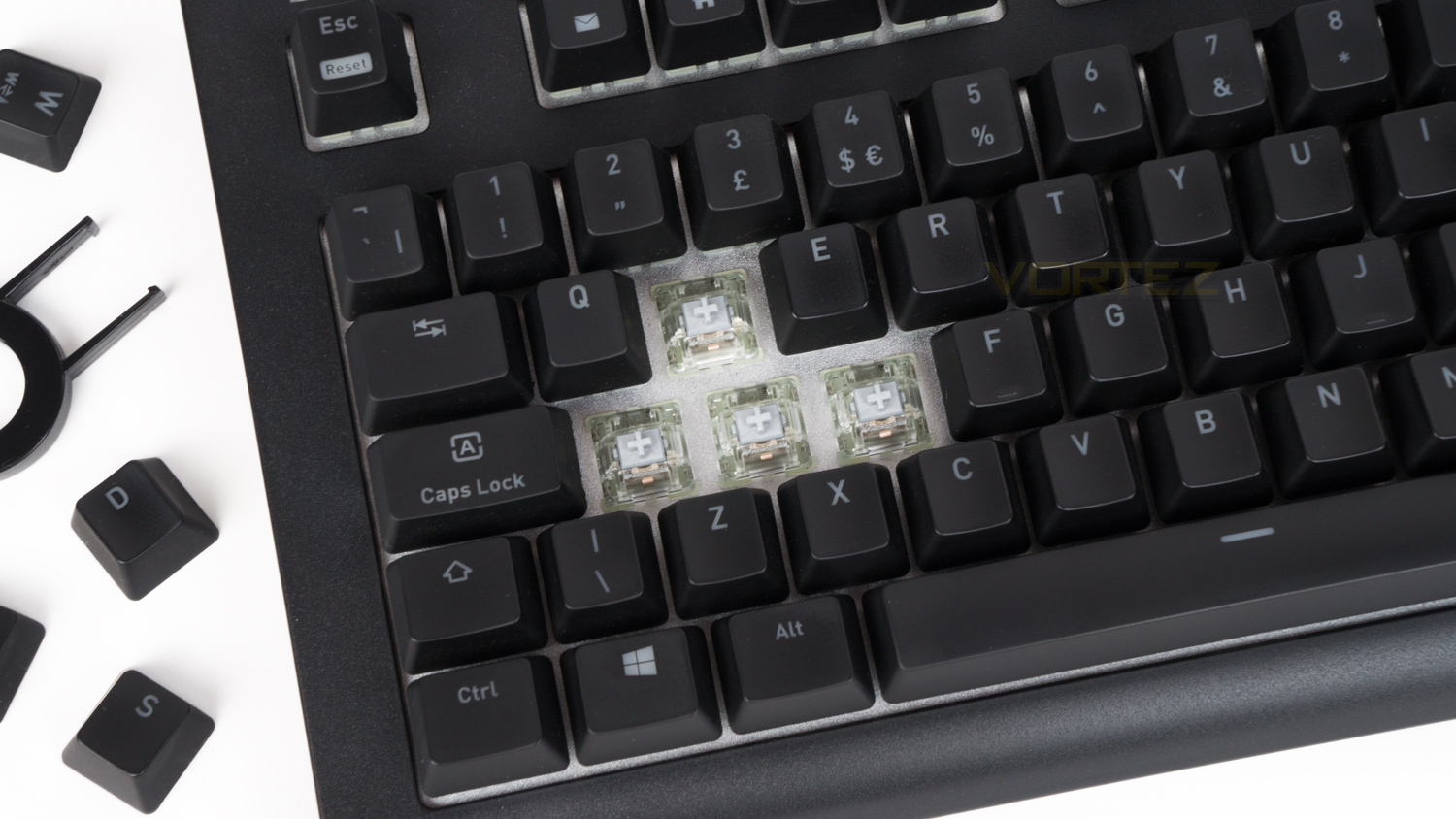
Having tested a few keyboards with the Cherry MX Reds and Red Silents we thought that surely the Silvers can’t be faster, but we were wrong as they really are. The Reds are fast and linear whereas the Silvers are even faster yet still linear in their travel. In reality, we are talking microseconds of difference between the two, but the Silver do feel like they are a hair quicker to respond. This is in part thanks to the closer actuation point and reduced travel distance. This less travel means that the key press is registered that bit sooner and does result in slightly quicker feel. Again it’s minute, but there is a slight difference. How does this translate to gaming? Well, for our usual test suite of shooters we noted that we felt our input was being dealt with slightly quicker and resulted in possibly the best gaming experience – in terms of speed, for eSports and FPS shooters. Our in-game movement felt a touch snappier which came in handy for dodging enemy fire and manoeuvring on the battlefield. Again we are talking very subtle differences between the Silvers and Reds, but the Silvers did feel faster. For solo titles, we felt that they weren’t quite precise enough as they are so easy to actuate meaning that subtle movement was hard to control. They aren’t unusable as such, but you may find that you have to adjust the amount of force you use when trying to perform precise moves. As for noise, the Silvers aren’t overly abrupt like the MX Blues and a reasonably quiet, this means that they’d be a great companion for online game streamers as they don’t possess the mechanical clicky sounds.
Illumination
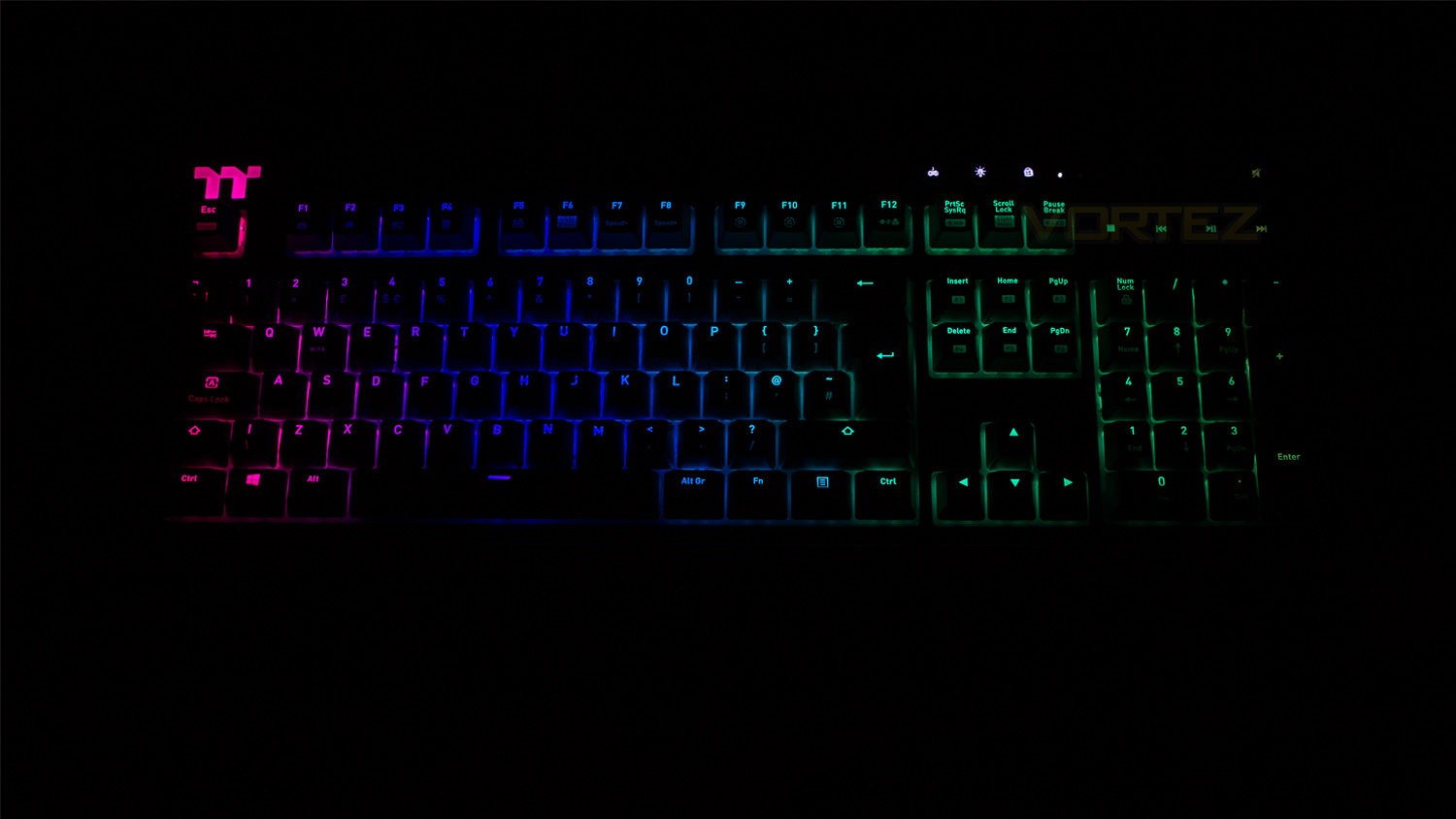
If you are a fan of RGB, then the TT Premium X1 RGB is a great choice thanks to ample customisation options and effects to choose from. Within the software, there are 12 effects to select from, each of which can be altered in different ways. Some can have custom lighting patterns, other can have their speed adjusted, and others can change direction. As for the illumination, it is very bright and vivid, but the colours are lacking saturation and look a touch pale. Also, there are some areas on the keyboard where the light fill is a bit spotty, this is most noticeable on keys where there are multiple lines of text. The colour spill isn’t the best we’ve ever seen as some areas on the underside are left without proper illumination fill making it look a touch patchy. This is more noticeable with some effects wheres others don’t have this issue. As for the effects they are very well done and look really nice when viewed on the keyboard.
Conclusion
What Thermaltake has brought to the table with their TT Premium X1 RGB is highly impressive as it utilises features we haven’t come across before as well as nailing home the staple attributes of a gaming keyboard. As good as it is though, the TT Premium X1 RGB is far from perfect. One area it does fall down on is with switch choices. At present, it comes with two whereas the similarly priced ROG Strix Flare comes with six and others offer a few more choices. In this regard, we would have liked to have a least seen a Cherry MX Brown offering as the Browns are not only good for gaming, but they’re also good for productivity. Speaking of productivity, this is another area the TT Premium X1 RGB falls short as the switches are very fatiguing to type on for long periods of time. This is somewhat balanced by the wrist rest, which is comfortable and has the benefit of being magnetically attached.
Onto the areas where the TT Premium X1 RGB does fair better, and the first stand out attribute is gaming. The Cherry MX Silvers are fantastic to use if you are into FPS shooters and eSports titles as they are extremely fast and agile. Though they do slightly suffer if you plan on playing titles outside those genres. The design and build are also key areas where the TT Premium X1 RGB scores highly as it’s very well put together and nice to look at. It may not wow you in terms of its striking aesthetics yet this could be a good thing if you don’t want a keyboard that takes to much attention away from the rest of your setup. The rest of the feature stack is great too, and we really do like some of the extra touches that Thermaltake has implemented. Things like the three levels of height adjustment, the dedicated media controls, both a USB and audio pass-through as well as the additional app-based control all add together to make the TT Premium X1 RGB a compelling package. The RGB is also fairly good as there are a plethora of different effects and options for customisation. What isn’t so great is the illumination, it is very bright, but it’s lacking in saturation and pop, plus the colour fill is a bit spotty in places.
Overall for the price £129.99 of in the UK, $129.99 in the US and $199.00 in Australia the TT Premium X1 RGB is a great keyboard that is jam-packed with features, although it’s not perfect, it is a great addition to the market and is an offering you should consider if you want a gaming keyboard with all the bells and whistles.
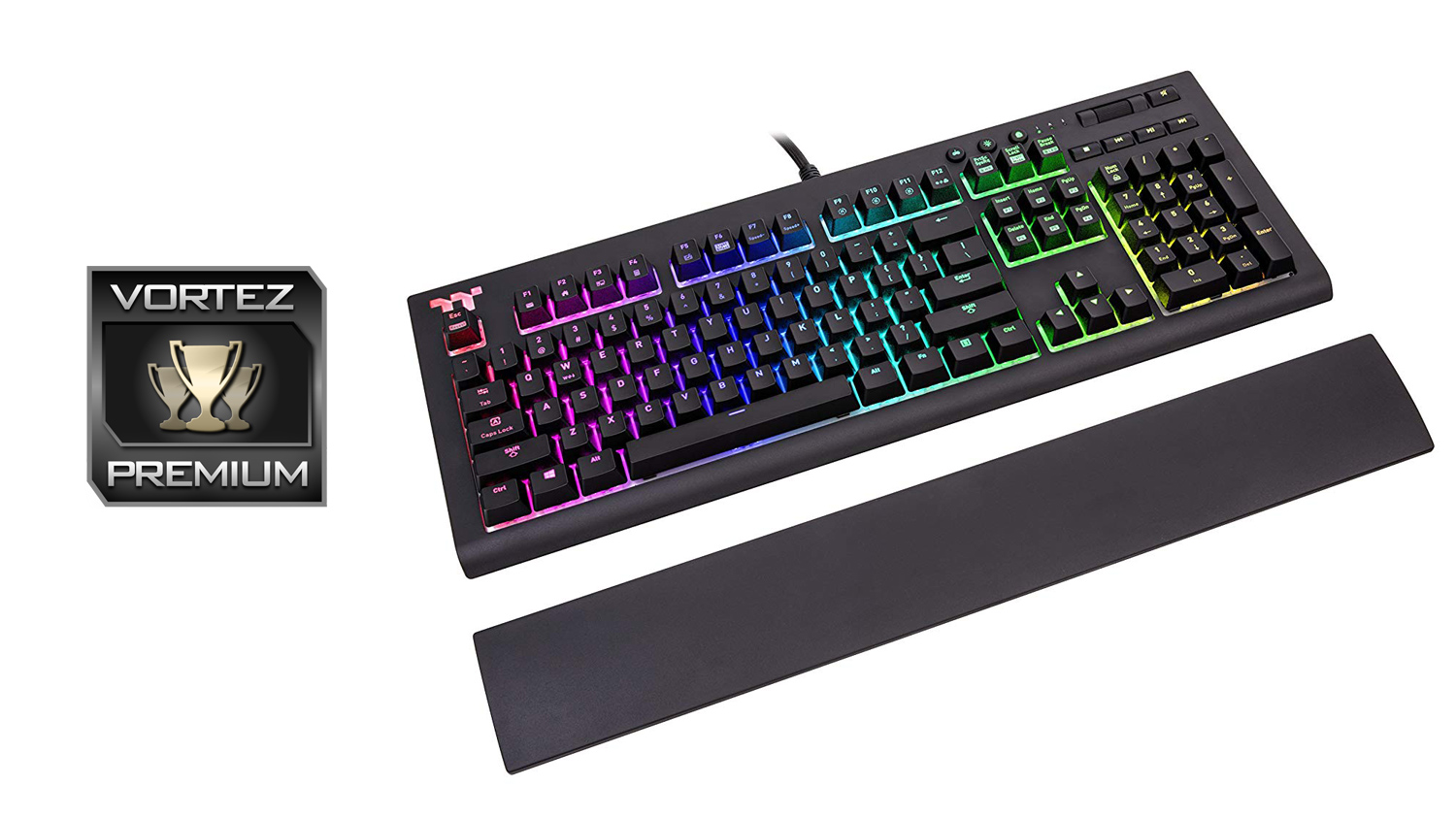
The Thermaltake TT Premium X1 RGB has pretty much all the features you’d ever possibly want and then throws in a great gaming experience for good measure.
Pros
+ Audio and USB pass-through
+ Two level height adjust
+ Dedicated media controls
+ Extremely full-featured
+ Very fast Cherry MX switches
+ Comfortable wrist rest for gaming and typing
+ Highly customisable RGB lighting
+ Well priced
Neutral
+- Switches aren’t the best for productivity
+- Very thick cable is a bit of an issue for cable management
Cons
– Only two switch choices
+ Audio and USB pass-through
+ Two level height adjust
+ Dedicated media controls
+ Extremely full-featured
+ Very fast Cherry MX switches
+ Comfortable wrist rest for gaming and typing
+ Highly customisable RGB lighting
+ Well priced
Neutral
+- Switches aren’t the best for productivity
+- Very thick cable is a bit of an issue for cable management
Cons
– Only two switch choices
Click here for an explanation of our awards at Vortez.net.
Stay connected with the Vortez Social Media pages:
Join in with the discussions on Discord