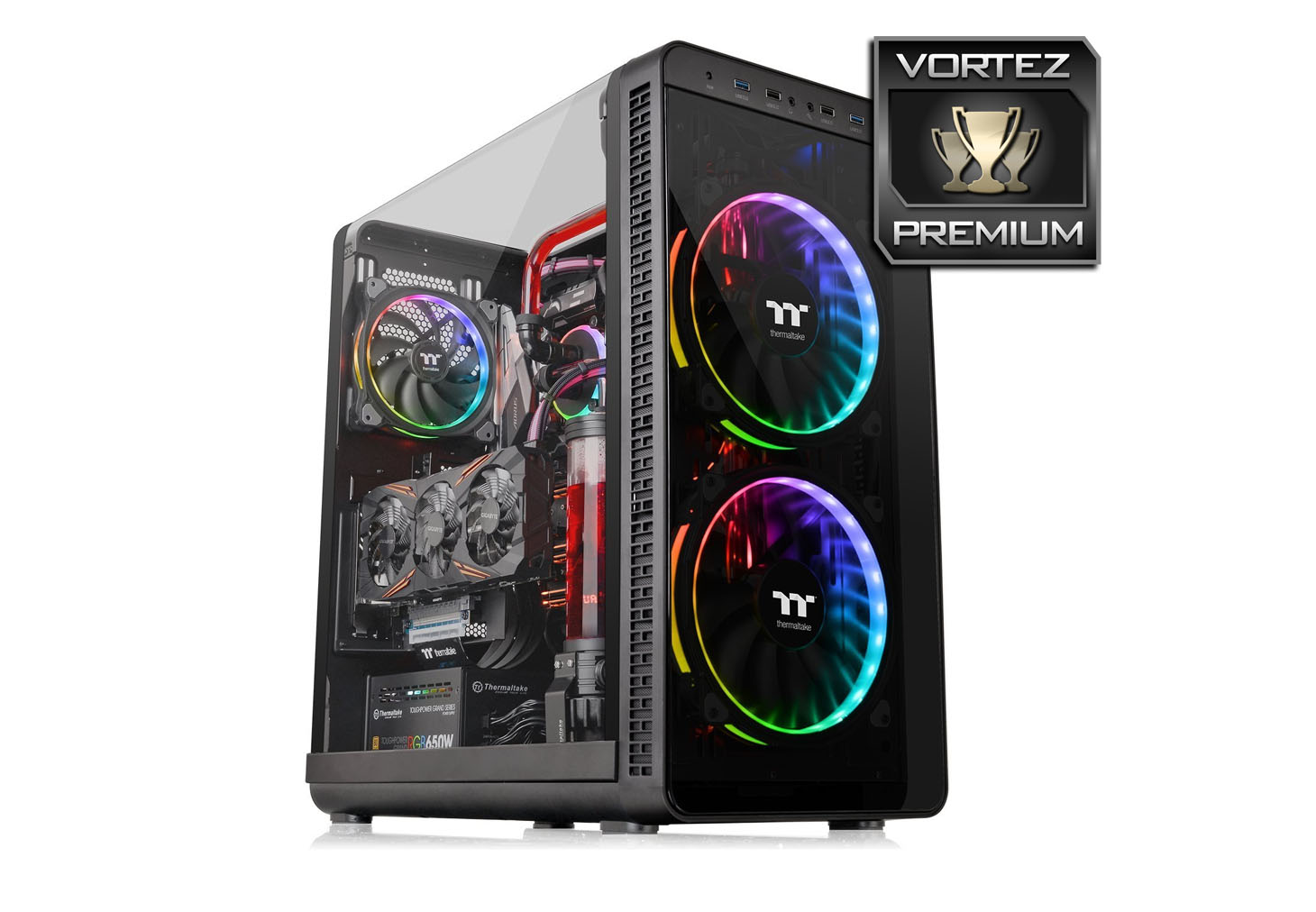
Thermaltake are back with another Gull-Wing design computer chassis – View 37 RGB (CA-1J7-00M1WN-01). Can this mid-tower deliver the innovation it promises?

Product on Review: View 37 RGB Edition
Manufacturer & Sponsor: Thermaltake
Street Price: £150 GBP @ Scan – $169 USD – $219 AUD @ PLE Computers
Thermaltake has come a long way since their inception, way back in 1999. Their portfolio has steadily grown to cater for a multitude of different products including cases, CPU coolers, cooling fans, power supplies and more.
Innovation inside the computer case division is absolutely essential in a market which is saturated with numerous models, styles and sizes. Not wanting to fall by the wayside, Thermaltake are back with another new design to slot straight into their “View” Series.
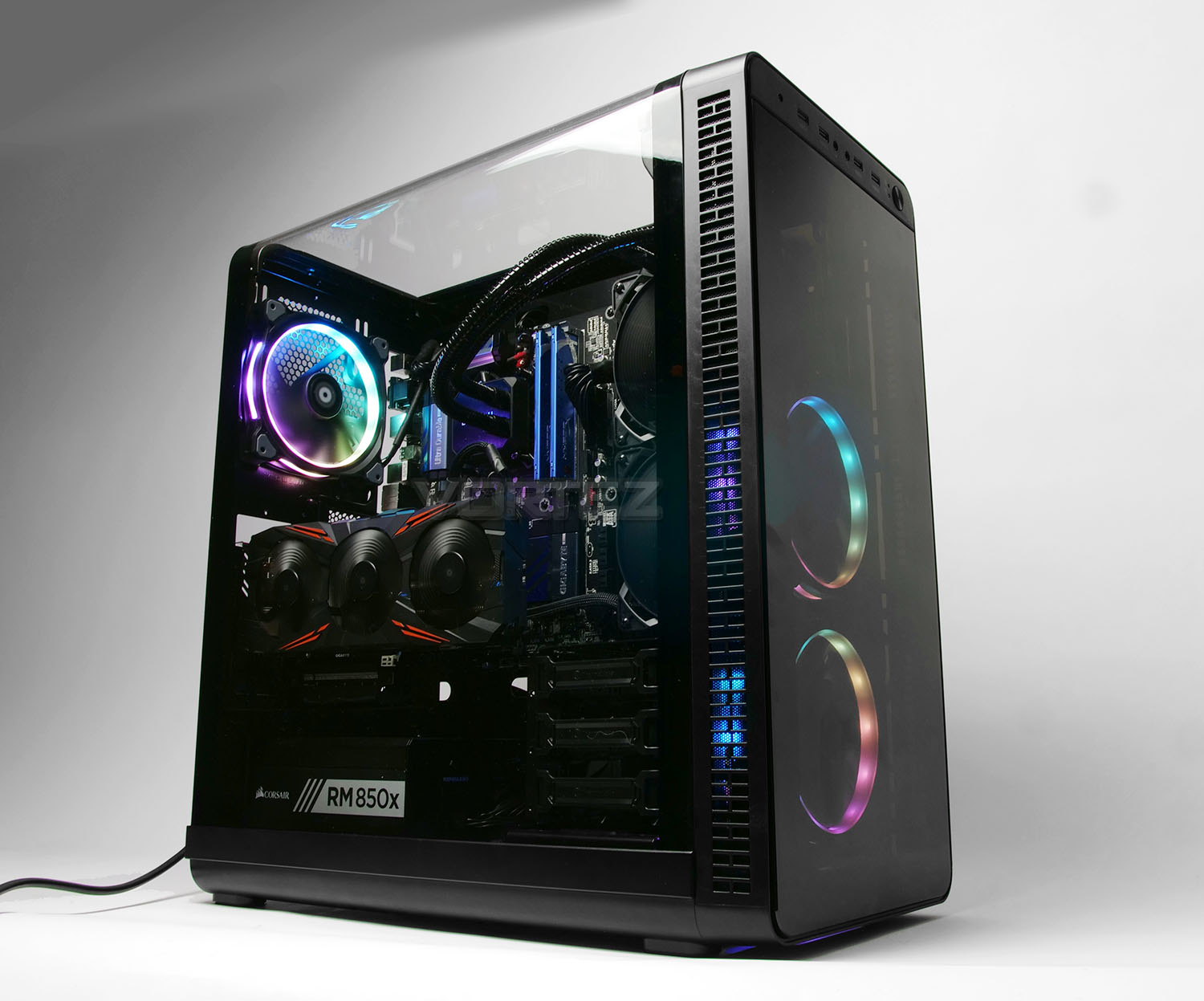
The View 37 RGB Edition is an E-ATX mid-tower that makes use of a Gull-Wing design. By having a Gull-Wing side panel, admiration for a customized configuration can now be viewed from another perspective. Inside this case, Thermaltake also has a few tricks up their sleeve with some subtle alterations to how the graphics card and radiators are mounted.
Thermaltake on their View 37 RGB
Thermaltake View 37 RGB Edition mid-tower chassis manifests the latest technology advancement and captivating aesthetics. Involves a gull-wing window panel to allow a view from more than just one angle; features 3 built-in Riing Plus 140mm Hardware Control fans to deliver 256-color RGB illumination and unparalleled ventilation, and up to two 200mm fan installation upgrade option.
Technical Specifications
Below are the technical specifications surrounding the View 37 RGB supplied by Thermaltake.
Exterior
View 37 arrives in a large and highly decorated double reinforced cardboard box. Details surrounding the case are found on the sides and reverse and inside, the case is covered in a plastic sheet and held in place with dual polystyrene pillars.
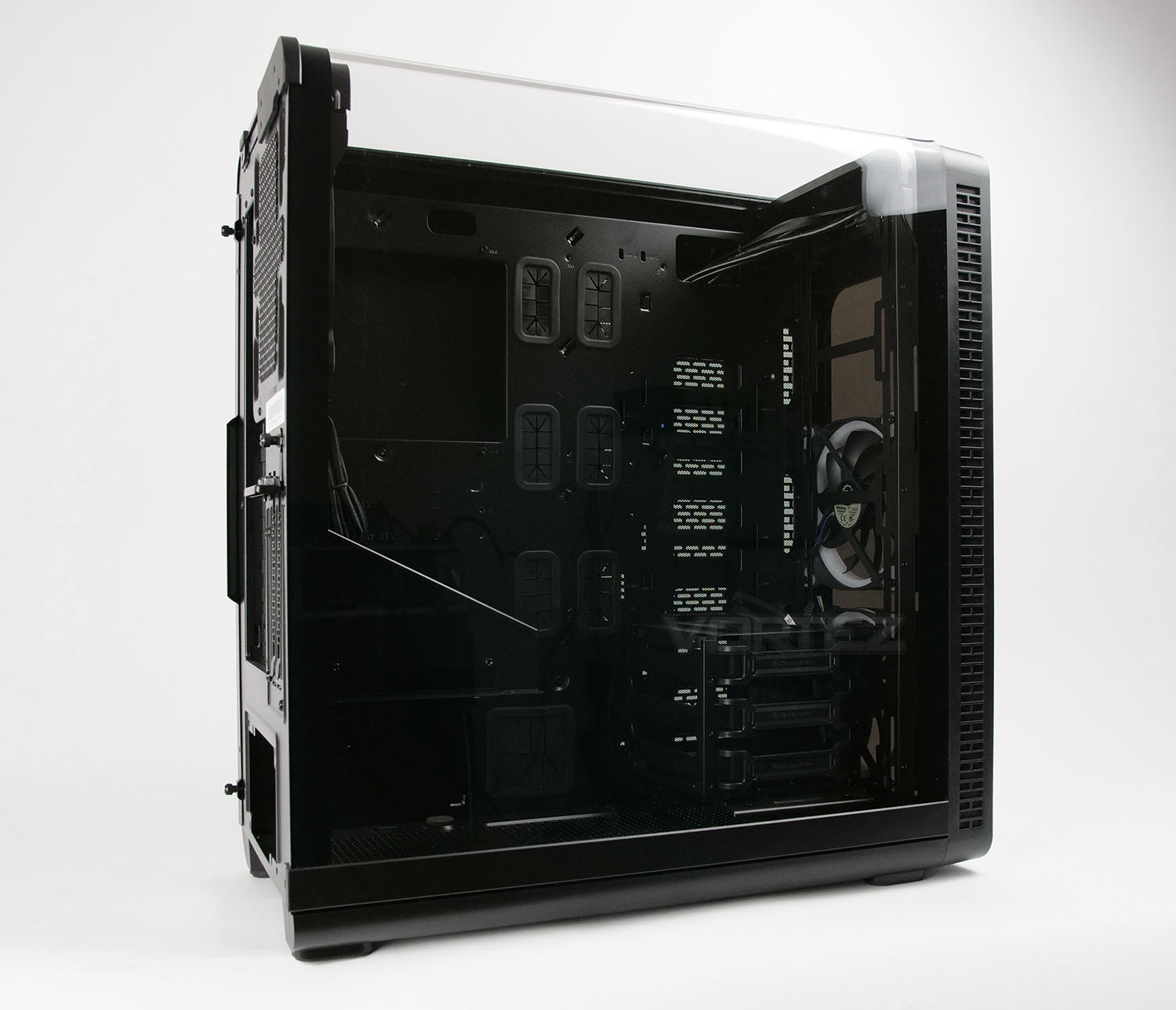
What becomes apparent from removing View 37 from its packaging is the unique design of the prominent side panel. The View series gets its name from each of the models utilising a ‘Gullwing’ style of engineering which allows for a more complete outlook of the system within. Since the system is obviously going to be rather exposed, a clean, tidy arrangement is therefore essential.
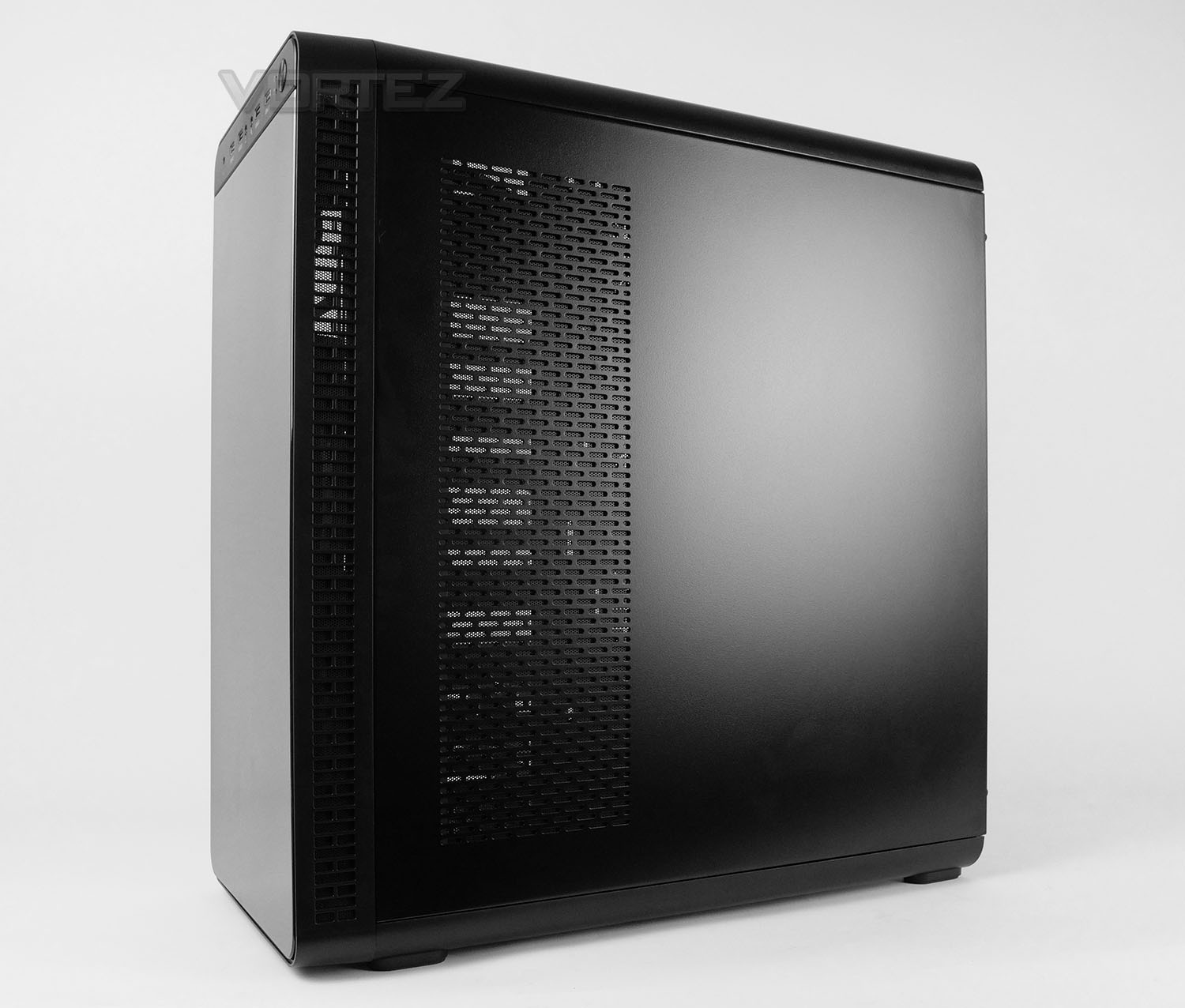
Over on the reverse side we have a solid steel panel which features some distinct markings – towards the front of View 37 we have a section of perforated mesh which stretches from the top to the bottom. The inside of this panel features a detachable dust filter; the idea being that a radiator can be fitted to the front of the motherboard tray and will face this direction and therefore, ventilation will assist with ensuring a degree of airflow.
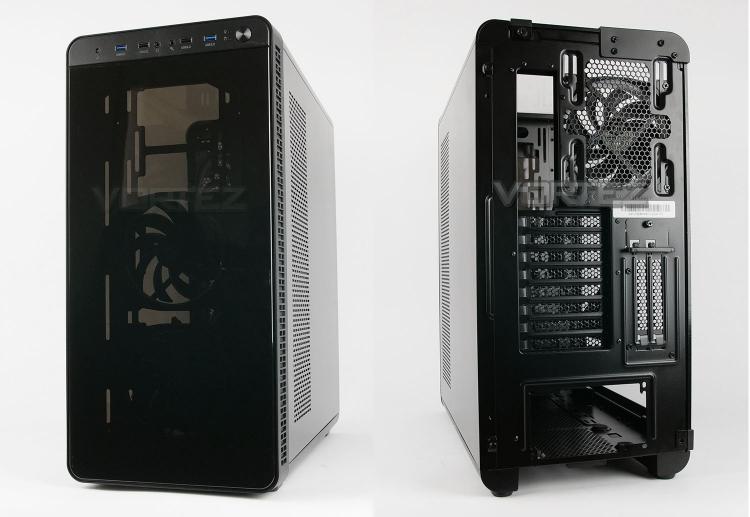
At the very front of View 37 we have a piece of semi-transparent (smoked) Perspex. This not only points to no 5.25” drive bay support but also indicates that partial view inside is possible – with RGB LED fans being visible.
Around the back, we have an opening at the bottom for installing the PSU, eight PCI expansion slot covers, two vertically aligned covers and a 140mm rear exhaust cooling fan – This is a Riing Plus RGB fan. There is the option to install a 120mm if desired.
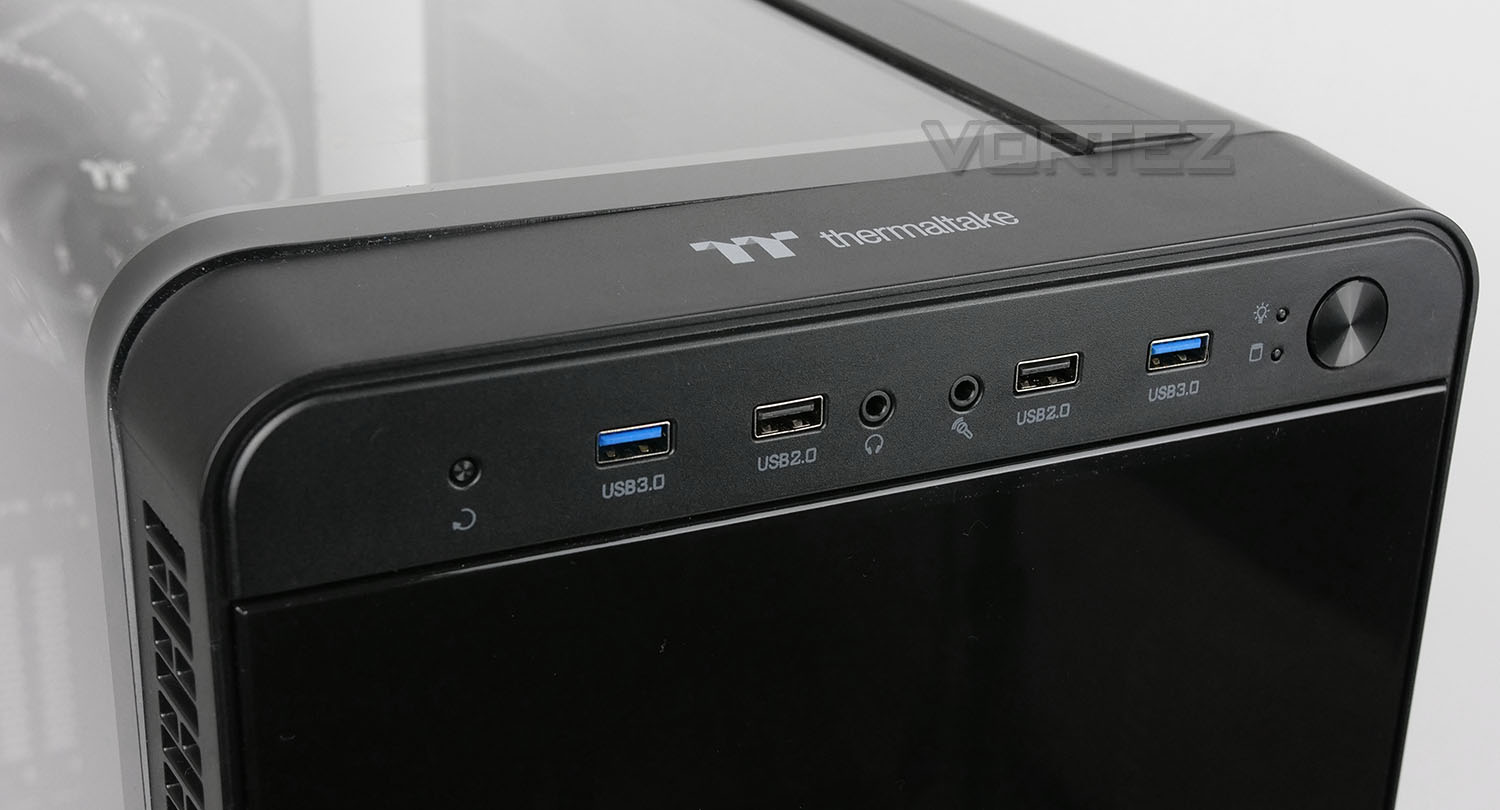
All of the essential front panel connectivity options are located at the very top and they include the following:
• Reset button
• 2x USB 3.0 ports
• 2x USB 2.0 ports
• Headphone/microphone jacks
• Activity LEDs
• Power button
While this does offer us plenty of flexibility, we are somewhat disappointed to see USB 3.1 missing from this section. Many motherboards post-2017 are now arriving with front panel USB 3.1 headers and it seems like a missed opportunity to leave this out.
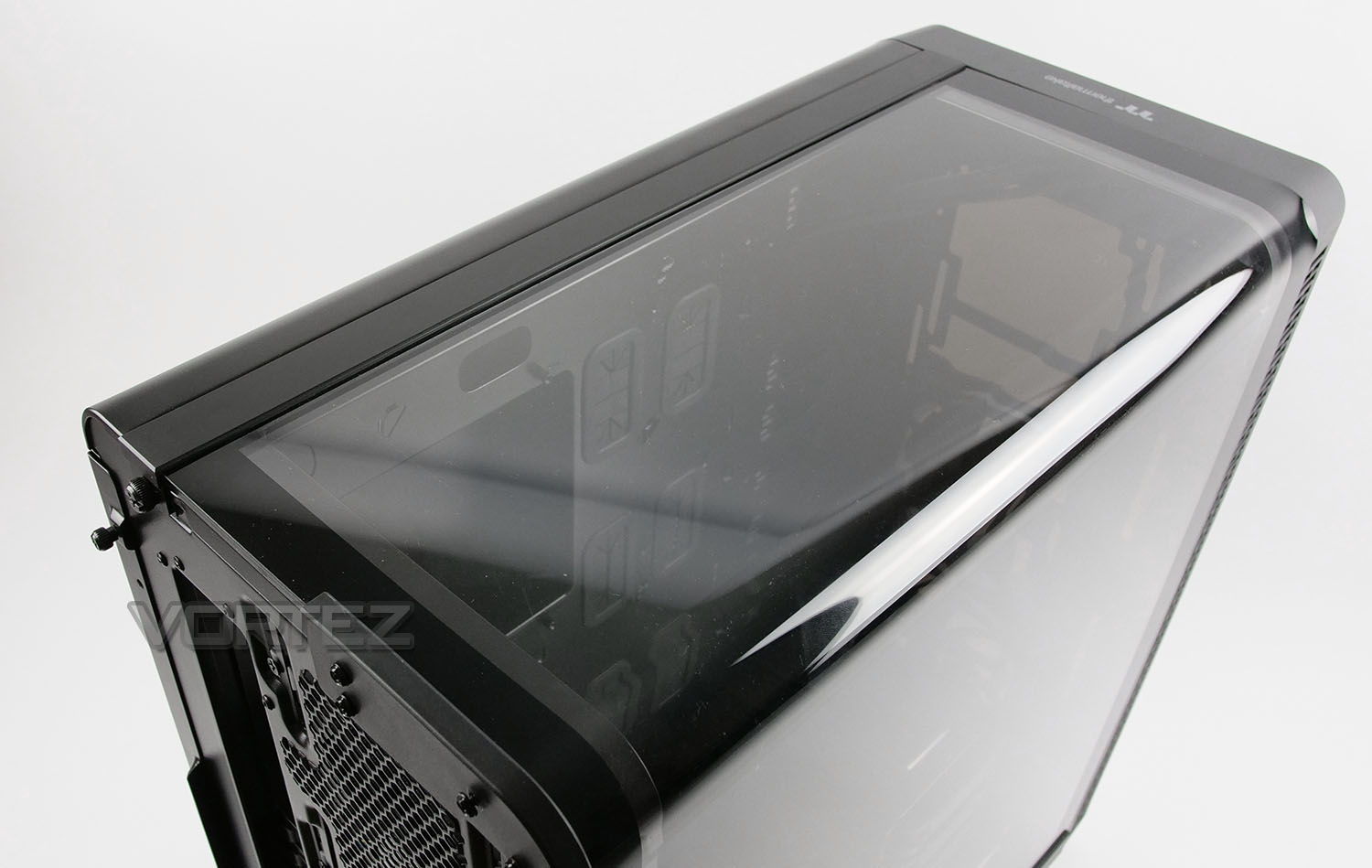
Peering in from the top of View 37 we can fully appreciate the Gull Wing design which involves a single panel which bends and ‘hooks onto’ the chassis. This does indeed give us a different viewing point for the system, will help with system installations but there is a slight downside in that we cannot install any cooling components to this top section.
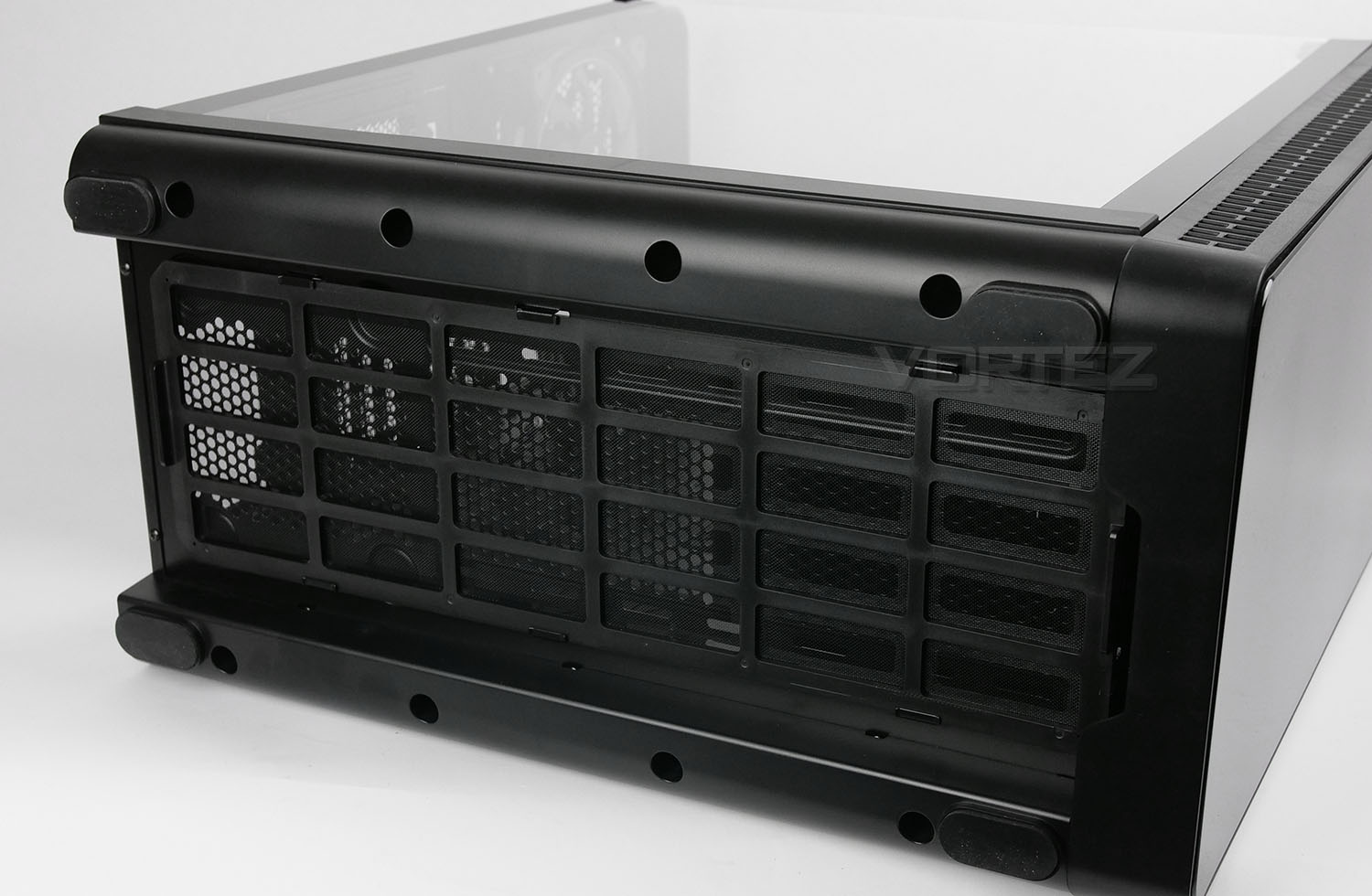
Flipping the case onto its side, we have four rubber feet which help to prevent the case from slipping around, and we also have a large, single dust filter tray which can be extracted while the case is stood up.
Interior
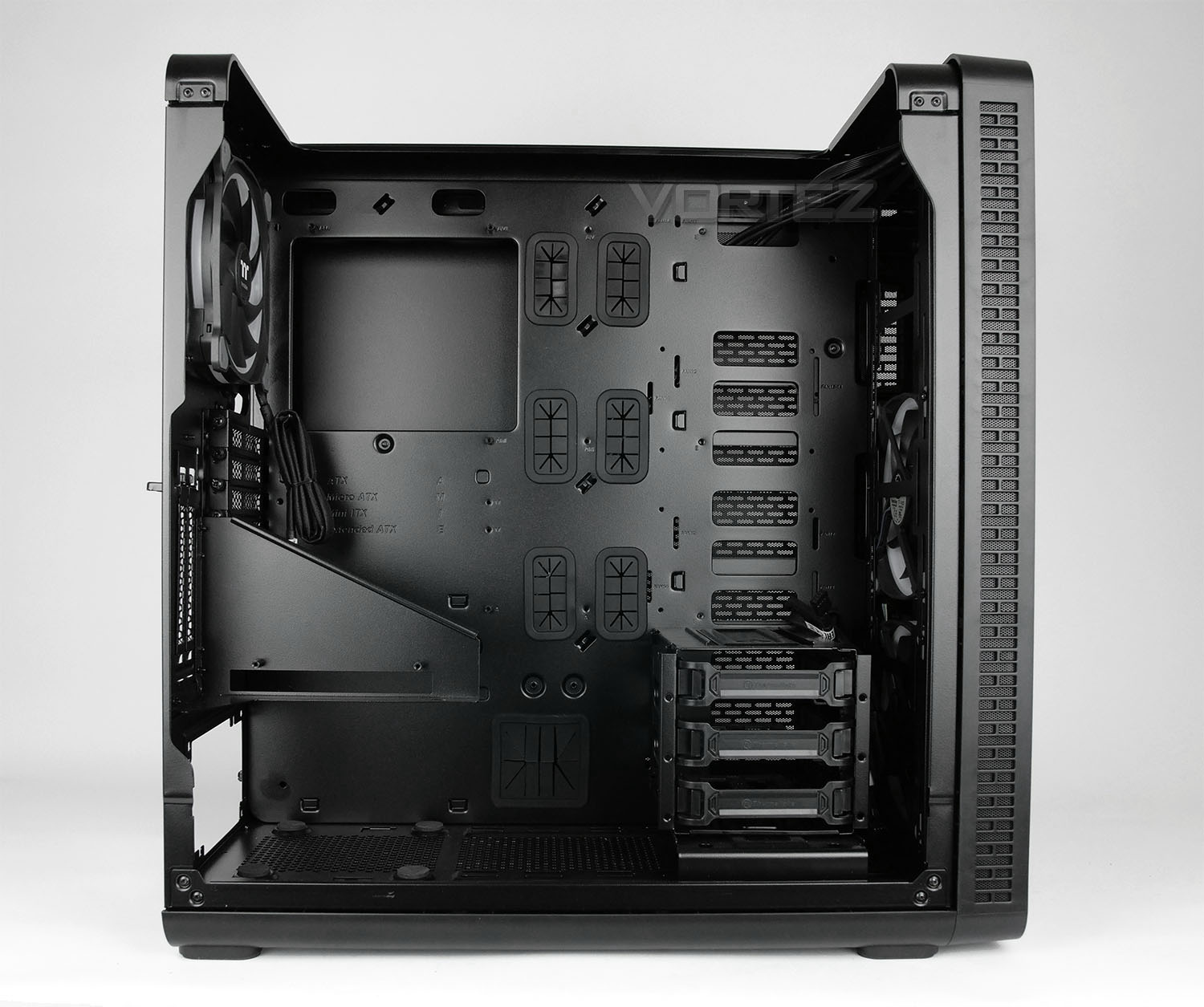
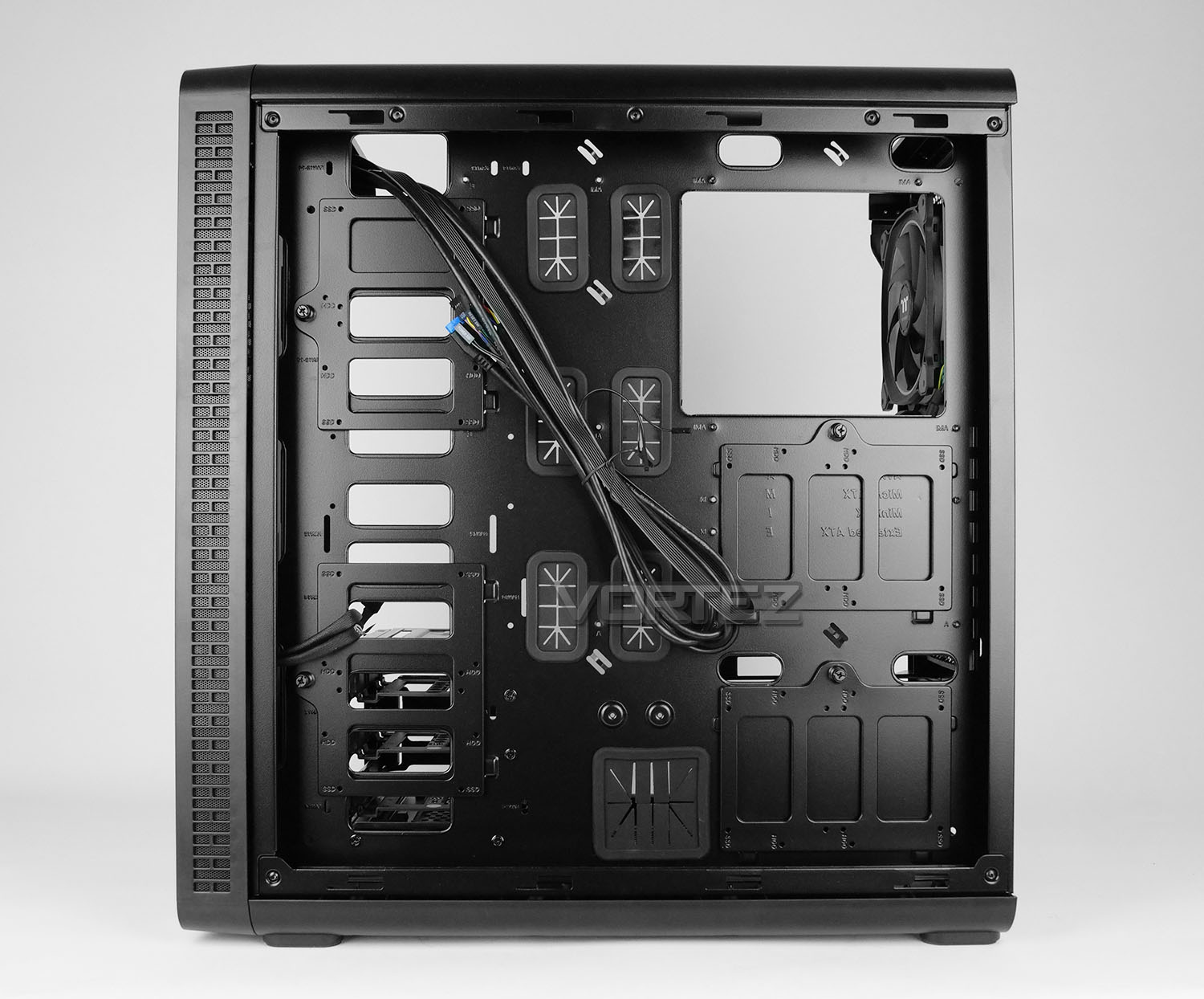
The side panels on View 37 are fixed into place with thumbscrews on the alternate side and a rear bracket on the prominent side. The latter is definitely quite a fiddly task to undertake as a variety of screws need to be removed. We’d like to see an improvement on the current design – something which is tool-free and easy to use would be useful.
After removing the panels, we have a very spacious internal design. The motherboard tray can entertain E-ATX, ATX, M-ATX and Mini-ITX motherboards and there are an assortment of tool-free mechanisms for installing hardware – including some extras which other cases won’t have.
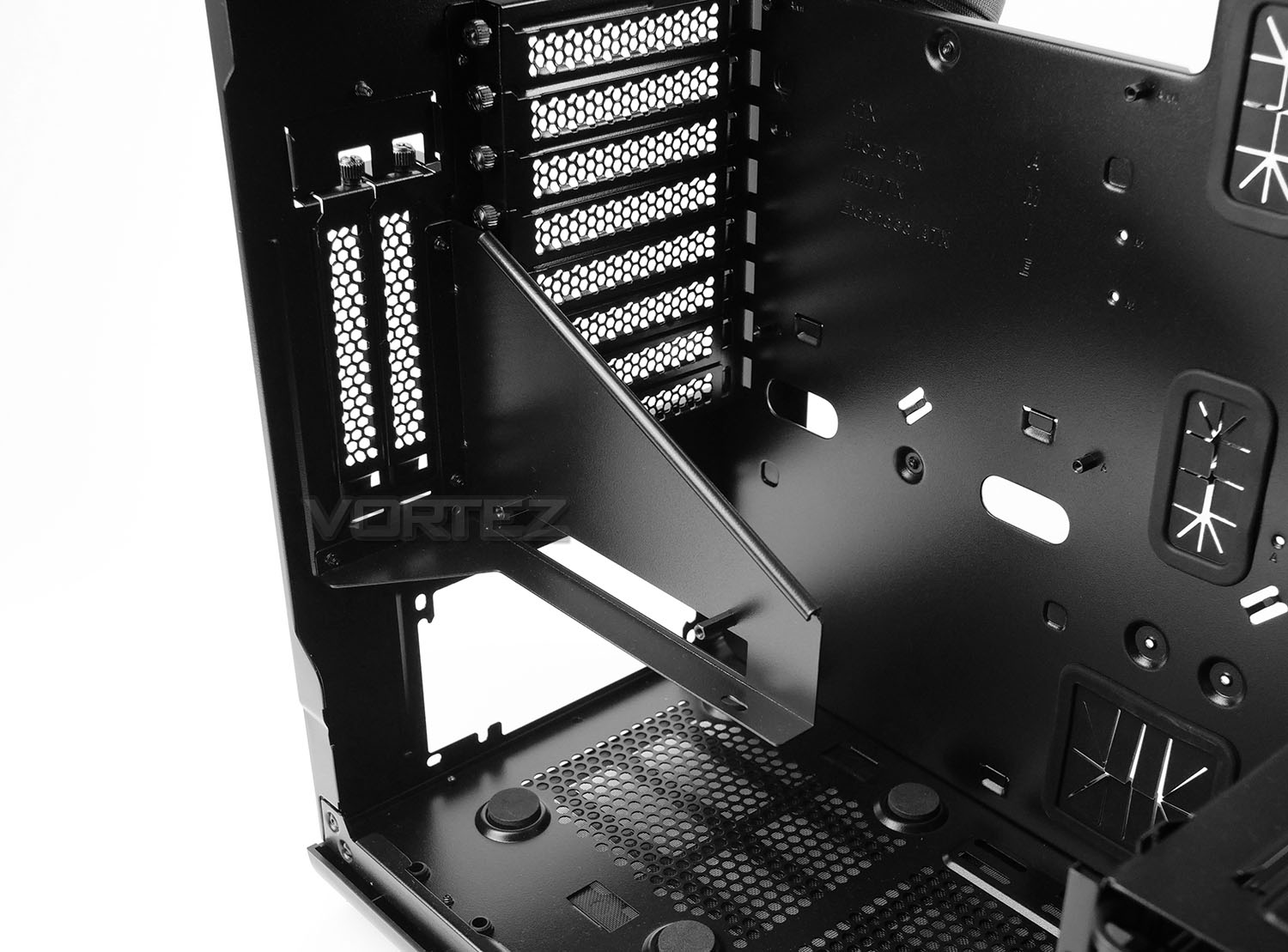
In the lower section of View 37 we have an area for mounting the PSU – this has four rubber pads to prevent the unit getting scratched or from vibrating under load. Above this we have a bracket which allows you to rotate your graphics card and have the top-side showing. This does require a riser cable and one isn’t included in the accessories unfortunately. Two vertically aligned PCI slots have been included to work with such a configuration.
Behind this we have the standard horizontally arranged PCI covers – there are eight in total and each have thumbscrews for easy removal.
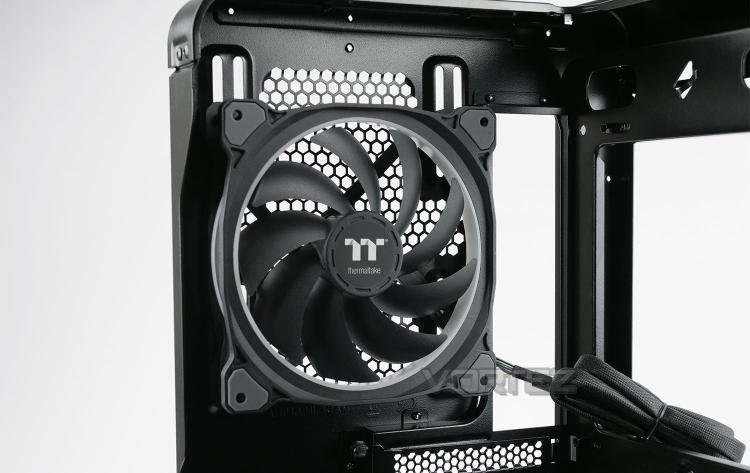
Positioned at the back of the chassis we have a 140mm Riing Plus fan – this is RGB ready and is configured to be an exhaust. This fan has thick cable sleeving and opts for a header connection at the end, rather than 3 or 4-pin; this allows the fan to pair up with Thermaltake’s RGB device (more on this later).
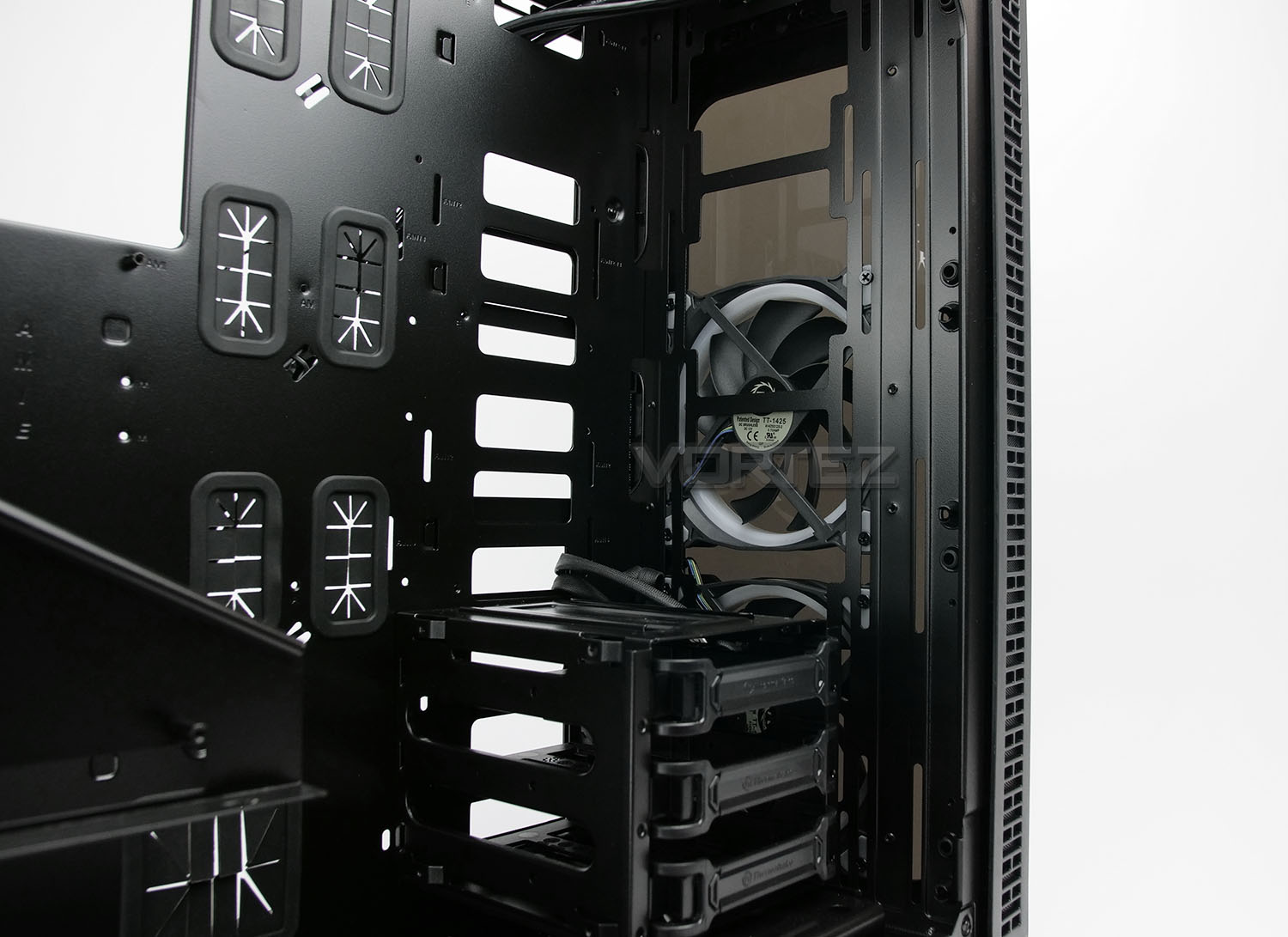
Just as we saw for the rear exhaust, the front also features another two 140mm Riing Plus RGB fans. This time, these fans are configured as intakes and will bring cool air into the chassis and across the system to assist with a push-pull design.
As can be seen from the picture above, there are no 5.25” drive bays at the front. Instead, we can install the radiator in the provided space (next to the motherboard) – facing the side panels. In some cases the lower HDD cage will need to be removed but we’ll be exploring this in the next sections of this review.
As already mentioned the bottom of the front region of View 37 has a small, detachable cage which has a trio of trays – these trays can accommodate 2.5” or 3.5” drives. Additionally, behind the motherboard tray there is allocation for installing another four storage devices to the provided brackets, again these can all house 2.5” or 3.5” drives.
Installation & RGB Lighting
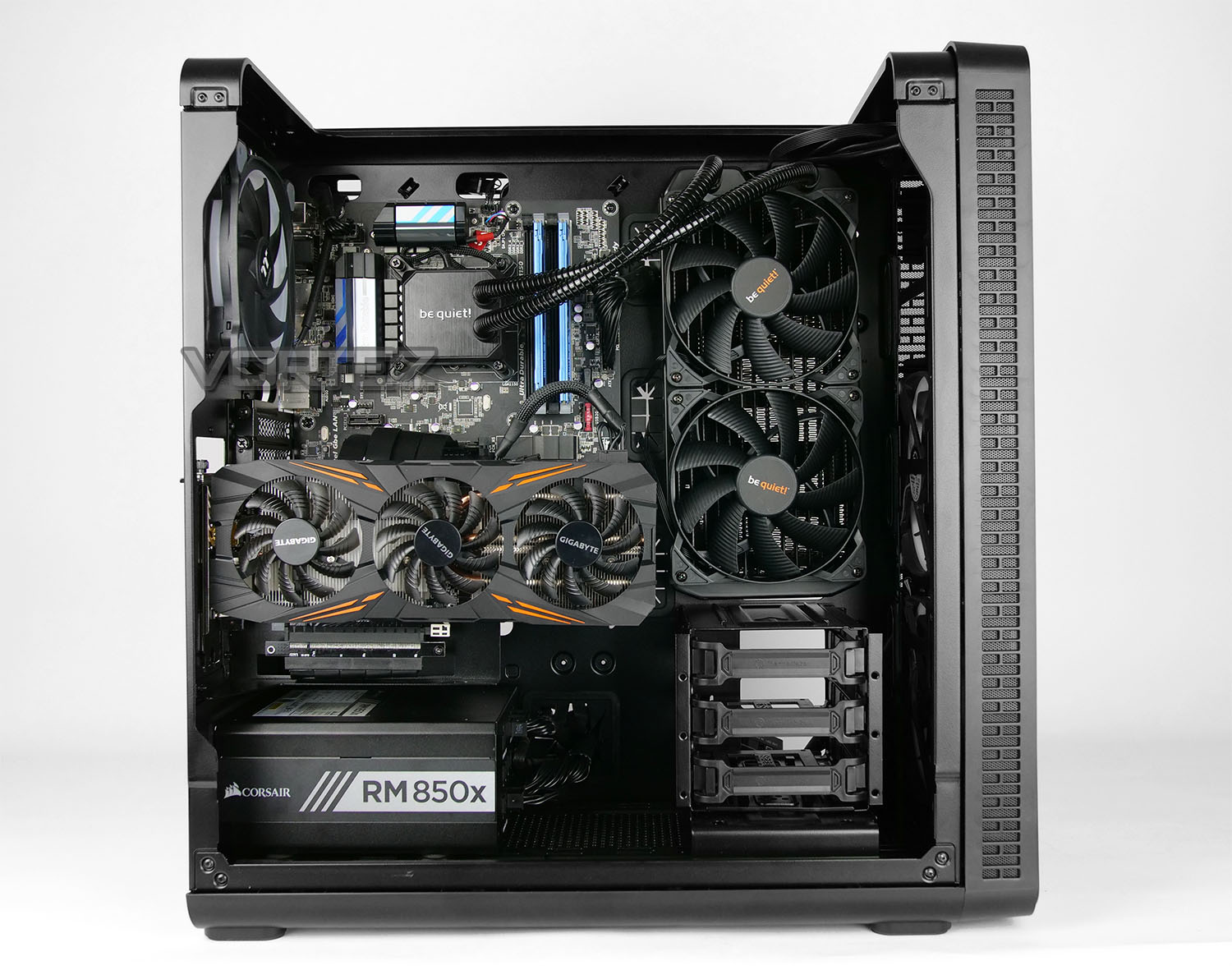
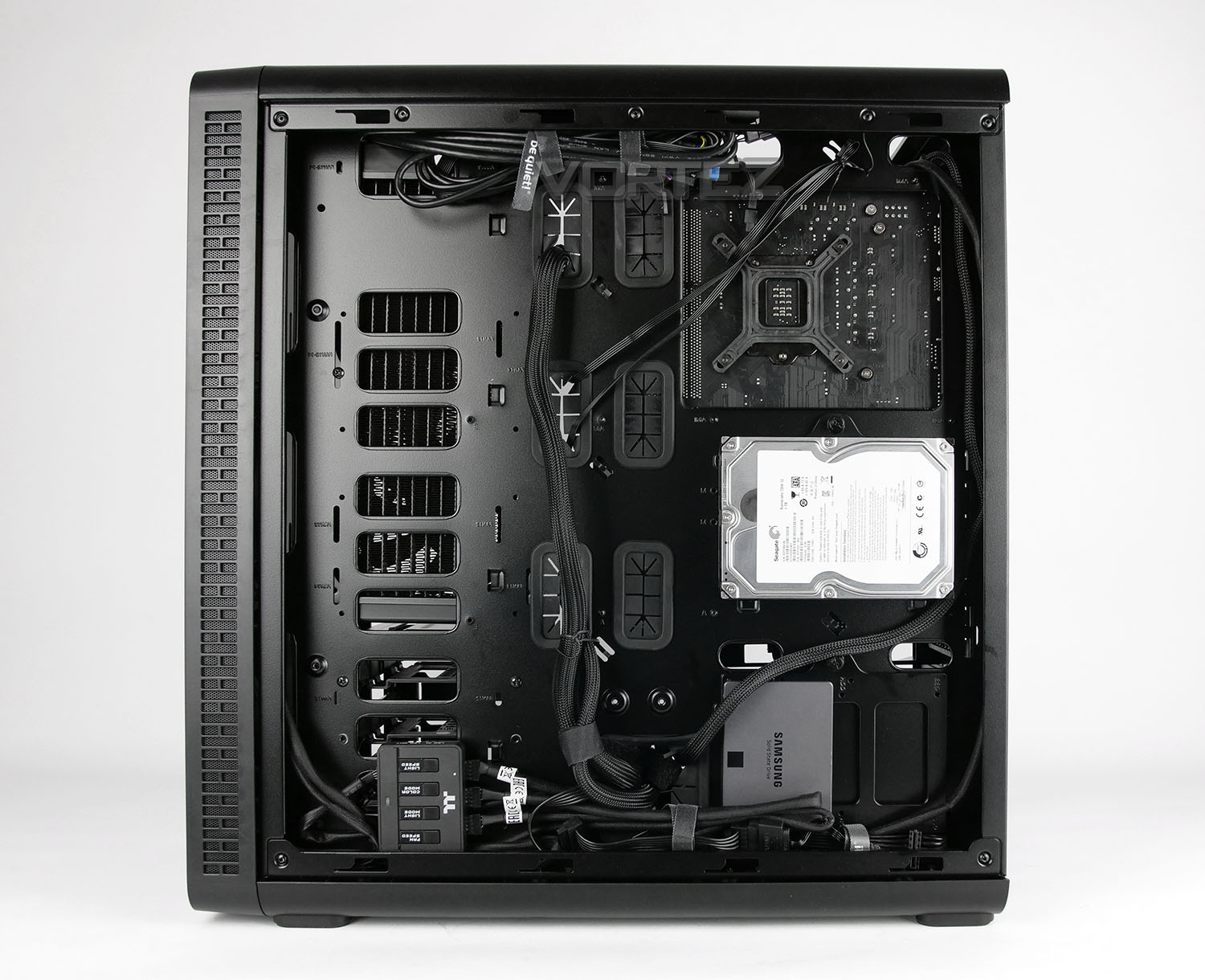
View 37 is a very spacious computer case and this greatly assists with the installation process. Being able to manoeuvre parts into place allows the process to be relatively trouble-free. In particular, due to the lack of any top panel and open space at the top of View 37, access to the CPU cooler, cabling and radiator was excellent and proved to be beneficial.
The highlight for this case is the vast amount of clearance around the back of the motherboard tray which paves the way for superb cable management – and there are a lot of cables to consider with the fans and RGB lighting device!
If you are planning to install the radiator in the same position as we have (at the front of the motherboard tray) then it’s crucial to move any items out of the way of the backside of the motherboard tray. Blocking airflow will create heat buildup and could have a detrimental effect on CPU temperatures or even system performance. To that end, any hard drive brackets in this area cannot be used.
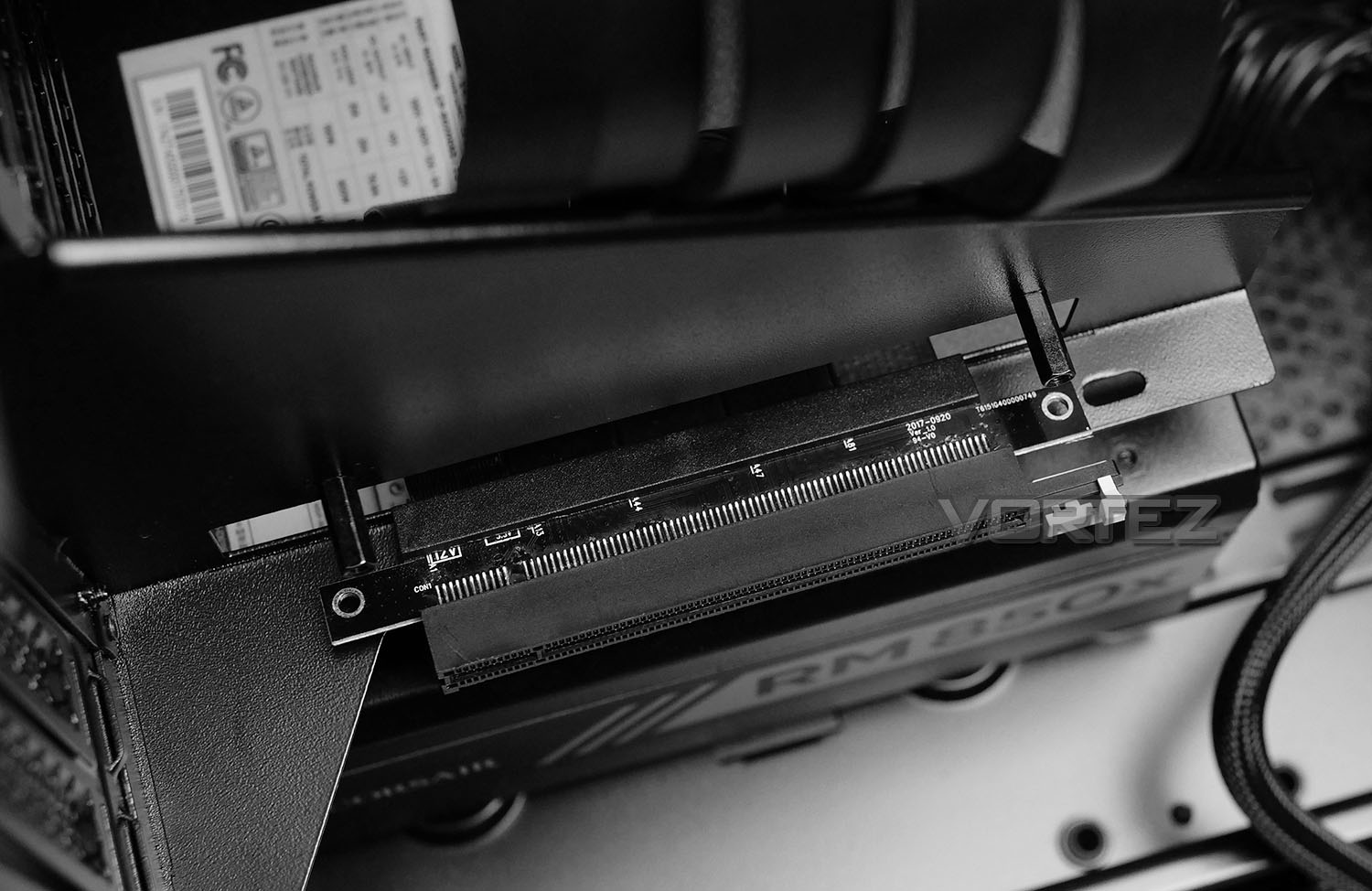
To rotate the graphics card and have it positioned on the included bracket a riser cable is required – this is not supplied in the accessories bundle. As a matter of interest, we tried using an unbranded riser cable (non-Thermaltake) and this sadly would not fit as shown above – the mounting holes do not align to the mounts. If you are planning on using a riser cable the mounting holes must be 4” or 101.6mm apart
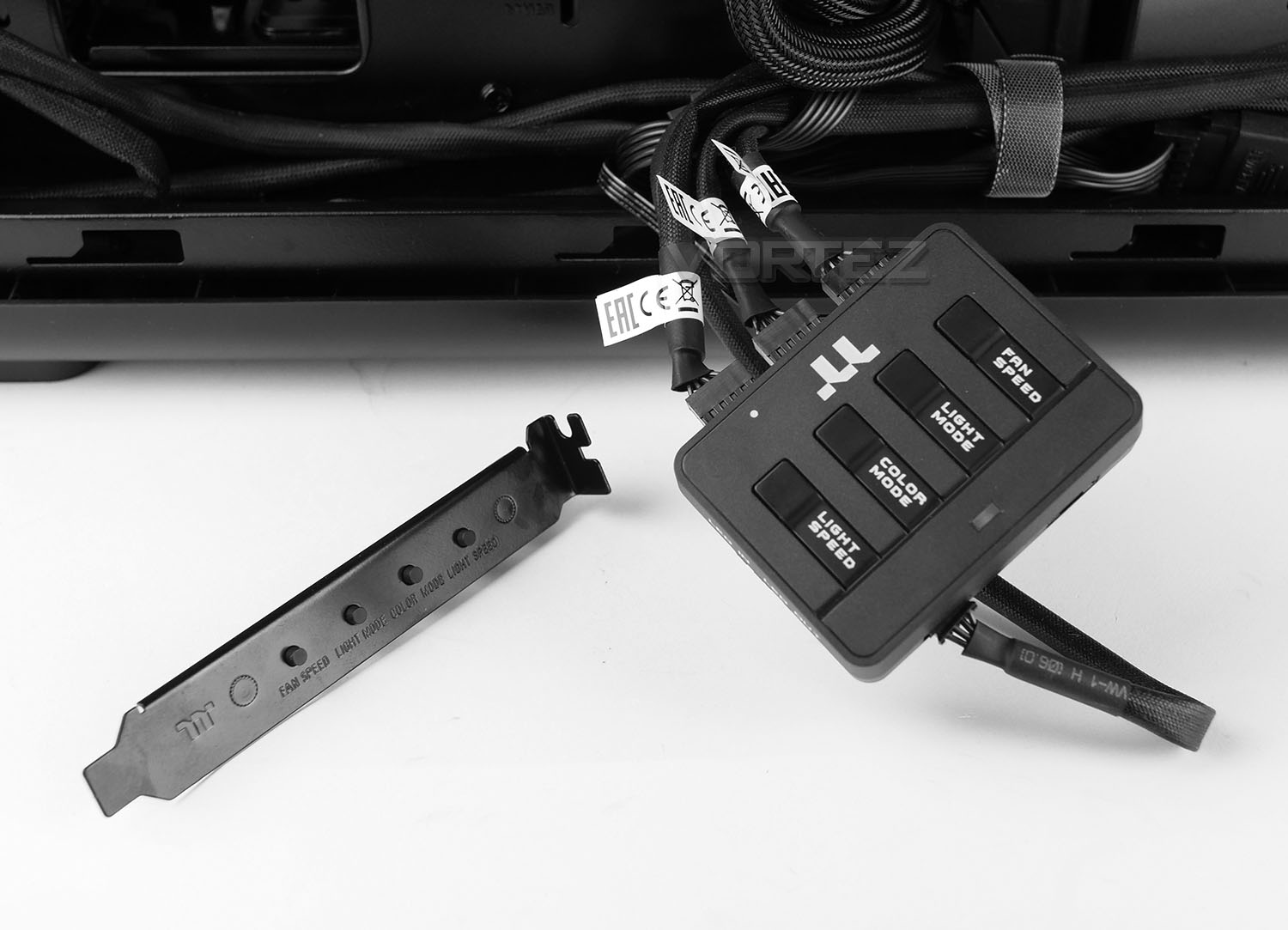
As part of View 37’s accessories bundle there are two RGB control units. One is a primary unit and the other can be added in as a more convenient way to adjust options via PCI. To use the PCI unit, a bridging cable must be connected between both devices.
All of the fans must be connected as shown above – the cables running from the fans are in fact just like USB headers. A PWM cable between the unit and motherboard is required and SATA power is also necessary (all are included with the case).
Above we have a demo of the system powered up with the lighting active – as you can see, different lighting modes, colours, colour speed can be set and the fan speed can be modified to low or high from this device.
Clearance – CPU Cooler, GPU, Cable Management, WC
The clearance options inside a chassis are imperative to establishing whether specific hardware will fit or not. In this part of the review we go to significant areas of the case to discover what the limitations are.
CPU Cooler
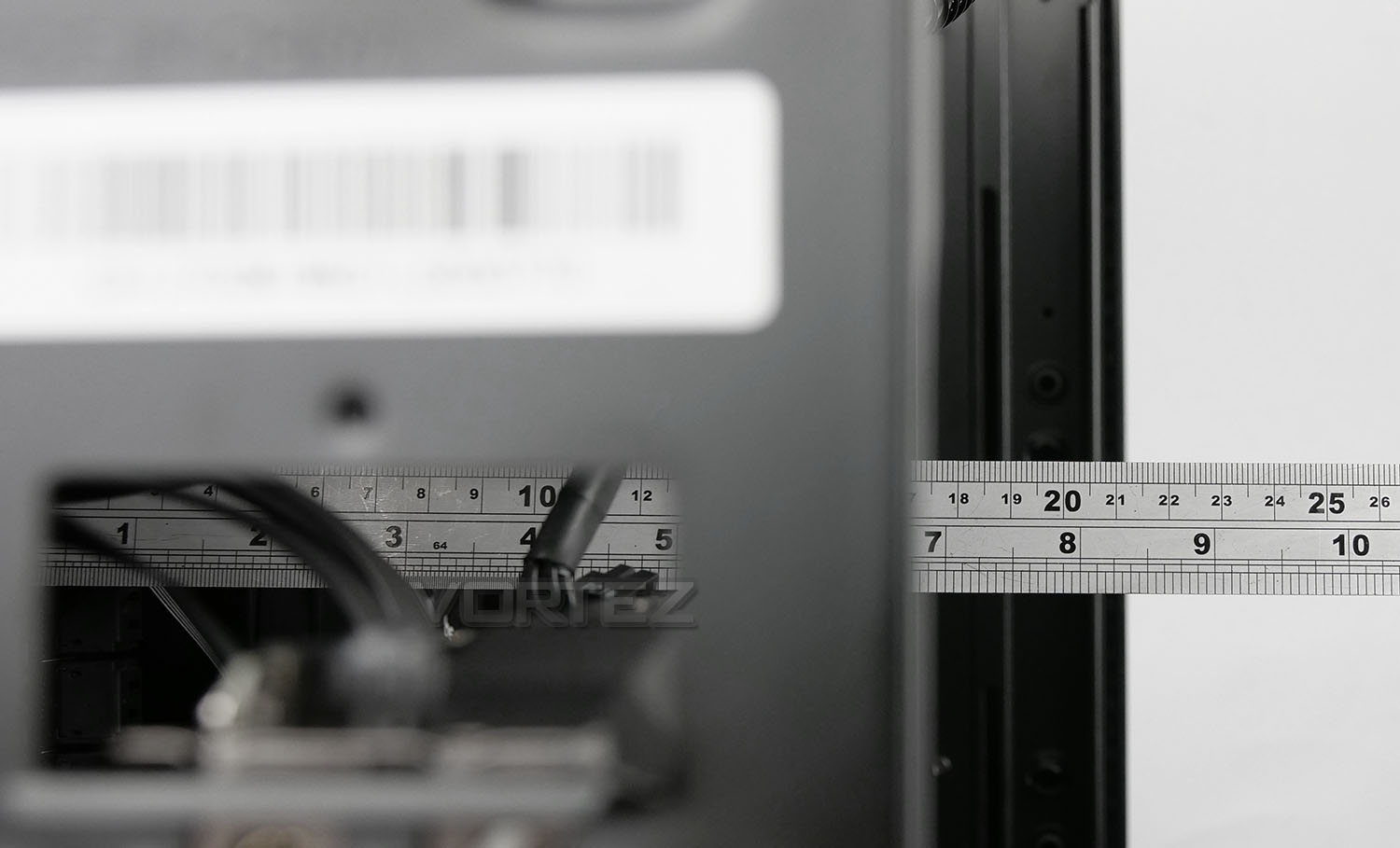
Despite Thermaltake saying there is a maximum of 180mm for the height on the CPU cooler – there is a little bit more, up to 190mm is available before the top of the cooler touches the side panel.
Graphics Card
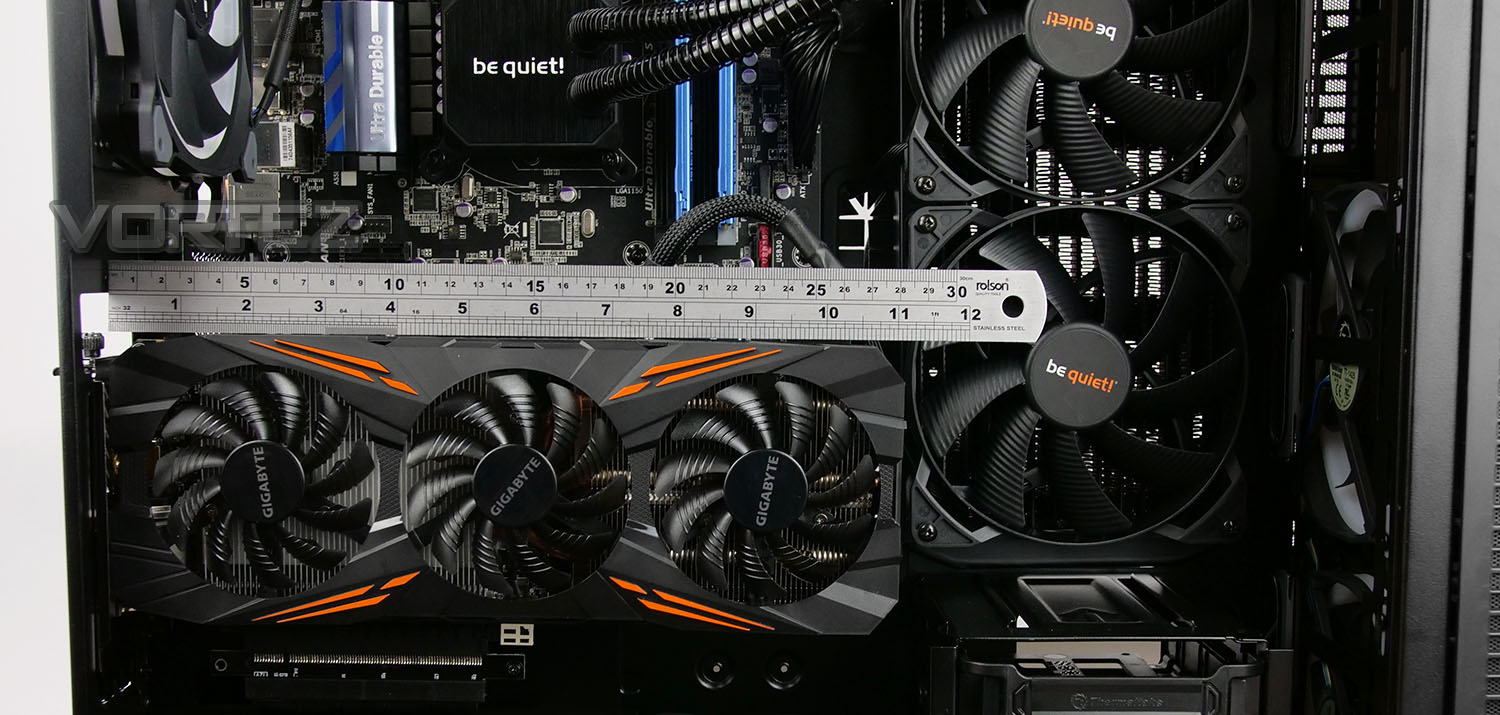
In the graphics card department, there are a few things to consider. If you are planning to install a radiator in the same positioned as we have, you have up to 280mm of clearance if you choose to install the graphics card in the traditional manner. However, if you plan to install the graphics card in a rotated orientation then the storage cage may become an issue and in which case you have up to 290mm.
If you opt for installing the graphics card rotated and remove the storage cage then you have around 400mm to play with – clearance isn’t an issue.
Cable Management
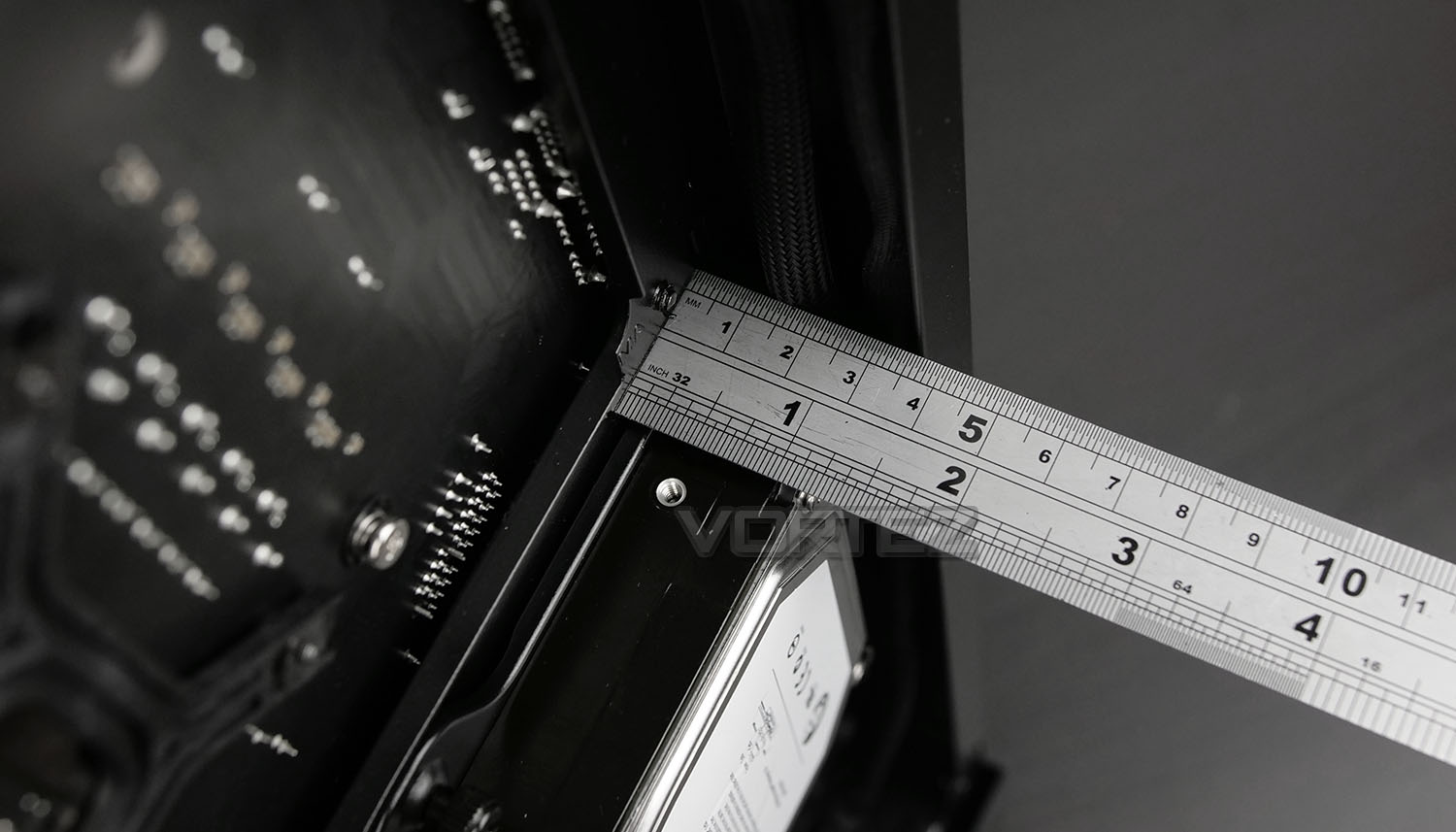
The area behind the motherboard tray allows redundant cables to be routed and can affect the tidiness inside a chassis. So, we have approximately 35mm behind the motherboard tray which is the most space we’ve ever encountered on a computer chassis. This allows you to gain effective control over those unruly cables and present things in a tidy fashion. Having generous amounts of space behind the motherboard tray means you don’t necessarily have to be as orderly with where unwanted cables go..
Water Cooling
Due to the physical design of View 37 there are plenty of options for installing radiators and custom loops. While the top panel cannot accommodate any such device, the front can house: 360/280mm radiators, the side can house: 420/360/280mm radiators and the rear can house: 120/140mm radiators.
Thermal Performance Testing
Inside View 37 we have three cooling fans, all of which are 140mm – a rear exhaust and two front intakes, both are Riing Plus. This traditional method of cooling in a push-pull configuration usually yields good results.
To discover the thermal performance of View 37 we will record idle temperatures after 20 minutes from a cold boot. We will then stress the system and temperatures will again be monitored after 30 minutes have elapsed. The fan controller will be set to “high”.
For the purpose of accurate analysis, the idle and load temperatures for CPU will be recorded and the range between idle and load will be calculated to determine how efficient cooling is.
NOTE: Ambient temperature is 20C
System Components
CPU Intel Pentium K G3258 @ 4GHz
Motherboard GIGABYTE Z87X-D3H
CPU Cooler Cooler Master Hyper 212 EVO (Different to cooler in pictures)
Graphics NVIDIA GTX 760
Memory 4GB Kingston HyperX DDR3
HDD Samsung Spinpoint 500GB SATA-II
PSU DeepCool DQ750
Motherboard GIGABYTE Z87X-D3H
CPU Cooler Cooler Master Hyper 212 EVO (Different to cooler in pictures)
Graphics NVIDIA GTX 760
Memory 4GB Kingston HyperX DDR3
HDD Samsung Spinpoint 500GB SATA-II
PSU DeepCool DQ750
Noise
Since the panels on View 37 are thick, noise is no issue with this case. We found it to be quiet on the “low” setting and noticeable on “high” but not disruptive.
Conclusion
Computer case designers are left with very little room for innovation in their field of work. Generating new and exciting concepts is an arduous task because most avenues have already been explored, so when a brand arrives with something slightly different they have to be commended and Thermaltake fit straight into this statement.
While the design of Thermaltake’s new View 37 RGB may not be ground-breaking, it does achieve a level of innovation. The Gull Wing design is intriguing and it not only allows for a perspective which would otherwise be concealed, it also makes the installation process that little bit easier too. Being able to display both the graphics card and radiator in an unconventional manner is also quirky and adds unique appeal.
Thermaltake has peppered View 37 with a broad spectrum of different and useful features, including oodles of storage spots, and bags of space for high-performance hardware. We are especially fond of the generous gap behind the motherboard tray which translates to exceptional cable management potential.
On the performance side of things, this case is able to deliver some great thermal performance thanks to the Riing Plus cooling fans. Since View 37 has reasonably thick panels and the option to modify the fan speed, the noise levels are also acceptable – creating very little noise during full operation.
There are however a few areas which are worth mentioning as areas for improvement. A riser cable isn’t provided with this case but if you’re wanting to take advantage of rotating the graphics card, you will need one and they aren’t cheap. Grabbing a cheap one off Ebay may not work either because the mounting holes for the PCIe slot needs to be exactly as prescribed by the chassis – 4” or 101.6mm. We tried to fit our own and sadly, it wasn’t the correct size. Another point to make is the method to which the Gull Wing panel fits onto the chassis, a bracket is attached at the back and this uses a plethora of screws to detach/attach the panel – we’d like to see a tool-free/quick release system implemented instead.
The View 37 RGB can be picked up for £150 GBP @ Scan – $169 USD – $219 AUD @ PLE Computers – placing it into the high-end of Mid Towers. Weighing this up, this case does arrive with triple RGB fans, integrated RGB/fan controller, a lot of features and the options to expand in future. So for the money we think it’s reasonable value.
Looking for something a bit different and that oozes RGB? View 37 pushes the boundaries for computer case design by offering up a slice of innovation.
Pros
+ Clean, attractive design
+ Provides extended view of top
+ Allows you to get creative with presentation
+ Easy to install kit
+ Good build quality
+ Features RGB/Fan speed control
+ Offers great support for radiators
+ Lots of storage options
+ Can host high-end kit
+ Low-noise operation
Cons
– Heavy
– Does not include riser cable
– Riser cable needs to be specific size
– Gull Wing side panel annoying to fit
+ Clean, attractive design
+ Provides extended view of top
+ Allows you to get creative with presentation
+ Easy to install kit
+ Good build quality
+ Features RGB/Fan speed control
+ Offers great support for radiators
+ Lots of storage options
+ Can host high-end kit
+ Low-noise operation
Cons
– Heavy
– Does not include riser cable
– Riser cable needs to be specific size
– Gull Wing side panel annoying to fit
Click here for an explanation of our awards at Vortez.net.
Stay connected with the Vortez Social Media pages: