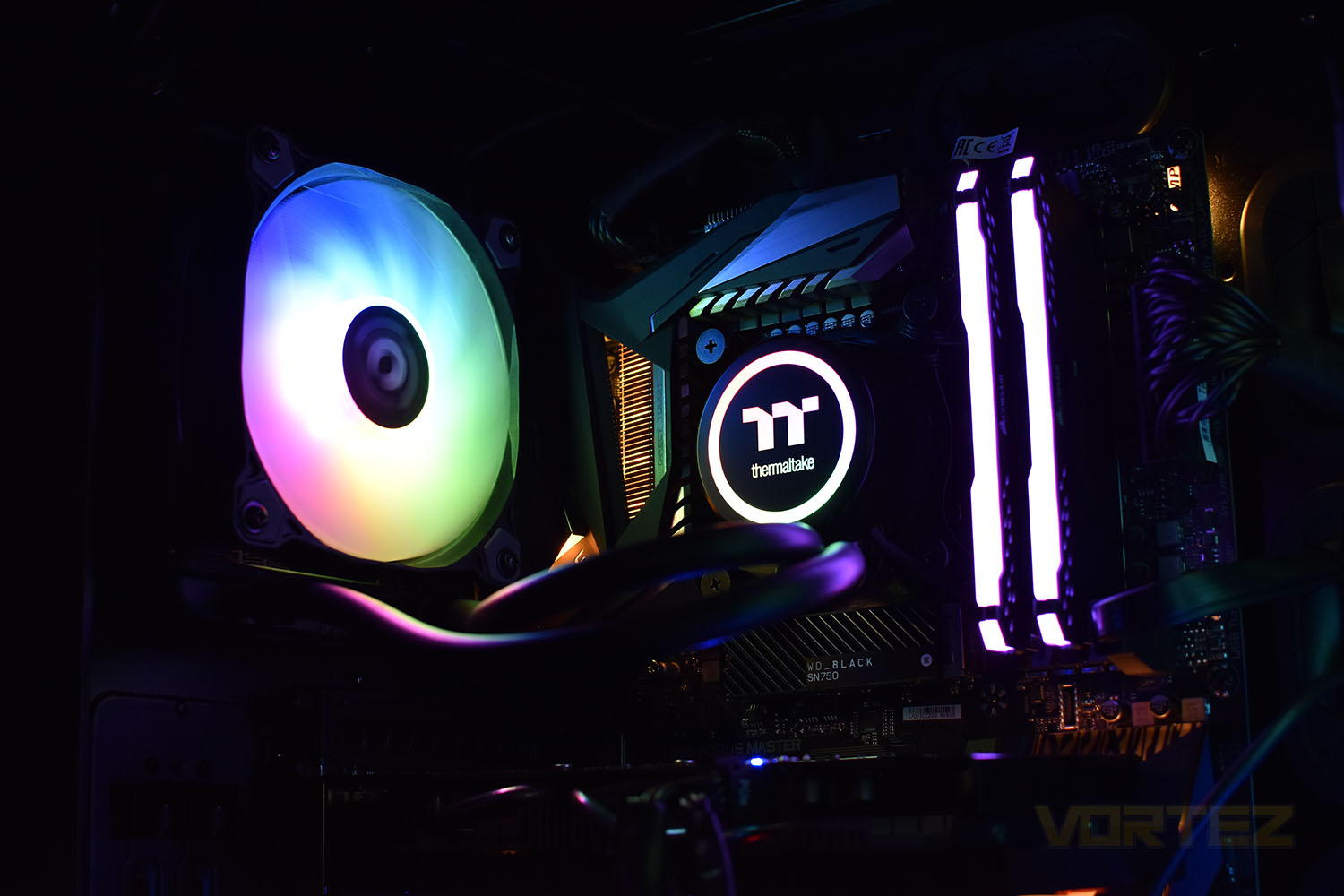
Boasting all of the RGB lighting, the latest CPU all-in-one watercooling loop from Thermaltake offers support for all of the major motherboard manufacturers and thanks to a large surface area radiator, good performance is promised.

Product on Review: Thermaltake Water 3.0 120 ARGB Sync TT Premium Edition
Manufacturer: Thermaltake
Street Price: GBP £79.99 / USD $89.99 / AUS $139.99
Thermaltake are a large, well-known brand within the PC enthusiast sector, perhaps best known for their cooling equipment, they also produce DRAM, peripherals, power supplies and even furniture. Today we’re going to take a look at their latest 120mm AIO cooling loop.
The Thermaltake Water 3.0 120 ARGB Sync TT Premium Edition uses an RGB pump enclosure and a single 120mm Thermaltake Pure ARGB Sync radiator fan, both of which offer full 5V support for RGB lighting control via ASUS Aura Sync, GIGABYTE Fusion Sync, MSI Mystic Light and ASRock RGB lighting on compatible motherboards.
For those who are using motherboards without a 5V RGB header, Thermaltake have included an in-line RGB controller that can individually address up to 90 RGB LEDs, useful if you’d like to add further fans/RGB strips at the same time.
CPU socket support is extensive, supporting pretty much any CPU socket apart from AMD’s ThreadRipper. AM4 and LGA2066 are both fully supported.
Pricing, at £80/$90/$140 (UK, US, AU) puts it at the premium end of the 120mm radiator AIO sector so performance will be key in our testing but with the RGB lighting on the pump enclosure and the 120mm fan, it should look great.
Thermaltake on the Water 3.0 120 ARGB Sync Edition:
Thermaltake Water 3.0 120 ARGB Sync Edition comes with one 120 mm fan with a large surface radiator, high performance waterblock and pump for ultimate CPU cooling. The built-in Pure ARGB fan features compression blades, hydraulic bearing, and 16.8 million colors LEDs that is ready to sync with 5V RGB capable motherboards from Asus, Gigabyte, MSI and AsRock. Users can easily switch RGB lighting effects using the ARGB controller that is included in the packet, or by ASUS Aura Sync, GIGABYTE RGB Fusion, MSI Mystic Light Sync and AsRock Polychrome software. Water 3.0 ARGB Sync Edition Series allows users to enjoy better cooling performance and greater CPU protection!
Technical Specifications
Weight: 920g
Pump
Motor Speed: 3000 RPM
Rated Voltage: 12 V & 5V
Power Input: 12V – 3.9 W , 5V – 1.06 W
Water Block
Material: Copper
Fan
Dimension: 120 x 120 x 25 mm
Speed: PWM 500~1500 R.P.M (2510-4PIN)
Noise Level: 25.8 dB-A
Rated Voltage: 12 V & 5V
Power Input: 12V- 1.44 W, 5V – 1.6W
Max. Air Flow: 56.45 CFM
Max. Pressure: 1.59 mm-H2O
LED Control: ARGB controller or 5V addressable RGB header on motherboard
Tube
Length: 326mm
Material: Rubber
Radiator
Dimension: 151 x 120 x 27mm
Compatibility
Intel
LGA 2066/20113/2011/1366/1156/1155/1151/1150
AMD
FM2/FM1/AM4/AM3+/AM3/AM2+/AM2
Pump
Motor Speed: 3000 RPM
Rated Voltage: 12 V & 5V
Power Input: 12V – 3.9 W , 5V – 1.06 W
Water Block
Material: Copper
Fan
Dimension: 120 x 120 x 25 mm
Speed: PWM 500~1500 R.P.M (2510-4PIN)
Noise Level: 25.8 dB-A
Rated Voltage: 12 V & 5V
Power Input: 12V- 1.44 W, 5V – 1.6W
Max. Air Flow: 56.45 CFM
Max. Pressure: 1.59 mm-H2O
LED Control: ARGB controller or 5V addressable RGB header on motherboard
Tube
Length: 326mm
Material: Rubber
Radiator
Dimension: 151 x 120 x 27mm
Compatibility
Intel
LGA 2066/20113/2011/1366/1156/1155/1151/1150
AMD
FM2/FM1/AM4/AM3+/AM3/AM2+/AM2
Packaging & Bundle
Thermaltake like to use a thick cardboard outer box to fully protect the sensitive components inside. The outer is largely black with their signature green, blue and red section at the side. The front of the box gives you a very good roundup of the features and what is inside.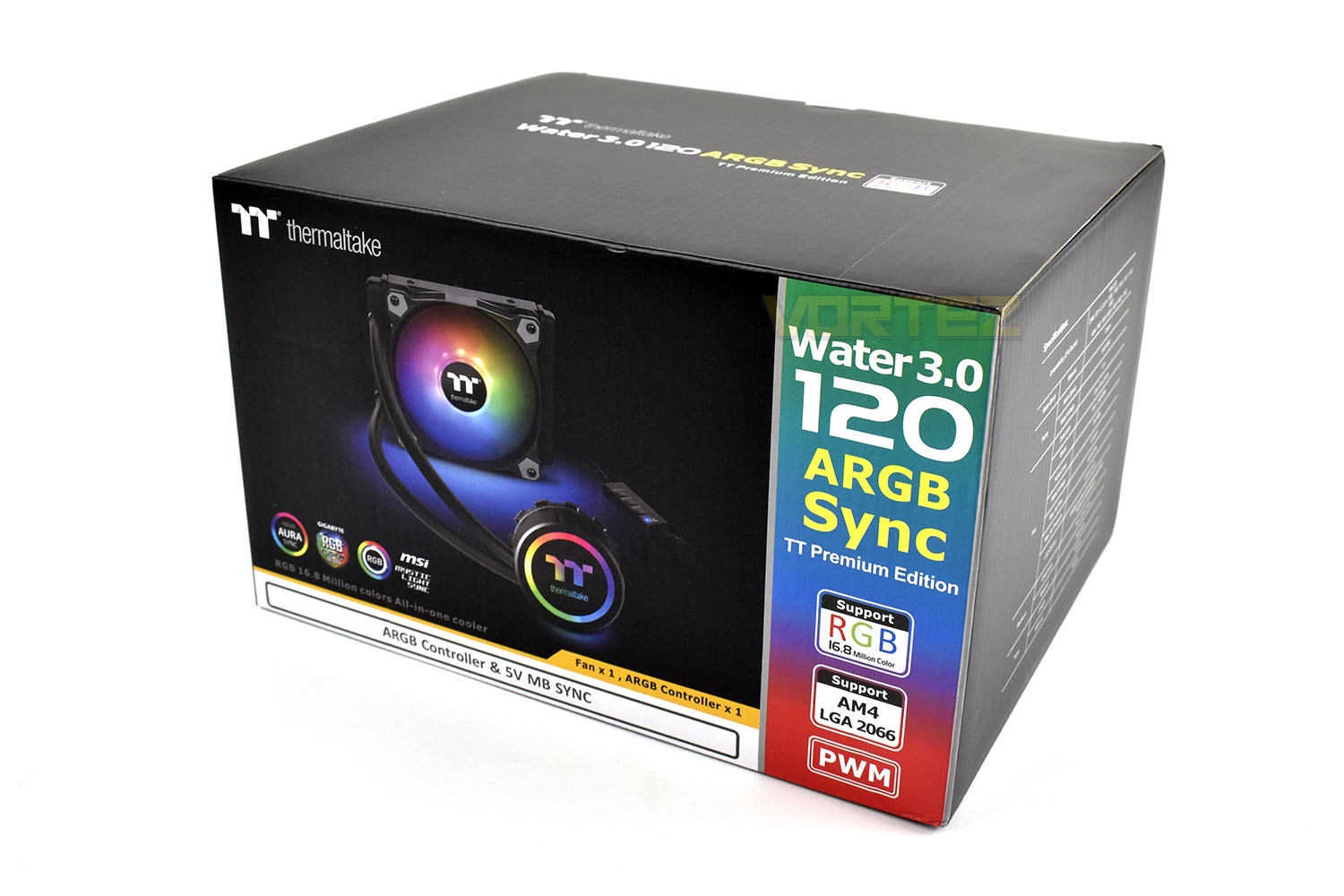
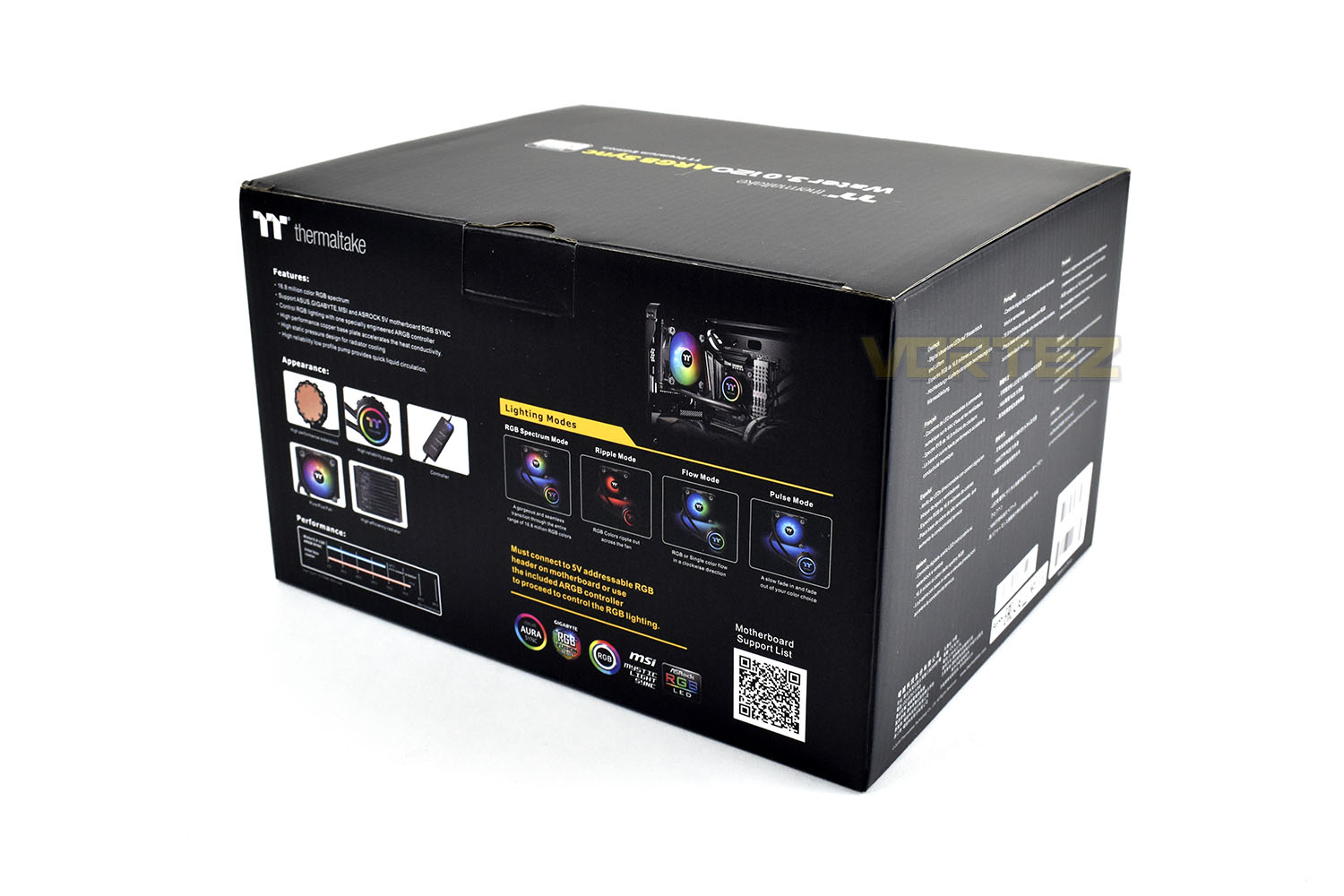
Looking at the reverse side, there’s plenty more information for you to read into while considering your purchase.
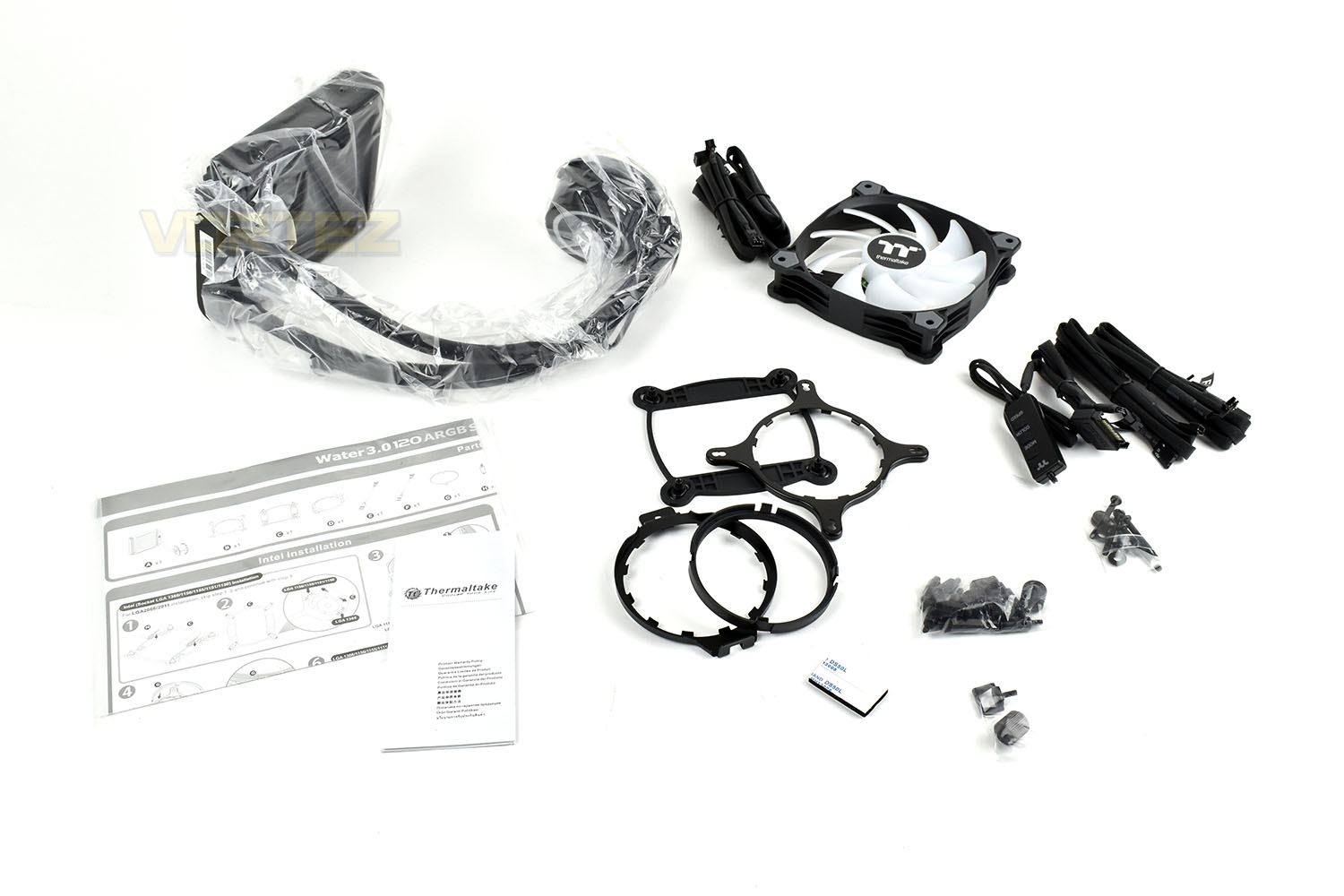
Included with the CPU cooling loop is a 120mm fan, a pair of RGB extension cables, a SATA-powered RGB controller and all of the mounting hardware you’ll need for all of Intel’s current CPU sockets and all of AMD’s sockets except for the ThreadRipper.
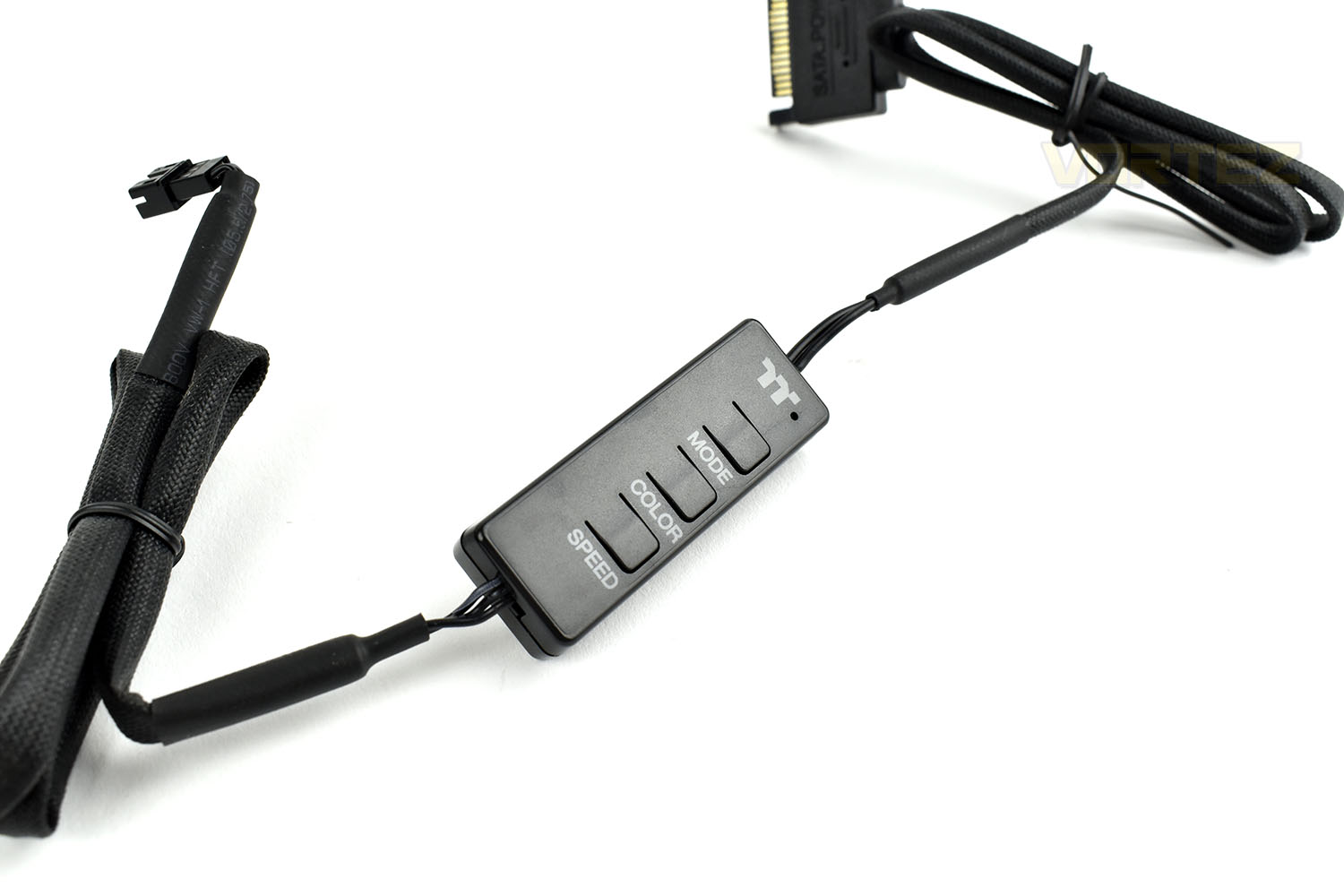
The SATA-powered RGB controller can adjust the speed, colour and effects of the attached RGB LEDs and is capable of controlling up to 90 individually addressable RGB LEDs.
Closer Look
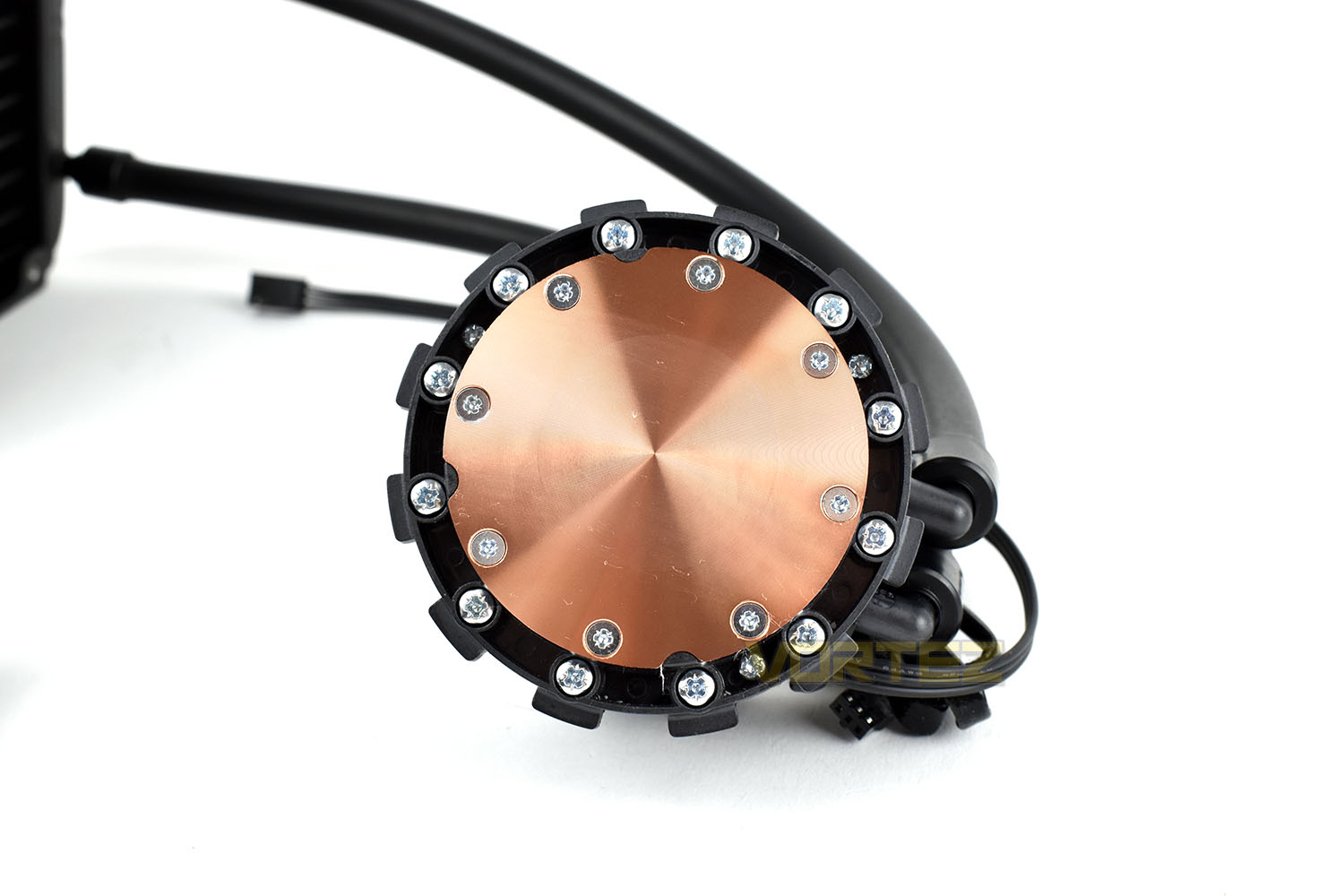
Starting with the waterblock, the plastic enclosure features multiple RGB LEDs built into the translucent logo on top. The diameter of the housing is 60mm and 45mm tall from the copper coldplate.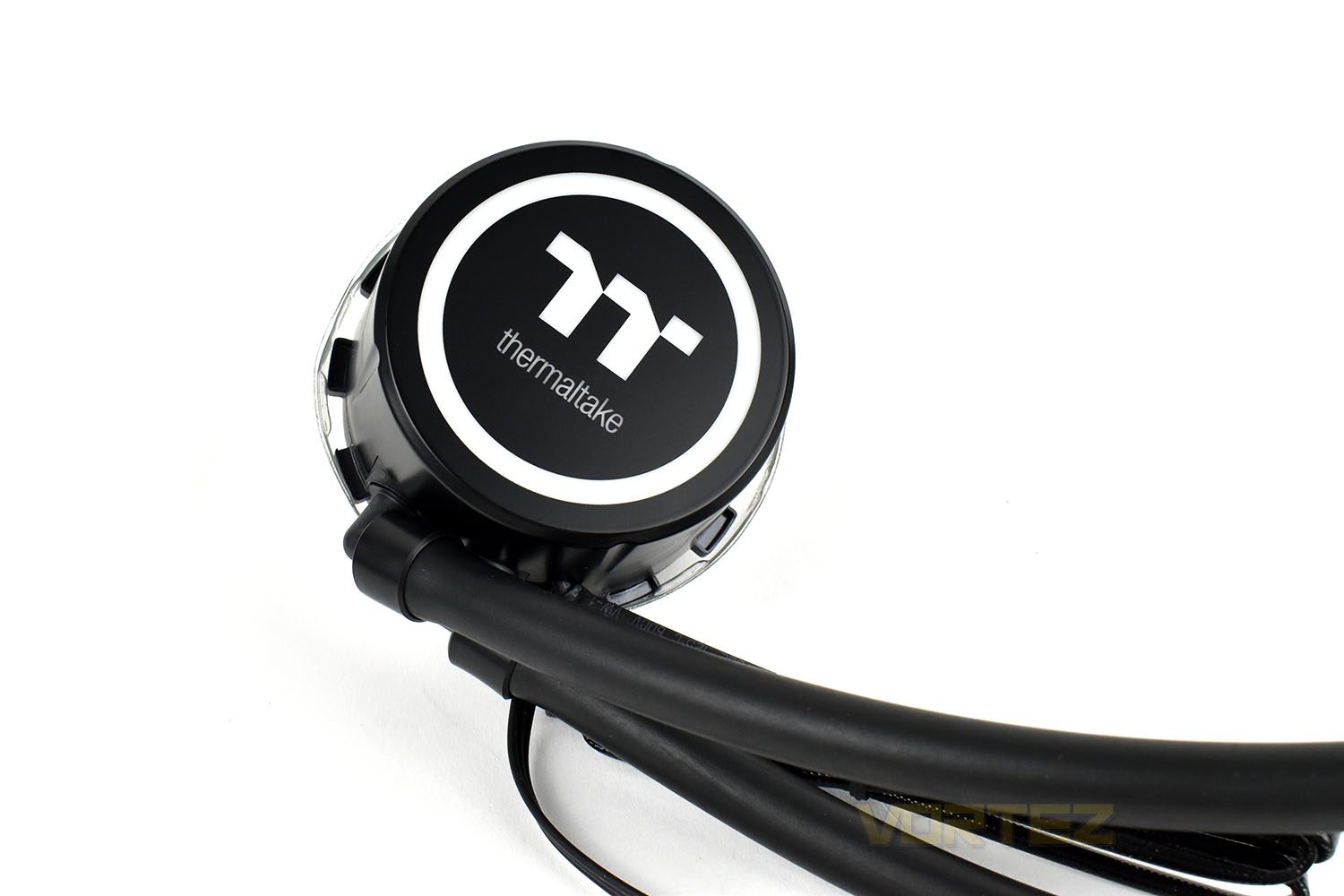
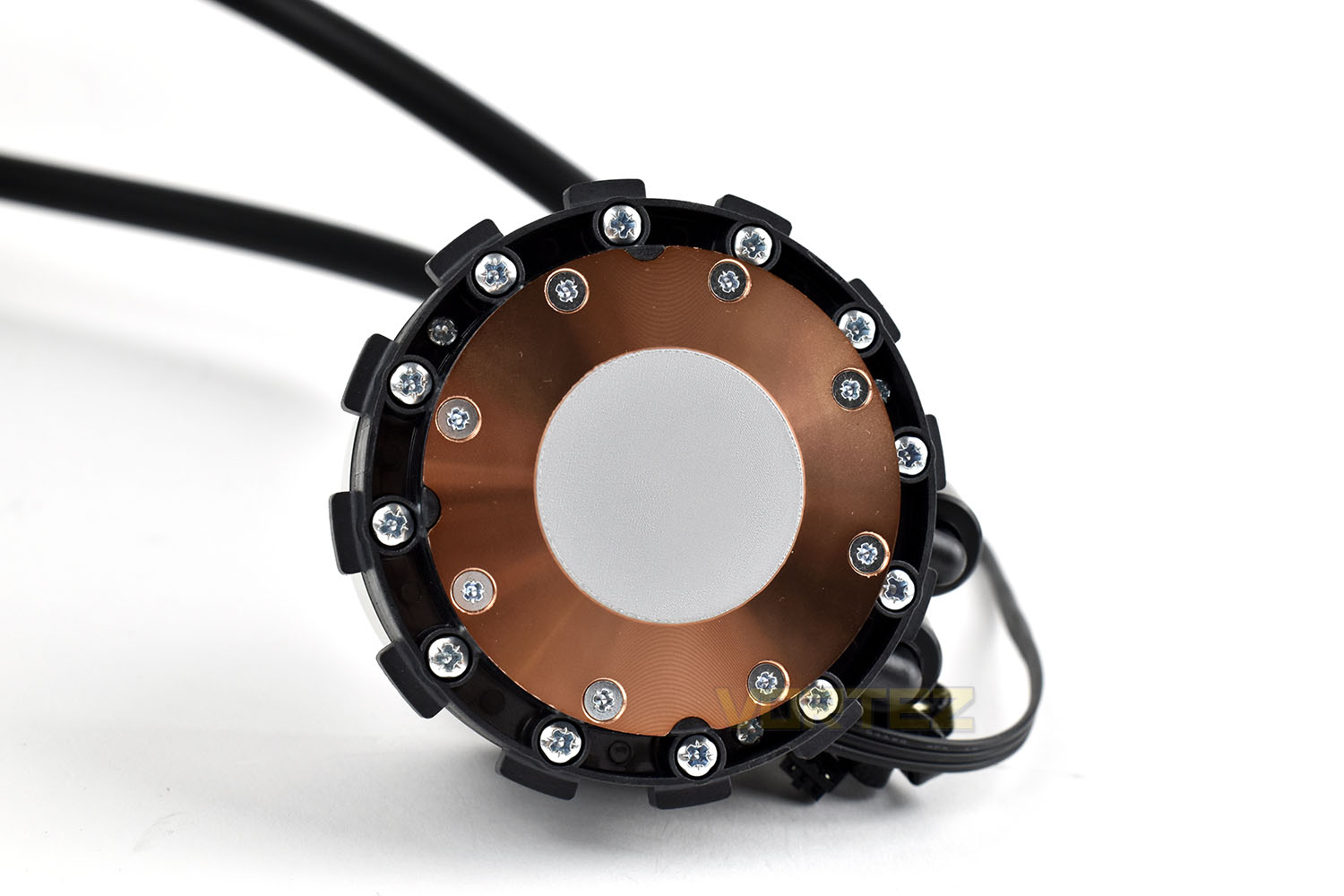
The coldplate measures in at 53mm across and arrives with accurately measured, pre-applied thermal paste to help speed up the first installation.
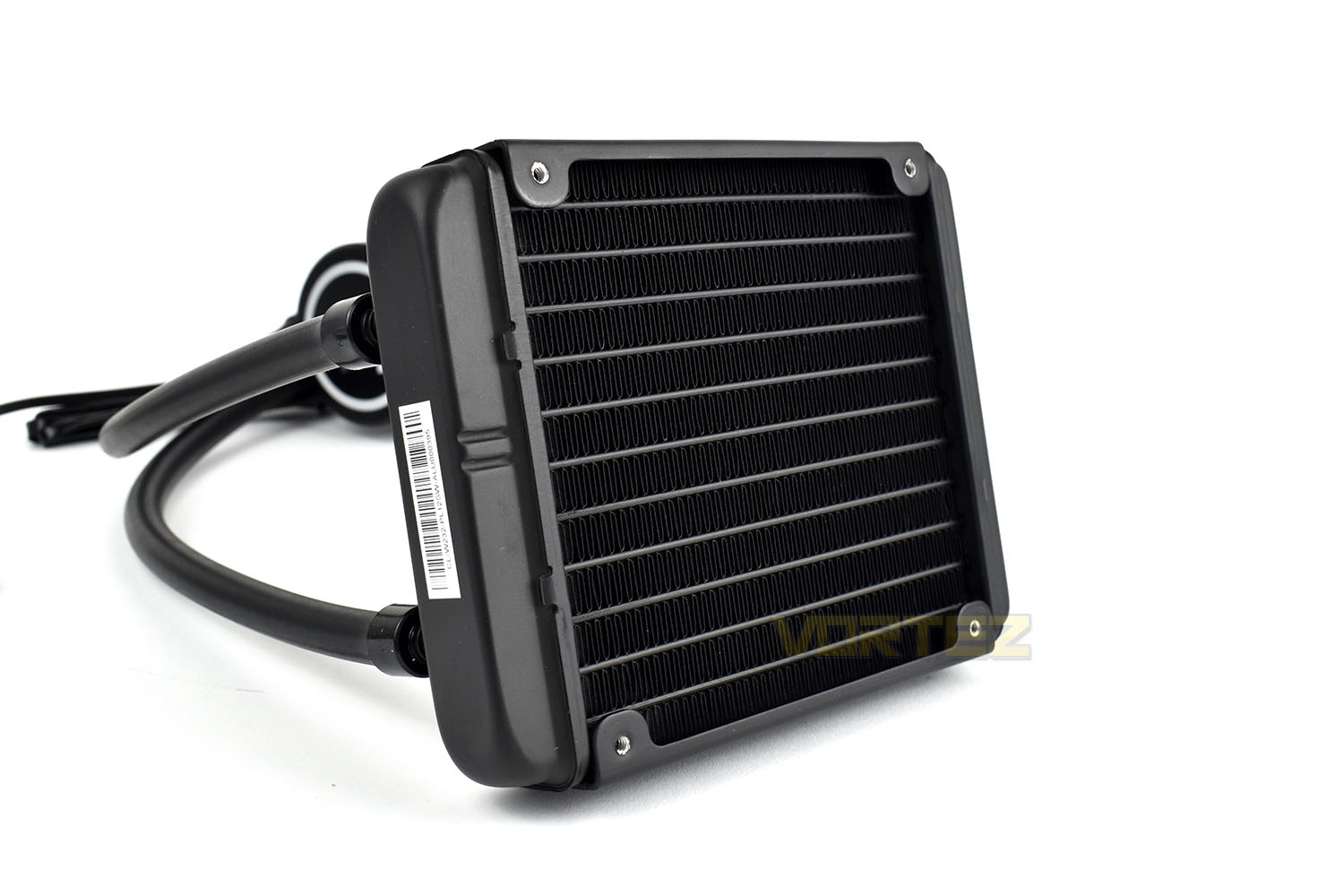
The radiator uses aluminium fins in a tightly packed configuration giving a much larger surface area than a standard CPU cooler from Intel or AMD. There are pre-tapped screw holes on either side of the radiator to allow a fan to be installed on either or both sides. At 25mm in thickness, the radiator is typically sized and will fit most cases.
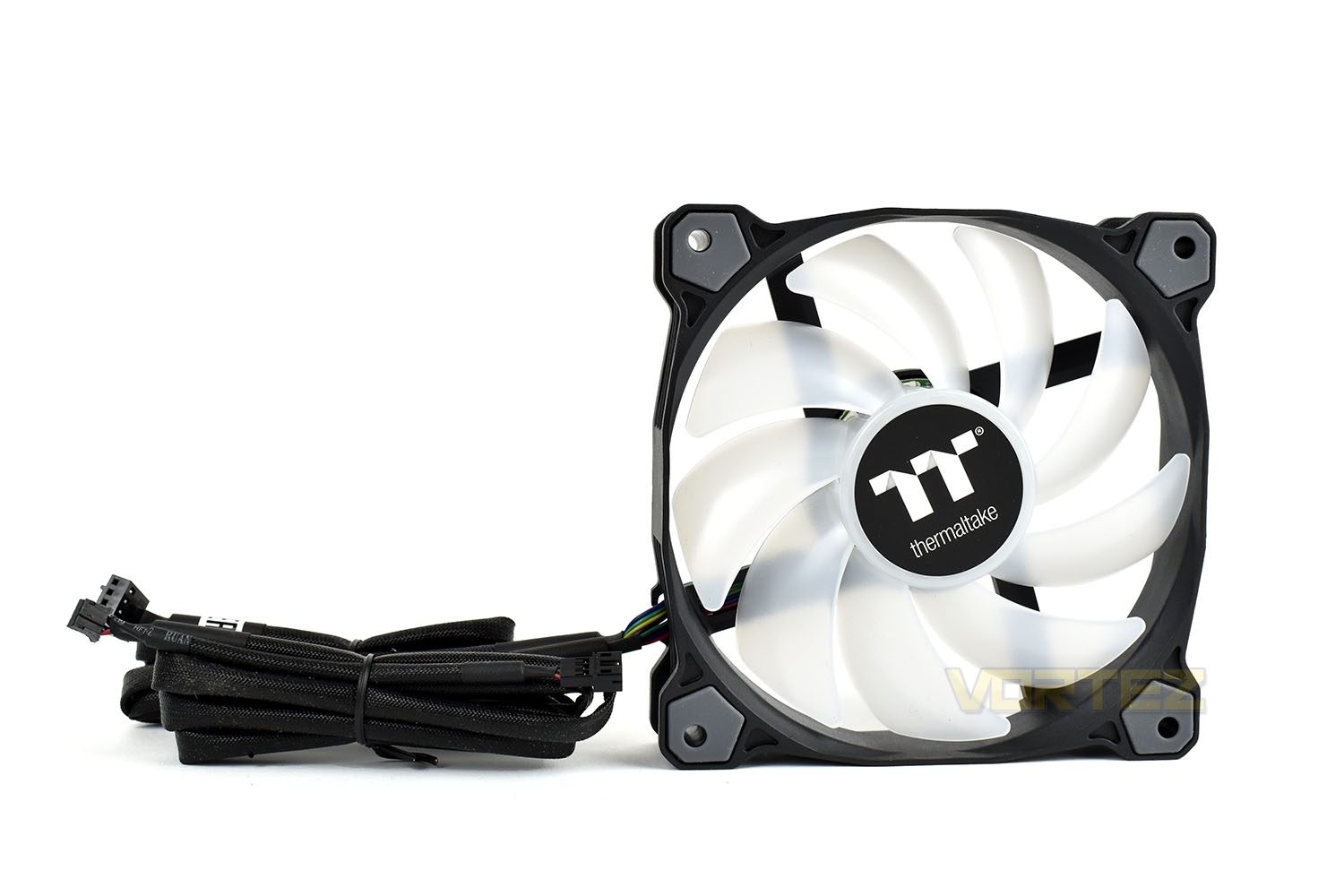
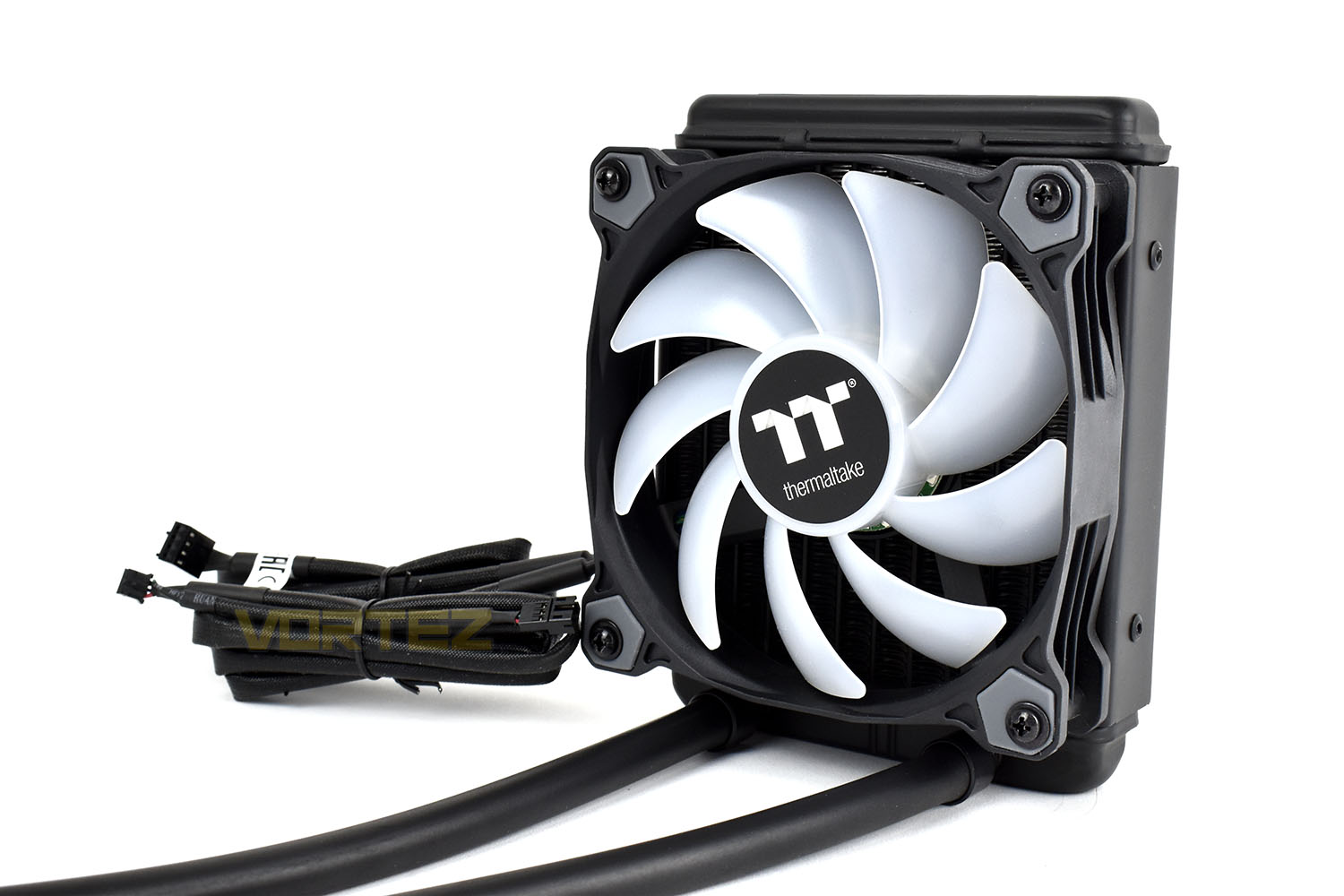
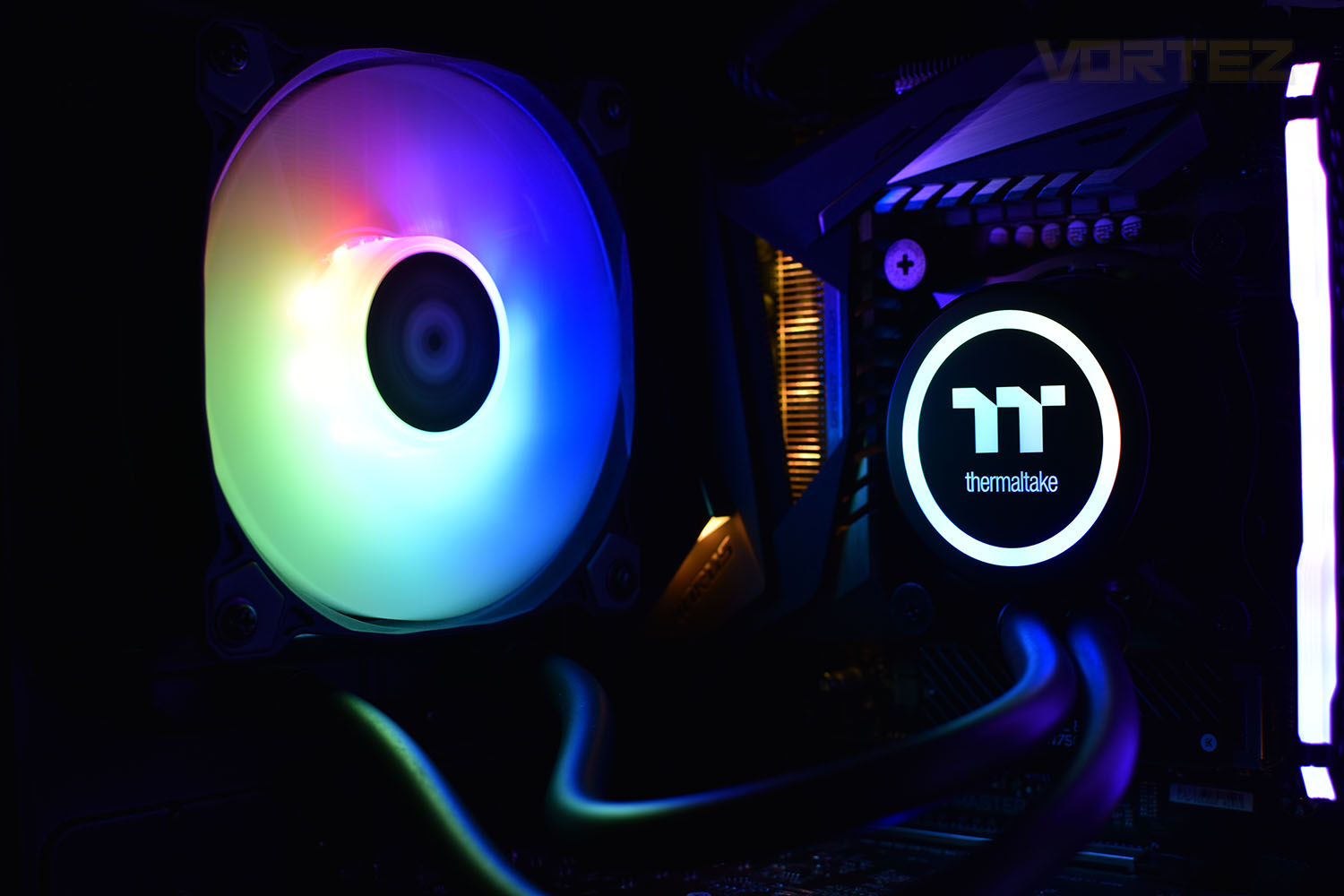
With rubber mounts on each corner, and on both sides, the PURE 12 ARGB Sync 120mm fan can be mounted in either orientation without worry of the fan transmitting vibrations into the case. With 9 individually addressable RGB LEDs built into the fan hub and a fully translucent rotor design, the fan should be bright with smooth transitions.
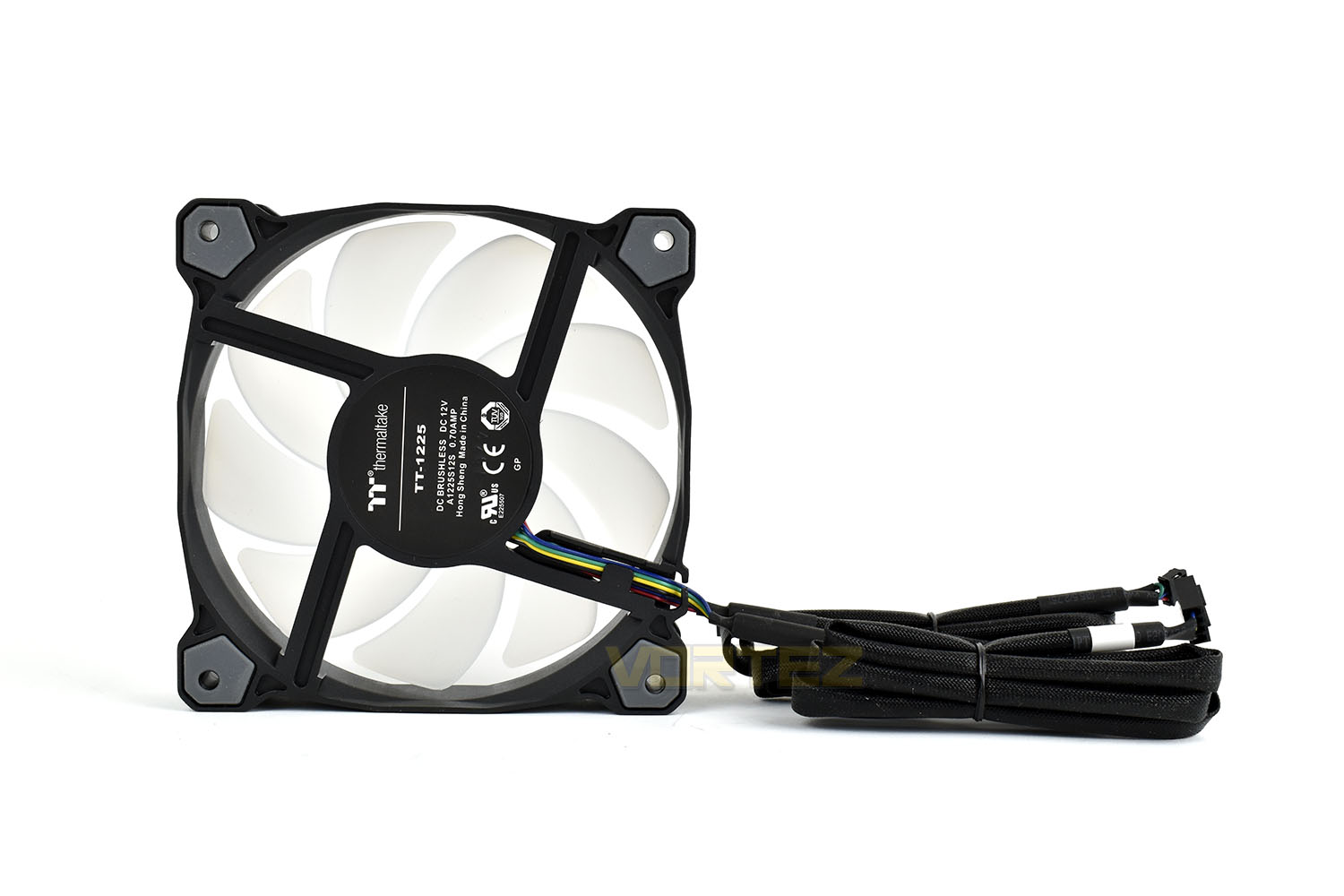
The PURE 12 ARGB 120mm fan uses two separate cables for the motor and the RGB lighting, both of which are 900mm in length and braided for better cable management and a cleaner appearance for those with tempered glass sides. After all, if you’re buying a component with extensive RGB lighting, you’ll want the rest to look good too.
Pairing the fan to the radiator is a simple process and thanks to the bright white fan blades, the fan looks great when turned off.
Installation
When installing any CPU coolers with pre-applied paste, we first remove that with a Noctua alcohol cleaning wipe and dry the surface with a dry microfibre cloth to ensure it’s perfectly clean. We also do the same with the CPU’s IHS to enable a fair and equal test between all coolers.We apply an appropriate amount of Noctua NT-H1 thermal paste when testing heatsinks so that they can all be compared as fairly as possible.
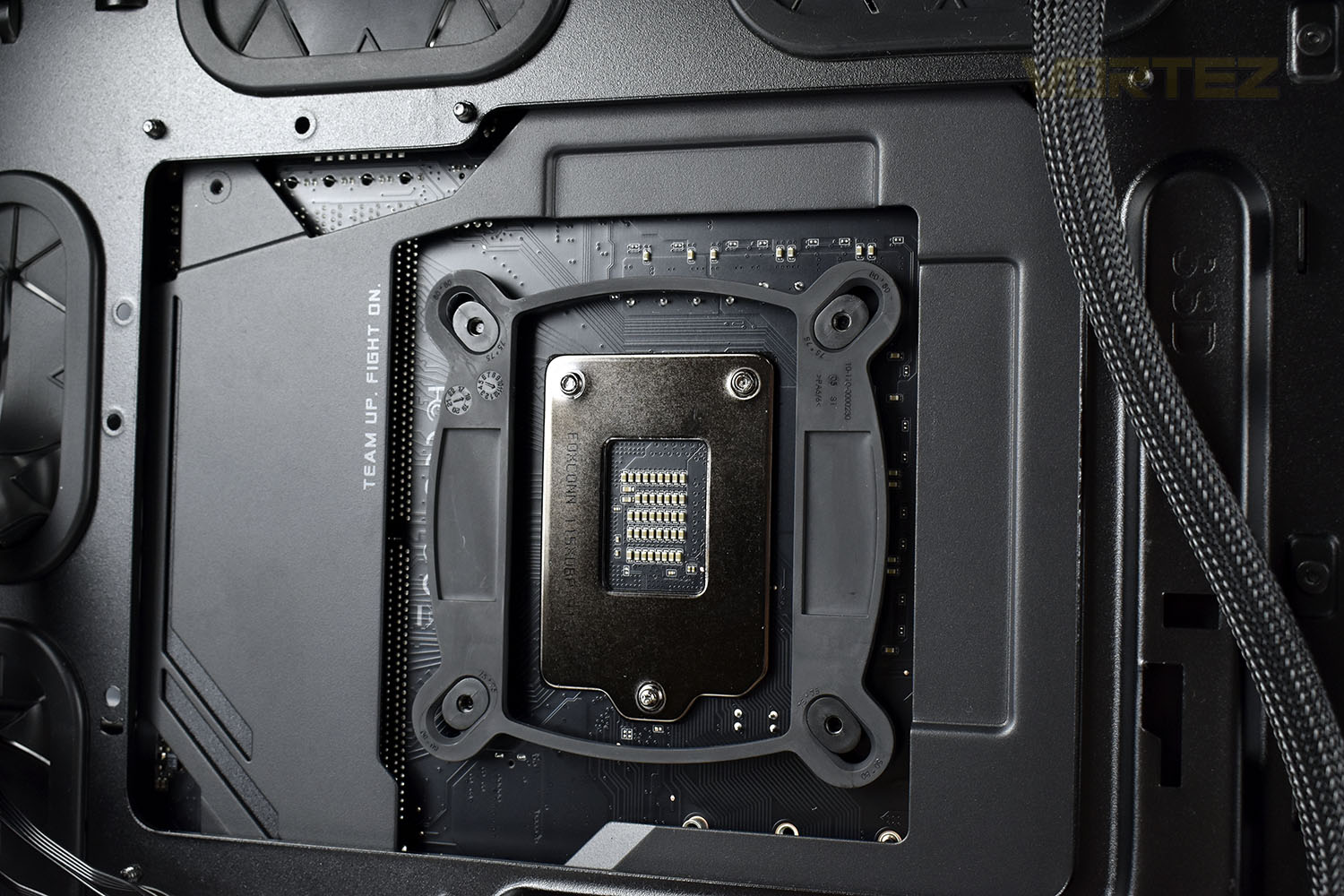
First up the backplate must be put into place with the standoff bolts tightened up on the front. This gives the pump enclosure an anchor point to tighten down onto.
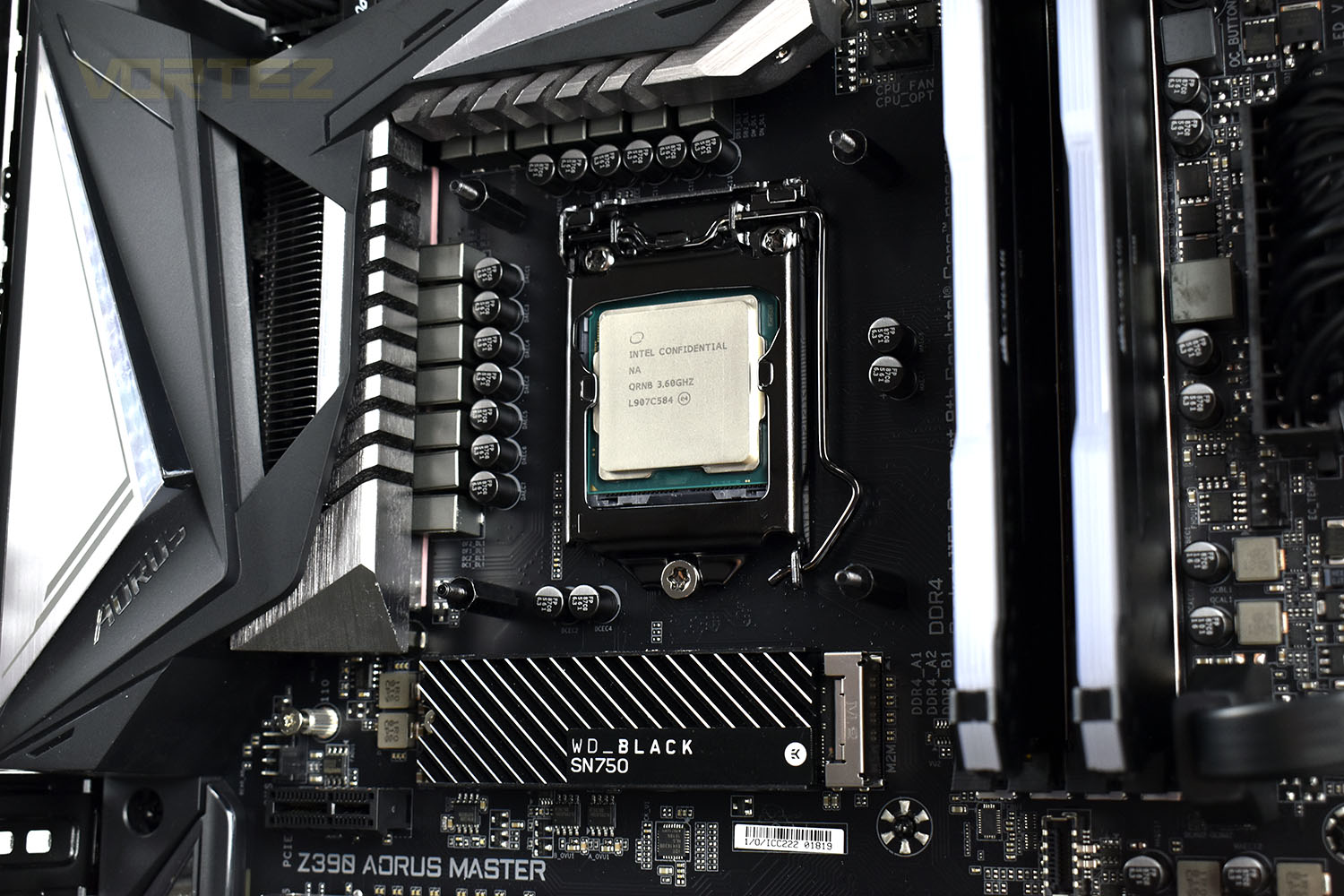
Installing the waterblock is then as simple as slotting it into place and tightening the four thumbscrews, aiming to do them up as equally as possible in an X pattern. This ensures the thermal paste is distributed evenly and should help thermal transfer from one to the other.
The same goes for the radiator. Find your mounting point, usually at the back of the case with a 120mm radiator and attach the screws from the back.
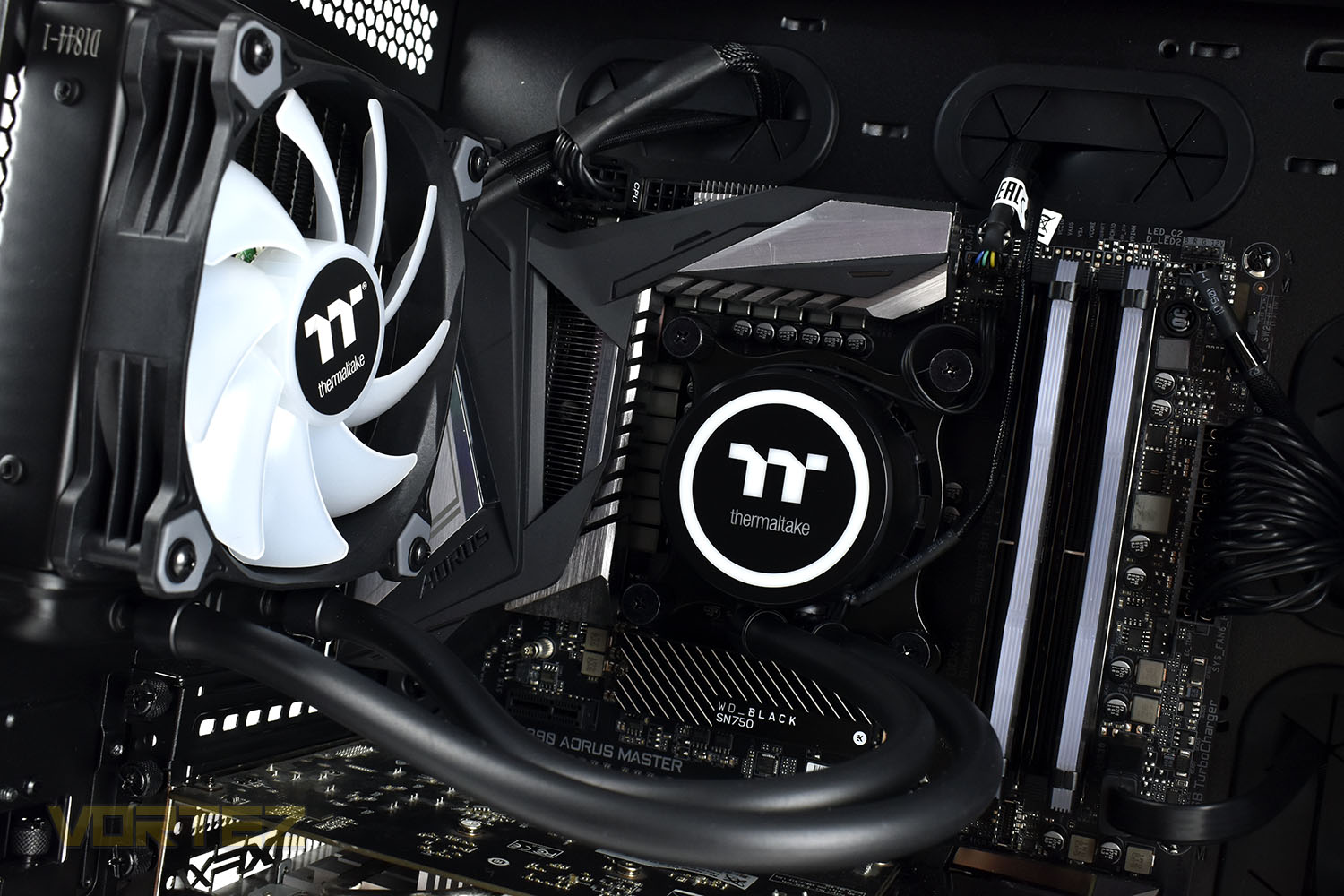
Voila. One installed Thermaltake Water 3.0 120mm.
RGB Lighting
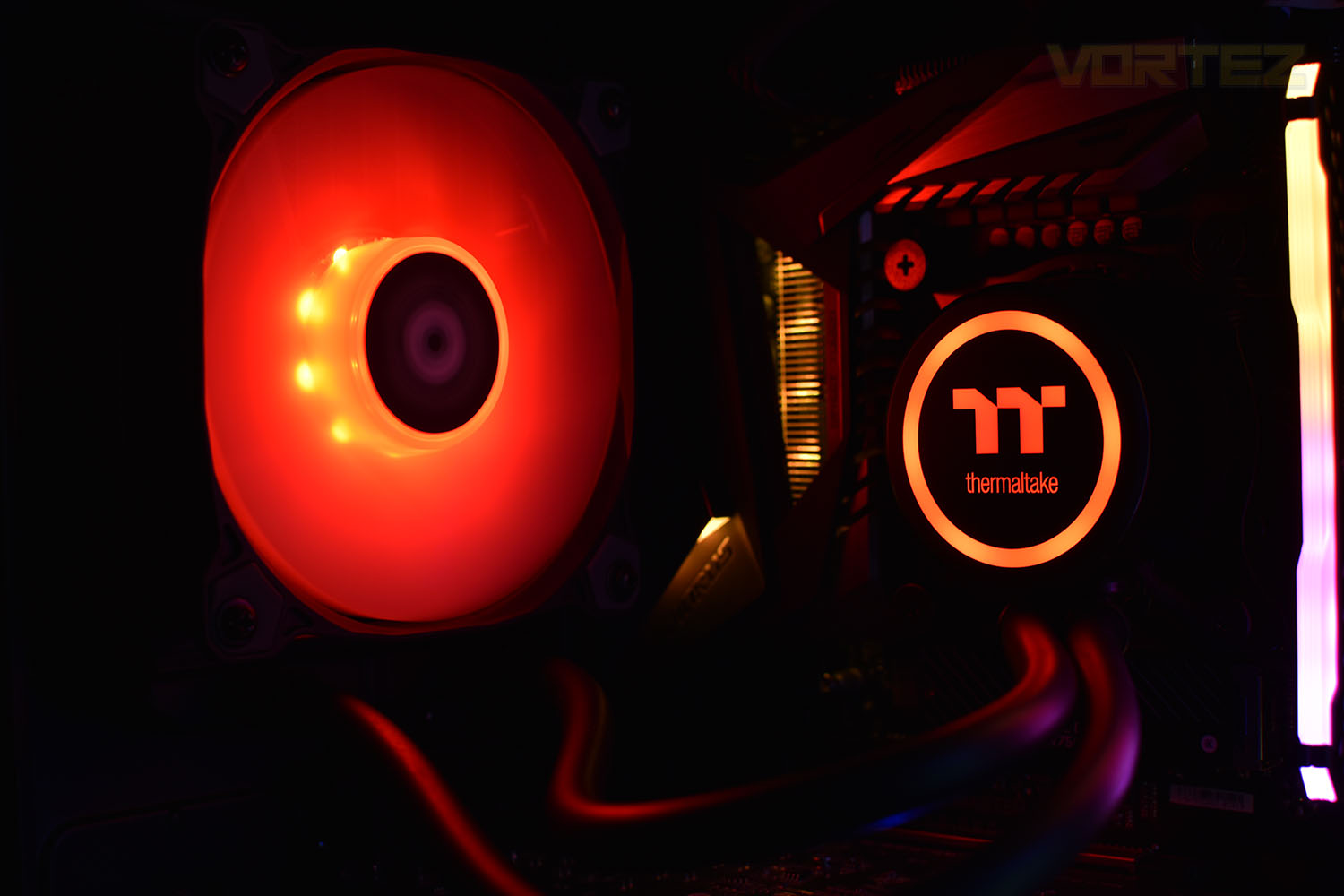
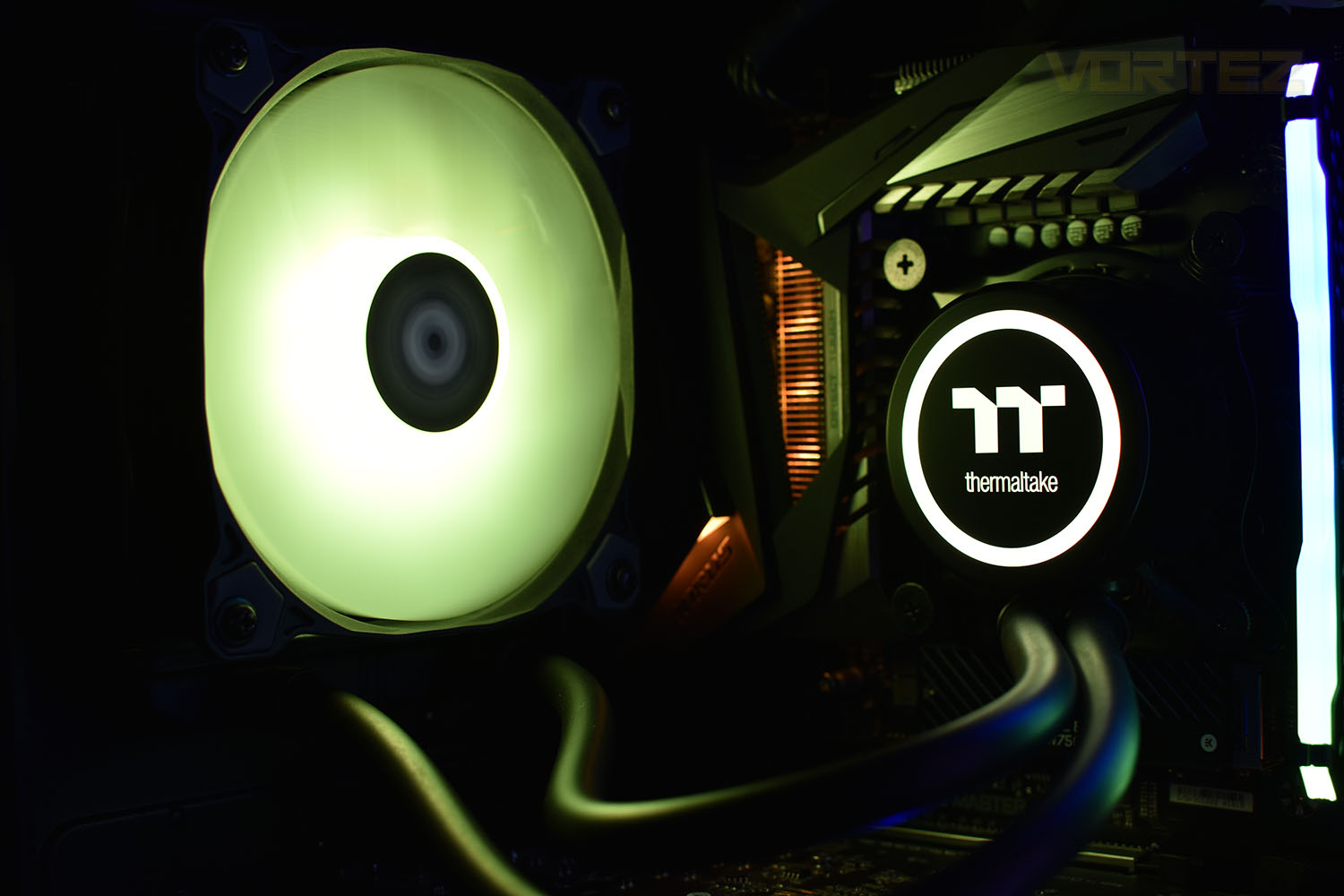
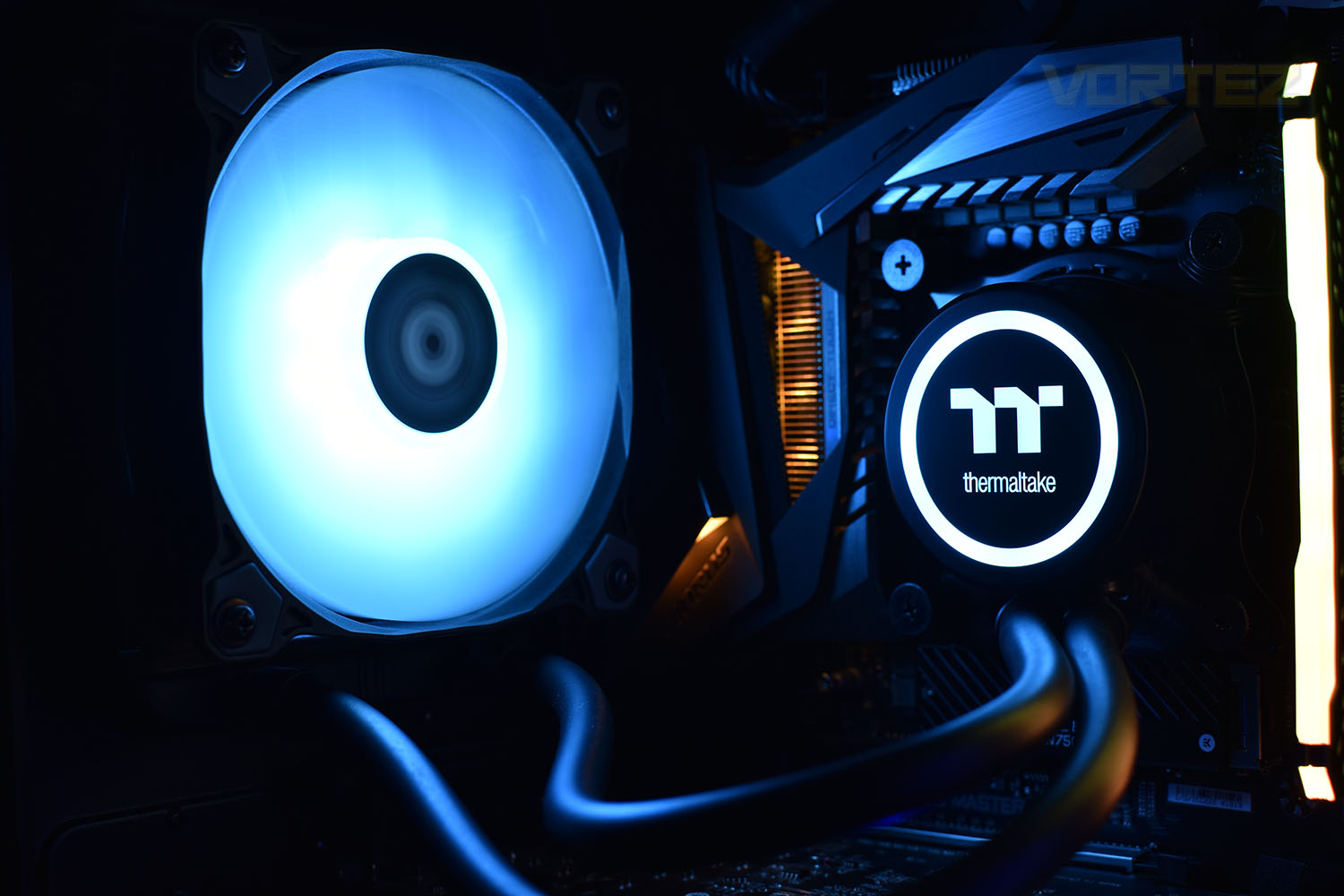
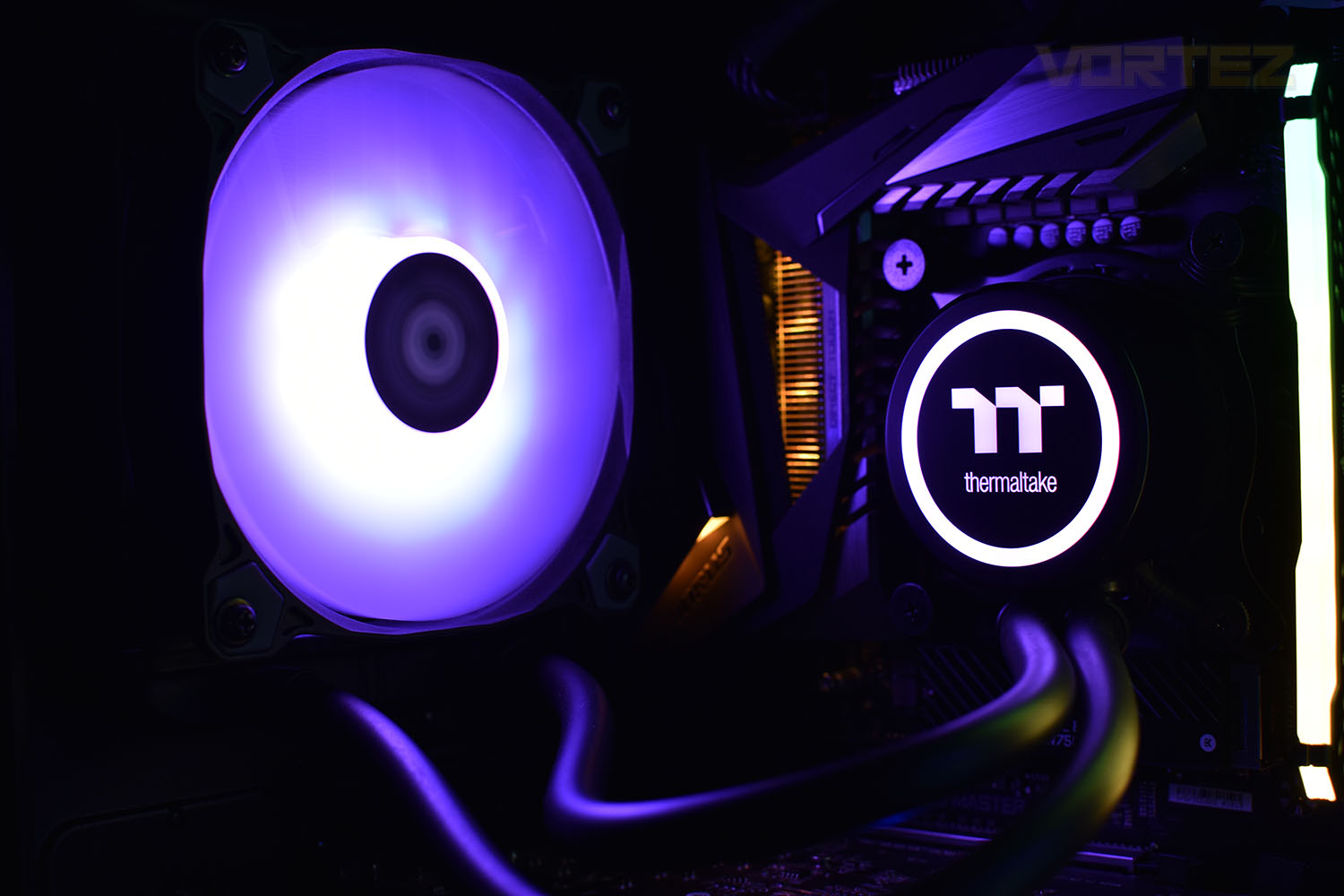
Test Setup & Methodology
Due to popular demand, we have retired the long-standing cooling rig that we once used and replaced it with a shiny new system with an Intel Core i7 9700K at its heart. This should benefit you, the reader, in a couple of ways. The first being it can provide you with results on a CPU that is currently available to buy and secondly, the mounting instructions on our installation page will be far more relevant than the outgoing LGA 2066 was, with its pre-installed backplate.We perform two individual testing routines with each CPU cooler that we receive – temperatures and acoustics. The system used is as follows and all tests are performed at stock frequencies.
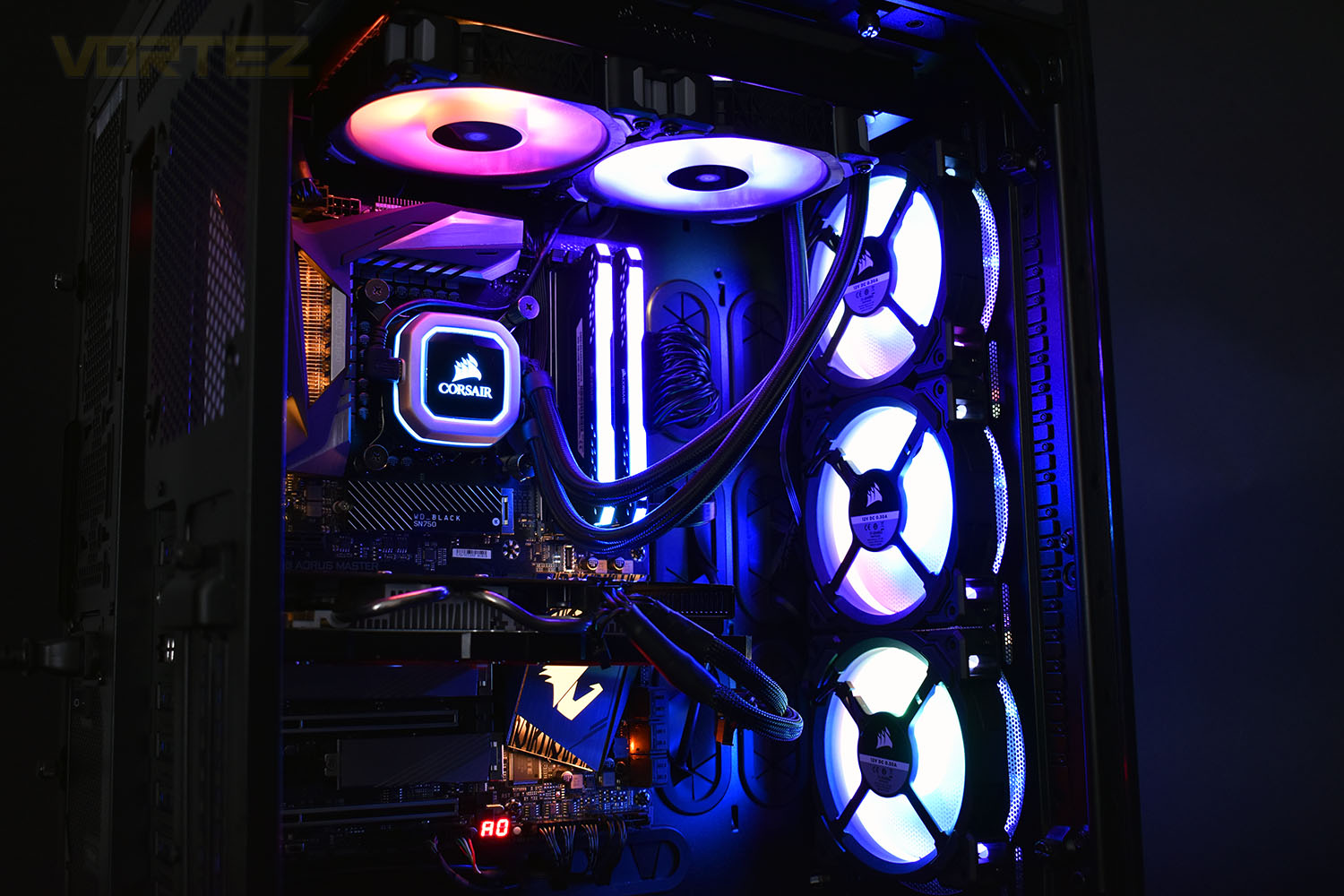
Processor – Intel Core i7 9700K
Motherboard – GIGABYTE Z390 AORUS MASTER
Memory – Corsair Vengeance RGB PRO 16GB – 2666MHz – C16
Video Card – XFX AMD Radeon RX560
Power Supply – Corsair RM650x
Storage Drive – Western Digital Black SN750 1TB NVMe SSD
Case – Corsair Crystal Series 280X RGB
Monitor ASUS ROG SWIFT PG278Q
Motherboard – GIGABYTE Z390 AORUS MASTER
Memory – Corsair Vengeance RGB PRO 16GB – 2666MHz – C16
Video Card – XFX AMD Radeon RX560
Power Supply – Corsair RM650x
Storage Drive – Western Digital Black SN750 1TB NVMe SSD
Case – Corsair Crystal Series 280X RGB
Monitor ASUS ROG SWIFT PG278Q
To keep our tests consistent, we always review CPU coolers as they come out of the box – with their factory cooling fans, as the manufacturer intended and as the consumer expects. It should, however, be noted that we do not use supplied thermal paste but instead, Noctua NT-H1 paste to, again, ensure consistency. The paste is applied and the CPU allowed to run for a couple of hours, at idle, to ensure any and all updates or processes are completed to give a true idle reading.
In the first test we record the idle and load temperatures across a 60 second period, with the results logged to file. This way we can provide you with an accurate average temperature over a longer period, instead of, for example, a maximum or minimum temperature. We believe this is the fairest possible method and most representative of what is going on as temperatures will fluctuate even with a consistent load on the CPU. We have three case fans on the front of the PC running with the door closed for this test.
We aim to measure acoustics with our second test, this time with the three case fans on the front disabled and all other ambient noise reduced to an absolute minimum. Our testing room measures around 25dB(A) without the system running. We measure the system acoustics for 60 seconds with the microphone in a set and unchanging position with the chassis door removed completely. An average is then taken across the 60 seconds.
Benchmarks – Thermal Results
We start off by letting the CPU cooler “bed in” for a couple of hours, to ensure the paste has time to move around and form an even layer, after which an idle result is taken.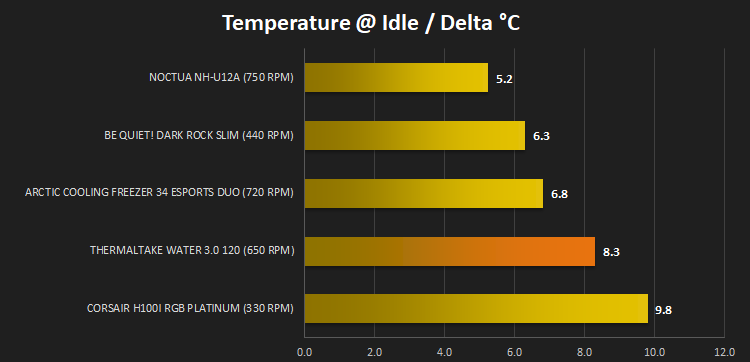
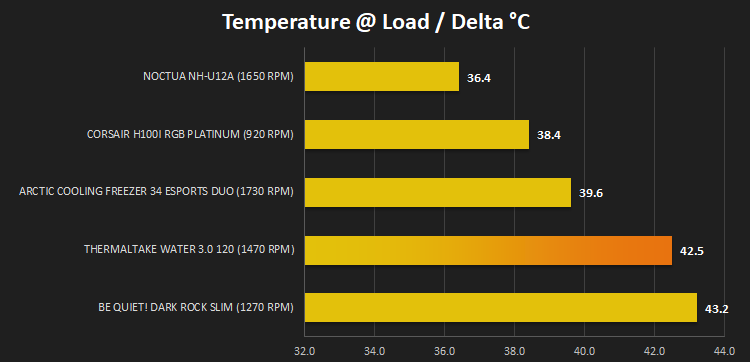
At this point we hand over to AIDA64 and the built-in system stability test is ran for 20 minutes to generate a consistent 100% load on the 9700K. A temperature reading is then taken at the end of test.
Benchmarks – Acoustic Results
We take our first reading from the CPU cooler at idle.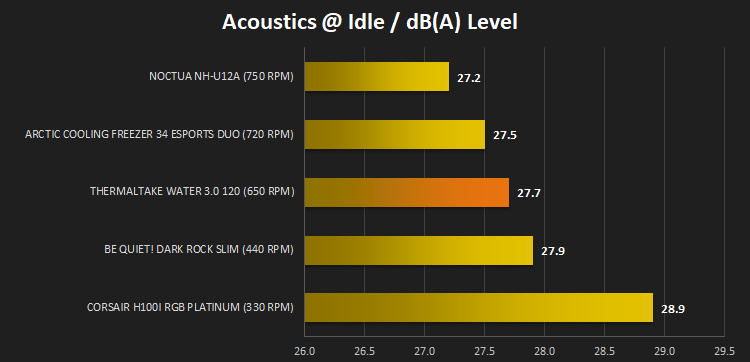
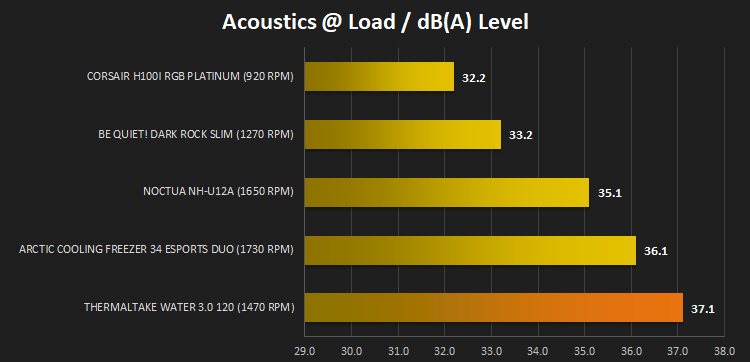
We then run the AIDA64 test and once the temperature measurements are complete, we quickly move in and get an acoustics reading.
Conclusion
The Thermaltake Water 3.0, on the face of it, is just another 120mm RGB CPU cooler but it’s actually a little more than that, if you take the time to delve into it.The RGB lighting provided on the pump enclosure and 120mm PURE 120 RGB fan adds a great deal of brightness to the inside of your case and if you already possess some of Thermaltake’s fans, they’ll look great together. The included SATA-powered RGB controller is easy to operate and is packed full of effects but if your motherboard is from ASUS, GIGABYTE, MSI or ASRock and is equipped with RGB headers, the control can be synchronised across your entire system with ease. Having said that, we did find the transition effects to be a little abrupt and not as smooth as we’d hope to see.
Performance is difficult to prove at the moment, with relatively few coolers on our graphs while we re-populate, but we can say that it competes well against CPU coolers that, on our previous test rig, turned out a fantastic result. We’re more than happy with the overall capability of the loop, especially considering the 120mm radiator.
Installation, as you’d expect from an Asetek pump enclosure, was a breeze on our LGA 115x socket. No more than 15 minutes needed, including ensuring all the cables are neatly hidden away from view.
At GBP £80 / USD $90 / AUS $140, the Water 3.0 120 is certainly at the premium end of the scale where smooth transitioning RGB effects are a must, but if you plan to use the cooler on a solid colour, it’s beautifully vibrant and adds a great deal of brightness to the inside of your case.
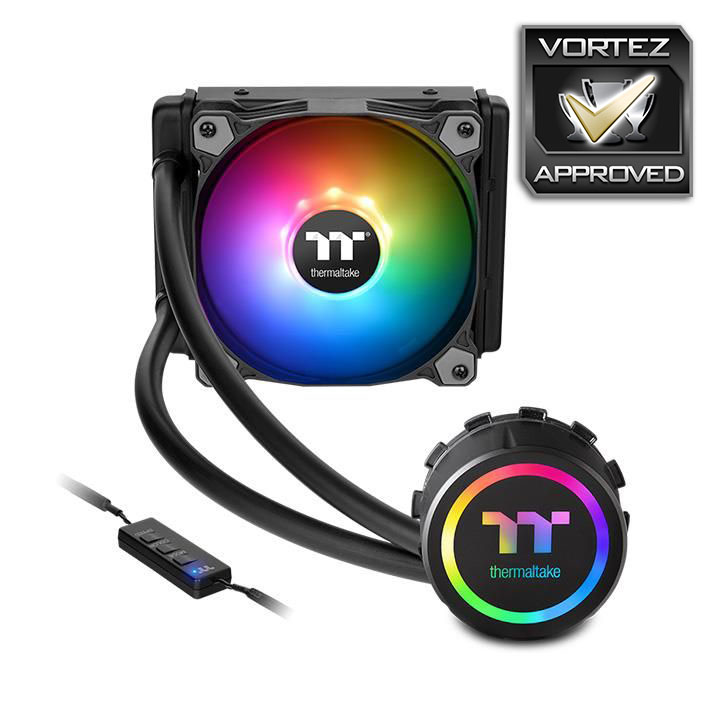
A good offering from Thermaltake with no huge flaws but some work needs to be invested into smoothing out the RGB lighting.
Pros
+ Decent performance
+ Included SATA-powered RGB controller
+ Vibrant and bright RGB LEDs
+ Easy to install
Neutral
+- Pricey for a 120mm loop
Cons
– RGB colour transitions could definitely be smoother
+ Decent performance
+ Included SATA-powered RGB controller
+ Vibrant and bright RGB LEDs
+ Easy to install
Neutral
+- Pricey for a 120mm loop
Cons
– RGB colour transitions could definitely be smoother
Click here for an explanation of our awards at Vortez.net.
Stay connected with the Vortez Social Media pages: