In the spotlight today is a 802.11ac router which offers up to 1900Mbps. TEW-818 DRU is an affordable option to boost your wireless potential.

Product on Review: TEW-818 DRU AC1900 Router
Manufacturer & Sponsor : TRENDnet
Street Price: £110 GBP / $209 USD
TRENDnet has been in the business of networking since 1990. Their portfolio of products and accolades are testament to the brands success and yet unlike other companies which are crowned with similar success, still persist in offering good value for money. This is our first outing with TRENDnet and we’ve heard good things about the brand!
Today we’ll be taking a look at TRENDnet’s TEW-818 DRU – an AC1900 dual-band wireless router. 802.11ac has been a hot topic in the networking world in the last 18 months and many home users are seeking to take advantage of the extra bandwidth this standard offers. The 818 DRU seeks to provide an affordable option to those wanting to transition to this new technology.
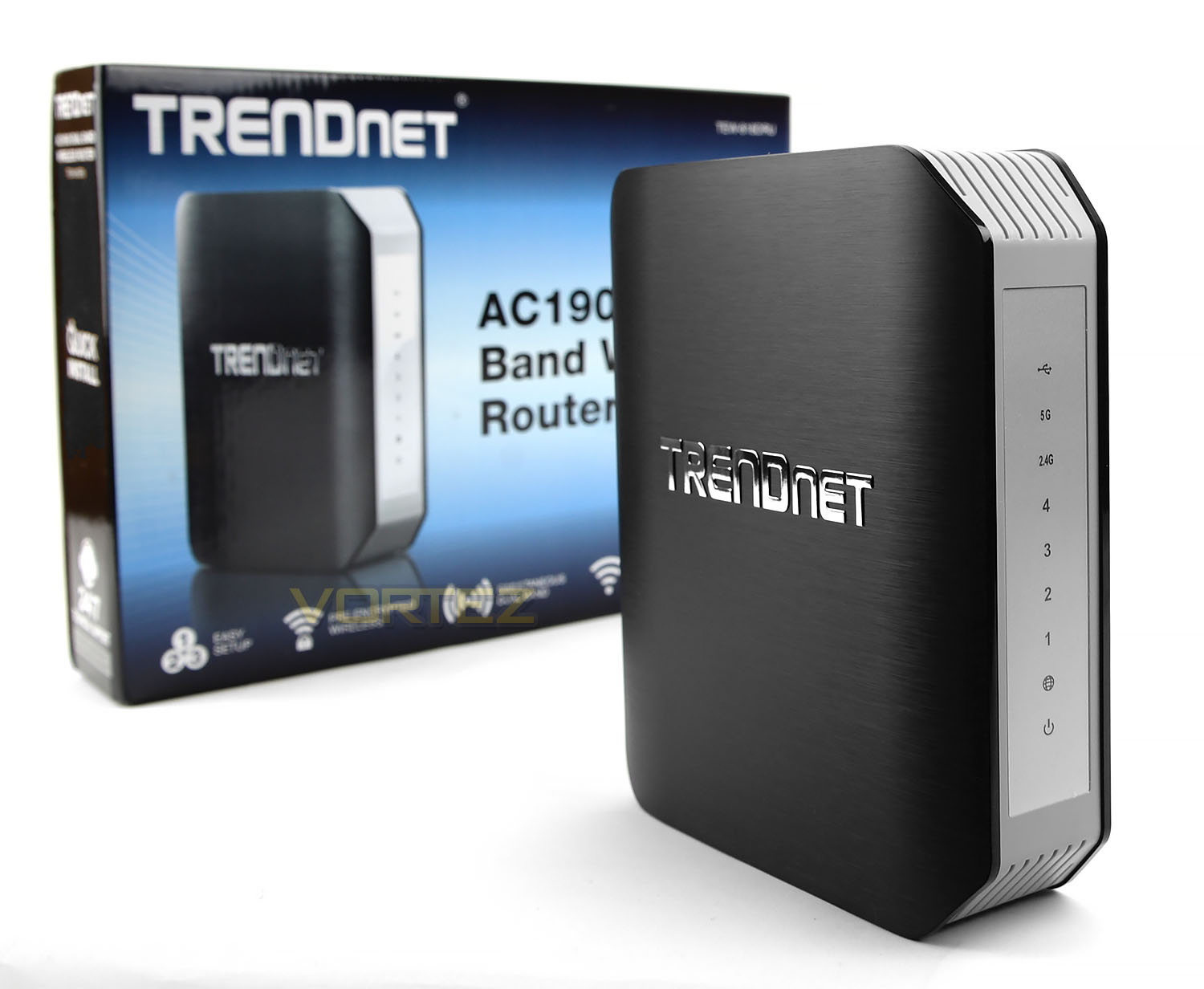
TRENDnet on their TEW-818 DRU
TRENDnet’s AC1900 Dual Band Wireless Router, model TEW-818 DRU, is an extreme performance wireless router. It creates two concurrent wireless networks—a 1.3 Gigabit Wireless AC network and a 600 Mbps Wireless N network to connect common wireless devices. Use the high speed USB 3.0 port and Gigabit Ethernet ports to further expand your network.
Technical Specifications
Standards
IEEE 802.3
IEEE 802.3u
IEEE 802.3ab
IEEE 802.11a
IEEE 802.11b
IEEE 802.11g
IEEE 802.11n (2.4 GHz up to 600 Mbps TurboQAM*, 5 GHz up to 450 Mbps)
IEEE 802.11ac (draft 2.0, up to 1.3 Gbps)
Hardware Interface
4 x Gigabit LAN ports
1 x Gigabit WAN port
1 x USB 3.0 (Storage FTP, Samba, Printing)
1 x USB 2.0 (Storage FTP, Samba, Printing)
Power switch (EU only)
WPS button
LED indicators
Security
Wireless encryption up to WPA2
Firewall: NAT, SPI
Parental (Access) Controls: MAC, URL, IP Filter
System Requirements
Optional USB Printing utility: Windows: 8.1, 8, 7, Vista, XP; Mac OS X: 10.9, 10.8, 10.7, 10.6, 10.5, 10.4
Special Features
QoS Management
IPv6 support
WDS support
Up to 2 additional SSID per band
1 guest network per band with option for Internet access only
Dynamic DNS support for dyn.com and no-ip.com
Samba/FTP server support
Multi-Language interface: English, French, Spanish, German, Russian
Open Source
Compatible with DD-WRT Firmware
Antenna Gain
2.4 GHz: 6 dBi (max.) internal/5 GHz: 6 dBi (max.) internal
Wireless Output Power/Receiving Sensitivity
802.11a: FCC: 22 dBm, ETSI: 18 dBm (max.)/ -68 dBm (typical) @ 54 Mbps
802.11b: FCC/ETSI: 19 dBm (max.)/ -84 dBm (typical) @ 11 Mbps
802.11g: FCC/ETSI: 18 dBm (max.)/-72 dBm (typical) @ 54 Mbps
802.11n: FCC/ETSI: 18 dBm (max.)/-68 dBm (typical) @ 600 Mbps 2.4 GHz
802.11n: FCC: 22 dBm, ETSI: 18 dBm (max.)/ -68 dBm (typical) @ 450 Mbps 5 GHz
802.11ac: FCC: 23 dBm, ETSI: 19 dBm (max.)/ -55 dBm (typical) @ 1.3 Gbps
Power
Input: 100 – 240 V AC, 50 – 60 Hz, 0.8 A
Output: 12 V DC, 2 A
Consumption: 22 Watts (Max.)
Operating Temperature
0 – 40° C (32 – 104° F)
Operating Humidity
Max. 90% non-condensing
Certifications
CE
FCC
Dimensions
48 x 155 x 180 mm (1.8 x 6.1 x 7.1 in.)
Weight
395 g (14 oz.)
Warranty
3 year limited
IEEE 802.3
IEEE 802.3u
IEEE 802.3ab
IEEE 802.11a
IEEE 802.11b
IEEE 802.11g
IEEE 802.11n (2.4 GHz up to 600 Mbps TurboQAM*, 5 GHz up to 450 Mbps)
IEEE 802.11ac (draft 2.0, up to 1.3 Gbps)
Hardware Interface
4 x Gigabit LAN ports
1 x Gigabit WAN port
1 x USB 3.0 (Storage FTP, Samba, Printing)
1 x USB 2.0 (Storage FTP, Samba, Printing)
Power switch (EU only)
WPS button
LED indicators
Security
Wireless encryption up to WPA2
Firewall: NAT, SPI
Parental (Access) Controls: MAC, URL, IP Filter
System Requirements
Optional USB Printing utility: Windows: 8.1, 8, 7, Vista, XP; Mac OS X: 10.9, 10.8, 10.7, 10.6, 10.5, 10.4
Special Features
QoS Management
IPv6 support
WDS support
Up to 2 additional SSID per band
1 guest network per band with option for Internet access only
Dynamic DNS support for dyn.com and no-ip.com
Samba/FTP server support
Multi-Language interface: English, French, Spanish, German, Russian
Open Source
Compatible with DD-WRT Firmware
Antenna Gain
2.4 GHz: 6 dBi (max.) internal/5 GHz: 6 dBi (max.) internal
Wireless Output Power/Receiving Sensitivity
802.11a: FCC: 22 dBm, ETSI: 18 dBm (max.)/ -68 dBm (typical) @ 54 Mbps
802.11b: FCC/ETSI: 19 dBm (max.)/ -84 dBm (typical) @ 11 Mbps
802.11g: FCC/ETSI: 18 dBm (max.)/-72 dBm (typical) @ 54 Mbps
802.11n: FCC/ETSI: 18 dBm (max.)/-68 dBm (typical) @ 600 Mbps 2.4 GHz
802.11n: FCC: 22 dBm, ETSI: 18 dBm (max.)/ -68 dBm (typical) @ 450 Mbps 5 GHz
802.11ac: FCC: 23 dBm, ETSI: 19 dBm (max.)/ -55 dBm (typical) @ 1.3 Gbps
Power
Input: 100 – 240 V AC, 50 – 60 Hz, 0.8 A
Output: 12 V DC, 2 A
Consumption: 22 Watts (Max.)
Operating Temperature
0 – 40° C (32 – 104° F)
Operating Humidity
Max. 90% non-condensing
Certifications
CE
FCC
Dimensions
48 x 155 x 180 mm (1.8 x 6.1 x 7.1 in.)
Weight
395 g (14 oz.)
Warranty
3 year limited
Packaging & Bundle
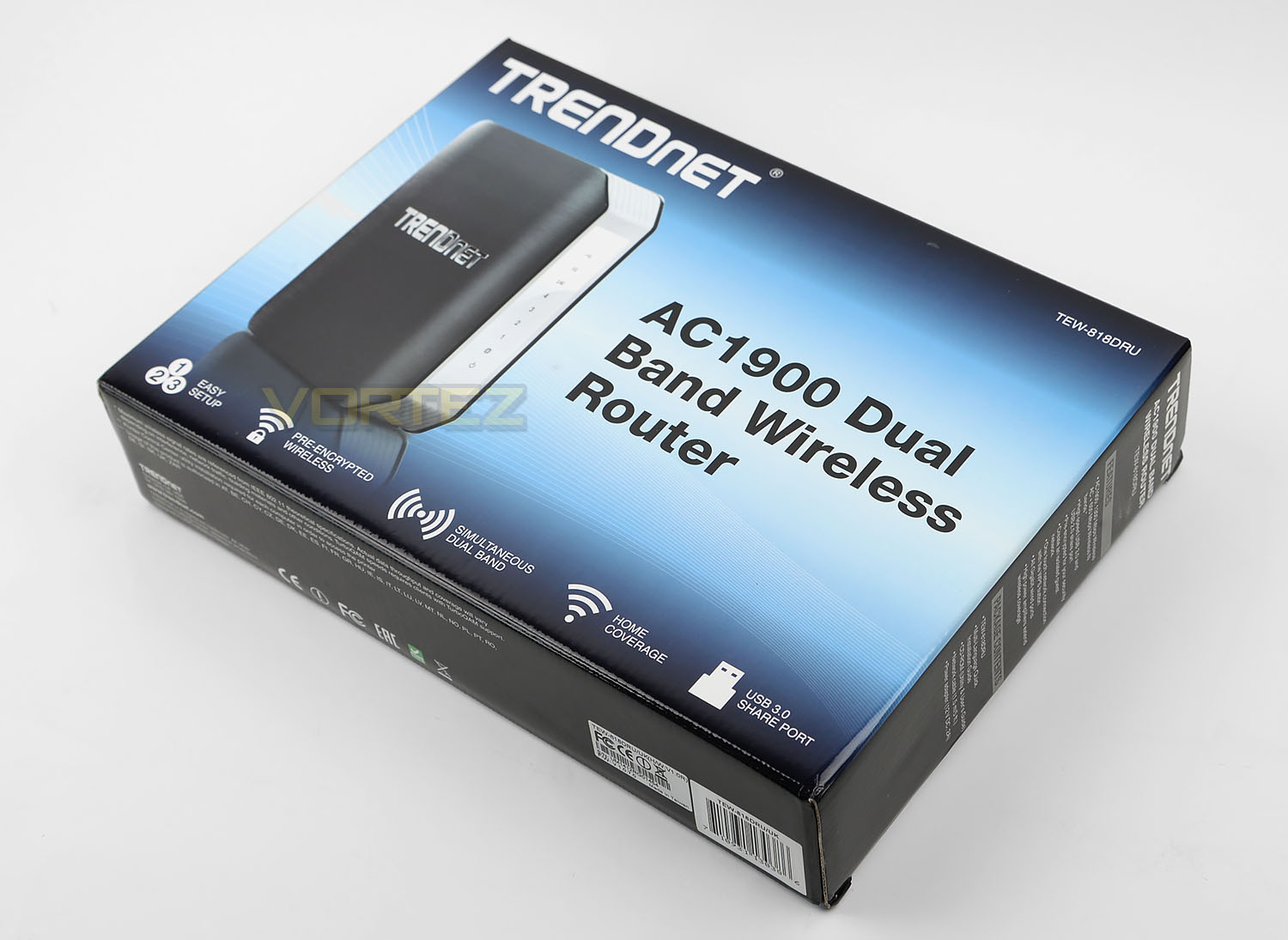
818DRU arrives in an eye-catching box which has a depiction of the router on the front along with a list of some of the key features. The sides and back of this box reveal the technical specifications for those interested.
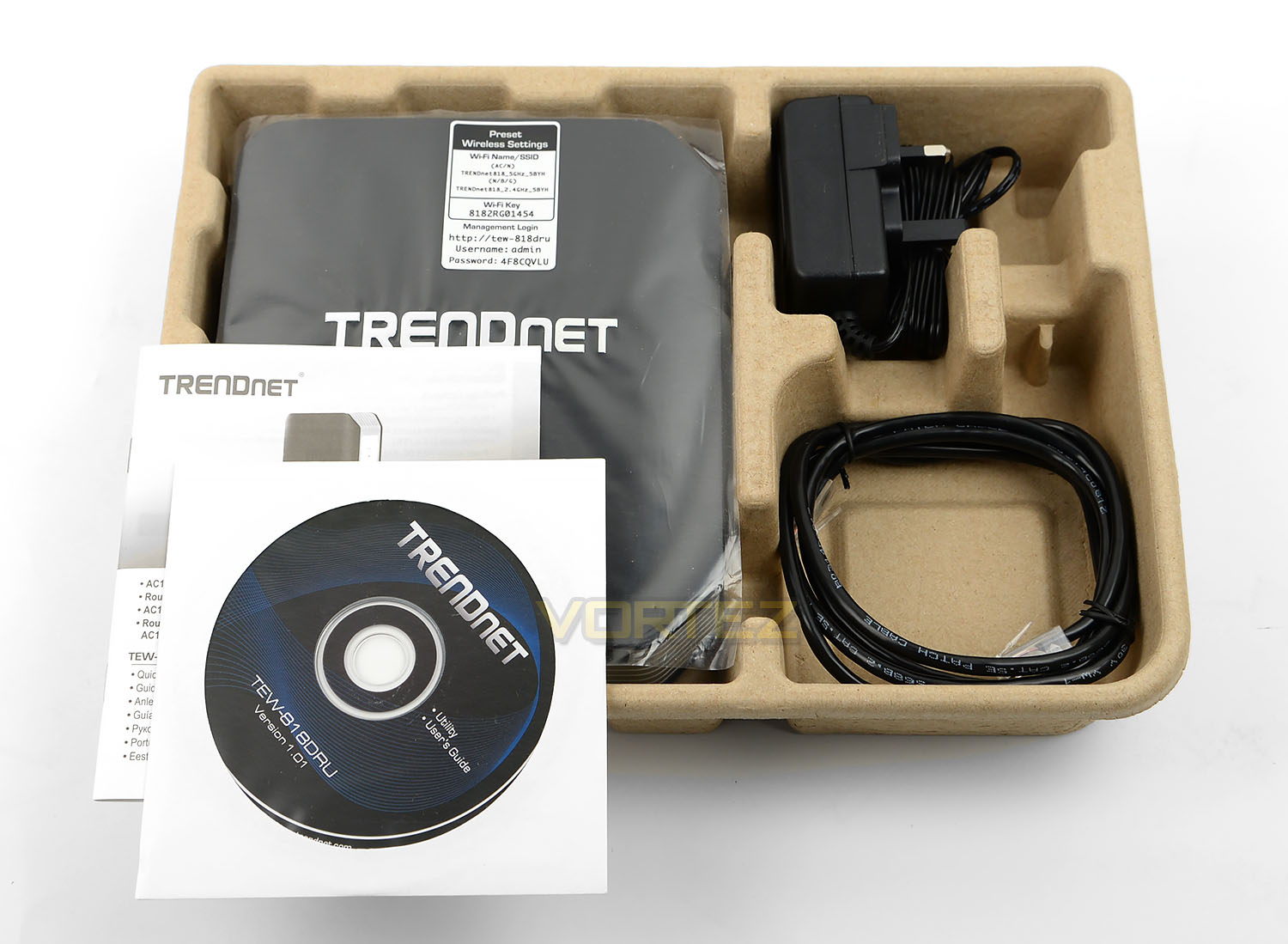
Opening the box up, there are a number of included items which make up the bundle. These included items consist of:
• TEW-818DRU
• Multi-Language Quick Installation Guide
• Software CD (Utility & User’s Guide)
• Cat5e Network Cable (1.5 m/5 ft.)
• Power Adapter (12V, 2A)
TRENDnet include a label on the cover of the router. This label reveals the credentials for obtaining access to the unit and begin configuring the settings.
Closer Look
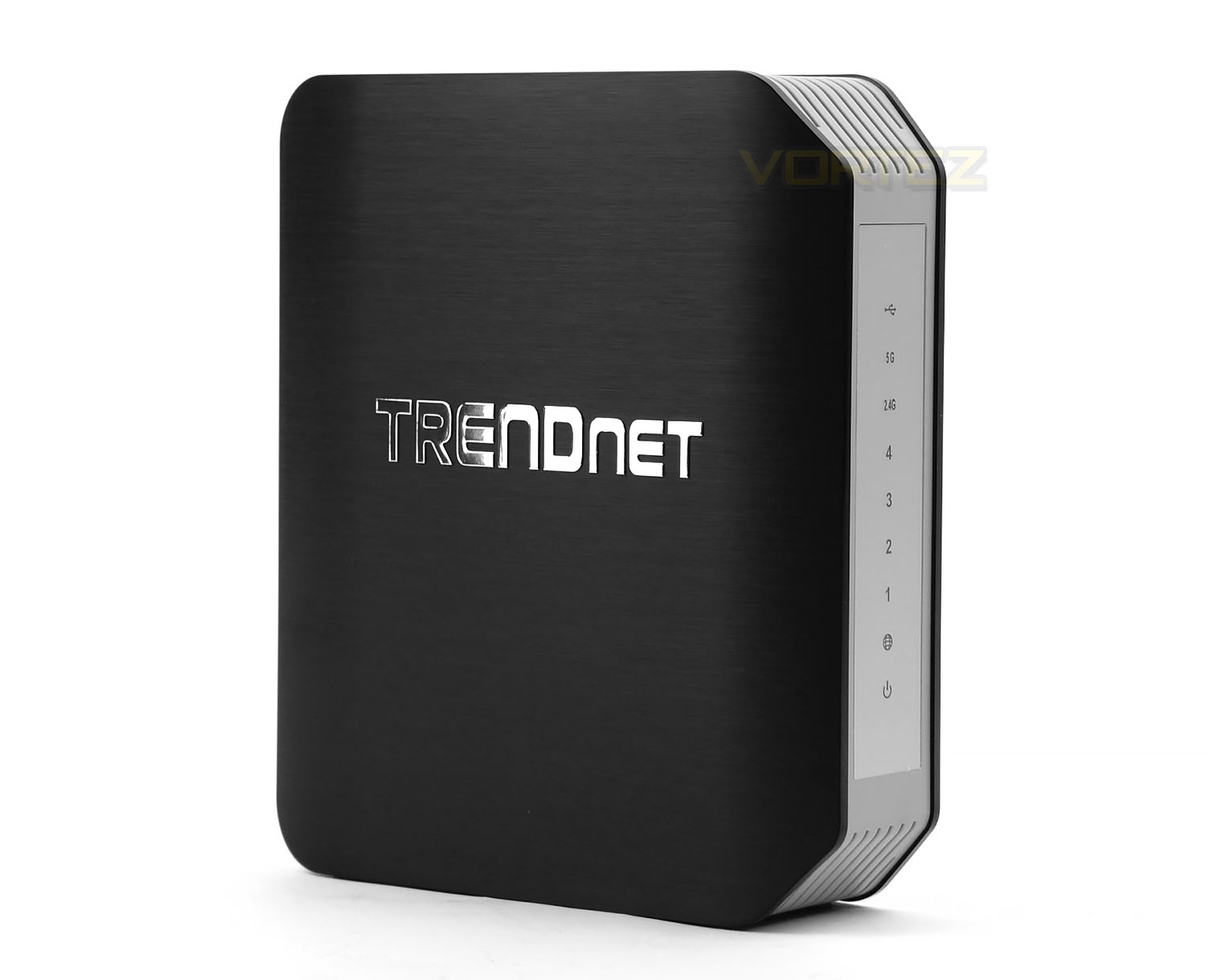
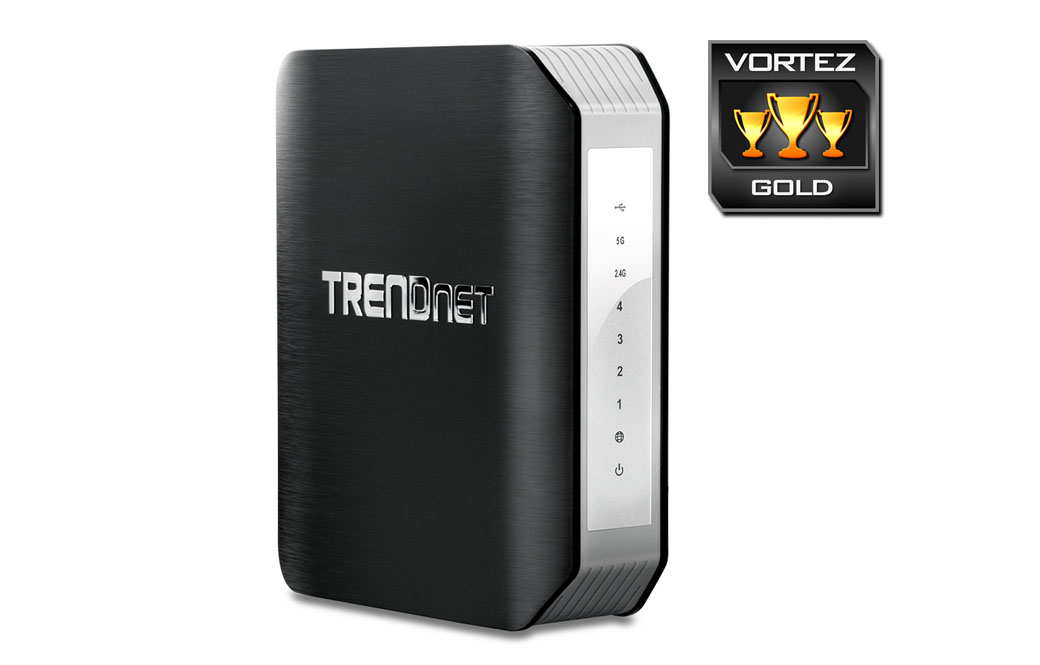
818DRU is designed to stand up in a vertical orientation and is styled in an entirely plastic exterior. The two-tone theme TRENDnet has used looks good – the sides use a brushed aluminium finish and a plastic (metallic looking) badge sits on both sides.
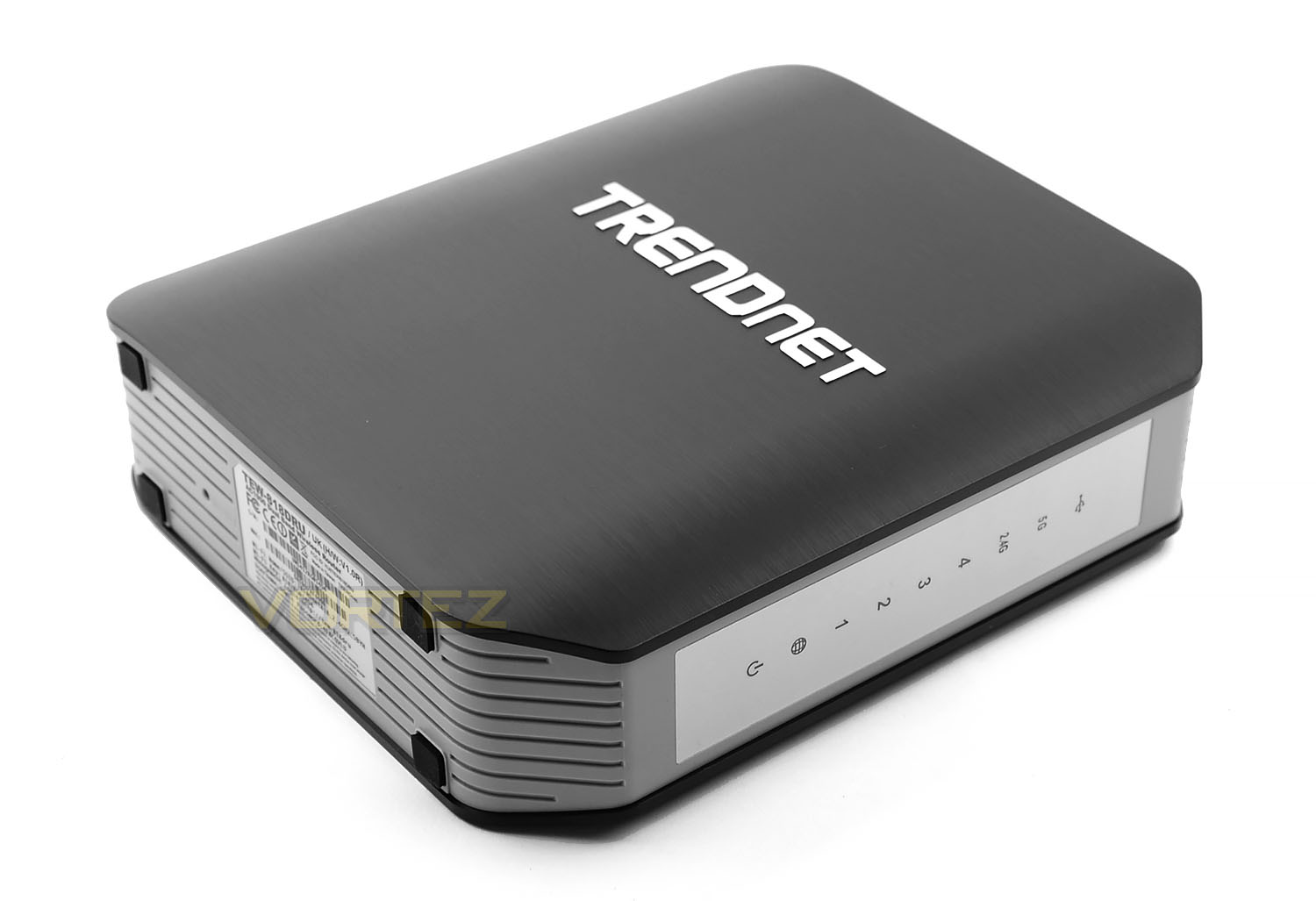
At the front of the router there are a series of LED indicators which sit on a panel. This panel tells us whether various aspects are in use such as: USB, WiFi frequency (5GHz/2.4GHz), Ethernet ports, WAN and power.
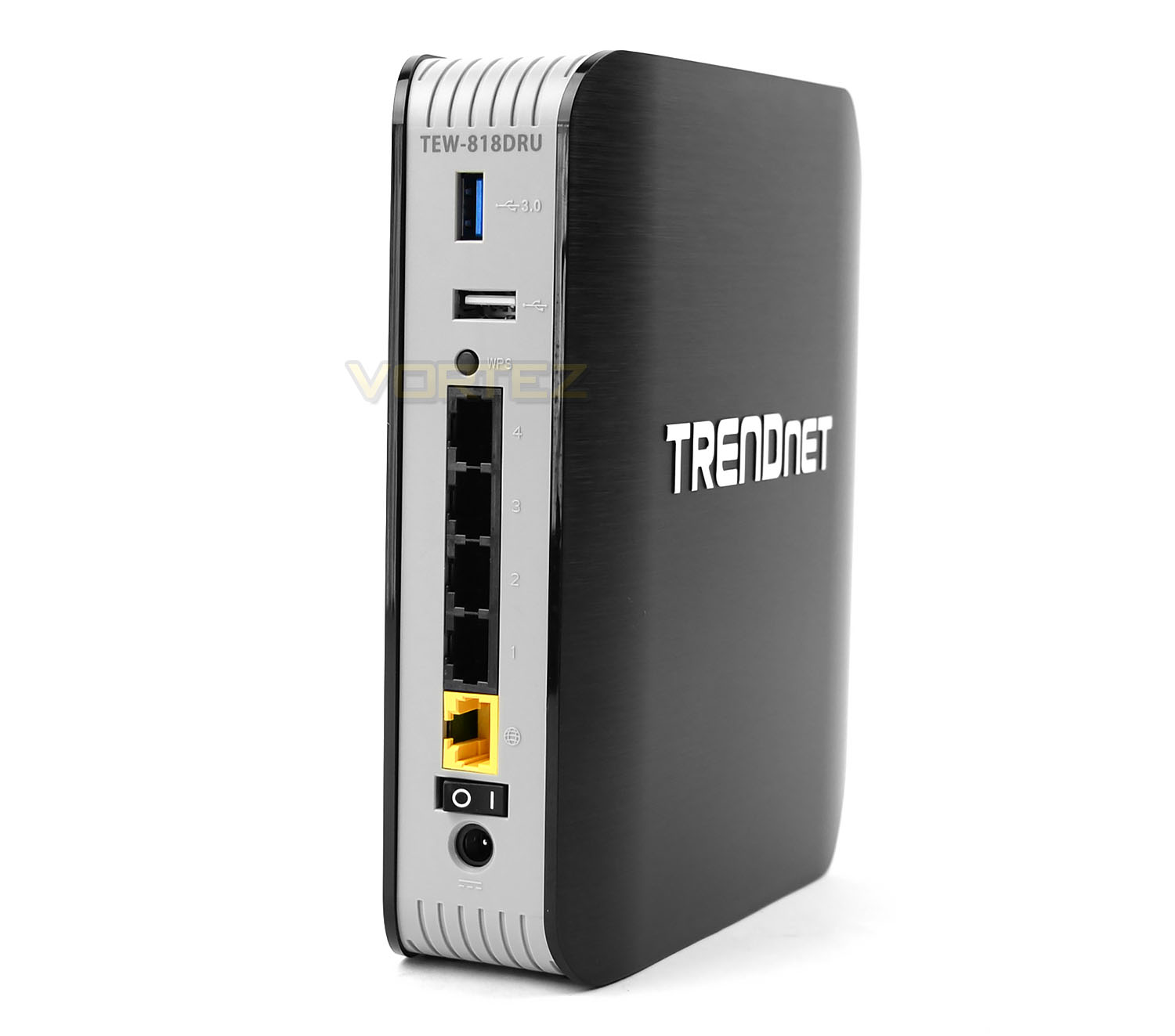
Spinning 818DRU around, there are a number of useful ports. At the top there is a USB 3.0 port with an accompanying USB 2.0 port. We’re also pleased to see there is the inclusion of a WPS button to make it nice and easy to pair up other network devices. Below this there are 4x Ethernet ports, each allowing Gigabit connectivity. The yellow port is a WAN port for internet usage. Towards the botton there is a flick-switch for on/off and an AC port to work in conjunction with the supplied power pack.
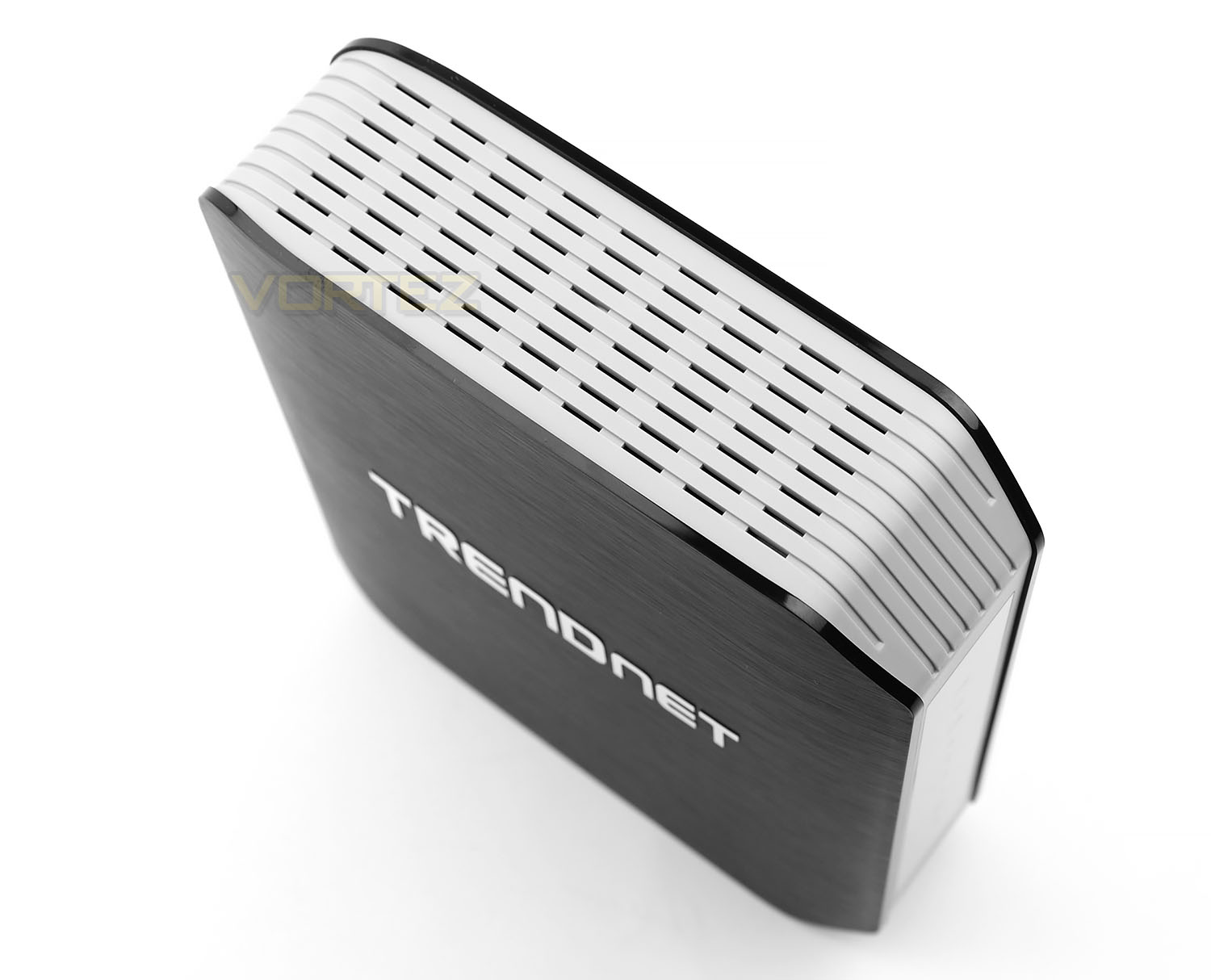
Lastly – since there is no active cooling within 818DRU, TRENDnet has given the unit a large area of ventilation to expel unwanted heat.
Software GUI & Performance
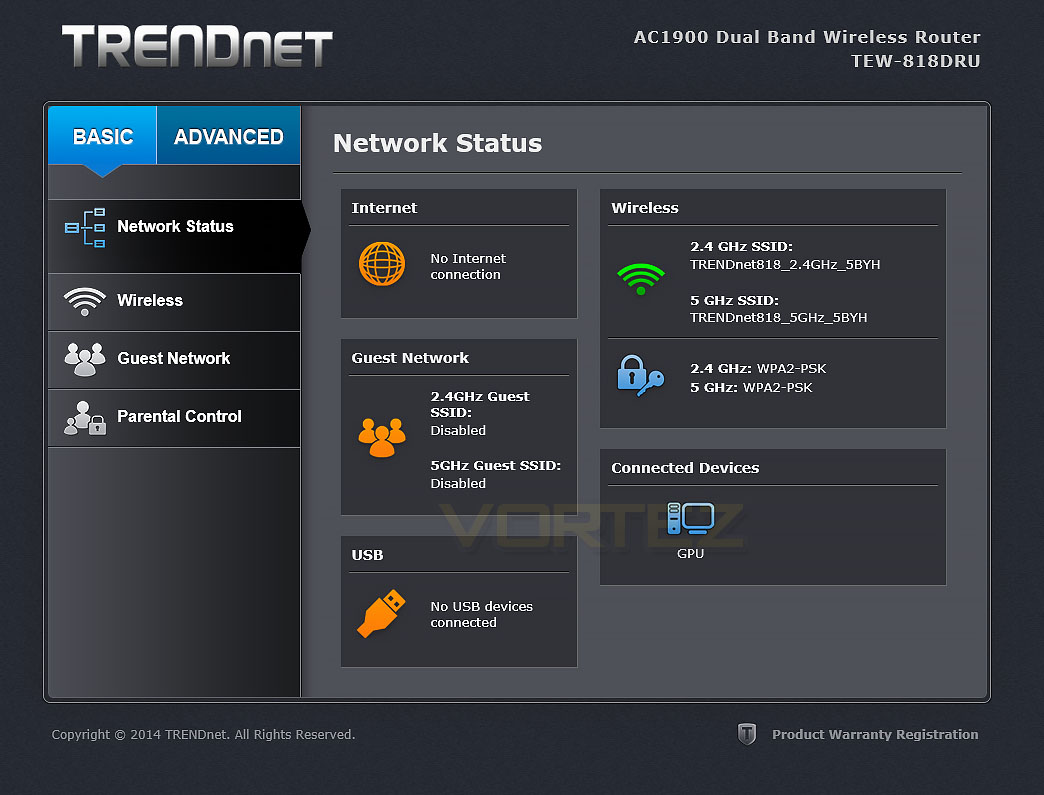
818DRU’s software interface is certainly attractive and very intuitive. Even though it’s heavily graphical we encountered no hiccups or lag throughout our experience. The home screen gives an overview of the network status, showing such information as active WiFi SSIDs and any connected devices. There are two tabs within the software – basic and advanced, basic is good enough for those wanting to simply use the router at its simplest form.
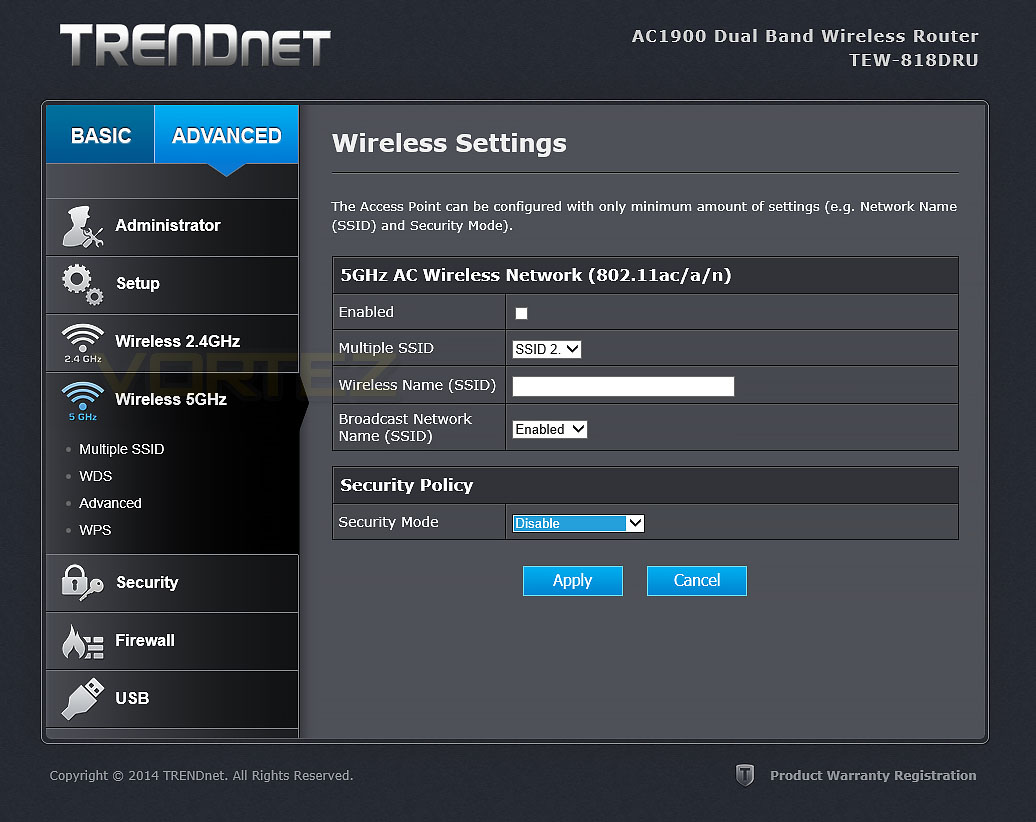
It’s great to see that 818DRU has the ability to use multiple SSIDs and offer both 2.4GHz and 5GHz frequency for the WiFi connectivity.
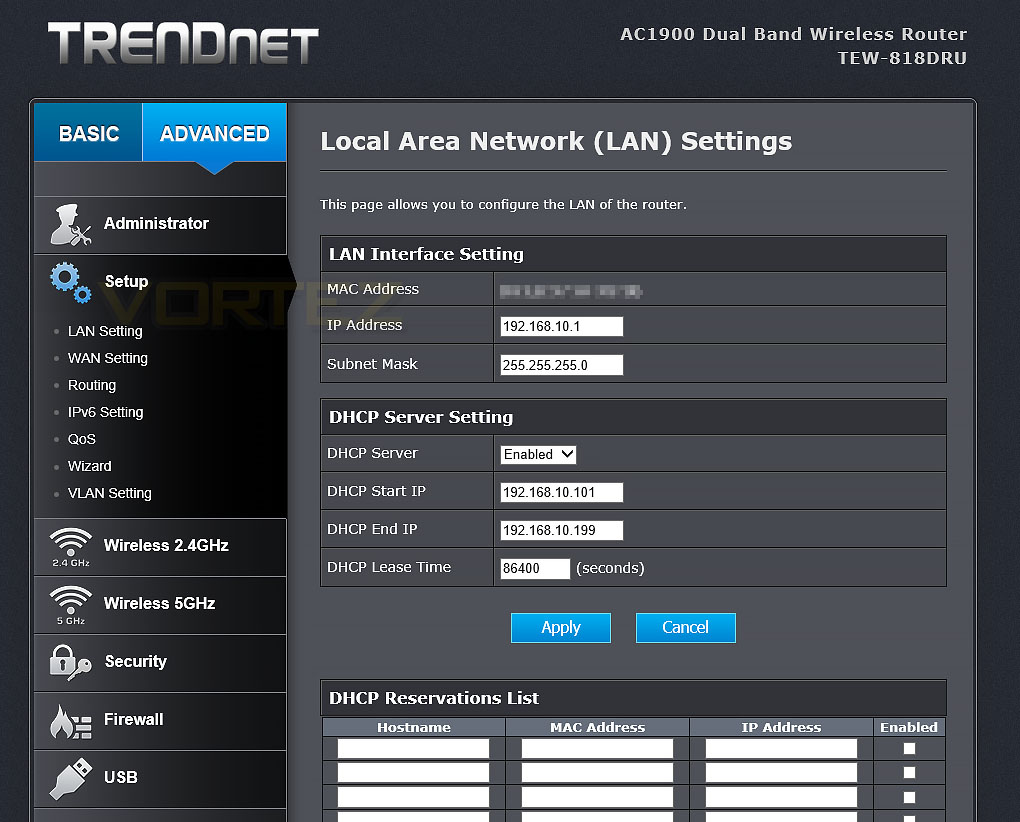
Inside the “Setup” area of the advanced tab there are a multitude of settings which can be adjusted to take full advantage of all that 818DRU offers.
Performance
Inside 818DRU we have Broadcom’s flagship BCM4708A chipset and combines 802.11n (600Mbps) with 802.11ac (1300Mbps) to supply a theoretical maximum of 1900Mbps.
In this section we’ll be testing out both the Ethernet (wired) performance and the wireless performance. Do accomplish this we use AIDA32’s network benchmark plugin (discontinued in the newer AIDA64). Below are the results:
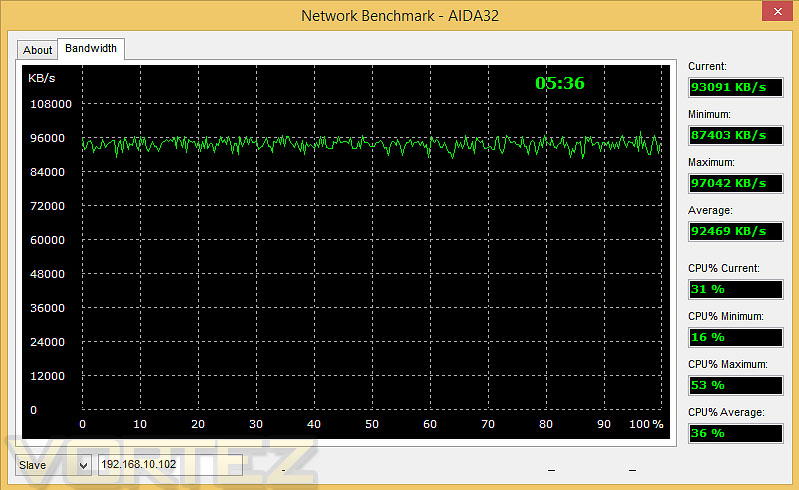
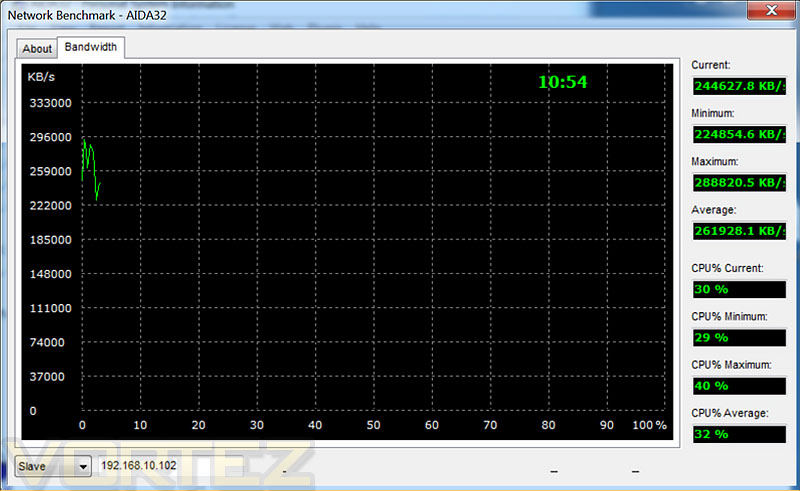
The wired performance is as to be expected — very good. Maintaining strong consistency throughout the 5 minutes of thorough testing.
The wireless performance provided some rather impressive results. Using 5GHz and wireless ac we managed to achieve 255MB/s over a 6m distance with a solid wall in its path.
Conclusion
In our first outing with TRENDnet we’ve been impressed by what their TEW-818DRU offers and we can see why the brand has received a great deal of credit over the years.
The 818DRU provides an affordable step onto the 802.11ac bandwagon, allowing you to experience the delights of super-fast wireless performance. Many homes are now equipped with rapid internet connections and yet wireless functionality has been a limiting factor but this doesn’t have to be the case when you install an ac capable router. Many devices are now taking full advantage of faster wireless standards such ac – Samsung’s recent Galaxy S6 smartphone release is a good example of this. The S6 can use this greater bandwidth to access local files and connect to the router hosting the internet.
Other reviews of 818DRU state that TRENDnet’s GUI felt slow and laggy but we experienced no such difficulties. As soon as we received the unit we updated the firmware to the latest version to avoid any potential niggles and we can confidently say that the software GUI is a pleasure to use. All of the features and settings are easily adjusted and the navigation is both fluid and responsive.
802.11ac is still relatively new and as such routers/devices which make use of this technology are still greater in cost compared to that if wireless n equivalents. Even so, we feel that 818DRU’s price of £110 GBP / $209 USD is still great value for money considering all of the features this router comes with.
TRENDnet’s TEW-818DRU is an impressive AC1900 router. It offers excellent performance, comes with a whole host of useful features and won’t burn a hole in your pocket.
Pros
+ Up to 1900Mbps
+ Impressive WiFi performance
+ Easy to use GUI
+ Affordable
Cons
– Unit can only be stood up vertically
+ Up to 1900Mbps
+ Impressive WiFi performance
+ Easy to use GUI
+ Affordable
Cons
– Unit can only be stood up vertically

Click here for an explanation of our awards at Vortez.net.