Want something a little extra from your affordable mouse and keyboard combo? The CHALLENGER PRIME RGB combo offers RGB lighting, macros, 1000Hz polling rate and a 3200DPI optical mouse.

Product on Review: Tt eSPORTS CHALLENGER PRIME RGB Combo
Manufacturer and Sponsor: Tt eSPORTs
Street Price: UK: £49.99, US: $59.99
The CHALLENGER PRIME RGB combo is a membrane keyboard and mouse set that is a step above the COMMANDER multi-light combo we recently had a hands on with. This time, for the additional £20 you get RGB lighting, macro recording, 1000Hz polling (keyboard) and a mouse that has been kitted out with OMRON switches and an AVAGO 3050 optical sensor.
As far as budget peripherals go, there always seems to be some kind of compromise. For example, you may find a keyboard that has awesome build quality but discover it doesn’t feature anti-ghosting keys, an absolute must for gamers. As we have experienced a good standard of performance from COMMANDER combo from Tt eSPORTS, we are excited to how the additional features of the CHALLENGER PRIME RGB combo holds up.
Overview by Tt eSPORTS
The CHALLENGER PRIME RGB Membrane Gaming Gear Combo – Packs a whole lot of features at a budget friendly price with enhanced colorbar concepts, our basic customizable backlighting has been evolved for extreme customization. It gives a spectrum of visual effects featuring multi colors and provided users the easiest way to tune and most importantly, it colors up your life! Brightness can further adjusted via the dial in the front center of the keyboard. As with the CHALLENGER series of keyboards, the CHALLENGER Prime also features onboard memory for setting the dedicate macro keys. In addition, there are multimedia keys, shortcut keys, repeat rate and poll rate adjustment keys!
Technical Specifications
Mouse
Color: BLACK
DPI: 3200 DPI
Sensor Type: OPTICAL
No. of Buttons: 6
No. of Macro Keys: 0
No. of Game Profiles: 0
USB cable length: 1.8M
Weight-In Design: NO
Graphical UI: NO
Gold-Plated USB: NO
Dimension: 123 * 71 * 41.6 mm
LIGHT COLOR: Full Light With RGB Colors
LIGHTING EFFECT: Static, Spectrum Running, Off
Keyboard
Color: BLACK
No. of Macro Keys: 6
No. of Game Profiles: 3 (Game Mode)
Graphical UI: YES
Weight-In Design: 869 GRAMS
Gold-Plated USB: NO
Dimension: 505 x 239 x 24 mm
Interface: USB
Membrane, Mechanical, Plunger: Membrane
Anti-Ghosting Keys: 24 Keys
On-Board Memory Size: 16 Kb
Polling Rate: 1000 HZ
Back-Light: Full Light With RGB Colors
Wrist Rest: Yes, fixed
Multimedia Keys: 6
Internet Keys: 4
WINDOWS TOOL HOT KEYS: 3
Keystroke Lifecycle: 10 Million
Cable Length: 1.5M
Other Features: Adjustable Brightness & speediness
Color: BLACK
DPI: 3200 DPI
Sensor Type: OPTICAL
No. of Buttons: 6
No. of Macro Keys: 0
No. of Game Profiles: 0
USB cable length: 1.8M
Weight-In Design: NO
Graphical UI: NO
Gold-Plated USB: NO
Dimension: 123 * 71 * 41.6 mm
LIGHT COLOR: Full Light With RGB Colors
LIGHTING EFFECT: Static, Spectrum Running, Off
Keyboard
Color: BLACK
No. of Macro Keys: 6
No. of Game Profiles: 3 (Game Mode)
Graphical UI: YES
Weight-In Design: 869 GRAMS
Gold-Plated USB: NO
Dimension: 505 x 239 x 24 mm
Interface: USB
Membrane, Mechanical, Plunger: Membrane
Anti-Ghosting Keys: 24 Keys
On-Board Memory Size: 16 Kb
Polling Rate: 1000 HZ
Back-Light: Full Light With RGB Colors
Wrist Rest: Yes, fixed
Multimedia Keys: 6
Internet Keys: 4
WINDOWS TOOL HOT KEYS: 3
Keystroke Lifecycle: 10 Million
Cable Length: 1.5M
Other Features: Adjustable Brightness & speediness
Packaging & First Look
The CHALLENGER PRIME RGB combo comes in a similar box to the COMMANDER combo, with the Tt eSPORTS red on black clearly standing out. There is a large image of both the included mouse and keyboard, both having RGB lighting effects. It also lists the 3200 DPI optical mouse sensor, as well as the keyboard having on-the-fly macro recording.
The reverse side shows off the features of the mouse and keyboard in more detail as well as providing information about the software driver.
The bundle inside only includes a fold open manual and warranty information.
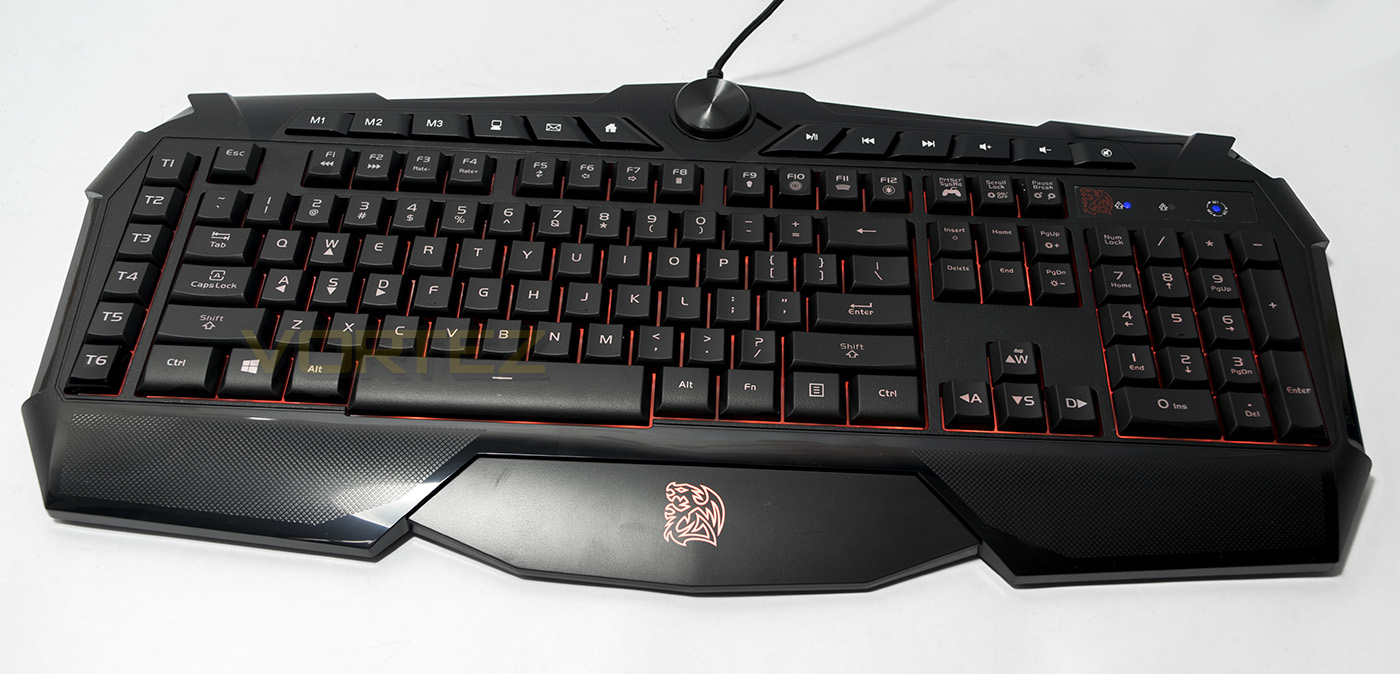
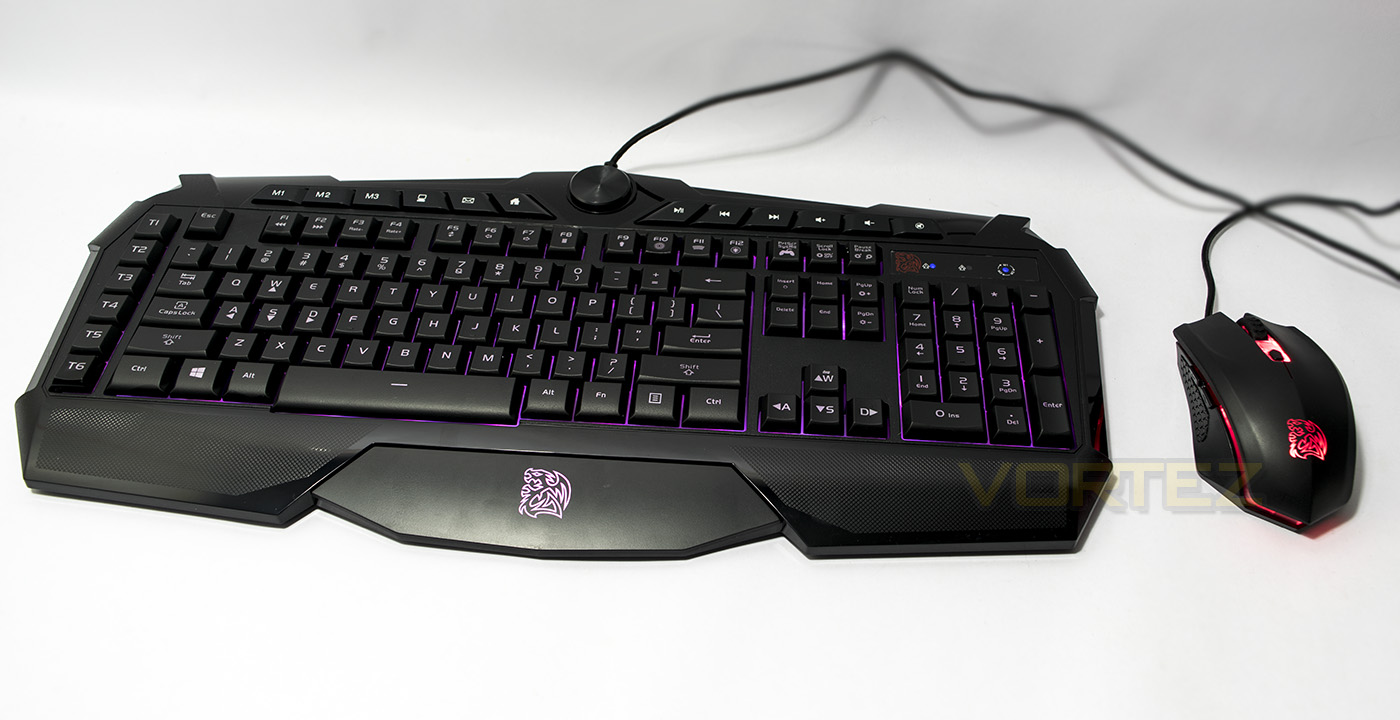
The CHALLENGER PRIME RGB keyboard, it looks more low profile when compared to the COMMANDER, as well as having various dedicated media keys and the LED brightness dial.
The CHALLENGER PRIME RGB MOUSE has a similar shape to the COMMANDER mouse, though with some differences, including the mouse wheel and the lighting design slots.
Closer Look: Keyboard
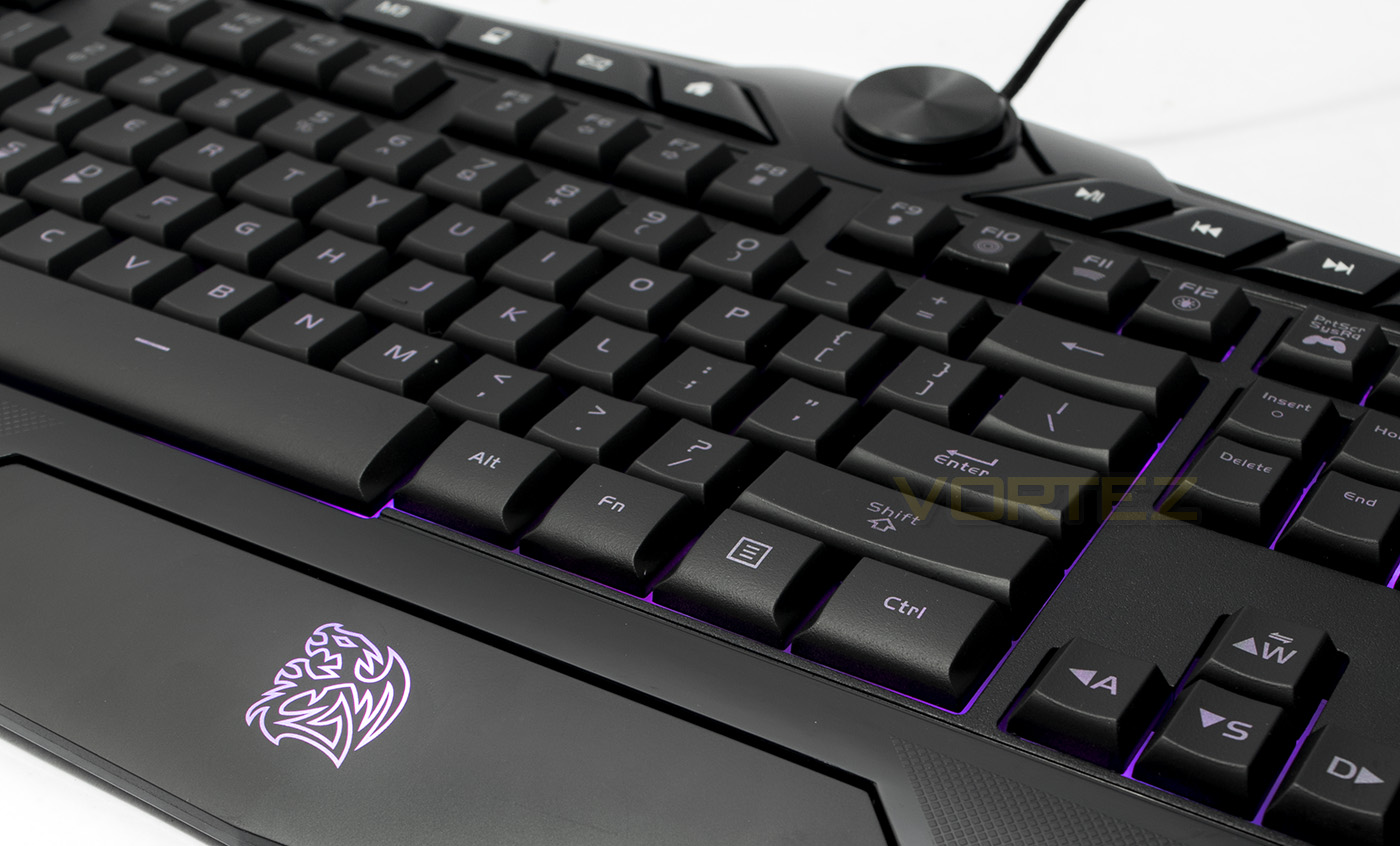
One of the major upgrades the CHALLENGER brings over the COMMANDER is the 6 programmable macro keys, a features that some gamers can’t do without. By default they will select between 1-6 tabs in your internet browser, but you can assign your own macros to them.
The CHALLENGER keyboard uses a combination of dedicated media keys as well as Fn keys. This side there are media keys to select between 3 saved profiles, a hotkey for MY PC, mail, and to open internet home page. Then there are Fn keys for, response rate and polling rate, refresh, back, forward and calculator. The large dial controls the LED brightness from off-100%.
On the right side, there are 6 more media keys including play/pause, previous, next, volume up, volume down and mute. The following Fn keys, include lighting mode select (F9- F12) Static, breathing, pulsing and spectrum cycle. PrtScr is an Fn key for locking the windows key, Scroll lock will turn the LED on/off, while pause/break will toggle between LED colour while in static or breathing modes. Fn + Insert will record macros on-the-fly, while Fn + Del will reset all macros. Pg up/down will adjust the lighting effect speed, finally, Fn + up will swap between WASD and the arrow keys.
The CHALLENGER is a membrane keyboard but the keycaps are removable, giving the keys higher stability compared to normal rubber dome keycaps, making keystrokes smooth and quiet.
The underside affords no cable routing or additional benefits aside from the customary feet to raise the angle of the keyboard.
Closer Look: Mouse
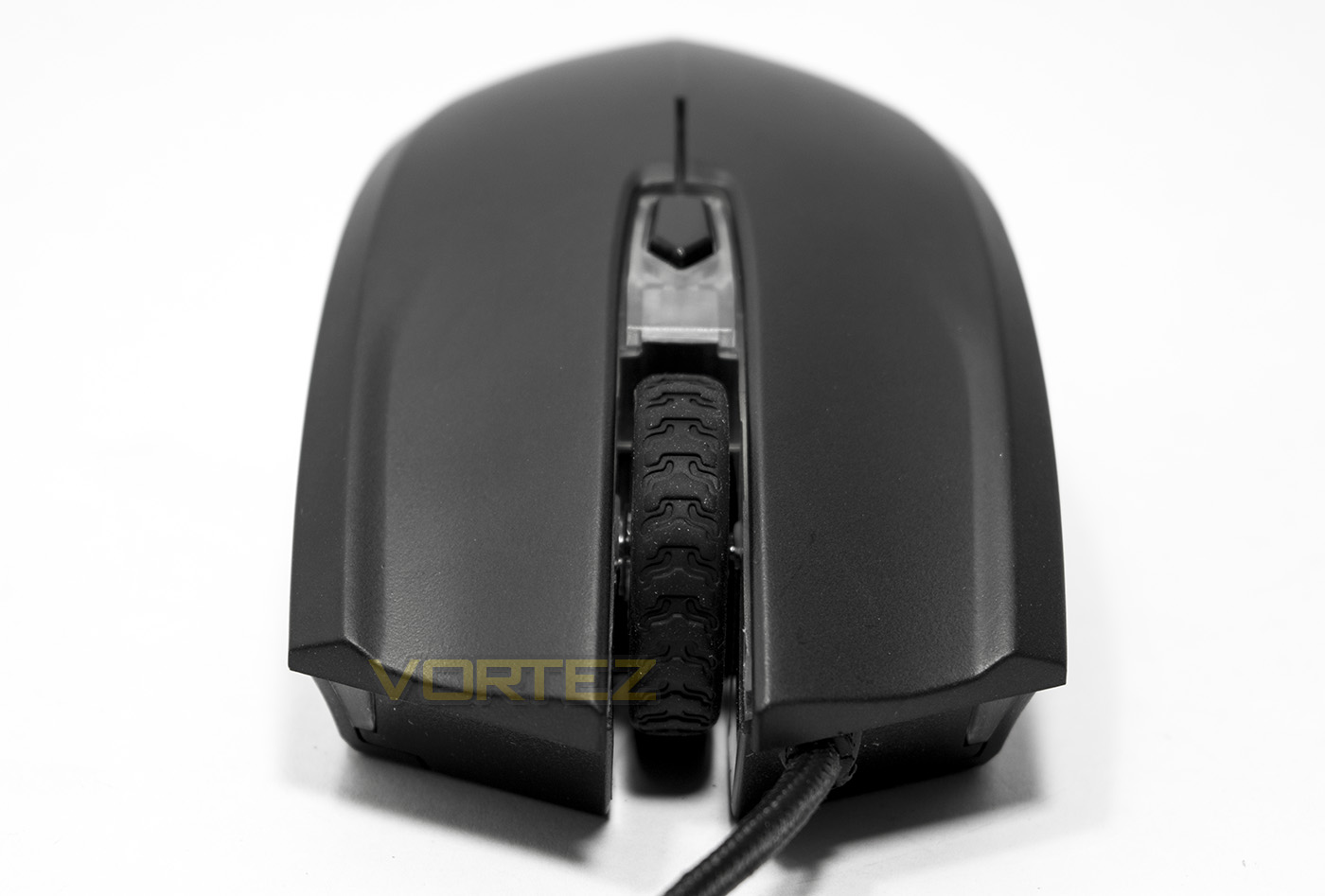
The shame of the CHALLENGER mouse has a low arch and has a split forked front with a large mouse wheel in the middle. This means the cable is attached off-centre. Behind the large rubber coated mouse wheel is a DPI switch that toggles between 400/800/1600 and 3200 DPI.
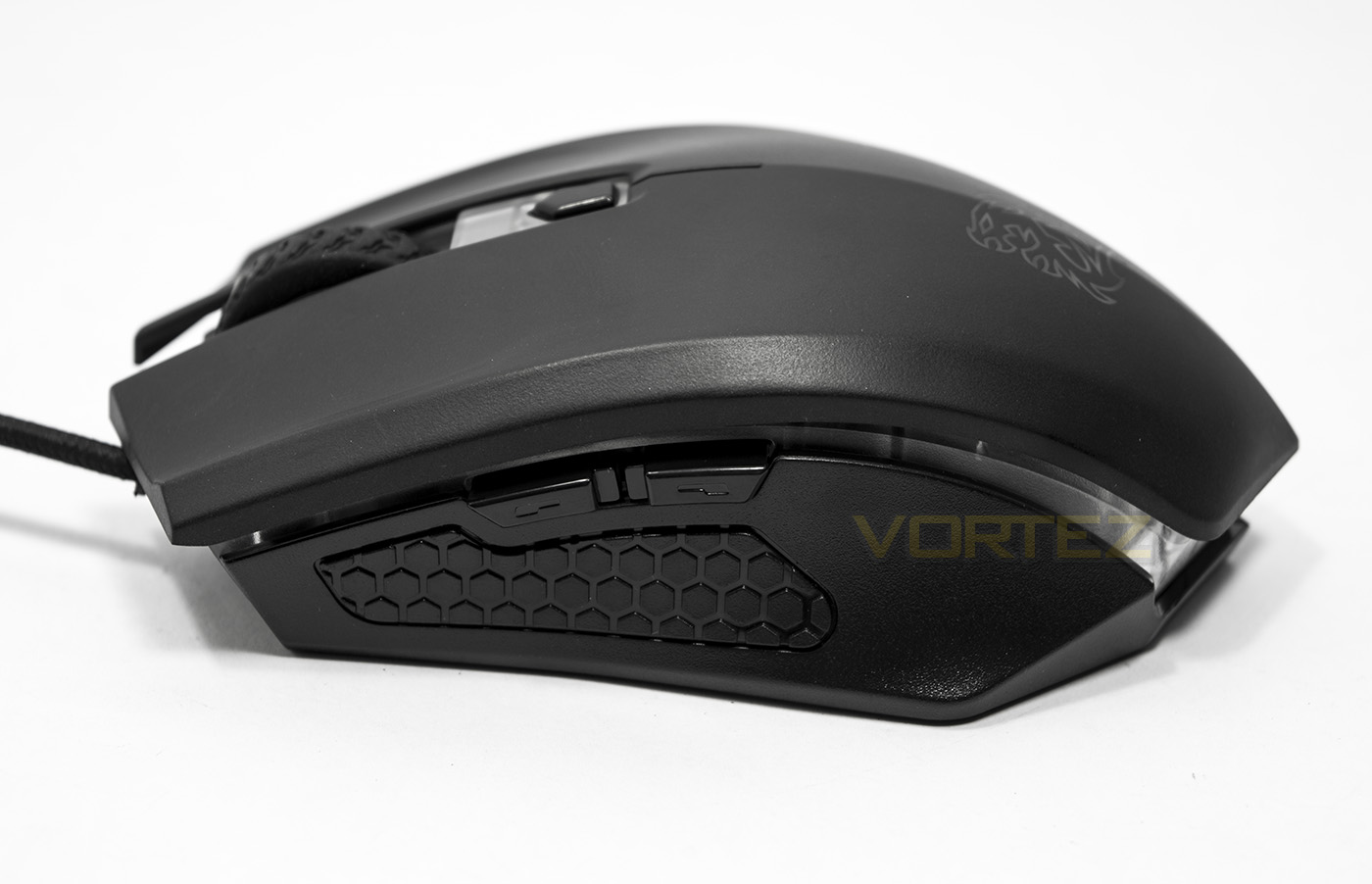
The side reveals that the upper deck of the mouse has been lifted with a transparent plastic connecting the two, this is for lighting effect purposes. This side features a textured plastic grip design with two side buttons, forward and back.
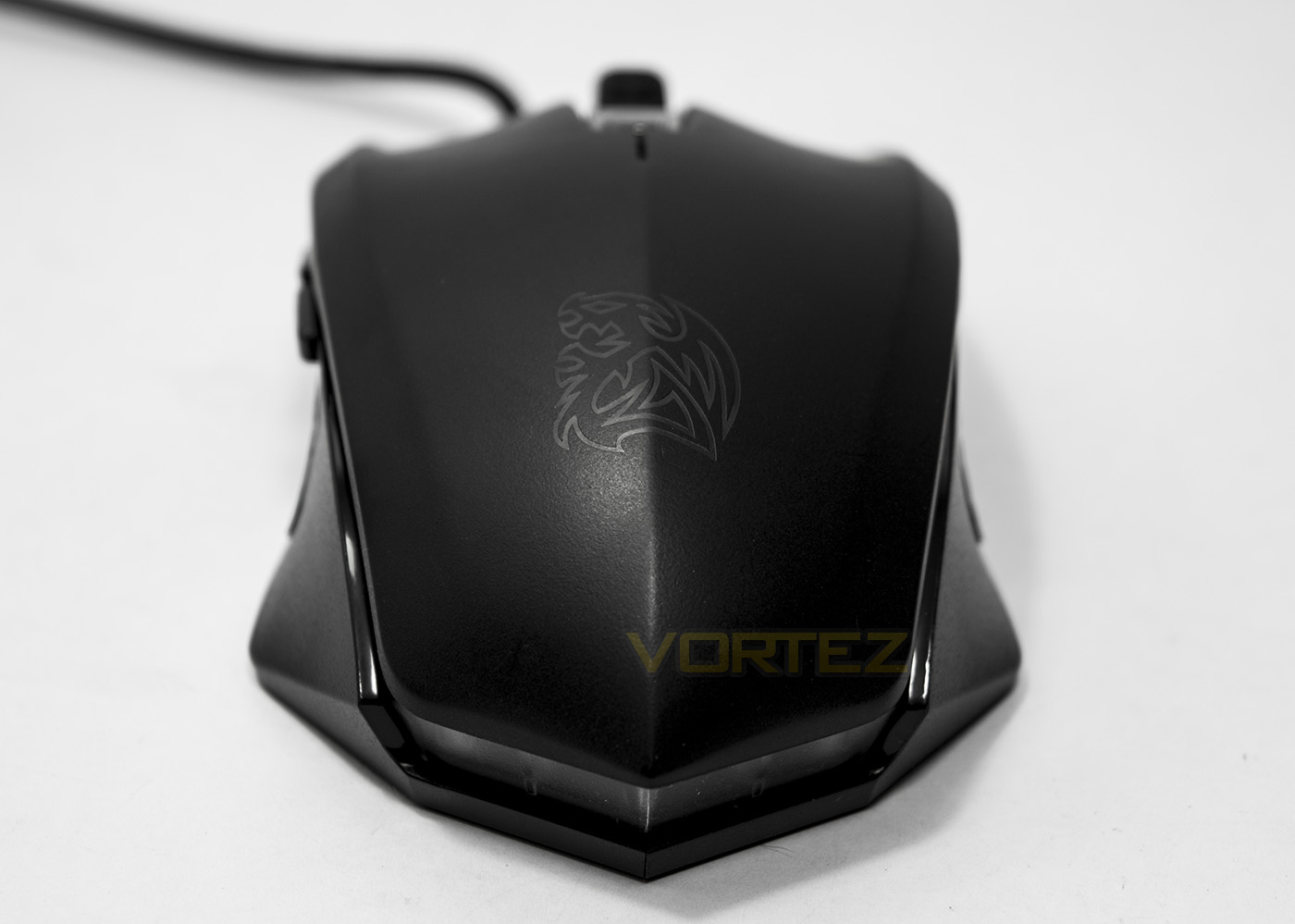
The rear side of the mouse shows the Tt eSPORTS battle dragon and the symmetrical ergonomics, showing that this mouse, as with the COMMANDER mouse is ambidextrous, aside from the buttons being on one side.
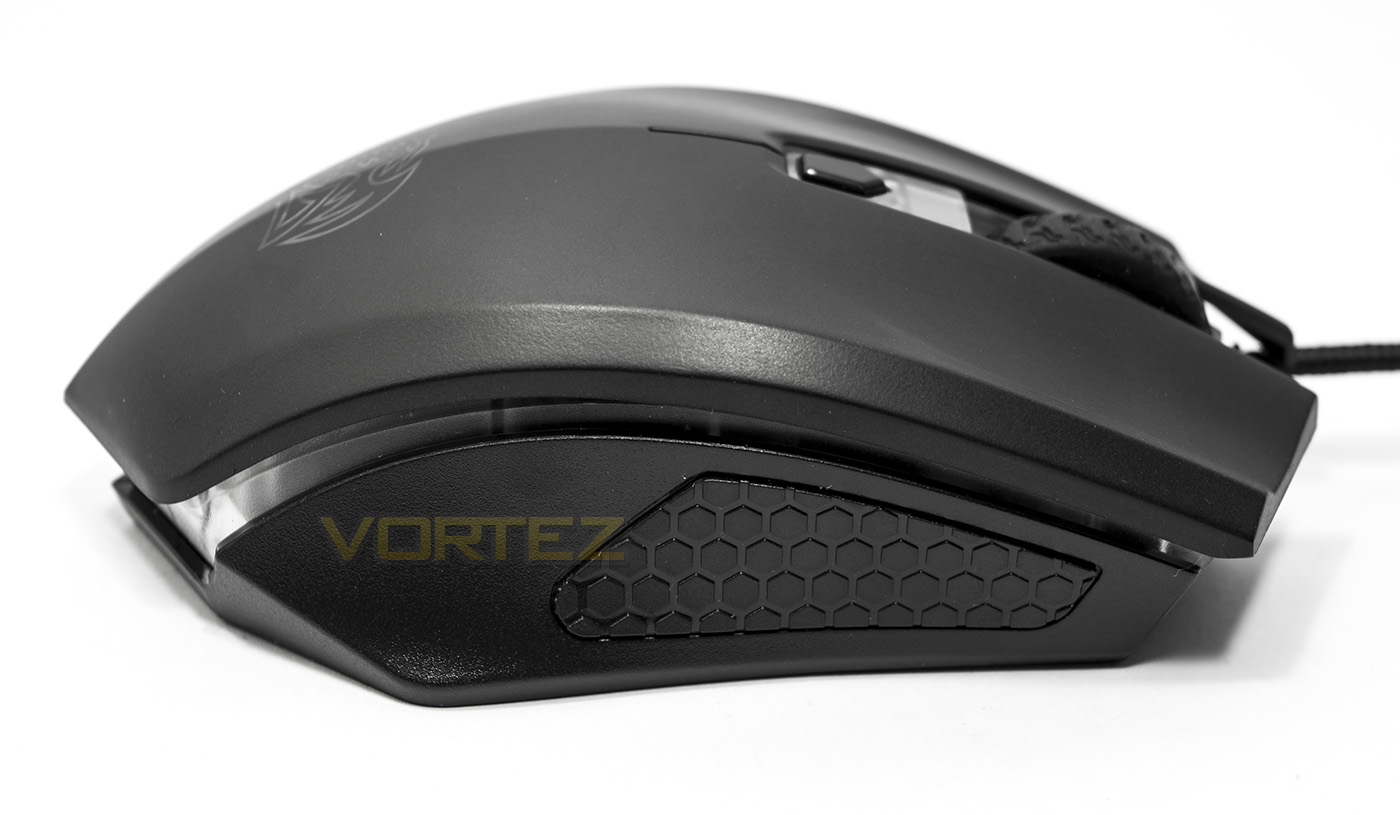
The right side of the mouse is without buttons but we see a repeat of the textured plastic grip as well as the transparent plastic encircling the entirety of the mouse.
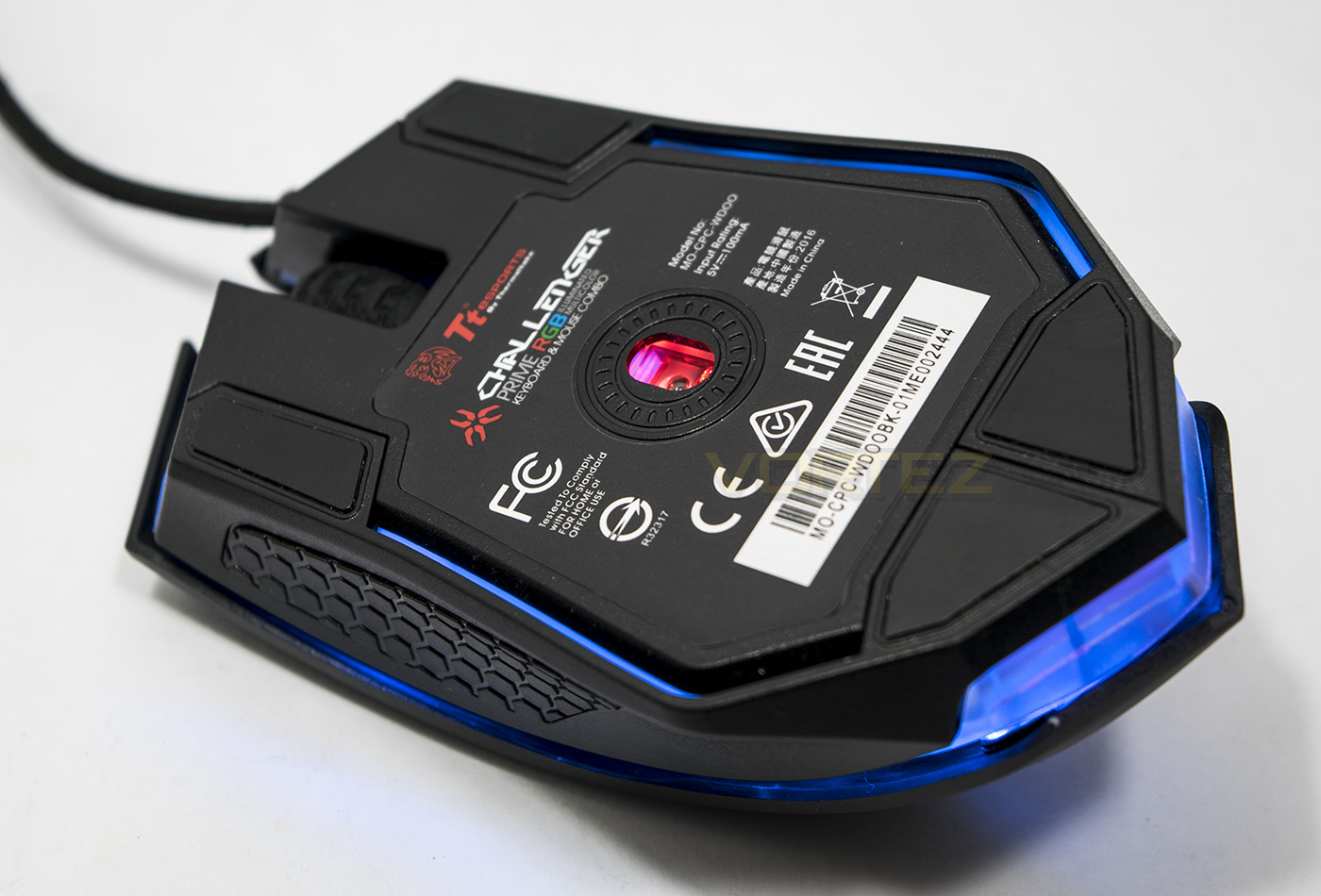
The sensor is mounted pretty much centrally and uses the AVAGO 3050 optical sensor using a red LED. The rear side forms into a point and there are two slip-pads that are formed together in this area too.
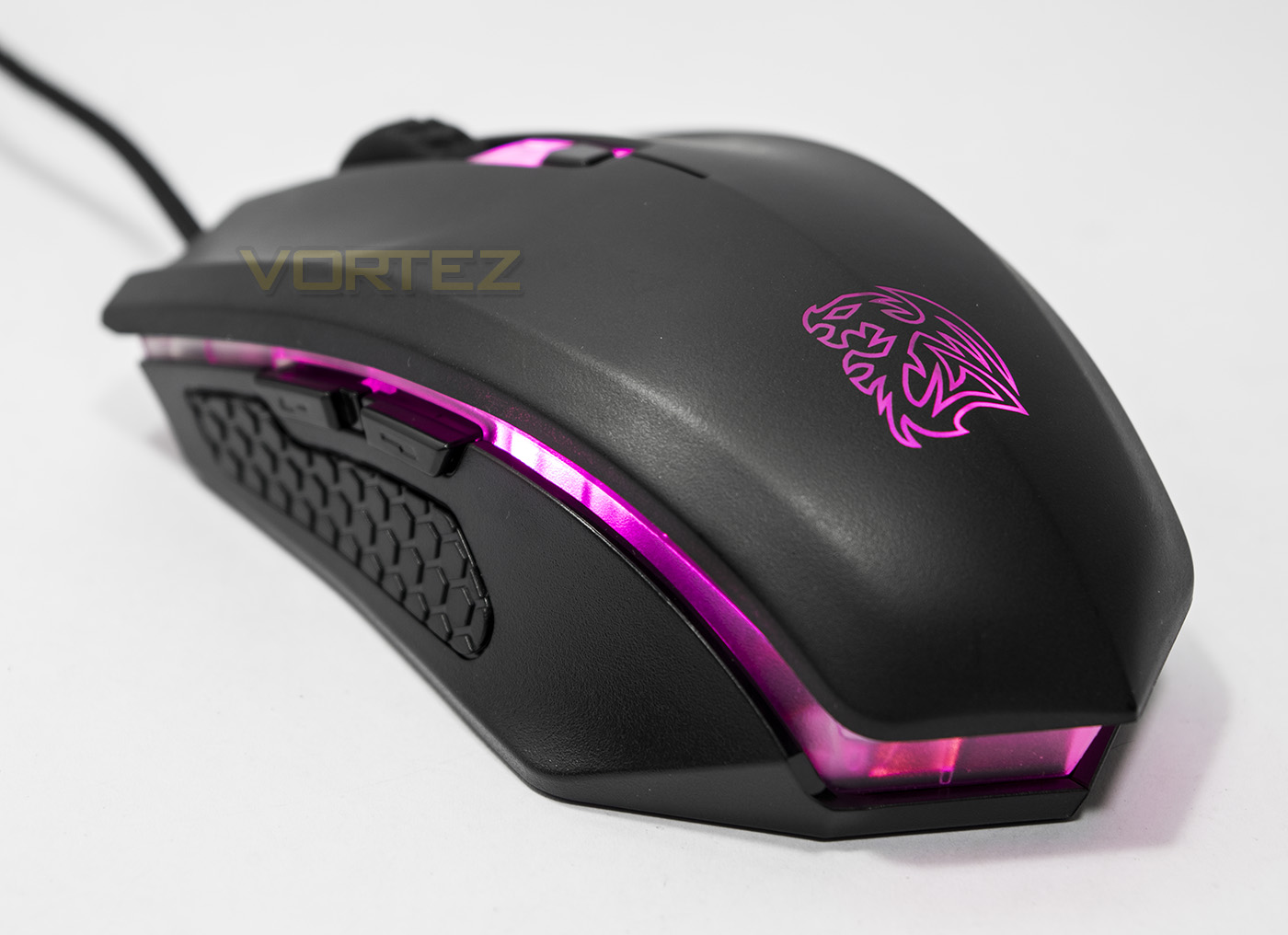
The lighting effects follow a similar premise to the COMMANDER multi-light mouse. By default it is set to spectrum cycle, but by pressing the DPI button and the mouse wheel, you can change the effect to static, pausing it to whichever colour it was at during the cycle. Pressing the DPI button and left click will turn the lighting on or off.
Software & Lighting
The software for the CHALLENGER keyboard can be downloaded from the product page [url=http://www.ttesports.com/Keyboard/217/CHALLENGER_Prime_RGB_Combo/productPage.htm?a=a&g=ftr#.V2cTleAkpaS]HERE[/url. It doesn’t appear completely necessary to install to access the majority of the features, but it will make it more convenient to manage your macros and stored profiles as well as having control of the features in a more intuitive way. The layout is simple and easy to navigate but seems fairly limited in options. There are no tabs to control the mouse performance or lighting so we are left with pure keyboard functions. The macro recorder seems rather simple but effective, though it is worth noting that it does not register mouse input.
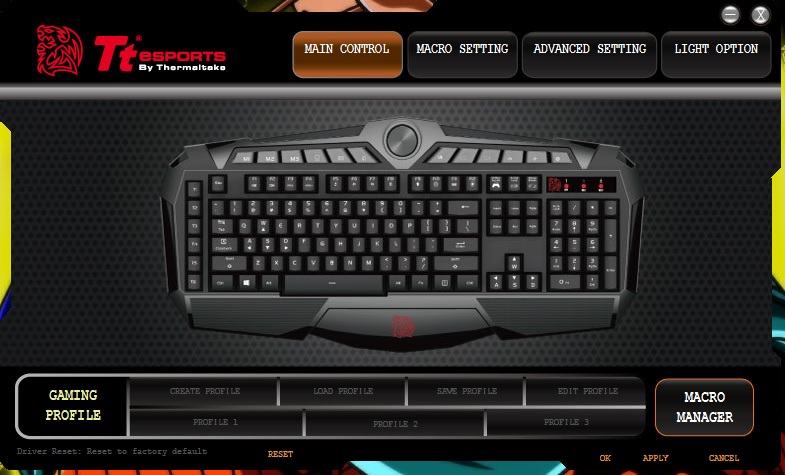
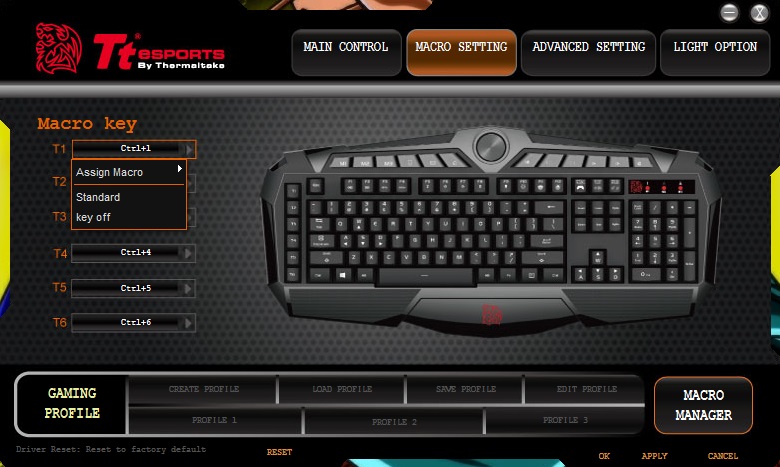
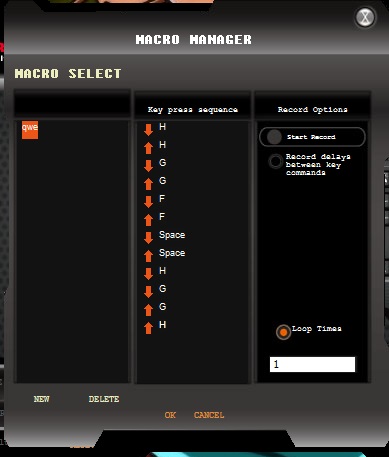
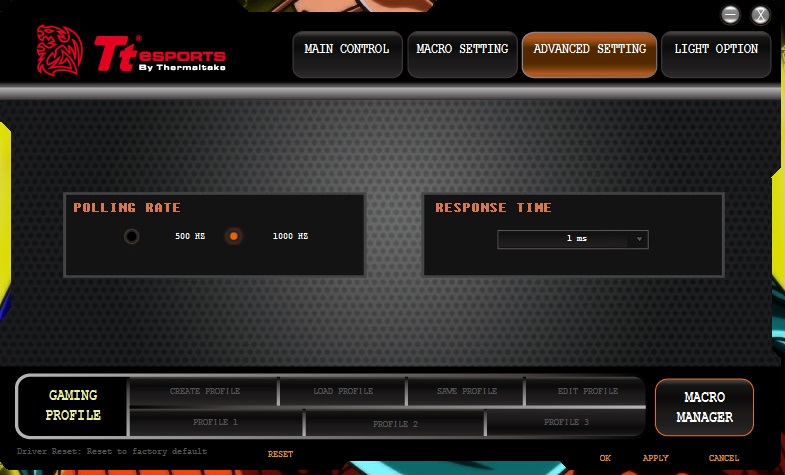
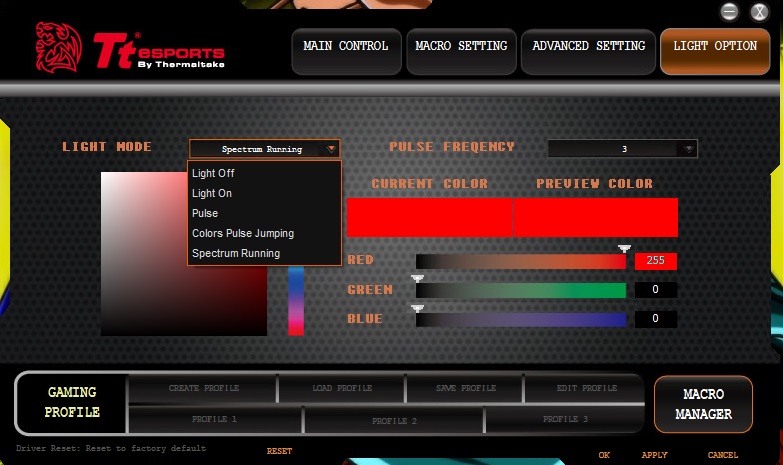
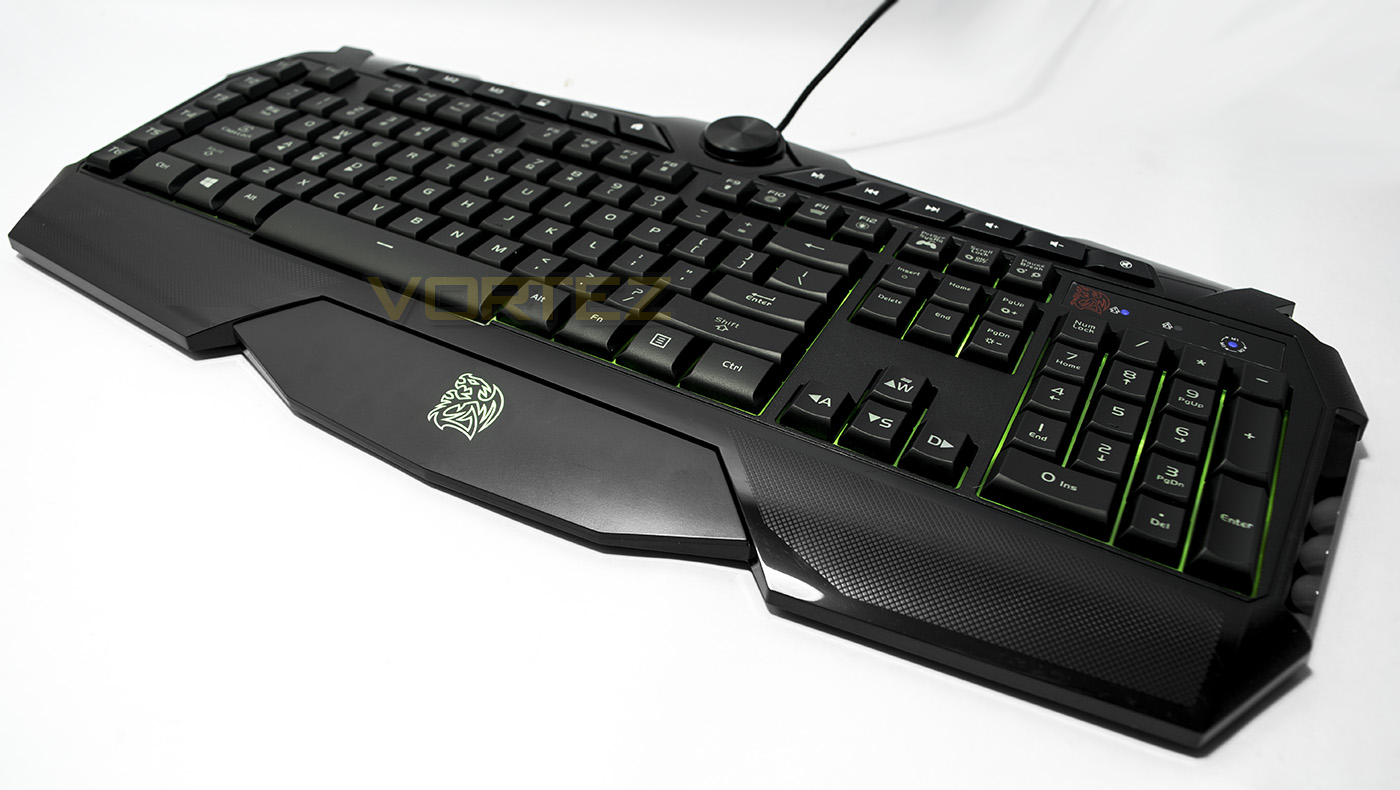
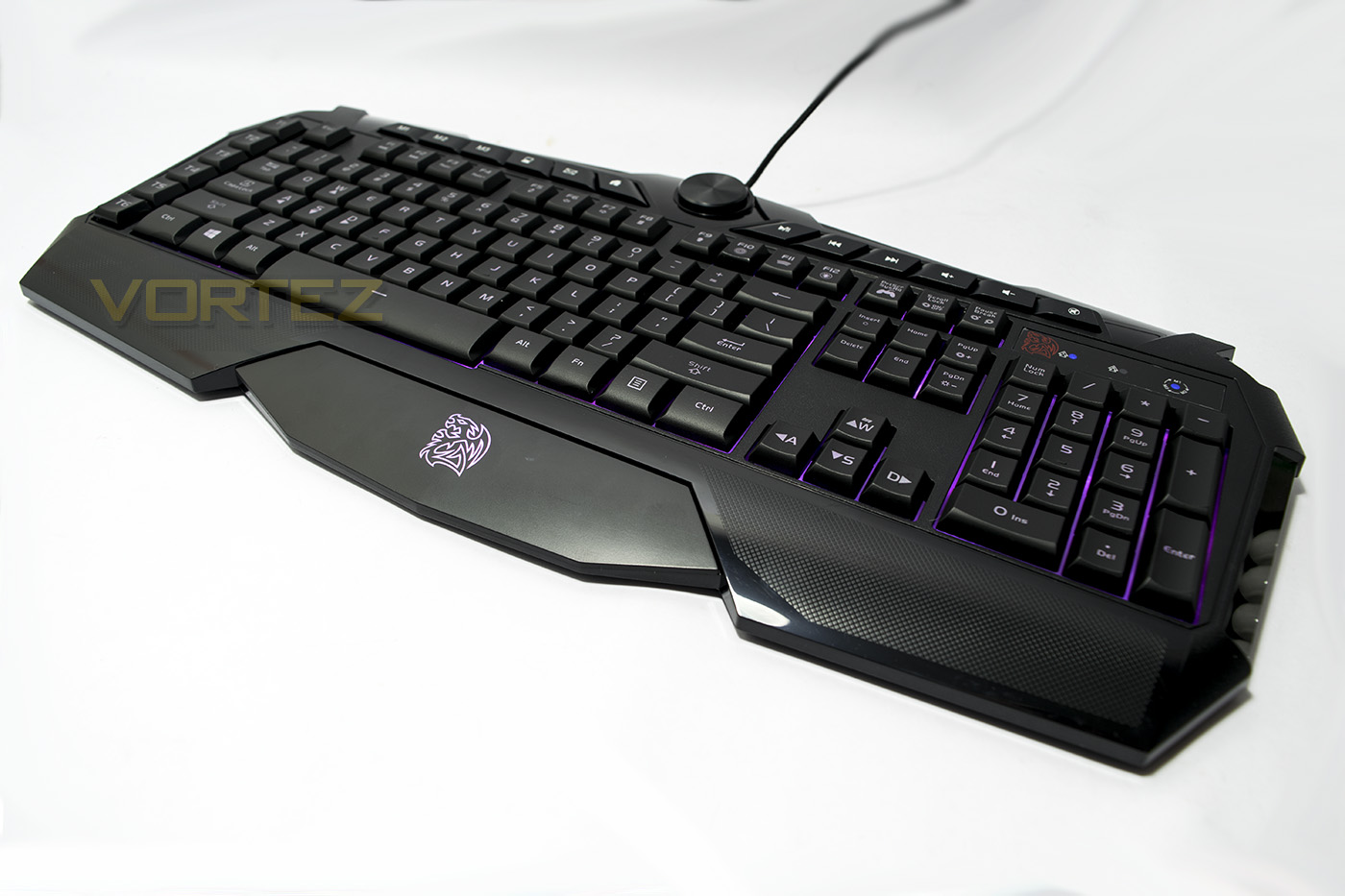
The lighting effects are fairly simple with whole board effects (static, breathing, pulse, spectrum cycle) as opposed to the more fancy per-key lighting enjoyed on the more premium options available. The colour rendering is vibrant and accurate, giving deep greens, purples and colours between, even white is rendered rather well. I would like to note that it is a shame that the keyboard and mouse lighting can not be synced up either, which is a shame.
Performance Testing
Setup, Design & Observations
As previously discussed, the software download isn’t entirely necessary for full operation of the CHALLENGER PRIME RGB combo set, though it can make life easier.
In use, the first thing I noticed is how the CHALLENGER keyboard is relatively low profile and weighs next to nothing (869g), relatively speaking. The plasticky quality seems a little less appealing than what one would imagine, especially considering how solid the COMMANDER keyboard felt. Though, once placed on a solid surface, the CHALLENGER keyboard seemed fine. Typing was interesting, especially after experiencing the bouncy plunger switches previously, though I actually really enjoyed using the CHALLENGER keyboard to type. It felt really smooth, and if you love quiet keyboards, I found that this wasn’t too bad at all! The most annoying thing I found about the CHALLENGER keyboard is actually the large bezel-come-wrist rest which is actually rather irritating, neither a wrist rest nor comfortable.
Something worth noting, is that there isn’t much indication about how to record macros, or how to assign macros or whether or not you have ‘game mode’ enabled. This is quite important because inside the manual, it says that certain features are only accessible while in ‘game mode’ (Fn + prtScr). This features are as listed:
Normal: Macro keys disabled, Windows key enabled,
Game Mode, Macro Keys enabled, Windows Key disabled, can set macros to ALL keys besides Windows and Fn key.
It then goes on to say.
“In game mode, you can re-map all keyboard keys independently to another key”
What this means is, that the CHALLENGER keyboard actually has the ability to re-map and assign macros to almost ANY key, this is a feature that is not accessible within the software. This makes life quite difficult too considering the lack of indicators. The only indicator I could find was that the lighting goes off while using the on-the-fly macro recording feature.
Moving on, the media keys feel great when pressed, though the LED brightness dial grinds a little and feels a little too cheap, and it seems to go from 0-100% brightness in 1/4 turn, while having a half turn remaining.
Now to address the CHALLENGER mouse, firstly, in the hand it feels very similar is shape to the COMMANDER mouse, in fact it is likely a customised shell of the same mouse. This means that it feels great in both palm and claw grips, though its worth noting that with my particular grip style (I claw grip by pulling the very front of the mouse firmly into my hand) I found that the pointy rear end started to ache a little over long periods. The ergonomic shape feels good both for left or right handers, though it only has convenient side buttons for right handers. The textured grip feels nice and the side buttons themselves have the same spongy feeling I enjoyed with the CHALLENGER mouse. The mouse uses OMRON switches, with the left click feeling tactile, tight and fast in a very satisfying tic-tic-tic kinda way, though the right side click felt a little slower and softer. The mouse wheel feels great, spinning smoothly, though maybe a little too easily for when you press the mouse wheel it is a little easy to rotate.
Performance: Keyboard
In Aqua’s Key Test, I found that the CHALLENGER keyboard has 10KRO, which is great for gaming, while the keys themselves felt faster and more reliable in game comparatively with the COMMANDER’s plunger type switches which were very bouncy. This reflected well in my gaming performance as the keyboard faded into the background allowing me to enjoy my playtime.
Performance: Mouse
The CHALLENGER’s mouse has a slight delay on it which was noticeable but not too bad, though I felt a little uneasy about its unknown refresh rate. In DOTA2, I decidedly disliked the spongy right click as I couldn’t quite get the speed I wanted from it. The 3050 sensor was a little finicky at 3200DPI and I couldn’t tell if it was being caused by jitter or an auto angle snap level. Using MS Paint, at low movement speeds it seems that there is a greater angle snap in play, while speedy movements gave a smoother result (I was thinking of showing the scribbles but my doodling tends to be a little immature). Chickens aside, the general performance of the mouse was decent and fairly predictable so it didn’t give me any major concerns. I would have liked the ability to customise the performance in the software, or at least customise the 4 DPI steps available, mostly as I would have loved to have used it at 2200-2600DPI instead of the 400/800/1600/3200 steps. Tracking on generic black mouse mat was great, though I would caution against using it on any other surfaces, specifically glossy or multi-coloured surfaces could wreak havoc with the sensor.
Conclusion
The CHALLENGER PRIME RGB combo serves as a rather interesting package. You get a reasonable membrane keyboard with various desirable features, and a decent mouse to compliment. Though for the asking price, the value doesn’t quite seem as strong as it did with the COMMANDER multi-light combo. This is because there are a collection of nuances that built up, giving indication that at there does appear to be some missed opportunities.
At £49/$59, one could argue that you now have a reasonable budget when considering the alternatives. I personally would be jumping on what I would say is easily the best mouse around for the price: the Rival 100, which can be had for just under £30. This would then mean that you could source a reasonable gaming keyboard for about £20. This is doable. Whether that keyboard will feature RGB lighting, programmable keys/macros, media keys and 1000Hz polling is a different matter. But as a gamer I would argue that the mouse is significantly more important in regards to reflexes and responsiveness than having my WASD keys at a 1ms refresh rate. Though the CHALLENGER mouse is fairly reasonable, there is no customisation or performance settings within the software, it has a pointy end that may cause discomfort and the polling rate isn’t even mentioned. To rail a little more on the software, it doesn’t even give you full control over the keyboards feature set; referencing the fully re-mappable keys while in game mode.
Finally, I found various issues in regards to typing comfort and build quality of the keyboard. It feels like a slight shame because in regards to the outright feature set, everything there is great! I personally love looking at budget gear and I think that it is a neglected yet important part of the gaming market. The CHALLENGER PRIME RGB combo is one such set that I would have loved to have seen with a more refined finish, something that can really be the complete product where I could say ‘This combo makes spending £140+ on a mechanical keyboard and premium mouse setup utterly pointless’.
As it stands, it certainly isn’t bad and you get the reliable support from Tt eSPORTS backing it, though it is something worth considering mostly out of convenience as to avoid putting in the time to search for better.
The CHALLENGER PRIME RGB combo from Tt eSPORTS serves as a good bundle for gamers that want a convenient and reliable setup that has some premium features mixed in.
Pros.
+ Good all-round performance (Mouse and KB)
+ 10KRO
+ RGB lighting
+ Dedicated macro keys and media keys
+ 2 year warranty
Cons.
– No 1000Hz polling for the mouse
– No options in the software for mouse performance
– Software doesn’t enable full features of the keyboard (full re-mapping, macro assignment)
– Pointy rear on the mouse (may cause discomfort in what is otherwise a comfortable mouse)
– So called wrist rest (uncomfortable)
– Price
+ Good all-round performance (Mouse and KB)
+ 10KRO
+ RGB lighting
+ Dedicated macro keys and media keys
+ 2 year warranty
Cons.
– No 1000Hz polling for the mouse
– No options in the software for mouse performance
– Software doesn’t enable full features of the keyboard (full re-mapping, macro assignment)
– Pointy rear on the mouse (may cause discomfort in what is otherwise a comfortable mouse)
– So called wrist rest (uncomfortable)
– Price
Click here for an explanation of our awards at Vortez.net.