Tt eSPORTS show off their fine craftsmanship with their most advanced mouse yet, it has a redesigned baseplate and is powered by a 32bit ARM processor and the AVAGO 9800 sensor.

Product on Review: Tt eSPORTS LEVEL 10 M Advanced
Manufacturer and Sponsor: Tt eSPORTs
Street Price: UK: £54.99, US: $69.99
The Level 10M gaming mouse from Tt eSPORTS when it was first announced, was praised for its top quality construction and design. Taking steps from there to improve upon that, Tt eSPORTS have redesigned the baseplate of the L10 M Advanced for comfort and while doing so have been able to make it lighter than the original. At its core is the AVAGO 9800 sensor backed by a 32bit ARM MCU to keep things under control.
Under the hood, Tt eSPORTS have supplied 256Kb on-board memory specifically for storing 5 profiles and their custom settings and we see the return of various features from the original mouse. This includes the ‘aerodynamic’ shape and honeycomb ventilation that provides cooling for your palm, as well as the 2D steering AKA height/angle adjustment system. To wrap it up the advanced matte coating is a blend of rigid/soft feel textures that is said to strike a perfect balance between comfort and grip, and of course as it is 2016 we see 16.8M RGB lighting.
Overview by Tt eSPORTS
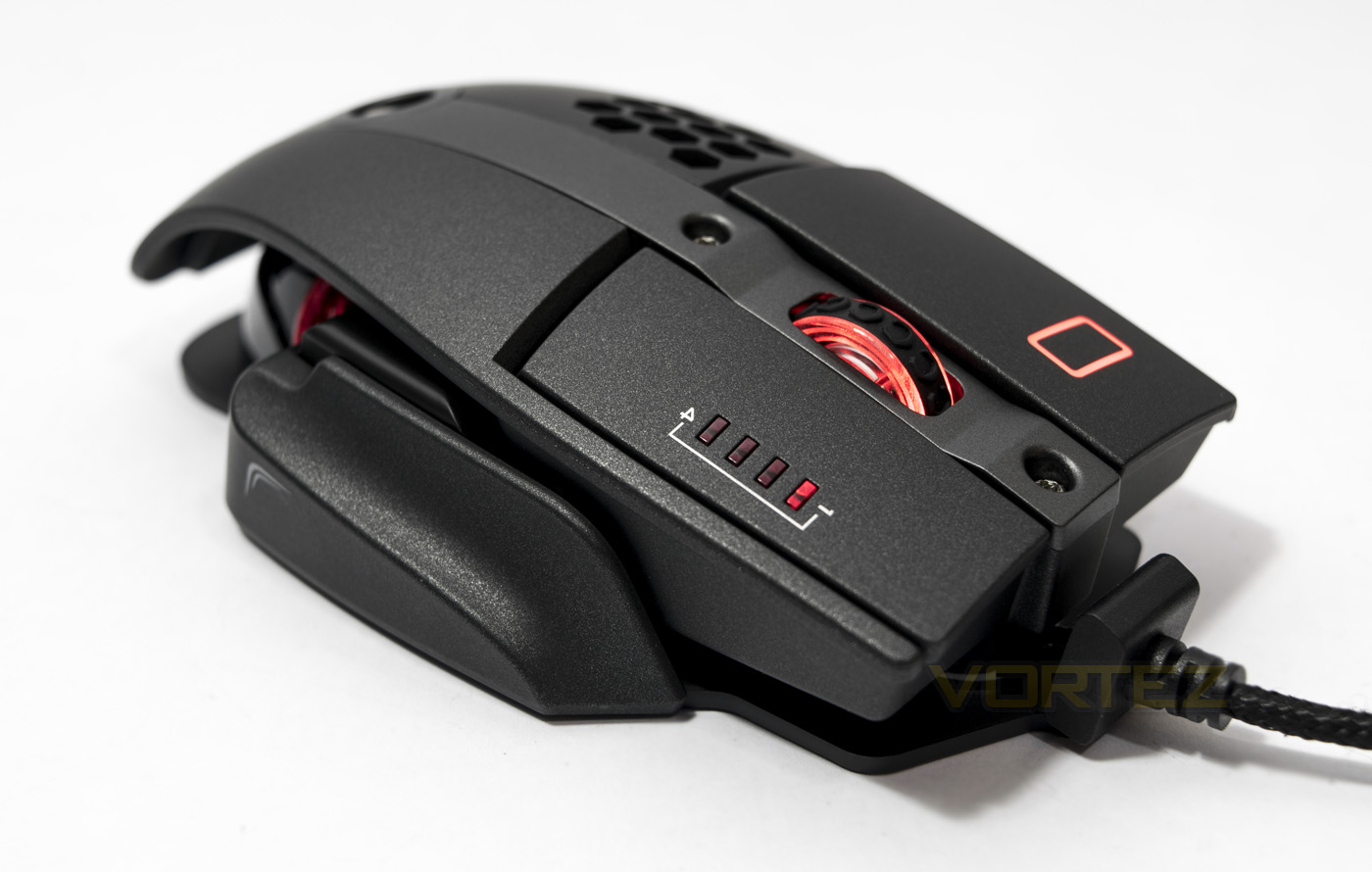
Level 10 M Advanced gaming mouse is the enhanced version of the first version of our Level 10 M Mouse and it’s the first foray into gaming peripherals formed through the design collaboration by Thermaltake Group and BMW Group DesignworksUSA. The Level 10 M Advanced gaming mouse was built with a laser engine up to 16000 DPI that can be used on most surfaces. OMRON engineered switches have a lifetime of 50 million clicks, improved ergonomic shape design for better hand grip feeling with an additional base-plate design to reduce friction while moving and has a brilliant RGB illumination with 16.8 million color.
Technical Specifications
Color: BLACK
Shape: Ergonomic designed for right hand and left hand
No. of Buttons: 10
No. of Macro Keys: 50
No. of Game Profiles: 5
USB cable length: 1.8M
Omron Switches Rated for 50 Million Clicks
Software: Supported New Tt eSPORTS GUI
Gold-Plated USB: Yes
Dimension: 130.75 x 87.35 x 40.53 mm
LED COLOR OPTIONS: RGB ILLUMINATED 16.8 MILLION COLORS
LIGHTING EFFECT: Static , Pulse , Spectrum Running
SENSOR NAME: AVAGO 9800
SENSOR TYPE: Laser
DPI: Up to 16000 DPI VIA overdrive mode
Default DPI: 400, 800, 1600, 3200
IPS: 150
ACCELERATION: 50g
Polling Rate: 1000Hz, 500Hz, 250Hz, or 125Hz (1ms, 2ms, 4ms or 8ms).
Shape: Ergonomic designed for right hand and left hand
No. of Buttons: 10
No. of Macro Keys: 50
No. of Game Profiles: 5
USB cable length: 1.8M
Omron Switches Rated for 50 Million Clicks
Software: Supported New Tt eSPORTS GUI
Gold-Plated USB: Yes
Dimension: 130.75 x 87.35 x 40.53 mm
LED COLOR OPTIONS: RGB ILLUMINATED 16.8 MILLION COLORS
LIGHTING EFFECT: Static , Pulse , Spectrum Running
SENSOR NAME: AVAGO 9800
SENSOR TYPE: Laser
DPI: Up to 16000 DPI VIA overdrive mode
Default DPI: 400, 800, 1600, 3200
IPS: 150
ACCELERATION: 50g
Polling Rate: 1000Hz, 500Hz, 250Hz, or 125Hz (1ms, 2ms, 4ms or 8ms).
Packaging & First Look
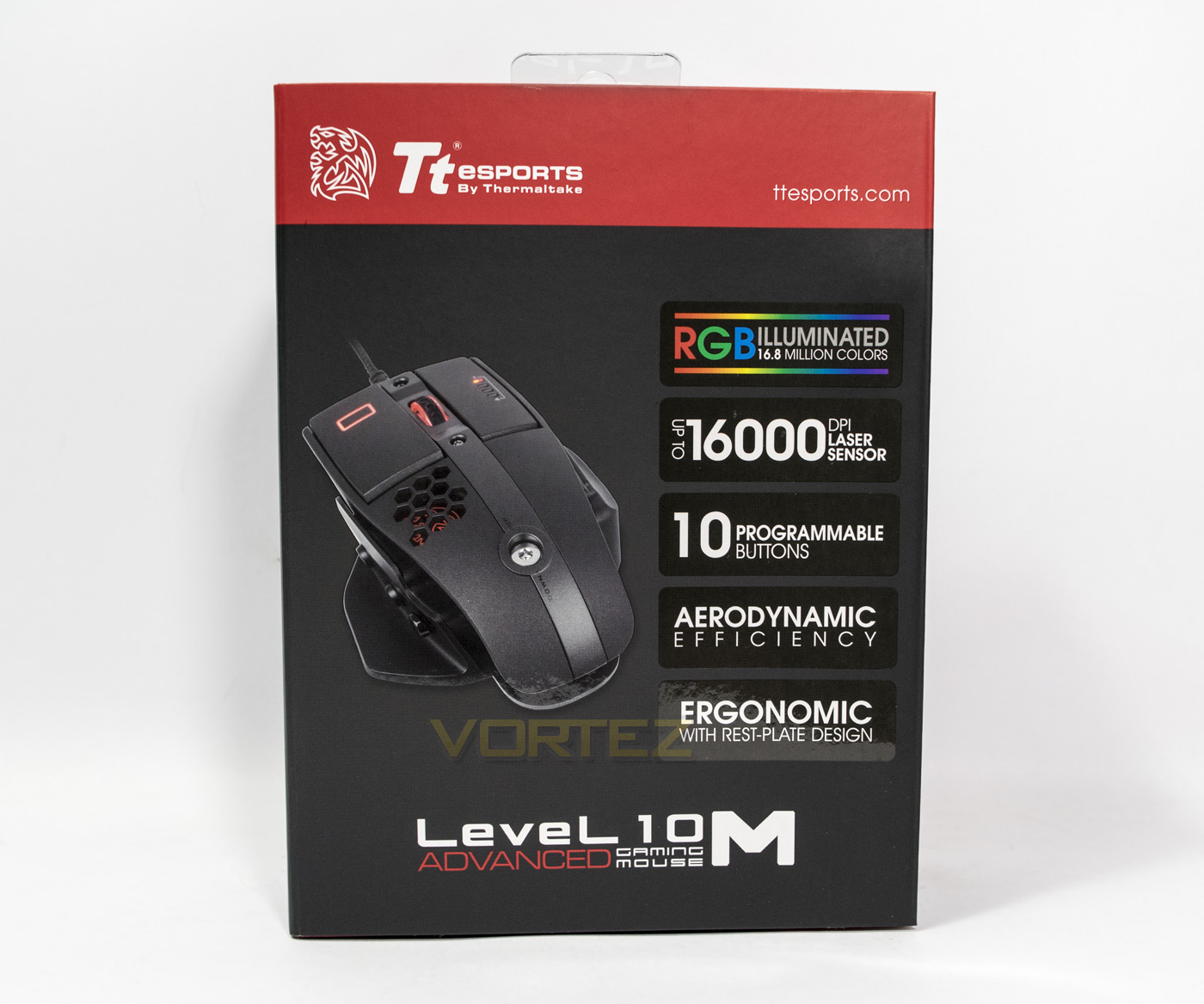
The exterior packaging comes in the black/red design seen on many Tt eSPORTS products and despite the high contrasting areas of colour, the design is rather toned down and relatively minimalistic, with just the branding, a product image, key features listed in large tabs, and the name of the product at the bottom.
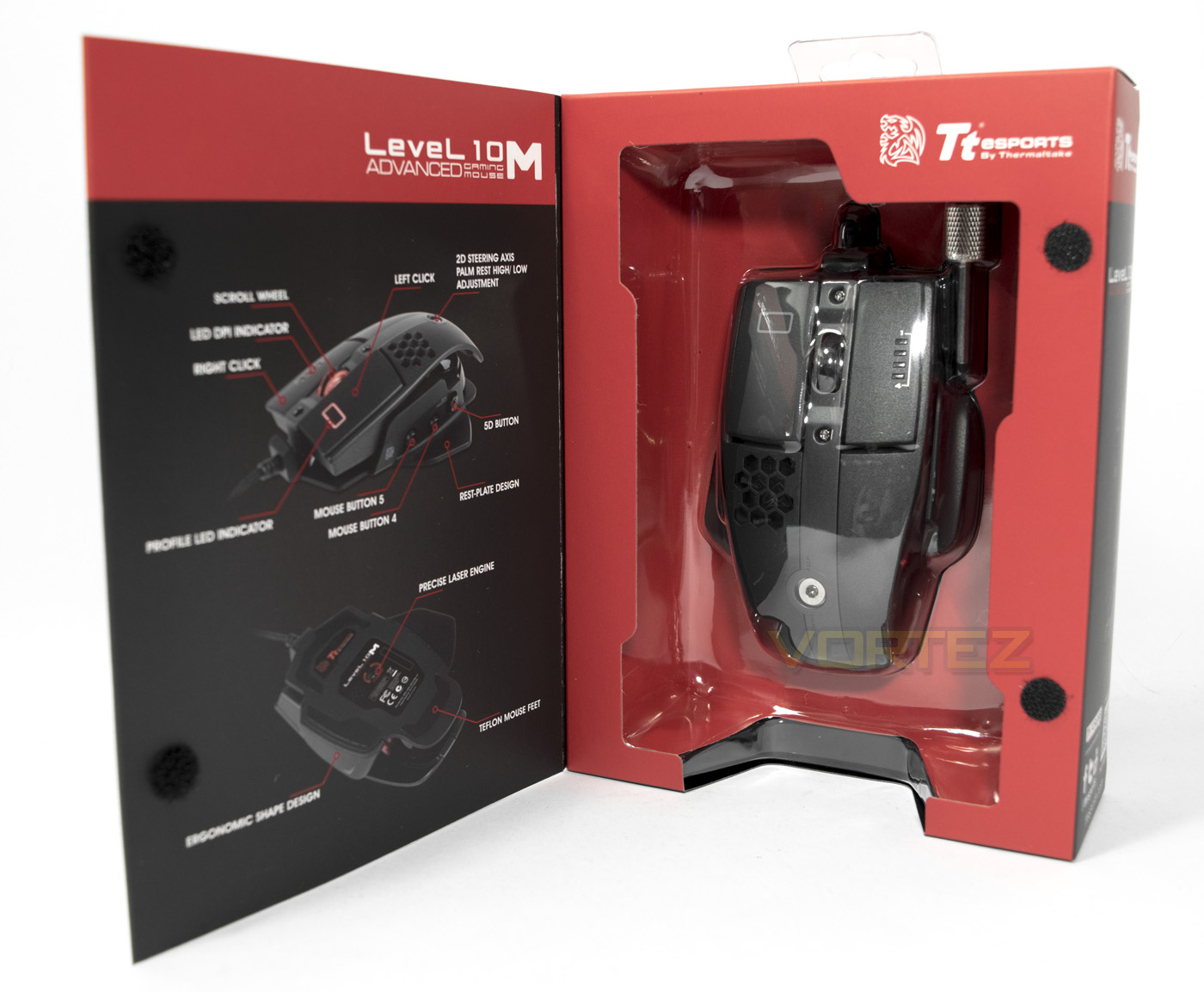
The front of the box can open to reveal the product inside, showing of the mouse and the included adjustment key/hex screwdriver as well as a diagram showing off the 10 programmable buttons.
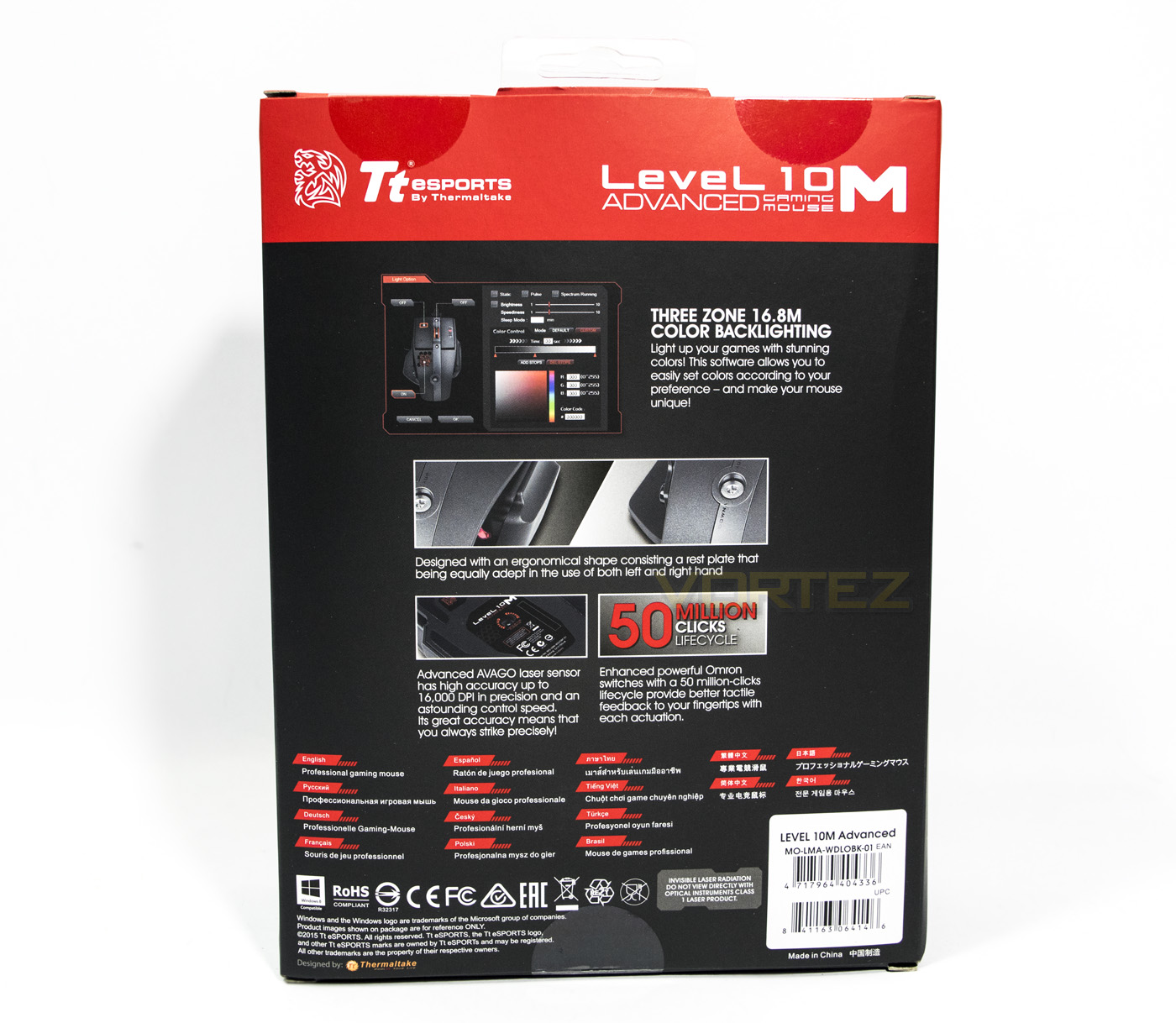
The back of the box shows off that the L10 M Advanced is backed up with a new software GUI from Tt eSPORTS as well as giving some information about the construction and build quality, noting the use of Omron switches rated for 50million clicks, and its ergonomic shape. The words ‘professional gaming mouse’ listed in various languages seems to be a bit pointless however.
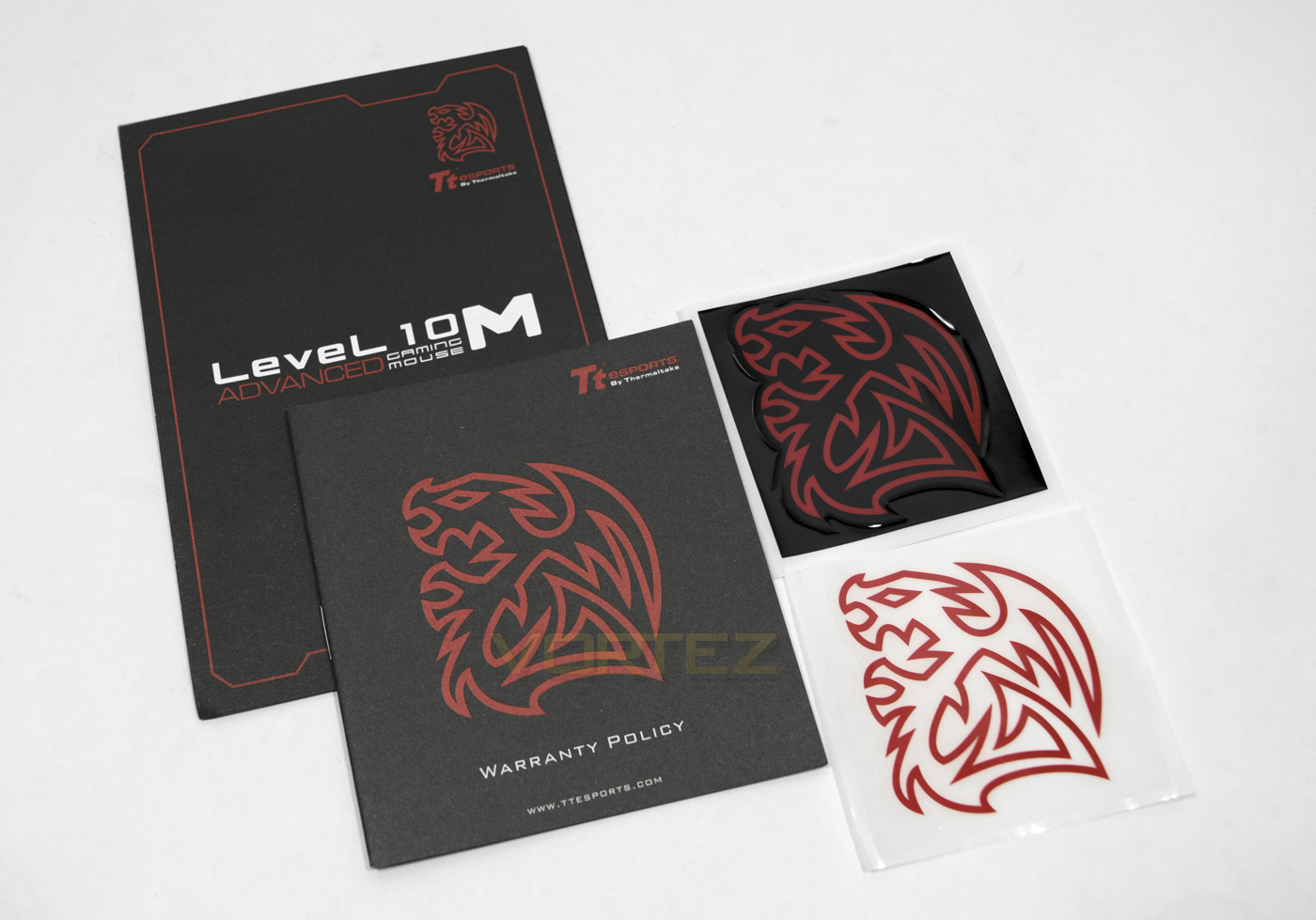
Inside you are greeted with a guide, warranty information and two battle dragon stickers, one black, one clear.
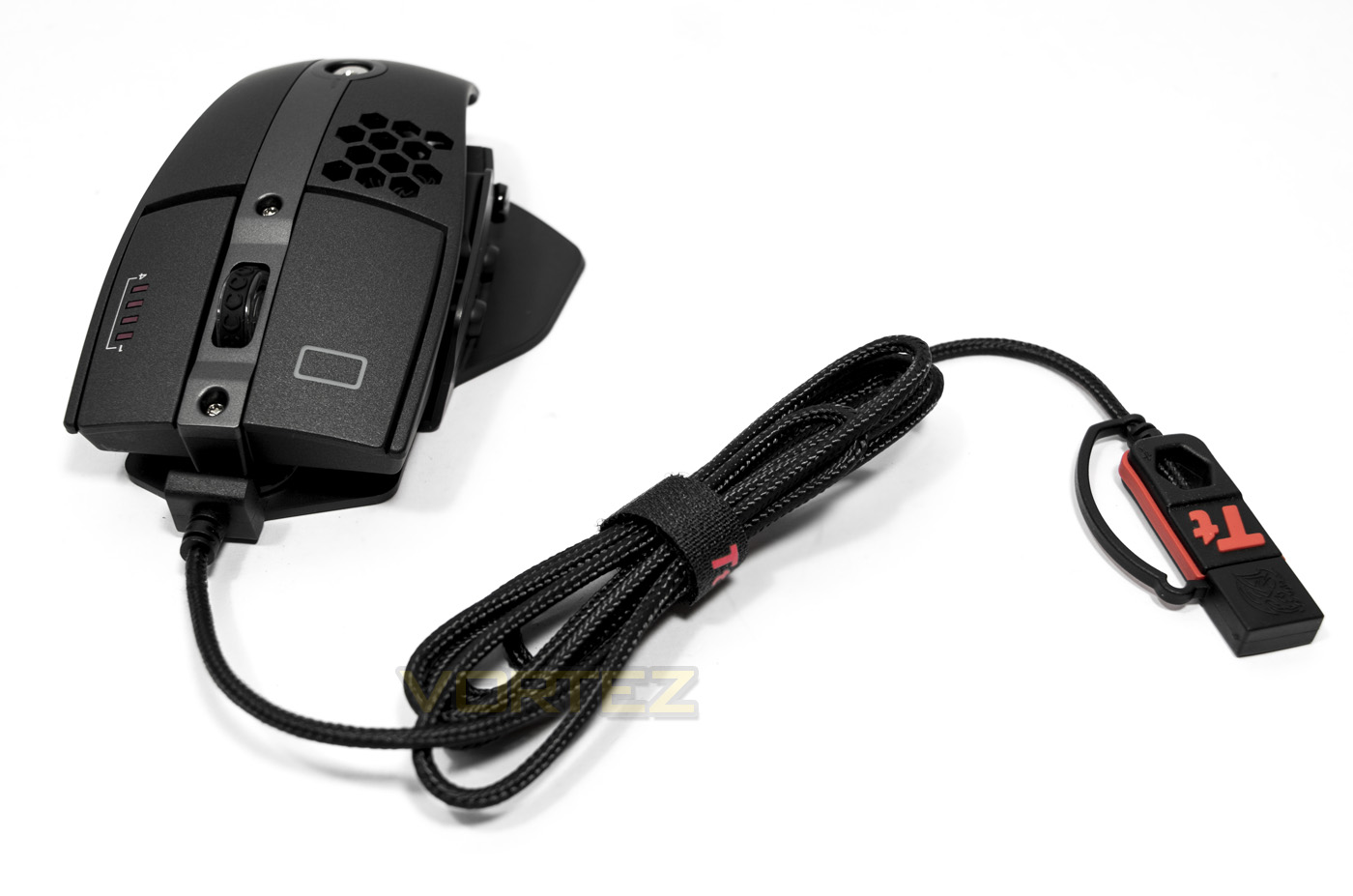
The Level 10 M Advanced mouse, it features 1.8m of braided cabling that has an integrated USB cap to protect the gold plated connector.
Closer Look
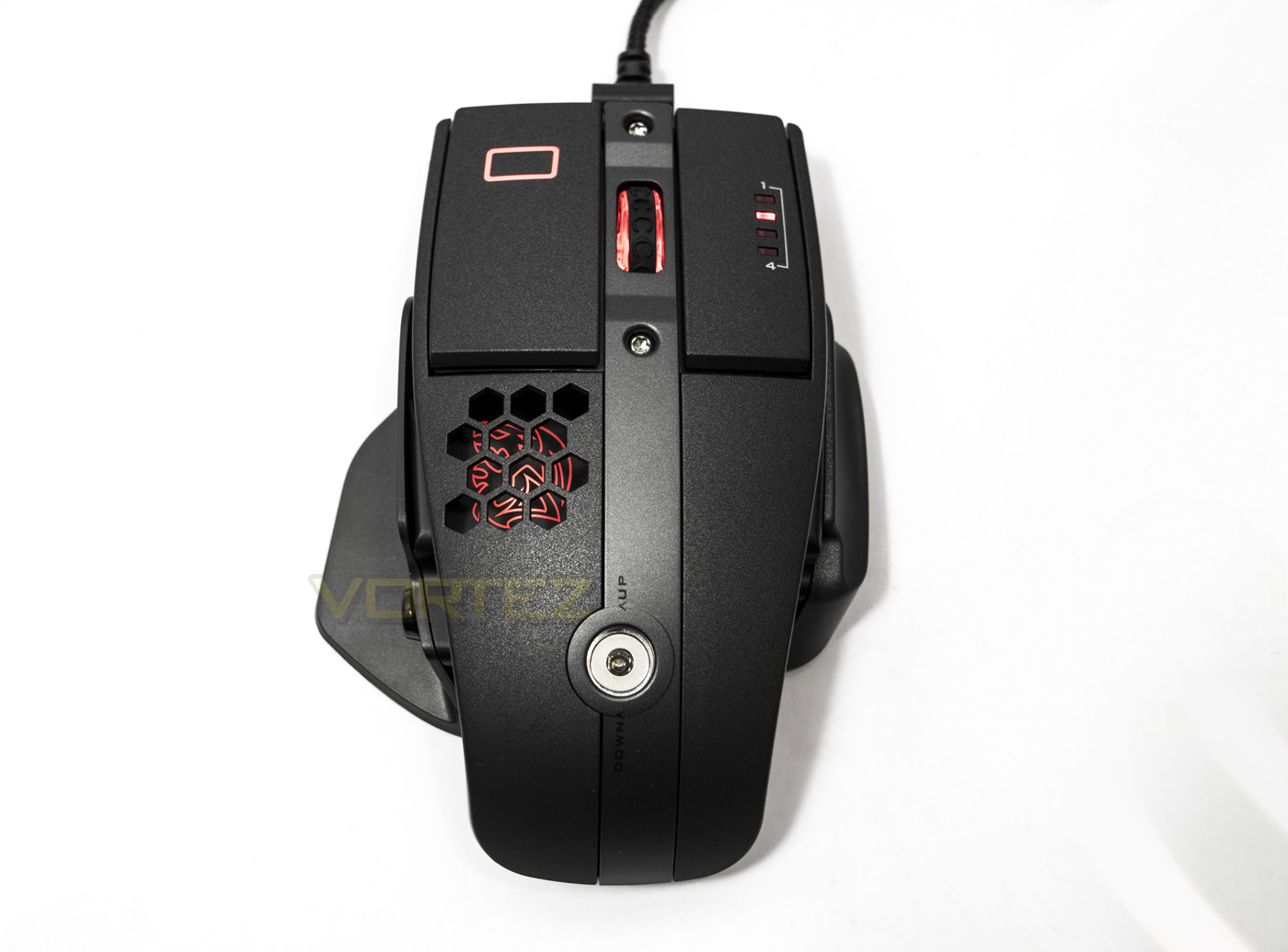
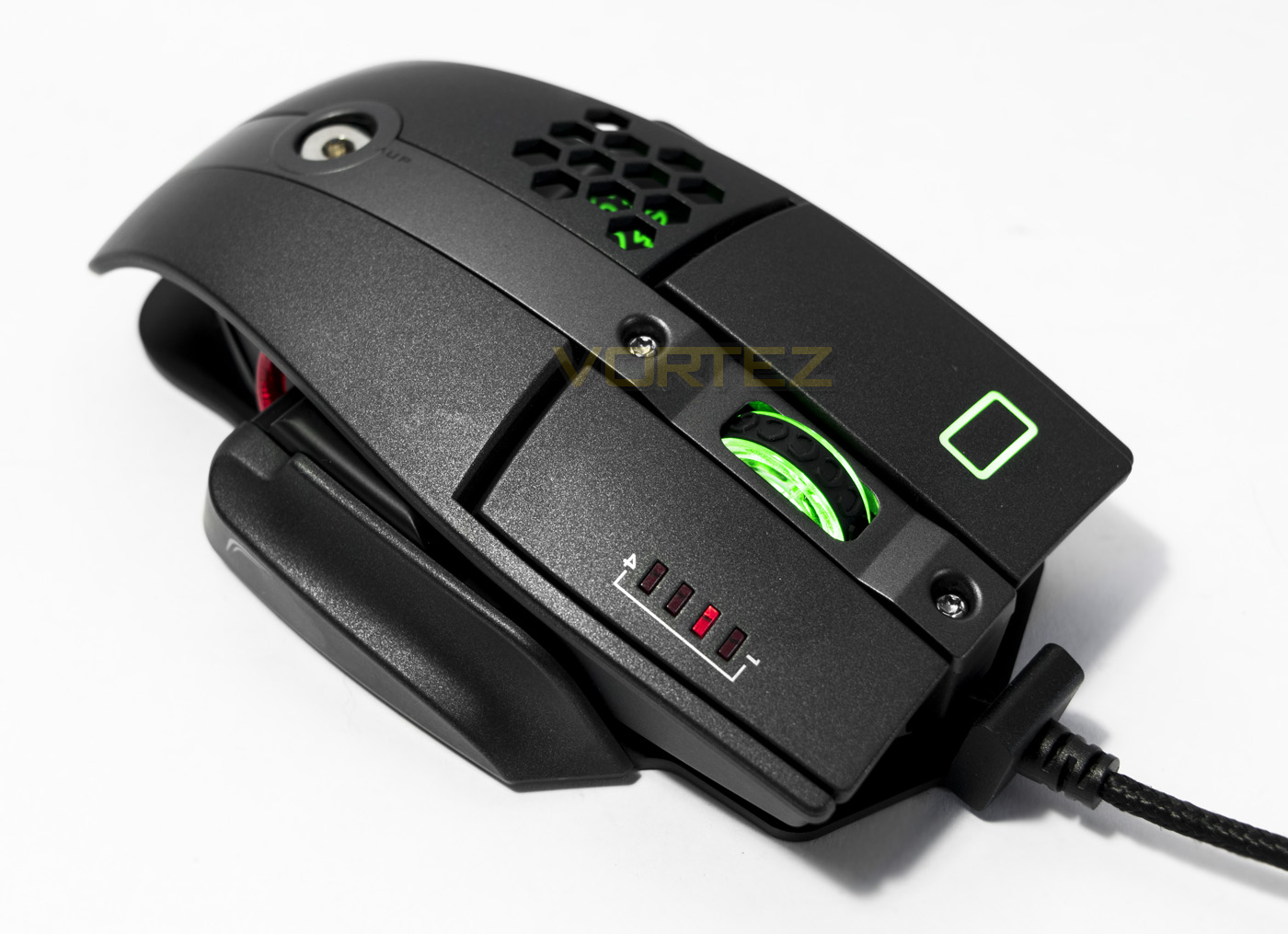
From the top down, the thumb baseplate clearly stands out, making the shape slightly resemble a fish. The primary mouse clicks are independent from the main body material with the left side slightly larger than the right, a design seen on various other mice (Corsair Sabre). Behind the ventilation we can see the Battle Dragon lit up, forming one part of the LED lighting zones, with the mouse wheel and left click forming the other two. On the right click there is an LED indicator displaying which ‘level’ DPI is in use, while the large screw towards the centre rear is for the height adjustment.
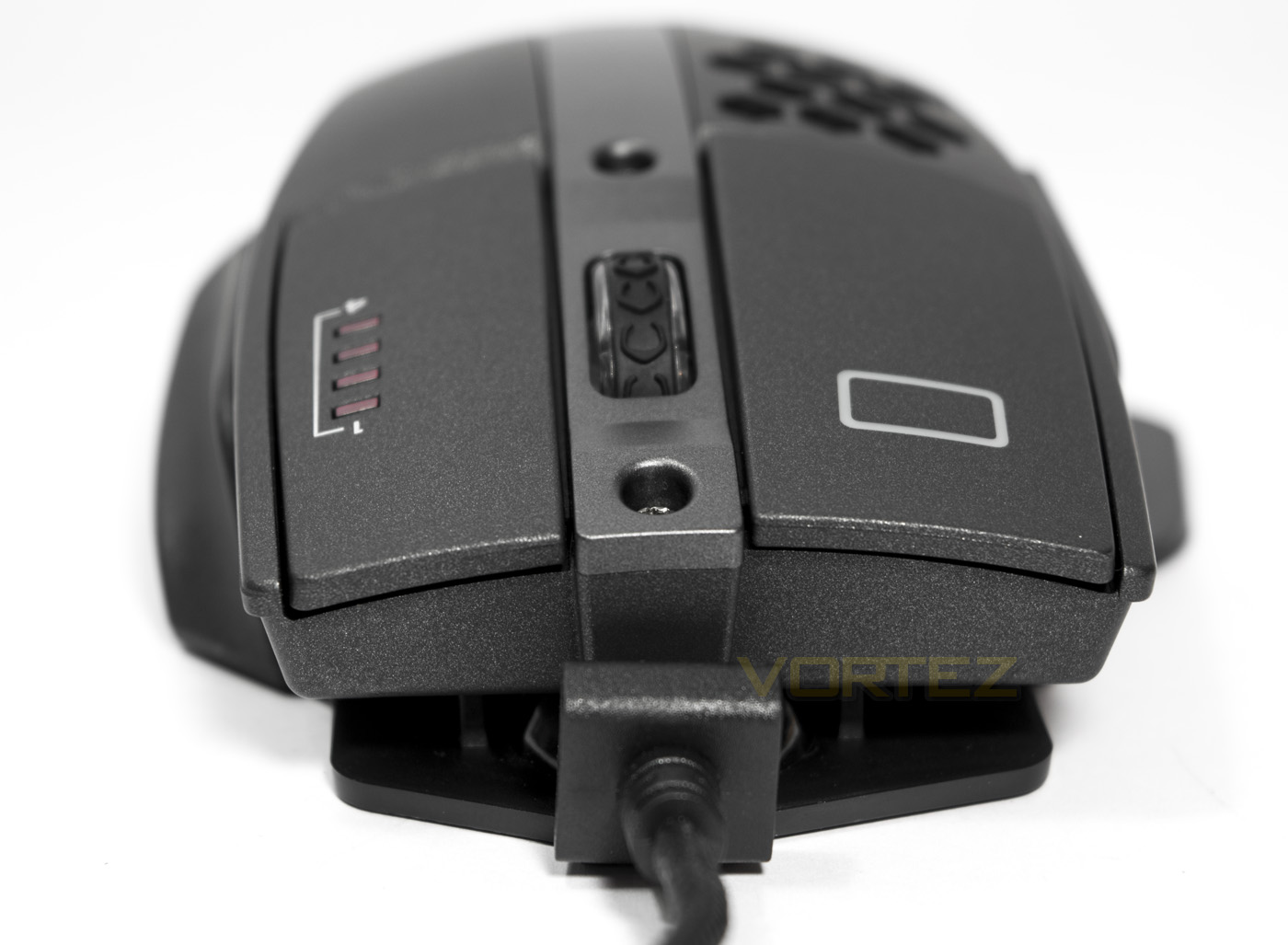
The front of the mouse shows a cable leader attached to the base plate, while the over arch to the design is slight. The close up shows off that lovely matte finish slightly glittering away.
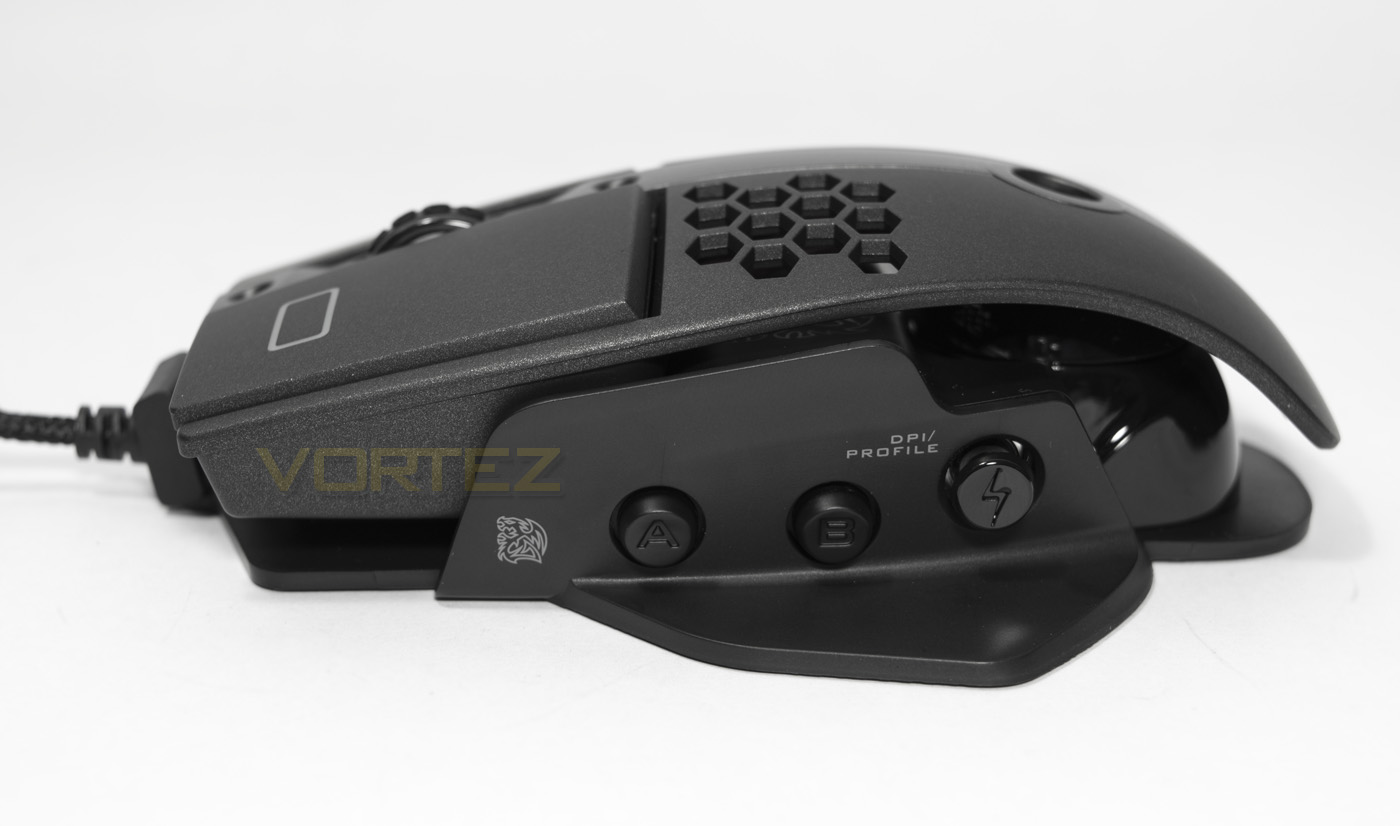
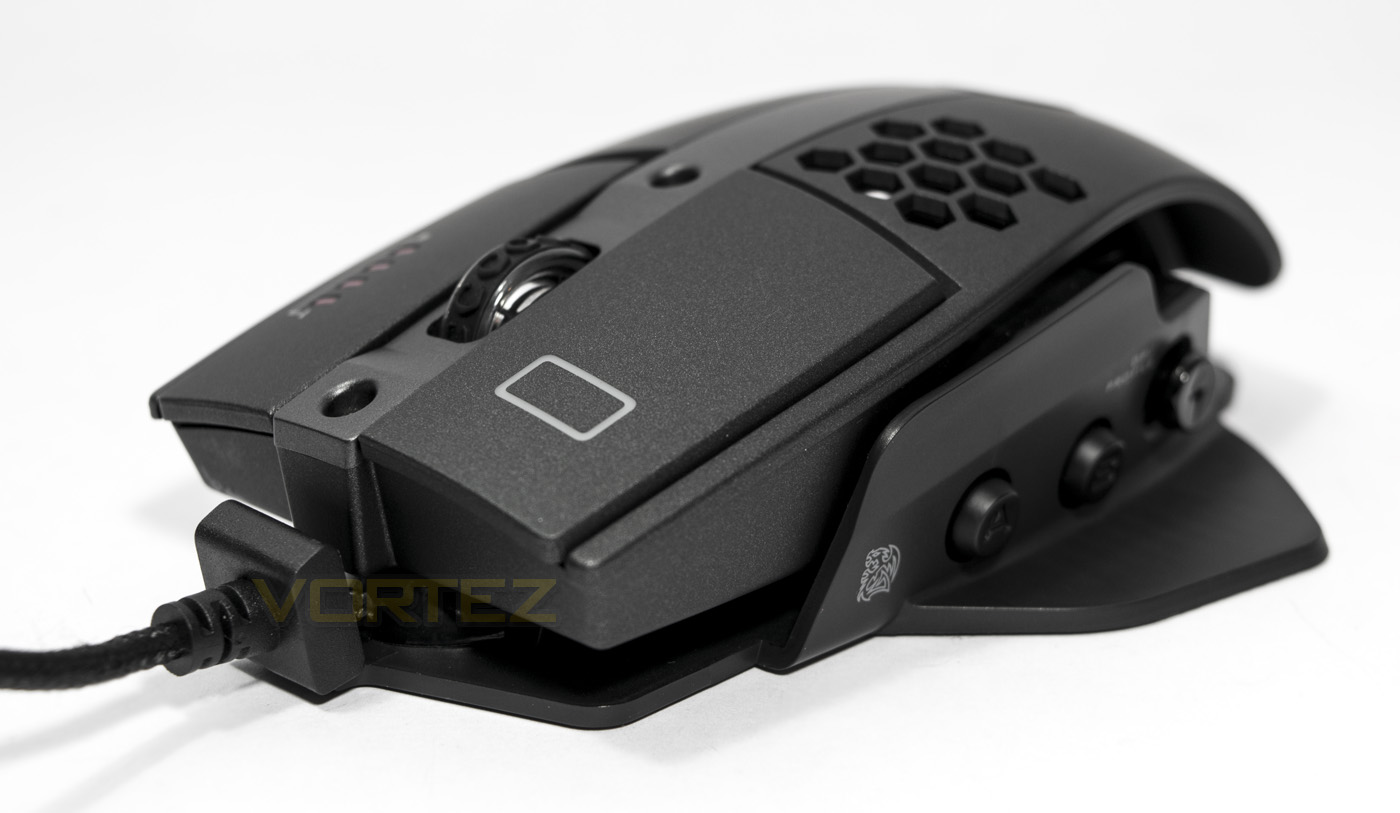
The mouse is 130.75mm long, and features two round side buttons and a 5-axis button that is used for DPI and profile selection, all of which are customisable/programmable within the software drivers.
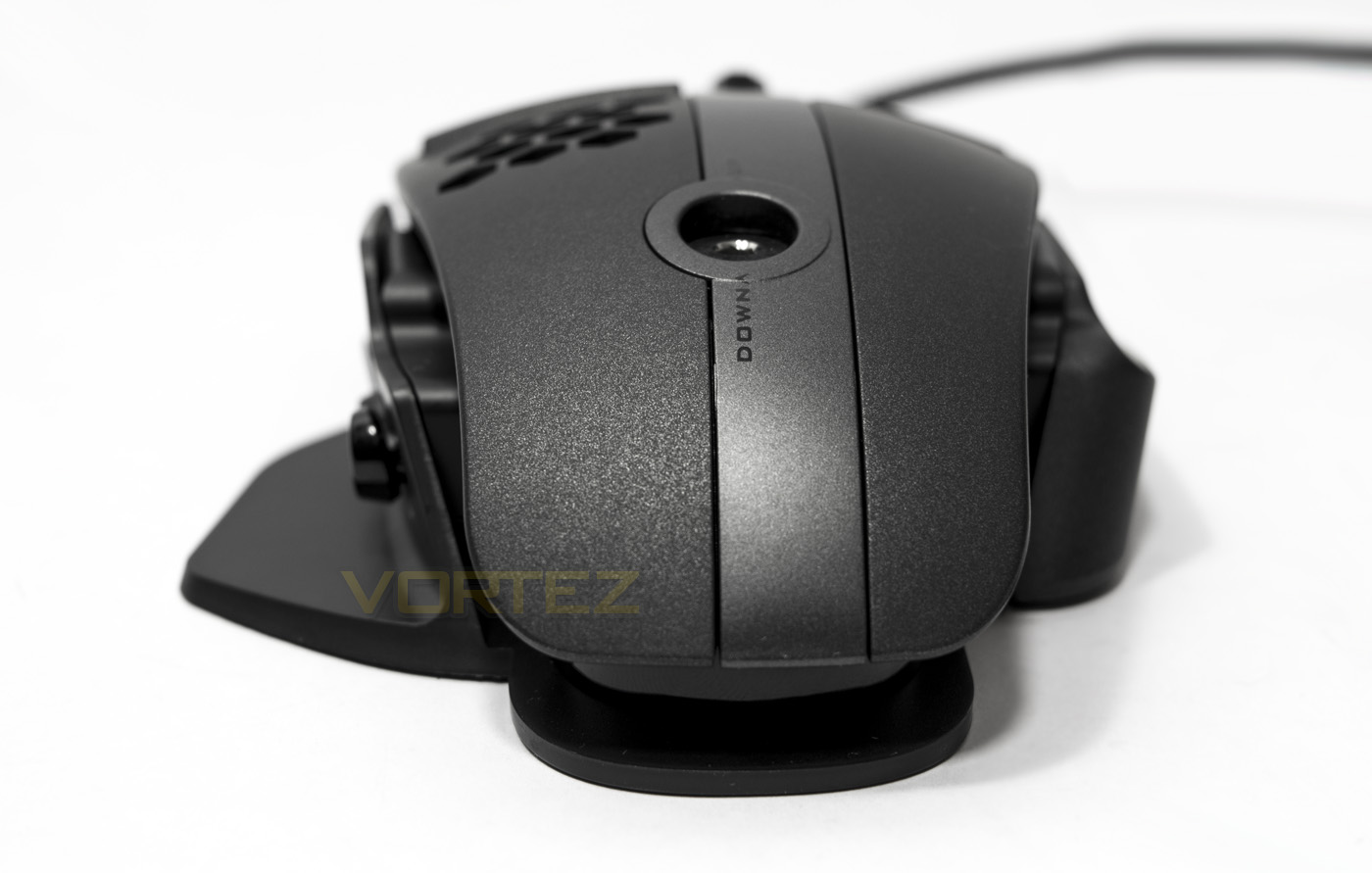
From behind we get a clear look at the ergonomics, where space is given for both the thumb and third finger to rest.
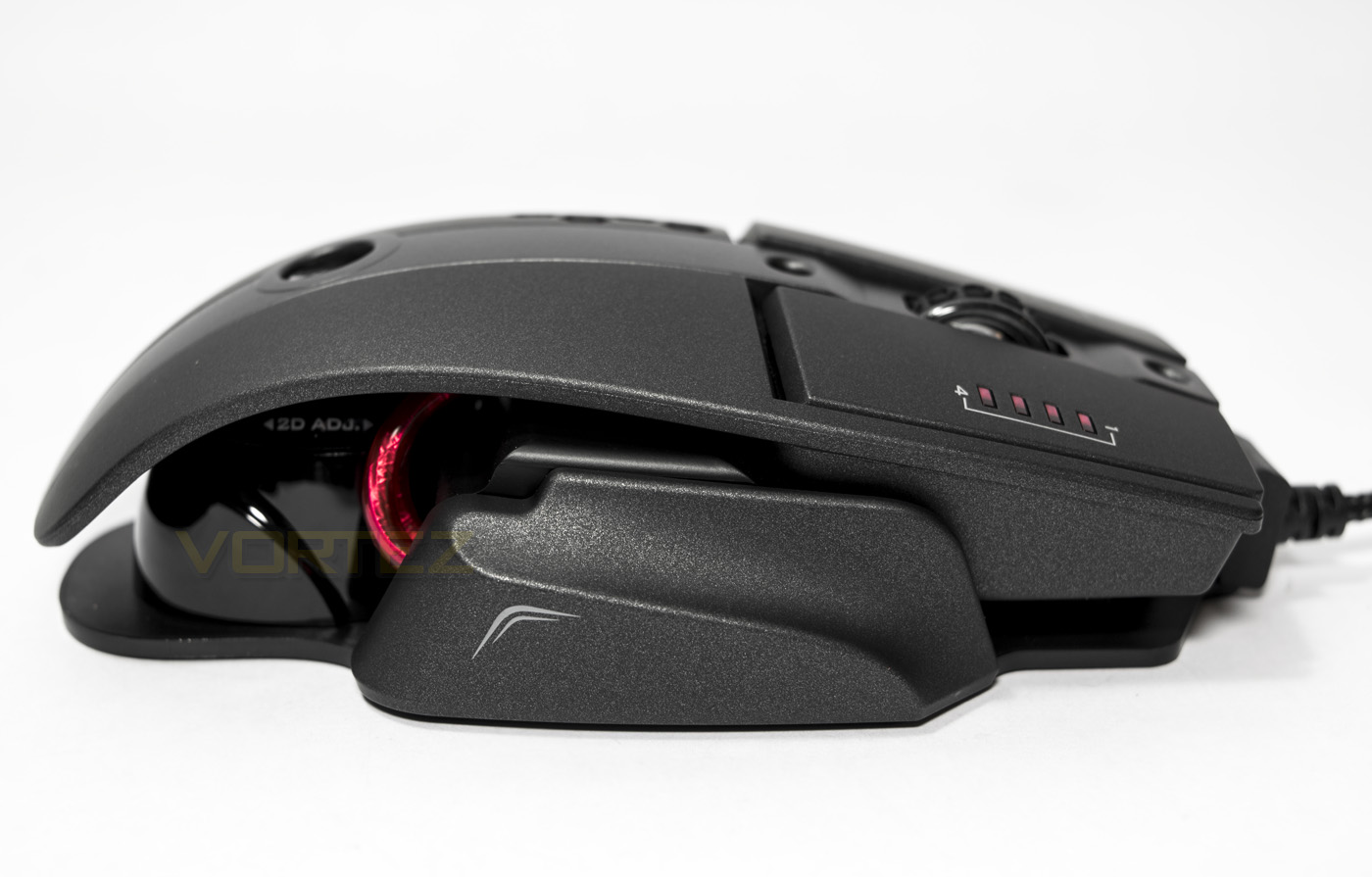
On the right hand side we get a clearer look at the finger shelf, as well as some fancy red under-cabling.
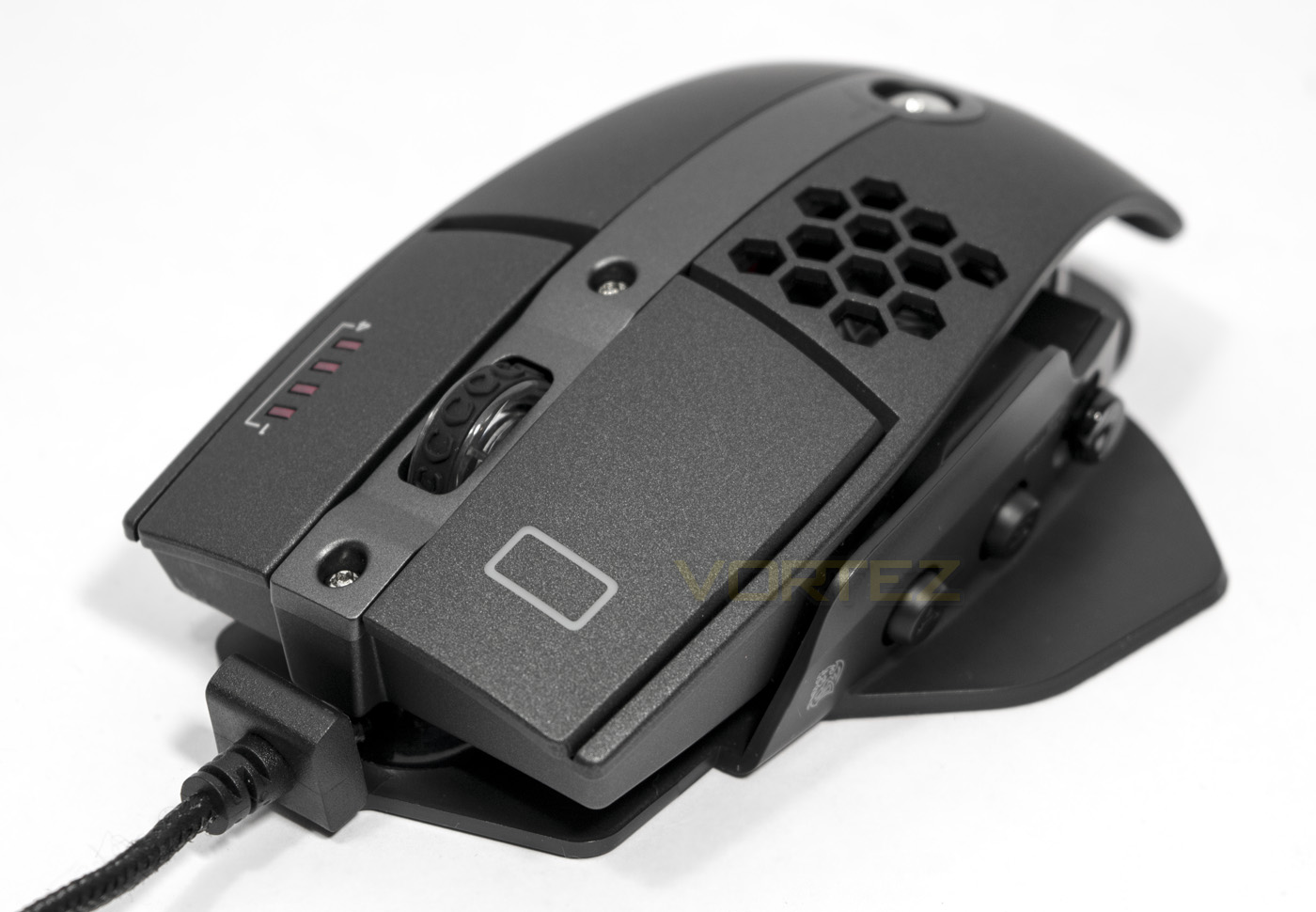
A closer look at the finger lighting zone and the clear mouse wheel. The mouse wheel is clear, and seems rather thin with a textured rubber coating for grip.
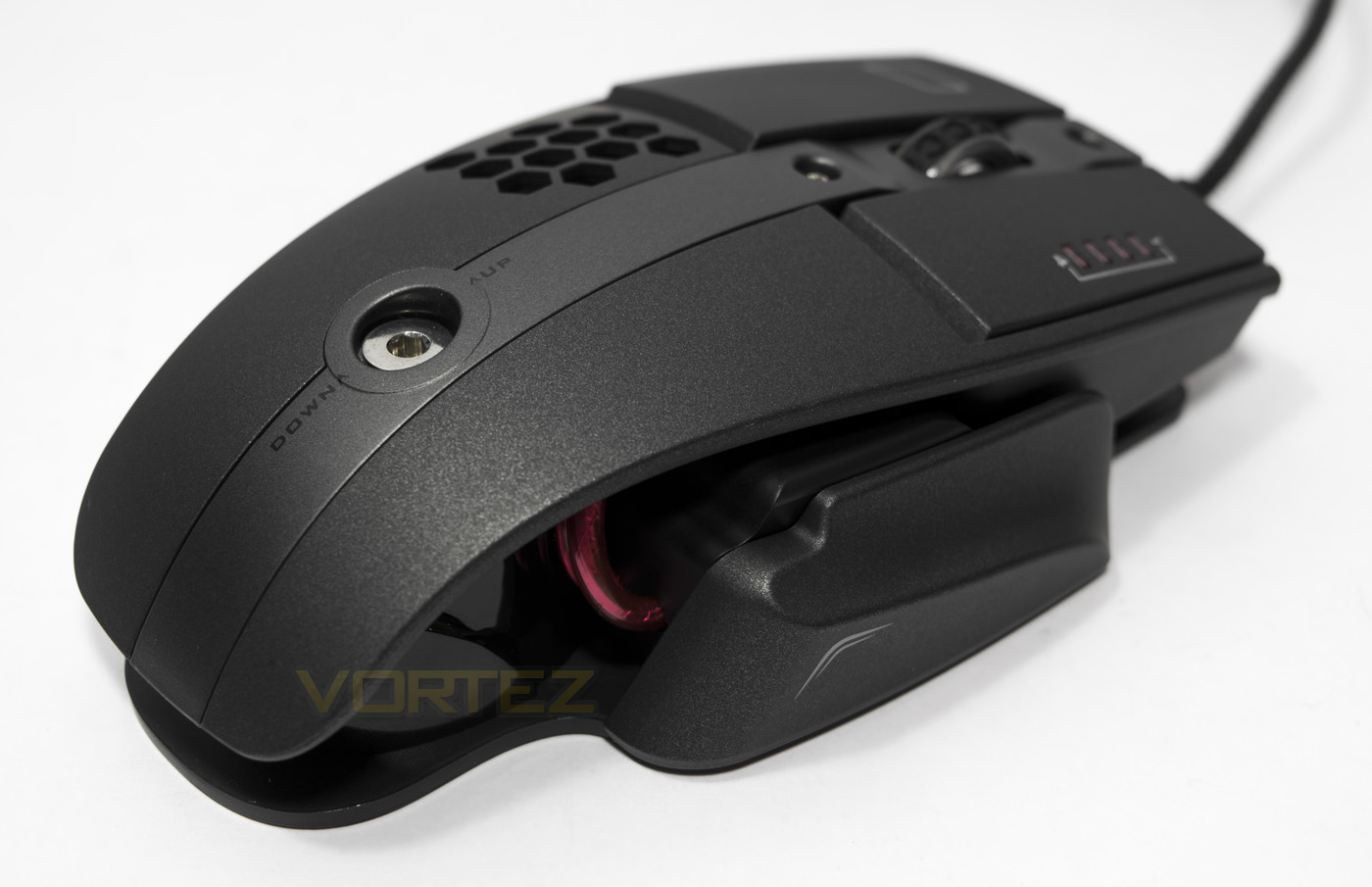
This angle helps provide a better perspective into the ergonomics, the rounded butt of the mouse seems rather high as it curves down into a flattened end.
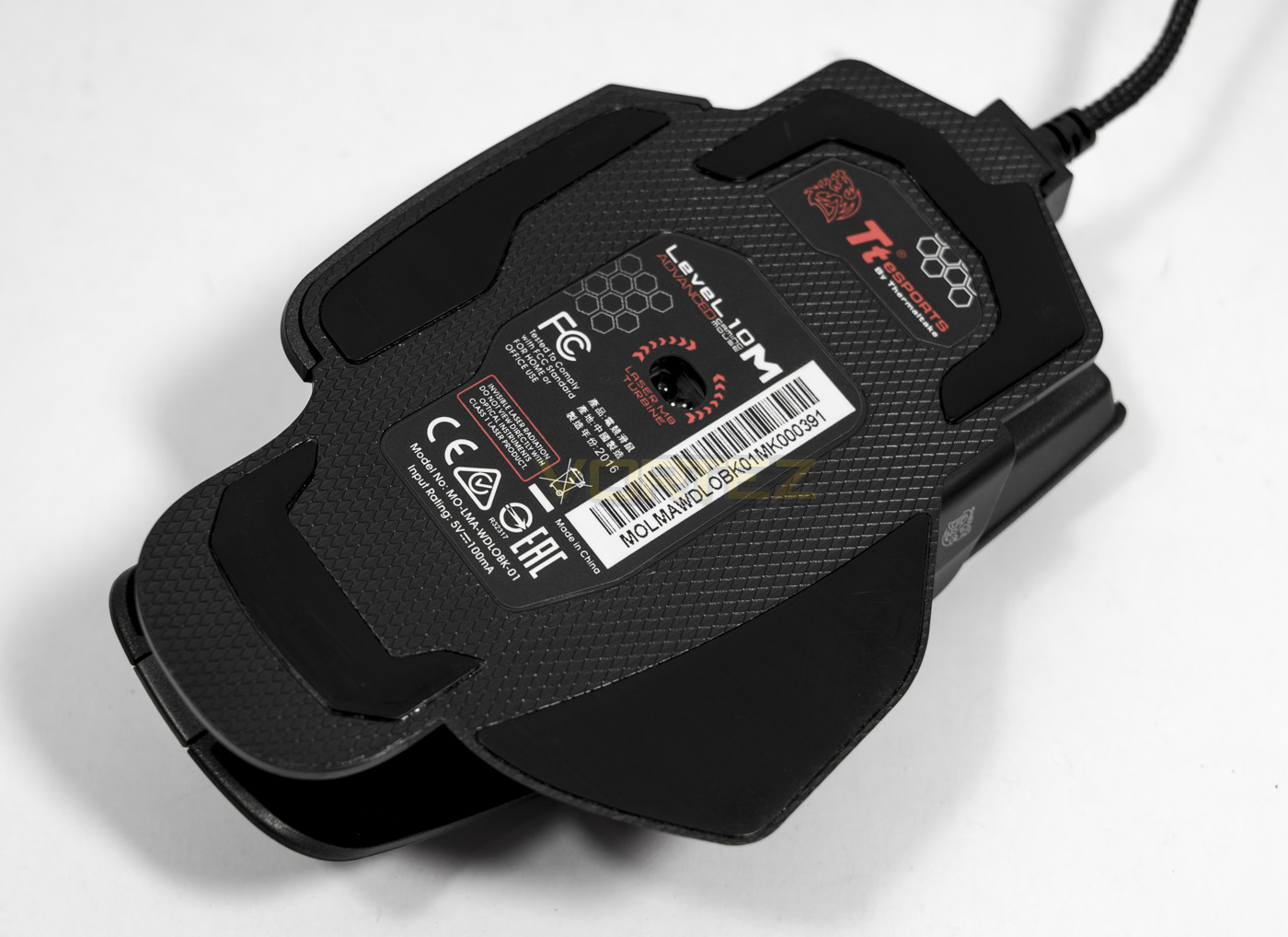
Though it looks a little fish-like the baseplate looks and feels solid, though the sensor seems positioned a little more towards the front of the mouse.
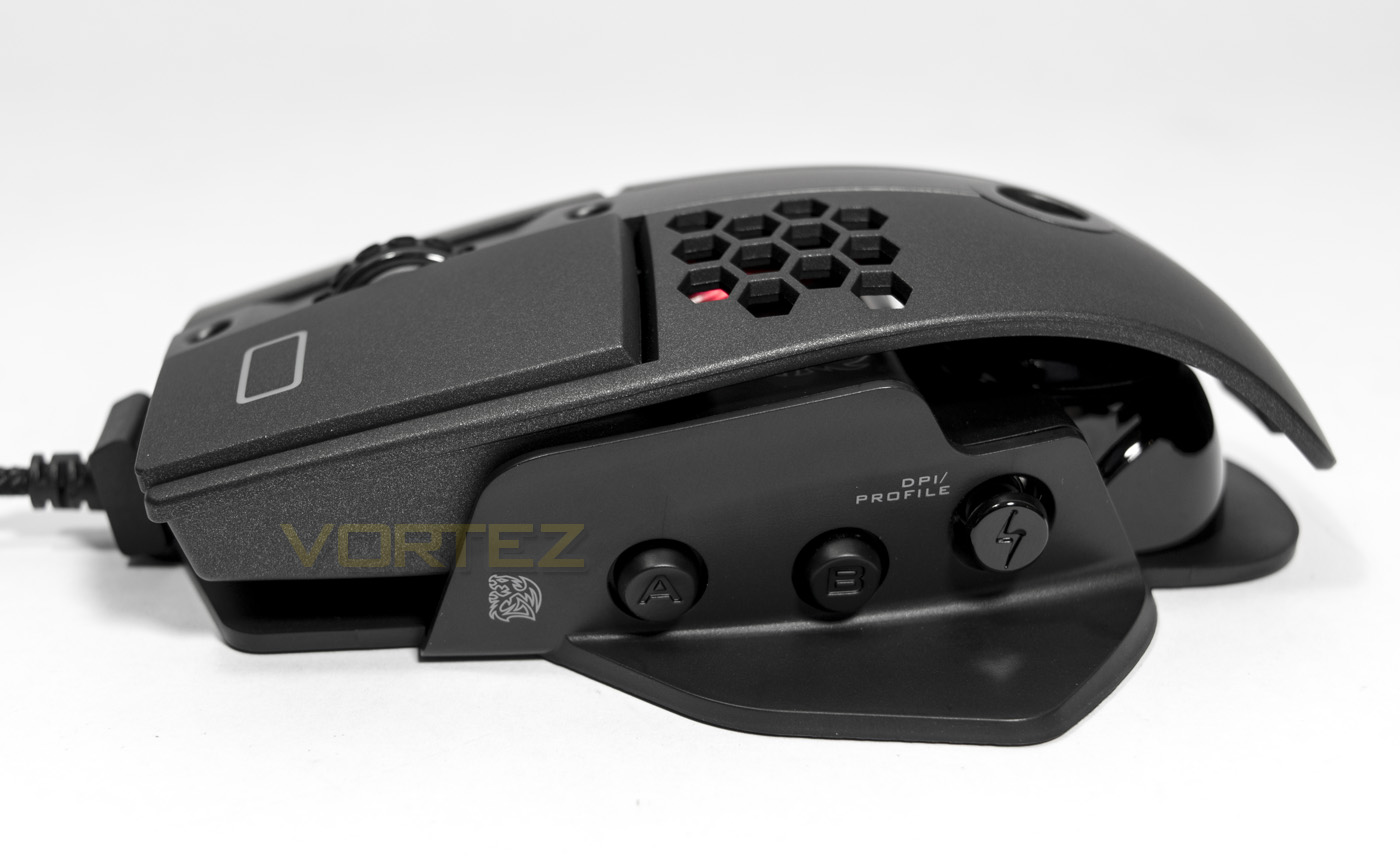
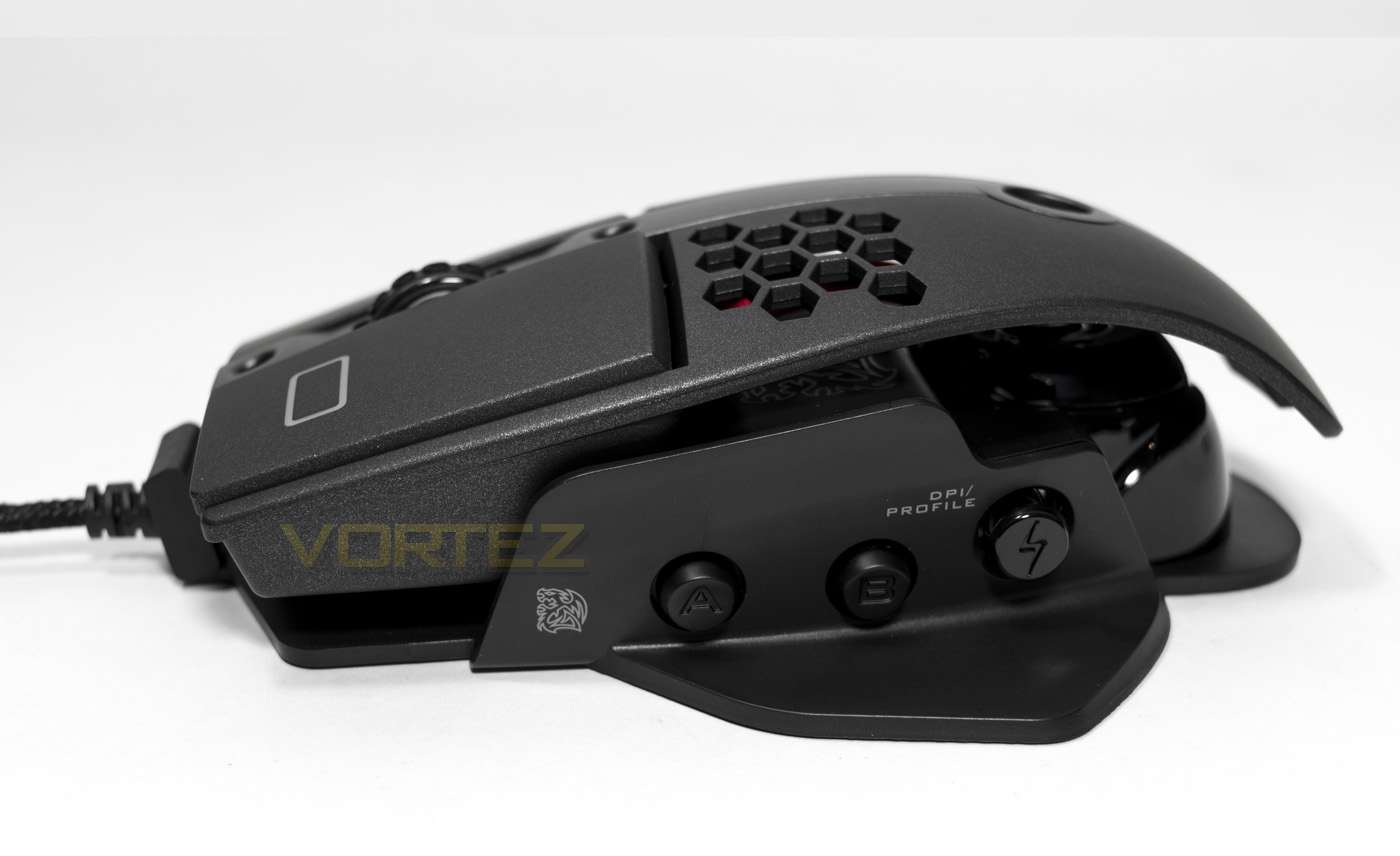
The height/angle adjustment system at its min/max angles with a height difference of around 5mm.
Software & Lighting
The software can be downloaded from the product page and once installed will automatically update the firmware of the mouse if available. Once installed, when you change the DPI you will get an on screen notification telling you the current DPI setting, though you can turn this off by right clicking the software icon.
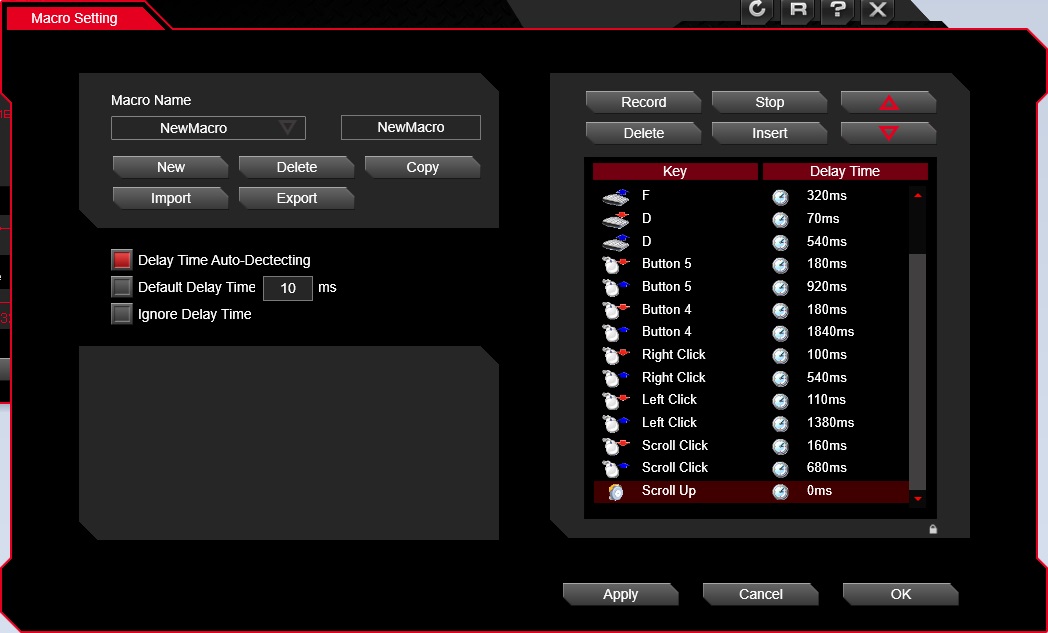
As the L10 M Advanced features on-board memory and RGB customisation, Tt eSPORTS have shipped this mouse with a new software GUI. It is well laid out and easy to navigate. The macro recording engine is simple to use and records each mouse keystroke fine. The sliders in the performance tab didn’t click to where you wanted, instead you had to click several times in the direction you wanted as it moves one step at a time, so is quicker to grab the slider and drag. If you alter or change any setting, make sure you click apply and not just ‘ok’, as it doesn’t make it clear that the apply means ‘save’.
Something worthwhile to note also, once we have changed/saved a setting within the software, the mouse cursor suddenly started to have severe stutter, where there was short freezes in the movement every few seconds. To remedy this you can either simply unplug the mouse, and plug it back in, exit the software or restart your system. This is likely a software/firmware issue that will hopefully be fixed.
*UPDATE: We received another Level 10M Advanced to test out and can confirm that this is an isolated case, with the software working much more smoothly without any interference.


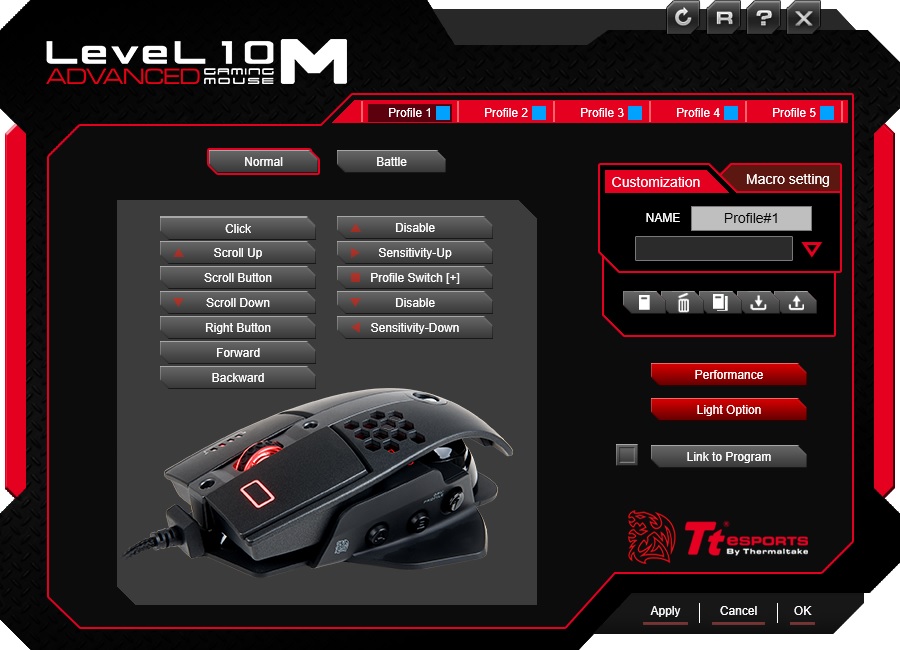
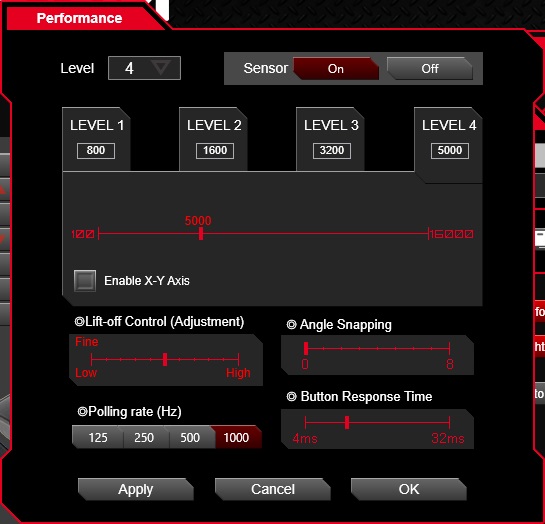
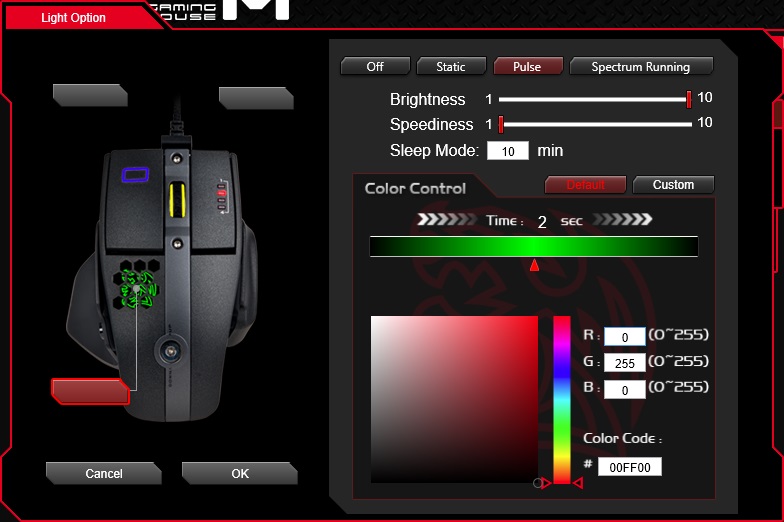
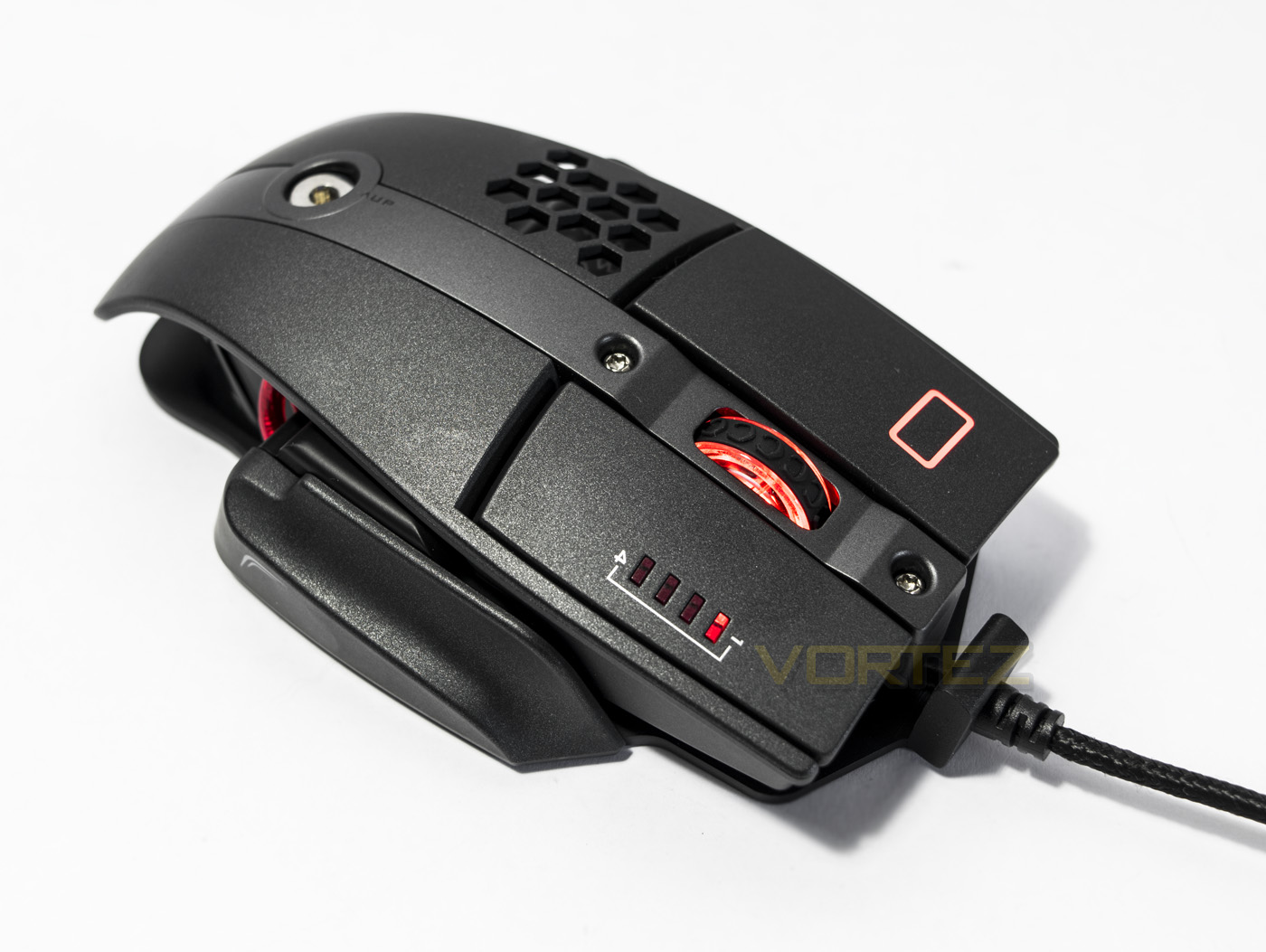
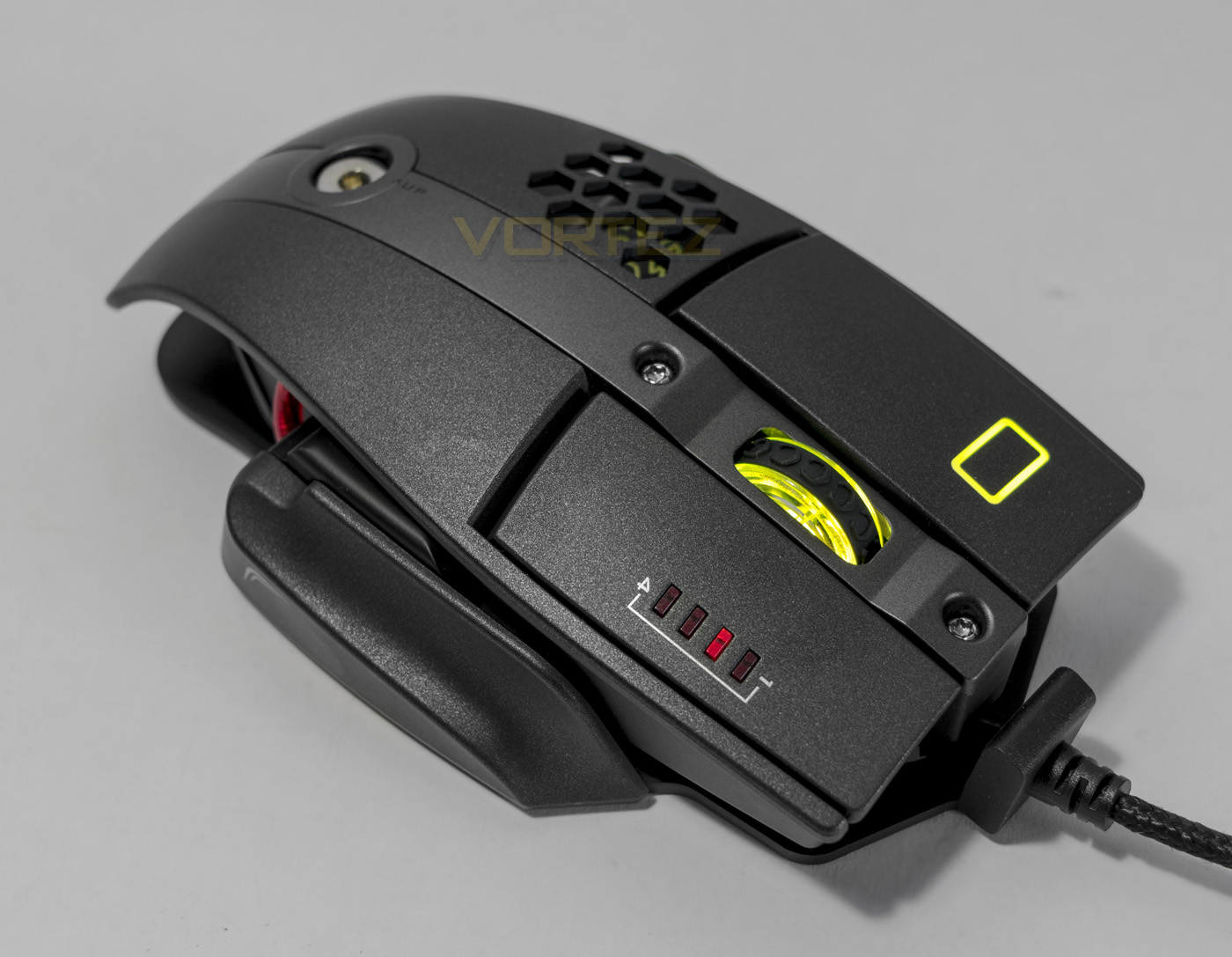
The RGB lighting, firstly, looks great, each specific hue was rendered accurately, including white. The lighting effects are limited but are attractive anyway, the battle mode was an interesting idea where the lighting changes depending on frequency of clicks. The only real downside here is that the Battle Dragon logo is mostly hidden and the finger click lighting feels pointless. The other downside is, those that like to customise their setup to the last detail will get annoyed that they can’t change the red LED level/DPI indicator which is a shame.
Performance Testing
Setup, Design & Observations
Simply plugging the mouse into your system via a spare USB port is all that is required, though to access the customisable features, you will need to install the software driver. On plugging this mouse in, the fine details down to the USB connector is impressive and sets the the overall tone of this product. High quality.
The surface finish looks and feels fantastic with just the right amount of grip, yet feels cool to the touch. Though I was sceptical about the honeycomb ventilation, it does actually seem to work. Though I would suggest that at 130.75mm long, this is more suited for palm grip users, not expressly due to the length, but because the height of the butt. Regardless of the adjustable angle, the high curve of the rear end seems to power into the palm of your hand, forcing you to take its entire length. Despite the accurate yet questionable wording of that last sentence, this mouse feels nice overall and provides decent comfort for long gaming sessions.
The mouse clicks are crisp and tactile (as expected from Omron switches) though things there seem to get a little strange. The mouse wheel feels a little weak in its scrolling, emitting a slight rattling sound rather than a nice, tight rotation. The side buttons too seem a little oddly placed. The redesigned base plate was to include a thumb rest area, however, it seems, in the design process, they didn’t alter the height of the side buttons. So when you consider that you have lose 3-4mm of space underneath the side buttons that was originally there, there is now only around 1-2mm between the button and the top of the baseplate, and because the buttons are circular not a nice curved rectangular shape, each button is rather awkward to press. The 5-axis button seems useful in theory, yet for actual in game application, it feels a little too out of place.
Performance
The AVAGO 9800 sensor is known for its ability to accurately track on various surfaces, considering its native CPI is 8200, Tt eSPORTS have doubled this up to 16,000 and have used a powerful 32bit ARM MCU to keep it under control. Setting it to its maximum DPI and testing it out on various surfaces, it did indeed track rather well indeed. Flying through the standard black mouse mat, coloured mouse mat, white paper, glossy printed card, cardboard and the bare desktop surface with ease. Though there was a tiny amount of jitter present over 7000 DPI, it remained stable enough for moderate gaming purposes. Though at realistic gaming resolutions (1500-4000), in our gaming sessions we found it to be snappy and precise.
Conclusion
The overall construction and design of the L10 M Advanced is admirable and at a price of £54.99, it feels like you are getting what you paid for. The fact it can save 5 profiles, each with 10 programmable buttons and 4 DPI settings is awesome, allowing gamers to have specific settings for each of their favourite games or game genres. The tracking ability of the AVAGO 9800 sensor is a common reason why many manufacturers choose to use this particular part. Implemented well, as seen here, gamers can expect great in game accuracy across many different surfaces.
As always, we need to discuss the weak points of the product and we discovered various things holding the Level 10 M Advanced back. First up, it is a shame that Tt eSPORTS didn’t redesign the side buttons, especially considering the fact that the new baseplate takes up some of that precious space underneath them. Following this, we need to consider at the adjustable height/angle ‘2D Steering’ mechanism. This may appear to be a feature that some may like, we could argue that it is a pointless yet costly gimmick that gives users an illusion of control that is closer to a sliding scale of rubbish (for want of a better word). Fortunately it isn’t integral or detrimental to the overall comfort of the mouse. The last few things worth mentioning are the weak feeling scroll wheel, the weight (on the heavier side, which some may prefer) and the always on red LED that may squash anybody’s dream of an idealised setup.
To summarise, the Level 10 M Advanced is a fantastic mouse that is priced rather aggressively as its features and performance are spot on for most gamers needs. There are other suggestions we could make, such as, we would have liked to have seen a more renowned optical sensor used, such as the 3310, though it seems we are seeing a reinvigorated trend for marketing high DPI gaming mice. Regardless, if you are seeking a top quality gaming mouse with a laser sensor, the Level 10 M Advanced is a decent choice.
The Level 10 M Advanced has great performance and a bag load of customisation options, yet it is the solid build quality that defies this price point.
Pros.
+ Fantastic build quality
+ 10 programmable buttons
+ Attractive RGB lighting
+ On board memory and processing
+ Hand ventilation
+ Price
Mediocre
+- Always on red LED
+- 2D Steering (adjustable height/angle) seems pointless
Cons.
– Mouse wheel feels weak
– Side button positioning
+ Fantastic build quality
+ 10 programmable buttons
+ Attractive RGB lighting
+ On board memory and processing
+ Hand ventilation
+ Price
Mediocre
+- Always on red LED
+- 2D Steering (adjustable height/angle) seems pointless
Cons.
– Mouse wheel feels weak
– Side button positioning
Click here for an explanation of our awards at Vortez.net.