







Today we have with us the Tuniq Propeller 120 CPU Cooler, an attempt by Tuniq to diversify into lower profile cooling solutions.
Product on Review: Tuniq Propeller 120Manufacturer and Sponsor: Tuniq
MSRP: Not mentioned on website
Street Price: $62.99 USD
Last time we reviewed a cooler by Tuniq, we were thoroughly impressed by not only the performance, but the sheer quality and attention to detail that the company has put into their design. It is to no surprise that it was deservedly awarded top marks and claimed back its cooling crown for a brief while. Not to be caught idling, Tuniq have developed the Propeller 120, which is a top-down based cooler targeted at HTPC users and those with m-atx setups. This pits it against the previously reviewed Noctua NH-C12P SE14, which proved to be terrific even under great stress so the Tuniq faces stiff competition today.
The cooler, as with the Noctua NH-C12P SE14, is a top down cooler with many of Tuniq’s unique features which we will cover later on. The heat sink utilizes a high RPM fan to dispel as much heat as possible while its 8mm thick heat pipes aim to overcome its size limitation to transfer as much heat as possible from the CPU. If the Tower 120 Extreme is anything to go by, this product looks very promising and should hopefully differentiate Tuniq from other manufacturers.

A few words from Tuniq:
Tuniq was formed as a division of Sunbeamtech and took on a whole new direction in product designs. We at Tuniq aim to provide authentic performance through a minimalist approach by stripping down the unnecessary components in product designs. Our research and development team consists of members who have over a decade of experience as well as young designers who are able to think outside of the box. It is this unique merge of experience and fresh ideas that enables us to bring to our customers such exquisite, elegant, top-quality products.
We feel that product design should be Zen-like: simple, functional, harmonious and without frails. Each product from Tuniq aims to combine the virtues of high performance, elegant design, and extraordinary value. When handling a Tuniq product, you will appreciate its impeccable finish and will be pleasantly amazed by its quality and performance.
With the multitude of awards and acclaims that each of our products has received, we have proven that our vision and approach is the right one and we will continue to provide our valued customers with new and better products.
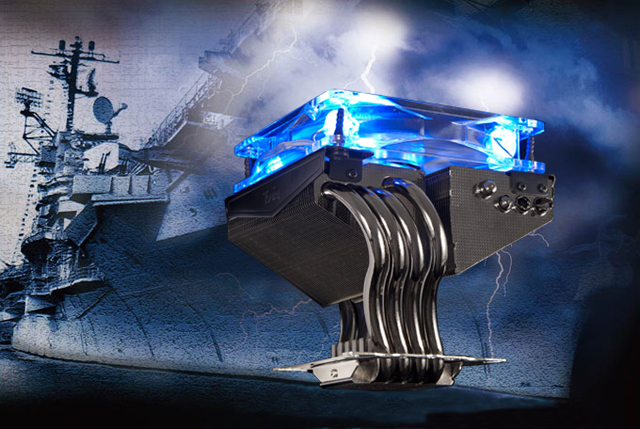
Tuniq certainly show a level of quality that does the above justice in the real world as we have ourselves seen a few times so let’s see if they keep hold of those qualities with their new Propeller 120.
Feature and Specifications
Their own overview of the cooler:The Tuniq Propeller 120 CPU cooler took its visual inspiration from the mighty aircraft carriers. The four specially designed smooth-curving heatpipes are both aesthetically pleasing and highly functional. The 120mm MFDB fan blows downward and is one of the best performing fans on the market; and when matched with the four specially designed heatpipes, the Propeller 120 is able to achieve the same top level performance of competing designs with eight heatpipes. We have also included the top performing TX-3 thermal compound and a fan controller to maximize performance and flexibility.
The propeller moniker instigates a professionally engineered design accustomed to that of battleships and aeroplanes which we hope to see with this product.
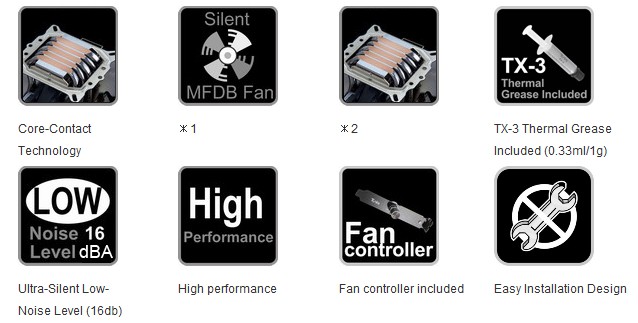
•Silent 120mm MFDB FAN (Magnetic Fluid Dynamic Bearing)
•4 PCS High Performance 8mm U-shaped Heatpipes
Specifications
Propeller 120:
•Dimensions: 128(L) x 127.5(W) x 125(H)
•Weight: 590g (without fan)
•Heat pipe: 8mm x 4
•Compatibility: Intel LGA1366/LGA1156/LGA775, AMD AM3/AM2/AM2+/SKT 939/940/754
TX-3:
•Appearance: Grey
•Viscosity: 83500cP
•Thermal Conductivity: 6.2 W/mK
•Operating temperature: -45˚C ~ 200˚C
•Specific Gravity: 3.011 @ 25˚C
•Volume: 0.33ml (1g)
MFDB fan specifications:
•Bearing type: Magnetic Fluid Dynamic Bearing
•Rated Voltage: 12V DC
•Rated Current: 0.16A (Max)
•Air Flow: 90.65 CFM (Max)
•Noise: 16~20 +/- 10% dBA
•Speed: 1000~2000 RPM
•Life: 50,000 hours
•Thermal Resistance: 0.092 (˚C/W)
One thing to take notice of is the height, which is 11mm taller than the Noctua NH-C12P. This may restrict its usage in some m-atx cases and judging from that, Tuniq may be targeting this as an alternative to its Extreme cooler rather than for smaller cases.
Packaging and Content
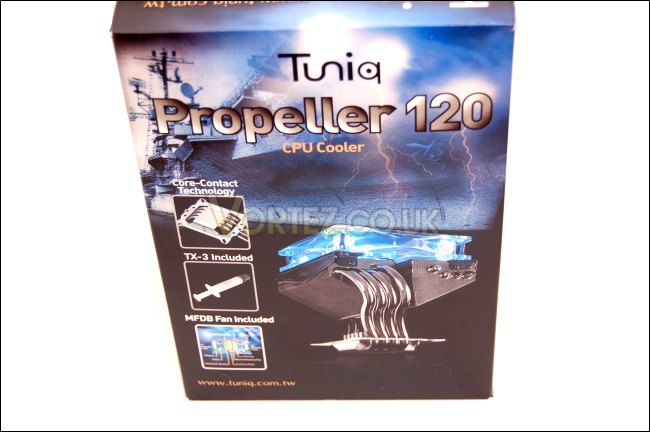
Front of the box
The packaging is very similar to the Tower 120 Extreme one we saw before, sporting the same lightning blue and black colour coordination and the image of a battleship signifying the Propeller origins of the cooler. Pictured at the front is the cooler itself, and a few key features it holds. As usual, Tuniq really attracts users with their aesthetically pleasing packaging and with the design of their nickel coated cooler.
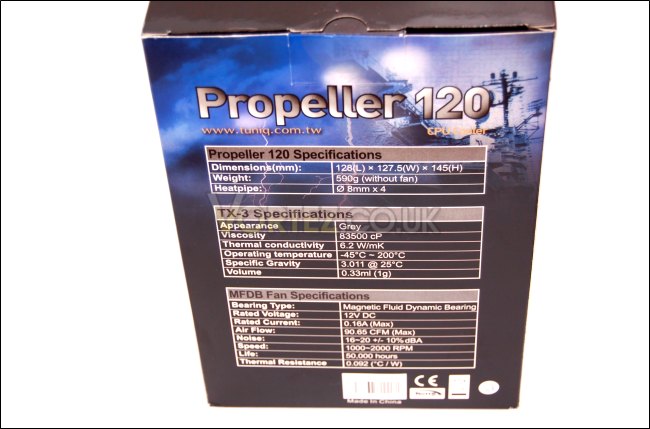
Back of the box with specifications listed
Typical of Tuniq’s informative self and professionalism, all the specifications are listed at the back of the cardboard packaging, including that of the cooler’s, the thermal paste’s and the fan’s. With a 90.65 CFM fan and 4x8mm heat pipes, the cooler looks promising despite its overall size.
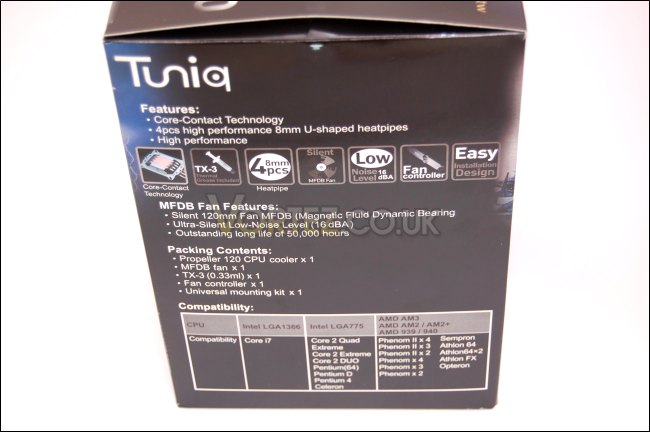
Side of the box with features listed
On the side, all the main features are listed including the packaging content, the key characteristics of the cooler such as the use of the Core-Contact technology and 8mm thick heat pipes, and a list of compatible motherboard sockets. This particular sample does not list LGA1156 but the Tuniq site states that it does and as such samples hitting the retail market will have no problems working on this new socket by Intel. Further to this is support for all major sockets dating back to LGA775 for Intel and Socket 754 for AMD!
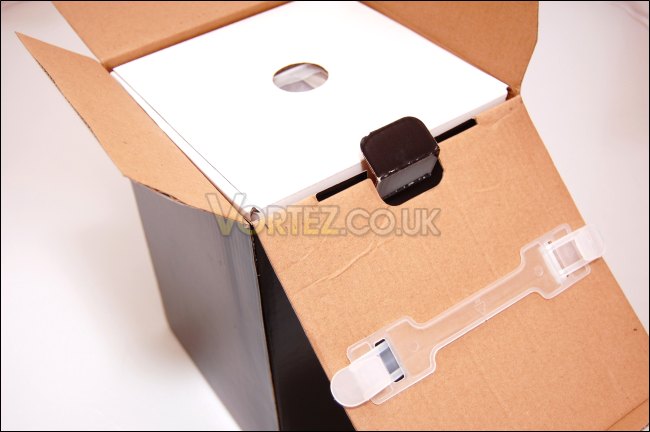
Unpackaging
Inside the main outer packaging is a blank box holding two others, one with the mounting kit and the other securing the cooler. As shown, a nice handle is provided for carrying the box so be safe in the knowledge that the cooler is very securely packaged and won’t easily be damaged in transit.
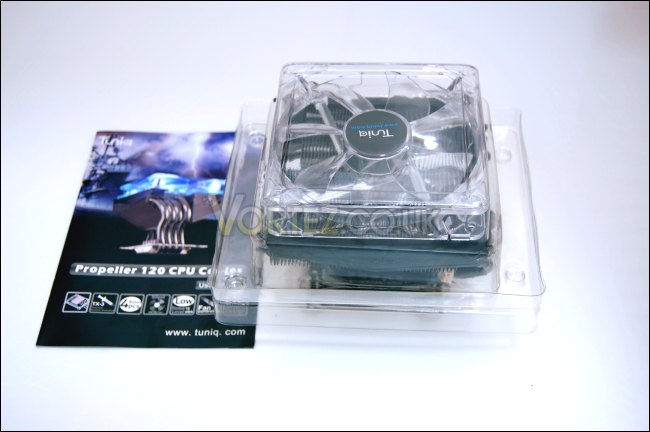
The cooler securely wrapped in a clear plastic cover
The cooler is inside a hard plastic box with the fan placed on top but not secured. A handy and detailed manual is also provided for ease of installation although for the most part, it is very intuitive. This cooler will have support for the most number of sockets in all the coolers we have tested and given that the Alpenföhn Nordwand and Tuniq Tower 120 Extreme uses the same mounting system, expect to see the same support for those other coolers. The manual is highly detailed and illustrated for ensuring a safe and pain free installation procedure.
Closer Look
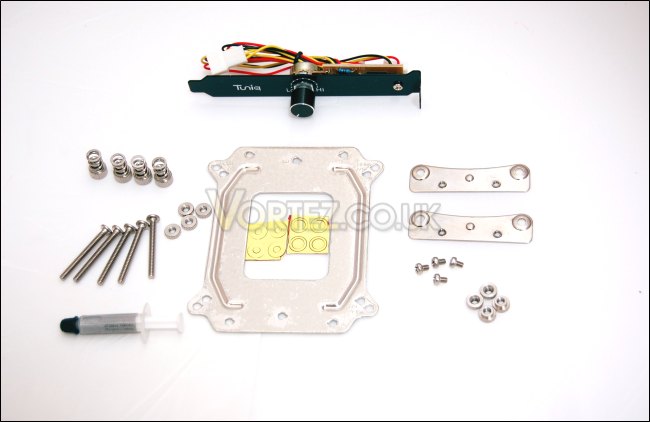
The bundle generously including a fan controller
The mounting kit includes the main motherboard backplate with pre cut holes supporting all the sockets and the necessary screws and brackets for each configuration. A fan controller is also provided as we have grown accustomed to with their Tower 120 Extreme and a small tube of the excellent TX-3 thermal paste. More on the installation later on.
The cooler with the side bracket for the rubber gromets
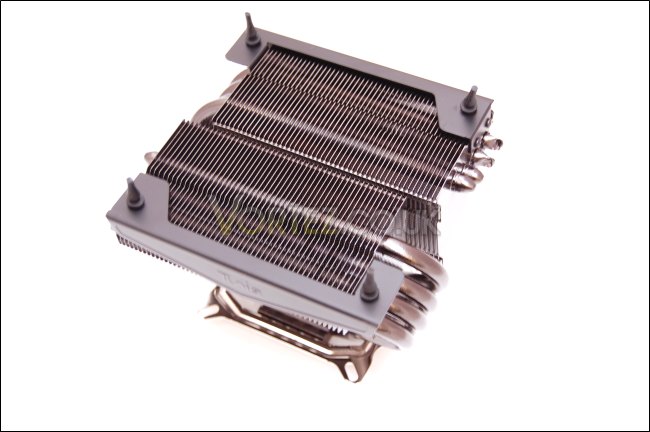
The cooler has a distinct square shape when looking at it and rather than having just one sideway mounted heat sink like the Noctua, it uses two radiators through which run the 4 heat pipes. This means that the two heatsinks are receiving a lot of heat from the CPU. On the sides of the heatsinks are two brackets which hold the fan. The cooler is also very pleasing to the eye with its nickel coated finish that shows it means business.
4x8mm thick heatpipes!
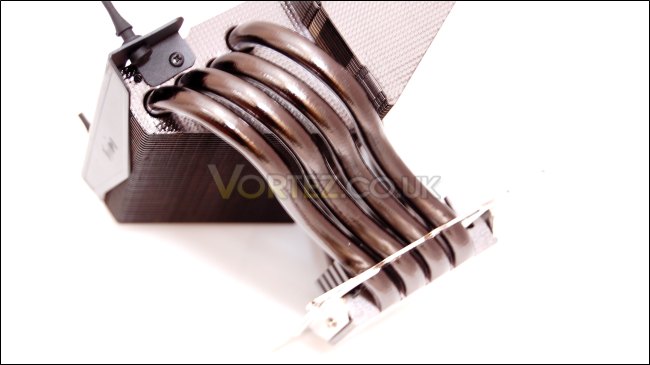
The unique feature with the Tuniq Propeller is the way the heat pipes come out of both sides of the base forming a bent u-shape design normally reserved to tower heatsinks. The aim of this to transfer as much heat from the CPU as possible. The cooler uses 4 8mm thick heat pipes.
The side of the cooler
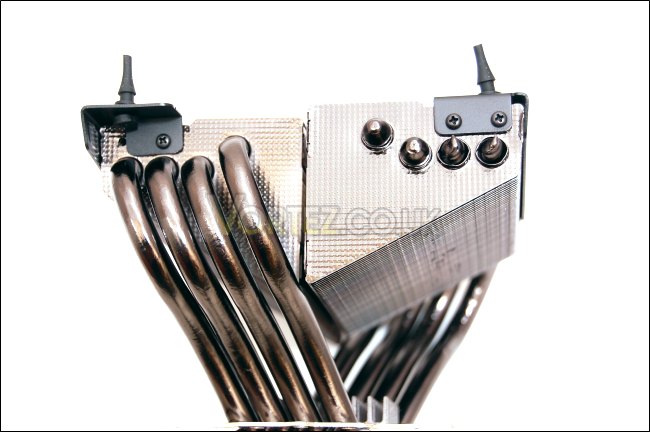
Here we see how the two ends of the heat pipes are oriented with regards to the heatsink, with 4 going ends going into each radiator. The cooler has a distinct triangular shape, which allows for a lot of clearance between itself and other components on the motherboard such as tall Northbridge/Mosfet heatsinks and RAM. However it does cut down the surface area of the fins.
Looking at the fin spacing of the radiators
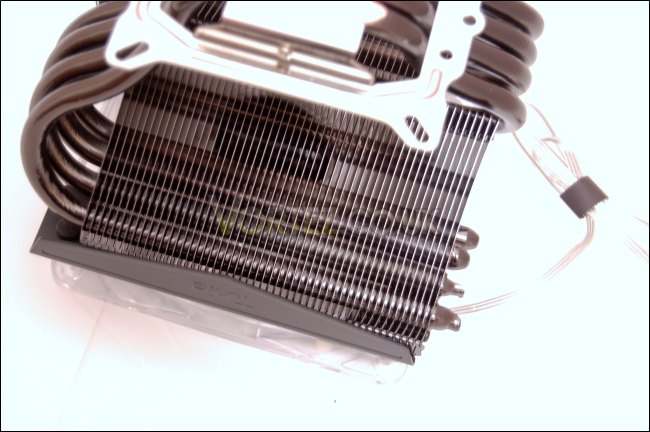
To compensate for the small surface area of each fin, the cooler makes use of a dense fin array, through which heat from the heat pipes can be dissipated more effectively. Because of this, the fan has to be suitable, hence the high RPM fan for higher static pressure. Unlike the Tower 120 Extreme, it does not share the same wave like fin pattern and instead settles for a regular straight edged design.
Closer Look (Continued)
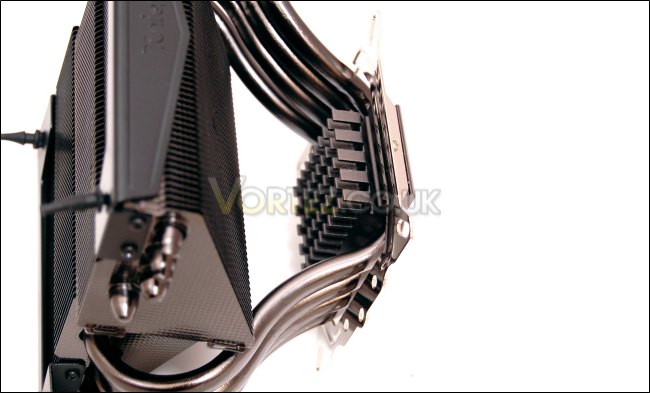
A small heatsink above the base to dissipate extra heat away
Common with the Nordwand and the Tower 120 Extreme is the small heatsink on top of the base to help dissipate any extra heat. It’s nickel coated to match the rest of the heat sink. This has proved useful with the two other cooler so hopefully that winning pedigree is still present here.
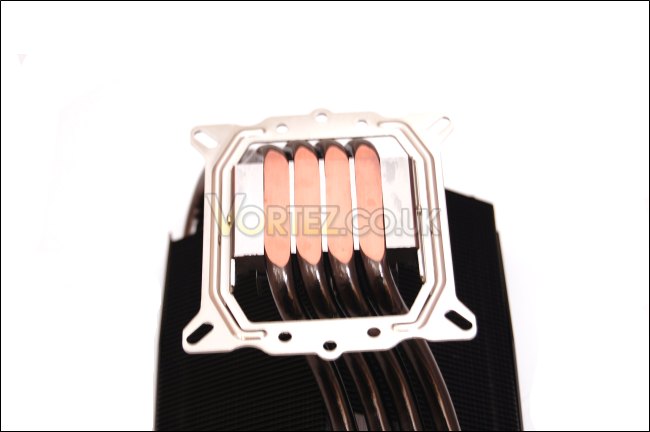
The base of the cooler
The base is also familiar using the Core Contact Technology that Tuniq has pioneered. The base is fairly flat for maximum contact with the CPU and the heat pipes cover the surface area of the CPU well. Pre-installed to the base is the mounting bracket with holes supporting all modern motherboard sockets.
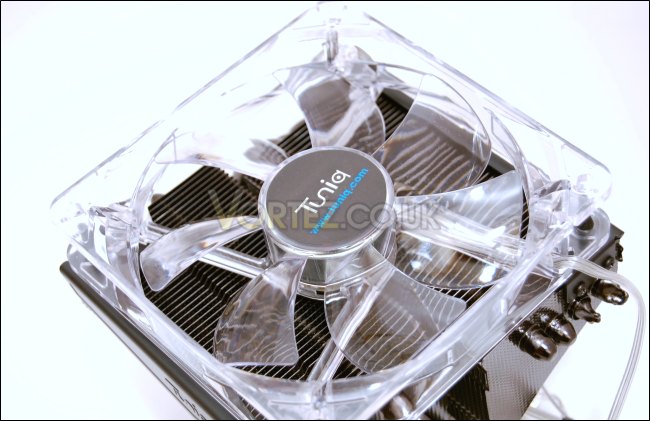
The fan emits a subtle glow for an excellent finish
Bundled with the Propeller is the excellent 1000-2000 RPM blue LED fan that can be controlled using the fan controller. The fan gives off a nice subtle glow that helps illuminate the computer without being over the top.
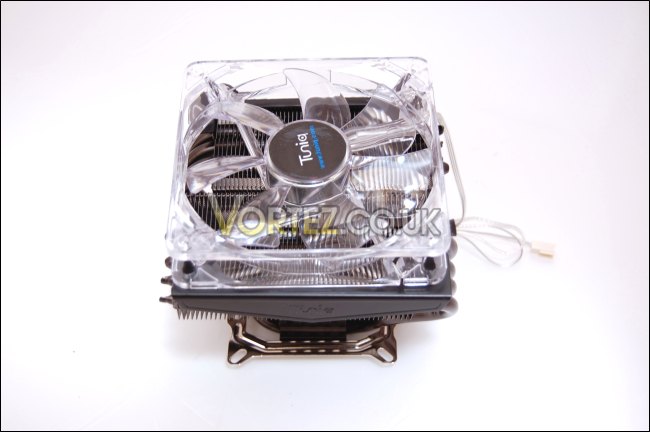
The heatsink with the fan attached
Altogether the Tuniq Propeller is a very attractive cooler that is somewhat lacking in size and yet is taller than its main rival the Noctua NH-C12P SE14. The fan uses a clear wire so you don’t end up with a foray of multi coloured wires everywhere. The fan is oriented to push air through the radiators, thereby cooling adjacent components on the motherboard.
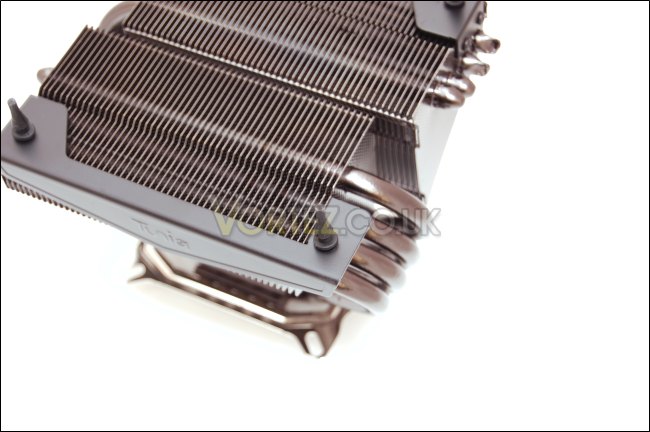
The rubber grommets used to secure the fan
To install the fan, you simply have to place it on top and insert the rubber grommets into each corner. No fiddly wire clips are required and the rubber acts as an anti-vibration medium. This mounting system was used on the Alpenföhn Nordwand and proved very successful.
Test Setup
CPU – Intel Core i7 920 – 4.0ghz
RAM – 6GB (3x2GB) OCZ platinum DDR3 1333mhz
Motherboard – Biostar T-Power x58
Graphics card – Asus EAH5750 1024MB
Power Supply – Enermax Revolution 85+ 850W
Hard Drive – Samsung F1 320GB
Western Digital Caviar WD3200AAKS 320GB
Drivers – ATI Catalyst 9.12
CPU Coolers:
Tuniq Propeller 120(High speed fan)
Noctua NH-C12P SE14
Prolimatech Megahalem
Noctua NH-D14 (U.L.N.A and default speed)
Noctua NH-U12P SE1366
Thermolab Baram (with 2 Noctua NF-P12 fans)
CoolIT Domino A.L.C
Sunbeam Core Contact Freezer
Coolermaster Hyper 212 Plus including test with 2 Noctua NF-P12 fans
Alpenföhn Nordwand including test with 2 Noctua NF-P12 fans
Tuniq Tower 120 Extreme (Low/med/high speed)
Unlike our previous test reviews, I will be focussing mostly on the Noctua NH-C12P SE14 and the Tuniq Propeller 120 today due to their similar top down design and target audience.
Program Suite:
Core Temp 0.99.5
LinX stress Test
PC Wizard
How I tested:
Testing will be based on temperatures recorded by Coretemp and PC wizard after 20 passes of LinX stress test. The absolute temperatures recorded in the tables are averages of the 4 cores and the delta value provided for a fair comparison, taking into account ambient temperatures.
Installation
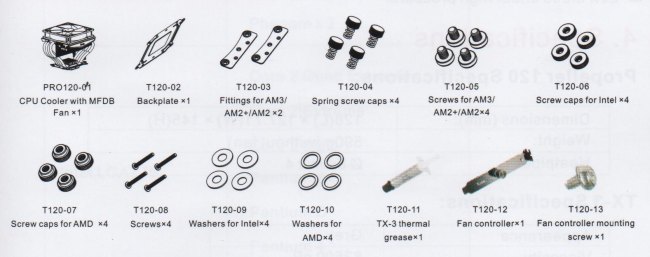
The mounting procedure is exactly the same as described in the Alpenföhn Nordwand and Tuniq Tower 120 Extreme reviews so if you have read them before, you will be very familiar with how easy the process is.
LGA 1366
1.First insert the four screws (T120-08) through the back of the back plate and secure them using the screw caps (T120-06). The hole have grooves to ensure that the screws go in the right way and lock.
2.Insert the washers(T120-09) onto the screws on top of the screw caps.
3.Install the back plate onto the motherboard.
4.Squeeze 0.1ml of the TX-3 thermal on the surface of the CPU.
5.Install the cooler onto the motherboard after removing the protective film and secure it using the provided spring screws (T120-04). Screw them on diagonally and gradually.
LGA775
Installation for LGA775 is exactly the same as LGA1366 except for making sure that the screws go in the appropriately labelled holes in the back plate.
AMD AM3/AM2(+)
The difference with AMD sockets is that the stock cooler support has to be first removed from the motherboard and instead of the Intel screw caps and washers, use the AMD ones (T120-07 & T120-10).
The T120-03 fittings also have to be screwed onto the cooler’s pre-installed bracket using the T120-05 screws.
There were no issued installing the cooler despite having to access the thumbscrews during the process. The fairly small size means that the radiators don’t overhang too much, so it is quite easy to reach the thumbscrews. The main concern is the orientation of the cooler but it is best to install it so it does not affect any other components and generally this will depend on the motherboard.
Right, onto the results.
Results
2.66ghz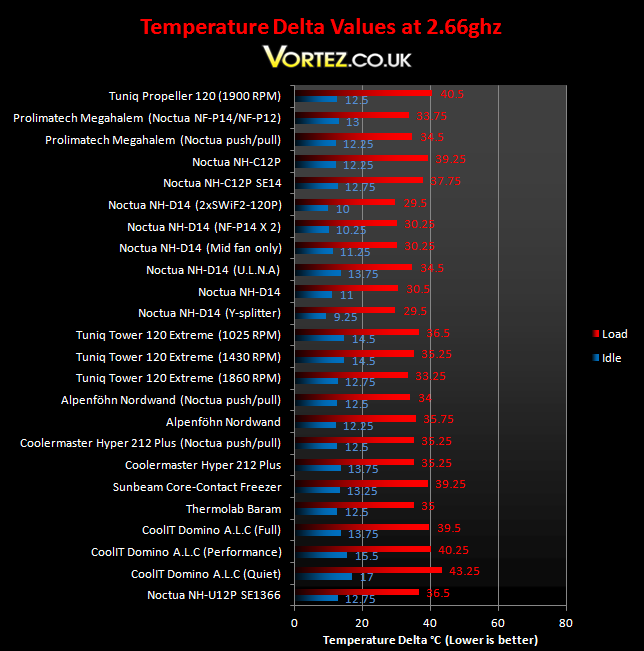

The Tuniq Propeller 120, given its size and top-down characteristics, ends up close to the bottom of the table. Even at full speed, the temperature was very high but remained stable under stress. However it has to be commended for being able to deliver the same performance as the CoolIT Domino A.L.C in performance mode. It lags a few degrees behind the Noctua NH-C12P SE14 under load. At idle, it performs very well and is comparable to the best coolers out there.
If we consider the target audience who will be buying this for their HTPCs or m-atx boxes, the Tuniq’s performance is acceptable and will definitely keep any stock processor cool, even the power hungry i7 920. However, I had to omit the overclocked results due to the cooler being unable to maintain the temperatures below the 100 degrees maximum limit at the T junction. This is the Tuniq’s main downfall compared to the Noctua solutions.
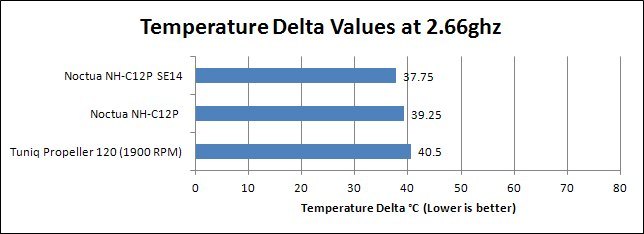
On closer look at its main rivals, the Tuniq Propeller cannot keep up with the superior fan on the Noctua SE14. Its performance is more akin to the now superseded NH-C12P, falling only a degree short.
Noise
The fan remained quiet at full speed and reducing the speed held no obvious benefit aurally. Instead the cooling performance dropped to below acceptable levels. When comparing this to the Noctua solution, the Tuniq’s disadvantages are highlighted. The much smaller surface area of the fins is its Achilles heel. The motor sound of the fan was inaudible, showing the benefit of the magnetic fluid dynamic bearing and the fin array prevented high pitched sounds from developing.
Conclusion
The Tuniq Propeller 120, on the whole was a decent cooler but fell short of its main competitor. Prior to testing it, the cooler looked promising featuring many of the characteristics that made the Tuniq Tower 120 Extreme successful, such as the Core Contact Technology, 8mm thick heat pipes and a high RPM 120mm fan. The main problem is that the surface area of each fin was too small for efficient heat dissipation and adding to the fact tower coolers generally make better use of the airflow in a case, the top down design has no chance against the “big guns”.If we look at it from the perspective of its target market, the propeller becomes a more appealing product. Without being restrictive thanks to its size, it should fit in most smaller cases and will keep even the most power hungry processors cool and stable at stock speeds. The problem it faces is Noctua who have considered the size more thoroughly. Sitting 11mm lower than the Propeller, it has the advantage of being compatible with a larger variety of cases and it does that without sacrificing cooling performance. In terms of aesthetics though, the Tuniq retain its crown, delivering a nicely finished product that will be an attractive addition to anyone’s computer. The main deciding factor for getting this cooler is the price and looking online, it’s priced $5 less than the NH-C12P non SE14 at $62.99. Based on that, Tuniq faces stiff competition.
Pros
[+]Aesthetically pleasing
[+]Excellent compatibility with modern motherboards
[+]Quiet and inclusion of a manual fan controller
[+]Easy to install
[+]Decent performance at stock speed
Cons
[-]Taller than the Noctua NH-C12P SE14
[-]Unable to maintain an overclocked CPU
[-]Price
[-]Small radiators
