We’ve already looked at the WD Black SN750, but today we review an identical model without a custom-designed heatsink. Does it make a difference, and if so, how much? Read on to find out.

Product on Review: Western Digital Black SN750 EKWB
Manufacturer: Western Digital
Street Price:
500GB – GBP £149.99 / USD $149.99
1TB – GBP £255.00 / USD $279.99
2TB – GBP £499.00 / USD $529.99
In January, the storage giant Western Digital introduced their fastest ever consumer-grade storage drive, the WD Black SN750. We reviewed it and saw it trading punches with the likes of Samsung, Corsair and XPG’s best; certainly no small feat. Western Digital also promised an edition featuring a bulky heatsink, designed in collaboration EKWB, a behemoth within the watercooling industry. Today we get our hands on the new model.
Aside from a stylish black heatsink, nothing much changes. Obviously there’s a price premium for the heatsink, at £15 for the 500GB, £16 for the 1TB and £25 for the 2TB ($20, $30 and $35 USD, respectively). We don’t know why the price premium increases as you move up each capacity step, as the heatsink is identical across all three drives, but that’s that. We also lose the 250GB drive if you wish to keep the heatsink but that’s likely because it would, using the data available to us, then be far too close to the 500GB model without a heatsink. The choice then would almost undoubtedly be to take the double capacity instead of a stylish cooling solution.
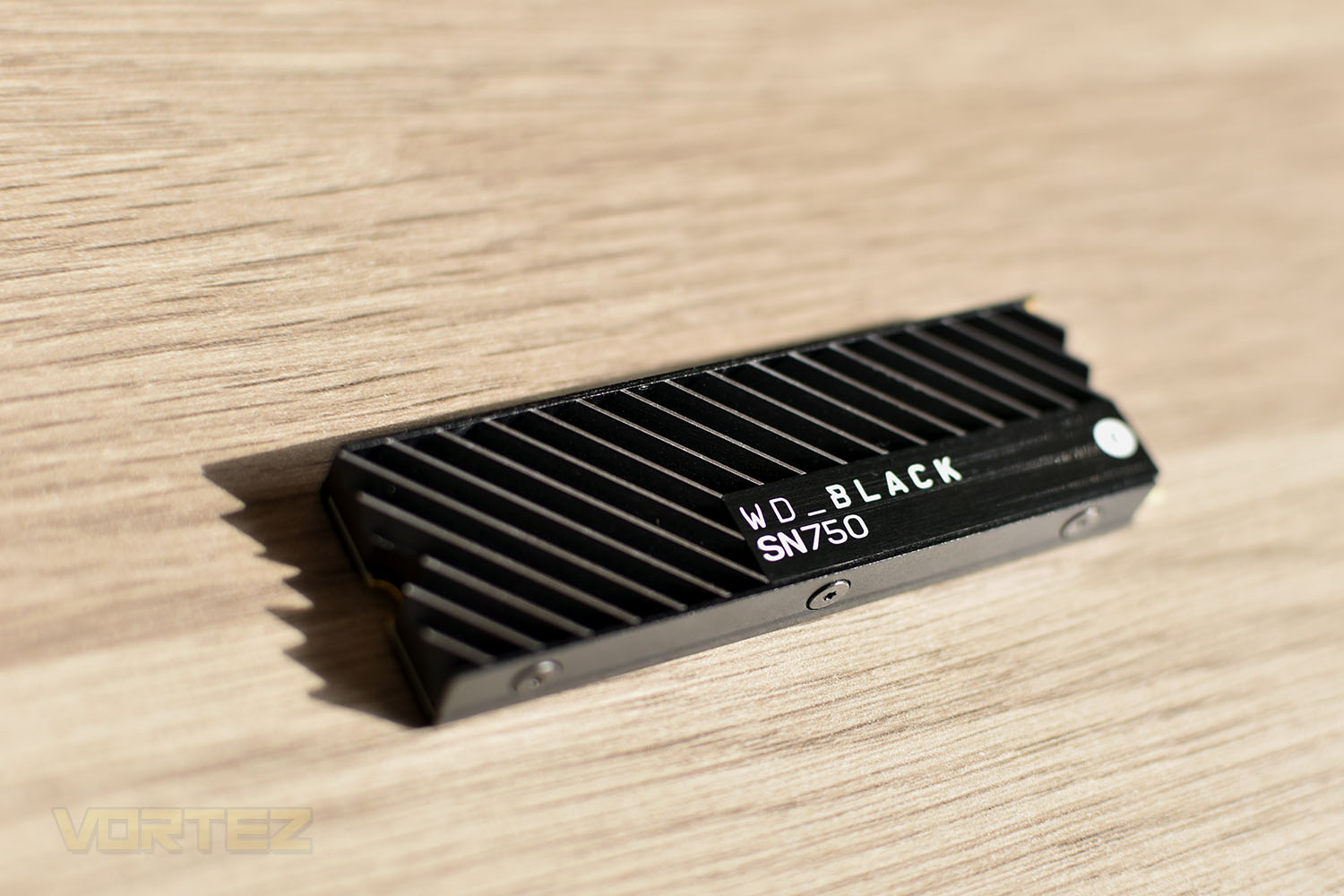
One thing that’s for certain is that Western Digital and EKWB collaborating on this drive has improved the appearance no end. The heatsink looks sleek and stylish.
As we’re sure everyone knows by this point, M.2 NVMe drives can run incredibly hot with their 3GB/s+ read and write speeds and insane IO performance, so we’ll set about testing the drive against the non-heatsinked version and also take temperature measurements to see how well the EKWB engineers have done in their design.
Western Digital on the Black SN750 EKWB:
The WD BLACK™ SN750 NVMe™ SSD delivers top-tier performance for gaming and hardware enthusiasts who are looking to build or upgrade their PC. Available in capacities up to 2TB, the WD Black SN750 NVMe SSD rivals some of the best performing drives on the market to help give gamers that competitive edge.
About Western Digital
Founded in the 1970’s as one of a host of companies building on the semi-conductor boom of that period, Western Digital has an impressive pedigree in the IT storage industry dating back to the 80’s as manufacturers of hard disk drive controllers. Since then the name become synonymous with performance-leading products in the HDD field, capped by the WD Raptor series in the Mid-2000’s. WD controls tens of thousands of relevant patents that define the modern storage drive, which is a testament to their status as a veritable 900lb gorilla in the market. Those who grew up with PC’s and took any sort of interest in their components will undoubtedly recognise the name.From 2010 the landscape of storage in IT changed immeasurably thanks to the introduction of affordable NAND flash Solid State Drives in both enterprise and consumer-level markets. Initially used to augment system performance alongside conventional HDDs, SSDs have since grown to eclipse mechanical storage media in most markets where copious capacity isn’t the main requirement. This has led to a consolidation of HDD manufacturers, including WD’s acquisition of HGST in 2012, and WD’s need to diversify into this still-growing sector.
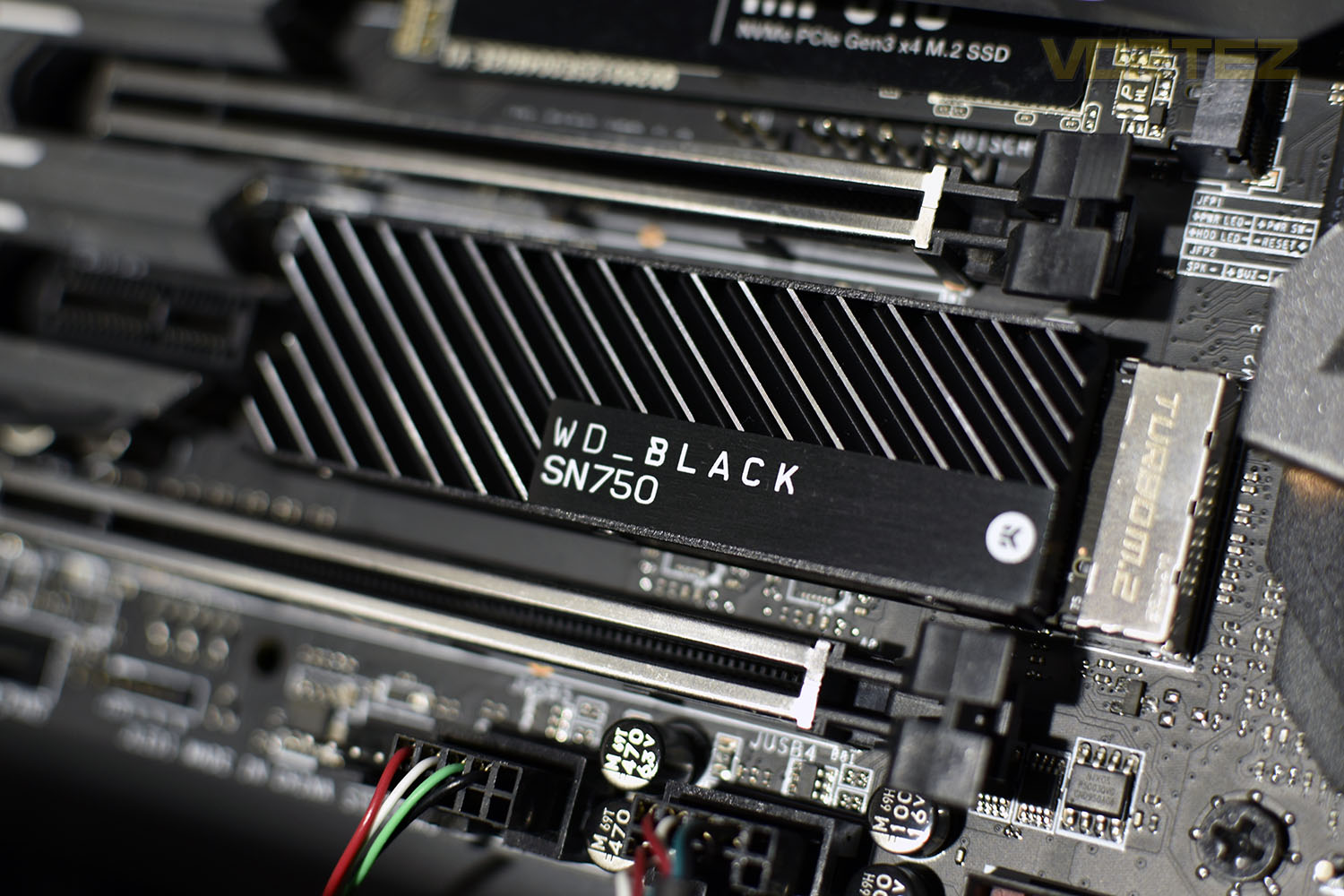
In 2016 WD acquired SanDisk, a US manufacturer of memory and NAND-based products that itself was a veteran of the PC Storage industry and the third largest manufacturer of memory worldwide at the time. SanDisk value wasn’t just in a wide product portfolio, but also the expertise needed to introduce the WD brand to high performance SSD storage. They continue to push envelope of NAND manufacturing today, exemplified by the development of 96-layer 3D NAND memory that further improves drive capacity.
This acquisition also coincided with another important development in the PC market: the NVMe storage standard and its adoption on mainstream computing platforms. Sidestepping the limitations of SATA to interface directly with the storage controller over high-speed PCI-Express lanes, suddenly storage bandwidth of over 1GB/sec per device was possible without RAID configurations.
WD was playing catch-up, but they were catching up quickly. In the two years since their acquisition of SanDisk they have also released WD-branded SSD products for all sectors including mainstream ‘WD GREEN’ and more business-oriented ‘WD BLUE’ drives. This quick development has been aided by the vertical integration of their company for these products: they manufacture all the core components of the drive, from flash through to memory controller and final drive assembly, ensuring parts are manufactured to a tough and consistent standard. But it’s with WD BLACK NVMe SSDs that they have finally begun to flex their performance muscles and approached the specification’s current limits.
Technical Specifications
WD BLACK SN750 1TB SpecificationsInterface: M.2 2280
Protocol: PCIe Gen3 8Gbit/sec, x4 lanes
Capacity: 1TB (single-sided)
Sequential Read (QD=32, Threads=1): 3470 MB/s
Sequential Write (QD=32, Threads=1): 3000 MB/s
Rand Read 4KB IOPS (QD = 32, Threads=1): 515K
Rand Write 4K IOPS (QD=32, Threads=8): 560K
Write Endurance: 600 TBW
Operating Temperatures: 32F to 158F (0C to 70C)
Dimensions (non-heatsink review model): 80mm x 22mm x 2.38mm
Dimensions (with heatsink): 80mm x 24mm x 8.10mm
Warranty: 5 years.
Protocol: PCIe Gen3 8Gbit/sec, x4 lanes
Capacity: 1TB (single-sided)
Sequential Read (QD=32, Threads=1): 3470 MB/s
Sequential Write (QD=32, Threads=1): 3000 MB/s
Rand Read 4KB IOPS (QD = 32, Threads=1): 515K
Rand Write 4K IOPS (QD=32, Threads=8): 560K
Write Endurance: 600 TBW
Operating Temperatures: 32F to 158F (0C to 70C)
Dimensions (non-heatsink review model): 80mm x 22mm x 2.38mm
Dimensions (with heatsink): 80mm x 24mm x 8.10mm
Warranty: 5 years.
Packaging, Bundle & Closer Look
The packaging between the two models is practically identical, apart from the obvious inclusion of the heatsink in the photo on this model.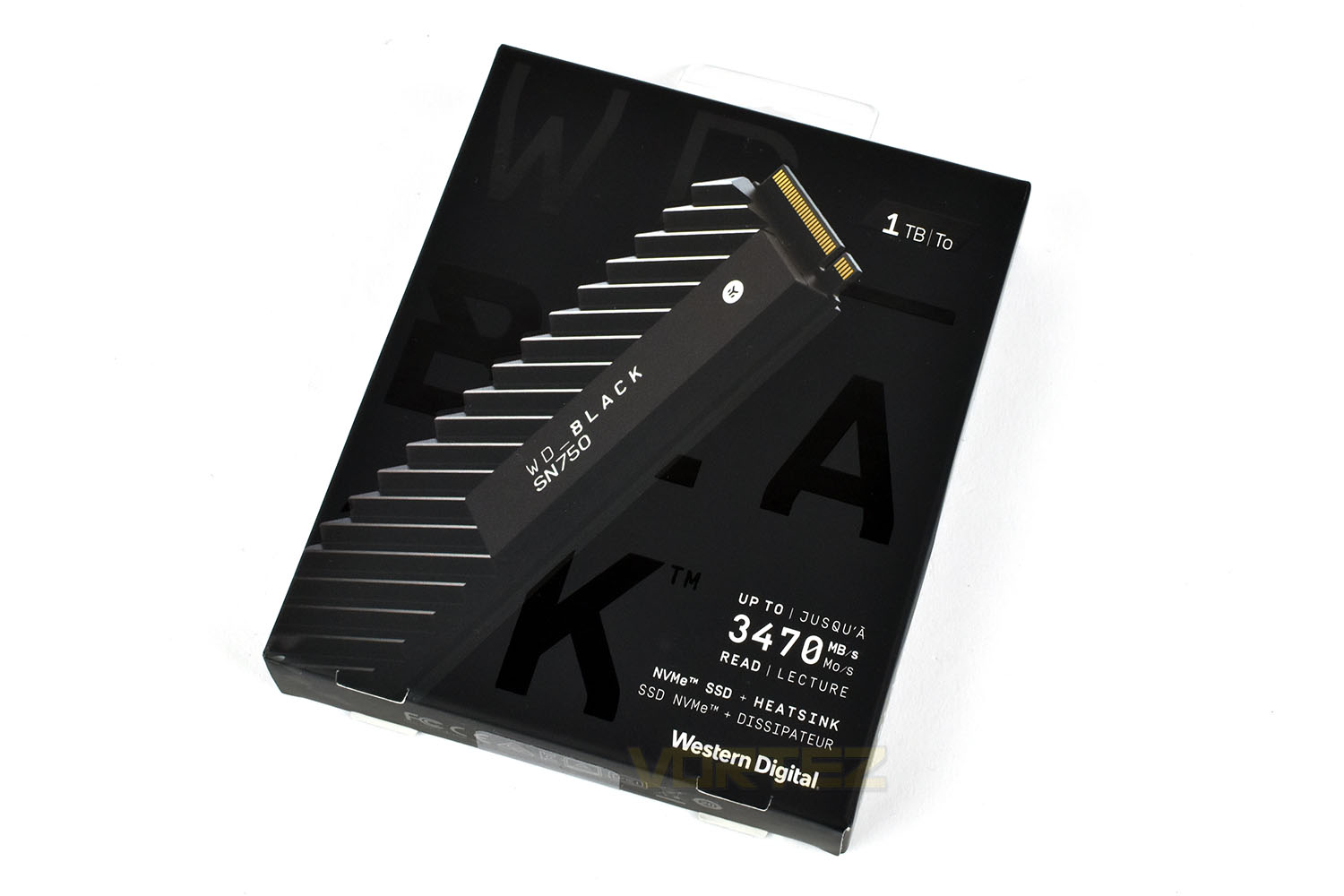
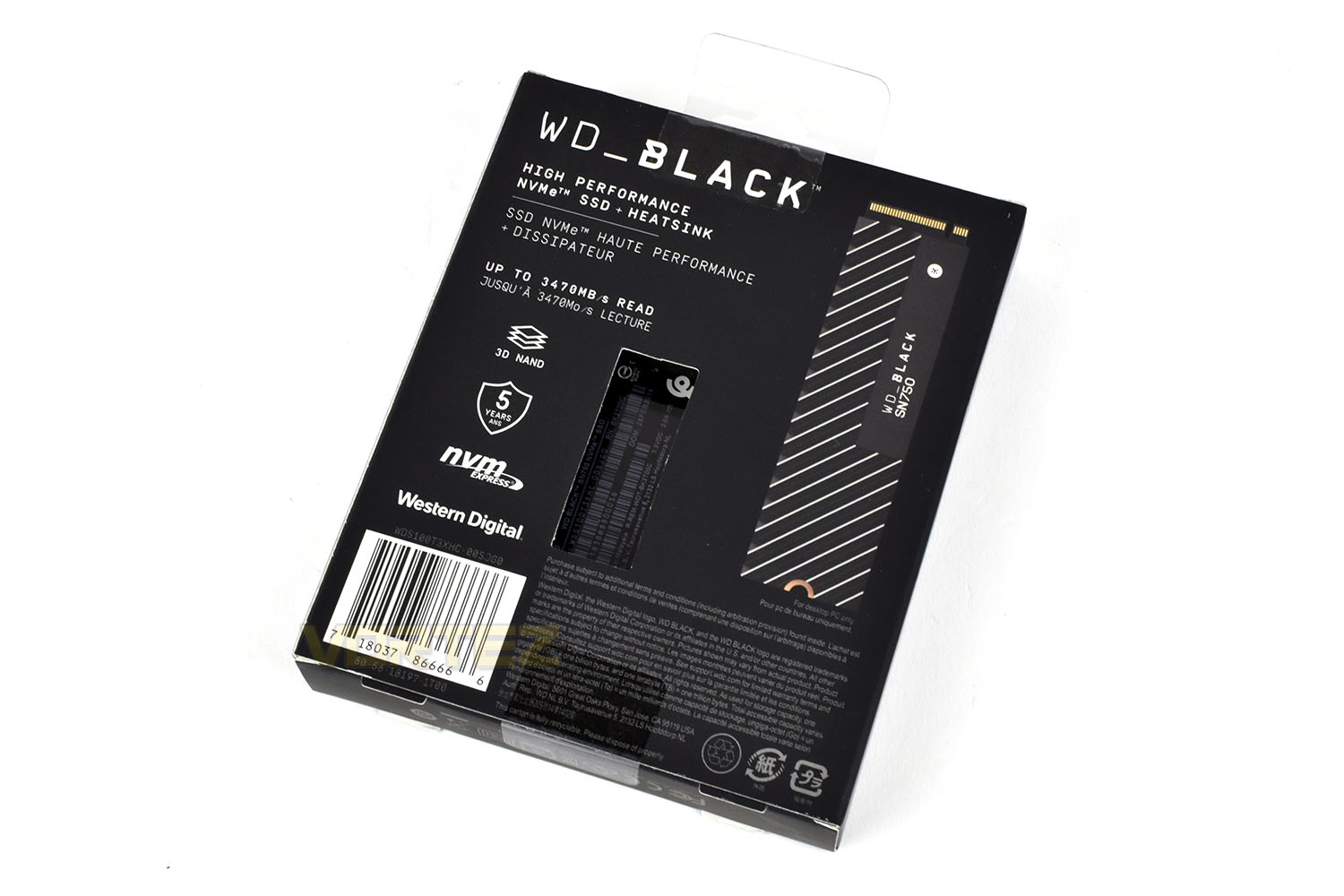
The rear gives a window to see the drive’s serial number and other information, for which reason we’re not sure, but it’s there. You also get information relating to the 5-year warranty and bandwidth expectations.
Along with your brand new SSD comes a small warranty information booklet and nothing more.
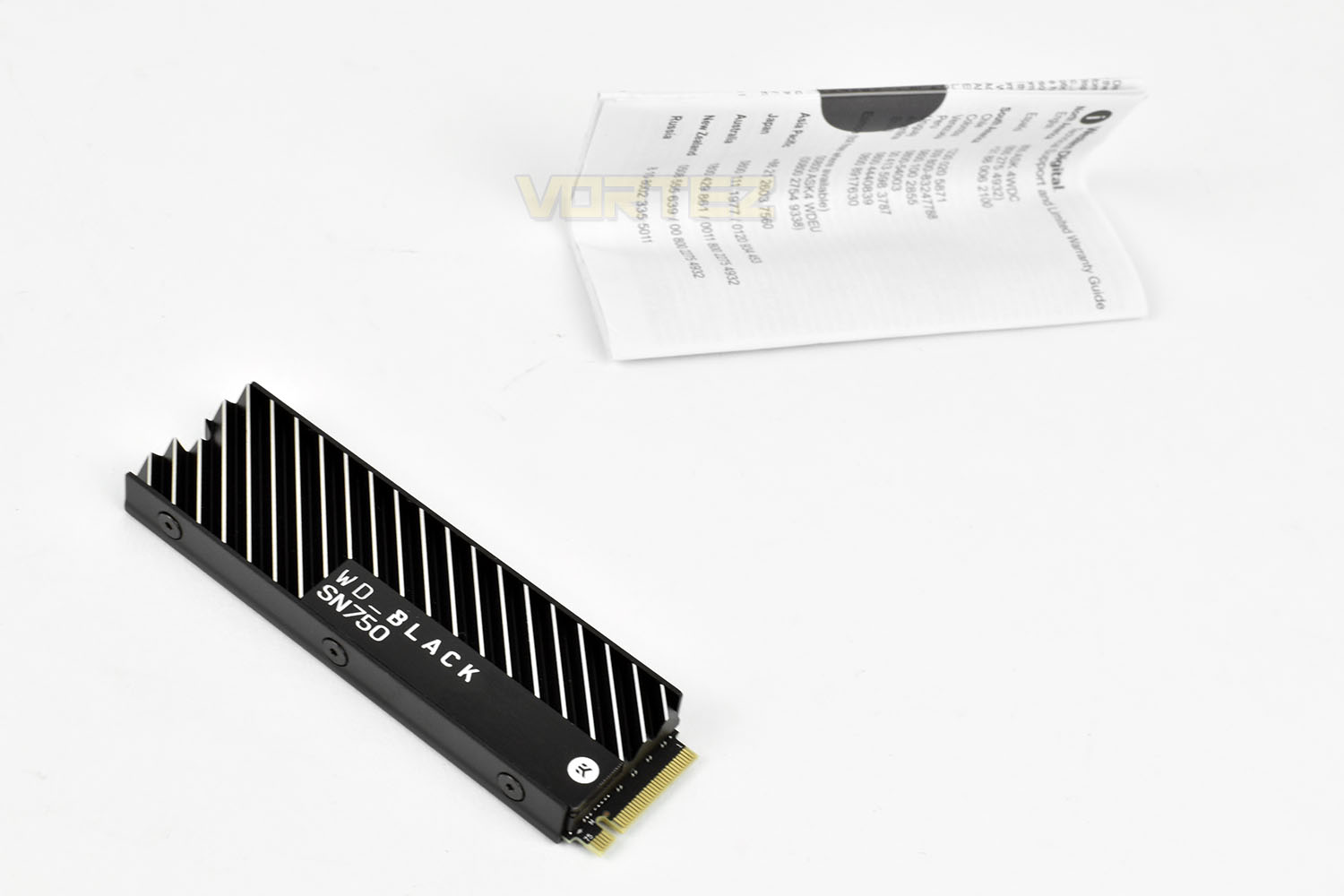
The heatsink on the WD Black SN750 feels robust and properly constructed. It’s not a thin sheet of metal glued to the top of their SSD, some serious work has gone into designing this heatsink. The silver and black contrast each other brilliantly for an awesome finish.
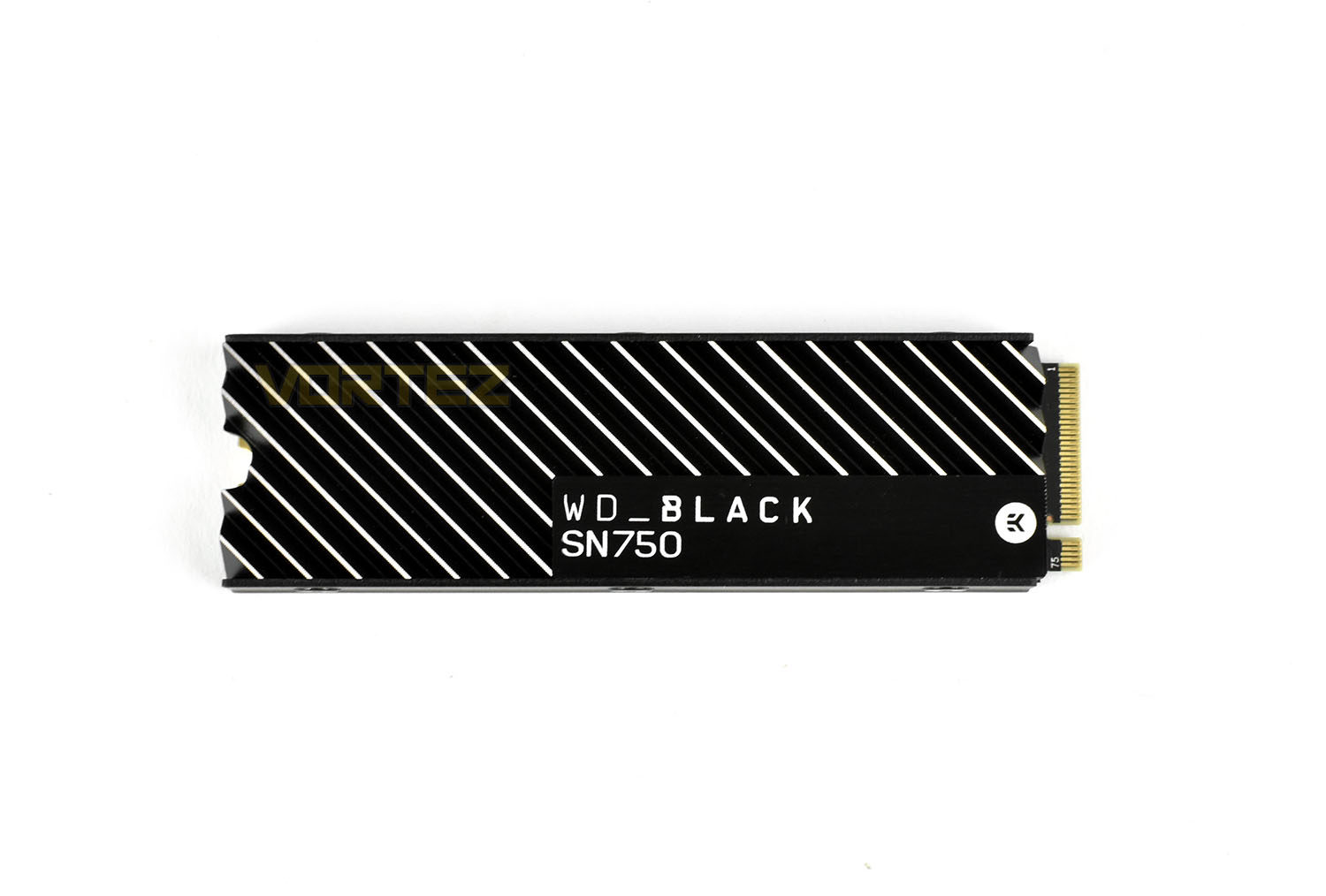
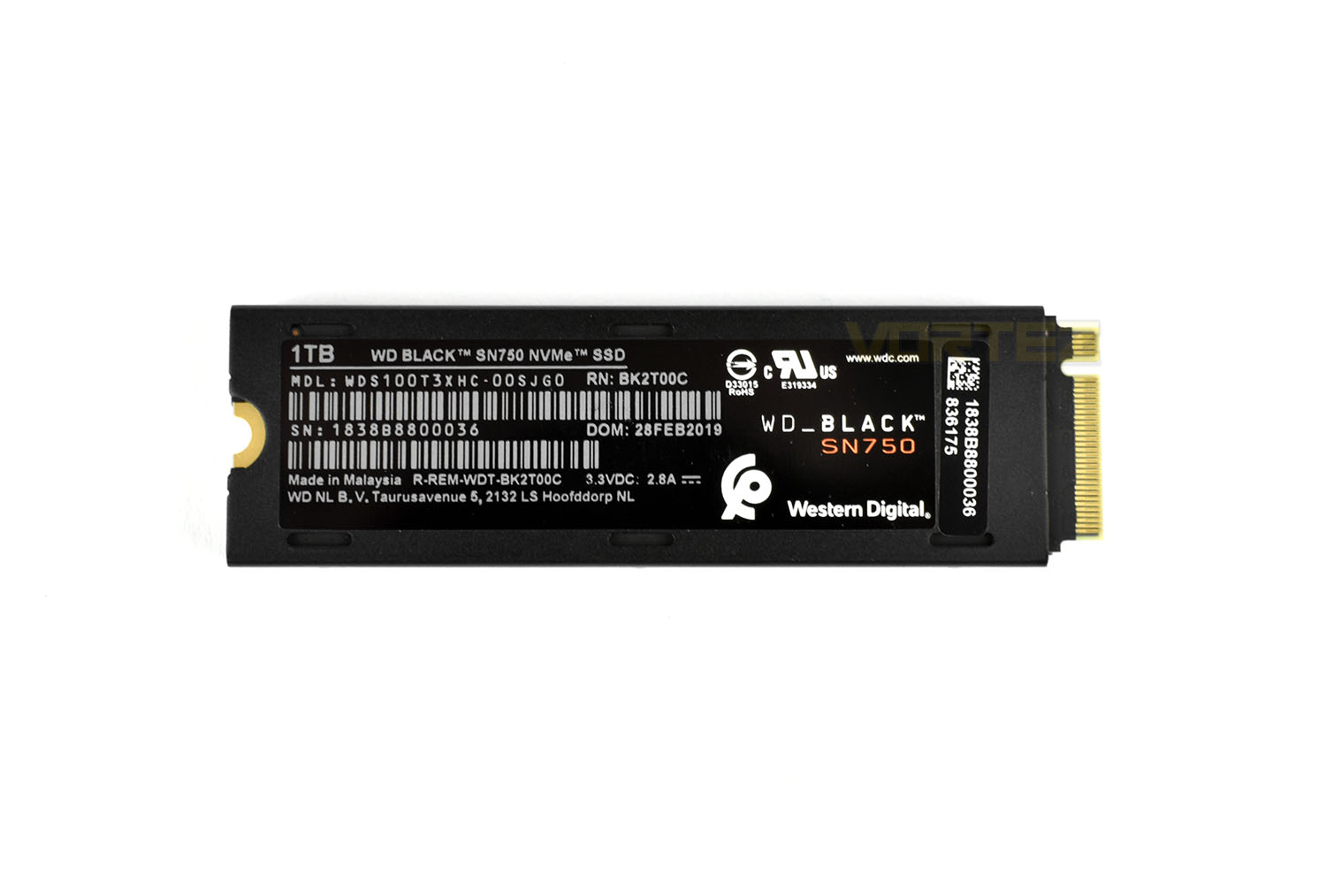
The heatsink also stretches round to the back of the SSD, where you’ll also find the product label. Due to this new piece of metal, the M.2 drive now measures 8.1mm deep instead of 2.4mm. Western Digital themselves claim that the drive has been designed for desktop PCs and may not be suitable for laptops due to the extra depth.
Software & Gaming Mode
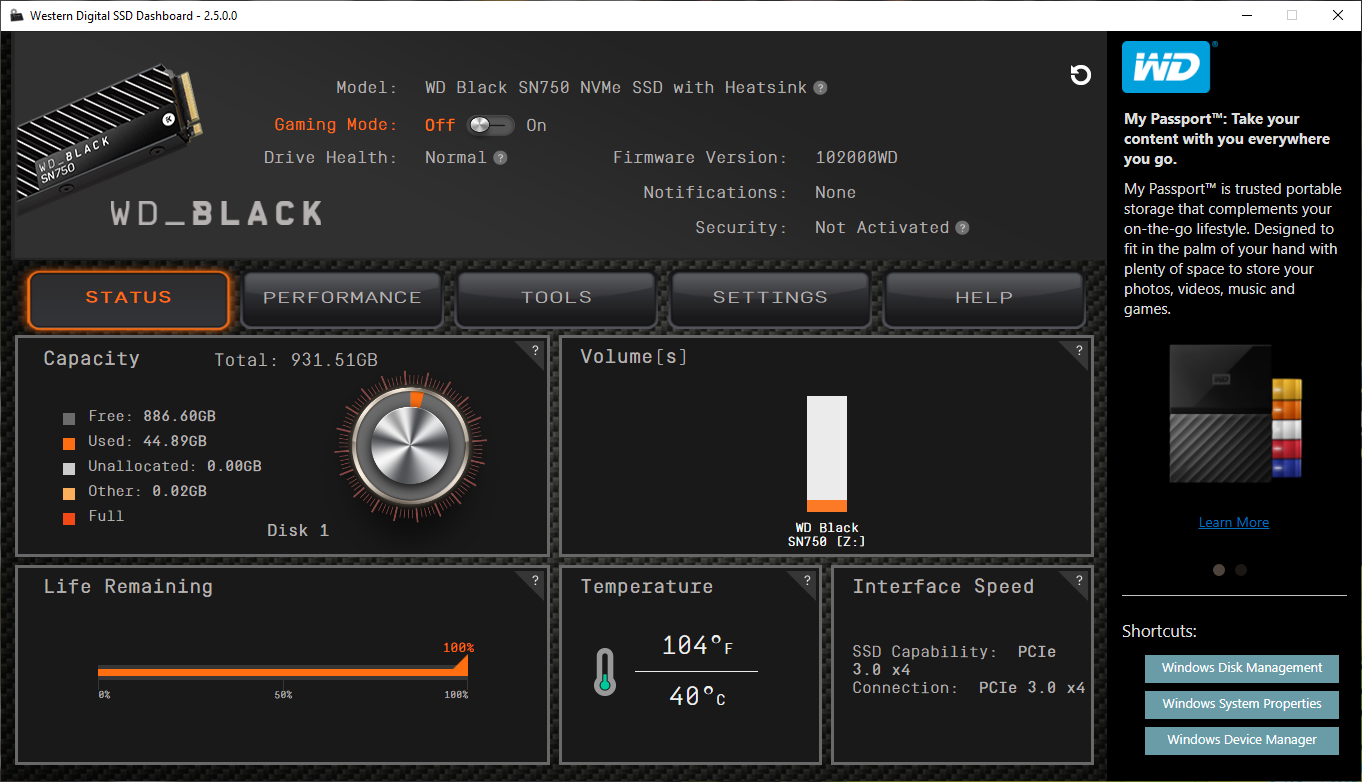
SoftwareMost of the high-end manufacturers of NVMe drives, including Samsung and Corsair, develop a software suite in tandem with their drives, useful for keeping an eye on SMART data or temperatures but when it comes to performance, they tend to offer nothing. That’s where Western Digital is different. With their software suite you can eek out every last drop.
Upon opening the SSD Dashboard, which can be downloaded here, you get a decent brief overview of what’s going on in terms of capacity, life remaining and drive temperature.
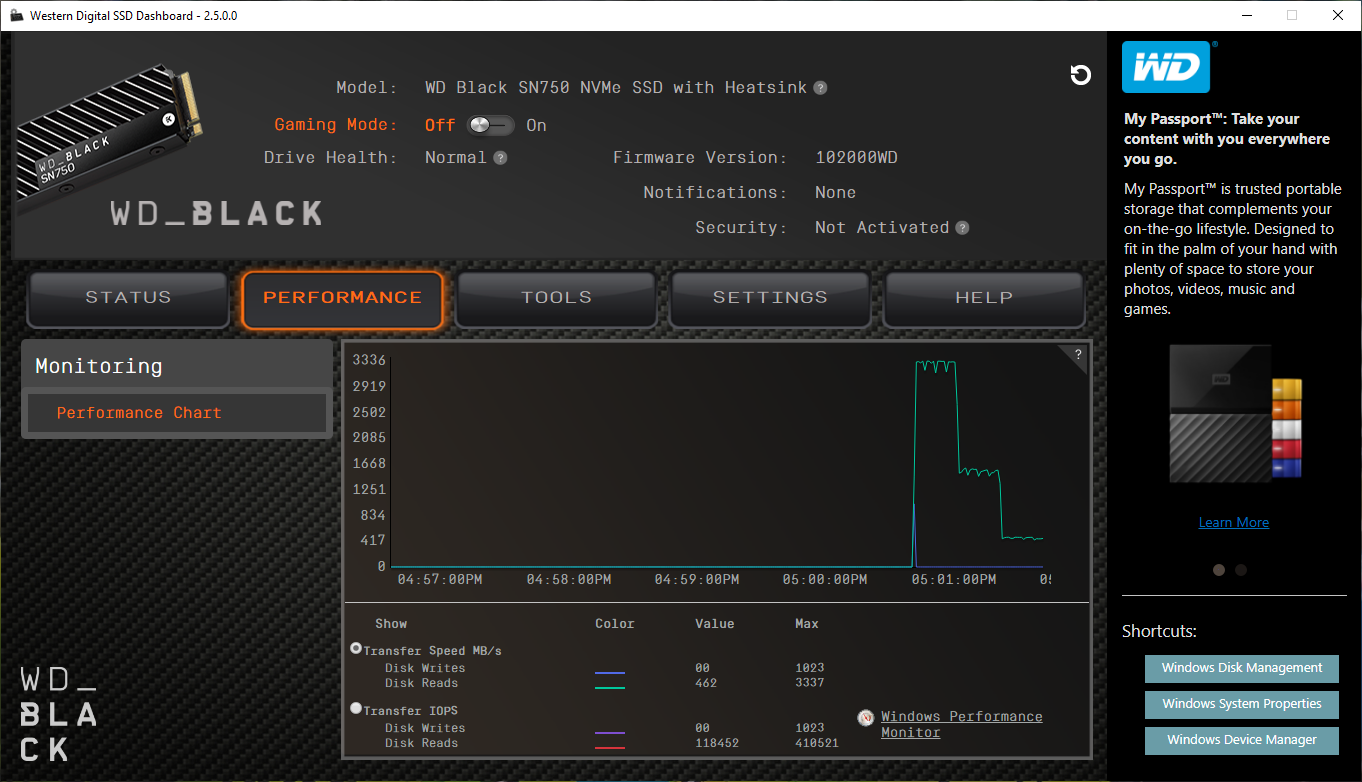
The performance tab gives an overview of the previous few minutes to show when it was accessed and the kinds of speeds it delivered. The numbers underneath that can be impressive if the right applications are running.
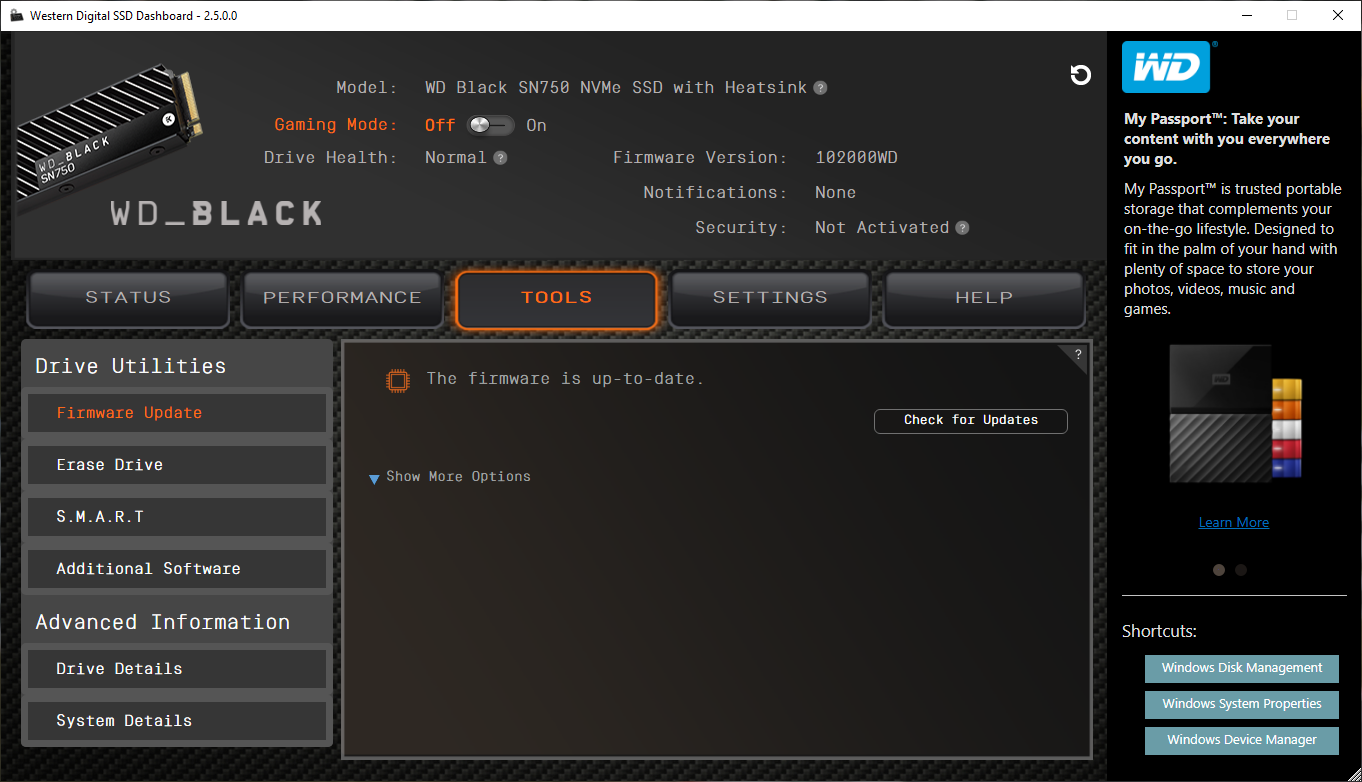
Tools is the next tab along, here you can update the firmware, erase the drive entirely or check out in-depth SMART info.
Gaming Mode
In common with all storage drives on the market the SN750 incorporates a number of power-saving features in firmware that in some circumstances add small amounts of additional latency into normal operation. In an effort to eliminate this latency WD have introduced a Gaming Mode with their WD BLACK SSDs that disables these power-saving modes.
Gaming Mode is activated through the WD BLACK Dashboard, software which the user can optionally install that also displays a rich array of drive information and metrics that are usually hidden to consumers.
The WD BLACK Dashboard has been designed to be a cornerstone of a gamer’s day-to-day interaction with WD products, and WD see it as a key aspect of their product lineup. Expect the Dashboard to roll in new features as the WD BLACK lineup broadens.
Test Setup & Methodology
Our test system is formatted and a fresh version of Windows is installed with just drives in place – no additional applications. Windows is then updated to the latest release and the drivers are installed.Included in the list of benchmarks are the following applications:
Benchmarks
Anvil Pro
AS SSD
ATTO Disk Benchmark v2.46
Futuremark PCMark 8
AIDA64
AS SSD
ATTO Disk Benchmark v2.46
Futuremark PCMark 8
AIDA64
Test system
CPU: Intel Core i7 7700K
Motherboard: MSI Z270 Gaming M7
Graphics: EVGA GTX 1070 SC
Memory: 16GB CORSAIR Vengeance LPX 3200MHz DDR4
Western Digital Black SN750 EKWB
PSU: BeQuiet Straight Power 11 650W
OS: Microsoft Windows 10 Pro 64-Bit
Monitor: ASUS ROG PG279Q
Motherboard: MSI Z270 Gaming M7
Graphics: EVGA GTX 1070 SC
Memory: 16GB CORSAIR Vengeance LPX 3200MHz DDR4
Western Digital Black SN750 EKWB
PSU: BeQuiet Straight Power 11 650W
OS: Microsoft Windows 10 Pro 64-Bit
Monitor: ASUS ROG PG279Q
To measure the drive temperature we copied a Steam library of slightly over 500GB back onto itself, which tests the read and write speeds of the drive simultaneously. We then use HW Monitor to read the drive’s peak temperature during the test.
Benchmarks: Anvil Pro
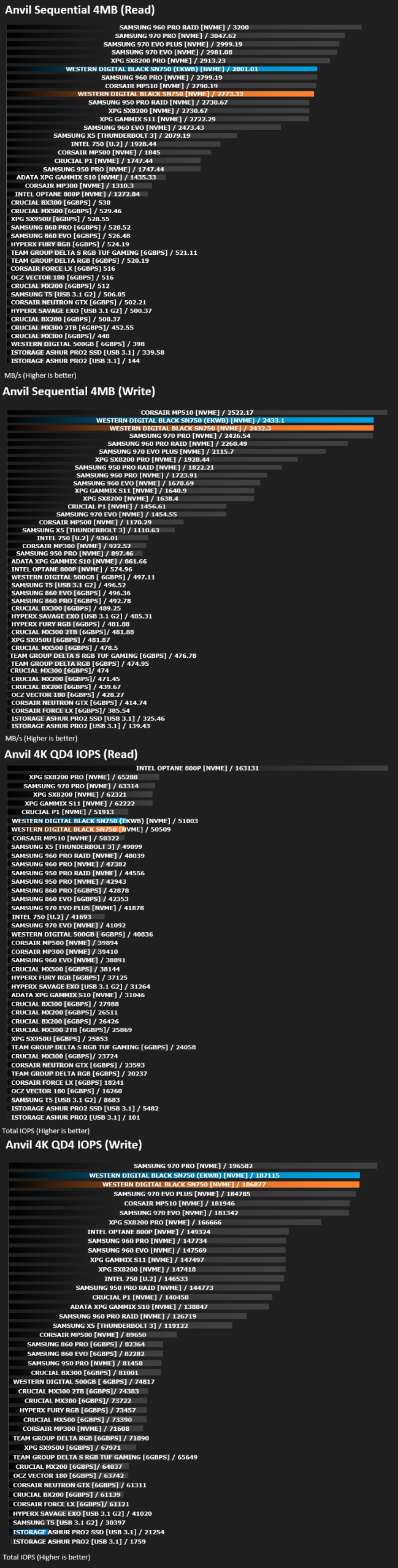
Anvil Pro from Anvil Storage utilities is one of the most popular storage benchmarking utilities today thanks to the large suit of tests available. You can test pretty much anything from Read/write Speed to IOPs with many variables to tweak allowing you to get either a single or host of results to compare with other likeminded enthusiasts. In our test we ran the standard suite 5 times, subtracting both the highest and lowest scores and determined the final result from the average of the remaining three results.
Benchmarks: AS SSD
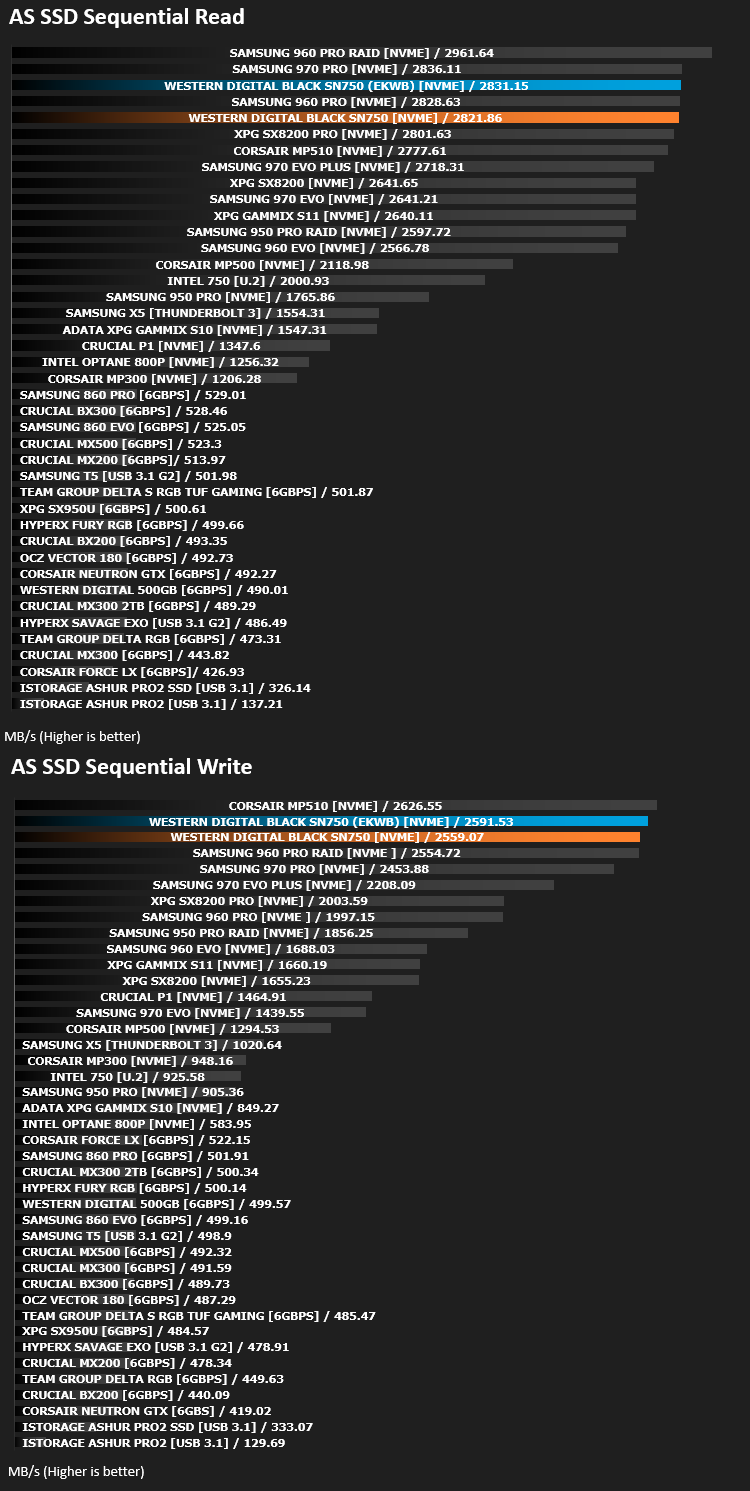
AS SSD Benchmark is a straightforward tool for measuring the speed of your SSD drive.
Simply launch the program, choose your drive, click Start, and it’ll test your SSD’s read and write speed in a variety of ways, delivering a score for each when it’s done. And if that’s not enough, there are also additional file copy and compression-related benchmarks available from the Tools menu. (The author’s support page is German only, but if you need further English explanations then there’s a thread on the program at the OCZ Technology forum.).
Simply launch the program, choose your drive, click Start, and it’ll test your SSD’s read and write speed in a variety of ways, delivering a score for each when it’s done. And if that’s not enough, there are also additional file copy and compression-related benchmarks available from the Tools menu. (The author’s support page is German only, but if you need further English explanations then there’s a thread on the program at the OCZ Technology forum.).
Benchmarks: ATTO
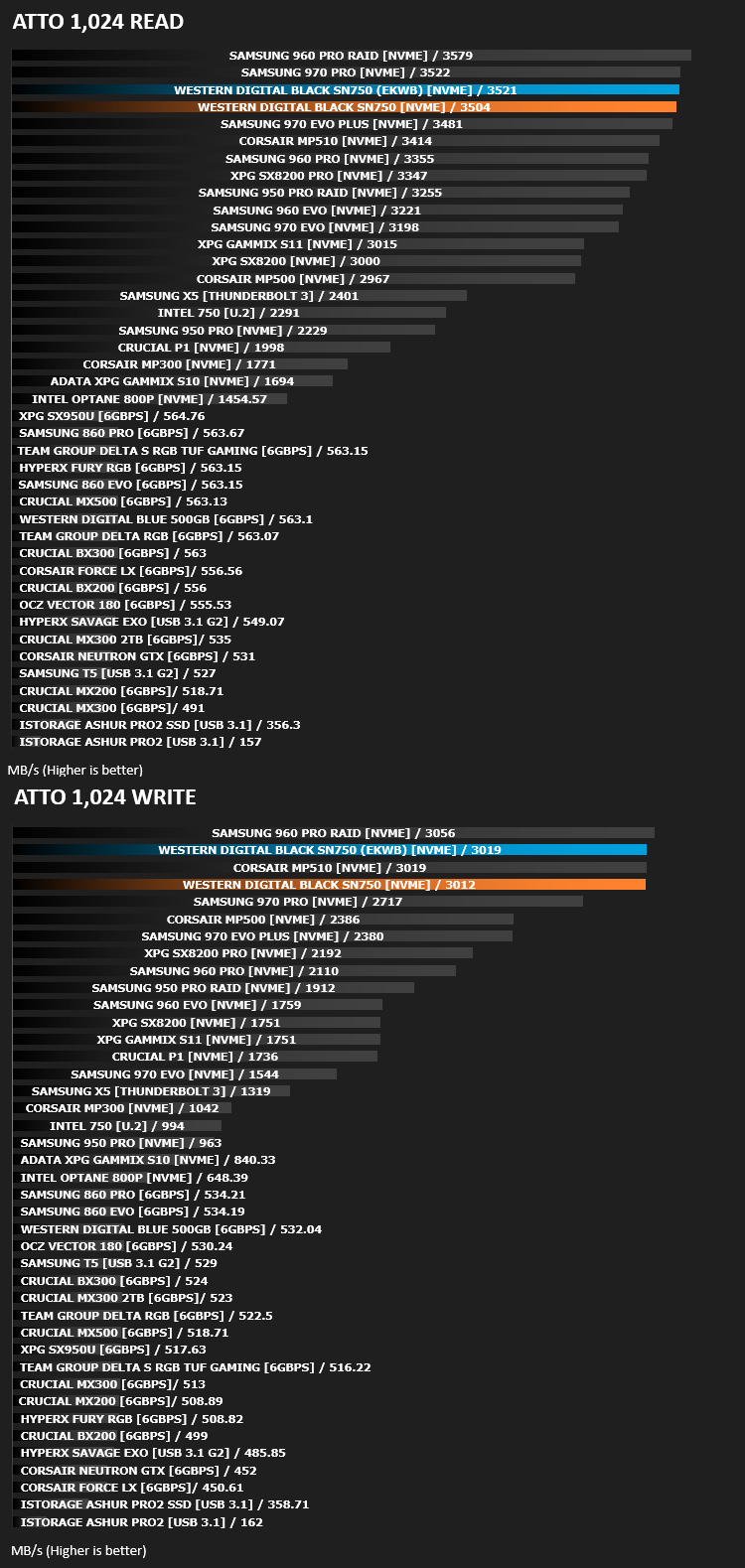
The ATTO Disk Benchmark performance measurement tool is compatible with Microsoft Windows. Measure your storage systems performance with various transfer sizes and test lengths for reads and writes. Several options are available to customize your performance measurement including queue depth, overlapped I/O and even a comparison mode with the option to run continuously. Use ATTO Disk Benchmark to test any manufacturers RAID controllers, storage controllers, host adapters, hard drives and SSD drives and notice that ATTO products will consistently provide the highest level of performance to your storage.
Benchmarks: AIDA64
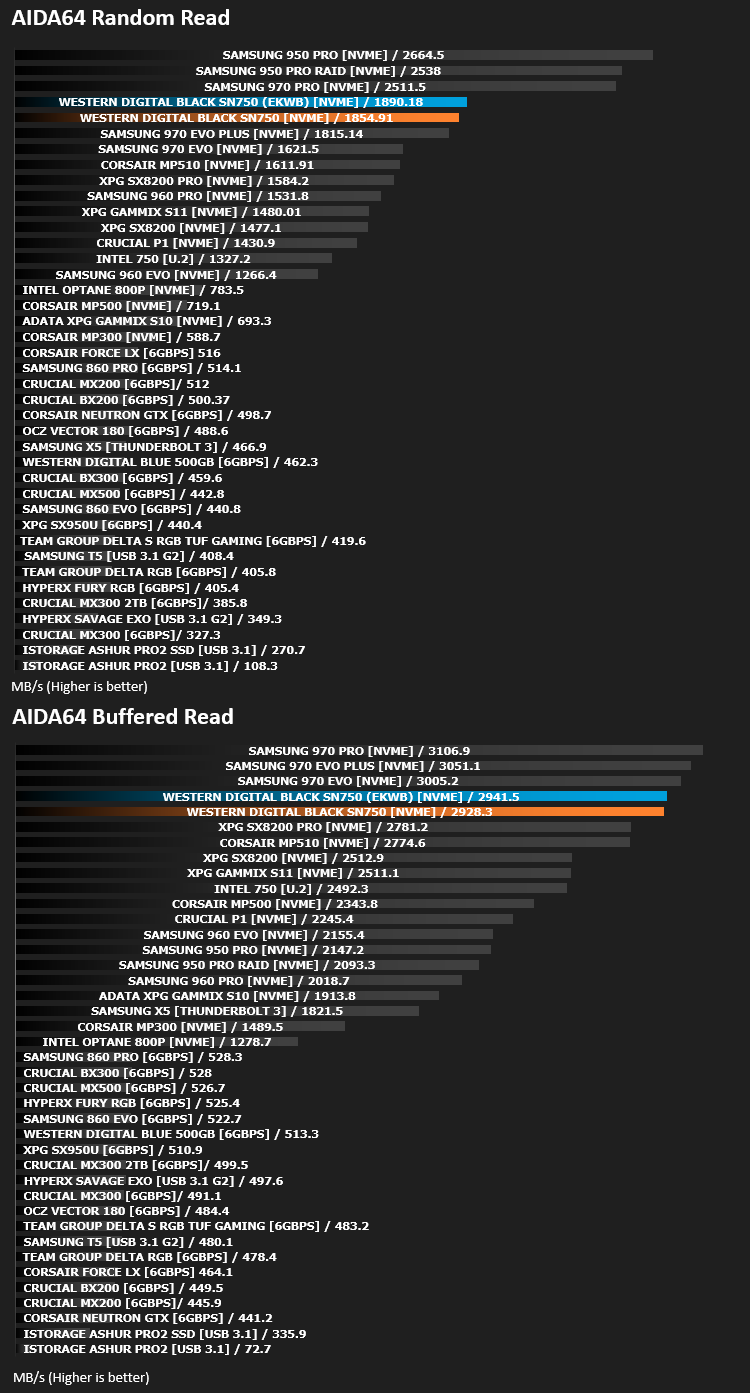
With this module, we can measure the performance of the PC’s storage devices, including (S)ATA or SCSI hard disk drives, RAID arrays, optical drives, solid-state drives (SSD), USB drives and memory cards. It also allows us to perform write tests, which helps us detect fake products and errors on the devices. In order to attain reliable benchmark results we have to make sure to close all background applications.
Benchmarks: PCMark 8
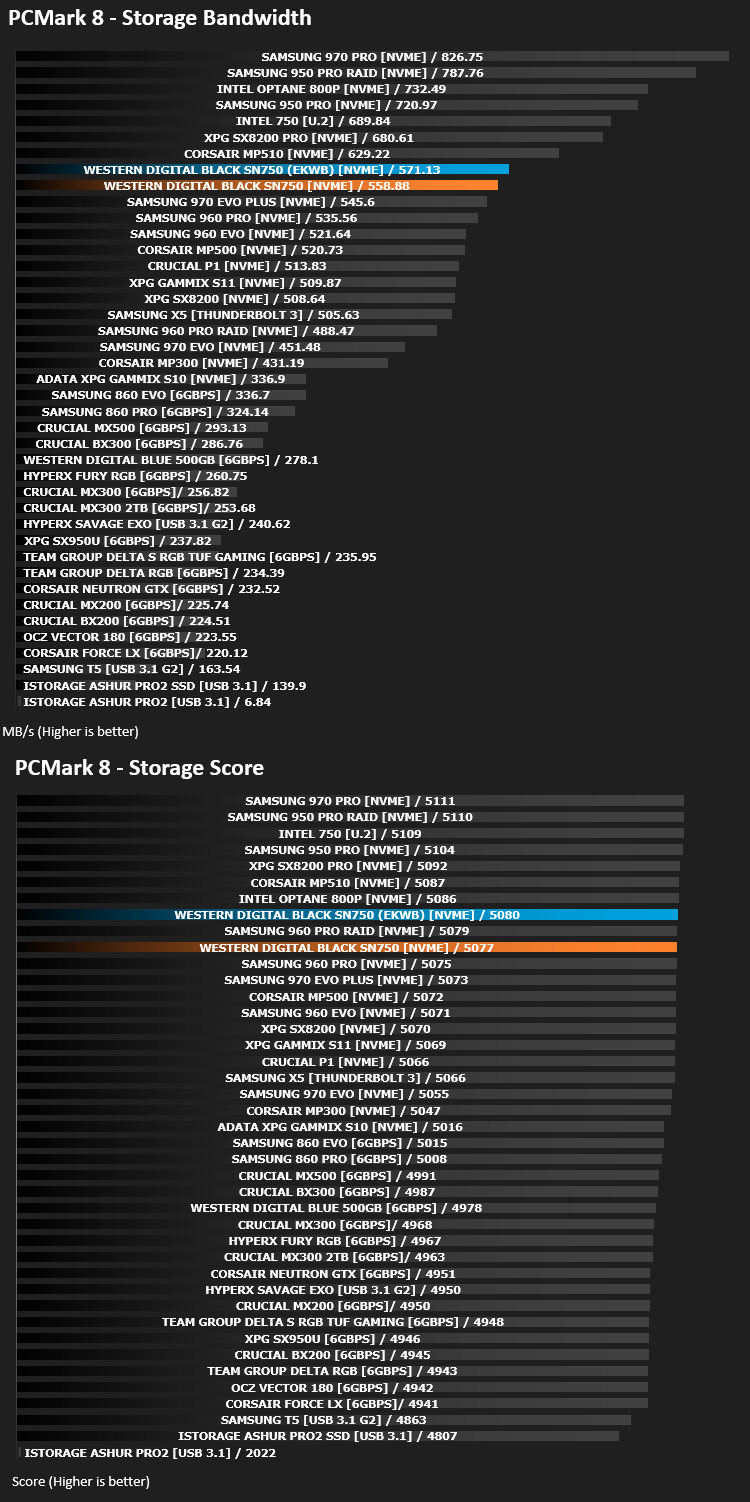
We use the Futuremark PCMark 8 utility to measure storage via Photoshop performance under both light and heavy loading conditions. Accelerated (open CL) is used to perform this test. The test is measured in seconds to complete.
Benchmarks: Thermal Results
To measure the drive temperature we copied a Steam library of slightly over 500GB back onto itself, which tests the read and write speeds of the drive simultaneously. We then use HW Monitor to read the drive’s peak temperature during the test.

Conclusion
In our original SN750 review, we firmly established the drive’s credentials while challenging the other big players in this segment, however we were excited to see what kind of difference adding a heatsink could make to an NVMe drives performance. NVMe drives are relatively new, and the first few years saw incredibly hot drives with hugely inconvenient throttling being applied, nonetheless, in 2018 and 2019, those issues seemed to be a thing of the past, with drives offering their full speed in almost all scenarios, with only the harshest of use cases pushing a drive to throttle.First off, we’d like to explain our testing procedure; we tested both drives in each test three separate times, this gives us an average which can help rule out small problems such as Windows searching for updates. We even re-installed and tested the original drive that we reviewed back in February to ensure our results were correct.
Our graphs, despite some tests being incredibly short, show that the heatsink helps to boost performance. While it’s only marginal, it is evident and the results are repeatable. Moreover, the biggest difference we found, and this truly shocked us, was the 23°C peak drive temperature difference. We tested with the case side on and fans set to “normal”, so airflow was ample but not extreme. We believe the heatsink would be most useful in cases with limited airflow or space.
Also, on a much more subjective note, there’s the appearance of the drive with the EKWB heatsink. We think it looks fantastic with the black and silver contrasting; it’s certainly much more appealing than the typical sticker you get on most other drives.
Picking the EKWB heatsink version over the standard adds between £15 – £25, depending on your chosen capacity. To keep things consistent, the price rise should’ve been the same across the board, but when you’re laying out £500/$500 on an NVMe drive, a few pounds/dollars won’t break the bank, though having said that, you would hope that the decreased operating temperature of the drive would help promote longevity, adding value.
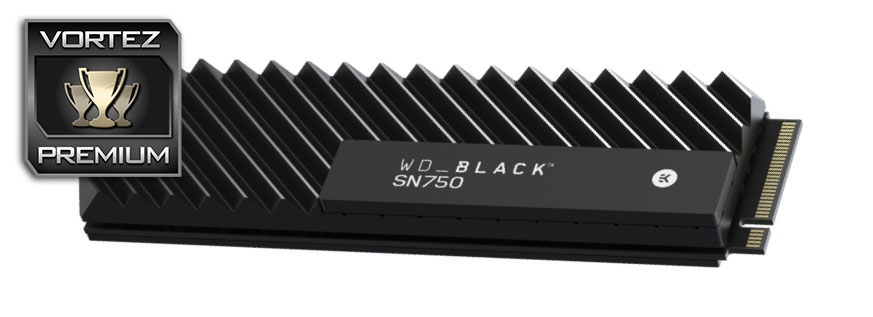
If you were interested in a WD Black SN750 before, you certainly should be now. The heatsink marginally improves performance but drastically drops temperatures, all while looking excellent!
Pros
+ Even better performance
+ Gorgeous heatsink
+ Over 20°C temperature drop
+ WD SSD Dashboard gives a good overview of the drive
+ Gaming Mode
Neutral
+- Won’t fit into drive slots with pre-fitted M.2 heatsink
Cons
– Where’s the 96-layer NAND?
– Costly
+ Even better performance
+ Gorgeous heatsink
+ Over 20°C temperature drop
+ WD SSD Dashboard gives a good overview of the drive
+ Gaming Mode
Neutral
+- Won’t fit into drive slots with pre-fitted M.2 heatsink
Cons
– Where’s the 96-layer NAND?
– Costly
Click here for an explanation of our awards at Vortez.net.
Stay connected with the Vortez Social Media pages:
Join in with the discussions on Discord