







From the XQ Series comes a full tower HPTX chassis with support for XL-ATX, E-ATX and a whole host of other features including USB 3.0. Is this the king of computer cases?

Manufacturer and Sponsor: Xilence
Street Price: £150 (At time of review)
Established in 2003, Xilence are known for their high-performance cooling fans but as more and more companies venture out into different territories in hard economic times, 2012 has seen Xilence move into the computer chassis market. With a new venture comes a new series – namely XQ Series.
Today we will be taking a look at a full tower chassis from the XQ Series named the Interceptor. The Interceptor is HPTX and therefore has full support for XL-ATX and E-ATX motherboards. Featuring the ability to hot-swap HDDs, host water-cooling kit and accommodate a range of high-end components the recipe for success certainly appears to be there. Will Interceptor be a worthy candidate in a thriving market? Let’s find out!
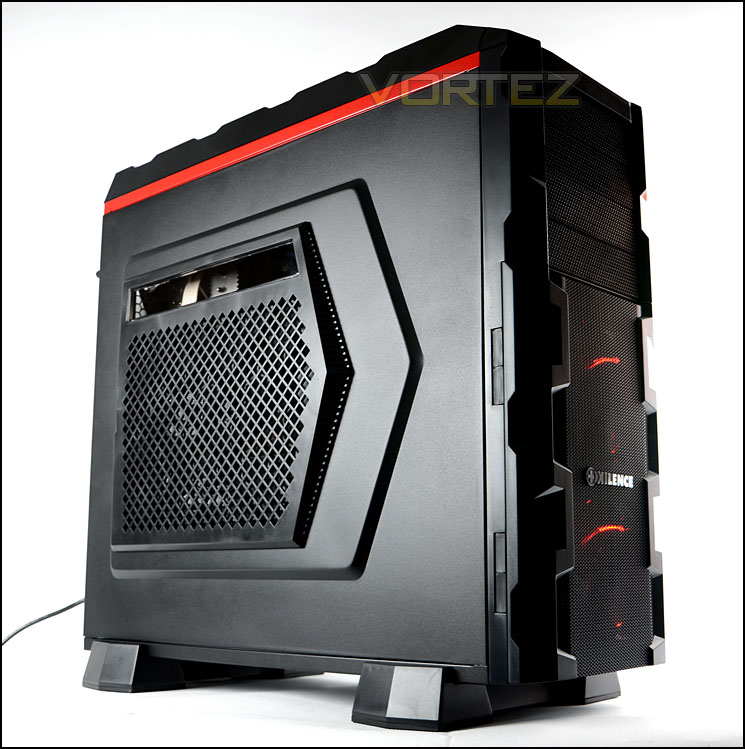
Xilence’s take on Interceptor
The Interceptor from Xilence represents an HPTX case of the very best quality. Hot Swap SSD/HDD support, space for a triple radiator, countless cable and hose routes as well as ten PCI slots all come together ro present an unprecedented combination of practical case features. All of the possible case vents draw the fresh air through air filters – this allows you to have continuous fun with your clean, highly capable system. Sufficient space for perfect cable management can be found between the rear wall of the motherboard and the side panel of the case. Four DVD slots are located in the front along with a total of ten Hot Swap bays, into which you can install six 2.5 or 3.5″ and four 2.5″ drives, depending on your preference. These drives are cooled by two 120mm fans located in the door in front of the drive slots. The upper section houses USB 2.0 and 3.0 connections, audio inputs and outputs as well as a power and a reset button. The air output can be adjusted using a slide control.
Technical Specifications
(taken from Xilence website) Material & Size
Case material/thickness: SECC 0.6&0.8mm
Front panel material: ABS
Dimensions: 230mm x 605mm x 580mm
Drive slots
4x 5.25” Exposed
4x 2.5” SSD/SATA-HDD (with hot swap tray)
2x 3.5” HDD internal (hidden)
Expansion Slots
10x PCI
Fans
Back:1x 140mm
Front: 2x 120mm
Side: 2x 120mm oder 2x 140mm oder 1x 230mm (optional)
Top Interceptor
3x 120mm or 2x 140mm or 1x 230mm (optional)
Front Panel
1xUSB 3.0 + 2xUSB 2.0 + HDaudio +Reset + Power
Case material/thickness: SECC 0.6&0.8mm
Front panel material: ABS
Dimensions: 230mm x 605mm x 580mm
Drive slots
4x 5.25” Exposed
4x 2.5” SSD/SATA-HDD (with hot swap tray)
2x 3.5” HDD internal (hidden)
Expansion Slots
10x PCI
Fans
Back:1x 140mm
Front: 2x 120mm
Side: 2x 120mm oder 2x 140mm oder 1x 230mm (optional)
Top Interceptor
3x 120mm or 2x 140mm or 1x 230mm (optional)
Front Panel
1xUSB 3.0 + 2xUSB 2.0 + HDaudio +Reset + Power
Packaging & First Look
Interceptor is presented in a large double-reinforced box. Care has been taken with the design and it is very attractive – the front has an illustration of Interceptor with some of the features listed and Xilence Facebook page and website listed with a QR code – this QR code takes you directly to the Interceptor landing page.
The rear of the box has a run-down of the significant features along with representative pictures.
Inside the box the case is very well padded with Styrofoam pillars and extra sheets. The feet for Interceptor are separated from the chassis and found in a box at the very top of the case packaging.
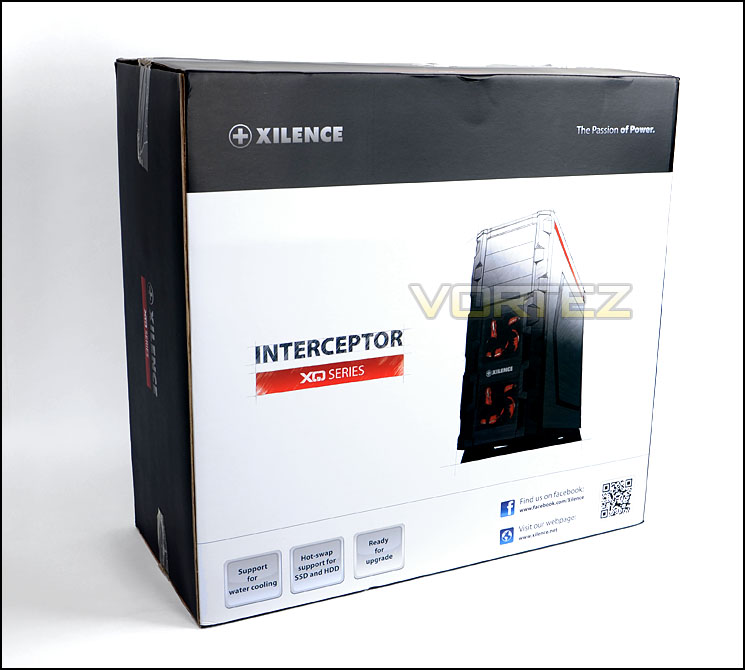
Interceptor packaging catches the eye
Removing the Interceptor case from its packaging we can gain an initial impression. Interceptor is rather large and is actually classified as HPTX, its styling is certainly on the gamer side of case design – being rugged and burly. The prominent side panel has a large perforated mesh region and a long rectangular Perspex cut-out for a sneak glimpse inside the chassis. The mesh area has a removable dust filter and can accommodate 2x 120mm/2x 140mm/1x 230mm cooling fans.
Over on the other side of Inteceptor there is a solid steel side panel with no significant features besides a convex area for assisting with better cable management.
Both side panels are solid steel and have a red strip running along the top. From an initial look the Interceptor looks fierce, well-built and a serious contender for the gaming chassis crown.
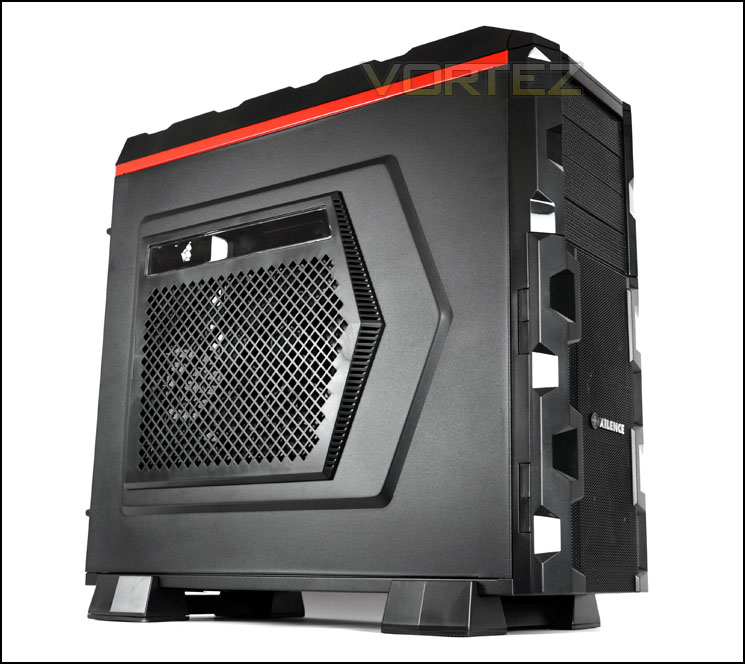
The prominent side panel with side grill
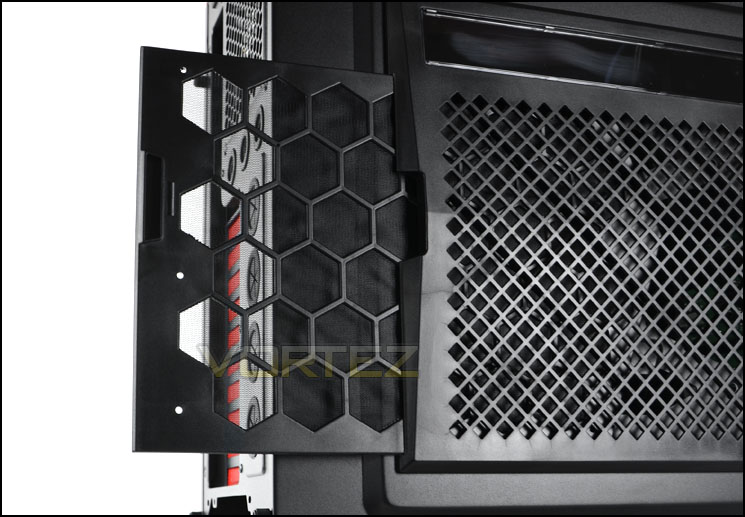
Removable dust filter for side
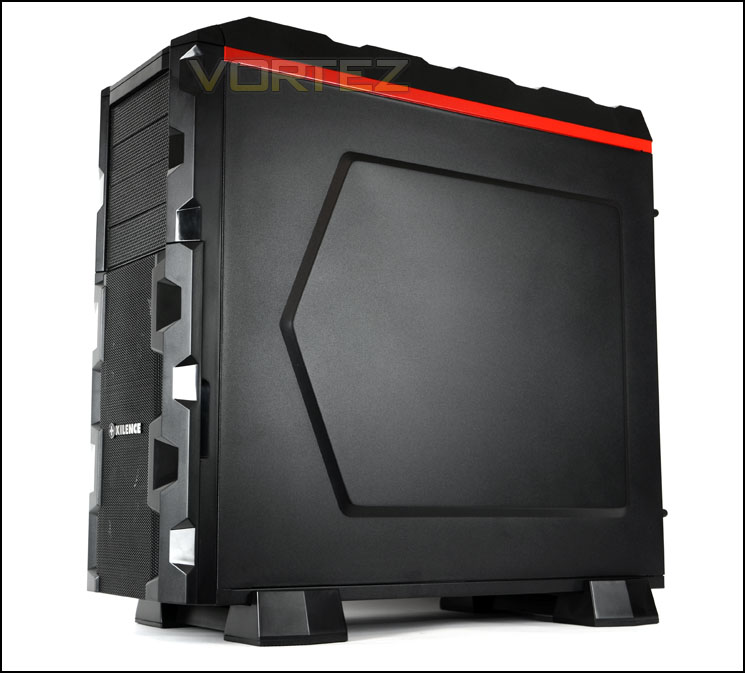
Rugged, burly design takes the spotlight
On the next page we will continue our tour of the exterior and explore all features.
Exterior
The front of Interceptor has a plastic fascia with a rugged design and mesh running down the middle. Behind the mesh are dual 120mm cooling fans. This region features a hinged door – giving access to the HDD region of the chassis. Above the lower section are 4x 5.25” drive bay covers – these covers are removable from the inside of the case and have foam for dust filters.
Around the back of Interceptor the are various features, at the bottom there is a place for mounting the PSU and above this up to 10x PCI expansion slot covers which are perforated mesh for ventilation and have been coated in a striking red colour. To the immediate right of the PCI section there are 4x circular rubber grommets for water-cooling tubing/cables. Above this there are a further 3x circular rubber grommets and a 140mm rear exhaust fan.
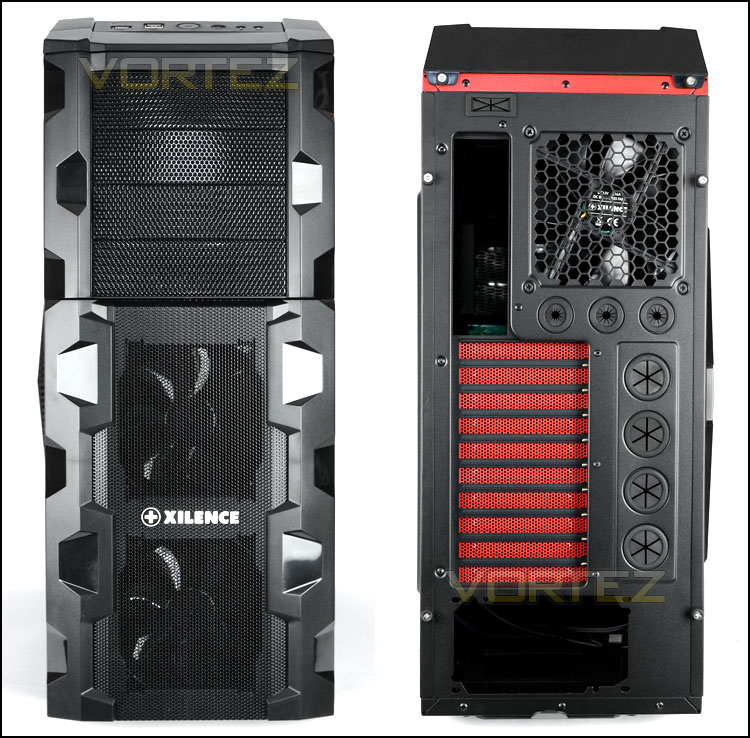
The front and back of Interceptor
As mentioned above the lower section at the front opens out on a pivot to reveal the HDD storage options. There are 5x large HDD trays which slide out and can accommodate 2.5” and 3.5” drives whilst at the top there are 4x 2.5” specific cases for attaching smaller drives like an SSD (more on this in the installation section later).
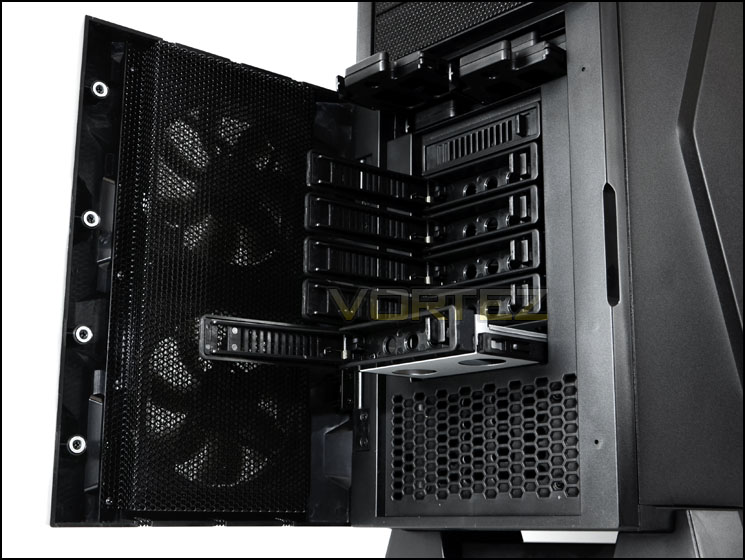
An opening front door for HDD storage
At the top of the case are the front panel controls which consist of:
• 1x USB 3.0 port (via internal motherboard heder)
• 2x USB 2.0 ports
• Power/Reset buttons
• Headphone/Microphone jacks
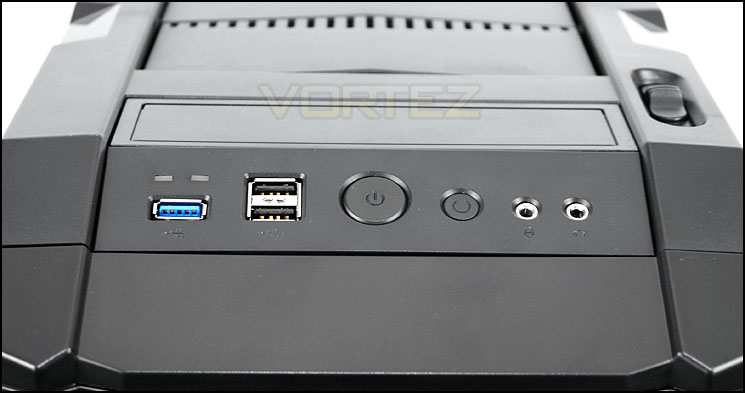
Front panel connectivity with USB 3.0 port
Over the page we will continue our look at the external elements of Interceptor.
Exterior (Continued)
Further back from the front panel controls is the top bezel which is plastic. This top section features a series of plates that can be opened or closed via a handy slider knob. Having these vents open will help promote better thermal results from the system – they open enough to allow air to pass but not enough for dust to creep into the chassis.
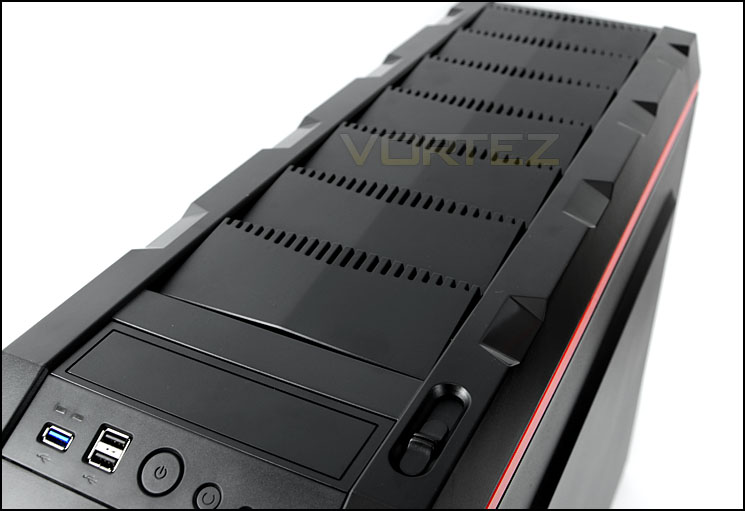
The top has a sliding ventilation system
The underside comes without the feet fitted – the feet are provided and must be screwed into place. These feet have large rubberised areas for preventing the case from slipping on smooth surfaces. Underneath the rear feet is a removable dust filter for the PSU. Though with the feet attached the case sits a good 3.5cm above the floor and this is perfect for the PSU to draw in air – the rear foot covers the dust filter, almost obstructing the potential for drawing in this air for the PSU. This is an odd design choice but I can fully understand and appreciate these feet bring as many pros as they do cons.
Although you can have the case configured without attaching the feet – the front door struggles to open smoothly so it is advisable to attach the feet.
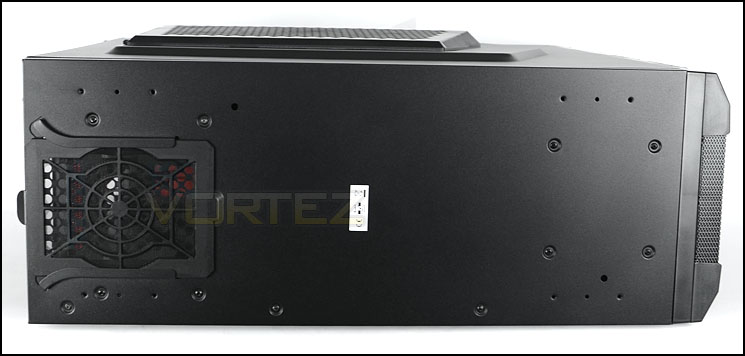
The underside of Interceptor without feet
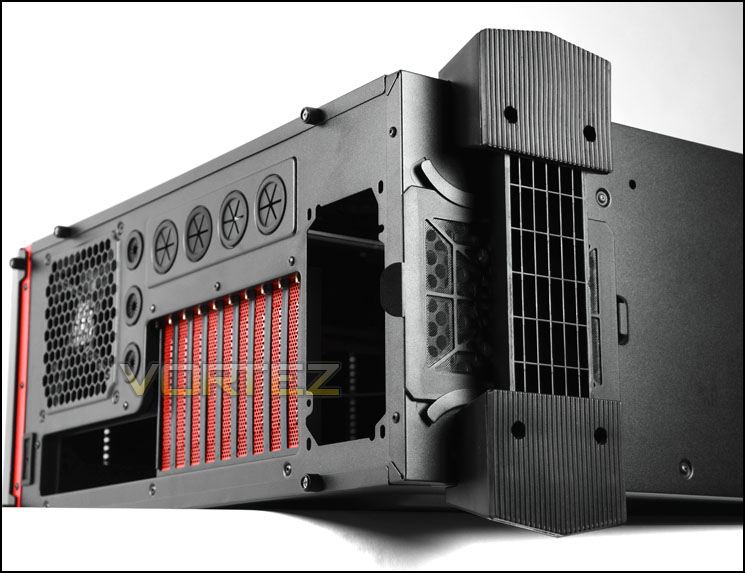
Rubber feet attached to underside
After taking a look at the outside we will now take a look at the inside of Interceptor on the next page.
Interior
Removing the side panels (which are secured via thumbscrews) we get the first glimpse of the internal layout and features. First impressions are good; the quality of tooling is decent. There is support for ATX, XL-ATX and E-ATX motherboards and a set of tool-less design mechanisms throughout for installing kit within Interceptor.
Cable management is a subject that Xilence have been careful to concentrate attention on inside Interceptor. There are numerous cable management grommets and there appears to be good clearance behind the motherboard tray (more on this later in the installation/clearance sections).
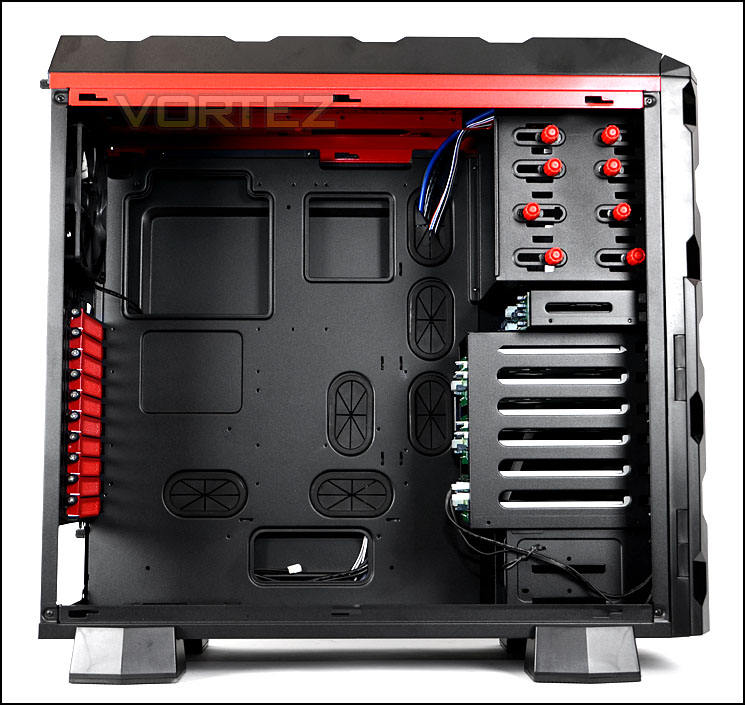
A look at the internal layout for Interceptor
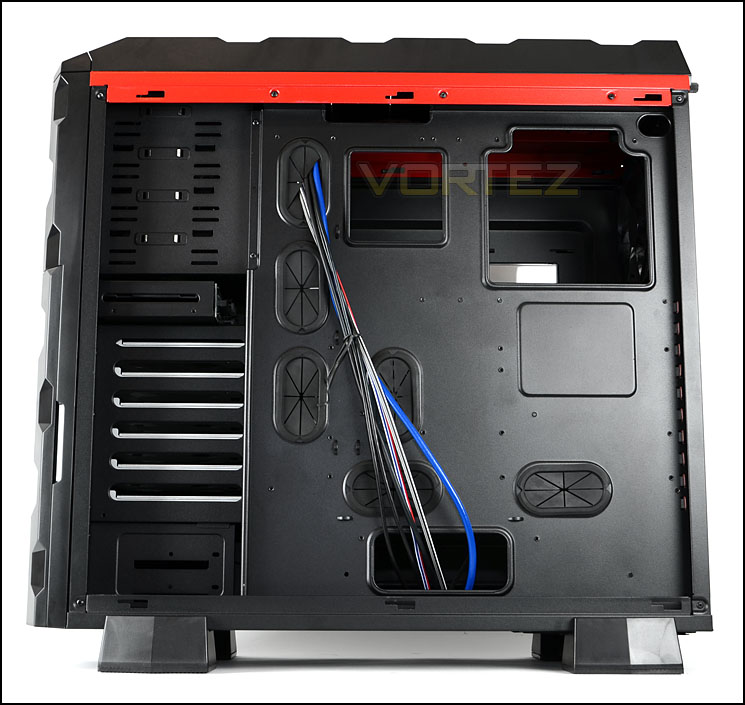
Behind the motherboard tray
Moving inside for a closer look we first come to the PSU mounting area. The PSU sits on a steel platform – unfortunately there is no rubber padding in this area to prevent vibrations and scratching (metal on metal). The underside features a removable dust filter – this can be removed without tipping the case on its side.
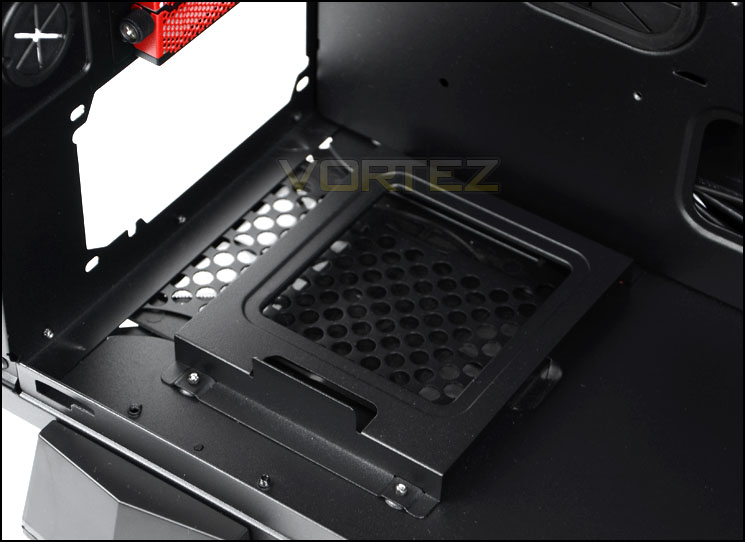
The area for mounting the PSU
Above this there are a total of 10x PCI expansion slot covers which have perforated mesh for ventilation, thumbscrews for easy removal and have been coated in an eye-catching red. To the immediate side there are circular rubber grommets for tubing/cables.
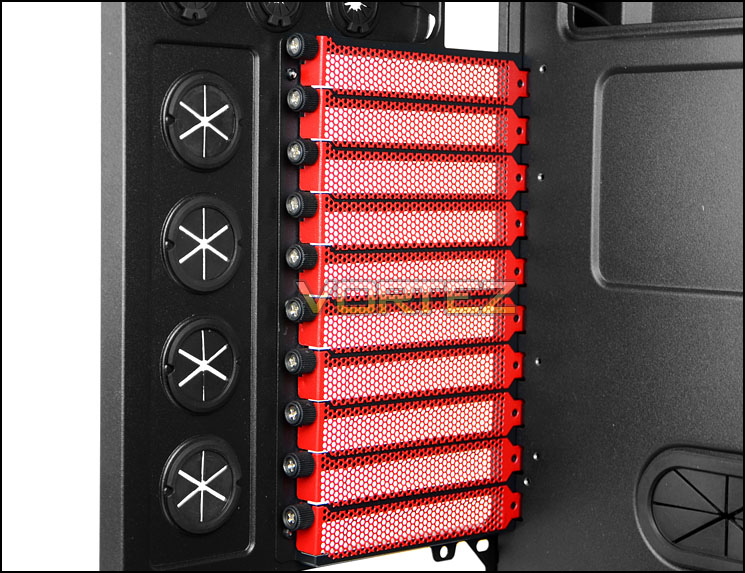
Up to 10 PCI expansion slot covers for multi-GPU configurations
Interior (Continued)
Towards the back of the case there is a 140mm rear exhaust fan and there are placements at the top for installing 3x 120mm/2x 140mm/1x 230mm cooling fans. The top also has the ability to house 1x 360mm radiator or 1x 240mm radiator – though only the thinner types (more on this in the clearance section).
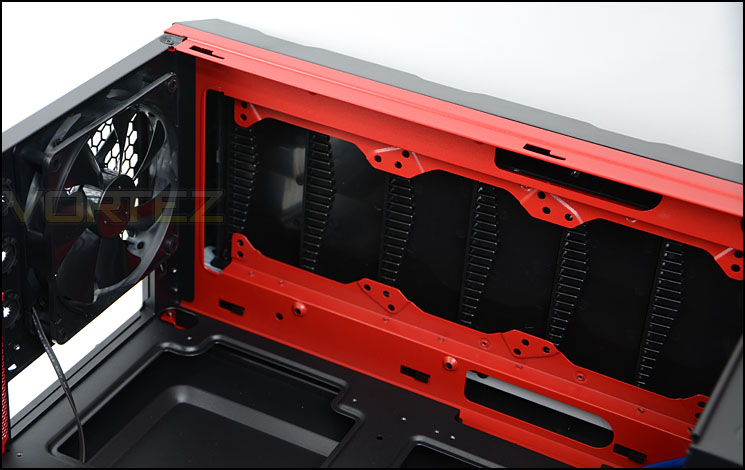
140mm rear exhaust fan and cooling options at the top
Over on the other side of Interceptor there are 4x 5.25” drive bays and each have tool-less design mechanisms for attaching devices. These knobs just need to be pushed in to fix the device in place – there are pins on the other side of each knob.
Beneath the optical drive cage there is a smaller cage – this is the back of the 2.5” HDD storage and because this area offers hot swapping (there are SATA ports on the other side for drives) there is a PCB with SATA ports for connectivity and Molex is required to power these drives/slots.
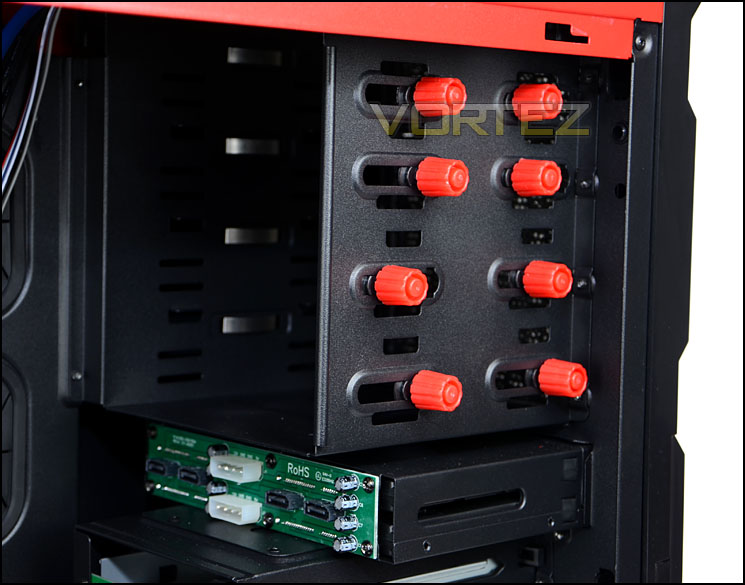
Tool-less design mechanisms for optical drives
Likewise the HDD storage has PCBs on the backside of the cage to allow hot-swapping. As shown earlier, the accessibility is from the front of Interceptor. There is a PCB for 2×3 – offering SATA ports and fan headers for even more functionality. The two front fans are actually powered via the bottom PCB and as a result must have a Molex connector attached from the PSU in order to operate.
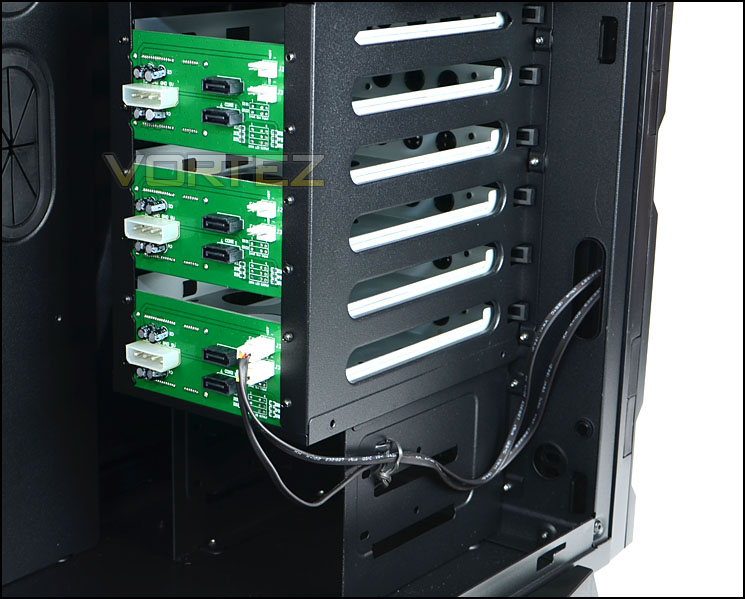
HDD storage with fan headers on PCB
We’ve taken a look at the Interceptor both inside and out – now we will install our XL-ATX system into the case to determine how easy the process is and if we encounter any problems.
Installation
It has to be said getting kit inside Interceptor is very easy. Due to this case having the support for XL-ATX I installed the MSI Big Bang Marshal XL-ATX test system within Interceptor. Strangely there is no rubber grommet immediately next to the 24-pin ATX socket, though there has been one implemented below for the GPUs – instead the cable has to be stretched across from another grommet. Aside from this anomaly everything installed inside the case without a hitch and cable management is generally easy to maintain and keep tidy. It’s pleasing to find the CPU/EPS power cut-out so that the cable can route behind the motherboard tray without any problems.
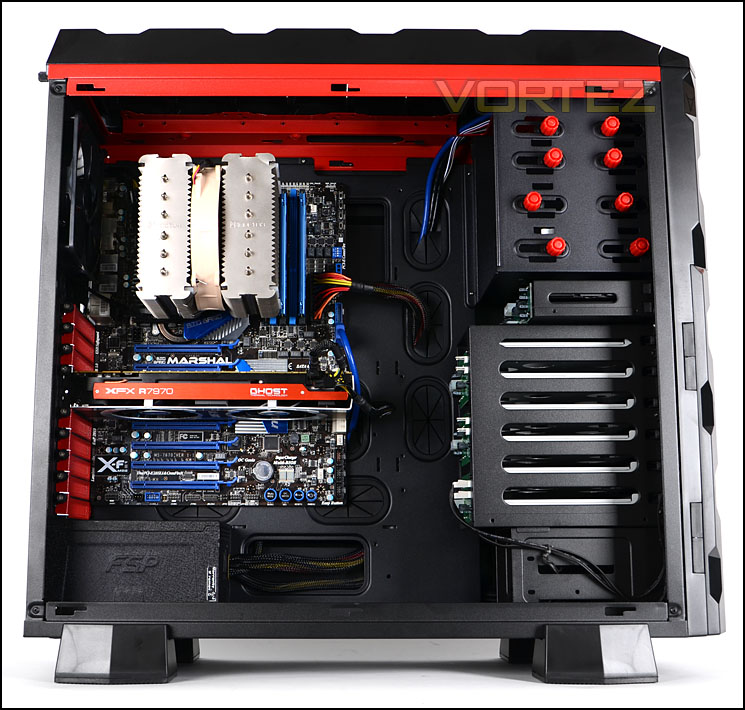
Install complete – XL-ATX system fits easily
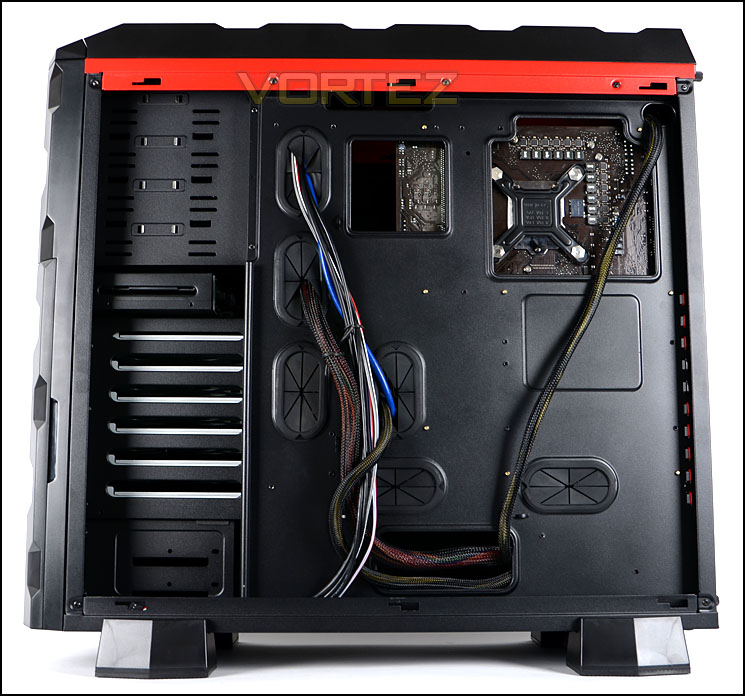
Cable management is clean and tidy
To install 3.5” or 2.5” HDDs into Interceptor the drive can be placed into a larger frame and screwed into place. There are also a set of smaller HDD cases that allow for 2.5” drives to be installed – 2.5” cases open and clip shut and then simply slide back into the case. Both methods are an efficient way to get storage devices into the case and mean that you can remove/install without having to open the case up and mess about with cables.
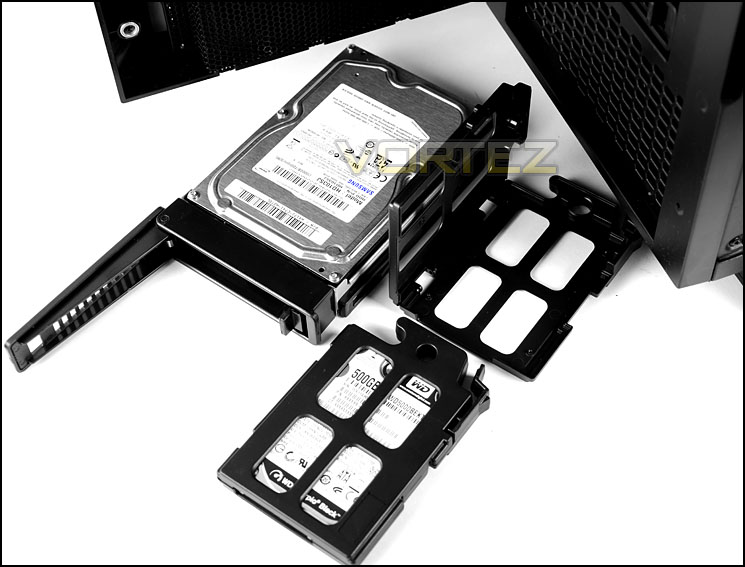
Ability to install 2.5”/3.5” drives
Clearance – CPU, GPU, WC, Cable Management
Like any computer chassis, the clearance within is of utmost importance to those building a system. In this section we will be taking a look at different aspects of Interceptor to see how much space there is.
First of all the CPU cooler – being quite a wide chassis, Interceptor has the clearance for big flagship CPU coolers such as Noctua NH-D14, Thermalright Silver Arrow and Alpenfohn K2 which are all 160mm in height. As you can see from the picture below, not only does the Noctua NH-D14 fit but there is lots of clearance left over between the top of the heatpipes and where the side panel would touch.
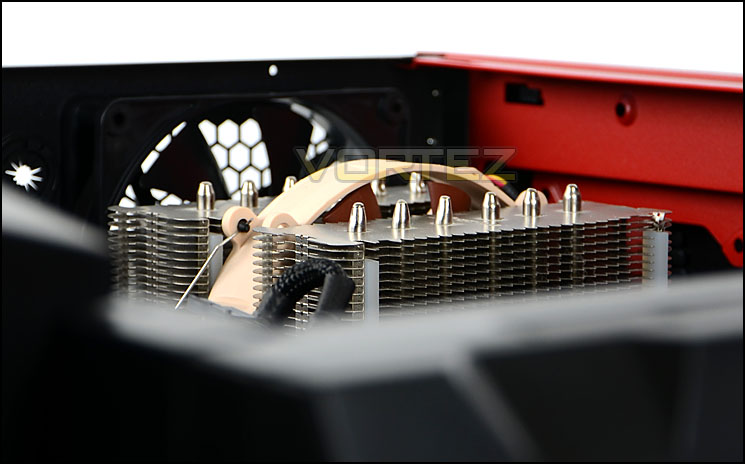
Ample space for big CPU coolers
Likewise, the graphics card clearance is generous too. Installed within Interceptor is the XFX R7970 DD which is just over 11” in length. In this area there is enough space to install any graphics card currently on the market.
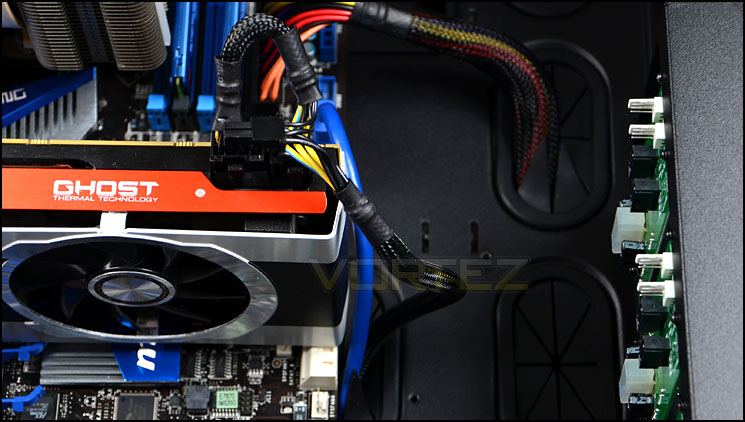
Graphics card clearance is generous too
In terms of water-cooling capabilities Interceptor can house 240 and 360 radiators but they must be the thinner type – approximately 3cm thick. The radiator used in the picture is the Phobya G-Charger 240 and due to its thickness it will not reach the mounting holes unfortunately.
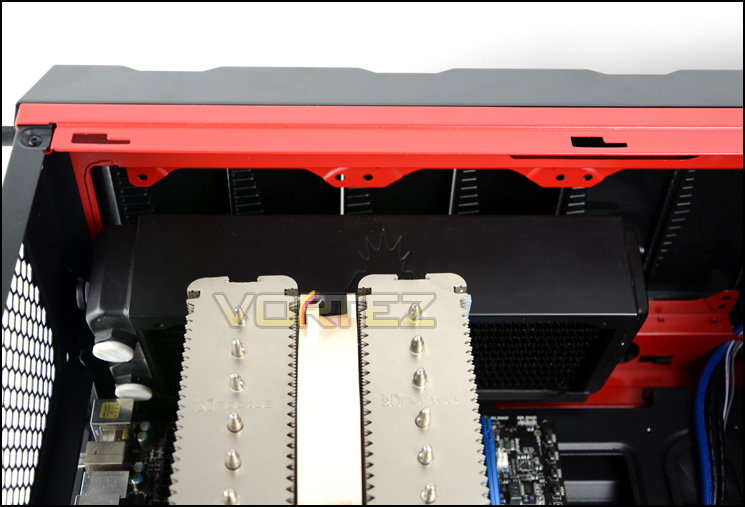
Water-cooling radiators must be thin type – 3cm thick
Behind the motherboard tray there is approximately 2cm of clearance plus with the side panel being convex there is an additional 1cm meaning there is plenty of space for getting all unnecessary cables routed behind the motherboard tray and hidden out of sight.
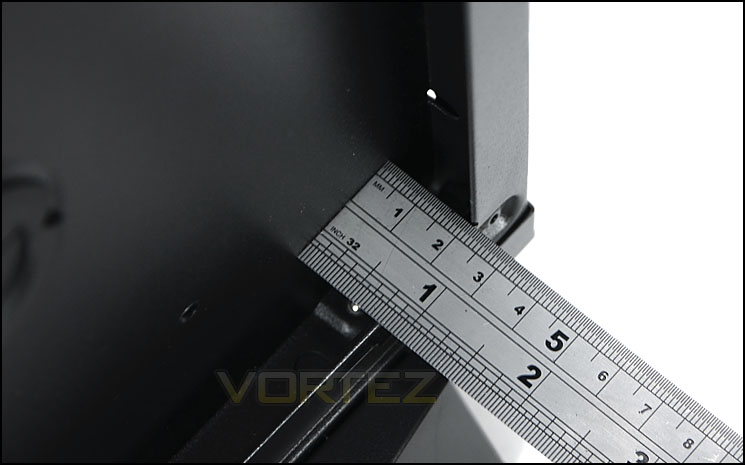
Generous clearance behind the motherboard tray
Thermal Performance Testing
Since Interceptor is designed with XL-ATX in mind it’s only fair that we have installed our XL-ATX test system inside the chassis. Inside Interceptor there are 3 pre-installed fans positioned in traditional airflow regions which should create good, positive airflow.
To discover the thermal performance of the Interceptor I will record idle temperatures after 20 minutes from a cold boot. I will then stress the system and temperatures will again be monitored after 30 minutes have elapsed.
For the purpose of accurate analysis the idle and load temperatures for CPU and GPU will be recorded and the range between idle and load will be calculated to determine how efficient cooling is.
NOTE: Ambient temperature is 20C
System Components
CPU Intel Core i5 2500K
Motherboard MSI Big Bang Marshal (P67)
Graphics ZOTAC NVIDIA GTX 480 AMP (Different to GPU used in pictures)
Memory 8GB Kingston HyperX Genesis 1600MHz CL9
HDD Samsung Spinpoint 500GB SATA-II
PSU FSP AURUM 620M
Motherboard MSI Big Bang Marshal (P67)
Graphics ZOTAC NVIDIA GTX 480 AMP (Different to GPU used in pictures)
Memory 8GB Kingston HyperX Genesis 1600MHz CL9
HDD Samsung Spinpoint 500GB SATA-II
PSU FSP AURUM 620M
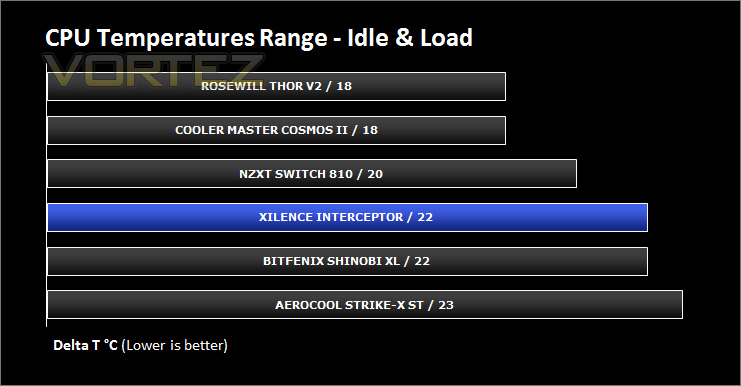
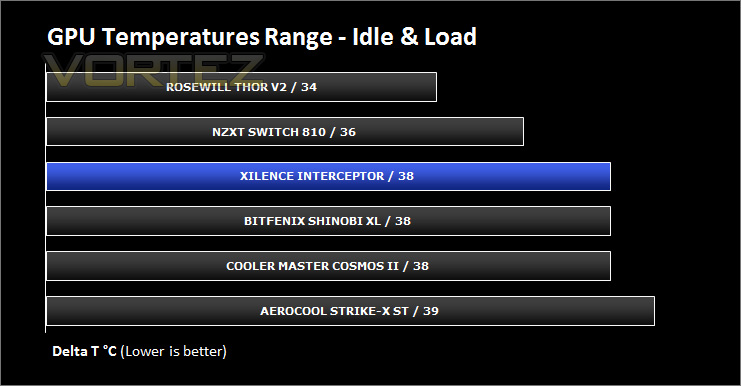
Noise
Fan noise is noticeable with Interceptor but it certainly isn’t disturbing. Xilence are known for their high-performance fans and though they do generate some noise the trade-off is seen above with the reasonable thermal performance.
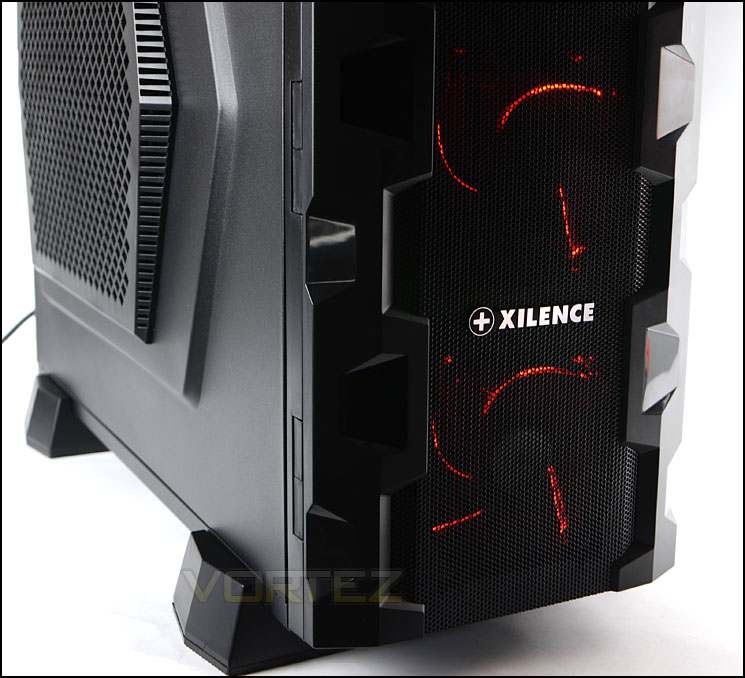
Lighting from the cooling fans at the front
Conclusion
Interceptor is a Xilence’s full tower monolith and with it come a wealth of features that will satisfy system builders, enthusiasts and gamers.
On the outside, Interceptor has a striking appearance and though it fits into the gamer style of case design it still has a professional look and appeal too. The inside is also very good, consisting of strong and sturdy build quality with numerous features. I especially like the hot-swappable HDD storage with swinging door at the front – installing/changing drives is just so much easier than in any other chassis, you don’t even have to take a side panel off in order to change storage drives.
Clearance within Interceptor is very generous and boasts ample space for large CPU coolers, big graphics cards and cable management. Xilence have designed this case to cater for a multitude of different form factors and as a result Interceptor can house ATX, XL-ATX and E-ATX.
Though the overall verdict with this case is a positive one there are a few areas that are worth mentioning that could see some alterations. Cable management grommets around the XL-ATX motherboard arrangement need to be re-designed to allow for better stream-lining; I don’t feel there is enough – especially by the 24-pin ATX socket. The other niggle worth mentioning is the inability to house radiators that are over 3cm in thickness at the top of the chassis. Due to the way that this case is designed the mounting holes for a radiator over 3cm thick do not align properly, this does limit the possibilities for those wanting to take the water-cooling route.
Priced at £150, Interceptor is poised to take on cases like NZXT Switch 810, Cooler Master HAF X and others. My feeling with this case is that it should be priced slightly lower than it is – compared to other cases priced around the £150 mark there are features missing; more USB 3.0 ports, a top fan, fan controller etc.
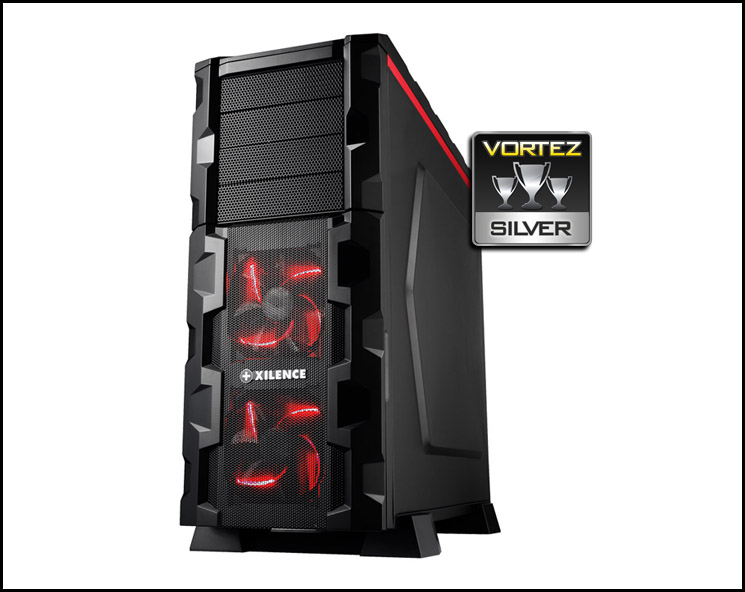
Xilence’s Interceptor is a valiant effort; it leaves a confident mark in an already thriving market, showing rivals that though Xilence may not have a wealth of experience in case design, they should not be underestimated. I am personally looking forward to seeing more offerings from them. As a result of my findings I am pleased to award Interceptor with the Vortez Silver Award.
Pros
+ Aggressive gamer styling
+ Good build quality
+ Generous clearance for high-end components
+ Hot-swappable HDD storage
Cons
– Cost
– Water-cooling radiator must be thin type
+ Aggressive gamer styling
+ Good build quality
+ Generous clearance for high-end components
+ Hot-swappable HDD storage
Cons
– Cost
– Water-cooling radiator must be thin type

Click here for an explanation of our awards at Vortez.net.


