XPG aren’t a big name in the peripherals industry, but their INFAREX M20 mouse seems to offer everything you would require for as little as £25, but is it even worth that? Let’s find out.

Product on Review: XPG INFAREX M20
Manufacturer: XPG
Street Price: £24.99
A couple of months back, ADATA, XPG’s parent company, announced the INFAREX M20 gaming mouse and today we get to take a look at the ins and outs to pass our verdict.
The INFAREX M20 approaches the mouse market with a basic, yet focussed feature set, aimed specifically at budding gamers wanting a no-nonsense mouse that will provide them with what they need in-game without costing a fortune or providing anything gimmicky which may increase the price but not necessarily performance.
Under the hood are OMRON switches, rated to 20,000,000 clicks each, providing a substantial amount of time before they even begin to show their age. Along with the switches from a reputable brand used throughout the gaming industry, there’s a 5000 DPI optical sensor with 5 DPI presets, a 1000Hz polling rate and a full range of RGB lighting.
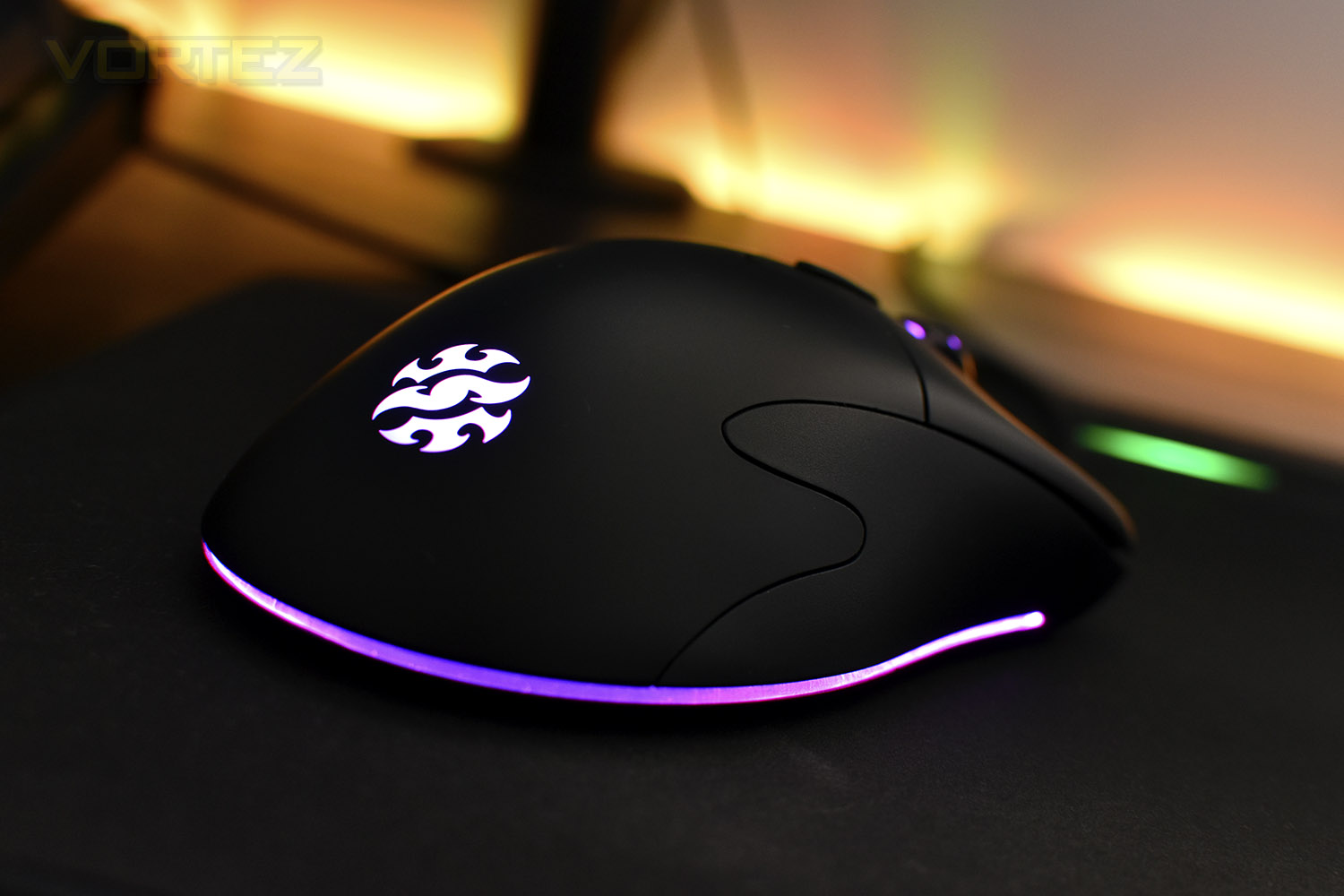
The M20 weighs in at 160g, putting it firmly in the weighty camp for gaming mice. Pair that with the relatively large 132mm x 69mm dimensions and it’s immediately apparent that this device is tailored users with large hands.
While the £25 price tag might suggest lacklustre performance compared to the big brands in the peripheral industry, that is in no way guaranteed and may be the exact opposite. Let’s throw it into some games and see how it fares.
XPG on the INFAREX M20:
Your skills on the battlefield are only as good as the weapons you use. Upgrade your arsenal with the XPG INFAREX M20 gaming mouse! Featuring OMRON switches tested to 20 million clicks, a 5,000 DPI sensor, and RGB lighting, the INFAREX M20 will help bring your gaming to the next level.
Technical Specifications
Interface: USB
Switch: Omron with 20-million clicks
Resolution: 400/800/1600/3200/5000 dpi
Dimension: 132 x 69 x 43.5mm / 5.2 x 2.7 x 1.7in
Weight: 160g
Max. Acceleration: 20G
Report Rate: 250/500/1000Hz
Lighting Effect: Full RGB
System Requirement: Windows 10/8/7
Voltage: 5V
Current: 80mA
Certification: CE/FCC/BSMI/KC/VCCI/RCM/EAC
Warranty: 1 year
Switch: Omron with 20-million clicks
Resolution: 400/800/1600/3200/5000 dpi
Dimension: 132 x 69 x 43.5mm / 5.2 x 2.7 x 1.7in
Weight: 160g
Max. Acceleration: 20G
Report Rate: 250/500/1000Hz
Lighting Effect: Full RGB
System Requirement: Windows 10/8/7
Voltage: 5V
Current: 80mA
Certification: CE/FCC/BSMI/KC/VCCI/RCM/EAC
Warranty: 1 year
Packaging & First Look
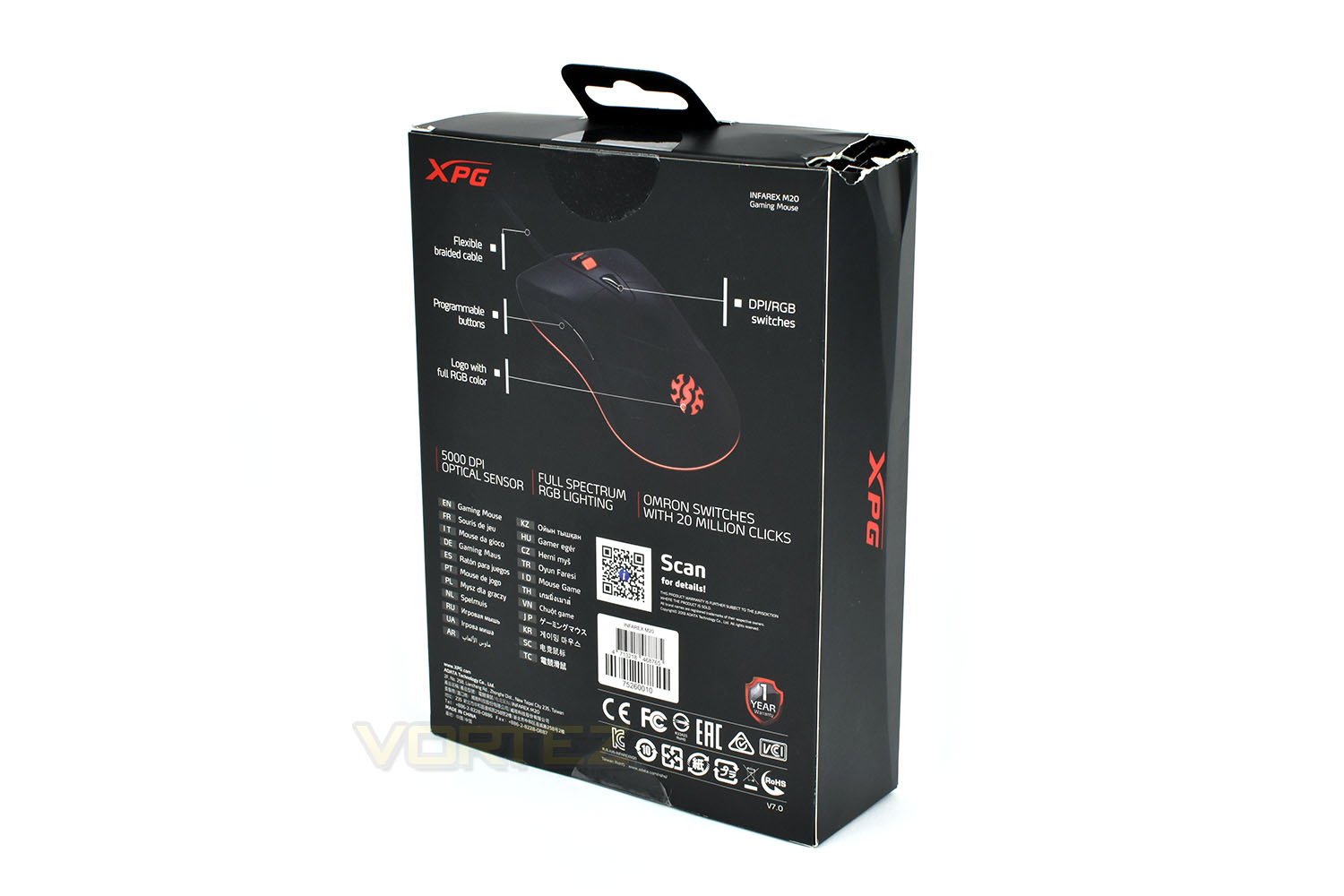
The packaging is a simple and efficient matter. The typical black and red theme from XPG with some brief details on the front and a full-size image of the M20. The box was a little bashed up in transit but XPG aren’t responsible for that. The packaging was certainly adequate but something heavy had landed on it during the courier process. The mouse was unmarked inside.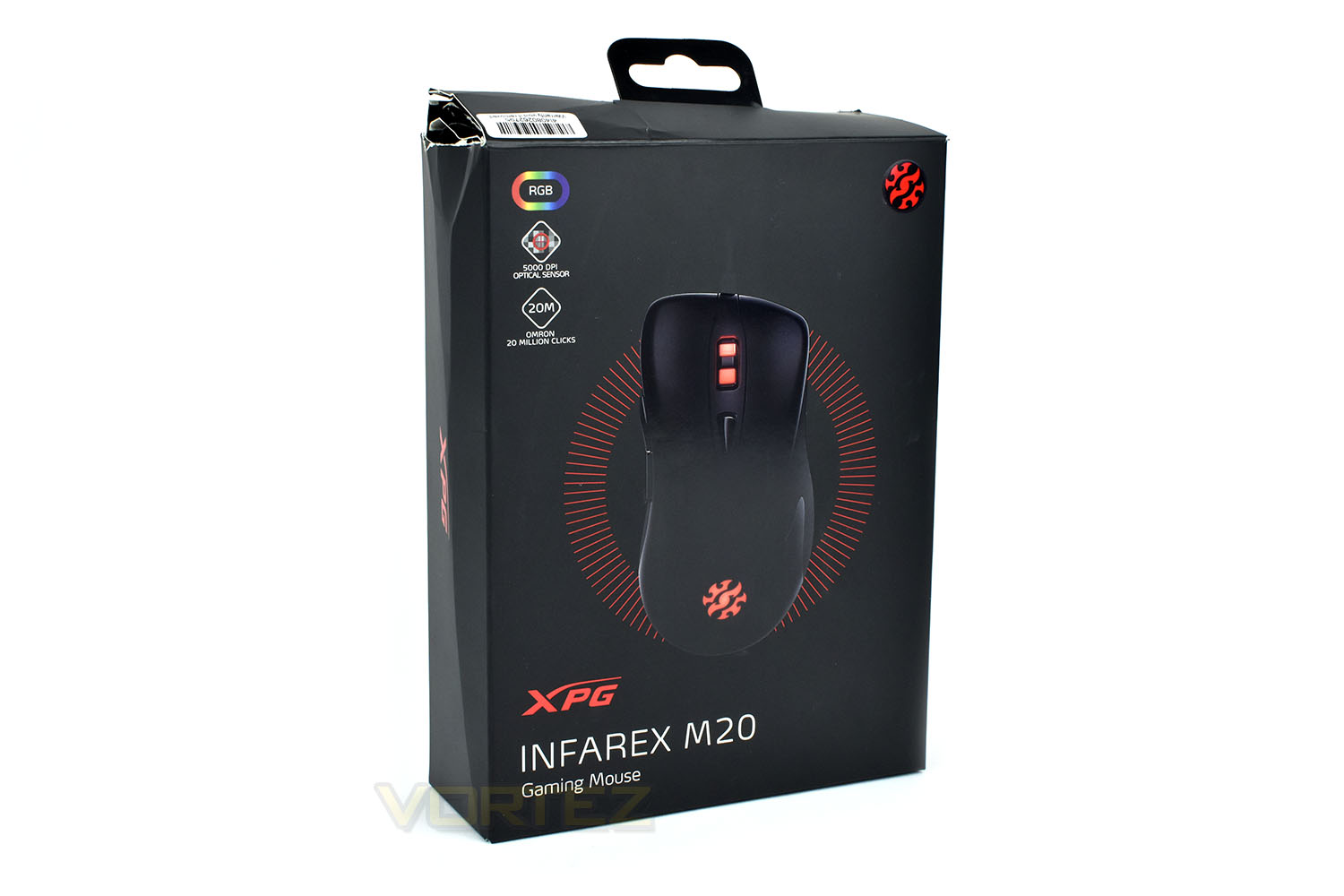
The reverse gets some annotations and web links for more information.
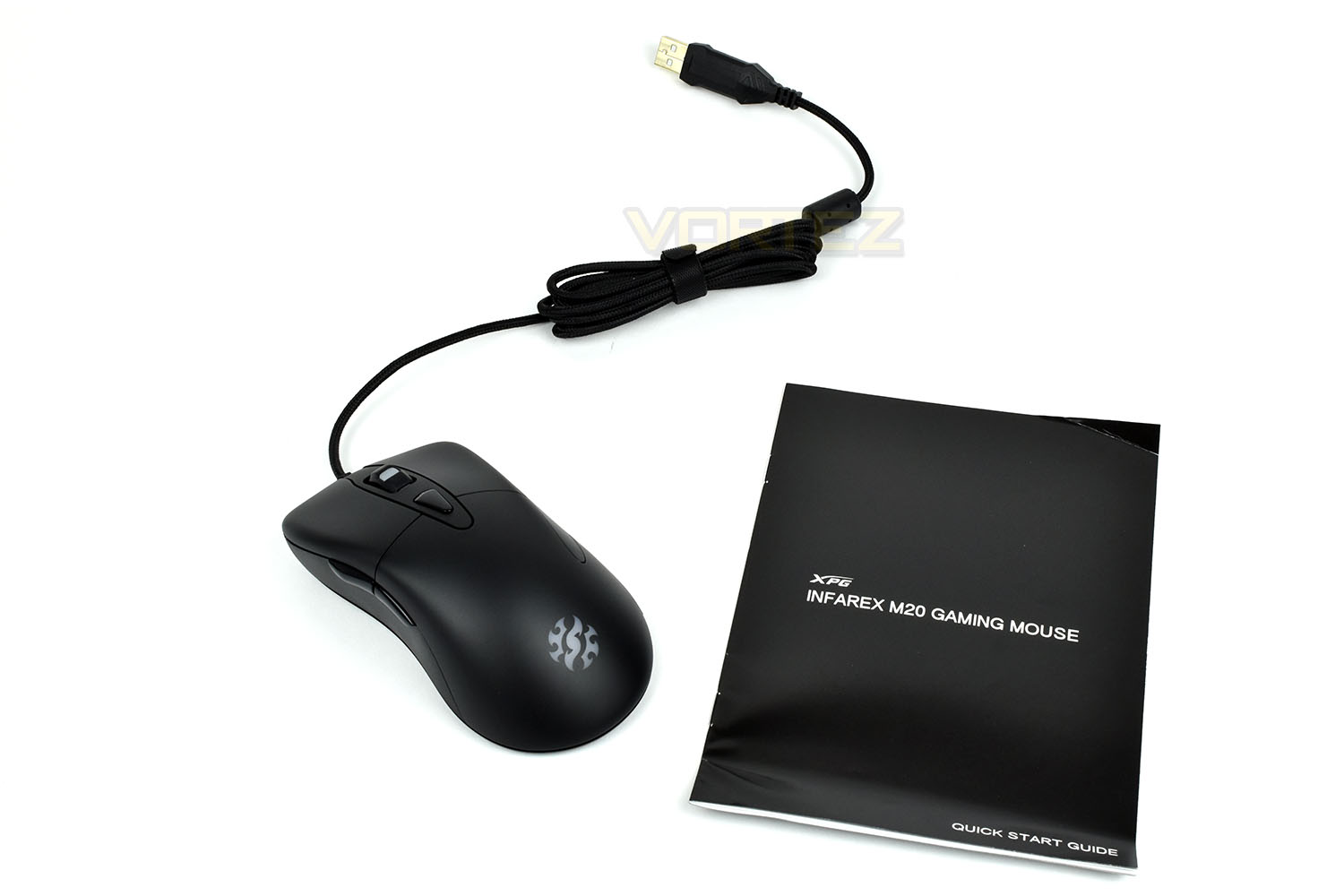
Included with the mouse is a quick start guide which explains the functions of the mouse; we’ll most probably need to pay close attention to this guide due to the lack of any accompanying software.
Closer Look
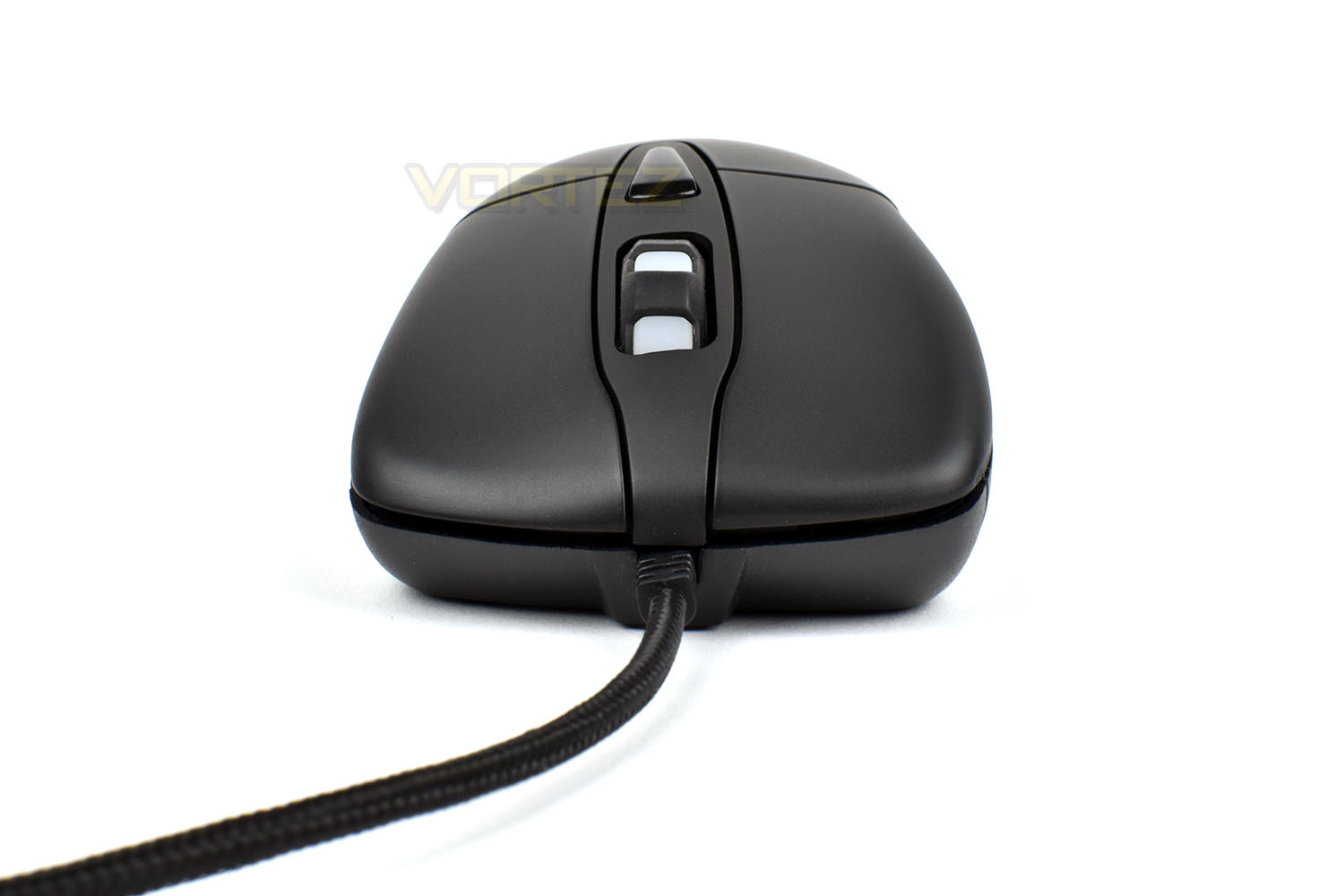
Kicking off with the front end, the right-handed ergonomic design is subtle but absolutely present. The right and left click are separate from the main shell of the mouse and extend all the way to the front.You will also notice the that the cable protruding from the front isn’t straight. The cable itself appears to be securely attached, but is anchored deeper within the mouse allowing some play at the exit. The scroll wheel also isn’t quite centred within its housing, which might also suggest some lack of quality control so we’ll keep a close eye on these.
The lighter sections of the scroll wheel are illuminated by RGB lighting.
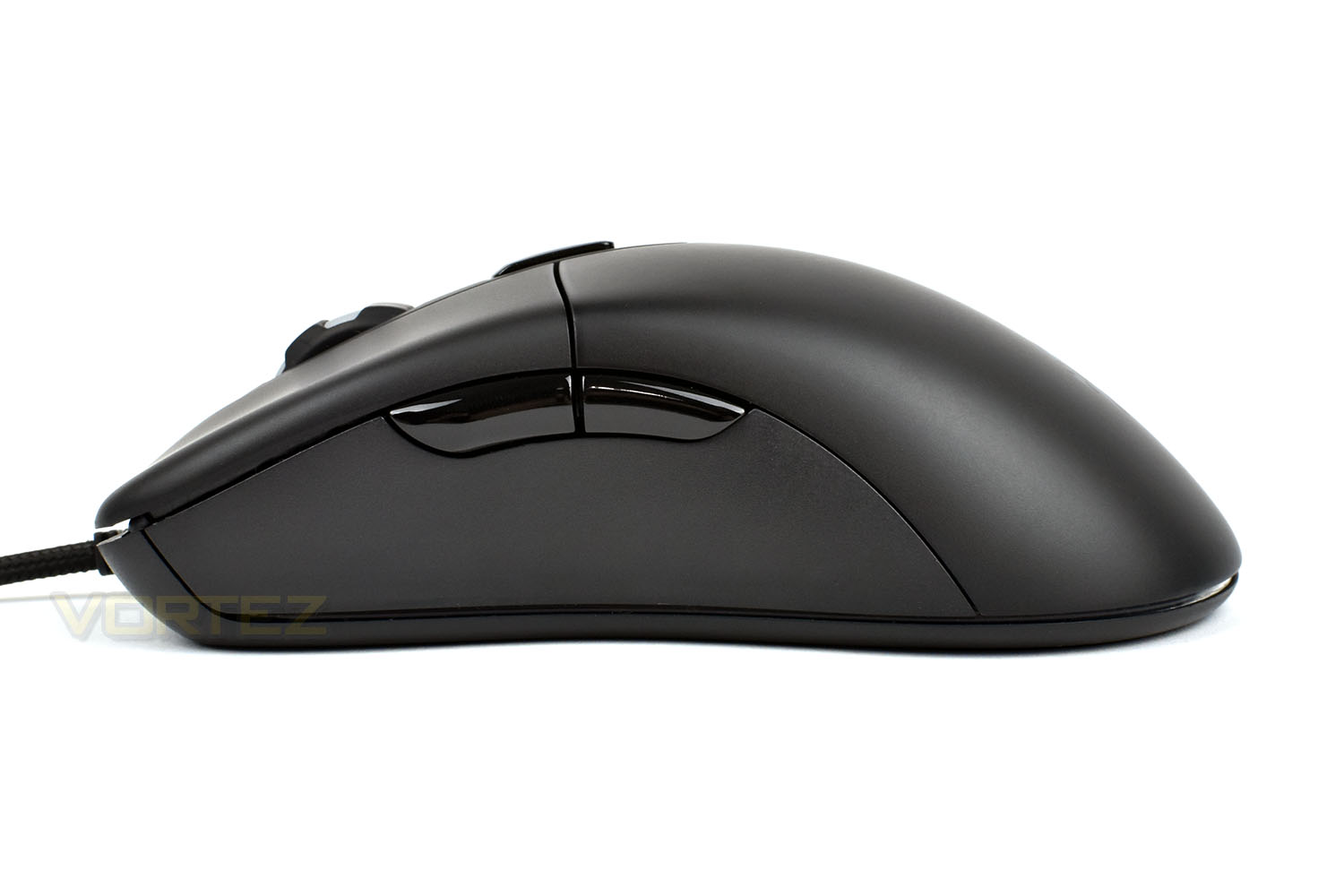
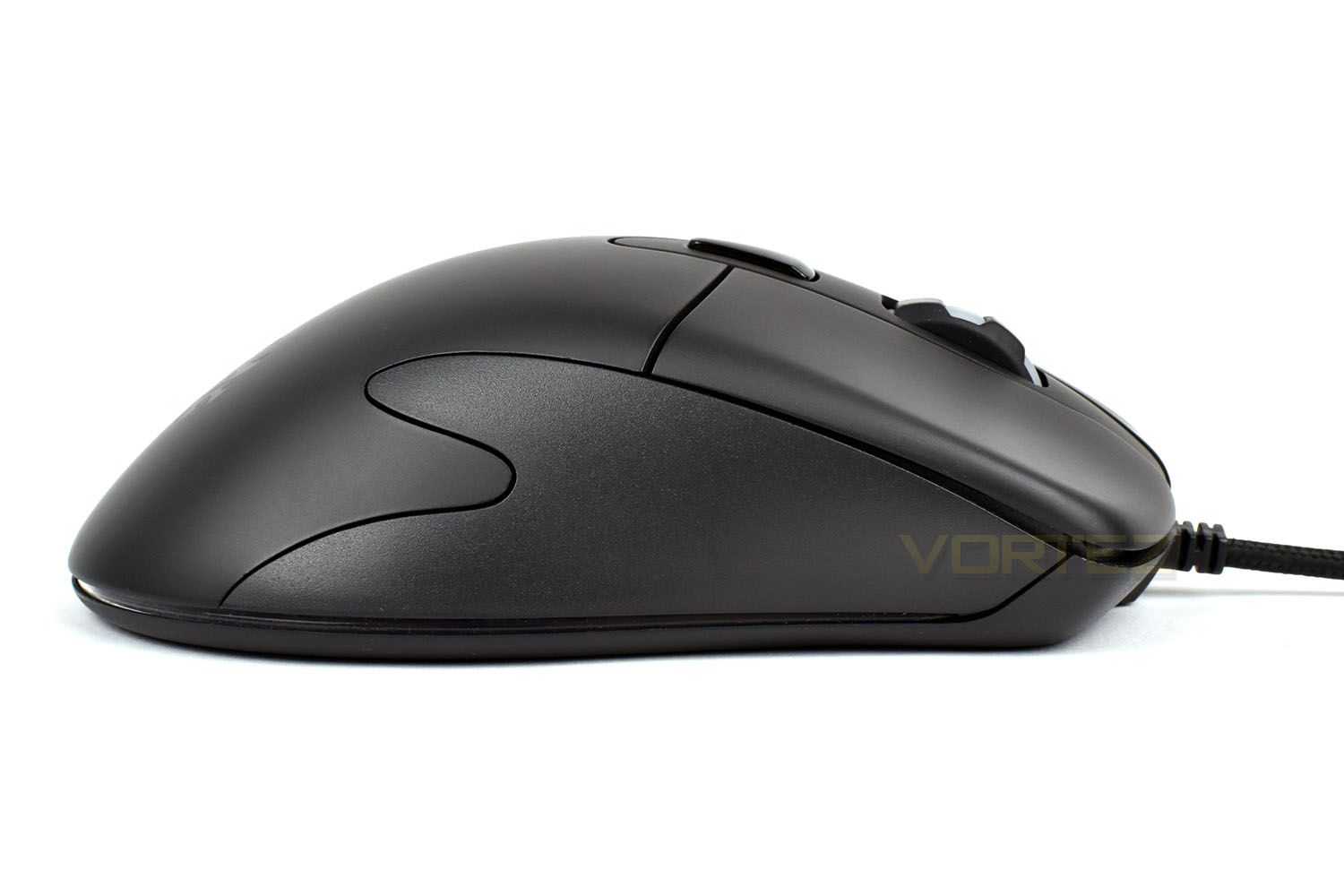
The left side of the mouse is about as standard a layout as is possible on a mouse. The thumb buttons are large and easy to find while using the mouse, and the slight-concave shape helps to provide a little extra grip and comfort.
The right-hand-side of the M20 offers nothing in the way of extra grip or features, apart from a fancy squiggly line between the two moulds.
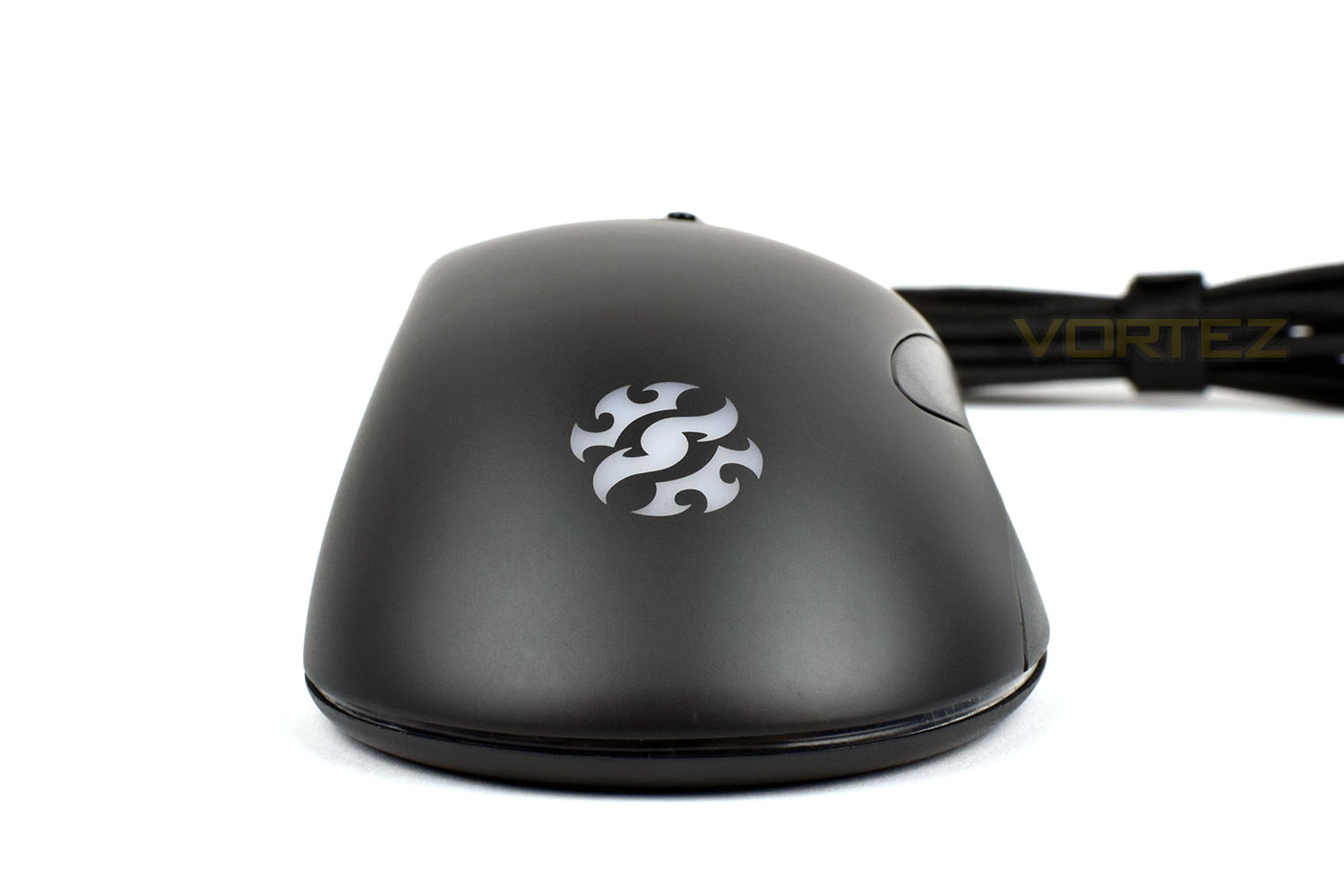
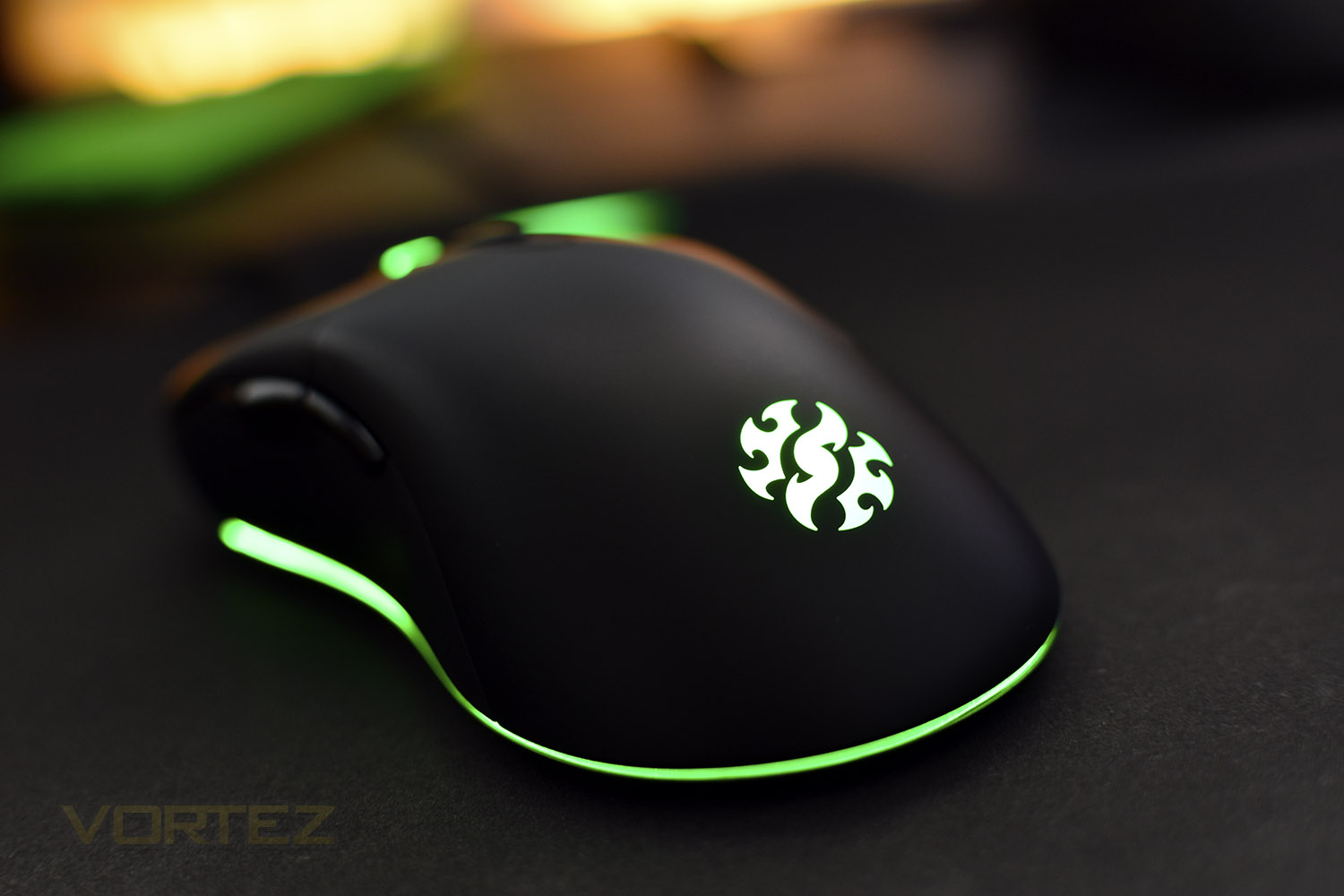
At the rear of the mouse is an XPG logo which features RGB backlighting.
Closer Look (Continued)
On top of the mouse, just behind the scroll wheel, is the DPI/RGB switch. Pressing this toggled between the 5 in-built DPI profiles of 400/800/1600/3200/5000.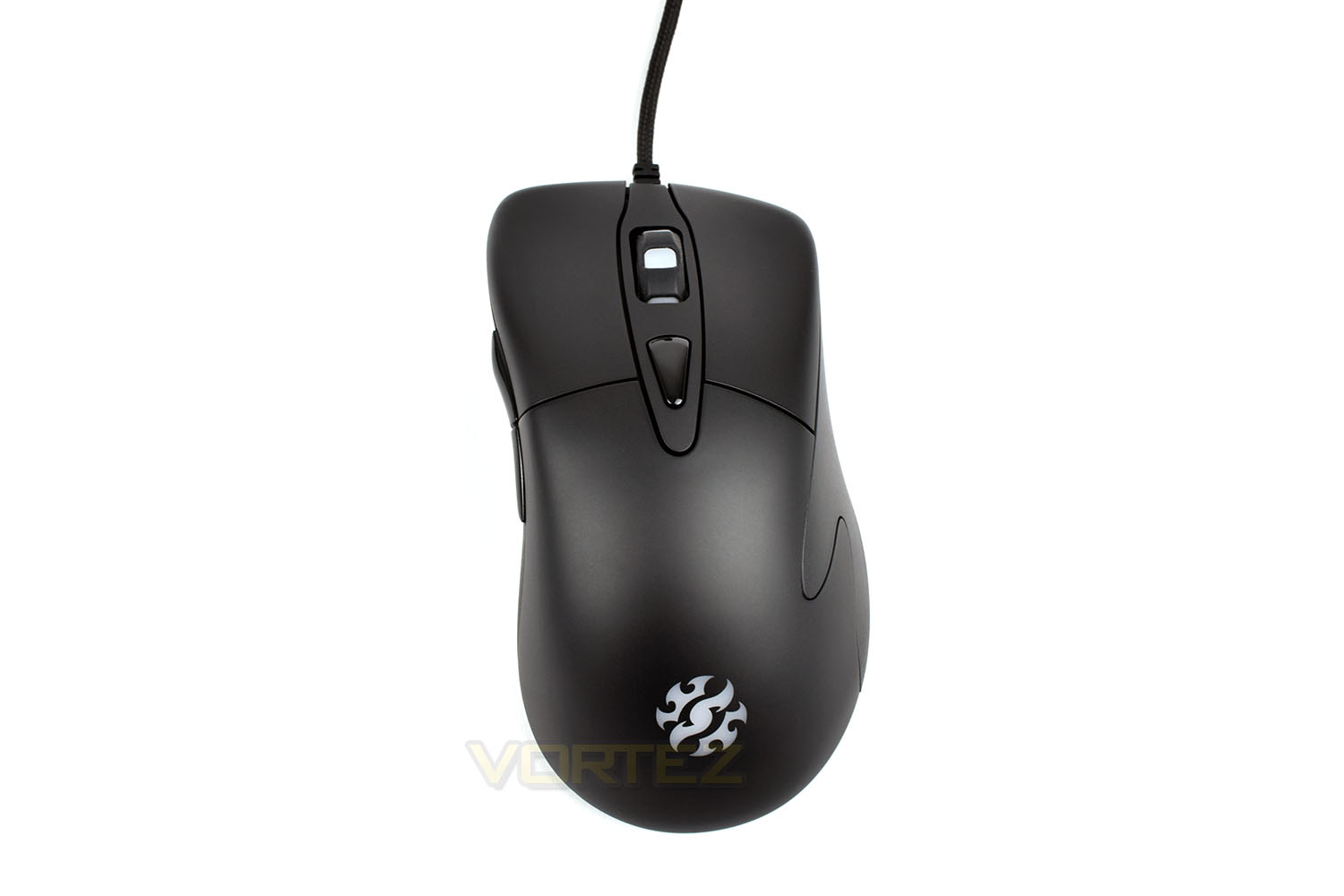
Looking at the bottom of the mouse, there’s obviously the usual optical sensor, placed centrally in the housing, as well as three large PTFE pads. Alongside those, rather unusually, is a polling rate toggle, for 250Hz, 500Hz and 1000Hz as well as a switch for disabling the RGB LEDs.
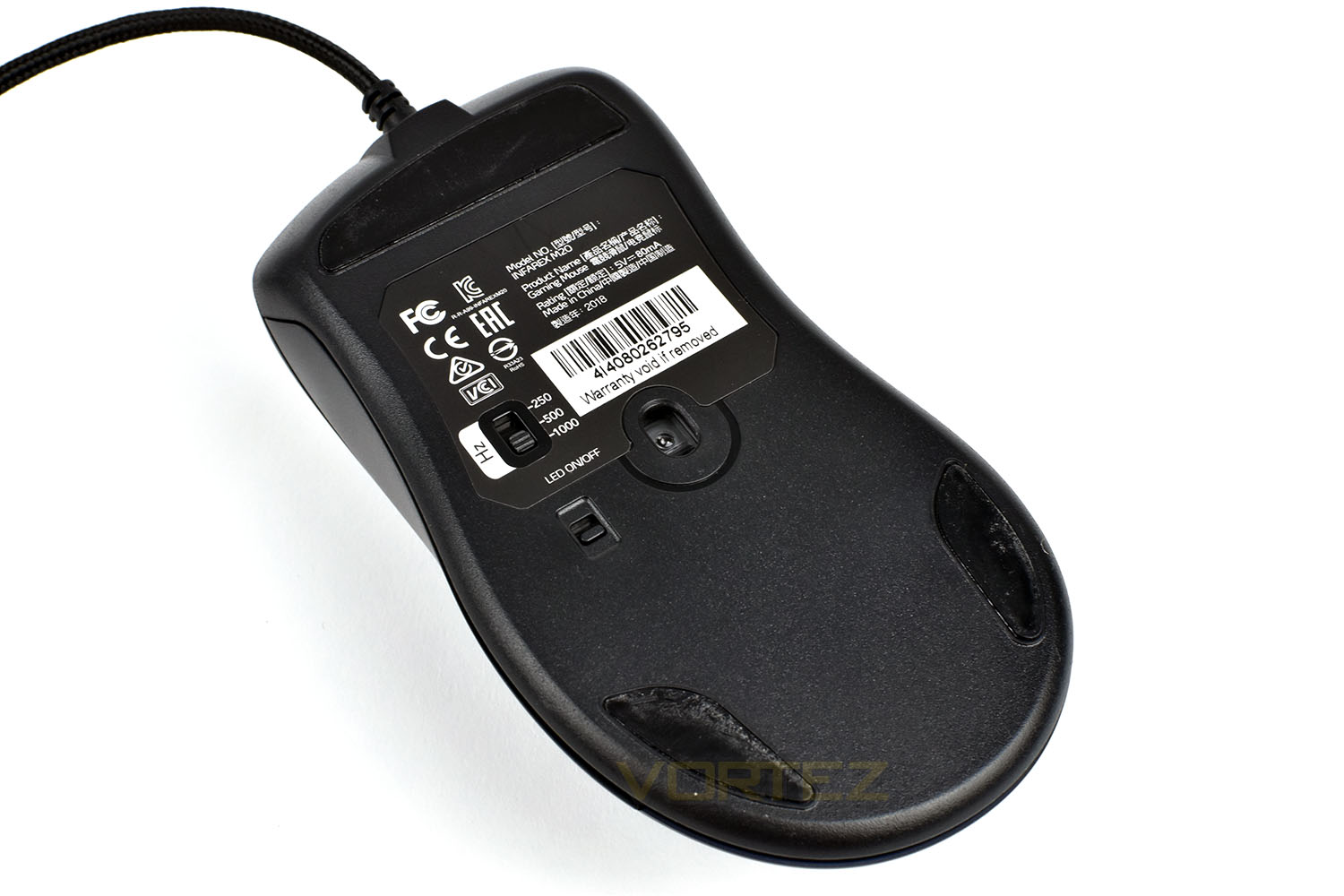
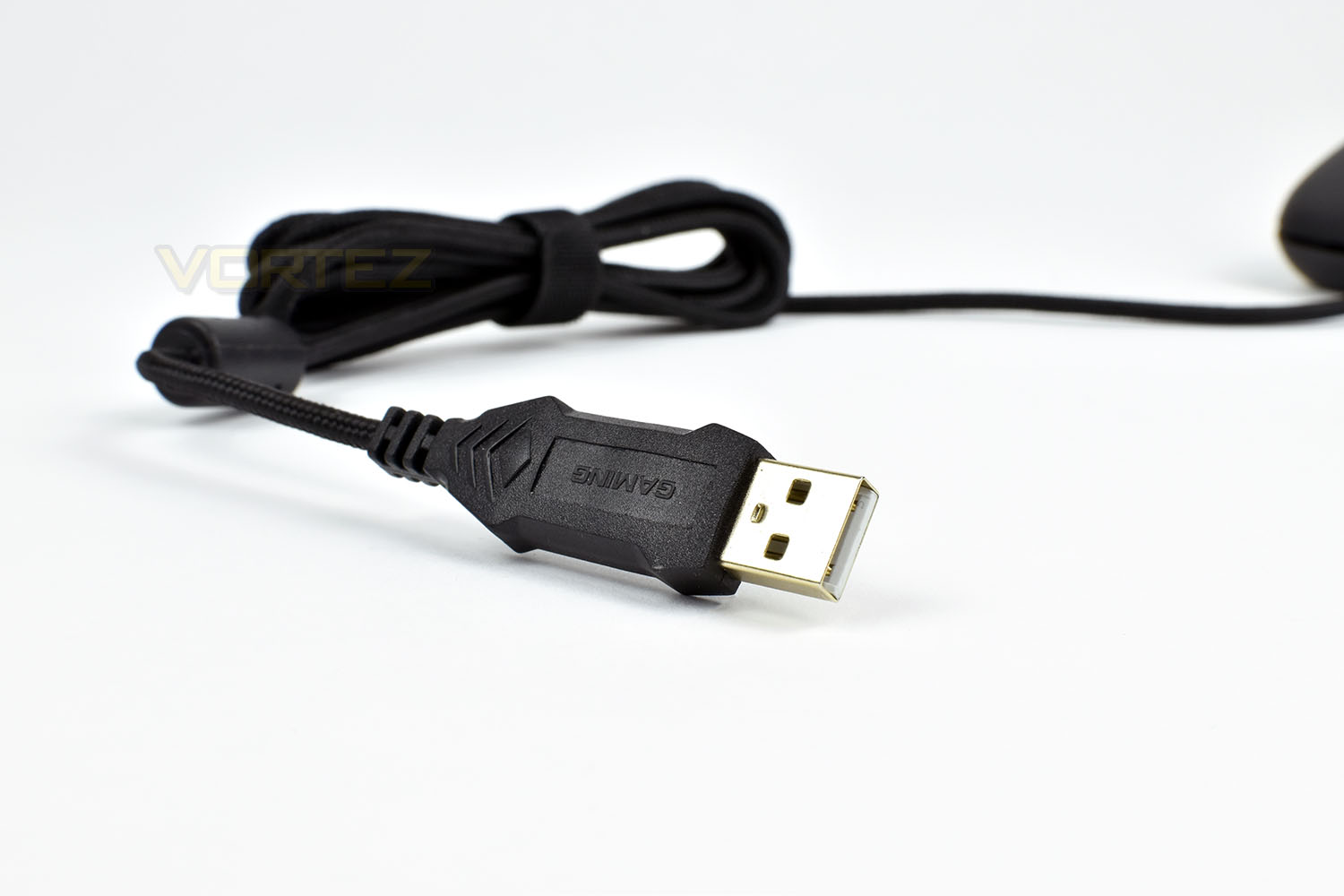
Finally, the braided USB cable measures in at 1.8M in length and even sports a fancy custom USB connection. A braided cable, on a budget mouse at £25 is surprising but welcomed all the same.
Usually we would move onto software from here, but the INFAREX M20 doesn’t require any software at all, making it suitable for use at eSports events and helping to simplify the experience somewhat.
Performance Testing
Thanks to XPGs choice to omit any kind of software dependence, connecting and setting up the mouse is a process which takes a matter of seconds, at the most. You will likely spend more time undoing and straightening the braided cable from its Velcro cable tidy than anything else. For this, it gets top marks, but it does somewhat hinder the ability to adjust any settings.Moving straight onto the comfort, the large, smooth design of the M20 offers this in spades, especially for users sporting a palm grip. The low, swooping shape gives users a large area to find the optimal grip for your hand size. However, those who use a fingertip grip may find the longer mouse won’t suit them quite so well.
Comfort is good, but usability suffers slightly due to the lack of anything to grip on the sides of the mouse. Some rubber sections would help this greatly, especially after a couple of hours of gaming when your hands begin to get sweaty and the room has warmed up considerably.
First impressions, in terms of gaming performance, we found ourselves pleasantly surprised, almost to the point of wondering why people would spend upwards of £100 on the latest and greatest from the likes of Razer, Corsair, Steelseries and the other heavy hitters in the industry. However, before you all rush out to buy an M20, things sadly aren’t quite that simple. While it offers good performance in-game, there’s a few drawbacks. Firstly, with the increasingly larger steps in sensor resolution, it’s difficult to pick a DPI setting which suits your style of play best, though that can be altered in most games by adjusting sensitivity.
Secondly, when performing in twitch shooters of any kind, being pixel-accurate is essential, especially if aiming for headshots at range, which the M20 just didn’t quite feel as perfect as a more expensive option.
When using the INFAREX M20 in Windows, it felt spot on. We couldn’t fault it at all here, it was comfortable to use and the 1000Hz polling rate certainly ensured no feeling of slow response.
However, save for the OMRON switches, that’s about where the praise ends. We found that build quality, despite the 160g weight, was lacking somewhat. The scroll wheel was a little loose, for lack of a better term, with around 2mm of play from side to side, that was noticeable when trying to use the middle-click and when scrolling so it would be impossible to avoid. There’s also the concern regarding the cable exit at the front of the mouse, we’re not particularly happy about that being able to move about in the housing. On top of that are the thumb buttons, while they’re positioned well, they feel sluggish and cheap, to say the least.
Last, but certainly not least, is the RGB illumination. The mouse features a strip which skirts roughly 80% of the mouse as well as the scroll wheel and, of course, the XPG logo on the main shell. All three zones sync up and change colour at the same time, but we’ve been unable to find how to adjust the colours or effects other than on/off via the switch on the base. Having said that, the RGB lighting looks great around the flanks of the mouse and is bright and uniform, but the XPG logo at the back doesn’t boast that same uniformity, with the outer extremes not being quite as bright.
Conclusion
We’ve given the INFAREX M20 a fair test, in a few different games, and at £25 it offers decent value and performance, but that isn’t without its pitfalls.Firstly, there’s the lack of any software. This may be advantageous to those that attend LAN or eSports events who are often banned from installing any kind of peripheral software, and it certainly helps get things up and running quickly, but limiting the DPI selection and RGB lighting options, among other things, does detract from its appeal somewhat.
The understated, rounded design offers little in the way of any stand-out features, but is incredibly comfortable to use for a palm-grip user like myself, though the 160g weight brings with it issues of moving it around; even slight differences in the weight of a mouse can have a profound effect on its overall effectiveness, especially when rapid, accurate movements are required. The scroll wheel and thumb buttons, as we mentioned, are placed on the mouse where they should be, but neither are of an acceptable quality, even at a price point as low as this. We’d also like to see improvements on the sides of the mouse, with the addition of some rubber sections to improve grip.
The RGB lighting, as we’ve mentioned, is bright and colourful, but lacks a little bit in uniformity. However, that isn’t the worst bit, that lies in the inability to adjust the effect or colour, instead just being stuck with a constantly cycling colour scheme.
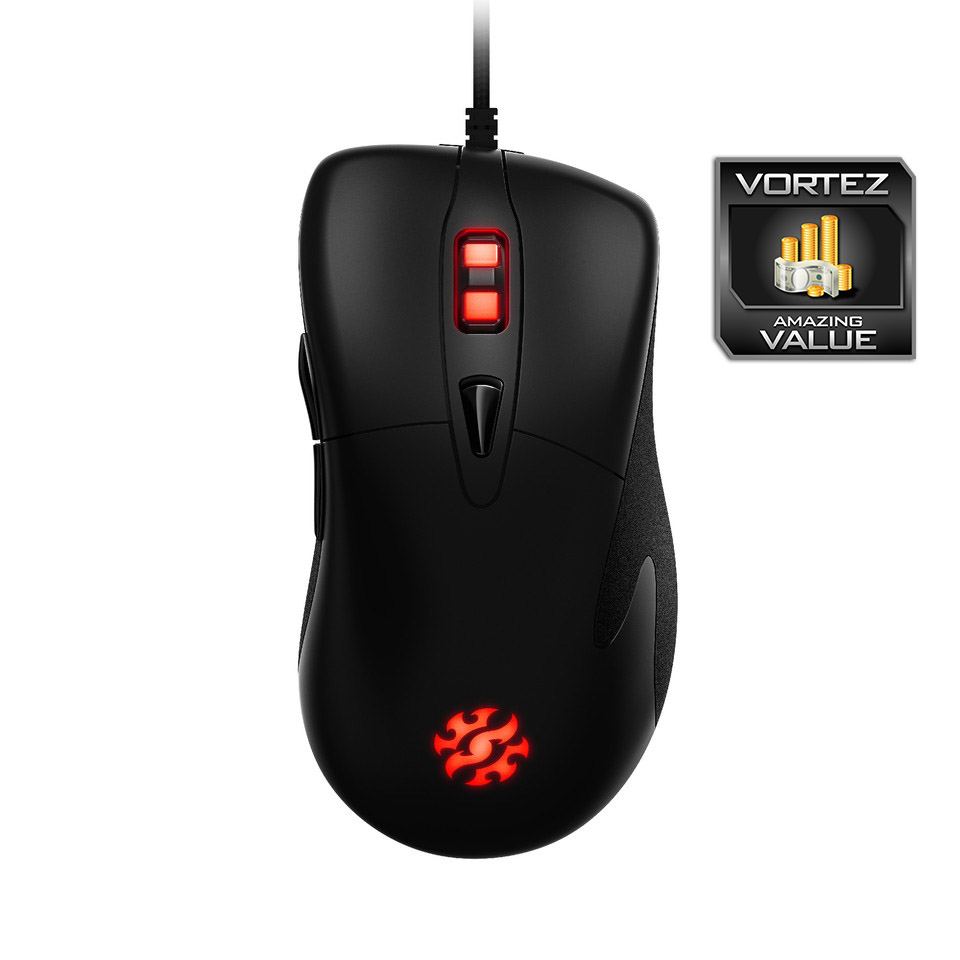
The sensor is accurate, the chassis is comfortable, the lighting is decent and the price point is reasonable, though that very fact does require the cutting of corners.
Pros
+ Good price point
+ Incredibly comfortable chassis
+ OMRON switches
+ Decent sensor
+ Simple by design
+ Braided cable
Cons
– Lack of customisation
– Very heavy
– Poor thumb buttons
– Wobbly scroll wheel
+ Good price point
+ Incredibly comfortable chassis
+ OMRON switches
+ Decent sensor
+ Simple by design
+ Braided cable
Cons
– Lack of customisation
– Very heavy
– Poor thumb buttons
– Wobbly scroll wheel
Click here for an explanation of our awards at Vortez.net.
Stay connected with the Vortez Social Media pages:
Join in with the discussions on Discord