An SSD aimed solely at gamers, the SX950U promises faster load times and absolute data integrity.

Product on Review: XPG SX950U
Manufacturer: XPG
Street Price: 120GB – £36.99 / 240GB – £57.99 / 480GB – £104.99 / 960GB – £185.99
If you’re a PC gamer in todays market, you will find yourself bombarded by items specifically aimed towards yourself, sometimes with very little justification for the “Gamer” branding; typically we find that the association stems only as far as a colour scheme.
Having listened to that, today we’re looking at a new solid state drive from ADATA’s performance division, XPG; this SX950U SSD is available in 120GB, 240GB, 480GB and 960GB capacities and is aimed directly towards gamers.
The SX950U makes use of 3D NAND flash as well as SLC Caching and a DRAM Cache to help improve speeds while LDPC ECC and RAID Engines ensure your data remains stable during prolonged gaming sessions, demanding absolute integrity.
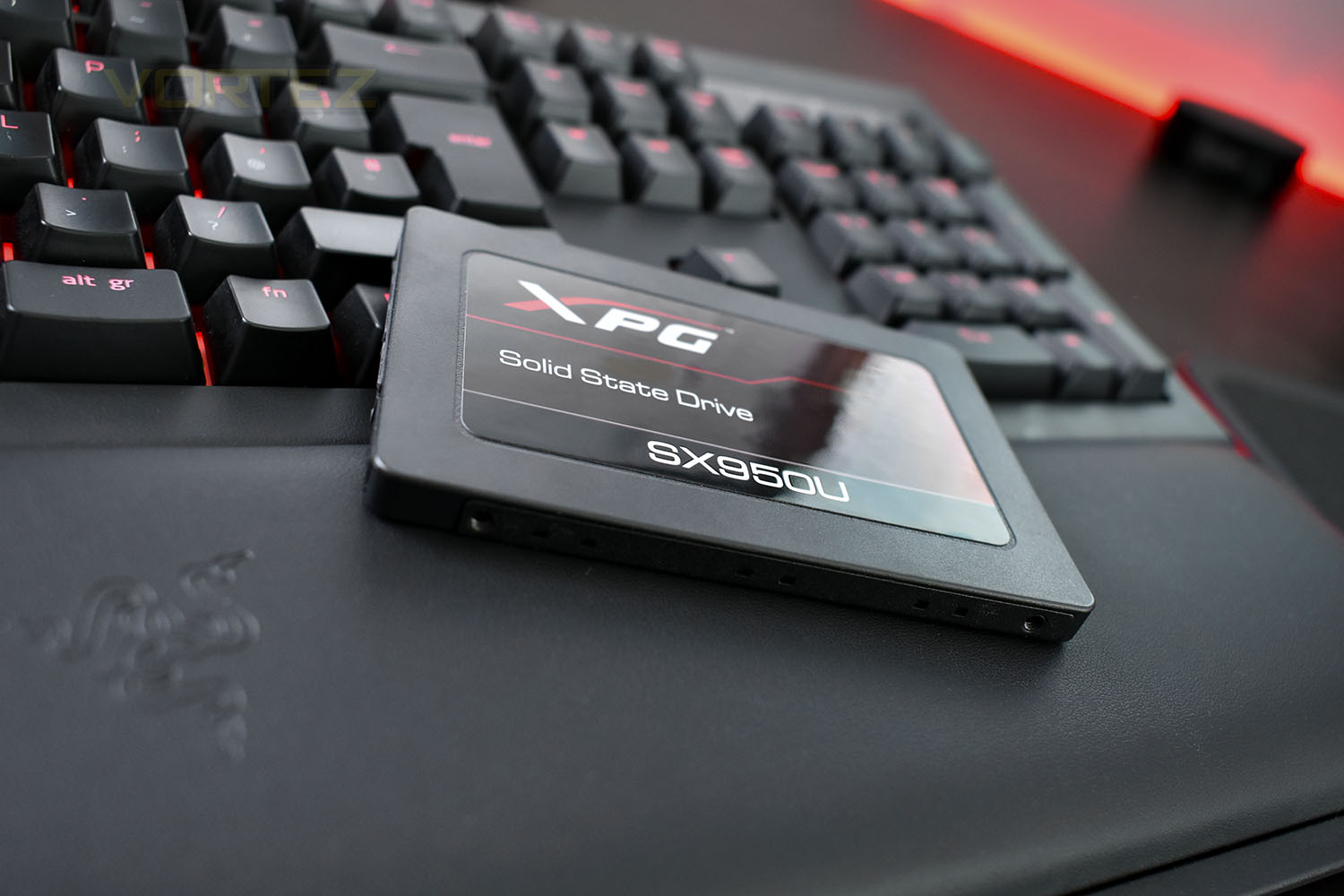
As previously mentioned, the “Gaming” branding is apparent with the black and red colour scheme, a popular style choice amongst many gamers. It’s difficult to imagine how this SSD could noticeably impact your gaming experience when compared to the vast majority of solid state drives on the market, but when compared to an HDD, the gains should be enormous.
XPG on the SX950U:
The SX950U is developed specifically for gamers, which utilizes the latest 3D NAND flash technology to boost system performance and provide higher reliability in comparison to 2D NAND solutions. The SX950U is equipped with Intelligent SLC Caching and DRAM Cache Buffer functions to address the challenges that gamers encounter by accelerating the read/write performance. To ensure data integrity and the safety of data transmission, the SX950U features LDPC ECC and RAID Engine technologies. The SX950U is designed to give gamers a mind-blowing gaming experience, allowing them to focus on their glorious victory on the battlefield!
Technical Specifications
Capacity: 120GB / 240GB / 480GB / 960GB
Form Factor: 2.5″
NAND Flash: 3D TLC
Controller: SMI
Dimensions (LxWxH): 100.45 x 69.85 x 7mm
Weight: 47.5g
Interface: SATA 6 Gb/s
Performance(Max): Read 560 MB/s, Write 520MB/s*
*Actual performance may vary due to available SSD capacity, system hardware and software components, and other factors
Operating temperature: 0°C – 70°C
Storage temperature: -40°C – 85°C
Shock resistance: 1500G / 0.5ms
MTBF: 2,000,000 hours
Warranty: 5 years
Form Factor: 2.5″
NAND Flash: 3D TLC
Controller: SMI
Dimensions (LxWxH): 100.45 x 69.85 x 7mm
Weight: 47.5g
Interface: SATA 6 Gb/s
Performance(Max): Read 560 MB/s, Write 520MB/s*
*Actual performance may vary due to available SSD capacity, system hardware and software components, and other factors
Operating temperature: 0°C – 70°C
Storage temperature: -40°C – 85°C
Shock resistance: 1500G / 0.5ms
MTBF: 2,000,000 hours
Warranty: 5 years
Packaging, Bundle & Closer Look
In keeping with the XPG branding, the packaging is black and red. The interface, size and capacity is all clearly stated on the front.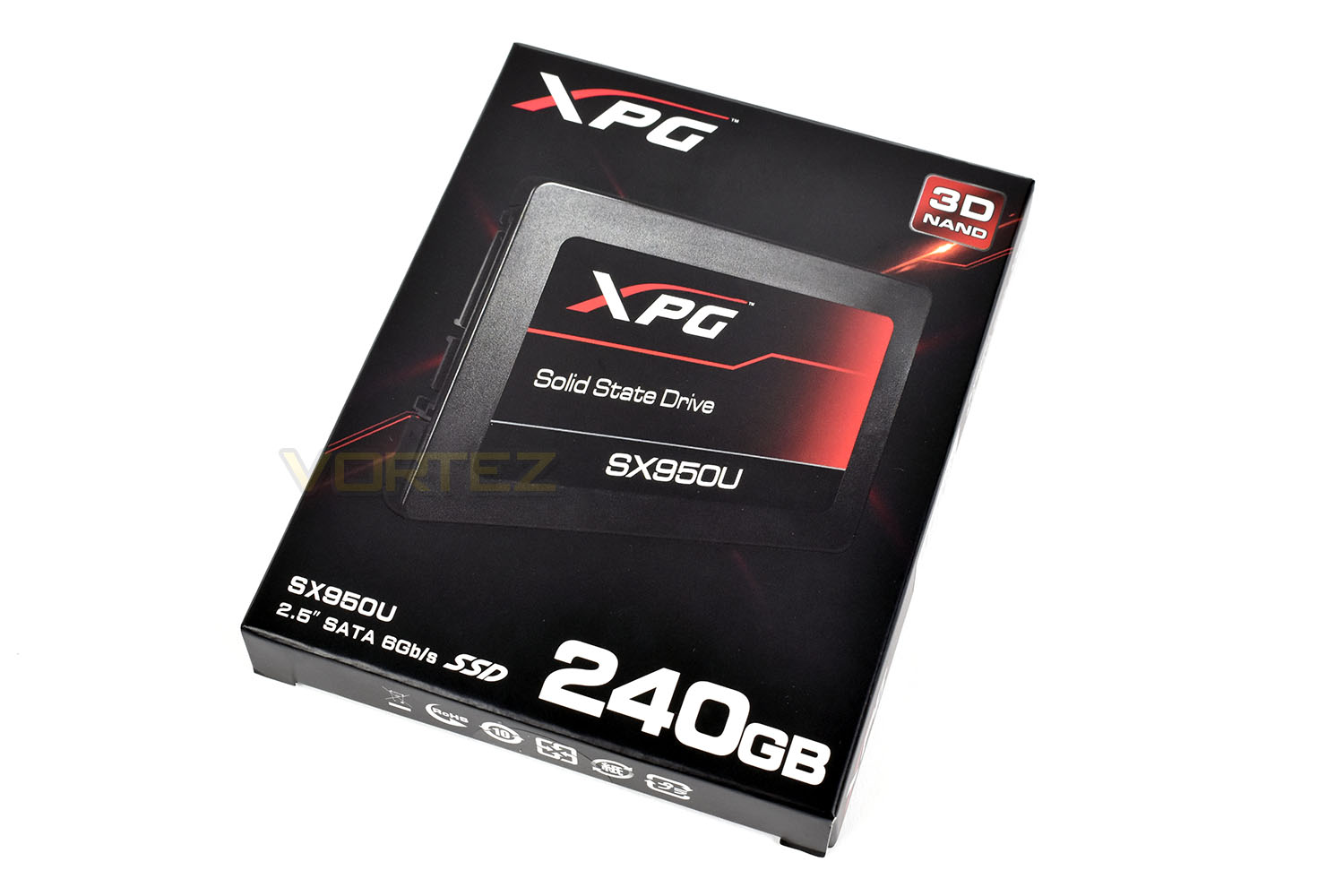
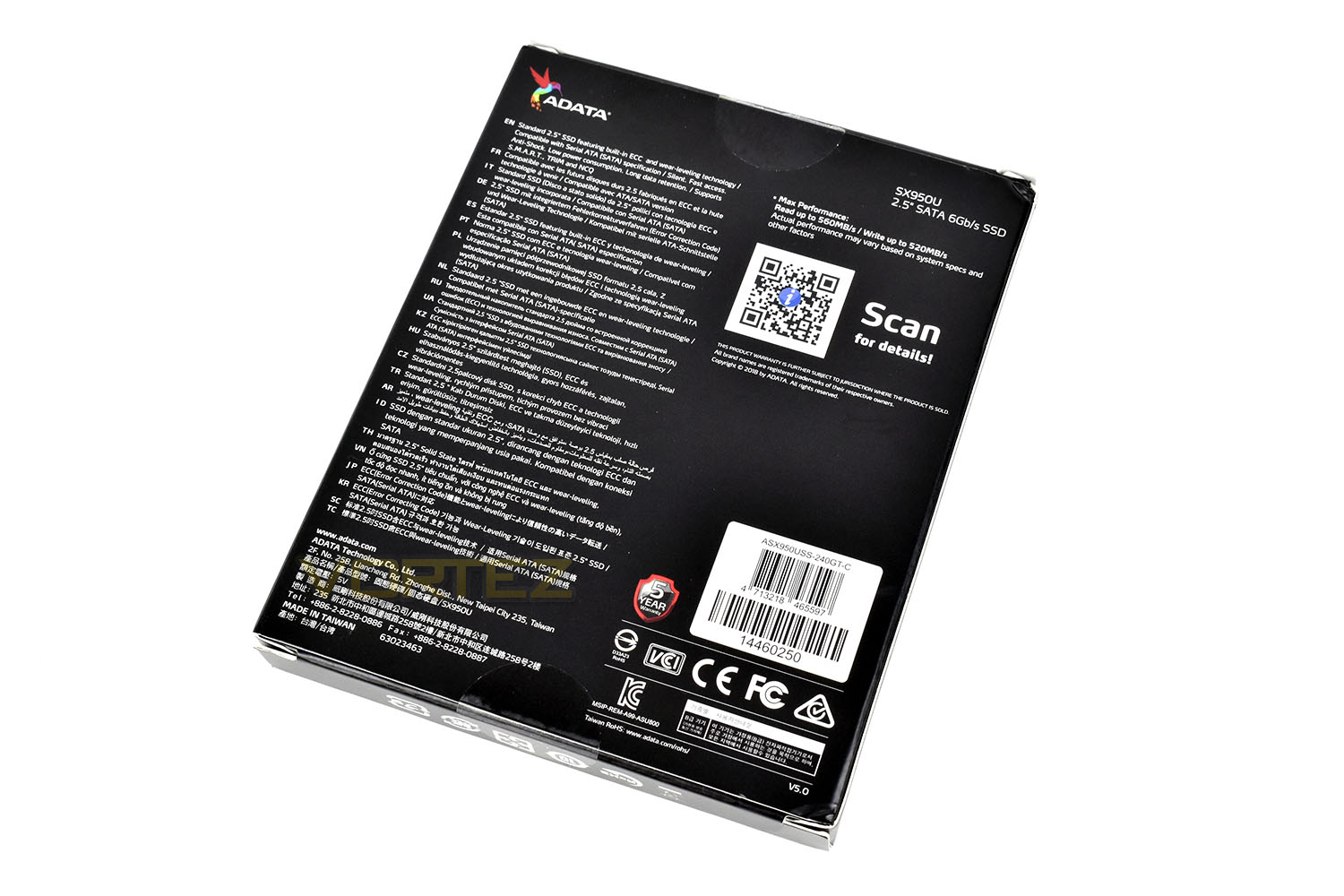
Many languages are featured on the reverse of the packet, with some performance figures and information relating to included technologies.
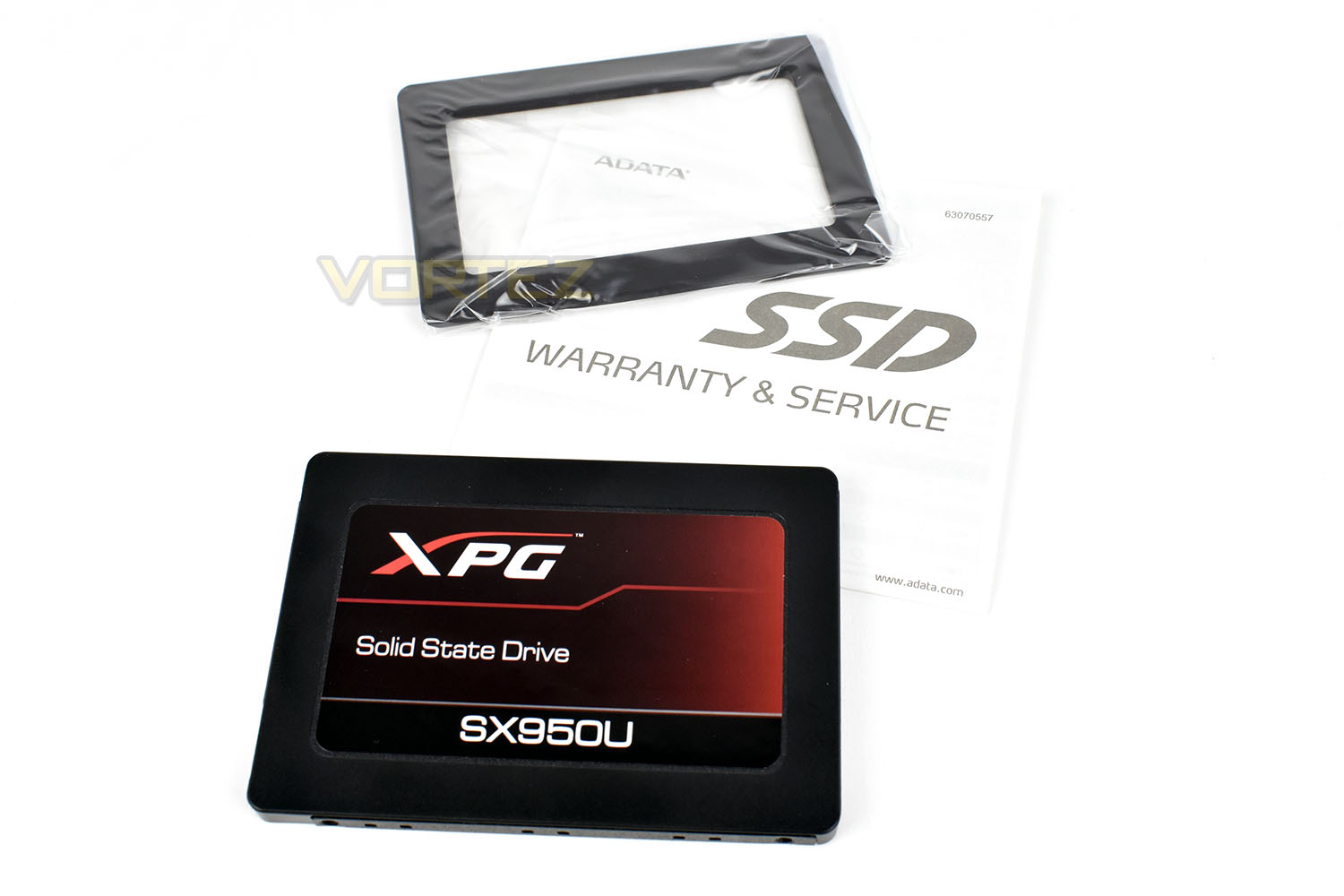
Along with the SX950U SSD, XPG have packaged a small spacer. This spacer is used for laptops and enclosures which are designed to accommodate the 9.5mm standard. The SSD will slot perfectly into an enclosure which requires a 7mm drive.
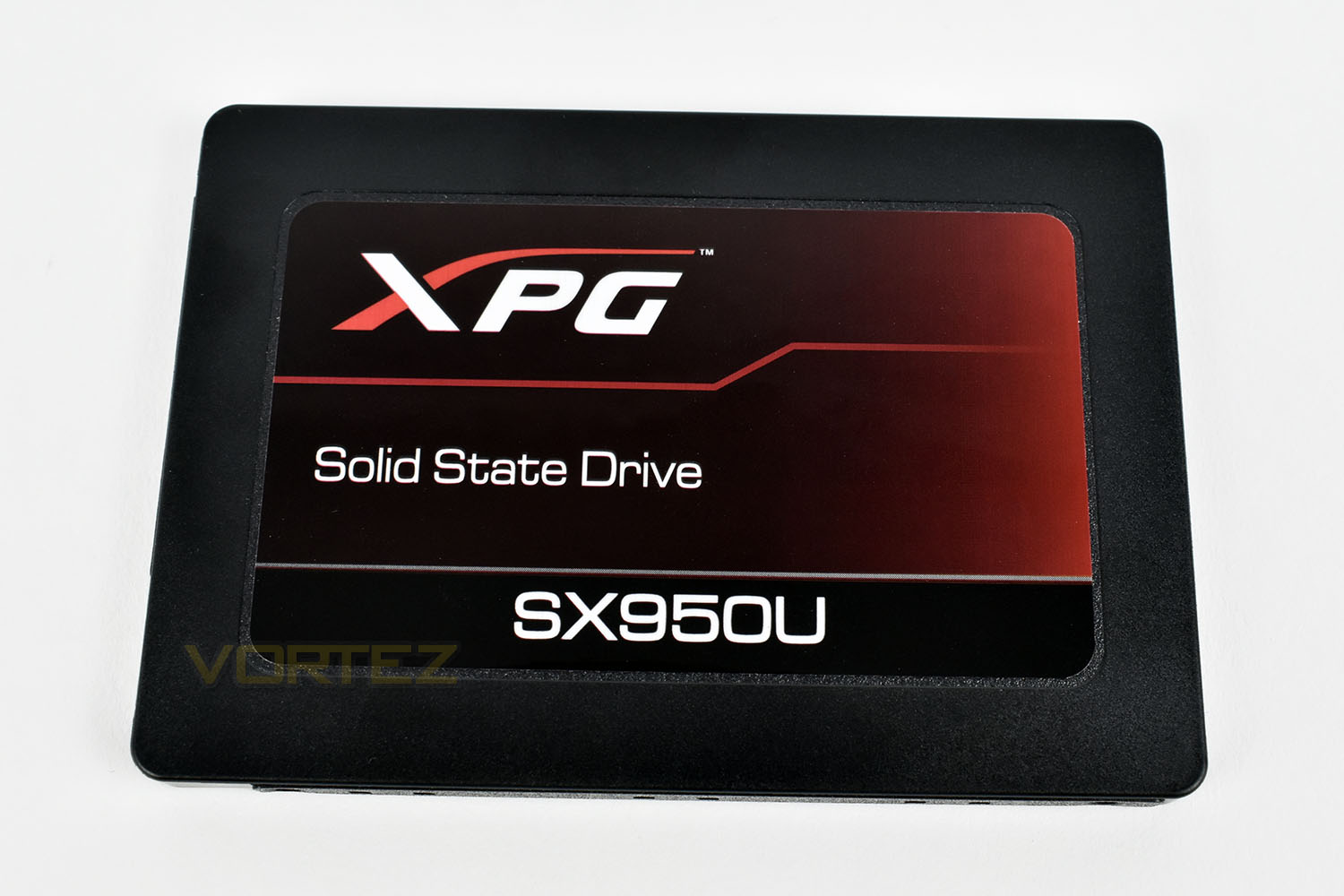
The front of the SSD is pretty ordinary, with the XPG logo and the model number. The black and red colour scheme isn’t too in your face, either, which is nice.
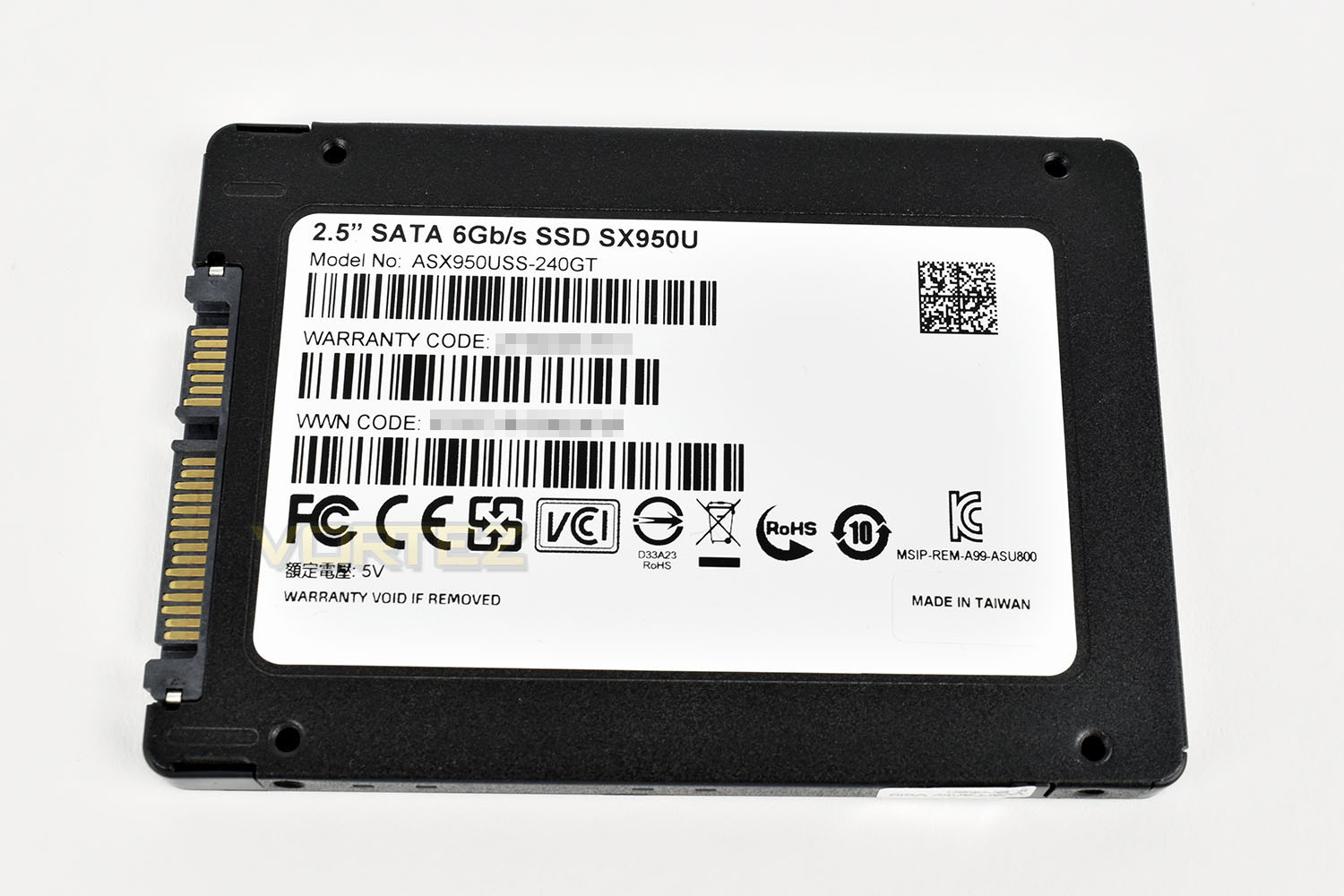
The reverse is one large sticker, with warranty information and model numbers.
Test Setup & Methodology
Our test system is formatted and a fresh version of Windows is installed with just drives in place – no additional applications. Windows is then updated to the latest release and the drivers are installed.Included in the list of benchmarks are the following applications:
Benchmarks
Anvil Pro
AS SSD
ATTO Disk Benchmark v2.46
Futuremark PCMark 8
AIDA64
AS SSD
ATTO Disk Benchmark v2.46
Futuremark PCMark 8
AIDA64
Test system
CPU: Intel Core i7 7700K
Motherboard: MSI Z270 Gaming M7
Graphics: EVGA GTX 1070 SC
Memory: 16GB CORSAIR Vengeance LPX 3200MHz DDR4
SAMSUNG 1TB 970 EVO
XPG SX950U 240GB
PSU: BeQuiet Straight Power 11 650W
OS: Microsoft Windows 10 Pro 64-Bit
Monitor: ASUS ROG PG279Q
Motherboard: MSI Z270 Gaming M7
Graphics: EVGA GTX 1070 SC
Memory: 16GB CORSAIR Vengeance LPX 3200MHz DDR4
SAMSUNG 1TB 970 EVO
XPG SX950U 240GB
PSU: BeQuiet Straight Power 11 650W
OS: Microsoft Windows 10 Pro 64-Bit
Monitor: ASUS ROG PG279Q
Benchmarks: Anvil Pro
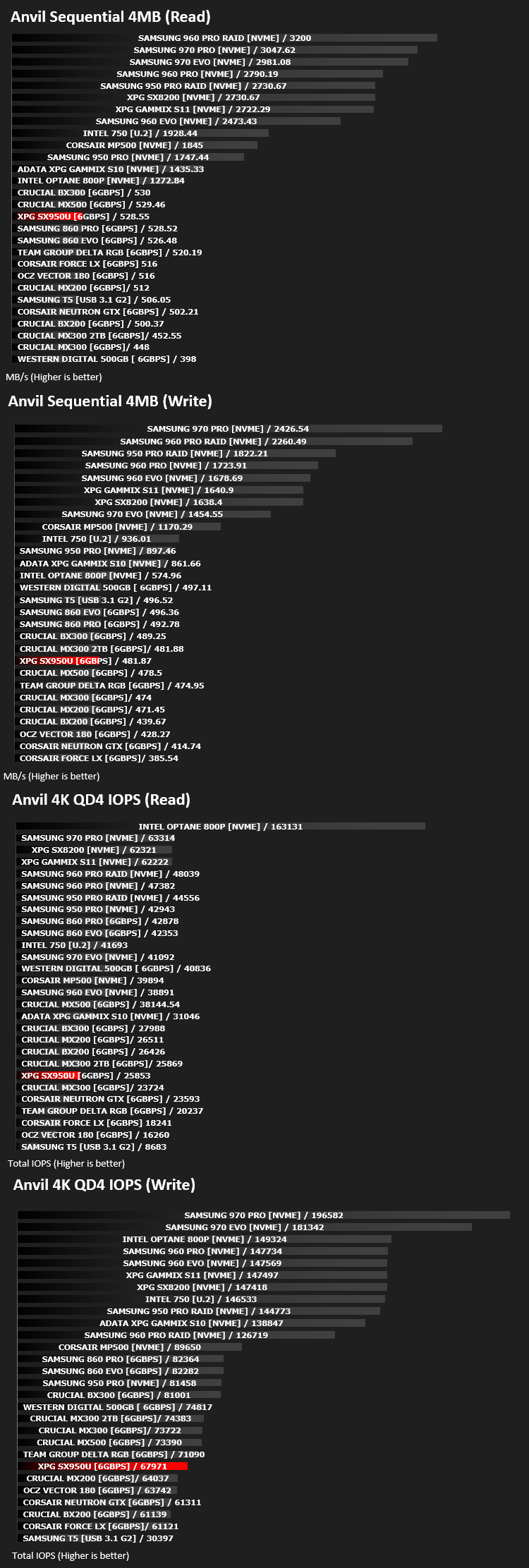
Anvil Pro from Anvil Storage utilities is one of the most popular storage benchmarking utilities today thanks to the large suit of tests available. You can test pretty much anything from Read/write Speed to IOPs with many variables to tweak allowing you to get either a single or host of results to compare with other likeminded enthusiasts. In our test we ran the standard suite 5 times, subtracting both the highest and lowest scores and determined the final result from the average of the remaining three results.
Benchmarks: AS SSD
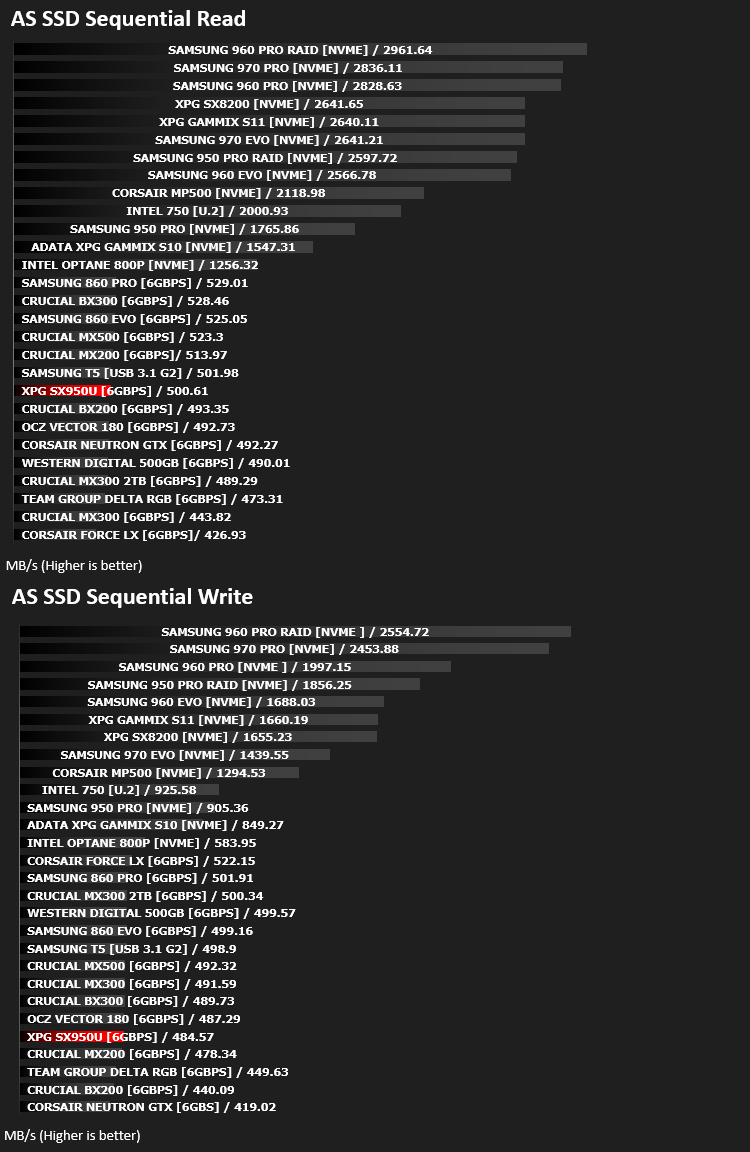
AS SSD Benchmark is a straightforward tool for measuring the speed of your SSD drive.
Simply launch the program, choose your drive, click Start, and it’ll test your SSD’s read and write speed in a variety of ways, delivering a score for each when it’s done. And if that’s not enough, there are also additional file copy and compression-related benchmarks available from the Tools menu. (The author’s support page is German only, but if you need further English explanations then there’s a thread on the program at the OCZ Technology forum.).
Simply launch the program, choose your drive, click Start, and it’ll test your SSD’s read and write speed in a variety of ways, delivering a score for each when it’s done. And if that’s not enough, there are also additional file copy and compression-related benchmarks available from the Tools menu. (The author’s support page is German only, but if you need further English explanations then there’s a thread on the program at the OCZ Technology forum.).
Benchmarks: ATTO
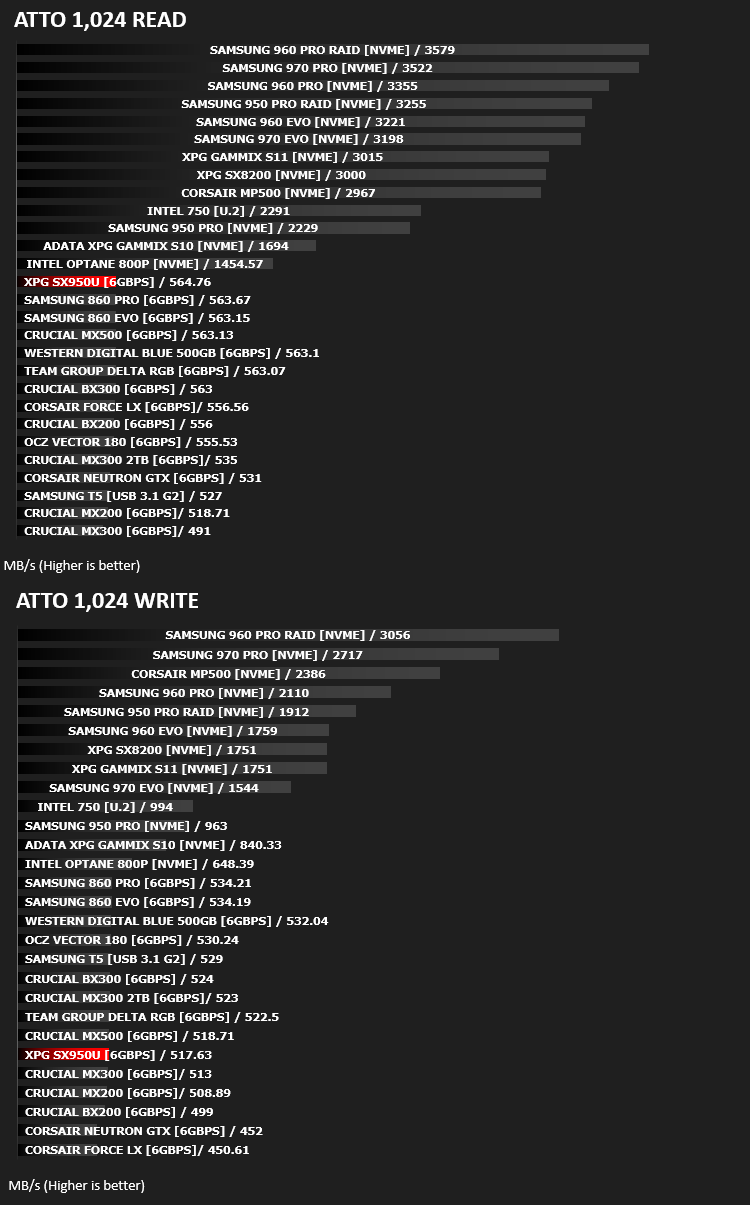
The ATTO Disk Benchmark performance measurement tool is compatible with Microsoft Windows. Measure your storage systems performance with various transfer sizes and test lengths for reads and writes. Several options are available to customize your performance measurement including queue depth, overlapped I/O and even a comparison mode with the option to run continuously. Use ATTO Disk Benchmark to test any manufacturers RAID controllers, storage controllers, host adapters, hard drives and SSD drives and notice that ATTO products will consistently provide the highest level of performance to your storage.
Benchmarks: AIDA64
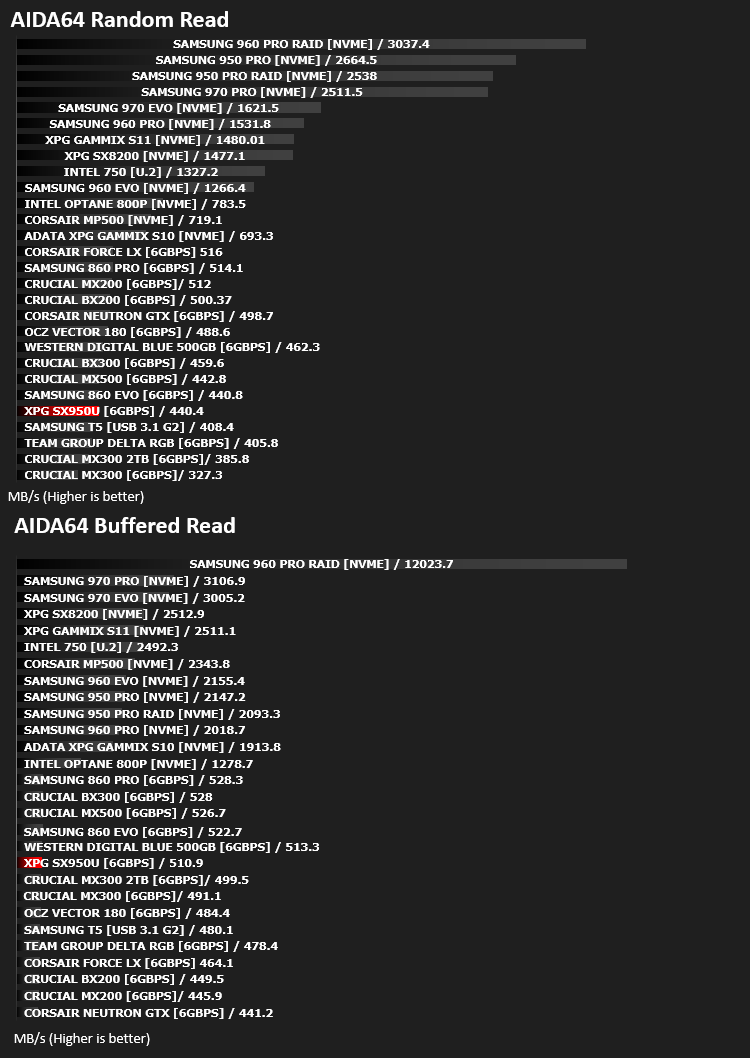
With this module, we can measure the performance of the PC’s storage devices, including (S)ATA or SCSI hard disk drives, RAID arrays, optical drives, solid-state drives (SSD), USB drives and memory cards. It also allows us to perform write tests, which helps us detect fake products and errors on the devices. In order to attain reliable benchmark results we have to make sure to close all background applications.
Benchmarks: PCMark 8
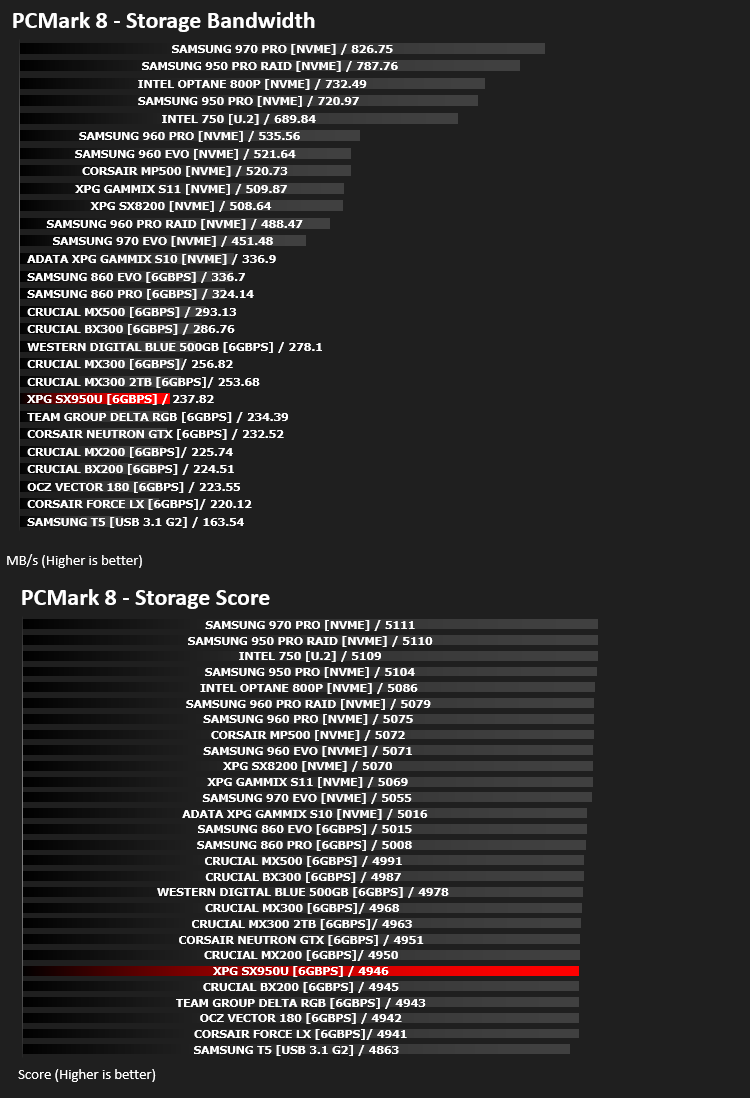
We use the Futuremark PCMark 8 utility to measure storage via Photoshop performance under both light and heavy loading conditions. Accelerated (open CL) is used to perform this test. The test is measured in seconds to complete.
Conclusion
After opening up the SSD and running the various tests we perform, it’s difficult to see the justification behind the “gaming” orientation on the device, however, having said that, at the current price point, a 240GB or 480GB drive would certainly be a massive upgrade to anyone that’s stuck with an HDD as their main drive.The appearance suited our system very well, with the black and red theme, but that’s very subjective and would only apply to builds of this particular colour scheme. The simple, clean aesthetics of the drive were a favourite of ours, amongst the many SSDs we’ve tested to date.
As far as we’re concerned, if capacity is the main concern, a cheap SATA SSD is the way to go. The increase in system performance will far out-shine almost any upgrade you could make to your system if you’re currently suffering from an HDD operating system install. Or, on the other hand, if you already own an SSD, another SSD as a games drive should save you valuable seconds loading between levels or game lobbies.
Regardless of the Gaming references, the drive is priced well and performs on a par with most other SATA 3 SSD drives; the synthetic benchmarks do show some differences but they’re unlikely to be noticed in any real-world scenarios.
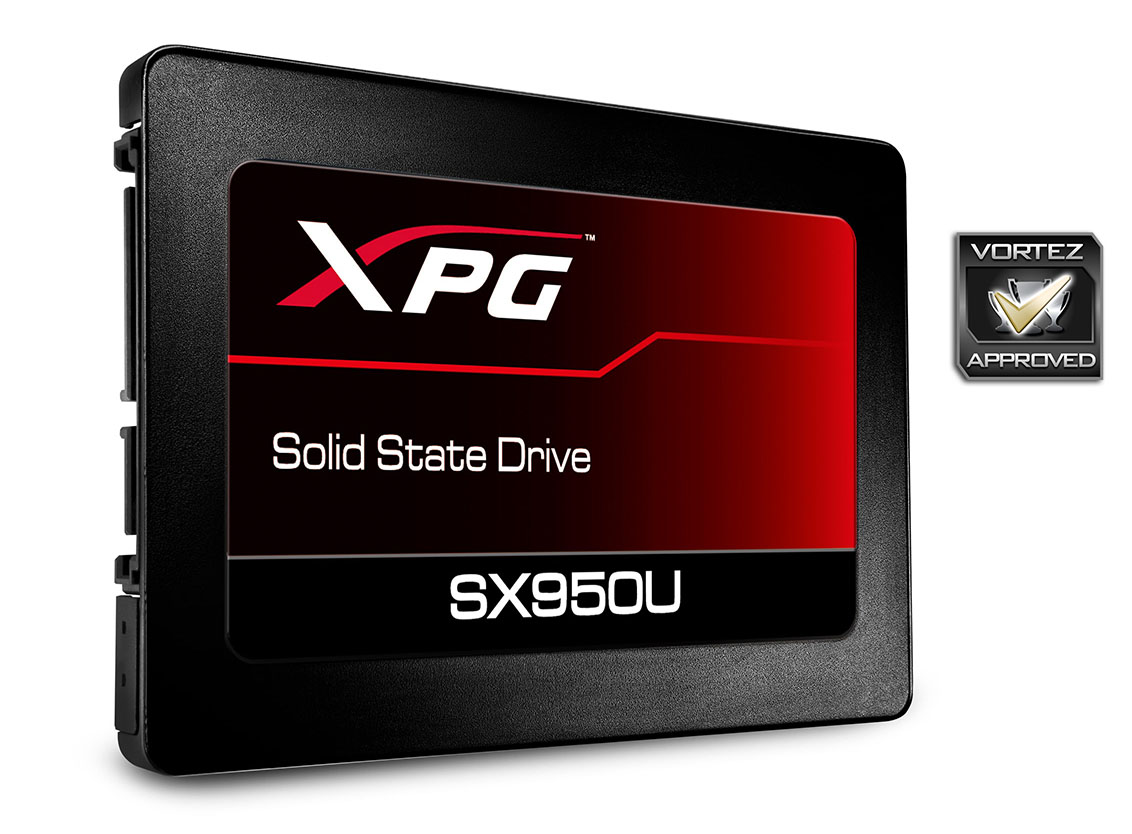
The XPG SX950U arrives at a very attractive price point and will look great in a tempered glass case with a black and/or red colour scheme.
Pros
+ Clean, attractive appearance
+ Good performance
+ Great pricing structure
+ Included 7mm to 9.5mm adaptor
Cons
– No need for the “gaming” branding
+ Clean, attractive appearance
+ Good performance
+ Great pricing structure
+ Included 7mm to 9.5mm adaptor
Cons
– No need for the “gaming” branding
Click here for an explanation of our awards at Vortez.net.
Stay connected with the Vortez Social Media pages:
Join in with the discussions on Discord