







A new mechanical gaming keyboard from ZOWIE with 18K gold-plated Cherry MX switches. Will it translate to gaming stardom?
Product on Review: Zowie Celeritas
Manufacturer and Sponsor: Zowie
RRP: £100 Inc. VAT (GBP) / 130 (EUR)

Over the course of 2010 we have taken a look at a series of keyboards designed to enhance performance within the gaming environment. All previous keyboard reviews have included standard membrane type keyboards, which are by far the most common type of keyboard on the market. But today we are to look at our first mechanical keyboard here at Vortez, courtesy of Zowie.
The Celeritas is a new mechanical keyboard from Zowie which is designed for competitive gaming. Featuring 18K gold-plated Cherry MX brown switches, developed in collaboration with gaming professionals Abdisamad ‘SpawN’ Mohamed, Young Ho ‘Flash’ Lee and Ho Jun ‘Ho-Jun’ Moon. It promises to react with 0.2 second response-time and the ability to re-define the windows key as “Ctrl” to eliminate accidental disturbances whilst in-game.
This is our first Zowie product review, and we are excited at the prospect of reviewing this new mechanical keyboard, so lets waste no more time and begin our analysis.

A little bit about Zowie:
ZOWIE GEAR is an innovative manufacturer of competitive gaming gear, founded late 2008 with a mission to develop the best competitive gaming gear available.
We are not limited by shareholders telling us what we can or cannot do. We are a free-minded company consisting of experienced and creative individuals, united in ZOWIE on a common ground; our passion for gaming. No boundaries. No compromises. Just gaming.
ZOWIE GEAR has no ambition to become the biggest manufacturer of competitive gaming gear. We just want to be the best. If we can develop products that will increase a gamers performance by just 1%, we will do it. This is our mentality.
We are not limited by shareholders telling us what we can or cannot do. We are a free-minded company consisting of experienced and creative individuals, united in ZOWIE on a common ground; our passion for gaming. No boundaries. No compromises. Just gaming.
ZOWIE GEAR has no ambition to become the biggest manufacturer of competitive gaming gear. We just want to be the best. If we can develop products that will increase a gamers performance by just 1%, we will do it. This is our mentality.
Specifications
• 6 keys Anti-Ghosting through USB
• 18K Gold Plated mechanical switches and USB connectors
• Ability to change the “Windows”-key to “Ctrl”
• Multimedia controls
• Highly durable metal inner chassis
• Ergonomic design saves space and offer full comfort during use
• Connector: USB / PS2 (by USB to PS2 converter)
• Cable Length: 1.8m / 5.8 ft.
PS/2 functions
• Full Anti-Ghosting with PS/2
• ZOWIE RTR™ technology provides 4 levels of repeat-response (normal, 2x, 4x, 8x) – PS/2
Dimensions
– Width: 44 cm
– Length: 16 cm
– Height: 2.5 cm
Packaging & First Look
The Zowie Celeritas is packaged within a large greyscale box with typography on all 6 sides. On the front we have a circular window that allows for a snapshot of what’s inside. On the rear we have further details such as the features.
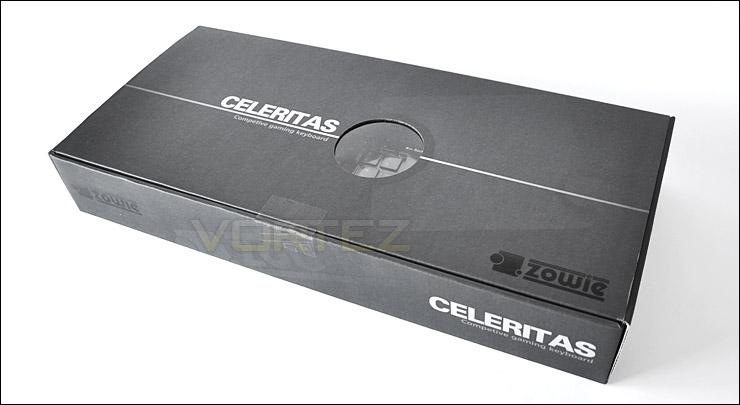
Celeritas packaging is simple but effective
Opening the box up we have a very little in terms of bundled extras. The keyboard itself has a plastic shell covering the keyset for added protection whilst in transit. The bundled extras include a Zowie transfer sticker and a PS2-to-USB adapter.
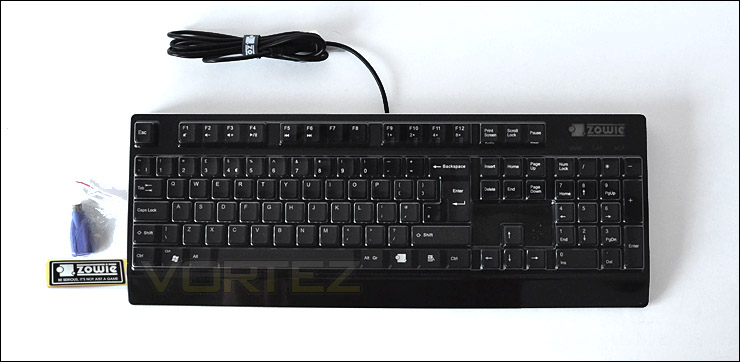
The Celeritas bundle
Below we have our first look at the Celeritas. Taking an overview of the keyset you will notice that it follows the same layout as a typical keyboard. There are no macro keys. The only differing visual appearance from the traditional keyboard is the multimedia functionality across the ‘F’ buttons, in particular the F9-F12 feature what Zowie term RTR technology. This basically allows the user 4 levels of repeat-response – normal, 2x, 4x and 8x. This feature is only available if you are using the PS2 adapter. This feature will probably remain redundant due to the fact that most gamers use USB rather than PS2 which although is still present on some motherboards, is being phased out. Especially with the movement of UEFI BIOS this year.
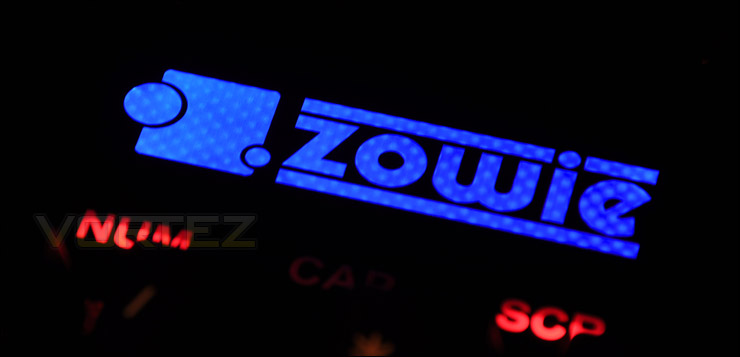
Additional to the repeat response keys is the ability to disable the windows key and swap it to a ctrl key. This will prevent gamers from knocking this key by accident and interfering with the game they are playing. The Zowie logo illuminates red as the default colour-scheme but when this windows key is set as ‘ctrl’ the Zowie logo will switch to blue – an indicator to let you know which mode you are using.
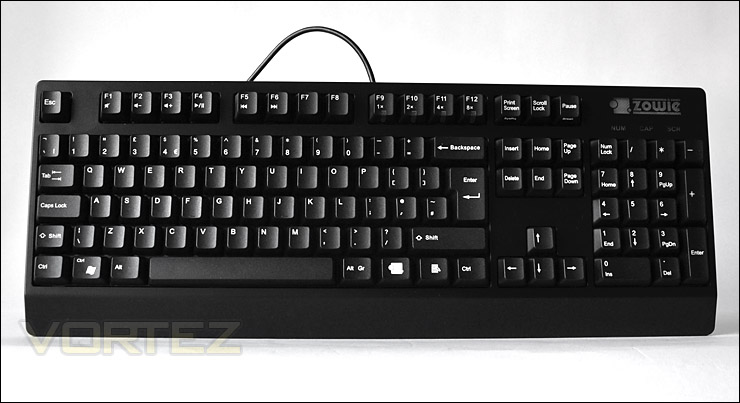
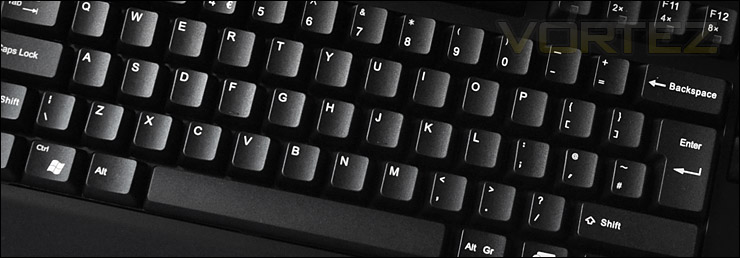
The layout remains fairly standard
Closer Look
As previously mentioned, F9-F12 feature a repeat-response keys that will work only with the PS2-to-USB converter. Most will be using USB nowadays so this feature is limited to a small group, but even so its good that Zowie have provided this.
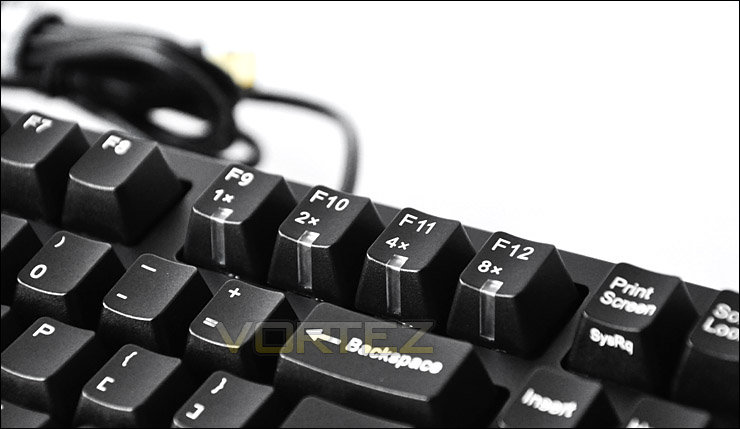
Quick response keys for PS2
The profile of the Celeritas shows a slight rise towards the back of the keyboard. The height of the keys running down the middle of the board are slightly smaller in height than the top and bottom keys.
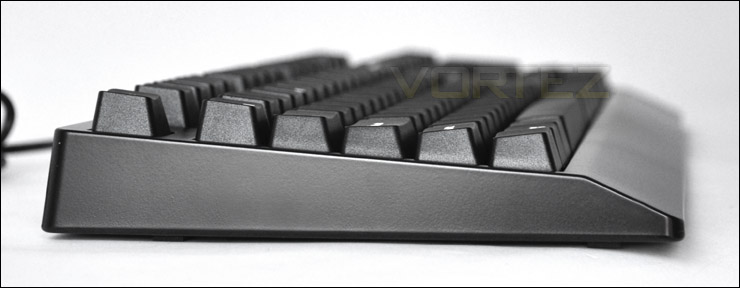
The profile of the Celeritas
Our Zowie Celeritas incorporates 18K gold-plated Cherry MX mechanical switches throughout. Unlike the rubber domes that are found in your typical keyboard, Cherry MX are robust, accurate and do not rely upon a membrane sheet to trace key presses. Membrane pads wear out over time due to the materials used. The Celeritas in particular uses the brown Cherry MX switch which as OCN suggests is a good choice for a combination between typing and gaming.
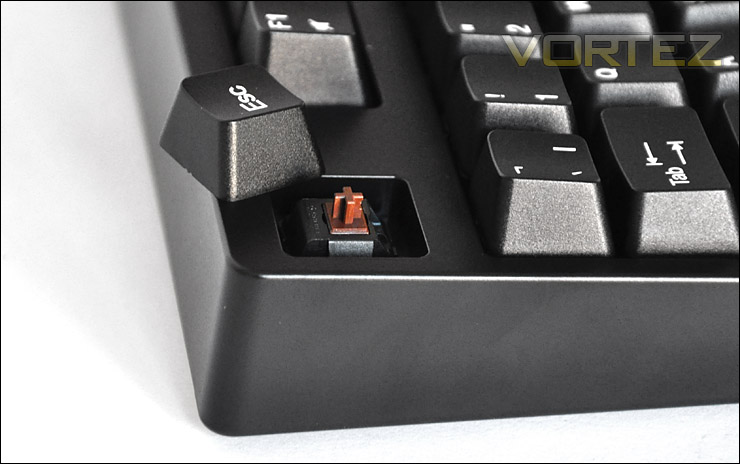
18K gold-plated Cherry MX are used on the Celeritas
Flipping the Celeritas over, the underside doesn’t feature any height-adjustment feet which is a shame. We do have 4 rubber pads though, that work well to prevent movement on shiny, smooth surfaces.
Upon flipping the keyboard over you realise the weight difference between a mechanical keyboard and non-mechanical. The Celeritas has lots of weight behind it and has a very strong construction indeed.
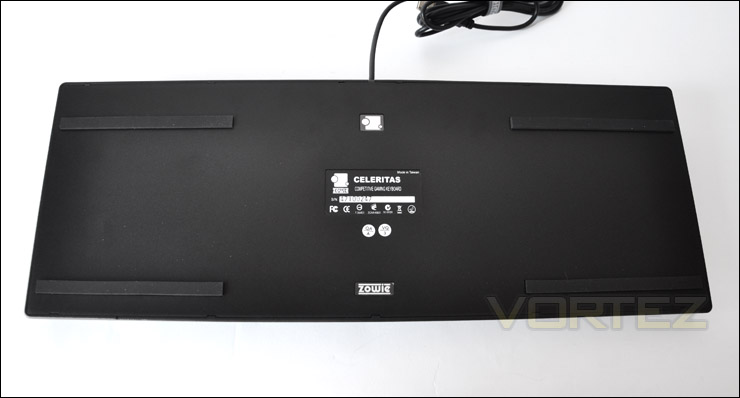
The underside of the Celeritas, no height adjustment
The Celeritas features an 18K gold plated USB connector and a handy Zowie branded cable tidy. So far so good, next we will compare the Celeritas to a standard keyboard and begin testing.
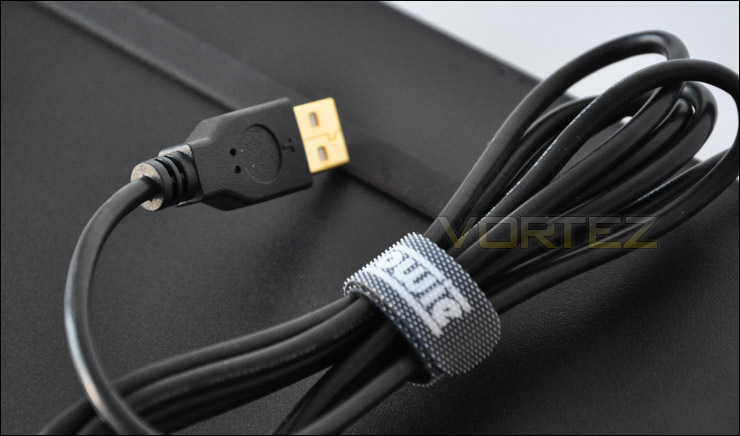
18K gold plated USB connector… *berrrling!*
Comparison & Testing
For comparison I thought it would be useful (as with other keyboard reviews) to compare the size of the Celeritas against a traditional keyboard – Dell Slimline. With a standard keyboard next to the Celeritas we can observe the overall size, height and spacing of keys etc.
Starting with the overall view of the layout, we can see that the Celeritas is quite similar to the Dell keyboard. Its length is exactly the same, but the width of the Celeritas is slightly bigger.
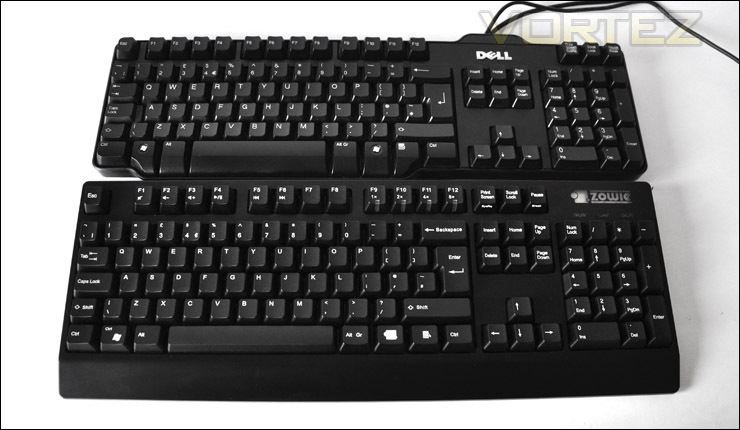
The Celeritas is similar to the traditional keyboard
When we look at both keyboards from the side, we can see that the profile view reveals the Celeritas is standing much taller than the Dell keyboard. The Dell keyboard does have height adjustment though, so with a modification to this it stands at a similar height.
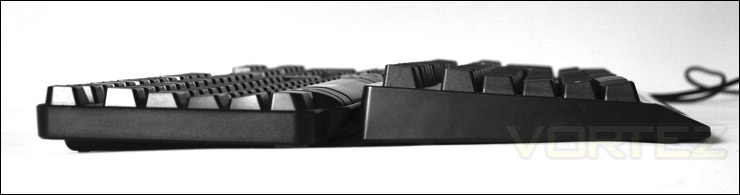
A side profile view of both keyboards
Lastly, I frequently observe the caps and shift key size and placement in all of the keyboard reviews. Like the previous keyboard review: GIGABYTE Aivia K8100 this showed a larger shift key, and tight clearance between caps lock and the “a” key. This can present problems when touch typing, but with the Celeritas, key placement is almost identical and what I would call “perfect”. It presents no problems when touch typing. No accidental shift or caps lock pressing. This may well be an overlooked issue by many, but I feel it is important as it can interfere with the efficiency of typing. Excellent work from Zowie.
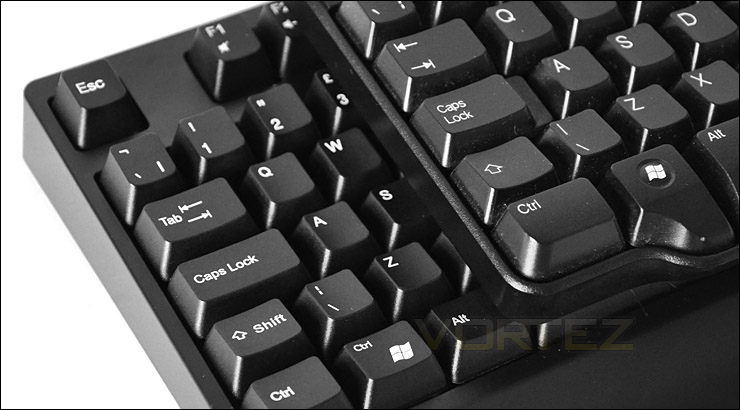
Similar key placement to Dell. Just what we like
Usage
There are no hard and fast rules to determine the overall performance of a keyboard. But I have used the Celeritas over a period of 2 whole days in order to provide quality feedback on the keyboard both in Windows and in-game.
Windows based tasks
Whilst the Celeritas is categorised as a gaming keyboard, there is no denying that this keyboard will be used in the Windows environment too. After all, the keyboard is one of the most used peripherals that make up a computer system. I used the Celeritas to type this article up, talk to friends on IM and just generally web browse. Using the keyboard in this environment reveals some excellent key feedback from the Celeritas. Being the first mechanical keyboard I have reviewed, I can instantly feel the difference in quality. Key presses no longer feel dull, soft and lifeless. Instead they are much more responsive, and there is a clear distinction between the quality of a non-mechanical and mechanical. You get a sense of much more control and the response is great. If you haven’t already tried a mechanical keyboard you should definitely consider it, the keyboard is one of the most used components attached to any system so its a work while investment – its going to last a lot longer.
Below you can see the illumination of the Zowie logo which is positioned above the numpad keys. The red glow shows the default configuration whilst the blue signifies that the windows key is configured for “ctrl” which can be achieved by pressing the Zowie key (right of the space bar) and the windows logo key.
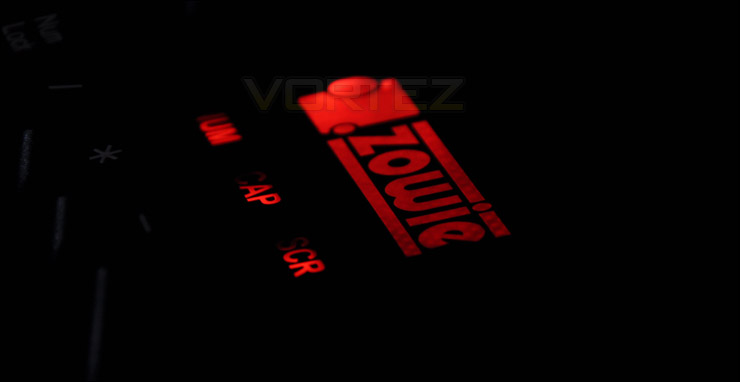
Gaming
We may not have any macro functionality with the Celeritas but unless you are heavily into MMO/RPG type games, the Celeritas will be much suited to other games. For FPS the Celeritas is a fantastic keyboard.
The Celeritas is a solid unit, its comfortable and has a very reassuring feedback system due to the 18K gold-plated Cherry MX switches. I am very pleased with the results both in-game and out of game.
Conclusion
Well this was our first encounter with a mechanical keyboard, and with new brand Zowie, but what I can say is that I am very impressed by both. It’s rare for a new company to release a mechanical keyboard as their first keyboard peripheral but Zowie have done a great job here.
Choosing which keyboard is best for you is quite subjective and can ultimately be down to intense personal preference. Many of the keyboards currently on the market, (perhaps the Tt eSPORTS Challenger may come to mind) focus on applying eye-catching features and often features that could be deemed as irrelevant to entire experience. The Celeritas, although basic in appearance is a solid keyboard which oozes quality. Not everyone requires something that is ‘all singing – all dancing’. Similar to the computer chassis camps, some prefer gamer style cases with all the bells and whistles whilst others prefer the minimalist approach with a solid but simple design. If the Celeritas were a chassis it would fall into the latter. I just love how the key presses feel, how the weight reassures you of a quality build and how it delivers great performance.
A mechanical keyboard is a great alternative to the standard keyboard that uses rubber domes instead of mechanical switches. It’s a professional solution, and thus its priced accordingly – just remember though, its one of the most used components attached to any computer system. Many hours are spent behind the computer, so its a good route to go down if you want a durable solution that combined with great touch response. Priced at £100 Inc. VAT it may come as a shock to some, but the Celeritas is a fantastic mechanical keyboard offering that delivers on every level and perhaps a worthwhile investment.
Pros
+ Extremely durable
+ Very responsive
+ 18K gold-plated Cherry MX switches
+ Simple – does the job
Cons
– No height-adjustment
– Could be tough on the budget
+ Extremely durable
+ Very responsive
+ 18K gold-plated Cherry MX switches
+ Simple – does the job
Cons
– No height-adjustment
– Could be tough on the budget

