







ZOTAC have sent us their brand new Mini All-In-One Giant ultra compact HD ready PC for review. Lets see if its performance matches its name!
Product on Review: ZOTAC MAG
Manufacturer and Sponsor: ZOTAC
Street Price: £229
ZOTAC have sent us one of their newest products for review.
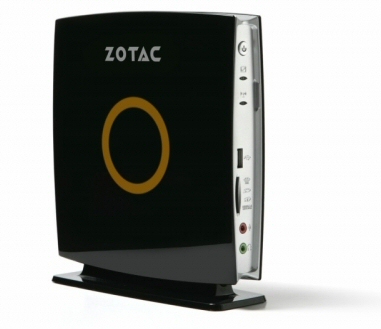
The Mini All-In-One Giant (or MAG for short) is a fully functional PC in a tiny enclosure.
Here’s a little about the company:

ZOTAC International (MCO) Limited was established in 2006 with a mission to deliver superb quality of NVIDIA graphic solutions to the industry. It has strong backup from parent group, PC Partner Ltd. Headquartered in Hong Kong, factory in Mainland China and regional sales offices in Europe, Asia Pacific and North America. The support ZOTAC provides is currently the largest of its kind around the world.
With 40 SMT lines, 6,000 workers and 100,000 square-feet meter, ZOTAC features a full array of state-of-the-art facilities and machineries. In addition, ZOTAC has over 130 R&D professionals in Hong Kong, China and warranty and service center in strategic countries to enable effective and efficient worldwide as well as localized sales and marketing supports.
Specifications
The MAG is specified very well considering its compact dimensions.
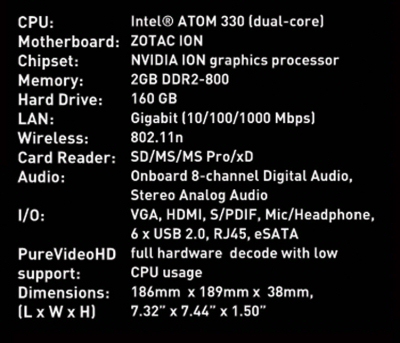
It has Intel’s incredibly efficient Atom Dual Core N330 chip paired with Nvidia’s new ION integrated chipset. Being an all-in-one unit it also has an onboard power supply that comes with an external 65w power brick. This hints at the frugal power usage one can expect from this tiny machine.
2gb of ram, a 160gb HDD, gigabit lan and fast wireless N WiFi support are further valuable additions to the spec sheet too.
Indeed, the onboard GPU combined with the integrated HDMI output means the board offers a low power ITX form factor capable of full HD playback for HTPC use.
It’s only noticeable omission is the lack of an optical drive – due of course to its ultra compact dimensions. But with so many HTPC users storing their movie collections on large storage servers located elsewhere in their homes it may not be as much of a hindrance as first impressions suggest.
Packaging and product
Upon delivery a standard ZOTAC branded box greeted me.
The brightly coloured front provides basic information on the specific functions of the board while the back provides information on the performance of Nvidia’s ION chipset.
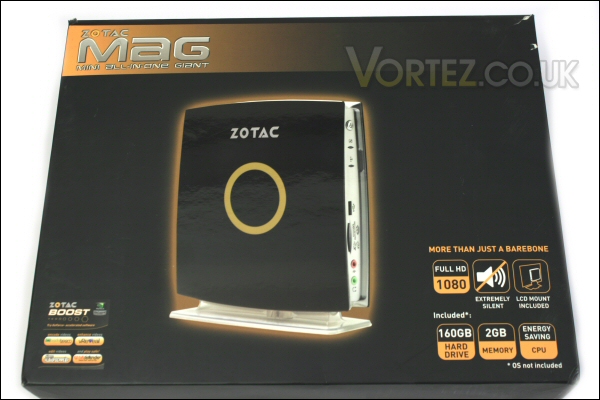
Box front.
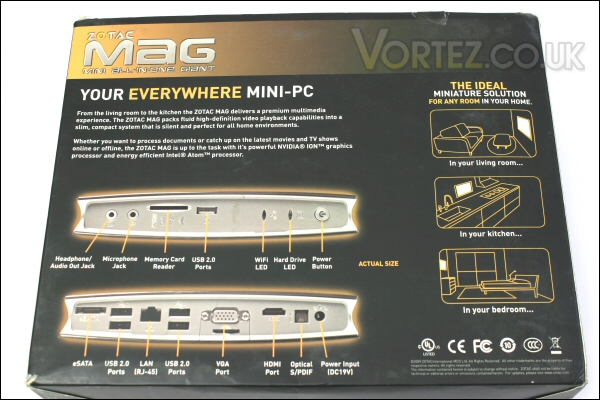
Box rear.
The sides of the box contain a full list of specifications as well as diagrams showing various available mounting positions for the MAG.

Box left.
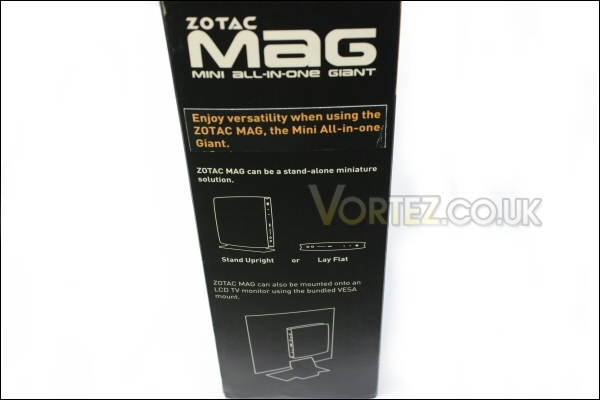
Box right.
On opening the outer box we find another tough inner box.
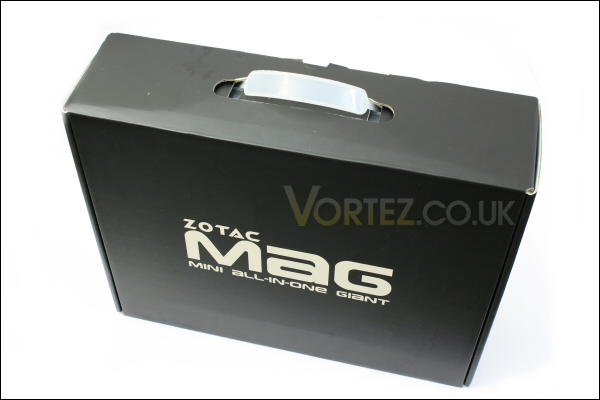
Inner box.
This is far more subtly labelled and acts purely as a protective casing for the valuable contents within.
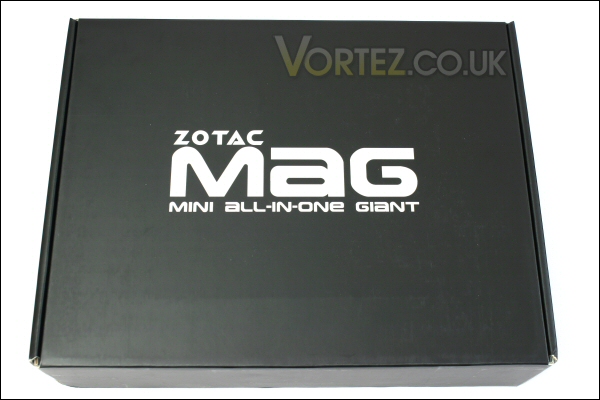
Simple looks.
Once opened i find the standard manual, warranty card and driver CD along with the power supply, power cable, vertical stand and the VESA mount cradle for attaching the MAG to the back of any VESA compatible monitor.
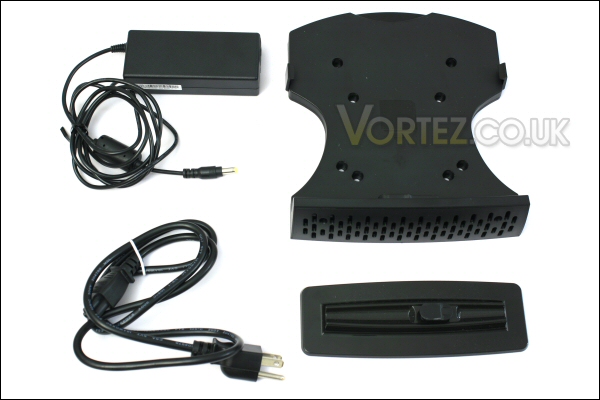
Accessories.
The warranty cover is 2 years for purchasers in the E.U.
Having checked over the supplied accessories i turned my attention to the MAG itself.
It’s a sleek looking unit with its gloss black top and base.
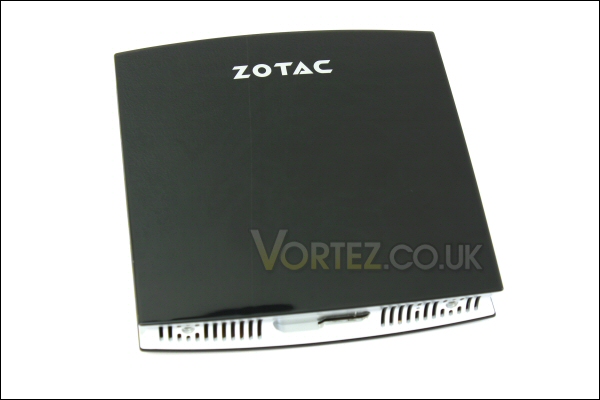
MAG top.
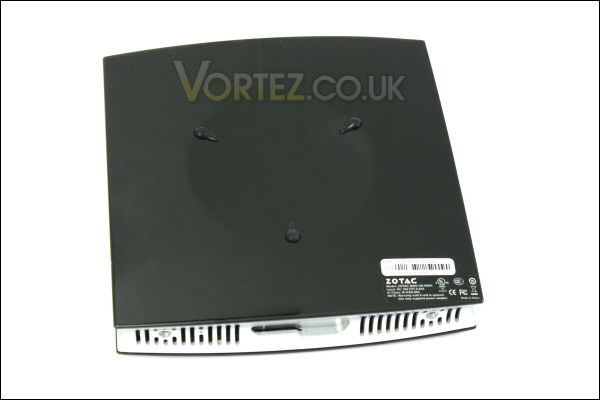
Mag base.
Product continued
The silver side portions if the MAG contain the various connections and vents for the small unit to function. Here are some overall shots of the MAG sat on the supplied upright base – it’s quite the looker!
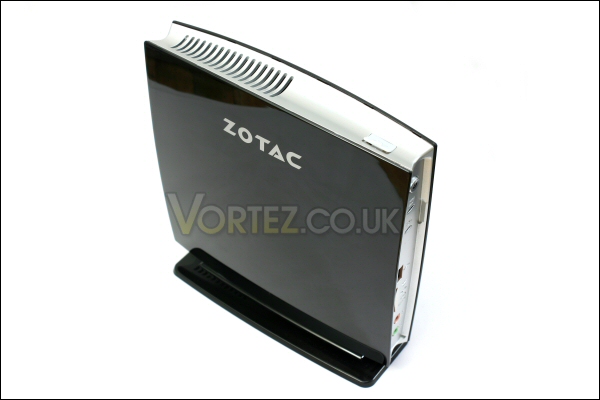
Black and silver works well.
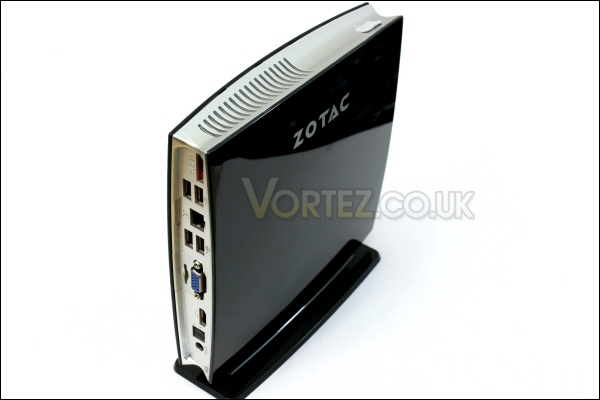
The supplied stand is sturdy and secure.
Up front we find the power switch along with the power and HDD access led’s, a single USB socket, the standard headphone and microphone sockets and a 6in1 card reader slot.
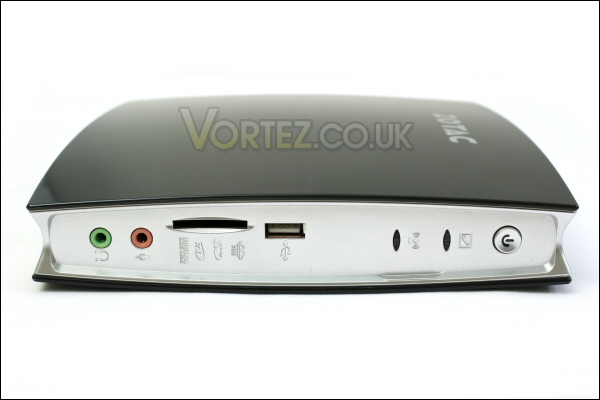
Front ports.
The rear of the MAG incorporates a good selection of decent connectors. As you can see these include an eSATA port, a gigabit ethernet socket, 4x USB ports, vga socket, an HDMI port (capable of streaming 8 channel digital audio), an optical digital audio socket and the power socket for the supplied power brick.
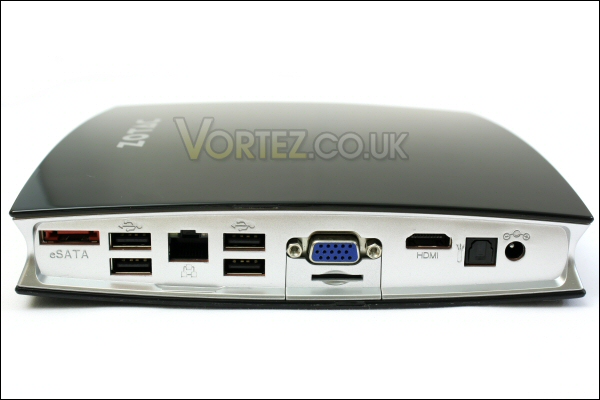
Rear connectivity is good.
Note that the slot beneath the vga socket does nothing. At first i assumed it was something like a micro-sd socket but it’s actually a blanking plate for the possible inclusion of a DVI socket in a future revision.
Both the top and the base portions of the MAG feature venting to keep the internals supplied with air. The top section has an additional USB socket while the base has vents straddling the clip mechanism that works with both the vertical stand and the VESA bracket.
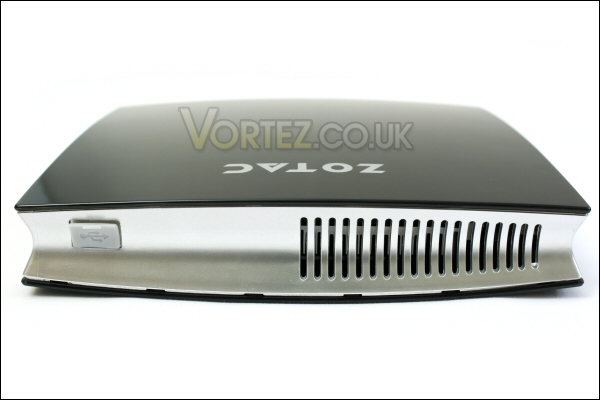
Hot air vent and USB.
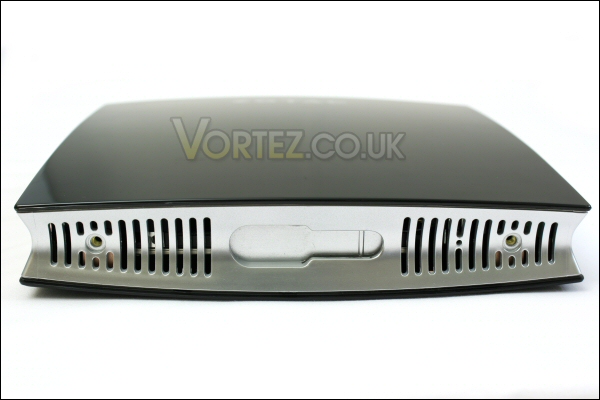
Cool air intake and stands locking slot.
It also fits securely into the supplied VESA mount. This allows it to piggy back onto most modern TFT screens to truly keep a low profile!
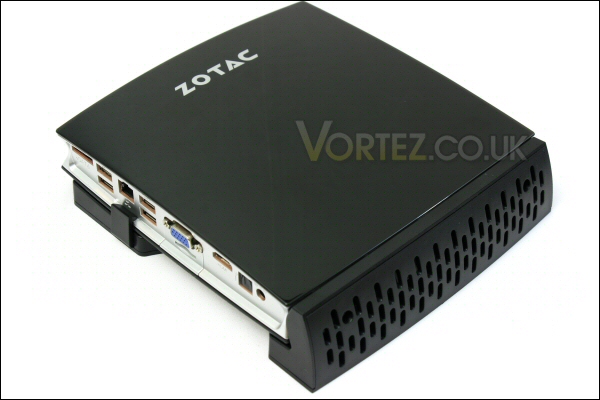
MAG in the supplied VESA mount.
Here it is on the supplied stand and powered up. As you can see a large orange ‘Zotac style’ hoop appears once turned on. It’s a nice feature and is certainly an obvious clue that the machine is on!
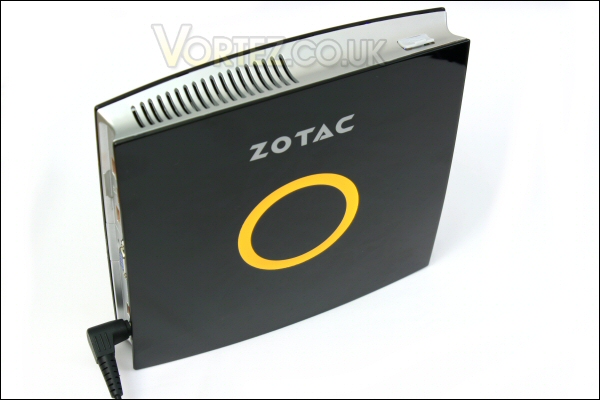
The ZOTAC MAG powered up!
Now let’s see how the MAG performs.
Test setup and results
PC: ZOTAC MAG
Optical drive: Microsoft HDDVD Drive
Operating System: Windows 7
I will compare the MAG to this similar Intel Atom system:
Motherboard: D945GCLF2
Ram: 2gb OCZ PC6400 DDR2
HDD: Hitachi 160gb 5400rpm 2.5″
Case: Antec ISK-300 with 65w PSU
Optical drive: Microsoft HDDVD Drive
Operating System: Windows 7
Despite the similarities between these systems there a couple of fairly significant differences. The first being the actual chipsets used (Intel 945GC vs the Nvidea ION) and second being that the Intel board can only run a single stick of memory therefore making it single channel.
Results
I tried a variety of tests with the MAG to check it’s desktop, gaming and most importantly its AV credentials.
Using PC mark Vantage the MAG returned creditable results against the similarly specified Intel board. Perhaps the dual channel memory offered by the MAG system edged it ahead.

PCMark Vantage score.
For the gamers out there neither could really be recommended but the MAG does at least manage to fire up the game i tested – Call Of Duty 4.
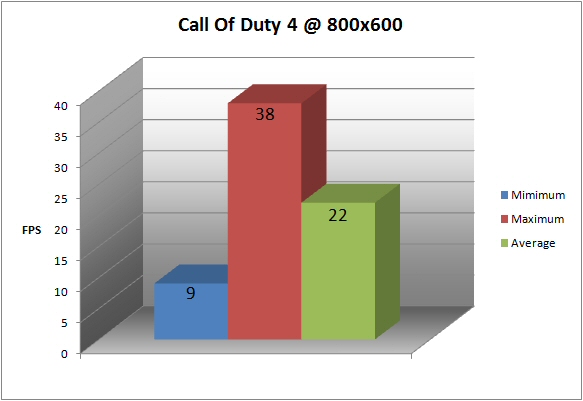
Call Of Duty 4.
The chipset in the Intel doesn’t have the ‘Hardware Vertex Shaders’ needed to run the game – indeed it will run some games well but you’d be looking at much older releases to get remotely playable framerates.
Results continued
Moving onto the AV testing we touch on the real focus of this micro PC. Both systems were tested on their DVD playing credentials while HD playback was strictly the domain of the MAG and the power of its onboard ION chipset.
DVD playback was smooth on both systems using both Media Player 12 and PowerDVD. But as i’ve spotted elsewhere on the web i experienced greater CPU usage during playback in Media Player while using the MAG. This suggests an issue with the Direct X compatibility with the MAG’s ION chipset… despite this the system was still able to function well though.
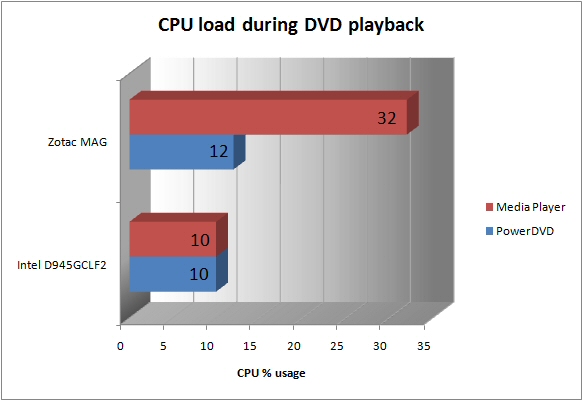
DVD playback.
Additionally despite the lower CPU usage of the Intel i found that doing anything whilst playing back a DVD caused the system to splutter and stall slightly. The MAG produced nothing like this and was able to cope with additional tasks admirably while continuing smooth and uninterrupted playback.
HD playback on the MAG was also smooth and trouble free.
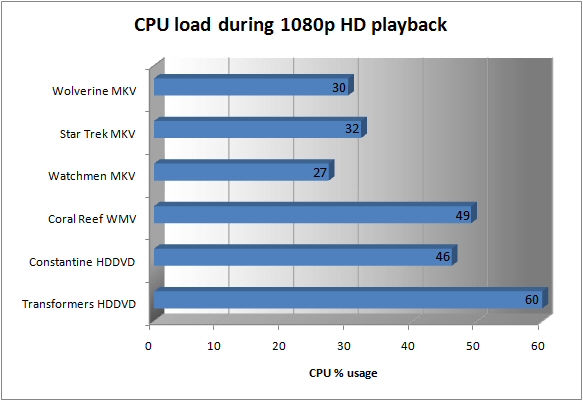
HD playback.
Indeed CPU usage whilst playing back all this 1080p material never went beyond 60%.
Temperature and sound
Temperatures during idle, load testing (using OCCT) and HD playback were recorded to see how the sytem performed during use.
As well as using OCCT to load the system it was also used to monitor the temperatures of both CPU cores, the ION chipset and the HDD.
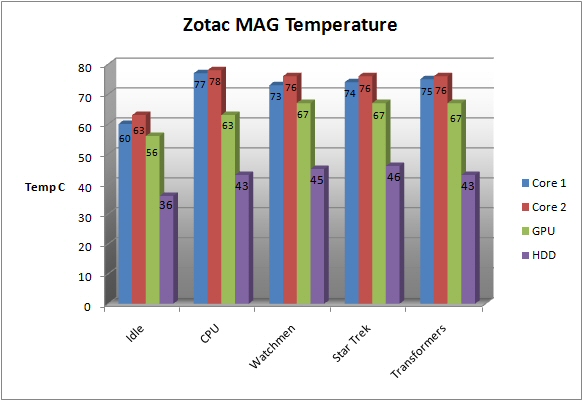
Temperature results.
Sound
Compared to the Intel Atom unit i tested alongside this the MAG was very impressive indeed. Its fan throttled when under little to no load and only spooled up a smidgen more during very heavy load. It was incredibly quiet, unobtrusive and would work a charm in virtually any ‘quiet’ HTPC style environment.
Conclusion
The ZOTAC Mini All-In-One Giant really is a little marvel.
As we\\\’ve seen while it\\\’s certainly not a gaming machine it does offer a great deal for those wanting the reduced clutter of an all in one machine (bar an optical drive) that offers the AV capability of a much larger machine.
The very impressive ZOTAC Mini All-In-One Giant.
Like it\\\’s ION brethren before it we have seen that it can dispatch HD material with ease.
Of course you\\\’ll need to purchase an operating system to get it up and running but beyond that i see no issues. Indeed, even without the operating system the price is certainly not too astronomic. In fact the Intel set up i tested alongside this micro machine would have commanded a very similar price once all the additions had been added to make it a \\\’workable PC\\\’.
Yes, some users may want more power for gaming and encoding or extra storage for video editing but this product isn\\\’t remotely aimed at that market. For those simply wanting a portal to allow HD material playback the MAG is a great piece of hardware.
In conclusion i\\\’d happily recommend the ZOTAC MAG to any user looking for a low power, compact, capable and affordable HD PC.
Pros:
– It\\\’s very quiet
– Wireless N capability with a clutter free internal aerial
– High speed Gigabit network socket will allow easy HD streaming
– Is relatively affordable (costs virtually the same as Intel setup it was tested against)
– Is capable with HD
– Works very nicely out of the box – just add operating system
– Incredibly compact and can be concealed nicely using the supplied VESA cradle
– Looks great
– HDMI out provides a single cable solution for HD video and audio
Cons:
– Certainly not a gaming machine
– Very limited power and storage for video editing and encoding
– Upgradeability very limited due to form factor size
– Operating system not supplied – but in my eyes the price goes some way to reflecting this
We would like to thank ZOTAC for providing the Mini All-In-One Giant. Discuss this review on our forums


