







Combining a keyboard and trackpad, the Xebec iTouchpad could be the ultimate HTPC control. Read on to find out how it fared..
Product on review: Xebec iTouchpad DiamondProduct Manufacturer: Xebec
Street Price: £34.99

Xebec are another new name to the Vortez Labs – this is the very first product we have reviewed of theirs. They’re a fairly new company, although they already have a number of products listed on their site, so they’re obviously not hanging around! Here’s what Xebec have to say about themselves:
Our company name is derived the Xebec trading ships that, for hundreds of years, connected people and cultures in the Mediterranean and beyond. We have taken that vision to break through today’s technological boundaries. With wireless products from Xebec Tech, possibilities are suddenly greater.
At work or at home, our high quality products promise to transform the way you can use your computer – making your life more productive and more enjoyable.”
Anyway, onto the product in hand (and today’s review of) the iTouchpad Diamond. For today’s review we were sent the white variant, although black and silver are also available. Here are the full specs:
Construction: Soft-Touch-Membrane technology
Battery type: 2× AAA 1.5 V (included)
Plug n play
Re-chargable
Full functionality of a full-size layout keyboard due to built in numeric keypad and 12 function keys
Tilt feet for adjustment of the tilt angle for an absolute skid-proof and ergonomic operation
Blue LED indicating pairing, transmitting and low battery
Power On/Off switch to save battery
Optimal for Digital Living Rooms (HTPC) as well as for training, conference & presentation rooms etc.
Dimensions: 31 x 20 x 2.5 cm
The specs are all fairly standard for a HTPC Keyboard/Trackpad combo board. One thing that I quite like is the ability to recharge the batteries inside the keyboard. Often you have to replace the batteries completely, which is quite wasteful, or use rechargeables. The ability to just plug in the keyboard to juice it up is really very handy.
As with most devices of this nature, their usability/layout will have a massive effect on how well they perform, so without further delay let’s take a look at the keyboard itself.
Packaging & First look
The packaging of the iTouchpad is incredibly plain and simple, with a large product photo dominating the front of the packaging. Some potential purchasers may feel starved of information, but fear not, all the nitty gritty stuff is on the back!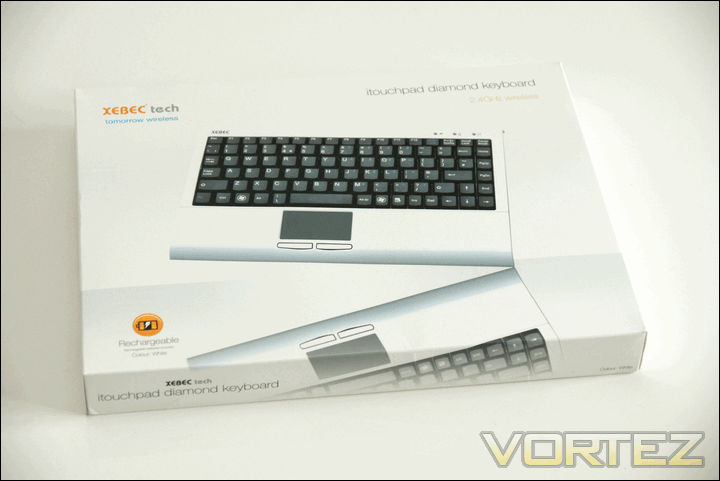
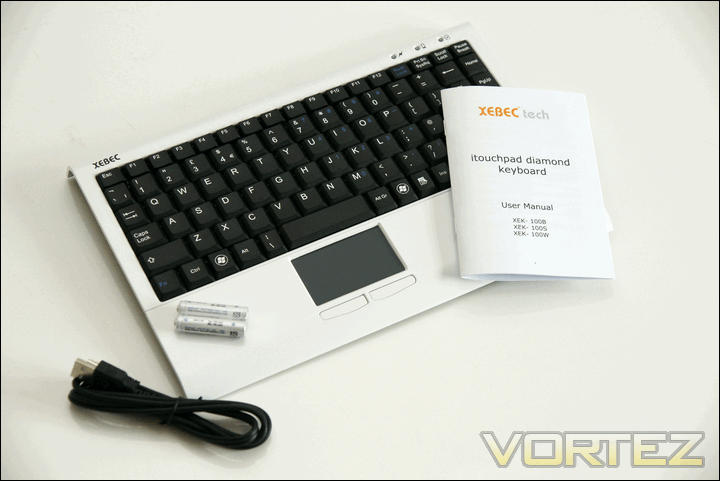
Included in the box are all the necessary items to get to the keyboard up and running; Users manual, Recharge Cable, Batteries and the keyboard itself.
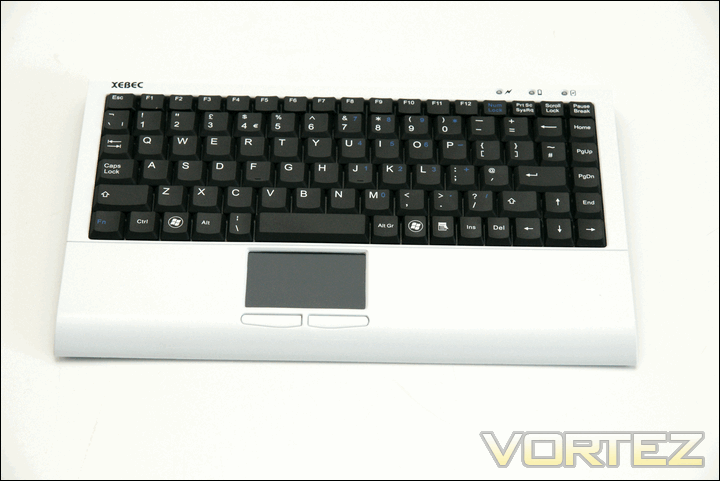
Taking a closer look at the keyboard you immediately notice how tightly packed everything is. The keys reside pretty close to the edge of the keyboard, with a number of keys being shortened or moved from their original places to make it all fit snugly (del key, for example). The keys look and feel similar to those found on laptops, as does the trackpad. You’d be forgiven for thinking this had just been chopped out a laptop, such is the similarity in layout and feel.
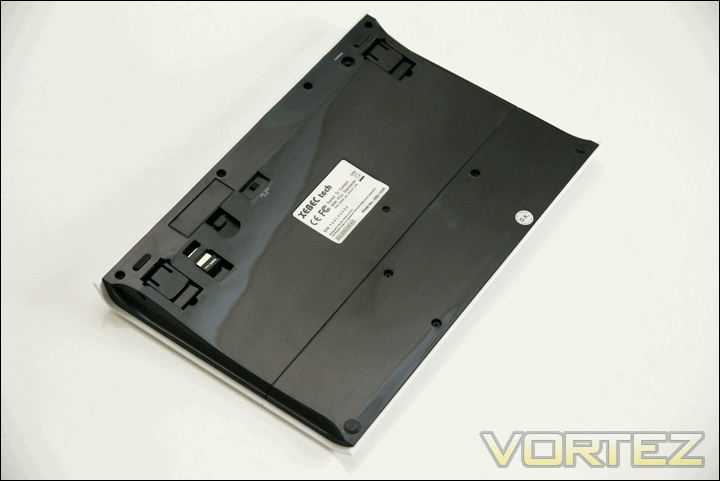
On the underside of the keyboard we have; a pair of feet to tilt/raise the back of the keyboard, battery compartment, USB dongle, On/Off switch and a pairing button. Being able to stow-away the dongle is handy and should help the clumsy ones amongst us avoid losing them.
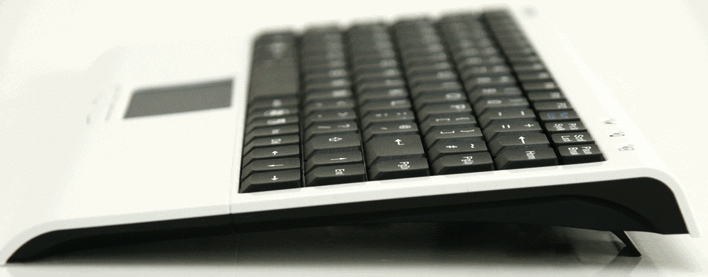
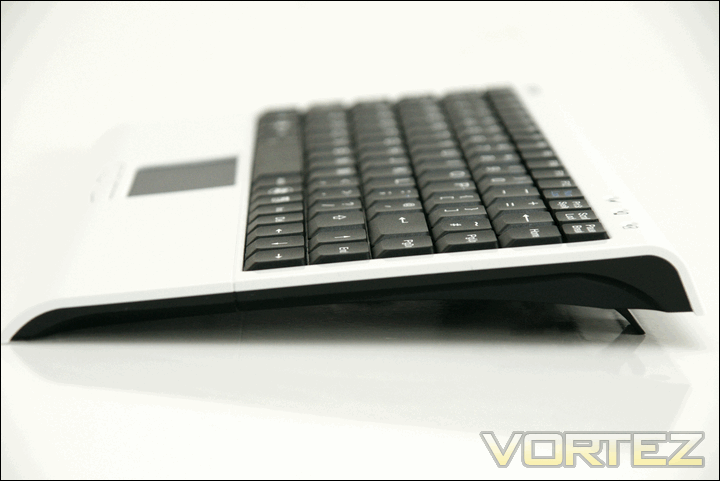
The keyboard’s side on profile is quite curvy and aesthetically pleasing. With the slight tilt incorporated into the design, it should sit up quite nicely on a worktop/desk/lap.
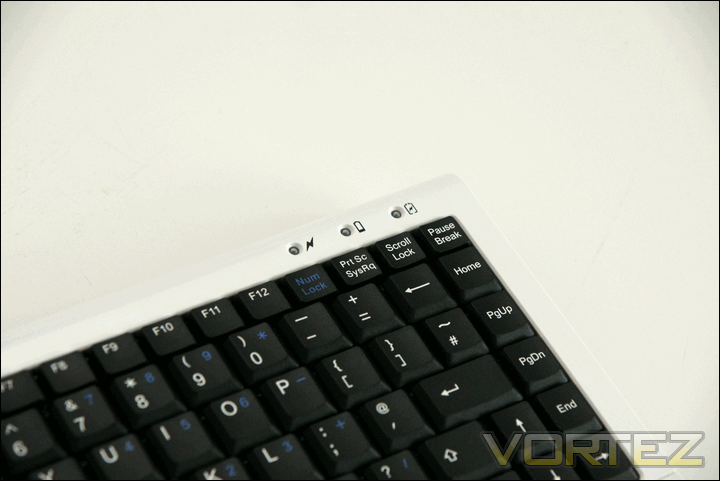
Lastly, we have a row of 3 LEDs in the top right hand corner of the keyboard. Going from right to left we have: Activity LED, Low Battery LED and then the Charging LED. These are all fairly self explanatory and all emit a decent level of (blue) light – it’s not in your face but at the same time it’s easily visible.
Setup and Testing
Setting up the Xebec iTouchpad was incredibly easy. I simply inserted the USB dongle, turned on the keyboard and everything else was sorted for me. Everything worked perfectly, including the trackpad. Wanting to catch out the iTouchpad, I inserted the dongle into my mac to see how well it handled that. Annoyingly, it worked first time. So far so good then, but how does it perform where it really matters – in use.
First impressions were fairly good. I was expecting it to feel very similar to a laptop keyboard, and it was. The only real difference was the resistance the keys offered – they were quite a bit stiffer than any laptop keyboard I’ve ever come across. At first this was a little annoying, as I wasn’t pressing some of the keys hard enough (so the key press wasn’t being registered). After a while though, I got used to it, and found the keyboard far more usable.
Annoyingly, I kept hitting the trackpad when typing. Even though it’s recessed, as it’s not centered I found it sat directly below where I rest my thumb. This meant I would occasionally hit it when resting my thumb. This may be a problem unique to me, but it’s worth bearing in mind and perhaps looking at before purchasing.
The trackpad wasn’t my only gripe – the layout caused some anger during testing. The small backspace was the most annoying feature – a key I regularly use was suddenly really awkward to hit, especially when touch-typing. Moving the delete key can just about be forgiven, but having it on the bottom row took a very long time to get used to. I can understand Xebec were trying to make the keyboard as compact as possible, but I feel they went a step too far and have sacrificed a tad too much in the way of usability to achieve the form factor they were after – a mid-way compromise would have been ideal.
Aside from the issues mentioned above, the iTouchpad worked well. The trackpad was responsive and the buttons had a nice feel to them when clicked. The shape of the iTouchpad was also comfortable, with it’s curved ergonomics working perfectly. I personally found the angle at which the keyboard sat up to be about right, but for those of you that like a bit more angle there is of course the fold out legs. It was also fairly rigid, with very little flex even when pushing down hard in the middle of the keyboard.
Conclusion
So the iTouchpad is a well built, aesthetically pleasing, easy to setup trackpad/keyboard combination. However, those 3 factors aren’t everything and ease of use is incredibly important when it comes to keyboards. It’s here that the iTouchpad loses a few marks, with its’ quest for compactness costing it a little in terms of ease of use. The small backspace key in particular really got on my nerves. For those of you that are used to laptop keyboards this shouldn’t be so much of a chore, but for those looking to switch from a full size keyboard, you may want to think a little harder before putting it on the shopping list.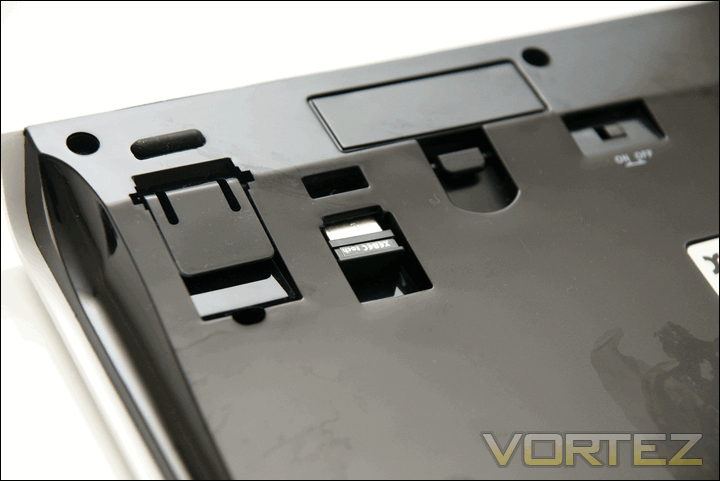
For £34.99 though, these misgivings are easier to forgive. Compared to other devices at this price point, the Xebec trumps them in terms of looks/aesthetics and would look great perched on the edge of the couch.
It’s good value for money then, looks great, is easy to setup and a worthy contender for your hard earned cash – just be prepared to give it some time to get to grips with the layout.
+ Plug & Play Setup
+ Looks good
+ Can be used whilst charging
+ Compact
+ Wireless
Cons:
– A few layout issues


