







An entry level silent computer chassis from the CM Silencio Series. Can the smaller brother to the 550 impress also? Let’s find out!

Product on Review: Silencio 450
Manufacturer and Sponsor: Cooler Master
Street Price: £52 inc. VAT (At time of review)
The pursuit for silence is on many an enthusiast’s wishlist and it is this pursuit that manufacturers are keen to cater for. Not everyone likes to have their system kitted out with transparent windows and flashing LED cooling fans – there is a space, particularly in the computer chassis category for minimalist, discreet case design. Cooler Master introduced a new series called Silencio last year and the Silencio certainly attracted a lot of attention. The 550 delivered elegance in a large chassis but not everyone wants such a sized computer case.
It is the smaller brother of the 550 that we turn to today – the 450. An entry level midi tower with foam dampening properties to continue the pursuit of silence by keeping noise to a minimum, and inside a simple but thoughtful design.
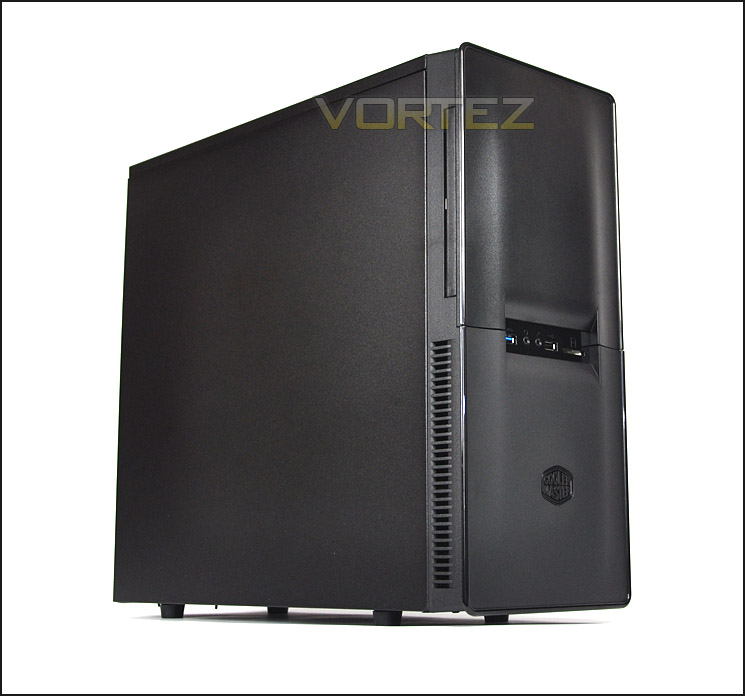
CM’s take on Silencio 450
Technical Specifications
Available Color Full black
Material Steel body, plastic front bezel
Dimension (W / H / D) (W) 194 x (H) 451.45 x (D) 494.75 mm
Weight N.W.?6.2kg ; G.W.?7.0kg
M/B Type Micro-ATX, ATX
5.25″ Drive Bay 3 (exposed)
3.5″ Drive Bay 1 (exposed), 5 hidden
2.5″ SATA HDD Drive Bay 1 hidden
I/O Panel USB3.0 x 1, USB2.0 x 1,
Mic x1, Audio x 1, SD card reader x 1
Expansion Slots 7
Cooling System Front: 120mm fan x 1, 800 RPM
(can support 140mm fan x 1)
Rear: 120mm fan x 1, 800 RPM
(can support 80/90mm fan x 1)
Power Supply Standard ATX PS2 (optional)
Maximum Compatibility CPU cooler height: 6.16-inch (156.5mm)
VGA card length: 11.06-inch (281mm)
16.61-inch (422mm) (Without HDD cage)
Packaging & First Look
The Silencio 450 arrives in a typically designed Cooler Master box. Prominent features are listed on the front with a depiction of the case too. Around the back there are multiple views of the case and more details on the features. Inside, Silencio 450 is covered in a clear plastic sheet and held in place via dual polystyrene pillars.
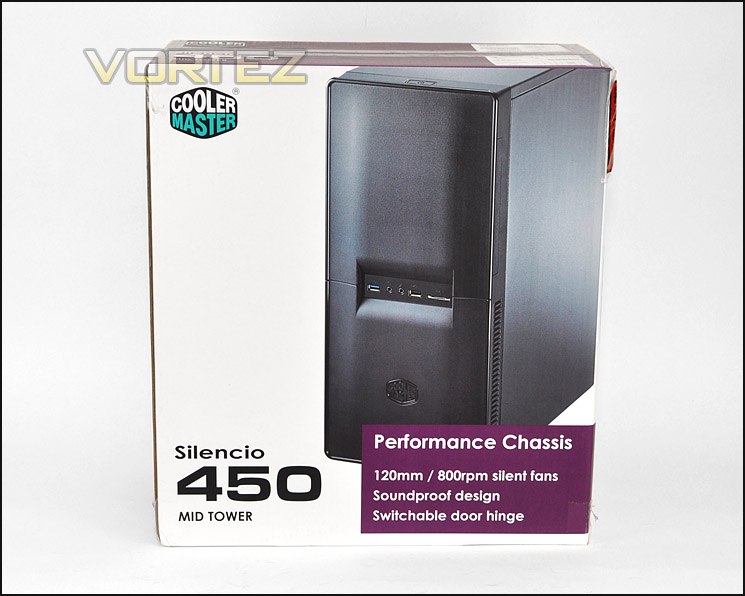
Silencio 450 packaging
Out of its packaging the Silencio 450 adopts minimalist styling to appeal to those who prefer softer aesthetics. Being from the Silencio family, the 450 obviously doesn’t have any perforation on the sides or in fact the top. Both side panels are completely solid. If you are looking for a plain design then 450 will appeal. Personally I’m not overly keen on the front panel – the materials and look give off that this is inferior quality.
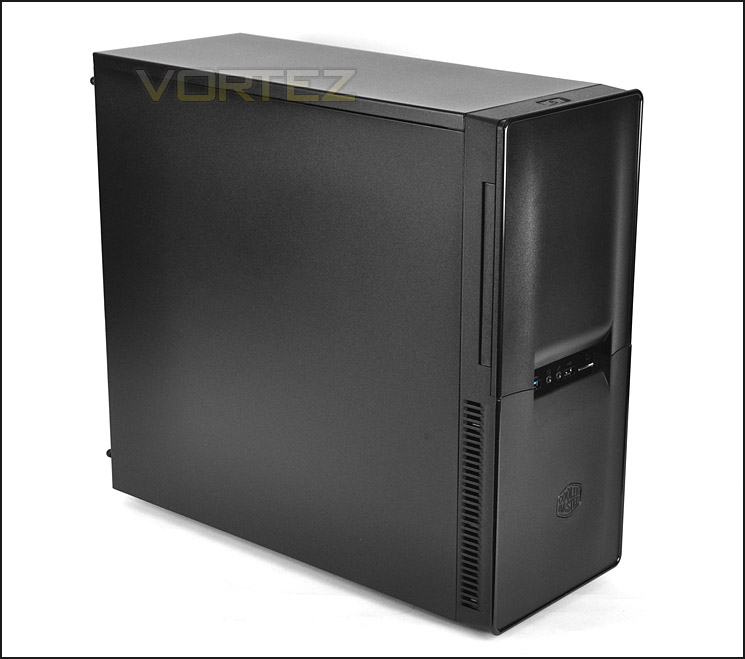
Plain aesthetics
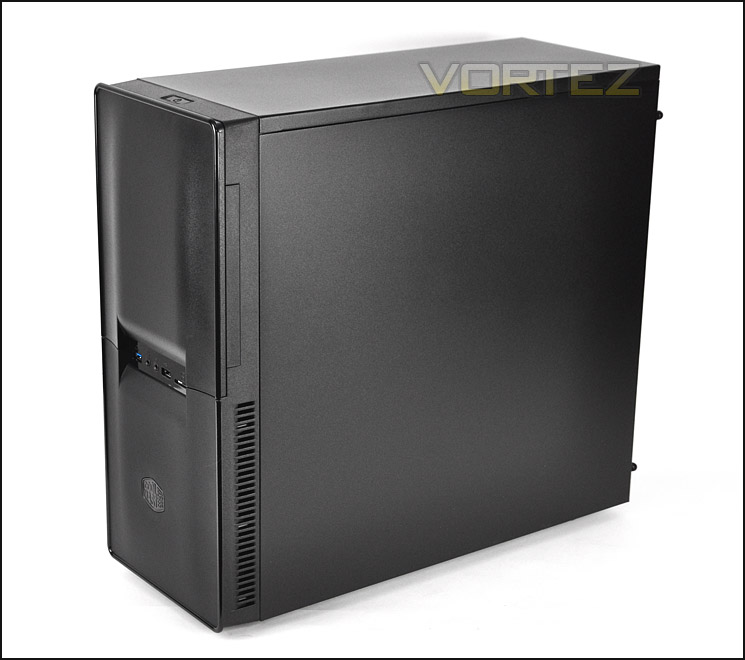
Solid side panels
On the next page we will continue our look at the external elements of Silencio 450.
Exterior
The front of Silencio 450 is split into two sections. The top section acts as a swinging door to give access to the 5.25” drive bays. (More on this further down the page) In the very centre are the front panel connectivity ports and then beneath this the lower section with Cooler Master emblem. Behind this panel there is a 120mm cooling fan that acts as an intake – it draws in air from the sides of the front panel due to the front being completely flat and without any ventilation. Again, I’m not very keen on the visual appearance of this case it has a ‘no-frills’ type of design and material usage.
Around the back there is space at the bottom for mounting the PSU and above this are 7x PCI expansion slot covers. Sadly there is no ventilation on this covers and they have to be twisted and pulled away from the chassis in order to remove them (more on this later). Above this at the top of the Silencion 450 back panel is the 120mm rear exhaust fan and two circular rubber grommets for the USB cables – the USB 3.0 port at the front is not via the motherboard header.
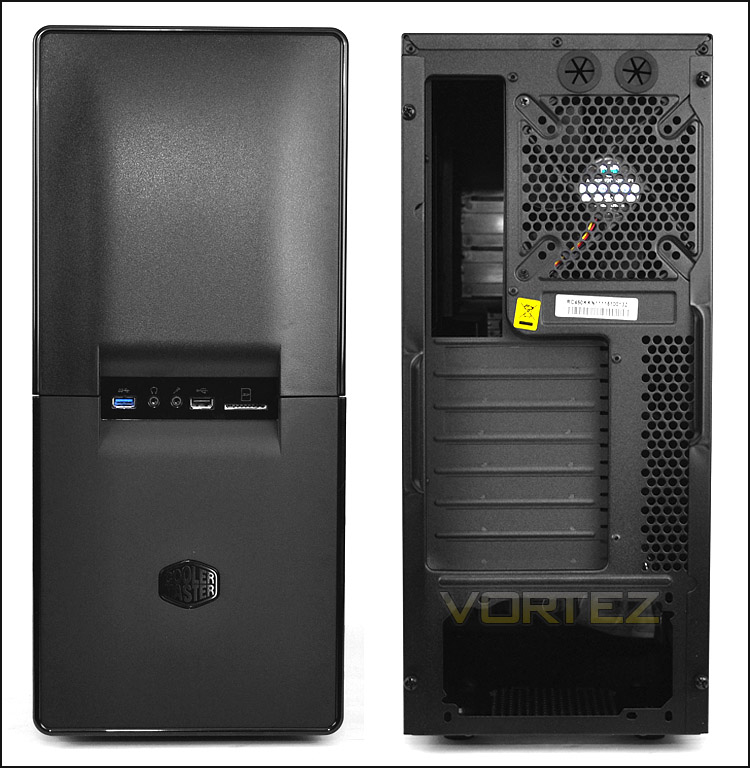
The front and back of Silencion 450
Taking a closer look at the front panel connectivity, here there is 1x USB 3.0 port, headphone and microphone jacks, 1x USB 2.0 port and an SD card slot reader. The USB 3.0 port has to be plugged into the motherboard rear I/O so the cable will need to route through to the back of the case – Cooler Master haven’t provided a motherboard header for this port.
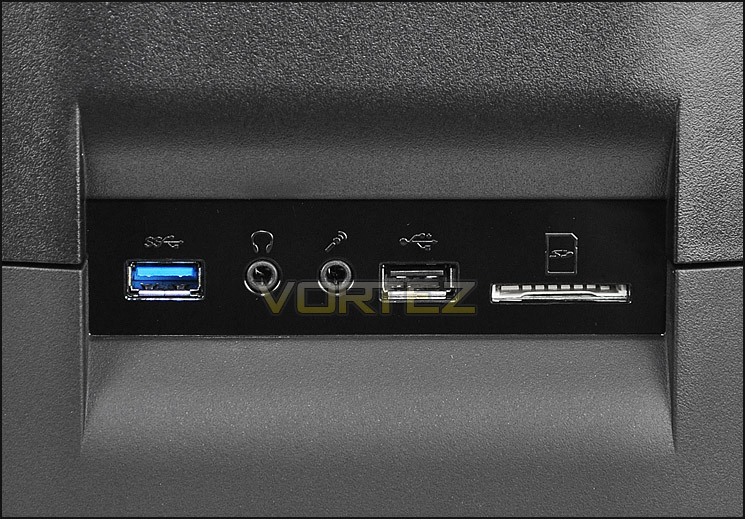
Front panel connectivity with 1 x USB 3.0 port
As mentioned above, the Silencio 450 has a swinging door that covers the 5.25” drive bays. This door has noise-dampening foam to keep noise levels to a minimum.
Behind this door there are 3x 5.25” drive bays and a smaller 3.5” bay which has the reset button next to it. A nice idea – meaning this cannot be accidently pressed.
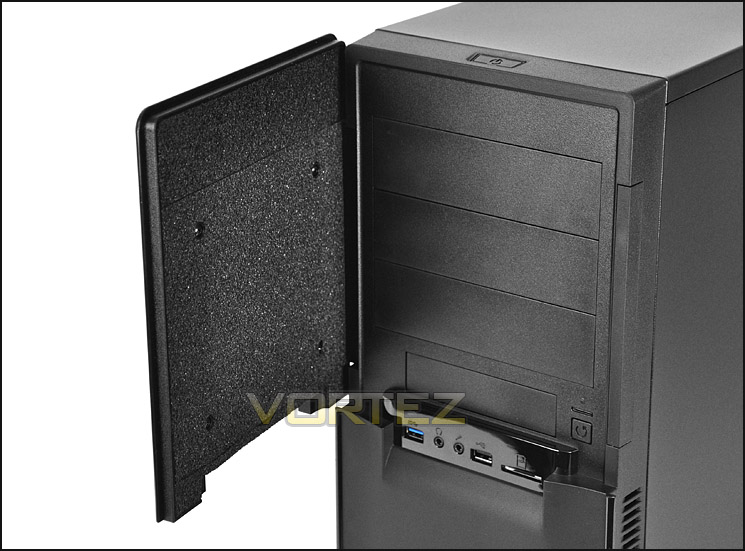
Silencio 450 has a swinging door
The top of Silencio 450 is just like the side panels – completely solid and without any mesh for cooling fans. The only significant feature is the power button that is situated at the very front.
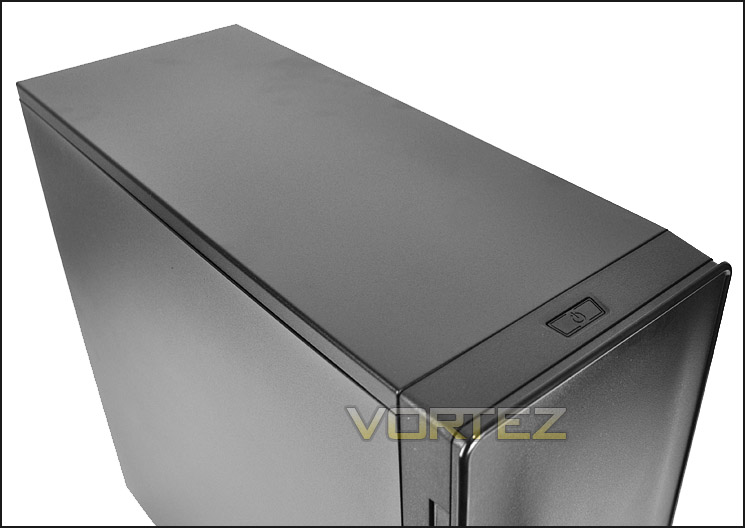
The top is plain and solid
Lastly onto the underside. Here there are 4x plastic feet and a thin fan filter which must be removed by flipping the case on its side.
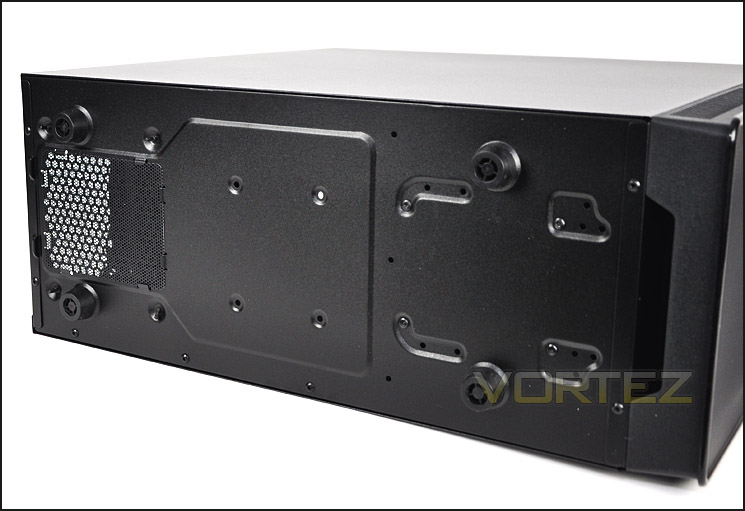
The underside of Silencio 450
On the next page we will delve inside the case for a look at the internal layout and design
Interior
Both side panels on Silencio 450 have noise-dampening foam to reduce the noise within the case when it is running and as is typical both side panels are fixed in place via thumbscrews.
Upon removing these side panels we have the internal layout. There are cable management cut-outs around the motherboard tray – these are without the rubber grommets. There are also many interesting features such as tool-less design for optical and HDD storage and a removable HDD cage.
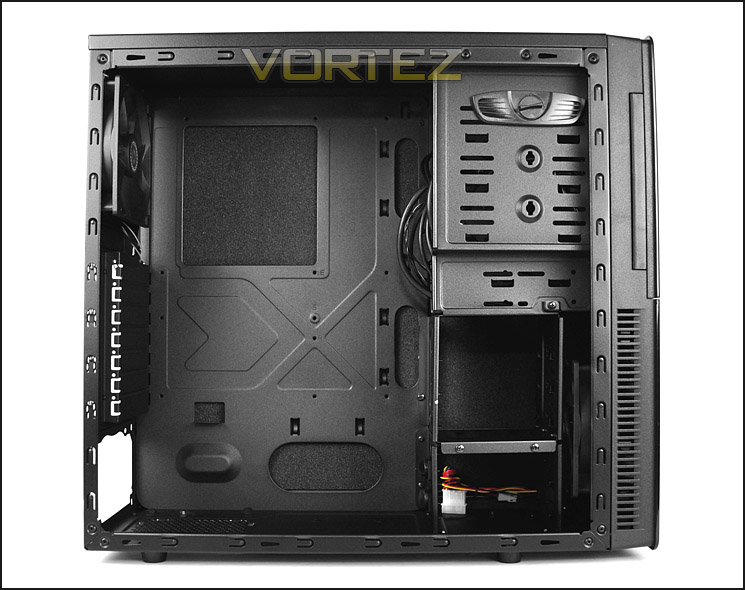
The internal design within Silencio 450
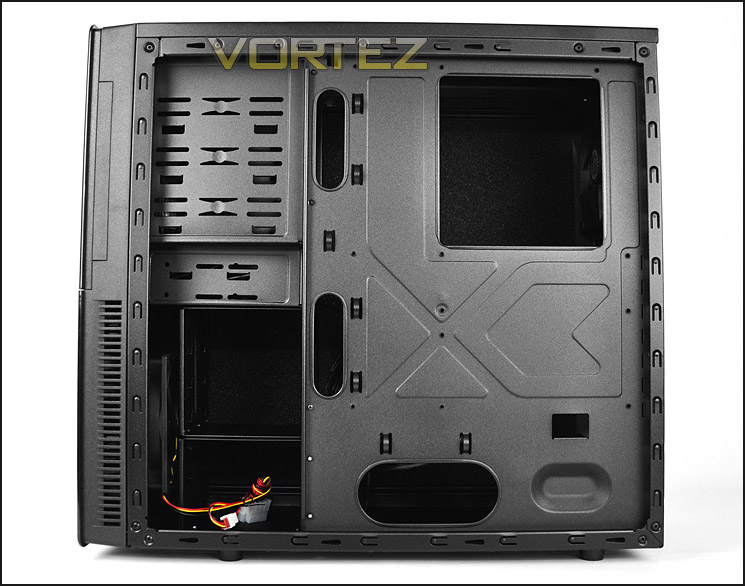
Behind the motherboard tray
Moving in for a closer look we first consider the PSU area. Cooler Master have included some thin rubber mounts here to cushion the PSU – this is pleasing to see and a feature which is often left out of entry-level cases. Underneath there is a dust filter but the case must be turned on its side in order to get access.
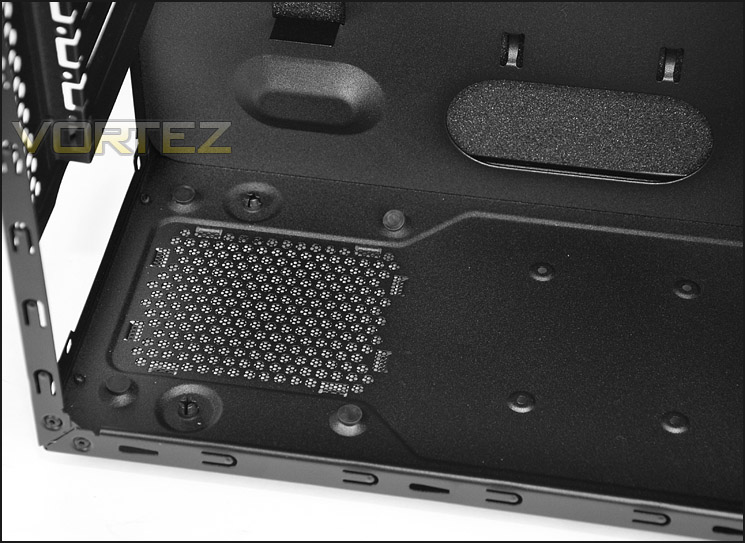
The PSU area inside Silencio 450
Above this there are 7x PCI expansion slot covers. Disappointingly there is no ventilation on any of the covers and furthermore each cover has to be twisted and pulled away from the chassis in order to install a graphics card – the covers here are then rendered redundant and are useless.
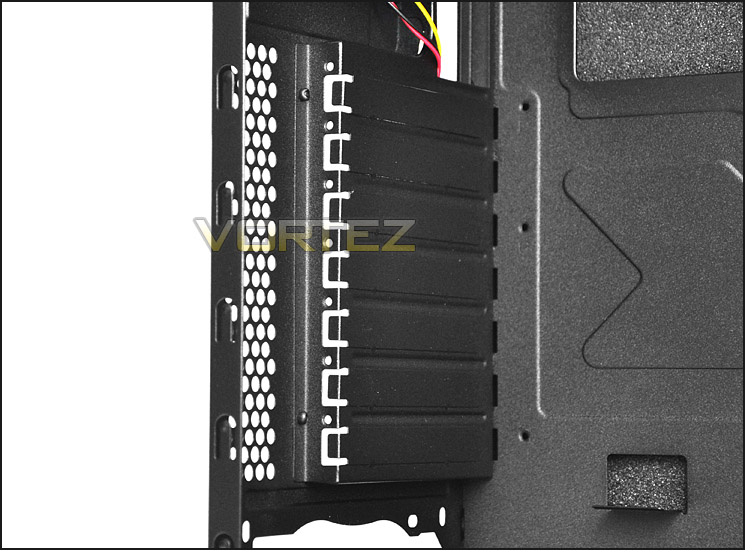
PCI expansion slot covers are not re-usable
On the next page we will continue our tour of the interior.
Interior (Continued)
The top of Silencio 450 has no cooling fans included or even the mounting holes to include one yourself. Cooler Master have included a 120mm rear exhaust though and this can connect to 3-pin header on the motherboard or Molex via the PSU.
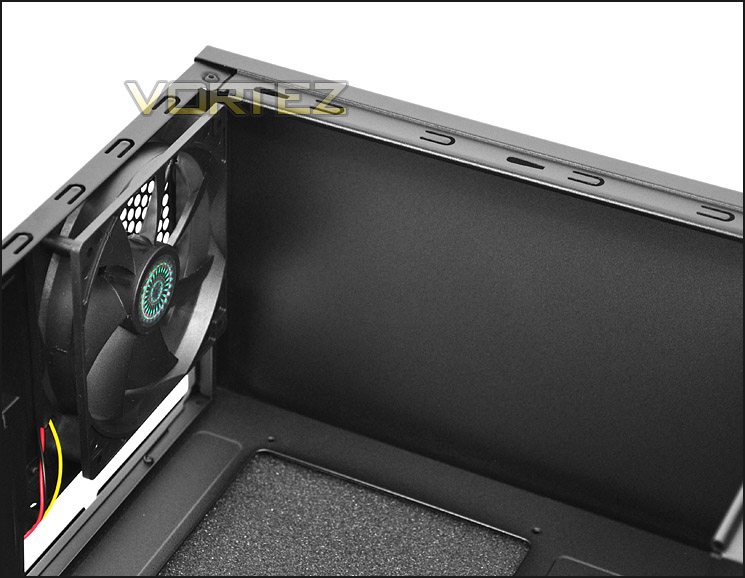
120mm rear exhaust fan but no top cooling fans or mounts
Over on the other side of the case is the optical drive bay storage. There are 3 options for 5.25” devices and a lower 3.5” drive bay. There is only one key/tool for the 3x 5.25” bays so bizarrely only one device can be installed at any one time.
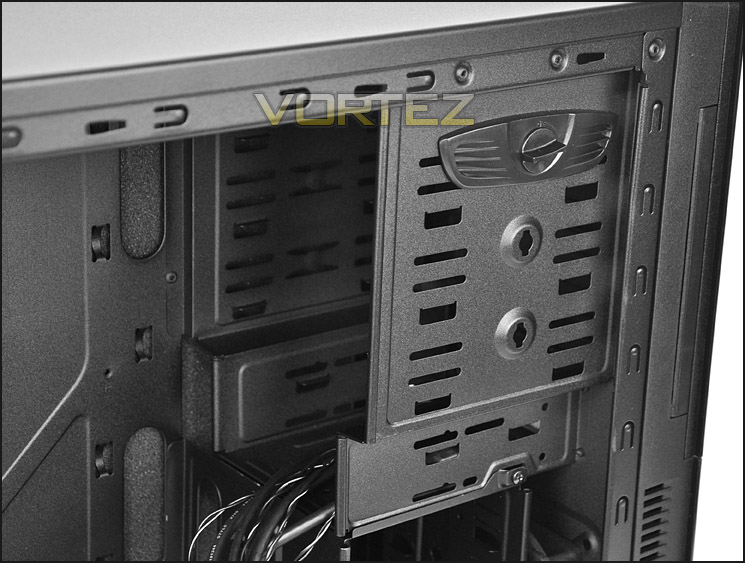
Optical drive bay storage with 3.5” lower bay
Beneath the optical storage there are 2x HDD cages for storing up to 5 drives. The upper cage can be removed for better graphics card compatibility. If your graphics card is over 11” in length this cage must be removed. Installing a drive is similar to the optical drive area – the key/tool has to be attached to the one side of the drive seen below.
Behind the HDD storage is a 120mm intake fan. This can connect via 3-pin or Molex PSU connection.
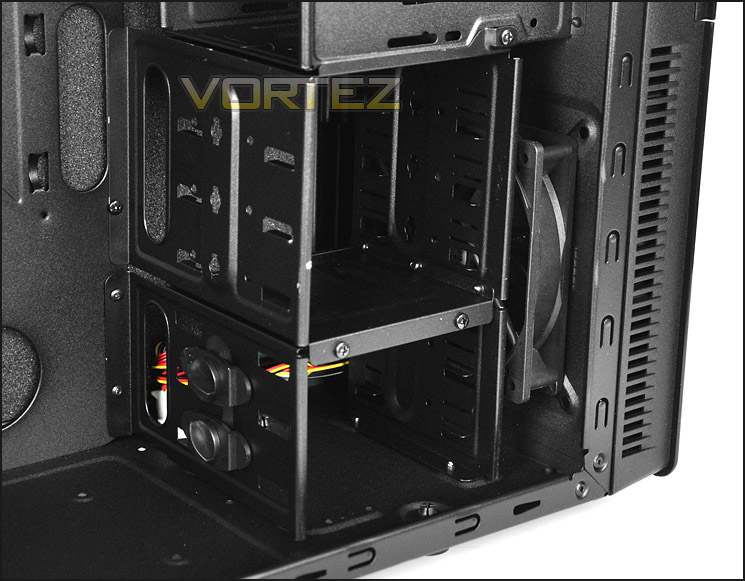
HDD storage with removable top cage for longer graphics cards
On the next page we will report back on the installation process with Silencio 450.
Installation
Getting kit inside Silencio 450 is relatively easy apart from arranging the cable management. There is no cut-out for the CPU/EPS power so this cable has to be routed across the motherboard. Getting the side panel behind the motherboard tray back on is a task in itself and I sadly could not get this back in place. The clearance behind the motherboard tray and side panel are very limited.
Another aspect which I am not too happy about is the HDD installation. The key/tool can only be applied to one side of the drive and as a result means the unit still moves around and is not a secure hold. This needs to be improved and is not a good method of keeping the HDD fixed in place.
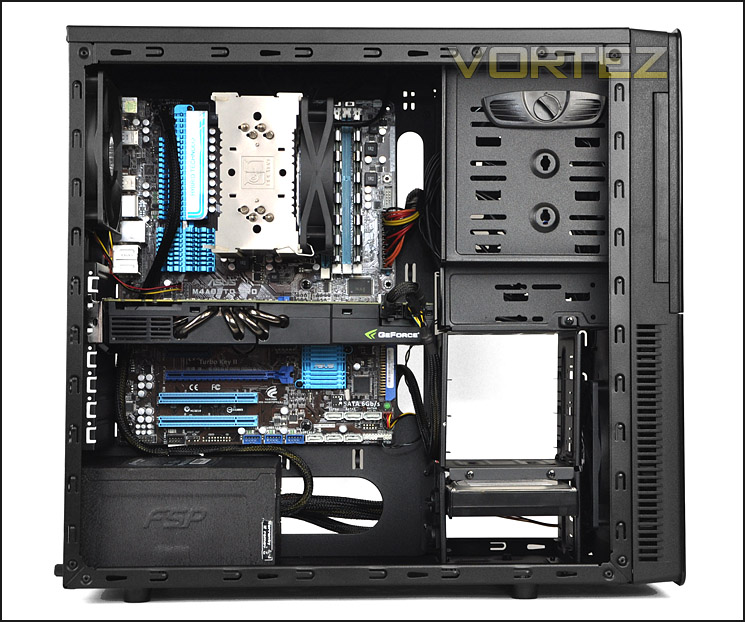
Installation complete – cable management problems!
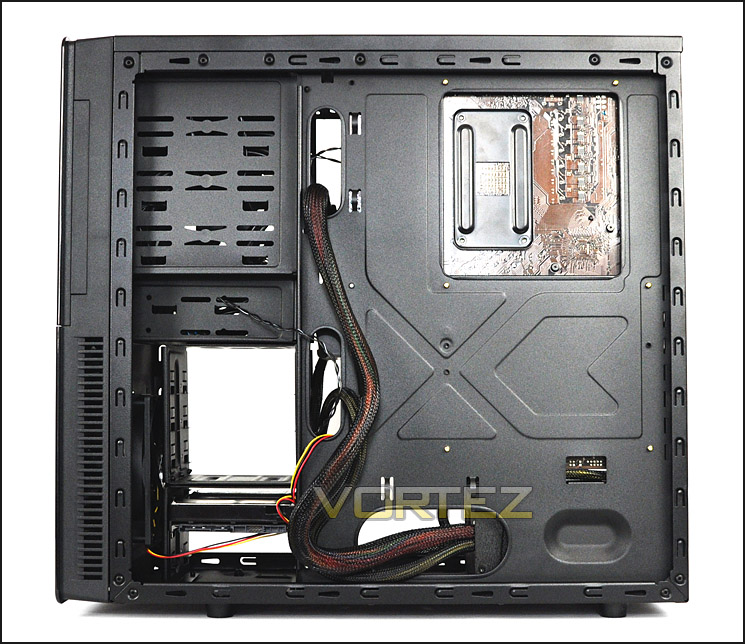
Poor clearance behind motherboard tray
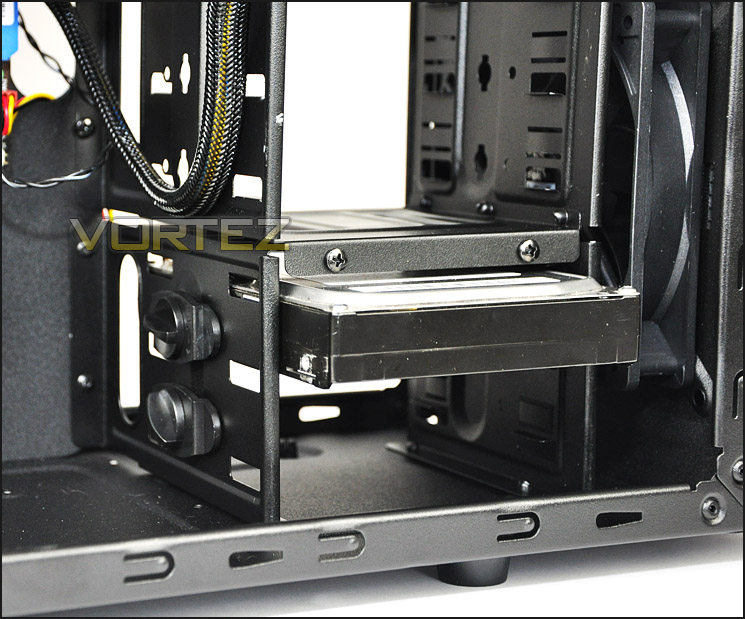
Installing HDD inside Silencio 450
Included in the bundle with Silencio 450 are a range of extras. There are cable ties, PSU padding, speaker, various screws and 2x PCI covers – these covers can be screwed into the case to cover up the holes that may be present as a result of removing the covers within the case.
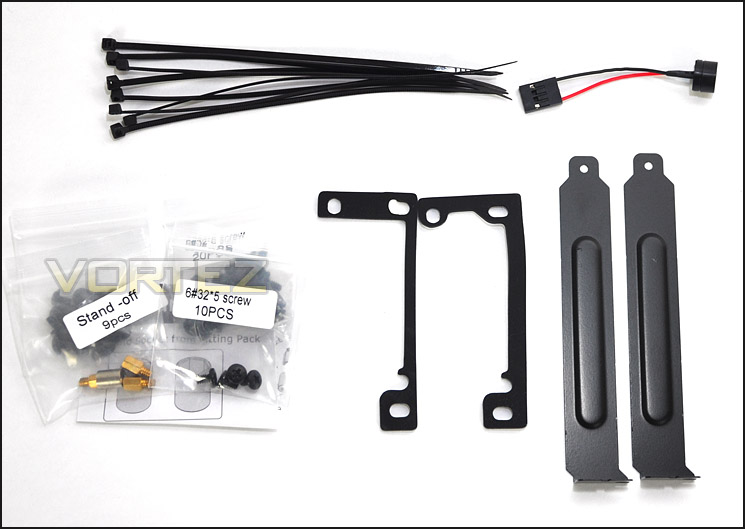
Included items within the bundle
On the next page we will take a look at the clearance options available inside Silencio 450 after the installation.
Clearance – CPU, GPU, Cable Management
Clearance inside a chassis is essential to enthusiasts, in this section we will be looking at all areas to reveal just how flexible Silencio 450 really is.
First off – the CPU cooler. Here Silencio 450 can accommodate the Noctua NH-U12P pictured. This CPU cooler is 158mm in height and there isn’t a great deal of remaining clearance so the bigger flagships like Noctua NH-D14 and Thermalright Silver Arrow which are 160mm in height could well struggle to fit.
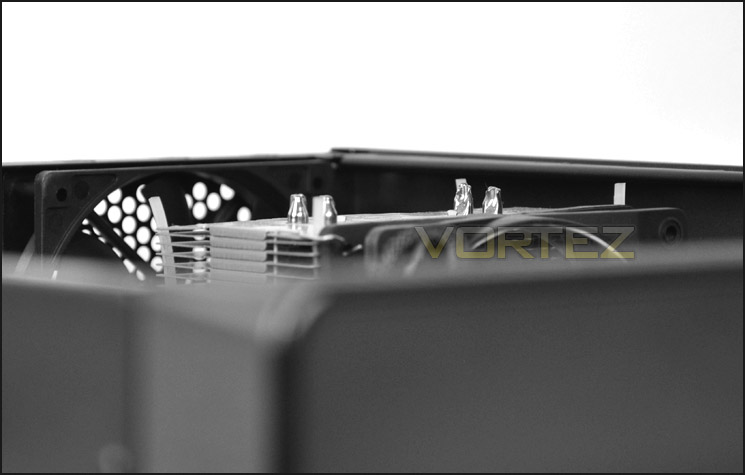
CPU cooler clearance within Silencio 450
Next up the GPU – Silencio 450 can accommodate anything up to 11” in length with the HDD cages as they are but if the graphics card is longer the upper cage must be removed. Pictured is the NVIDIA GTX 480, this is 11” in length.
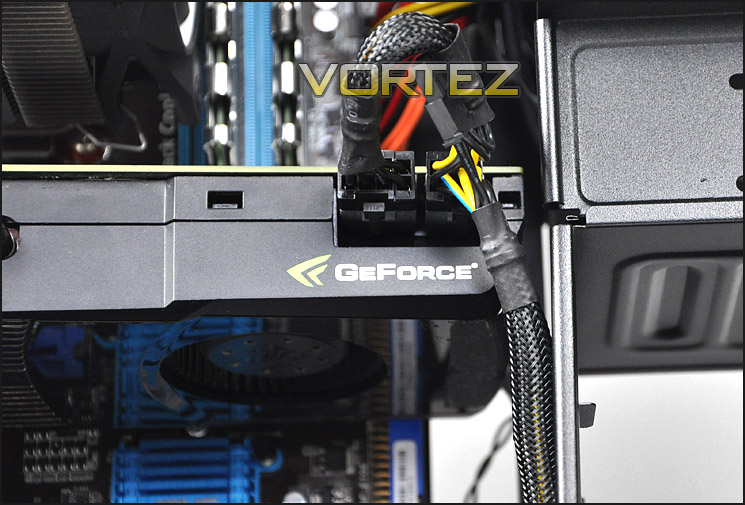
Silencio 450 can accommodate high-end graphics
As previously mentioned, cable management is not something Silencio 450 is particularly good at. Due to the lack of cut-outs at the top of the motherboard tray and clearance between the tray and the side panel it’s a struggle to arrange cables behind the motherboard tray.
Clearance behind the motherboard tray is less than 1cm as pictured.
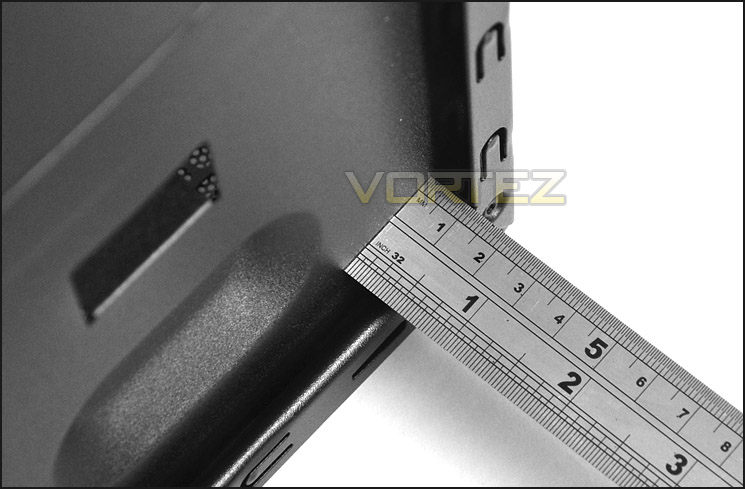
Clearance behind motherboard tray is poor
Thermal Performance Testing
Our thermal performance testing has recently been revised and therefore the list of comparable results are for the moment limited. But as we progress through cases the results will expand.
Inside Silencio 450 there are 2 pre-installed fans positioned in traditional airflow regions. A front intake 120mm fan – bringing in air from outside and pulling it across the system and out through the 120mm rear exhaust fan.
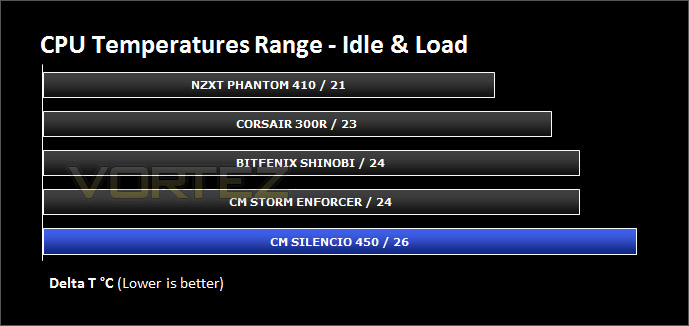
To discover the thermal performance of the Silencio 450 I will record idle temperatures after 20 minutes from a cold boot. I will then stress the system and temperatures will again be monitored after 30 minutes have elapsed. Fan controller will be set to high for all fans.
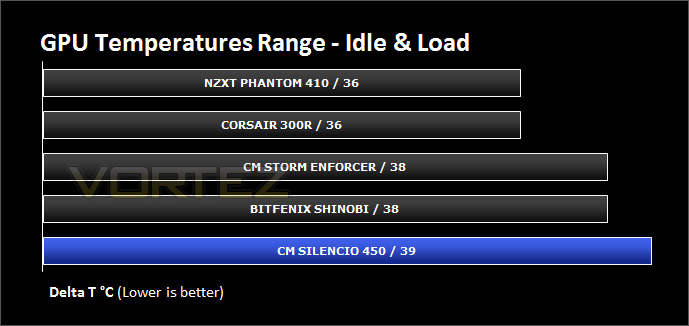
For the purpose of accurate analysis the idle and load temperatures for CPU and GPU will be recorded and the range between idle and load will be calculated to determine how efficient cooling is.
NOTE: Ambient temperature is 20C
System Components
CPU AMD Phenom II X6 1055T 2.8GHz
Motherboard ASUS M4A89TD PRO
Graphics ZOTAC NVIDIA GTX 480 AMP
Memory 4GB Mushkin EM3-10666 DDR3
HDD Samsung Spinpoint 500GB SATA-II
PSU FSP AURUM GOLD 650M
Noise
Due to the fans only spinning at 800RPM inside Silencio 450 – this presents us with a quiet running system. Especially since the chassis has noise dampening foam too.
Because the fans only spin at 800RPM this means they aren’t really pushing as much air and therefore temperatures aren’t the best we have seen.
Conclusion
The Silencio is a new series from Cooler Master and has already captured plenty of attention in the market. Though we can’t personally comment on the 550 as we haven’t reviewed it, this case has already impressed a vast majority of the media around the world.
Although the 450 is from the same series as the 550 its visual appearance is somewhat different. 450 is still minimalist but it lacks the finesse of its older brother. The exterior looks cheap. Inside, things do look better but there are still some oddities. The USB 3.0 port requires a USB port at the rear I/O on the motherboard and there are no cut-outs for the CPU power cable. Furthermore, the clearance behind the motherboard tray means that cable management is rather weak.
We understand that Silencio 450 comes at a smaller price-tag of around £50 and there are almost certainly going to be various cut-backs in order to keep in line with this price but there are better alternatives on the market that offer good cable management and a professional visual appearance. The Corsair 300R is one such alternative and boasts a better feature-set for a similar price-tag.
Cooler Master need to re-think their approach with lower-end cases like the Silencio 450 as it simply scraps the barrel in terms of quality and features.
+ Quiet
+ Low cost
+ Can accommodate high-end kit
Cons
– Looks cheap
– USB 3.0 via cable not header
– PCI covers aren’t re-usable
– Poor cable management
– HDD installation needs improving

Click here for an explanation of our awards at Vortez.net.


