Sennheiser empower gamers with a desktop audio amplifier that features an intuitive LED touch panel for on-the-fly adjustments without the need for additional drivers.

Product on Review: Sennheiser GSX 1000
Manufacturer: Sennheiser
Street Price: UK: £199.99, US: $229.95
In the past, gamers have often been spoon fed second rate, sludgy audio, by various manufacturers. Though that stereotype is certainly changing, that stigma remains. Sennheiser are a brand that owes nothing to the gaming world, yet their latest push with a selection of new gaming orientated products is testament to a booming market that is driving innovation and change across the entire technology sector.
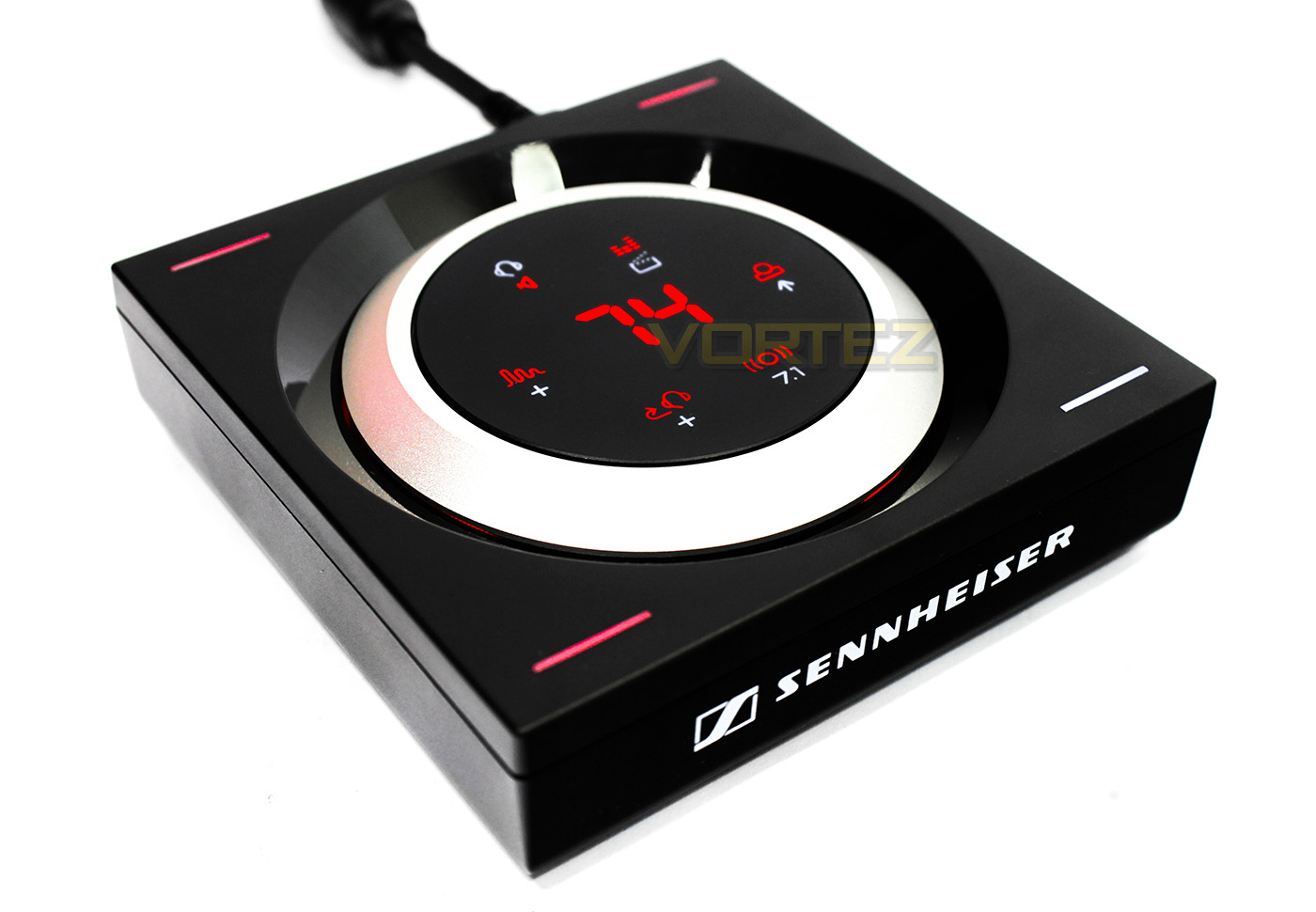
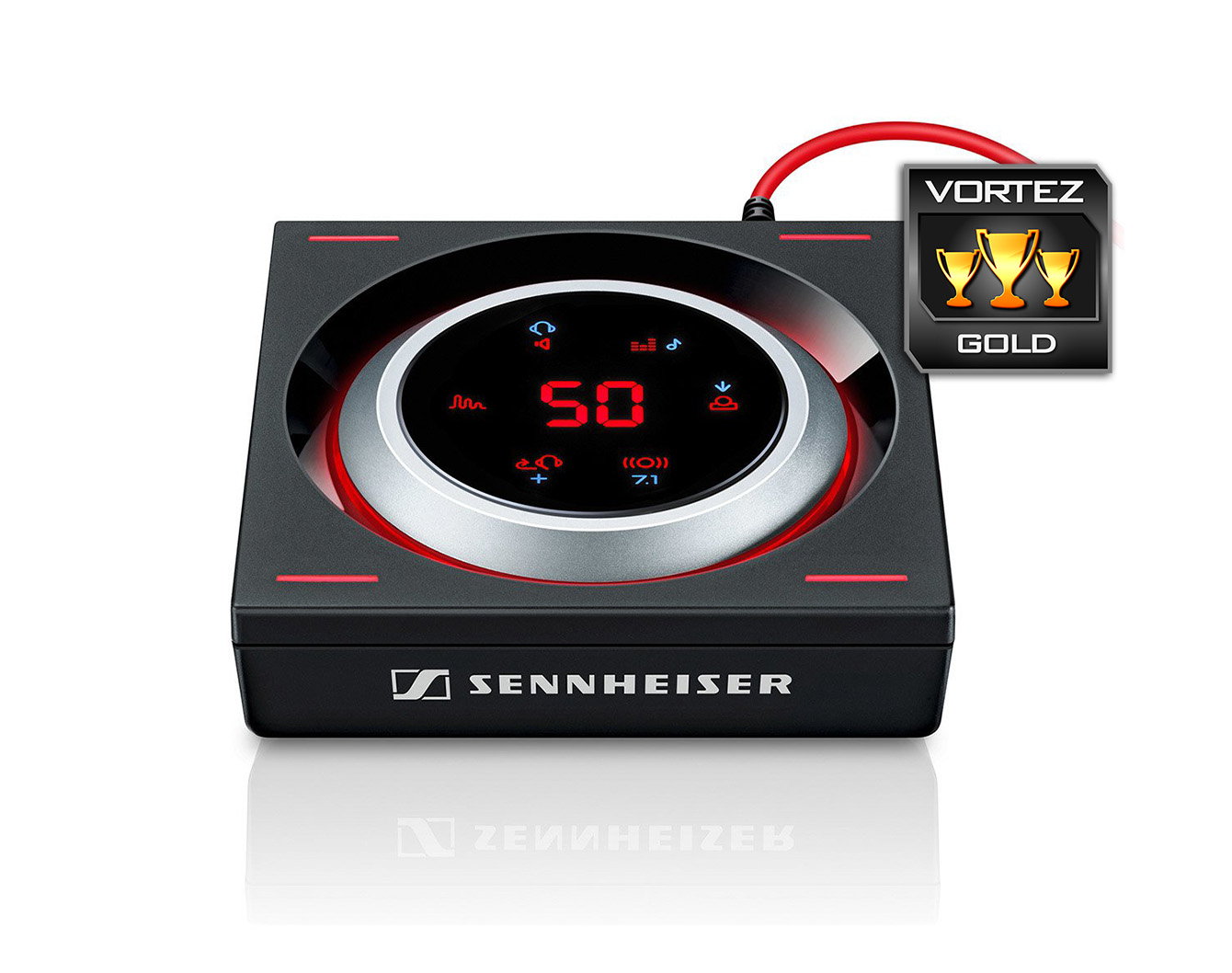
The GSX 1000 comes in as a desktop audio amplifier that features connections for a headset and stereo speakers and features a DAC specifically chosen to run driverless for convenience. It is controlled by an intuitive LED touchscreen panel that lights up as your hand gets closer. At its heart, the GSX 1000 features the Sennhesier Binaural Rendering Engine, that is described as a ‘The groundbreaking 7.1 Virtual Surround Algorithm was developed with the needs of professional gamers in mind.‘. There are settings that enable you to control a front/rear focus while in surround mode, as well as an adjustable amount of reverberation for closed/open spatial awareness. In each corner there is a LED light indicating an individual preset profile, to which each can be customised and saved to preference.
Overview by Sennheiser
Designed primarily for gaming, the GSX 1000 audio amplifier features a Sennheiser Binaural Rendering Engine. The groundbreaking 7.1 Virtual Surround Algorithm was developed with the needs of professional gamers in mind. Experience surround sound on a new level.
Technical Specifications
USB standard – 2.0 USB Full Speed & 1.0 USB Audio
Total harmonic distortion – 0.005 % THD
Cable length – 1.2 m
Connector plugs – 3.5 mm headset socket, 3.5 mm microphone socket, 3.5 mm loudspeaker socket, mini-USB socket
Package Contents
GSX 1000 audio amplifier, USB cable, Quick Start Guide, Safety Guide
Warranty – 2 years
Supported sample rates
Main Audio
7.1: 44.1 kHz @ 16 bit
7.1: 48.0 kHz @ 16 bit
2.0: 44.1 kHz @ 16 bit
2.0: 48.0 kHz @ 16 bit
Main Audio HD
2.0: 96.0 kHz @ 24 bit
Communication Audio
1.0: 16.0 kHz @ 16 bit
Audio outputs
Headphone: DC coupled and dual rail power supply
Frequency response: 0 – 48.0 kHz
Recommended headphone impedance: 16 – 150 Ohm
Max. output voltage 1 V RMS @ 32 Ohm
Line out (AUX):
Frequency response: 1.5 – 48.0 kHz
Max. output voltage: 1 V RMS @ 10 kOhm
Dimensions product packaging (W x H x D): 143 x 70 x 139 mm
Weight of product and packaging: 390 g
Total harmonic distortion – 0.005 % THD
Cable length – 1.2 m
Connector plugs – 3.5 mm headset socket, 3.5 mm microphone socket, 3.5 mm loudspeaker socket, mini-USB socket
Package Contents
GSX 1000 audio amplifier, USB cable, Quick Start Guide, Safety Guide
Warranty – 2 years
Supported sample rates
Main Audio
7.1: 44.1 kHz @ 16 bit
7.1: 48.0 kHz @ 16 bit
2.0: 44.1 kHz @ 16 bit
2.0: 48.0 kHz @ 16 bit
Main Audio HD
2.0: 96.0 kHz @ 24 bit
Communication Audio
1.0: 16.0 kHz @ 16 bit
Audio outputs
Headphone: DC coupled and dual rail power supply
Frequency response: 0 – 48.0 kHz
Recommended headphone impedance: 16 – 150 Ohm
Max. output voltage 1 V RMS @ 32 Ohm
Line out (AUX):
Frequency response: 1.5 – 48.0 kHz
Max. output voltage: 1 V RMS @ 10 kOhm
Dimensions product packaging (W x H x D): 143 x 70 x 139 mm
Weight of product and packaging: 390 g
Packaging & First Look
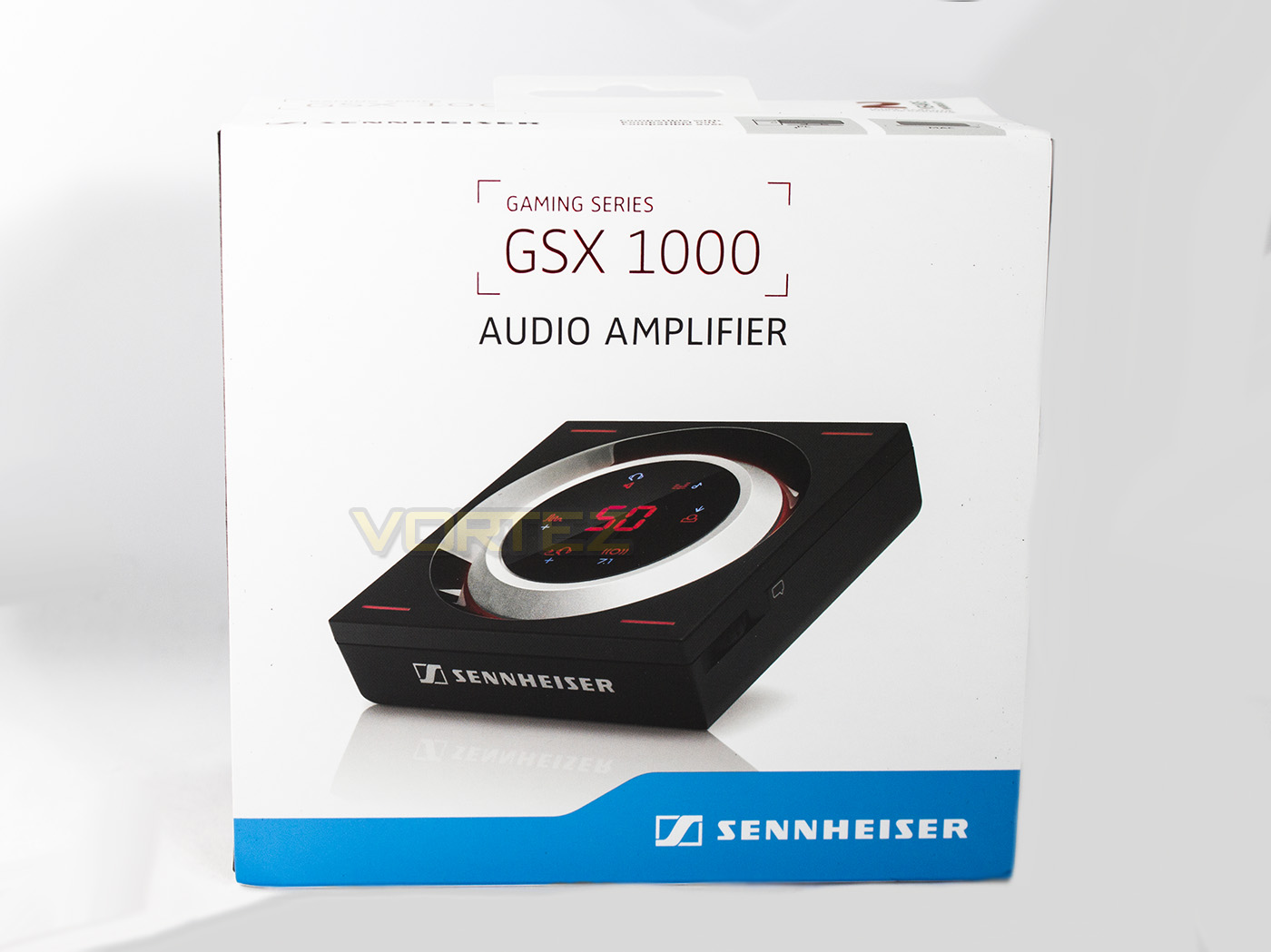
The packaging is fairly minimalistic, displaying the product name and what it is accompanied by a product image.
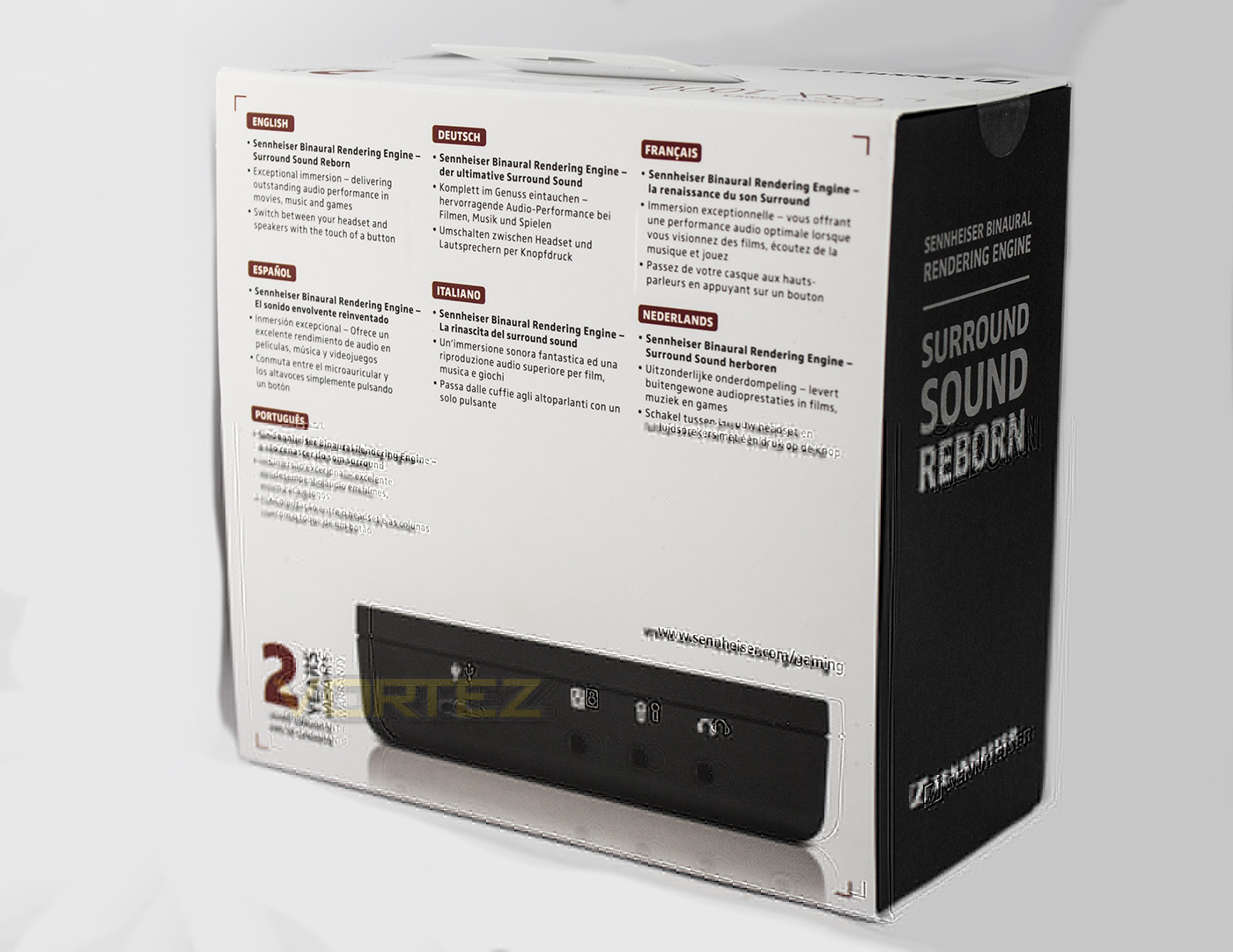
The rear side displays a modest amount of information of information in various langauges, including that it uses a Surround Rendering Engine, and can swap between speakers and headset at a single touch.
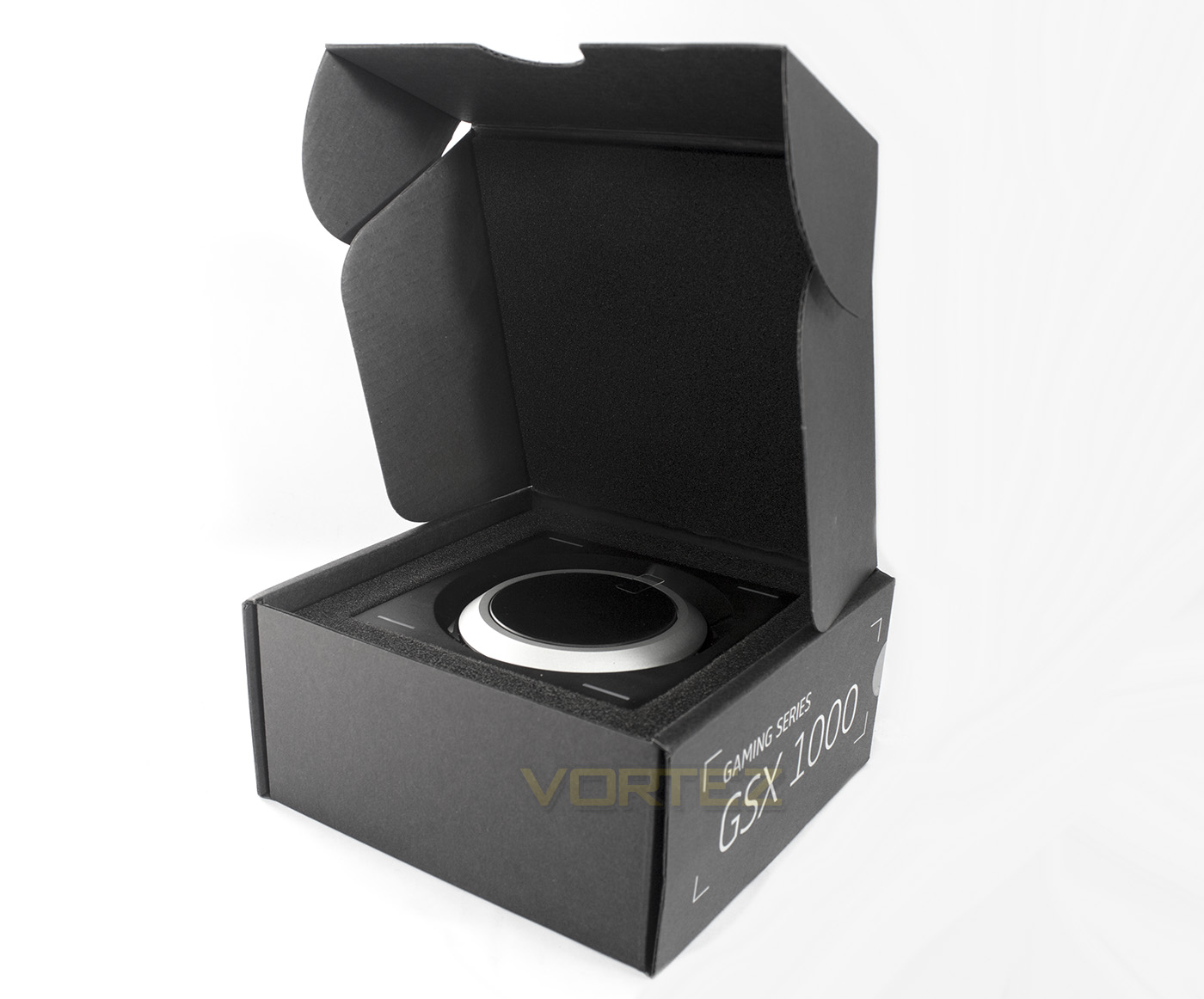
The inner box reveals the GSX 1000 seated in a thick layer of protective foam.
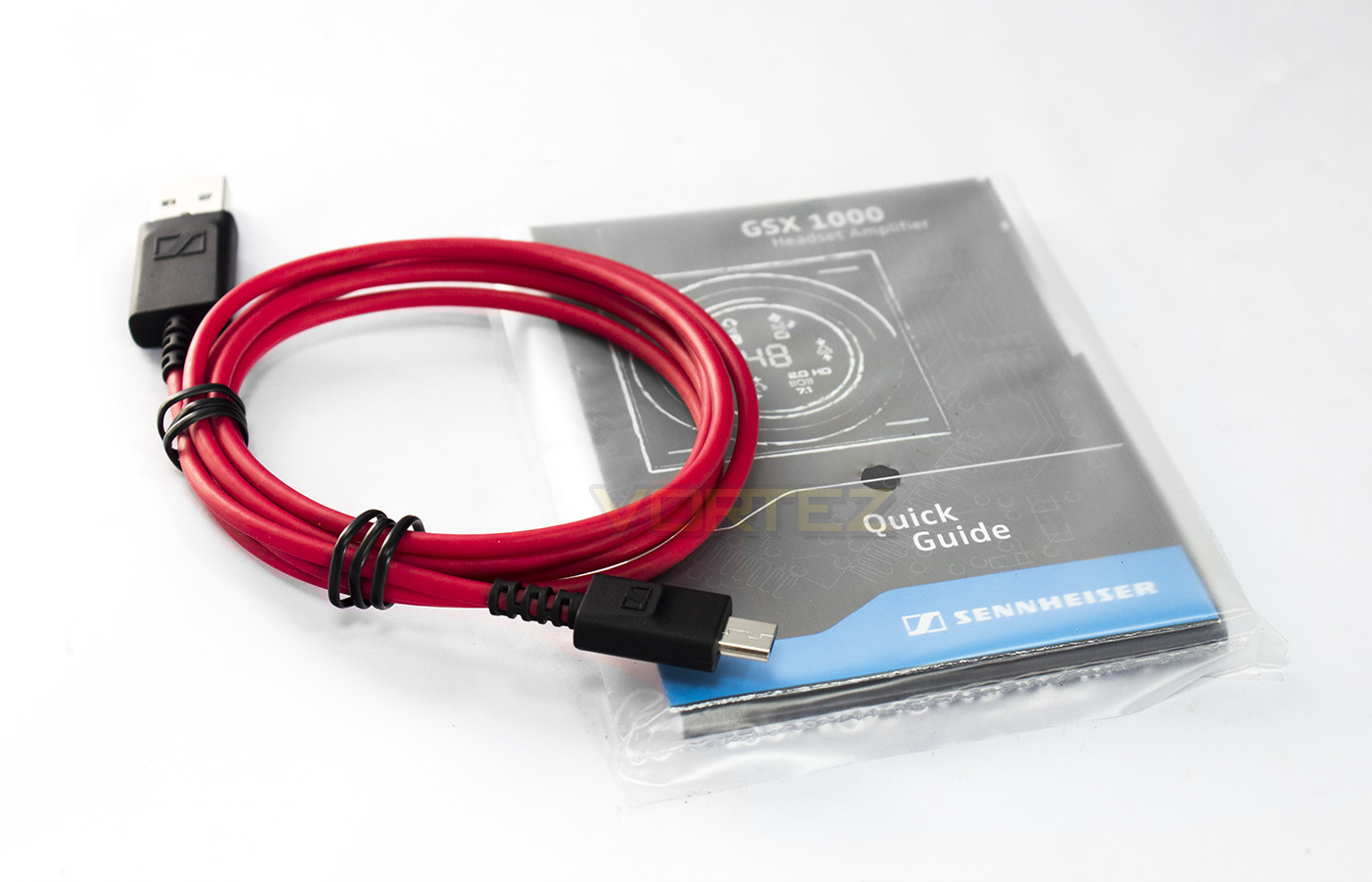
Once you lift the amplifer out of the box, underneath is a quickstart guide and a USB – microUSB cable.
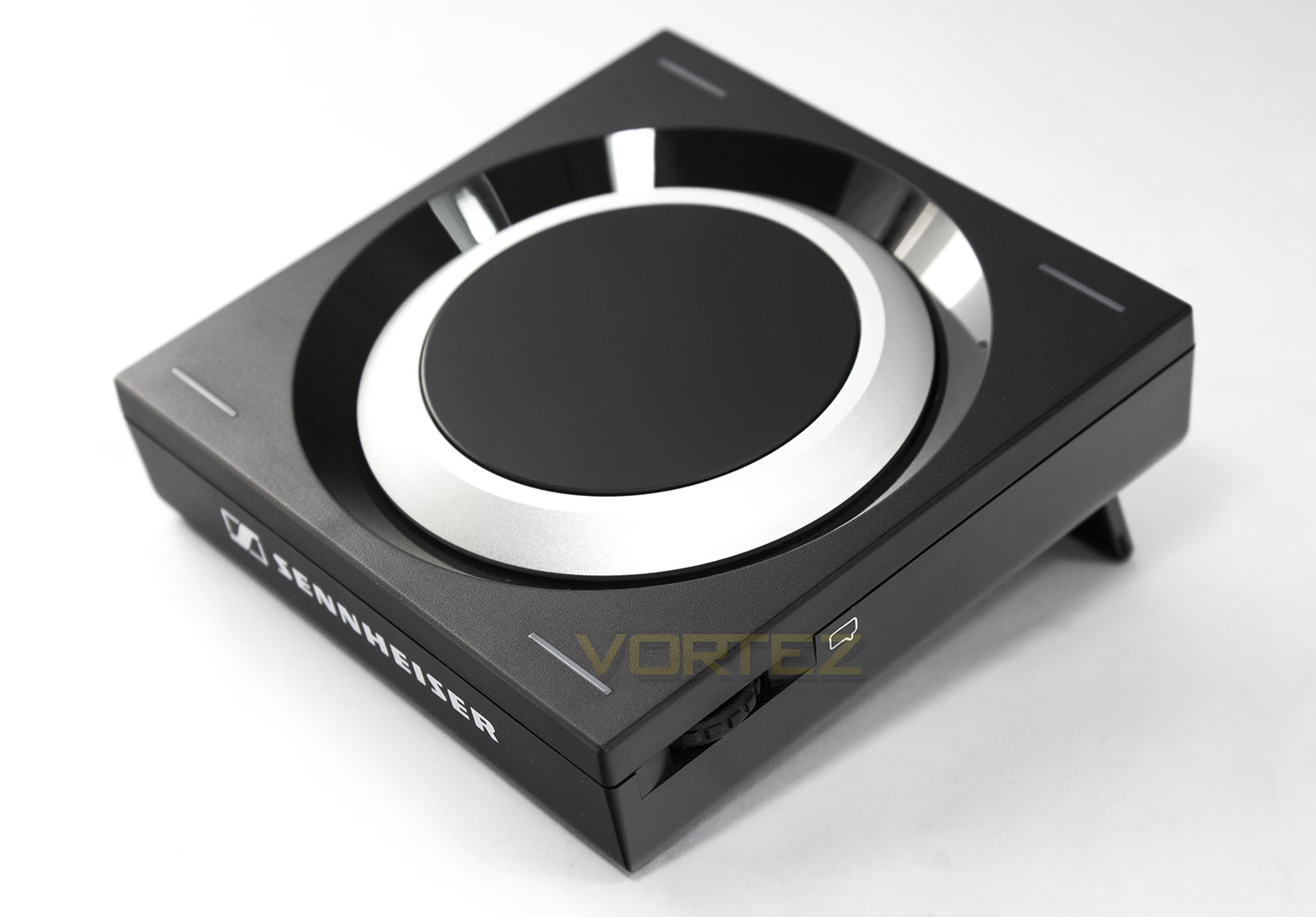
The GSX 1000 measures approximately 100 x 100 x 30 and is made using high quality components.
Closer Look
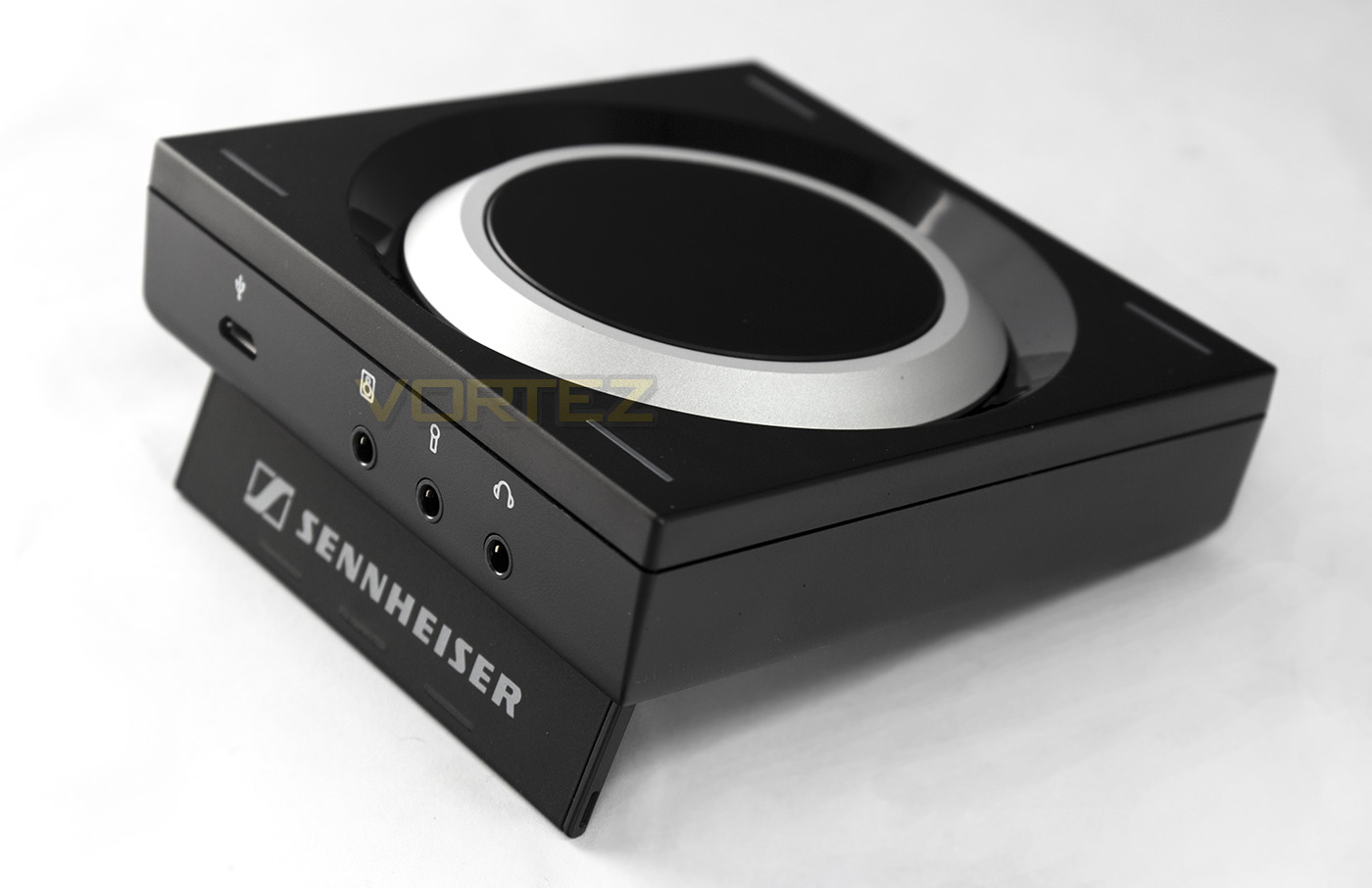
The amplifier is of a fair weight, but not super heavy or so light it can get dragged around easily. It has a fold open stand allowing it to be angled towards you, the stand has been rubberised for additional grip also.
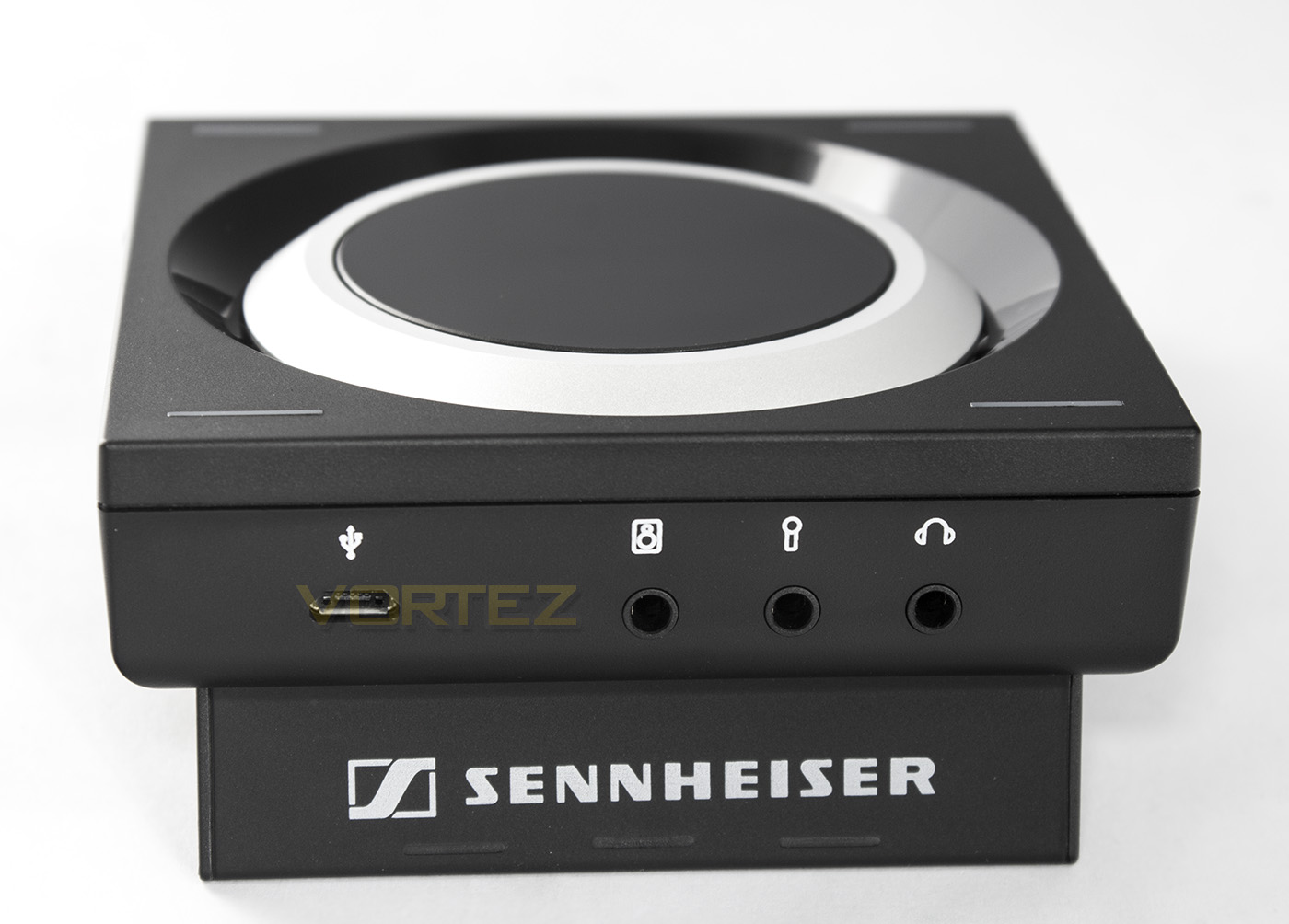
The I/O features a microUSB for power/connection, speaker 3.5mm jack, microphone 3.5mm jack and headphone 3.5mm jack.
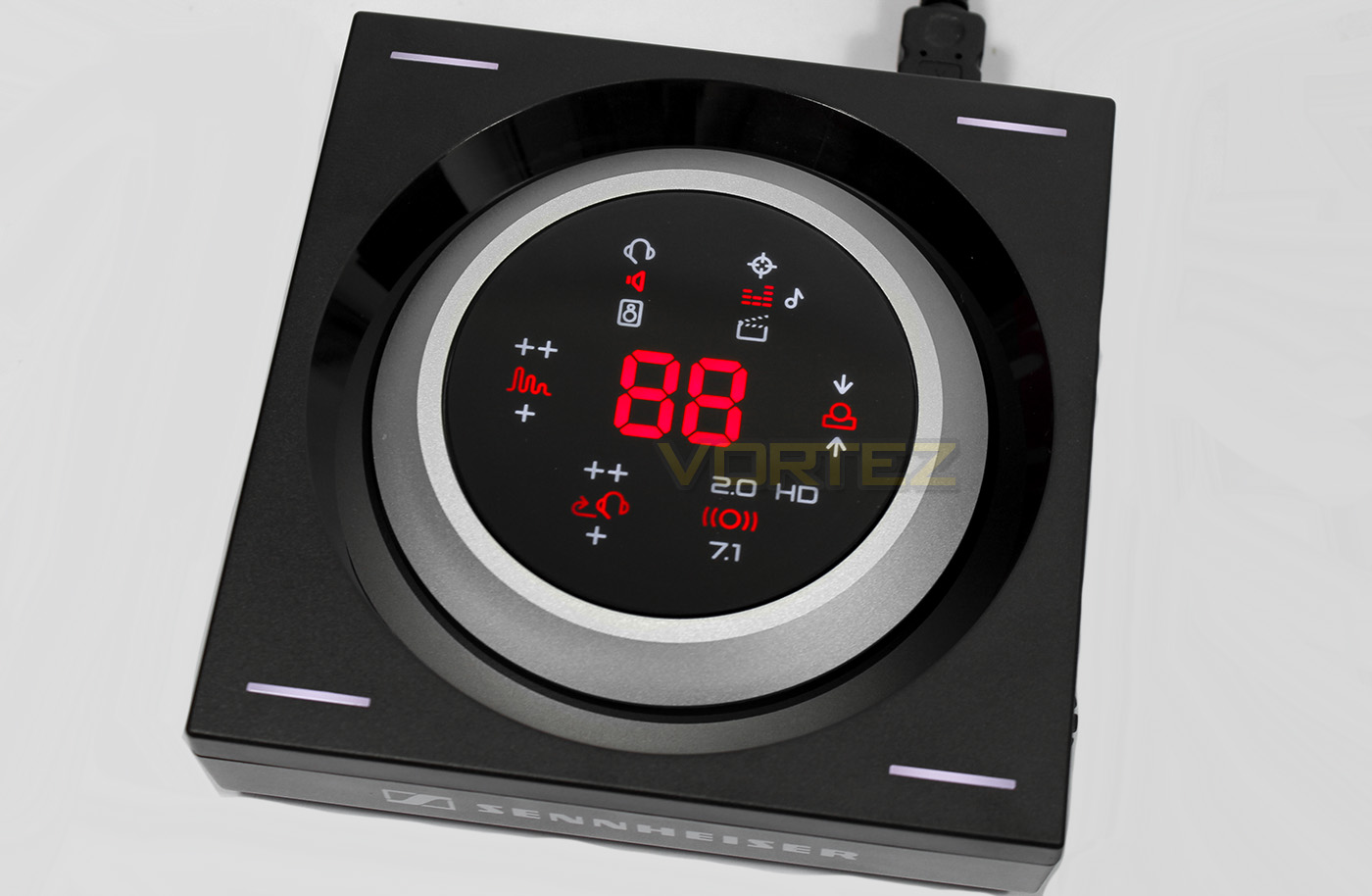
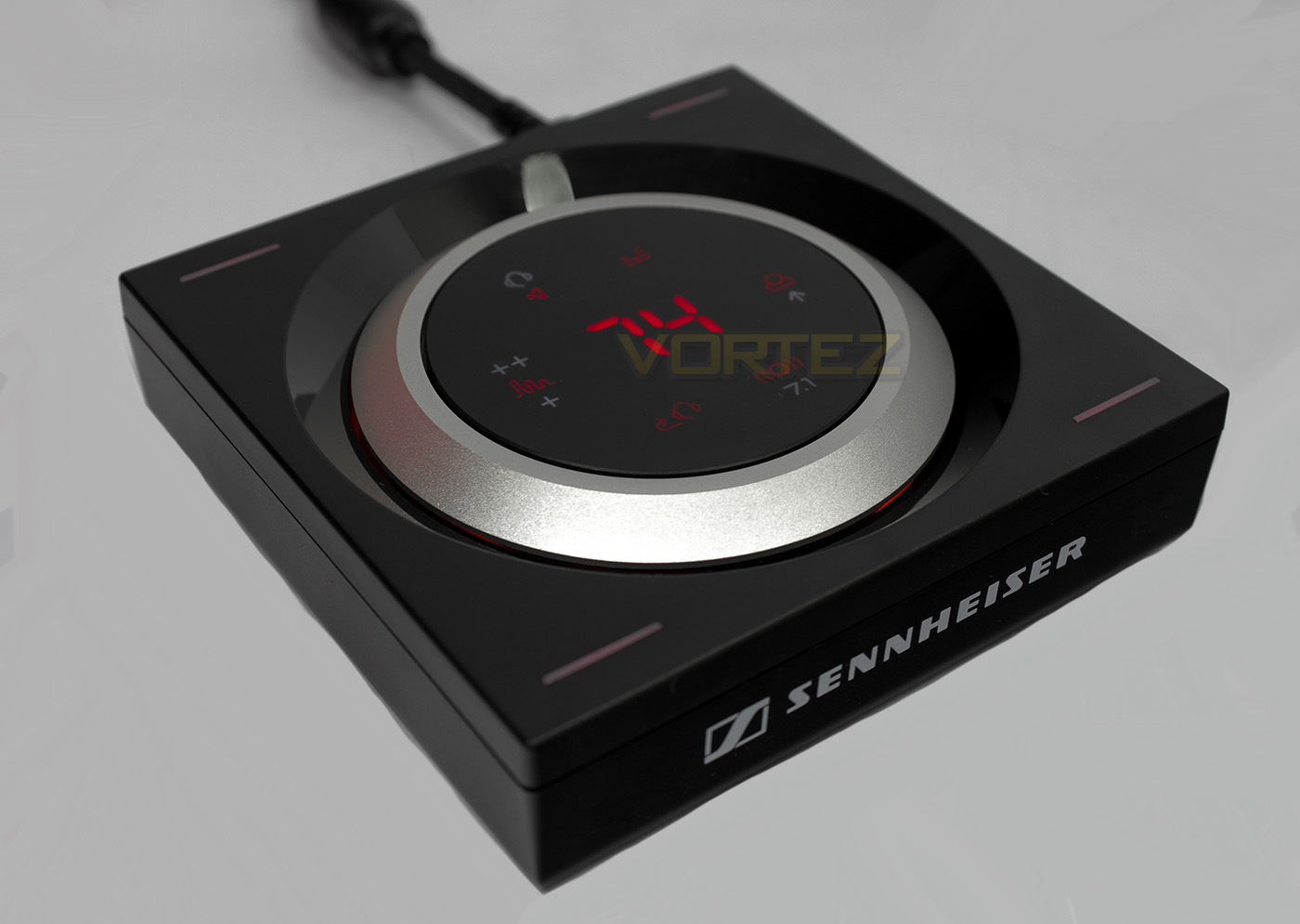
Once you powerup for the first time, all lights will show up, giving us the best opportunity to explain all the icons. In clockwise order from the top left: Output selection (headphone/speaker), EQ selection (off/gaming/music/movies), virtual speaker preference (only available in 7.1 mode: front/rear/neutral), select stereo/surround mode, sidetone volume (off/low/high), Reverberation (Surround mode only: off/closed space/open space).
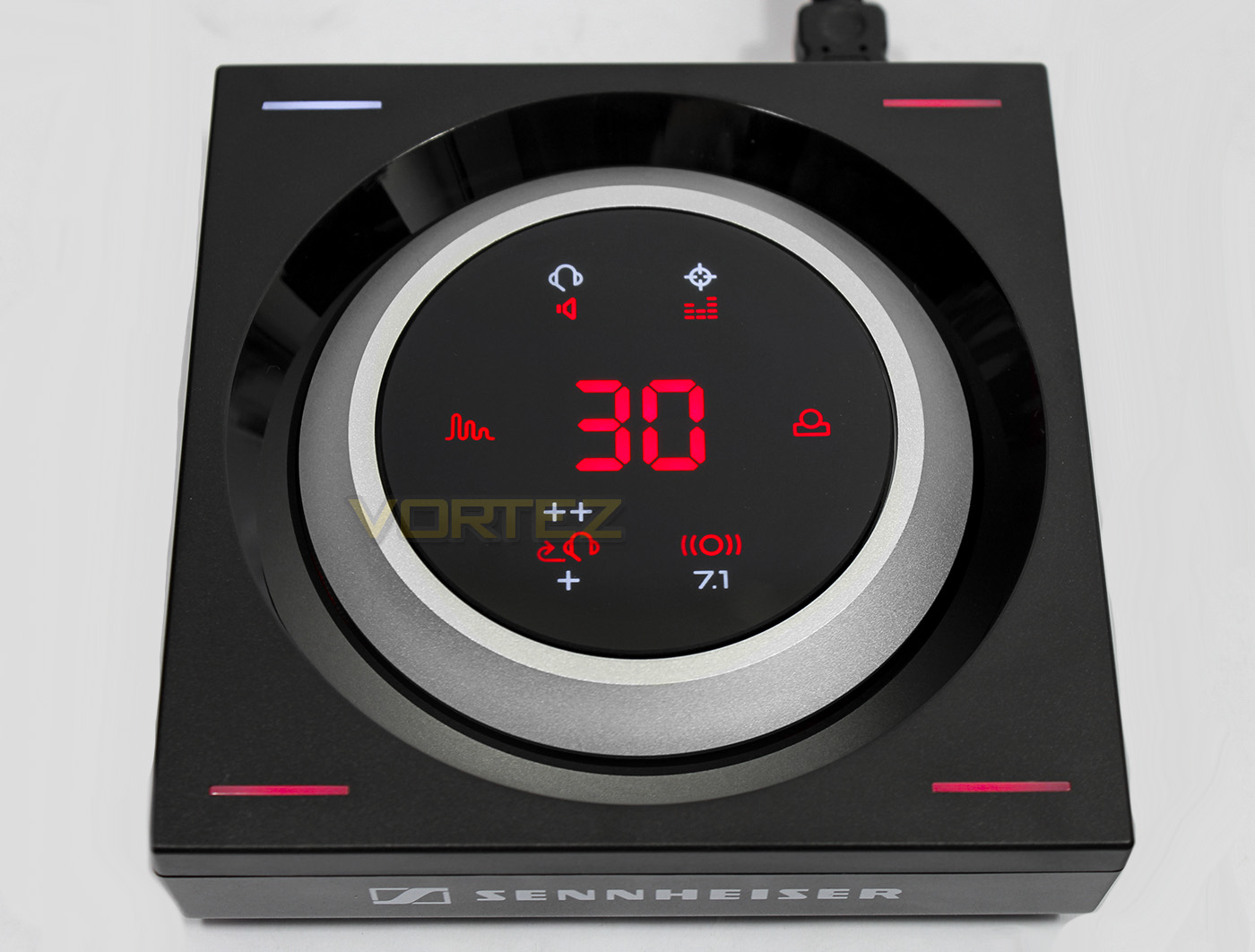
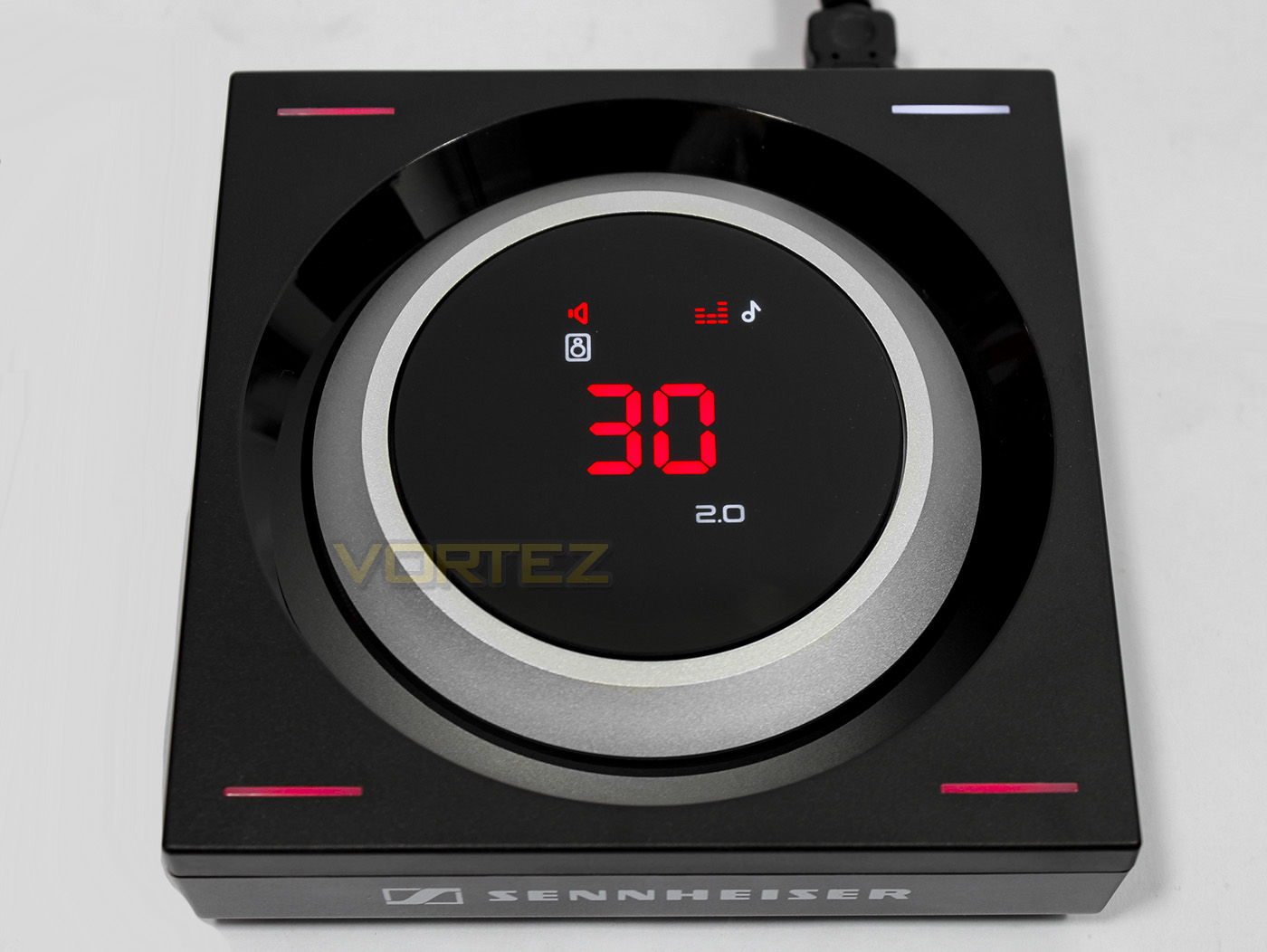
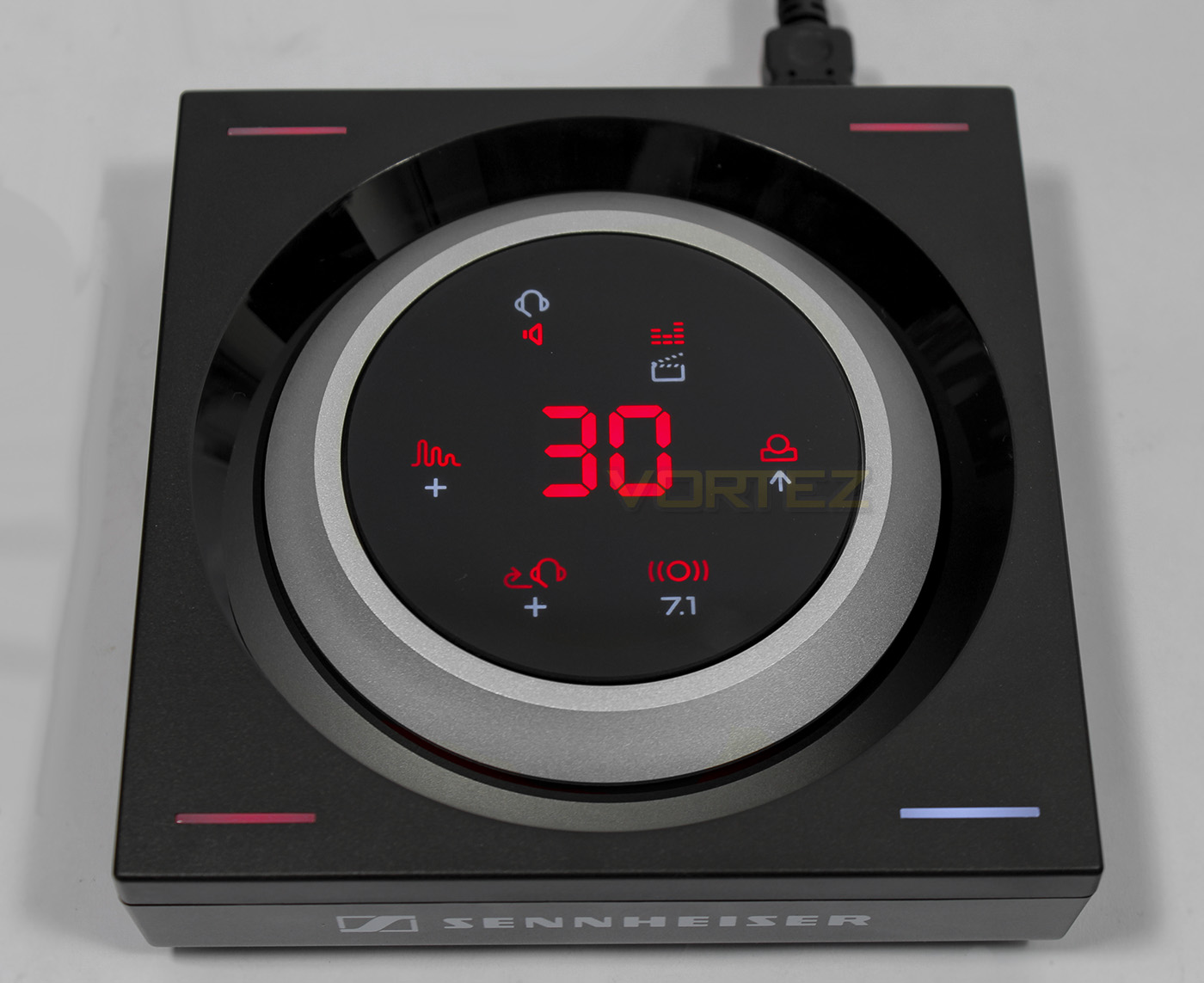
Each corner has a saved preset that can be selected by touching the respective corners.
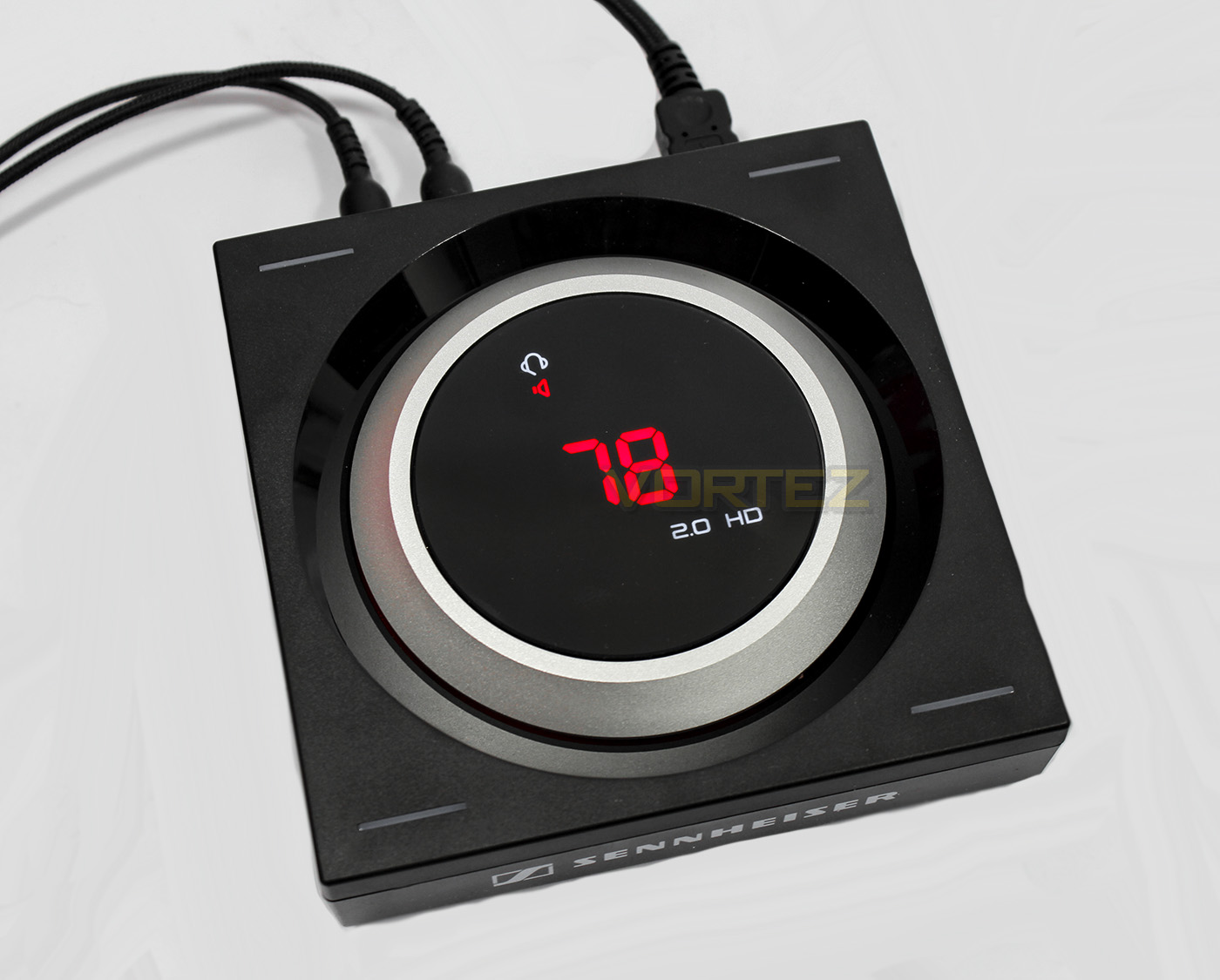
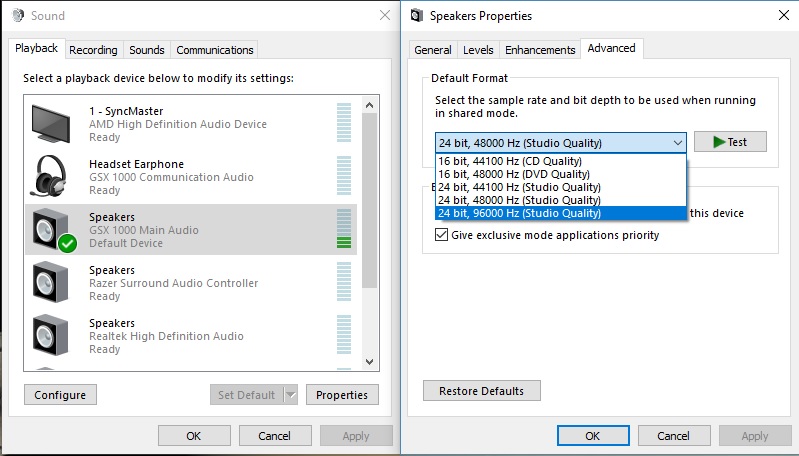
Enabling HD mode requires changing the bitdepth/sample rate to 24/96 in the Windows audio options. Only stereo modes are available at this setting.
Performance Testing
Setup, Design & Observations
Setup for the GSX 1000 is very quick and convenient as no drivers are needed. All you need is a spare USB 2.0 port on your system and a cable to connect it with (good job Sennheiser have included a 1.8m USB – microUSB for this exact reason). Once it powers up, any additional setup options for the GSX 1000 will happens within the Windows (or Mac) environment. This will simply be a selection of which audio input/output device you wish to use. In Windows it will display two options, ensure you select ‘Speaker – GSX 1000 Main Audio’ as the default device, as for microphone, there is only one setting. Should you wish to mostly listen to music, you may wish to select 24/96 bit depth/sample rate for HD audio, however, you will need to manually change this within the Windows audio options each time you wish to access the surround mode and its features.
In general use, you can either select one of the presets already saved by pressing one of the corner areas or customise your own setting, to save your setting, press and hold one of the corners for 3s to save to that location (you should hear a sound indicating it has been saved). The location to press in the corners are fairly general to the corner, and no specifically the LED itself, thus sometimes if you are moving it or adjusting anything, you could accidentally swap profile even if you press near the side edges of the corner areas. Not a huge problem, but worth considering. The LED panel lights up once your hand gets within around 20-40mm. The panel is reasonably responsive, changing between each option quickly, with exception between headphones/speakers.
The build quality is impressive, with seemingly durable materials used in its construction. The large aluminium volume dial is silky smooth, adjusting audio in steps of 2%. Strangely it only displays up to 99% but rest assured it does in fact reach 100% volume in Windows.
Multimedia
For reference, we tested the GSX 1000 with the HyperX Cloud II, Creative BlasterX H5, and the SteelSeries Arctis 3. Listening to various music tracks with the EQ off, in HD mode, we are greeted with fantastic clarity and balance. The middle and high tones are crisp, sharp and well accounted for, with a tight, but fairly flat bass response. Enabling the Music EQ, there is an instant improvement in bass allowing for a highly enjoyable listening experience.
Switching through each of the EQ options, it appears that:
Gaming mode: reduces the level of bass and gives a greater focus to the mid-range for improved clarity of movement/footsteps
Music: boosts bass level, while retaining balance throughout
Movie: improved bass, but with better focus on vocal ranges
Switching over the 7.1 mode and jumping into Gears of War 4, the level of immersion is scarily impressive. You are surrounded by footsteps of your team mates, the reverberation helps create a slightly claustrophobic sensation. The most impressive thing was that there was no real deterioration in overall sound quality. We then played some Skyrim: Special Edition, to test out a more open landscape with max reverberation on the GSX 1000, and again the results were fantastic (especially as I chose to go with the movie/story EQ setting over the gaming EQ), hearing dragons roar at a distance, and then experiencing a dragon flying overhead immediately after was somewhat terrifyingly awesome.
Microphone
The microphone output is very loud, and very clear, though any noise cancelling may wholly depend on the native quality of the microphone of your headset as there is no additional noise filtering provided by the GSX 1000, which is a slight shame. For the headsets we were using we found that 12-15% within Windows audio settings was more than enough, though this will vary. At this setting I was told that I sounded loud, clear, and natural. I was unable to discover how the chat volume dial works (it only rotates low-middle-high with a notch for the centre point), I tested in Discord, Skype, and in-game DOTA 2, CS:GO and Overwatch. Though despite that, I didn’t find myself needing such an option anyway, with exception to the Cloud headset that doesn’t have a built-in or in-line remote for a microphone mute option.
Conclusion
As gaming products go, gamers may question whether they need an audio amplifer, especially when there are fairly decent virtual surround headsets for half the price of the GSX 1000 alone. The reality is, the market itself is moving more towards a versatile ‘do everything’ 4pole analogue solution, as is demand, and PC specific headsets that are bundled with a USB soundcard are done so at a fairly substantial mark-up (£20-60). For that extra cost, you could put it towards the GSX 1000 and get the peace of mind knowing you will receive superior audio and surround quality. Sure it is expensive, but it is also pin-point specific in what it does, and so it is a viable alternative to a top-end discrete soundcard, especially for gamers and those with a downsized system where a discrete alternative is not an option.
Surround sound in gaming headset has been in contention for as long as surround headsets have existed, with many gamers firmly seated in the for/against camps. The GSX 1000 allows us to, at the very least, make one statement with relative confidence. That is: ‘REAL’ surround gaming headsets simply aren’t worth the time/money/hassle when you can get such fantastic results from a virtual solution. The GSX 1000 absolutely nails that coffin shut.
The only real drawbacks of the GSX 1000 is that there is no microphone noise filtering, so you will be at the mercy of the quality of your headset microphone. Also, it would have been nice for Sennheiser to have included a small travel pouch for those that wish to use it as a portable amp.
Overall, we have been thoroughly impressed with the GSX 1000 and we won’t hesitate to say that it is a fantastic revolution in surround gaming audio, something that we would urge gamers to experience. Fans of virtual surround and immersive gaming will otherwise want to put this on their must-have list.
The GSX 1000 is a true gift from Sennheiser, as it is one of those amazing marvels that people didn’t even know they wanted, or needed.
Pros.
+ High Quality Construction
+ Easy to use
+ Connects to a headset and stereo speakers
+ Clear, precise audio quality
+ Exceptional virtual 7.1 surround
+ 4 saved presets
Cons.
– No noise filtering for microphone
+ High Quality Construction
+ Easy to use
+ Connects to a headset and stereo speakers
+ Clear, precise audio quality
+ Exceptional virtual 7.1 surround
+ 4 saved presets
Cons.
– No noise filtering for microphone
Click here for an explanation of our awards at Vortez.net.