This 27" gaming monitor features 144Hz refresh rate, a 1ms response rate, and a special ‘black equaliser’ to give greater detail to darker areas, without over exposing everything else.

Product on Review: BenQ ZOWIE XL2720 e-Sports
Manufacturer: BenQ Zowie
Street Price: UK: £379.99 US: $399.99
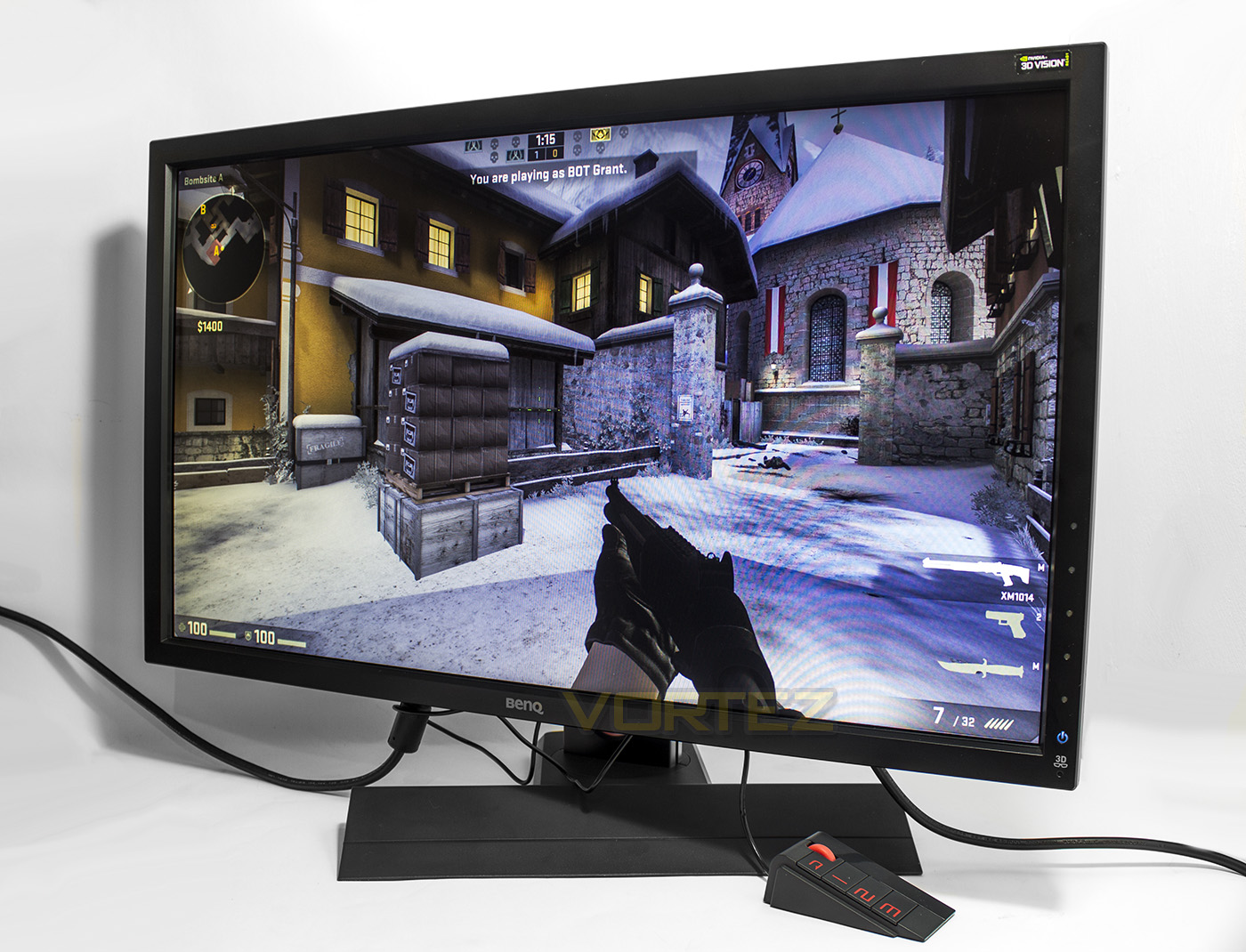
Since the BenQ take over of ‘Zowie’, a brand with a great reputation amongst gamers, they have gradually been compiling their own line of gaming products for the market. Of course, as BenQ are more known for their displays, it makes sense to have a more targeted series of monitors specifically for gamers and the XL series is just that. Aimed at PC gamers, the XL2720 e-Sports features a flicker free, 27″ TN panel @1920 x 1080, with a 1ms response time and 144Hz refresh rate. It is also certified for NVIDIA 3D Vision 2.0. Connectivity wise, it has a whole load of options including a Displayport and 2x HDMI, as well as 1x upstream USB and 3x downstream USB ports. The panel is mounted on a large stand which can tilt 45° left/right, and -5° down, and +20° up. Using just your hand, you can adjust the height of the monitor from as low as the base and up an additional 140mm. For productivity, the stand also rotates 90° for portrait mode too.
So other than its responsiveness, what is a ‘gaming monitor’? Well it seems BenQ are expanding how we thing of gaming monitors, from the outset, there is a headset holder built into the stand. Then, there is the S-Switch, which is like a mouse for your display with various keys. It enables fast, on-the-fly adjustments to the display properties, and 3x hotkeys for instantly changing between settings/profiles which can be customised for different purposes or games. Other built in technologies get a worth while mention too, including the ‘Black eQualizer’, which automatically balances dark areas of the screen without overexposing other areas, ensuring you get detail and clarity from everywhere. This is shown to be able to reveal details in dark shadowy areas where enemies could otherwise be hiding.
Overview by BenQ-Zowie
BenQ ZOWIE’s XL-series features the premiere e-Sports monitors for PC competitors, fine-tuned to guarantee the smoothest and responsive experience, and the clearest images to arm you for competition.
Technical Specifications
Display
LCD size (inch): 27
Aspect ratio: 16:9
Max. resolution: 1920 x 1080 at 144Hz (DVI-DL, DP)
Display area (mm): 597.60 x 336.15
Pixel pitch (mm): 0.311
Typ. brightness (cd/m): 300
Typ. contrast: 1000:1
Typ. DCR (DyNomic Contrast Ratio) : 12M:1
Panel type: TN
Response time: 1ms (GtG)
Connectivity
Input/Output connector: D-sub / DVI-DL / HDMI x2 / DP1.2 / headphone jack
USB: Downstream x3 Upstream x1
Electricity
Power supply (90~264 AC): Built-in
Power consumption (On mode): 50W
Size & Weight
Dimensions (HxWxD mm): 548 x 642 x 273
Dimensions with wall mount (HxWxD mm) (w/o Base): 485 x 642 x 269
Net weight (kg): 7.5
Gross weight (kg): 10.2
Stand
VESA wall mounting 100×100 mm: Y
Pivot 90°: Y
Swivel (left/right): 45/45
Tilt (°): -5~20
Hight adjustment (mm): 140
Special Features
S Switch: Y
Black eQualizer: Y
Low Blue Light: Y
Flicker-free: Y
K Locker: Y
Accessories
Dust cover: Y
LCD size (inch): 27
Aspect ratio: 16:9
Max. resolution: 1920 x 1080 at 144Hz (DVI-DL, DP)
Display area (mm): 597.60 x 336.15
Pixel pitch (mm): 0.311
Typ. brightness (cd/m): 300
Typ. contrast: 1000:1
Typ. DCR (DyNomic Contrast Ratio) : 12M:1
Panel type: TN
Response time: 1ms (GtG)
Connectivity
Input/Output connector: D-sub / DVI-DL / HDMI x2 / DP1.2 / headphone jack
USB: Downstream x3 Upstream x1
Electricity
Power supply (90~264 AC): Built-in
Power consumption (On mode): 50W
Size & Weight
Dimensions (HxWxD mm): 548 x 642 x 273
Dimensions with wall mount (HxWxD mm) (w/o Base): 485 x 642 x 269
Net weight (kg): 7.5
Gross weight (kg): 10.2
Stand
VESA wall mounting 100×100 mm: Y
Pivot 90°: Y
Swivel (left/right): 45/45
Tilt (°): -5~20
Hight adjustment (mm): 140
Special Features
S Switch: Y
Black eQualizer: Y
Low Blue Light: Y
Flicker-free: Y
K Locker: Y
Accessories
Dust cover: Y
Accessories and First Look
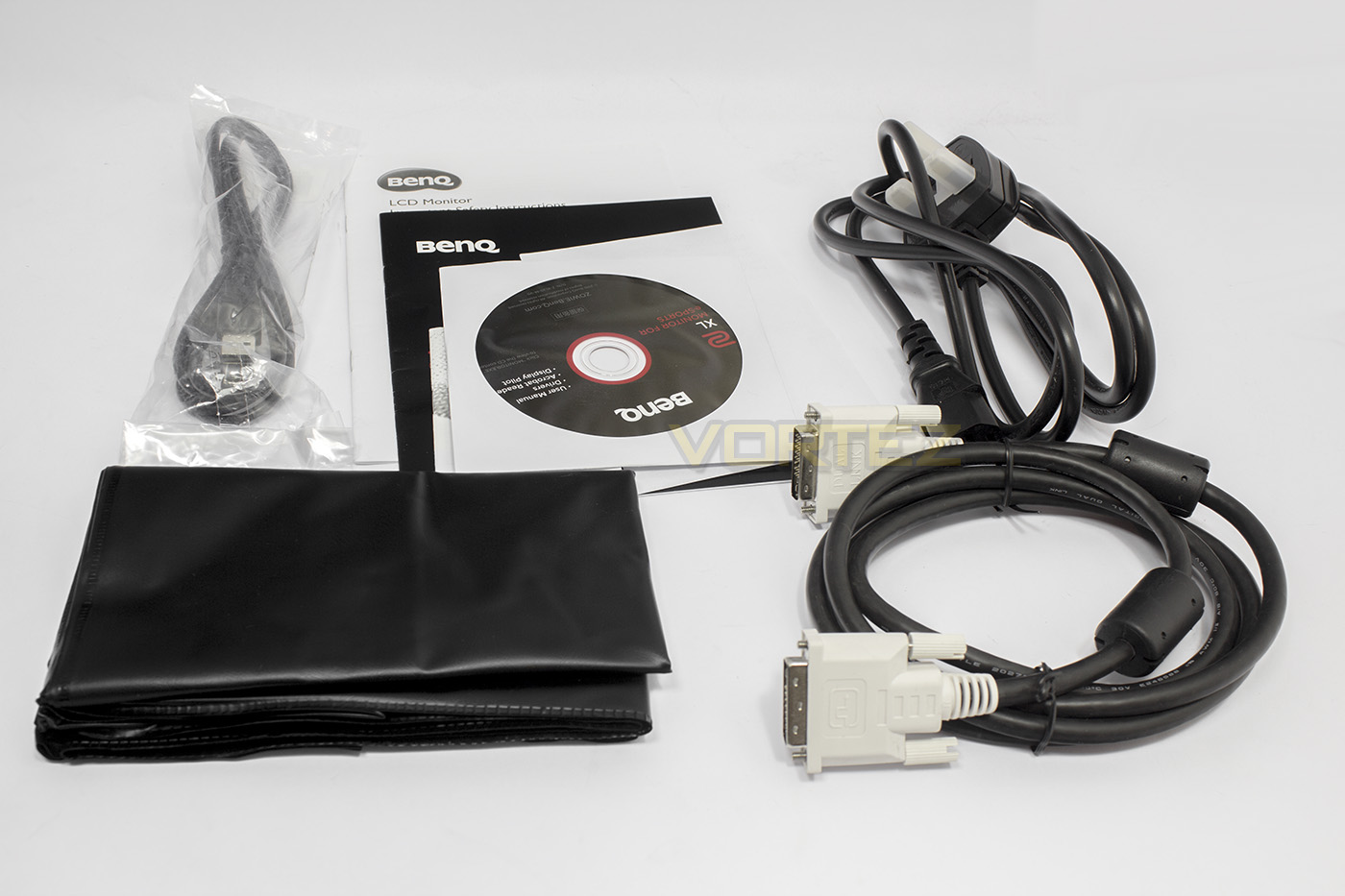
Included in the packaging, we find the manual and warranty information, a USB A/B cable, a DVI-D cable, driver disc, power cable, and a plastic dust cover.
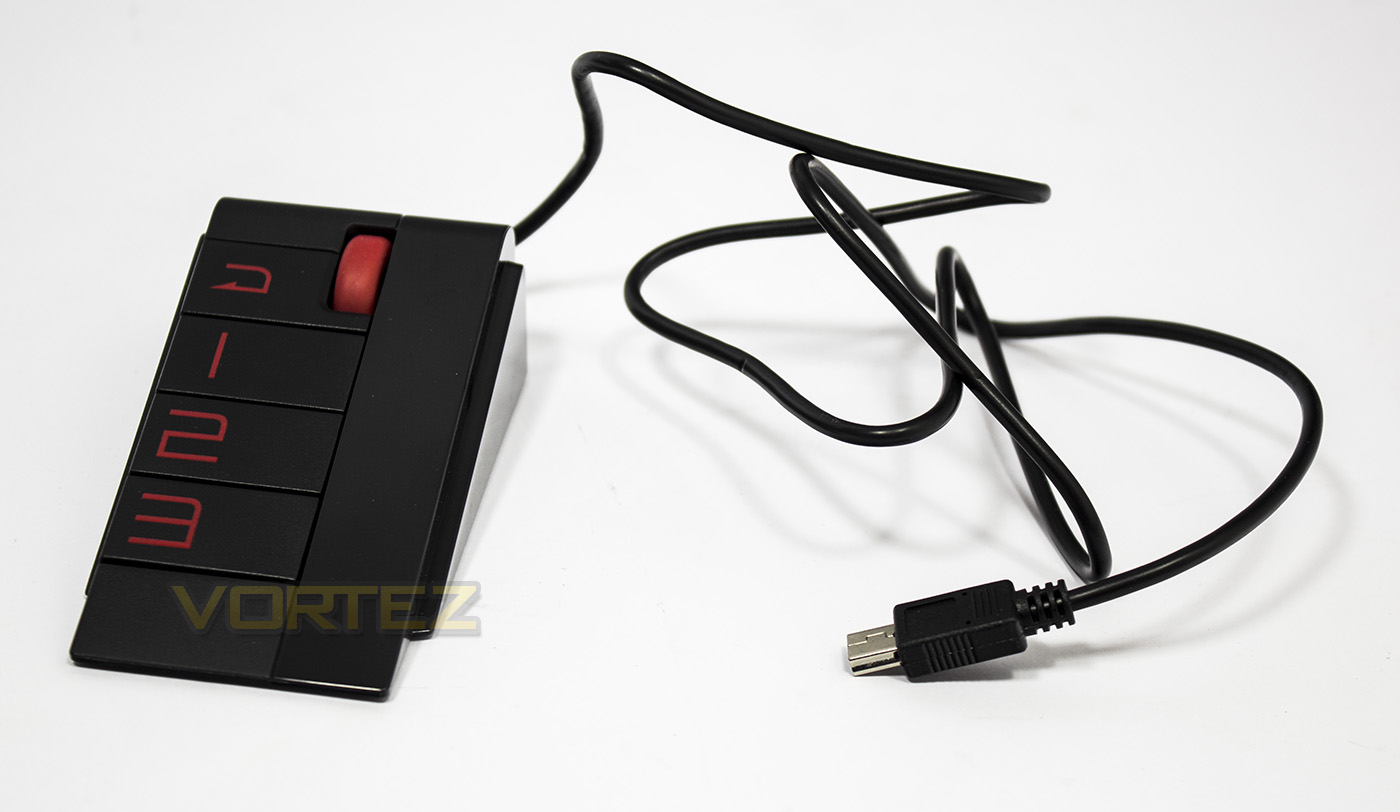
The S-Switch connects via a dedicated miniUSB port in the IO section on the display unit. It looks like a wedge shaped mouse and features a wheel which also clicks in, a return button, and 3x profile buttons.
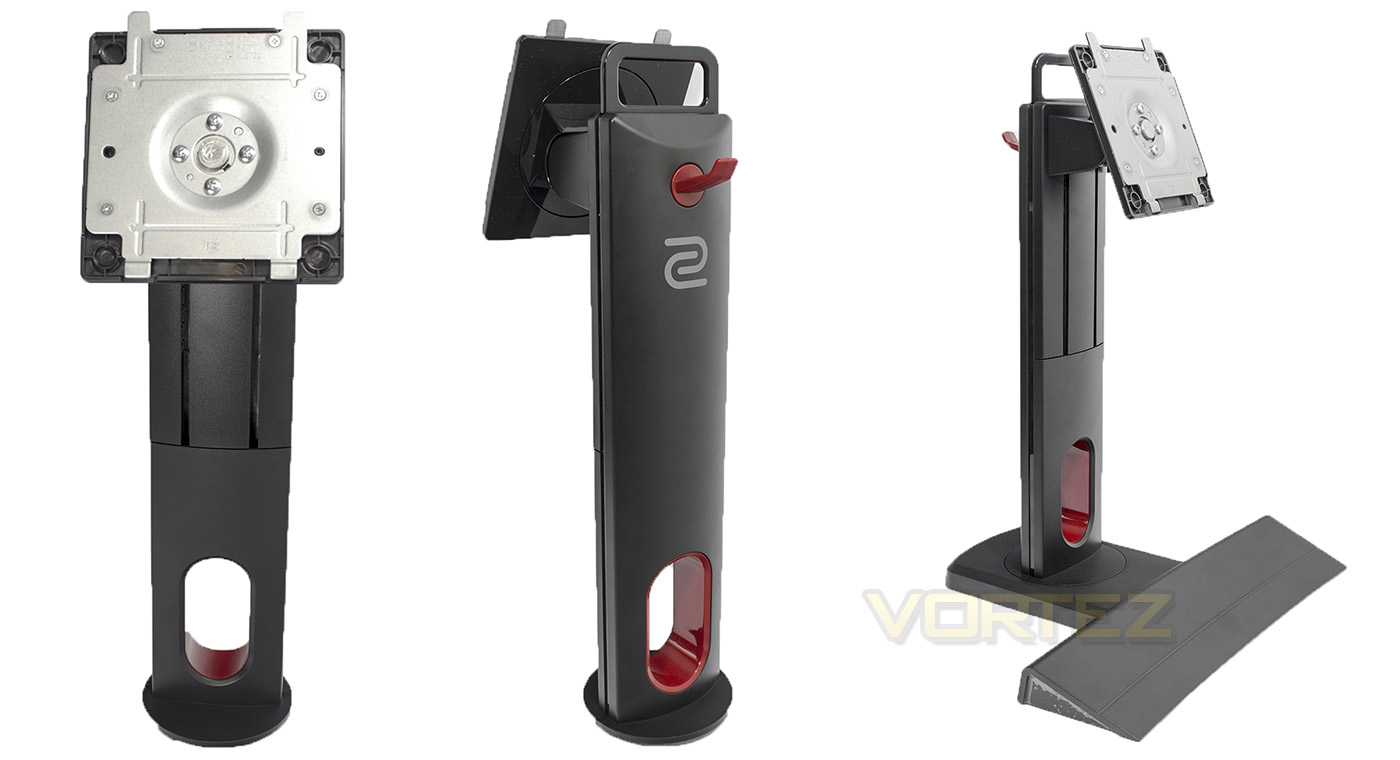
The base and stand is heavy duty and easy to use and fit. It is coloured in a dark grey with some red accents.
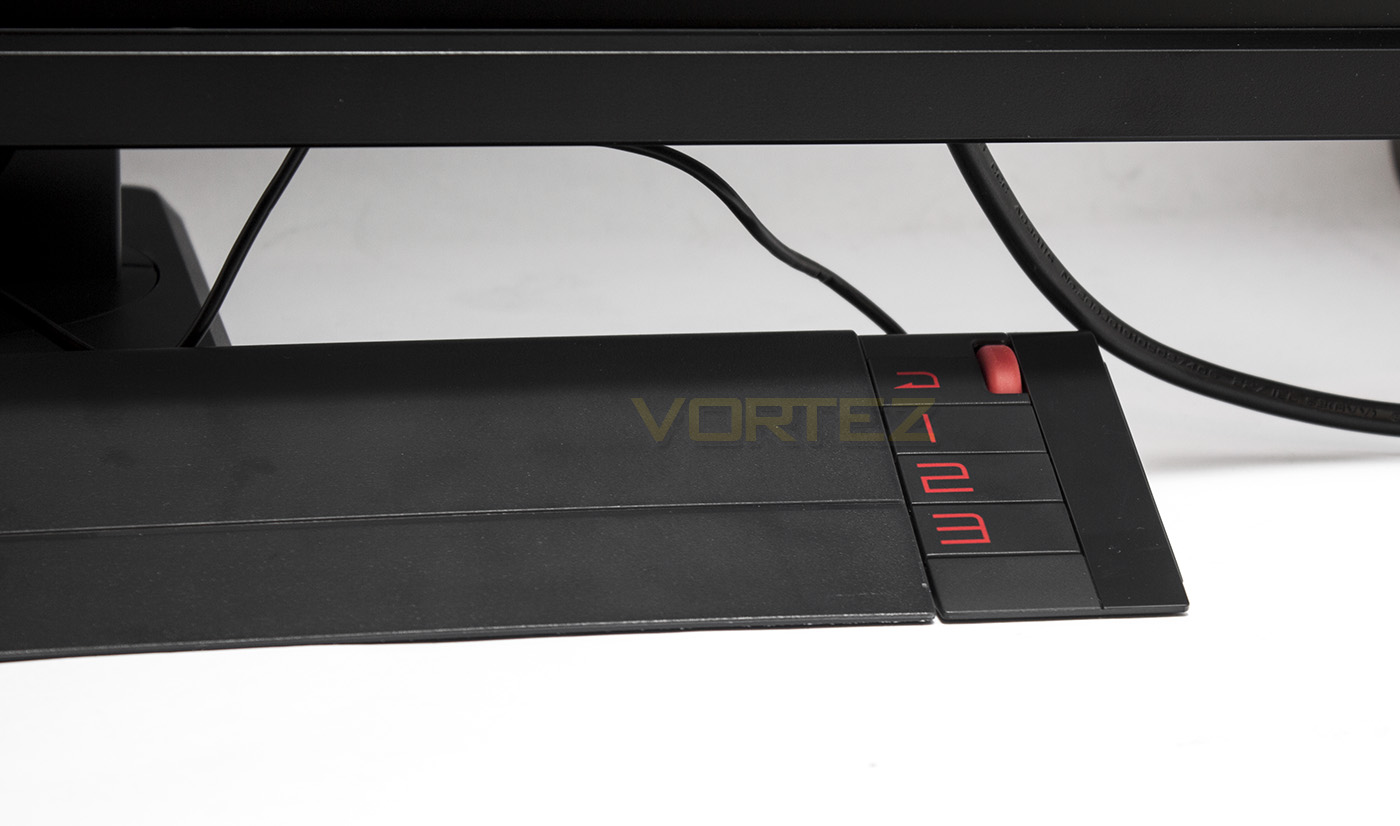
The S-Switch connects to either side of the base magnetically and fits in perfectly with the aesthetic of the monitor.
Closer Look
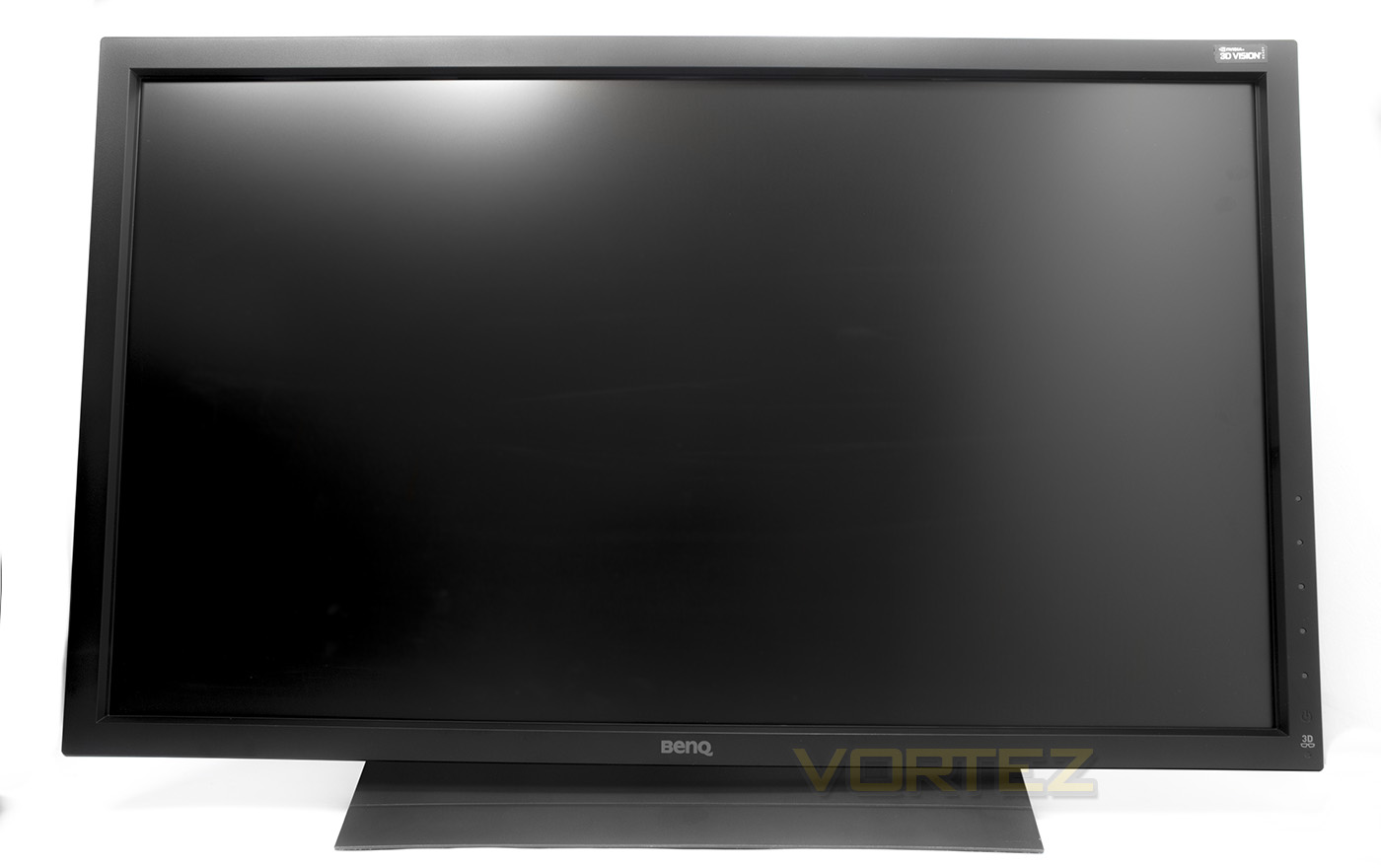
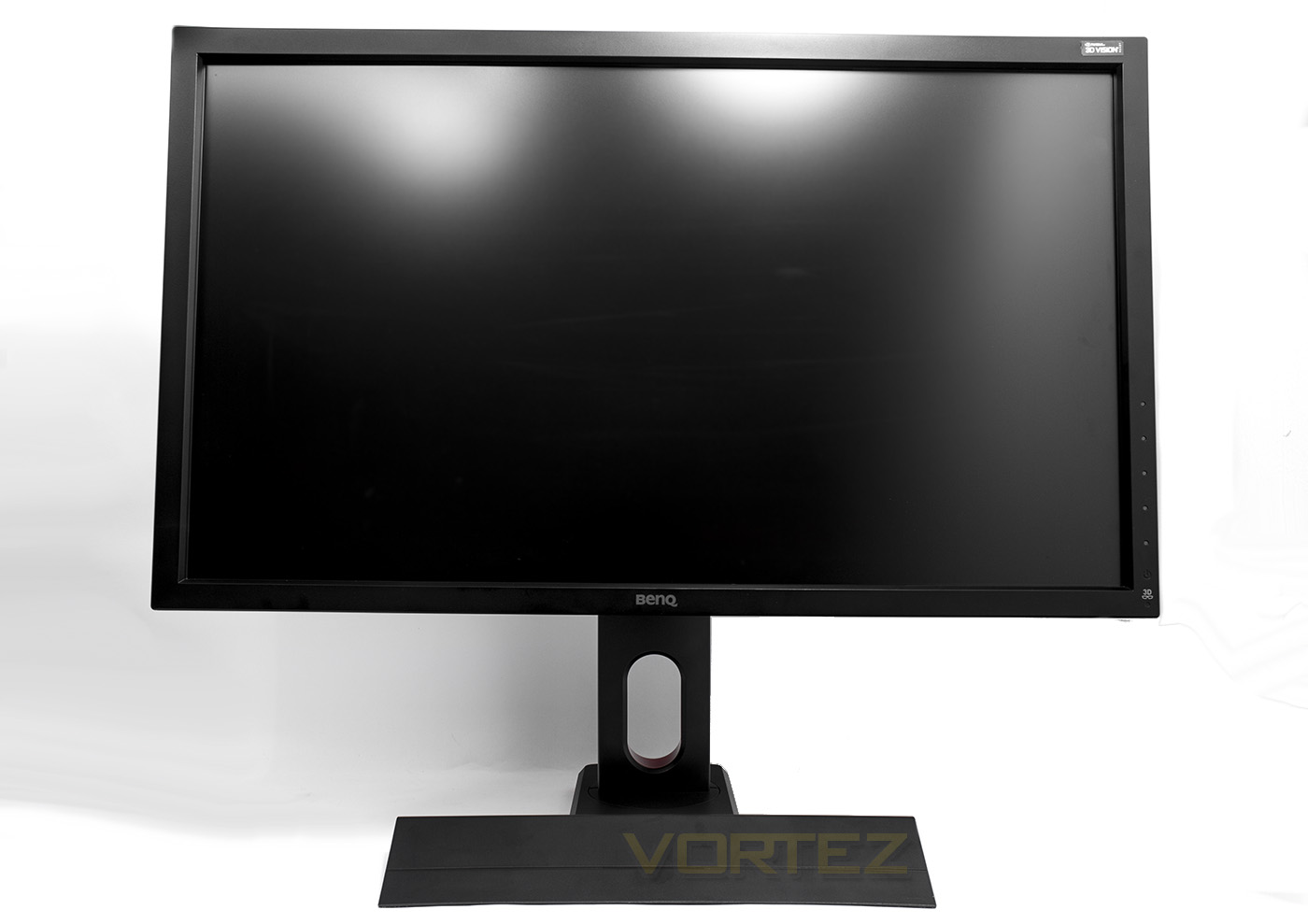
The XL2720 at its lowest height, then again, at its highest point.
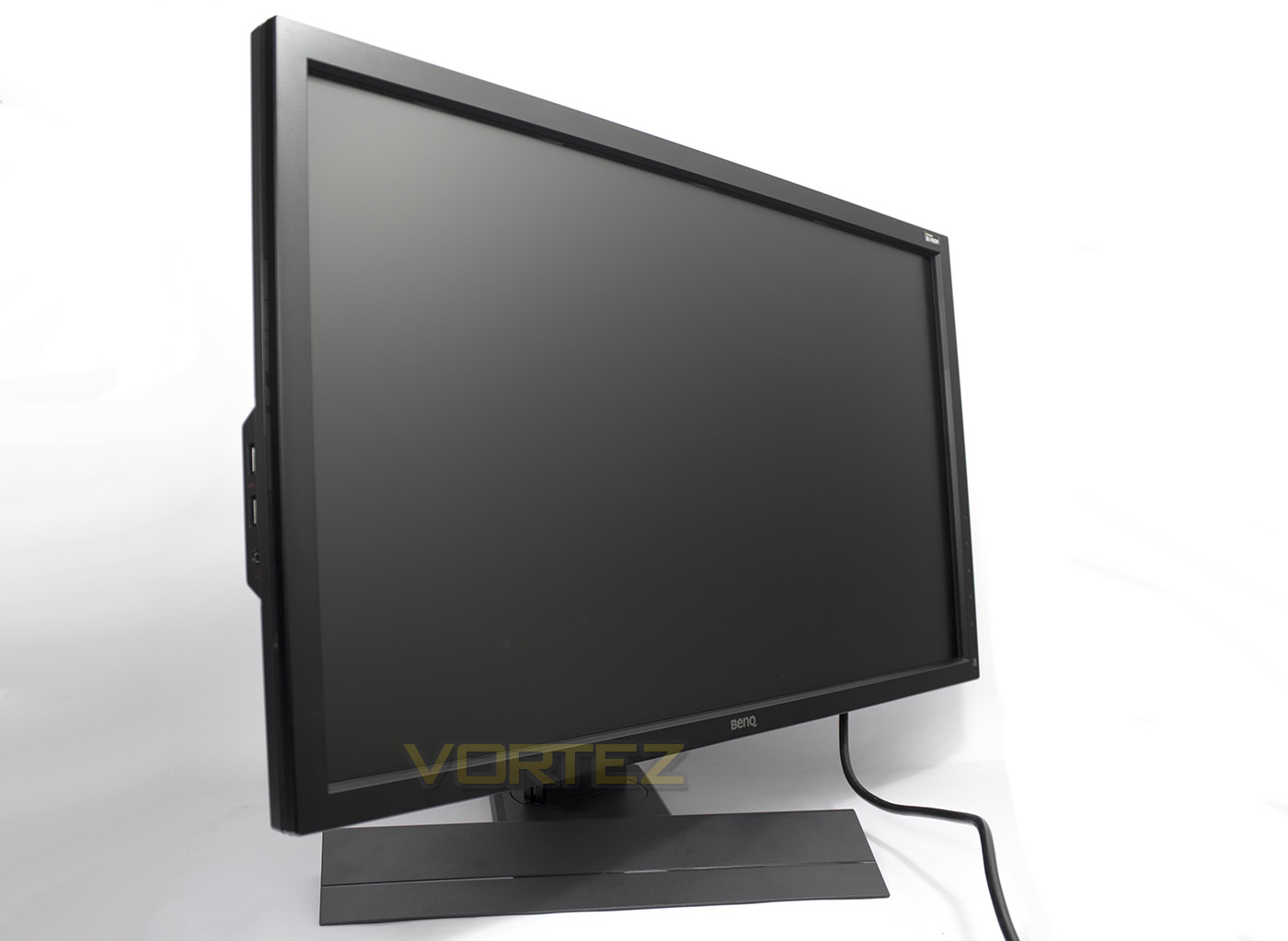
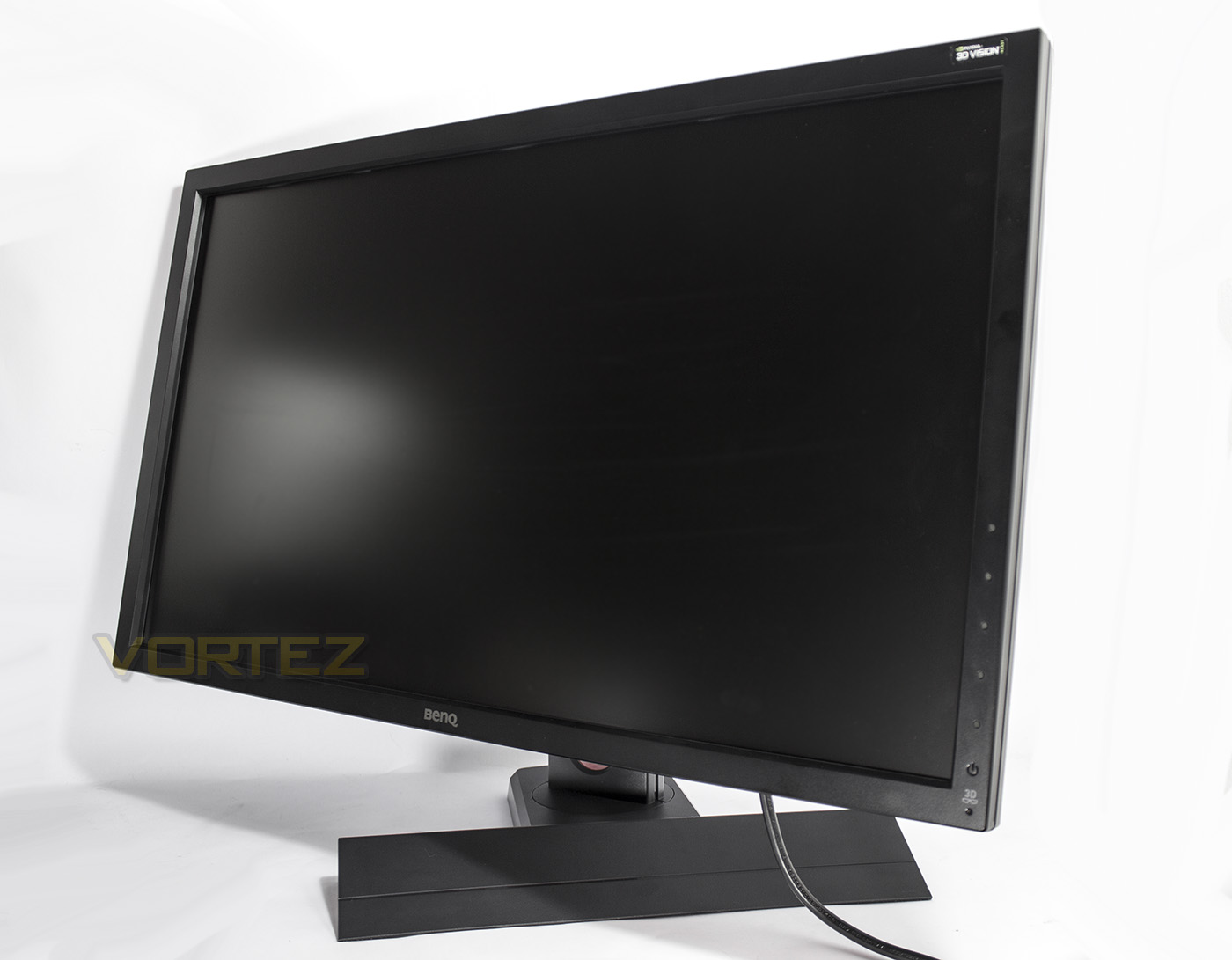
Swivel to the right and left by 45°.
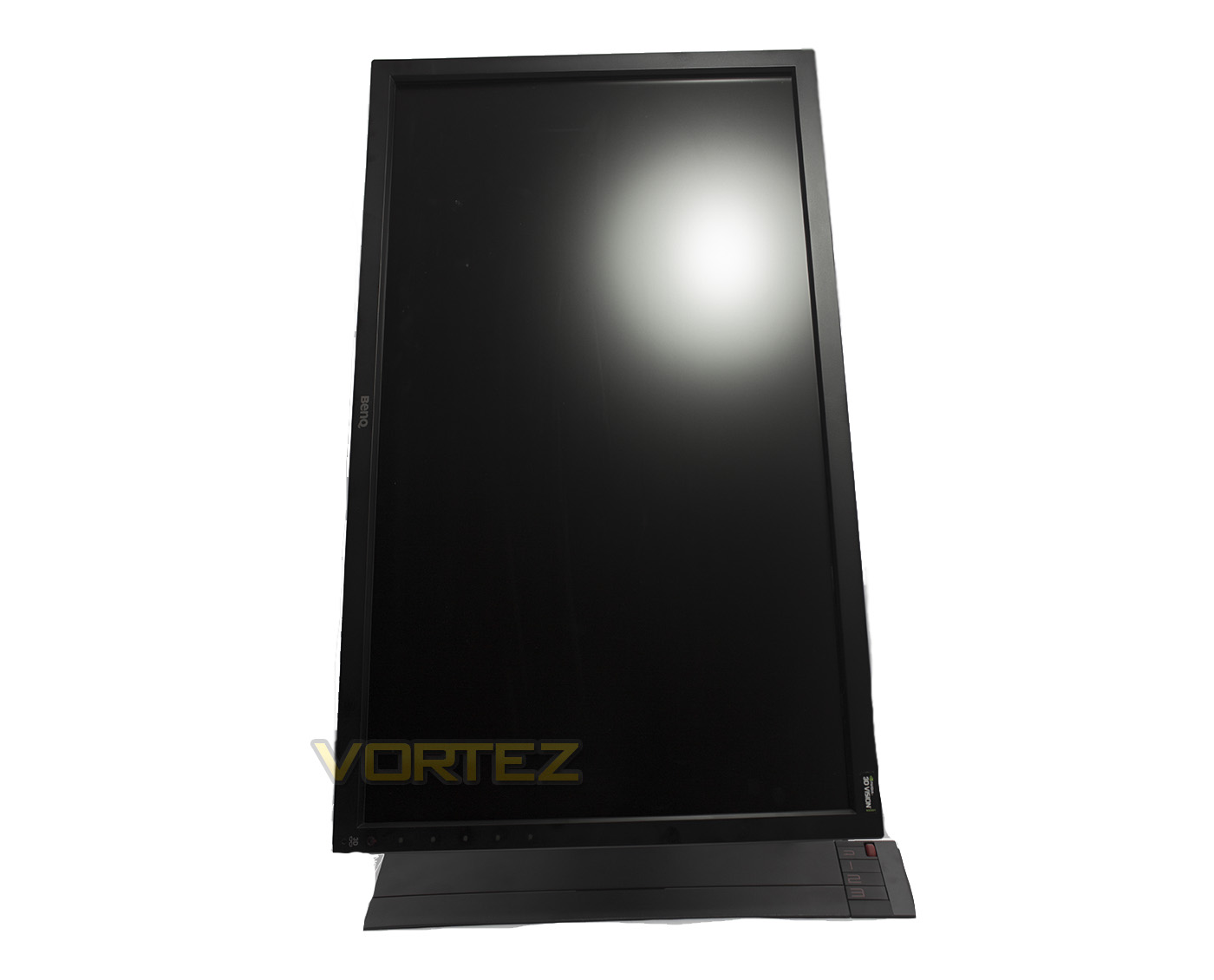
To rotate by 90° you need to have the display at its highest point. This mode is great for productivity.
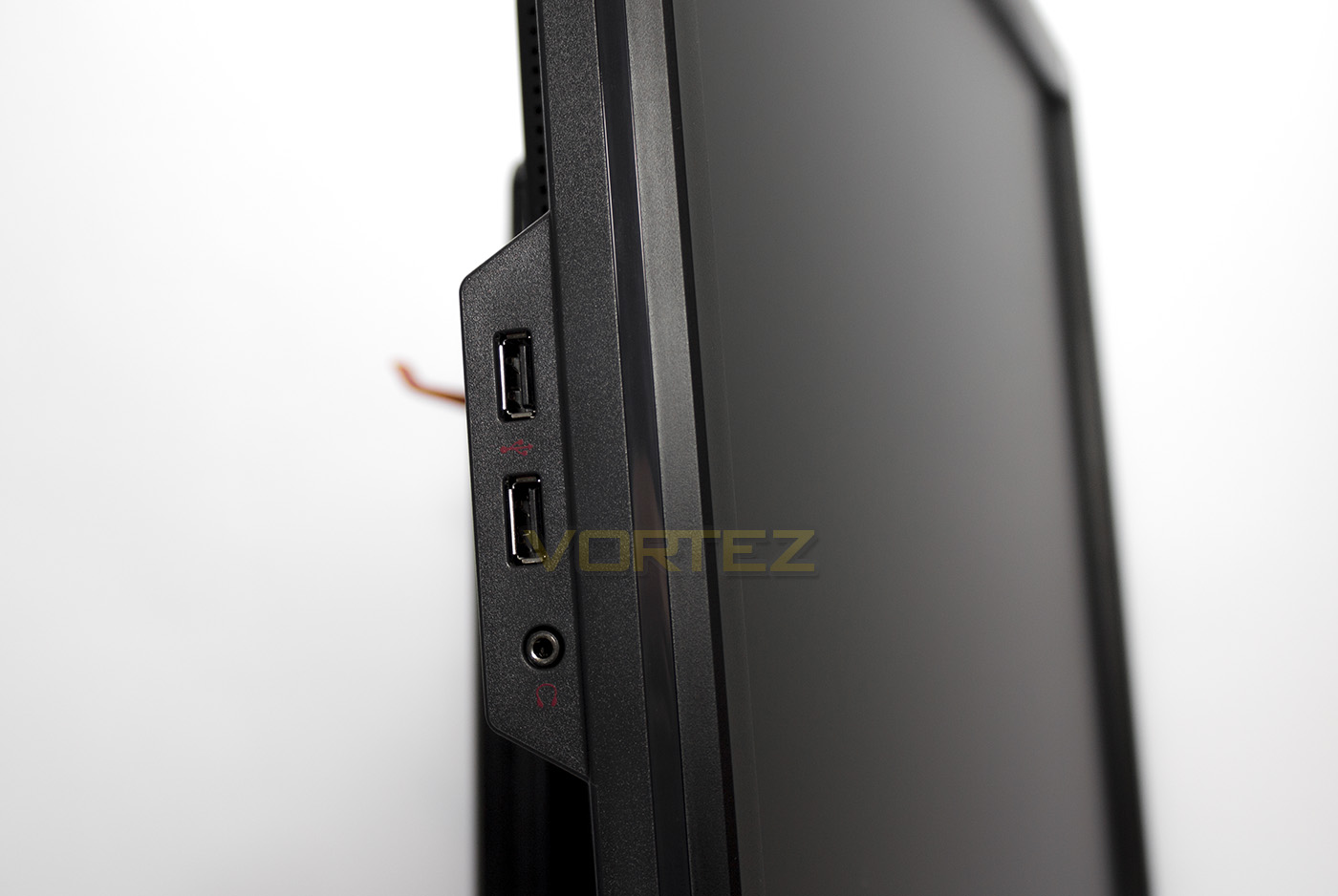
On the left side there are two conveniently placed USB ports and a headset port.
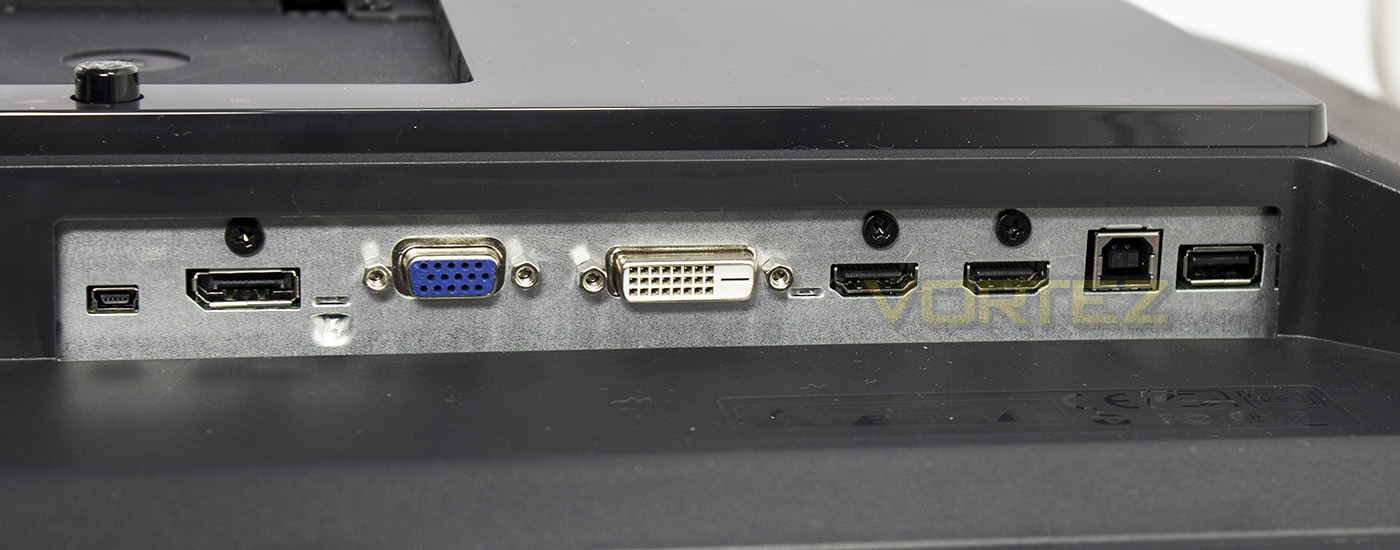
The IO ports: S-Switch miniUSB port, Displayport, D-SUB (VGA), DVID, 2x HDMI, USB upstream (Type B), 1x USB down.
Menu Options
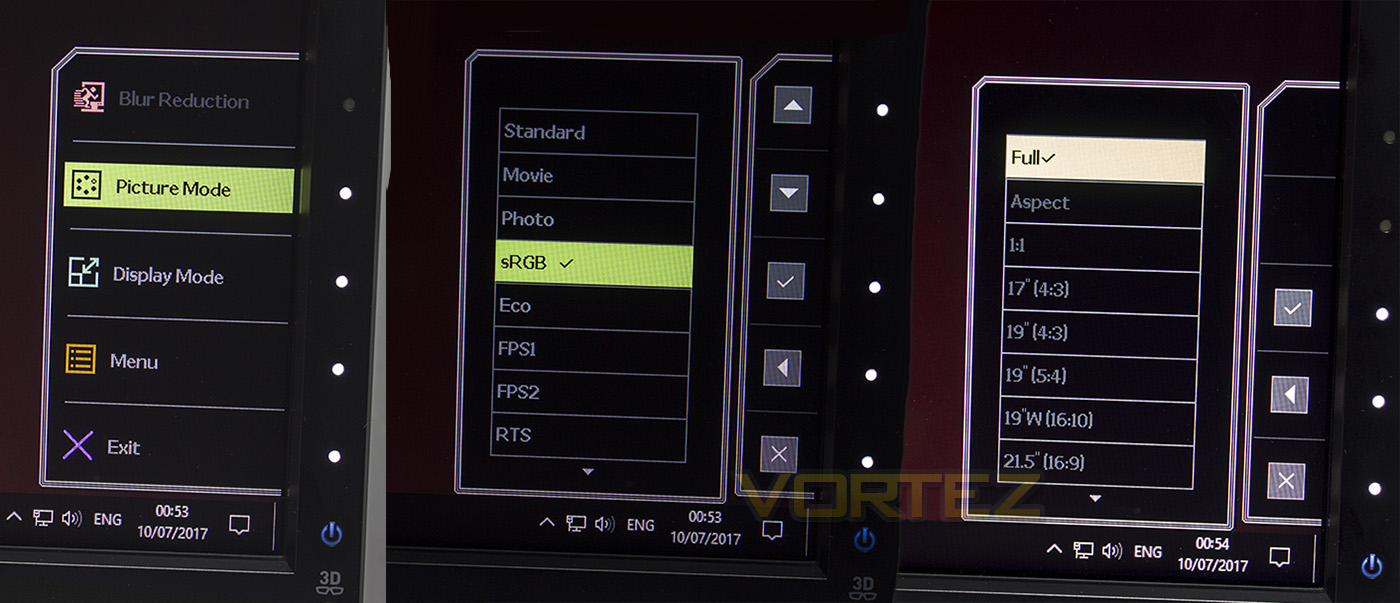
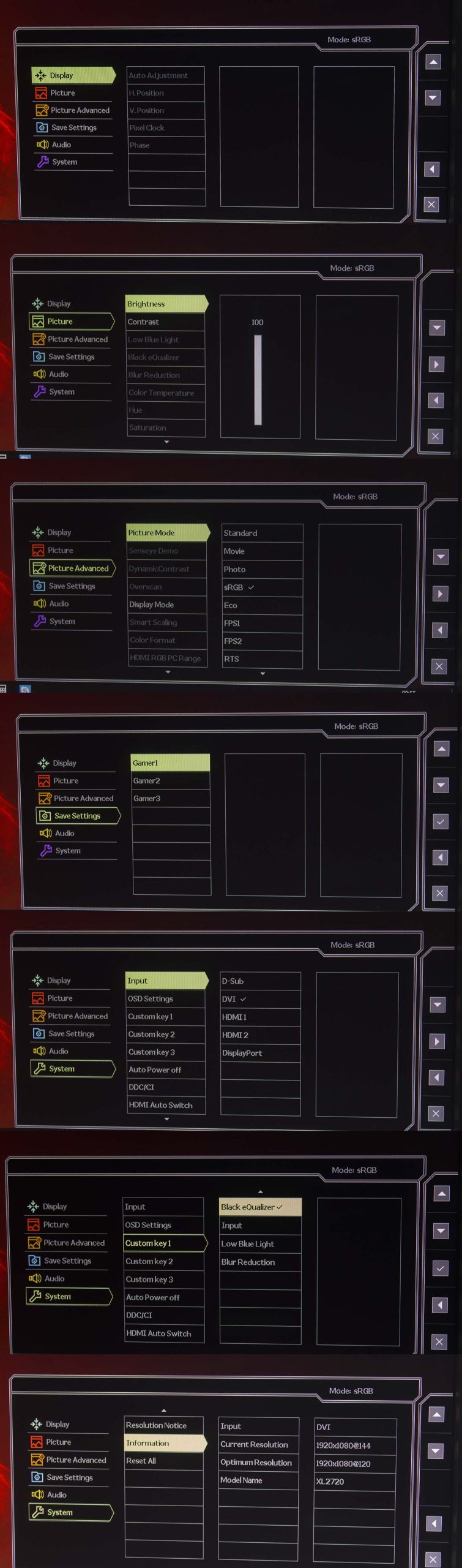
You can navigate the menu using the onscreen controls or via the S-Switch controller.
Performance Testing
Test Setup and ObservationsSetting up the monitor is fairly quickly and one plugged into your PC system you can prompt an optional Windows Driver update. Though I did find that the power-on touch control was rather slow to respond, despite the other buttons for menu navigation and source controls being rather responsive.
Adjusting the monitor to desired position is very easy to do given how solid, yet smooth the stand enables you to make each change. The headset holder at the back of the stand too is a neat and thoughtful addition that is very much appreciated.
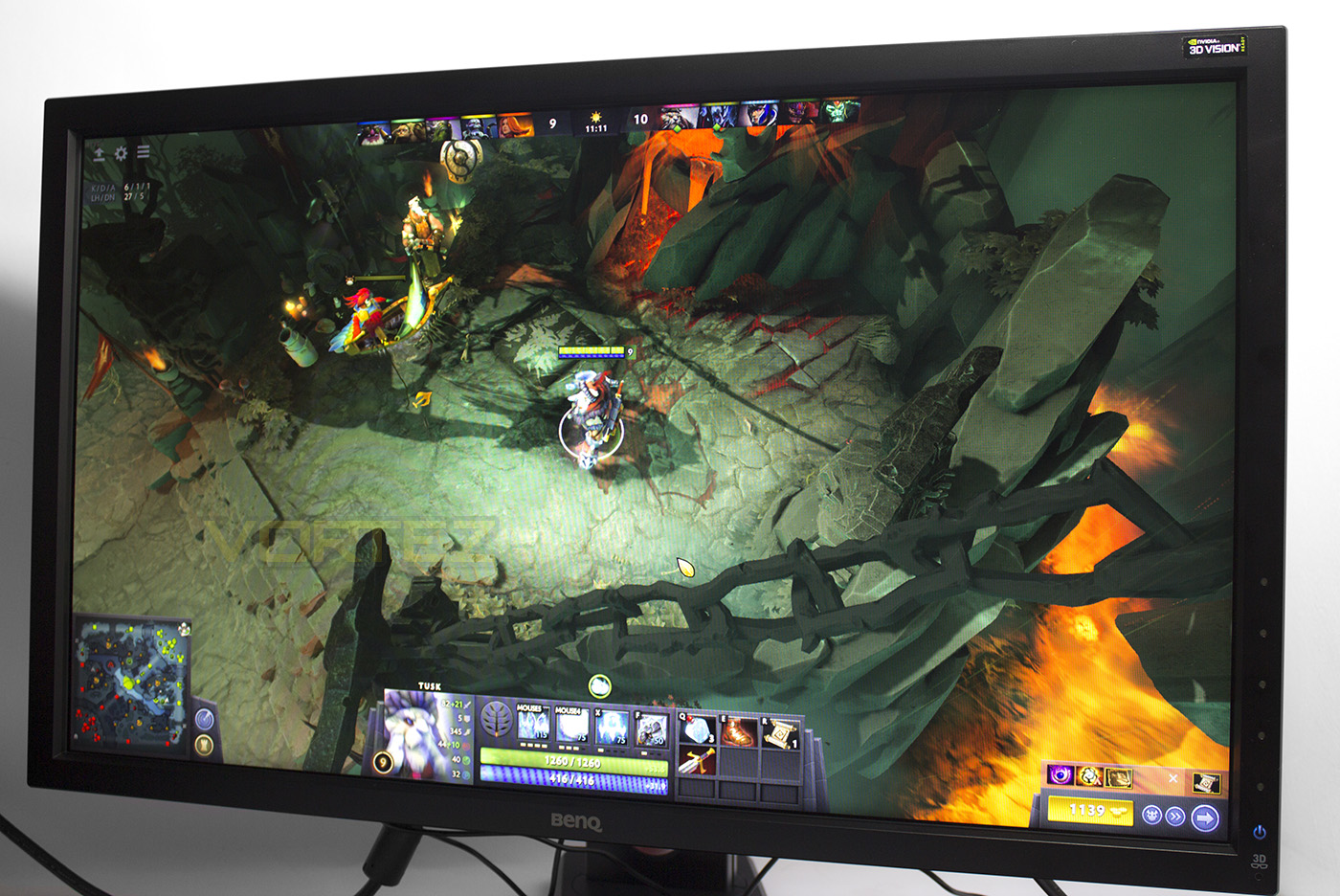
Now, if you have been gaming on the small screen for a while now, a 27″ desktop display is rather awesome, even moving up from a modest 24″ display. Though, experiencing that 144Hz over 60Hz is the real winner for gaming monitors (eventually to be replaced by the 165Hz standard, but some are arguing for/against). DOTA 2 looks vibrant, colourful, and vivid, and at 120+ frames it is silky smooth, not to mention the response rate literally helping with mouse accuracy, it is like a gift from the God of Gaming. CS:GO also felt exceptionally good, crisp details, responsive aiming, and detailed graphics. We found that the Black eQualizer was particularly good for CS:GO. It really does help with maintaining the detail between light and dark areas, giving you a fair advantage. This is something you could do anyway with playing around with your monitor settings, however you might end up with a washed out, drab looking display, while the BenQ Black eQualizer keeps things looking sharp, colourful and detailed. This setting may not be good for all game types , especially where immersion is important and you want to maintain an air of realism and mystery. This is not a problem as you can set 3x gaming profiles and swap between them on the fly. Brilliant.
As a reminder, if you are going to get a 144Hz monitor, you will want a solid system behind it so you can get the most out of its performance (ot vice-versa). Can you imagine that console gamers are still being told that 30FPS is okay?
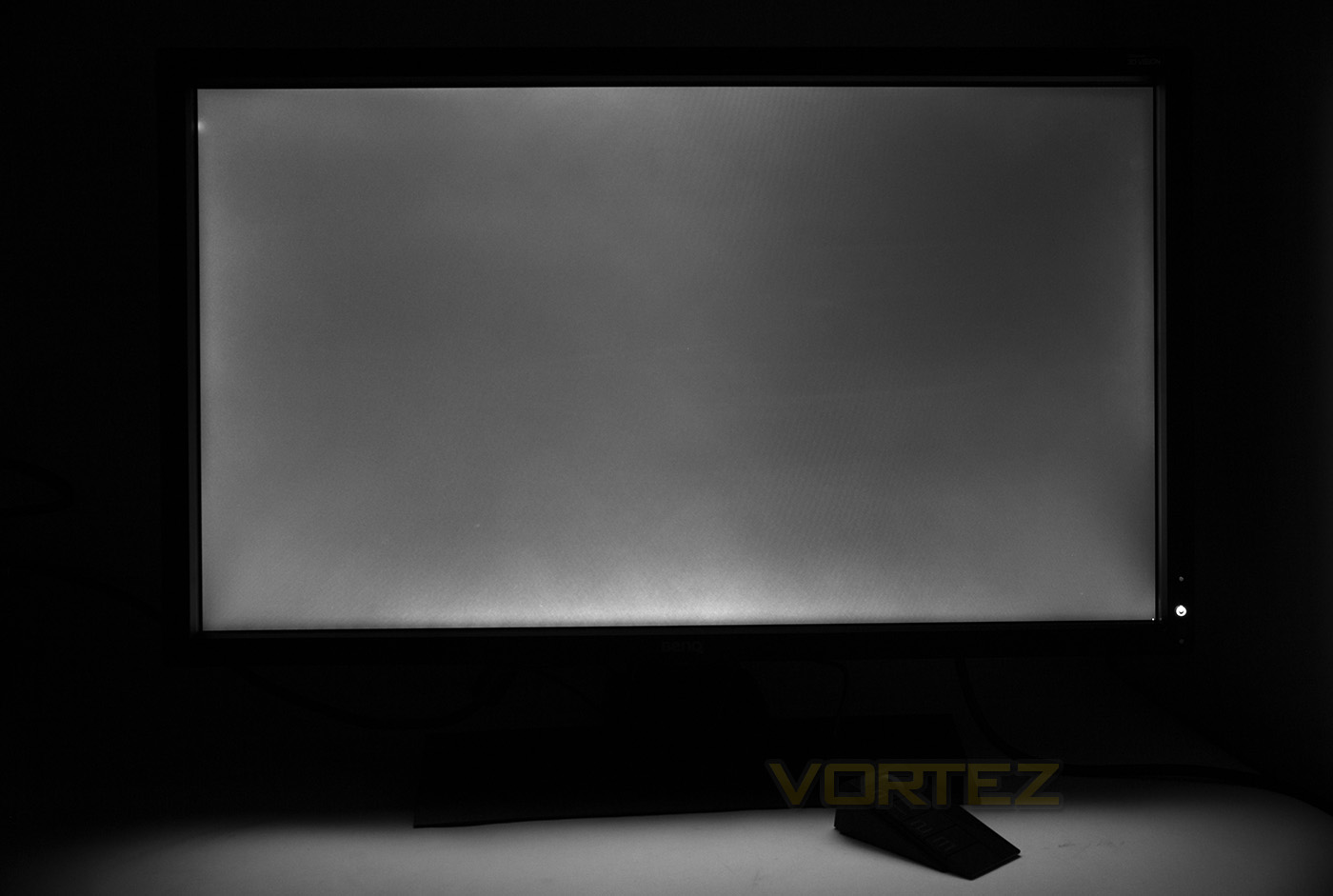
Something we did note during our use with the XL2720, there were some inconsistencies with the backlighting, this was mostly apparent when the screen is largely of a similar colour. For example, we spotted these inconsistencies while writing in word. We did a light bleed test by setting the screen to pure black and taking a multi-exposure photo of the screen to see how well the lighting was spread, and we removed all colour from the image to show off the light pattern.
In the top left, there was an interesting light spot, to which we was unable to determine what was causing it. At first I had assumed it might be the location of the mouse cursor, but it turned out not to be the case. So our only conclusion would be that it literally a backlight bleeding through. Again, we noticed a particularly bright spot in the bottom right corner, at first we thought it was a dead pixel, but it turned out to be the mouse. This serves as a good reminder that it is worth spending £10-20 on a dead-pixel check when you purchase monitor that costs as much as this as you will not otherwise be able to return it on the basis of a single dead pixel. Generally, some light bleed is often to be expected and we see some along the bottom and top edges, as well as a distinct dark patch in the top right. Overall, aside from that bright spot in the top left, there doesn’t seem to be any real issue here.
Conclusion
The BenQ XL2720 is an attractive monitor that performs beautifully for gaming and has a whole load of connectivity options enabling versatile use across various media sources. In our time spent with this display, we also watched some movies, did some photo editing and word processing, and the reality is, if you focus more on creativity (photo/video) than you do gaming, you will want to look at an alternative display featuring an IPS panel. That being said, we were impressed with the smooth and rich display, and for gamers that also enjoy dabbling in the creative side, it will do the job fine.
Adding to the comfort of the display, not only is the stand solid, versatile and easy to use, features such as the low blue light mode will help you protect your eyes from the harsh LCD light in the evening. Having selectable settings that can be changed at an instant using the S-Switch also helps make life much easier. Though the standout feature, besides the ultra-responsive screen itself, for us, is the Black eQualizer. Maybe not a function you will want to use in certain games or movies, but if you are fanatic about competitive FPS gaming, you might actually be surprised at how awesome it is.
Of the things we noted that kinda put a downer on our experience with the XL2720, the unresponsive power button did become a little frustrating as it was rather difficult to tell if it was even responding. Aside from that, our biggest complaint would be the pricing. Sitting at around £370 (+-£10 + cost for a recommended dead pixel test) we would have preferred this display to be QHD resolution (2560×1440).
Overall, the XL2720 is a stark reminder of the experience gamers are missing out on. Sure it isn’t 4K (the wallet hurts just thinking about the cost of a 60Hz 4K panel, let alone a 120Hz+), but gaming on a sharp, 1920 x 1080 display at 144Hz unleashes those wasted graphics card horses. Sure, we kinda are complaining that we aren’t getting the QHD version at this price point, but for £80 more, you can get the next in the series (XL2730) which does. Considering the fact that the current top line gaming panels (QHD/165Hz, 4K/60Hz) still cost £800+, BenQ-ZOWIE have certainly provided a strong case. We are sure that those whom jumped on ‘affordable’ 4K monitors, but are now stuck at 24-30Hz, with just 60Hz @ 1920×1080, are slapping themselves after realising the awesomeness of the XL2720.
Do you have a powerful gaming system but you are stuck on a 22″ monitor with a 60Hz refresh? Then the BenQ ZOWIE XL2720 e-Sports could very well be the upgrade you need.
Pros.
+ Attractive design (non-distraction frame)
+ Adjustable tilt/swivel/height stand
+ Vivid, Flicker free display
+ S-Controller (easy menu navigation + profile selector)
+ Large selection of connections
+ 144Hz refresh, 1ms response
+ Black equaliser (reveals detail in dark areas)
+ Motion Blur Reduction
Neutral
+- Slow responding power on/off
+- Strange bright spot/ light bleed (could be a one-off issue)
+- Not certified FreeSync/G-Sync (might be more important to some)
Cons.
– Price (would have expected QHD (2560×1440) at this price point)
+ Attractive design (non-distraction frame)
+ Adjustable tilt/swivel/height stand
+ Vivid, Flicker free display
+ S-Controller (easy menu navigation + profile selector)
+ Large selection of connections
+ 144Hz refresh, 1ms response
+ Black equaliser (reveals detail in dark areas)
+ Motion Blur Reduction
Neutral
+- Slow responding power on/off
+- Strange bright spot/ light bleed (could be a one-off issue)
+- Not certified FreeSync/G-Sync (might be more important to some)
Cons.
– Price (would have expected QHD (2560×1440) at this price point)
Click here for an explanation of our awards at Vortez.net.