Are you in the market for a thin and stylish laptop with the power to create on the go, this new laptop from MSI might suit you perfectly.

Product on Review: MSI GS65 Stealth Thin 8RF
Manufacturer: MSI
Street Price: GBP £1,699 / USD $2,099 / AUS $2,799
We quite often take a look at MSI laptops, most of which we’ve been quite fond of, though today we look at something a little different. An ultraportable gaming laptop with all of the credentials to back up those claims.
Packed inside its 18mm thick chassis (with the lid closed) is an Intel Core i7 8750H CPU, rocking 6 cores and 12 threads, an NVIDIA GeForce GTX 1070 with Max-Q Design, 2x NVMe SSD storage drives, 32GB of DDR4-2666MHz memory and plenty more.
Along with the specification listed above, MSI have gone to great lengths to install a thin-bezel 1080p display to the GS65 Stealth. This display is capable of 144Hz and boasts IPS-level colours.
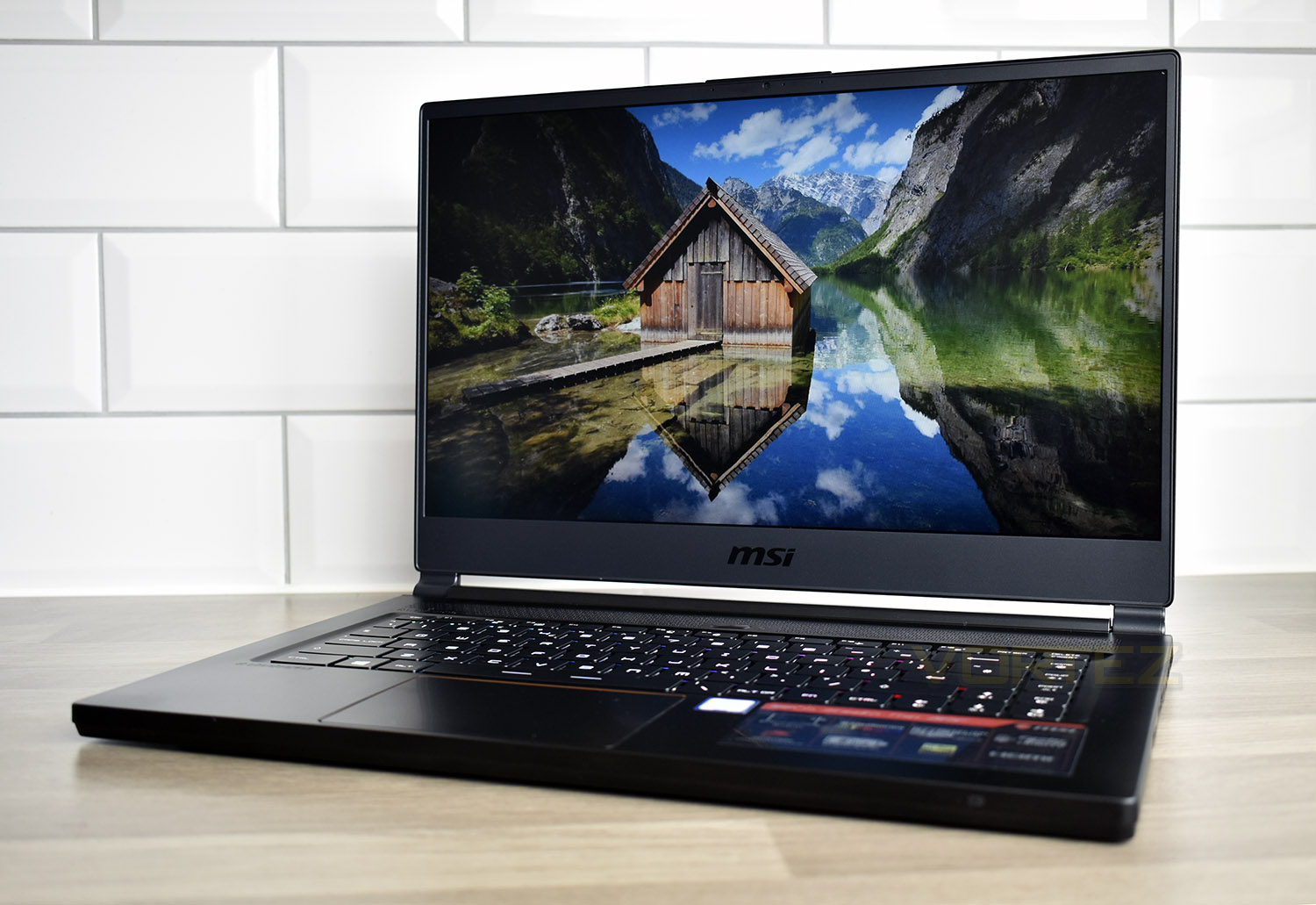
Thunderbolt 3 connectivity, 8 hours of productivity battery life and a slim charging adaptor should make this a perfectly portable powerhouse, while the inclusion of several display adaptors, DYNAUDIO and a SteelSeries-developed keyboard means it can be used as a desktop replacement once home, if you so require.
On paper, at least, the MSI GS65 Stealth Thin 8RF appears to offer solid performance within a paper-thin enclosure. Let’s throw some tests at it and see how it performs.
MSI on the GS65 Stealth Thin 8RF
GS65 Stealth Thin – An ultraportable 15.6-inch laptop with thin bezel gaming display and its brand new gold-and-black premium design. Sharp, powerful, slim – all forged into one.
Technical Specifications
CPU:
Up to 8th Gen. Intel® Core™ i7 Processor
OS:
Windows 10 Home
Windows 10 Pro
DISPLAY:
15.6″ FHD (1920×1080), 144Hz, 7ms, IPS-Level
CHIPSET:
Intel® HM370
GRAPHICS:
GeForce® GTX 1070 With Max-Q Design, 8GB GDDR5
MEMORY TYPE:
DDR4-2666
NUMBER OF DIMM SLOTS:
2 Slots
MAX CAPACITY:
32GB
SSD:
NAx M.2 SSD slot (SATA)
1x M.2 SSD slot (NVMe PCIe Gen3)
NAx M.2 SSD Combo slot (NVMe PCIe Gen3 x2 / SATA )
1x M.2 SSD Combo slot (NVMe PCIe Gen3 / SATA)
WEBCAM:
HD type (30fps@720p)
KEYBOARD:
Per-Key RGB Backlight Keyboard
LAN:
Killer Gb LAN
WIRELESS LAN & BLUETOOTH:
Killer ac Wi-Fi + Bluetooth v5
SPEAKER:
2x 2W
AUDIO JACK:
1x Mic-in
1x Headphone-out (HiFi)
TYPE-C (USB3.1 GEN2 / DP / THUNDERBOLT™3):
1x
RJ45:
1x
HDMI:
1x (4K@60Hz)
MINI-DISPLAYPORT:
1x
BATTERY (CELL):
4-Cell
BATTERY (TYPE):
Li-Polymer
BATTERY (WHR):
82
AC ADAPTER:
180W Slim Adapter
DIMENSION (WXDXH) MM:
357.7 x 247.7 x 17.9 mm
WEIGHT (W/ BATTERY):
1.88kg
TYPE-A USB3.1:
3x
STORAGE:
SSD
1x M.2 SSD slot (NVMe PCIe Gen3)
1x M.2 SSD Combo (NVMe PCIe Gen3 / SATA )
COMMUNICATION:
Killer Gb LAN
Killer ac Wi-Fi + Bluetooth v5
I/O PORTS:
1x Type-C (USB3.1 Gen2 / DP / Thunderbolt™3)
3x Type-A USB3.1
1x RJ45
1x (4K @ 60Hz) HDMI
1x Mini-DisplayPort
Up to 8th Gen. Intel® Core™ i7 Processor
OS:
Windows 10 Home
Windows 10 Pro
DISPLAY:
15.6″ FHD (1920×1080), 144Hz, 7ms, IPS-Level
CHIPSET:
Intel® HM370
GRAPHICS:
GeForce® GTX 1070 With Max-Q Design, 8GB GDDR5
MEMORY TYPE:
DDR4-2666
NUMBER OF DIMM SLOTS:
2 Slots
MAX CAPACITY:
32GB
SSD:
NAx M.2 SSD slot (SATA)
1x M.2 SSD slot (NVMe PCIe Gen3)
NAx M.2 SSD Combo slot (NVMe PCIe Gen3 x2 / SATA )
1x M.2 SSD Combo slot (NVMe PCIe Gen3 / SATA)
WEBCAM:
HD type (30fps@720p)
KEYBOARD:
Per-Key RGB Backlight Keyboard
LAN:
Killer Gb LAN
WIRELESS LAN & BLUETOOTH:
Killer ac Wi-Fi + Bluetooth v5
SPEAKER:
2x 2W
AUDIO JACK:
1x Mic-in
1x Headphone-out (HiFi)
TYPE-C (USB3.1 GEN2 / DP / THUNDERBOLT™3):
1x
RJ45:
1x
HDMI:
1x (4K@60Hz)
MINI-DISPLAYPORT:
1x
BATTERY (CELL):
4-Cell
BATTERY (TYPE):
Li-Polymer
BATTERY (WHR):
82
AC ADAPTER:
180W Slim Adapter
DIMENSION (WXDXH) MM:
357.7 x 247.7 x 17.9 mm
WEIGHT (W/ BATTERY):
1.88kg
TYPE-A USB3.1:
3x
STORAGE:
SSD
1x M.2 SSD slot (NVMe PCIe Gen3)
1x M.2 SSD Combo (NVMe PCIe Gen3 / SATA )
COMMUNICATION:
Killer Gb LAN
Killer ac Wi-Fi + Bluetooth v5
I/O PORTS:
1x Type-C (USB3.1 Gen2 / DP / Thunderbolt™3)
3x Type-A USB3.1
1x RJ45
1x (4K @ 60Hz) HDMI
1x Mini-DisplayPort
Packaging & Bundle
In keeping with the thin styling of the GS65, the box is also suitably thin, with the laptop found inside in a mesh bag.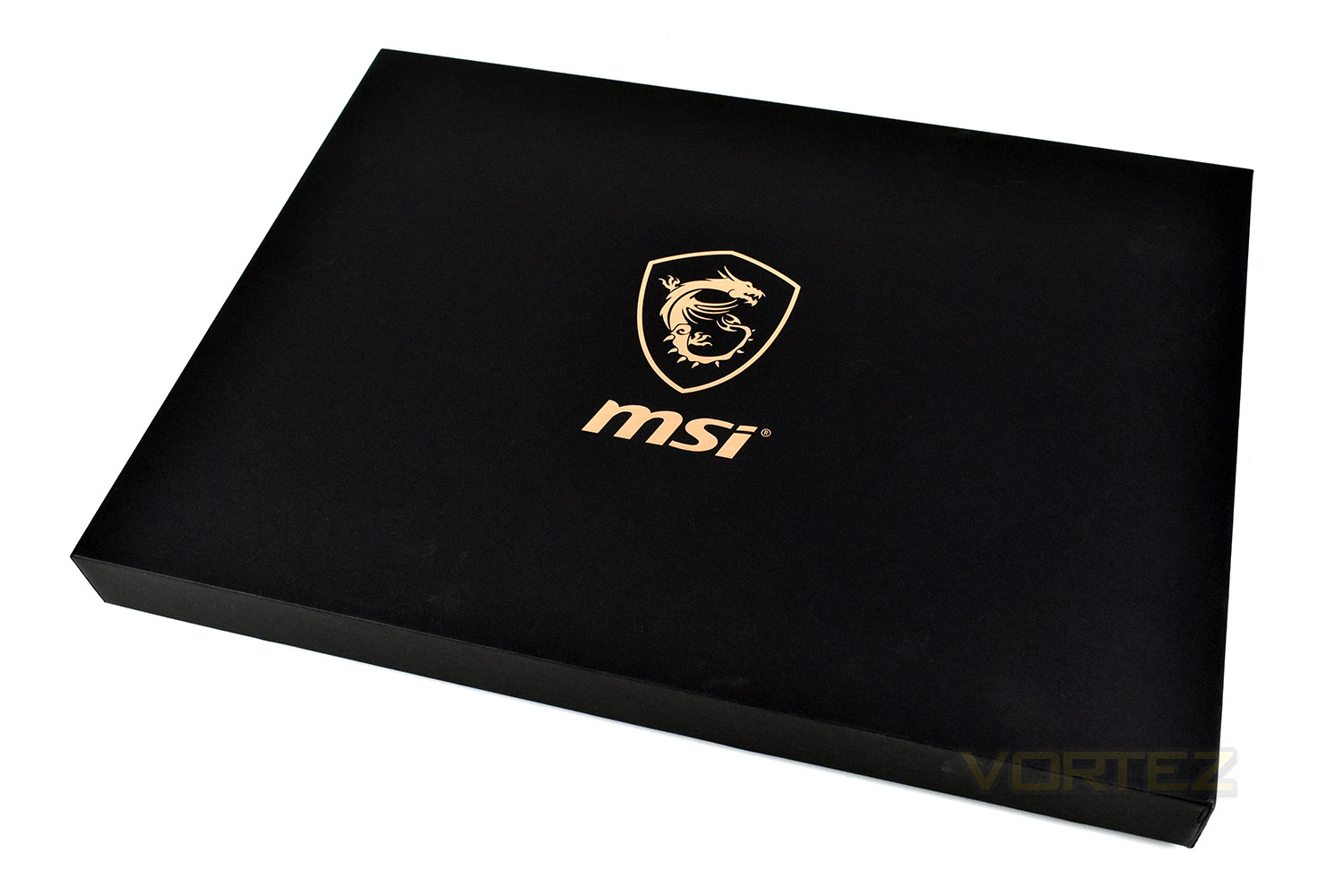
The power adaptor, considering the components included within the laptop, is tiny. MSI claim it to be 28% smaller than a typical power brick, helping improve portability.
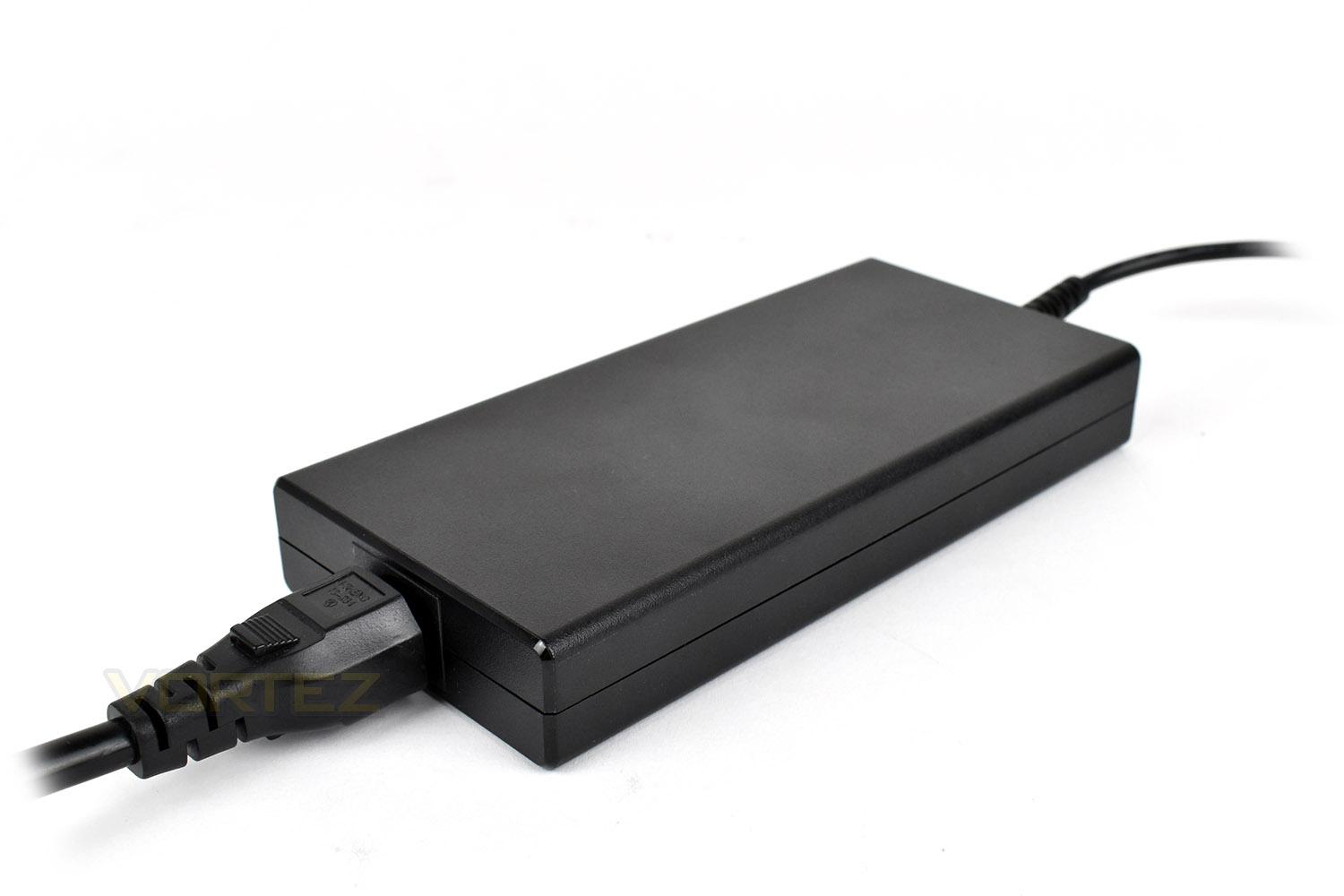
In terms of the bundle, there’s only an instruction manual and some warranty information included.
Closer Look
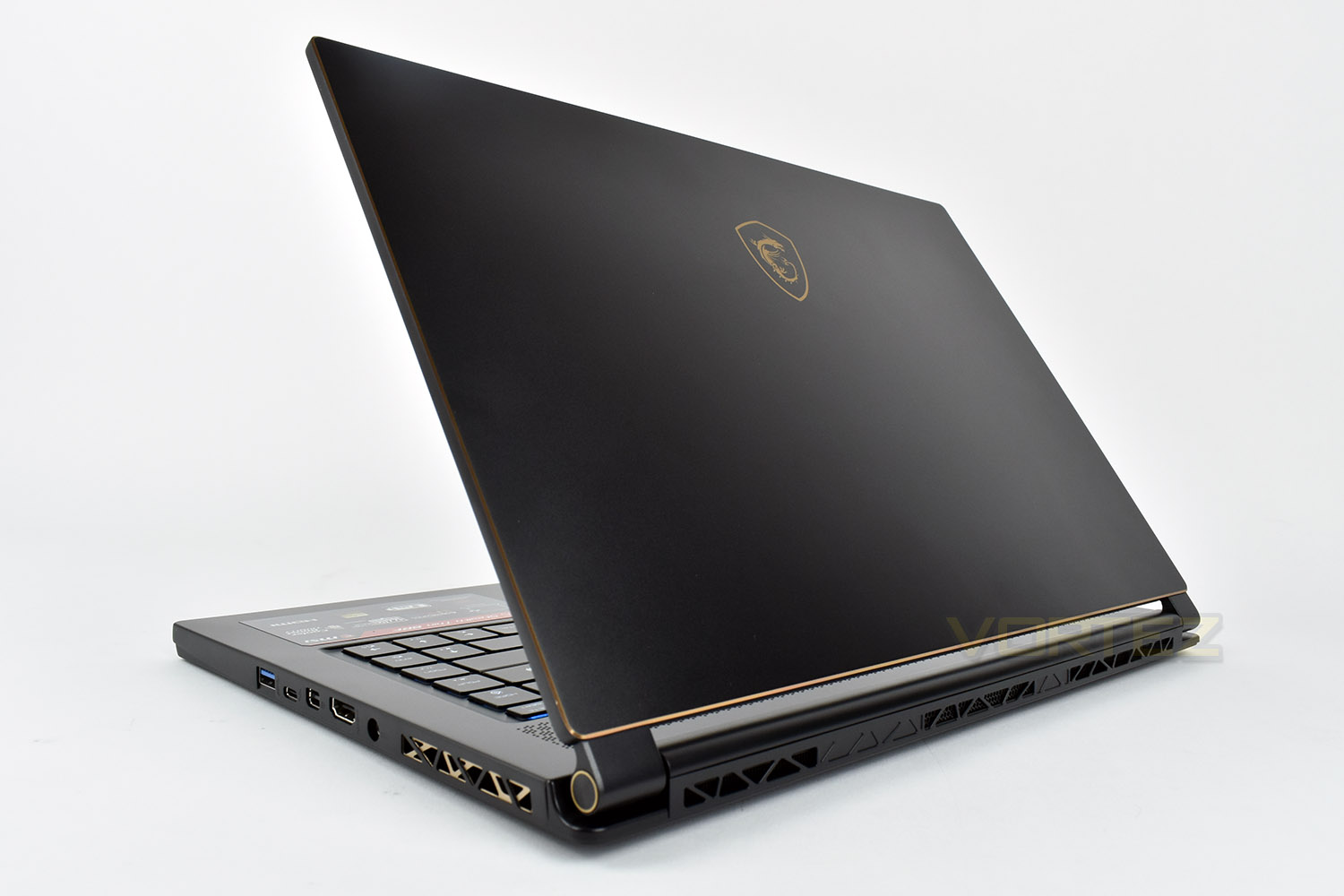
Unlike a lot of gaming laptops these days, the MSI GS65 Stealth is exactly that, stealthy. The lid is perfectly flat and constructed from a thin sheet of metal. The golden/bronze MSI logo on top is the only giveaway but due to the colours used, it actually looks rather classy.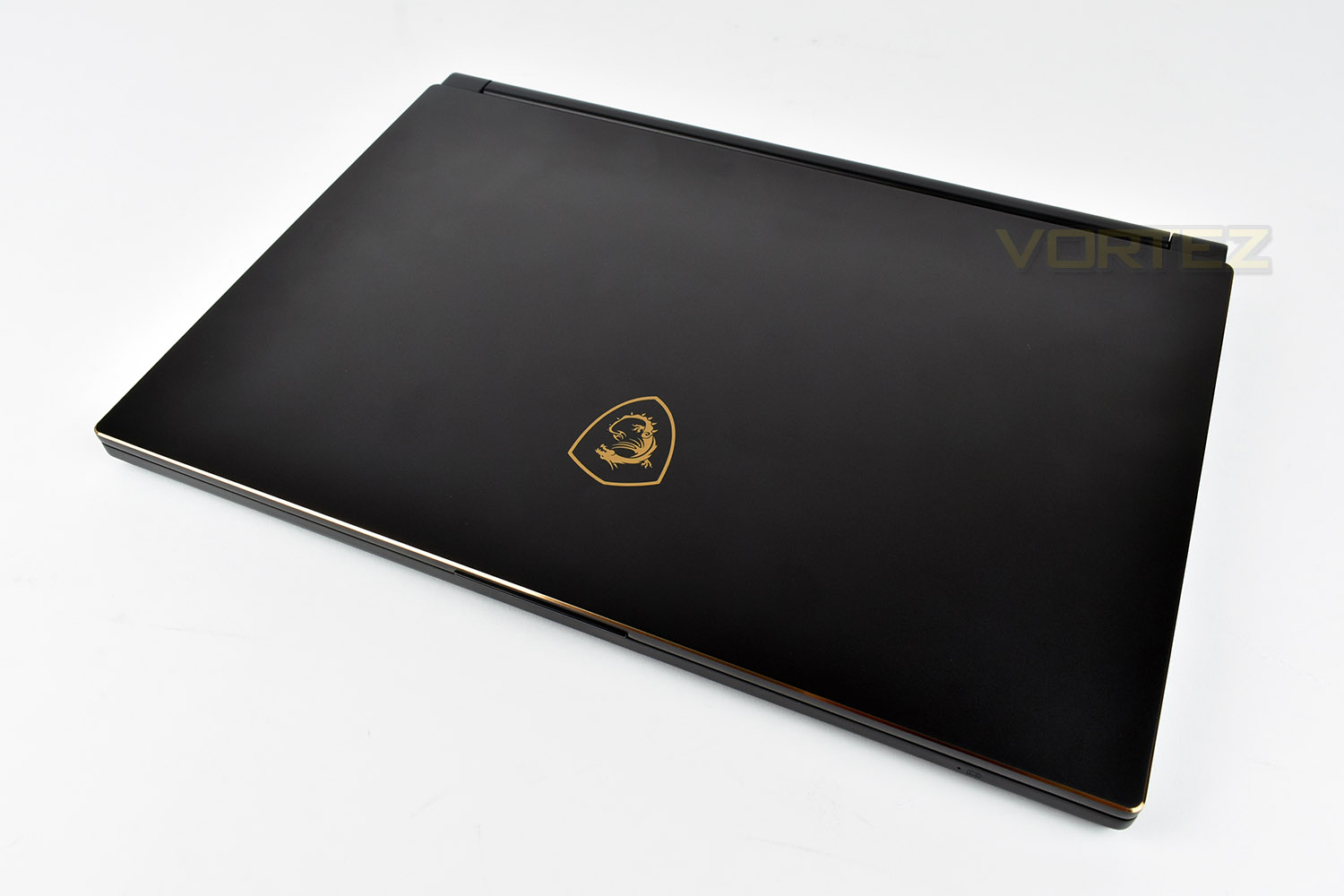
Lifting up the lid, you will likely be immediately greeted by a sense of “wow”, the laptop is gorgeous with a sense of style we rarely see in this category. We’d personally remove those MSI and Intel stickers, but that shouldn’t be difficult.
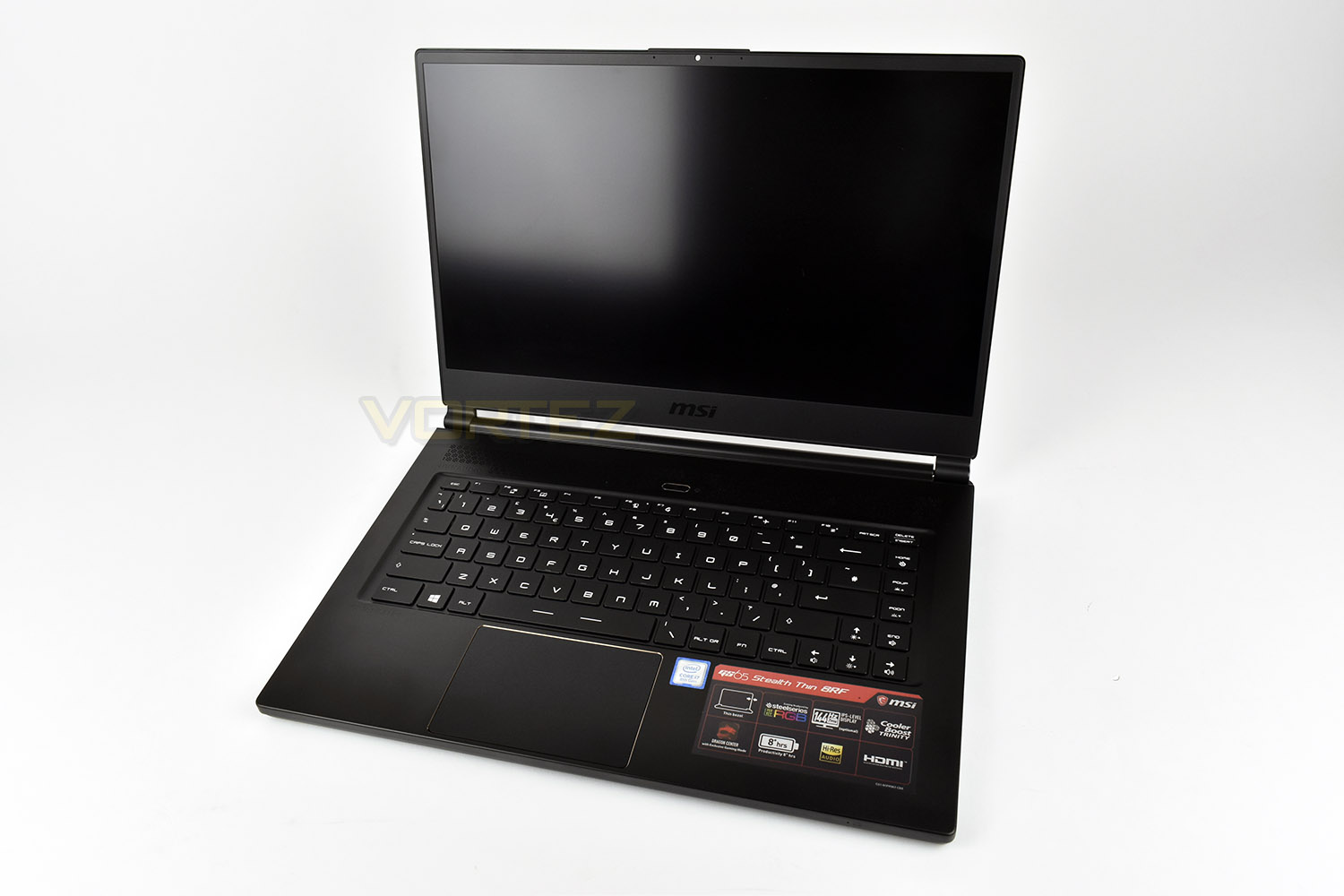
MSI have invested time and money into the design of the screen, developing a 144Hz IPS-level panel with 7ms input response times, and perhaps most importantly, a bezel measuring less than 5mm on the right and left. The top bezel measures roughly 9mm, but they’ve also managed to cram in the 720p webcam and microphones, instead of mounting these below the screen, leading to unflattering angles on your Skype calls.
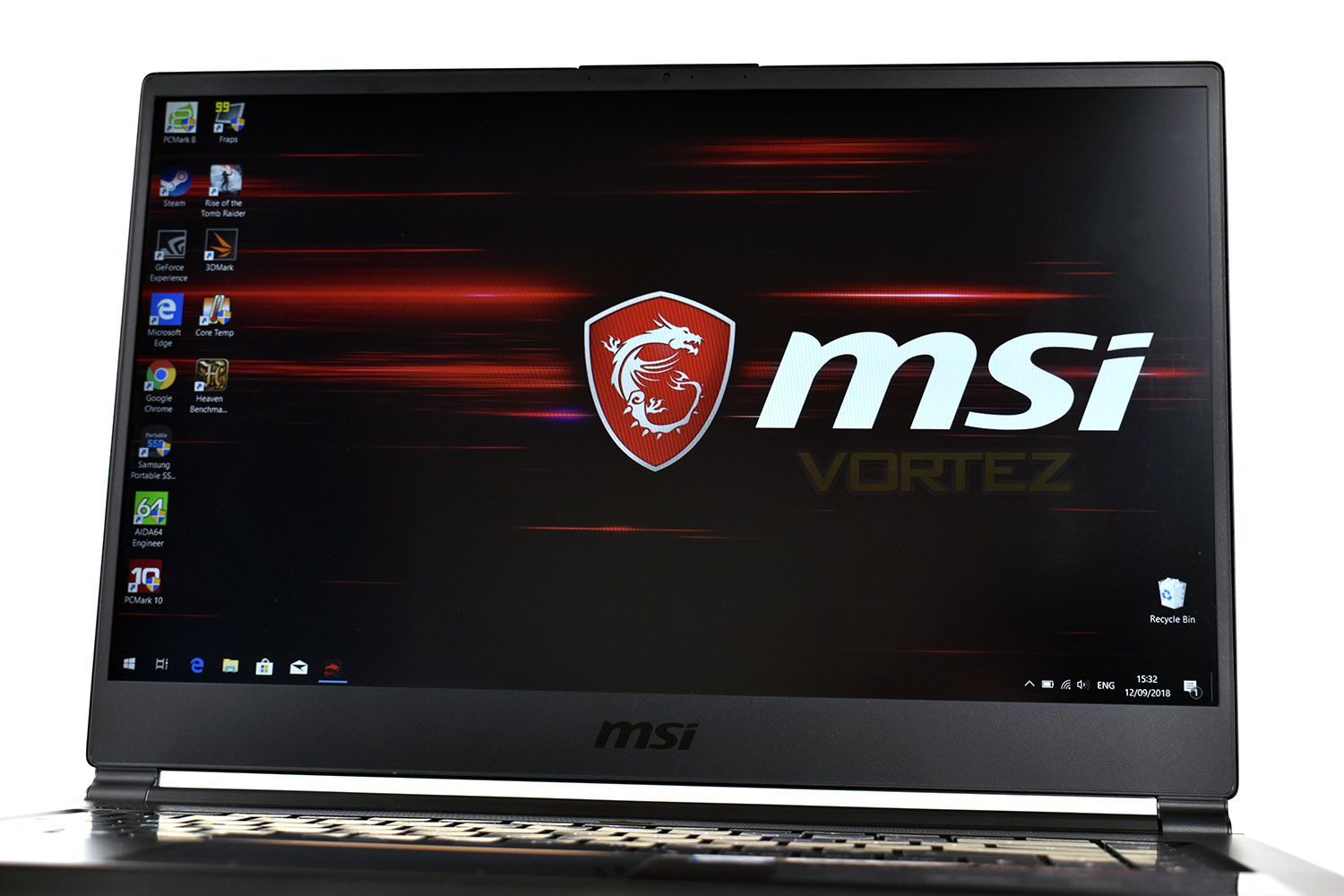
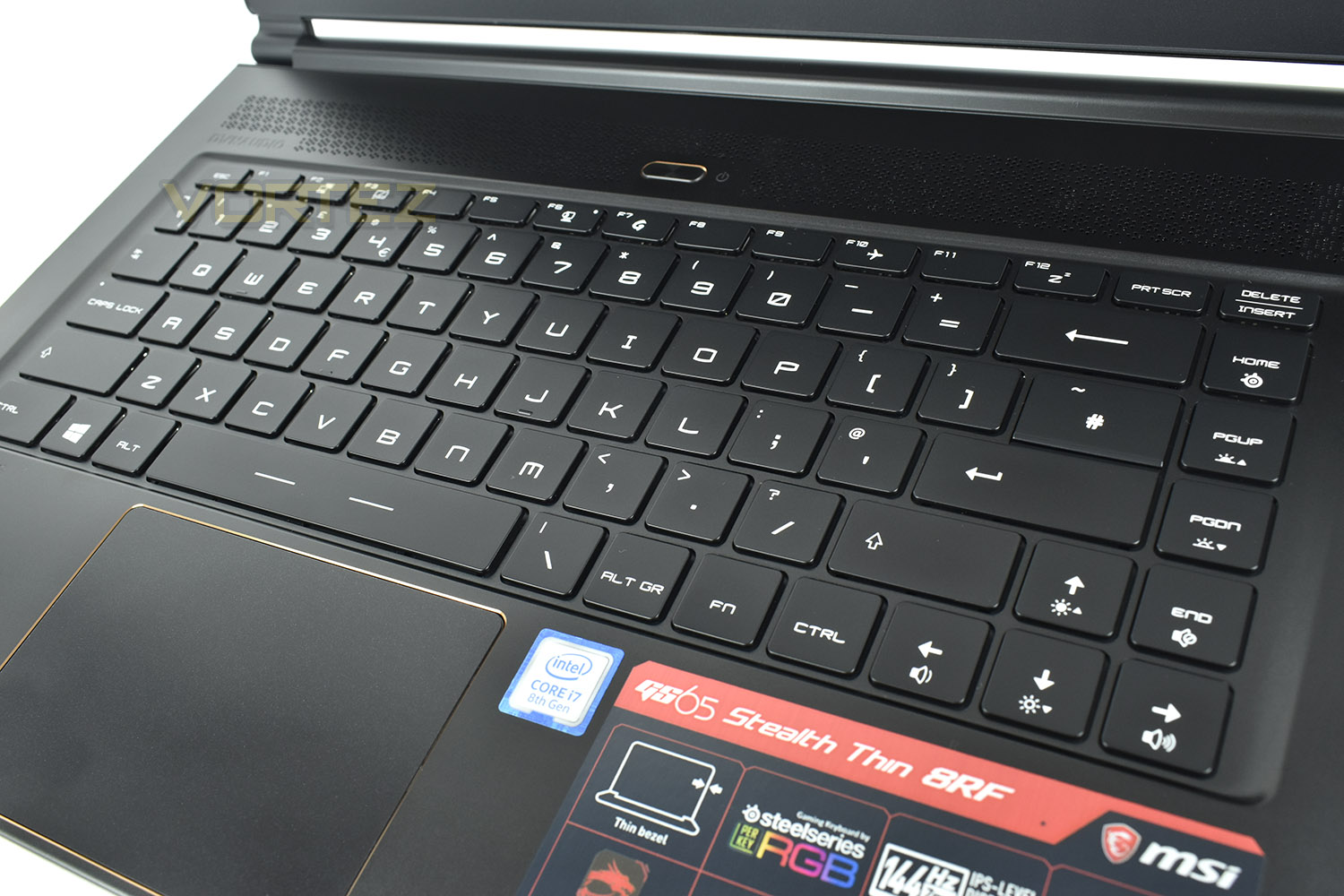
The keyboard, designed by SteelSeries, is incredibly low-profile but still provides a satisfying, tactile feel while also supporting the full RGB spectrum on a per-key basis; a rainbow effect may not go down too well in an office meeting or on a train, so choosing a static, low-key colour profile for those moments is easily possible.
A full array of FN keys is included, with volume and brightness controls being implemented onto the direction keys, easily adjustable with a single hand. Top F row has options to disable the trackpad or open the MSI Dragon Centre as well as Airplane mode and sleep functions.
Closer Look (Continued)
The large trackpad sits flush with the rest of the laptop, only divided by the small chamfered recess with a gold in-lay. The metal used here makes the trackpad a joy to use. The trackpad measures 104mm x 68mm.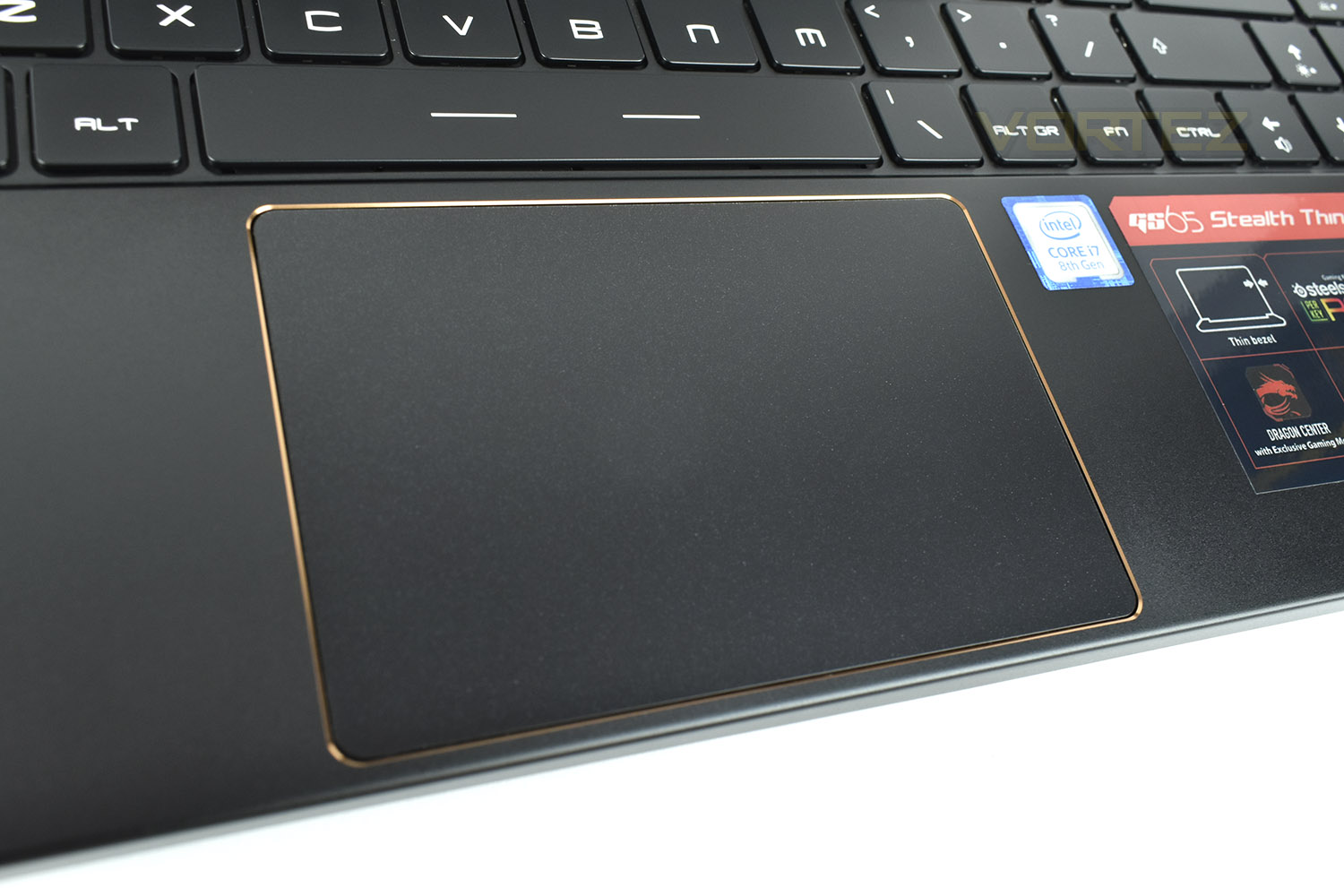
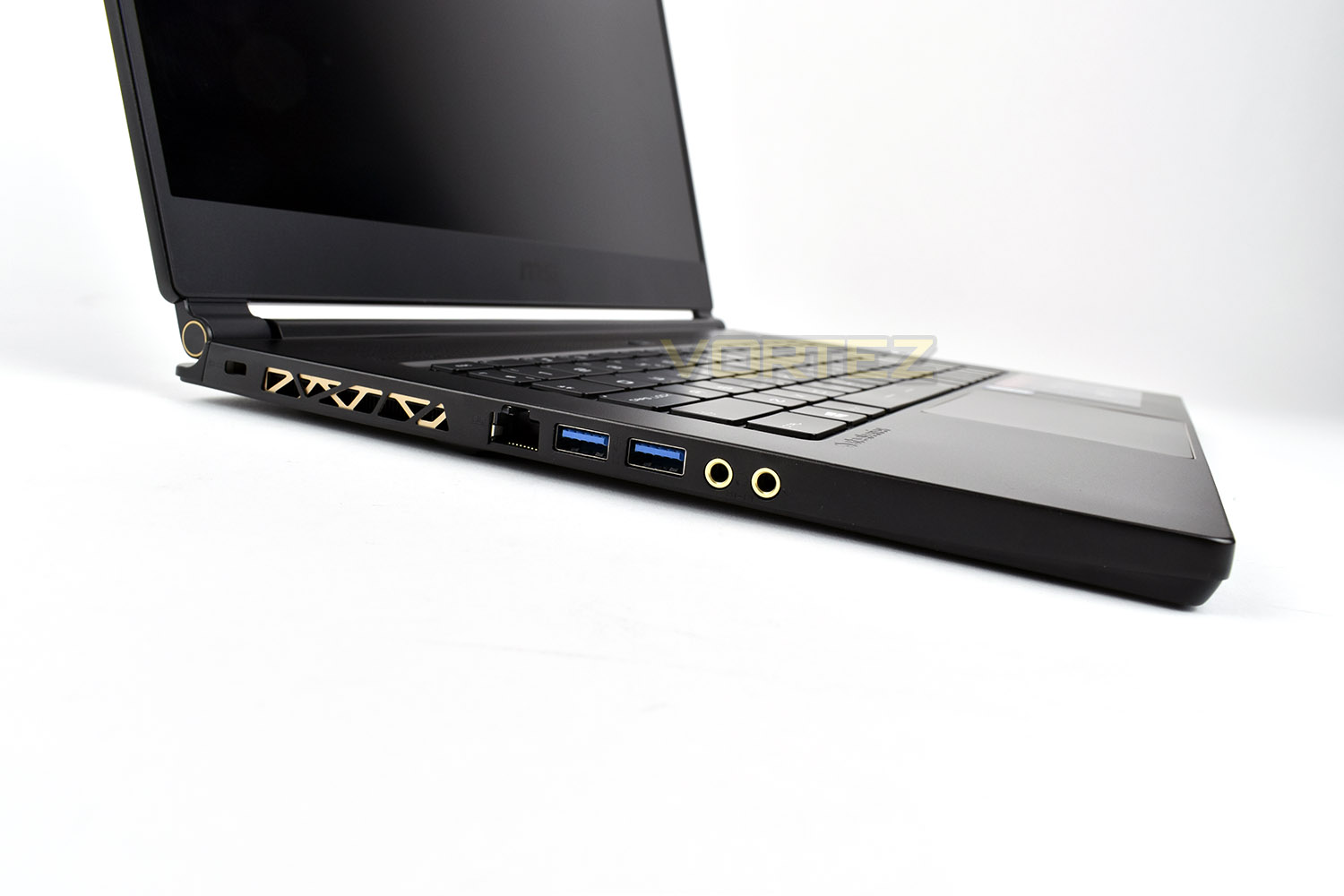
On the left hand edge is a heat vent, using a golden inset to add a further touch of style. There’s also the Killer Gigabit LAN, a pair of USB 3.1 Gen. 2 ports and independent microphone and headset 3.5mm connections.
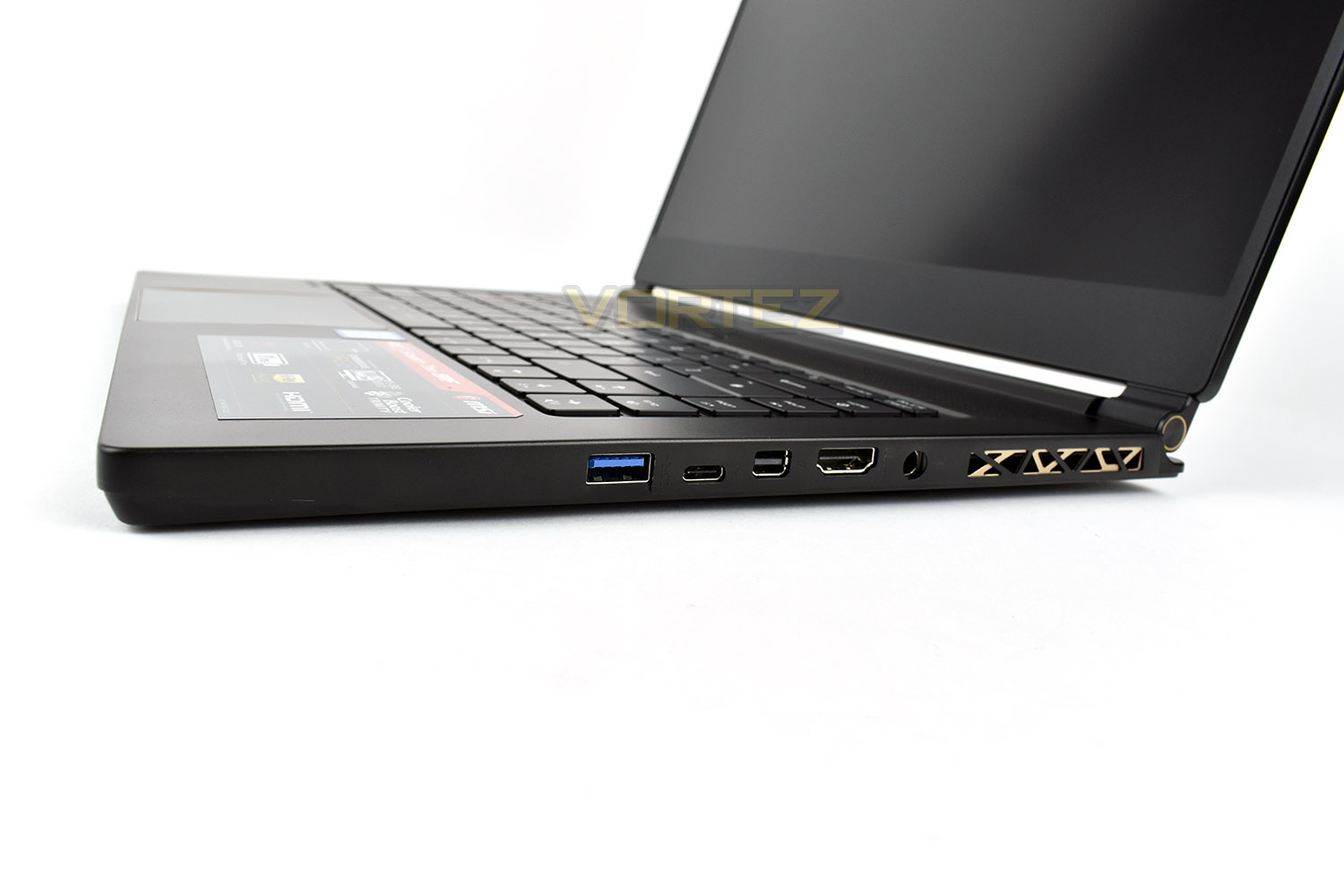
The right uses the same style heat vent, ensuring those power-hungry internal components can breathe adequately. Moving along from the vent, towards the left, there’s the power adaptor, an HDMI 2.0 which supports 2160p60Hz, a Mini-DisplayPort which also supports 2160p60Hz, a Thunderbolt 3 port, with backwards compatibility for USB Type-C and finally a third USB 3.1 Gen 2 port (the other two are on the left-hand-side).
The rear of the laptop is reserved purely for heat exhausting with no ports located there, at all.
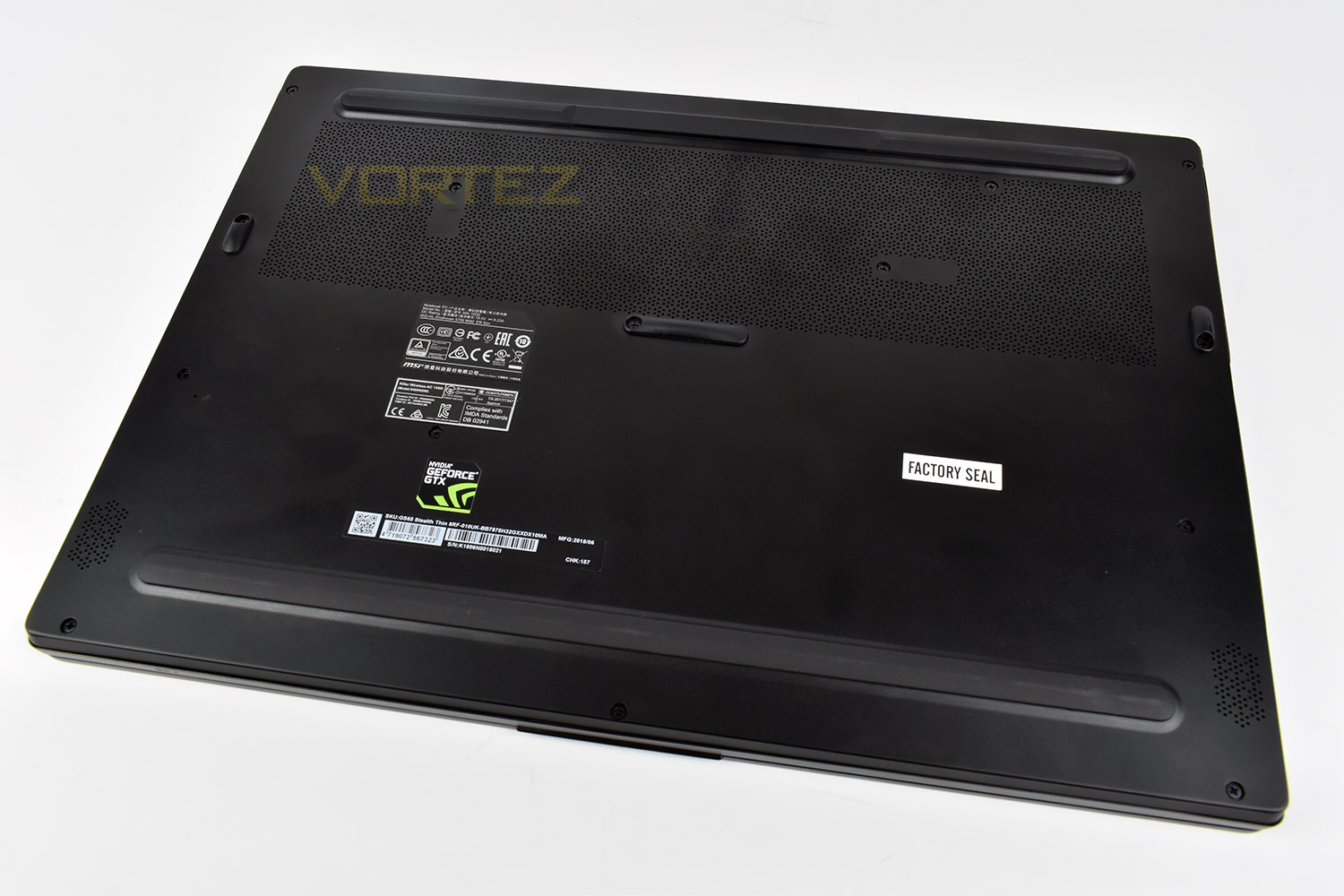
Finally, the underside of the laptop. We get two, full-length rubber standoffs to provide solid, stable grip to the surface below, as well as a fine mesh air intake along the bottom, providing the Cooler Boost Trinity enough room to draw in cool air for the internals.
Benchmarks: Temperatures, Boot Time & Uptime
For our first benchmark test we observe the max. CPU/GPU temperatures of the system while allowing Unigine Heaven 4.0 to run on a 30-minute loop. To report back on the temperatures we use RealTemp and GPU-Z which provide the peak figures.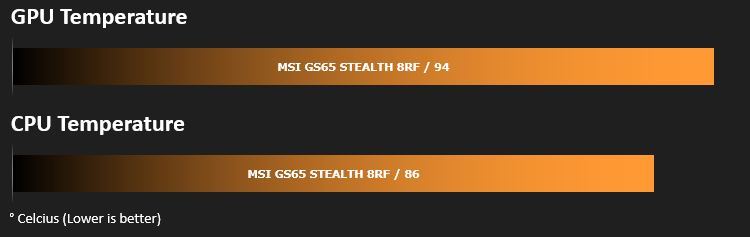
In this test we observe how fast the boot into Windows 10 is by using a digital stopwatch.

In this test we observe how fast the boot into Windows 10 is by using a digital stopwatch. Battery uptime is another important observation, for this we charge the notebook up to 100% and then disconnect the charging unit and leave Heaven 4.0 running on a continuous loop until the notebook loses all power.[/quote

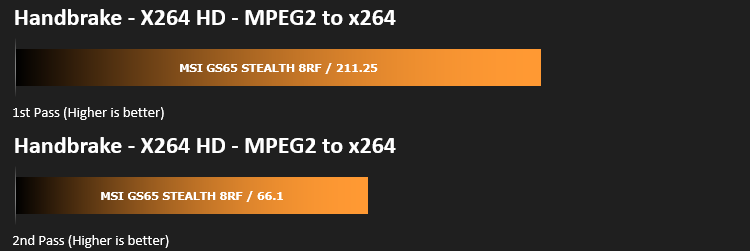
Benchmarks: Cinebench R15 & Handbrake
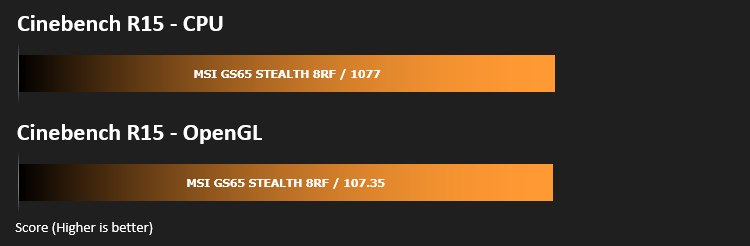
CINEBENCH can measure systems with up to 64 processor threads. This test scene contains approximately 2,000 objects which in turn contain more than 300,000 polygons in total, and uses sharp and blurred reflections, area lights, shadows, procedural shaders, antialiasing, and much more. The result is displayed in points (pts). The higher the number, the faster your processor is.
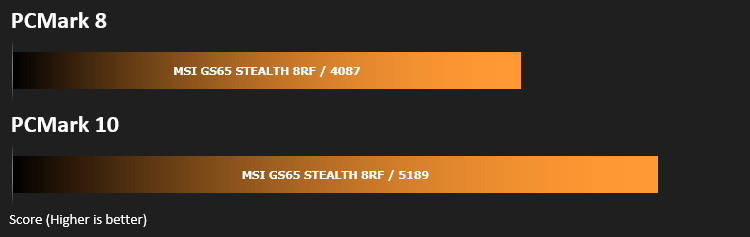
Benchmarks: PCMark 8 & 10
PCMark 10 combines performance benchmarking with battery life measurement and includes tests based on popular Adobe and Microsoft applications. Whether you are looking for long battery life, or maximum power, PCMark 10 will help you find the devices that offer the perfect combination of efficiency and performance for your needs. It’s the complete PC performance benchmark for home and business.
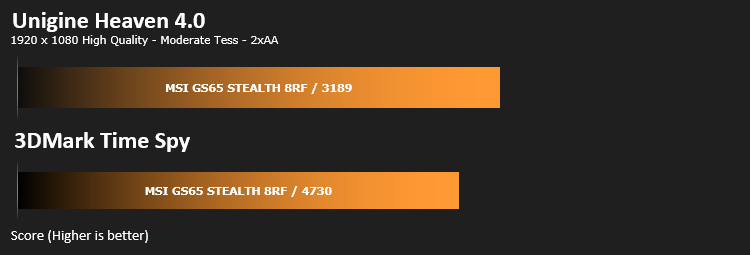
Benchmarks: 3DMark & Heaven 4.0
Time Spy is a DirectX 12 benchmark test for gaming PCs running Windows 10. With its pure DirectX 12 engine, built from the ground up to support new API features like asynchronous compute, explicit multi-adapter, and multi-threading, Time Spy is the ideal benchmark for testing the DirectX 12 performance of the latest graphics cards.
Benchmarks: Gaming (1080p)
The MSI GS65 Stealth Thin 8FR uses the NVIDIA GeForce GTX 1070 with Max-Q Design for graphics delivery, in this section we test the latest gaming titles to see how effective the 3D capabilities are. We report on the average framerate using FRAPS.

Performance Testing
Kicking off with gaming, the 144Hz IPS monitor with its 7ms response times paired with that SteelSeries keyboard was excellent, though you will definitely need a discrete mouse for anything more than The Sims or Two Point Hospital. We found the keyboard, despite its very short travel gave a good tactile feedback and was good for typing on for long periods of time, but the initial actuation of the keys felt out of place, requiring more force than we’d like. The ability to disable the trackpad via FN + F3 is a must-have when using WASD, thanks for including that, MSI!The NVIDIA GeForce GTX 1070 with Max-Q Design pushed out some serious framerates in the titles that we tested, though it would’ve been nice to see the inclusion of G-Sync to prevent any kind of tearing when the card can’t quite keep up. We also tested gaming performance on the move, only to find that the framerate is limited to 30FPS while on battery power, so do bear in mind that serious FPS games, or anything requiring decent reactions, will need a power point nearby to be properly enjoyed, though it does help to extend battery life and keep noise down.
Speaking of noise, unfortunately the fans are quite loud in this model; this is to be expected from a laptop measuring only 18mm thick, but it does make a decent headset almost a necessity if you plan on using this for gaming, helping to block out the fan noise.

DYNAUDIO have implemented their magic into the MSI GS65, giving the speakers a surprisingly punchy bass with a decent overall sound profile, they’re certainly not going to replace a proper set of desktop speakers but they’re definitely good enough to share a video or movie with someone in a quiet room. You still get a slight tinny rasp, like the speakers are a little too small and obstructed but we can forgive that on the size of the chassis.
Temperatures are a struggle for the GS65 Stealth Thin, despite the loud fans giving it their best shot. While testing the temperatures in the Unigine Heaven 4.0 benchmark, we saw CPU temperatures regularly into the 90°C+ region, while the GPU was over 80°C the entire time, peaking at around 85.
If you read our Samsung X5 SSD review, you will have seen that we had to use this laptop to test the device, thanks to the Thunderbolt 3 connection. While the connectivity on this laptop might not be the most plentiful we’ve ever seen, it’s got the right stuff with HDMI, DisplayPort, USB 3.1 Gen.2 and Thunderbolt 3/USB Type C ports. You even get a full Killer Gigabit LAN and separate microphone and headset 3.5mm connections.
Conclusion
First off, we’ve fallen in love with this chassis. The sleek, stylish design sits brilliantly wherever you choose. This gaming laptop certainly wouldn’t look out of place in the office, nor would it fail to look the part at a LAN event. The lid did flex about a little bit, but the hinges ensured the screen remains exactly where you put it. We also like the inclusion of two small magnets to prevent it from opening up accidentally.The 144Hz 1080p panel with it’s tiny bezel is beautiful, providing good viewing angles and a bright display for gaming. We played some Rocket League and Two Point Hospital on the laptop and found it to be perfect for both. The keyboard was also brilliant for gaming on, though some tuning on the actuation pressure would be nice.
Temperatures were somewhat of an issue, which kicked the fans into overdrive, causing quite a lot of noise. If you do plan on gaming on this, make sure you have a closed back headset and you should be fine. However, let it be said, when using the laptop for something like internet browsing or spreadsheet work, the laptop remains reasonably cool.
One thing we’d like to see changed is the positioning of the power connector; the limit to 30fps while on battery power almost necessitates that it’s plugged in for long periods of time. Having it moved behind would be a good move, along with the Gigabit LAN, if possible.
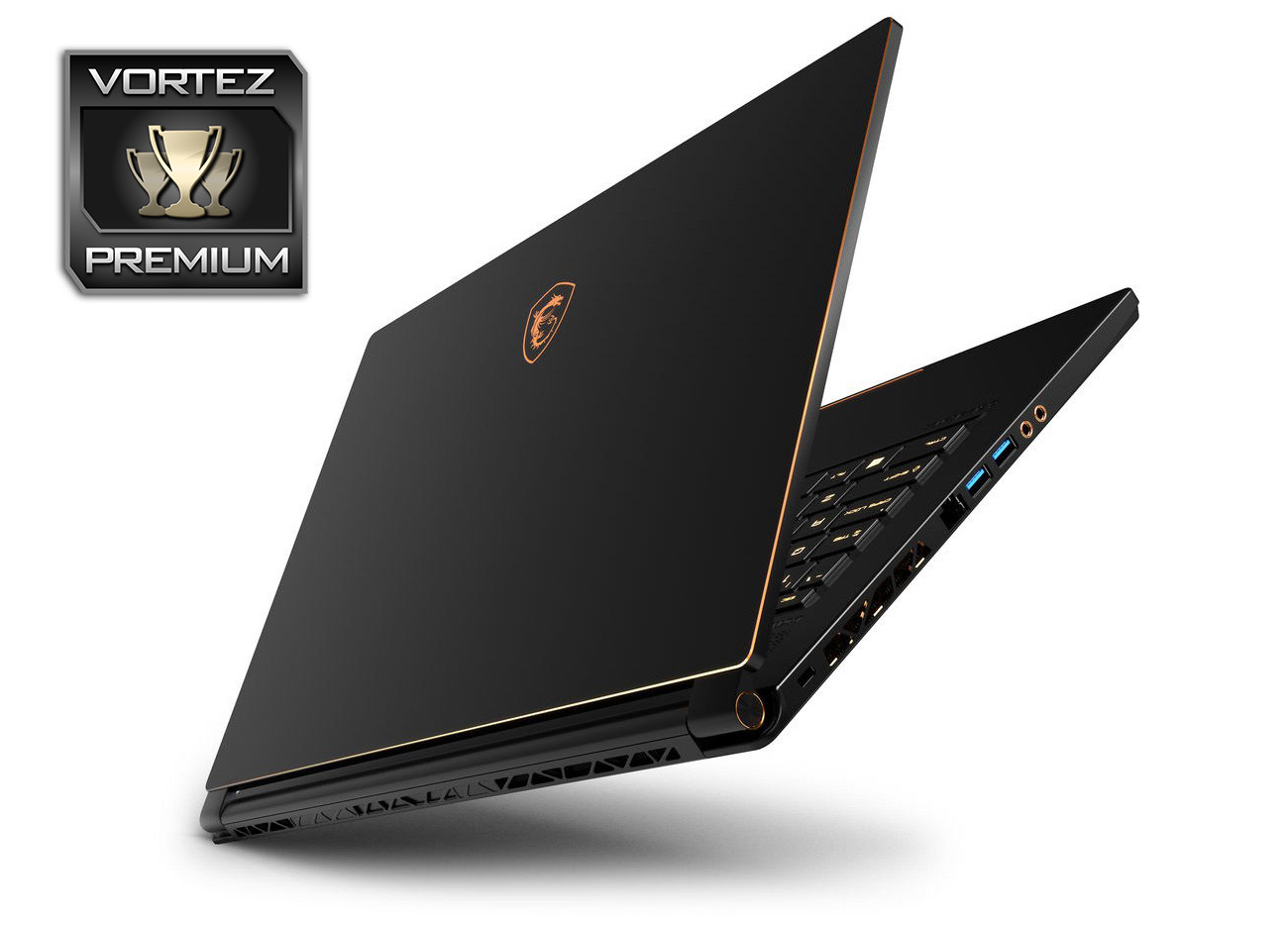
All things considered, the GS65 Stealth Thin 8RF offers excellent performance, good battery life, a beautiful screen, great keyboard and it looks fantastic. We’d have one!
Pros
+ Beautiful screen with tiny bezels
+ Gorgeous chassis with classy accents
+ Keyboard is great to type on
+ Good range of connectivity
+ Solid performance
+ Reasonable battery life
+ Decent sound output
Neutral
+- Power adaptor positioning
Cons
– Loud under load
+ Beautiful screen with tiny bezels
+ Gorgeous chassis with classy accents
+ Keyboard is great to type on
+ Good range of connectivity
+ Solid performance
+ Reasonable battery life
+ Decent sound output
Neutral
+- Power adaptor positioning
Cons
– Loud under load
Click here for an explanation of our awards at Vortez.net.
Stay connected with the Vortez Social Media pages:
Join in with the discussions on Discord