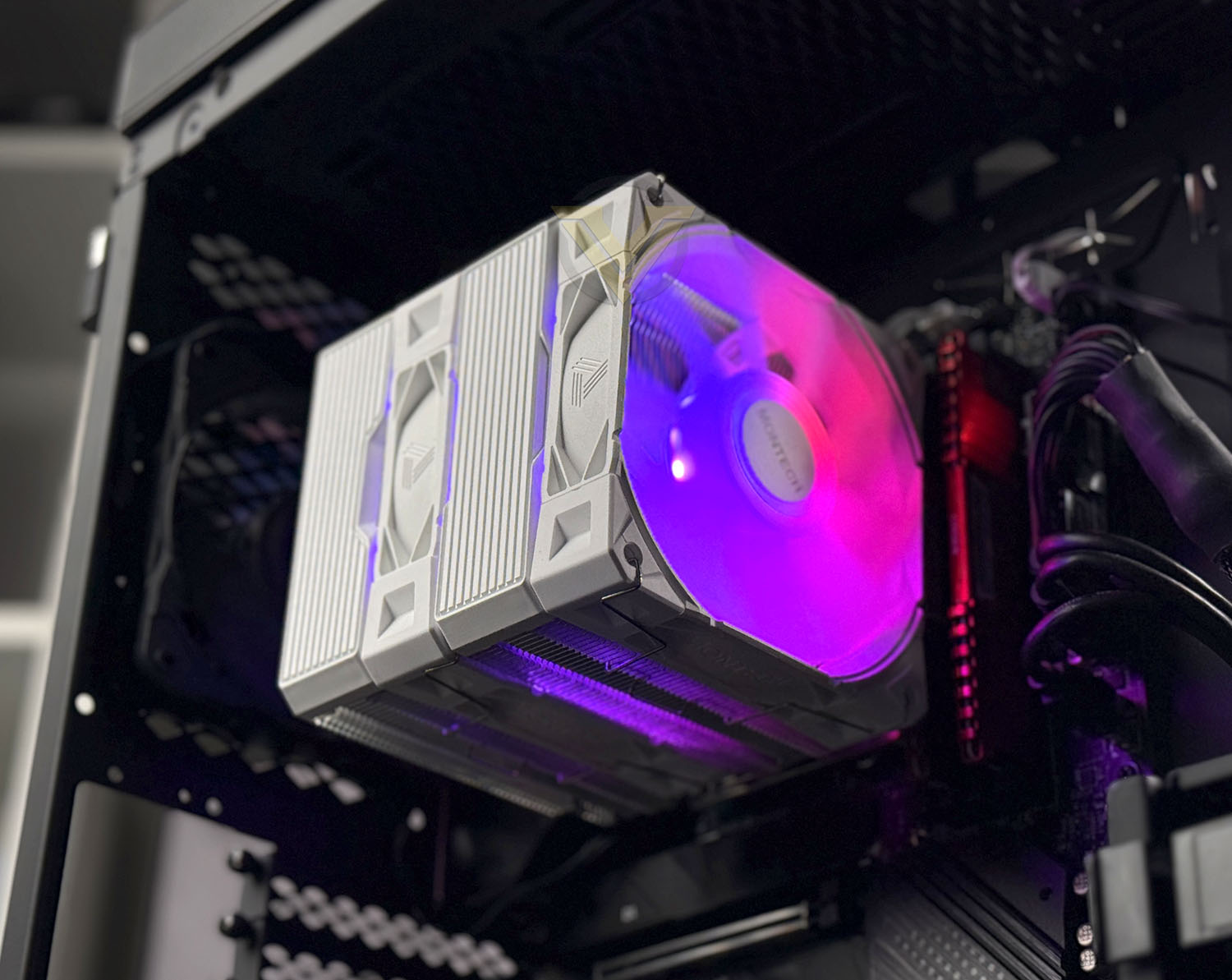
MONTECH has a new dual-tower CPU cooler which aims to focus on exceptional cooling performance while coming in at an affordable pricepoint. We test it out the new NX600 ARGB.

Product on Review: NX600 ARGB
Manufacturer: MONTECH
Price: $34.90 USD
The MONTECH NX600 ARGB enters the market as a dual-tower CPU cooler focused on delivering exceptional cooling performance at an accessible price point. With its dense 52×2 fin array, six copper heatpipes, and precision-soldered copper base, the cooler is engineered for efficient heat transfer and strong thermal stability. On paper, the NX600 ARGB is positioned to compete with higher-tier models while maintaining impressive value.
Aesthetically, the NX600 ARGB blends modern styling with practical design cues. Its refined top cover pairs striped and translucent accents to create a look that complements both RGB-heavy and minimalist builds. The included MONTECH E28 ARGB 120 mm fans enhance this visual appeal while promising solid airflow, making the cooler suitable for builders who prioritize a balance of performance and presentation.
Supporting both Intel and AMD’s latest mainstream sockets, the NX600 ARGB aims for broad system compatibility and easy integration. Combined with MONTECH’s E28 fan technology and the optimised dual-tower layout, the cooler is clearly built with high-TDP processors in mind. In this review, we’ll put these claims to the test and see how the NX600 ARGB performs against a lineup of rival CPU coolers!
About MONTECH:
Montech started its journey with three signature PC case series, building a strong reputation for exceptional design and functionality. In recent years, we’ve expanded our horizons, transforming into a comprehensive PC hardware provider. From power supplies and air coolers to fans, mechanical keyboards like the MKey, and all-in-one liquid coolers like the HyperFlow, Montech continues to push boundaries, delivering cutting-edge solutions for every PC enthusiast.
Technical Specifications
Below are the technical specifications surrounding the NX600 ARGB:
Socket compatibility
Intel LGA115X / 1200 / 1700 / 1851
AMD AM5, AM4
Weight 1440 g
Warranty: 1 Years
Dimensions: 120*132.5*160mm
Heatpipes: 6x 6 mm Ø, Copper
Fan: 2x E28 ARGB (120mm fans)
Speed: 800 – 2000 rpm, PWM Controlled
Current | Voltage: 0.10 A | 12 V DC
Connector: 4-Pin PWM-Connector
Intel LGA115X / 1200 / 1700 / 1851
AMD AM5, AM4
Weight 1440 g
Warranty: 1 Years
Dimensions: 120*132.5*160mm
Heatpipes: 6x 6 mm Ø, Copper
Fan: 2x E28 ARGB (120mm fans)
Speed: 800 – 2000 rpm, PWM Controlled
Current | Voltage: 0.10 A | 12 V DC
Connector: 4-Pin PWM-Connector
Packaging & Bundle
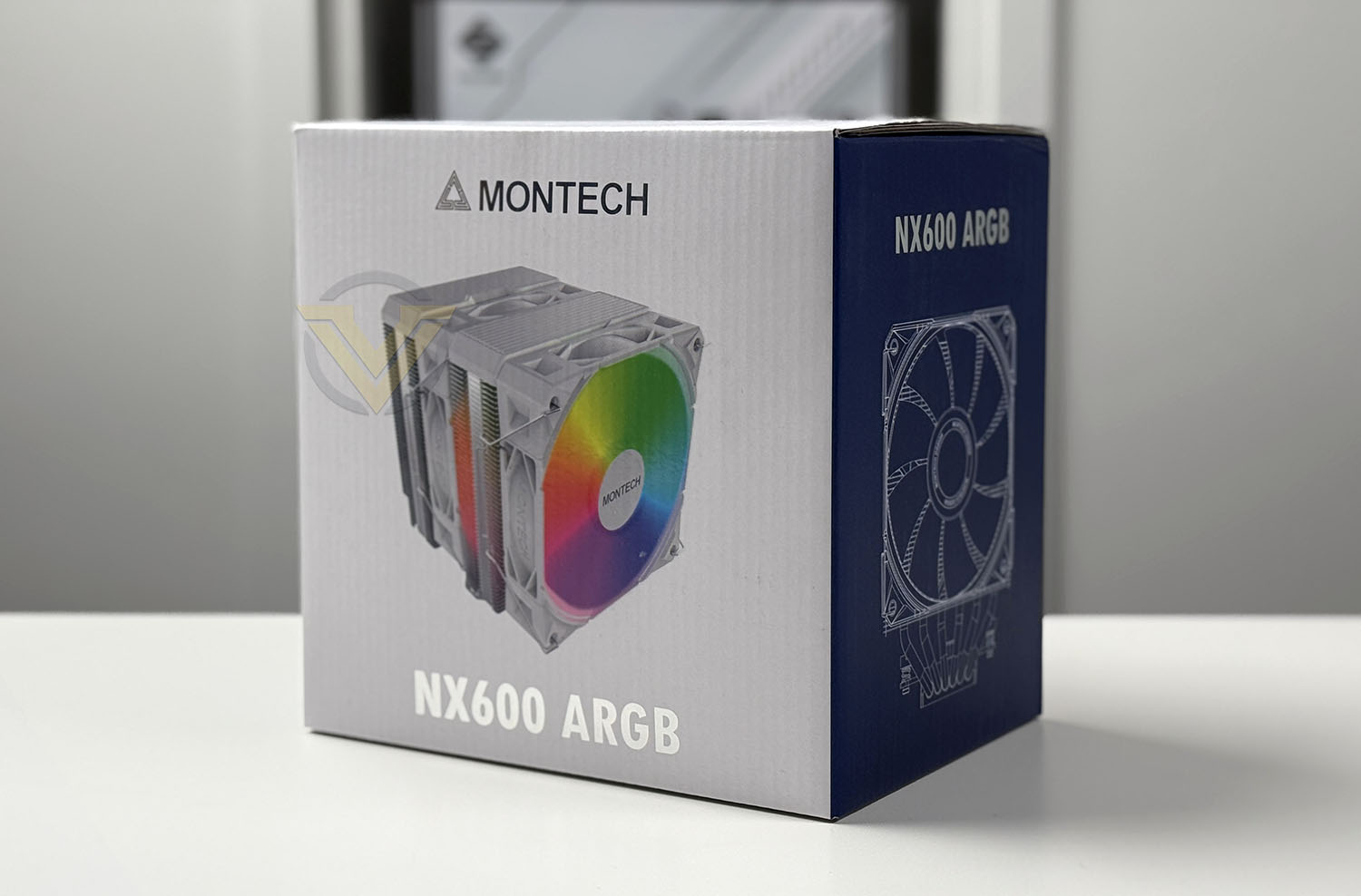
NX600 ARGB arrives in a large box that has a clean design, giving a depiction of the cooler and running through the tech spec on the sides. Within, all of the included items are concealed within a protective covers and cardboard to ensure safe arrival.
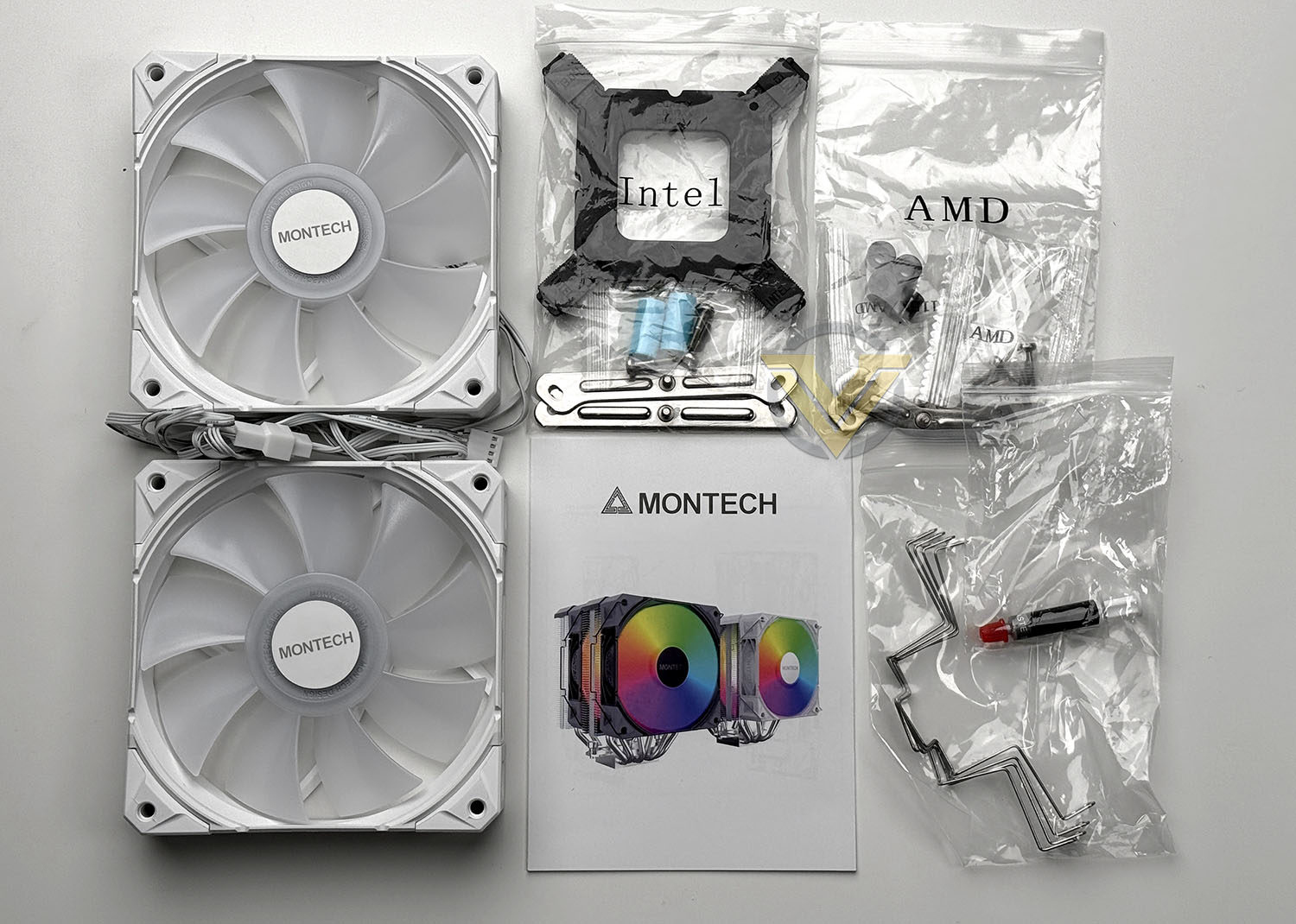
The bundle itself consists of an assortment of items. Here are the included items:
• 2x E28 ARGB fans
• 4x Fan clips + thermal paste
• Intel mounting kit
• AMD mounting kit
• Instructions guide
Closer Look
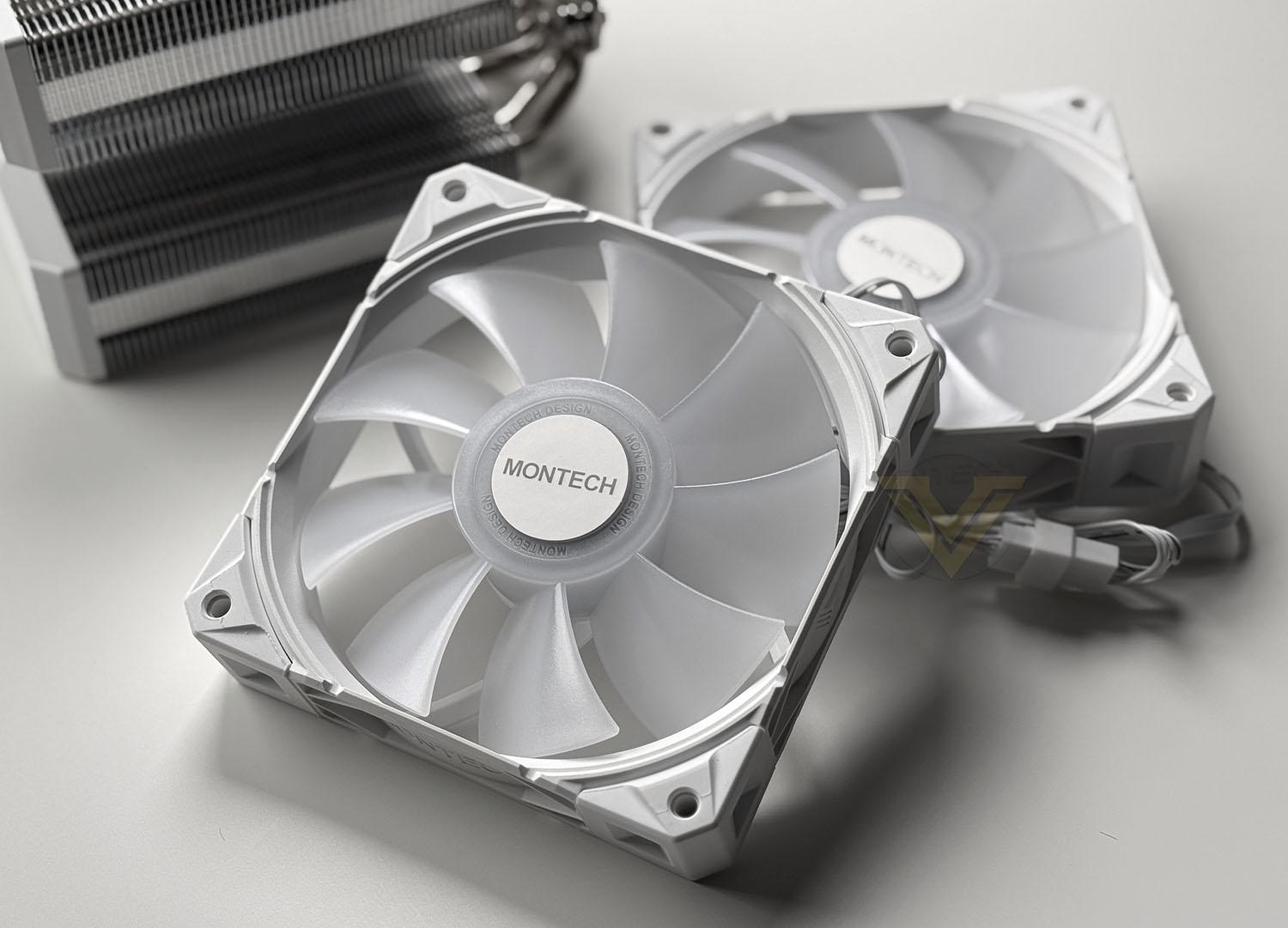
Included with this cooler are 2x 120mm E28 ARGB fans. These fans are PWM and capable of 800-2000 RPM and airflow of up to 85.09 CFM.
Both fans are ARGB LED ready and are daisy chained for both PWM and ARGB. You just need to connect the two cables to the CPU cooler header on the motherboard and an ARGB header. Simple!
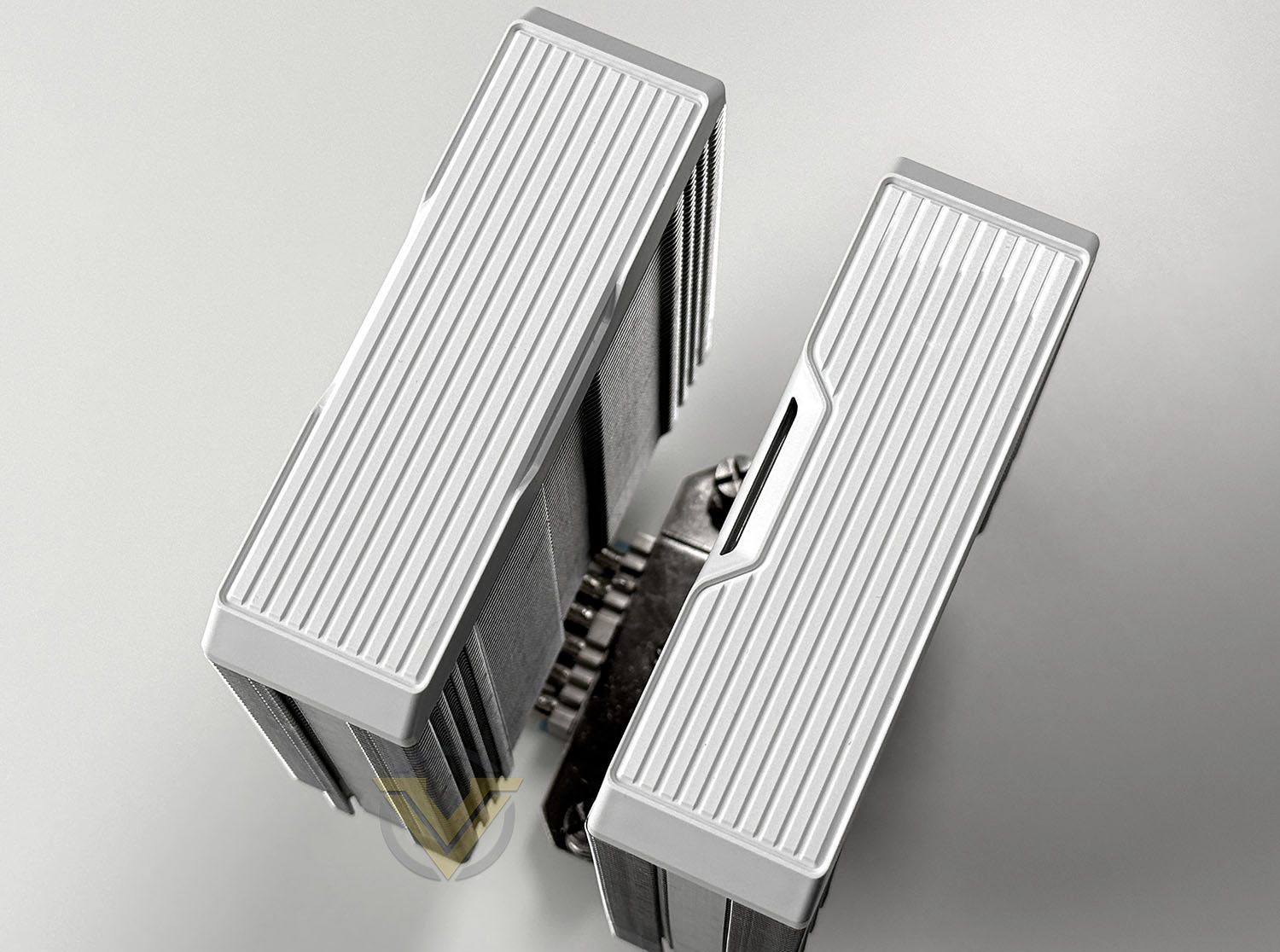
The top section of NX600 sports two plates which conceal the top section of the twin heatsinks. There are no distinguishing features here except to say the plates feature a series of incisions. Overall this should look quite stylish when inside a computer system.
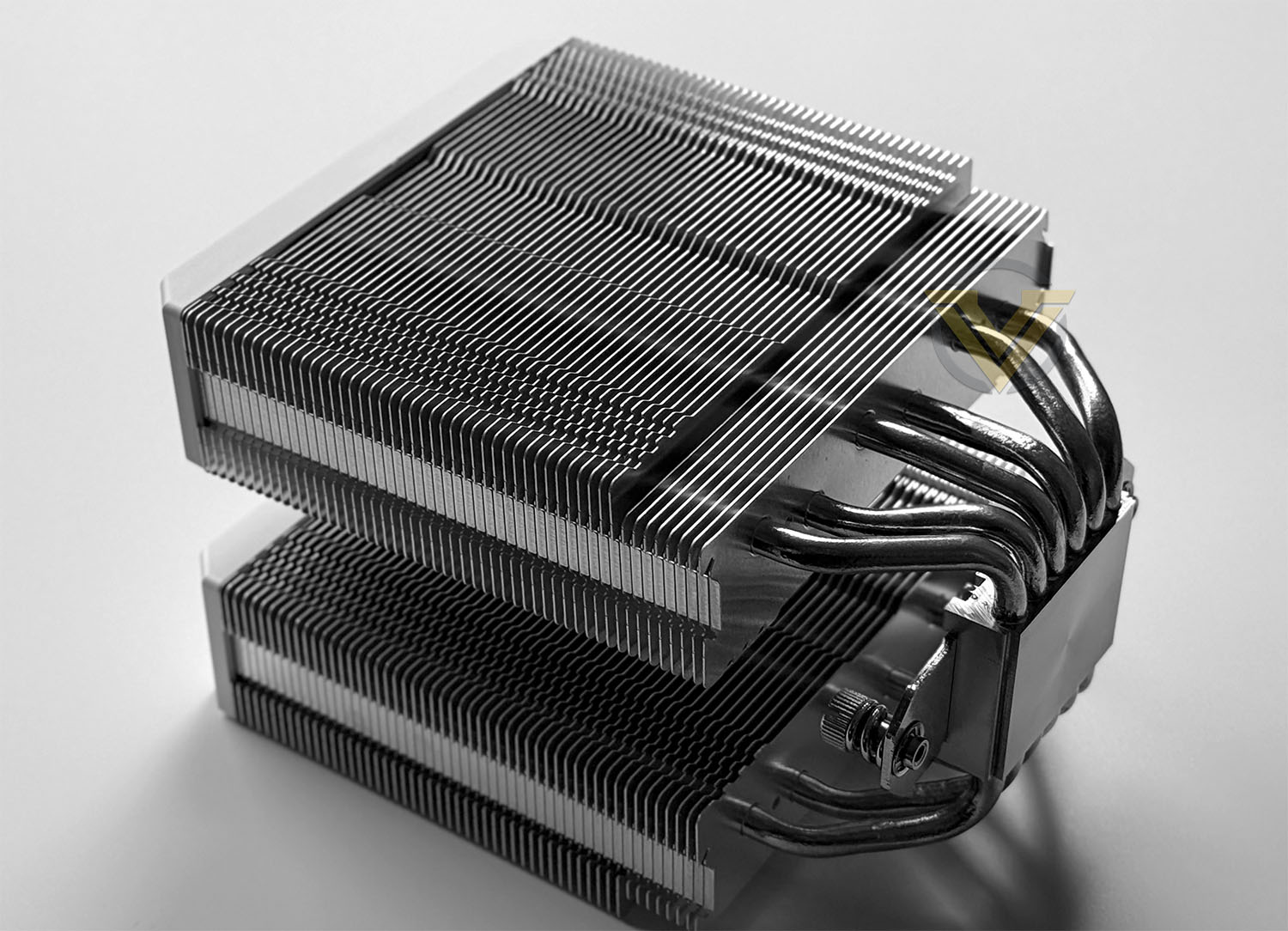
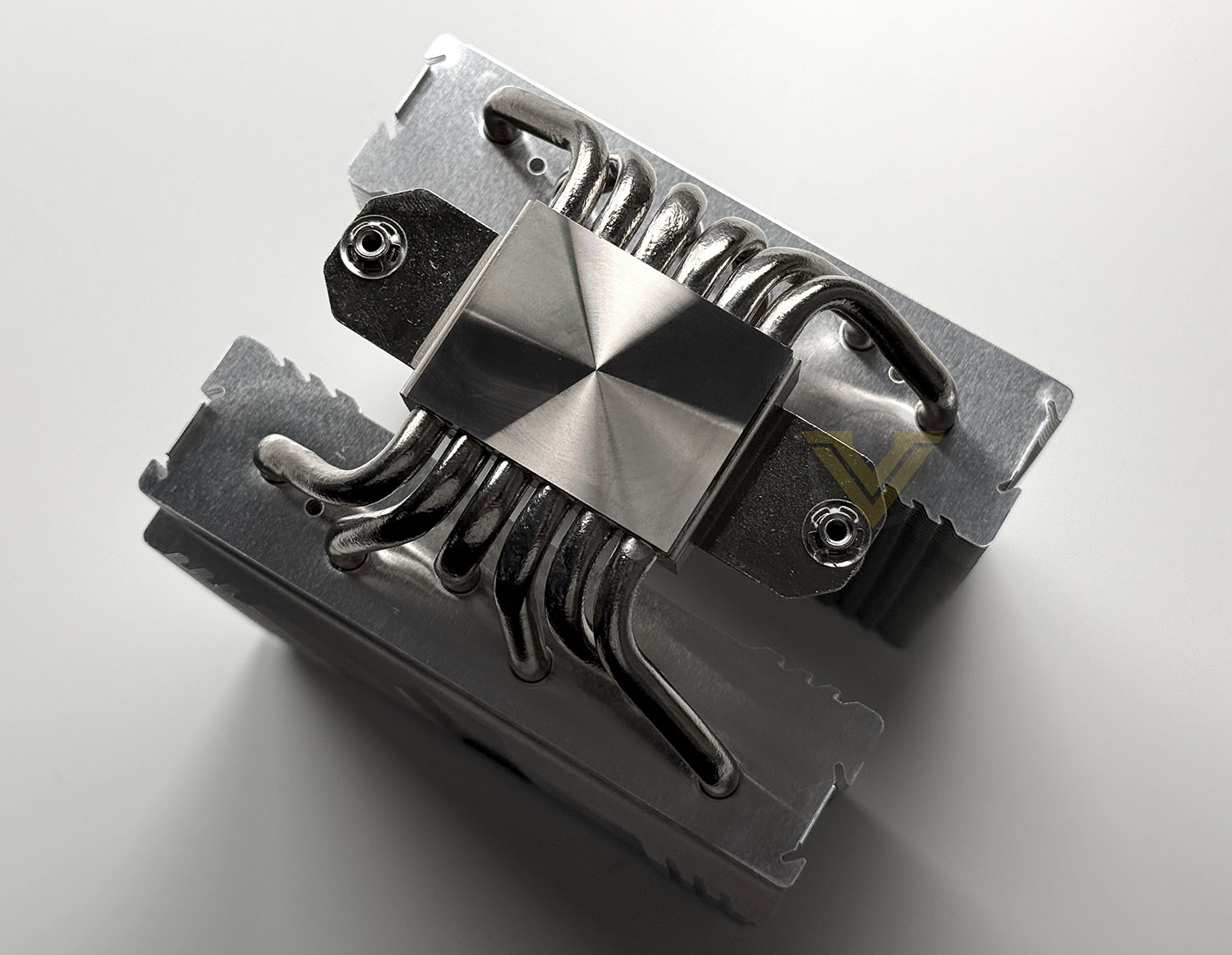
As mentioned, NX600 features a twin heatsink design and there are 52 x 2 fins. Along with this we get a six heatpipe configuration with a copper baseplate. The baseplate is soldered directly to the heatpipes for better heat transfer.
Installation Process
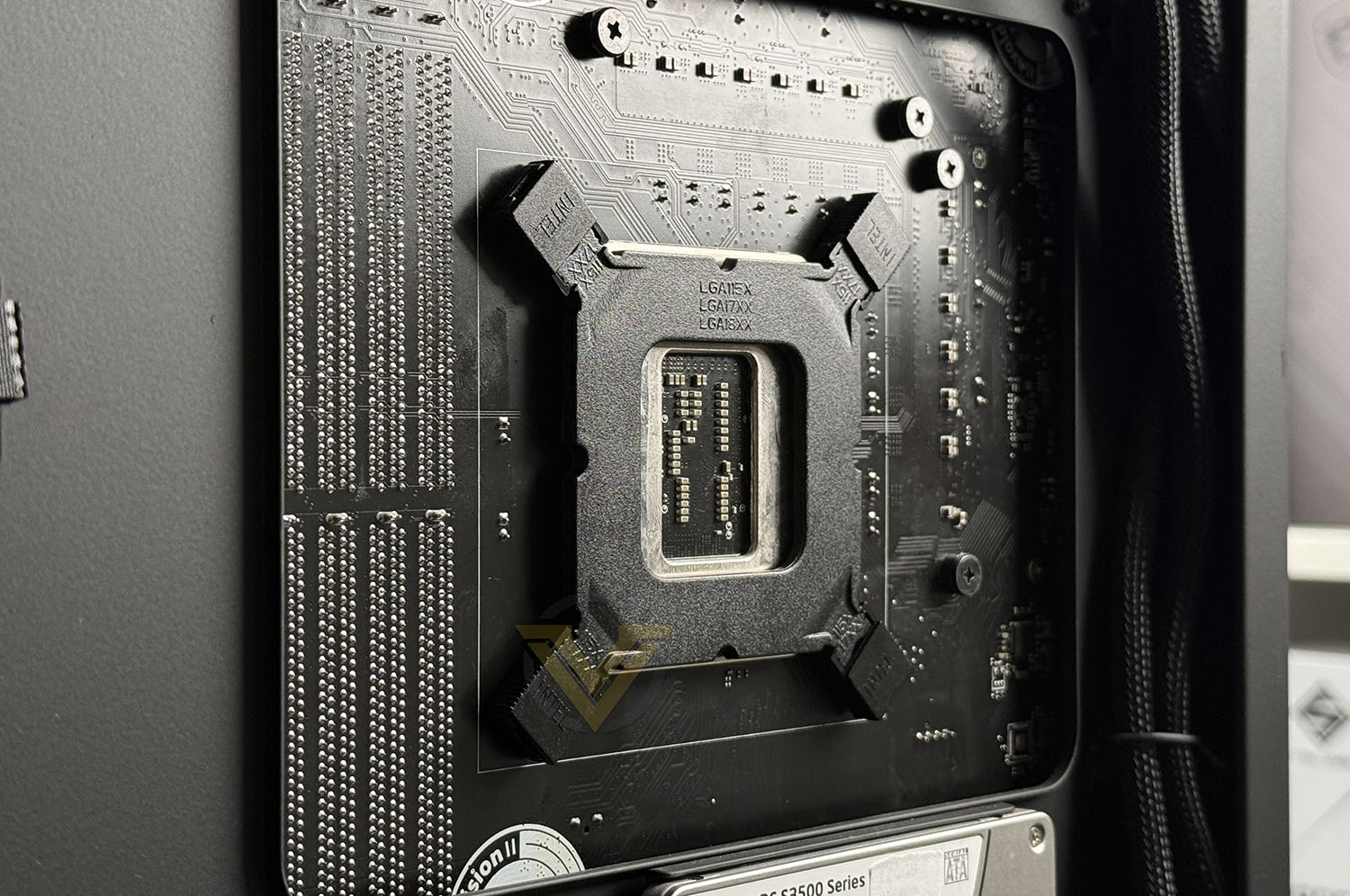
For our CPU cooling reviews we’re using the Intel platform. So, the first step for installing NX600 is to attach the provided backplate to the motherboard socket. Access to the backside of the board is necessary as shown above. NX600 supports multiple Intel sockets and we just need to attach the clips to the specific socket we require.
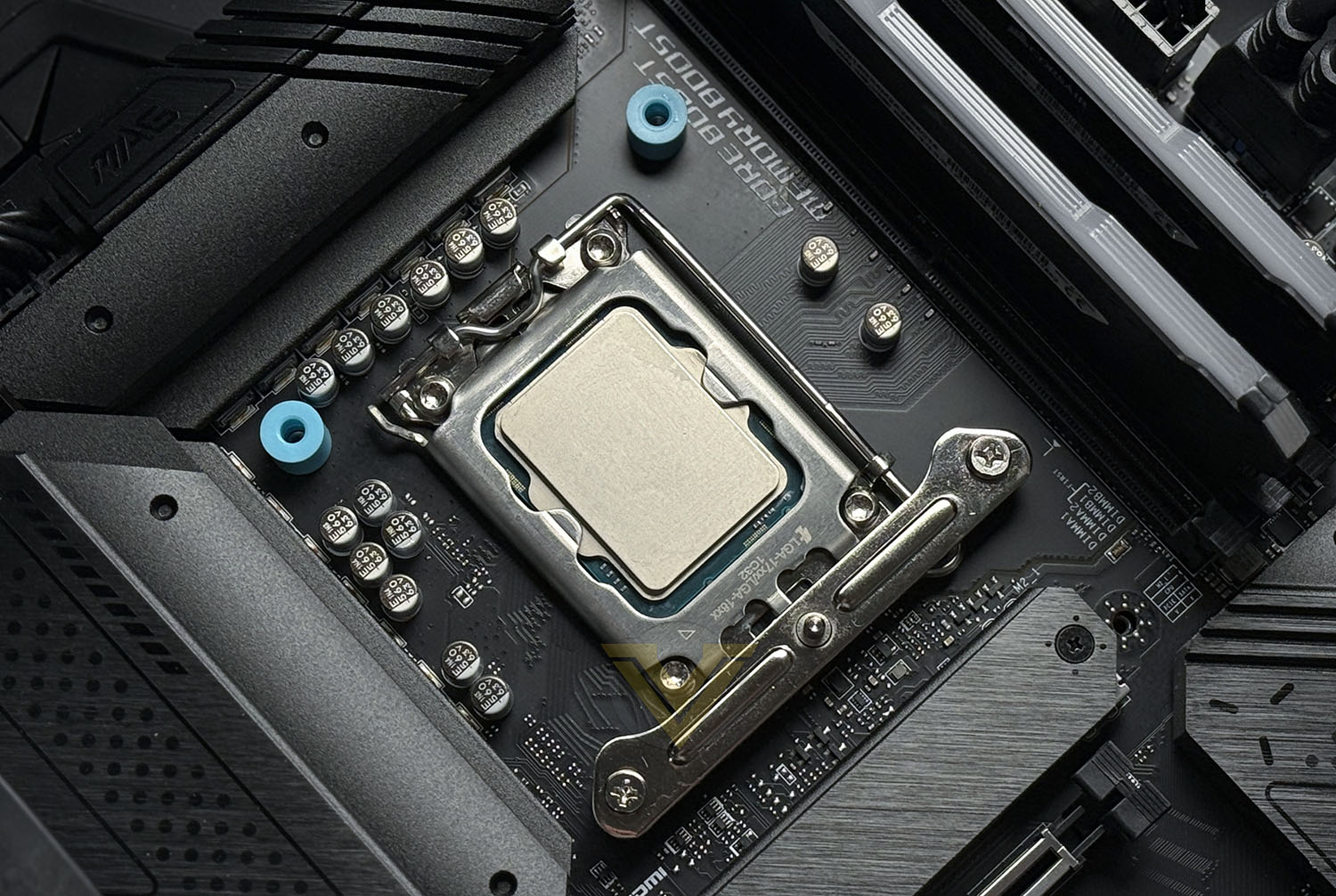
Next, we need to attach the blue standoffs to each of the four screw holes, place a bracket over the top and then follow up with two screws into each.
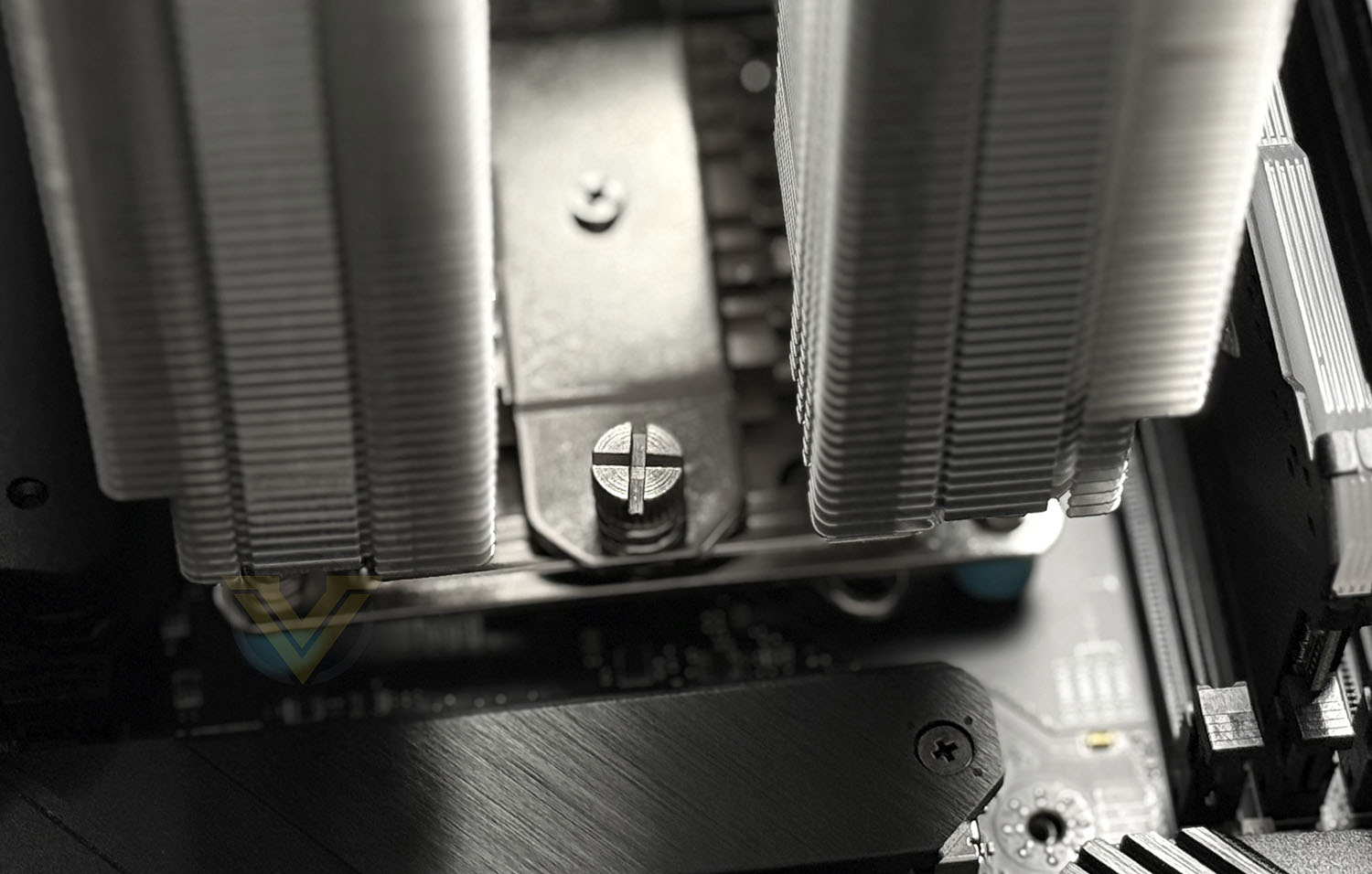
And then its time to apply thermal paste to the CPU, and place the CPU cooler over the top of the brackets – tightening the two large Philips screws on either side as shown. We advise making one full turn on one screw and then moving to the other, and then back again. This will add even pressure.
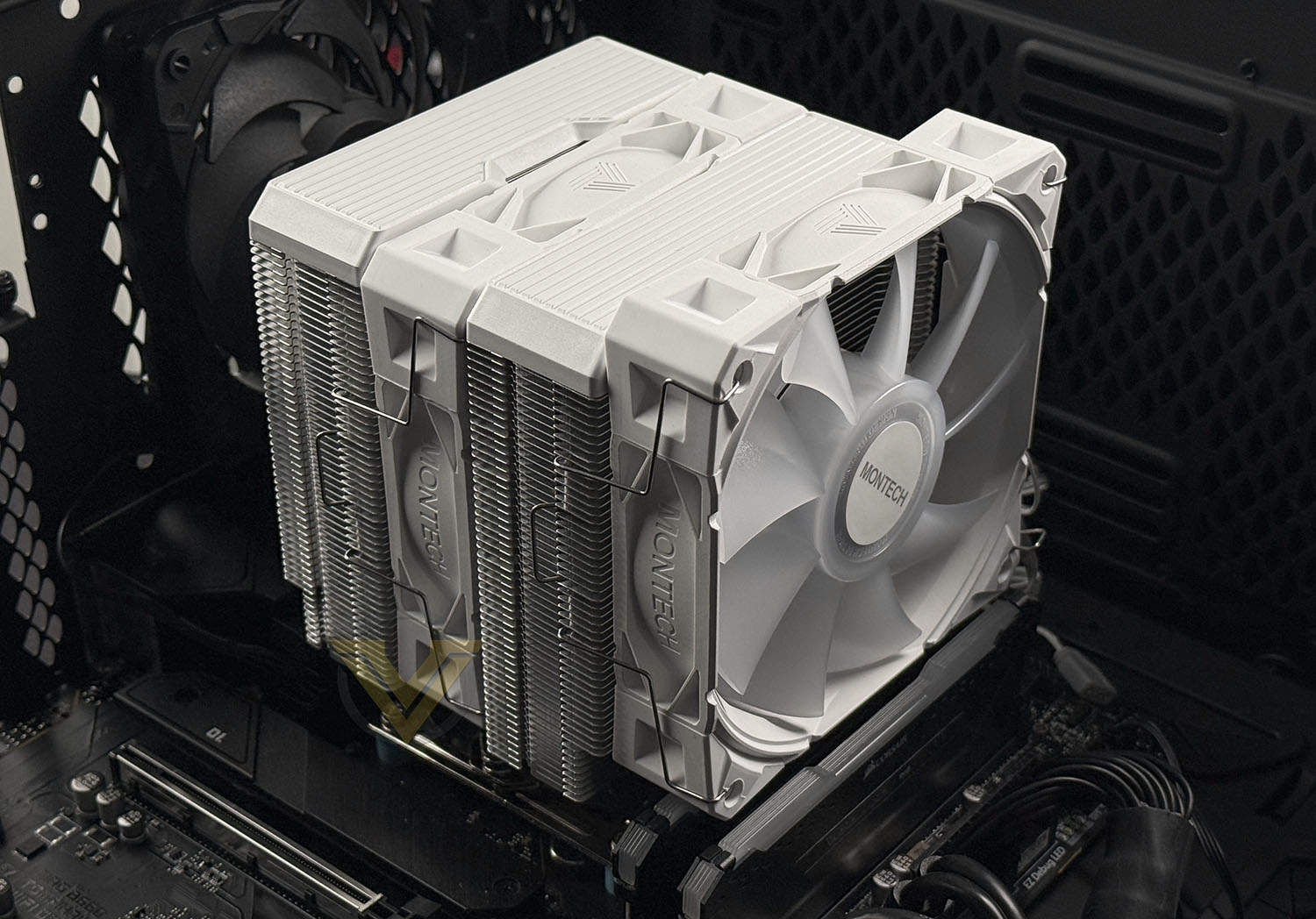
All that is left to do is attach the two cables – one plugs into the CPU cooler header and the other onto an ARGB header on the motherboard.
Above is the finished look. As you can clearly see, the memory we use on our CPU cooler test system prevent the outer cooling fan from sitting in the correct position, and instead the fan sits slightly high (above the heatsink itself). Memory over 30mm will cause the fan to sit higher.
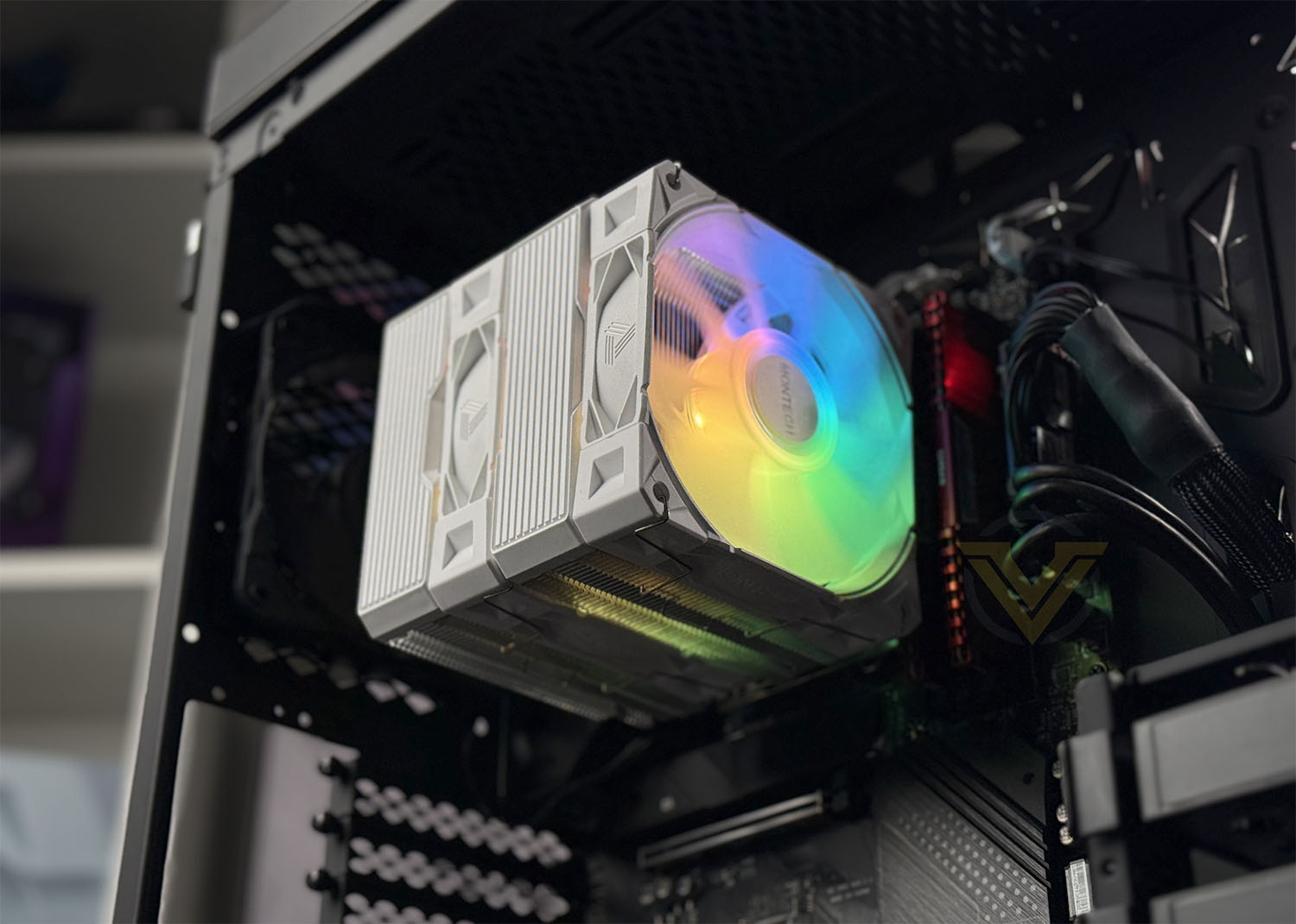
For our finished look we installed a 30mm memory kit and you can see the results are superb. Installation is a breeze.
Test Setup & Methodology
HARDWARE
Rather than analyse CPU coolers on a test bench, we prefer to simulate a real-world configuration where all of the components are housed within a computer case. By doing this, our readers are able to see the CPU cooler in a real-world scenario.Special thanks go to Intel, MSI, Corsair, Noctua and AverMedia for providing the hardware configuration for our CPU cooler reviews:
CPU – Intel Core i9-12900K
Board – MSI MAG B660 Tomahawk WiFi DDR4
RAM – Corsair Vengeance RGB PRO SL (16GB)
Power Supply – Corsair RMx850
Hard Drive – Intel S3500 128GB
Case – MSI SEKIRA 500G
Board – MSI MAG B660 Tomahawk WiFi DDR4
RAM – Corsair Vengeance RGB PRO SL (16GB)
Power Supply – Corsair RMx850
Hard Drive – Intel S3500 128GB
Case – MSI SEKIRA 500G
BENCHMARKS
In order to perform our thermal and acoustics tests we use AIDA64 Stability test. The 12900K CPU is left in its default stock state with EIST, Turbo enabled.For the moment, the comparison results highlight only a small number of CPU coolers, this is because we’ve updated our hardware configuration. The number of tested coolers will increase.
To reflect the most accurate user experience we always test our coolers in their out-of-the-box state, with the cooling fans/components they are sold with. However, we do not use the supplied thermal paste as this would skew results – for our thermal paste we use Noctua NT-H2 which provides us with that level playing field and consistency.
To record the idle temperatures result, our system is booted into Windows and left to idle for 20 minutes. The average core temperatures are recorded (Using Core Temp), and then we following this we apply the AIDA64 Stability test to apply an intensive load on the CPU. After 20 minutes have elapsed, we then record the average core temperatures.
All temperature results are delta, this is calculated by subtracting the ambient from the average core temperature. Ambient temperature is recorded using a digital thermometer placed near the front intake of the case.
In regards to acoustics we use the exact methodology above except all case system fans are disabled. This isolates the CPU cooler fans and allows us to accurately report on the decibel readings. We record acoustics using the NDI KC-330D Sound Level Meter at a distance of approximately 30cm.
Thermal Results
Below are the results for our thermal test. We record both the idle and load temperatures – stress is applied to the CPU using AIDA64’s stability test.
Acoustic Results
In terms of the acoustics test, we disable all case fans and place our sound level meter approximately 30cm away from the cooling fans and the result is then obtained.
Conclusion
The MONTECH NX600 ARGB ultimately proves itself to be a standout option in the mid-range air-cooling market, delivering performance that rivals more expensive dual-tower coolers. Its pair of included ARGB fans not only enhances aesthetics but also contributes to the cooler’s excellent thermal capability—easily placing it among the strongest performers we’ve tested in its class. Whether in black or white, the cooler’s clean design and lighting integration allow it to blend seamlessly into a wide range of builds.
Installation is another area where the NX600 ARGB shines. The mounting system is straightforward and provides solid contact without unnecessary complexity, making it approachable even for newer builders. Its broad support for modern Intel and AMD platforms further increases its appeal, ensuring it can slot into most systems without compatibility headaches. Combined with quiet operation under PWM control, it maintains impressive cooling without becoming a distraction.
That focus on usability and refinement pairs nicely with the cooler’s value proposition. Despite delivering high-end thermal results and premium features, the NX600 ARGB remains reasonably priced, making it an attractive choice for users who want excellent performance without stepping into the premium price bracket. For many builders, it will offer an ideal balance of cooling strength, aesthetics, and affordability.
The only notable drawback is its limited memory clearance when using tall RAM modules. Sticks over 30 mm can cause fan seating issues, requiring fan adjustment or careful component selection. While not a deal-breaker, it’s something prospective buyers should keep in mind when planning their build. Overall, though, the NX600 ARGB delivers far more strengths than compromises and stands out as one of the best air coolers currently available in its category.
The MONTECH NX600 ARGB delivers outstanding value with its excellent thermal performance, quiet operation, easy installation, broad platform support, and included dual ARGB fans—all offered at a reasonable price and available in both black and white. Its only real limitation is the restricted memory clearance for RAM taller than 30 mm, but aside from that, it stands out as one of the strongest and most well-rounded air coolers in its class.
Pros
+ Comes with 2x ARGB cooling fans
+ Available in black/white
+ Easy to install
+ Broad support for Intel and AMD platforms
+ Excellent thermal performance
+ Low-noise operation for RPM under PWM
+ Reasonably priced
Cons
– Memory over 30mm can create fan seating issue
+ Comes with 2x ARGB cooling fans
+ Available in black/white
+ Easy to install
+ Broad support for Intel and AMD platforms
+ Excellent thermal performance
+ Low-noise operation for RPM under PWM
+ Reasonably priced
Cons
– Memory over 30mm can create fan seating issue
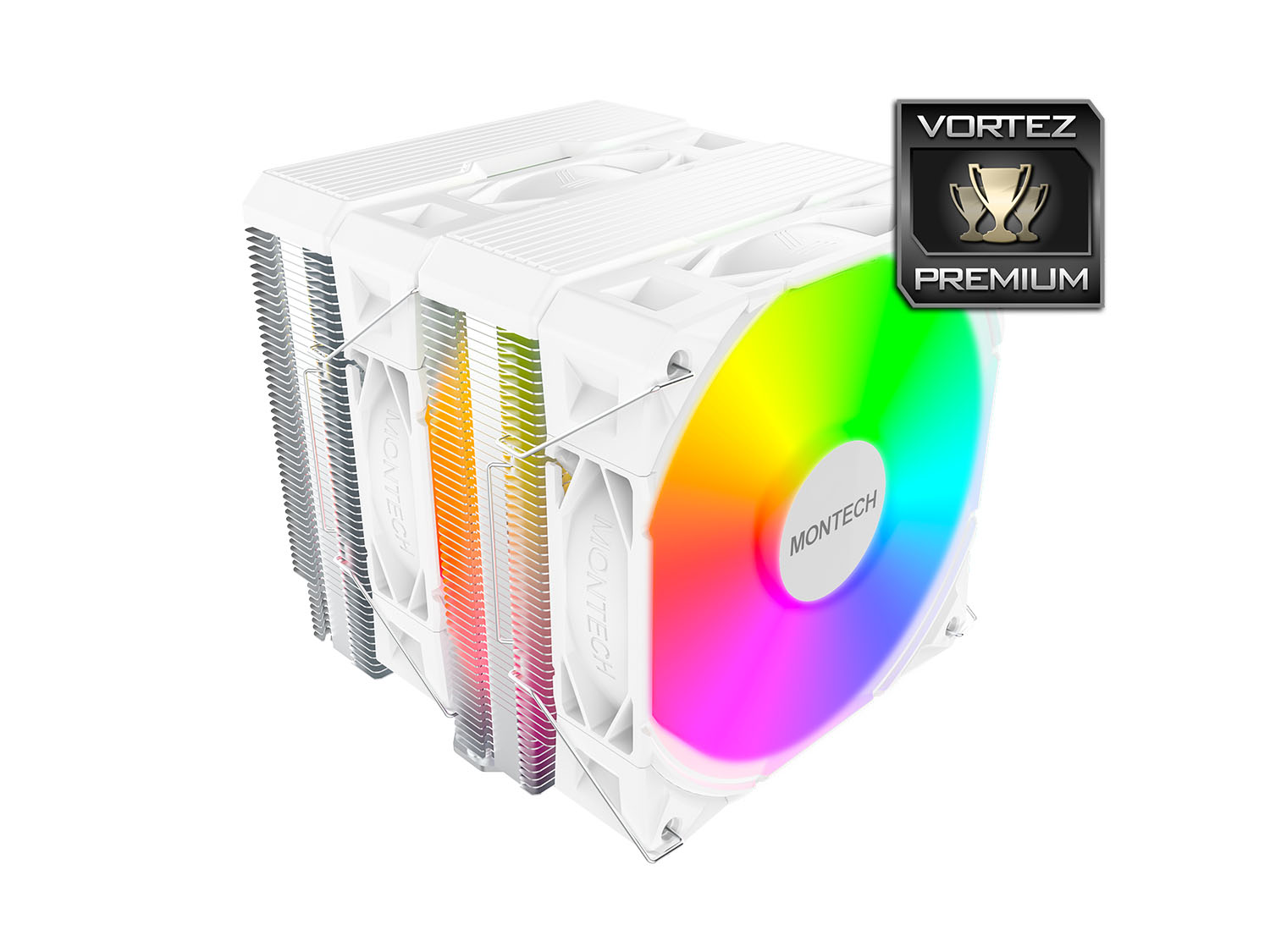
Click here for an explanation of our awards at Vortez.net.
Stay connected with the Vortez Social Media pages:
Join in with the discussions on Discord