







Airen have sent us their new RedMouseR Two 6 button gaming laser mouse for review!
Product on Review: RedMouseR Two
Manufacturer: Airen
Street Price: Around £21 at time of review – calculated from Czech Koruna
Manufacturer: Airen
Street Price: Around £21 at time of review – calculated from Czech Koruna

Airen are a manufacturer that specialises in PC case and accessory production. They have an expansive range of fans, fan controllers, PC chassis and mice.
Their experienced designers and engineers aim to bring Japanese quality to the mainstream users looking for robust and well designed peripherals and cases for a reasonable cost.
Here’s a little from Airen themselves:
The letters AI in our company name can be understand in three ways. As the first meaning, it comes from the Chinese word for “Love” that we dedicate to our product ENgineering. The second meaning is Additional Innovation that we always add to our products. And finally, bringing the new ENergy AIR to Your life, this is AIRen.
We are stable and well-coordinated team of designers, engineers, managers and workers with more than 10 years of experiences. Due to the strong technological background and high-quality specialists, we are ranked among the first-class computer peripheral manufacturers. We guarantee quality, innovative solution and flexibility.
The letters AI in our company name can be understand in three ways. As the first meaning, it comes from the Chinese word for “Love” that we dedicate to our product ENgineering. The second meaning is Additional Innovation that we always add to our products. And finally, bringing the new ENergy AIR to Your life, this is AIRen.
We are stable and well-coordinated team of designers, engineers, managers and workers with more than 10 years of experiences. Due to the strong technological background and high-quality specialists, we are ranked among the first-class computer peripheral manufacturers. We guarantee quality, innovative solution and flexibility.
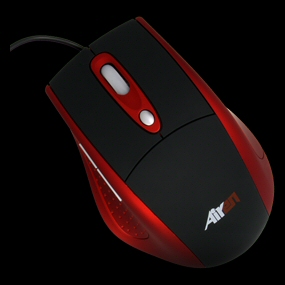
Today we have their ‘RedMouseR Two’ high resolution laser gaming mouse in for testing.
Specifications
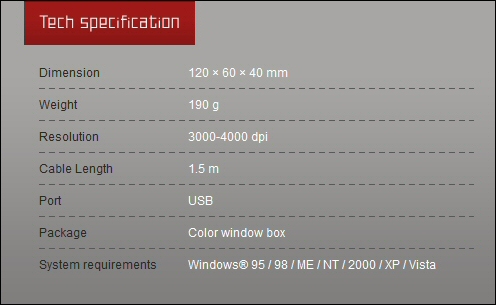
The RedMouseR Two has an impressive specification with its laser sensor and high resolution capability.
The RedMouseR’s full product sheet can be downloaded HERE.
Here’s what Airen have to say about the RedMouseR Two:
High-precision 6-buttom gaming ergonomic laser mouse in fashionable red-black design. Rubber scroll wheel is red underlilghted. Adjustable resolution for easy moving from 3000 to 4000 dpi. For better grip are the keys rubber-oiled. Two multifunctional gaming keys enables quick and easy “up and down page”.Mouse can be connected using USB port. Tephlon pads make the mouse glide with less resistance over a surface.
High-precision 6-buttom gaming ergonomic laser mouse in fashionable red-black design. Rubber scroll wheel is red underlilghted. Adjustable resolution for easy moving from 3000 to 4000 dpi. For better grip are the keys rubber-oiled. Two multifunctional gaming keys enables quick and easy “up and down page”.Mouse can be connected using USB port. Tephlon pads make the mouse glide with less resistance over a surface.
Packaging and mouse
The Airen RedMouseR Two comes nicely packaged in a colour coded outer with a blistered window formed around the mouse itself. Certainly allows you to take a closer look at the product itself. The packaging also does a good job of identifying the features and design innovations you’re getting.
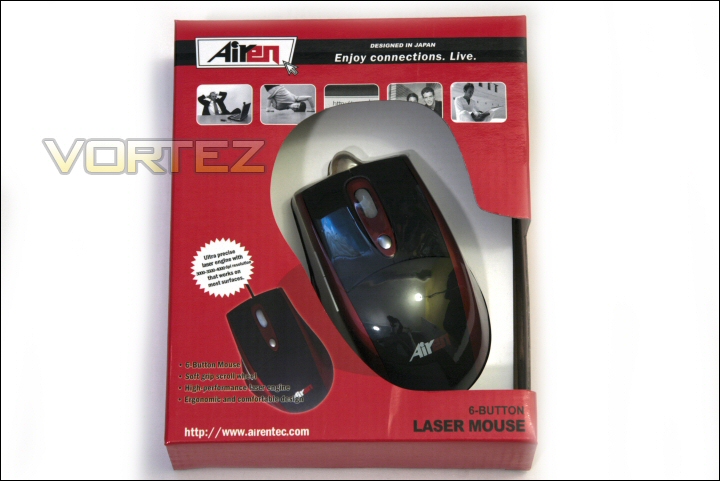
Box front.
The rear outlines a couple of extra points in english as well as several other languages too.
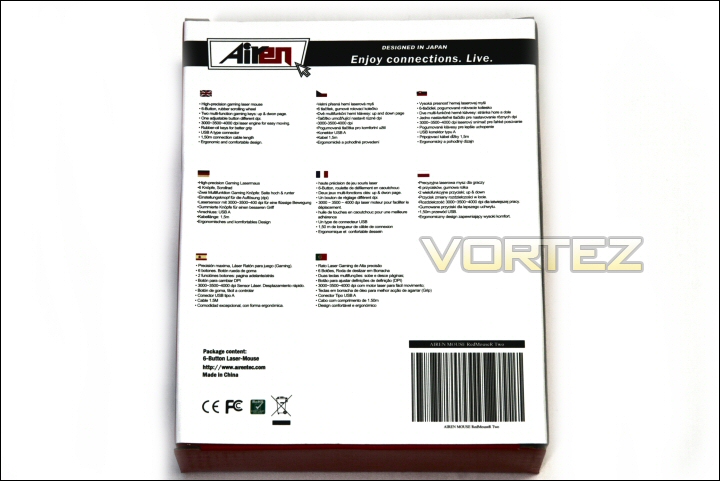
Box rear.
Unpacked the RedMouseR Two is a very good looking mouse. It cuts quite a clean look being neither in your face nor boring.
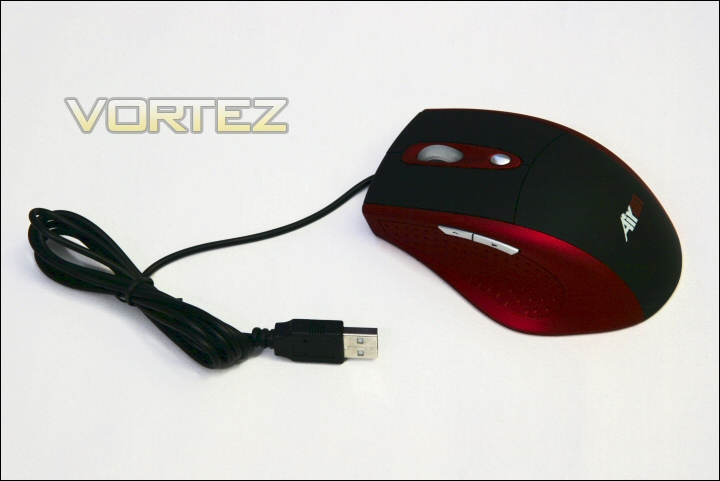
The RedMouseR Two.
The left side offers a thumb grip and the always useful back and forward buttons now present on almost any mouse. The shape caters for right handed users only so unless Airen are prepared to produce a left handed model then users searching for a specific ‘left handed’ mouse may need to look elsewhere.
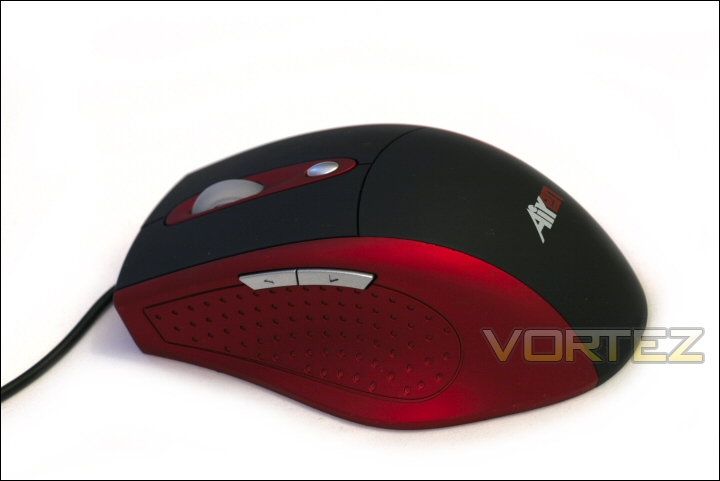
RedMouseR Two left side.
The right side is incredibly clean and elegant. As per the previous comments the mouses shape bows out towards the rear quarter to accommodate a right hand.
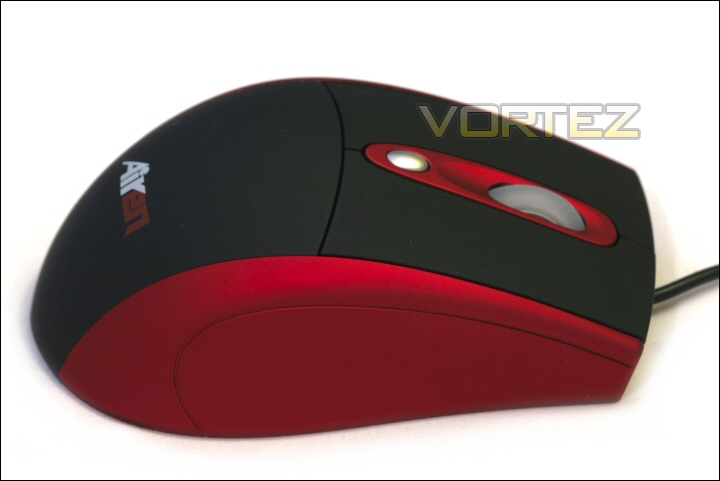
RedMouseR Two right side.
Mouse continued
The Airen logo is the focal point at the rear – the black portion of the mouse that runs along the entire length of the top surface of the RedMouseR Two is a tactile rubber finish. It certainly helps grip while at the same time not feeling ‘too tacky/grippy’.
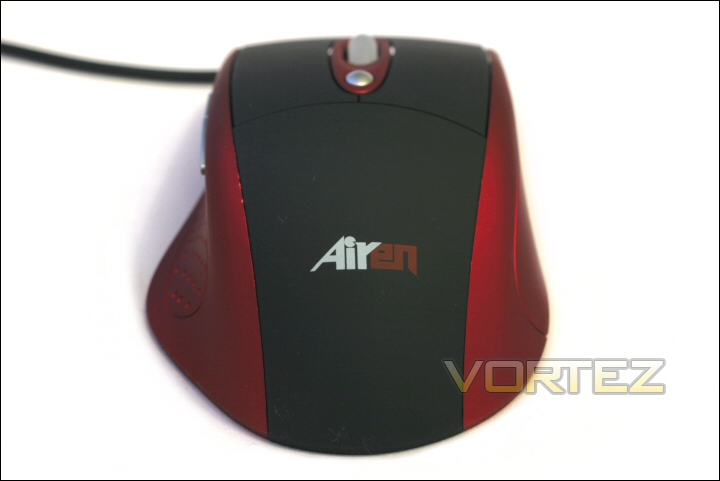
The RedMouseR Two rear.
The front portion of the mouse obviously caters for the main left and right buttons and scroll wheel. You can also see the sensitivity button that allows the user to select one of the three resolution settings – 3000, 3500 and 4000DPI. When activated a red light glows from the PCB within and through the opaque scroll wheel.
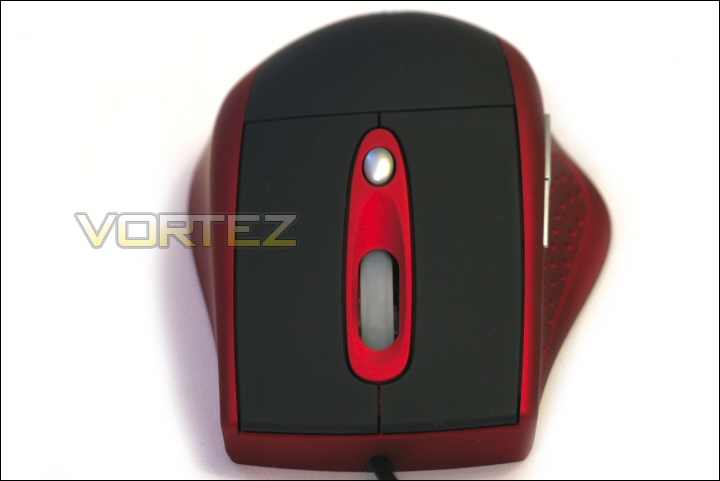
The RedMouseR Two front.
One thing to note is that the DPI selection light actually isn’t as obvious as it probably could/should be. Regardless of the DPI the only colour you get is red – yes there are three separate LED’s for each resolution but they are all red. When selecting each sensitivity you can only see the LED’s change if you look very carefully. Certainly not a deal breaker in terms of this mouses day to day use but it could have been made far more obvious/easy to spot.
The base of the mouse is typically labelled up with the products name and serial number. The prism for the optics can be seen in the center of the mouse and four teflon pads should help the RedMouseR Two to smoothly navigate most surfaces.
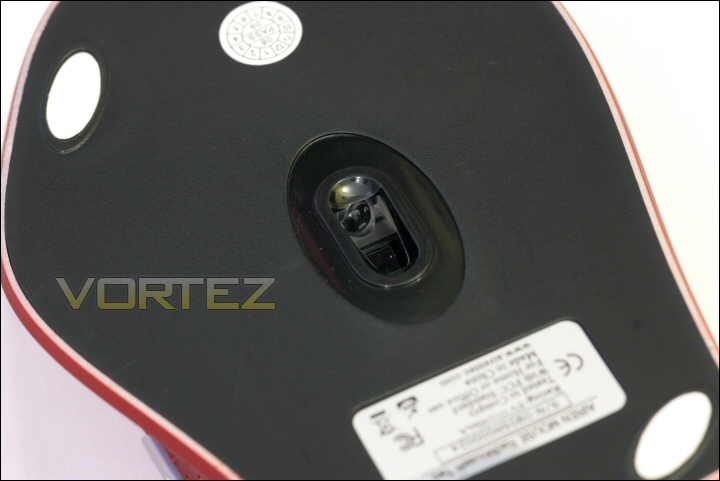
The RedMouseR Two base.
While examining the base of the mouse I noticed some additional paint on the edge of the base of the casing – this obviously won’t affect performance in any way and is probably just overspray from the production process but it would be nice to see that tidied up.
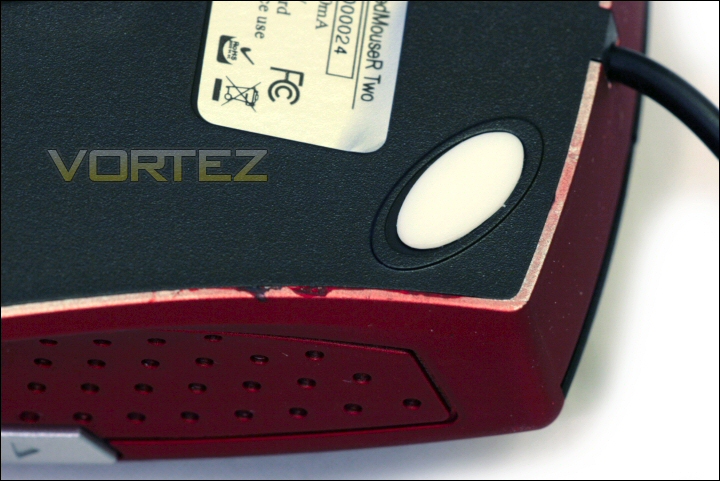
Spilt paint.
Finally, in line with its ‘affordable’ brethren the RedMouseR Two’s 1.5m cable is unbraided and its USB plug isn’t plated with anything.
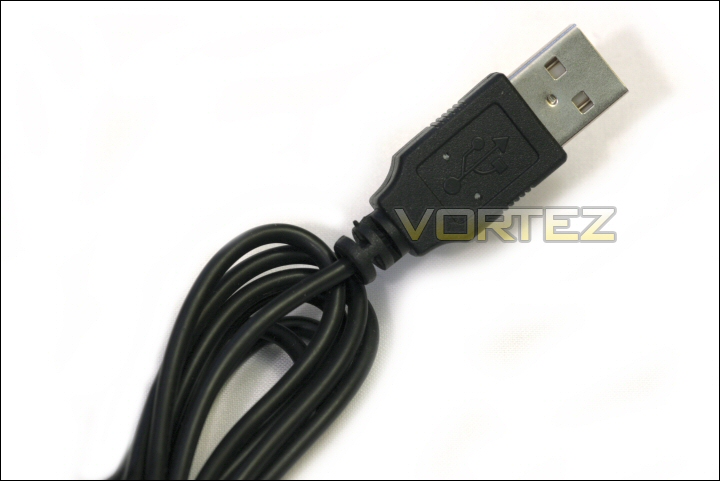
Unbraided and not plated.
Testing
Physical and ergonomic impressions
The RedMouseR Two was tested against a selection of mice and on three different surfaces – specifically the Razer Deathadder, Razer Diamondback, Ozone Radon 5k and the Microsoft Laser Mouse 8000. I also used both the Ozone TRACE mousepad, a Boogiebug soft mousepad and my own desk (wood laminate) for testing.
First things first – as you could see from the specifications and the product images I put in the review the RedMouseR Two does not utilise a weight system – its 190g listed weight is all it can and ever will be without physical modification. As a gaming mouse this could be considered a bit of a handycap however personally I found its weight to be pretty good – I would say though that the majority of that weight seemed to be concentrated at the rear of the mouse. It’s certainly not too light though… the Deathadder weighs in at a featherweight 135g!
Now first up… apologies for going over old ground again but as I’ve said a few times before I’ve had issues in the past with laser mice exhibiting tracking issues during high acceleration movements. The problem manifested itself as a lack of point to point accuracy during a mouse sweep. The mice I had issues with (before returning to infra red optical mice for a period) were the Saitek GM3200 and the Razer Copperhead. Again… neither of these were remotely bad mice, I just got the impression that they weren’t doing exactly what I’d asked during these extreme usage moments.
Installing the RedMouseR Two was easy peasy thanks to the model being plug and play. No need for driver downloads or utility suite installs. I used it with XP, Vista and Windows 7 and each time the mouse was installed without question.
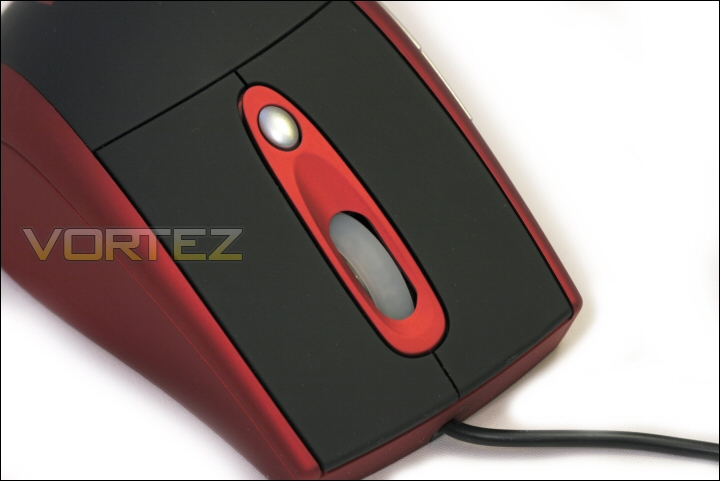
The RedMouseR Two.
I’ll begin with the negatives of which there are some but not many. The first is the somewhat plasticky feel of the mouse. Although it feels solid the plastic build does give it the feel of a budget peripheral and along with the dribble of paint from the overspray goes some way to confirming that it isn’t a premium piece of hardware. This is somewhat disappointing when you consider that the two Gigabyte mice that Dave reviewed a little while ago can be purchased for a similar price and even Logitech’s now legendary MX518 can be purchased for just £1 more.
The other obvious negative was the DPI switch system that I touched on during the product tour. This mouse really needs an obvious status indicator – my first suggestion would be a traffic light style system showing green, amber and red for each DPI resolution. Of course if Airen wanted to stick exclusively to the red theme (in many ways the root cause of the issue I’ve raised here) then they should have possibly had a ‘triple LED’ level meter with one LED illuminated to signify 3000DPI, 2 lights for 3500DPI and all 3 lights for the highest 4000DPI setting.
I also believed that the scroll wheel would be another negative to add to those above as it was painfully stiff to rotate and offered little to no feel. I am however happy to report that the wheel loosened up after 30-45 minutes usage and now feels remarkably natural. It’s somewhat similar in feel to the Deathadder’s in that it offers a very smooth action with just a hint of a click as it switches. Certainly a negative that turned into a major positive!
Real world usage
Now onto the actual testing – Office usage first so let’s see how the RedMouseR Two copes. Accurate tracking, good button placement and nice button action mean it’s a very positive experience. The ergonomic shape sits well in the hand (mine are probably average to large in size) and the high position of the back and forward buttons means accidental presses are all but eliminated. I used this for a couple of days at work and it certainly compared favourably to any other mouse I’ve used.
Of course the RedMouseR Two is sold as a gaming mouse so time to get playing! I used Far Cry 2, Crysis Warhead, Blacksite and COD4. I was honestly quite astonished at the performance. At this point the Microsoft Laser Mouse 8000 almost instantly had to bow out. That is not a gaming mouse and it really does show. The Diamondback did better but ageing ergonomics and an older set of optics means it feels a little whooly compared to the others. My impression with the remaining three mice was that the RedMouseR Two was not able to match the Deathadder but it did get close to the Radon 5k. Accuracy was commendable even during fairly high acceleration movements – I will say that I tended not to use the 3500 and 4000DPI settings as for me they were too sensitive but 3000DPI seemed to offer the best combination of speed and control.
The only negative comes from the ergonomics of the unit. The shape is in my opinion a winner however the spray painted sides are quite smooth so during high pressure gaming with clammy hands grip levels do suffer. The Radon 5k is encased in a rubbery coat and the Deathadder is so light that it’s upper coating of rubber is sufficient to control the mouse at any given moment. In the case of the RedMouseR Two when its weight is combined with the low grip side surfaces it is sometimes a little difficult to hold. Bear in mind that this is only at extremes and for the most part the mouse and its ergonomics work perfectly well!
Conclusion
On the whole Airen have done a good job with the RedMouseR Two. It’s laser optics are some of the best I’ve come across, it’s easy to install, a pleasure to use and is good looking.
There are of course some issues – primarily the DPI status lighting and the somewhat budget style materials. Add to that the fact there are some seriously competitive mice on the market for similar amounts to the Czech prices I found on the net… assuming they reflect the retail price we’ll get here of course.
The RedMouseR Two.
When your product is in this price range and you’re up against Gigabyte and Logitech you need something special – in many ways the RedMouseR Two is excellent but in others it’s not. If they address the issues I raise they’d have a truly excellent mouse but for now I can only simply rate it as good!
All in all the Airen RedMouseR Two has achieved Bronze status here at Vortez – (pending a final UK price).
Pros
+ Good design
+ Very accurate – good laser optics
+ DPI switching is very useful
+ Good looking
+ Comfortable in use
+ Absolute plug and play compatibility
+ Rubber coating on top of mouse good for grip
+ Forward and back browsing buttons
Cons
– Budget build materials
– Finish could be better – overspray issue
– USB cable not braided
– USB plug not plated
– DPI indicator is not clear at all
– Side grip issues in clammy hands
+ Good design
+ Very accurate – good laser optics
+ DPI switching is very useful
+ Good looking
+ Comfortable in use
+ Absolute plug and play compatibility
+ Rubber coating on top of mouse good for grip
+ Forward and back browsing buttons
Cons
– Budget build materials
– Finish could be better – overspray issue
– USB cable not braided
– USB plug not plated
– DPI indicator is not clear at all
– Side grip issues in clammy hands


