







With 5.1 surround sound, the P531 hopes to take your gaming and multimedia experience to a whole new level. Does it constitute a real alternative to a 5.1 speaker system? Read on to find out.
Manufacturer and Sponsor: Arctic
MSRP (excl. VAT): €60.29/USD $79.99

Today, Vortez takes another shot at reviewing a Sound P product: the Arctic Sound P531. The P531 is currently Arctic’s most expensive headset. Unlike the other headsets of the Sound P-series, the P531 brings 5.1 surround sound to the table, and this should allow a whole new level of gaming and multimedia experience. Other noteworthy features of this supra-aural headset include USB connectivity, vibration feedback ear cups, and a flexible and foldable design.
Has Arctic hit the right notes with the Sound P531? Read on as we examine this premium gaming headset.
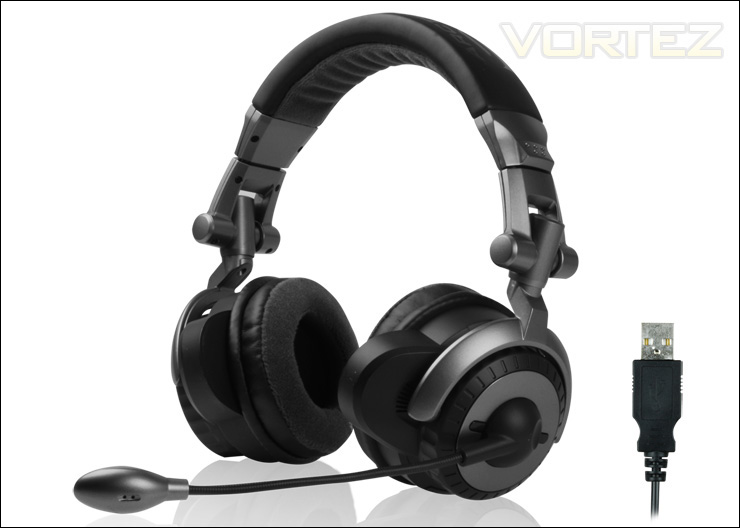
The Arctic sound P531, the company’s premium gaming headset
Arctic’s take on the P531 headset: Press Release Link
Features: Link
Featuring four individual drivers in each ear-cup, the ARCTIC SOUND P531 plays true 5.1 surround sound. The 3-dimensional sound from games and movies will bring you to a whole new level of sound experience. This gives gamers a huge advantage, as they can reliably spot opponents based on the sound of their footsteps and gunshots even before seeing them.
• Full Control at the Highest Quality
Connected via USB, the ARCTIC SOUND P531 is equipped with its own 5.1 sound card. The digital sound processor lets you enjoy the absolute best sound quality. Furthermore, the inline-remote control gives you full access to modify each channel individually
• Full Bass Experience
The strong subwoofer of the ARCTIC SOUND P531 is supported by special vibration units in the ear cups. Explosions will knock your socks off and you will feel one ith the action.
• Absolute Comfort
The premium soft fabric and ultra-thick cushioned ear cups provide highest comfort for long hours of game-play. They also isolate you from exterior noise so you can fully focus on what’s going on. At the same time you won’t interrupt the people around you.
Specifications: Link
• Dimensions (Packaging): 260 L x 235 W x 125 H mm
• Item number: ORACO-ERM22-GBA01
• UPC: 0872767003552
• Gross Weight: 0.77 kg
Packaging and Overall Look
The packaging of the Arctic Sound P531 is similar to the other products of the Sound P-series. The box is large with a clear plastic window for customers to gaze at the P531 headset, the in-line control pod and the USB connector.
Like most Arctic products, the box uses the colours of the company, including black, grey and white. At the right of the front of the box, Arctic mentions that the product is compatible with the latest versions of the Windows operating system, including XP, Vista and 7. It should be noted that the product also works with the latest Ubuntu 11.04.
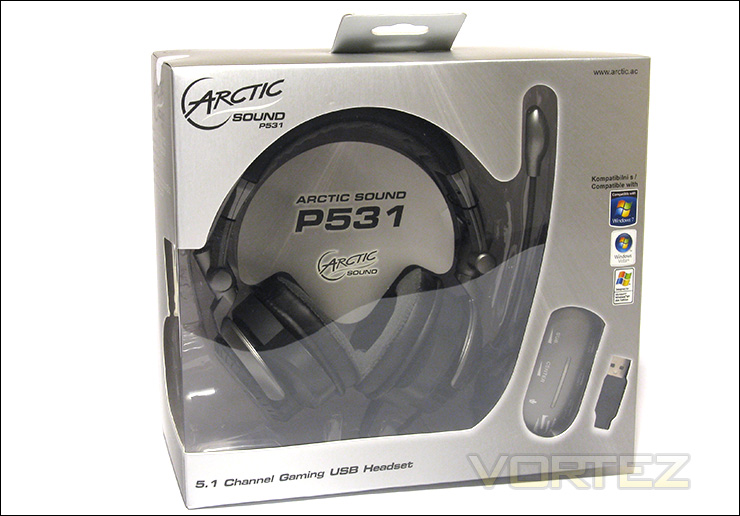
The front of the packaging
The back of the packaging gives a list of features in bullet-form. Some noteworthy features include 4 individual drivers in each ear cup, closed supra-aural design, integrated vibration units and USB connectivity. As always, Arctic is aware of their international customers and the product features are listed in several different languages, such as German, French and Polish.
It should be mentioned that Arctic labels the P531 as a circumaural. However, the ear cups of the P531 are fairly small and, depending on the size of your ears or the manner you wear the headset, the ear cups might rest on top of your ears. Thus, the P531 is supra-aural.
There are also small images that show the adjustable and flexible design of the P531. In fact, the P531 headset has ear cups that can swivel by 90 degrees for one ear usage, a 135-degree swivel and flexible microphone for optimal positioning, and a foldable design for storage and transport.
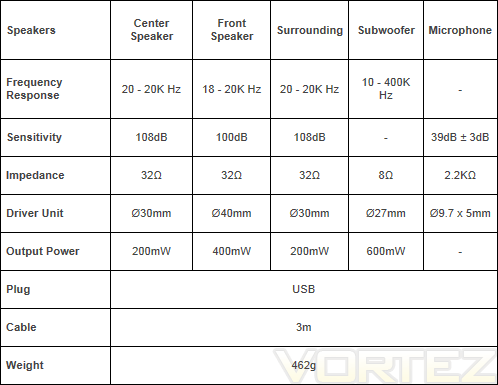
Asides from that, there is a large table that gives the technical data of the headset, including the frequency response, the sensitivity, the impedance, the driver unit and the output power of each speaker inside the ear cups. This information can be found on the product webpage (see Arctic: Link).
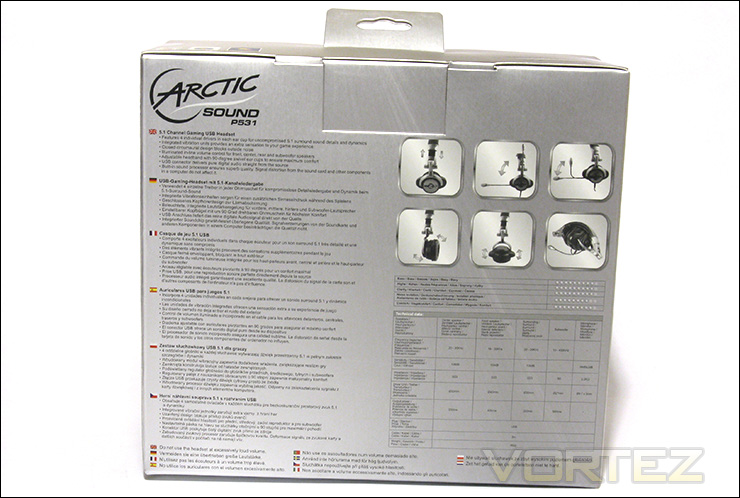
The back of the packaging
As seen in the P301 review (see Vortez’s review: Link), the plastic window of the packaging can rub against the ear cups and damage their fabric covering. Arctic has taken steps to avoid this by installing small pieces of foam between the plastic casing and the plastic window. Well done, Arctic!
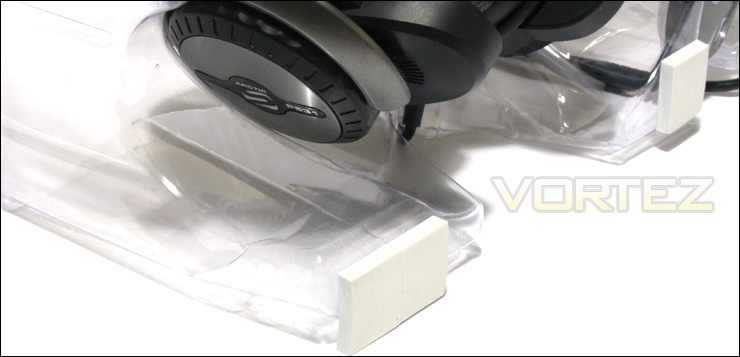
Arctic prevented the product from rubbing against the plastic window by installing foam pieces
Once the package is opened, the product is encased in a large plastic shell. The product is secured with several re-usable black twist ties. The driver/software CD and the manual are taped to the inside of the box. I actually missed them the first time around because the white CD envelope was well camouflaged inside the white cardboard packaging.
In terms of package content, it includes the P531 headset, the driver/software CD and the manual. The manual is written in several languages, as expected.
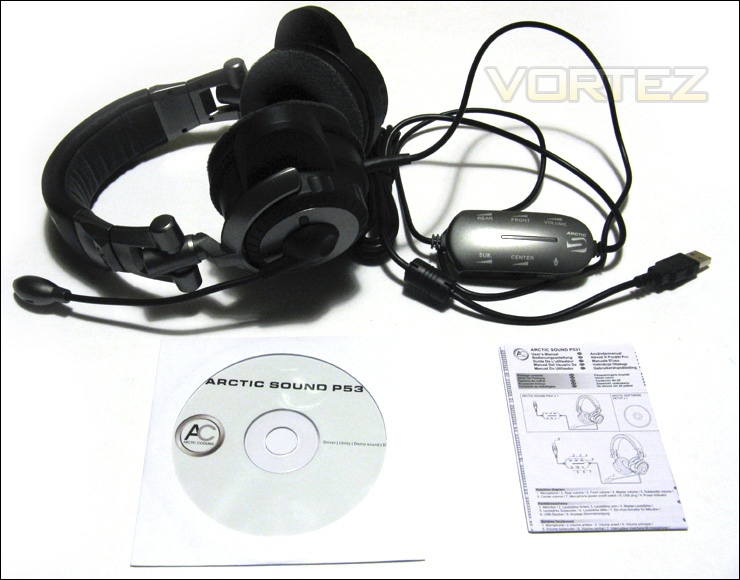
The package content: the P531 headset, the driver/software CD and the manual
Closer Look: Headset and Earcups
The Arctic Sound P531 is a closed supra-aural headset with swivel microphone. The headset uses the usual colours of the Arctic company, such as black and grey.
The design of the P531 is sober and quite attractive. The headset is entirely made of plastic. Unfortunately, the plastic tends to crackle and squeak when adjusting the headset. This gives the product a cheap feel. Nevertheless, the construction of the P531 is strong.
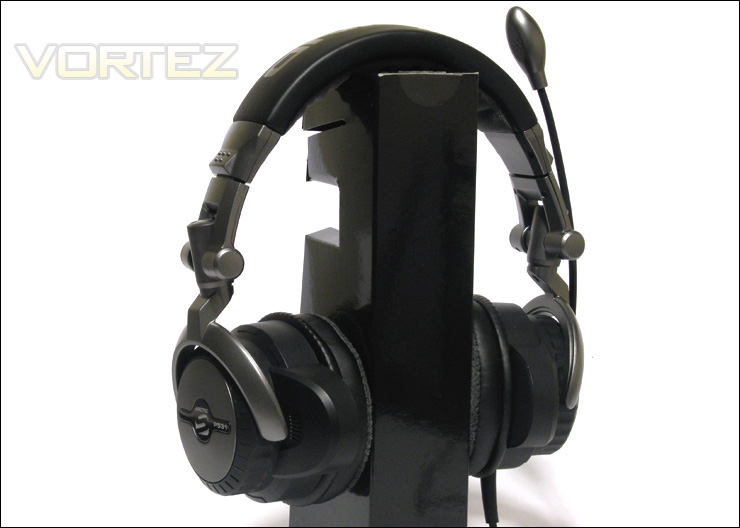
The Arctic Sound P531 gaming headset
The logo of the Sound P-series and the name of the product are printed on the left ear cup. The microphone is attached to the left ear cup. Each ear cup has four individual drivers for the following speakers: center, front, rear and subwoofer. The ear cups also feature integrated vibration units. When heavy bass is outputted on the P531, the ear cups joyfully vibrate with it. This actually makes the sound experience much more amusing!
The USB cable of the P531 exits the left ear cup. The insertion of the cable into the left ear cup is very well reinforced, but the reinforcement is also quite long at 2.5 cm. The stiffness and size of the reinforcement actually makes folding the P531 difficult.
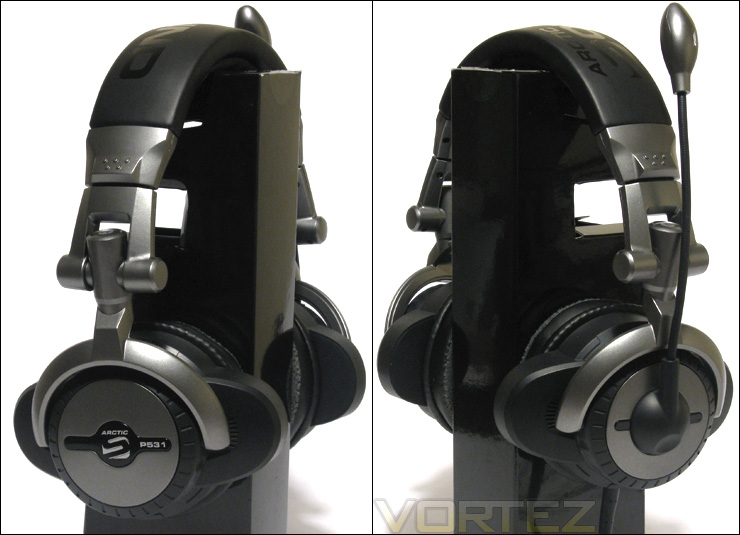
The right and left side of the Arctic Sound P531: each ear cup has four individual drivers and integrated vibration feedback units
Although Arctic designates the P531 as circumaural, the ear cups of the P531 headset can actually be circumaural or supra-aural depending on the size of your ears. This has a major implication on comfort. Seeing as supra-aural ear cups press against the ears, long-term comfort can be difficult to achieve. This is why I personally prefer circumaural headsets, such as the P301 (see Vortez’s review: Link), for long-term comfort.
Arctic boasts that the Sound P531 has “premium soft fabric and ultra-thick cushioned ear cups”. This is more or less true. The ear cups of the P531 do have fabric cushions, but these are much smaller than what we have seen on other Sound P-products, such as the P301. It would have been preferable if the P531 featured thicker cushioning. This would have enhanced comfort.
Noise isolation by the ear cups is pretty good.
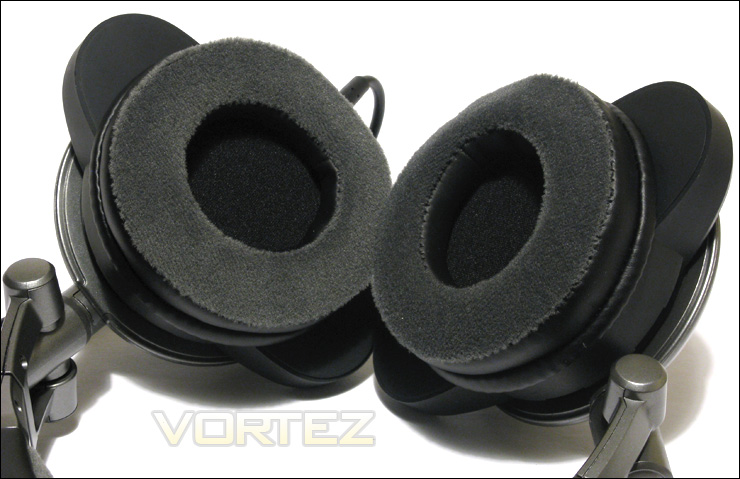
The Arctic Sound P531 has supra-aural ear cups. The fabric cushions of the ear cups are more or less comfortable. They should have been thicker.
Closer Look (Continued): Microphone, Headband, and Cable
The Arctic Sound P531 features a microphone that can swivel at 135-degrees. The microphone arm is very flexible. Together, these features allow for optimal positioning of the microphone.
The microphone itself has an oval shape with several perforations at the front and at the back. It isn’t the most attractive microphone I have seen. A more compact design would have been preferred.
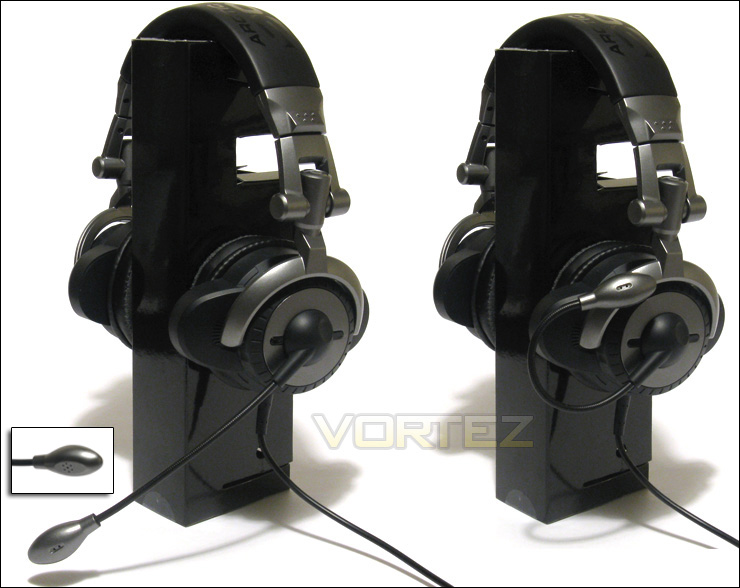
The microphone arm is very flexible and it can swivel in a range of 135-degrees
The words “Arctic Sound” are printed at the top of the black headband. This is quite attractive.
The headband has very little padding compared to the Arctic Sound P301. Thankfully, seeing as the fabric spans a large area, it is comfortable for long-term usage. Nevertheless, the situation could be improved with thicker padding for the headband.
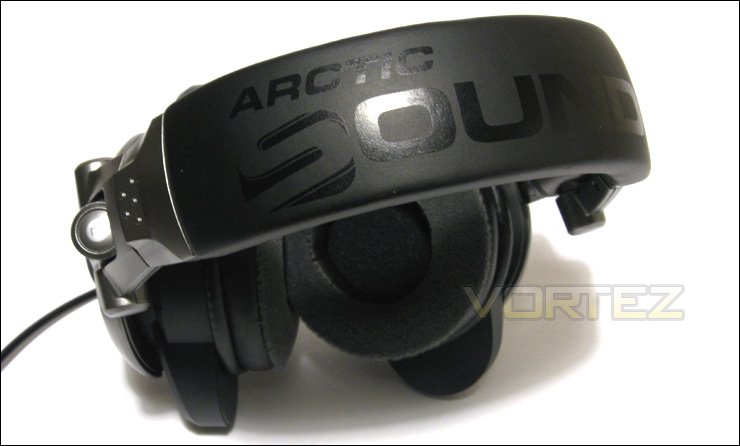
The Arctic Sound logo is printed at the top of the headband
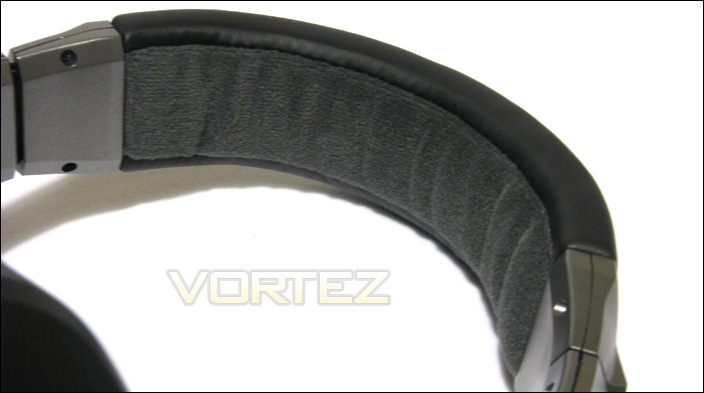
Although comfortable as it is, the headband could use additional padding
The headband of the P531 offers approximately 7 levels of adjustment for a total of 3.5 cm on each side. “Approximately” was used in the previous sentence because the headband can move freely between these 7 levels. This allows to fine tune the size of the headband optimal to your head, but at the same time it makes blindly adjusting the headband when wearing the headset difficult. Thus, there is very little clicking noise or tactile feedback when adjusting the headband.
Like the rest of the headphone, the headband is made of plastic. I fear that the adjustable portion of the headband will worn out quickly and become loose with time. A metal frame, such as the one found on the Tt eSPORTS Shock, might have been better.
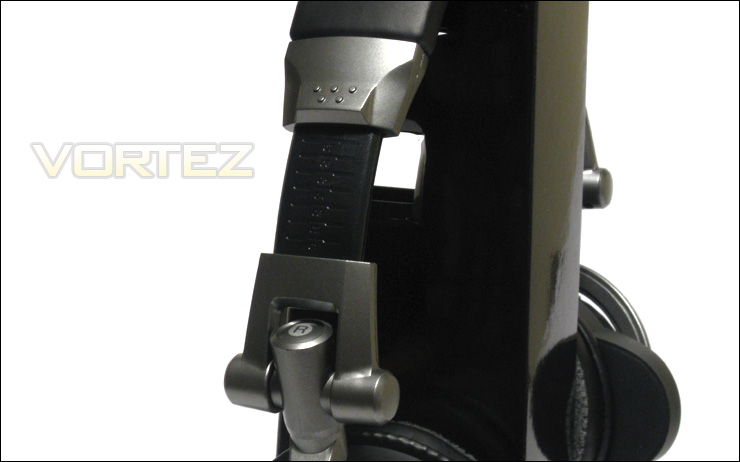
The headband can add up-to 3.5 cm on each side. It can be fully adjusted along its whole length.
As mentioned earlier in this review, the Arctic Sound P531 can be collapsed or folded for easier transportation. The foldable design does not work very well because the microphone obstructs the folding mechanism, as seen at the top-right of the image below. Thus, folding the P531 makes more or less sense for safe transportation because the folded headset is still very bulky.
Furthermore, the ear cups of the headset can swivel by 90-degrees. This allows the user to listen to only one ear cup at a time with or without wearing the headset. The swivel also helps position the ear cups more comfortably against the ears.
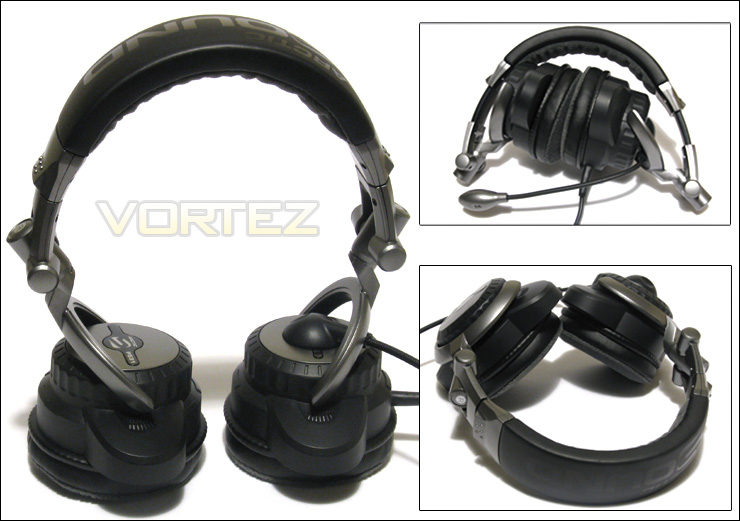
The Arctic Sound P531 features a foldable design (that does not work well) with ear cups that can swivel by 90-degrees
Closer Look (Continued): Microphone, Headband, and Cable
Arctic has given the P531 an in-line volume pod to control the front, rear, center and subwoofer speakers. Each speaker is controlled with a dial. The universal volume is controlled by a rocker. Also, there is a mute switch for the microphone on the control pod.
The in-line volume control is located at 85 cm from the left ear cup or bit lower than the waist level. At 85 cm, the control pod can be conveniently placed on the table next to the mouse for quick volume adjustments.
As far as aesthetics goes, the control pod is bulky and unattractive. There is a clear window that runs across a portion of the front, and this will glow blue when the headset is powered. When audio is being outputted on the headset, the blue LED will glow intermittently.
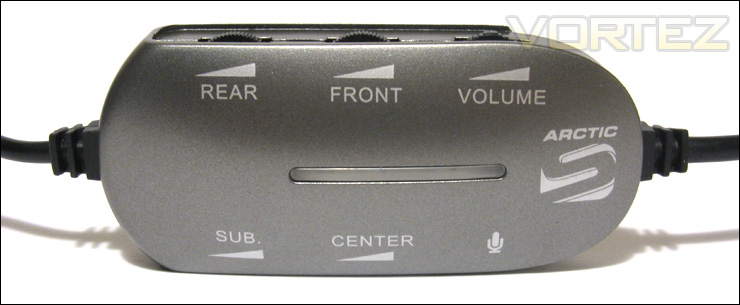
The in-line volume pod gives control of the speakers of the Arctic Sound P531, as well as a microphone mute switch and a universal volume control
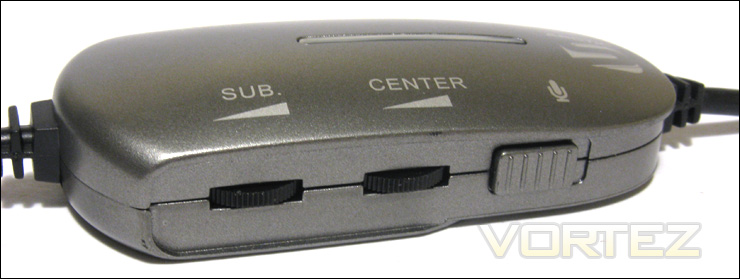
There are dials for the individuals speakers, a rocker for the universal volume and a switch for the microphone
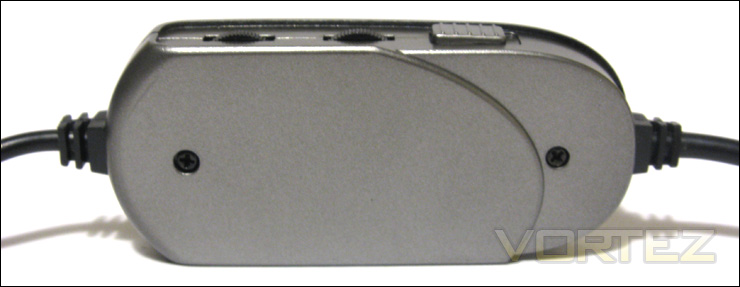
The in-line volume control is bulky and located at 85 cm from the left ear cup
The Arctic Sound P531 connects by USB with a 3 meter cable. Seeing as the headset connects by USB, it will bypass the current sound card on your system. This may pose an advantage for users that have poor sound cards, but this might disappoint those that have a premium sound card.
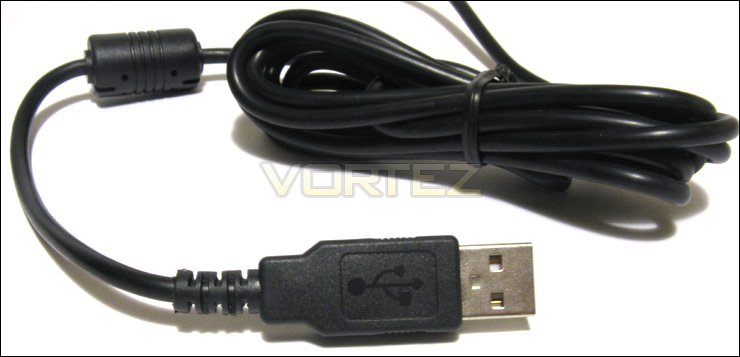
The Arctic Sound P531 has a 3 meter USB connector and, as such, it will bypass the sound card currently installed on the host computer
Driver and Software Installation
The Arctic Sound P531 comes with a CD with 499 MB of data. This data includes the driver/software for the P531, the AC3 DTS codec, and a small collection of music and video featuring 6-channel of audio. The latter allows the user to quickly get a taste the 5.1 surround sound; it was thoughtful of Arctic to include these.
Both Windows Vista and Windows 7 will automatically detect and install the drivers for the Arctic Sound P531 when it is connected to a vacant USB port. It should be noted that Windows XP and Ubuntu are also compatible with the device.
A random low thudding noise will be played by the P531 if the device is not getting enough power.
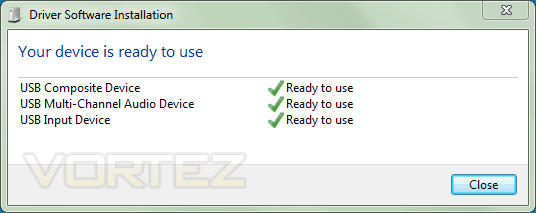
The drivers for the Arctic Sound P531 are automatically installed by Windows Vista and Windows 7. To configure the settings of the headset, the software included on the CD will also need to be installed. The software is compatible with Windows XP, Windows Vista and Windows 7.
Once the drivers for the headset are installed, a new playback and recording device will be shown under the Sound window. These will be automatically selected as the default device whenever the P531 is connected to the host system.
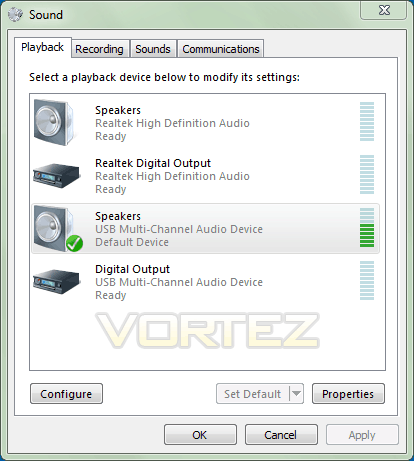
Once the drivers are installed, the P531 device will automatically be selected as the default device.
Although the drivers are the minimum required software to use the device, the software included on the CD allows customizing the P531. The CD does not have an autorun, so you will have to navigate to the “P531 driver” folder and execute “Setup.exe”. This is not very user-friendly, but fluent computer user will find it easy to do.
Once the software is installed, two processes will be automatically launched whenever the P531 is plugged to the host computer: runddl32.exe (13.6 MB of private RAM usage) and cm106eye.exe (3.5 MB of private RAM usage). Together, the processes are very light-weight and they do not degrade system performance.
The Arctic software will add an icon in the notification area. A single left click will open the main window of the software. Right clicking the icon will open a menu with options for accessing Windows Media Player as well as the Sound window.
The main window of the software has five different tabs. First, the “Main Setting” tab allows customizing the number of channels for the input and output. The “System Input” needs to be adjusted according to the number of channels of the source audio. For example, most MP3 audio are 2-channel and HD videos are usually 6-channel. The “Output Mode” can be left at 6-channel. It is worth noting that if 2-channel is selected for input and 6-channel is selected for output, the P531 will simulate 5.1 surround sound.
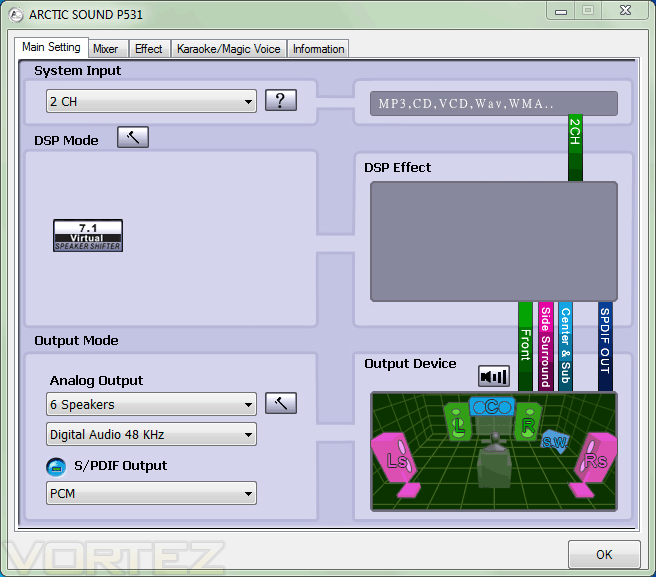
The Arctic Sound P531 comes with software to customize various settings of the headset.
Secondly, the mixer allows for volume control of both the speakers and the microphone. These settings can also be accessed via the Volume Mixer of Windows.
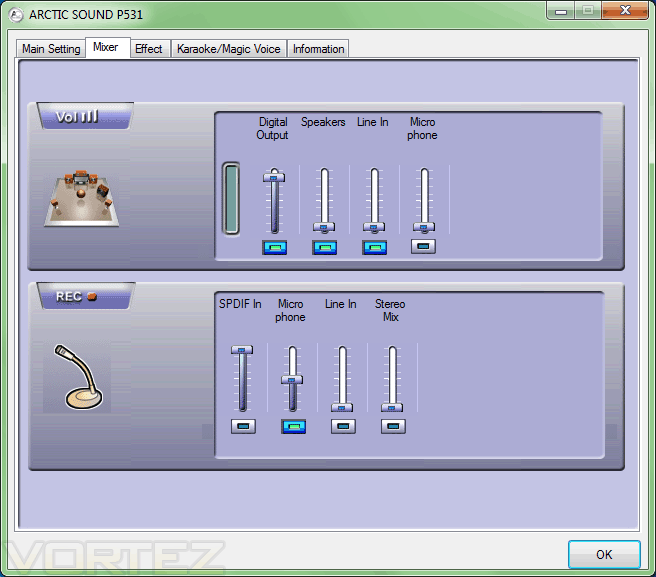
The Mixer allows for volume control. The Volume Mixer of Windows can be alternatively used.
Thirdly, the “Effect” tab gives environment simulation and an equalizer. These are common features that are also found on software bundled with most sound cards. As it will be mentioned later, the equalizer allows balancing of the sound spectrum of the P531 by enhancing the highs.
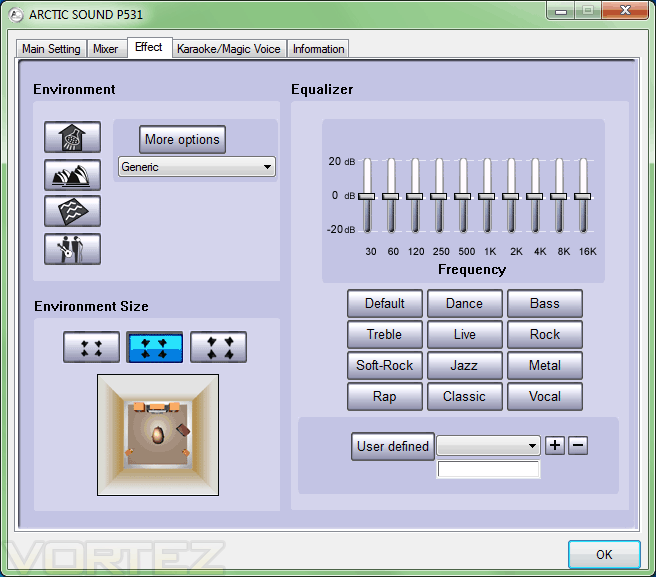
The “Effect” tab allows customization of the environment and gives an equalizer
Fourthly, the “Karaoke/Magic Voice” tab gives settings to suppress the vocals in a song for karaoke purposes. It works fairly well, but not perfectly.
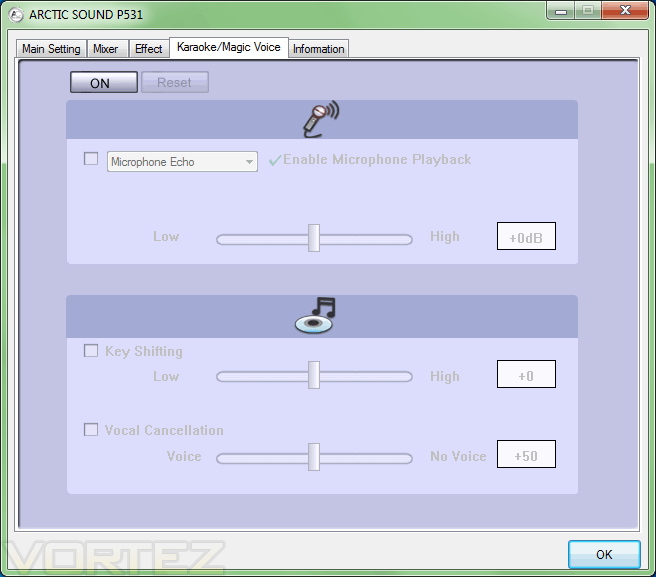
The “Karaoke/Magic Voice” tab
Lastly, the “Information” tab lists the specifications of the Sound P531. The most interesting information here is that the 3D audio engine of the P531 is the C-Media Xear3D.
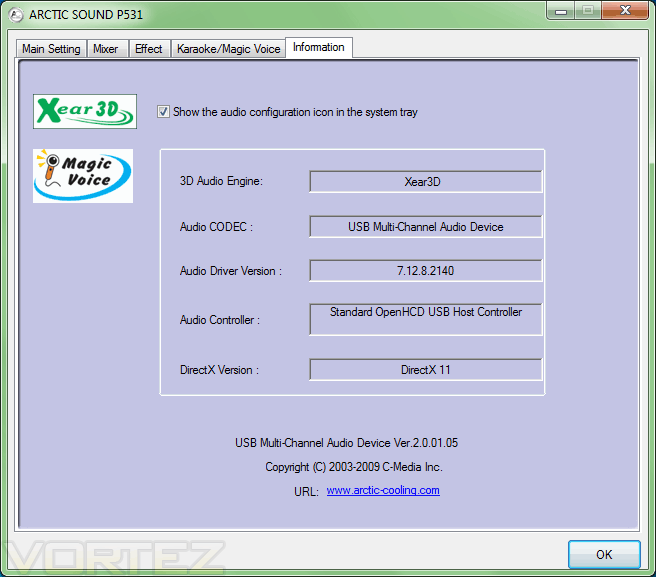
The “Information” tab
Overall, the software is user-friendly and it does not decrease system performance. The fact that the software automatically loads itself when the P531 is connected makes things easier for the user. The software is currently only available on the driver/software CD. Hopefully, Arctic will upload the software onto their website in the near future.
Test System and Testing Methodology
Testing Methodology
The Arctic Sound P531 will be tested for two weeks for a dozen hours. A burn-in will be done done by letting the device play Afterhours.fm continuously for 24 hours at ear-comfortable volume. It will be used for various tasks such as listening to music, watching movies, playing games and communicating through Skype.
The music software will be MediaMonkey 3.2.5, the voice software will be Skype 5.3, and the video software will be Media Player Classic (bundled with the K-Lite Mega Codec Pack 7.5.0).
The game will be Battlefield: Bad Company 2.
Test Setup: Desktop
– CPU: AMD Athlon X2 5000+ Black Edition @ 2.6 GHz 1.15V
– Motherboard: Gigabyte GA-MA78GM-S2H 780G
– GPU: ASUS GeForce 9600GSO 384MB 96SP (EN9600GSO/HTDP/384M)
– RAM: Corsair XMS2 TWIN2X4096-6400C5 PC2-6400 2x2GB
– Case: Antec NSK3480 mATX
– Power supply: Antec EarthWatts 380W
– CPU cooler: Noctua NH-U12P with Noctua NF-P12 @ 5V
– Case fan: Noctua NF-P12 @ 5V
– Hard drive 1: Western Digital Caviar SE16 WD6400AAKS 640GB
– Hard drive 2: Hitachi DeskStar T7K500 HDT725025VLAT80 250GB
– DVD Drive: LG GH22NS30 DVD Writer
– OS: Windows 7 Ultimate (x64)
– Mouse pad: QPAD|UC Large
– Monitor: Dell E207WFP 20” TN
Test Results: Microphone and Music
Microphone
The microphone of the P531 has a flexible arm and it can swivel between 0 and 135 degrees. This allows for optimal positioning of the microphone at the level of the mouth. The swivel is very smooth and this makes putting the microphone away quickly.
As far as microphone quality goes, it is good enough for voice conversation through Skype as well as games. The microphone will pick up background noise fairly easily, but it suppresses the noise enough so that it will not drown out the user’s voice. The microphone has the unfortunate tendency of adding a low-volume high pitch whine to the background. This is annoying if you listen for it carefully.
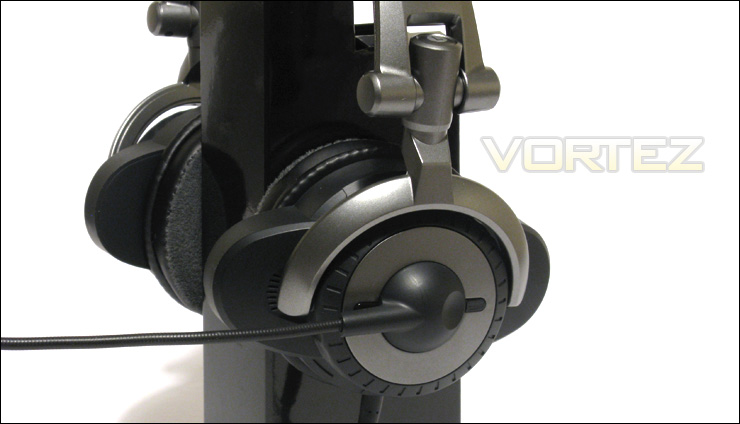
The microphone quality is adequate for both gaming and Skype. The flexible arm makes positioning the microphone easy.
A complaint I would have with the aesthetic of the microphone is that it is bulky. A slimmer design such as that seen on the Tt eSPORTS Shock or a compact design such as that seen on the Arctic Sound P301 would have been more attractive.
Music
As it was mentioned earlier in this review, the strongest selling point of the Arctic Sound P531 is its 5.1 surround system. For those that are unfamiliar with this term, 5.1 consists of two front speakers (left and right), a center speaker and two surround speakers (rear left and right), with the addition of a subwoofer (it is the .1). The P531 has all of these speakers installed into its ear cups. With all of this, the P531 will simulate a 3-dimensional environment. Furthermore, the subwoofer has vibration feedback response.
To use the P531 to its highest potential, the “System input” will need to be configured with the Arctic software. The “System input” designates the number of channels of the source audio. Arctic recommends using 2-channel for MP3 files, 6-channel for DVDs and 8-channel for 3D games. The “Output Mode” can be left at 6-channel.
By selecting the proper number of channel for the input, the P531 will output audio through its 6 speakers at all times, even if the source audio is 2-channel. In other words, 2-channel source audio will be up-converted to 6-channel output audio. This might seem dandy because it allows surround sound for a 2-channel MP3 file, but the sound that is produced is horribly denatured. In this case, the center and rear speakers overemphasize the mids whereas the lows and highs are practically non-existent.
To solve this problem, the center and rear speakers can be muted with the in-line volume control. Thus, the front and subwoofer channels are left at full volume, effectively making the audio 2.1-channel. The audio becomes much more balanced, but mids still take precedence over the lows and highs. Seeing as the subwoofer is still activated, it will add a nice thumping bass to the sound experience. With the integrated vibration units, the ear cups will vibrate with the deep bass of the audio, which is quite ticklish and amusing to the ears.
Another way to avoid outputting a 2-channel audio to 6-channel audio would be to select the “System input” as 6-channel. The 4 other channels of a 2-channel audio will be empty. Thus, the rear, center and subwoofer speakers will be muted. I feel that this is a less desirable solution than the first one, because the subwoofer actually enhances the sound experience. Nevertheless, for a set-and-forget solution, selecting 2-channel for the input audio is ideal.
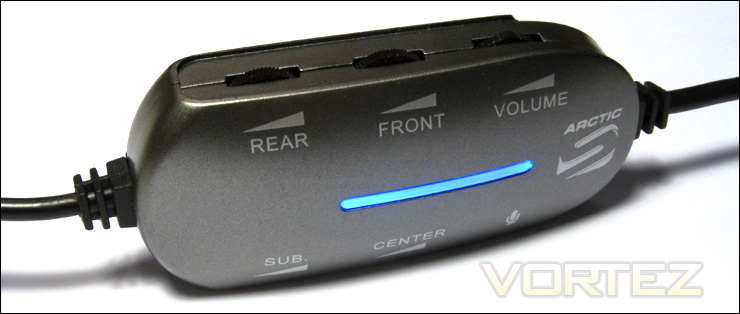
The in-line pod allows for convenient volume control. The blue LED lights intermittently when audio is played.
With either of the previously mentioned solutions taken into consideration, we can now discuss the sound quality of music. In general, the audio produced by the Sound P531 is shifted towards the lows and the mids, with the mids taking priority over the lows. This makes most music genre sound well balanced with vocals being easily heard. Seeing as the highs are not well emphasized by the P531, music genres such as trance and classical will sound less lively. This can be solved by tweaking the equalizer to enhance the highs. As mentioned earlier, the subwoofer adds a very nice kick to the music.
Personally, I like decreasing the front speakers’ volume a bit to make the subwoofer volume relatively louder. This allows the subwoofer to be more forward. If the bass is too strong, however, it will vibrate the plastic housing excessively and this will create a dull resonant noise. Otherwise, the vibration matches the intensity of the bass quite well.
Test Results: Movies, Gaming and Comfort
Movies
For movies, Arctic suggests configuring the Arctic software to have the input audio at 6-channel. Furthermore, the media player will need to be configured to output at 6-channel. For Media Player Classic, this means opening “ffdshow audio decoder” and selecting “3/2/1 – 6 channels” as “output speakers configuration” under “mixer”.
To test the performance of the P531, I watched the siege of Bastogne in Band of Brothers: Episode 7 – The Breaking Point.
In terms of sound quality, what was mentioned for the music test can also be applied here: the mids take precedence over the lows and highs.
The siege of Bastogne scene features numerous explosions and gunfire. With the 5.1 surround sound, the P531 allowed me to easily position explosions, gunfire and soldiers across the screen. Whenever bullets zipped by a soldier, I would hear it too as if I was there. Overall, the P531 reproduced a 3D environment with skill.
The vibration feedback response of the subwoofer also enhanced, once again, the overall sound experience. The fact that explosions vibrated my ears added a whole new level of enjoyment. Furthermore, the rumble varied accordingly to the intensity of the bass: grenade explosions only tickled the ears whereas large Tank explosions gave them a good shake.
Gaming
Battlefield: Bad Company 2: The 5.1 surround sound helped me position explosions and gunfire in the game. The sound spectrum was generally well balanced. Again, the sound created by large explosions and by buildings tumbling down vibrated the ear cups, making the sound experience much more amusing.
The bass, overall, is not as sharp as I would have liked. It can sound quite dull after a while, but it is good enough.
Comfort
Although Arctic mentions at various places that the Sound P531 has a circumaural design, this headset actually has a supra-aural if your ears are big enough. Thus, the ear pads rest on top of the ears of the user. For those that wear prescription glasses like myself, they might find supra-aural headphones very uncomfortable because the ear cups press against the ears and the frame of the glasses.
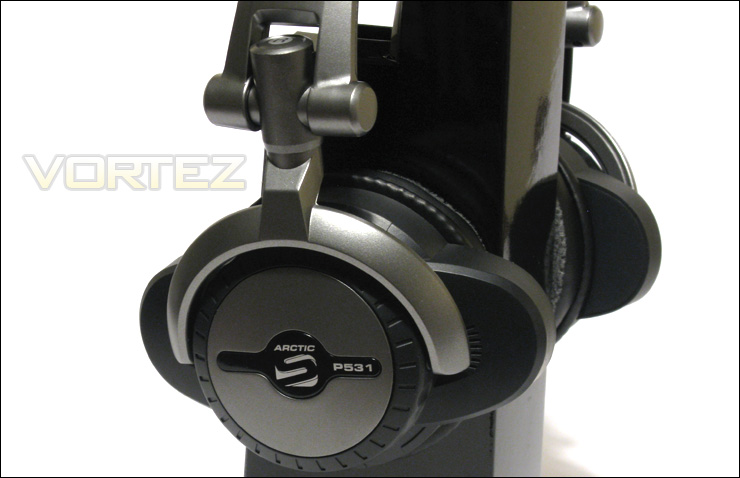
The Arctic Sound P531 emphasizes the mids over the lows and the highs. The bass is thumping, but a bit dull. The vibration feedback of the ear cups adds a whole new level of enjoyment to the sound experience. The long-term comfort is poor, but manageable.
The fit of the P531 is too tight for my taste. The P531 is not very comfortable after an hour of usage; they made my ears very sore. The swivel ear cups do alleviate some of the pressure against the ears, but thicker padding for the ear cups or a looser fit would help much more. The overall comfort does improve with time, however. Also, removing my prescription glasses enhances comfort.
After a few hours of usage, my ears were warm and slightly sweaty.
As for the headband, it is comfortable enough, but it could use thicker padding. Elsewhere, the headband can be adjusted to add 3.5 cm of length to each side. The headband does not have discrete levels of adjustment, and this allows for fine tuning the size of the headband. This makes blindly adjusting the headband difficult, unfortunately.
Overall, the P531 is not a comfortable headset for long-term usage. The headband does loosen up with additional hours of usage, but for now I will be using the more comfortable Arctic Sound P301.
Conclusion
The Arctic Sound P531 is Arctic’s current premium gaming headset. Its most prominent feature is 5.1 surround sound, achievable thanks to four individual drivers in each ear cup. The surround sound allows the user to experience a 3-dimensional environment, whether it is during gaming or while watching movies. As long as the source audio was 6-channel, the P531 reproduced it very well. The same cannot be said if the source audio was 2-channel, however. The up-conversion of 2-channel to 6-channel audio horribly denatured it.
The sound spectrum of the P531 was generally well-balanced with mids taking priority over both the lows and the mids. The bass was thumping, but it was not sharp enough. The subwoofer features vibration feedback units that vibrated the ear cups in response to bass. This added a whole new level of enjoyment to the sound experience.
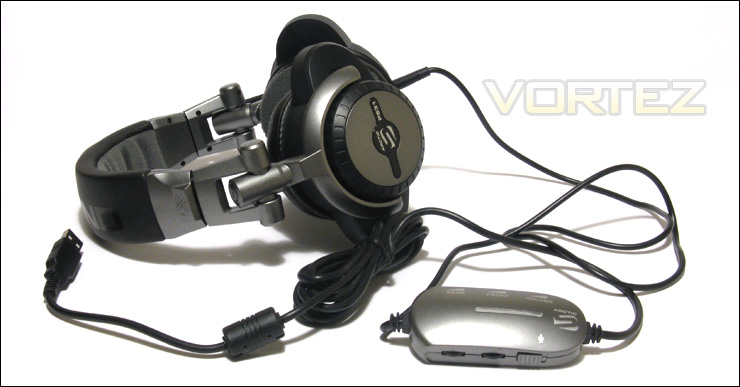
The Arctic Sound P531 provides an enjoyable sound experience thanks to its 5.1 surround sound and vibration feedback ear cups. Overall comfort is disappointing, but it is manageable. Priced at €60.29/USD $79.99, the Sound P531 is a decent alternative to a 5.1 speaker system.
The flexible microphone performed well enough in both gaming and Skype conversations. A more attractive and compact design would have been preferred.
The headset itself can be adjusted in many ways. The headband can be extended to add up-to 3.5 cm to each side. There are no discrete levels of adjustment, so fine tuning the headband’s size is possible. Furthermore, the ear cups can swivel by 90-degrees. Unfortunately, the folding design of the P531 does not work well; the microphone arm obstructs it.
As for comfort, it is mixed. Depending on the user’s ears or the manner that the headset is worn, the Sound P531 can adopt either a supra-aural or a circumaural configuration. I personally loathe supra-aural headphones because I wear prescription glasses. When the ear pads rest on top of the ears (that is, a supra-aural design), the Sound P531 make the ears sore after an hour of usage. The general tight fit of the headset makes it even worse. Thankfully, the headband loosens up after a while, and this improves long-term comfort. Removing my prescription glasses also help too. Thicker padding for both the ear pads and the headband should have been used. Even after a few hours of usage, my ears were warm and a bit sweaty.
In a nutshell, the sound experience provided by the Arctic Sound P531 is very enjoyable. The 5.1 surround sound works very well with the right games, music and movies. Long-term comfort is initially lackluster, but it improves with time. Those that do not wear prescription glasses will find the headphones much more comfortable than me.
Does the Arctic Sound P531 constitute the ideal alternative to a 5.1 speaker system? I would say no because of the cons listed above. Besides, a 5.1 speaker system can be purchased at the same price as the P531 (MSRP €60.29/USD $79.99). Nevertheless, if you’re looking for headphones to enhance your sound experience with 5.1 surround sound and vibration feedback ear cups, this might just be your ticket.
With all of this taken into consideration, Vortez awards the Arctic Sound P531 the Vortez Bronze.
+ Amusing vibration feedback response in the ear cups
+ Decent microphone quality
+ Easy-to-use software
+ Fairly balanced sound spectrum
+ Good 5.1 surround sound
Cons
– Bulky in-line volume control
– Folding mechanism does not work well
– Supra-aural design gives poor long-term comfort, especially if the user wears prescription glasses
– Padding for ear cups and headband could be thicker
– Plastic construction crackles, but it is strong
– Same price as some inexpensive 5.1 surround sound speaker systems


