







ASUS have very kindly sent us their brand new AM3 Xtreme Design Motherboard the M4A89GTD PRO/USB3. Follow the link to take a closer look!
Product on Review: M4A89GTD PRO/USB3
Manufacturer: ASUS
MSRP: Not on website
Street Price: In the region of £120
Up for review today is the M4A89GTD PRO/USB3 ‘Xtreme Design’ motherboard from ASUS.
It’s a brand new unit so we’re very privileged to have it here on test!
Asus are an incredibly well known and highly regarded company and are one of the major manufacturers in everything from motherboards and soundcards all the way to laptops and GPU’s.
ASUS, a technology-oriented company blessed with one of the world’s top R&
 teams, is well known for high-quality and innovative technology. As a leading provider of 3C (computers, communications and consumer electronics) total solutions, ASUS offers a complete product portfolio to compete in the new millennium.
To succeed in this ultra-competitive industry, great products need to be complimented by speed-to-market, cost and service. That’s why all 100,000 over employees of ASUS strive for the “ASUS Way of Total Quality Management” to offer the best quality without compromising cost and time-to-market while providing maximum value to all customers through world-class services.
Most focus these days seems to be on i5 and i7 based hardware. However, AMD have been working hard on this new chipset to compliment their new Athlon II and Phenom II processors so i’m eager to take a look and see how this board compares to the competition.
Specifications
CPU:
AMD® Socket AM3; Phenom™ II / Athlon™ II / Sempron™ 100 Series Processors.
AMD® 140w CPU support
Chipset:
AMD® 890GX / SB850
Memory:
4 x DIMM, Max. 16 GB, DDR3 1866(O.C.)/ 1333 / 1066 mhz ECC / non-ECC, un-buffered Memory
Dual channel memory architecture
Expansion Slots:
2 x PCIe 2.0 x16 slots, Supports ATI® Quad-GPU CrossFireX™ Technology (@ dual 8x speed)
1 x PCIe 2.0 x4 slot
1 x PCIe 2.0 x1 slot
2 x PCI slots
VGA output:
Integrated ATI® Radeon™ HD 4290 GPU
STORAGE:
AMD SB850 chipset
– 6 x SATA 6.0 Gb/s ports with raid 0, 1, 5 and 10 support
JMicron JMB361 PATA and SATA controller
– 1x eSATA 3.0 Gb/s port
– 1x Ultra DMA 133/100 for up to 2 PATA devices
LAN:
Realtek® 8111E PCIe Gigabit LAN controller featuring AI NET2
USB:
2x USB 3.0 ports (blue, at back panel)
12 USB 2.0 ports (8 ports at mid-board, 4 ports at back panel)
Overclocking Features:
Precision Tweaker 3
– vCore: Adjustable CPU voltage at 0.003125V increment
– vDDNB: Adjustable CPU NB voltage at 0.003125V increment
– vCPU PLL: Adjustable CPU PLL voltage at 0.00625V increment
– vHT Bus: Adjustable PCH voltage at 0.00625V increment
– vDRAM Bus: Adjustable DRAM voltage at 0.00625V increment
– vChipset: Adjustable chipset voltage at 0.00625V increment
SFS (Stepless Frequency Selection)
– PCI Express frequency tuning from 100MHz up to 150MHz at 1MHz increment
– Internal Base Clock tuning from 100MHz up to 600MHz at 1MHz increment
Overclocking Protection
– ASUS C.P.R.(CPU Parameter Recall)
Back panel I/O Ports:
1 x PS/2 Keyboard (Purple)
1 x HDMI out port
1x DVI-D out port
1 x D-Sub out port
1 x Optical S/PDIF Output
1 x External SATA
1 x IEEE 1394a
1 x LAN(RJ45) port
2 x USB 3.0/2.0 ports (blue)
4 x USB 2.0/1.1
8 -Channel Audio I/O
Internal I/O Connectors:
4 x USB connectors support additional 6 USB ports
1 x IDE connector
6 x SATA 6.0 Gb/s connectors
System Panel(Q-Connector)
1 x Power on switch
1 x MemOK! button
1 x Turbo Key II switch
1 x Core Unlocker Switch
Support CD:
Drivers
ASUS Utilities
Anti-virus software (OEM version)
ASUS Update
Form Factor:
ATX Form Factor
12 inch x 9.6 inch ( 30.5 cm x 24.4 cm )
As you can see it’s a well specified piece of hardware. I particularly like the USB 3.0 and Sata III 6Gb/s support.
The onboard graphics including HDMI connectivity belie it’s fairly reasonable price tag but as with any AMD motherboard you tend to get quite a lot for your money.
Packaging and board
Typical bright and involving box art from ASUS. As ever it includes all the boards general basic information up front and covers more specific details on the rear. It’s a sturdy box too so no need to worry if the courier delivering it to you will damage it!
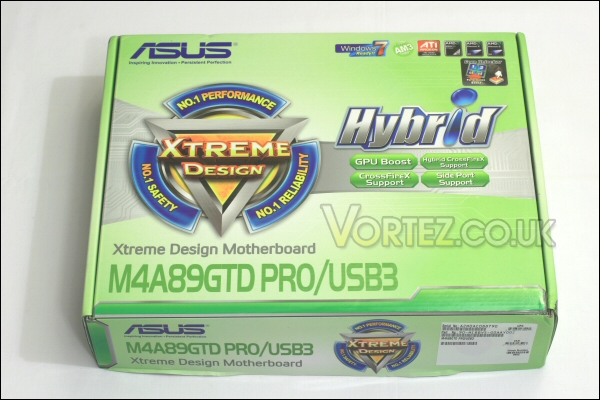
Box front.
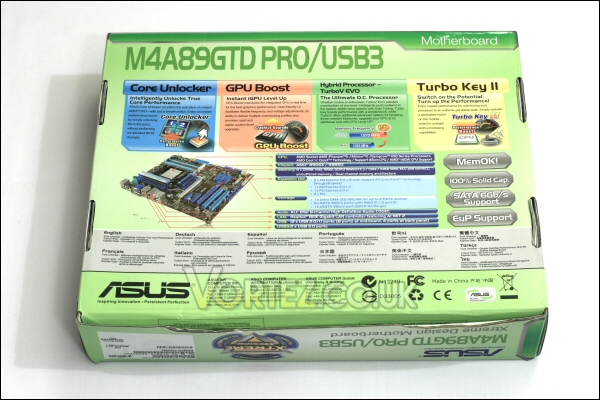
Box rear.
Once open we can see the bundled extras.
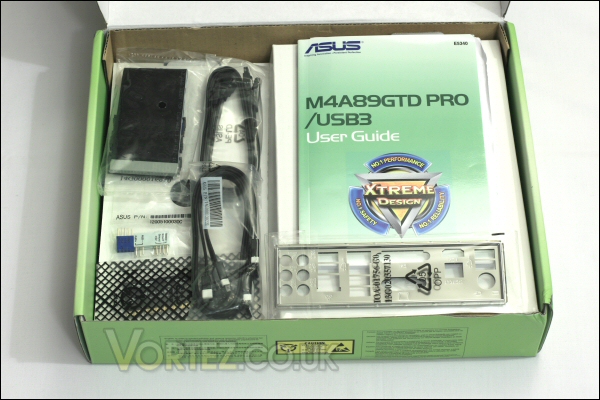
Box open.
Here we find a selection of SATA cables, an IDE cable, I/O backplate, the ever present Q-connector for easy front panel connection and a VGA switch card. When installed in the boards upper PCIe 2.0 slot the switch card allows the boards lower PCIe 2.0 slot to run at full 16x speed. Without the card in place both slost run at 8x speed.
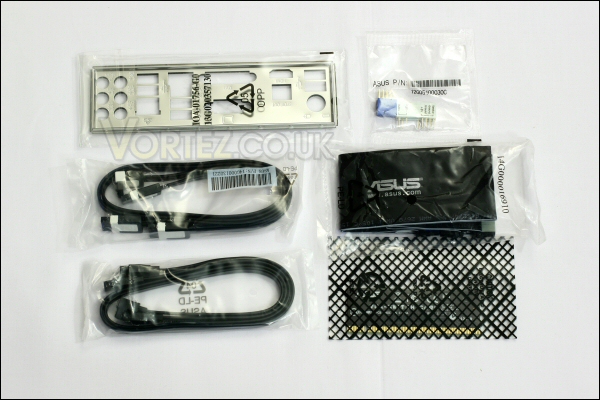
Cabling and other extras.
Also included are a Manual, driver and utilities dvd and an ASUS case sticker.
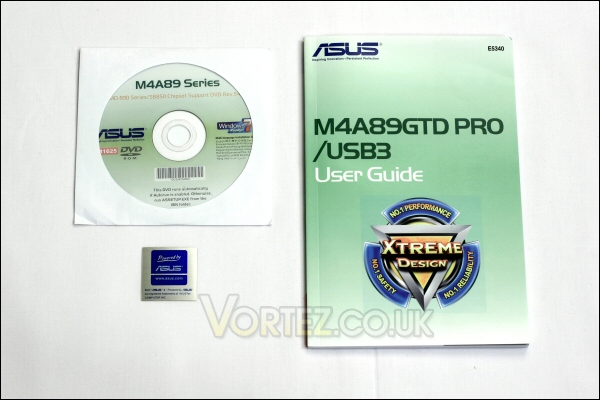
DVD, manual and case sticker.
The board is packed below the additional items and encased in an anti-static bag.
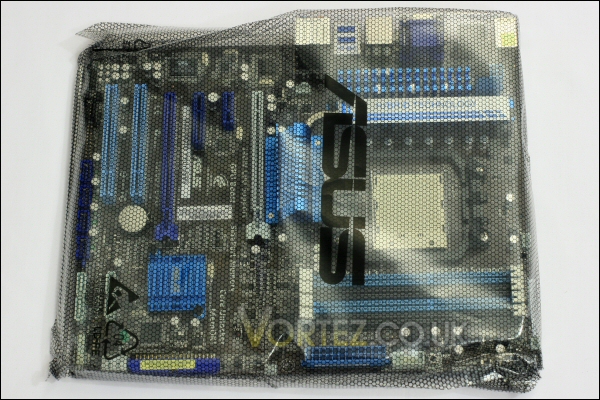
Safely wrapped up!
Once unwrapped you can see that the board itself is an impressive item with the components carrying an attractive white, blue and black theme. Also of note is that this board represents yet another fanless design from ASUS which i always like.
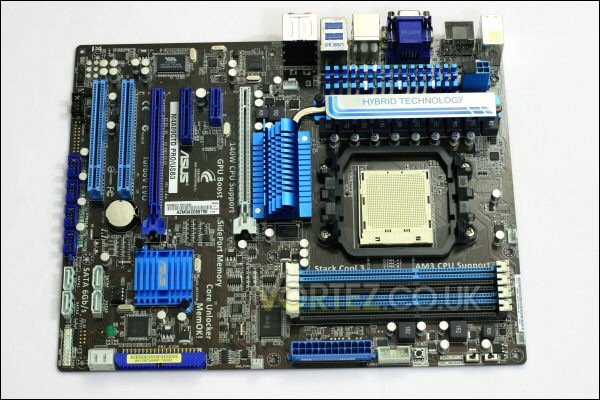
The M4A89GTD PRO/USB3.
The rear of the board is clutter free with only the CPU backplate as a point of interest.
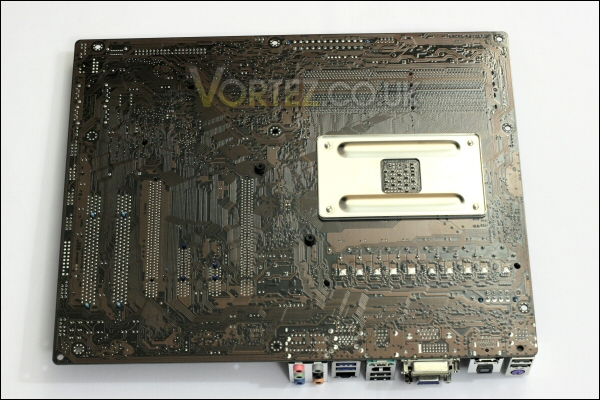
Rear of the board.
Starting at the top of the board we see the four DDR3 DIMM slots. They are fairly tightly packed but i’d imagine only the largest DIMMs (think ‘Reaper’ style heatpipe models) might have issues during install. Nearby we see the 24pin ATX power connector and a COM port adapter.
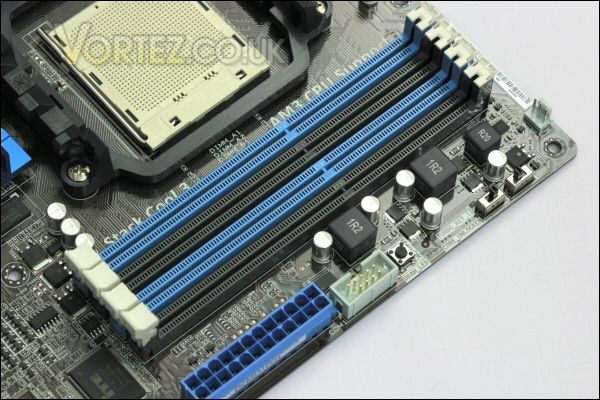
DDR3 dimm sockets and 24pin ATX connector.
Just above these two sockets we have the MemOK! button and even further up (close to the board screw mount hole) you can see the two flick switches. These are the Core Unlocker and Turbo Key II switches which i will comment on during my overclocking with the board.
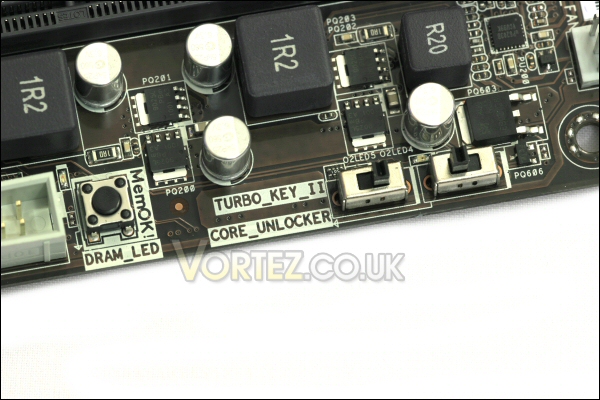
MemOK!, Core Unlocker and Turbo Key II switches.
Moving further down the board we find the obligatory IDE socket sat next to two of the M4A89GTD PRO/USB3’s SATA 6.0Gb/s sockets. Yes, it is a but ‘Oldschool vs cutting edge’ but it’s presence is definitely needed since many users still utilise IDE optical drives!
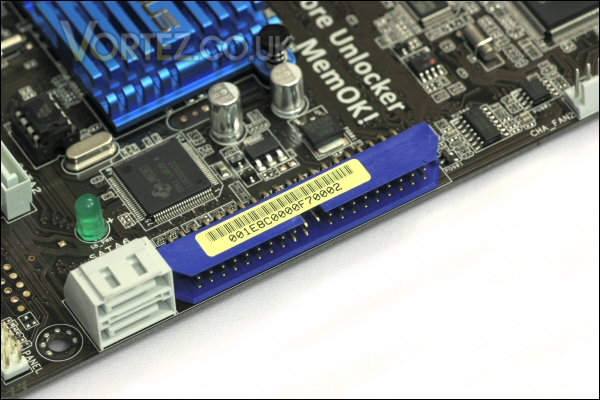
New v old – two SATA 6.0Gb/s next to the IDE socket.
Next to these we find the very compact and low profile Southbridge heatsink. It certainly won’t obstruct any larger GPU’s but let’s hope it cools that SATA 6.0Gb/s chip sufficiently!
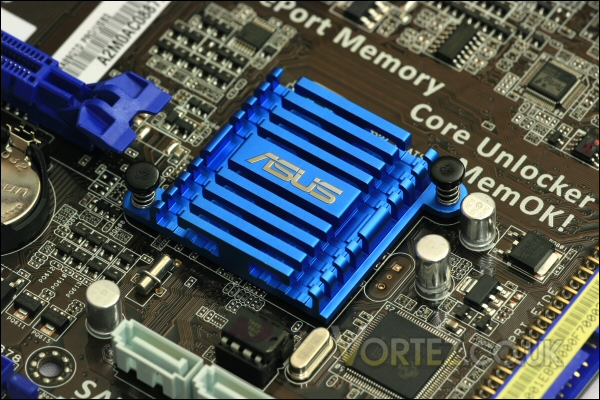
The tiny SB850 heatsink.
Board continued
Below the southbridge the remaining four SATA 6.0Gb/s sockets are found. This brings the tally up to six which should be plenty for most users. Here you can also see the front panel connector pins that work in conjunction with the ASUS Q-connector.
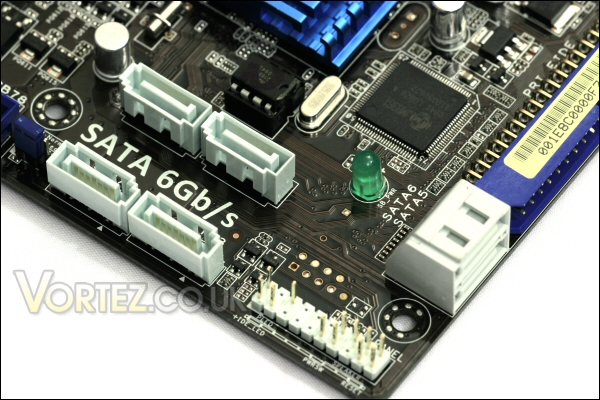
All six of the 6.0Gb/s capable SATA sockets.
Moving along we reach the four additional USB expansion sockets. With the standard PCI USB breakout plates these connections allow for an additional 8 usb sockets (or certain card readers and other compatible components) to be added to the machine. Also of note in this picture is the boards BIOS battery which nestles nest to the boards two PCI slots.
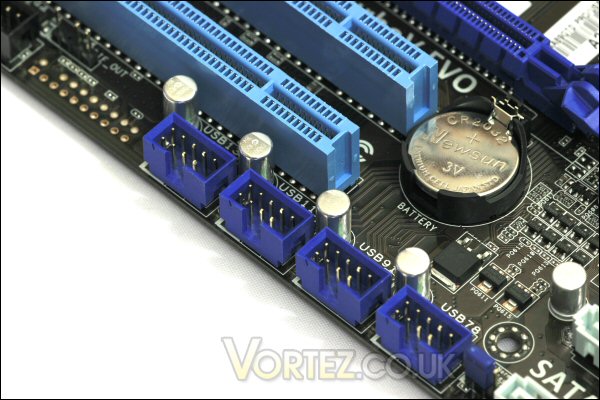
USB connectivity shouldn’t be an issue!
Speaking of PCI slots the M4A89GTD PRO/USB3 is fairly well specced in this regard. Dual PCIe 2.0 16x slots allow for multiple GPU installs although the speed of the slots drops to 8x in this configuration. A single card can be used in the lower (blue) PCIe 16x slot and through the use of the supplied VGA switch card (seen in the accessories picture earlier) can run at the full 16x speed. As you can see there are additional 4x and 1x PCIe slots and two standard PCI slots in place too so there’s a decent level of possible hardware flexibility with this board.
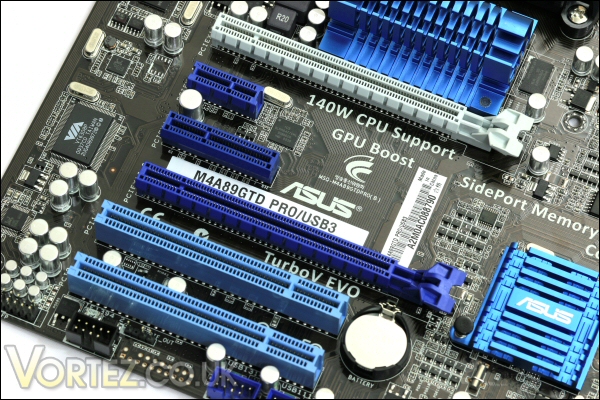
The M4A89GTD PRO/USB3’s PCIe and PCI connectivity.
Above the PCI expansion slots we find the M4A89GTD PRO/USB3’s northbridge heatsink. It’s quite a compact design but works in conjunction with the much larger MOSFET heatsink via a connecting heatpipe to further aid cooling.
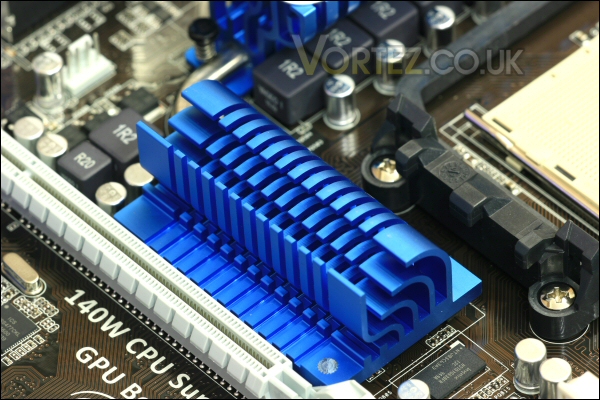
The 890GX’s northbridge heatsink.
This assembly surrounds the AM3 socket and is mighty imposing – however, it is low profile enough to not foul the install of larger ‘performance’ heatsinks.
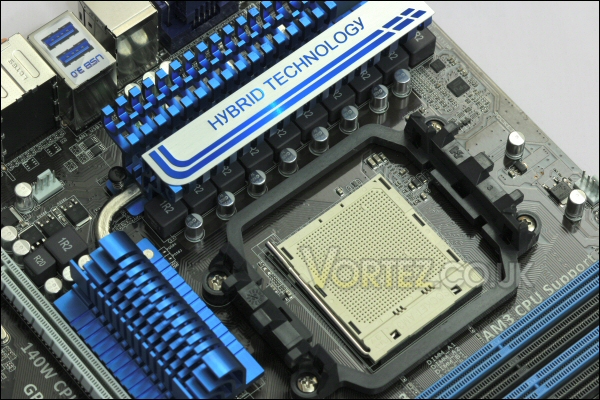
The MOSFET and northbridge heatsink surrounds the AM3 socket.
You can see here how the ASUS designers have had to extend the height of the 12v connector to allow for easy cable installation.
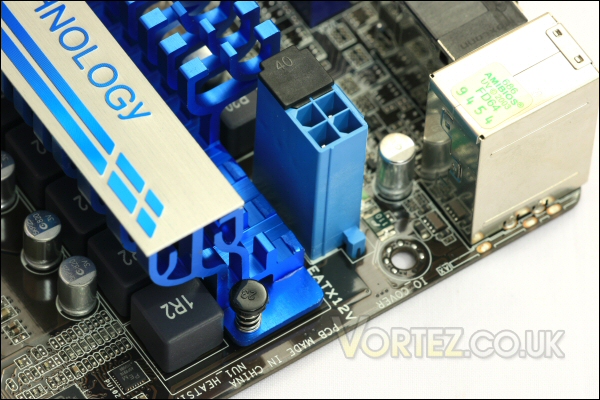
Super tall 12v connector.
In fact from another angle you can see how large the MOSFET sink really is. It’s complex tree like structure should mean there’s a great deal of surface area in play to aid cooling. Add to this the fact that it’s virtually as tall as the tallest components on the I/O plate and we’ll hopefully find it does well.
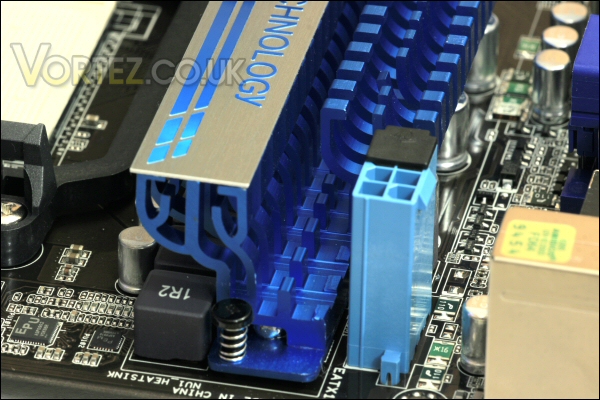
The monster MOSFET heatsink on the M4A89GTD PRO/USB3.
The I/O plate shows us again that the M4A89GTD PRO/USB3 means business. From the left we have the keyboard PS2 socket, two USB 2.0 ports, an optical digital port, HDMI, D-Sub, DVI-D, another 2 USB 2.0 ports, firewire, eSATA, gigabit lan, two USB 3.0 ports and a standard collection of 8 channel audio output sockets. That is one seriously crammed backplate and with the ability to add a further eight USB 2.0 ports to the PC it’s installed in i’m very impressed.
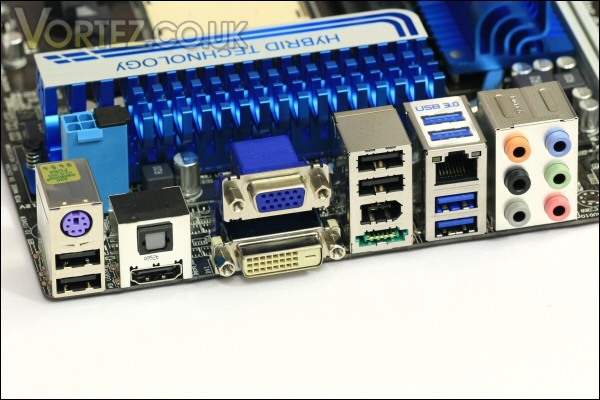
The connectivity offered by the boards I/O section is excellent.
Driver disc and software
The M4A89GTD PRO/USB3 comes with a DVD containing the drivers required to use the board to its full potential. Also provided are a selection of programs to monitor, overclock, power save and protect your beloved PC.
First up we’ll take a look at the disc.
You’re greeted with a driver (and program) page spread over two pages (just click the arrow at the base of that first page) which pretty much covers everything you’d need to get the PC up and running. Of special note is the inclusion of an OEM version of Norton 2009 which is nice.
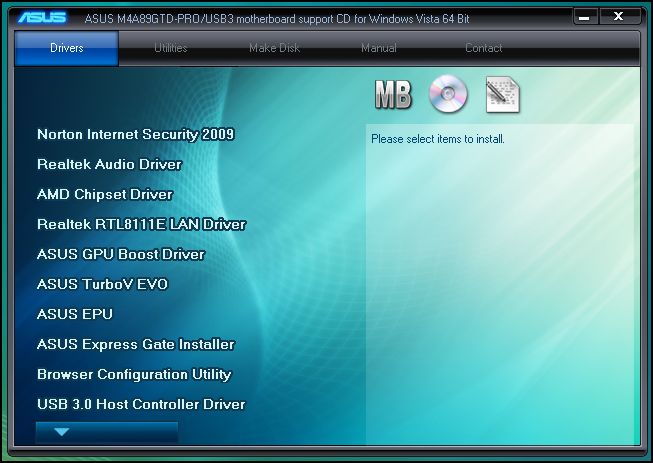
Driver page 1.
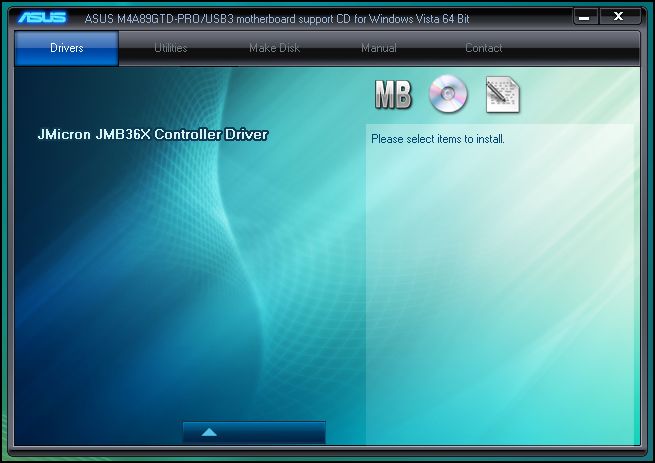
Driver page 2.
The next tab includes various utilities which relate to monitoring, clocking and updating the board.
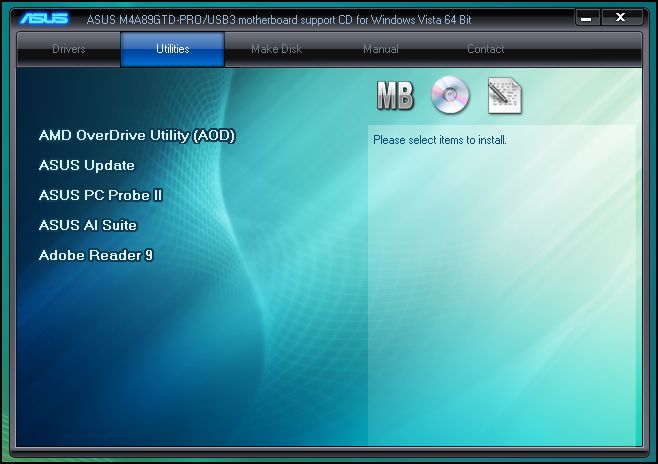
Utility page.
The ‘Make Disk’ section allows you to do just that – raid drivers normally need to be seperated like this in order to be easily added during a windows install.
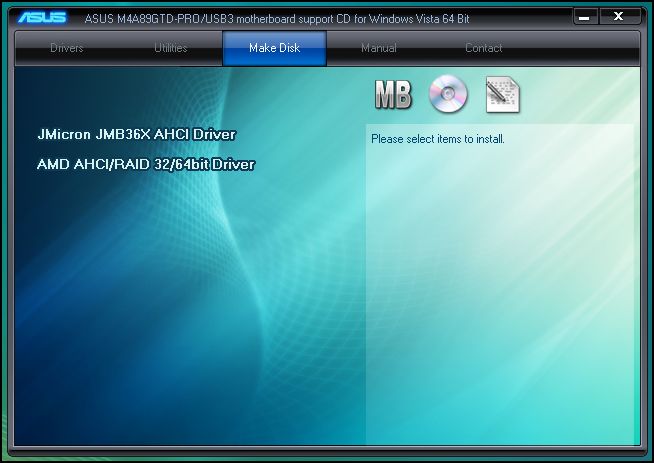
The useful make disc feature.
A selection of manuals are also available to you.
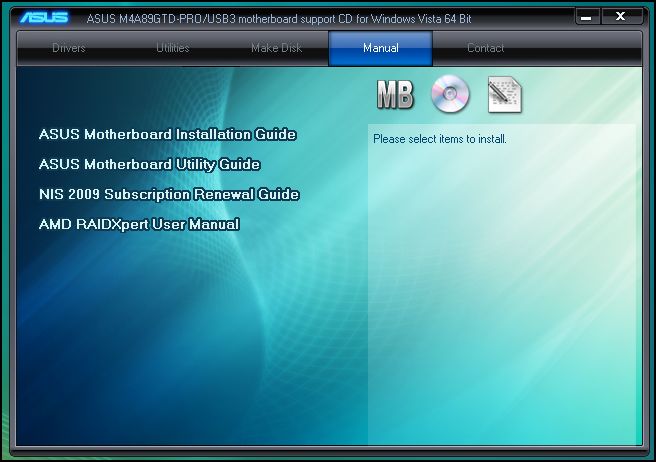
Available manuals.
Lastly there is a final page with useful web links, physical addresses and phone numbers if you need to get in touch with ASUS about something.
Various contact details.
Let’s take a look at some of the programs…
Programs available to the end user of the M4A89GTD PRO USB3 include the AI Suite which allows basic monitoring of system temps, fan speeds, clock speeds and voltage. From the main screen seen here you can choose one of three options. You can start up fan expert, activate EPU (an energy monitoring/saving program) or use TurboV Evo.
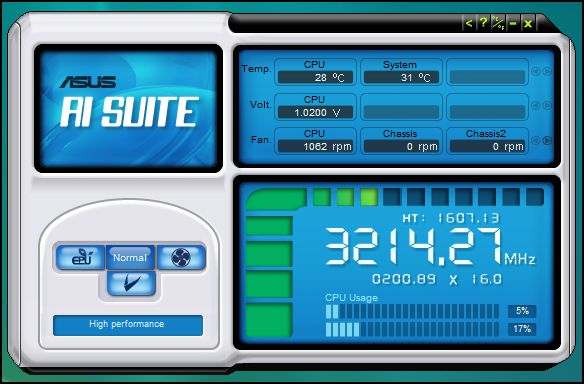
AI Suite.
Fan Expert is a complete fan control program where users are able to tailor their fan profiles to suit their specific needs.
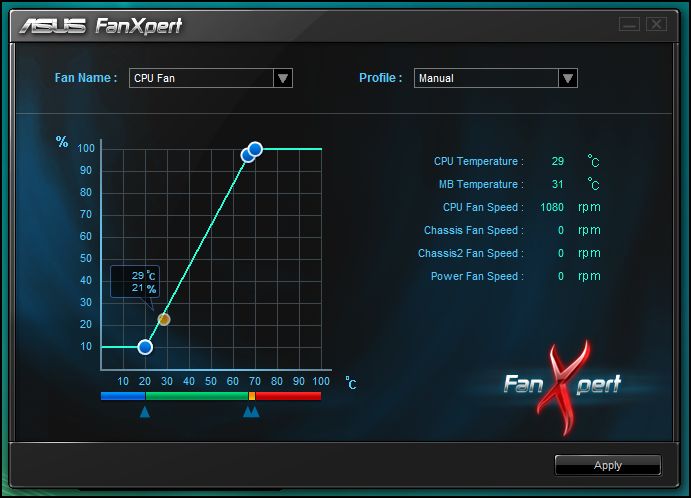
Fan Expert.
EPU is an easy to use power saving program that tailors the PC’s performance characteristics to provide the best performance/power ratio.
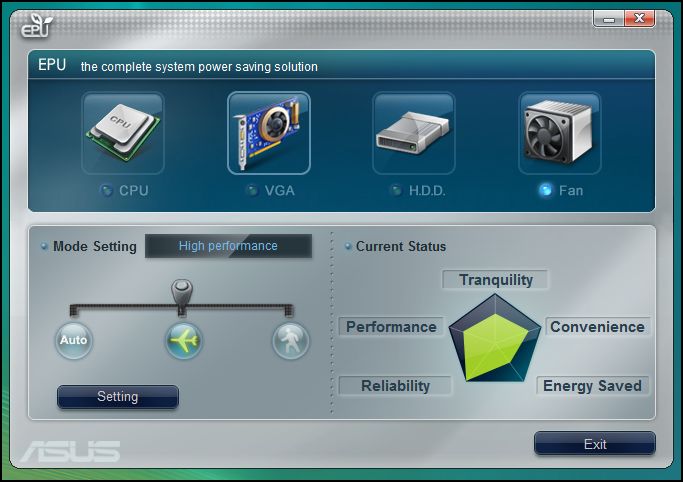
EPU.
Software continued
TurboV Evo allows on the fly adjustment of various voltages and clock speeds across the board. This will for example allow users to clock up their PC for a gaming session and then return those clocks to normal afterwards.
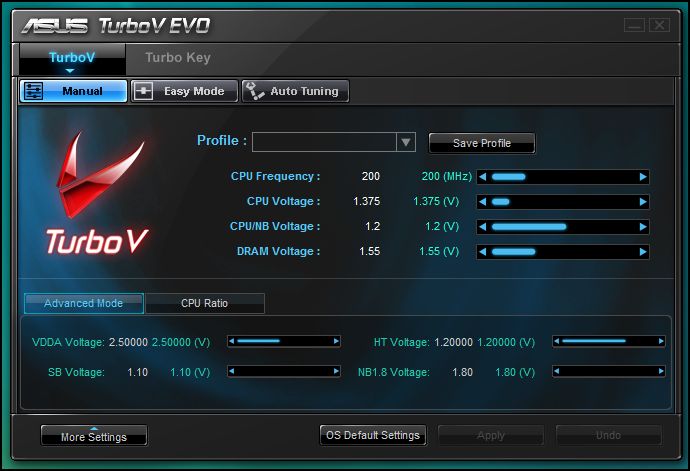
TurboV EVO.
CPU ratio’s (i normally consider these to be multipliers) can also be changed meaning fast straightforward overclocks can be achieved. This is much more convenient than the normal process of powering down the PC to make the same changes.
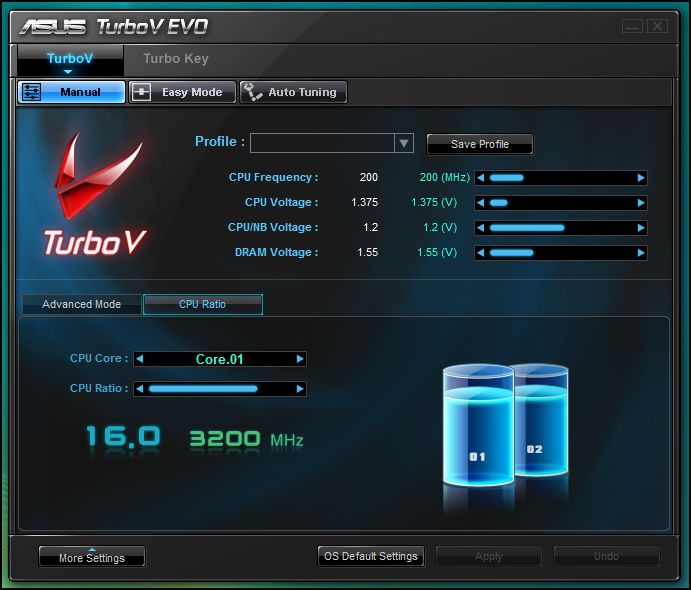
Altering the multi makes for an easy overclock.
PC Probe II is also available. This also offers some of the functionality of the others and allows monitoring of voltages, temps and fan speeds.
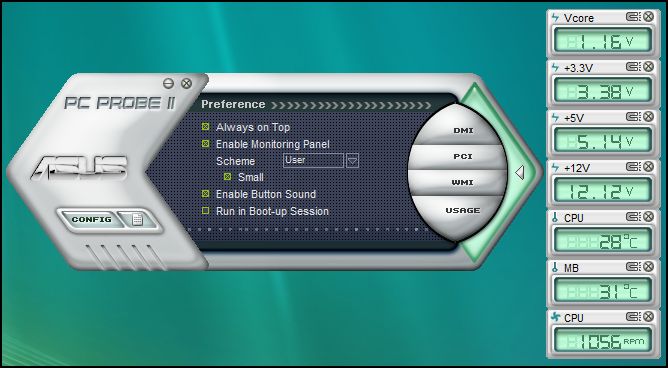
PC Probe II.
ASUS have also provided a Cool & Quiet program to show when the PC drops into this state. As you can see when the PC is idling the dual core drops to an 800mhz clock speed and voltage is reduced to almost 1v.
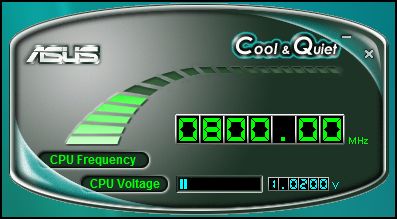
Cool and indeed quiet.
Under load the cpu is returned to its stock 3.2ghz clock speed while the voltage rises accordingly to maintain full system stability. It’s more an indicator of current system state than an active control and adjustment program but it’s useful none the less!
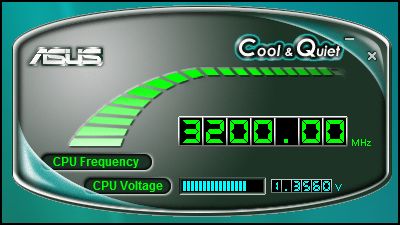
Bumps the clock and voltage up when power is needed!
Finally we come to the last bundled utility. AMD’s Overdrive suite is a comprehensive suite that offers a full overview of your system status as well as allowing some level of control over various aspects of your PC. For example here we see basic system info.
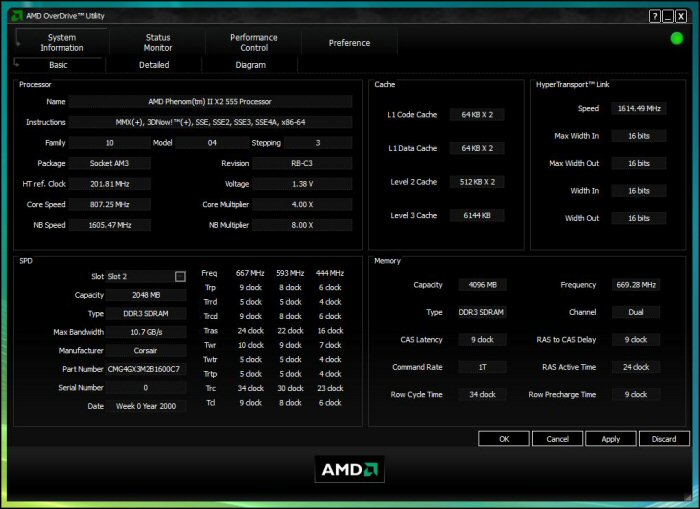
System information.
CPU status is available and so too is monitoring of other components including the GPU and the M4A89GTD PRO/USB3 itself.
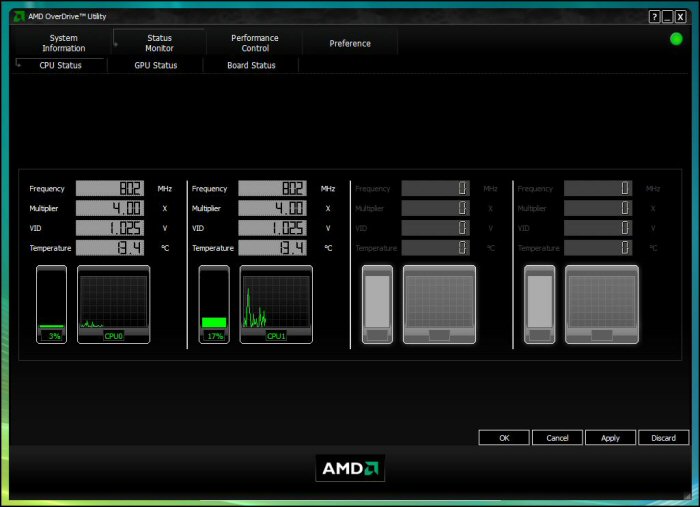
Various status pages allow real time monitoring.
Here we have a suite allowing basic clocking options as well as tabs at the top of the screen allowing benchmarking, stability testing and auto clocking if so desired!
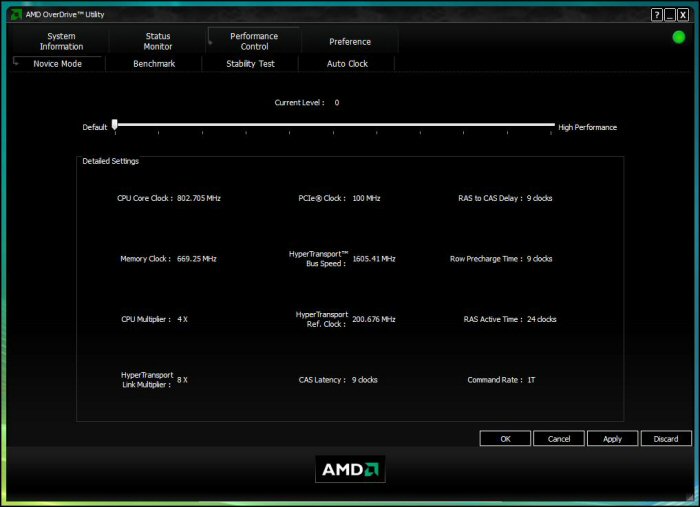
Basic clocking, benching, stability testing and automatic clocking all in one program.
Setup, installation and overclocking
Test setup
CPU: Phenom II X2 555 Black Edition @ 3.2ghz
RAM: 4gb Corsair DDR3
HDD: 250gb WD 7200rpm SATA HDD
Optical drive: LG Bluray/HDDVD Multidrive
CPU cooler: Coolermaster Hyper TX3
PSU: Hiper Type-R 580w
GPU: Gainward GTX260
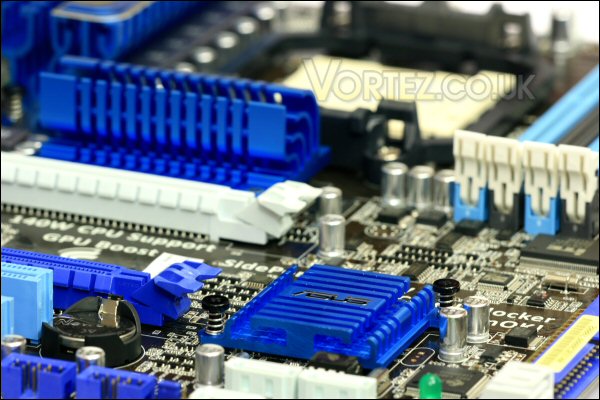
M4A89GTD PRO/USB3.
Installation
Installation was very easy. I’ve used many AMD systems in the past and since the advent of Socket 939 have always liked their retention system. The install took place on a bench so the combination of the boards size plus its decent layout helped. This meant that the whole build was complete in no more than 10 minutes.
Overclocking
Overclocking with AMD and some of the current boards is a little hit and miss in my experience but i can definitely say that this isn’t the case with the M4A89GTD PRO/USB3. It was very straight forward and made all the more simple by the inbuilt Turbo Key II switch that i mentioned earlier in the review. This allows the M4A89GTD PRO/USB3 to essentially decide on the best ‘stable’ overclock.
With the Phenom II X2 555 in place the board instantly pushed the chip from its default clock of 3.2ghz all the way to 3.712ghz.
I benched and tested this to find that the system was indeed stable.
I then decided to see if i could push further so entered the M4A89GTD PRO/USB3’s bios and simply nudged the FSB up to 250mhz (with the chips 16x multiplier this should return a 4ghz clockspeed), whilst there i also pushed the DDR3’s speed to just over its rated 1600mhz speed. Since it was running slacker timings i figured it should be able to manage this easily.
Despite this simple approach to the overclock i found it booted and worked like a charm. It may need to be tweaked but at this clock i suffered no system stability issues and all tests completed without a hitch.
Having successfully managed a 4ghz clock with the chip i tried the boards other clever feature. The onboard Core Unlocker offers users the opportunity to try to unlock dormant cores within their beloved dual and tri-core cpu’s.
Apologies in advance for the history lesson…
Most of the early dual and tri-core chips were simply the natural product of failed quad core product lines where poor yields had led to non functioning cores. These chips were therefore sold as dual and tri-cores since there extra cores were either faulty or non functional. Fortunately for us yeilds are much better these days whilst demand for the lower core (cheaper) models has continued meaning these good quads are still used as dual and tri-cores. Consequently boards like the M4A89GTD PRO/USB3 we have here have the ability to unlock these dormant cores and essentially upgrade our lowly chip to a fully fledged quad core.
Now onto the ‘magic’ switch! Chip in, switch on and power her up… lo and behold i now have a 3.2ghz quad core at my disposal. It was a simple as that!!!
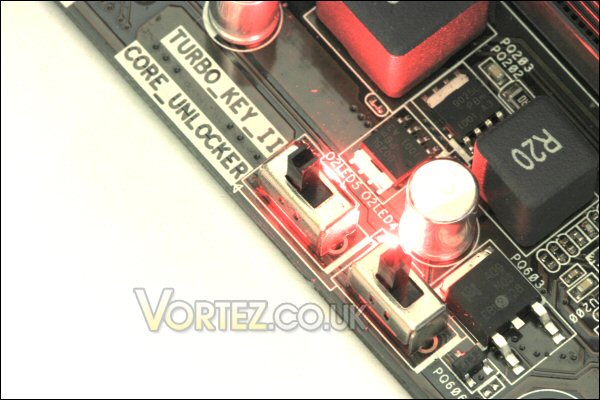
Switches flicked and LED’s on – we’re in business!
Testing seemed to suggest it was stable too so i rebooted and tried my luck with the Turbo Key II – the result was a stable 3.456ghz quad core.
Amazing since for that i had done absolutely nothing in the bios – i’d simply flicked two switches!
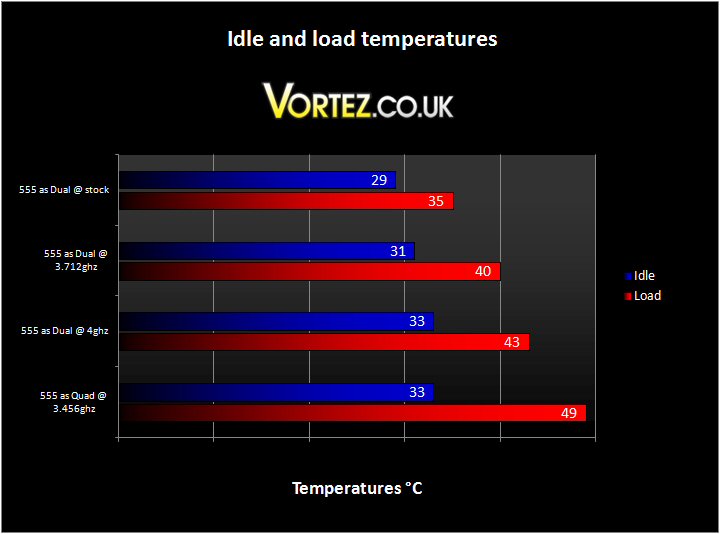
Impressive temperatures – especially with the clocked and unlocked quad core.
Sound
The ASUS M4A89GTD PRO/USB3’s PWM fan control was excellent just like the last batch of ASUS boards i’ve tested. It barely throttled up during very high load which was nice to see – it simply worked hard enough to maintain decent temperatures. The boards passive design further lends itself to quiet running although some may wonder if it does enough to keep the board cool – i can confirm that despite the lack of fans the boards heatsinks never became more that warm to the touch. The warmest component was the southbridge heatsink but it never got close to being too hot to touch.
Results
I tested desktop performance initially using both Everest Ultimate (Trial Edition) and Futuremark’s PCMark05.
Everest was first and the results are pretty good. They definitely compare well to the overclocked Phenom II X3 720 i’ve tested in the past. Compared to the i5 at a very modest 3.2ghz clock (that was a 4ghz capable set up remember) the intel takes the lead in almost every respect.
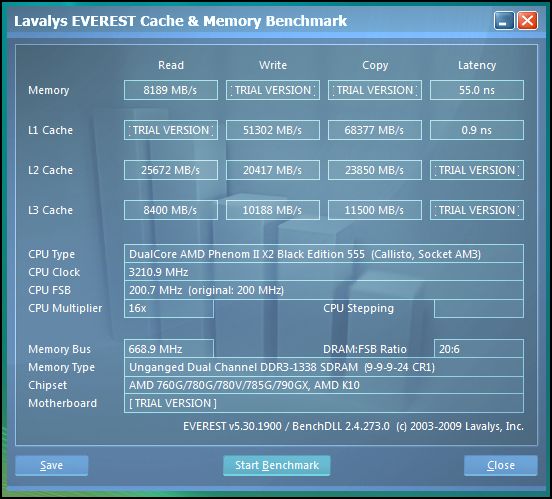
Phenom II 555 @ stock results with Everest.
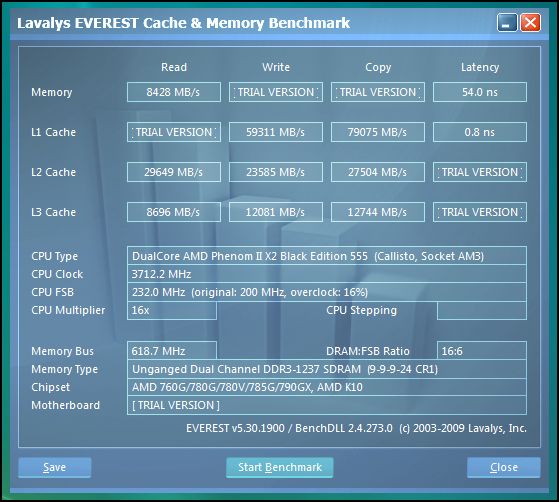
Phenom II 555 @ 3.712ghz results with Everest.
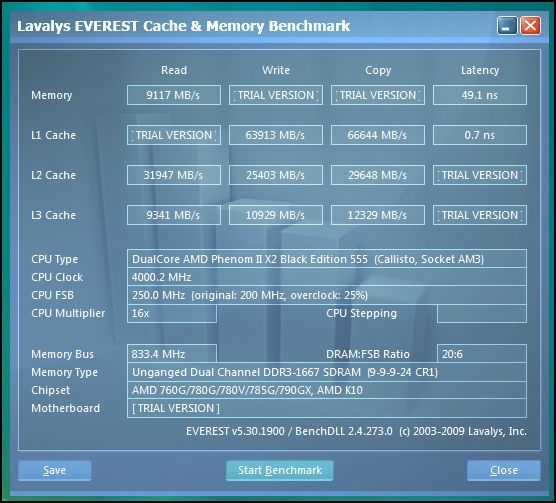
Phenom II 555 @ 4ghz results with Everest.
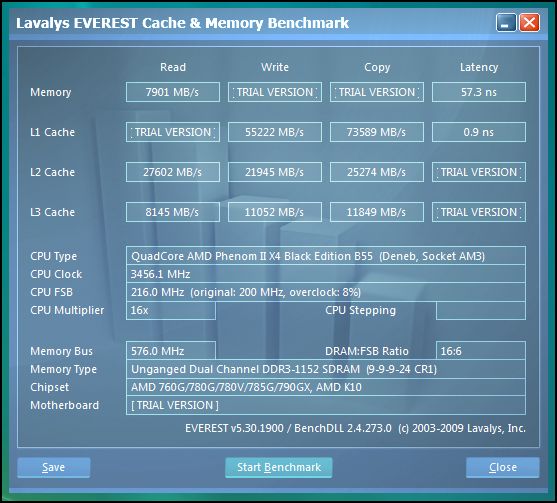
Phenom II 555 unlocked to quad @ 3.456ghz results with Everest.
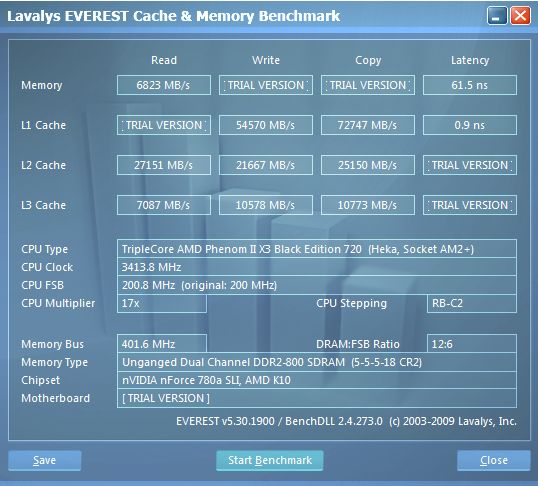
Phenom II 720 @3.4ghz results with Everest.
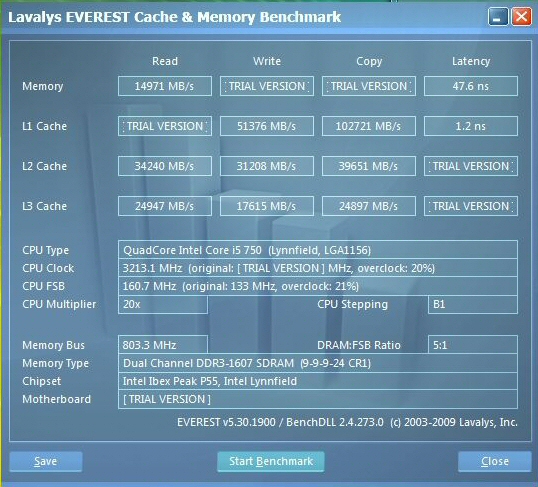
i5 750 @ 3.2ghz results with Everest.
PCMark05 returns the same story.
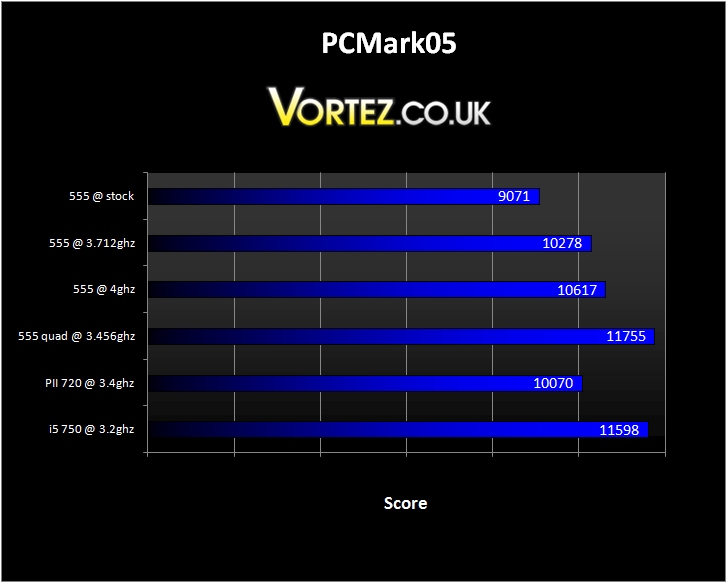
PCMark05 results.
A decent performance but clock for clock the raw power of the i5 shows here too.
PII 555 @ stock – Score 9071
Physics and 3D 255.14 FPS
Web Page Rendering 3.41 Pages/s
File Decryption 77.62 MB/s
Multithreaded Test 2
Text Edit 153.25 Pages/s
Image Decompression 39.72 MPixels/s
Multithreaded Test 3
File Compression 7.82 MB/s
File Encryption 39.88 MB/s
PII 555 @ 3.712ghz – Score 10278
Physics and 3D 300.58 FPS
Web Page Rendering 3.92 Pages/s
File Decryption 89.92 MB/s
Multithreaded Test 2
Text Edit 179.31 Pages/s
Image Decompression 46.31 MPixels/s
Multithreaded Test 3
File Compression 6.62 MB/s
File Encryption 84.31 MB/s
PII 555 @ 4ghz – Score 10617
Physics and 3D 310.1 FPS
Web Page Rendering 4.08 Pages/s
File Decryption 96.52 MB/s
Multithreaded Test 2
Text Edit 183.48 Pages/s
Image Decompression 49.73 MPixels/s
Multithreaded Test 3
File Compression 10.01 MB/s
File Encryption 88.52 MB/s
PII 555 as quad @ 3.456ghz – Score 11755
Physics and 3D 284.59 FPS
Web Page Rendering 3.73 Pages/s
File Decryption 83.9 MB/s
Multithreaded Test 2
Text Edit 171.24 Pages/s
Image Decompression 43.86 MPixels/s
Multithreaded Test 3
File Compression 15.83 MB/s
File Encryption 90.77 MB/s
PII 720 @ 3.4ghz – Score 10070
Physics and 3D 268.86 FPS
Web Page Rendering 3.69 Pages/s
File Decryption 82.47 MB/s
Multithreaded Test 2
Text Edit 178.53 Pages/s
Image Decompression 43.29 MPixels/s
Multithreaded Test 3
File Compression 10.37 MB/s
File Encryption 86.62 MB/s
i5 750 @ 3.2ghz – Score 11598
Physics and 3D 330.19 FPS
Web Page Rendering 4.13 Pages/s
File Decryption 85.44 MB/s
Multithreaded Test 2
Text Edit 198.93 Pages/s
Image Decompression 44.56 MPixels/s
Multithreaded Test 3
File Compression 13.69 MB/s
File Encryption 81.75 MB/s
Results continued
We now move on to graphical performance – first up we take a look at Futuremark’s 3DMark Vantage benchmark program.
3DMark Vantage performance.
The M4A89GTD PRO/USB3 does very well here. Even in dual core form the numbers compare very well even against the i5 and i7 competition.
Blacksite came next.
Blacksite performance.
Overall performance was very good and certainly directly comparable to both the i5 and Maximus Gene III and i7/P6T SE combo’s.
The last test involved Race Driver GRID.
Race Driver GRID performance.
Again performance was very nearly the same.
In each case all clocks at all resolutions were perfectly playable and incredibly smooth (something that i would say was probably one of the main beneficial features of AMD systems) – very impressed.
Conclusion
The ASUS M4A89GTD PRO/USB3 is an exceptional motherboard.
It\’s well laid out, very well specified and does everything it\’s designed to do in a simple, straightforward and reliable way.
I only had one stability issue during the whole of testing and that turned out to be the JMicron PATA and SATA driver. Once uninstalled and using the onboard AMD drivers all was well.
Beyond that the only negatives i could mention are 1) that the VGA switch to activate the full 16x capability of the lower PCIe slot is a slightly clumsy solution and 2) that the SATA 6.0 Gb/s sockets could be a little better positioned on the board. These, however, are just splitting hairs as far as i\’m concerned.
In terms of performance AMD boards i would say that this is the most impressive i\’ve used since the good old Socket 939 Nforce 4 days! As i said earlier in the review recent AMD boards from most manufacturers have been a little lacklustre when i came to getting the most out of your CPU\’s but i can happily report that in my opinion the M4A89GTD PRO/USB3 has changed all that.
The excellent M4A89GTD PRO/USB3.
It\’s one touch clocking and core unlockers work very well indeed – i\’m glad that ASUS have adopted this type of feature since i suspected only the competition would have facilities like these.
On top of this i would say that the bios level overclocking options and both the stability of the 8+2 Phase Power Design supply and quality of the new 890GX and SB850 chipset only further enhance the ease and ability of the board to return simple and stable overclocks.
All in all i am blown away by this board. Indeed i\’m seriously considering making the upgrade myself since i don\’t really have a bad word to say.
In conclusion, if you\’re either considering an AMD system as your next build or simply upgrading your motherboard the M4A89GTD PRO/USB3 comes very highly recommended indeed – good job ASUS.
Pros
+ Superb overclocking performance
+ Reasonable price considering performance
+ Looks great
+ Excellent fanless design that doesn\’t run hot
+ Excellent Software support – wonderful selection of utilities
+ Very stable platform
+ Well specified motherboard
+ USB 3.0 and SATA III 6.0Gb/s capability
+ \’Core Unlocker\’ and \’Turbo Key II\’ are excellent features
Cons
– SATA position could be better
– VGA switch card not a particularly streamlined solution
– Slightly unstable JMicron driver
As a result of this i choose to award it our top accolade – the Vortez Hardware \’Gold\’ award.


