We recently looked at the ASUS ROG Strix Evolve, which scored well, so let’s see how its younger cousin fares in today’s tests. Bring out the ASUS ROG Pugio.

Product on Review: ASUS ROG Pugio
Manufacturer: ASUS
Street Price: £69.95 / $89.99
Left-handed users the world over are finally receiving some well-needed attention from gaming mouse manufacturers, with ASUS Republic of Gamers being one of the main driving forces behind this movement; they recently released the ASUS ROG Strix Evolve, offering a unique approach to the ambidextrous design dilemma, however, the ASUS ROG Pugio has employed a different solution to the same problem, in the way of blanking plates for the edge-buttons.
We first saw the ASUS ROG Pugio on the 8th of June at Computex.
Promising triple-zone Aura RGB lighting, a 7200DPI PixArt sensor, full-ambidextrous design and swappable OMRON switches, we put the Pugio under the spotlight to find out what its made of.
ASUS ROG on the Pugio:
Optical wired gaming mouse with a truly ambidextrous design featuring configurable side buttons, exclusive push-fit switch socket design, and Aura RGB lighting with Aura Sync support.
Technical Specifications
Connectivity Technology: Wired
Tracking: Optical
OS Support: Windows® 10, Windows® 8.1, Windows® 7
Dimensions: L120 x W68 x H37mm
Weight: 103 g without cable
Resolution: 7200dpi
Interface available Mouse: USB
Contents:
1 x ROG pouch
1 x ROG accessory case
2 x Japanese-made Omron switches
2 x side button covers
1 x ROG logo sticker
Note:
Compatible switch list for ROG switch socket:
-Omron D2F Series switches: D2F, D2F-F, D2F-01, D2F-01F
-Omron D2FC Series switches: D2FC-3M, D2FC-F-7N, D2FC-F-7N(10M), D2FC-F-7N(20M), D2FC-F-K (50M)
Tracking: Optical
OS Support: Windows® 10, Windows® 8.1, Windows® 7
Dimensions: L120 x W68 x H37mm
Weight: 103 g without cable
Resolution: 7200dpi
Interface available Mouse: USB
Contents:
1 x ROG pouch
1 x ROG accessory case
2 x Japanese-made Omron switches
2 x side button covers
1 x ROG logo sticker
Note:
Compatible switch list for ROG switch socket:
-Omron D2F Series switches: D2F, D2F-F, D2F-01, D2F-01F
-Omron D2FC Series switches: D2FC-3M, D2FC-F-7N, D2FC-F-7N(10M), D2FC-F-7N(20M), D2FC-F-K (50M)
Packaging & First Look
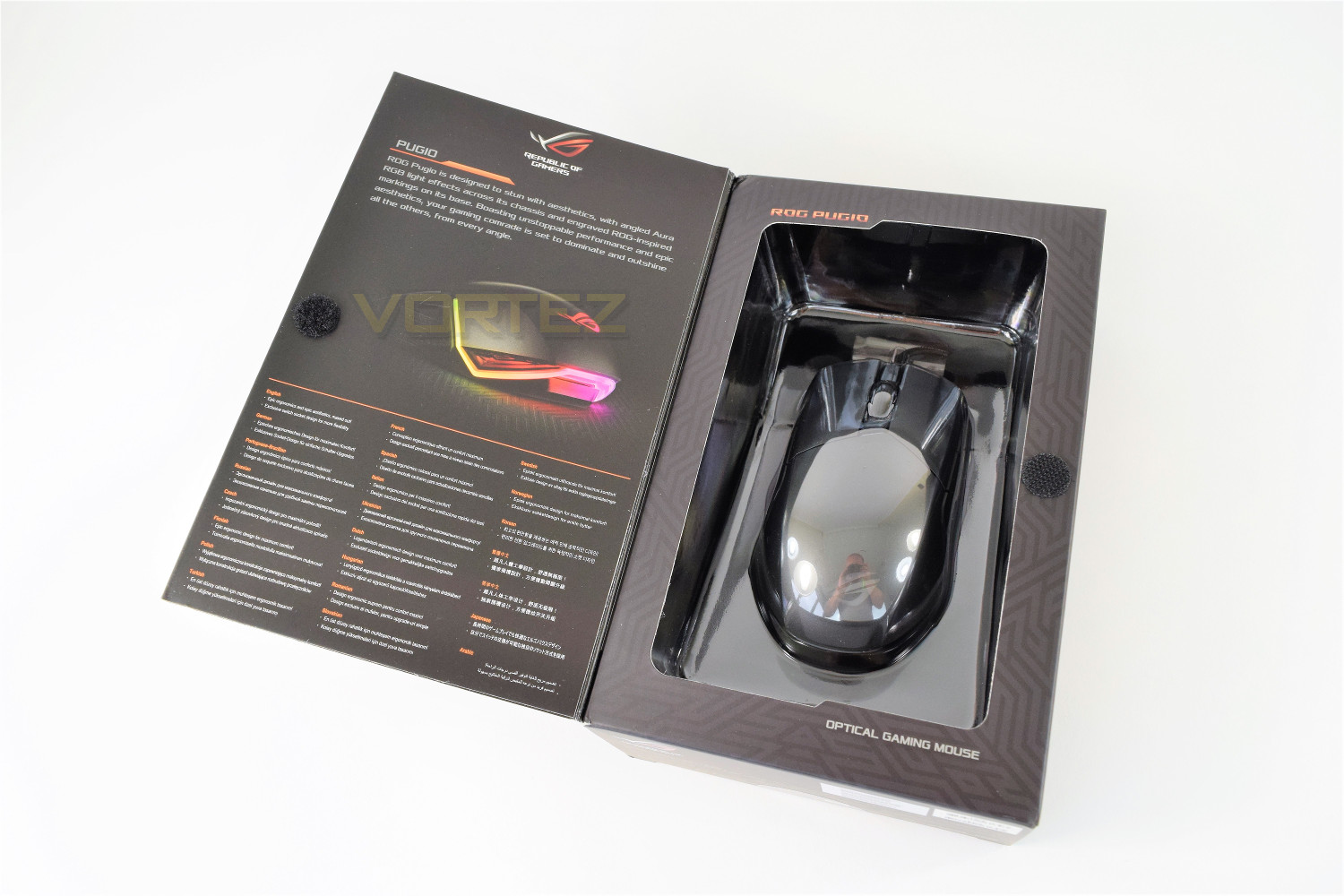
The formula for the ROG packaging remains almost identical to other ASUS ROG mice we’ve seen recently, though it works well and shows off the product. Very little information is given on the front.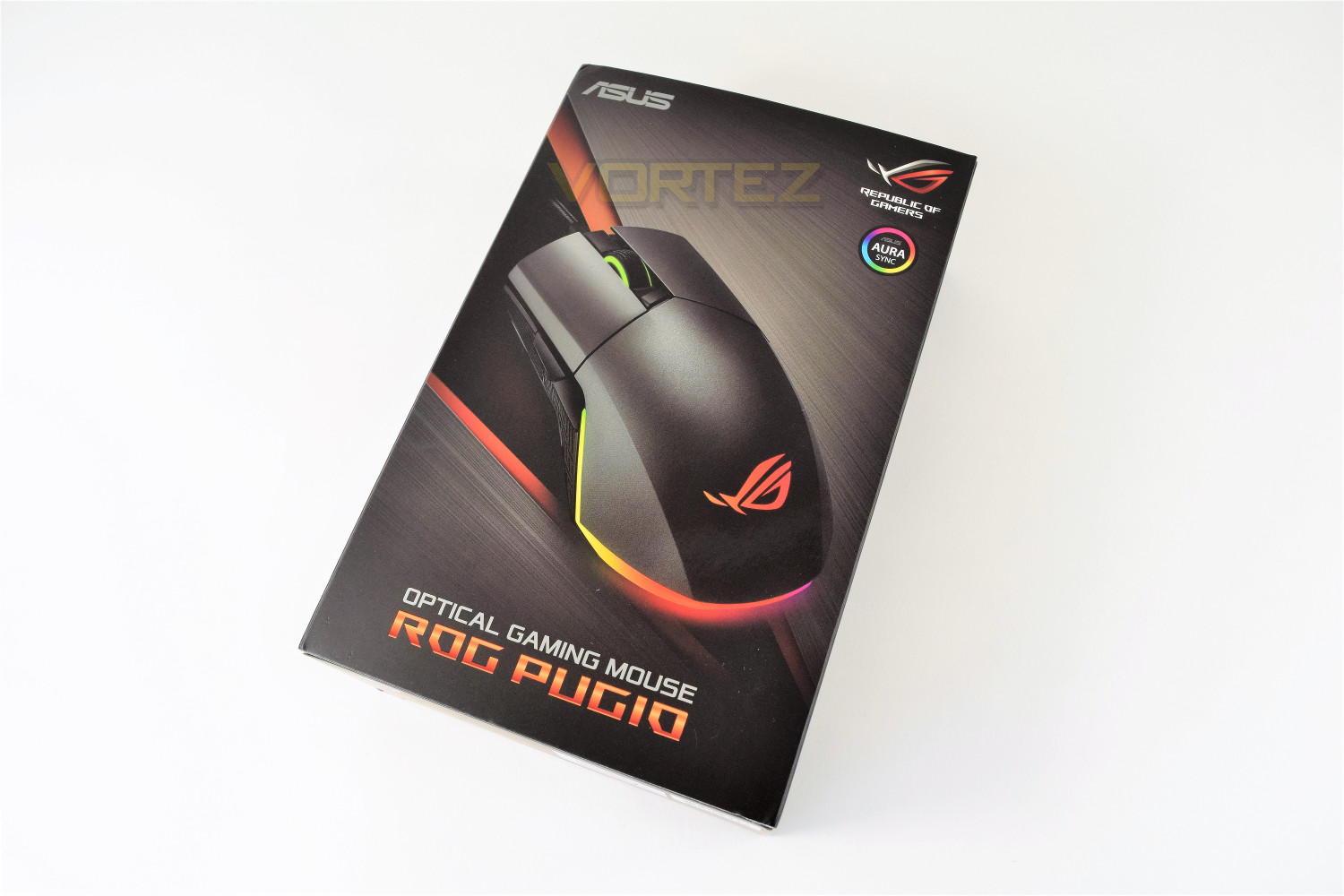
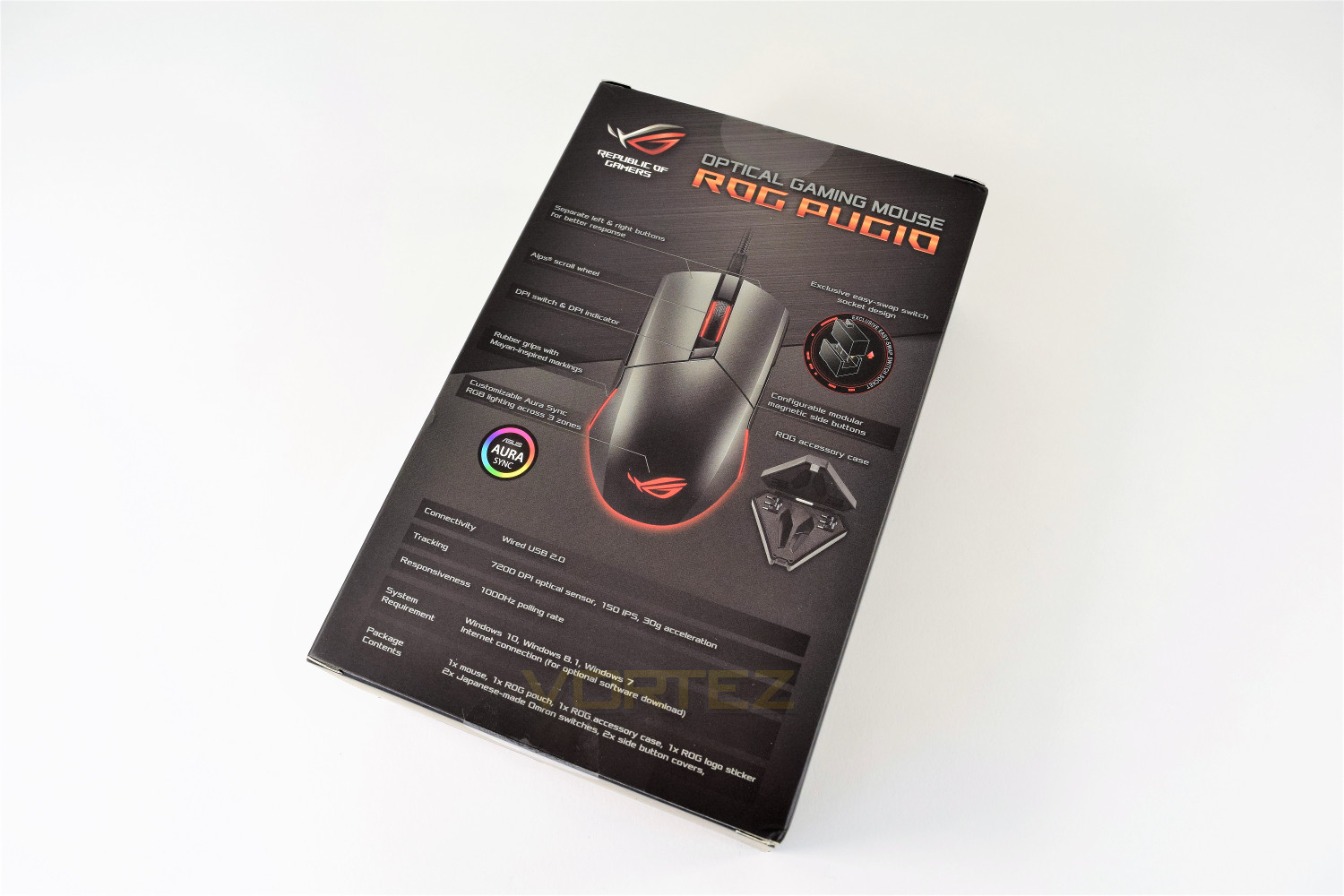
The rear of the packaging is host to all of the information you need, as well as illustrations of the interchangeable OMRON switches and the ROG accessory case to house those switches.
The front cover is held in place by a small dot of Velcro – once peeled back the mouse is held in place by a thin sheet of moulded clear plastic.
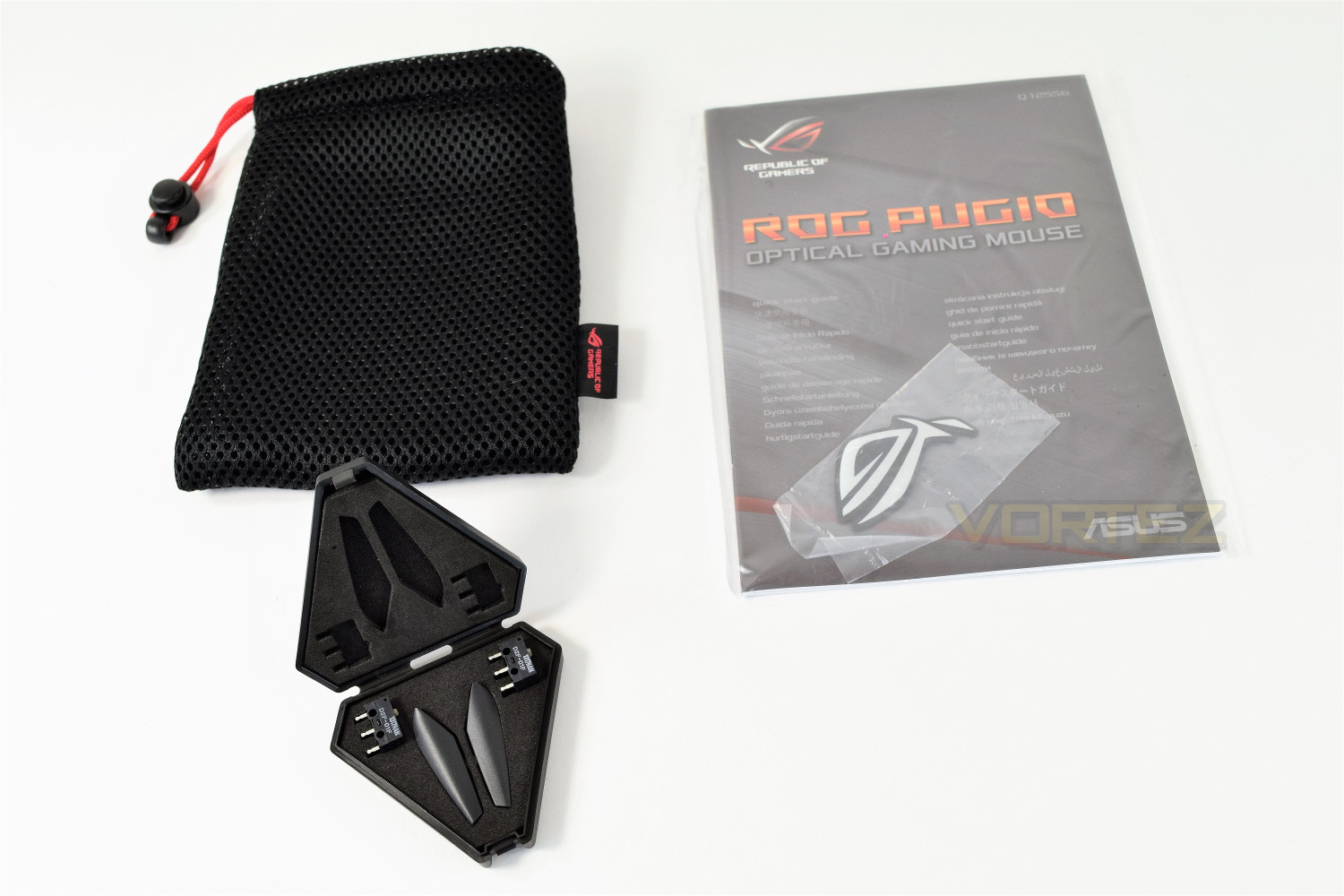
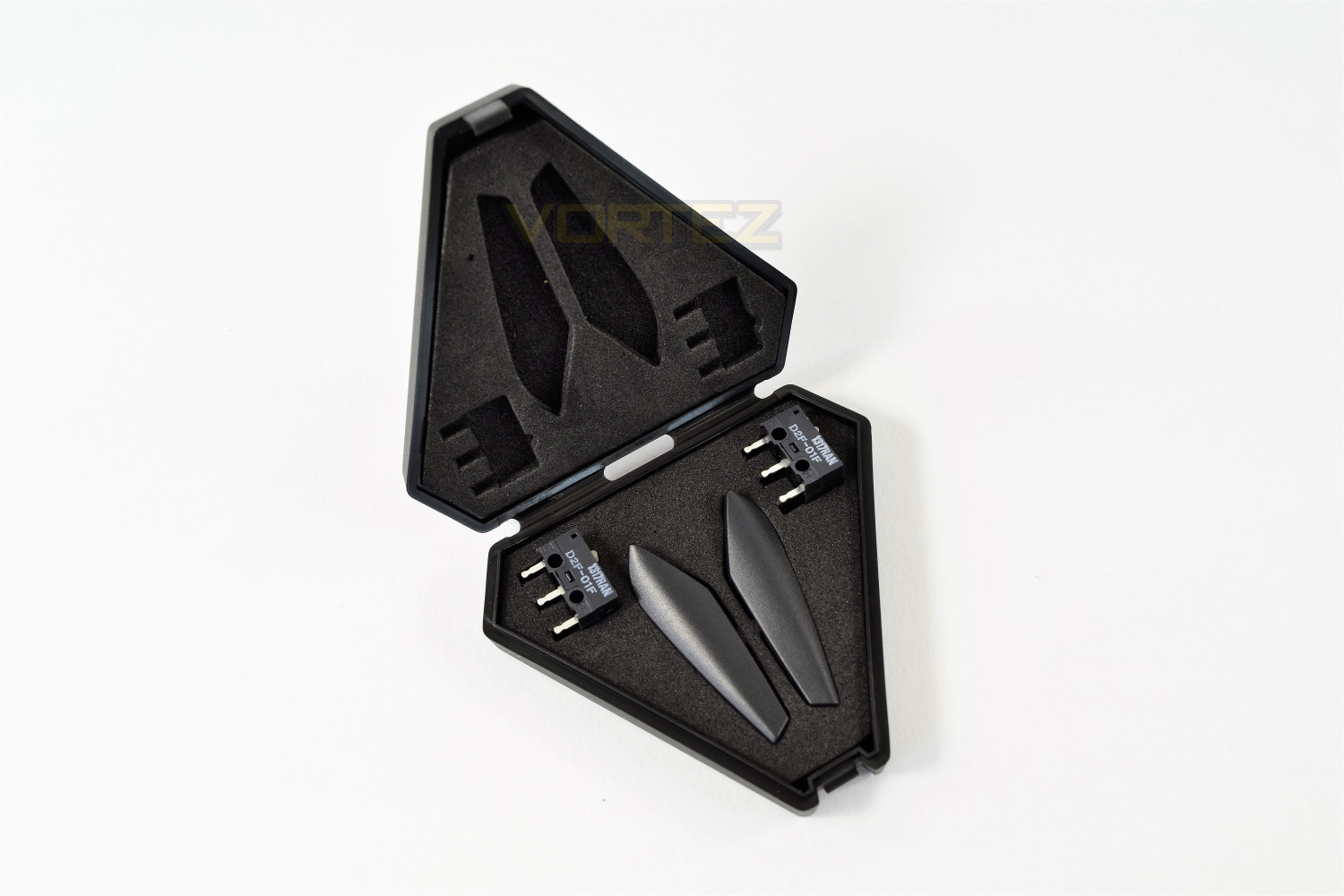
The Pugio is accompanied by a small cloth pouch, a ROG sticker, a small start-up guide and the accessory case, home to the replacement OMRON switches for the right and left click, as well as the blanking plates for the side buttons.
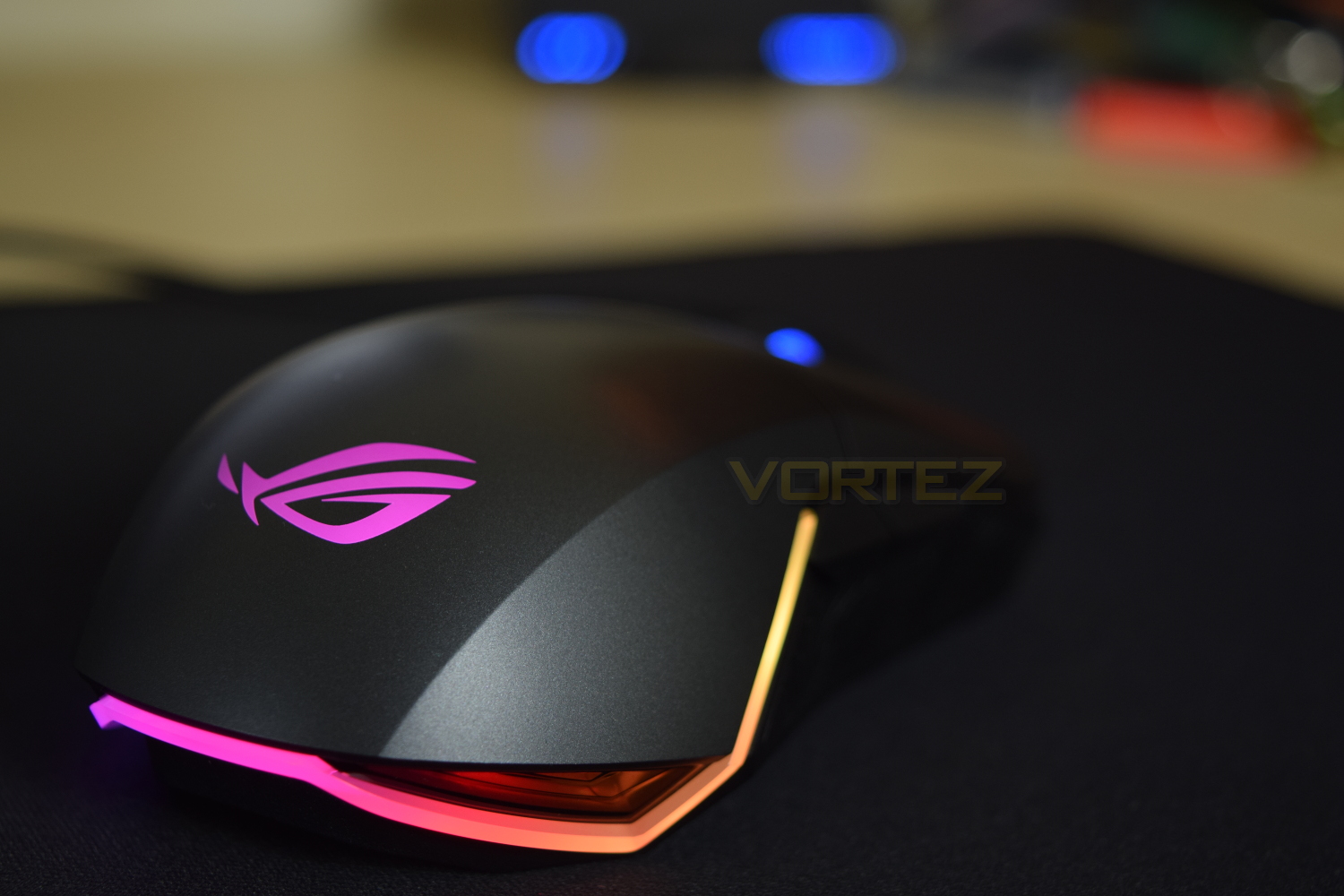
Upon first inspection, the Pugio appears to be a sound design choice, with an inviting shape and extremely bright RGB lighting.
Closer Look
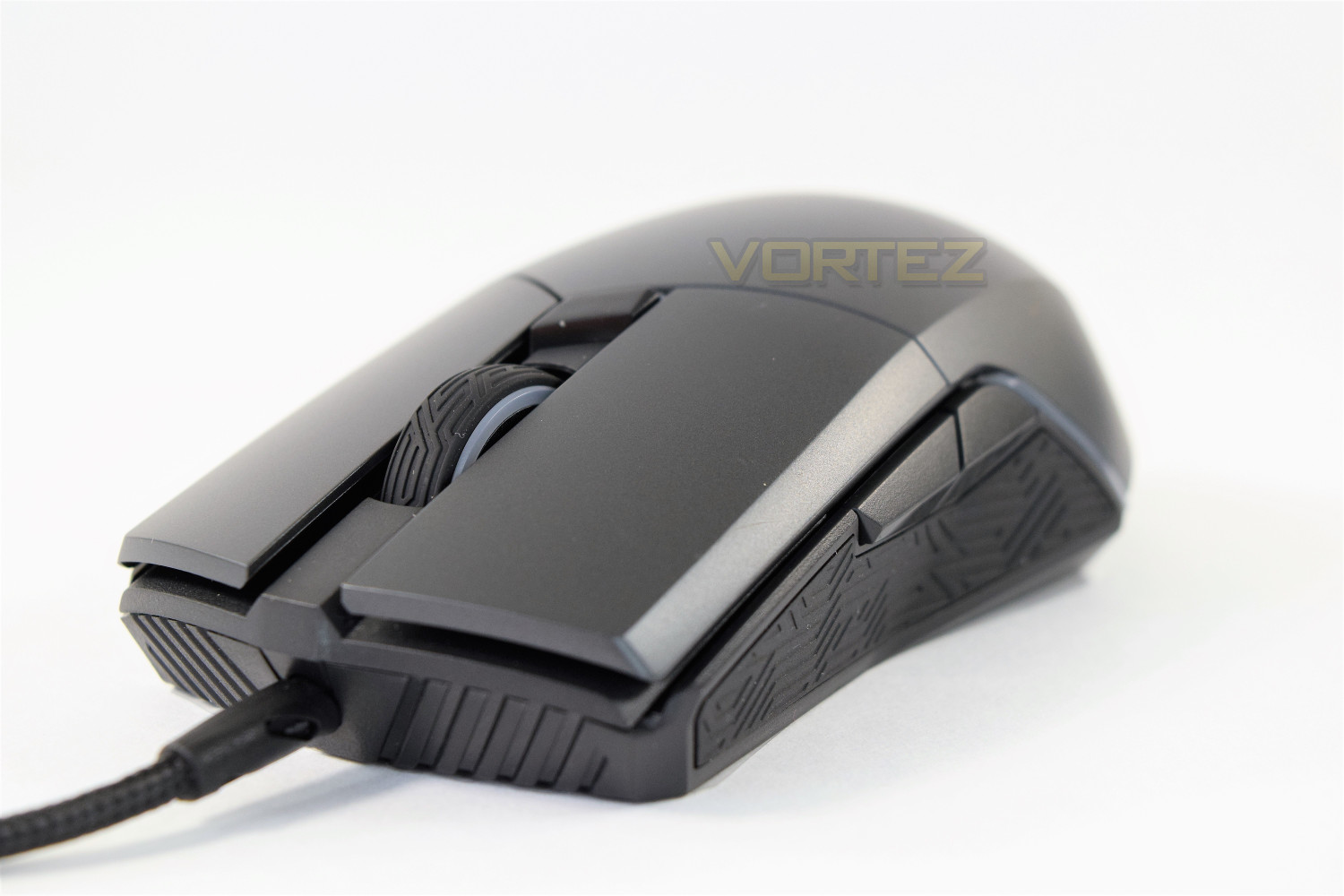
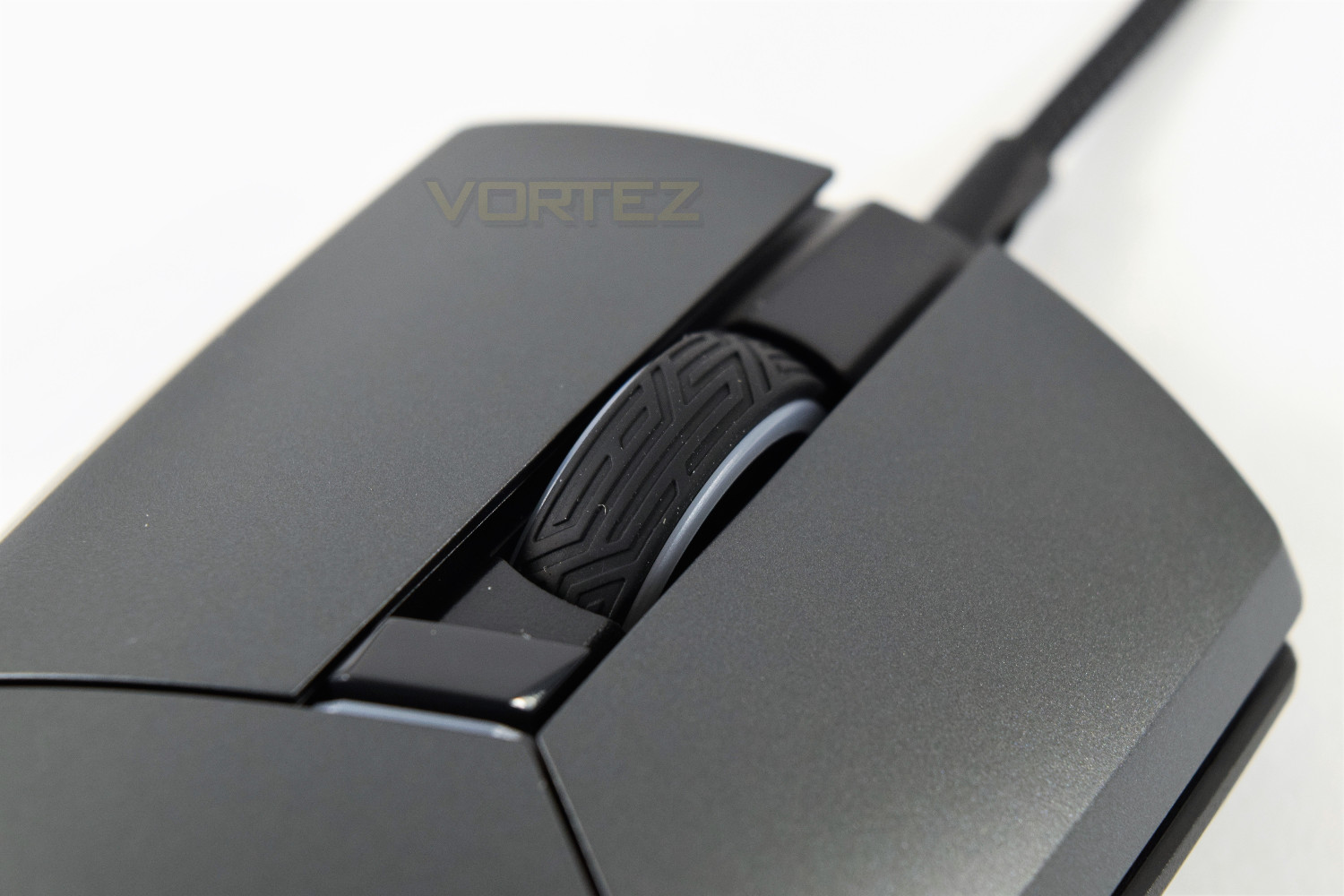
The ASUS ROG Pugio features the Mayan styling, adopted by ASUS for most of their ROG mice and peripherals, adorned over the scroll wheel and grippy side areas.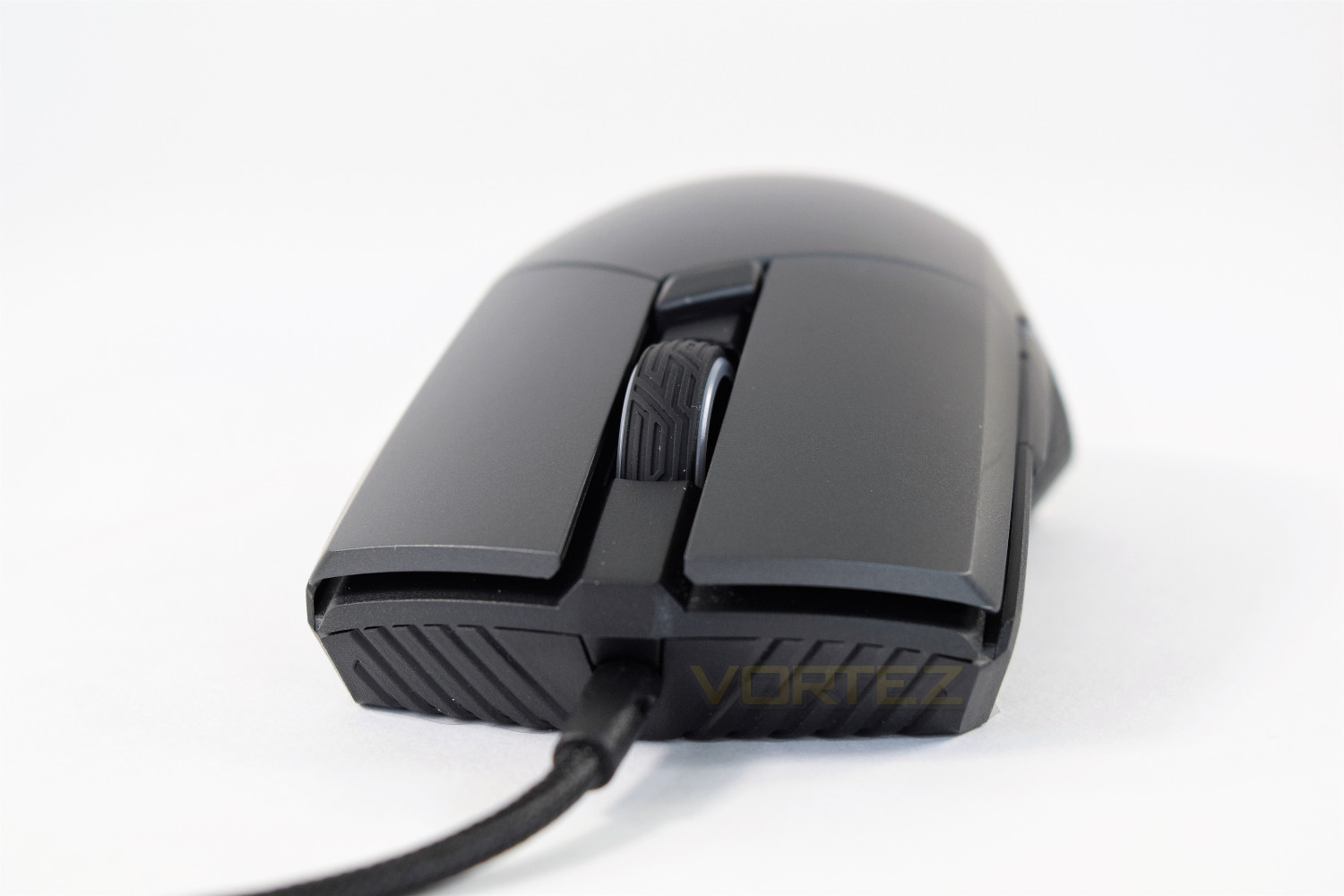
Just behind the scroll wheel is a profile switch, allowing you to swap between two completely separate profiles, this button includes a small white LED to indicate which profile is currently selected. RGB lighting is included with the scroll wheel, on the white strip around the edges.
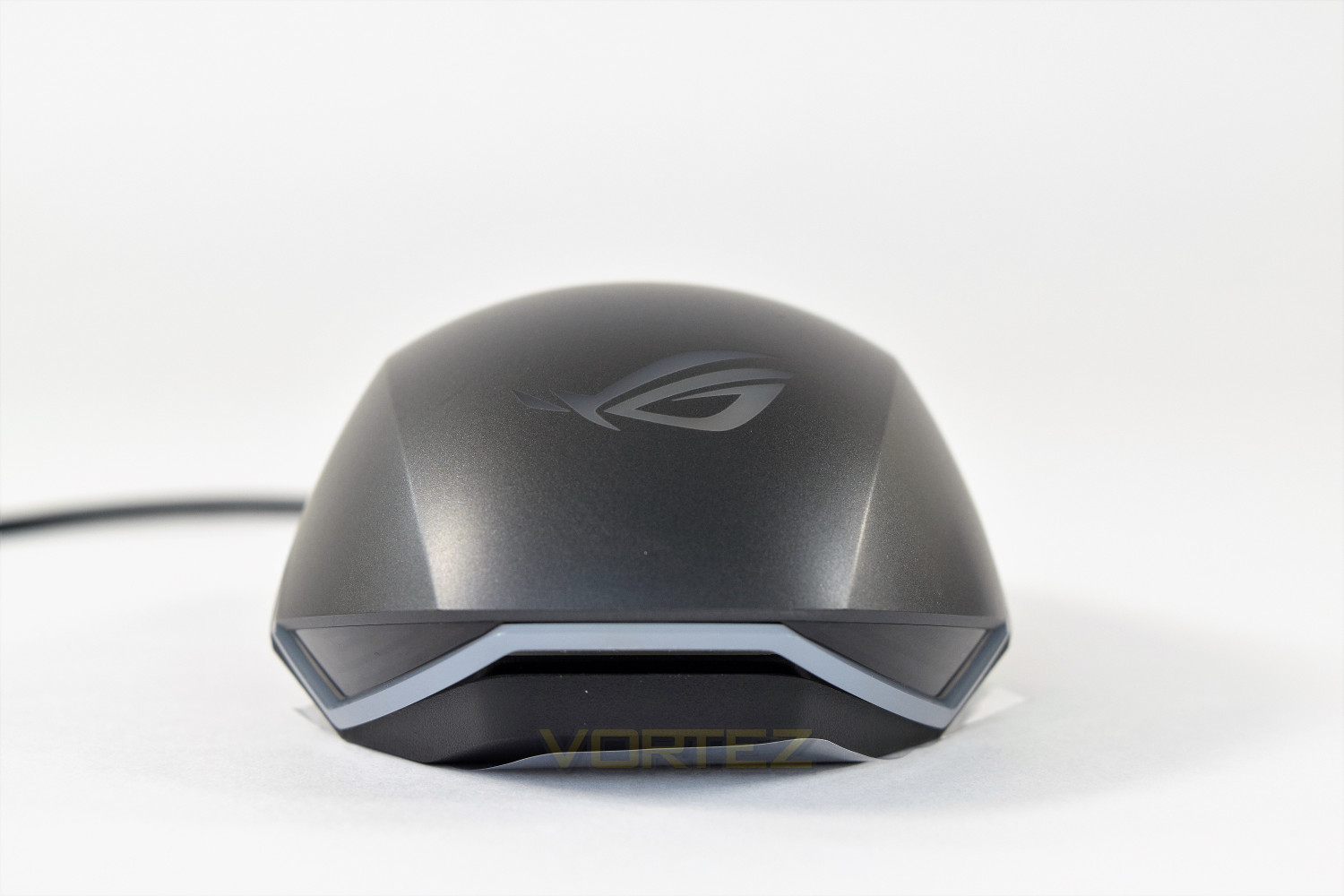
The rear of the mouse is home to the huge ROG logo, which can be illuminated in 16.8M colours, as well as the translucent off-white strip around the bottom and sides.
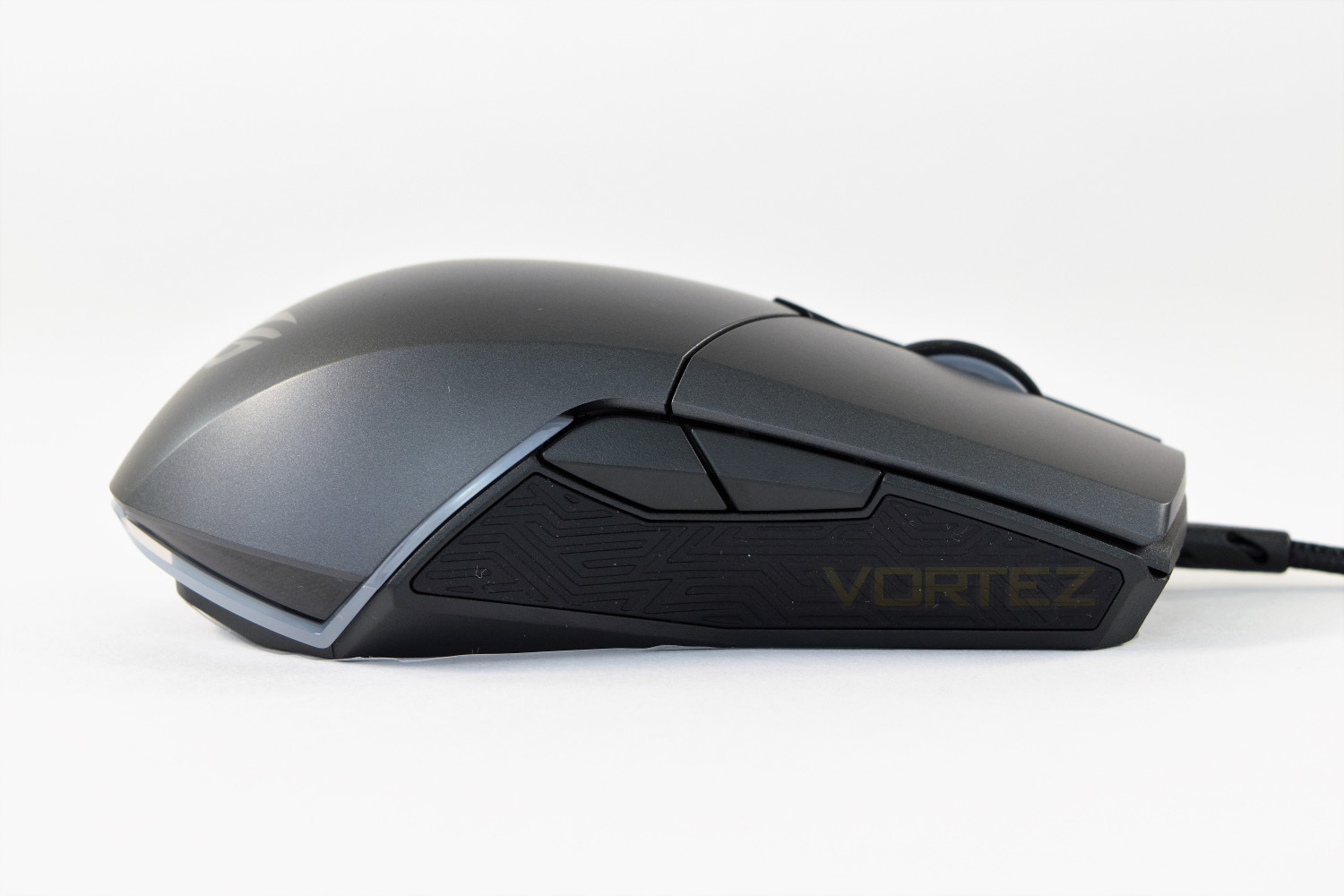
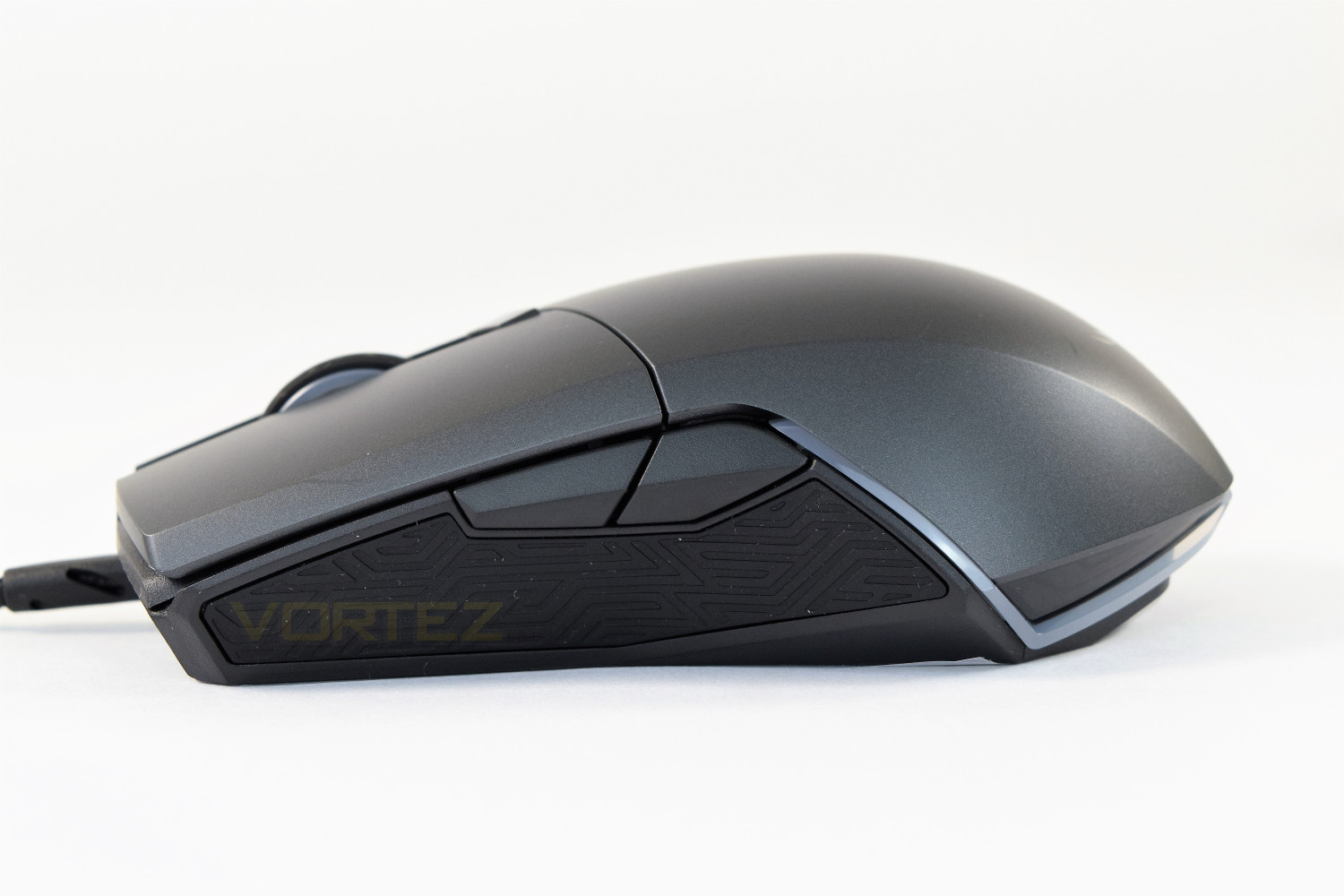
The right and left-hand sides are, obviously, identical, to cater to both righties and lefties equally. Those forward and back buttons can be blanked off with the included replacements, allowing the user to “squeeze” the mouse to press the thumb buttons, without the worry of accidentally clicking the adjacent button with the ring finger or little finger.
The replacements are held on by a strong magnet but are easily removed by leveraging them away from the mouse using the thumb-groove on the bottom of each button.
Closer Look (Continued)
The right and left click are both completely separate to aid responsiveness and allow the use of different OMRON switches to alter the feel independently.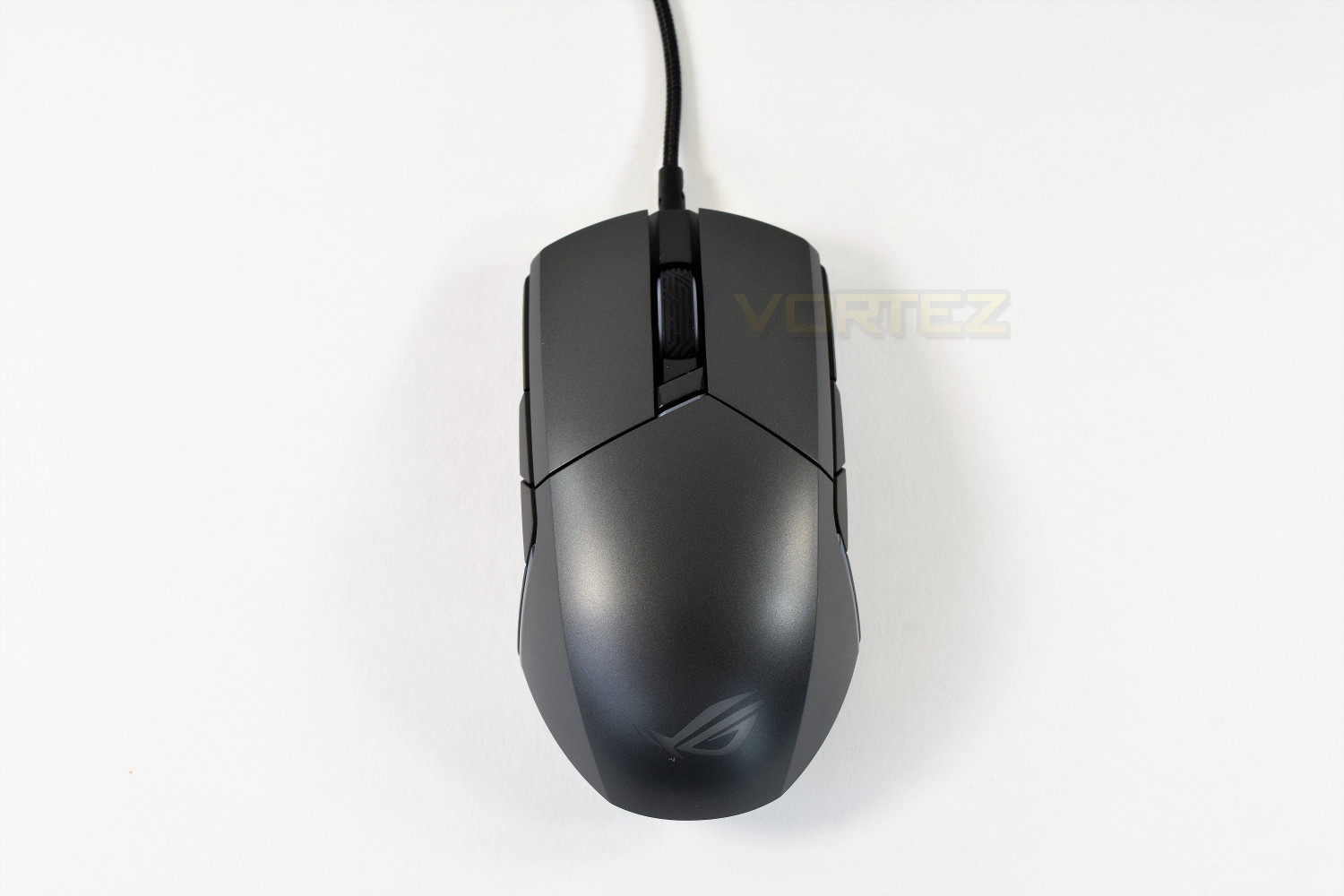
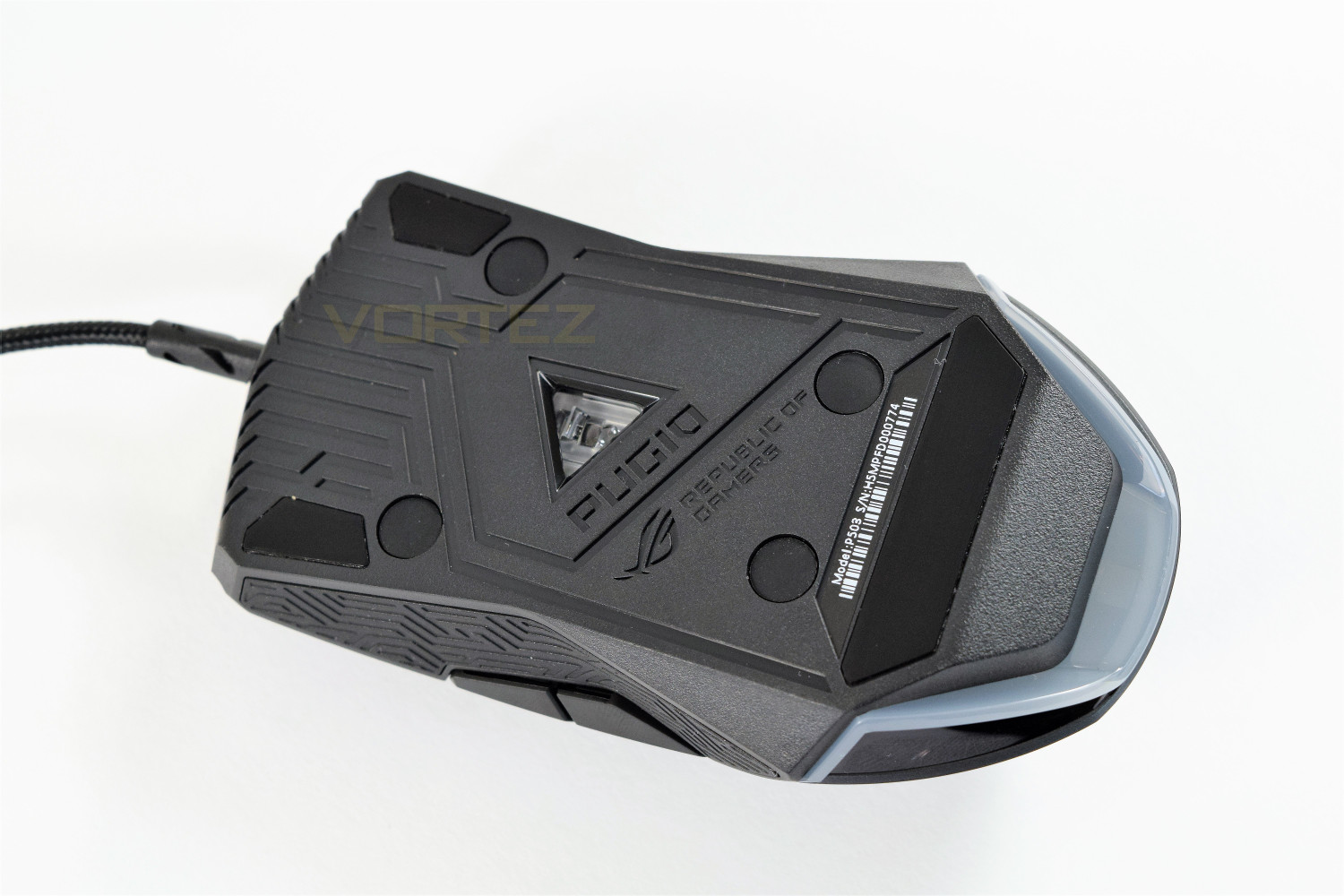
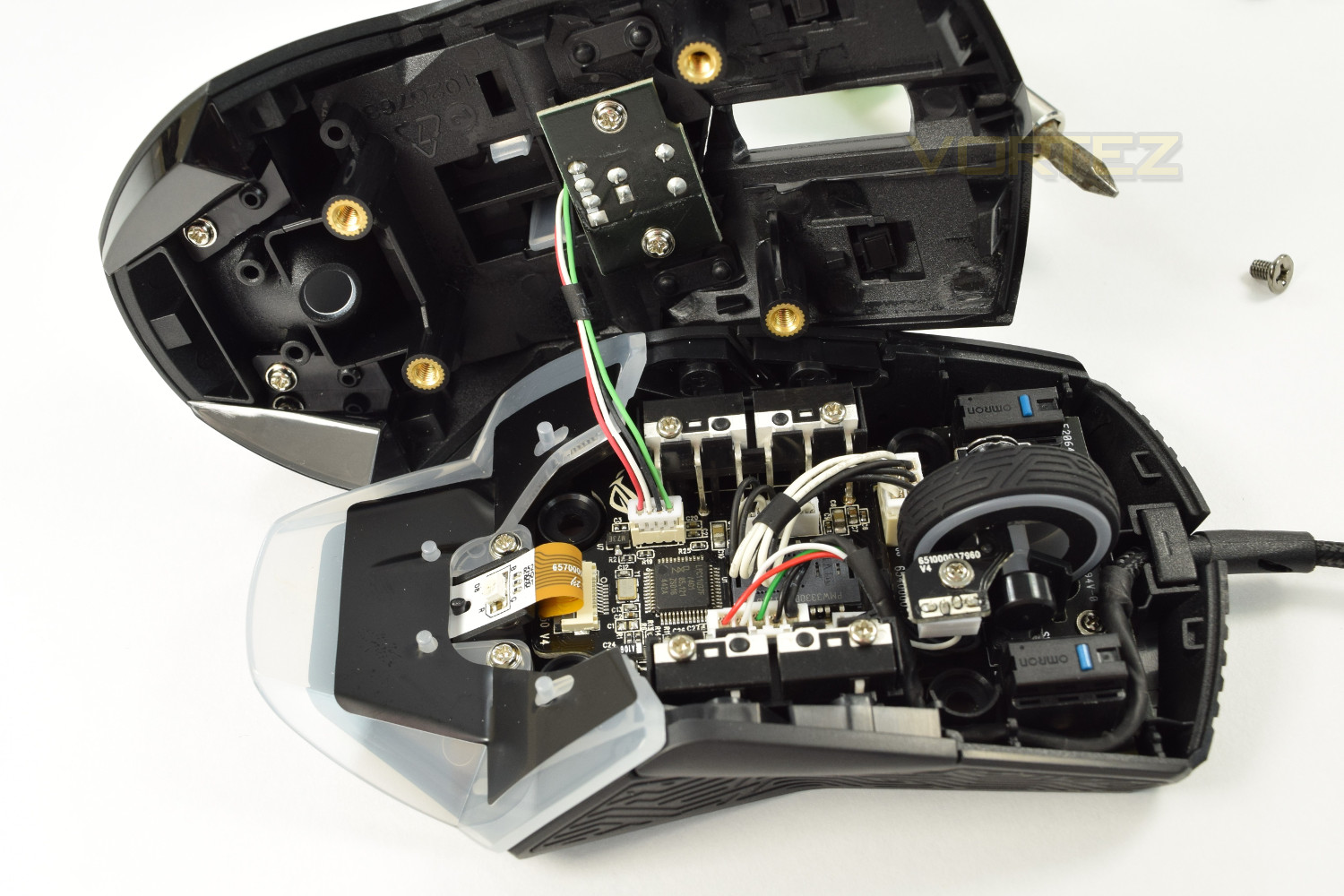
The underside of the mouse features two smaller Teflon pads towards the front and one large at the back. The PixArt PMW3300 sensor is placed in the centre of the mouse, slightly towards the front. Those 4 rubber grommets can be easily removed using a flat-head screwdriver to allow access to 4 Phillips screw heads, this opens up the mouse to replace the OMRON switches inside.
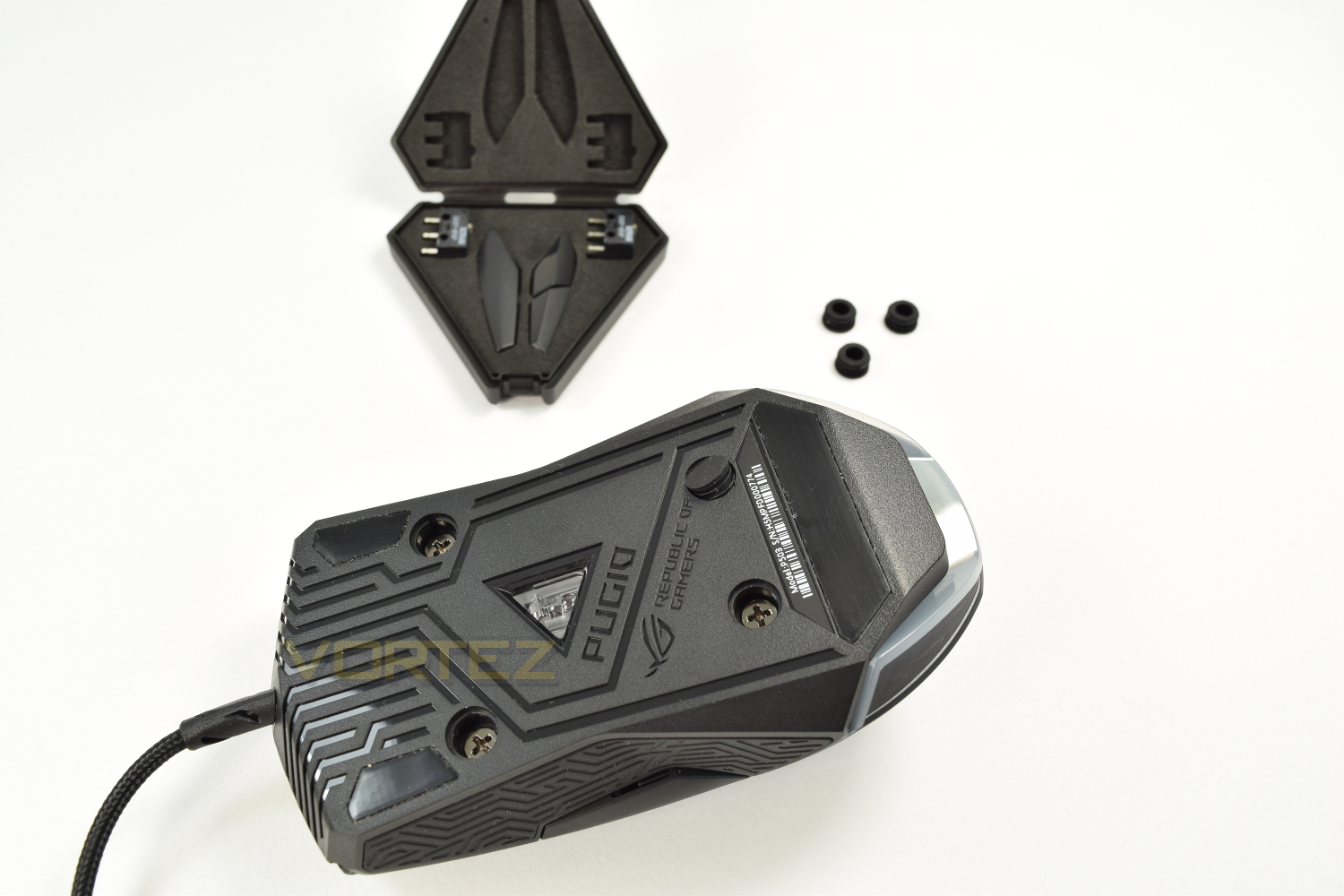
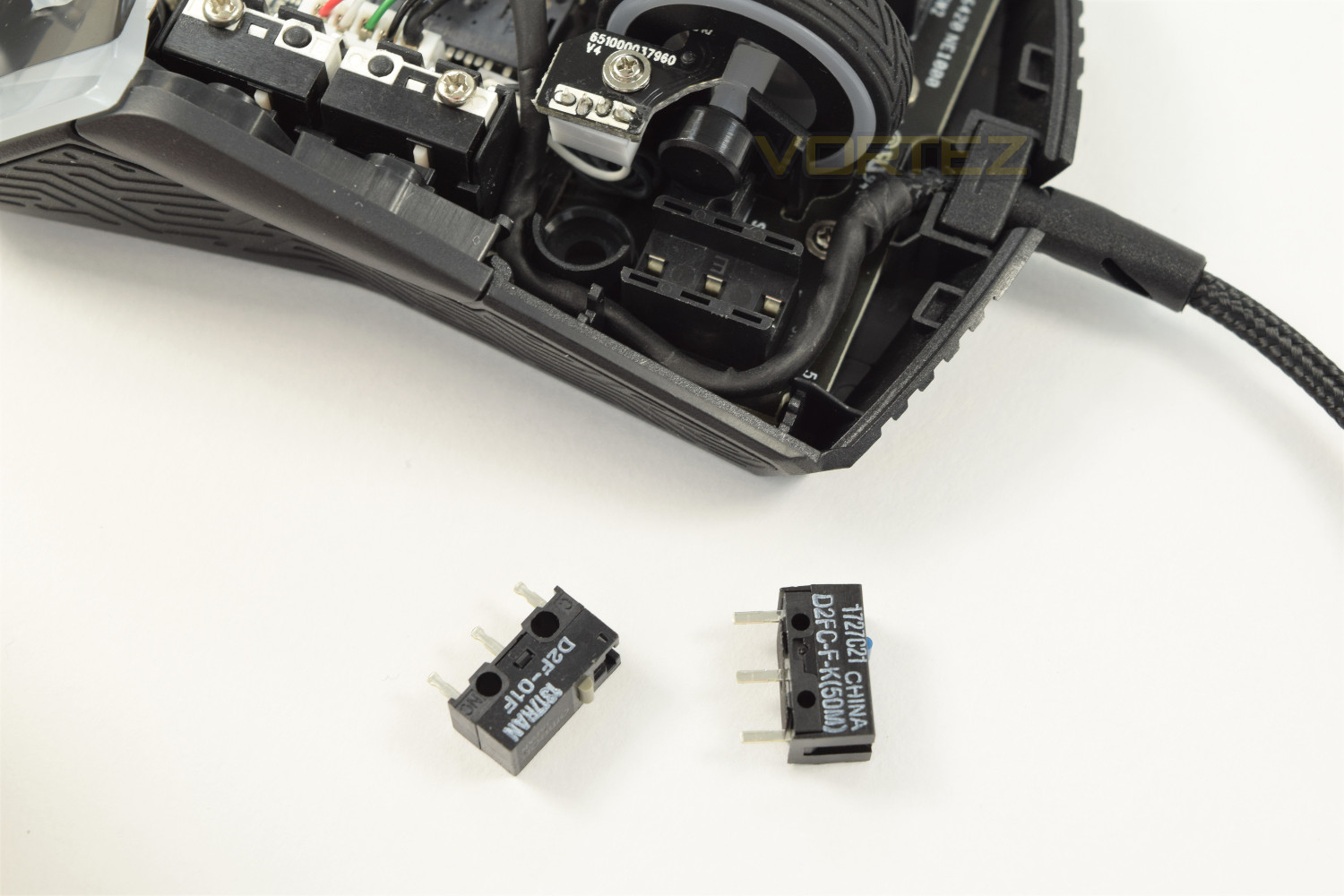
The ASUS ROG Pugio comes fitted with the D2FC-F-K switches, though there are the D2F-01F bundled with the mouse. Changing the switches is a doddle, with a gentle pull to remove the switch and drop the replacement in. These switches are all rated to 50M clicks. The mouse is incredibly easy to open up, though the lid can be a little fiddly unless disconnected, though that isn’t entirely necessary, if you’re careful!
Software
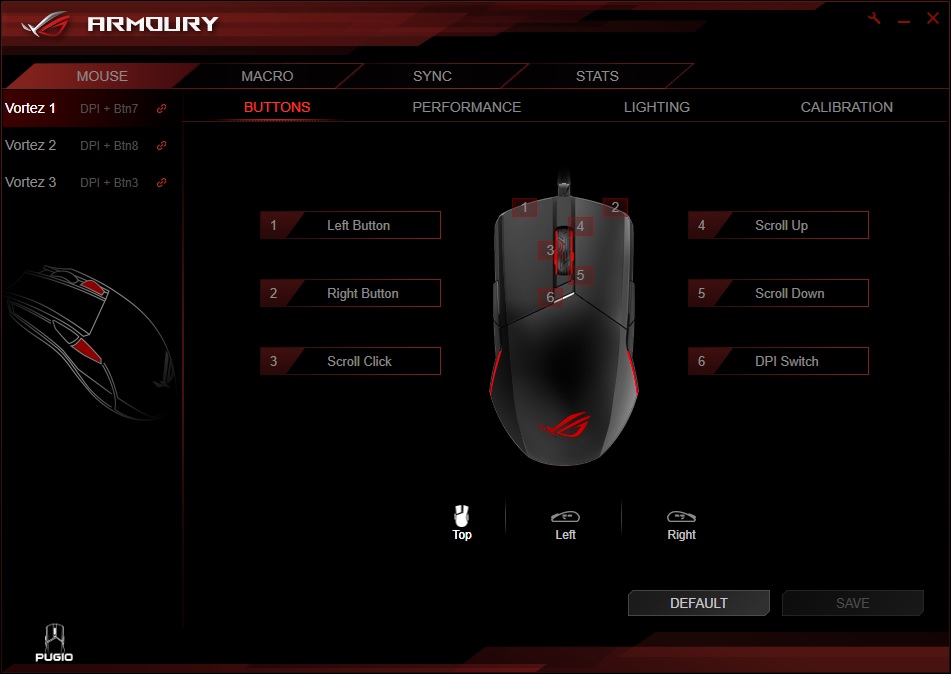
The ASUS ROG Pugio runs on the ROG Armoury software, in previous reviews the software has performed remarkably well, so the Pugio should be well backed up.Within the initial screen, you’re offered the choice of changing any of the button functions. Those side buttons can be given separate functions, from right to left, allowing you theoretically 2 extra buttons if you’re dextrous enough to utilise them.
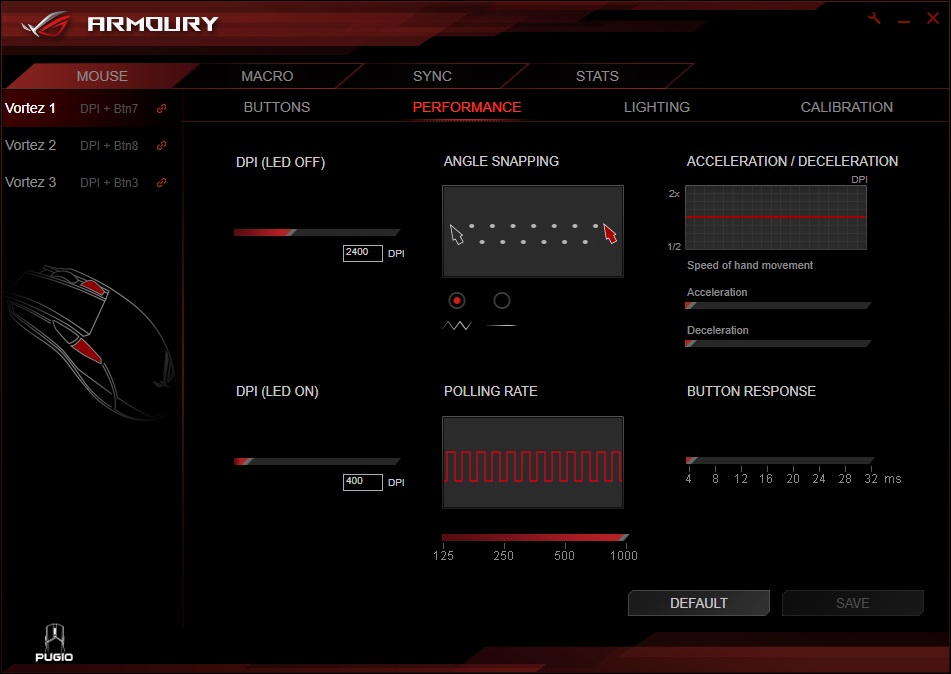
Within the performance screen, almost every parameter of the mouse can be adjusted, including the polling rate and response times etc. This page also shows which of the two profiles will light the LED behind the scroll wheel, taking the guess work out of it for you.
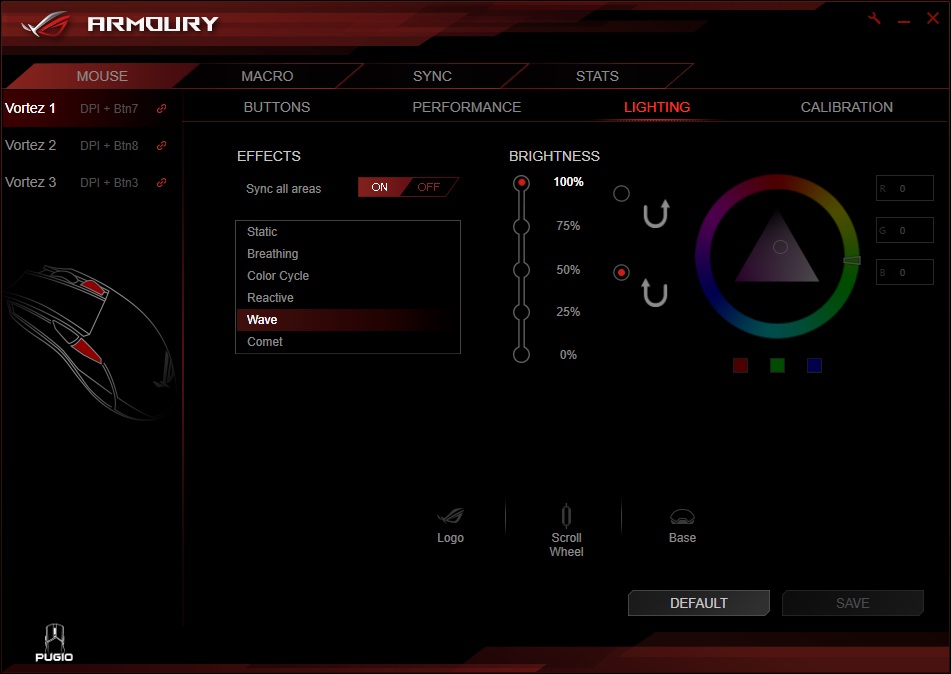
The Pugio features 3 separate lighting zones, offering a huge choice of lighting options. The software comes packed with presets, along with the ability to sync up all of your ASUS ROG devices using the Aura Sync feature.
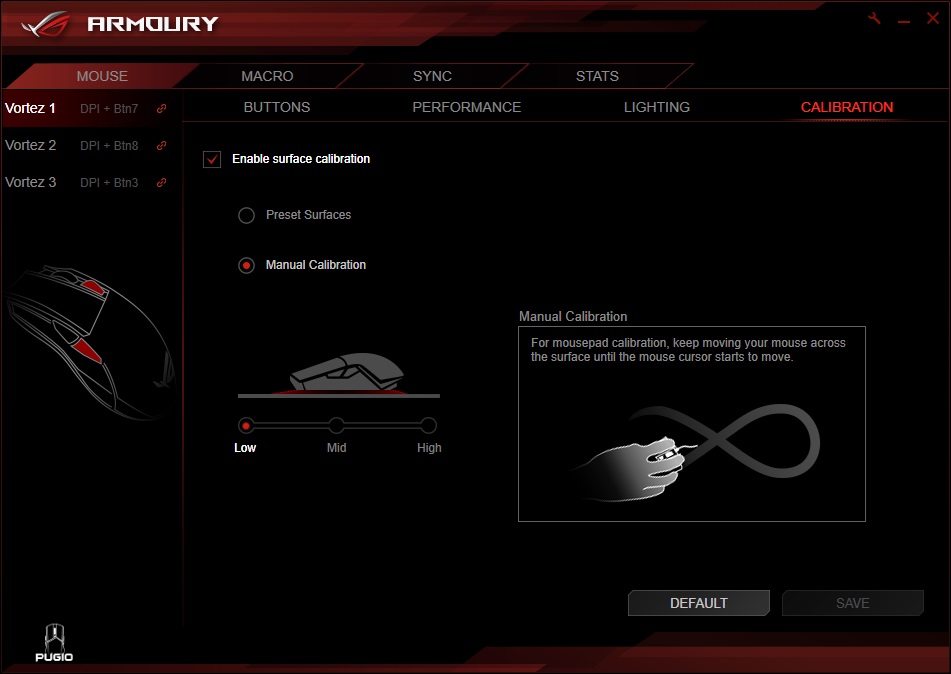
The Armoury software can calibrate the PixArt sensor within the Pugio, helping to pick up the surface used to the best of its ability. There are some preset surface calibrations, though we find it’s always best to perform a manual calibration, taking around 10 seconds.
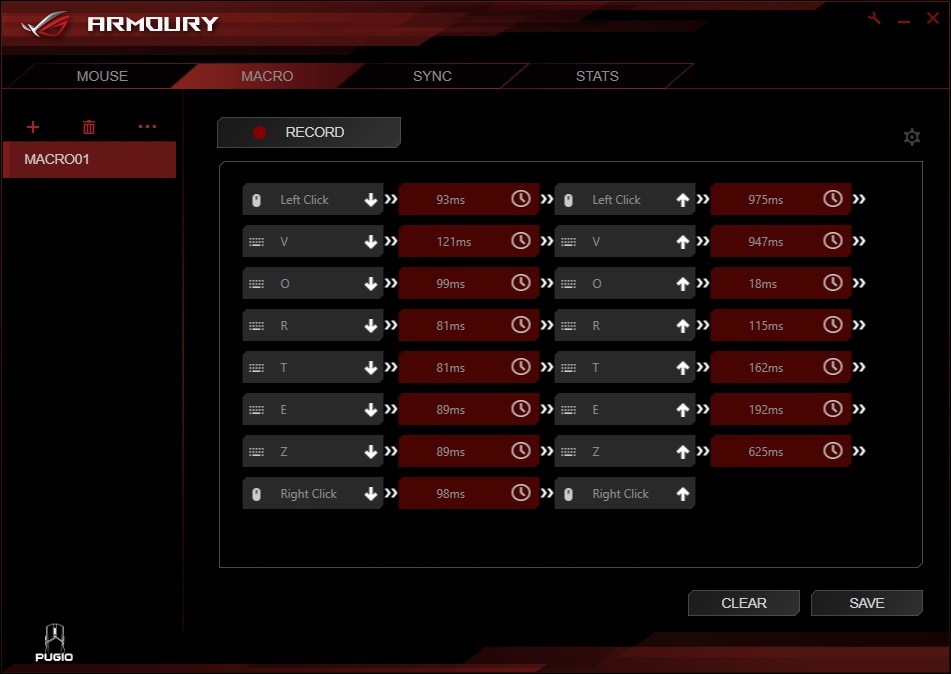
The Macro feature can record all mouse and keyboard inputs, along with delays between each input. The macros can then be assigned to one of the buttons on the mouse.
Performance Testing
The 7200DPI sensor, developed by PixArt performs very well at all DPI levels, with the sweet spot for us being around 2500. Testing was done on a finely woven cloth mouse pad and a polished wooden surface, with calibration done in between. Games used for testing were: Battlefield 4, War Thunder, Orcs Must Die: Unchained and Crossout.The OMRON switches tucked under the left and right click were both excellent, with ASUS bundling two replacements to provide a different feel being a great inclusion. We preferred the feel of the replacement D2F-01F switches, with them being clickier and requiring slightly more force to actuate. Providing you’re not too bothered about the feel of those buttons, you essentially have at least 100 million clicks from the right and left clicks. ASUS including the accessory box is great, giving you somewhere to store those fiddly little bits, instead of hunting for them at the bottom of a cupboard.
The scroll wheel and other buttons surrounding the mouse are all solid, exactly what we expect from a £70 mouse. Overall build quality is also good, which became even more apparent once the mouse was opened up to change the OMRON switches. All screws and clips were solid, they should last a very long time.
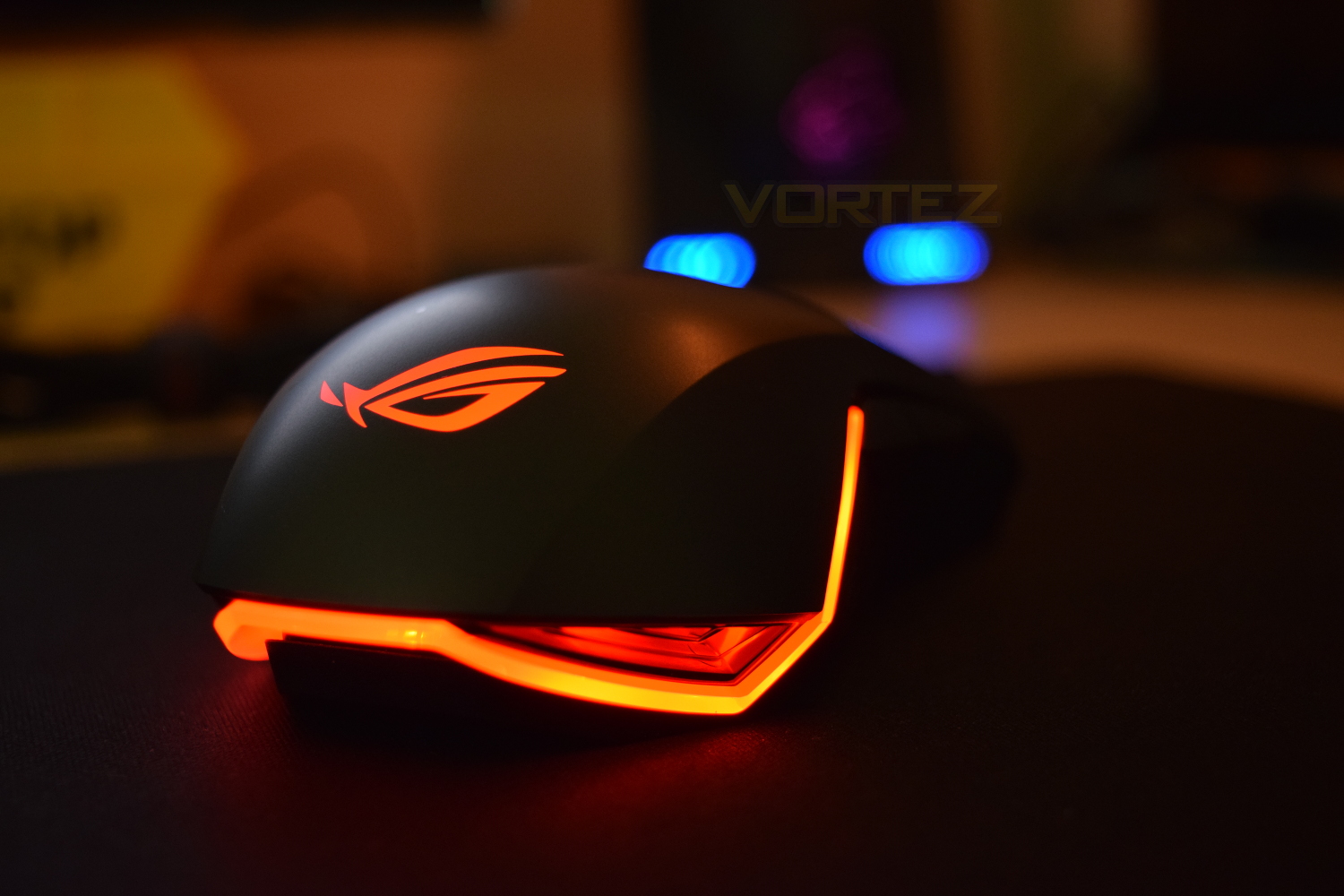
The RGB lighting on the Pugio was amongst the best we’ve ever seen, offering unparalleled brightness and incredibly smooth transitions. If a strong RGB lighting show is top of your priorities, this is the only choice.
The Pugio’s ability to blank off the side buttons on either side works well, getting around the issue of accidental clicks on the outside of the mouse. Though, ASUS has left the door open for those users who wish to utilise all of the buttons, allowing each button a separate function in the software.
Conclusion
The ASUS ROG Pugio is a good looking mouse, with incredible RGB lighting that truly will stand out from the crowd. The lengthy braided cable with included Velcro tie strap is welcomed, allowing for a tidier workspace.ASUS choosing to use the PixArt PMW3300 7200DPI sensor is an excellent choice, providing ample resolution along with reliable performance right through the DPI range; we found that 2400 was the sweet spot for the sensor. This resolution may not cut the mustard for all users, especially if you’re in the market for something around 12,000+ but it was perfectly fine in all games tested.
The ability to swap out the side buttons may seem minor, but having the ability is incredibly useful, allowing you pure confidence in squeezing the button with your thumb, without any fear of accidentally pressing the buttons on the opposite side. Alongside that is the OMRON switches which can be replaced to alter the feel of the click, or if they were to ever fail, prolonging the life of the mouse almost indefinitely; the Pugio comes with 2 replacements, however, they do differ slightly from the pre-installed OMRONs.
The ROG Armoury software performs as it should, backing up the Pugio all the way, and being incredibly easy to use at the same time.
All in, the Republic of Gamers Pugio is a cracking little mouse and certainly worthy of the £69.99 price tag.
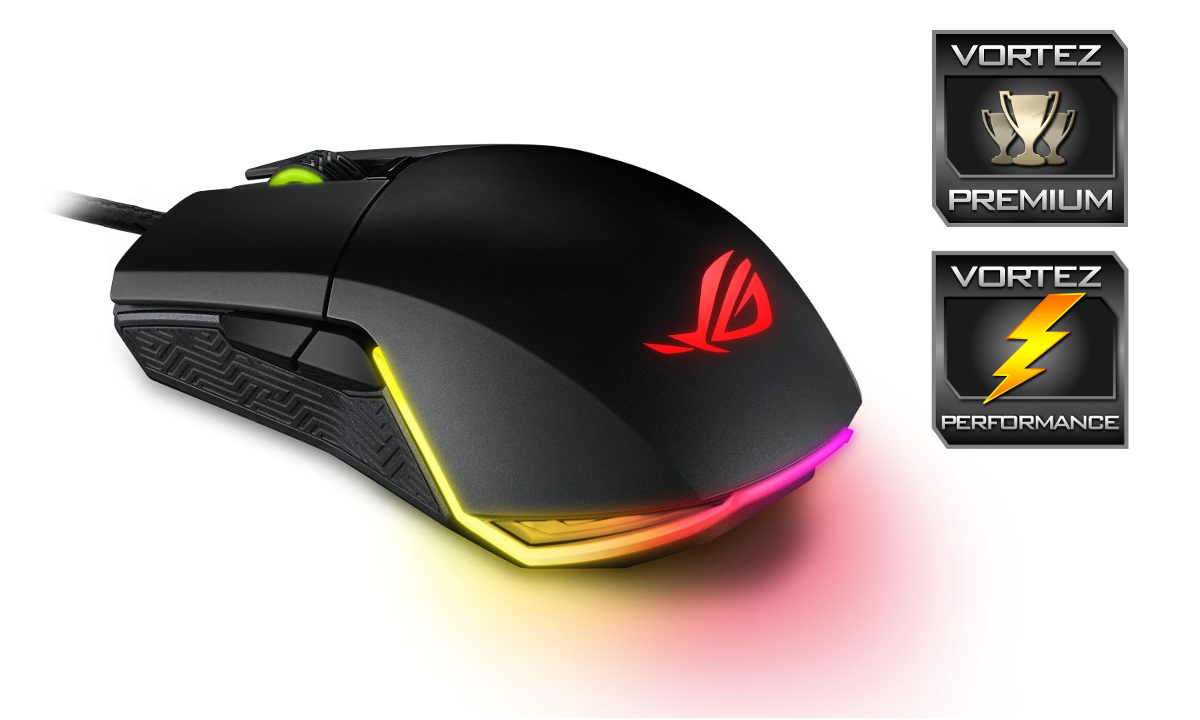
ASUS are relentless in their pursuit of offering every gamer the ability to purchase their equipment, from £30 mice up to over £130, but the ASUS ROG Pugio finds itself somewhere in the middle, at £69.99, offering a PixArt 7200DPI sensor with rock solid performance, a great ambidextrous shell and unrivalled RGB lighting.
Pros
+ Excellent RGB lighting
+ ROG Armoury software
+ Great sensor performance
+ Replaceable OMRON switches
+ Ambidextrous design
Cons
– 7200 DPI doesn’t quite cut it for some
+ Excellent RGB lighting
+ ROG Armoury software
+ Great sensor performance
+ Replaceable OMRON switches
+ Ambidextrous design
Cons
– 7200 DPI doesn’t quite cut it for some
Click here for an explanation of our awards at Vortez.net.