The ROG Spatha is a wireless/wired gaming mouse that features a blistering 1000/2000Hz response rate respectively. Engineered from premium materials and components, will this be the ultimate gaming weapon?

Product on Review: ASUS ROG Spatha
Manufacturer and Sponsor: ASUS
Street Price: UK: £139.99, US: $169.99 USD
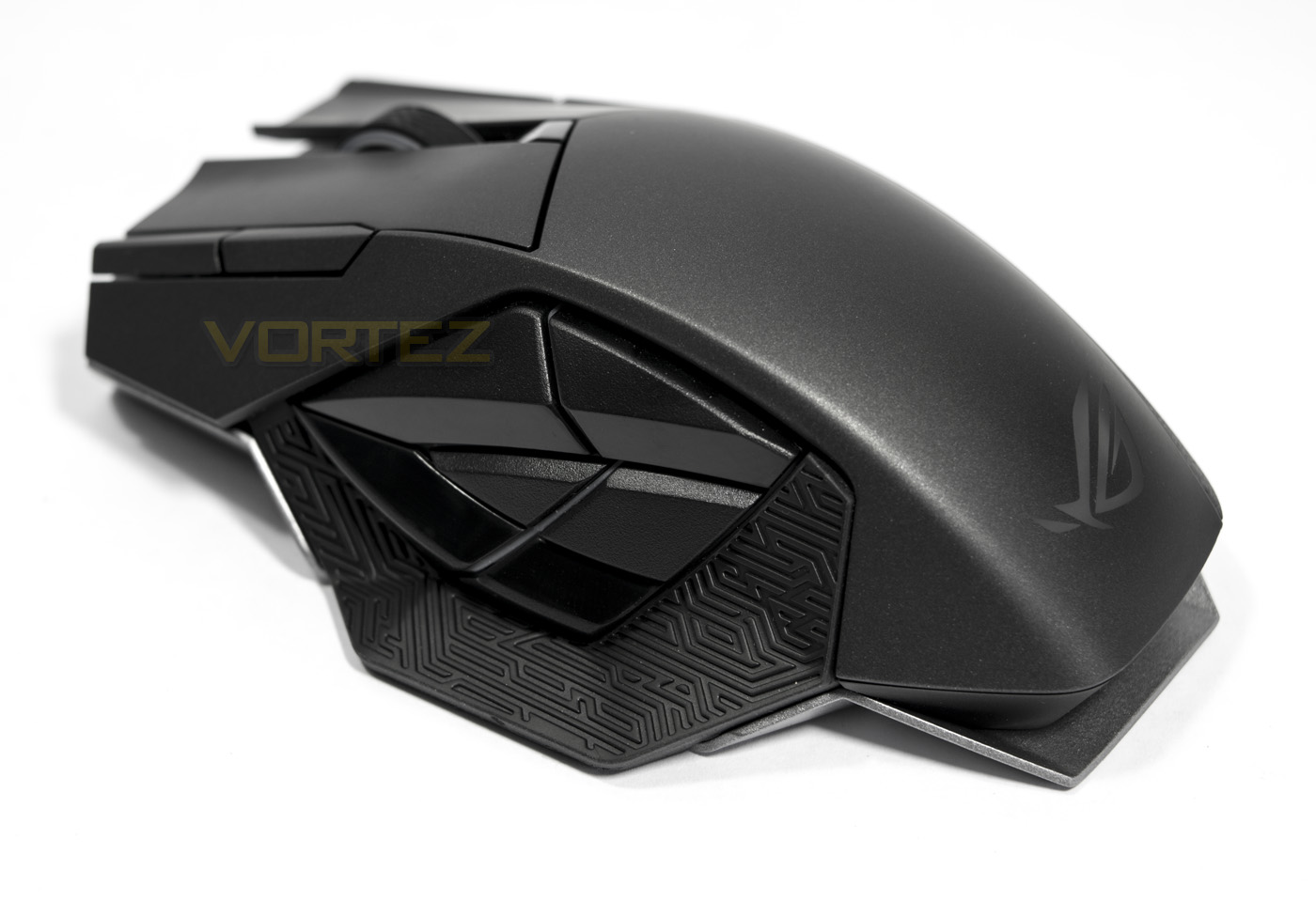
The Spatha has been turning heads since it was unveiled at Computex last year and it is easy to see why. It is a large, wired/wireless mouse based on a magnesium alloy frame that features a total of 12 programmable buttons, of which the 6 side buttons are arranged in a way that represents the ROG eye logo. To finish of the final aesthetic, there is a 3 zone customisable RGB lighting system.
Under the hood, the Spatha is powered by the Pixart ADNS – 9800 sensor that is made for high grade wired/wireless gaming mice. Casting their wizardry, ASUS have aimed to ensure a super responsive experience by enabling a 1000hz refresh rate wirelessly and a staggering 2000hz (0.5ms) refresh rate for the ultimate performance over a wired connection. Looking deeper into its specification we find that the mouse wheel uses an Alps encoder while the side buttons use Alps switches that provide a tactile feedback. The main mouse clicks use the renowned Japanese made Omron switches that are rated for 20million clicks and should you need to replace them, ASUS have made things easier by seating them in sockets and have included an extra pair of Omron switches.
ASUS certainly seem to live up to their reputation with the impressive level of detail that can be seen in the Spatha, it does however mean that it falls into a premium price category. So to answer the important questions, we put it to the test and find out if it is worth it.
Overview by ASUS
With a total of 12 programmable buttons, including six thumb buttons situated on the left side of the mouse body, ROG Spatha puts all commands at the user’s fingertips. The six buttons feature Alps® switches for tactile feedback and are arranged to resemble the iconic ROG eye.
ROG Spatha has a premium magnesium-alloy chassis and an easy-swap switch socket design for quick customization. The main left and right mouse buttons are independent of the mouse body and feature OMRON® switches with a 20-million-click lifespan for increased durability, responsiveness, and tactile feedback.
ROG Spatha has a sensitivity of 8200DPI; it has a DPI clutch that lets users switch between two sensitivity levels while in the middle of a game.
ROG Spatha has a premium magnesium-alloy chassis and an easy-swap switch socket design for quick customization. The main left and right mouse buttons are independent of the mouse body and feature OMRON® switches with a 20-million-click lifespan for increased durability, responsiveness, and tactile feedback.
ROG Spatha has a sensitivity of 8200DPI; it has a DPI clutch that lets users switch between two sensitivity levels while in the middle of a game.
Technical Specifications
Connectivity Technology: Wired/Wireless
Wireless Technology: RF 2.4GHz
Tracking: Laser
OS Support: Windows® 10, Windows® 8.1, Windows® 8, Windows® 7
Dimensions: 89*137*45mm (mouse), 81*141*22mm (dock)
Weight: 178.5 g without cable
Color: Titanium Black
Resolution: 8200dpi
Interface: USB
Contents
1 x wireless receiver/ charging dock
1 x 2-meter braided USB cable
1 x 1-meter rubber USB cable
2 x Japanese-made Omron switches
1 x carry case
1 x star-head screwdriver
2 x ROG logo stickers
1 x ROG certificate
Note
Compatible switch list for ROG switch socket:
-Omron D2F Series switches: D2F, D2F-F, D2F-01, D2F-01F
-Omron D2FC Series switches: D2FC-3M, D2FC-F-7N, D2FC-F-7N(10M), D2FC-F-7N(20M)
Wireless Technology: RF 2.4GHz
Tracking: Laser
OS Support: Windows® 10, Windows® 8.1, Windows® 8, Windows® 7
Dimensions: 89*137*45mm (mouse), 81*141*22mm (dock)
Weight: 178.5 g without cable
Color: Titanium Black
Resolution: 8200dpi
Interface: USB
Contents
1 x wireless receiver/ charging dock
1 x 2-meter braided USB cable
1 x 1-meter rubber USB cable
2 x Japanese-made Omron switches
1 x carry case
1 x star-head screwdriver
2 x ROG logo stickers
1 x ROG certificate
Note
Compatible switch list for ROG switch socket:
-Omron D2F Series switches: D2F, D2F-F, D2F-01, D2F-01F
-Omron D2FC Series switches: D2FC-3M, D2FC-F-7N, D2FC-F-7N(10M), D2FC-F-7N(20M)
Packaging & Bundle
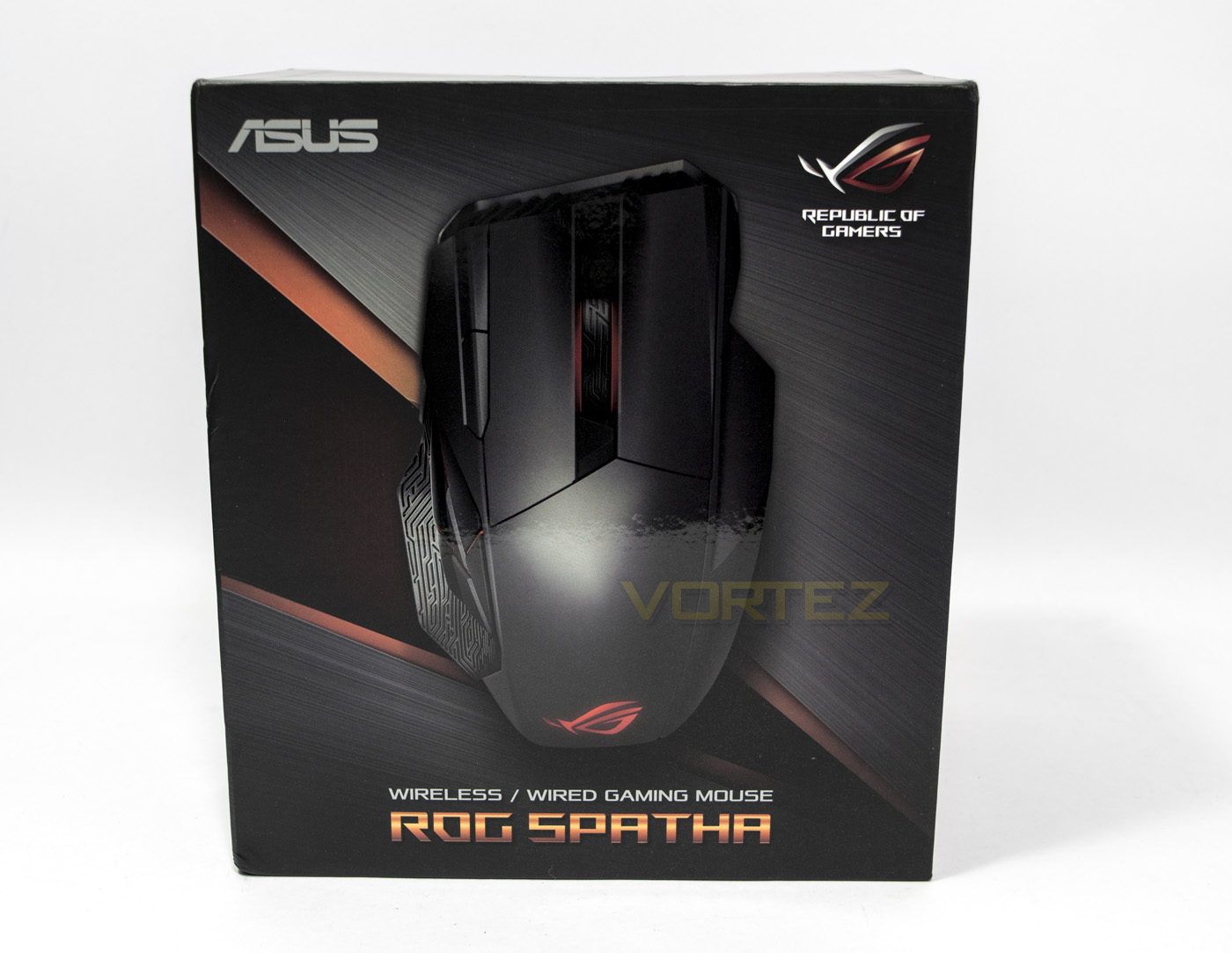
The box itself as far as mice go is pretty big and has a nice image of the product inside and is easily identifiable as a Republic of Gamers product. I think it is worth noting that ASUS have printed the packaging using Soy ink which is a nice move in corporate responsibility.
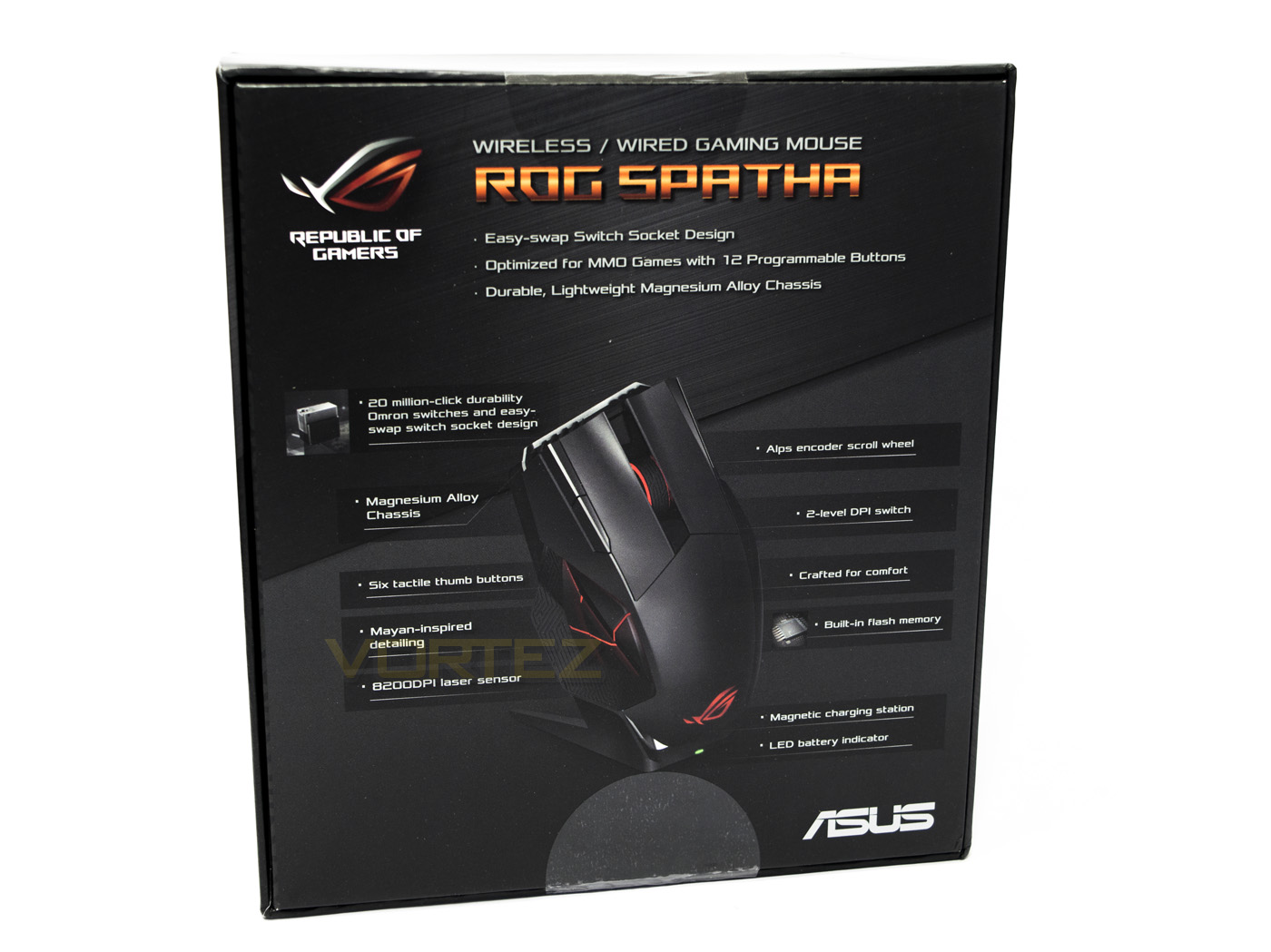
The underside of the box points out various product details including the magnetic charging station, and the ‘easy-swap switch socket’ design.
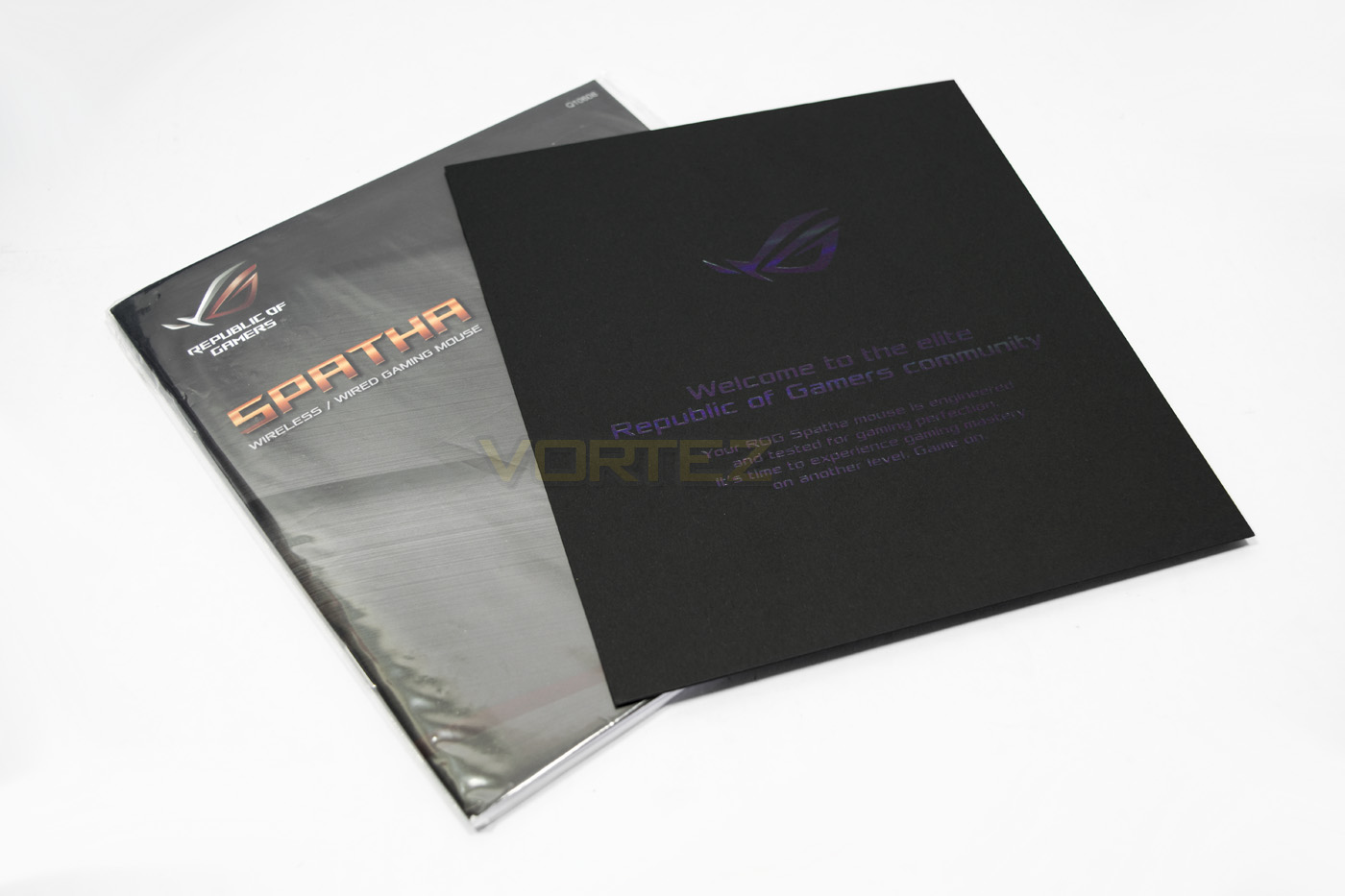
On opening the box we are greeted with a classy welcome note from ROG as well as the product manual.
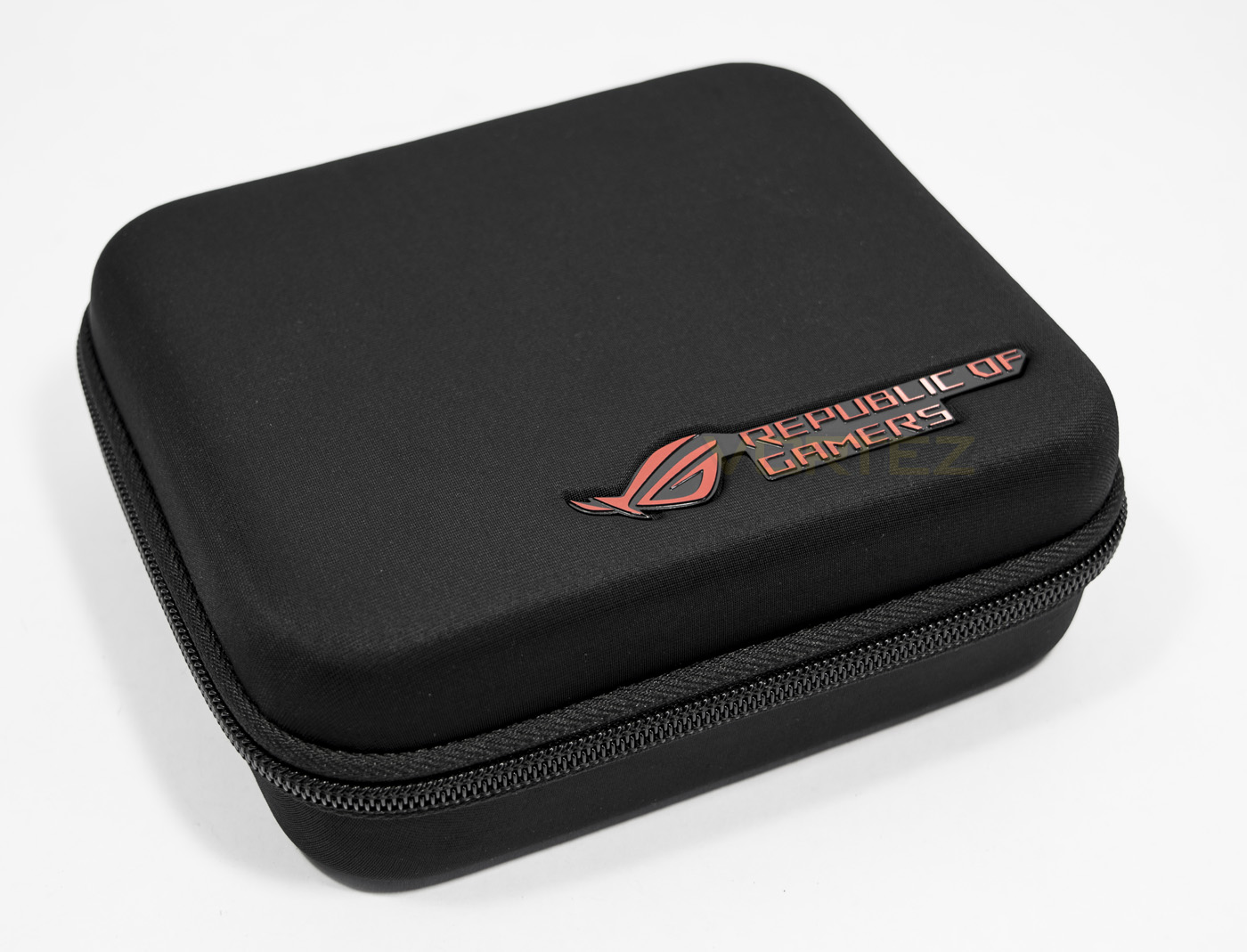
Underneath the mouse there is a large, good quality carry case that includes all the components. The detailing is attractive and features a ROG logo on top and on the zipper.
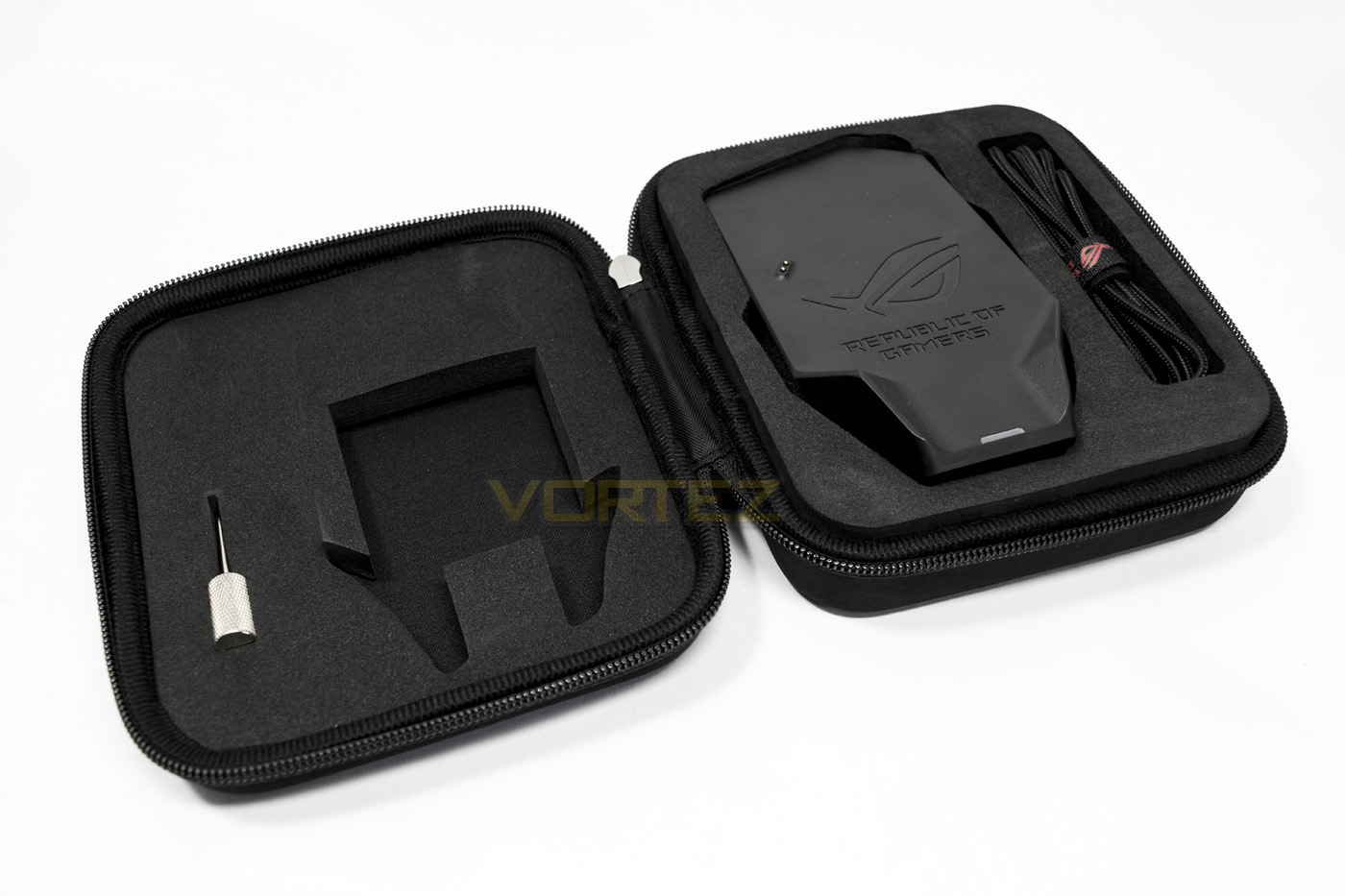
Opened up, there are large foam cut outs were there is a braided cable for ‘wired mode’, a thumb screw driver for removing the top shell to access the switch sockets, as well as the charging dock.
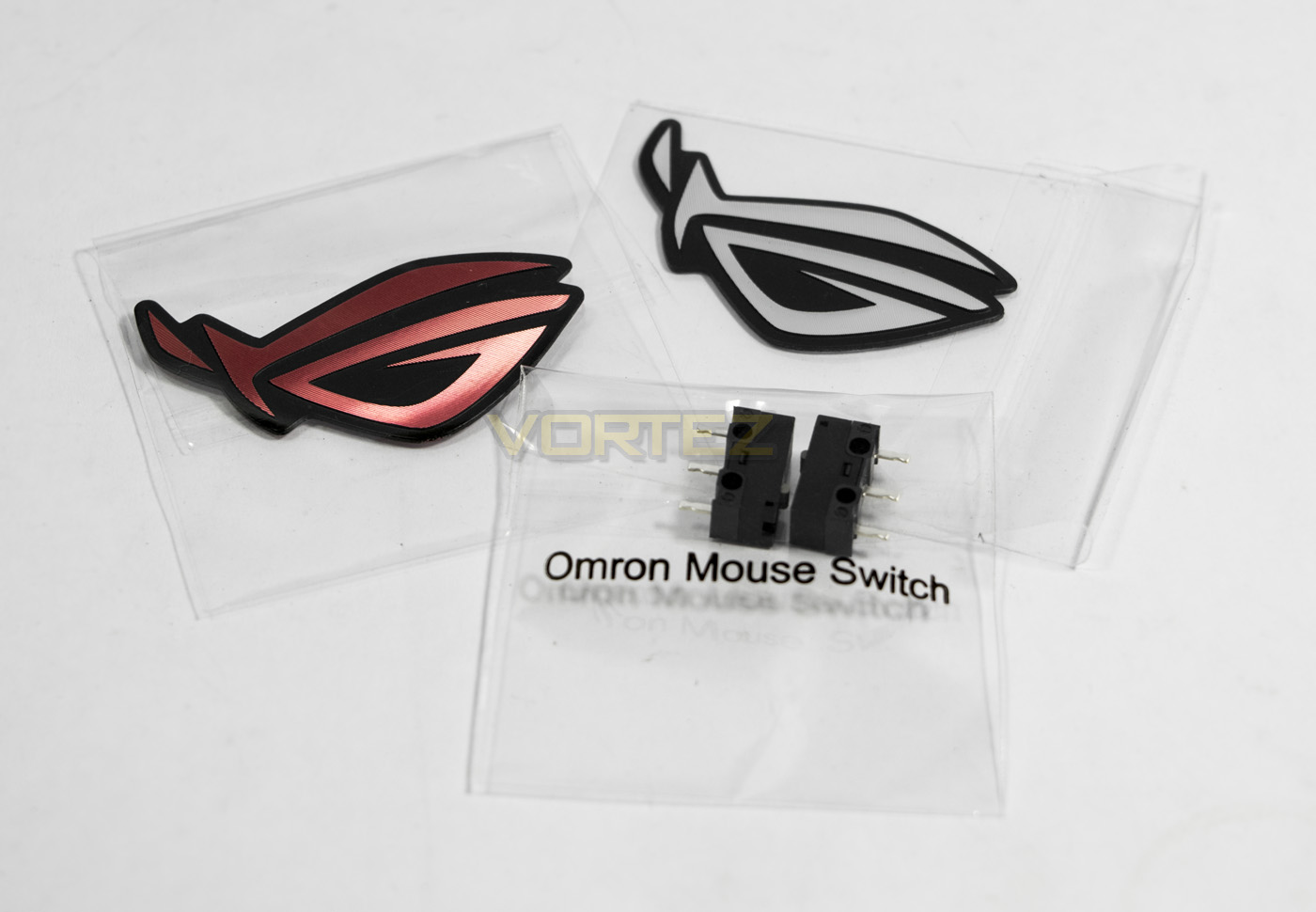
Underneath the charging dock, there are extra pieces for the dock including a USB – microUSB cable, a metal stand as well as two 3D laser cut ROG sticks and an additional 2x Omron switches.
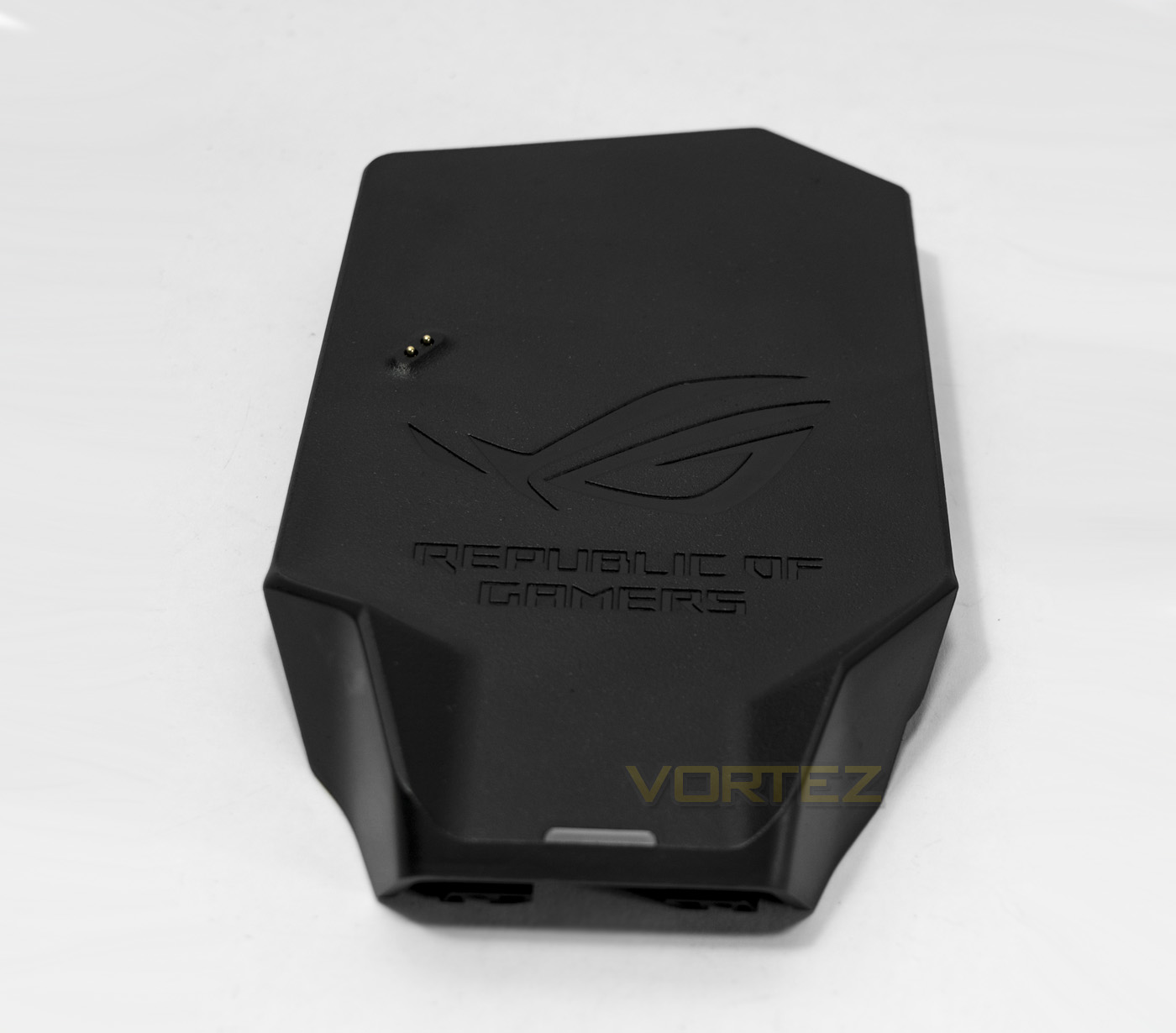
The charging dock features a ROG logo and is shaped perfectly for the mouse to fit on. There is a LED status indicator near the base, while the charging contacts for the mouse are towards the mid left.
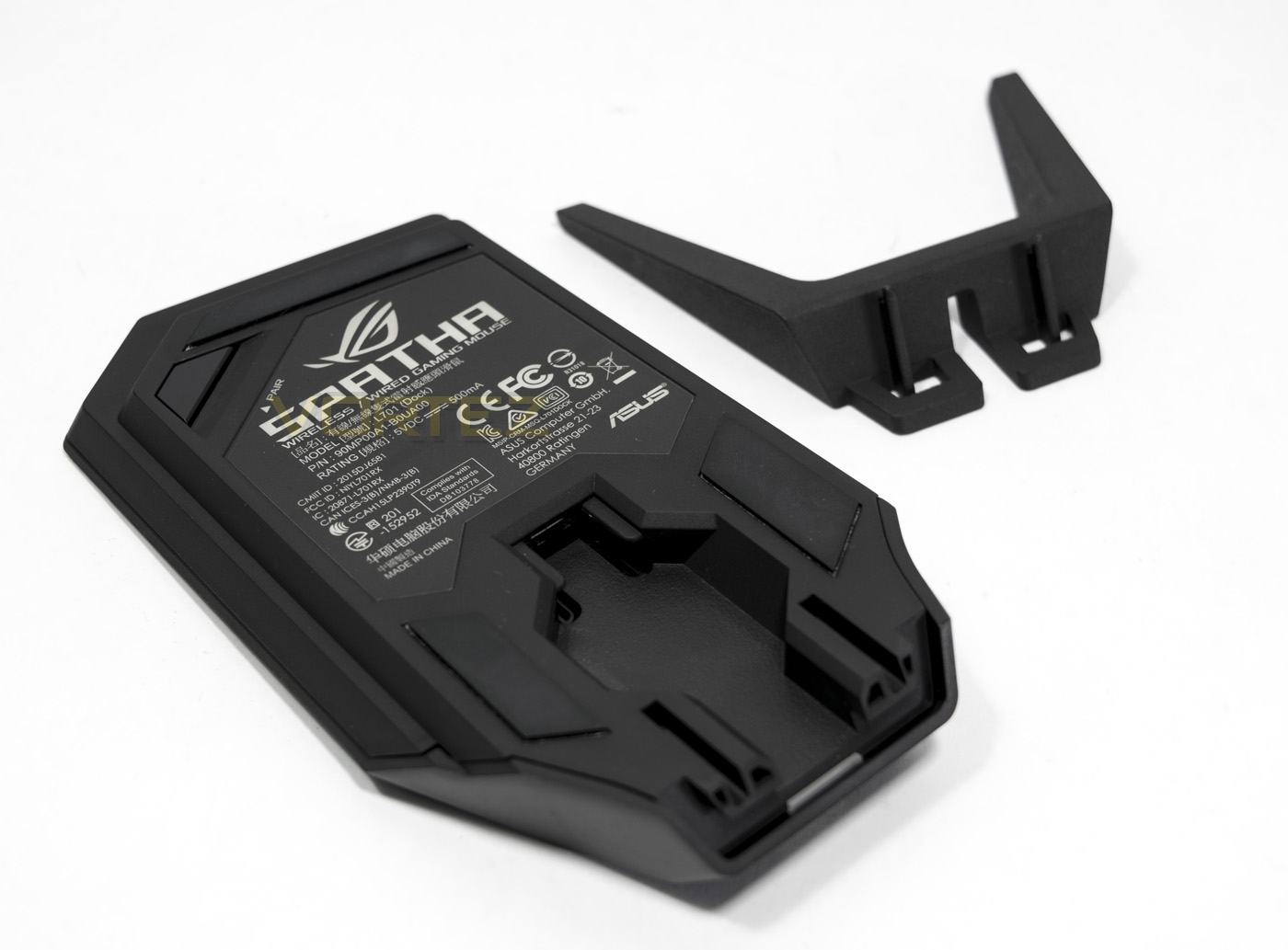
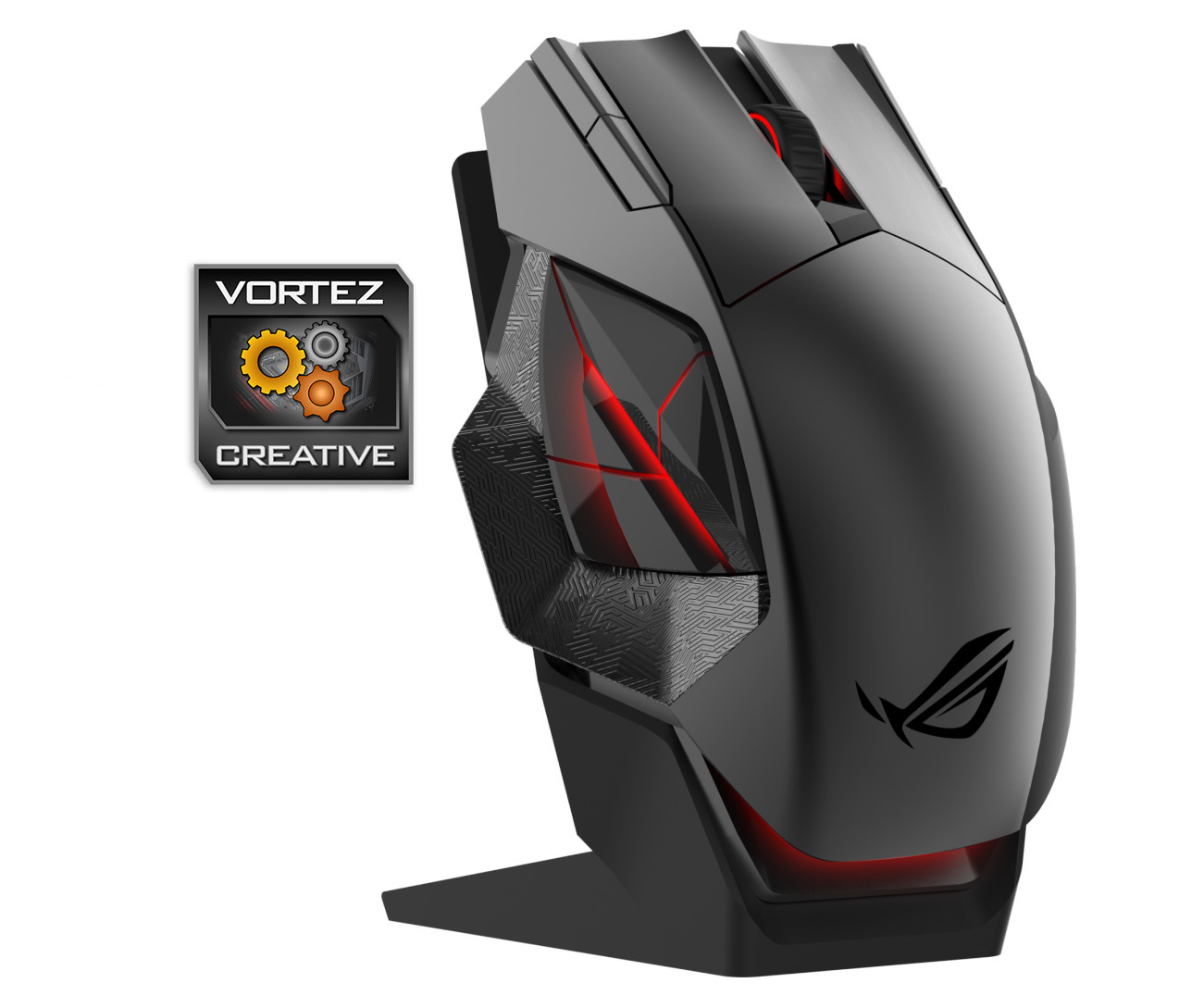
The charging dock acts also as the wireless connector (duh!) for the mouse and features a pairing button on the underside. The mouse attaches to the dock magnetically and can be orientated horizontally, or vertically by using the included metal stand.
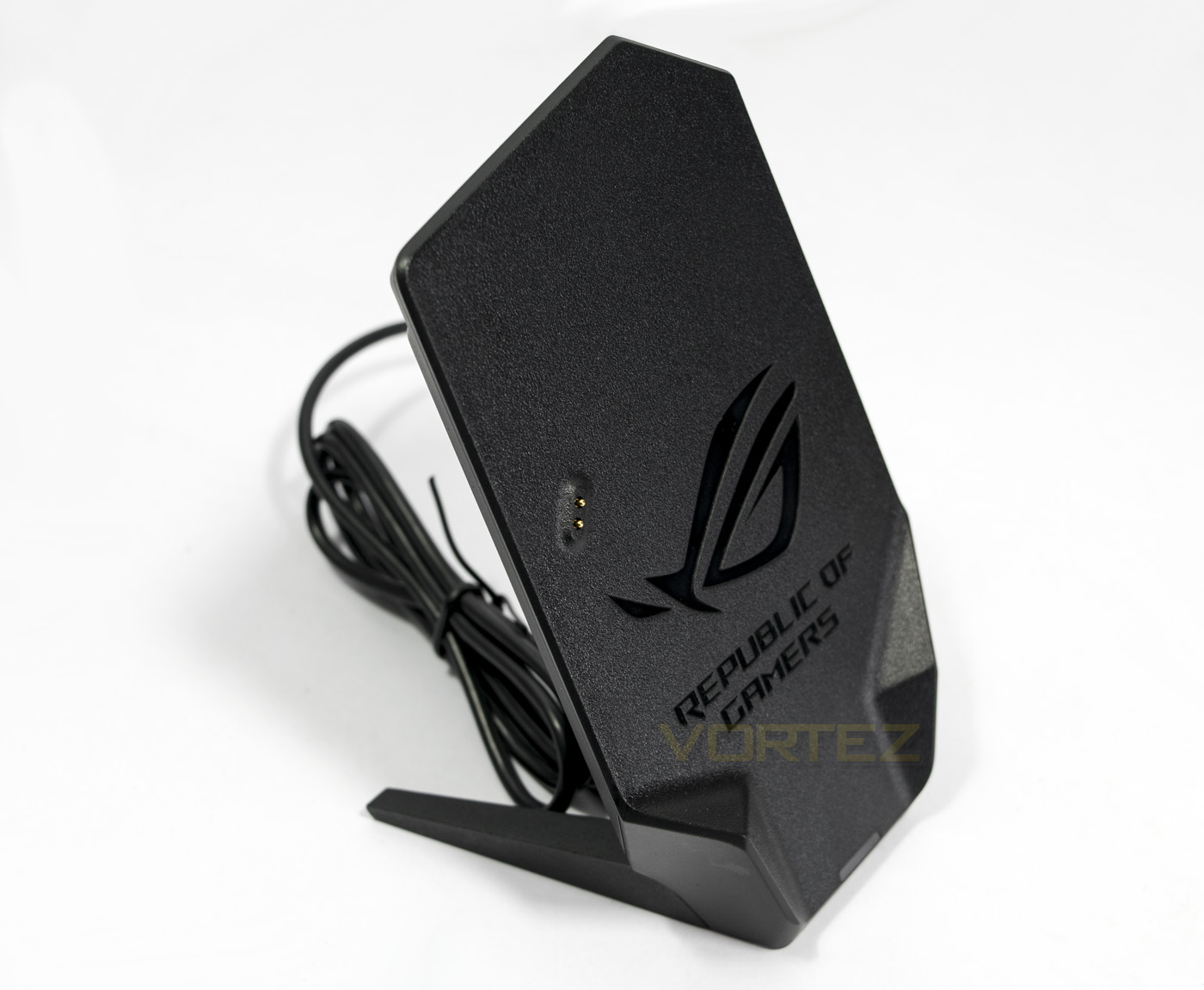
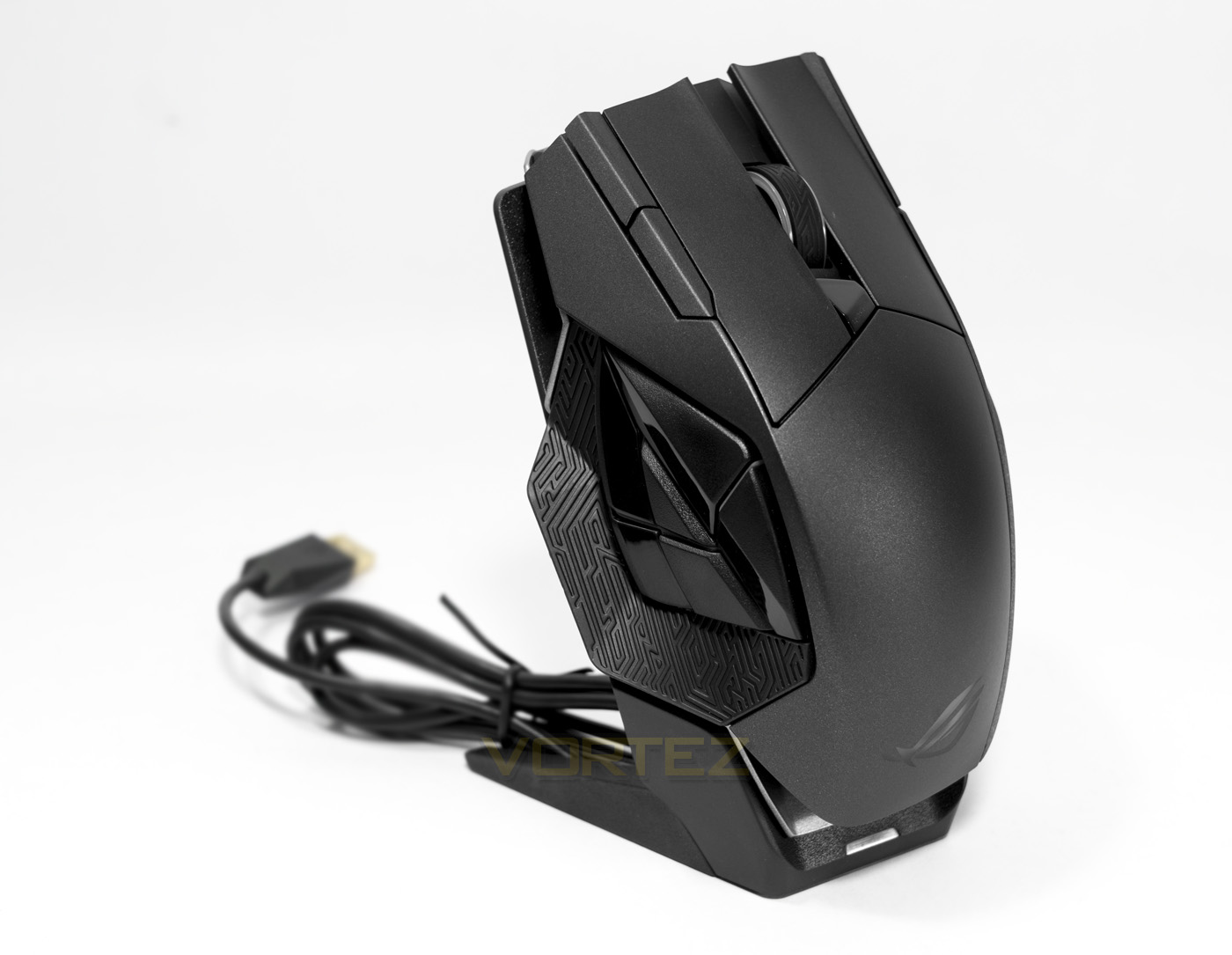
The charging dock is a neat and attractive way of storing/charging your mouse, and the fact that ASUS include a separate braided cable for wired use is a great idea, meaning there is no cable swapping required should you wish to take advantage of that 0.5ms refresh rate.
Closer Look
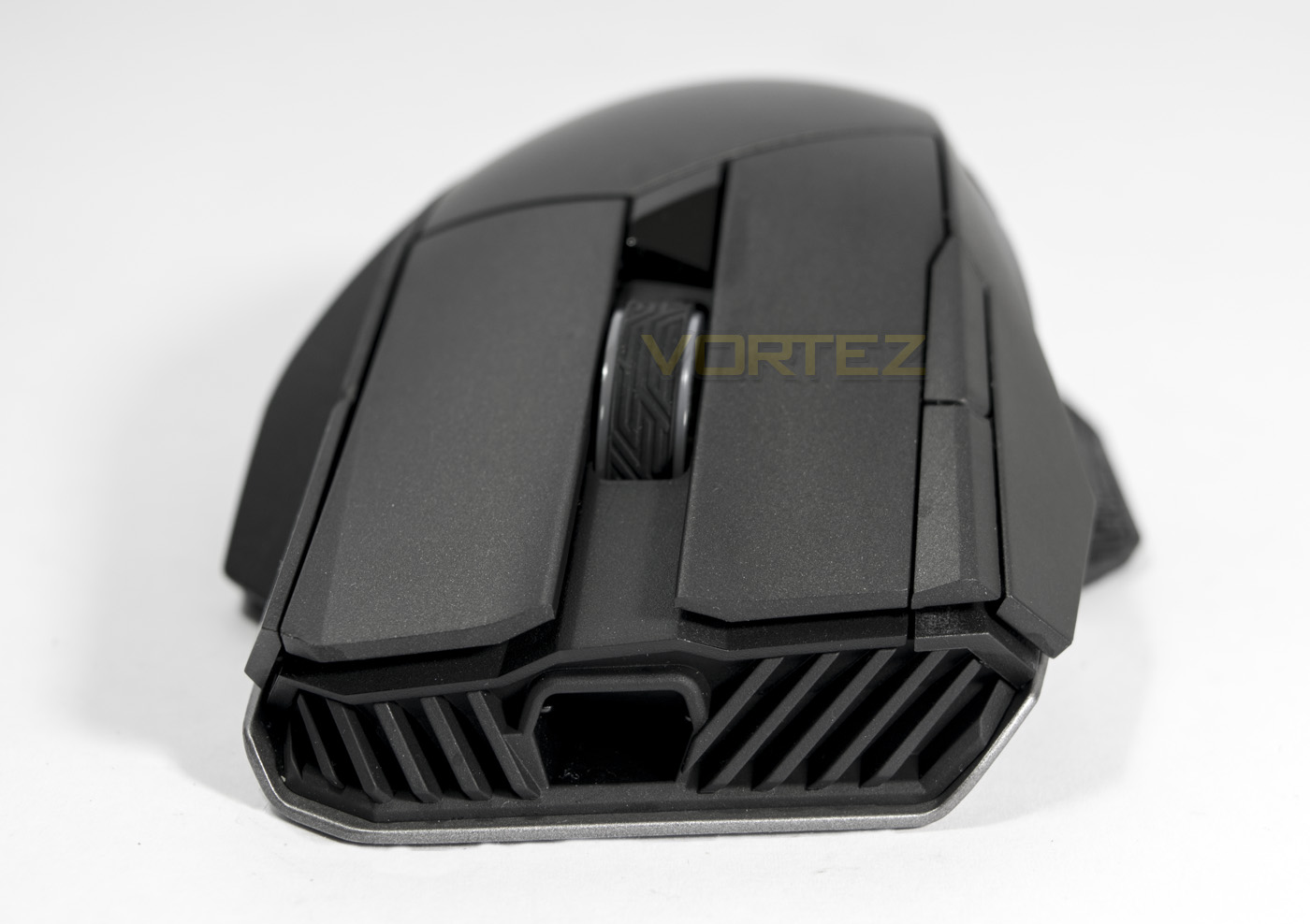
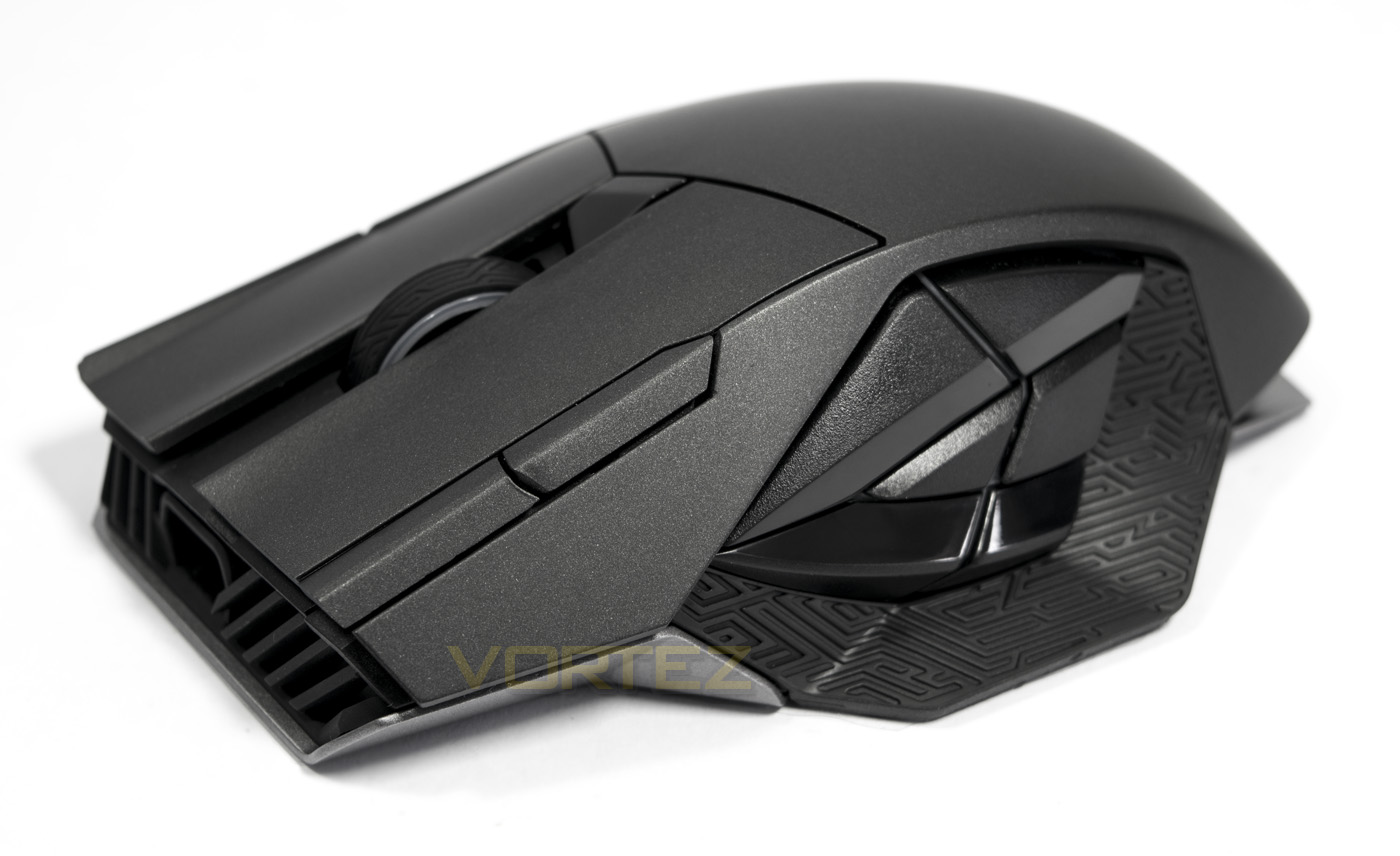
The front of the Spatha is rather attractive, featuring an ergonomic arch to fit the right hand. The large entrance is for the microUSB connector end of the braided cable and is designed in such a way to prevent the cable from dragging on your mouse mat/surface.
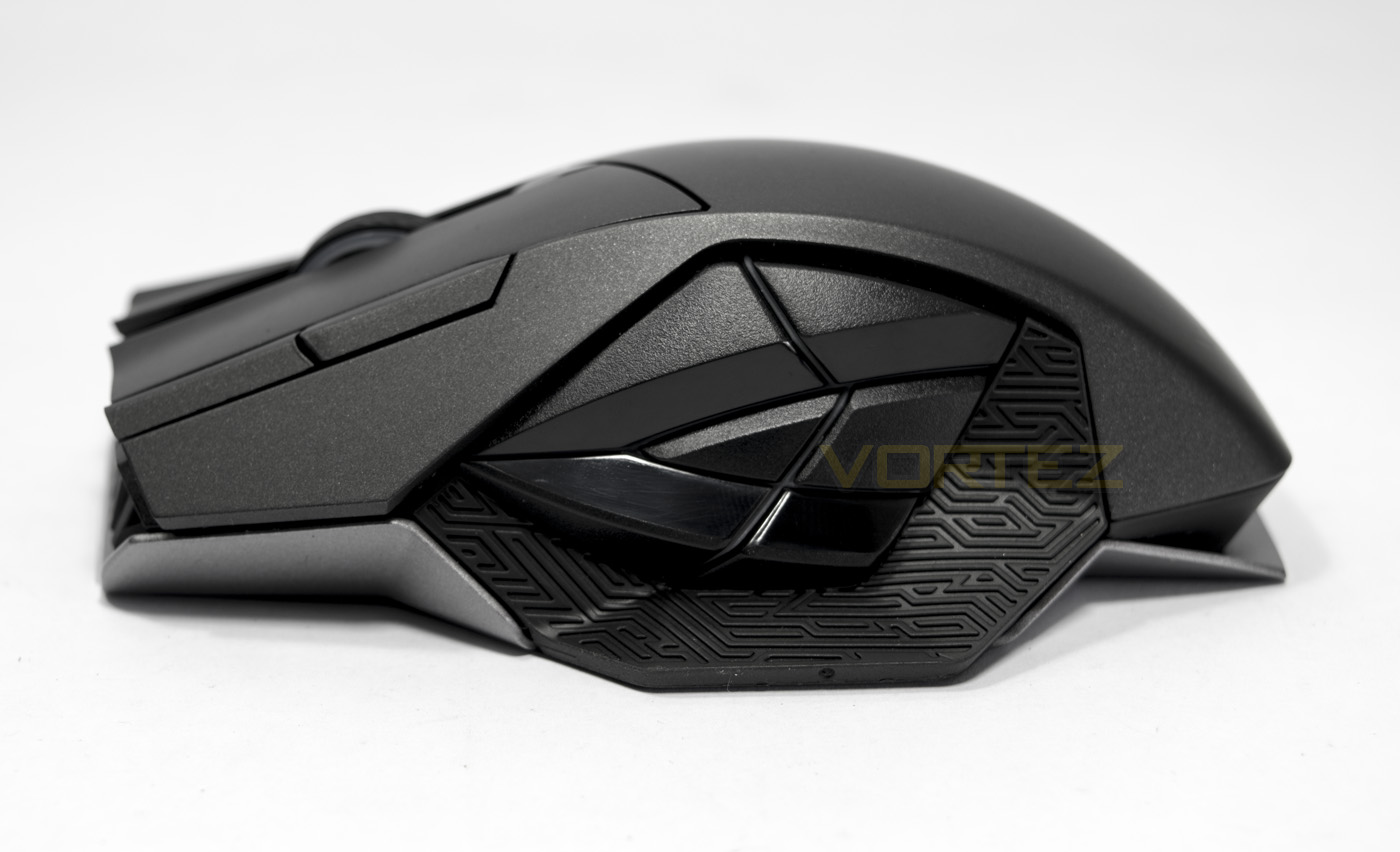
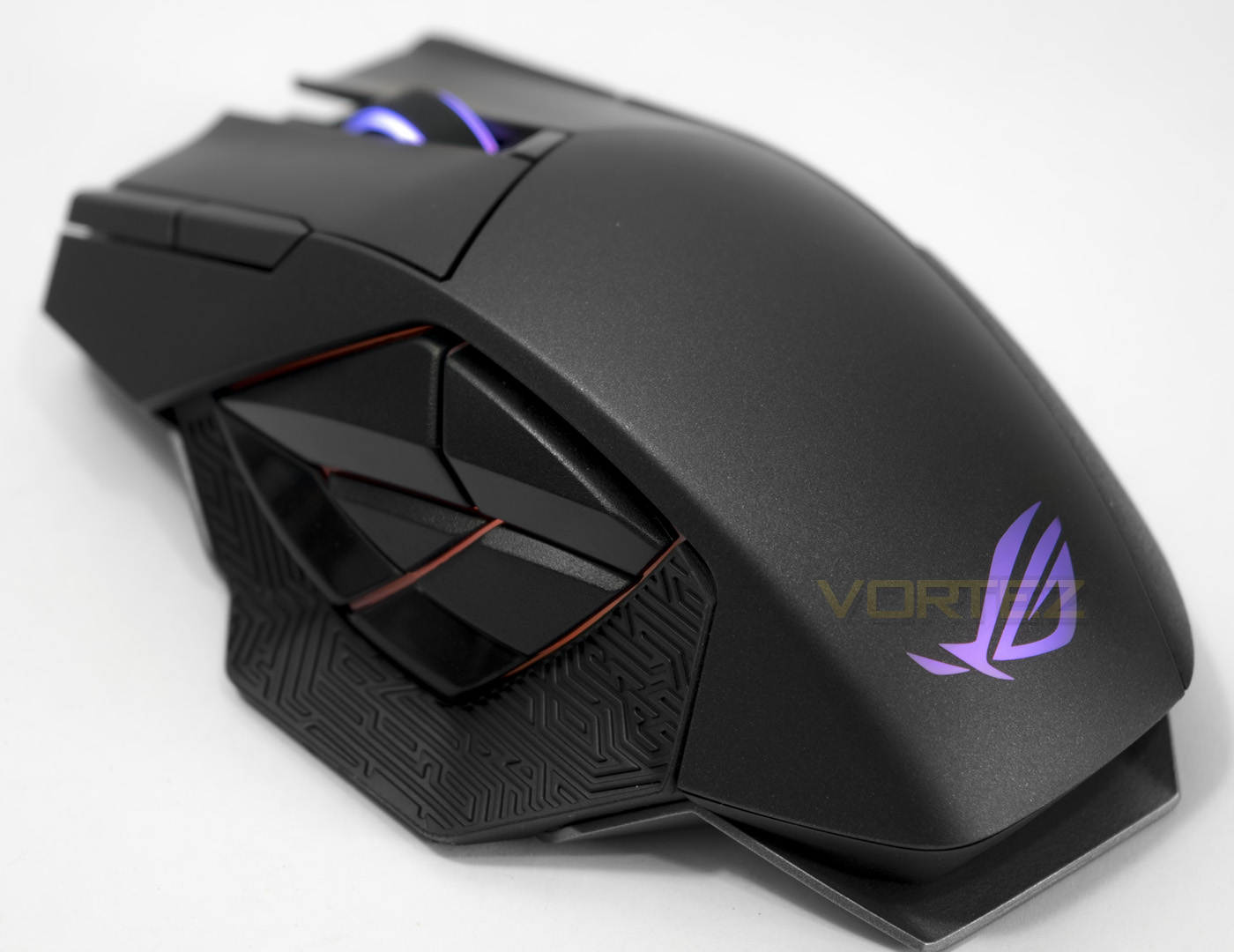
The side buttons are arranged in a way that is inspired by the ROG eye logo, slightly resembling a G. The side buttons use Alps switches that give a tactile feedback and are backlit by a RGB LED, making up one of the lighting zones. At the base of this side there is a rubber grip area that is patterned with a ‘Mayan’ inspired design. The total length of the Spatha mouse is 137mm long, and you can see the magnesium alloy frame running from front to back.
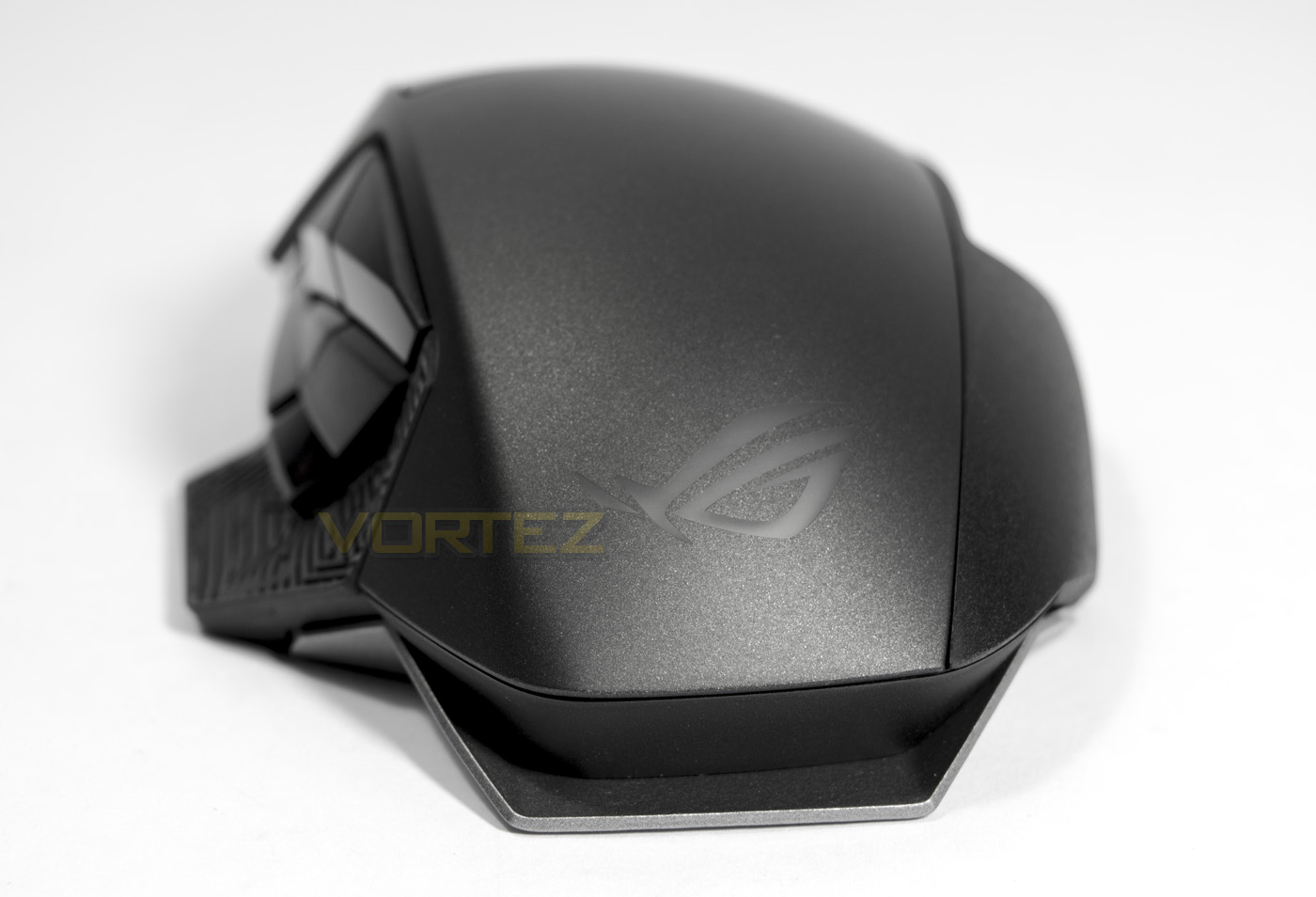
Looking on from behind you can view more of the ergonomic design including the third finger rest on the right side. Positioned on the rear, there is the ROG logo, forming another RGB lighting zone.
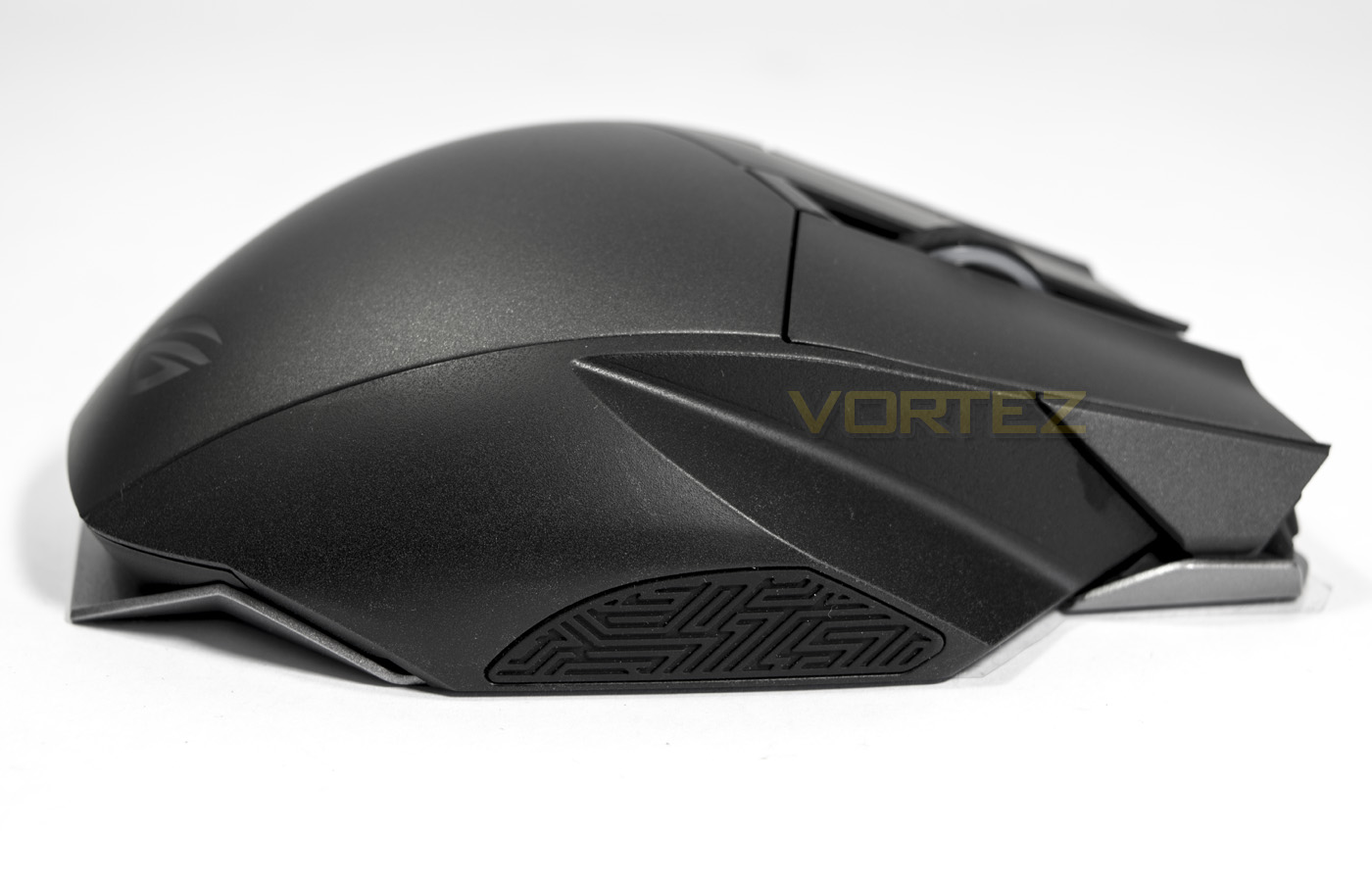
To conclude the 360 rotation of the mouse, we find more of the Mayan patterned rubber grip.
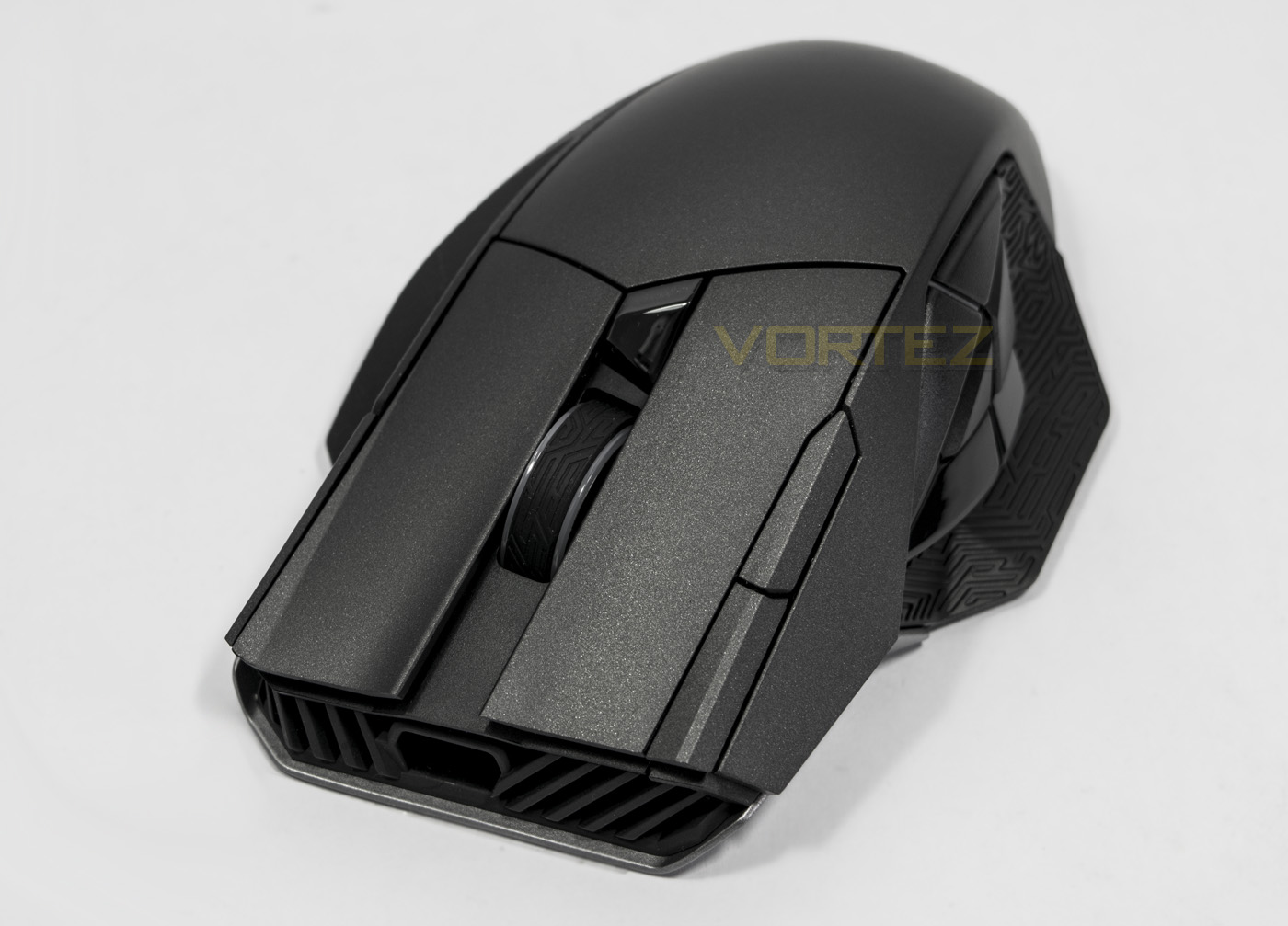
The front end of the mouse has a whole host of things going on, including independent mouse clicks over a bending plastic design, ensuring higher reliability/robustness. There are two additional buttons for forward/back, the mouse wheel with the Mayan patterned grip that features the Alps encoder, as well as a DPI clutch button, instantly giving a customisable secondary DPI setting on the fly.
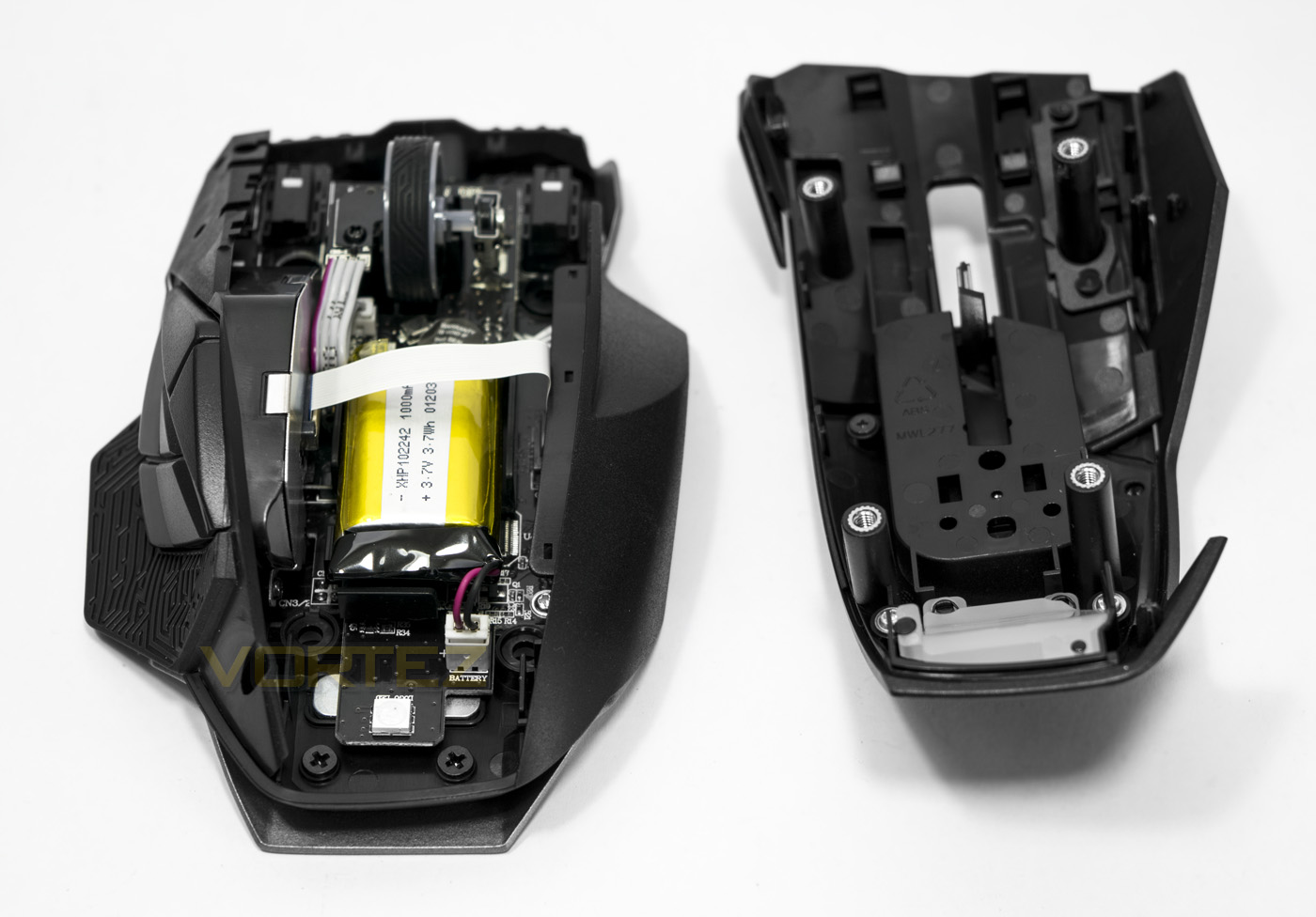
Removing the top part of the shell but using the included thumb screwdriver, you can see the intricate details of the mouse design including the rechargeable 3.7v 1000mAh battery.
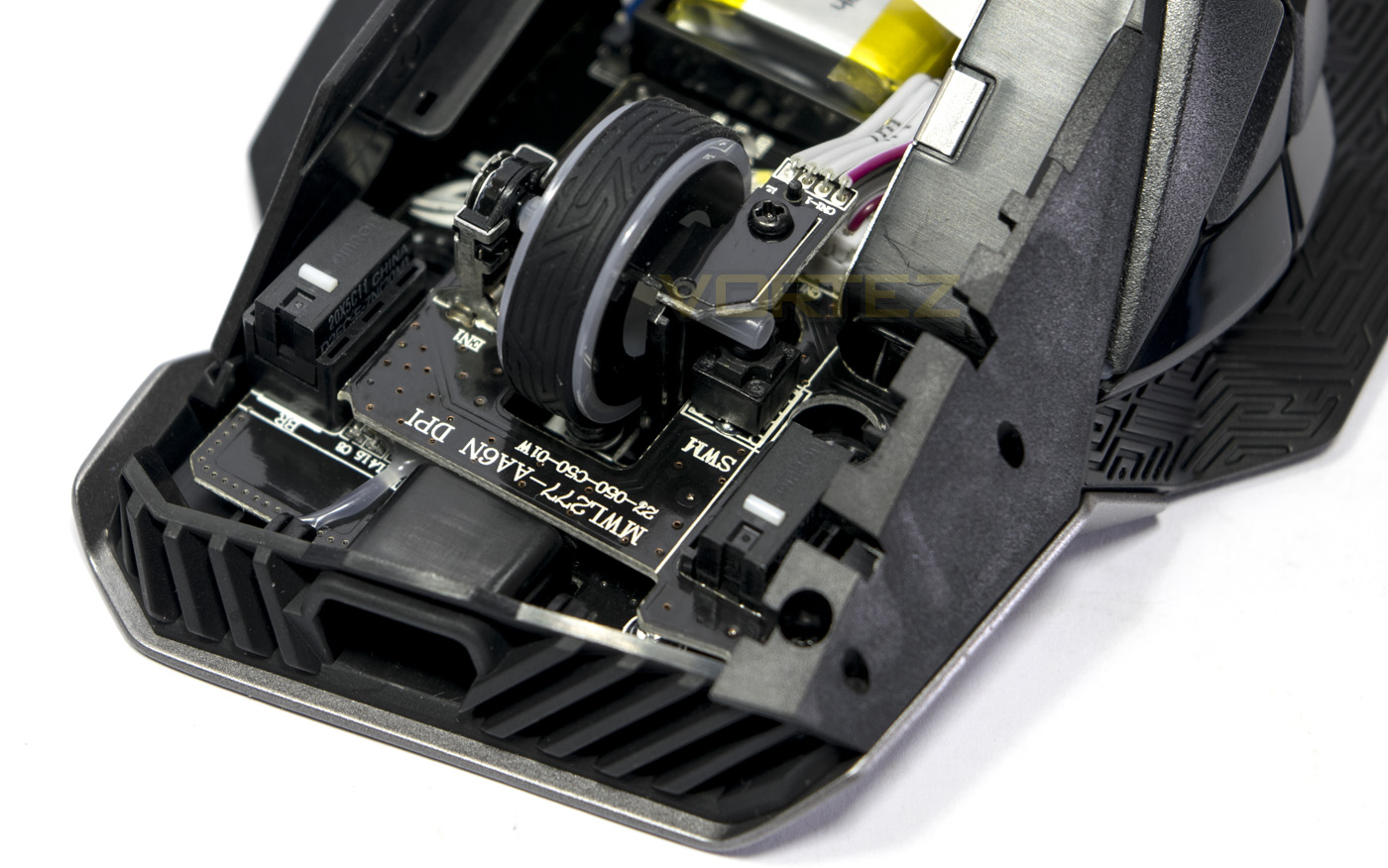
Here we can see the mouse wheel attached to the encoder and switch, and straddled either side are the two easy swap switch sockets with Omron switches in place.
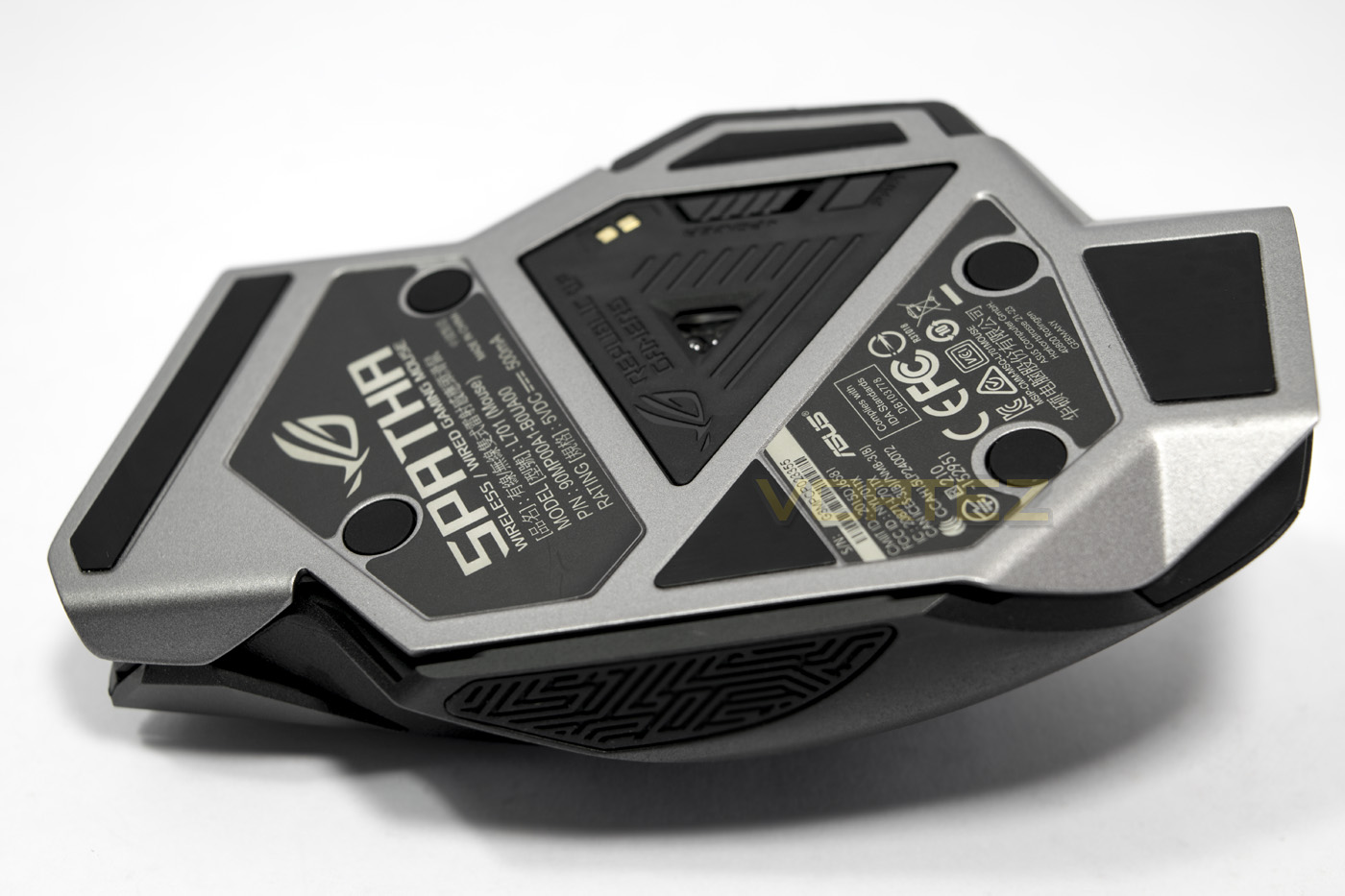
The underside shows the full extend of the magnesium alloy frame lined with glide pads, rubber covers for the screws that hold the top shell on as well as, of course, the position of the ADNS – 9800 laser sensor. Next to the sensor there is the power switch for wireless connectivity as well as a pair button.
Software & Lighting
The ROG Armoury software will automatically update the software and firmware for the dock, and for the mouse when connected by a cable. The Spatha features onboard memory for 5 customisable profiles and another default profile that the user can swap between on the fly by holding the DPI clutch/button followed by pressing one of the corresponding side buttons. Each button can be reprogrammed with either a command, function, shortcut or custom macro.
The performance tab gives control of the DPI clutch/toggle, and the DPI can be adjusted in increments of 50 up to 8200. You can adjust the X and Y resolution independently too if you choose to enable it. There are controls for acceleration/deceleration, angle snapping, polling rate and button response too.
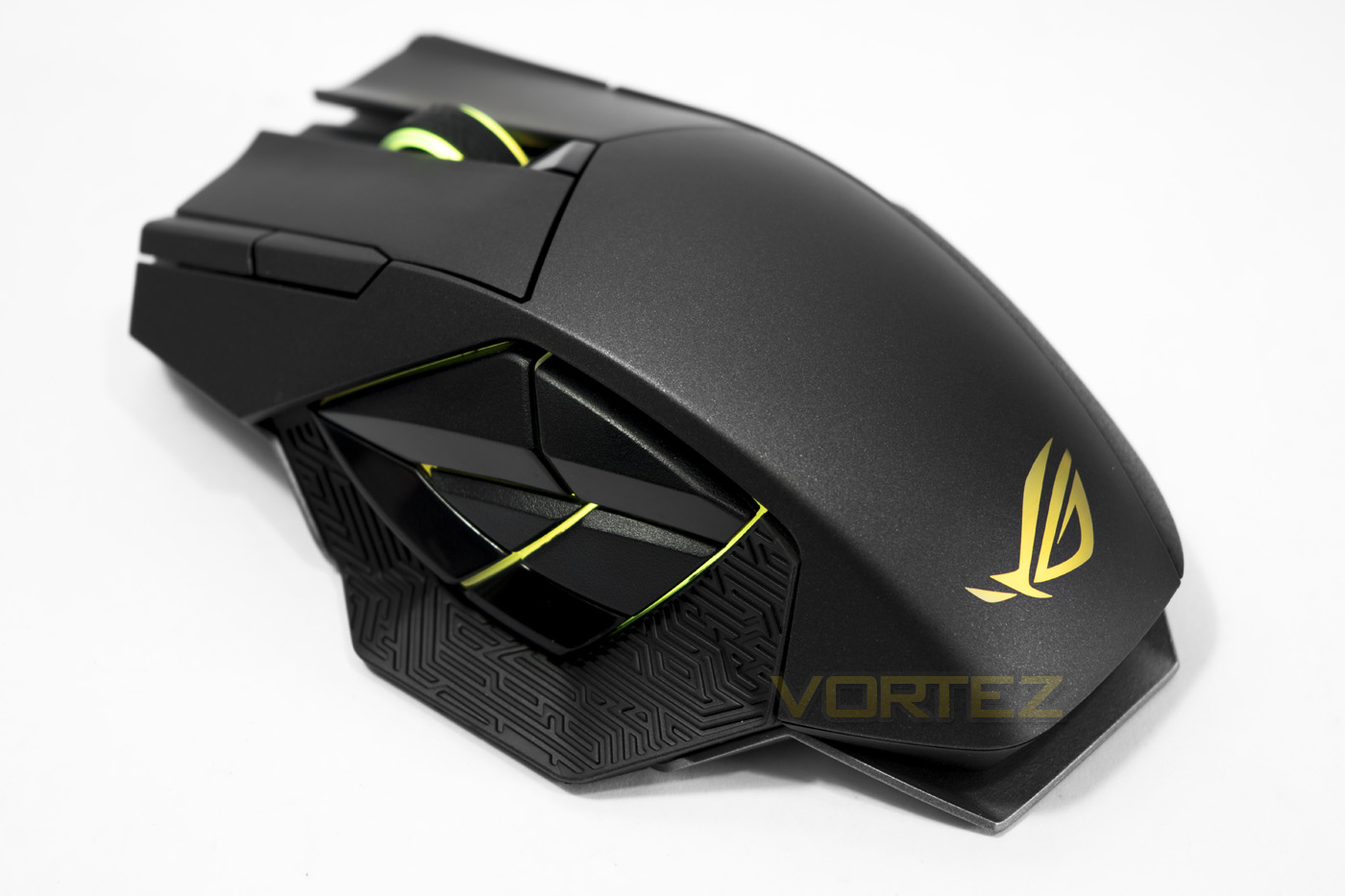
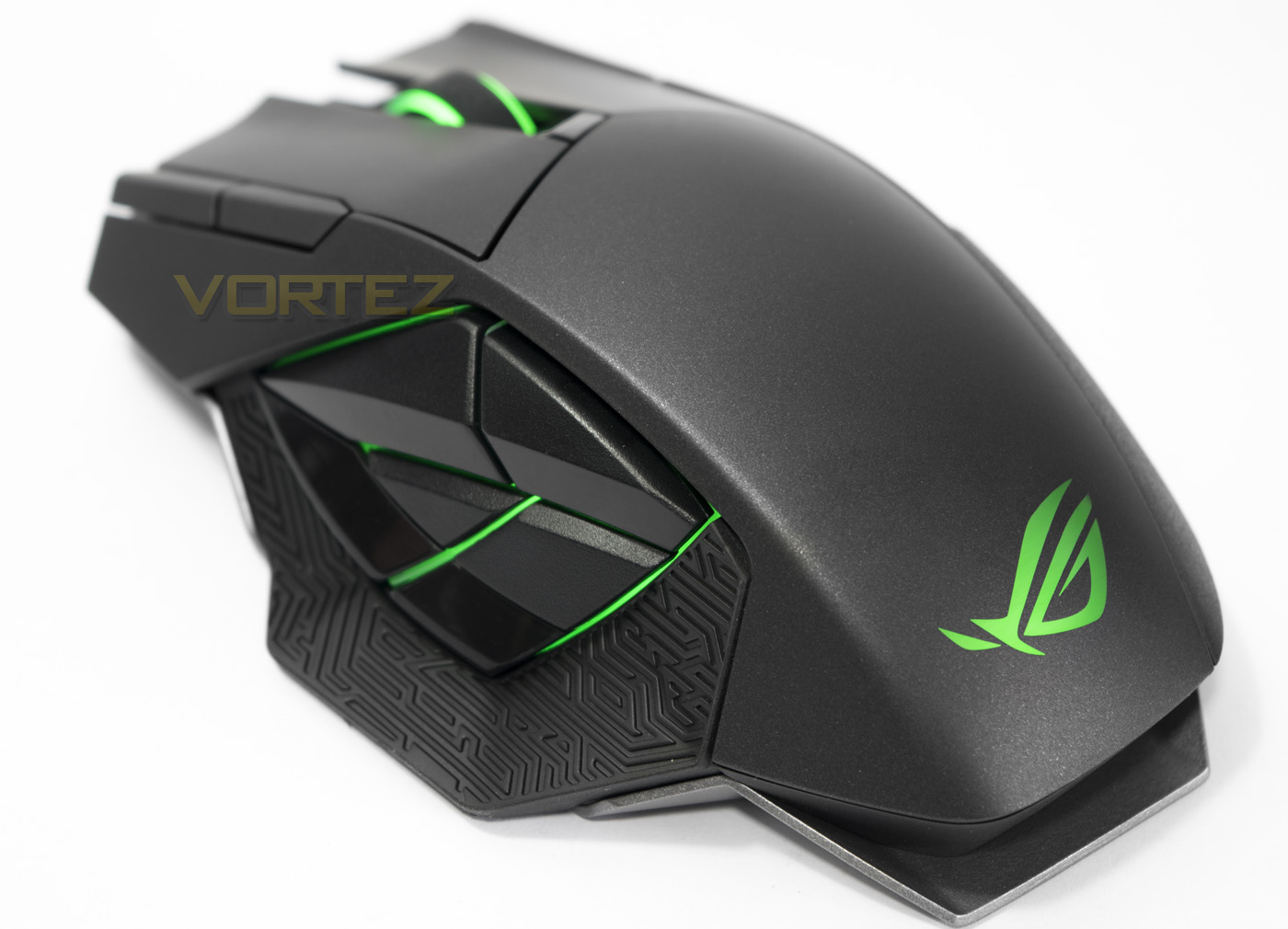
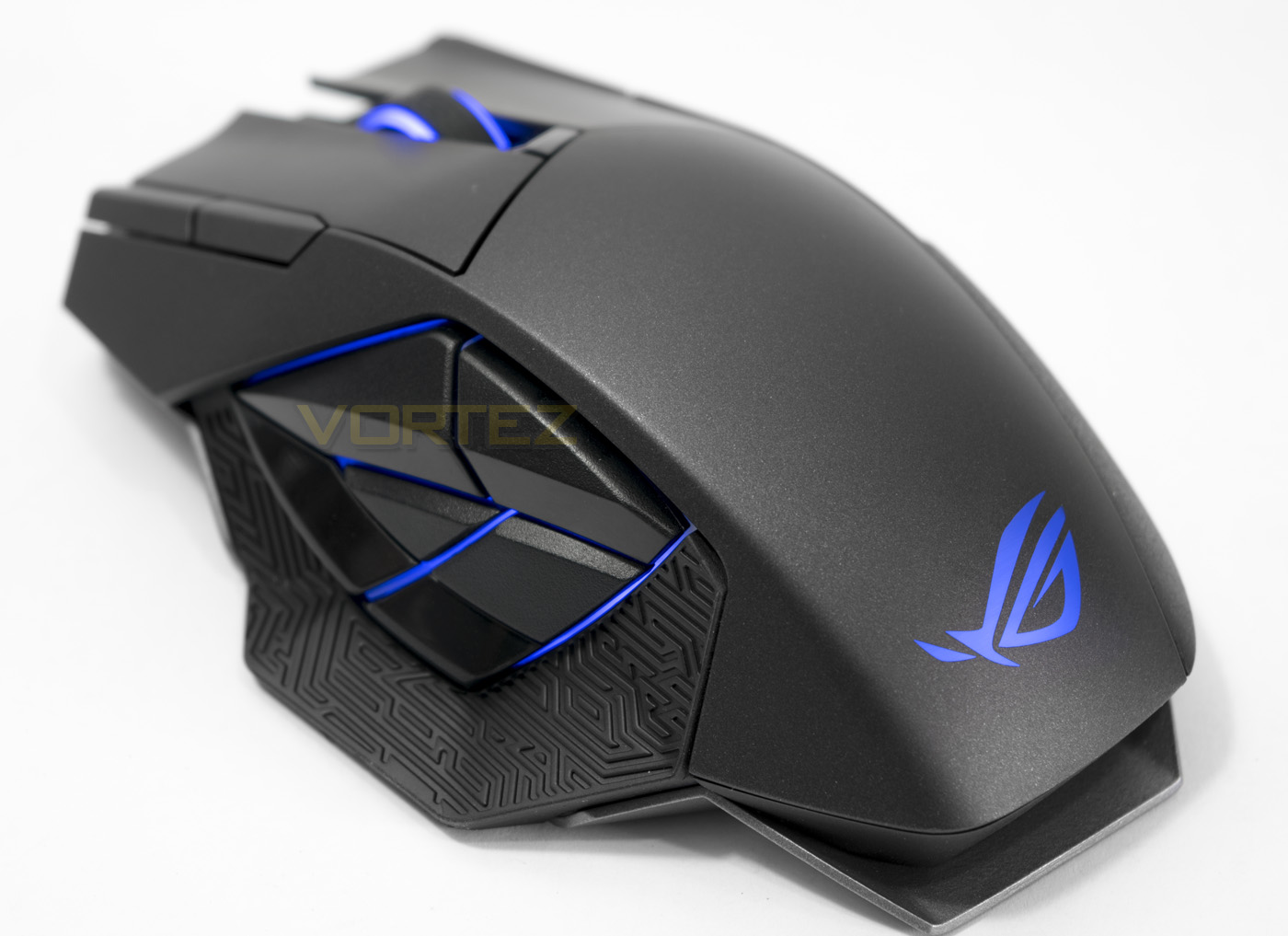
There are a nice selection of lighting options, with a sync all three lighting zones mode that is ‘on’ by default, or you can customise and select each lighting mode for each zone as you please. The neat feature here is that there are separate brightness modes for wired/wireless for saving battery, and there is even a battery indicator lighting mode that can be adjusted to your preference.
There is a surface calibration tab for best tracking performance as well as customise the lift off distance for preference, as well as a tab for battery monitoring and power saving.
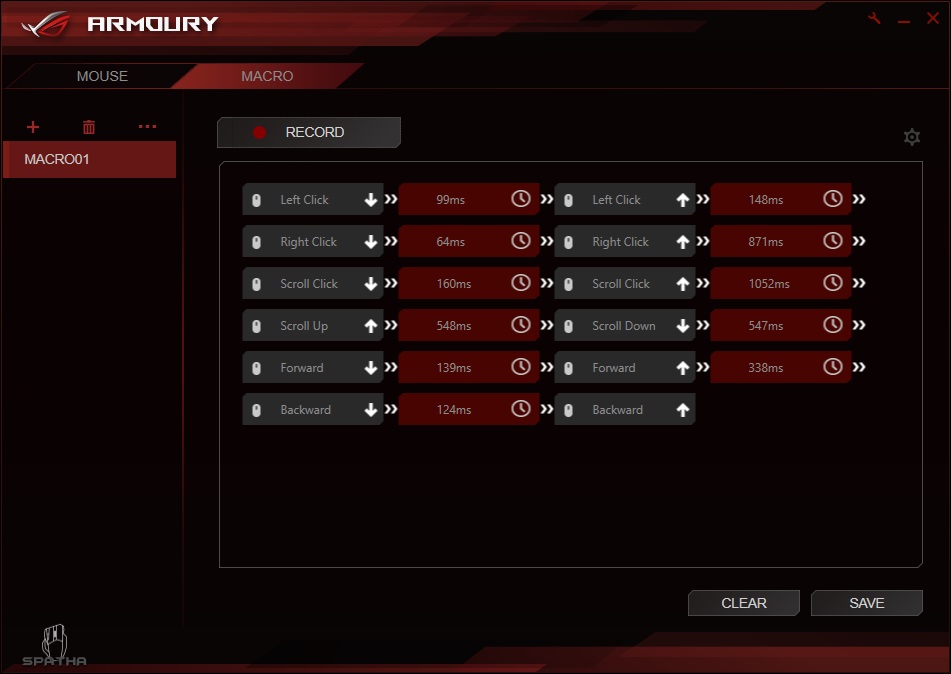
Lastly there is a decent macro recorder built into the ASUS software, it even records all mouse button presses, something that can’t be said for many macro recorders.
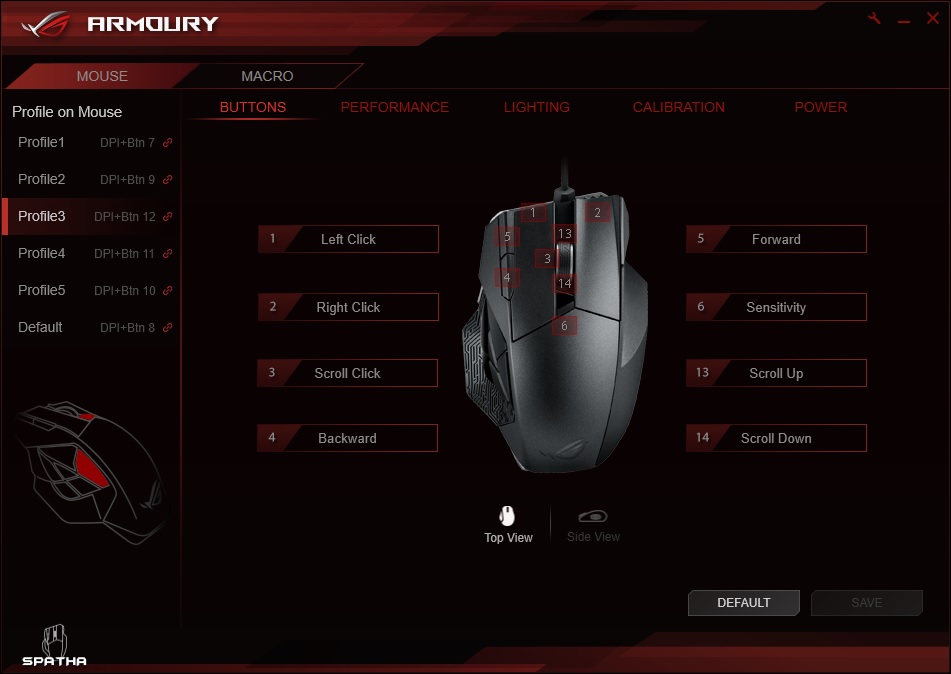
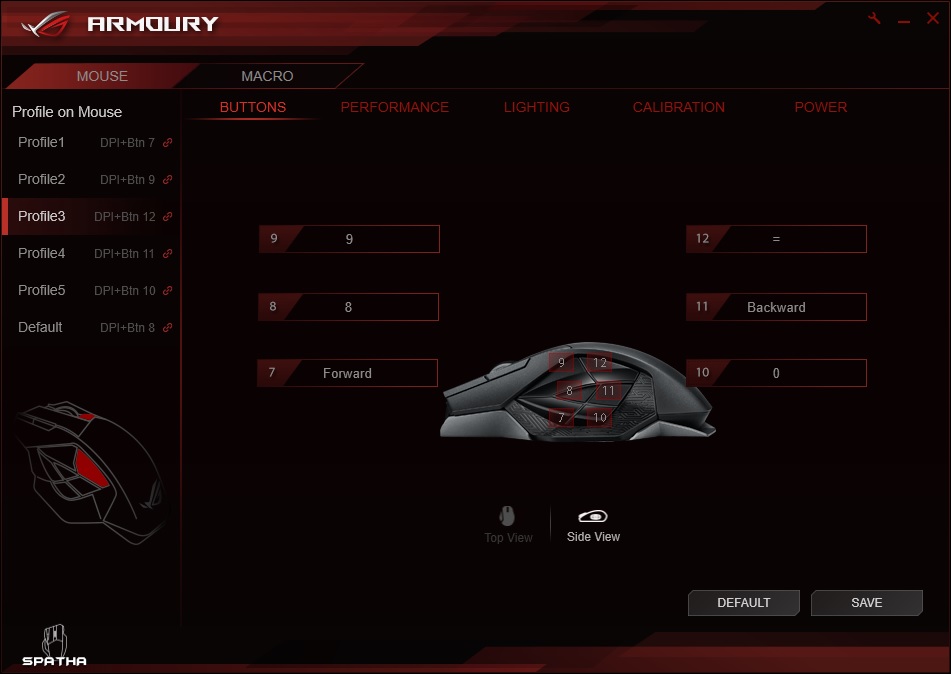
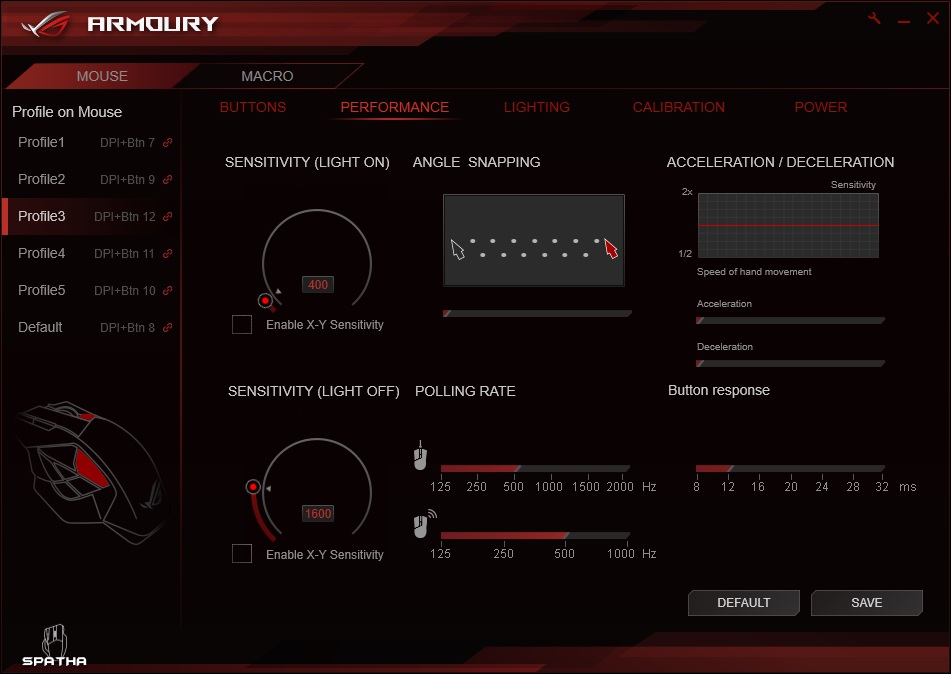
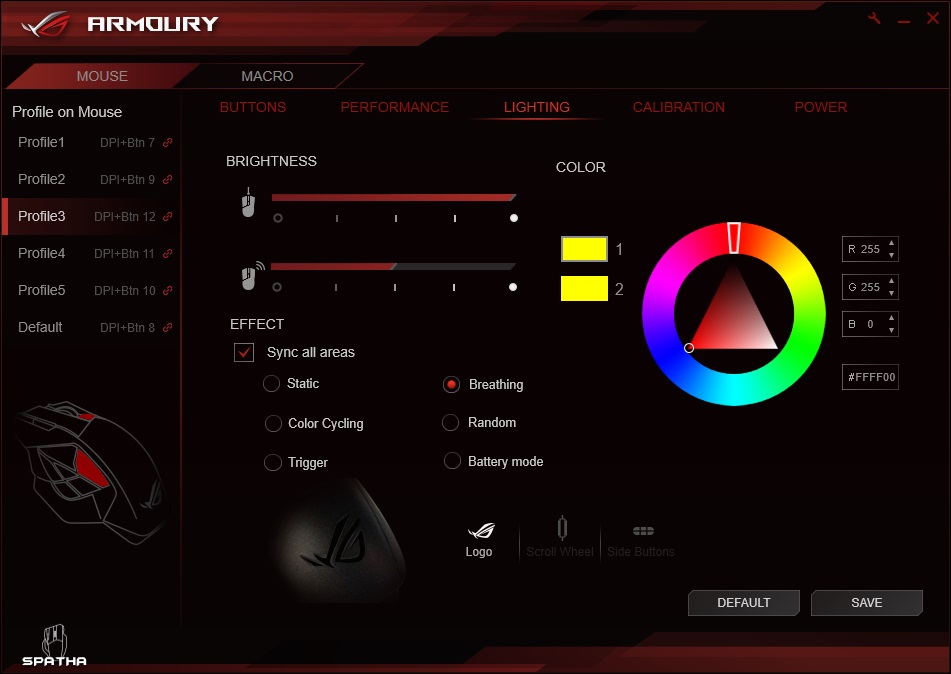
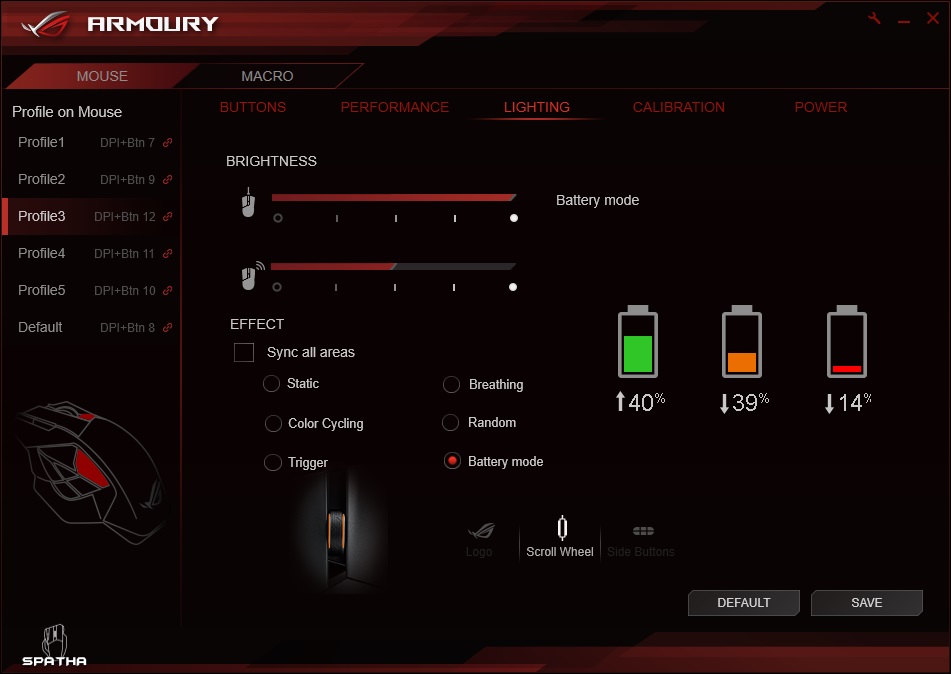
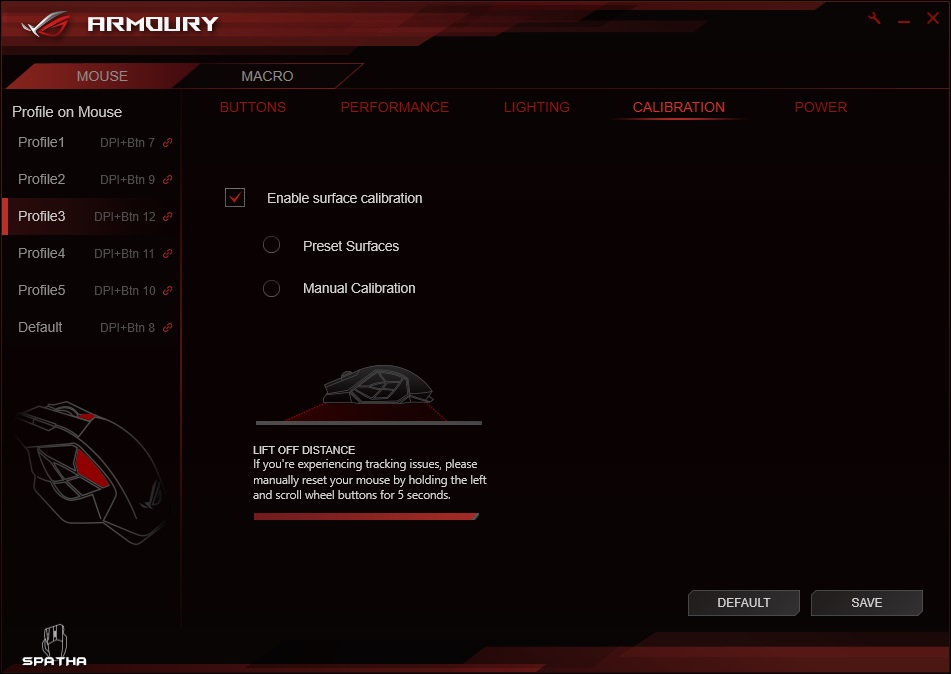
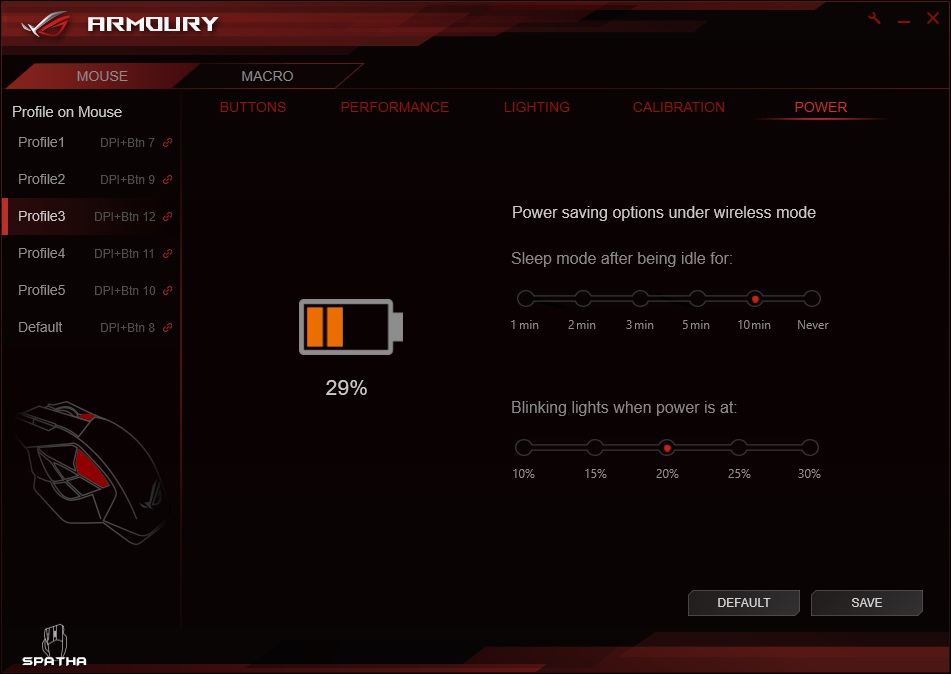
The lighting is attractive and is a great way to create a customised experience with the mouse. The lighting is vibrant throughout the spectrum along with various different lighting modes to choose from. There are some colours that bleed into itself, such as yellow has a greenish tinge, though overall the RGB lighting is well implemented and is always a welcome feature.
Performance Testing
Setup, Design & Observations
Wired or wirelessly, the Spatha seems to function fine without drivers, though for the full benefits including latest firmware updates, it is recommended that you install the ASUS Armoury software.
In the hand, the smooth, cool material of the outer shell feels fantastic, though the first thing that anyone will notice with the Spatha, is that it is 1. HUGE, and 2. Heavy. Weighing 175g without cable and comfortably forcing your hand into a palm grip due to sheer size, this one is certainly for people that prefer large, heavy mice. Even when trying my natural claw grip, I was forced into submission by the size of it and forced into a palm grip (despite it’s claims to be ergonomic for palm/claw grip types. This wasn’t an issue however due to is having a comfortable, good quality feel.
The mouse clicks felt great as did the mouse wheel, though I found that the forward/backward buttons on the top/left side to be very stiff and difficult to use. This may be intentional to prevent accidental actuation, though they did feel too stiff to an extent that I thought I was going to break them by pushing them too hard.
The side buttons when actuated felt good too, though the layout felt somewhat confusing. The upper most two buttons felt too high, the bottom most button was difficult to press as my thumb had to fight against the rubber grip, while the most central button got lost between the front top/and front bottom buttons that protruded out farther, thus requiring a fair amount of attention to press without accidentally hitting a different key. As far as hand shapes go, I have rather stubby thumbs. Yet I always seem to find that on many mouse designs, the side buttons are always too high, or too far back, and in the case with the Spatha, my natural thumb position was resting at the front tip of the side buttons and I found it difficult to distinguish between the ridge of the side buttons, or the hard ridge surrounding the side buttons. This made it difficult to determine which buttons I felt most comfortable using, with the lower front, and central rear being the easiest for me to hit. The two upper most buttons were fairly easy to use also, but I personally found them a little too high. This is somewhat disappointing as ASUS clearly but a lot of design consideration into the side buttons, but the uneven layout seems to suffer from a touch too much over design, rather than opting for a more outright functional/comfortable array of side buttons.
The charging dock was actually interesting to use as the magnet is actually on the mouse and it does a great job of holding it firmly to the dock without slipping or falling.
The included carry case is a little tight on space, and if you wish to use it while travelling to a LAN, it would be best to leave the dock at home as you will not be able to fit the mouse and the dock inside together. The fit for the mouse in the foam cut out seemed rather tight and may require a squeeze, though it will work for its intended function.
Performance
The responsiveness of the mouse was difficult to determine between 1000/2000hz after switching between wireless and wired modes. Though as great as it sounds on paper, the 2000hz polling rate didn’t ‘feel’ as responsive as the sensor we observed in the Logitech G900. The Spatha did a great job of providing precise tracking across various surface types including stable performance on coloured card, cardboard and bare, glossy veneered desktop. It did however, feel a little less reliable on white paper with an increase in jittery behaviour. This shows that the ADNS-9800 sensor will generally provide great performance and reliability, though it would be best to make sure that you use it with an optimal gaming surface.
In DOTA2, I felt that the sheer size combined with awkward side buttons really diminished my confidence in game. The click spamming and movements became tiresome while I was constantly having to reassure myself of which button was assigned with what. This resulting in various tragic hiccups. So it would seem that the unorthodox side button layout may take a fair bit of getting used to.
Conclusion
The ROG Spatha is an interesting mouse, one that comes in glittering in a way that is almost guaranteed to make nerds, gamers, and tech enthusiasts drool a little, something that is part of the magic that the ASUS/ROG design teams have. Though the reality seems a little less appealing. There is a number of things that the Spatha does really well, in fact, its hard to imagine what more you would want from a premium wireless/wired mouse. The charging dock is perfect, the material construction, finish and design looks awesome, and it comes bundled with everything you would want and need, including those lovely little ROG badges.
There are some points that we then need to consider, mostly the whole size/weight thing. This will be an area that is highly subjective based on peoples preference. Some may love a huge mouse (89x137x45mm), some may love a heavy mouse (178.5g), but this will put it in a rather niche area. Though it claims to be comfortable for palm and claw grips, I would say that the Spatha is expressly a PALM grip mouse, fantastic for many people. In regards to claw grips, it isn’t that it is uncomfortable, it is just strange and takes a bit of getting used to. Finally, the side buttons were a little too unorthodox in size and spacing, again making it rather difficult to get used to.
These latter points are rather subjective and there is so much in the ROG Spatha that is innovative and forward thinking. Such as the replaceable switches and a first (in our experience) to feature a 2000Hz polling rate. This level of innovation from ASUS is ever surprising, yet also somewhat expected from the ROG brand. All things considered, the Spatha has a lot to love, and for the right people it would be easy to recommend. Definitely worth checking out if you are in the market for a new premium mouse!
The Spatha mouse speaks volumes about ASUS’ ability to innovate enthusiast features even in the area the humble mouse.
Pros.
+ High quality construction (magnesium alloy frame)
+ Suitable for large hands
+ Replaceable switch sockets
+ Attractive lighting
+ Wireless/wired design
+ Charging dock
+ Accessory bundle
+ 2000 Hz polling rate (wired)
+ Good supporting software
Cons.
– Big & heavy
– Awkward side buttons
+ High quality construction (magnesium alloy frame)
+ Suitable for large hands
+ Replaceable switch sockets
+ Attractive lighting
+ Wireless/wired design
+ Charging dock
+ Accessory bundle
+ 2000 Hz polling rate (wired)
+ Good supporting software
Cons.
– Big & heavy
– Awkward side buttons
Click here for an explanation of our awards at Vortez.net.