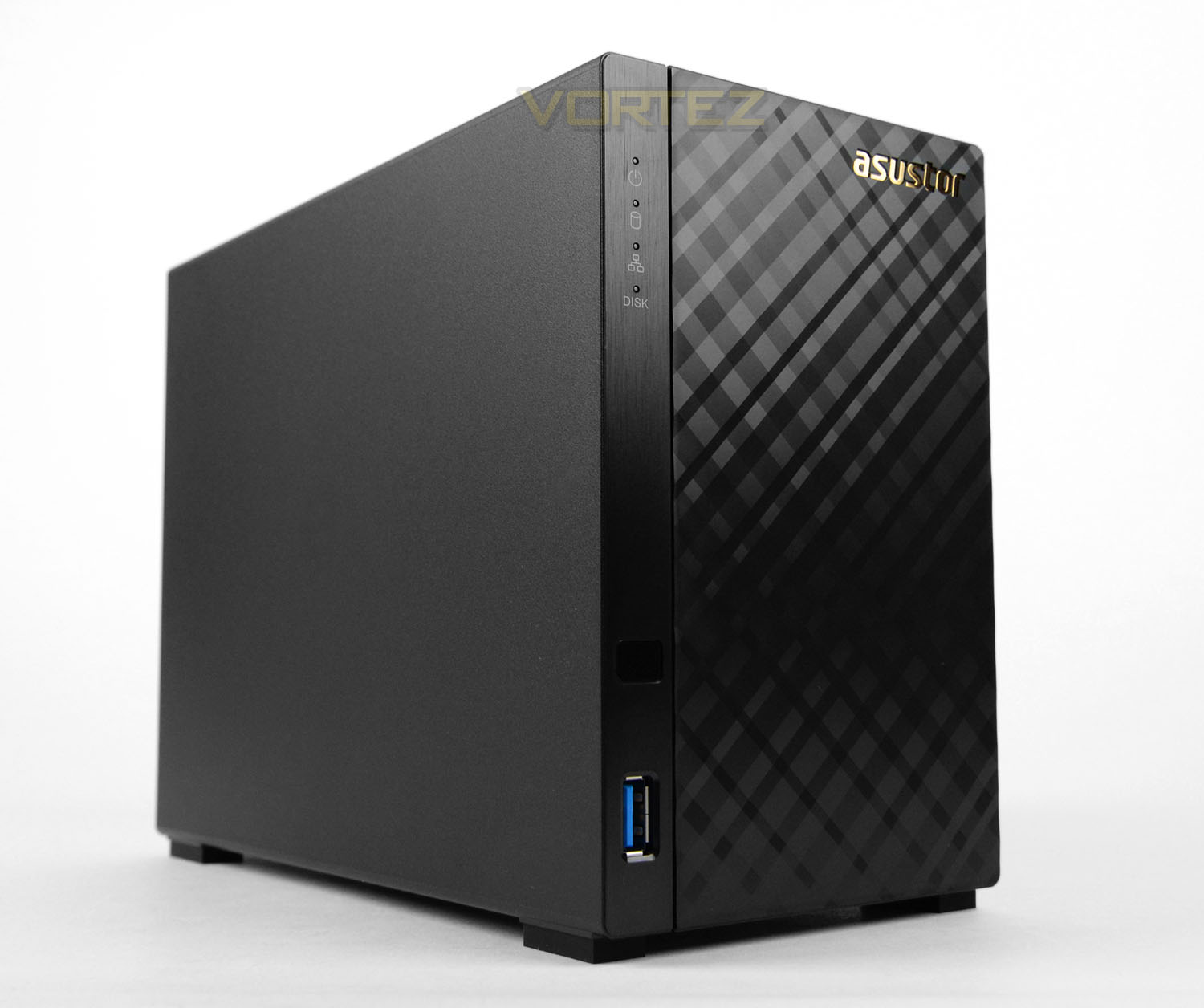
An entry-level two-bay NAS designed for home user networks; AS1002T offers excellent value for users looking to maximise their network attached storage.

Product on Review: AS1002T NAS
Manufacturer & Sponsor: ASUSTOR
Street Price: £139.99 GBP / $177 USD
ASUSTOR has been on the scene since 2011, which may not sound like a particularly long time but in their time within the networking sector they’ve made inroads to a rather competitive arena. Their current portfolio includes a large selection of network-related devices for personal/home use all the way to small-medium businesses. In five years ASUSTOR has brought to market some 30+ models which is an impressive feat and this is actually our first outing with the company – having heard great things, expectations are high!
In the spotlight today is the AS1002T – an entry-level two-bay NAS design for personal/home use. AS1002T is a stylish unit which can carry up to 16TB of storage and transform productivity across any home network.
ASUSTOR on their AS1002T
AS10 series devices are equipped with dual-core processors, Gigabit Ethernet interfaces, and come with ASUSTOR’s dedicated ADM operating system. They provide read speeds of over 110 MB/s and write speeds of over 96 MB/s, redefining the price to performance ratio of an entry level NAS.
Hardware Specifications
Below are the full technical specifications surrounding AS1002T – this information is supplied directly from ASUSTOR:
Hardware Specifications
CPU: Marvell ARMADA-385 1GHz (Dual-Core) Processor
Hardware encryption engine integrated
Memory: 512MB (not expandable)
HDD: 3.5″ SATA II/ III x 2¹ Compatibility
Maximum Internal Raw Capacity: 16 TB (8 TB HDD X 2, Capacity may vary by RAID types)
Maximum Single Volume Size: 16TB
Expansion: USB 3.0 x 2
Network: Gigabit Ethernet x 1
Output: N/A
System Fan: 70mm x 1
Input Power Voltage: 100V to 240V AC
Certification: FCC, CE, VCCI, BSMI, C-TICK
Operation
Power Consumption:
13.2W (Operation);
6.6W (Disk Hibernation); ²
Noise Level: 18.6dB (HDD idle)
Operation Temperature: 5°C~35°C (40°F~95°F)
Humidity: 5% to 95% RH
ASUSTOR Hightlight
System Migration
Cloud Connect
Dr.ASUSTOR
2-way Backup
Task Monitor
Eco-Friendly Design
Auto-Standby for Both Internal and External Disks
Auto Fan Control
LED Night Mode
Power Schedule: On, Off, Restart.
Size and Weight
Size: 165(H) x 102(W) x 218(D) mm
Weight: 0.99 kg / 2.18 lbs
CPU: Marvell ARMADA-385 1GHz (Dual-Core) Processor
Hardware encryption engine integrated
Memory: 512MB (not expandable)
HDD: 3.5″ SATA II/ III x 2¹ Compatibility
Maximum Internal Raw Capacity: 16 TB (8 TB HDD X 2, Capacity may vary by RAID types)
Maximum Single Volume Size: 16TB
Expansion: USB 3.0 x 2
Network: Gigabit Ethernet x 1
Output: N/A
System Fan: 70mm x 1
Input Power Voltage: 100V to 240V AC
Certification: FCC, CE, VCCI, BSMI, C-TICK
Operation
Power Consumption:
13.2W (Operation);
6.6W (Disk Hibernation); ²
Noise Level: 18.6dB (HDD idle)
Operation Temperature: 5°C~35°C (40°F~95°F)
Humidity: 5% to 95% RH
ASUSTOR Hightlight
System Migration
Cloud Connect
Dr.ASUSTOR
2-way Backup
Task Monitor
Eco-Friendly Design
Auto-Standby for Both Internal and External Disks
Auto Fan Control
LED Night Mode
Power Schedule: On, Off, Restart.
Size and Weight
Size: 165(H) x 102(W) x 218(D) mm
Weight: 0.99 kg / 2.18 lbs
Packaging & Bundle
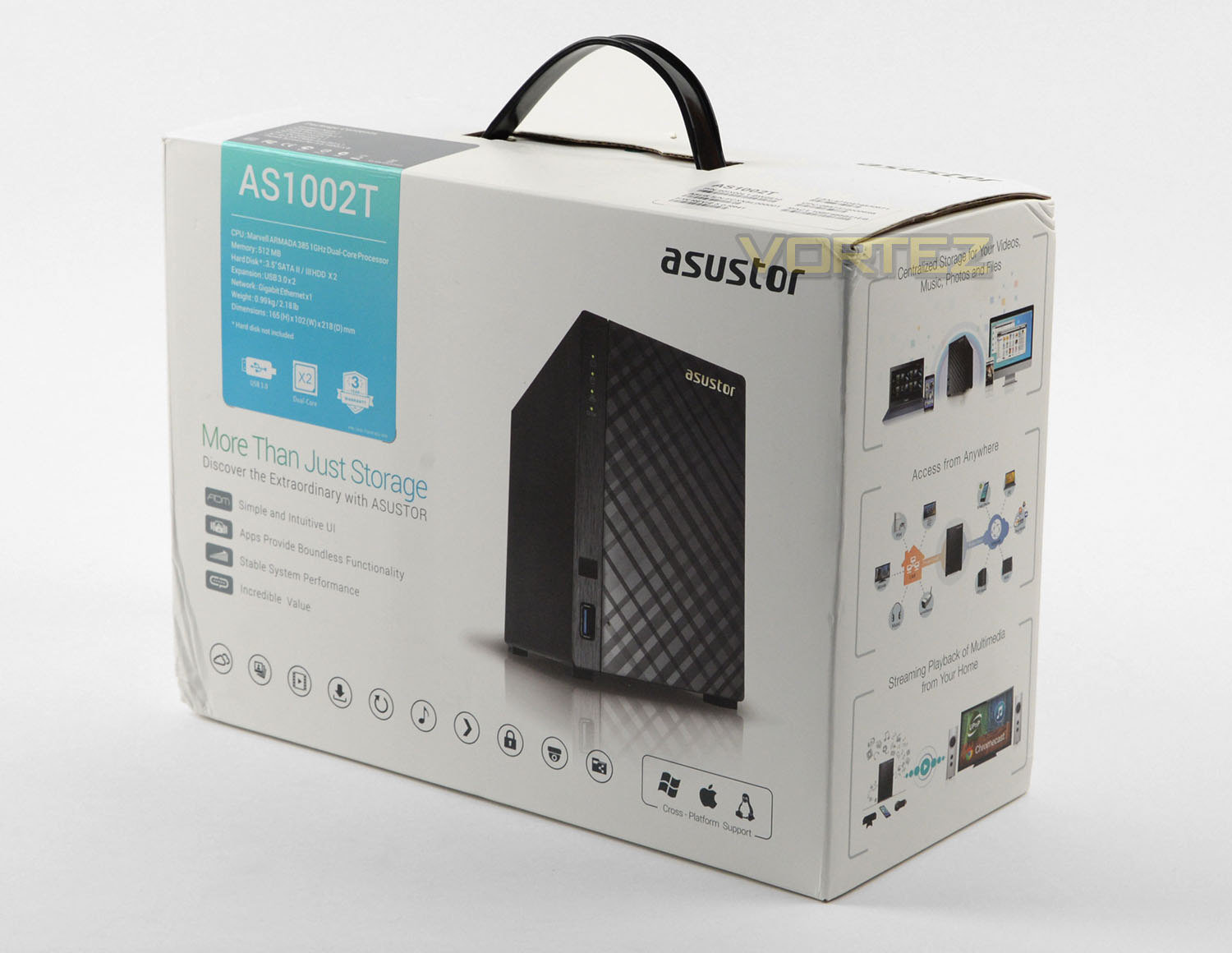
The AS1002T arrives in an attractive white box which bears a carry handle. On the front of the box there is a listing of the basic technical specifications and features, while the sides cover further details surrounding the software applications.
Inside, everything is well-packaged to protect the items during transit.
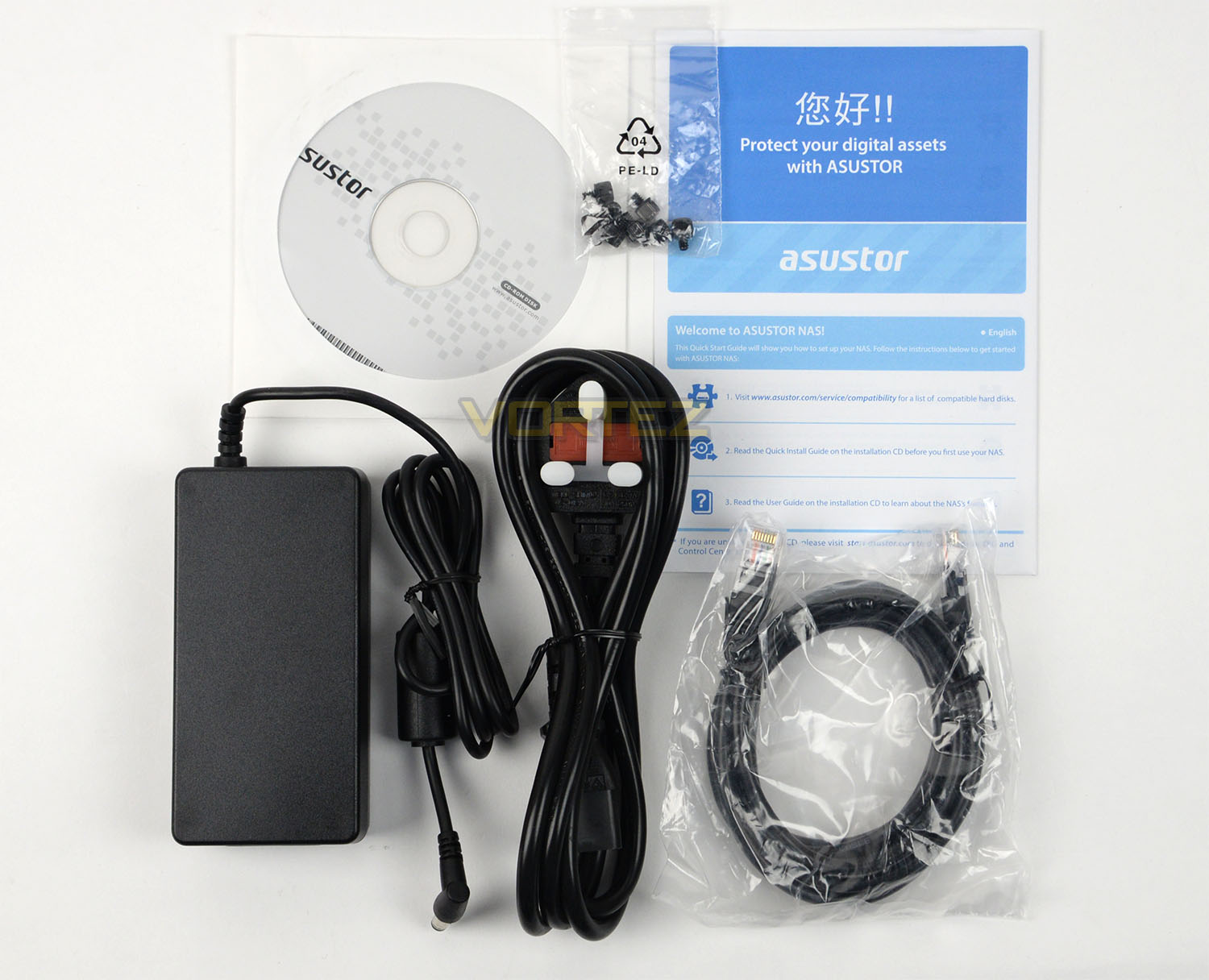
Opening the box up, inside there are a selection of bundled items which include the following:
• Instructions leaflet
• Software CD
• AC power adapter
• AC power cable
• RJ-45 LAN Cable (CAT5e)
• Thumbscrews
Closer Look
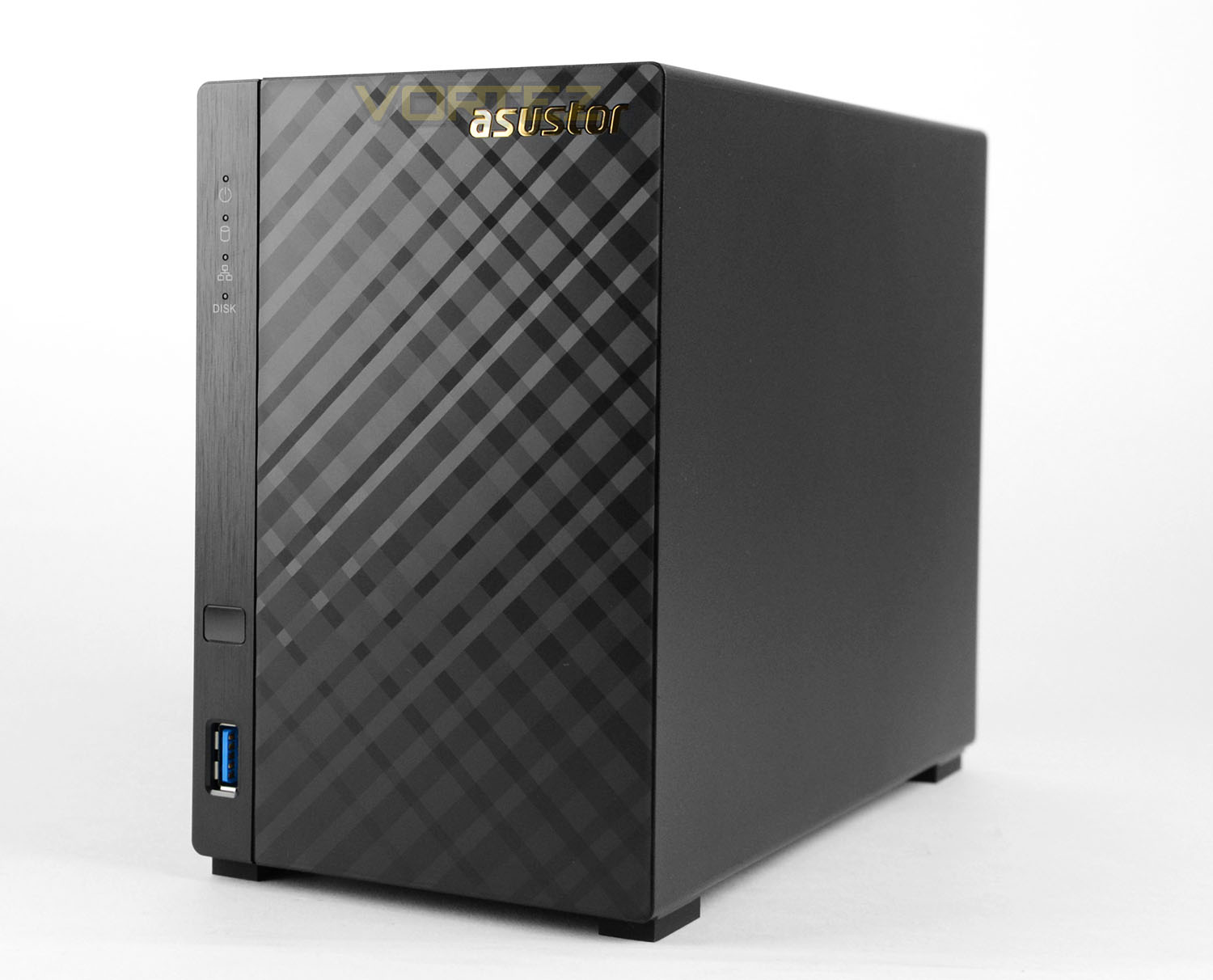
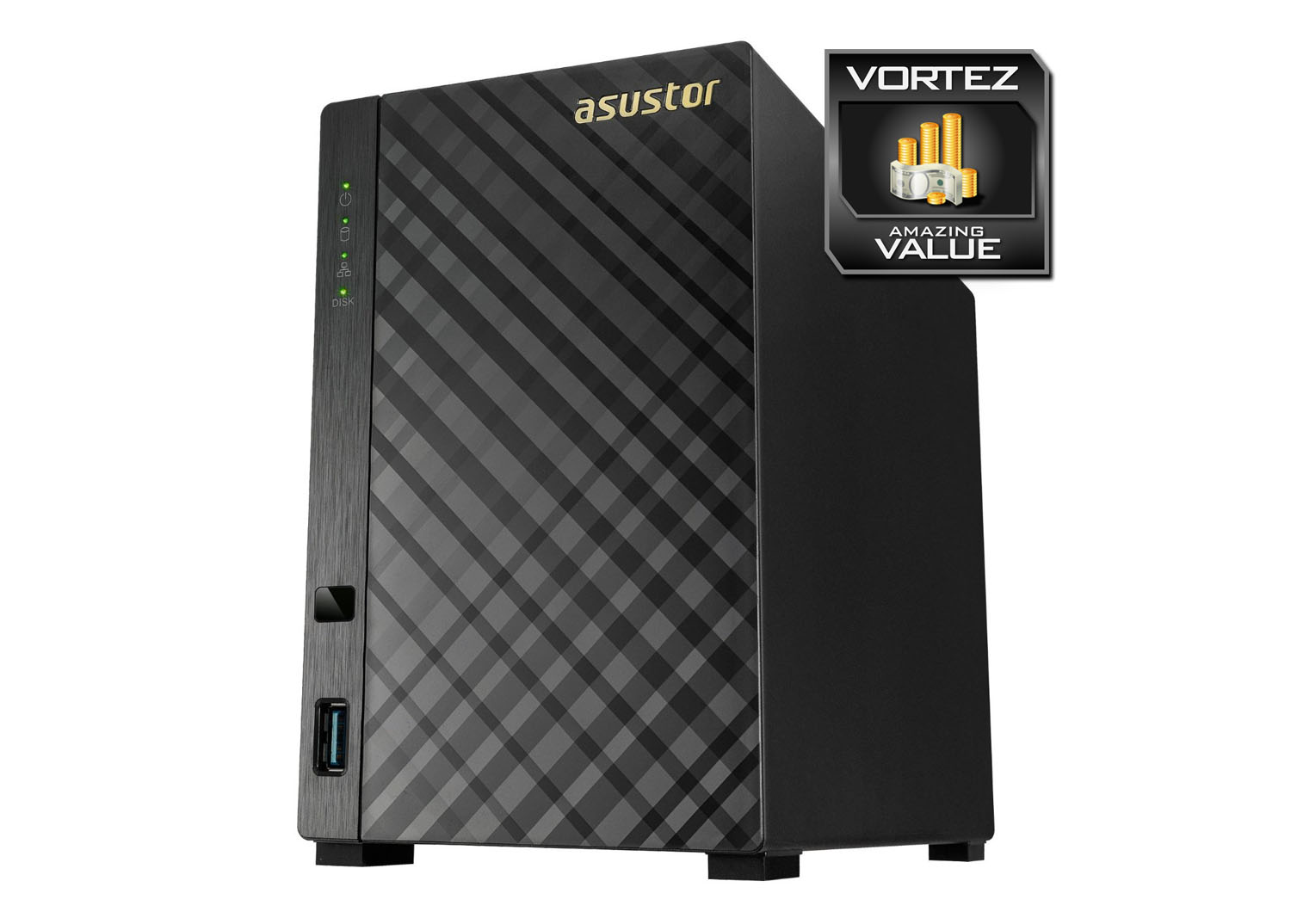
Removing AS1002T from its packaging, at the front we are greeted by a classy design which features a diamond-etched aesthetic. Both sides of this NAS unit bear no significant features and are just plain.
Along with the diamond-etched design, there is a gold ASUSTOR logo in the top-right corner and a stack of vertically aligned features. At the bottom there is a USB 3.0 port and further up there is an infrared panel for use with a remote, along with activity LEDs for power, activity, network and HDD. So where is the power button? It’s on the reverse!
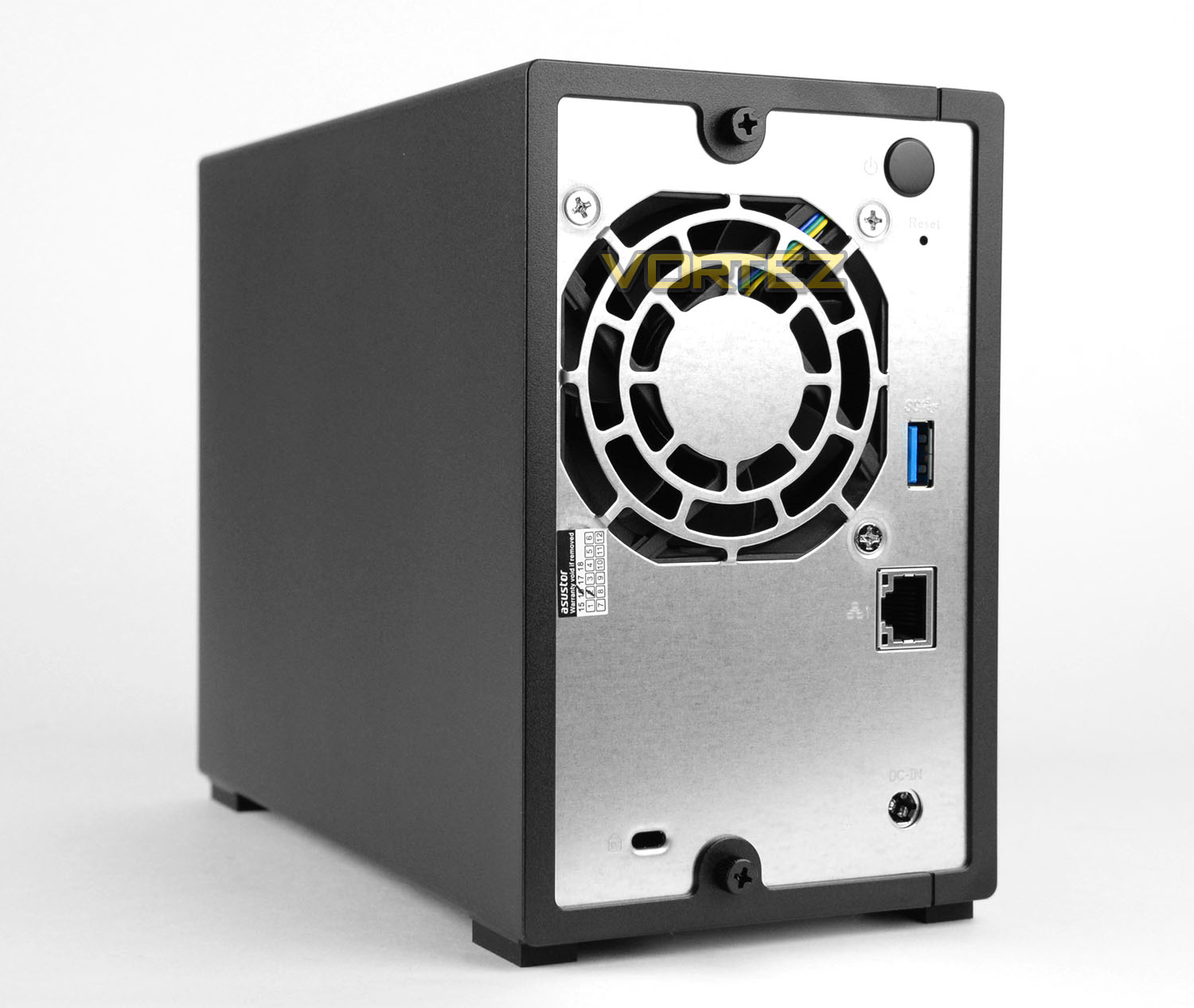
Spinning the unit round, on the rear-side there is a large power button in the top-right corner with a pin press factory reset button. ASUSTOR have included a 70mm cooling fan inside the AS1002T to provide some cooling for the internal components and hard drive storage. Immediately next to the fan there is a single USB 3.0 port and below this we have a gigabit LAN port for network connectivity.
At the bottom there is a DC-in port for use with the power pack and over on the left there is a Kensington lock allocation.
At the top and bottom of the NAS unit there are thumbscrews to gain access to the inside.
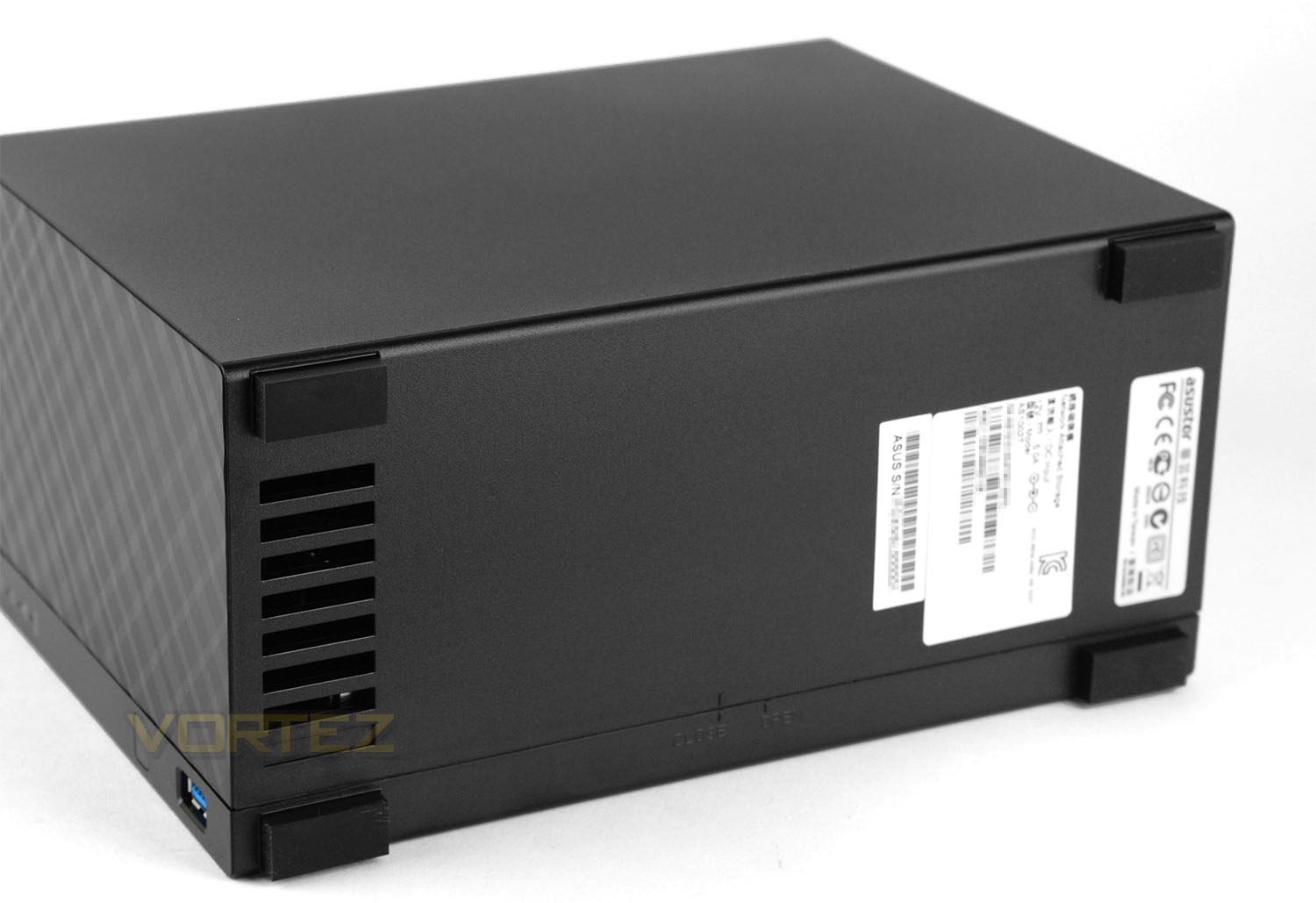
Flipping the AS1002T onto its side, we have a group of four rubber pads to keep the unit stable when placed on smooth surfaces – towards the front there is some ventilation cut-outs and towards the back there is a specifications label featuring the serial number, MAC address and other indepth detailing.
HDD Installation – Inside AS1002T
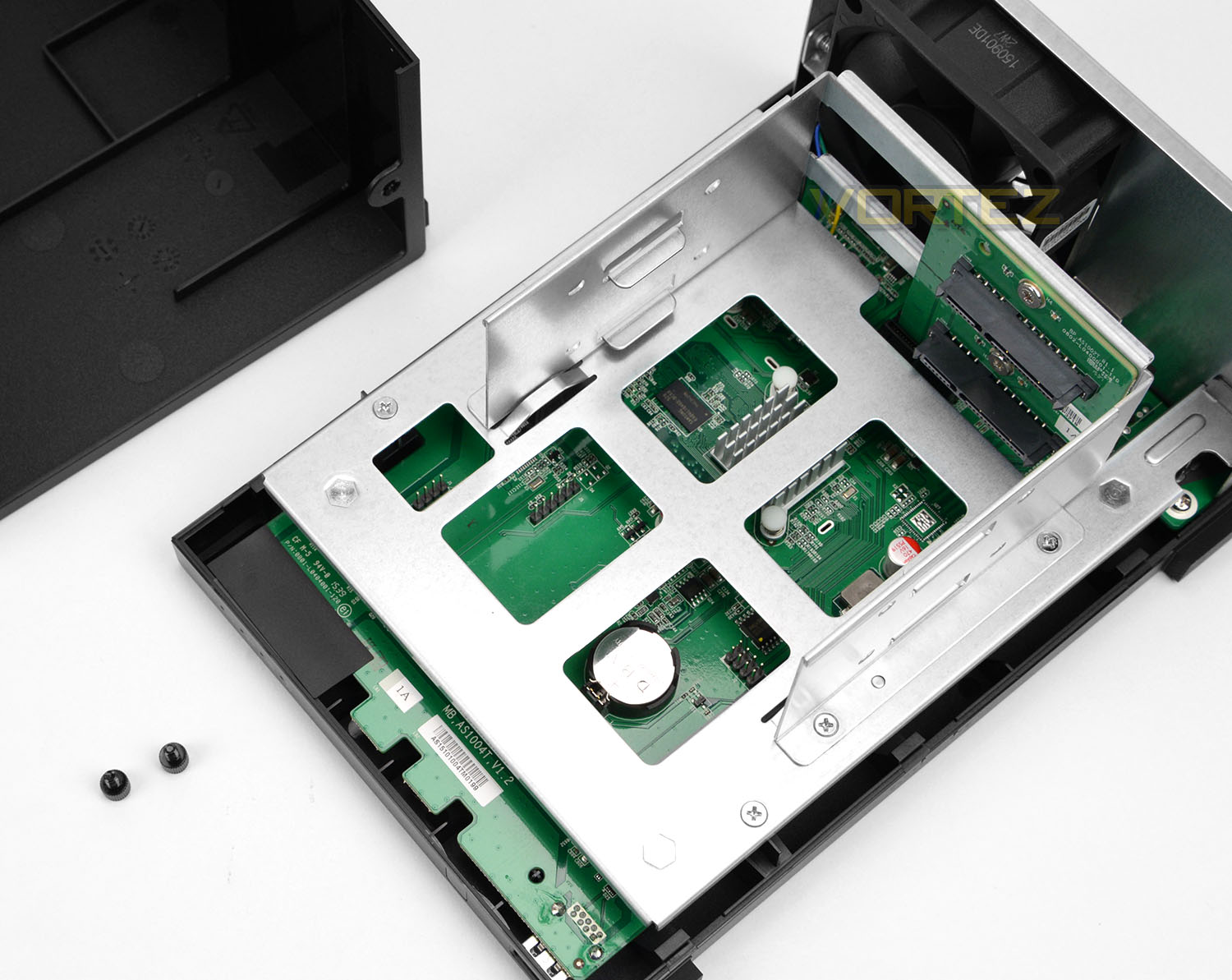
To gain access to the inside of AS1002T the two thumbscrews on the rear need to be removed and the two plastic covers slide apart. Detaching the covers we can now install the HDD storage into the two provided bays.
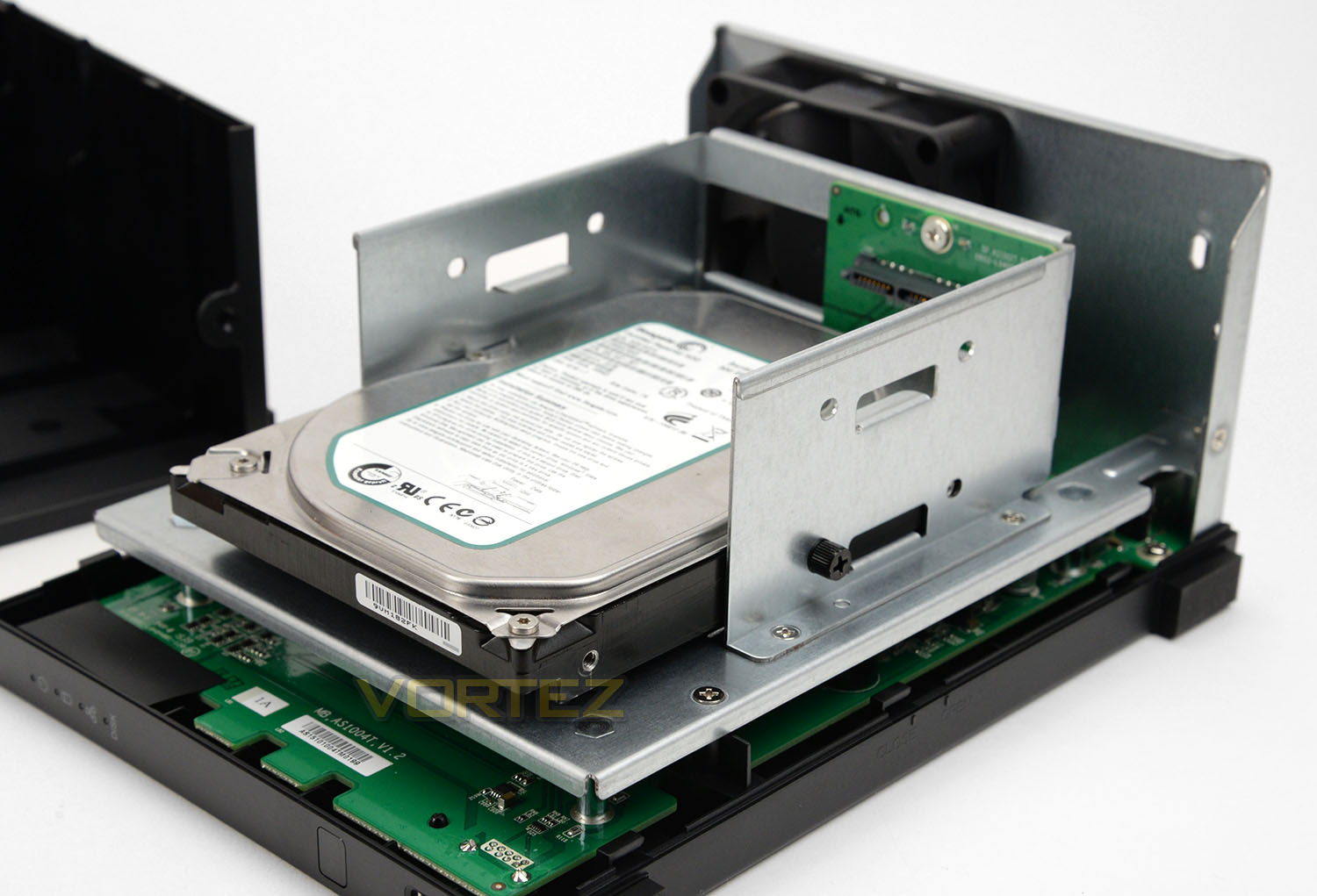
AS1002T can accommodate 3.5” drives and up to 16TB of storage. To install a drive, it simply needs to be slide along one of the bays and connect up with the SATA ports towards the back of the cage. The great thing about AS1002T is that although this NAS isn’t hot swappable as such, we can do have thumbscrews for fast and easy installation.
After removing the covers from AS1002T we can see the internal components for this particular model – although some areas are masked by the HDD cage, we can still see aspects of the PCB such as the heatsink which sits over the CPU. These are as follows:
• CPU Frequency: ARMADA-385 1GHz (Dual Core)
• Hardware Encryption Engine Integrated
• Memory: DDR3 512MB
• Internal HDD/SSD: 3.5″ (SATA II or III) X2
• Max Internal Capacity: 16TB (2X 6TB HDD)
Based on these specifications, this NAS unit is designed for entry level home or small office networks.
Over the page we’ll be testing out the AS1002T with its ADM software and features.
ASUSTOR Data Master – Installing ADM
Like other NAS units, the AS1002T makes use of its own Operating System. This OS has been developed by ASUSTOR and is called ADM or ASUSTOR Data Master.
ADM acts as a portal to network functionality – providing a wealth of software packages and allowing administrators to manage file access, user groups and control various utilities and add-ons.
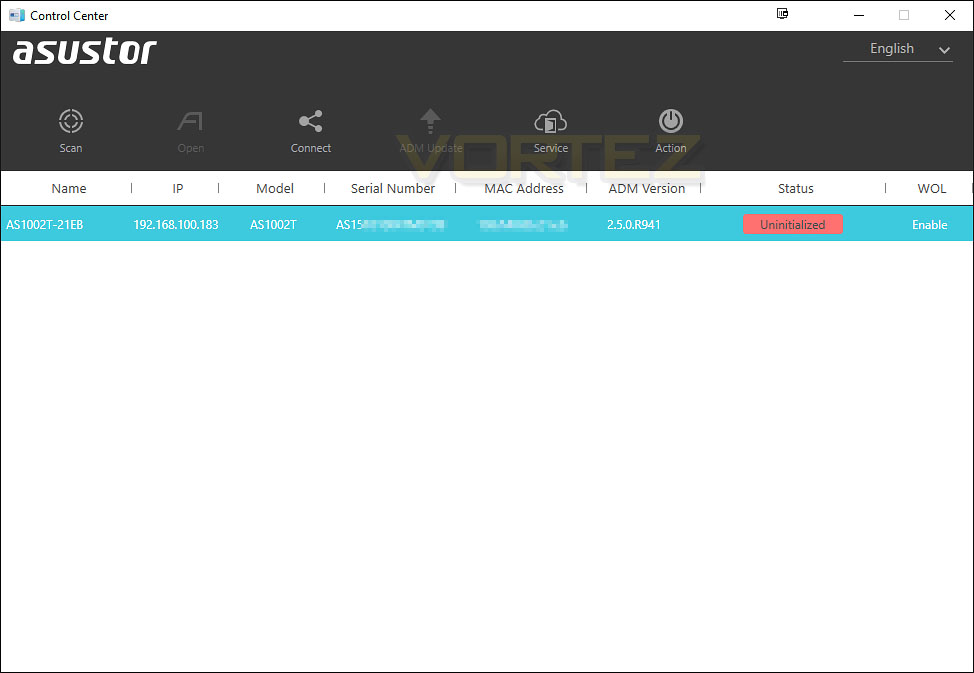
Once we have the AS1002T connected to the network and powered up the first step is to install Control Center. Control Center allows the user to scan for the NAS and obtain access to it – without such software basic users would struggle to discover the IP address and interface with AS1002T.
The NAS shows up as “Uninitialized” to begin with – double clicking takes us to the first step of the ADM install.
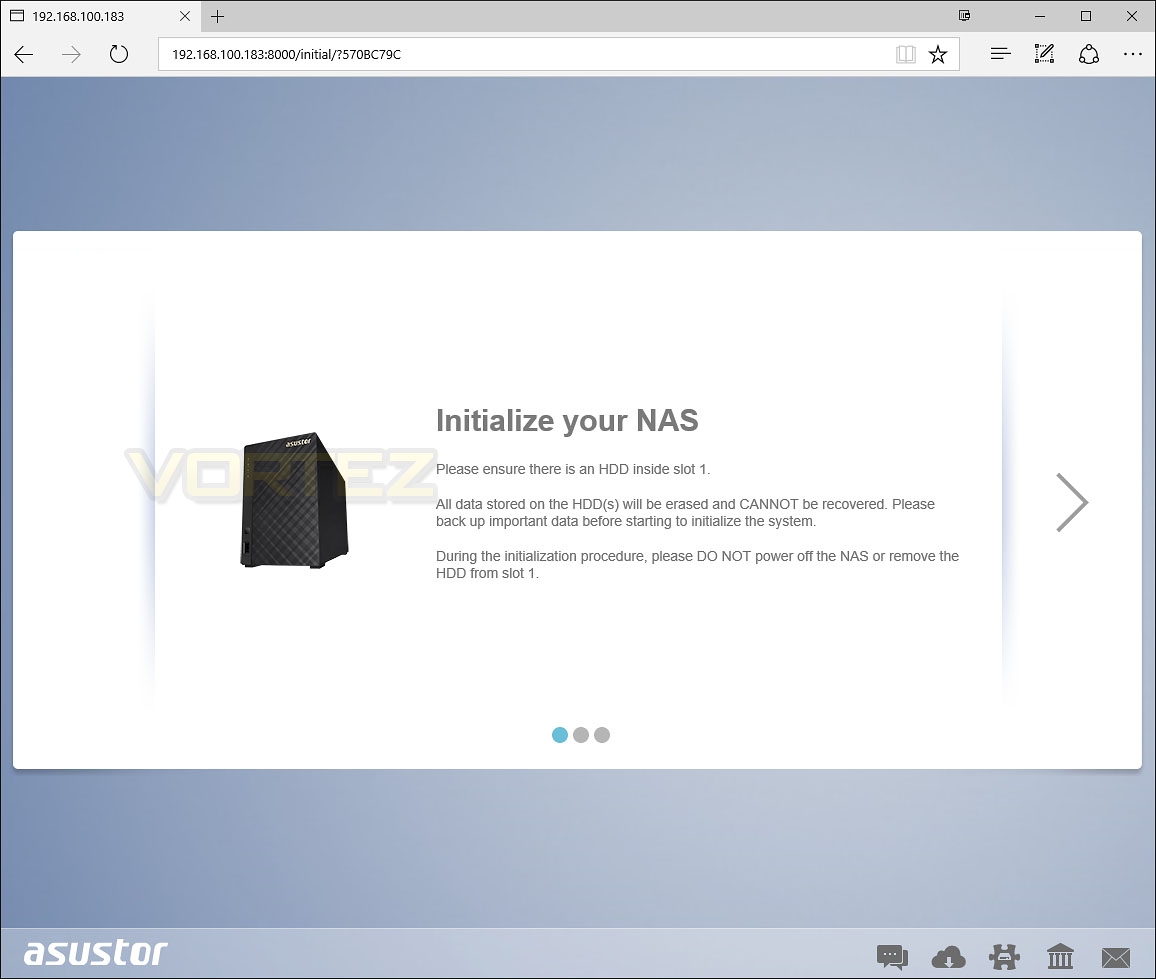
At the first stage of the ADM install, the software wizard prompts us to double-check the HDDs are installed and reminds the user to refrain from turning the unit off.
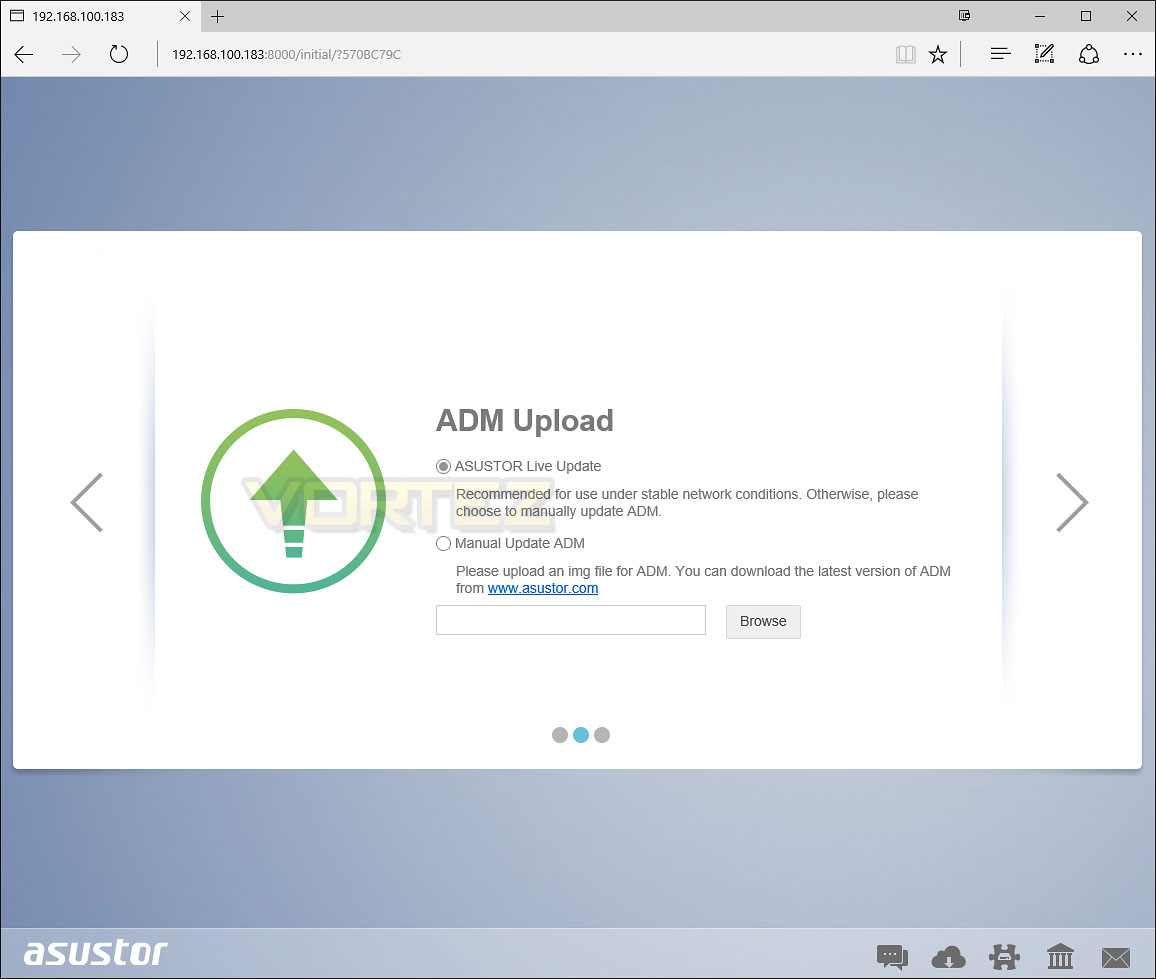
Next, we can either use the Live Update method or manually point to a file. For the manual technique, the latest version of the ADM software can be downloaded directly from the ASUSTOR website.
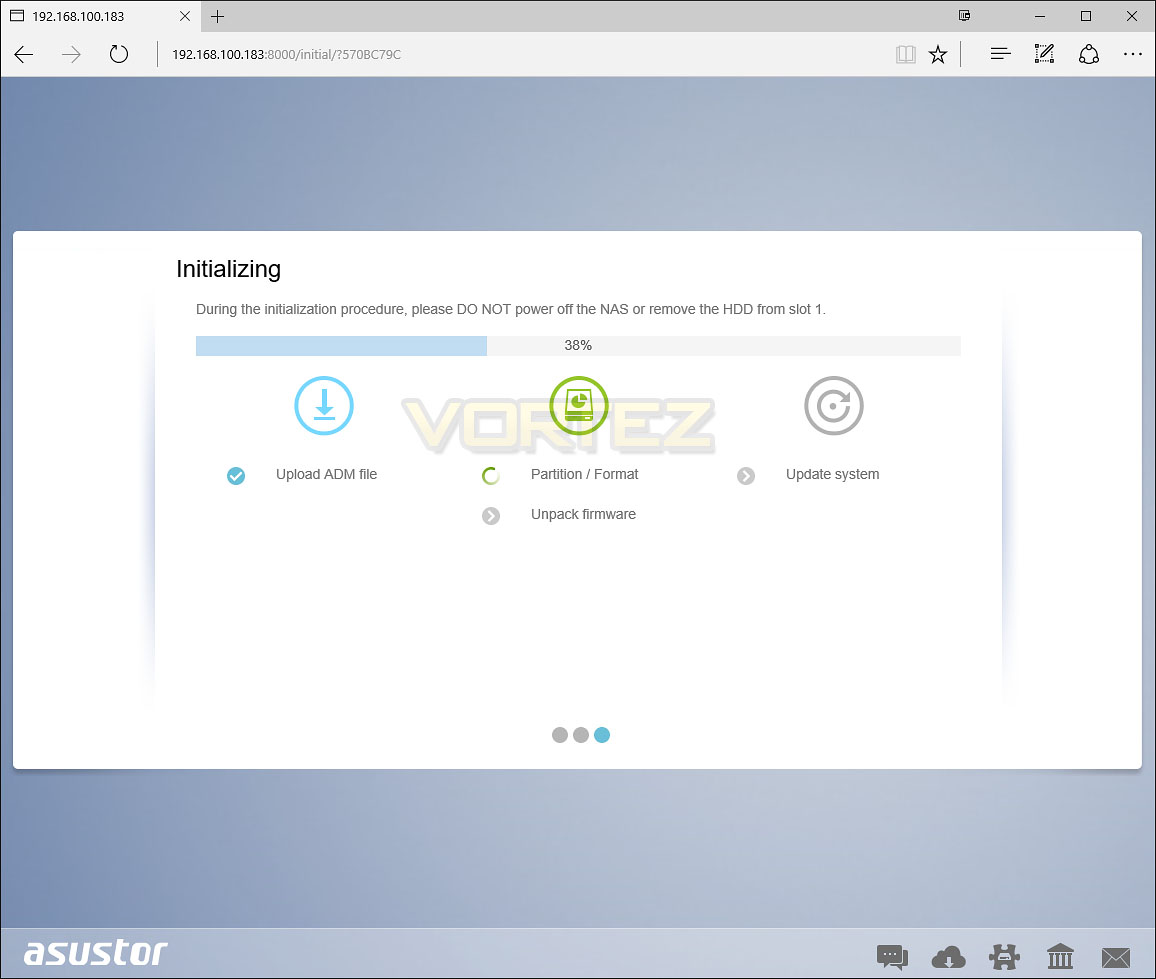
After pointing to the ADM software file, the hard drives are configured with partitions and the firmware is unpacked. Various configuration files are set in preparation for network and user access.
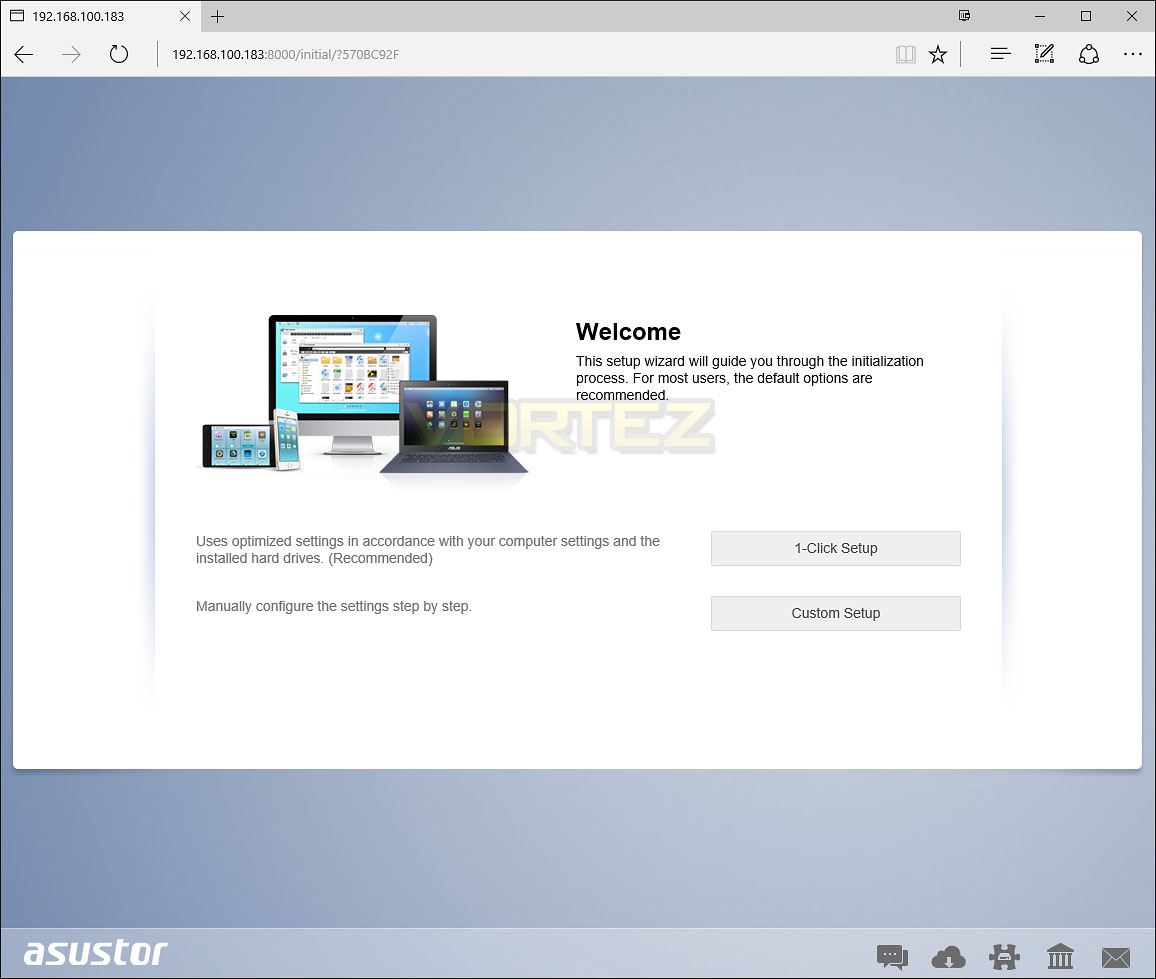
Finally, we can now access the ADM software – before access is granted, two options are provided. The 1-Click method is more preferable for an auto-pilot type configuration while the “Custom Setup” gives users more control over specific settings.
Inside the GUI there are lots of features to look at and use. The interface is fluid, interactive and very extensive. Over on the subsequent pages we’ll demonstrate “LooksGood” – the video application package for AS1002T.
ASUSTOR LooksGood & AiVideo Demo
A common feature for any NAS is video playback. For such activity ASUSTOR use “LooksGood” which allows users to view video content locally or remotely over the internet. As well as being able to log into the NAS via ADM to view a video, the AiVideo app can be installed on a mobile device which is especially useful if a computer isn’t accessible.
Below is a demonstration of LooksGood in action – along with the use of AiVideo via the android version of the app. As you can see, the whole operation is fluid and smooth. To get the most out of this demo, please view at 1080p and using fulllscreen mode:
File Transfer Performance
We have looked at some of the features that ADM brings with AS1002T but how does this affect performance? What are typical transfer rates like over a Gigabit network?
Test System Specifications
CPU Intel Core i5 2500K
Motherboard ASRock Z68 Extreme4 Gen3
Memory 8GB Kingston HyperX 1600MHz DDR3
Graphics NVIDIA GTX 580
PSU Thermaltake Toughpower Grand 750W
Motherboard ASRock Z68 Extreme4 Gen3
Memory 8GB Kingston HyperX 1600MHz DDR3
Graphics NVIDIA GTX 580
PSU Thermaltake Toughpower Grand 750W
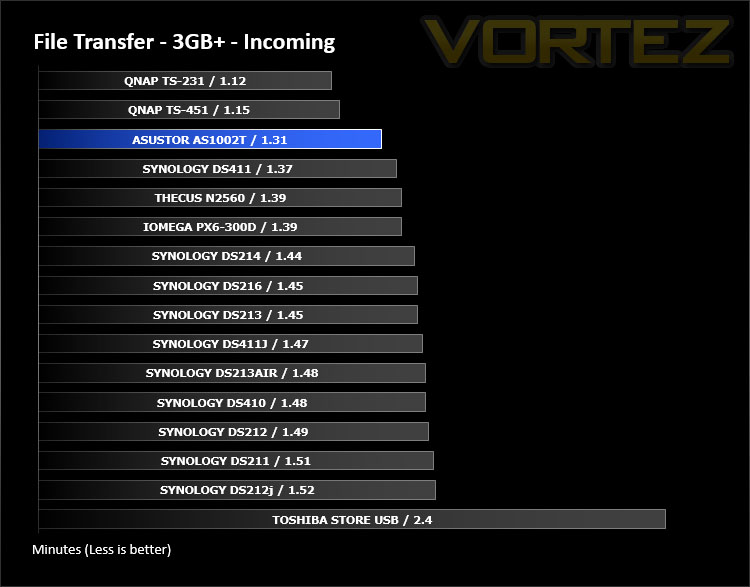
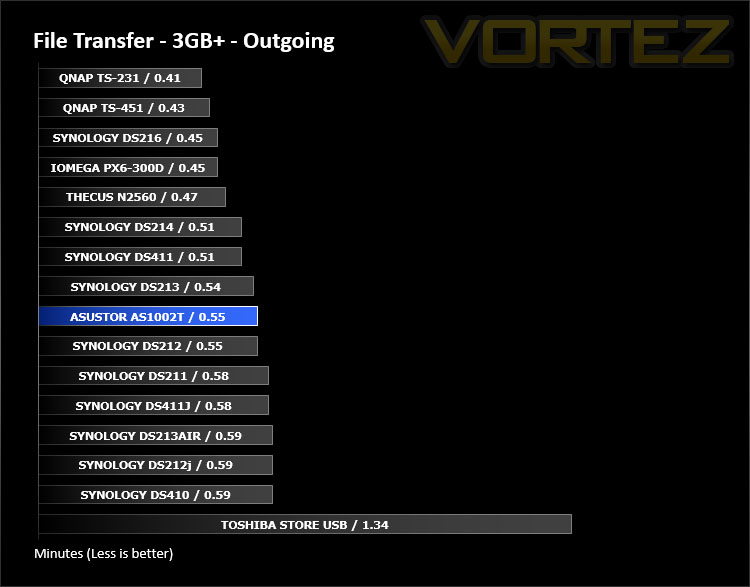
First of all, for the purpose of real world testing we bundled together 6 files which were in 2 folders amounting to 3.2GB. We wanted to discover the incoming and outgoing transfer times between the AS1002T and the computer – against other devices on a Gigabit network. Here are the results.
Conclusion
Using centralised storage on any network is fundamental to maximising productivity and adding in a NAS is a highly recommended option for users who want to get the most out of their multimedia files and generally take control of functionality.
It may surprise you that ASUSTOR has been in the market of supplying NAS products for a mere 5 years and yet in that time they’ve successfully delivered some great products – one of which includes the AS1002T we’ve looked at today.
Looking at AS1002T from an external point of view the enclosure is well-designed with an elegant exterior and an assortment of ports at the front and rear. But, as we’ve pointed out many times for both NAS and other products, acquiring the hardware is easy – the real challenge comes with the software development. Over the years we’ve had first-hand experience of products which utilise poorly developed software and this creates a real stumbling block for workflow. However, we’re really pleased with what ASUSTOR offers in their ADM software, though other rivals have been in this game for a considerably longer period of time, ASUSTOR shows proficiency with their intuitive OS.
So as far as configuration of packages and managing network access, the AS1002T is seamless in its operation and getting up and running is easy thanks to the efficient installation wizard. We encountered no problems during our experience with the unit. Setting up multimedia features is easy as we’ve demonstrated previously and there are plenty of other ASUSTOR and third-party applications for administrators to take full advantage of.
The price is a particular highlight with AS1002T because with a price-tag of just £139.99 GBP / $177 USD, those who are on a tight budget still have the opportunity to include a NAS on the home environment. The specifications aren’t mind blowing but they do allow for users to make use of common applications and generally manage their network to a good standard. Furthermore, the unit is also covered by a three-year warranty too.
The AS1002T is stylish two-bay NAS which bears a multitude of features and thanks to its low price-tag, transforming that home network won’t cost the earth!
Pros
+ Classy design
+ Great build quality
+ Dual-core support
+ Can house up to 16TB
+ USB 3.0 at front and rear
+ Great performance
+ Low fan noise
+ Feature rich operating system
Cons
– Power button is round the back
– No 2.5” drive support
+ Classy design
+ Great build quality
+ Dual-core support
+ Can house up to 16TB
+ USB 3.0 at front and rear
+ Great performance
+ Low fan noise
+ Feature rich operating system
Cons
– Power button is round the back
– No 2.5” drive support
Click here for an explanation of our awards at Vortez.net.