The mechanical keyboard that we’re taking a look at today is the Cooler Master CK550 which is aimed squarely at people looking for a cheaper way to gain entry to the mechanical keyboard club.

Product on Review: Cooler Master CK550
Manufacturer: Cooler Master
Street Prices: £64.99 GBP / $89.99 USD / $119.99 AUD
There isn’t many keyboards in this price range that can boast that they have true mechanical switches, Cooler Master are lowering the cost of entry here with the CK550.
It’s available with 3 variants of Gateron switches, those three being Brown, Blue & Red. Many retailers claim that these switches are widely regarded as the highest quality Cherry MX clones, and that they even improve on the classic Cherry mechanism.
There are some cuts in other areas which have had to happen to allow Cooler Master to get the CK550 available at this price.
There is no USB pass through, no wrist wrest is included and there are no dedicated macro or media keys, the other slight cost saving exercise is the fact that the cable isn’t braided and is not removable like it is on the SK650 although there is a large jump in price.
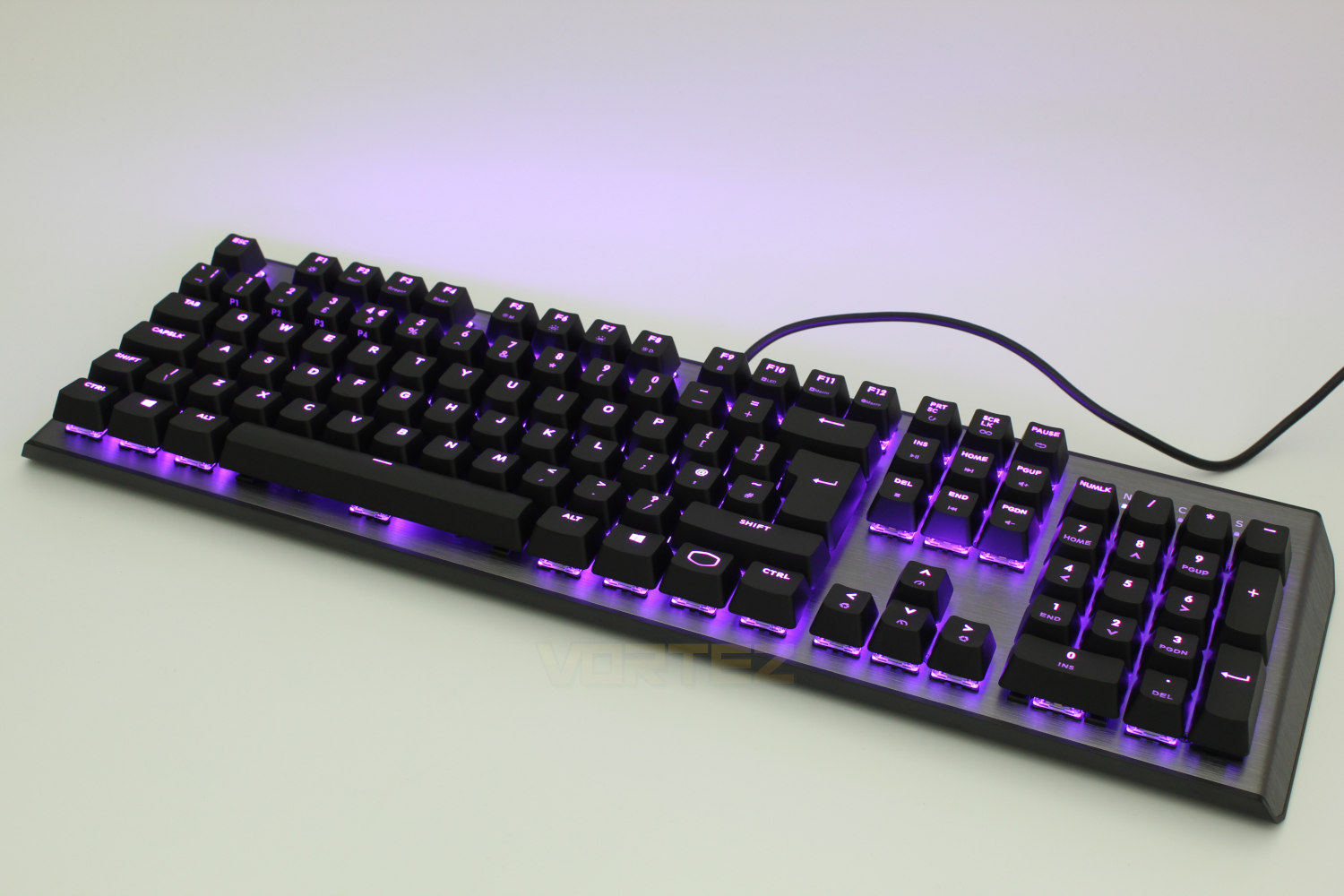
One place where these cuts haven’t affected is in the construction materials, the CK550 features plastic and aluminium construction throughout and fully controllable per-key RGB lighting, read on to find out how the Cooler Master CK550 performs.
Cooler Master on the CK550:
NO-NONSENSE GEAR WITHOUT COMPROMISE – Get a straightforward keyboard that performs well on the battlefield with the CK550 Gaming Keyboard. Mechanical switches rated for 50 million clicks will guarantee your keyboard will stay combat-ready during all your long-lasting skirmishes. On-the-Fly Controls allow customization of your settings like RGB lighting and macros in real time, while software lets you get even further customization. Simply put, the CK550 is a capable tool that gets the job done.
Technical Specifications:
Product Number: CK-550-GKGM1 (Brown Switch), CK-550-GKGL1 (Blue Switch), CK-550-GKGR1 (Red Switch)
Keyboard Switch Type: Gateron
Material: Plastic & Aluminium
Colour: Gunmetal Black
LED Colour: RGB
Keyboard Polling Rate: 1000Hz
Keyboard Response Rate: 1ms / 1000Hz
Keyboard MCU: 32bit ARM Cortex M3
On-Board Memory: 512KB
On-The-Fly System: Yes, For Multi-Media, Macro Recording & Lighting Control
Multimedia Keys: Through FN
Cable: Fixed Rubberised 1.8m
Software: Yes, through Portal
Connector Cable: USB 2.0
Cable Length: 1.8m
Dimensions: 460 x 135 x 41 mm
Weight: 850g
Warranty: 2 Years
Product: Keyboard
Keyboard Type: Mechanical
Keyboard Switch Type: Gateron
Material: Plastic & Aluminium
Colour: Gunmetal Black
LED Colour: RGB
Keyboard Polling Rate: 1000Hz
Keyboard Response Rate: 1ms / 1000Hz
Keyboard MCU: 32bit ARM Cortex M3
On-Board Memory: 512KB
On-The-Fly System: Yes, For Multi-Media, Macro Recording & Lighting Control
Multimedia Keys: Through FN
Cable: Fixed Rubberised 1.8m
Software: Yes, through Portal
Connector Cable: USB 2.0
Cable Length: 1.8m
Dimensions: 460 x 135 x 41 mm
Weight: 850g
Warranty: 2 Years
Product: Keyboard
Keyboard Type: Mechanical
Packaging & First Look:
The front of the box for the Cooler Master CK550 shows us a front profile shot of the CK550, along with a sticker informing you of which switch the Cooler Master CK550 is equipped with and there is a useful cut out above the directional keys, this is good to include when Gateron switches are relatively unknown to the wider market and allows potential users to get hands on with them before purchasing.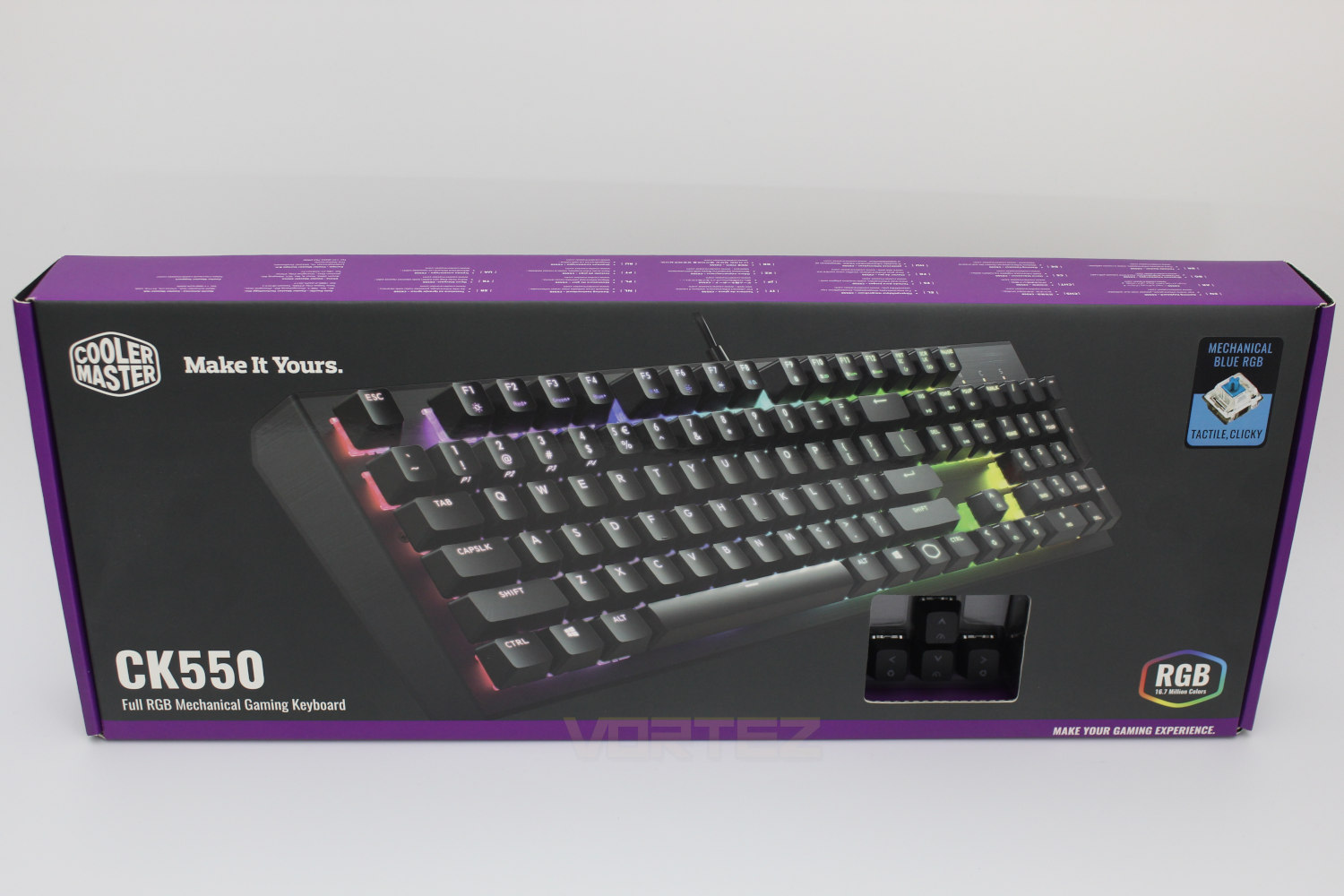
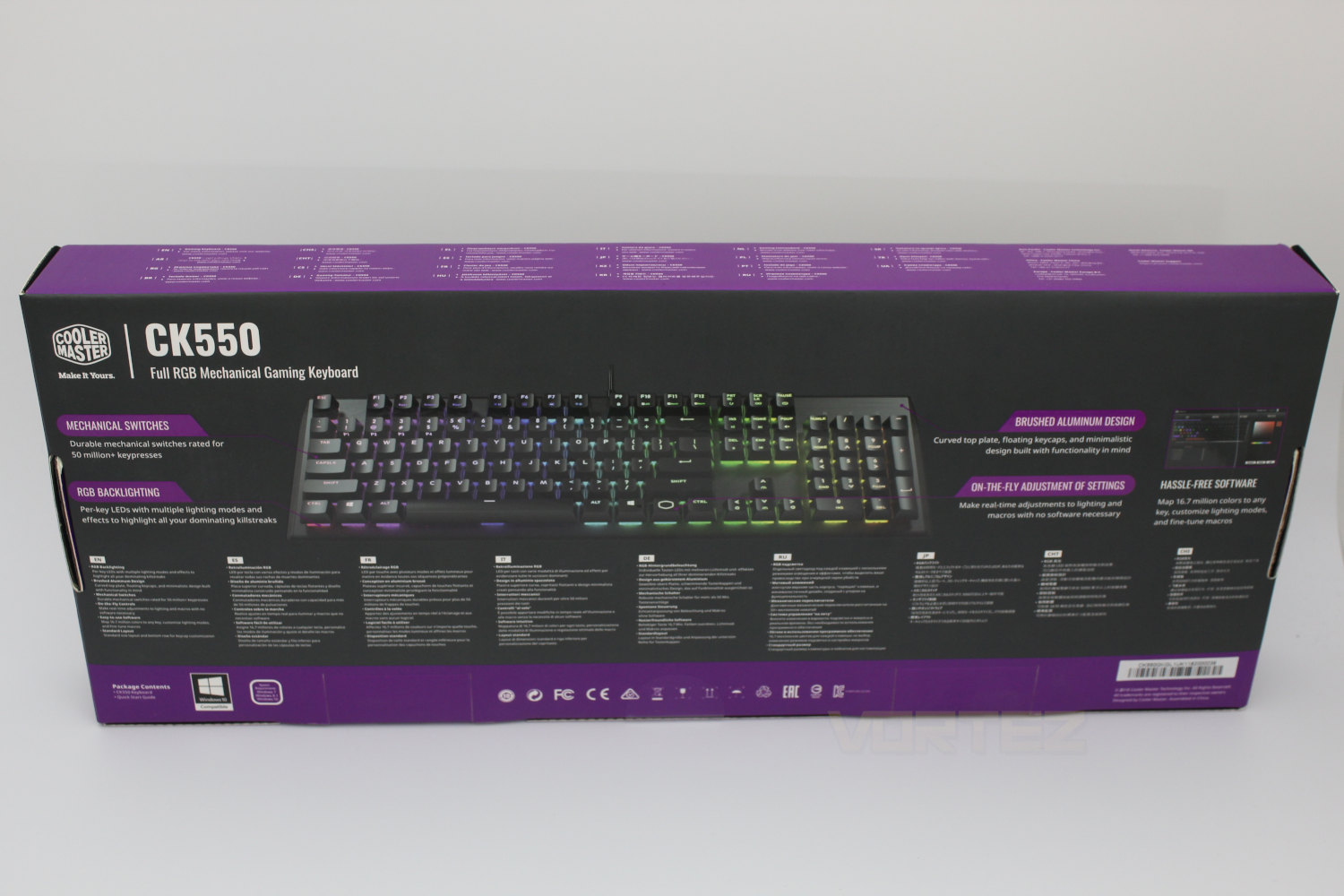
The back of the box has another profile shot of the CK550 and goes into a couple of the unique selling points of the keyboard.
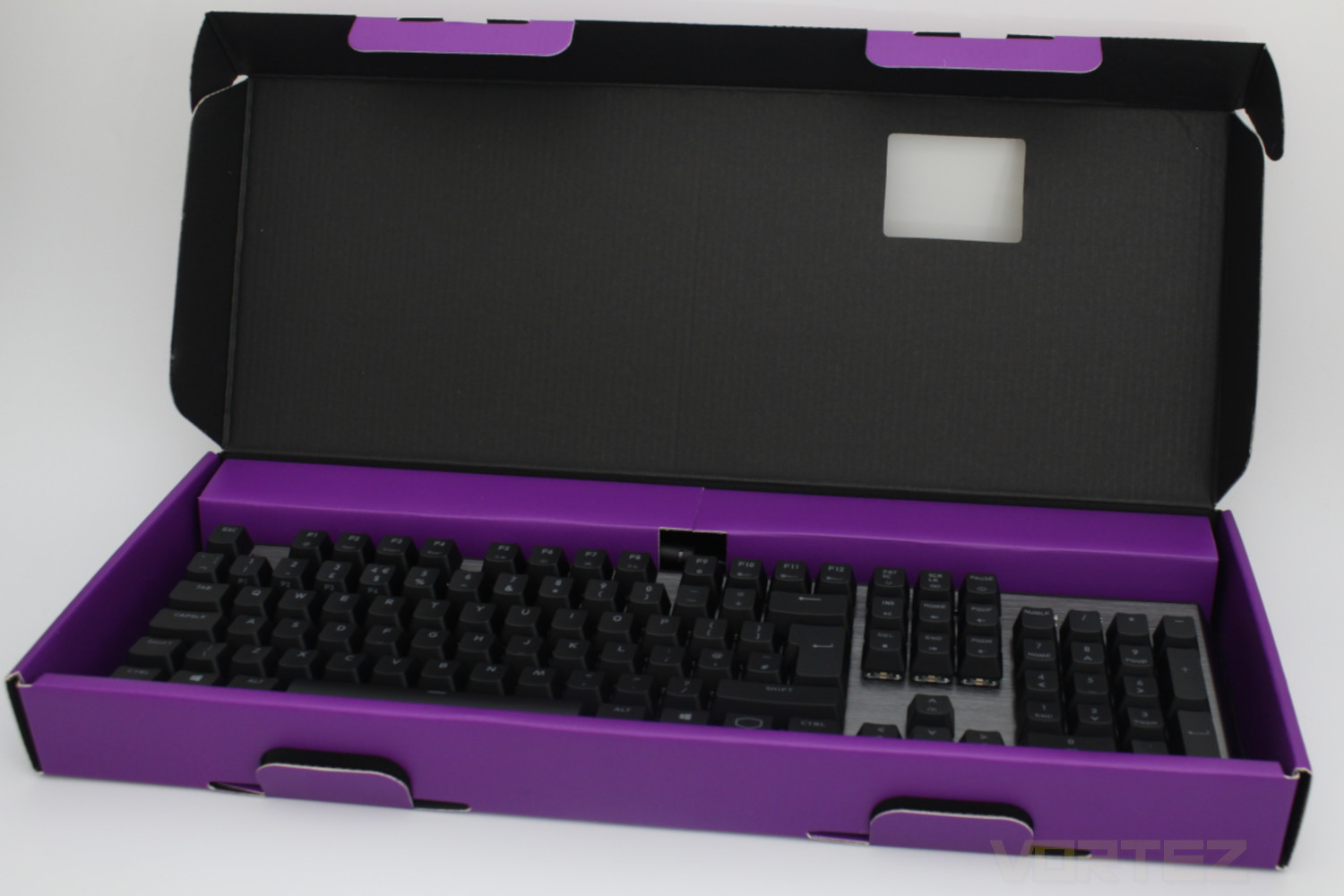
Inside the box the keyboard comes covered in a hard plastic cover to help prevent any damage in transit, however it would be nice to have some foam around it to give us a bit more peace of mind.
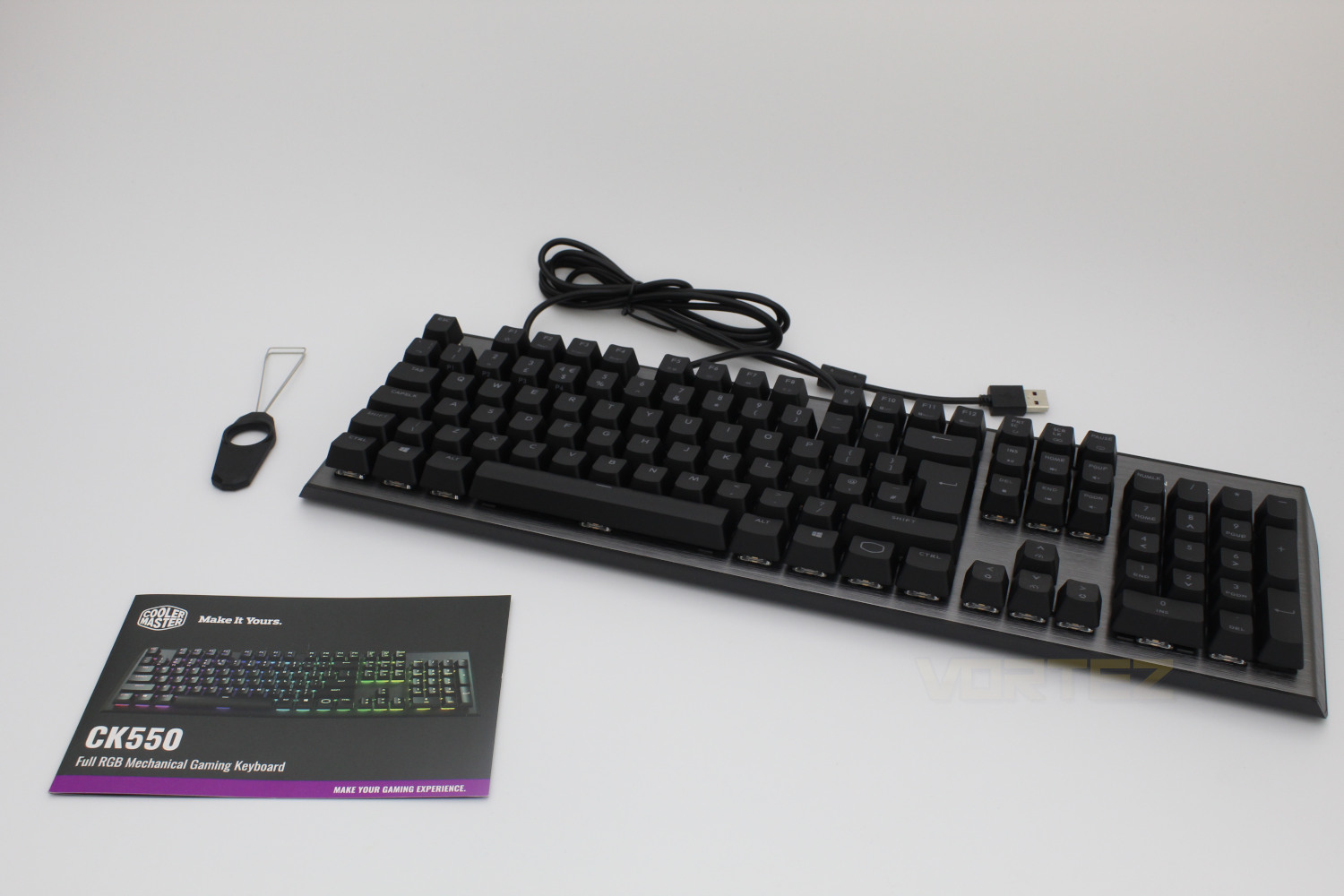
Included in the box is a quick start guide along with a key cap puller which isn’t of the plastic variety, which is great considering they can scratch the key caps if you’re not careful.
Closer Look:
The top left of the CK550 is where you can find the RGB On-the-fly controls, which are accessible by the using the FN key, you can alter the brightness of the illumination as well as change the colour.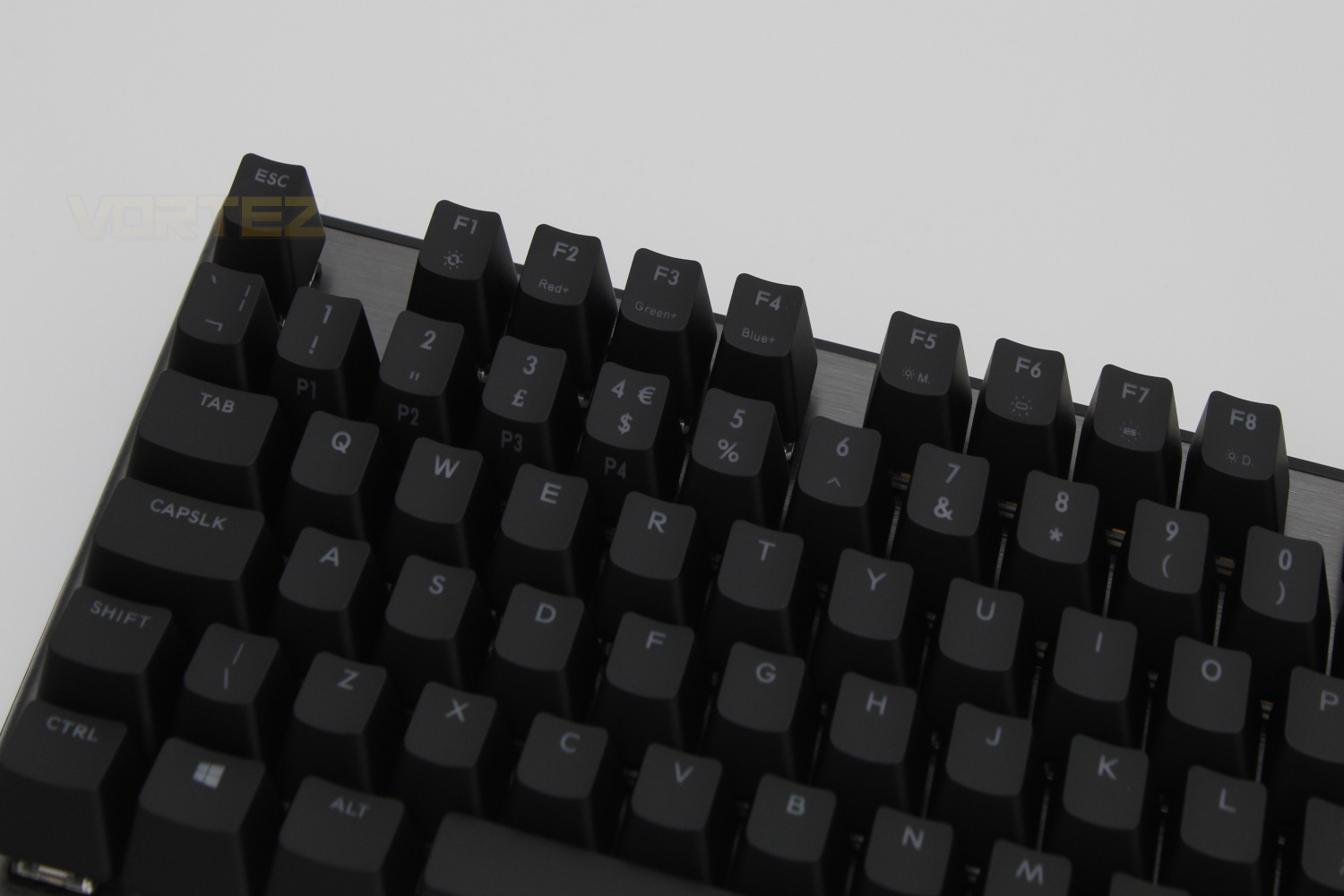
In the middle, along the F key row there are also hotkeys for the macro solution that Cooler Master has implemented.

Then on the right hand side of the keyboard you have access to the multimedia keys, both of the above are utilised by using the FN key.
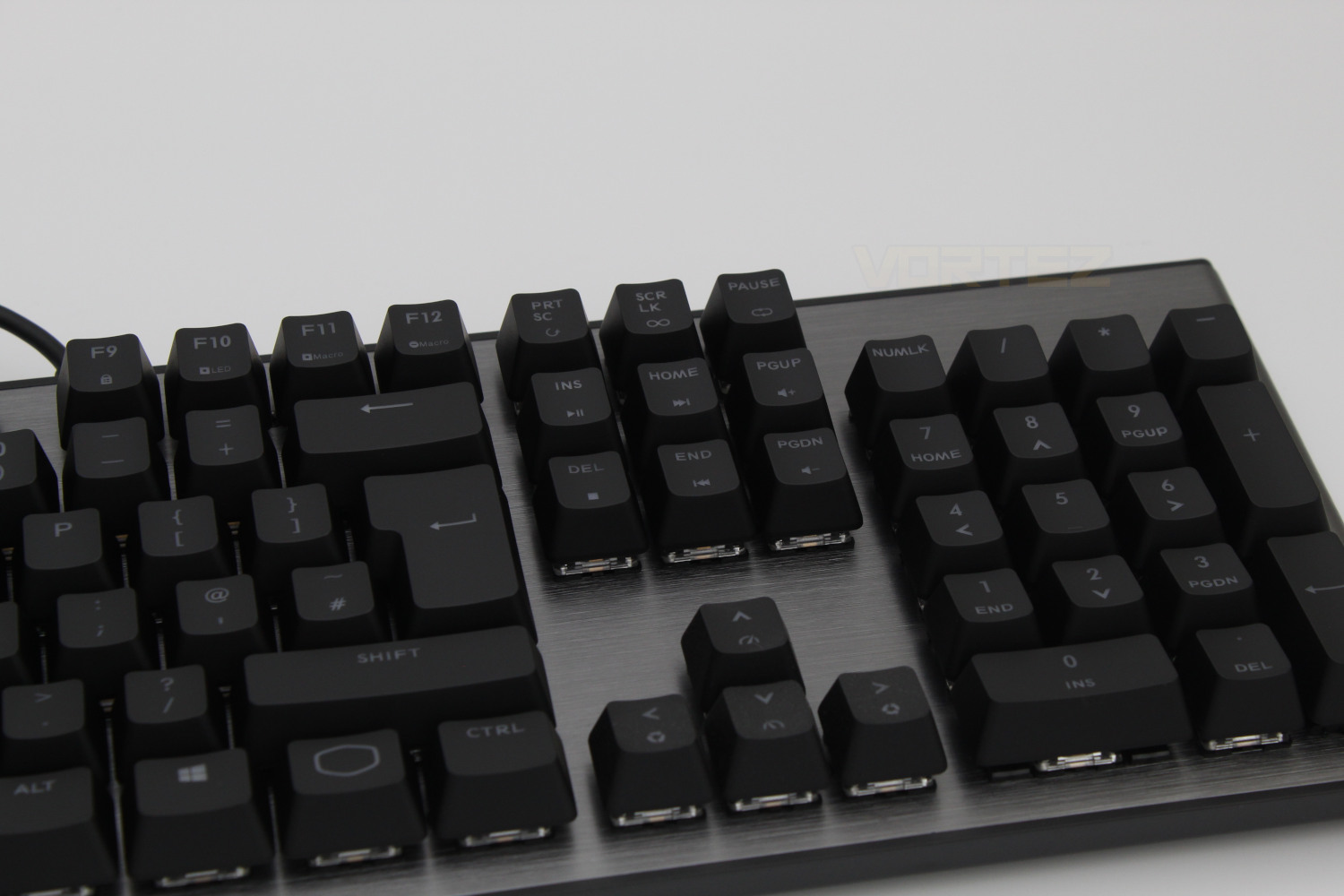
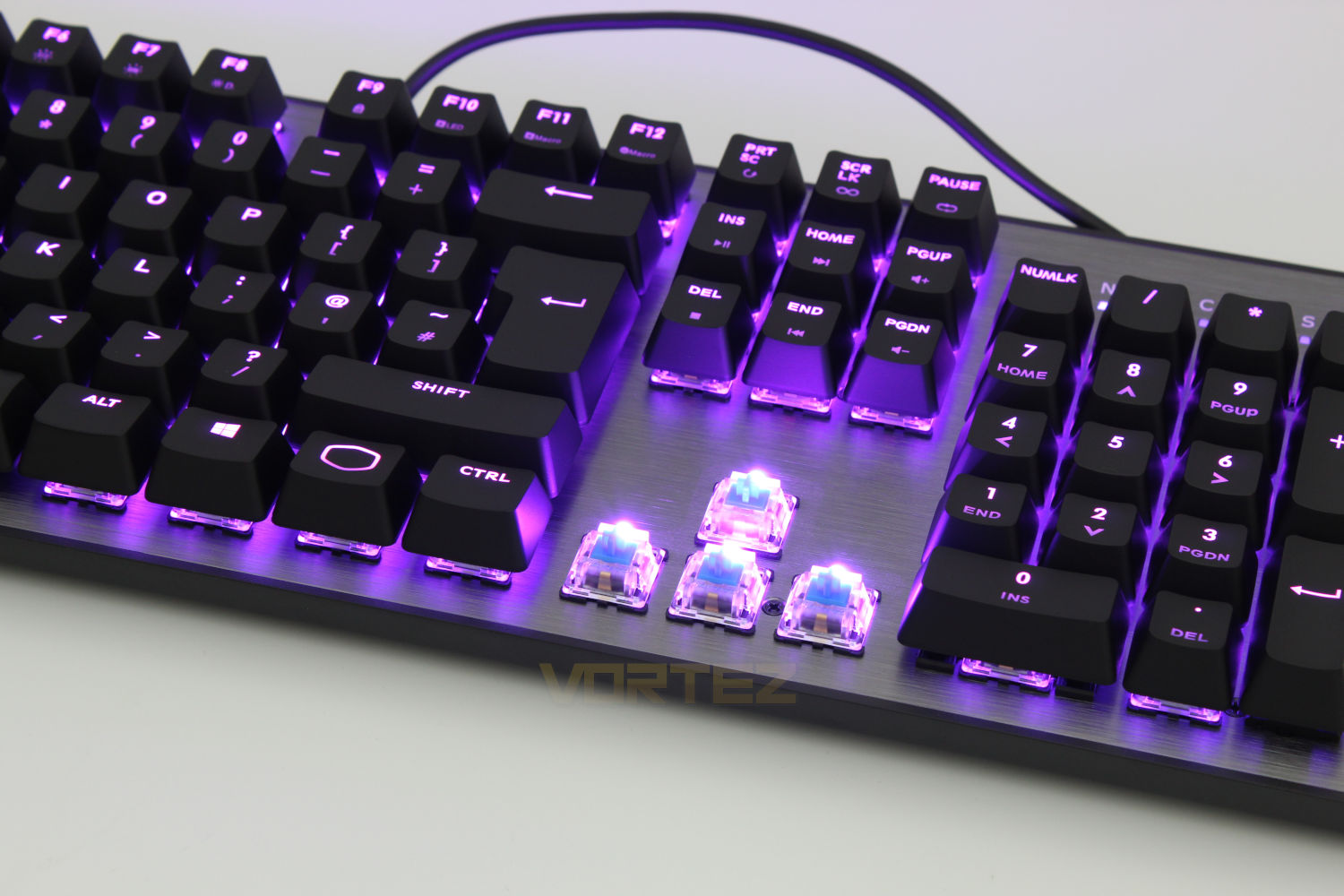
To help give you an idea of how the RGB is different to Cherry’s implementation we’ve removed the arrow keys here, as you can see the LED itself does not sit flush with the switch’s housing and this allows more light to pass through when the key caps are on.
Performance Testing & Software:
Design & Build Quality
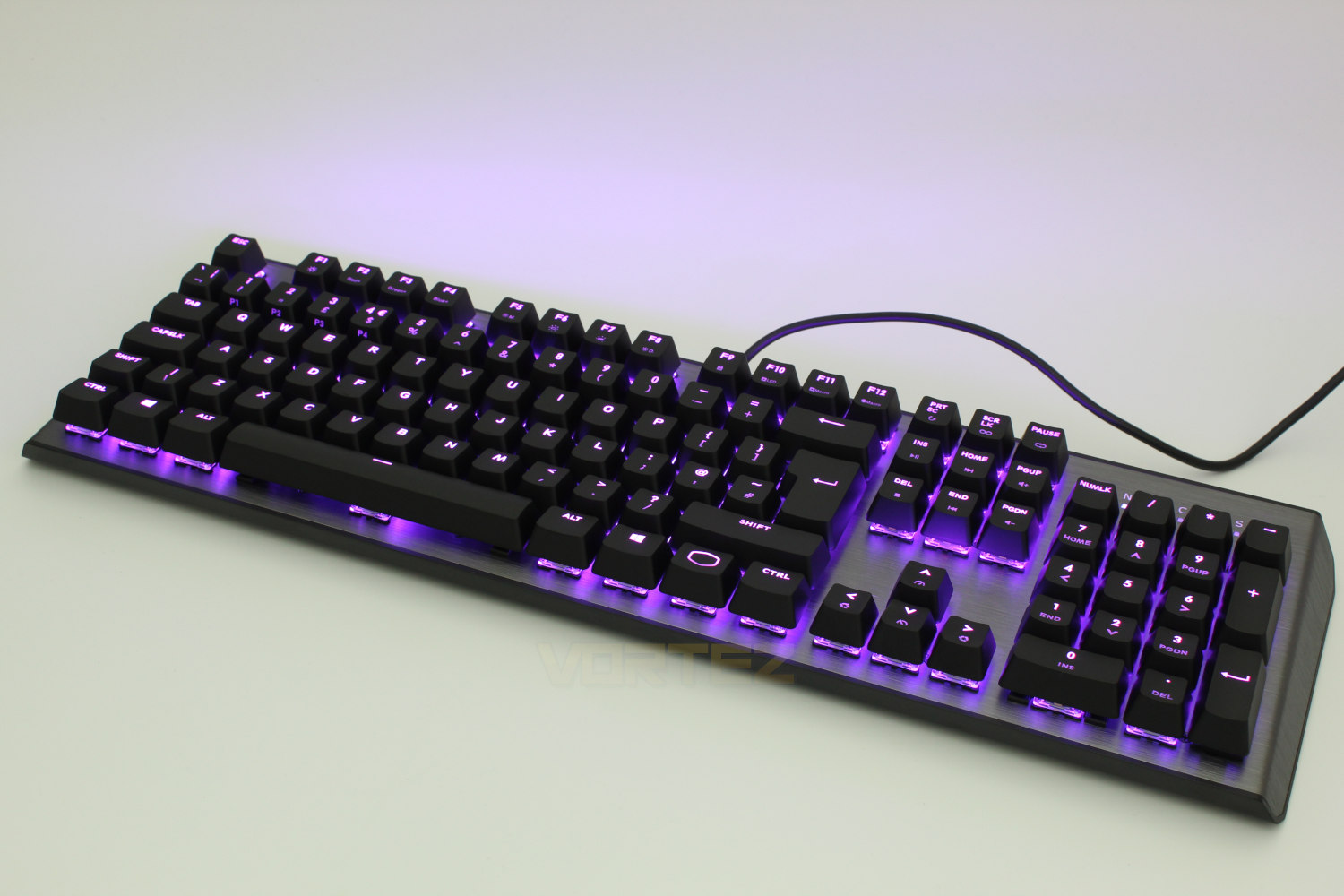
In terms of the design & build quality Cooler Master have kept it simple and have gone for a minimalist design while keeping the build quality high. It features a brushed aluminium face plate and a plastic back which is enough to ensure the keyboard has no flex in it but is still light at 850g.A sorely missed feature is that of height adjustment legs on the bottom the keyboard, this coupled with the fact there is no included wrist wrest could be off putting for some people. A quick search did show that the keyboards that included these additional items were pricier than the CK550 but there is no excuse for not including height adjustable legs.
Performance
The switch types that the CK550 can be equipped with are the brown, red & blue variants. The Red switches are comparable to Cherry’s Red switches and the Brown variants are a hybrid between a Linear & Clicky switch which don’t generate the clicky sound but do feature the tactile bump.The CK550 sample that we have been provided with for this review feature the Gateron Blue switches, which feature a click and a tactile bump when pressed, and we’d like to point out that the clacking will annoy your peers if you’re using it in an office.
Our findings of the Gateron Blue switches are consistent with general opinion on the internet, that the switches are very smooth, but they are VERY loud, although they couldn’t be heard through our headphones with active noise cancellation. There is a very nice level of resistance to them and we liked them in both typing and gaming scenarios and the quality is so much closer to that of Cherry than other non-cherry mechanical switches.
Software
You can control the RGB lighting, your custom Macros and re-assign keys within Cooler Master’s Portal Software, there are a smattering of RGB presets as well as the ability to customise them. Recording and assigning macros to any key was great, and really easy to do. A video demonstration is available in the video below.Conclusion:
Overall the CK550 is one of best entry level mechanical keyboards we’ve tested but there are a few pain points that need to be considered.A quick search shows that the keyboards that include a wrist rest are more pricier than the CK550 but there’s no excuse we can provide that justifies the exclusion of height adjustable legs.
This is a problem we called out on the SK650 when we tested it and it’s a similar conclusion here, these need to be included to ensure maximum compatibility with the majority of user’s typing positions and while the inclusion of a wrist rest would bump up the price somewhat we feel that it would be a worthwhile increase as we found that the keyboard was uncomfortable after a short period of time without one.
Putting the above to one side for the time being, the performance of the keyboard is great and we’re a big fan of Cooler Master’s latest choices in the aesthetics department. As with the SK650 the CK550 would not look out of place in an office although the noise may be a mitigating factor here.
The RGB lighting is excellent due to how the LED is positioned on the switch, it sits between the switch and the key cap which means there is more room for the light to escape which makes them appear brighter and more vibrant
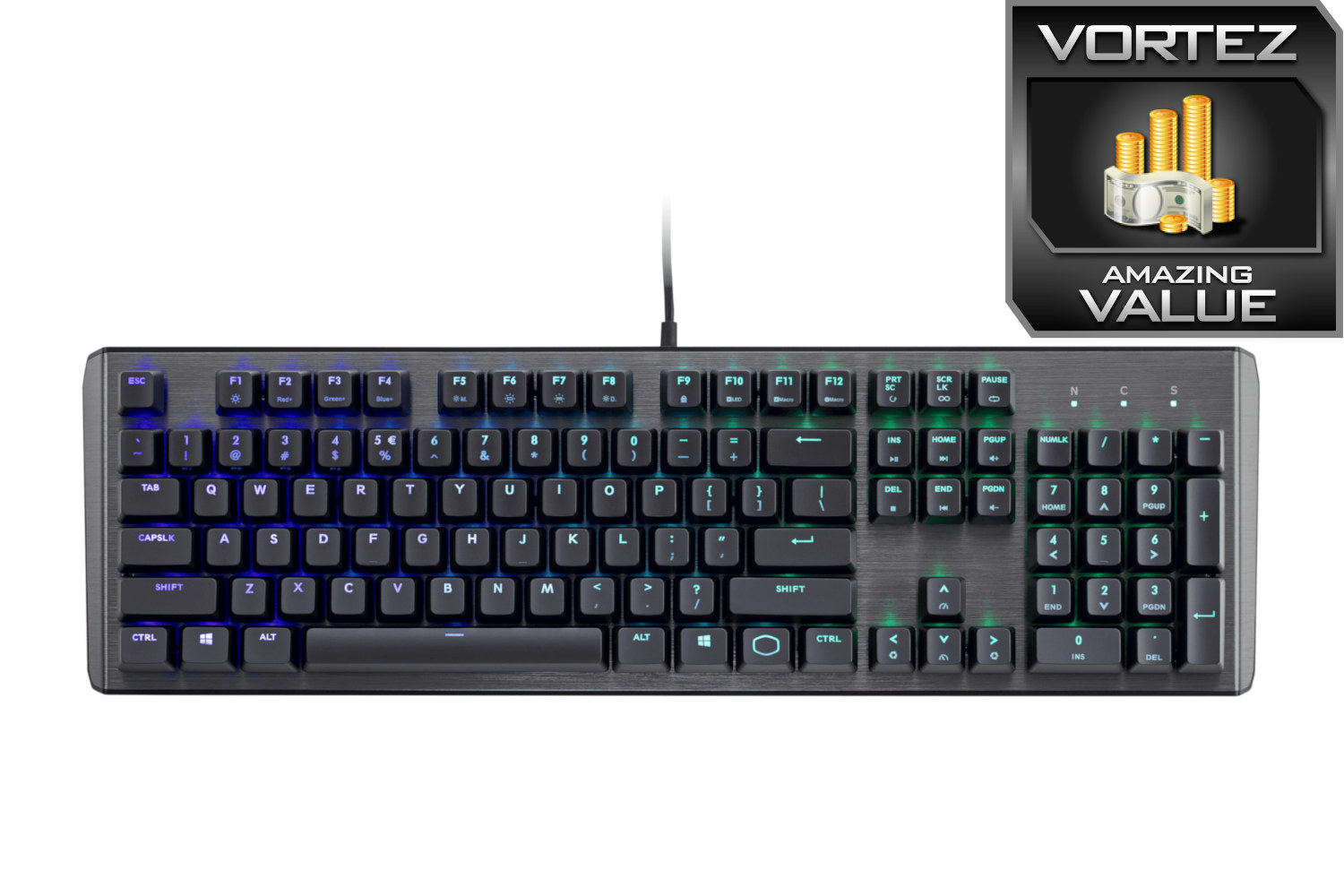
With all that Cooler Master has achieved with the CK550 we’d like to award it our amazing value award
Pros
+Great Looks
+Build Quality
+Excellent Typing & Gaming Performance
+Great RGB Lighting
Cons
-No Height Adjustable Legs
-No Wrist Rest
+Great Looks
+Build Quality
+Excellent Typing & Gaming Performance
+Great RGB Lighting
Cons
-No Height Adjustable Legs
-No Wrist Rest
Click here for an explanation of our awards at Vortez.net.
Stay connected with the Vortez Social Media pages:
Join in with the discussions on Discord