







Today, we have another member of Cooler Master’s Hyper family of CPU Coolers, the TX3. Let’s find out how much punch this tiny cooler can really pack.

Product on Review: Cooler Master Hyper TX3 EVO
Manufacturer and Sponsor: Cooler Master
MSRP: N/A
Street Price: £14.99
Last week, we had an in-depth look at one of Cooler Master’s most successful products, their Hyper 212 EVO. Marked as an evolution in cooling and acoustic performance over its predecessor, the Hyper 212 EVO proved to be another hit. As such, Cooler Master are intent to carry the same formula across to their TX3 with the same aim in mind, delivering good performance in a compact package. Superficially, there doesn’t appear to be much different between the new EVO and its predecessor we previously reviewed here. Both share the same heatsink design and make use of three 6mm heat pipes. However, taking a closer look at the specifications, we note that the TX3 EVO follows on the same footstep as its Hyper 212 EVO sibling in that it bundles a quieter lower RPM fan but unlike the latter, “Continuous Direct Contact Technology” hasn’t been employed in this variant of the EVO line. The most significant change from a personal view is its new found support for LGA1366. On initial impressions, it seems a somewhat puzzling move to introduce this support at the end of the platform’s life cycle but it actually makes sense. People looking to upgrade their current X58 motherboard and CPUs have provided the second hand market with a cheap and yet powerful platform to build around and Cooler Master can now capitalise on this market with an appropriately priced cooler. The question is whether this small cooler has what it takes to cool the ever power hungry i7 and more importantly if it can help sustain overclock speeds typically attributed to these first generation i7 CPUs.
Our Mission
Cooler Master was founded with the mission of providing the industry’s best thermal solutions. Since its establishment a decade ago, the company has remained faithful to this mission, emerging as a world leader in products and services for companies dealing with devices where heat issues must be resolved.
In pursuing this mission, Cooler Master is absolutely committed to delivering solutions that precisely meet customer requirements for features, performance, and quality. Moreover, we strive to be a reliable long-term partner for our customers that they can truly depend on. It aims to be the first and foremost name that comes to mind for companies around the world seeking thermal solutions, and seeks to build such a reputation through outstanding technology, sophisticated design, and superior service.
Cooler Master’s current business encompasses a comprehensive lineup of thermal solutions for a full range of applications. Its products range from heat sinks and fans to component housing, chassis, and ducting for computers, industrial machinery, telecommunications equipment, and many other devices.
A critical component of Cooler Master’s ability to successfully pursue its mission is an unstinting commitment to quality, as demonstrated by the ISO 9001 certification granted to its main manufacturing plant in Taiwan. It has also enforced ISO guidelines and is in the process of applying for ISO 9002 certification at its second and third plants, located in China. Cooler Master has also implemented a number of analytical and testing protocols to ensure top quality, including at subcontractors, to further ensure thorough quality control. Moreover, Cooler Master’s dedication to quality extends beyond manufacturing to every aspect of its operation, including service.
Within the Hyper series of coolers, the Hyper TX3 EVO positions itself below its bigger Hyper 212 sibling and the two higher end Hyper 414S/PWM and Hyper 612S/PWM coolers. Its size reflects Cooler Master’s lower end target market and the fact it bundles a single 92mm fan as well as a push-pin mounting mechanism further highlights its focus towards system builders rather than enthusiasts. But as we have come to expect from Cooler Master, their idea of cheap doesn’t necessarily translate to poorer quality so let’s see what the TX3 EVO has in store for us.
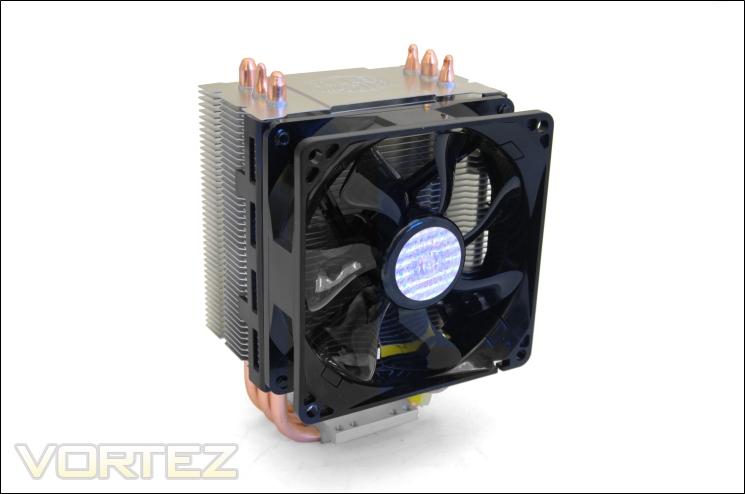
Features & Specifications
Optimized for current and future generation sockets, the Hyper TX3 EVO sees improvement in its Direct Contact heat pipe performance, expanded socket support, and a higher quality 92mm wide-range PWM fan.
•3 direct contact heat pipes with a base that is engineered to minimize CPU contact gaps–providing excellent heat conduction. Wide-range PWM fan with unique wave-shaped blade design for excellent airflow.
•Excellent airflow design with compact heat sink dimension.
•Versatile all-in-one mounting solution supporting the latest Intel LGA 1366/1155 and AMD FM1/AM3+
•Upgradeable to second fan with quick-snap fan bracket.
Specifications
Socket Compatibility: AMD AM2/3/3+/FM1, Intel LGA 1155/1156/1366/775
Heatsink Dimensions: 90 x 51 x 136 mm (L x W x H)
Heatsink Dimensions with fan: 92 x 79 x 139 mm (L x W x H)
Weight: 386g
Heatsink Weight: 306g
Fan Weight: 73g
Heat pipes: 3mm x 6pcs
Heatsink material: 3 direct copper heat pipes/Aluminium fins
Fan dimensions: 92 x 92 x 25 mm (W x H x D)
Fan Speed: 800-2200R.P.M +/-10%
Fan Airflow: 15.7-43.1CFM +/-10%
Air pressure (mmH2O): 0.35-2.63 mmH2O +/-10%
Bearing Type: Long life sleeve bearing
Fan life expectancy: 40,000 hours
Fan Noise Level (dB-A): 17-30
Connector: 4-pin PWM
Rated Voltage: 12 VDC
Rated Current: 0.15A
Power Consumption: 1.8W
Currently, we have no other cooler in our charts that competes with the TX3 EVO on either price or design so we will settle for a quick comparison with its non EVO variant and bigger but closely related Hyper 212 EVO sibling. The main differences between the TX3 EVO and its predecessor are the lower RPM fan and support for LGA1366. The latter comes in the shape of new compatible push-pin brackets whereas the fan operates at a more frugal 2200RPM compared to the 2800RPM bundled on the non-EVO variant. Unsurprisingly, the new fan is quieter but also delivers slightly lower performance on paper. The fan on our sample operated at a mightier 2500RPM at its maximum, which as we’ll see later on was necessary to keep the i7 CPU as cool as possible when overclocked. Otherwise, the fan still retains PWM functionality, useful when coupled with less power hungry CPUs.
Size and design wise, the EVO hasn’t changed despite being 84g lighter. We made a similar observation when comparing the Hyper 212 EVO to its predecessor. Explaining how Cooler Master have made such significant weight savings without compromises or visual differences is hard given that we saw no detriment to the Hyper 212 EVO’s performance in our review. The light weight construction of the TX3 makes its push-pin mounting mechanism perfectly adequate at doing its job as we will see later. Compared to the Hyper 212 EVO, the TX3 is 20mm shorter and 28mm less length-ways, making it a perfect candidate for smaller HTPCs.
Packaging and Content
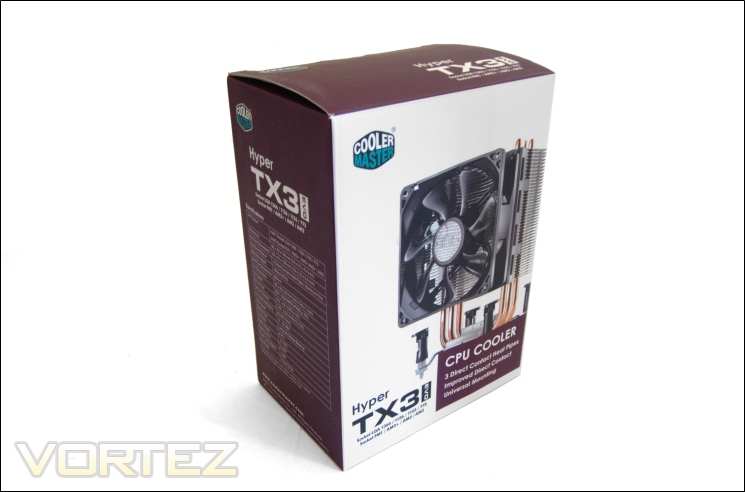
The packaging
The Cooler Master Hyper TX3 EVO cooler comes packaged in a very compact pink and white cardboard box, following the same design scheme as the Hyper 212 EVO and the Hyper 612S packaging. Depicted on the front is the heatsink and fan along with the model name below it as well as some of the key features. For the most part, the aesthetics aren’t remarkable but does a very good job informing potential buyers what to expect.
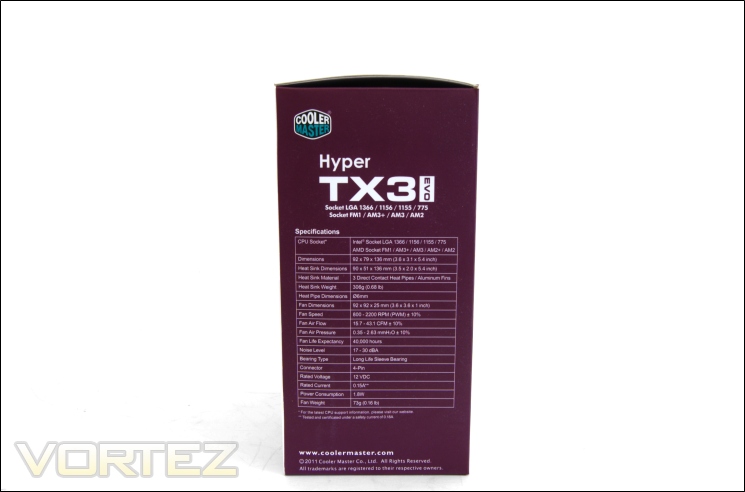
The specifications
On one side of the box is listed all the specifications of the heatsink and fan. The table in which they are listed in is very comprehensive and gives users an idea of the size and weight of the cooler, a list of compatible sockets, and the rated fan rotation speed and noise level. The cooler supports all current Intel and AMD sockets including AMD FM1. On the Intel side, socket support dates back to LGA775 and now includes LGA1366 whereas on the AMD side, only the AM2/3(+) and FM1 sockets are supported with no compatibility with the ageing socket 939/754.
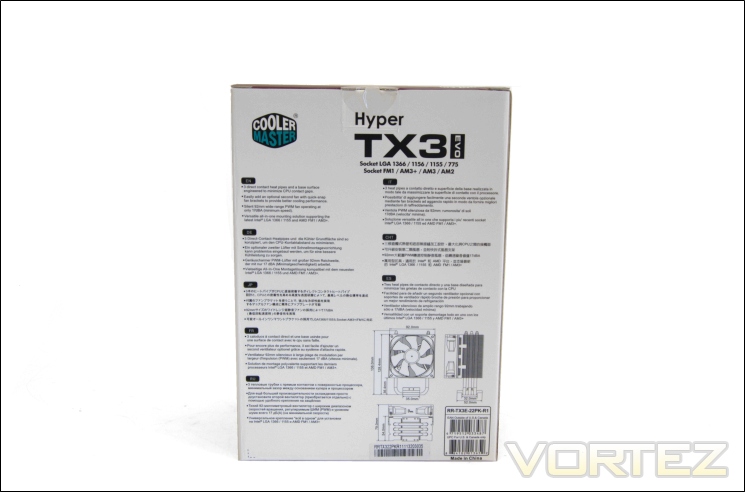
The features
At the back, Cooler Master details some of the features of their Hyper TX3 EVO along with an illustration of the cooler dimensions so users can see if it will fit in their cases or not. These are repeated in 7 other languages, demonstrating Cooler Master’s global marketing.
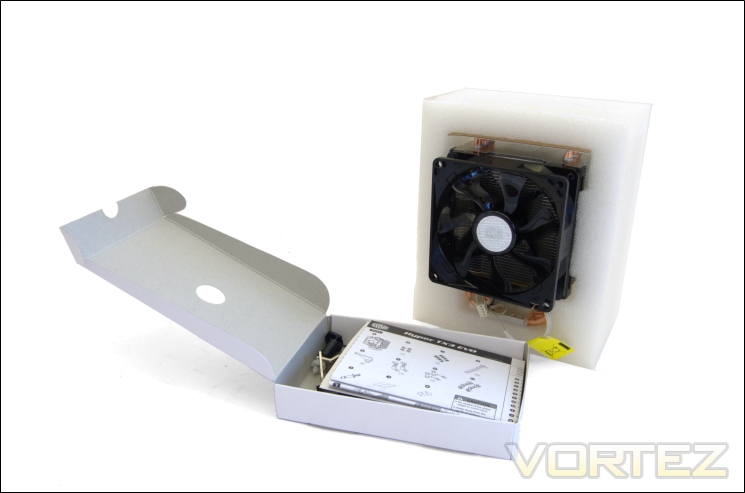
The inside of the box
Inside, the cooler is enclosed in foam for added protection and the accessories are all found in a plain white box along with the manuals.
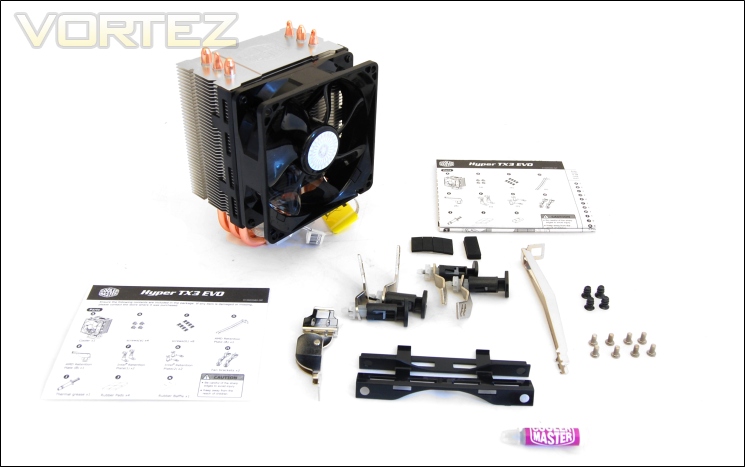
The bundle
The mounting mechanism uses the same push-pin method as the non-EVO TX3, the only change being that the Intel retention plates now support LGA1366 mounting holes. Included are:
-Cooler x1
-Fan x1
-Fan Screws x4
-Retention Plate Screws x8
-AMD Retention Plate x1
-AMD Retention Lock x1
-Intel Retention Plate x4
-Fan Bracket x2
-Thermal Paste Tube x1
-Rubber Pads x4
-Rubber Baffle x1
The push-pin mechanism is designed for quick painless installation without having to remove an already installed motherboard and installing back plates. As we will see later, the method is very straightforward.
The cooler
Immediately noticeable is the compact size of the Hyper TX3 EVO and its 92mm fan. Design wise, it boasts a familiar Cooler Master aluminium and copper finish attributed to the fins and heat pipes respectively. The cooler is only 92mm in length and 139mm in height so it has no compatibility issues with smaller mid-tower cases. The dimension also gives the cooler a somewhat boxy profile. Like the rest of the Hyper family, aesthetics isn’t a highlight of the cooler, settling for a very mundane tower design lacking nickel-plating or fancy fin designs. No doubt this is a cost saving feature but as we have grown to learn from Cooler Master, simplicity is sometimes the best approach.
Closer Look
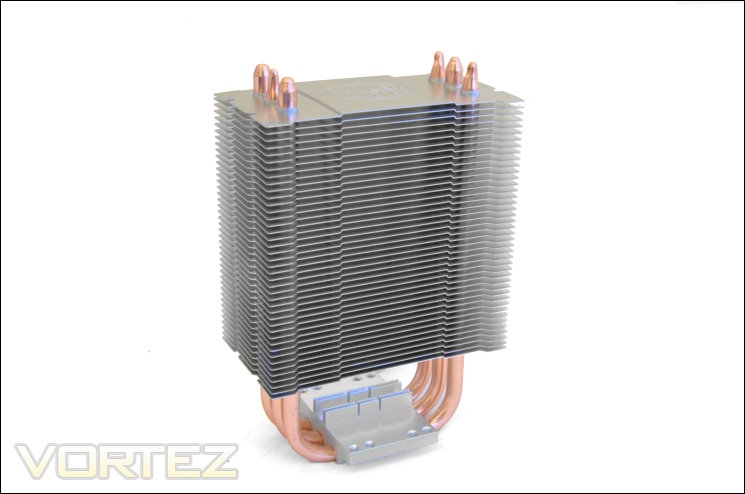
The heatsink
The heatsink is tiny in comparison to cooler we generally test here at Vortez. In fact, it is easily the most compact cooler we have had to review, taking up very little real estate and being more light weight than ALC units at a mere 386g fan included. The fact that the U-bend of heat pipes don’t extend far from the already small base demonstrates how small the front face of the heatsink is. The cooler uses a standard copper aluminium and copper construction for the heat pipes and fins respectively. Like other Cooler Master Hyper coolers, there isn’t much that stands out but that’s not necessarily a bad thing in out books.
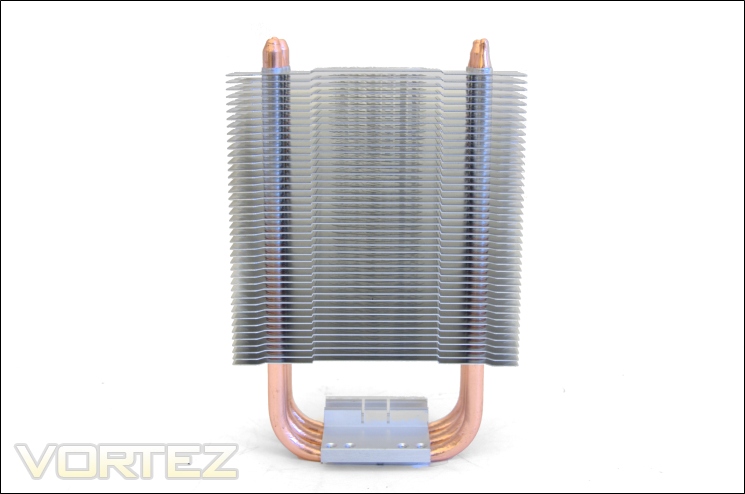
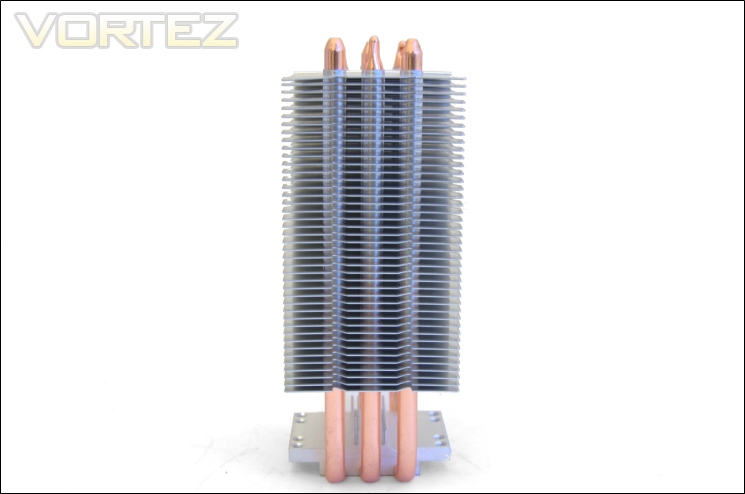
The front of the heatsink
The heatsink features 42 aluminium fins separated each by 2mm to give a very high density stack for such low cost cooler. The fins are all laminar and lie parallel to each other with no other features to help improve airflow. Rising up through the heatsink are three 6mm heat pipes all aligned behind each other. Ideally, these should be spread out to give better dispersive coverage but we have to remember that the cooler is designed with budget constraints so end-users can benefit from low cost cooling solutions.
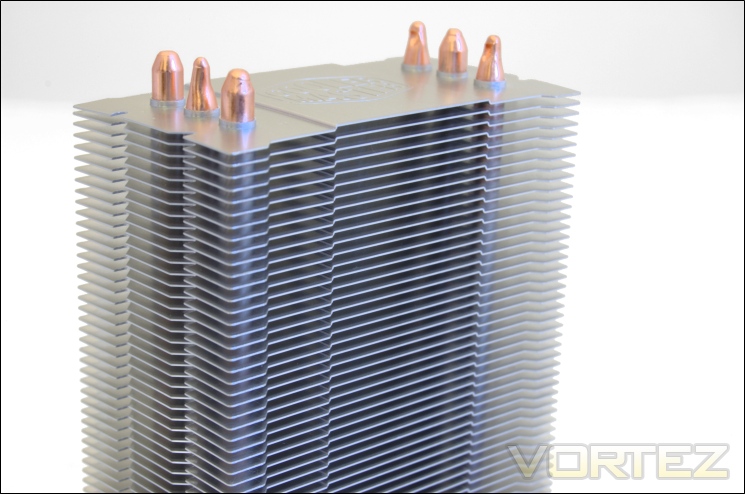
The side of the heatsink
From the side, we can see just how narrow the cooler is. In fact, the TX3 EVO shares the same width as the Hyper 212 EVO. Again, we see that the fins are flat with no winglets or other features to increase turbulence, opting in favour of a narrower fin pitch instead. Two grooves running down the length of each side are for the fan brackets to be clipped in.
The fin array
The fin array has remained unchanged from the older Hyper TX3. The shape of each fin is exactly the same and characterised by its near rectangular shape.
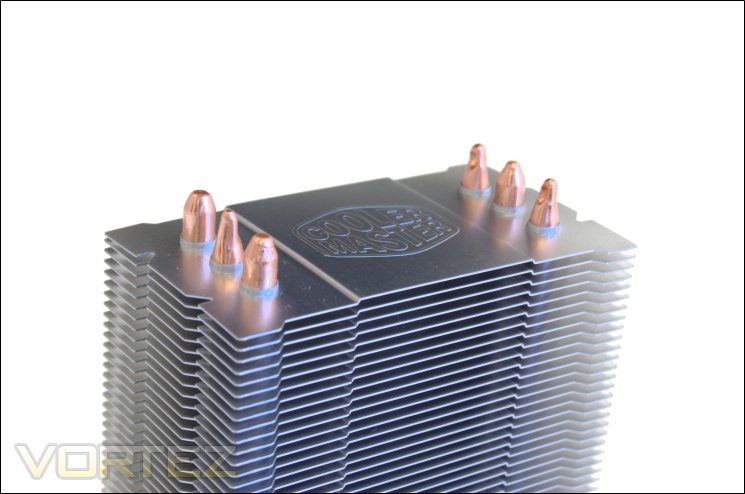
The top of the heat pipes
At the top, the fin can be seen with the Cooler Master logo engraved onto it like all the subsequent fins below it as well. The heat pipe ends are all exposed and form two lines representing each end of the three heat pipes. We also see that the fins have a matte finish rather than a polished mirror finished. Personally, this is welcomed as it reduces the appearance of finger prints.
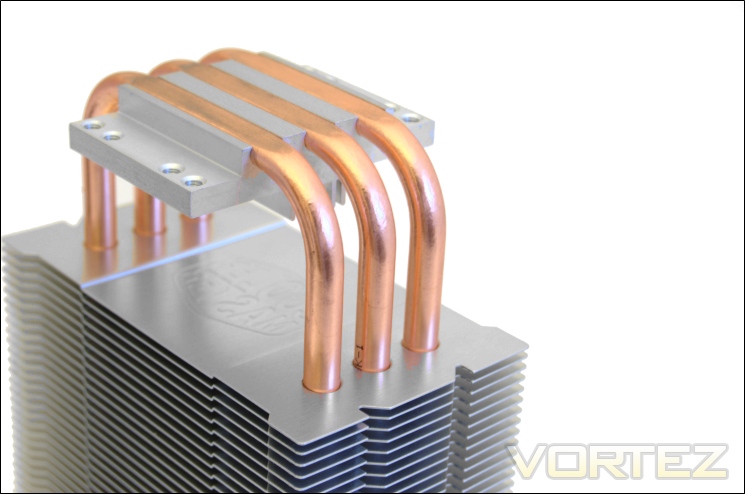
The three 6mm heat pipes
Here we see that all three heat pipes are alike and perfectly U-shaped from the base. As usual, these are made of copper for optimum thermal conductivity. The heat pipes are not as closely spaced as they are on the Hyper 212 EVO.
The base
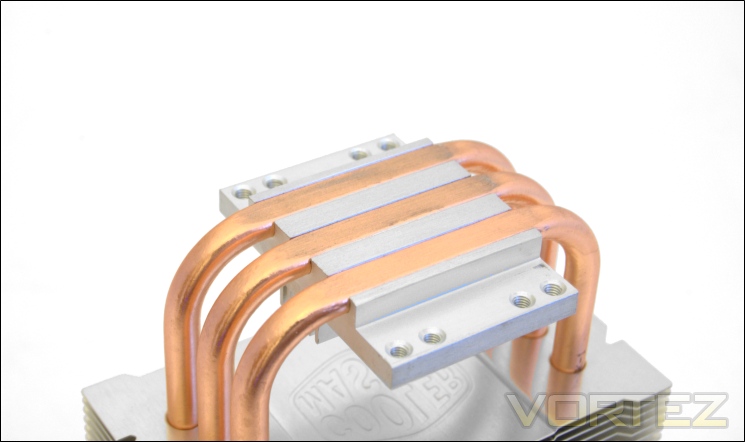
At the base, we see that Cooler Master have stuck to using Direct Contact technology meaning all the heat pipes are exposed to make direct contact with the CPU. These are housed within an aluminium block. The disadvantage of such a design is that heat does not spread as effectively over the whole base but since the cooler only features three heat pipes, all of which immediately overlie the CPU, it makes sense to have them in direct contact with the CPU rather than have an additional copper block that may slow thermal transfer. The base also lacks Continuous Direct Contact technology as found on the Hyper 212 EVO but again, it’s due to having only three heat pipes. Compared to the original TX3, the EVO appears to have a much better finish at the base, showing only very minute gaps between the heat pipes and surrounding aluminium block.
The smoothness of the base
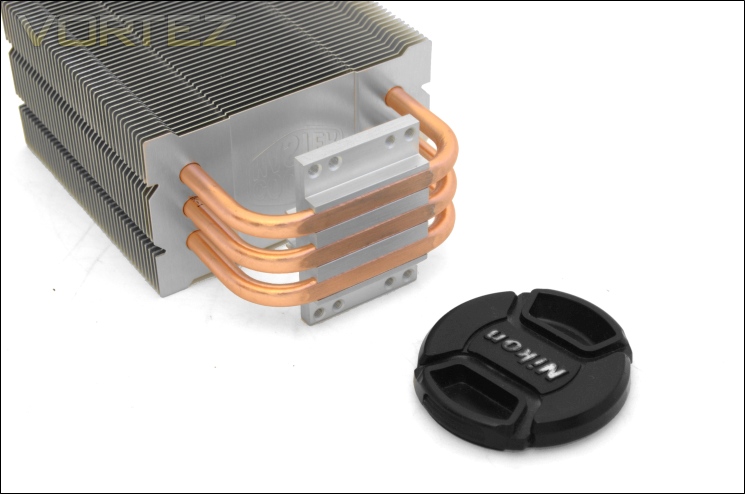
Despite a fairly flat base that makes good contact with the CPU, it lacks a mirror finish.
Closer Look (Continued)
The size of the base
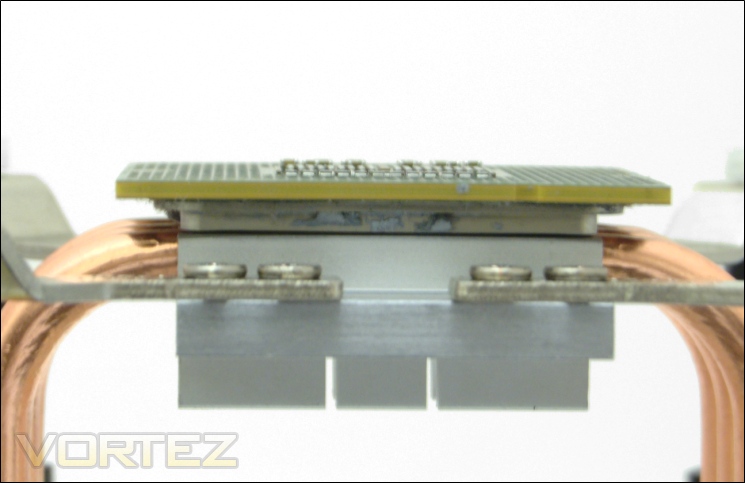
Interestingly, the base of the TX3 EVO is exactly the same size as the IHS of the i7 920 processor at 32x34mm, making it perfectly suited to cool one of the largest CPUs around.
The front of the 92mm fan
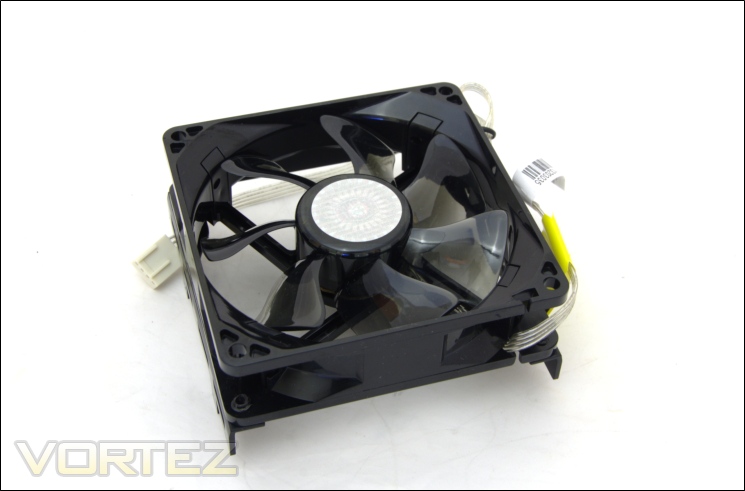
The single 92mm fan provided with the Hyper TX3 EVO operates between 800 and 2200RPM through PWM functionality and in my case extended its operational speed to 2500RPM. This makes for a quieter than the 2800RPM one bundled with the original Hyper TX3. The fan is characterised by its ‘S’-shaped blades like the 120mm variants bundled on the larger Hyper coolers. The fan uses sleeve bearing to reduce costs. Its black frame and dark translucent blade make for a very attractive design.
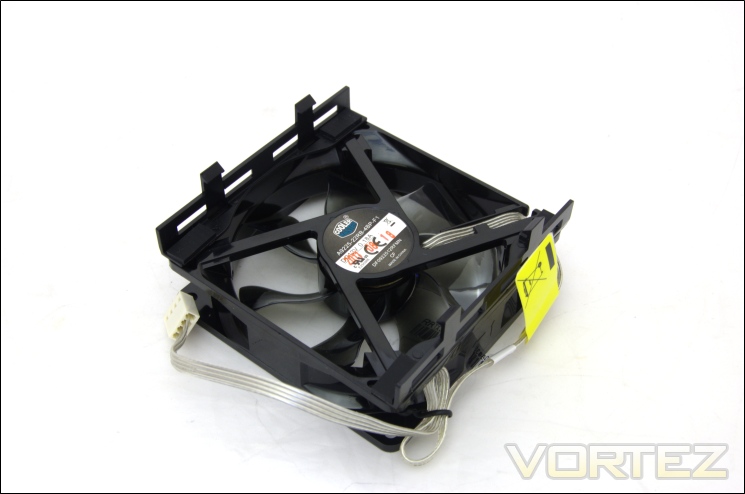
The back of the fan
Looking at the back, we see that the frame is held by 4 arms branching out from the rotor.
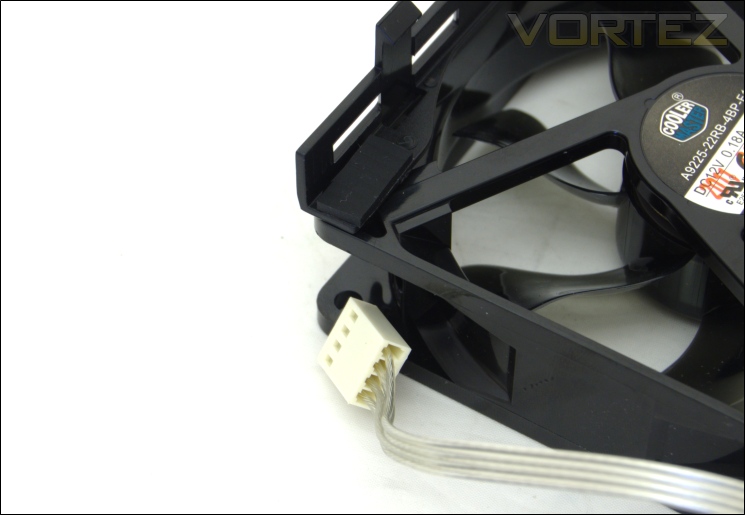
The four pin header
The fan features a four pin header for PWM functionality allowing users to customise the fan speed based on temperatures, an impressive feature for such a small, low cost fan. The cable is made of four grey wires stuck together for a neat, non-braided finish. Installing the fan requires two plastic adapters to be screwed onto the fan so that it can simply be clipped onto the heatsink. This method, whilst somewhat more time consuming than typical wire clips, proves very effective at securing the fan and makes fan installation onto the heatsink a breeze. To do so, simply use the provided screws to attach the two fan brackets, and cover them using the rubber pads. Unfortunately, the brackets are limited to 92mm fan mounting holes only.
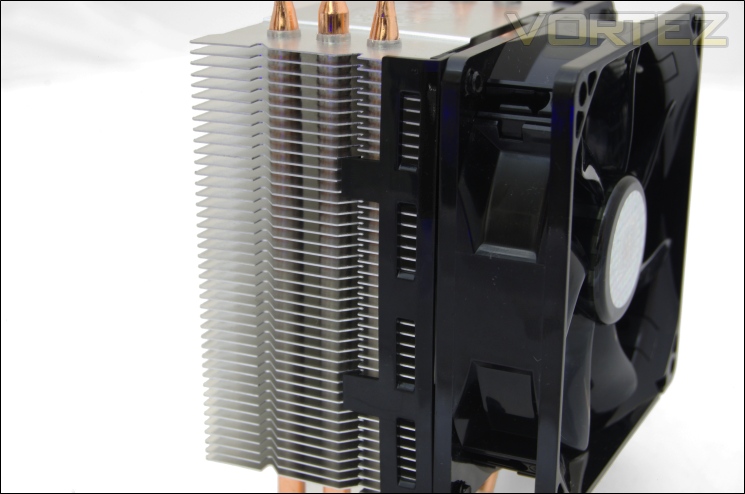
Mounting the fan
To mount the fan, simply press the brackets into place and they should latch into the side heatsink grooves. Taking them off requires a bit of effort but an easy way to do so is to simply slide the brackets upwards out of the grooves.
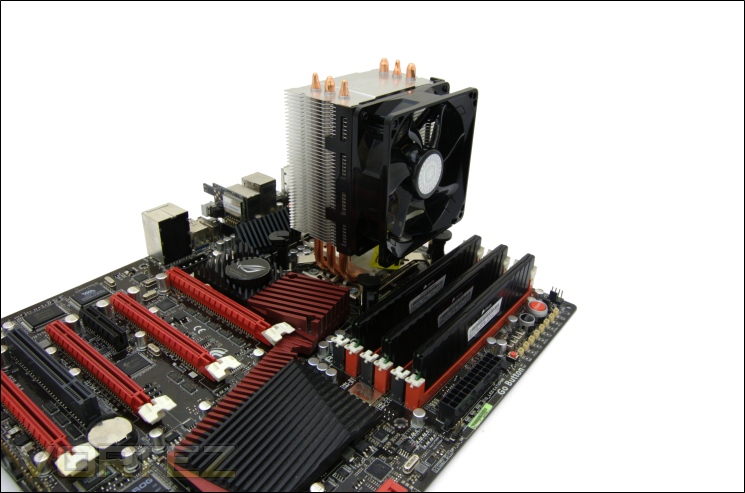
The cooler installed
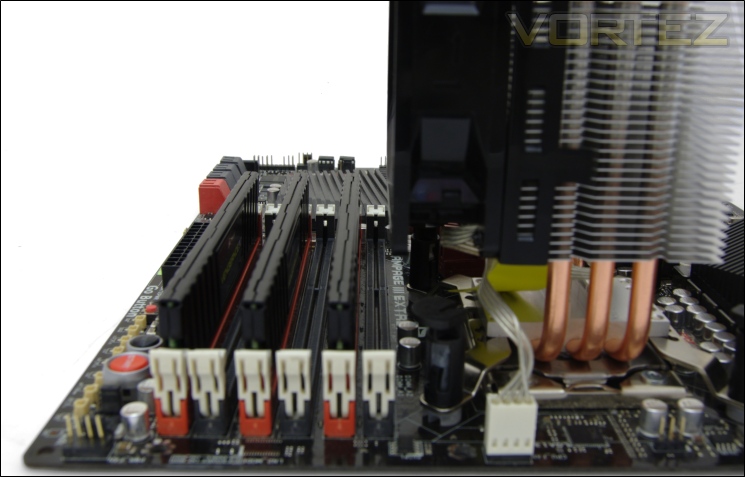
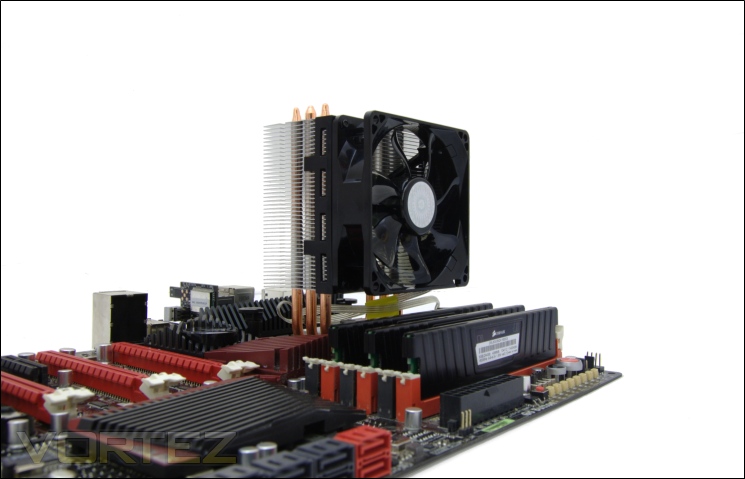
For once, we have a cooler that doesn’t tower over the motherboard significantly and more importantly, it doesn’t take up a lot of space giving users plenty of space to work around.
Memory compatibility
Not surprisingly, the Hyper TX3 EVO has absolutely no conflicting issues with adjacent memory slots allowing modules of any size to be installed.
Test Setup
CPU – Intel Core i7 920 – 2.66/4.0GHz
RAM – 6GB (3x2GB) OCZ Platinum DDR3 1333MHz
Motherboard – ASUS Rampage III Extreme
Graphics card – Inno3D GTX570 1.25GB
Power Supply – Enermax Revolution 85+ 850W
Hard Drive – OCZ Vertex 2E 120GB
Samsung F1 320GB
Samsung F3 1TB
Case – Lian Li B25B
Drivers – Nvidia ForceWare 285.38
CPU Coolers:
Cooler Master Hyper 212 EVO including tests using 1 stock fan, 2 Noctua NF-P12s/NF-P14s and 2 SWiF2-120Ps
Retail Alpenföhn K2 including tests using 2 stock fans, 2 Föhn 120, 2/3 Noctua NF-P12s/NF-P14s and 2 SWiF2-120Ps
Zero Infinity Free Flow+ including passive and tests using 1/2/3 stock fans, 2 Noctua NF-P12s/NF-P14s and 2 SWiF2-120Ps
Enermax ETS-T40-TA including tests using 1 stock fan, 2 Noctua NF-P12s and 2 SWiF2-120Ps
Alpenföhn Himalaya including tests using 1/ 2 Föhn 140, 2 Noctua NF-P12s/NF-P14s and 2 SWiF2-120Ps
Cooler Master Hyper 612S including tests using 1 stock fan, 2 Noctua NF-P12s/NF-P14s and 2 SWiF2-120Ps
Corsair H100 including tests using 2/4 stock fans, 2 Noctua NF-P12s and 2 SWiF2-120Ps
Phanteks PH-TC14PE including tests using 3 Phanteks PH-F140TS, 2 Noctua NF-P12s/NF-P14s and 2 SWiF2-120Ps
Alpenföhn Triglav including tests using 1 stock fan, 2 Noctua NF-P12s/NF-P14s and 2 SWiF2-120Ps
Antec KÜHLER H2O 620 including tests using 1 stock fan, 2 Noctua NF-P12s and 2 SWiF2-120Ps
Antec KÜHLER H2O 920 including tests using 2 stock fans, 2 Noctua NF-P12s and 2 SWiF2-120Ps
Prolimatech Genesis including tests using 2 Noctua NF-P12s/NF-P14s, 2 SWiF2-120Ps and 2 Prolimatech Blue Vortex 14s
NZXT Havik 140 including tests using 2 NZXT fans, 2 Noctua NF-P12s/NF-P14s and 2 SWiF2-120Ps
Alpenföhn Matterhorn including tests using 2 Noctua NF-P12s/NF-P14s, 2 SWiF2-120Ps and 2 Föhn 120 Wing Boost fans
Prolimatech Super Mega including tests using 2 Noctua NF-P12s/NF-P14s, 2 SWiF2-120Ps and 2 Prolimatech Blue Vortex 14s
Noctua NH-C14 (U.L.N.A and default speed) including tests using 2 SWiF2-120Ps
Thermalright Silver Arrow including passive and tests using 2 Noctua NF-P12s and 2 SWiF2-120Ps
Thermalright HR-02 including passive and tests using Noctua NF-12/NF-P14s and Thermalright TR TY-140
Thermaltake Frio (Low/med/high speed) including tests using 2 Noctua NF-P12s
Corsair H50 including tests using 2 Noctua NF-P12s and 2 SWiF2-120Ps
CoolIT ECO A.L.C including tests using 2 Noctua NF-P12s and 2 SWiF2-120Ps
Thermalright Venomous X using 2 Noctua NF-P12s and 2 SWiF2-120Ps
Coolink Corator DS including tests with dual fan setups
Tuniq Propeller 120(High speed fan)
Noctua NH-C12P SE14
Prolimatech Megahalem
Noctua NH-D14 (U.L.N.A and default speed)
Noctua NH-U12P SE1366
Thermolab Baram (with 2 Noctua NF-P12 fans)
CoolIT Domino A.L.C
Sunbeam Core Contact Freezer
Cooler Master Hyper 212 Plus including test with 2 Noctua NF-P12 fans
Alpenföhn Nordwand including test with 2 Noctua NF-P12 fans
Tuniq Tower 120 Extreme (Low/med/high speed)
Program Suite:
Core Temp 0.99.5
LinX stress Test
CPUID HWMonitor
How I tested:
Testing will be based on temperatures recorded by Core Temp and HWMonitor after 20 passes of LinX stress test. The maximum absolute temperatures will be recorded after the test and averaged over the 4 cores. The delta is then calculated by substituting the ambient temperature recorded near the intake fans. All tests are conducted with the i7 920 at its default 2.66GHz stock speed and overclocked to 4GHz. As always, the tests are done inside my own Lian Li B25B case to simulate real world conditions. To keep the tests standardised and based on people’s tendency to use their own thermal paste, we apply Thermalright’s ChillFactor II thermal paste to all coolers unless specified in the result entries (where the bundled thermal paste performs better).
Installation
Installing the Cooler Master Hyper TX3 is done via 4 push-pins, not dissimilar to reference Intel coolers. The purpose is for simplicity and to appeal to users who are not willing to remove their motherboard when upgrading from stock coolers. The process is very straightforward as detailed below.
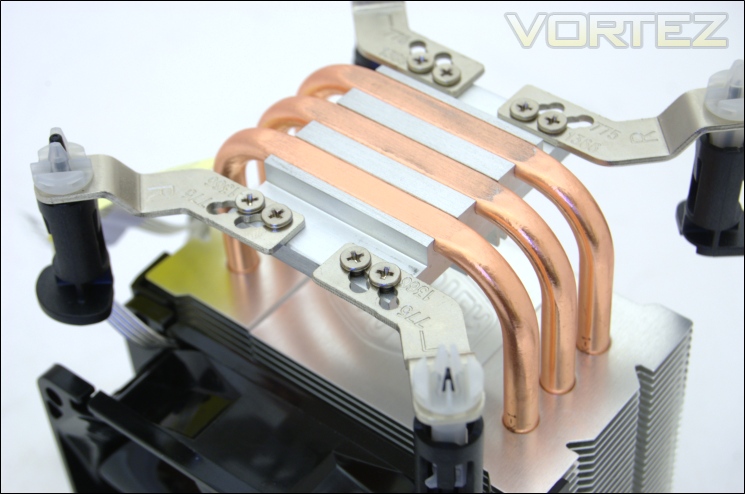
1. Screw in the four Intel retention plates ensuring that the correct mounting holes are used. These are labelled on the retention plate for ease.
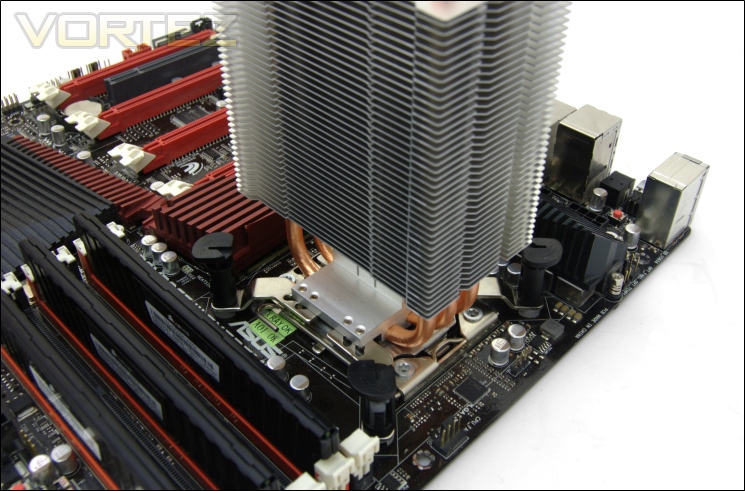
2. After applying thermal paste to the CPU, remove the protective cover from the base of the cooler and rotate the push-pins clock wise such that the small indents on each face inwards. Place the heatsink on top and push the push-pins in a diagonal fashion for an even mounting pressure until you hear a click.
The method literally takes two steps so there is little to go wrong. The push-pin mechanism, whilst not as robust as methods requiring back plates, is adequate for such a lightweight cooler. The push-pins were surprisingly easily to operate and removing the cooler simply requires the push pins to be rotated anti-clockwise as indicated by the arrows on them. My main complaint is that screwing the retention plates can be time-consuming, but perhaps not as much as removing the motherboard. The only other qualm is that it does take a bit of pressure to push the push pins securely into the motherboard and doing so inside a case can induce headaches depending on your patience. With most cases not having cut-outs on the motherboard trays, back-plate based mounting mechanisms are still superior and my personal preference.
Results (Grouped)
The results have been arranged in terms of the fan configuration that yields the best results for each cooler. However, it is important to take into account that many coolers come with their own fans and changing those increases the costs significantly, so the “out of the box” cooler configurations have been highlighted in red each group.
Stock

The lack of support for fans greater than 92mm has meant that I could not compare various fan configurations hence the single stock fan result. The result is by no means surprising at a temperature delta of 38C and yet it still proved that such a compact cooler is more than capable at cooling an i7 CPU.
Results (Ascending order)
Stock

Compared to other coolers, the Hyper TX3 EVO finds itself outperforming the likes of the CoolIT Domino ALC, Sunbeam Core-Contact Freezer and even the Noctua NH-C12P. The result demonstrates the effectiveness of tower coolers over top-down ones.
Results (In-depth analysis)
In the next comparison, we look at the default cooler performance as they come out of the box with their bundled fans. Coolers that come with no fans have been coupled with Noctua’s NF-P12 or fans that the manufacturers intended their coolers to be used with.
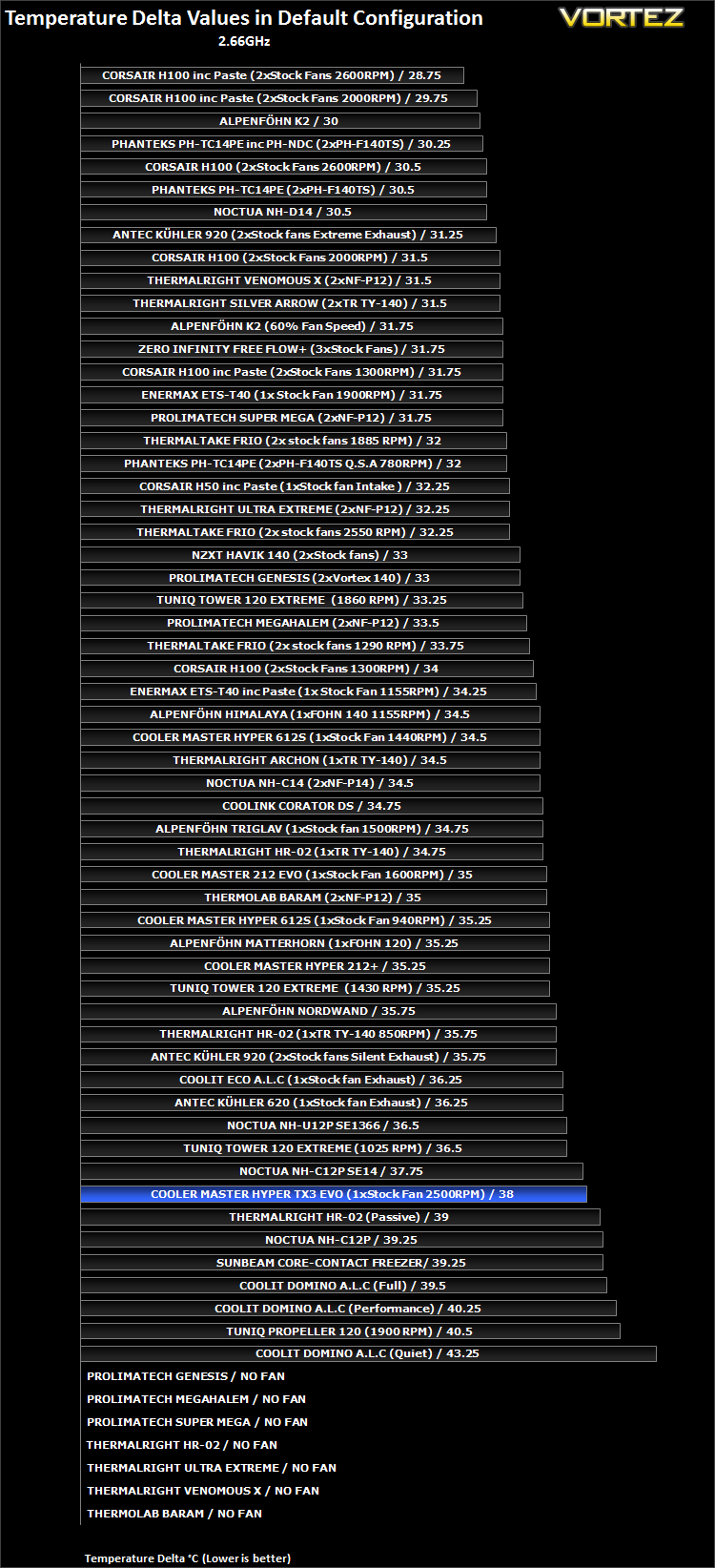
As before, we see that the Hyper TX3 EVO is a surprisingly effective cooler beating even the Noctua NH-C12P and yielding a delta temperature a mere 0.25C higher than the Noctua NH-C12PSE14. We have to remember that the latter boasts a 140mm fan whereas the Cooler Master only has a single 92mm fan.
Results Overclocked (Grouped)
The results have been arranged in terms of the fan configuration that yields the best results for each cooler. However, it is important to take into account that many coolers come with their own fans and changing those increases the costs significantly, so the “out of the box” cooler configurations have been highlighted in red each group.
4GHz

The 4GHz CPU is a lot more demanding when it comes to cooling required due to its sheer output of heat and yet the Hyper TX3 EVO impresses with the mere ability to sustain such heat loads. Admittedly, the absolute temperature was in the mid 90C when testing, higher than I’m comfortable with, but considering this was during extreme stress testing and general usage tends to produce much lower temperatures, credit has to be given to this small beast. Ideally, an ambient temperature of less than 25C is necessary for the CPU to be appropriately cooled and not throttle under heavy load.
Results Overclocked (Ascending order)
4GHz

The Cooler Master Hyper TX3 EVO still manages to beat the Noctua NH-C12P here as well as the Tuniq Propeller and Sunbeam cooler.
Results Overclocked (In-depth analysis)
In the next comparison, we look at the default cooler performance as they come out of the box with their bundled fans. Coolers that come with no fans have been coupled with Noctua’s NF-P12 or fans that the manufacturers intended their coolers to be used with.
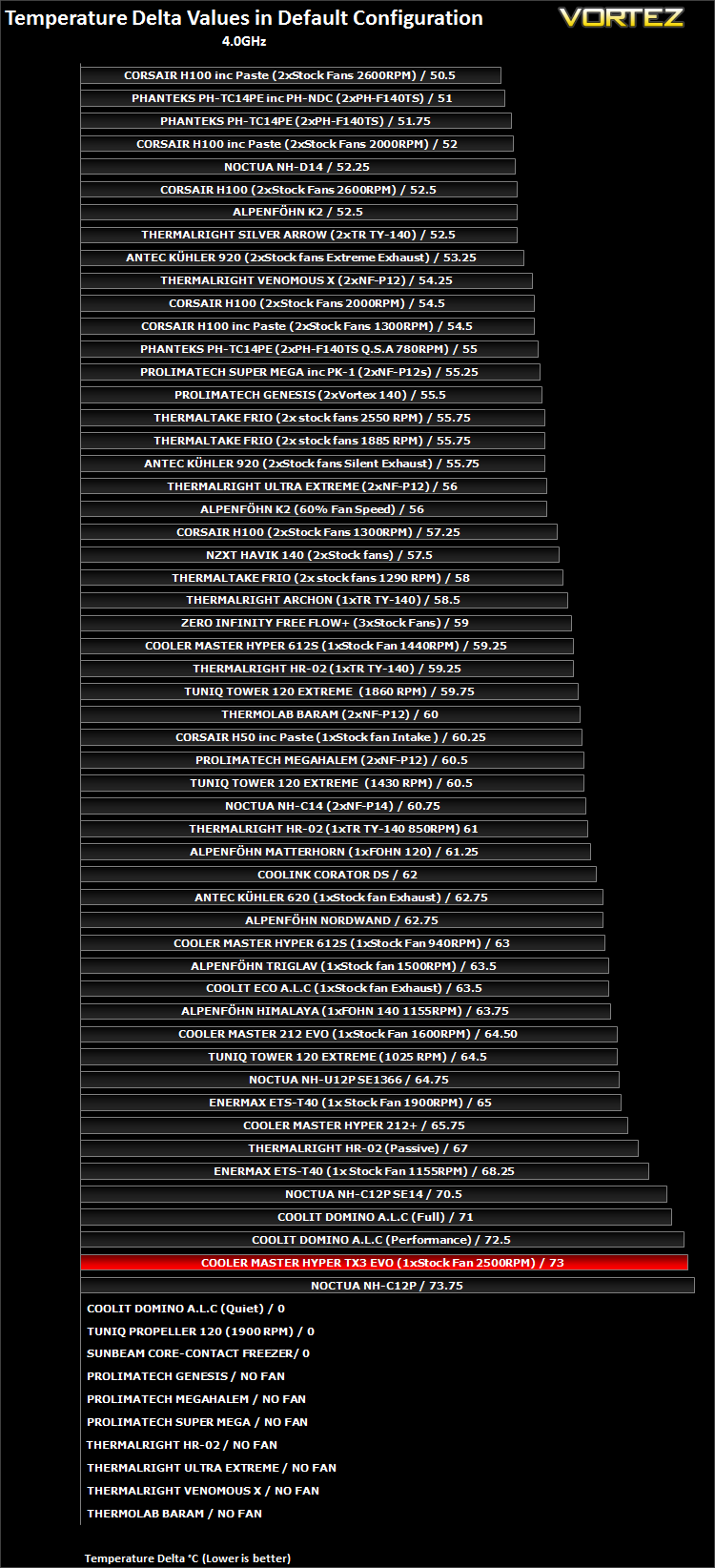
In their default fan configuration, it is interesting to note that the 92mm fan can still help the cooler be nearly as effective as the CoolIT Domino ALC and superior to the Noctua NH-C12P.
Other Observations
Noise
Noise is the Cooler Master Hyper TX3 EVO’s biggest weakness. To compensate for its compact size and 92mm fan, it has to operate at a blindingly fast 2200RPM or 2500RPM in our case. This is by no means quiet and can be quite intrusive during general usage. However, start gaming or listening to music and the fan noise is partially drowned but it is still annoyingly present. This defeats some of its purpose as the perfect cooler for HTPCs. However, our situation may well be the exception. The fan supports PWM functionality and will therefore dial down when the PC is under less load. The high heat output of the i7 meant that reducing the fan speed wasn’t a viable option. Other CPUs such as the more power efficient Sandy Bridge i3/i5/i7 will no doubt be better candidates for this cooler.
Conclusion
It appears to us that Cooler Master have yet another winner on their hands. The Hyper TX3 EVO may not be a great performer but it was never designed to compete with the coolers we have previously tested here at Vortez. And yet, it somehow still managed to effectively cool one of the most power hungry CPUs on the market without failing. Even under the most intense stress tests, the tiny TX3 EVO tamed the wild heat output of the i7 920. Admittedly, the temperatures during those stress tests were much higher than what I am comfortable with but in general usage, the cooler proved perfectly adequate regardless if I was gaming, browsing or watching videos. If the TX3 EVO can handle such heat output, it makes sense that it is even more capable at cooling other CPUs featuring lower TDPs as the original TX3 was designed for, thus making it the perfect solution for small HTPCs. Nonetheless, the EVO’s new support for LGA1366 is still very much welcomed thanks to the vast number of cheap X58 based bundles making their way onto the second hand market.
The Cooler Master Hyper TX3 EVO has many appealing features. It manages to pack 42 fins in a cooler no taller than 139mm and the fan supports PWM functionality. More importantly, it is priced very attractively at less than £15. The only competition that faces Cooler Master at this segment of the market is Arctic Cooling’s Freezer 7 Pro which likewise features three 6mm heat pipes, 42 fins, a 92mm PWM fan and push pin mounting mechanism. The advantage of the TX3 EVO is its versatility, namely the fact that it can support a second fan and its slightly better pricing.
The downsides of the cooler are very few, sheer performance numbers aside. The noise levels can be quite intrusive at full speed and the push pin mechanism doesn’t inspire the most convincing support despite its lightweight construction. Apart from that, there is little to complain about.
Once again, Cooler Master has taught us that simplicity can pay off not only in performance but in low cost solutions. While many manufacturers chase customers with new ‘innovative’ features which inherently bring in R & D costs into the products, Cooler Master keep to tried-and-tested methods. The Hyper TX3 EVO makes for an excellent compact and budget solution and if users ever want more performance, the rest of the Hyper series remain worthy considerations.
+Handles high CPU loads
+Versatile
+Very Cheap
+Bundled PWM fan and support for extra fan
+Support for Intel and AMD sockets including LGA1366
+Memory compatibility
+Size
+Lightweight
+Convenient mounting mechanism
Cons:
-High temperature results under heavy load
-Noise
-Mounting mechanism not robust
-Fairly mundane heatsink aesthetics
The Cooler Master Hyper TX3 EVO earns our Vortez Bronze Award and the Amazing Value Award.


Click here for an explanation of our awards at Vortez.net.


