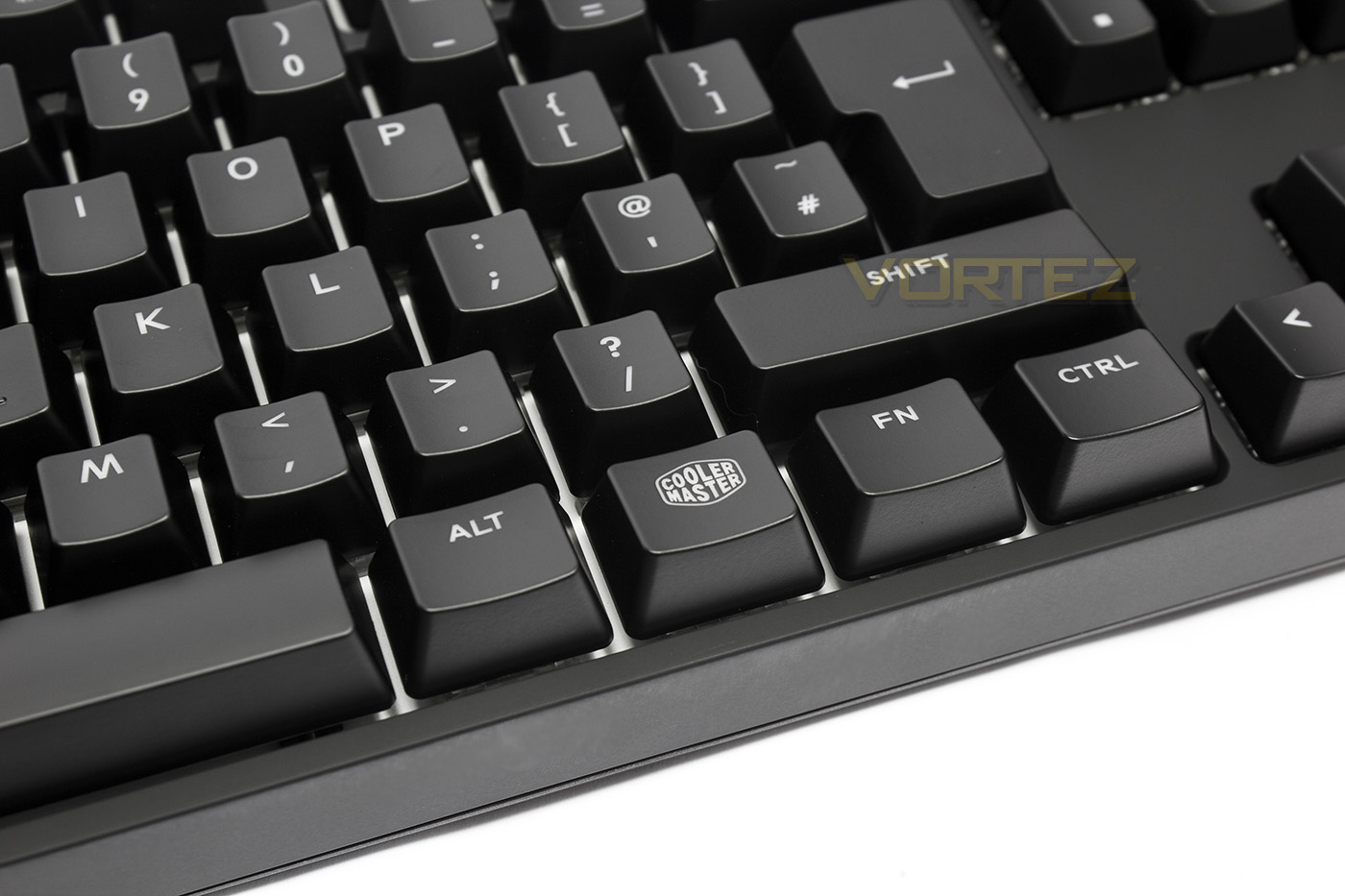
The MasterKeys Pro L RGB is a compact mechanical keyboard that has been specifically created to provide bright and vibrant LED lighting and effects.

Product on Review: Cooler Master MasterKeys Pro L RGB
Manufacturer & Sponsor: Cooler Master
Street Price: UK: £109.99, US: $119.99
Taking inspiration from their popular Quick Fire XTi mechanical keyboard, the MasterKeys Pro L RGB gets re-engineered to accommodate the largest and brightest LEDs available for a vibrant and colourful shine that is aided by the reflective metal backplate.
As a gaming keyboard, there are some ubiquitous features, including 1000hz polling, and full NKRO (auto expandable 6-NKRO). The MasterKeys Pro L RGB retains the minimalistic, compact design seen previously with the Quick Fire XTi. It also features the complex driverless commands that make heavy use of Fn keys. To aid the advanced lighting effects and macros, ensuring fast, lag free operation, Cooler Master have equipped the MasterKeys Pro L RGB with an ARM Cortex M3 processor, that is said to be 25% faster than the Cortex-M0 processor that is commonly used in many other keyboards.
Overview by Cooler Master
With the MasterKeys Pro L RGB, you get the best of both worlds: the brightest LEDs and the best tactile feeling that gamers have come to love. How is this possible? We completely redesigned the interior to fit both Cherry MX switches AND big, fat, juicy LEDs that can radiate 16.7 million colors. You also get on-the-fly macros, profile support, and easy-to-use software – all in a sleek, minimalistic design.
Technical Specifications
Type: Mechanical
Key Switches: Cherry MX Brown
Key Rollover: NKRO
Size: Fullsize
Software: Yes
Macro Support: Yes
Media Keys: Yes, via FN
Windows Key Lock: Yes
LED Backlight: Yes, RGB
Cable: USB 2.0, Braided, Removable, 1.5m, Gold plated
Dimensions (LxWxH): 439(L) x 130(W) x 41(H) mm
Weight: 1090g
Accessories: Keypuller, Protective bag
Warranty: 2 years
Key Switches: Cherry MX Brown
Key Rollover: NKRO
Size: Fullsize
Software: Yes
Macro Support: Yes
Media Keys: Yes, via FN
Windows Key Lock: Yes
LED Backlight: Yes, RGB
Cable: USB 2.0, Braided, Removable, 1.5m, Gold plated
Dimensions (LxWxH): 439(L) x 130(W) x 41(H) mm
Weight: 1090g
Accessories: Keypuller, Protective bag
Warranty: 2 years
Packaging & First Look
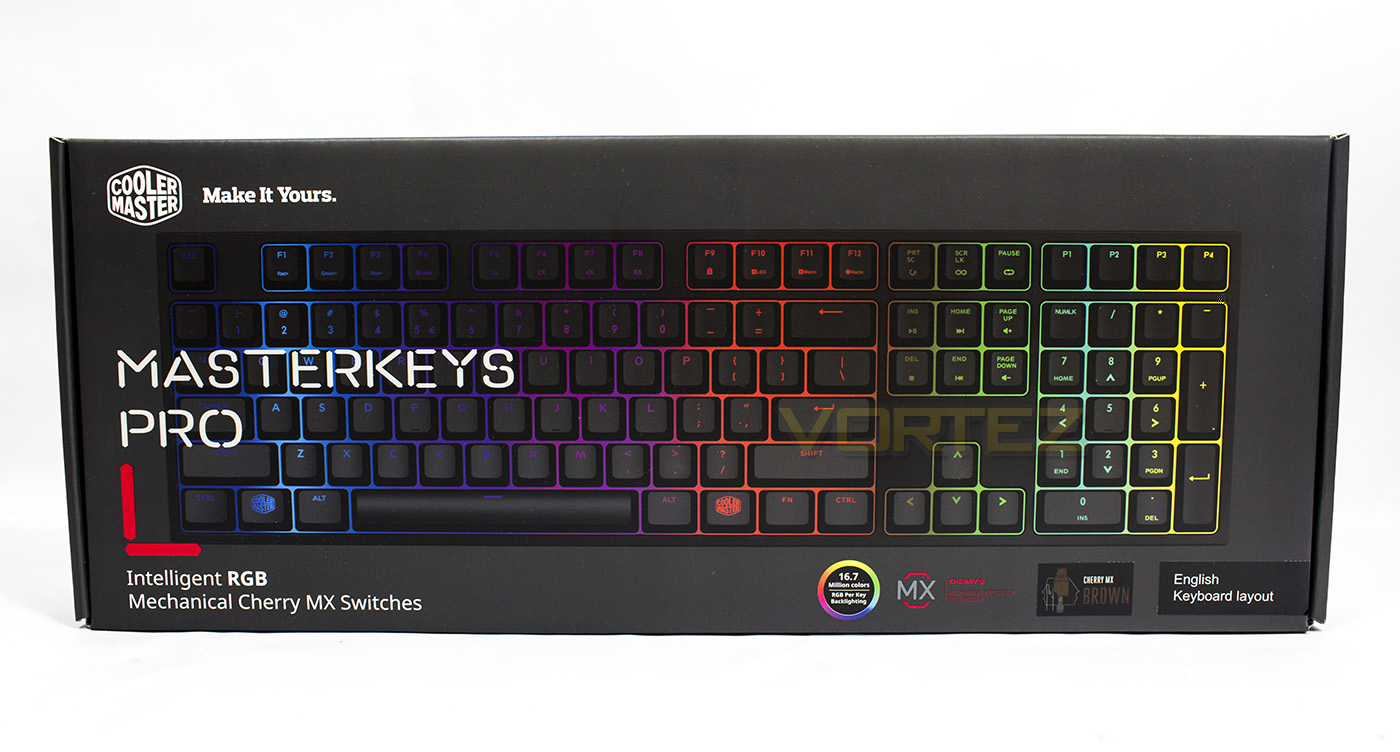
The MasterKeys Pro L RGB features packaging that fits nicely in line with the other peripherals in the ‘Master’ series. The box is a sleek gun-metal grey colour and features essential information and a large image of the product inside.
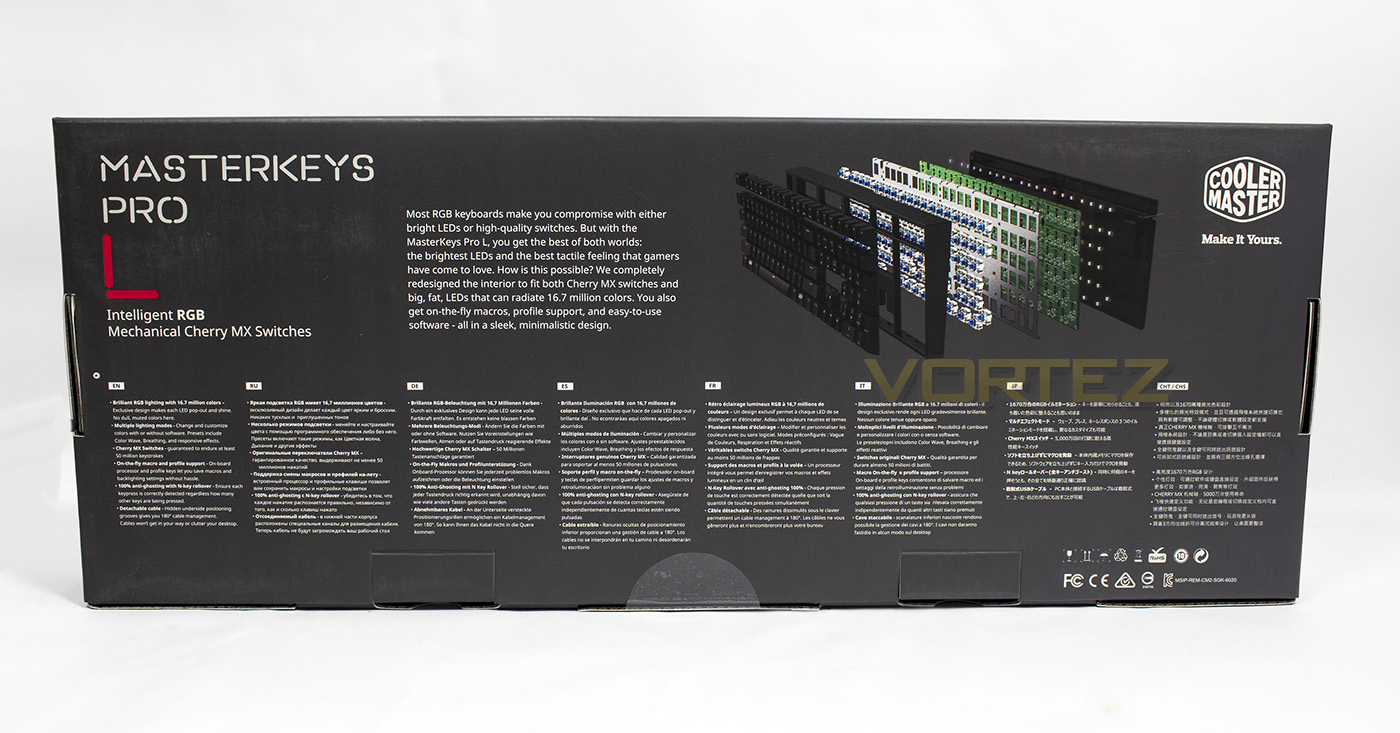
The reverse side gives us a list of features in various languages, showing off that its primary selling point is the use of ultra bright RGB LEDs in combination with Cherry MX switches, something that the MasterKeys keyboard itself was specifically engineered to accommodate.
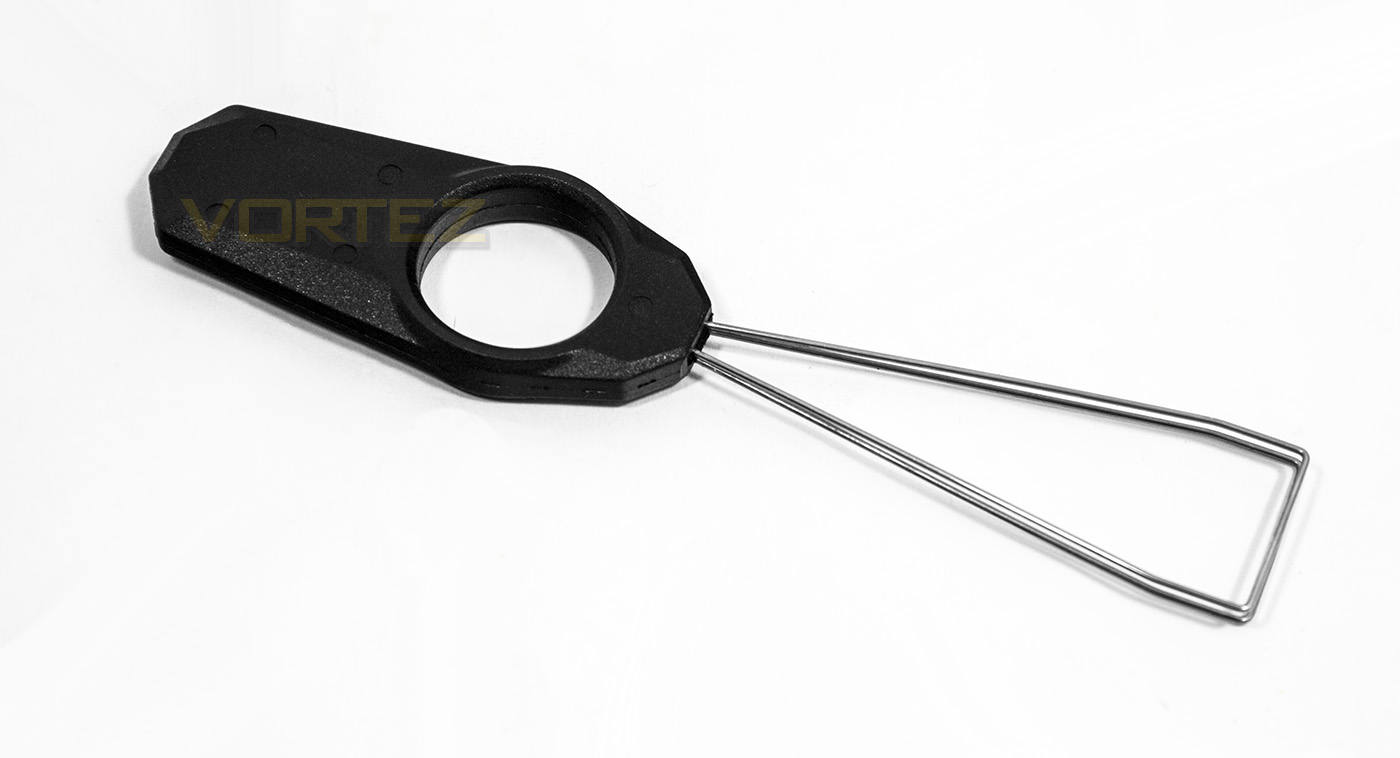
Inside the keyboard is stored in a protective nylon sleeve, though Cooler Master have not included any optional key-caps, they have included a key-cap remover.
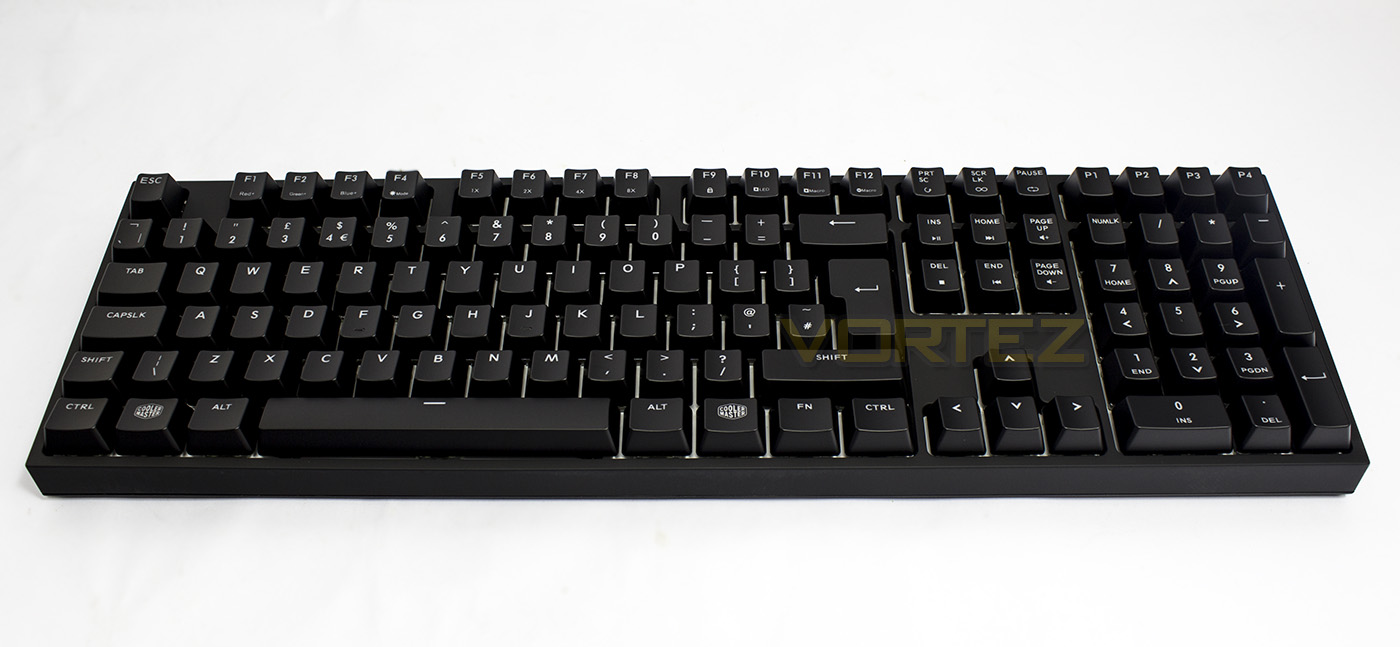
The MasterKeys Pro L RGB also features the detachable USB cable which is braided and has gold plated connectors. The overall impression of the keyboard is that it is rather compact, just 9mm wider than the ROCCAT SUORA and 5mm extra in depth, though it seems to have considerable extra height sitting at 41mm.
Closer Look

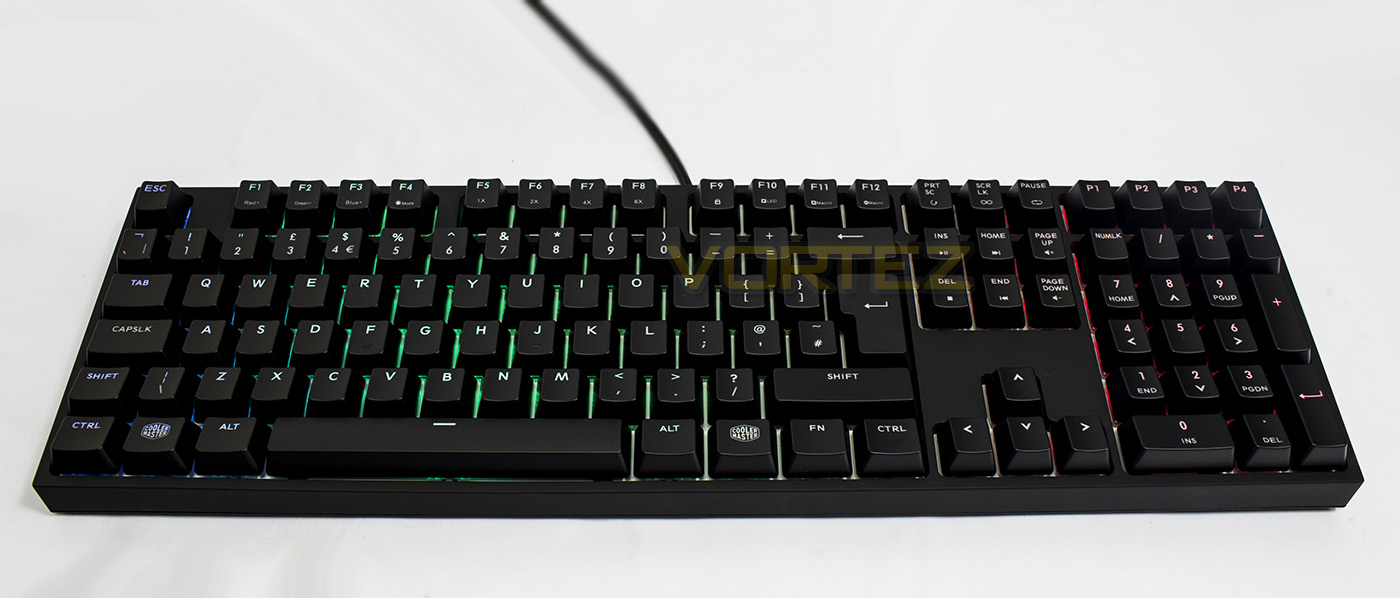
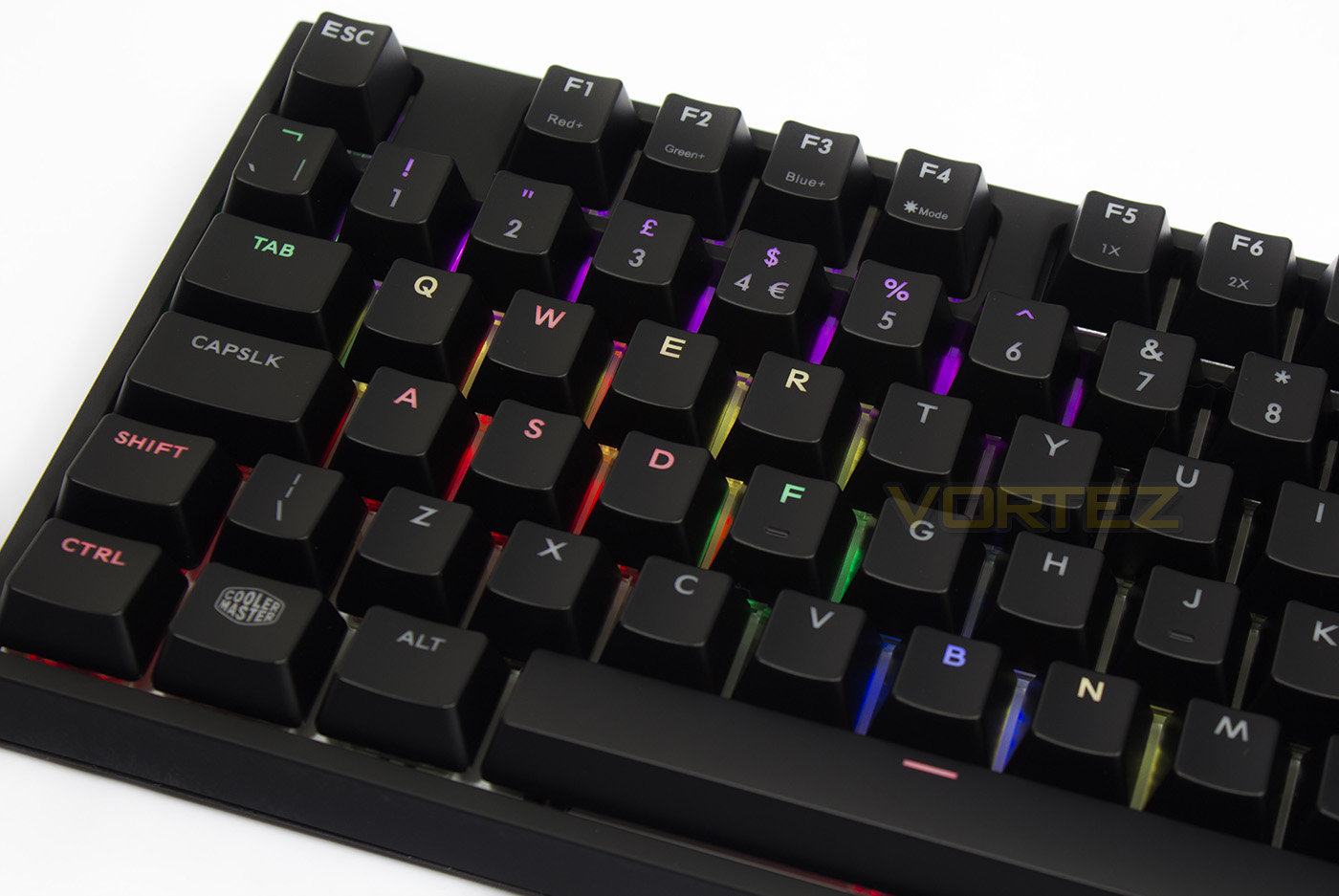
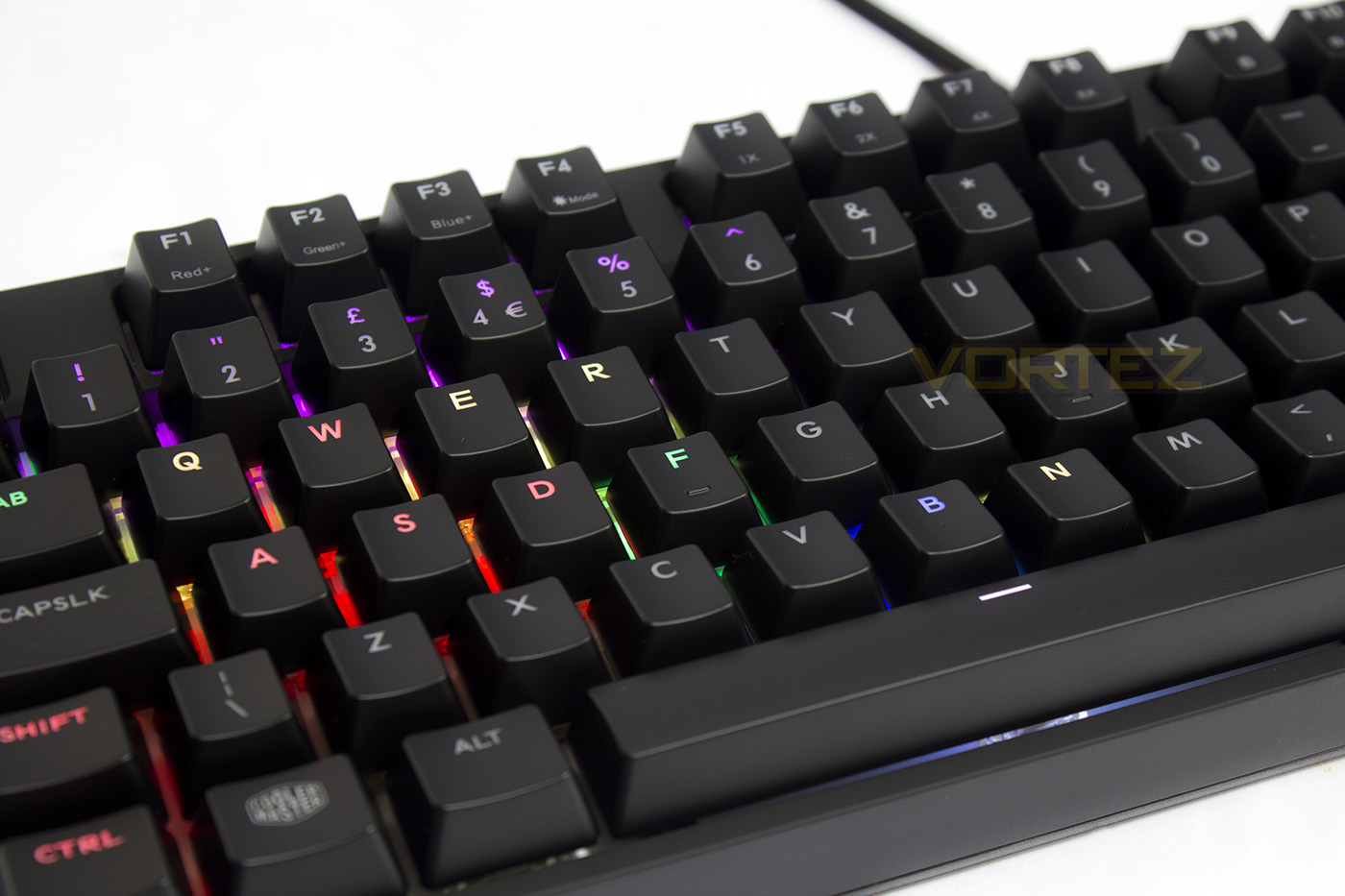
The MasterKeys Pro L RGB is a driverless design and so doesn’t require software to access its features, because of this, it makes heavy use of of Fn keys. The first four F keys double up as lighting controls one for each colour channel, followed by a lighting mode select. F5-F8 double up as adjustments for repeat rate.
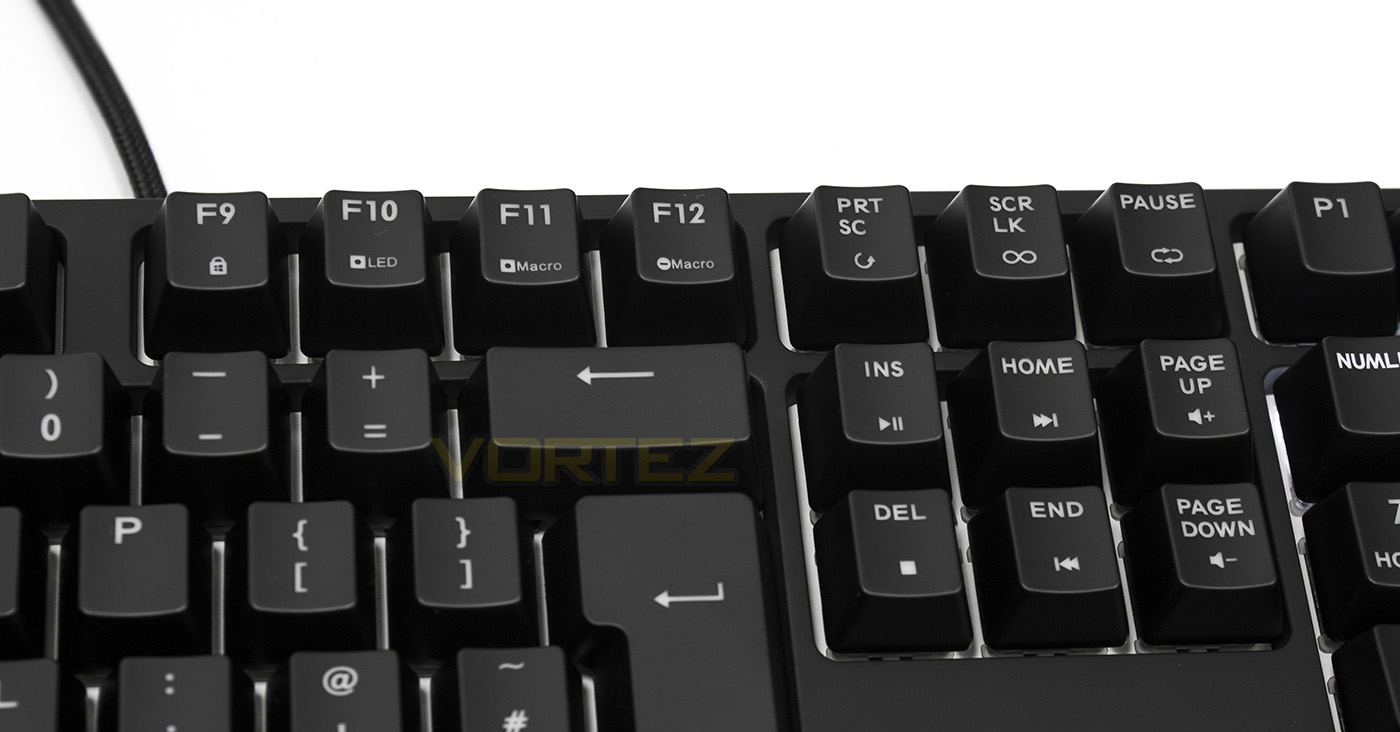
F9 is the Windows lock key, while F10 is the LED record button for per-key customisation. F11 = Record Macro, F12 = Delete Macro, Print Scr = One time playback, Scr LK = toggle, while the Pause button = Loop. The block of six keys underneath the macro controls double up as Media keys that includes play/pause, stop, skip forward/back and volume up/down.
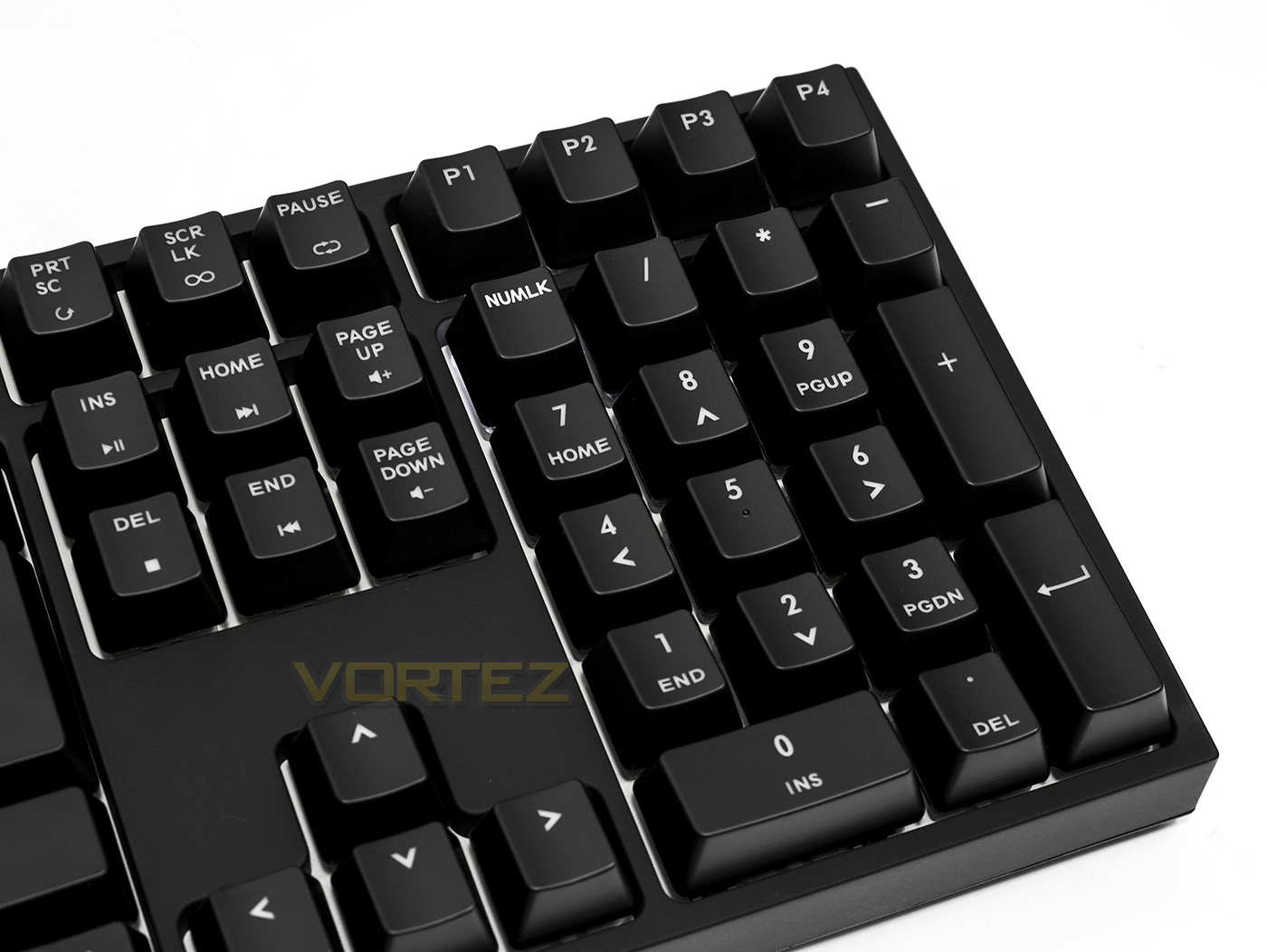
The numpad is relatively standard, though above them are the dedicated profile selection keys, instantly swapping between 4 saved profiles.
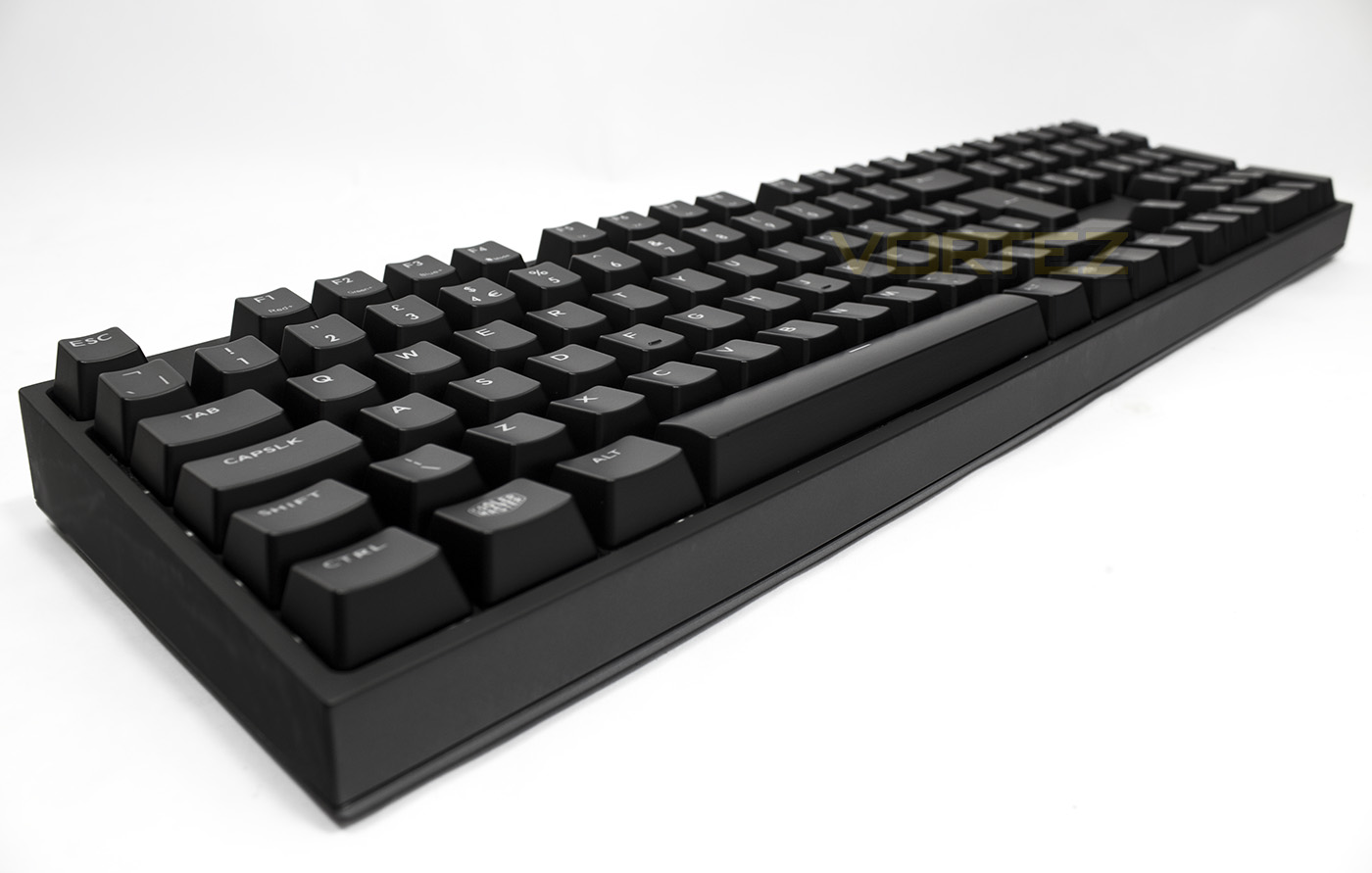
Despite having a small frame the MasterKeys is rather tall, which may make it rather uncomfortable to use without a wrist rest.
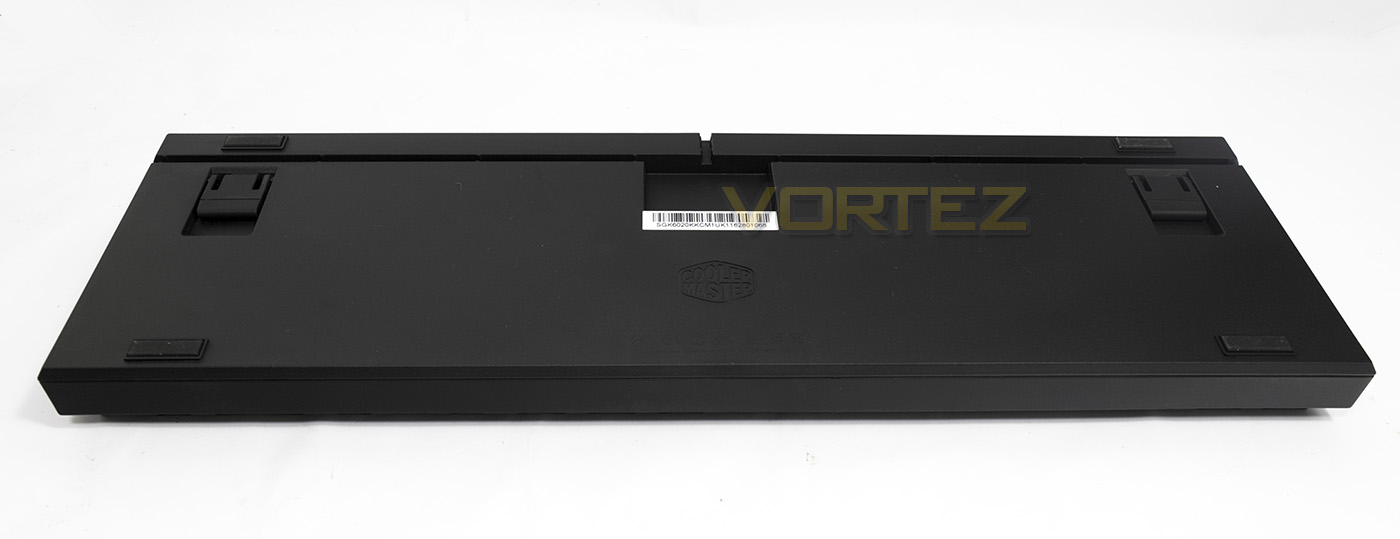
Underneath there are cable routing channels that can be used for either your mouse, headset or the keyboard itself.
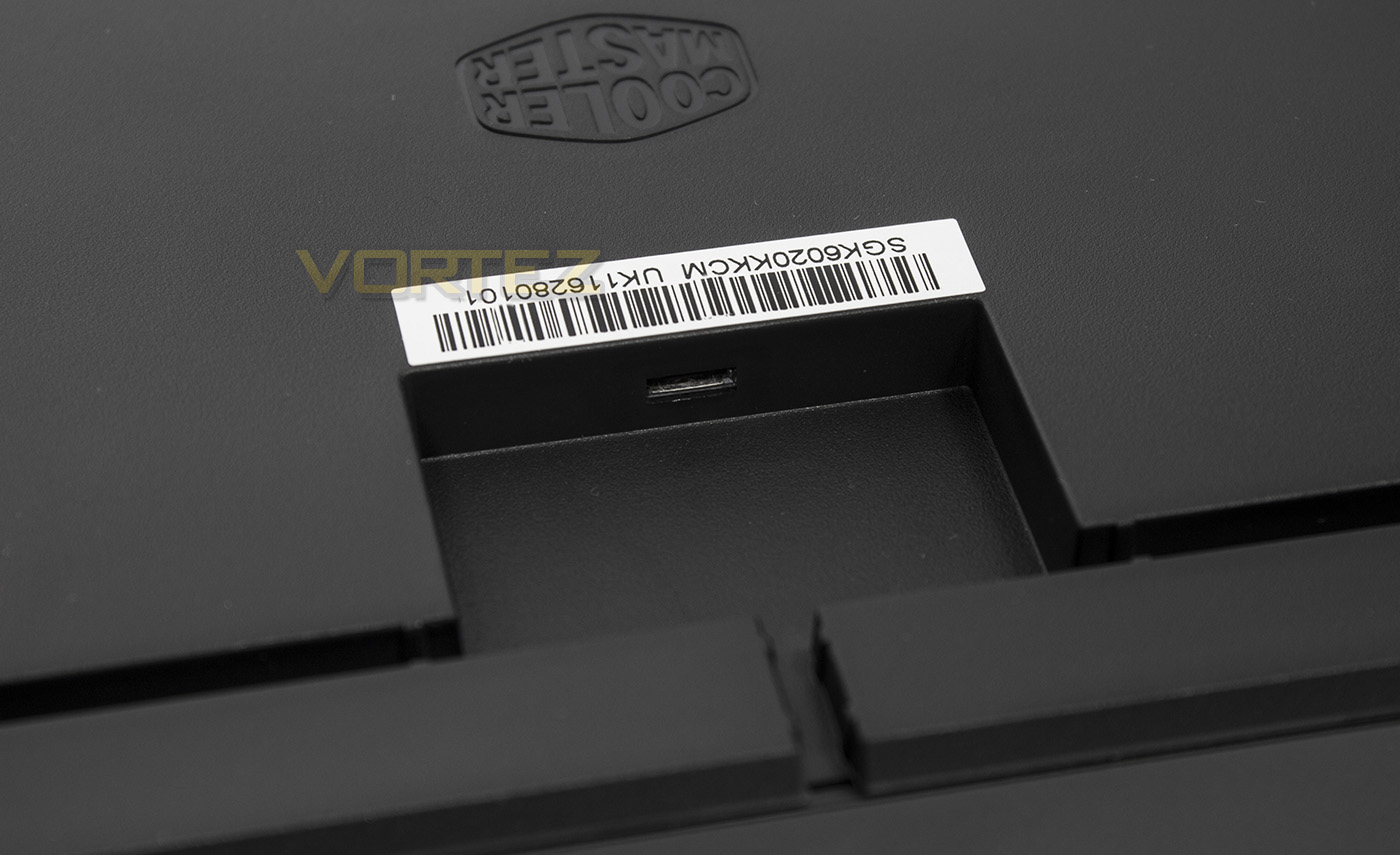
The detachable cable connects to the keyboard via a microUSB port.
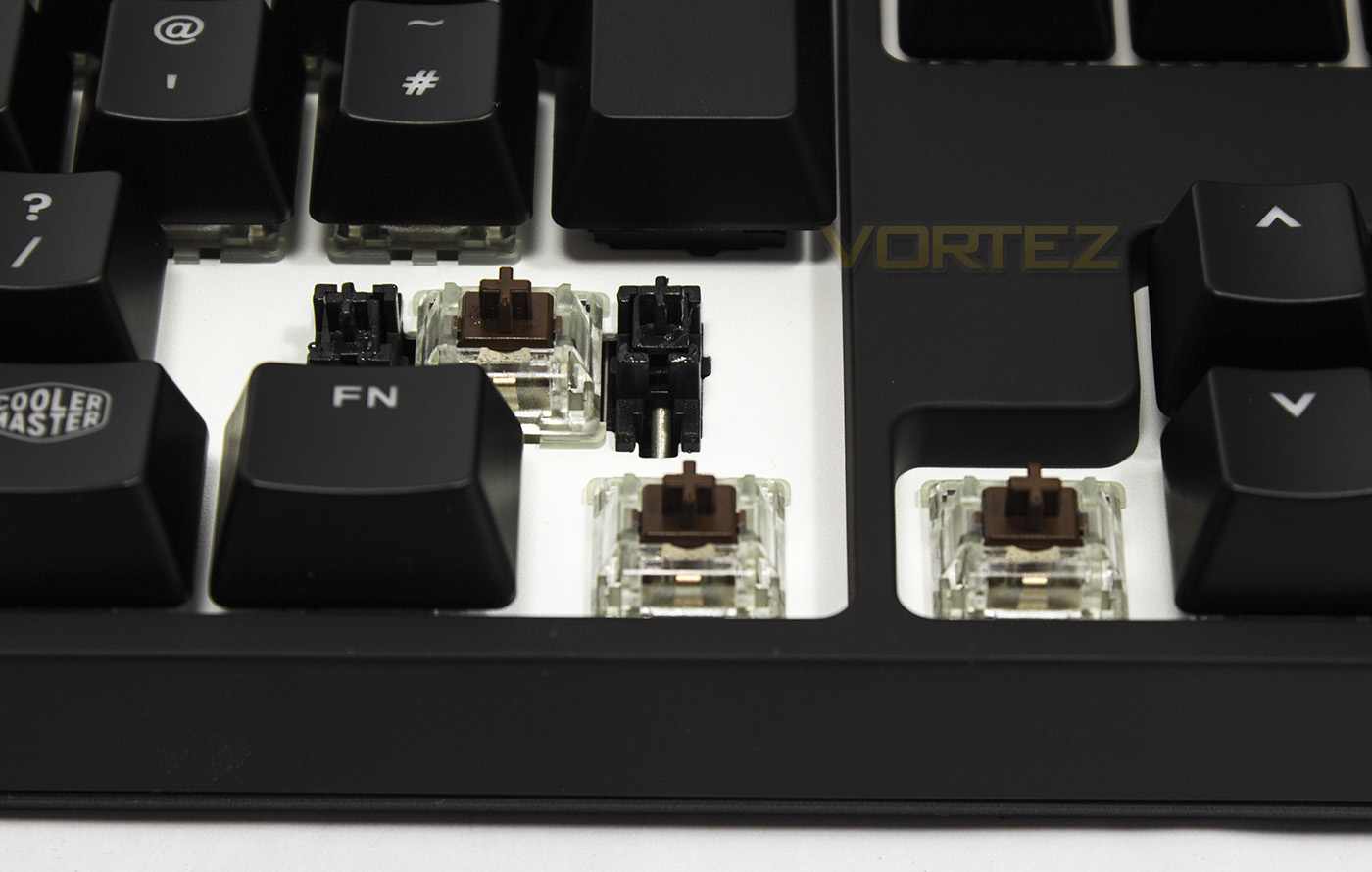
The MasterKeys are available in Cherry MX Red or Brown and they use Cherry Stabilisers. The switch housing is transparent, allowing better light transmission from those large LEDs.
Software & Lighting
The MasterKeys Pro L RGB doesn’t require the software drivers, however, unlike with the Quick Fire XTi, Cooler Master has made a lightweight supplementary driver that will update the firmware, and enable easy access to customisable lighting and lighting modes for sake of convenience. You can adjust the speed of the effects as well as fine tune the RGB colour. The lighting effects can then be saved to whichever profile you choose. There are 4 primary profiles (accessible by dedicated keys) and a ‘default’ 5th profile that can be accessed by pressing Fn + ESC.
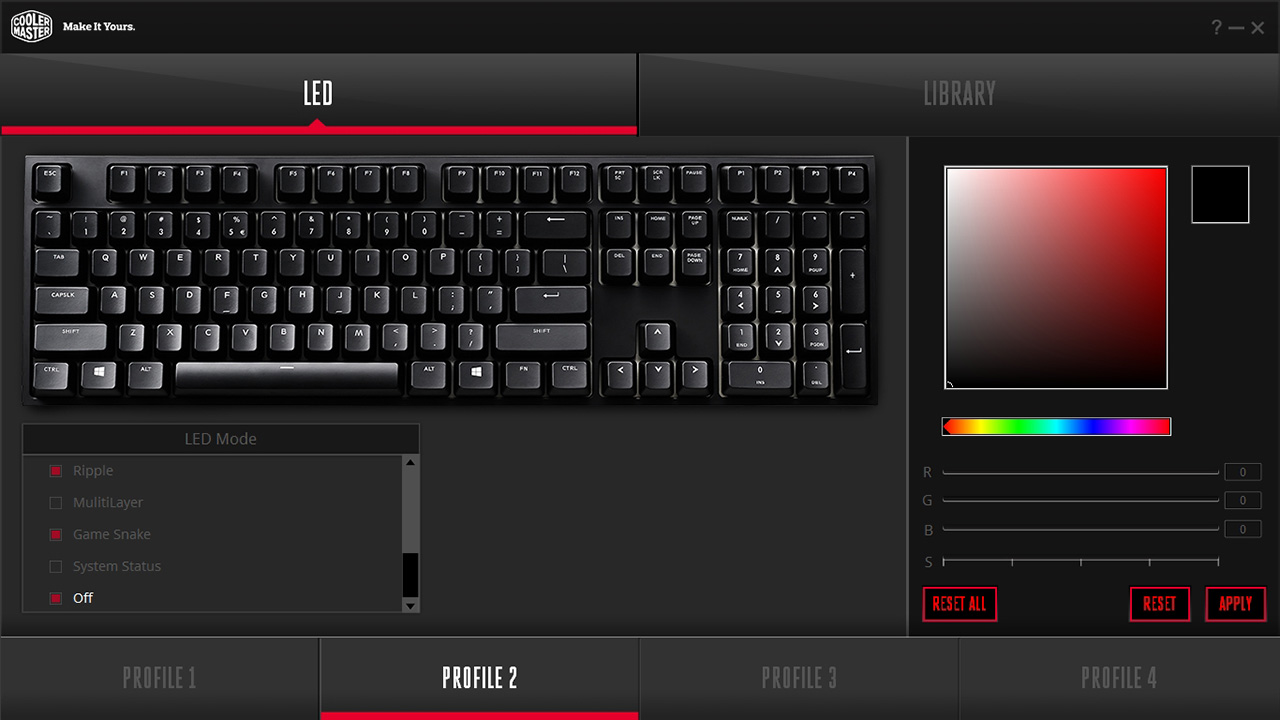
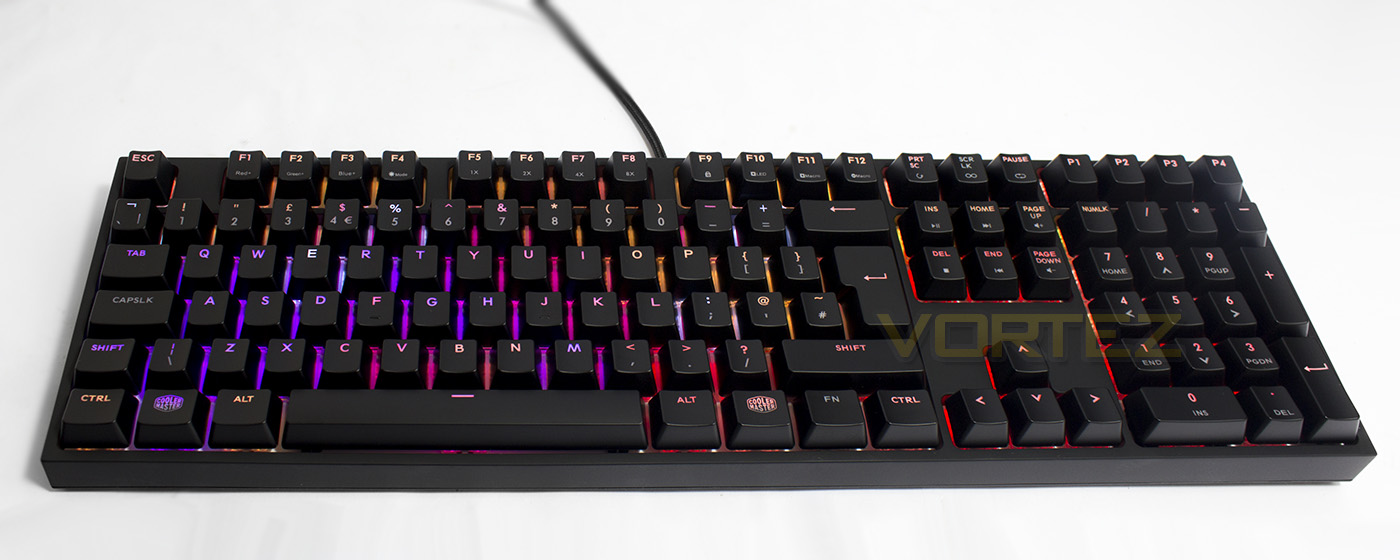
There are a whole host of lighting effects ranging from breathing, spectrum cycle, star, rain, snake, and status effects (CPU or EQ status) and more. The software allows for more advanced control including the use of multilayered effects. Though, access for each lighting mode via the keyboard can be done by pressing Fn + F4, to toggle between the modes. You can customise the lighting by pressing Fn + F10, to which you will then get various indications on screen, including a flashing ESC button. You can then press whichever key you wish to assign a colour, and adjust the colour mix by using each of the Fn + F1-F3 keys. Each colour has 10 steps of brightness 0-9, and by increasing the brightness of each colour, you add more of that colour into the mix. For example for RED, you would have Red + 9, B + 0, G + 0. Each F1, F2, and F3 light up with their corresponding colour when you hold the Fn key, and then once you start pressing them, the brightness will indicated the strength of the mix. To save and exit your setting, you hold Fn + ESC. It may sound a little complicated, however, once you get used to it, is is fairly straightforward. It can be a little time consuming, but the additional software can make life easier, with on the fly-changes possible as and when desired.
Macros work in a similar way, press Fn + F11, followed by the key you wish to assign the macro to (any key). Input the keystrokes you wish to record, then press Fn + ESC to save. The system is very similar to the Quick Fire XTi however, it would be nice if CM actually included more comprehensive instructions in the manual supplied with the keyboard. As the commands are very similar, it is worth checking out this video for further advice, or if all else fails, turn on the snake mode and play using the cursor keys.
Performance Testing
Setup, Design & ObservationsThe MasterKeys Pro L RGB is well built and has a decent amount of heft to it. The detachable cable included is a little shorter (1.5m) than most cables and could be a little more supple too, but it will suffice for most desktop situations.
The small frame make it appear non-imposing, though visually it looks rather box-like and it would have been nice if CM could have made it a little more low profile as we have seen with the ROCCAT SUORA or HyperX Alloy FPS. Due to its height and the sheer cliffs surrounding it, your hands will have to climb over the edges and find a position that works for you comfort-wise. It is a very nice keyboard to type with, but after a period of use, the MasterKeys Pro L RGB could certainly do with having an included wrist rest, however this goes against the minimalistic design ethic.
Performance
In game performance is as you would expect from this calibre of keyboard, that is, GREAT. Gamers can be confident that their keystrokes will count considering the MasterKeys Pro L RGB reveals that it has 100% anti-ghosting in Aqua’s Keytest.
Our version has come with Cherry MX Brown switches, and is also available in Red. Some may prefer MX Blue switches to be available, though considering the engineering required to accommodate the large LEDs, adding a new line of switches would increase the cost. We also noted the use of Cherry stabilisers (dummy switches) rather than the distribution bars. Each type has their own advantages/disadvantages, and with this type, the key-caps are easier to remove for cleaning as well as having a quieter actuation.
Conclusion
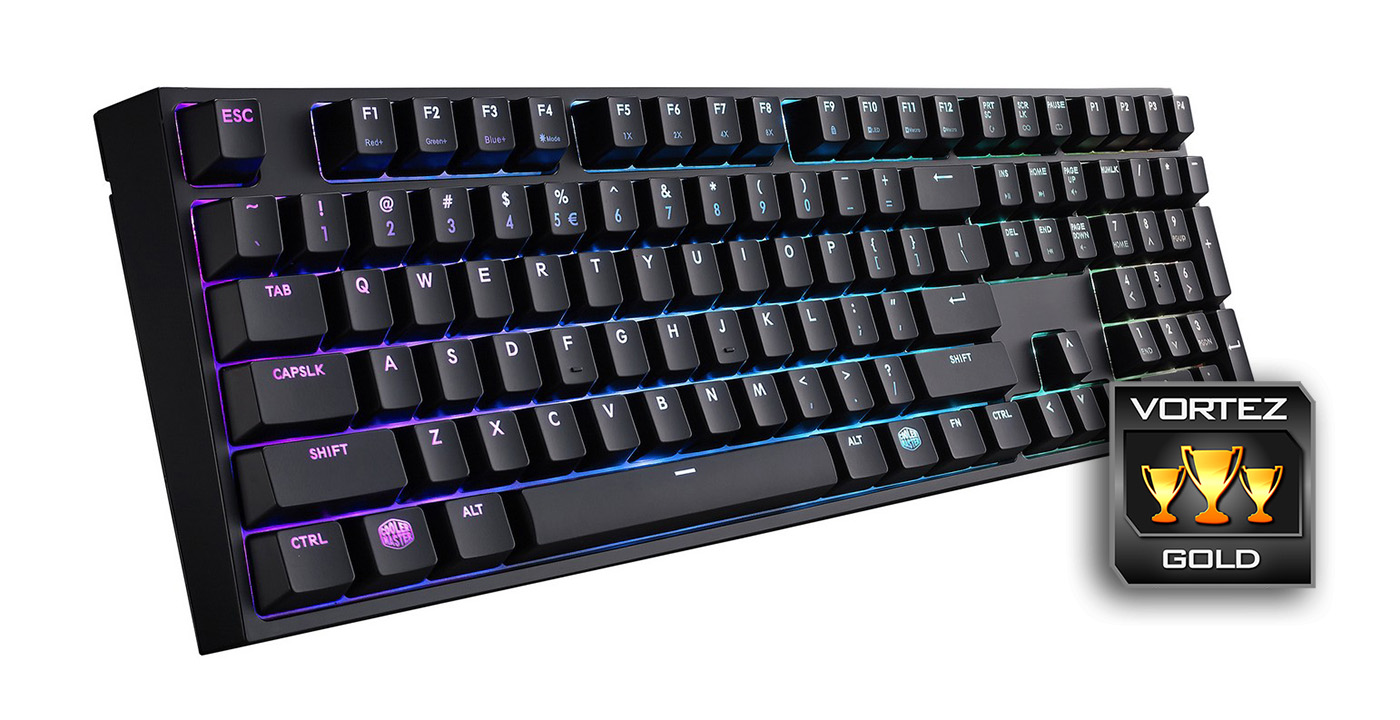
The brightness and vibrancy of the RGB lighting with the MasterKeys Pro L RGB is up there with the leading mechanical keyboards on the market, and it has the added benefit of having a small desktop footprint due to its minimalistic frame. Some will love the fact that you can access most of the features of this keyboard without requiring any software, though the fact that Cooler Master has provided a lightweight download will make life a lot easier in regards to lighting customisation. As the settings are saved to the on-board profiles, the keyboard is ready to be used regardless of the system you are using it with.
There are some considerations people may like to take in, including that it isn’t available with clicky blue switches, nor does it have a USB or audio pass-through. Some may also prefer a more robust software in regards to macro recording. Though that goes against the point of this keyboard. It features advanced programmability and controls that is there for anyone that wishes to make use of it. Other than these things, the only real gripe we had is that it is rather tall and for ideal comfort you may need to purchase a wrist rest. Though, wrist rests tend to be relatively inexpensive and readily available, so this isn’t a big deal.
Itself, the MasterKeys Pro L RGB has a wealth of gaming relevant features along with advanced lighting effects that is powered by bright RGB lighting. It is relatively rare to find RGB LEDs and Cherry MX switches in the same sentence for much less than £119 so when you consider that this keyboard can be found for around £100, few can match it in terms of features and value. If you aren’t one that cares for RGB lighting, you can get the same sweet features for even less with the MasterKeys Pro L White. In summary, this keyboard has all the controls, lighting and programmability a gamer could want, but still has its focus on performance and reliability.
The MasterKeys Pro L RGB can appear elegant and understated, but with a touch of a button it can become vibrant and dazzling.
Pros.
+ Solid Construction
+ Minimalistic compact frame
+ Choice of Cherry MX Red and Brown switches
+ Fast on-board processor
+ Bright/colourful RGB LED lighting and effects
+ Driverless controls with 4 + 1 On-board Profiles
+ Lightweight supplementary software
+ Price
Cons.
– Relatively tall (could do with a wrist rest bundled in)
+ Solid Construction
+ Minimalistic compact frame
+ Choice of Cherry MX Red and Brown switches
+ Fast on-board processor
+ Bright/colourful RGB LED lighting and effects
+ Driverless controls with 4 + 1 On-board Profiles
+ Lightweight supplementary software
+ Price
Cons.
– Relatively tall (could do with a wrist rest bundled in)
Click here for an explanation of our awards at Vortez.net.