







A new addition to the Carbide Series. Mid-tower, compact and affordable. Will Carbide 300R strengthen the already popular lineup of computer cases?

Product on Review: Carbide Series 300R
Manufacturer and Sponsor: Corsair
Street Price: £57.99
Last year Corsair boldly introduced the Carbide Series – a lineup of computer chassis that delivered finesse to gamer and enthusiast alike. Already in the lineup are 400R and 500R and kicking off 2012 is the new 300R – a compact mid-tower with all the features, style and quality that Corsair fans have come to expect but at a lower cost.
So the mid-high end has been catered for and now we look to the lower end. Will a lower priced product mean cutbacks from Corsair? Will the 300R further strengthen a good reputation? Let’s find out!
Technical Specifications
Warranty Two years
Dimension 19.1” x 8.3” x 17.7”
MB Support ATX, mATX
Expansion Slots 7
Form Factor Mid-tower
Material Steel structure with molded ABS plastic accent pieces
Drive Bays (x3) 5.25″, (x4) 3.5″/2.5″ Drive Caddies
Cooling (x6) 120mm/140mm fan mounts, (x1) 120mm fan mounts, Includes (x1) front-mounted 120mm fans and (x1) rear 120mm fan
Front I/O (x2) USB 3.0, (x1) Headphone, (x1) MIC, Power, Reset
Power Supply ATX (not included)
Features
• Tons of airflow options with up to seven fans.
• Quick and easy build with tool-free optical and hard drive bays.
• USB 3.0 and native SSD compatibility.
• Tons of room for long graphics cards – with direct airflow over each thanks to the included front fan.
• Four tool-free 3.5” hard drive bays with screw-in SSD compatibility
• Three tool-free optical drive bays
• Easily removable PSU dust filter
• Easily removable front dust filters
• Thumbscrew side panel for quick and easy hardware access
• CPU backplate cutout for easy heatsink upgrades or replacements
• Cable routing holes for improved airflow and looks
Packaging & First Look
The 300R is presented in a typically ‘Corsair’ style of computer chassis packaging. The box is eco-friendly and shows an illustration of the 300R on the front whilst the sides details the technical specifications and the rear has further illustrations of the case, detailing its significant features.
Inside the box the 300R is covered in a clear plastic sheet and held in place via dual Styrofoam pillars.
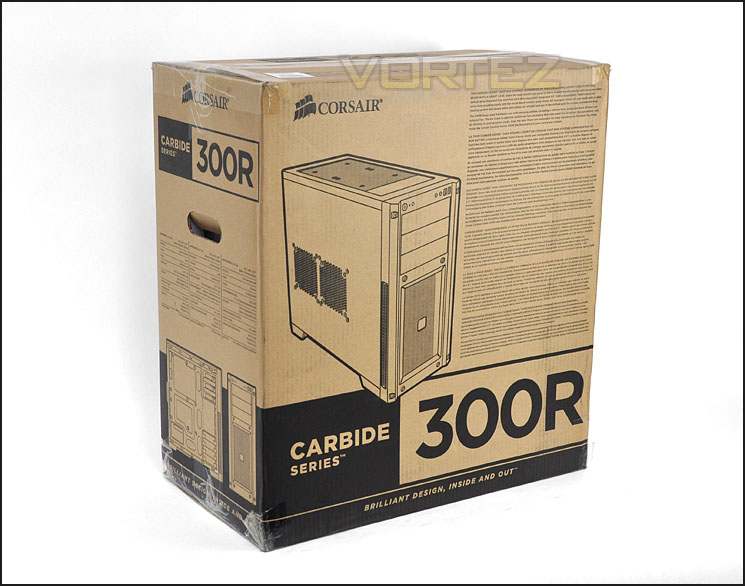
The 300R packaging
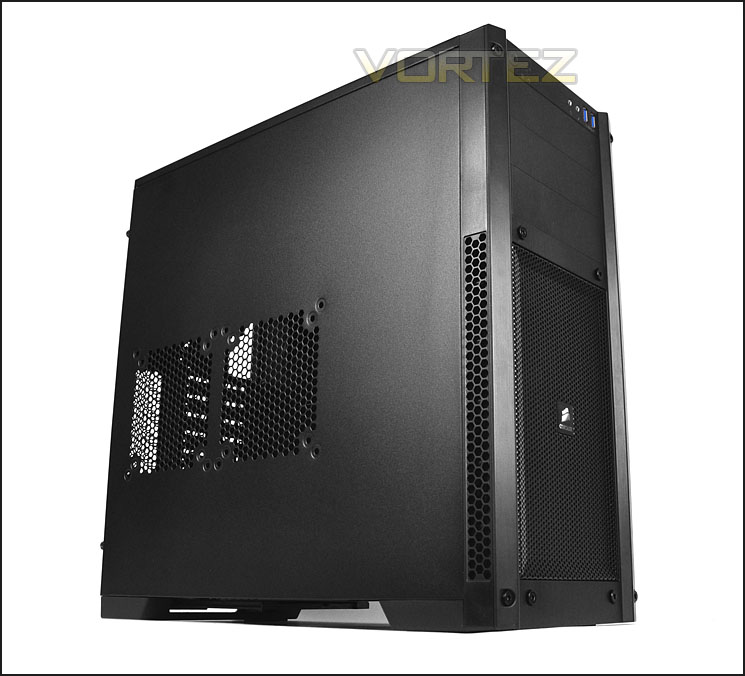
The 300R continues the Carbide series philosophy of being fairly minimalist in visual appearance. The front and side panels are smooth, professional and very sleek. The prominent side panel features two marked out areas for attaching 2x 120/140mm cooling fans. On the alternate side the panel is completely solid and without any features.
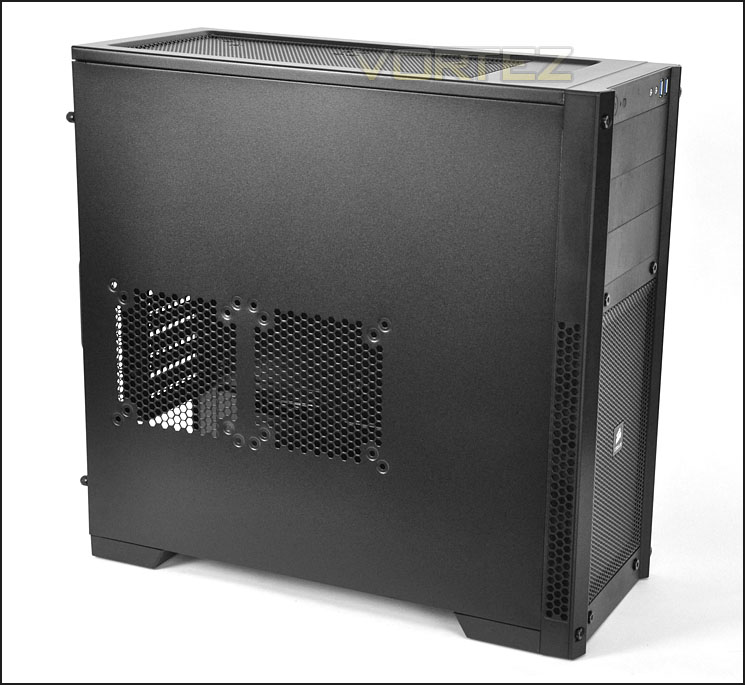
Optional spots for attaching 120/140mm side cooling fans
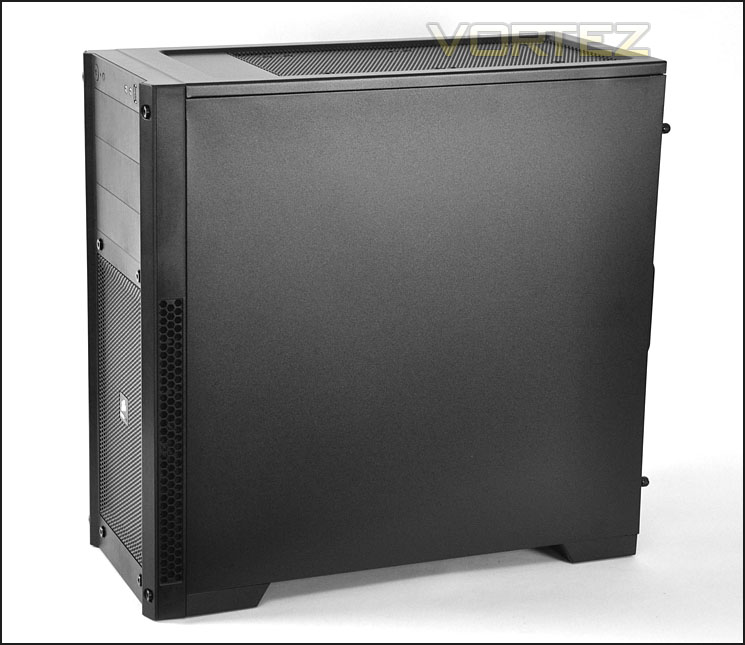
Sleek and professional aesthetics
On the next page we will take a closer look at the external elements of 300R.
Exterior
The front of 300R features a plastic bezel with a large honeycomb mesh area in the lower region that spans ¾ of the front. This has a 140mm intake cooling fan with removable dust filter. Above this mesh area are 3x 5.25” drive bay covers and at the very top are the front panel controls.
At the rear of 300R there are lots of features to consider. At the bottom there is a place for mounting the PSU. Above this are 7x PCI expansion slot covers – each come with ventilation holes for better airflow inside the chassis and there is more ventilation to the side. Further up there are 3x circular grommet holes marked out but to use these the metal must be popped out. Finally, the rear also features an exhaust fan that is 120mm.
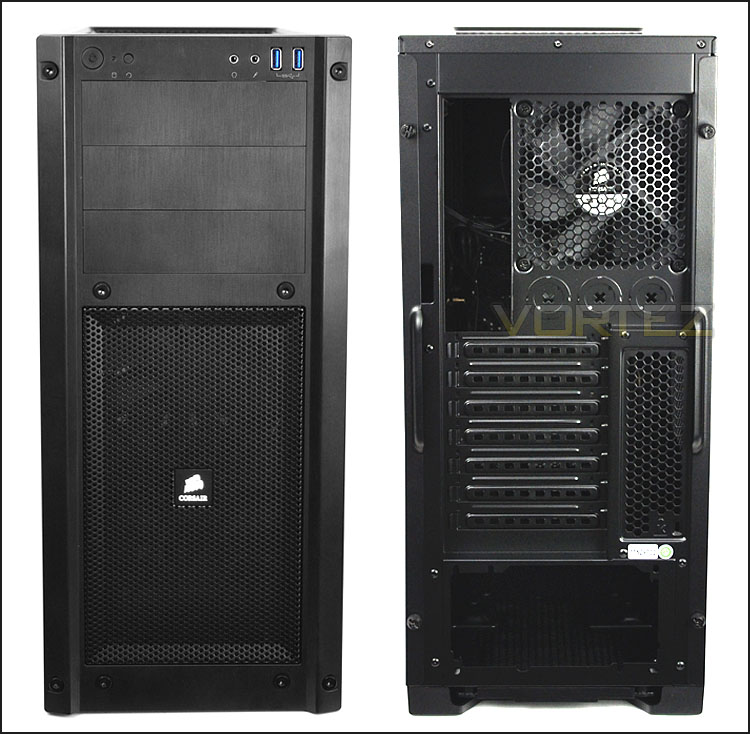
The front and back of 300R
At the top of 300R, facing the front is the front panel connectivity. Here there is a power/reset button, activity LED, headphone and microphone jacks and dual USB 3.0 ports. The USB 3.0 ports are powered via the motherboard header. So to get access to USB at the front here you will need a motherboard that has a USB 3.0 header.
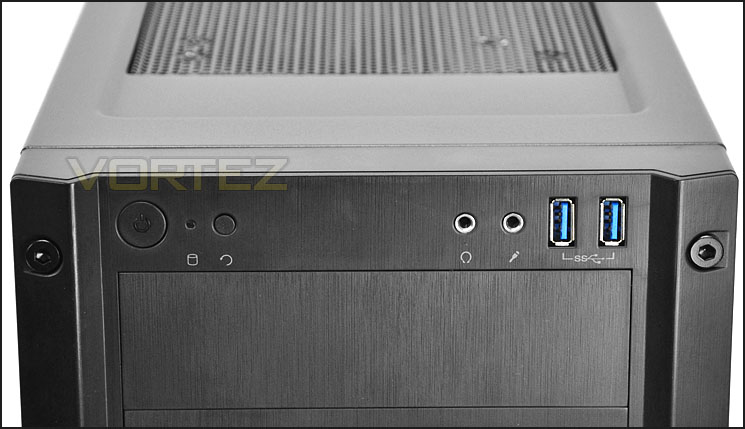
The front panel connectivity with USB 3.0 ports
Further back there is a large perforated mesh section. Though there is no cooling fan located at the top of 300R there are two spots for attaching either dual 120mm or 140mm cooling fans.
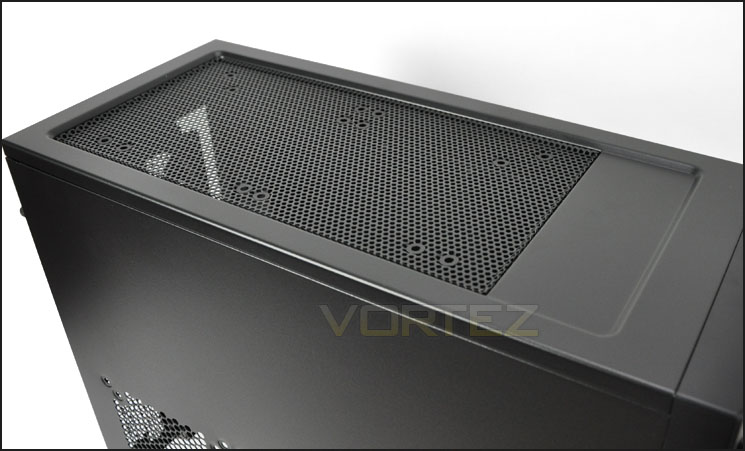
The top of 300R with optional 120/140mm fan mounts
Finally to the underside of 300R. Here there are 4x rubber strips that prevent the case from slipping. There is also a removable dust filter for the PSU. This can be pulled out without having the case on its side.
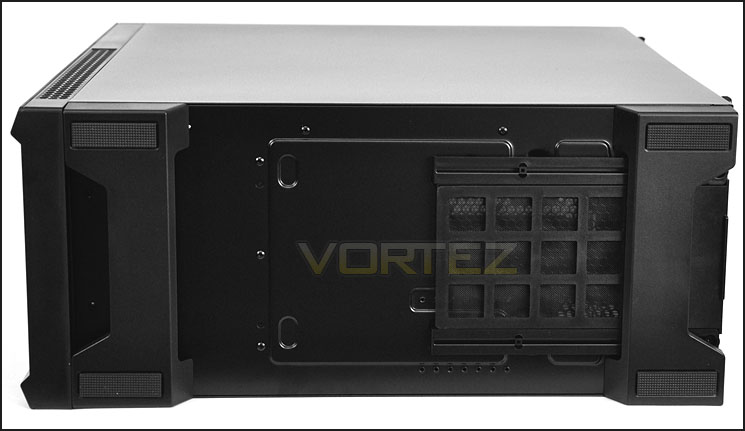
The underside of 300R with removable dust filter
On the next page we will look at the internal aspects of 300R.
Interior
The side panels on 300R are secured in place via 2x thumbscrews on each side. Once removed, the internal layout of this case is revealed. The prominent side has a clean design with various tool-less mechanisms for getting devices in and out of 300R. Around the motherboard tray (which supports mATX and ATX) are cable management cut-outs – these are without the rubber grommets. There is no need to use motherboard stand-offs to get the motherboard installed since the screw holes have been raised up.
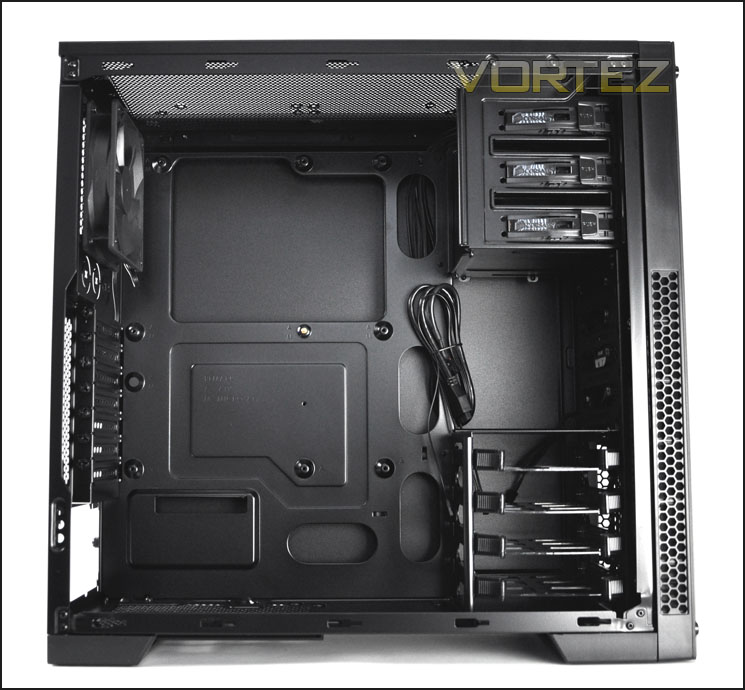
A well designed internal layout
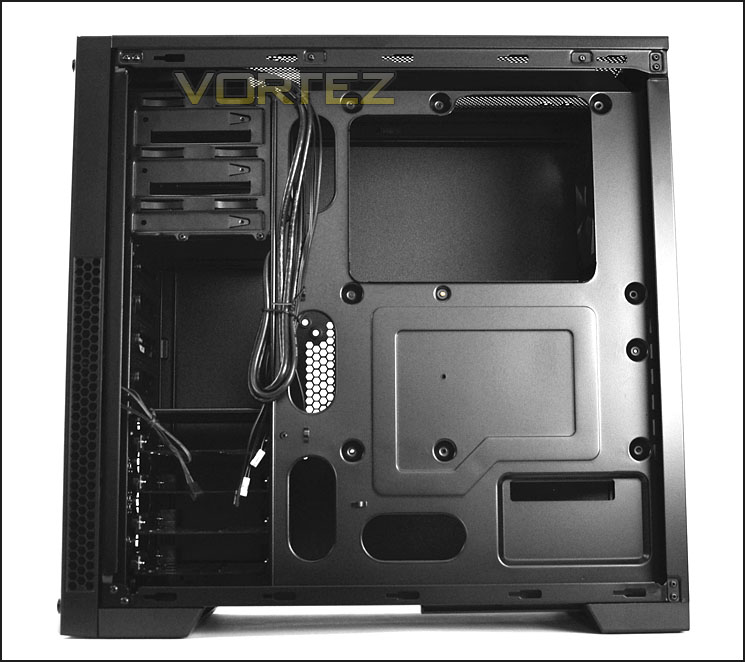
Behind the motherboard tray various cut-outs for an efficient installation
Moving in for a closer look at the inside of 300R we first come to the PSU area. This area has a mesh underlay and a dust filter is removable from the rear of the case. Unfortunately the mounts that the PSU sits on have no anti-vibration rubber so the unit could as a consequence cause scratching due to the metal-on-metal. I’d have liked to see some sort of rubber here, however small. There is support for longer PSUs within 300R.
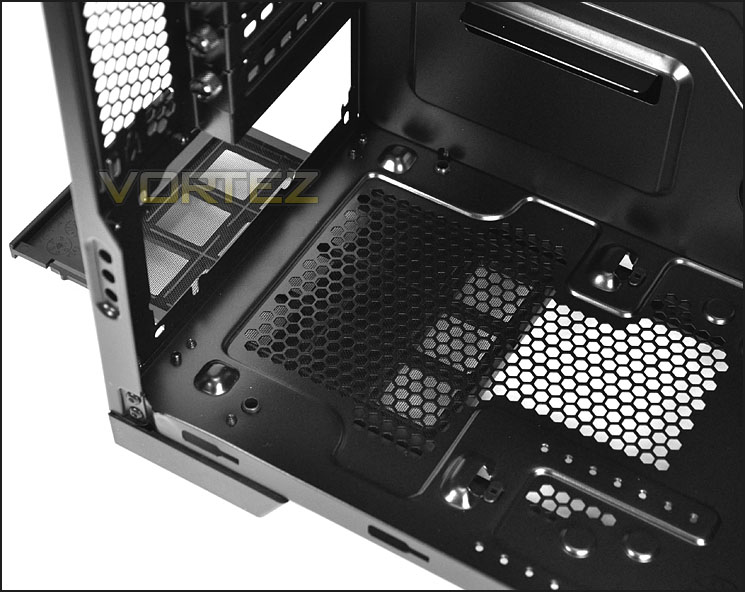
PSU region has a dust filter
There are 7 PCI expansion slot covers – each come with the ventilation holes and thumbscrews for easy removal. To the side is more ventilation via a honeycomb mesh panel.
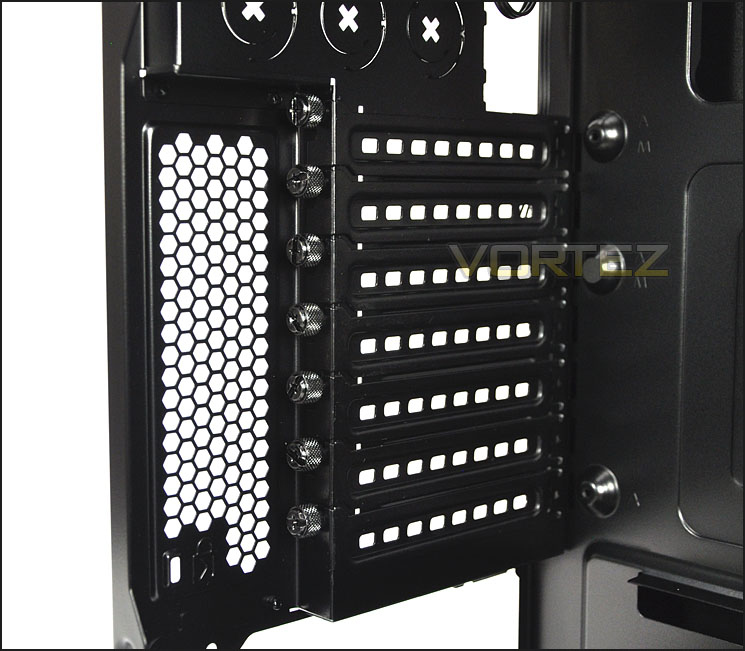
7 PCI expansion slot covers with thumbscrews
On the next page we will continue our look at the interior of 300R.
Interior (Continued)
In terms of cooling at the top/rear. Corsair has equipped the 300R with a 120mm rear exhaust fan. The top has no top mounted fans but there is mounting holes for dual 120/140mm cooling fans.
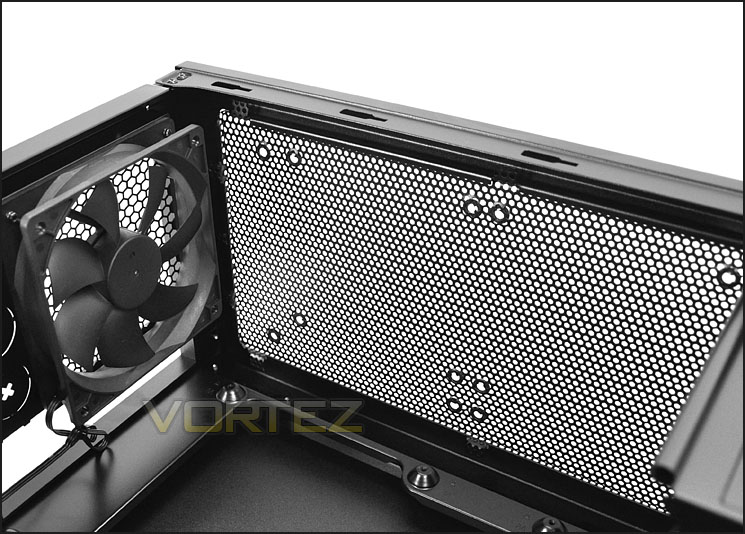
120mm rear exhaust fan with top mounted holes
On the other side of 300R there are 3x 5.25” drive bays, each come with a tool-less design mechanism that we have experienced on other Corsair computer cases. The clip simply flips back, the drive will slot into the bay and the pins then go into the mounting holes and the clip is then flipped back into the locking position.
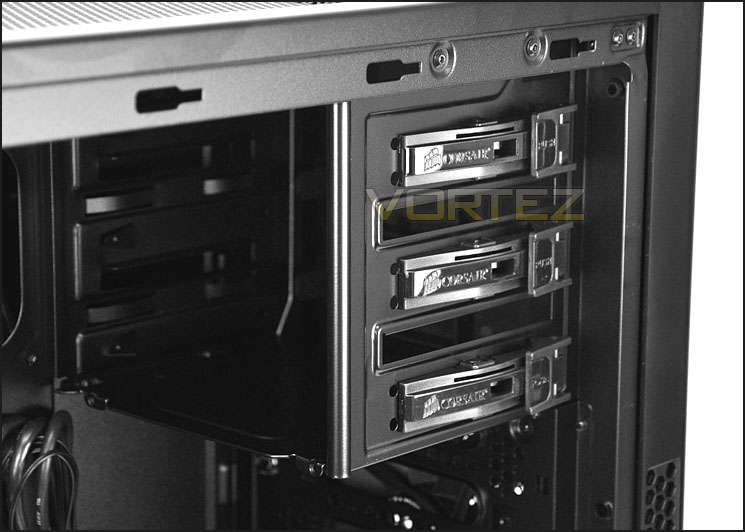
3x 5.25” optical drive bays with tool-less design clips
300R has a single, lower cage for HDD storage. Inside this cage, up to 4 HDDs can be installed – both 2.5” and 3.5”. More on this in the next section when we install our system inside 300R.
Above the HDD cage a 140mm intake fan has been pre-installed and this brings air into the case, allowing the airflow to pass over the system components.
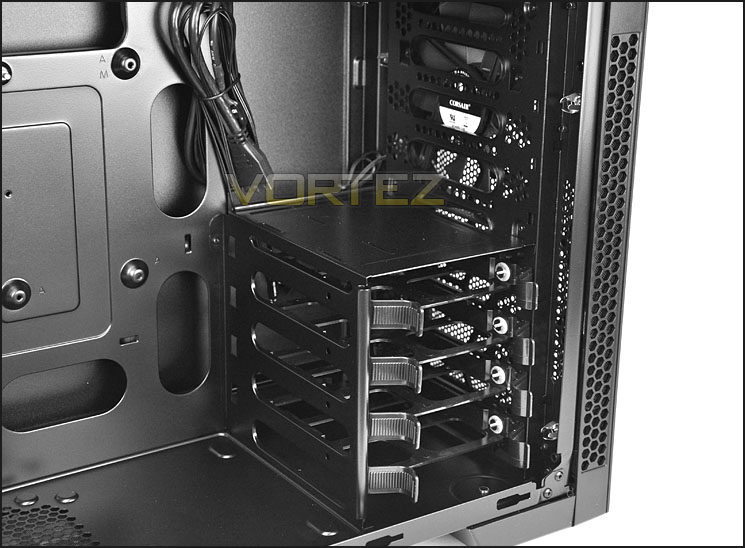
HDD storage inside 300R
On the next page, the test system will be installed within 300R.
Installation
Since the 300R is M-ATX/ATX only, the ATX test system has been installed within 300R. Overall the installation process is without any problems. Cable management, space and clearance are all aspects that 300R can handle with ease.
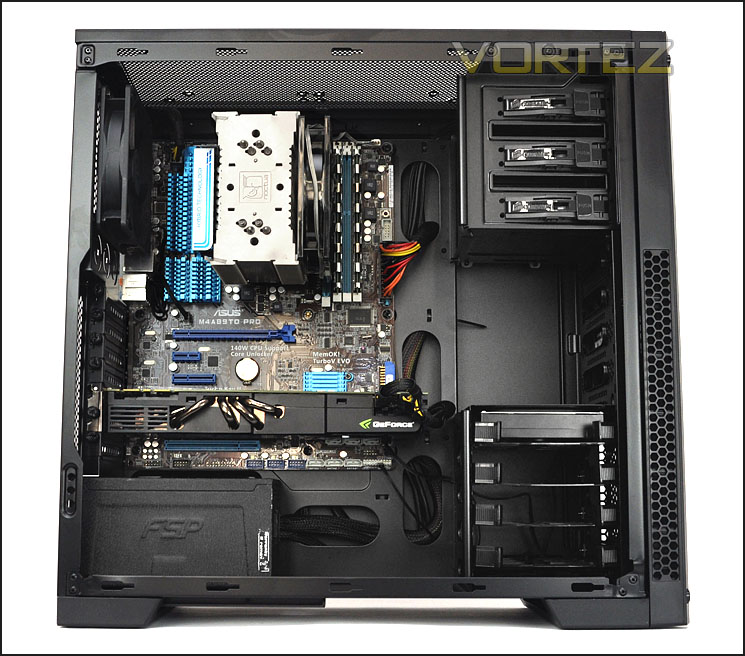
Install complete – a tidy, roomy interior
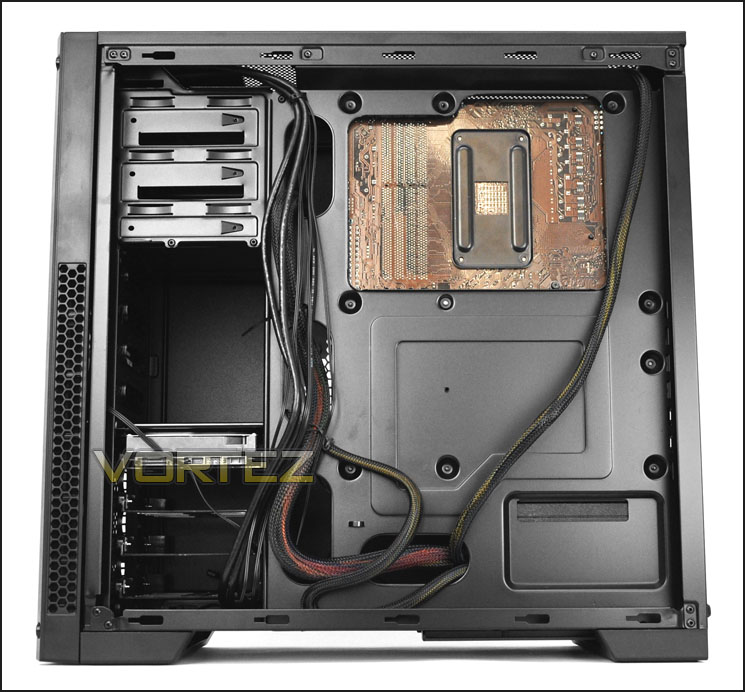
Even behind the motherboard tray things are under control
Getting HDDs into 300R couldn’t be easier and Corsair have implemented a method that most are already familiar with. The drive simply needs to be dropped into a tray – these trays accommodate 2.5” and 3.5” drives. To install a 3.5” drive the horizontal pins fit into the side of the HDD, whilst for a 2.5” drive screws attach to the underside of the tray.
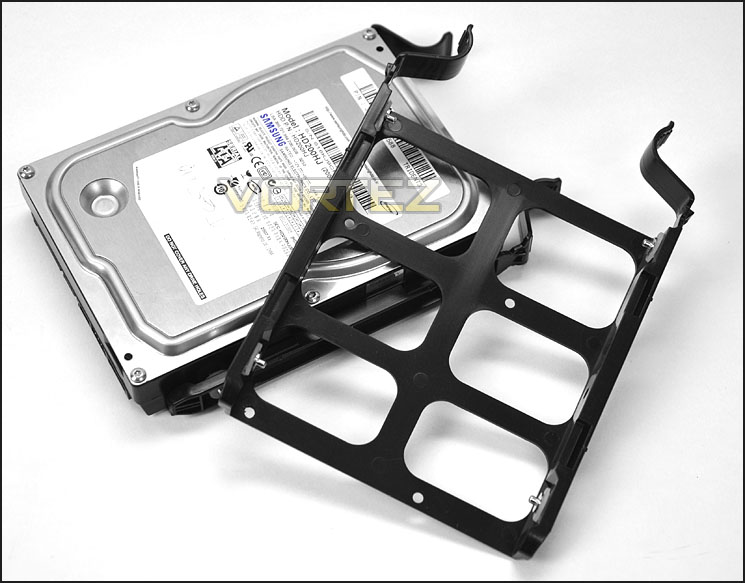
HDD trays accommodate 2.5” and 3.5” drives
Clearance – CPU, GPU, WC, Cable Management
Clearance inside a chassis is essential to enthusiasts, in this section we will be looking at all areas to reveal just how flexible 300R really is.
First off – the CPU cooler. Here 300R can accommodate the Noctua NH-U12P pictured. This CPU cooler is 158mm in height and there isn’t a great deal of remaining clearance so the bigger flagships like Noctua NH-D14 and Thermalright Silver Arrow which are 160mm in height could well struggle to fit.
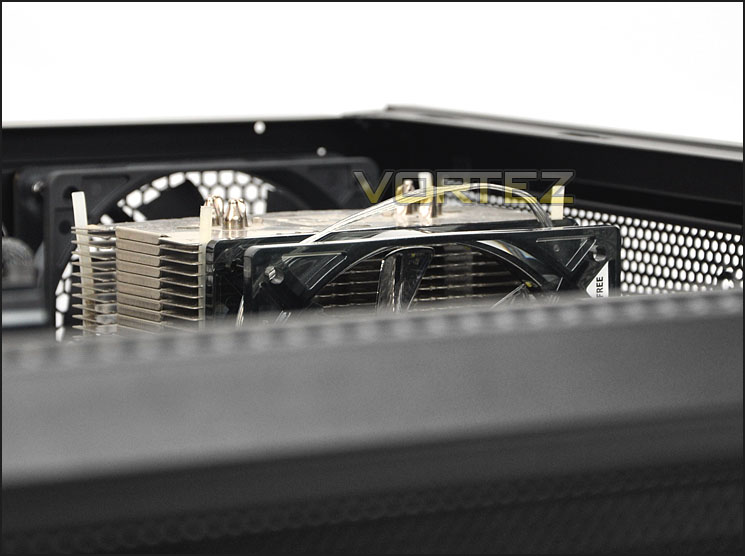
Clearance for big CPU coolers is tight
I installed the graphics card in a lower PCI-E slot so that I could demonstrate the clearance between the end of the card and the HDD cage. The 300R will accommodate graphics cards in the lower region (parallel to HDD cage) up to 11.5” in length. Above this, any sized graphics card can fit. Pictured is the NVIDIA GTX480 which is 11” in length.
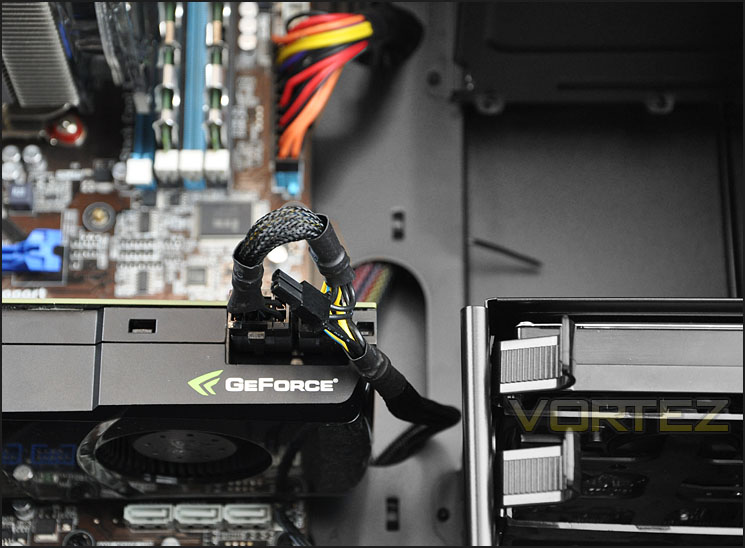
Graphics card clearance inside 300R
300R is a small mid-tower case and there is fairly limited clearance for water-cooling. Those who are seeking to water-cool a system would generally go with a bigger chassis and something with a side window anyway. The distance from the top of the motherboard and the top of the case is 3cm.
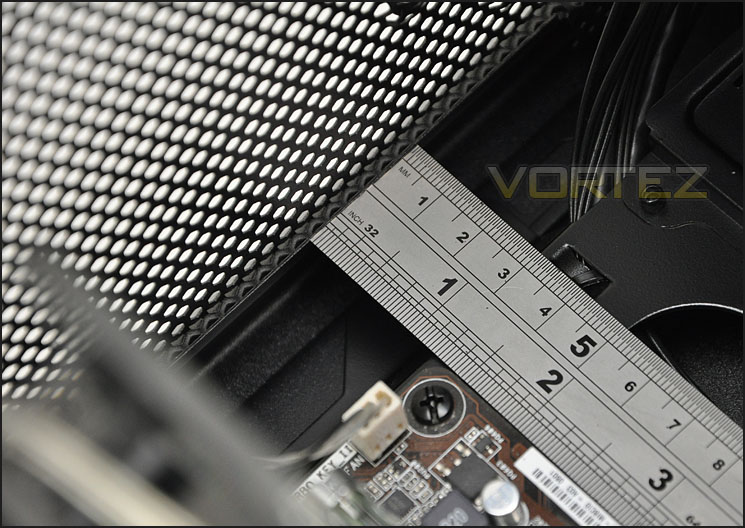
Clearance at the top of 300R
Behind the motherboard tray there is a generous amount of clearance – up to 2cm. This fares well when trying to organise cables behind the motherboard tray.
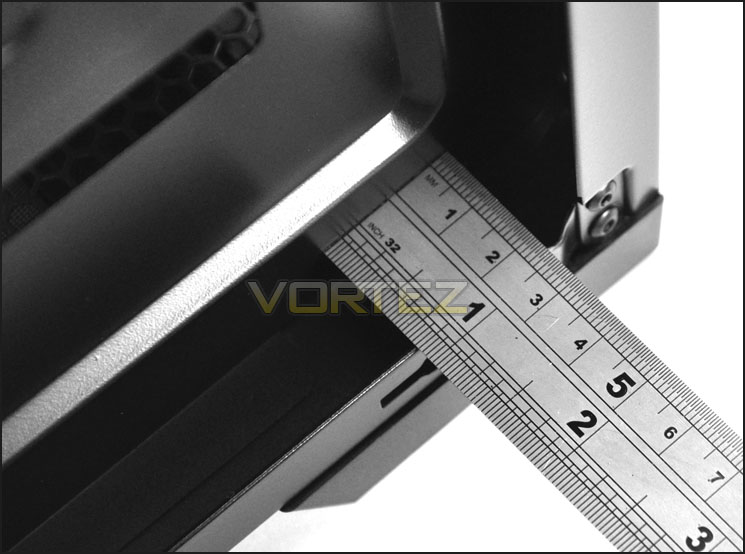
Clearance behind the motherboard tray
In the next section we will consider the thermal performance within 300R.
Thermal Performance Testing
Our thermal performance testing has recently been revised and therefore the list of comparable results are for the moment limited. But as we progress through cases the results will expand.
Inside 300R there are 2 pre-installed fans positioned in traditional airflow regions. A front intake 140mm fan – bringing in air from outside and pulling it across the system and out through the 120mm rear exhaust fan.
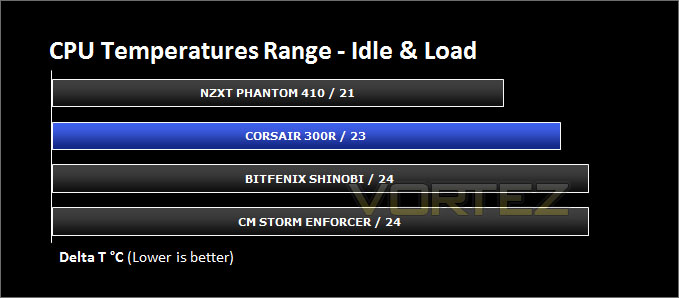
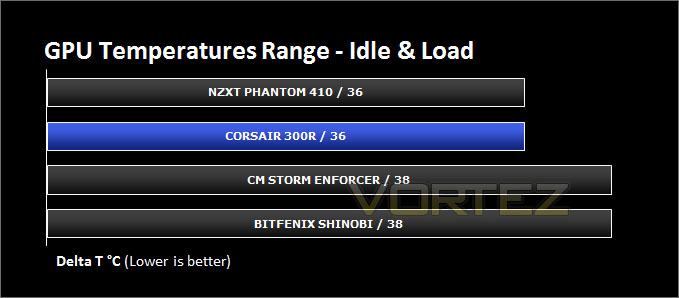
To discover the thermal performance of the 300R I will record idle temperatures after 20 minutes from a cold boot. I will then stress the system and temperatures will again be monitored after 30 minutes have elapsed. Fan controller will be set to high for all fans.
For the purpose of accurate analysis the idle and load temperatures for CPU and GPU will be recorded and the range between idle and load will be calculated to determine how efficient cooling is.
NOTE: Ambient temperature is 20C
System Components
CPU AMD Phenom II X6 1055T 2.8GHz
Motherboard ASUS M4A89TD PRO
Graphics ZOTAC NVIDIA GTX 480 AMP
Memory 4GB Mushkin EM3-10666 DDR3
HDD Samsung Spinpoint 500GB SATA-II
PSU FSP AURUM GOLD 650M
Noise
The fans used within the 300R are actually fairly quiet under operation which is surprising since there are lots of perforated mesh areas for the noise to escape.
Conclusion
Corsair’s computer case lineup has a strong following. The new Carbide series has so far been very successful and the inclusion of 300R further strengthens this. Those who want something compact but of great quality and at an attractive price-tag should look no further.
Aesthetically, 300R carries design ideas from both the Obsidian and Carbide Series. Those who have seen the 650D will see similarities between it and the 300R’s front panel. Those who are looking for something fresh, sleek and professional will favour this case well. In terms of build quality, inside and out the 300R doesn’t disappoint. 300R is compact yet it still accommodates big CPU coolers and long graphics cards. The quality of material used and paintjob are very good, the side panels fit snug without needing unnecessary strength and there is no flexing here either.
Even small things like the cables that root from the front panel – these are black and help towards making the inside look tidy upon completing a system install. It would have been nice to see cable management grommets on the cut-outs around the motherboard tray but I appreciate Corsair are trying to keep the costs down with the 300R and in some areas, such as this, there is no other option.
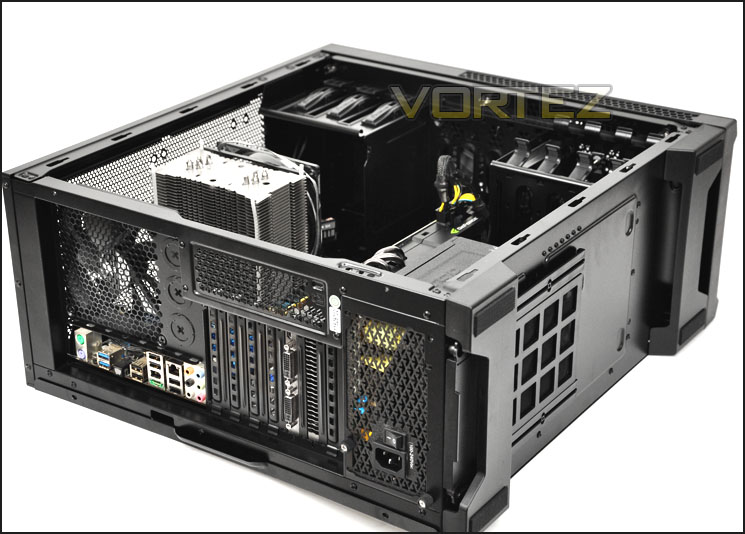
Cooling is good even though only 2 fans are used. The front intake fan has been positioned to direct airflow into the path of the graphics card, meaning those temperatures are sure to drop where you need them to the most.
Priced at just £57inc. VAT the 300R is a great value for money offering. At this price-point and feature-set the 300R rivals some strong contenders in this sector. 300R gives BitFenix Shinobi and Cooler Master’s HAF 912 Plus/Enforcer a good run for their money.
If you are on the hunt for a compact mid-tower chassis with more of a minimalist look, a decent feature-set and are on a budget then look no further – Corsair’s 300R fits the bill perfectly!
+ Sleek, professional aesthetics
+ Compact yet accommodates high-end kit
+ Great build quality
+ All cables from front panel are black
+ Can install up to 7 cooling fans
+ Very good value for money
Cons
+ No rubber mounts for PSU


Click here for an explanation of our awards at Vortez.net. Thanks to Corsair for providing today’s review sample.


