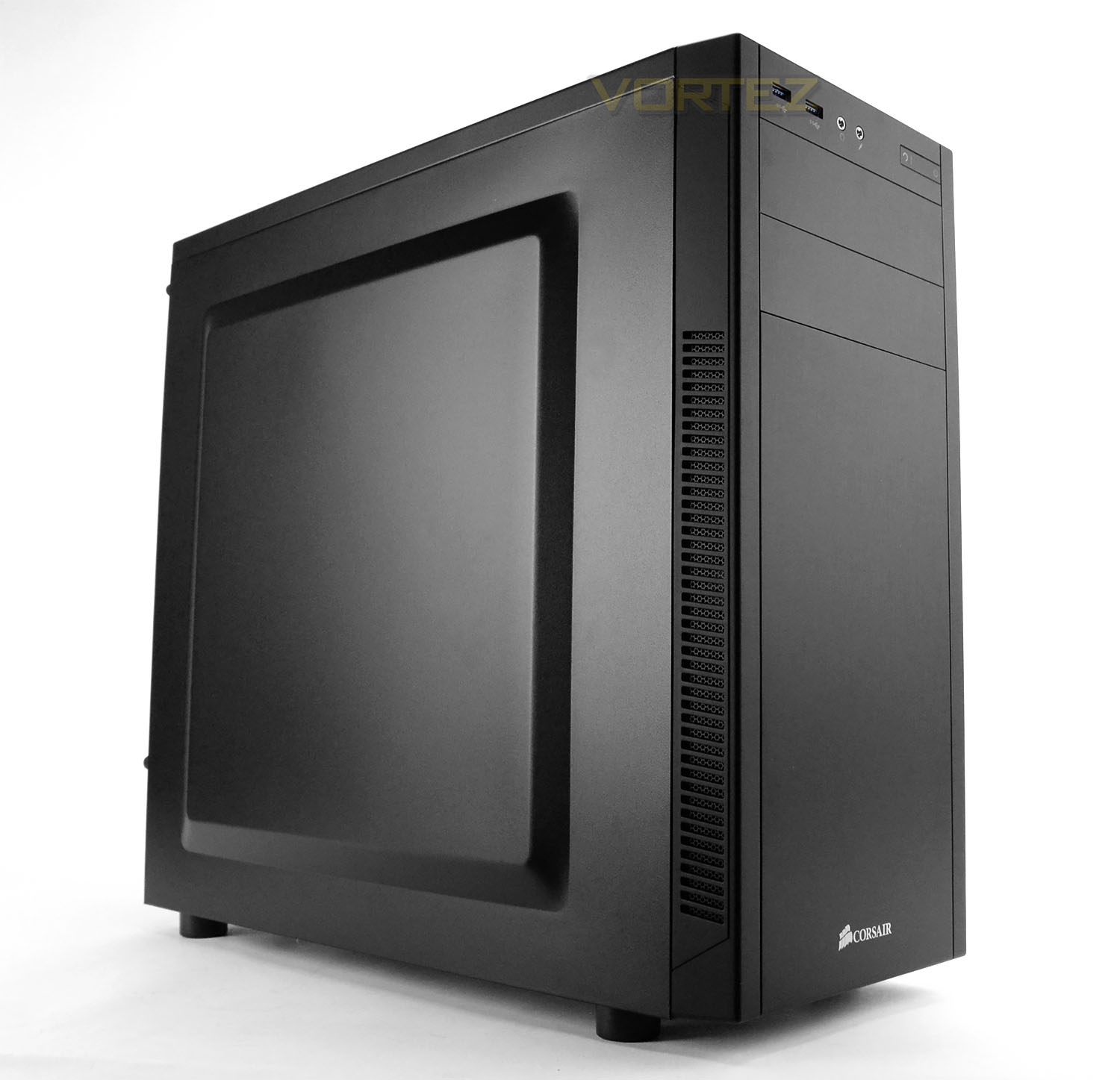
Corsair adds an entry-level computer chassis their Carbide Series which has the visual appearance, features and attractive price-tag.

Product On Review: Carbide 100R Silent Edition
Manufacturer & Sponsor: Corsair
Street Price: £50 GBP / $59 USD
In the last 6 months we’ve been struggling to keep up with Corsair’s onslaught of product releases. The multi-channel hardware giant has been relentless in their passion to supply enthusiasts with the latest computer tech. Today’s review sees us delve into the computer case arena by looking at yet another release from Corsair, this time from the Carbide Series.
The Carbide Series 100R is a low-cost, entry level computer case which comes in two different versions – standard and silent. The standard version comes with a side window, fan mounts at the top and just one cooling fan whilst the silent version uses closed panels, comes with an additional fan, fan controller and noise reduction material. This case hopes to deliver on styling, features and cost but will it win our seal of approval today? Let’s find out!
Corsair on their 100R
Sometimes you need to build a monster rig that doesn’t look – or sound — like one. Instead, you need a case that offers you the flexibility that installing your top-of-the-line hardware requires, but without all the visual spectacle of the more hardcore models.
The Carbide Series 100R Silent Edition Mid Tower case does exactly that. The sleek, understated design aesthetic looks like “serious business,” while the sound damping side panels, adjustable cooling fans, USB 3.0 support and tool-free access door all say “serious gaming power.” And it all comes at a price that states “serious value”.
The Carbide Series 100R Silent Edition Mid Tower case does exactly that. The sleek, understated design aesthetic looks like “serious business,” while the sound damping side panels, adjustable cooling fans, USB 3.0 support and tool-free access door all say “serious gaming power.” And it all comes at a price that states “serious value”.
Technical Specifications
Warranty
Two years
Weight
4.8kg
Case Form Factor
Mid-Tower
Dimensions
471mm x 200mm x 430mm
Case Motherboard Support
Mini-ITX, MicroATX, ATX
Maximum GPU Length
Top Slots: 414mm
Lower Slots: 275mm
Maximum CPU Cooler Height
150mm
Maximum PSU Length
230mm
Case Expansion Slots
7
Case Drive Bays
(x2) 5.25in
(x4) Combo 3.5in/2.5in
Case Material
Steel
Case Power Supply
ATX (not included)
External Connections
(x2) USB 3.0
(x1) Headphone Port
(x1) Microphone Port
Cooling Fans
Front: (x1) 120mm
Rear: (x1) 120mm
Two years
Weight
4.8kg
Case Form Factor
Mid-Tower
Dimensions
471mm x 200mm x 430mm
Case Motherboard Support
Mini-ITX, MicroATX, ATX
Maximum GPU Length
Top Slots: 414mm
Lower Slots: 275mm
Maximum CPU Cooler Height
150mm
Maximum PSU Length
230mm
Case Expansion Slots
7
Case Drive Bays
(x2) 5.25in
(x4) Combo 3.5in/2.5in
Case Material
Steel
Case Power Supply
ATX (not included)
External Connections
(x2) USB 3.0
(x1) Headphone Port
(x1) Microphone Port
Cooling Fans
Front: (x1) 120mm
Rear: (x1) 120mm
Packaging & First Look
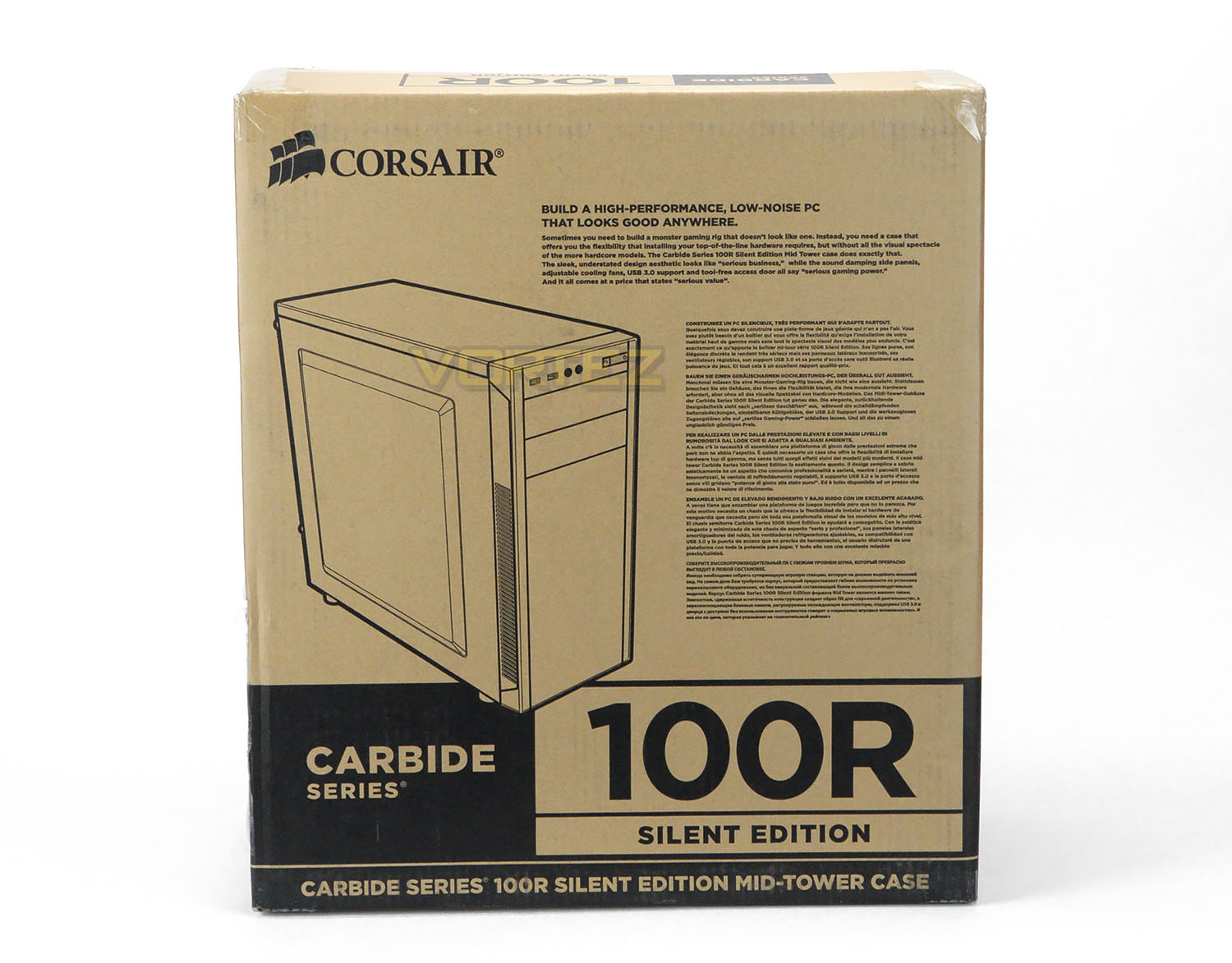
In true Corsair fashion, 100R is presented in a large double reinforced cardboard box which features a two-tone design. The front reveals an illustration of the case and lists the integral features while the back contains a schematic diagram and breakdown of the features.
Inside, the case is concealed in a clear plastic sheet and held in place with two polystyrene pillars to ensure a safe arrival.
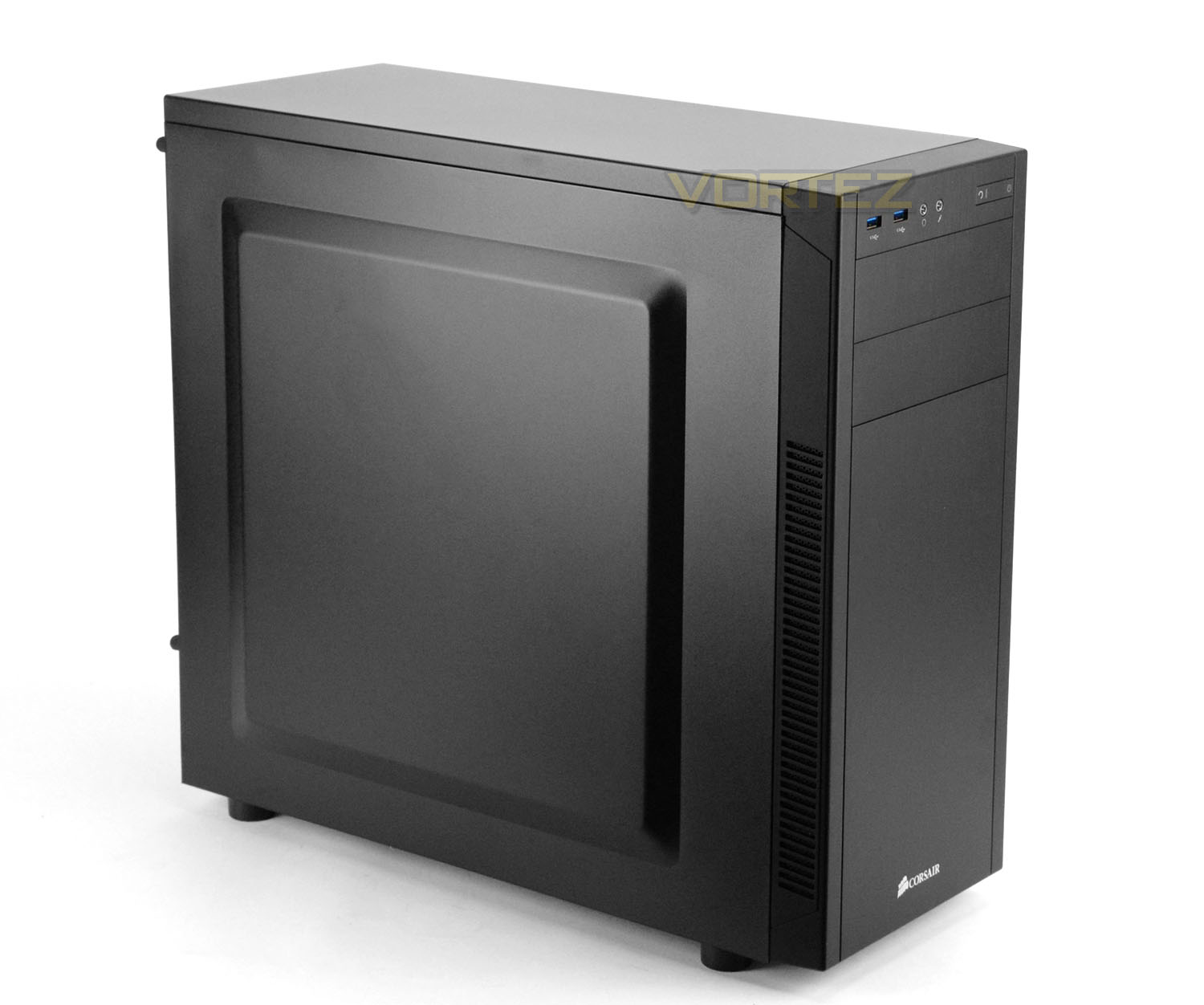
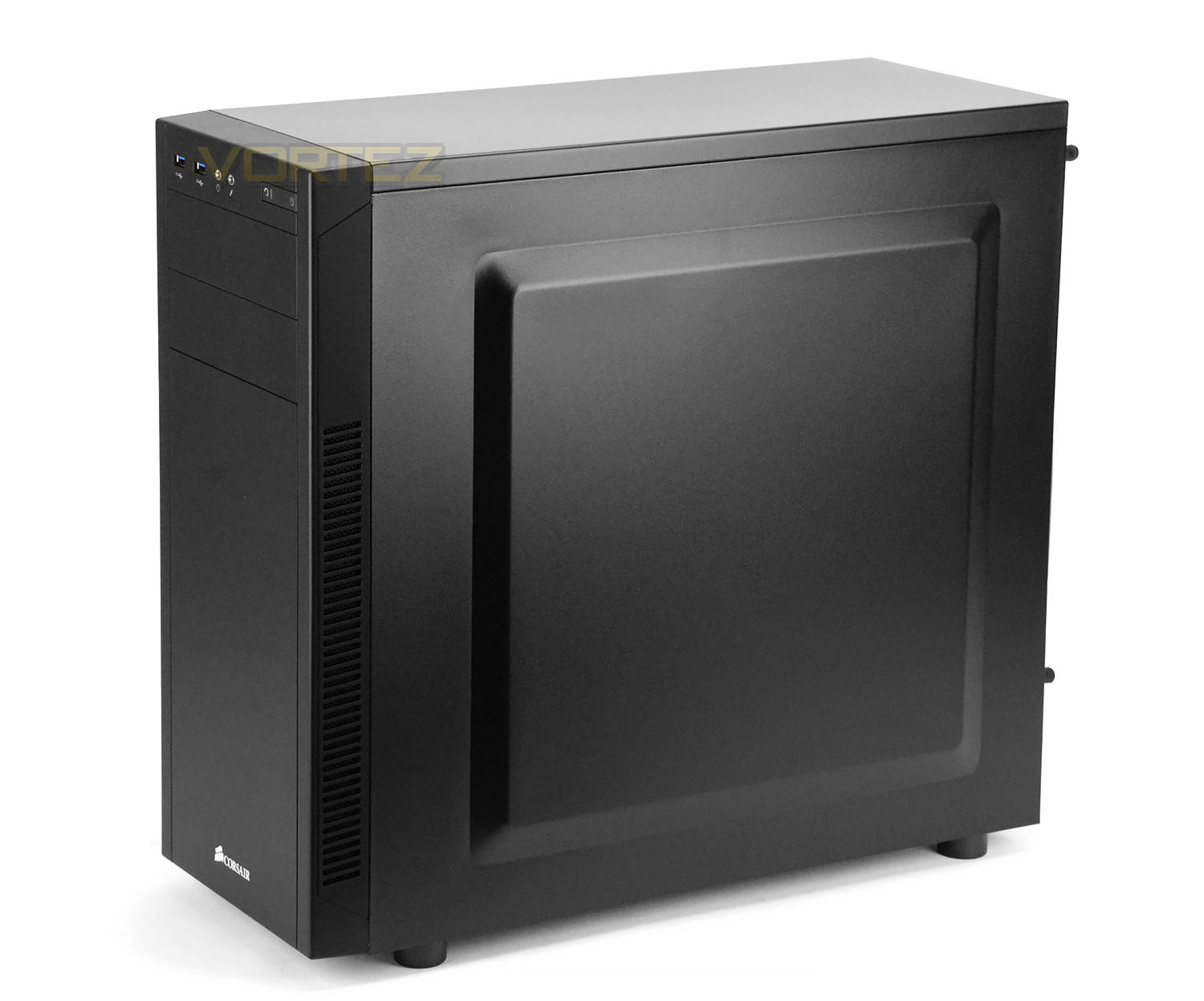
Since we are reviewing the silent edition of 100R the prominent side panel is closed off and remains exactly the same as the alternate side too. On the standard version, the prominent side panel uses a large Perspex window instead.
As with many of the other Carbide Series cases, 100R retains a level of elegance and minimalism. Even though this case is entry level the build quality is surprisingly good. We like the visual appearance and the construction.
On the next page we’ll be taking a closer look at the external aspects of 100R.
Exterior
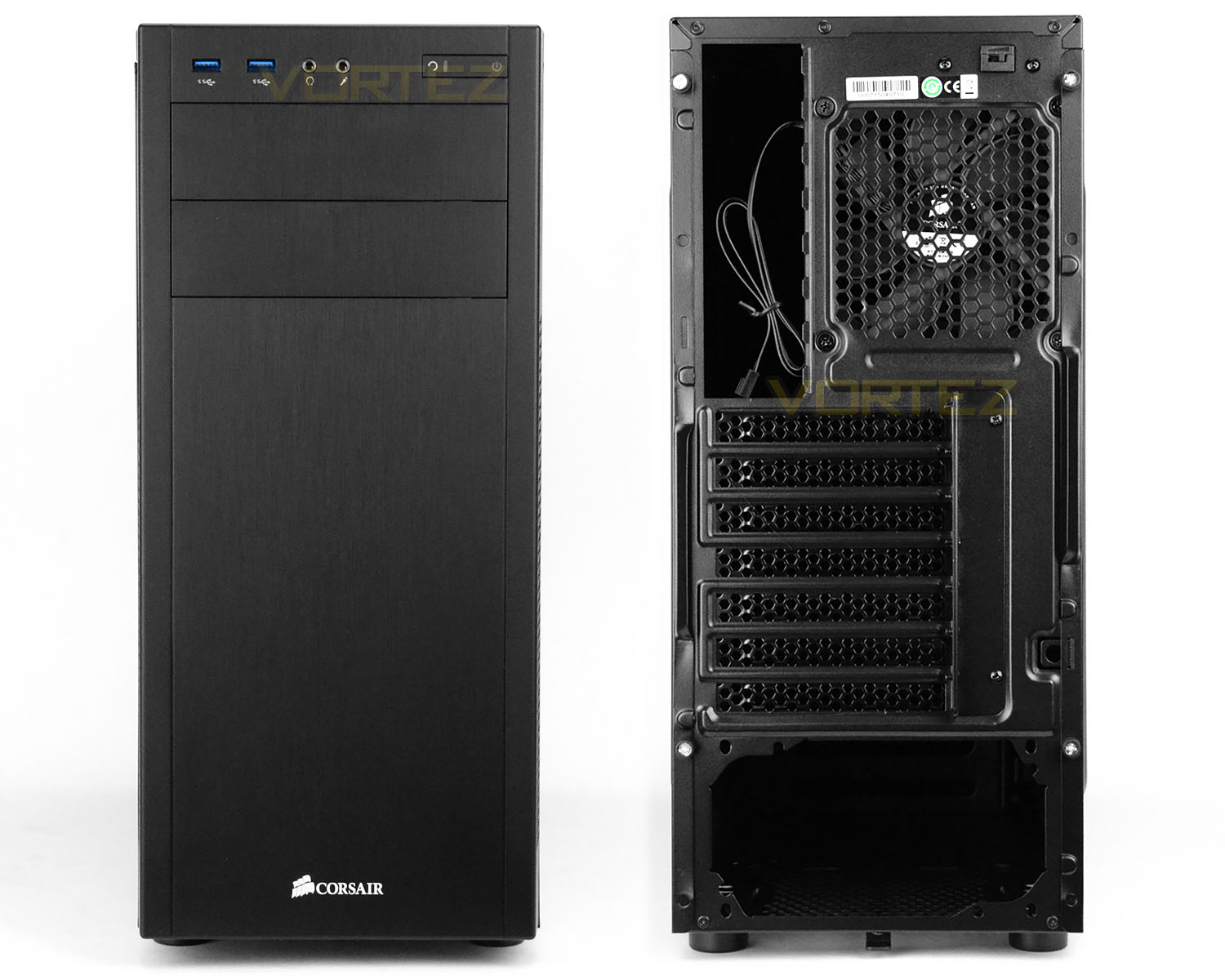
Viewing 100R from the front we can see there is a large plastic fascia which has no ventilation – instead there are vents running down the outside edge to allow air to enter for the front cooling fan which is supplied with this silent edition.
There are two 5.25” drive bay covers which are removable from the inside and the front panel connectivity can be found at the very top.
Around the back of the case there is an opening at the bottom for mounting the PSU and then above this there are seven PCI expansion slot covers – each with perforation to encourage better airflow inside the case. At the very top there is a pre-installed 120mm cooling fan and a handy three-channel fan controller (only available with the silent edition).
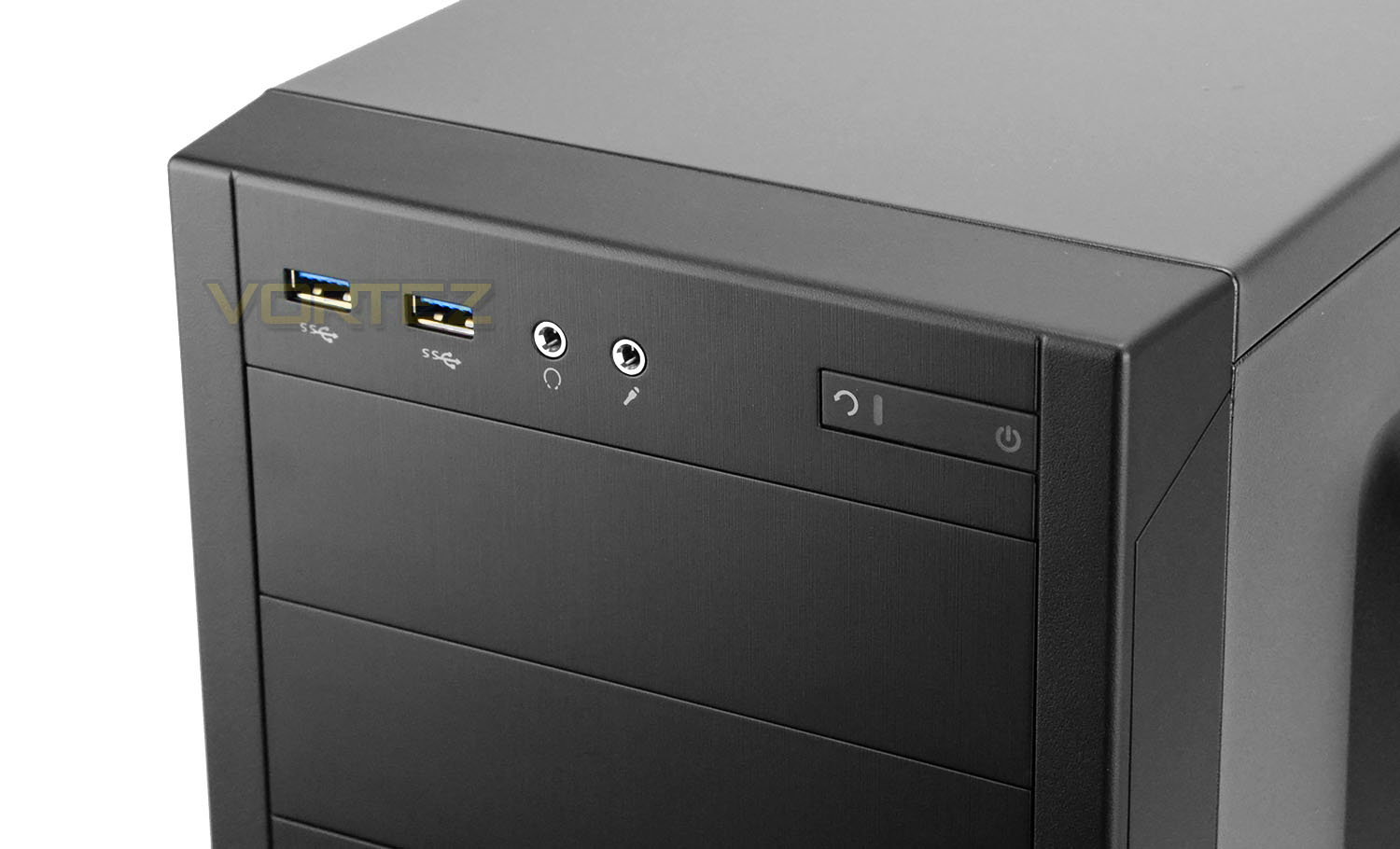
Located at the top of 100R is the front panel connectivity. Available we have two USB 3.0 ports, headphone and microphone jacks and power/reset buttons with LEDs.
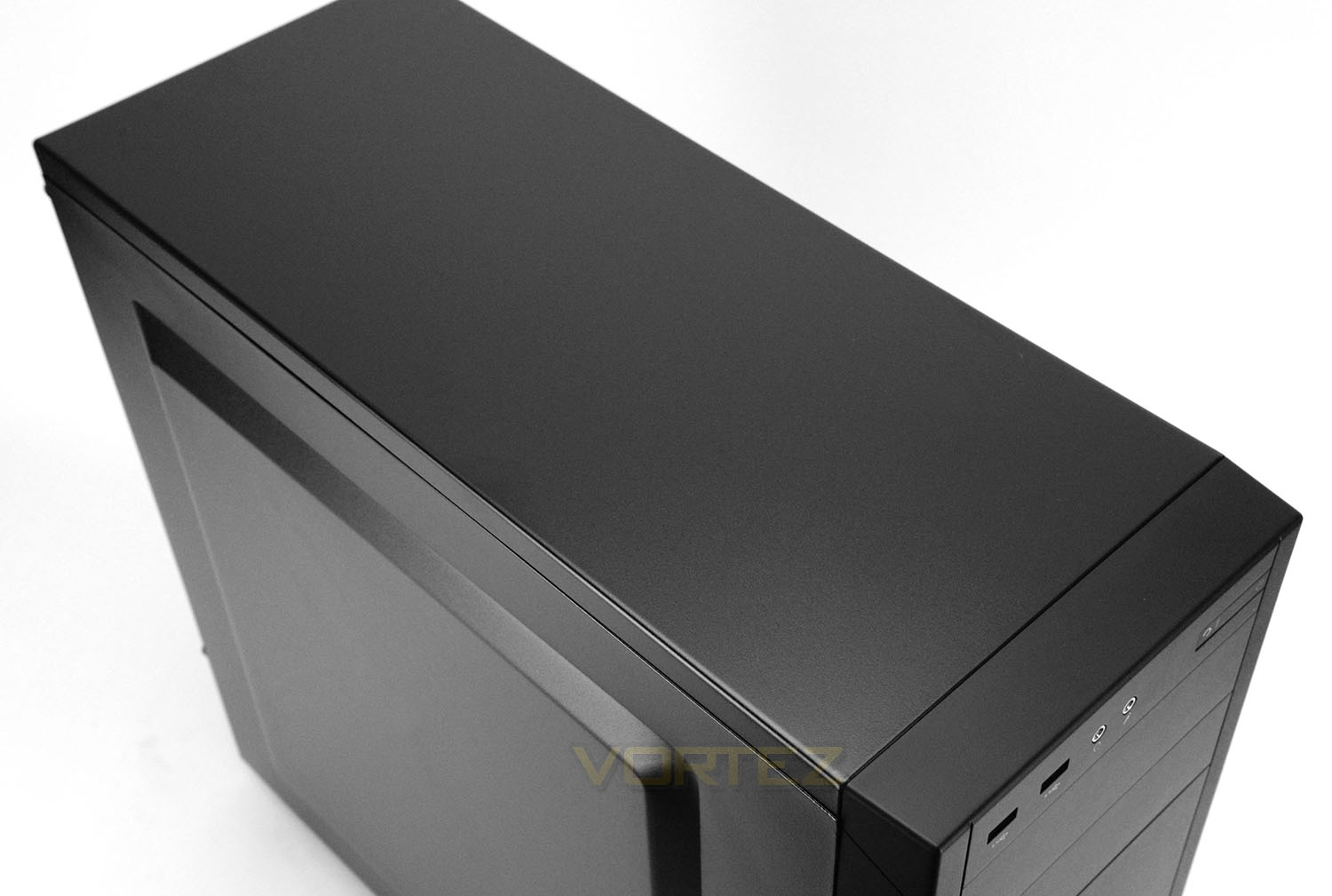
At the top of this silent edition of 100R there is no ventilation or perforated mesh for fan mounts, instead we have a solid, closed off panel which has noise reduction material on the inside.
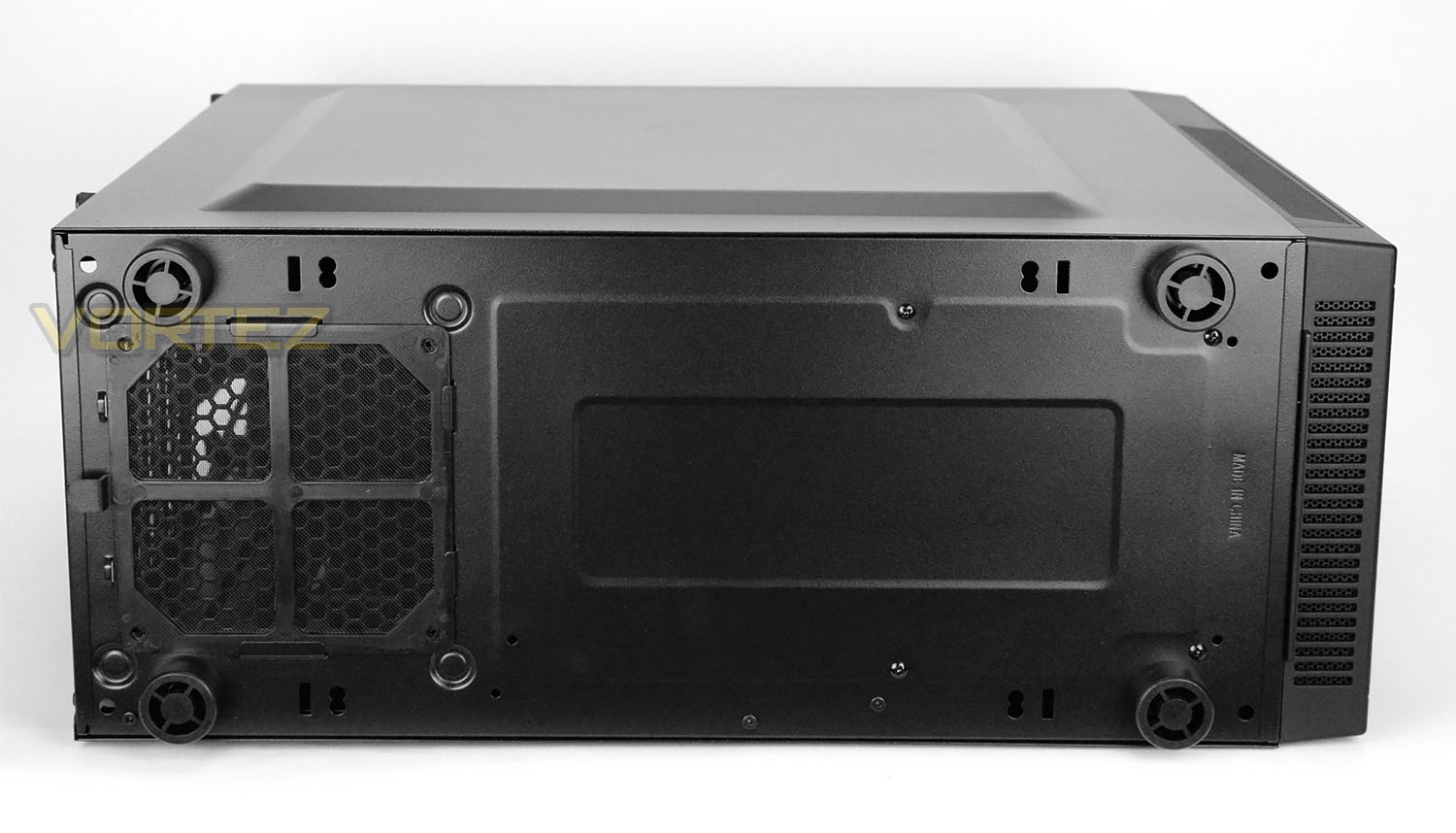
Flipping 100R over onto its side we can see the underneath uses four plastic feet. Ideally, we’d have liked to see rubber used on these feet to help prevent the case from slipping on smooth surfaces. Towards the front there is some additional ventilation for the front cooling fan.
Corsair also include a detachable dust filter for the PSU.
Interior
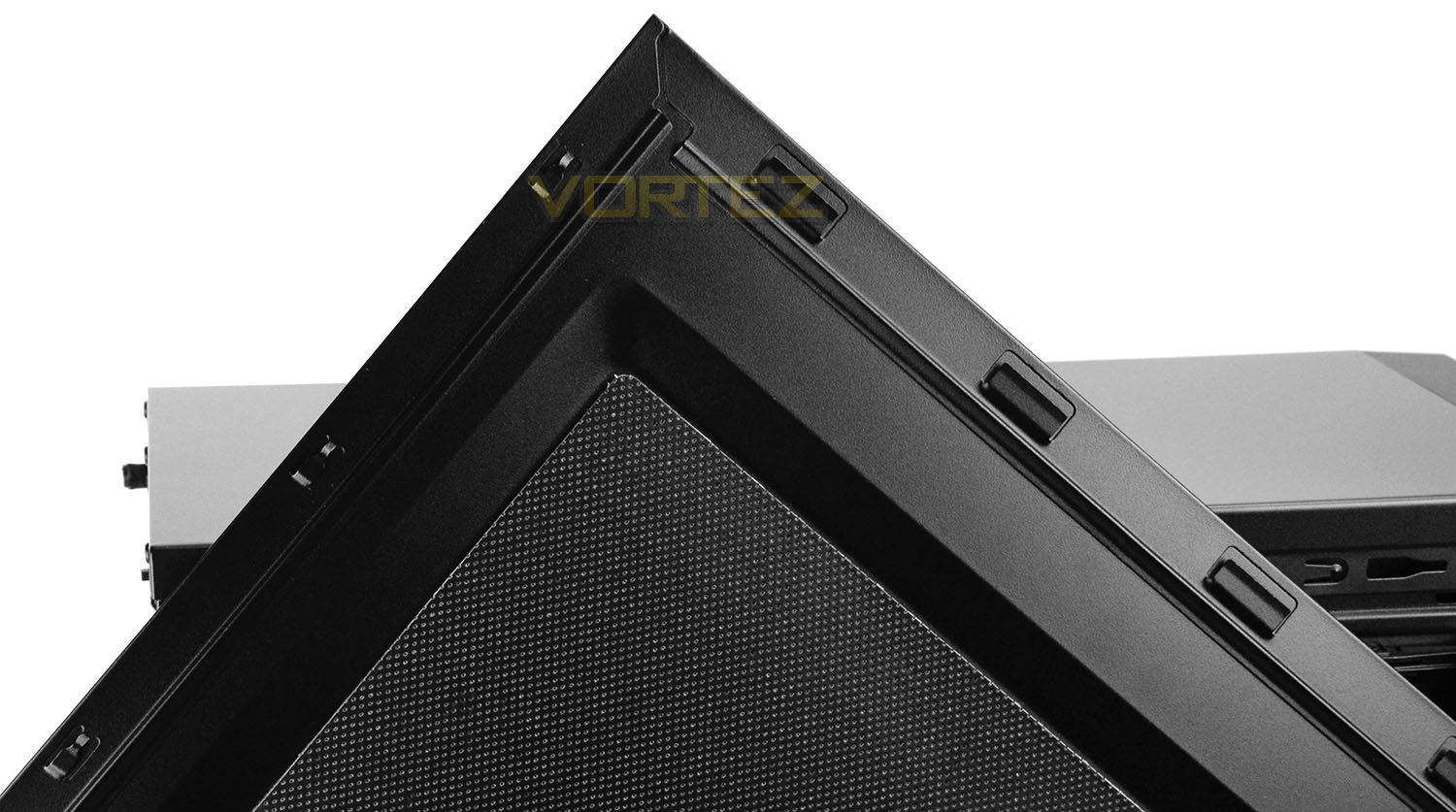
With the silent edition of 100R, both side panels are furnished with noise reduction material on the inside to help keep the noise levels down. Both side panels also have a slight convex to allow for extra space within the case.
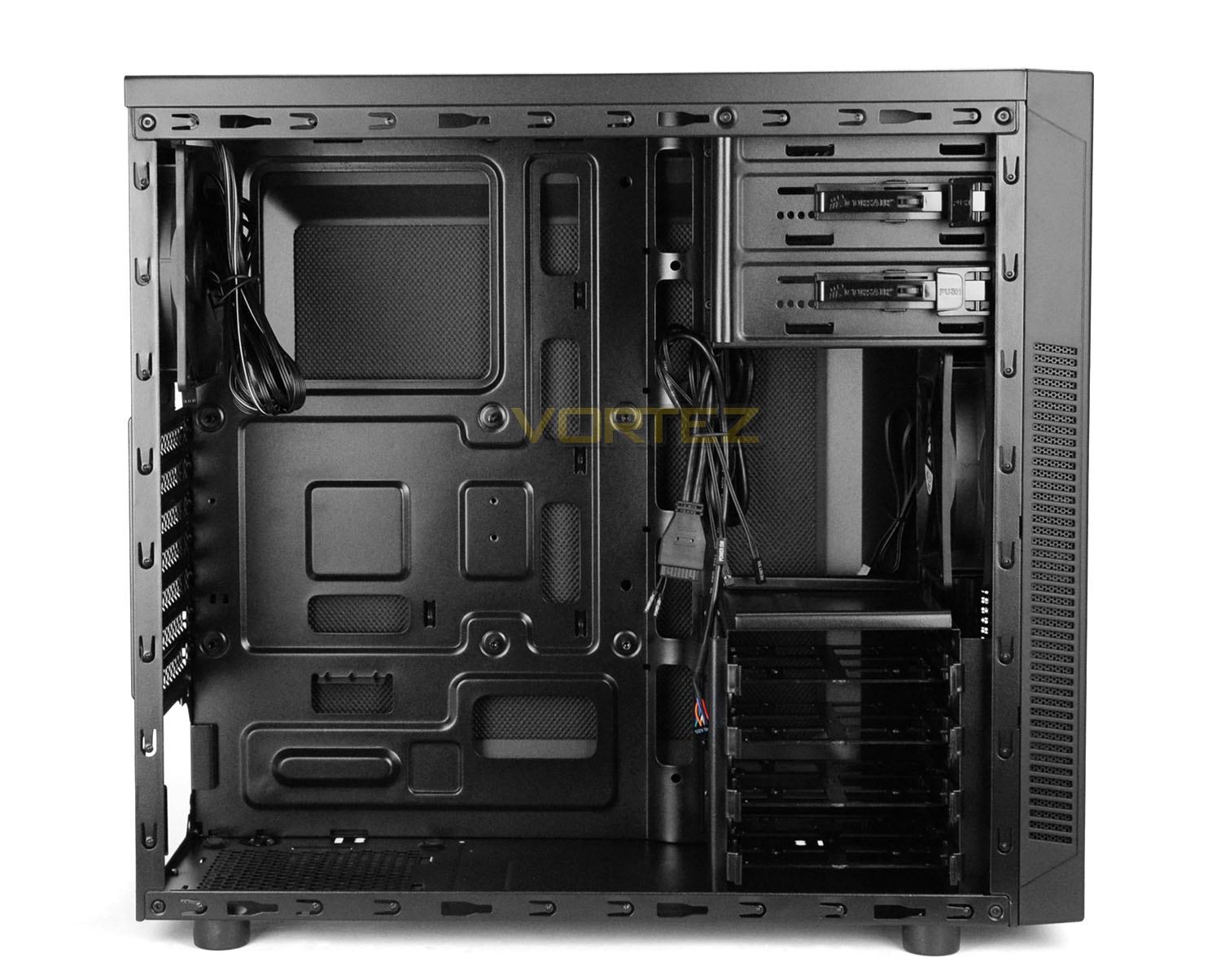
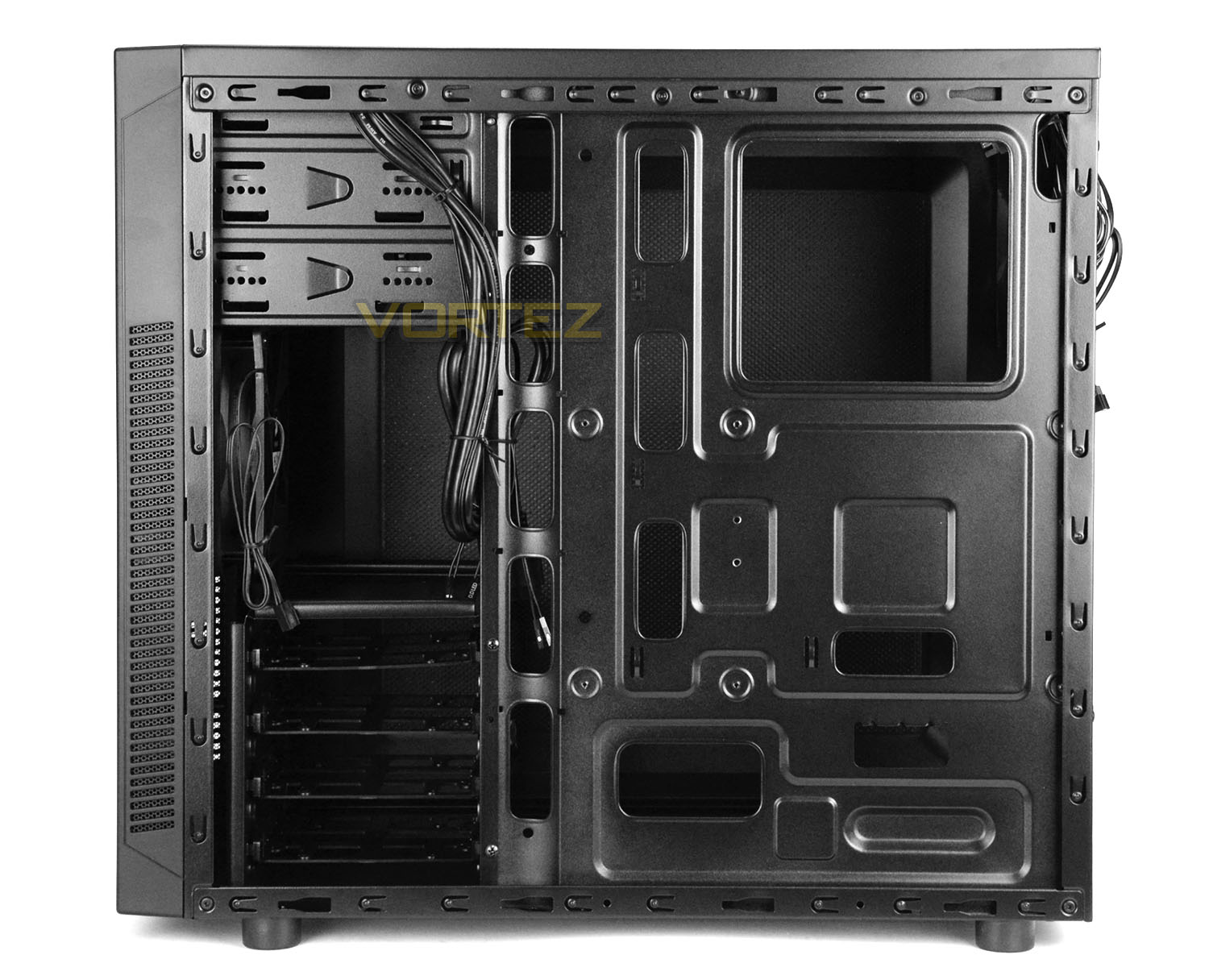
Removing both side panels we can inspect the internal design of 100R. All of the internals are powder coated black and there is sufficient space to install a full-sized ATX motherboard inside. Corsair has integrated various tool-free features to help with the installation of hardware and there are cut-outs on the motherboard tray for cable management – though there are no rubber grommets provided due to the price-point.
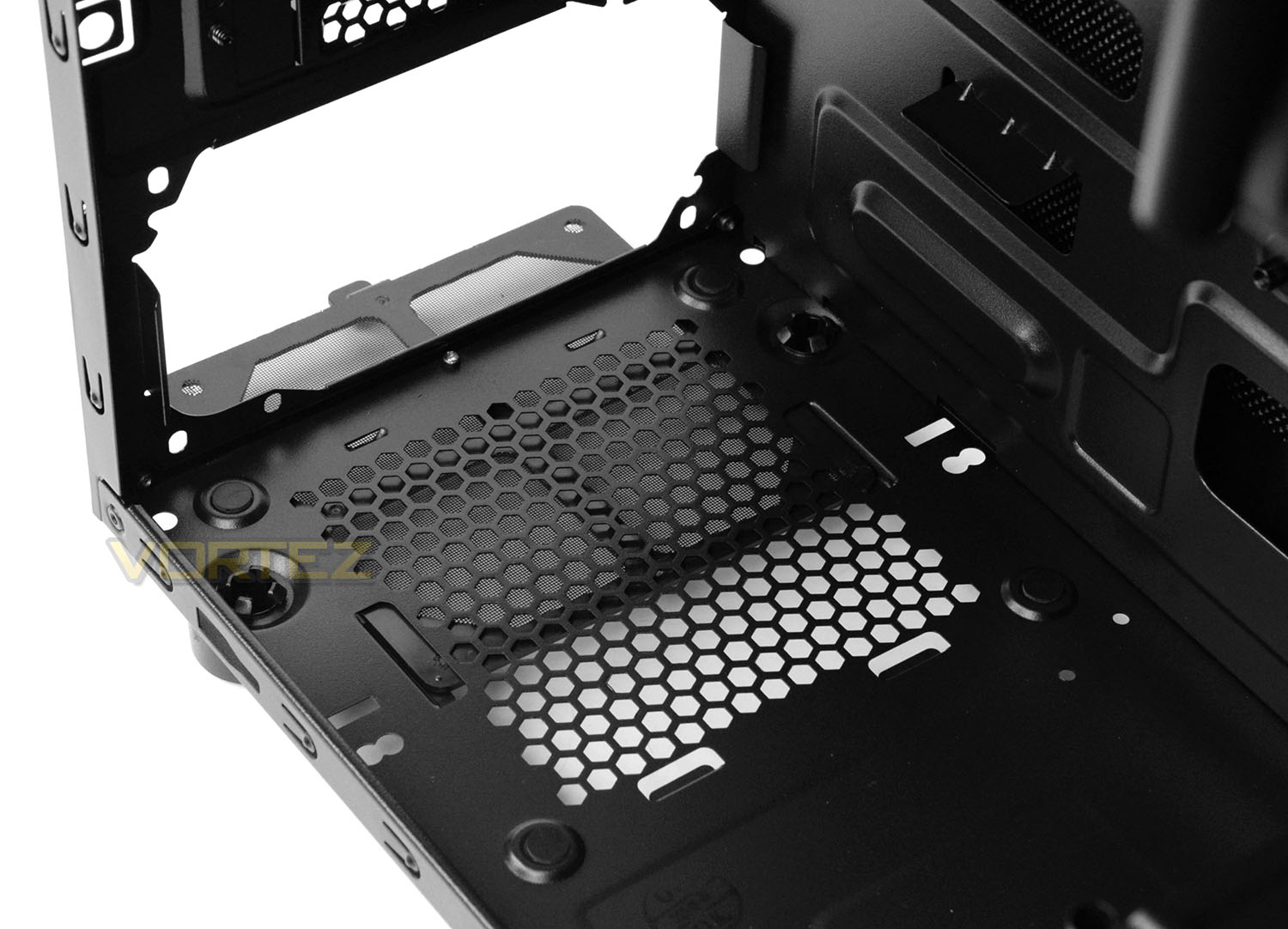
As we move in for a closer look at the inside of 100R we first of all arrive at the PSU area. Corsair has given this location some rubber padding for the PSU to sit on and has also supplied a detachable dust filter which can be removed while the case is stood up.
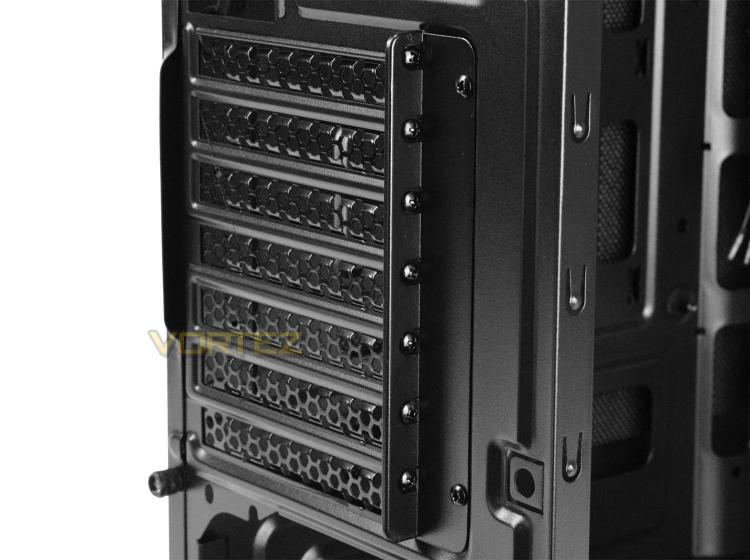
There are a total of seven PCI expansion slot covers on 100R. All have ventilation and use standard screws to detach. These screws are accessed from the outside of the case – in order to detach a cover its also necessary to remove the supporting plate.
On the next page we’ll continue looking at the inside.
Interior (Continued)
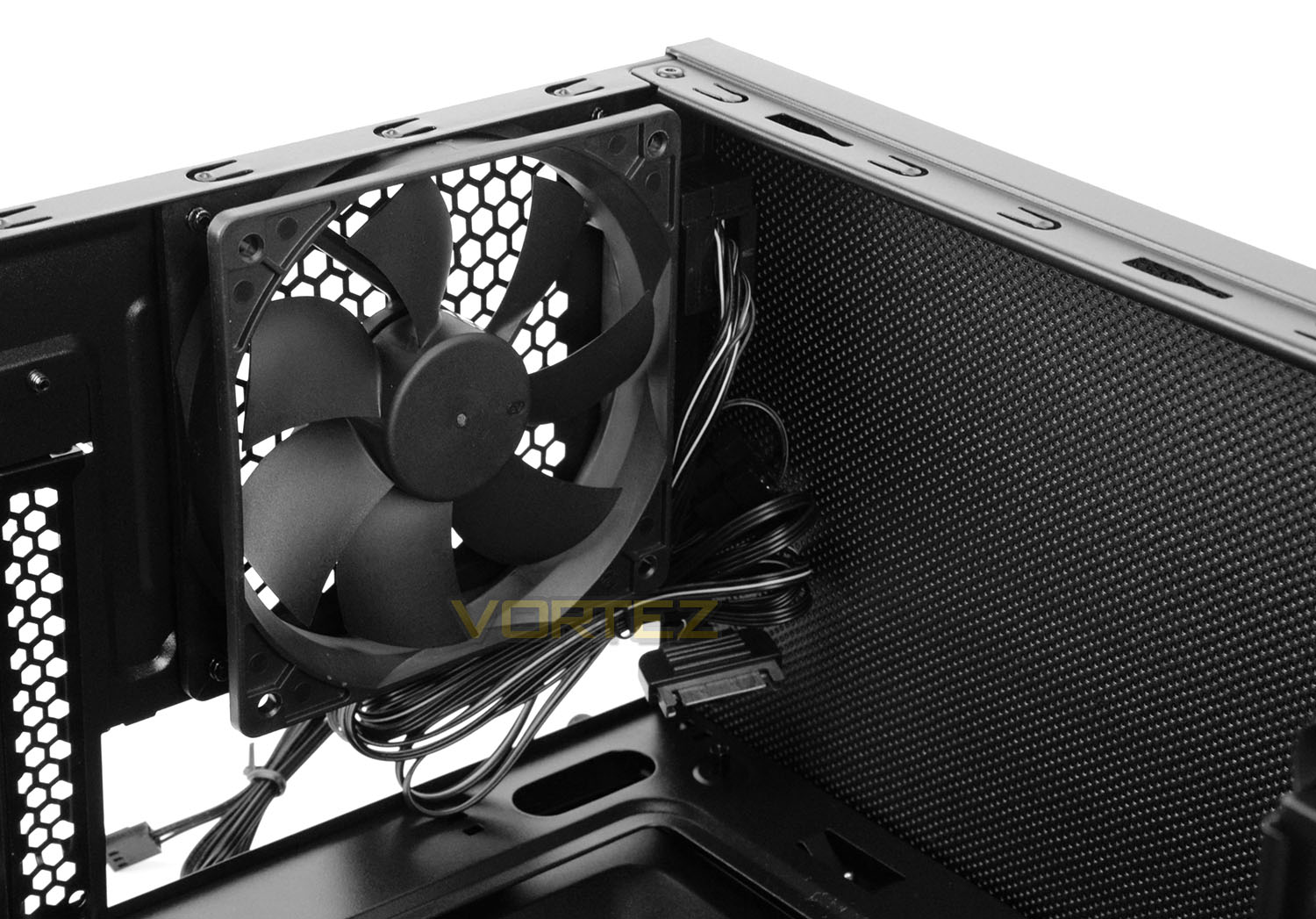
Located above the PCI expansion slot covers is a 120mm rear exhaust cooling fan. For the silent edition there is also a three-channel fan controller which is placed just above the fan. As such, there is a bunch of cables – three fan headers and one SATA for power.
Also noteworthy is the layer of noise reduction material at the top of the chassis which will help to keep noise to a minimum.
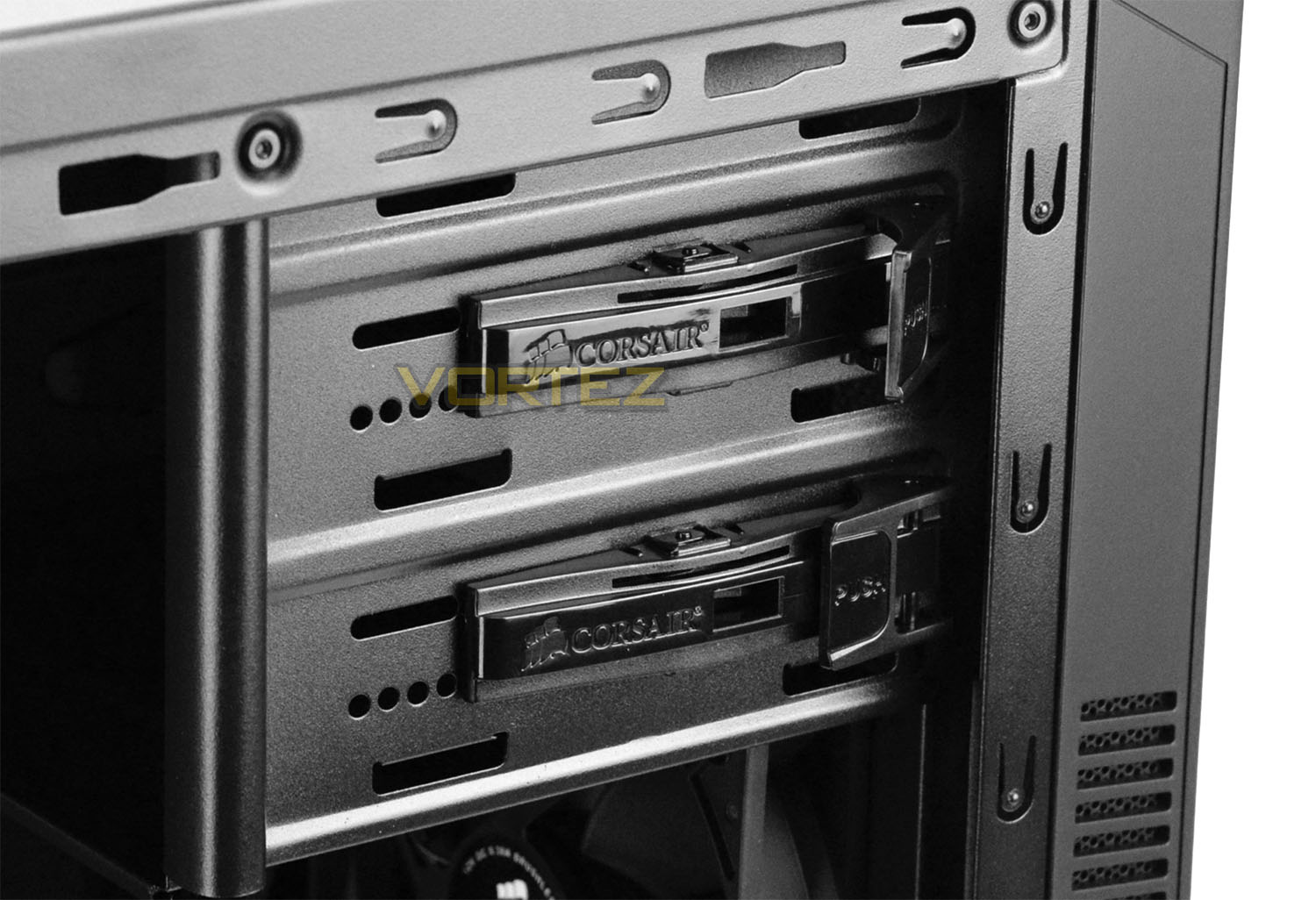
Over on the other side of 100R there are just two 5.25” drive bays which also utilise a tool-free mechanism to easily install optical drives.
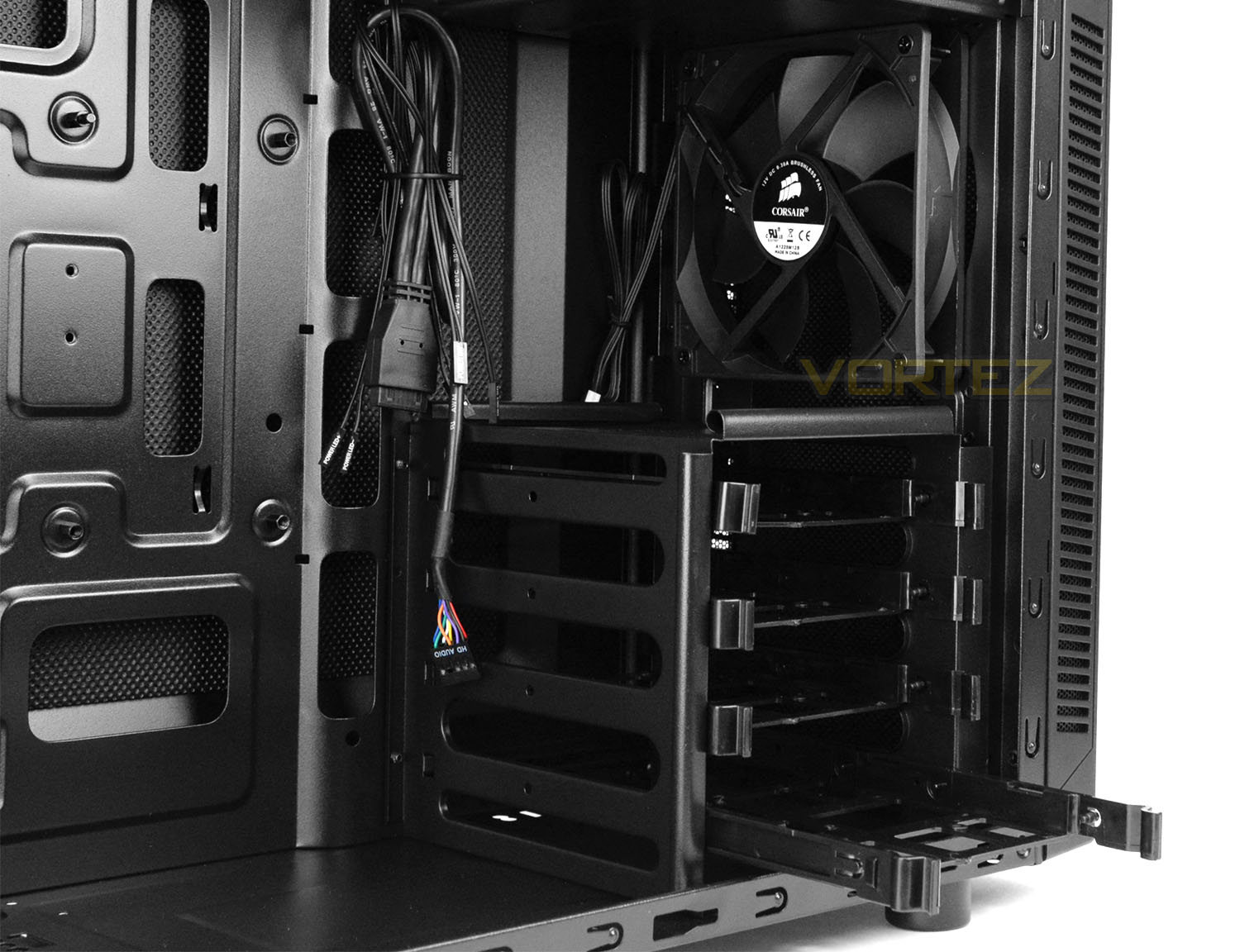
Another exclusivity with the silent edition is the inclusion of a 120mm cooling fan at the front. In the standard version there is no such device. Having this fan creates a push/pull configuration with the rear exhaust fan.
Corsair has included just a one cage for HDD storage. This cage can host up to four drives – 2.5” or 3.5”. Each drive is installed within a tray which is a common feature in most cases nowadays.
Installation
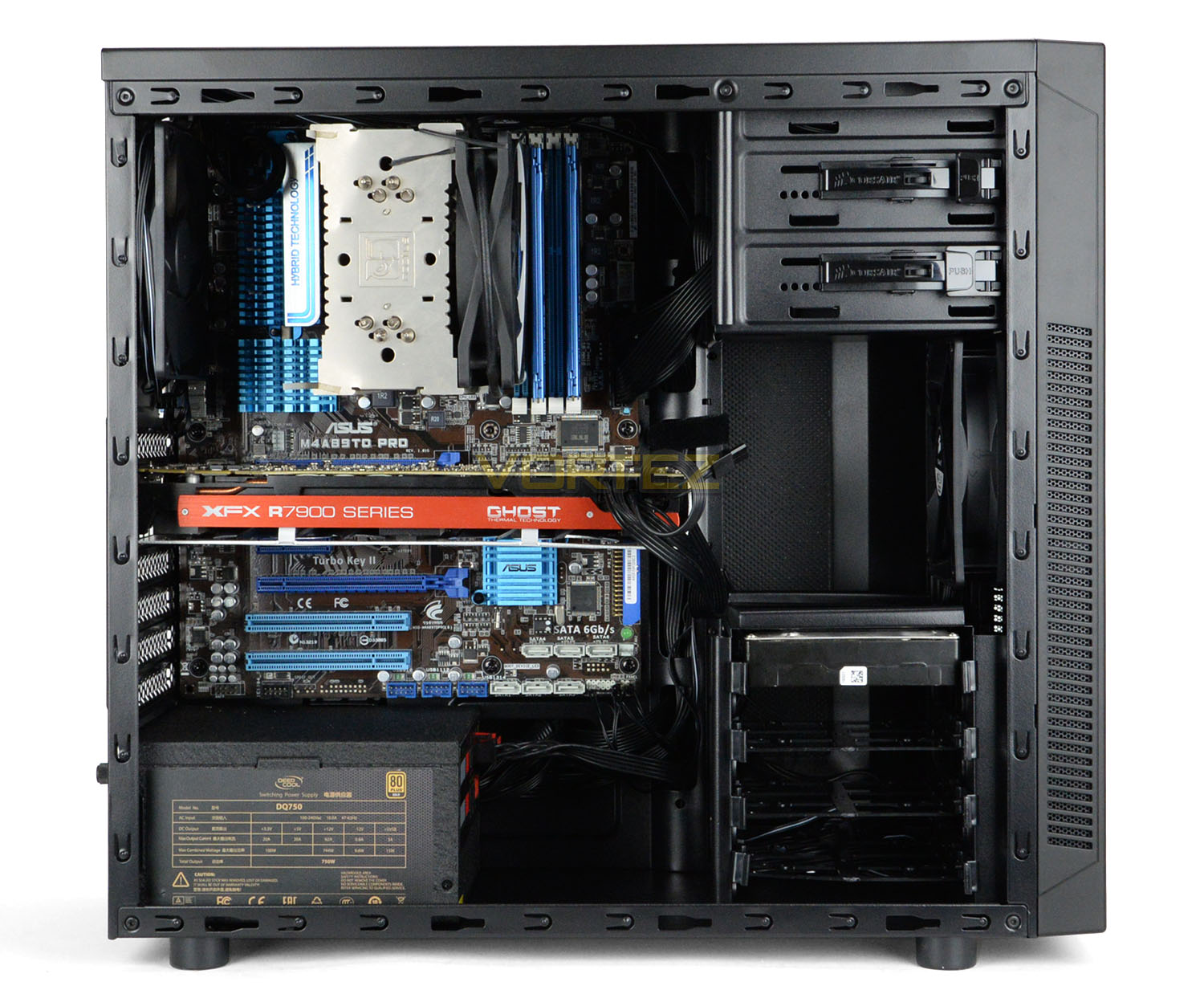
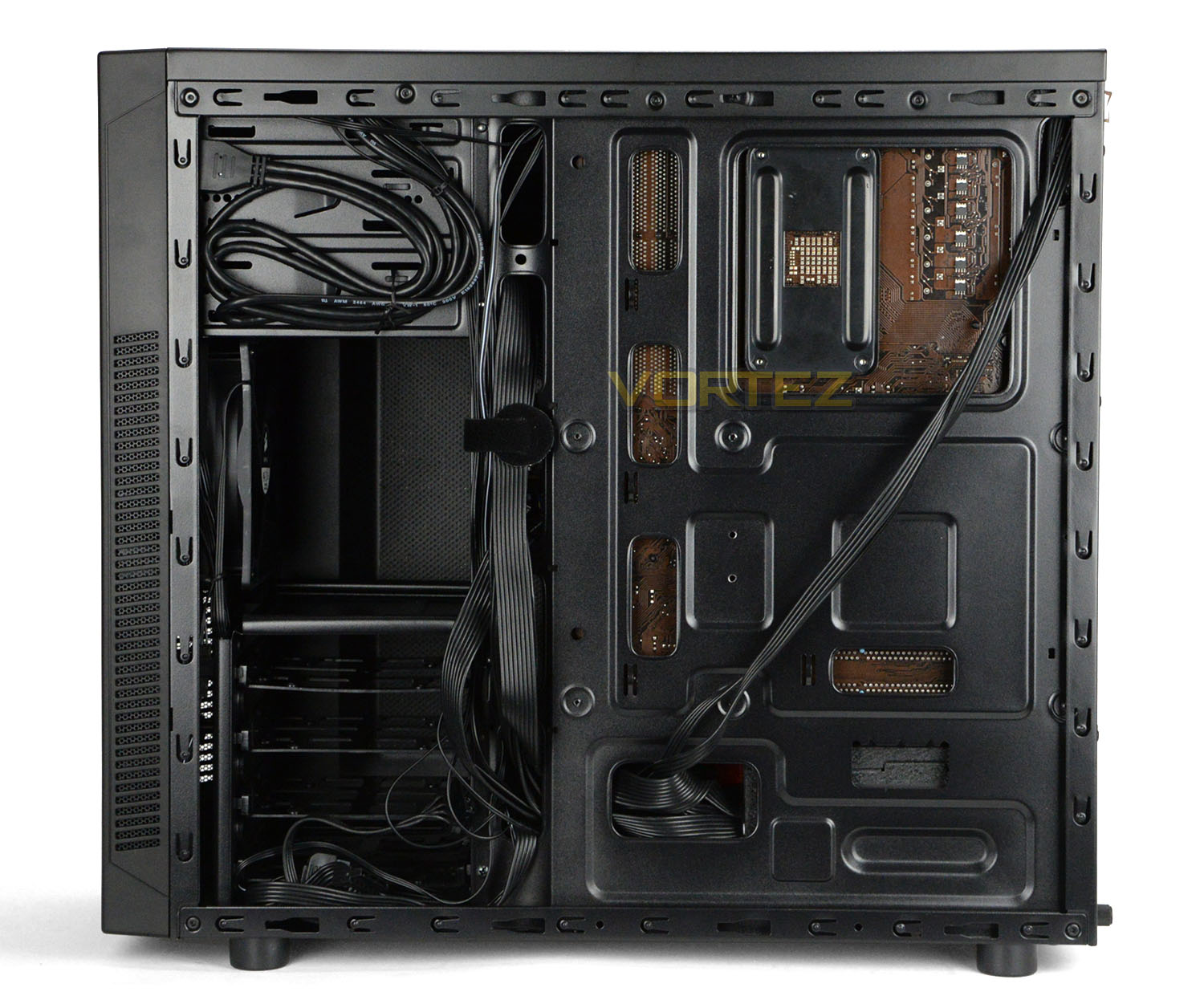
Installing hardware inside 100R is easy due to the nature of the design and included features. One thing to bear in mind when building inside this case is to feed the CPU power cable behind the back of the motherboard tray before screwing the motherboard fully to the tray. The reason for this is because there is very little space at the top of the case and it isn’t possible to route the cable through with the motherboard fully fastened down.
Overall, we’re pleased with 100R and the installation process.
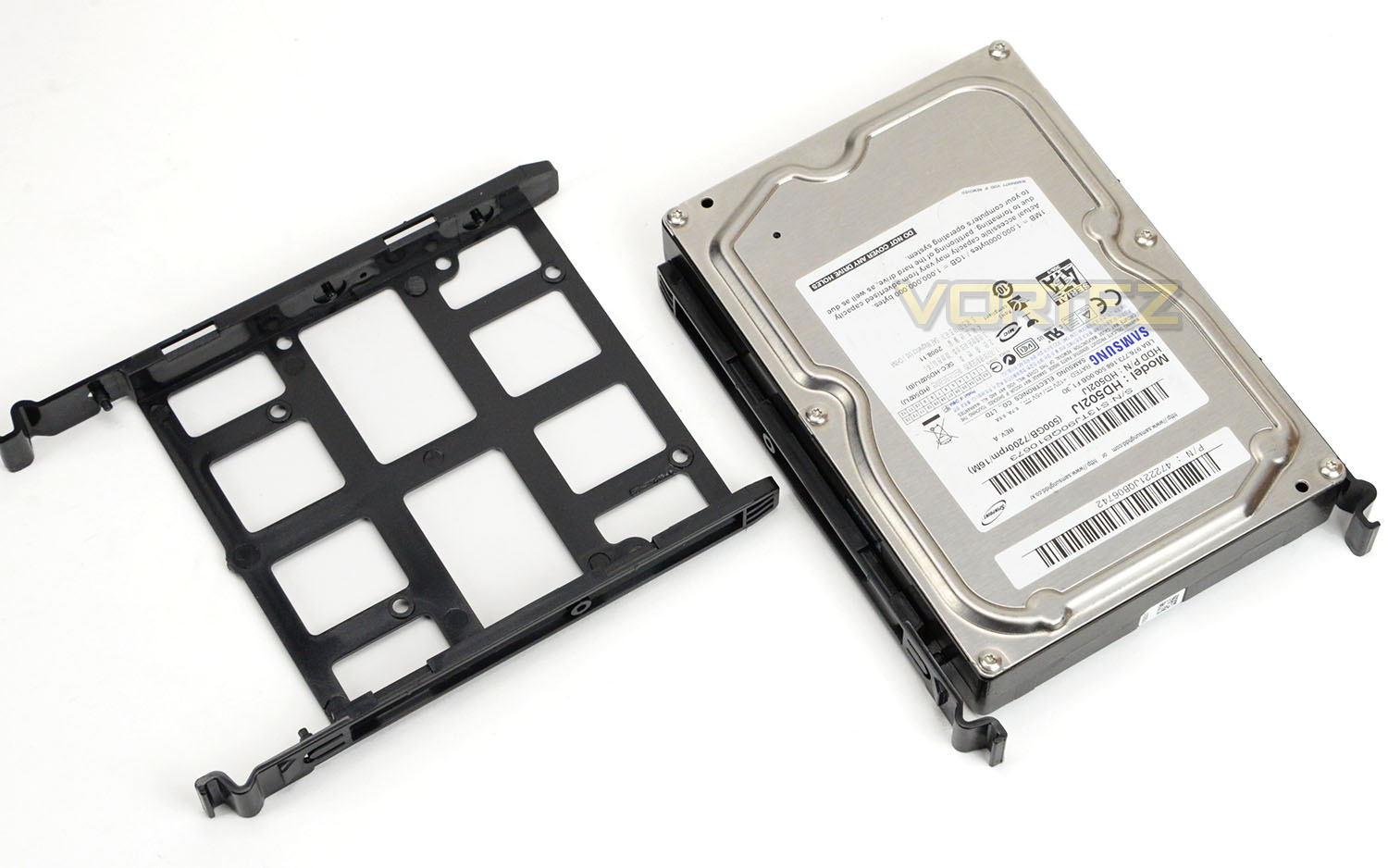
In order to install HDDs inside 100R, it is necessary to use one of the supplied trays. These trays can accommodate 2.5” or 3.5” drives. For 2.5” drives, screws need to be attached to the underside, while 3.5” drives simply slot into the tray – tool-less.
Clearance – CPU Cooler, Graphics Card, Cable Management
Fundamental to any case is its ability to accommodate a range of hardware. Certain clearance limitations will restrict a user from installing specific components. In this section we’ll highlight these restrictions/allowances.
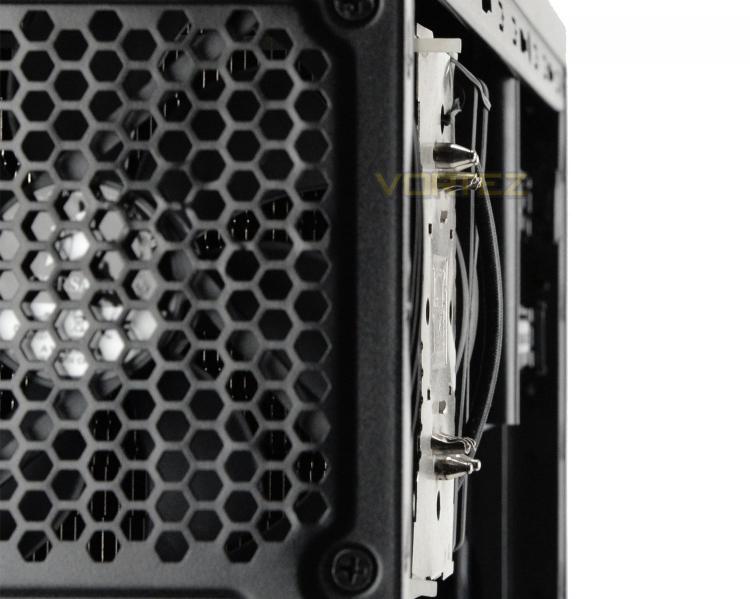
CPU Cooler
Although Corsair state that the maximum CPU cooler height is 150mm, we just about squeezed our Noctua NH-U12P into 100R. As you can see from the above picture, things are extremely tight but thankfully the side panel is convex to allow a few more mm.
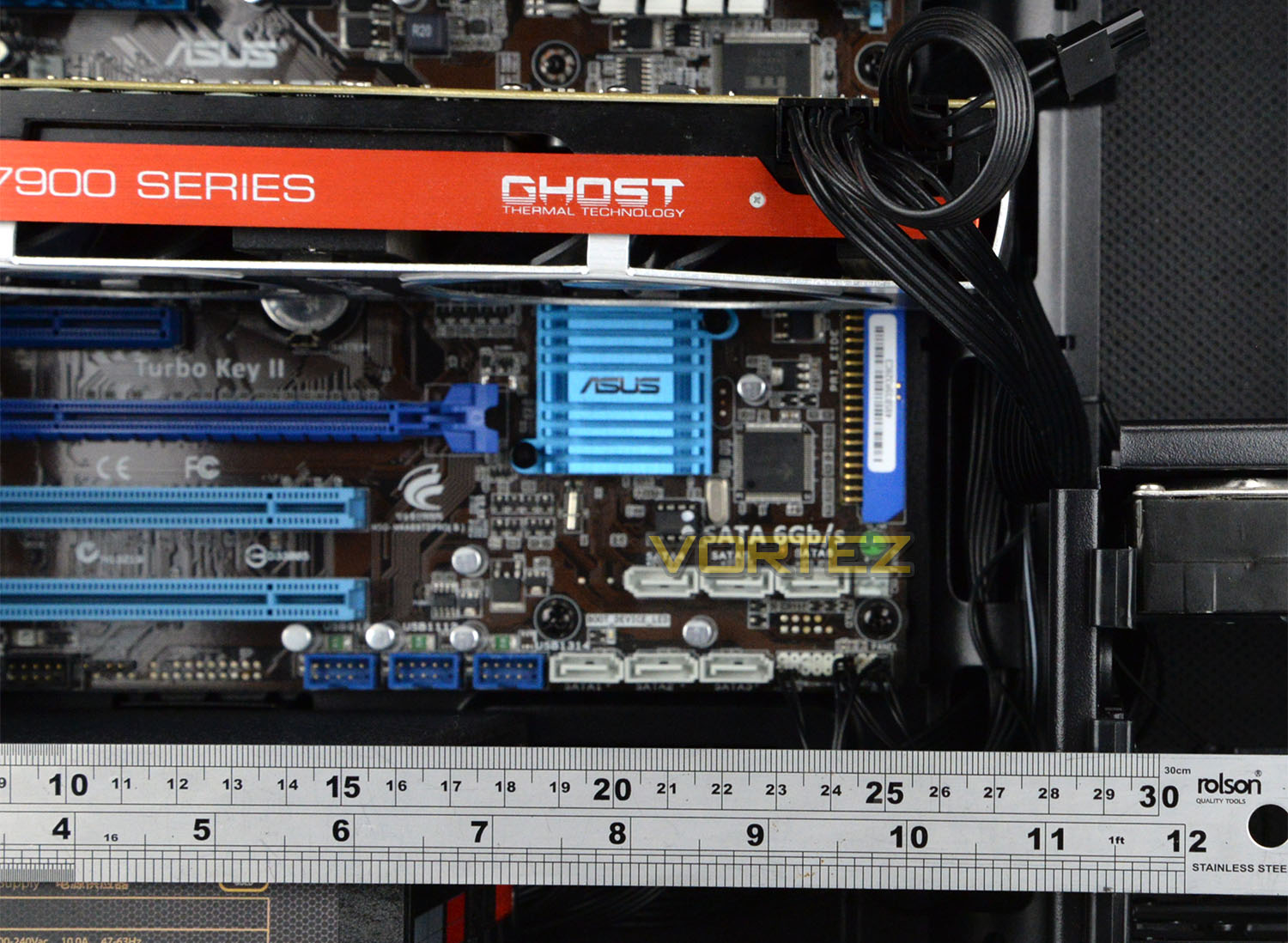
Graphics Card
For those using the upper PCI Express slots on their motherboard, any graphics card currently on the market will fit inside 100R but if the lower slots are used (such as when a multi-GPU configuration is made use of) the HDD cage causes an obstruction and limits the length of the card to approximately 11” or 280mm.
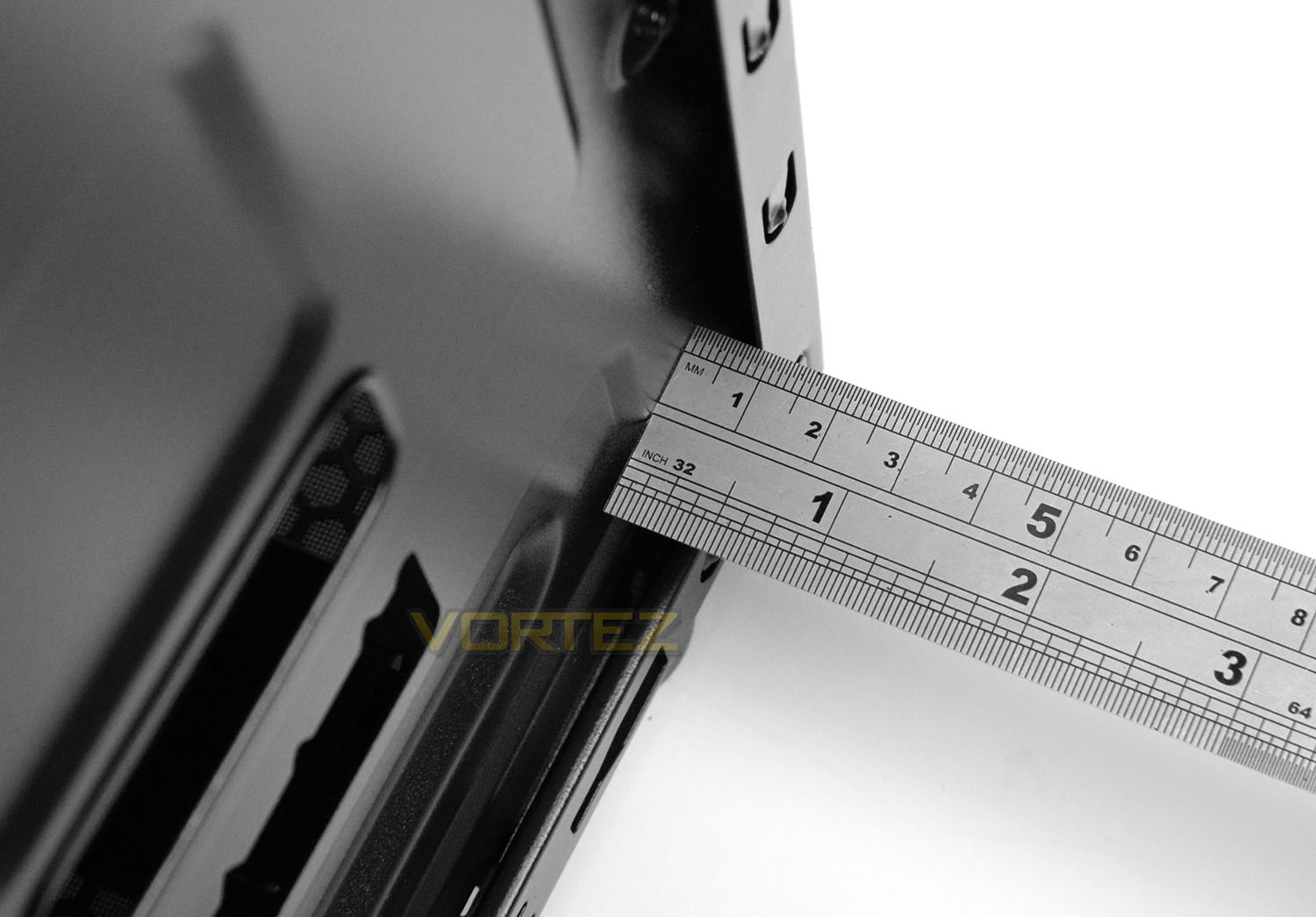
Cable Management
Around the back of the motherboard tray is generally were most of the cables are arranged for cable management. This area is very cramped for space – supplying less than 1cm between the tray and the side panel. Thankfully we also have some extra space with the convex side panel. Although it was tight, we managed to successfully re-attach the side panel with all the cables still routed behind the tray.
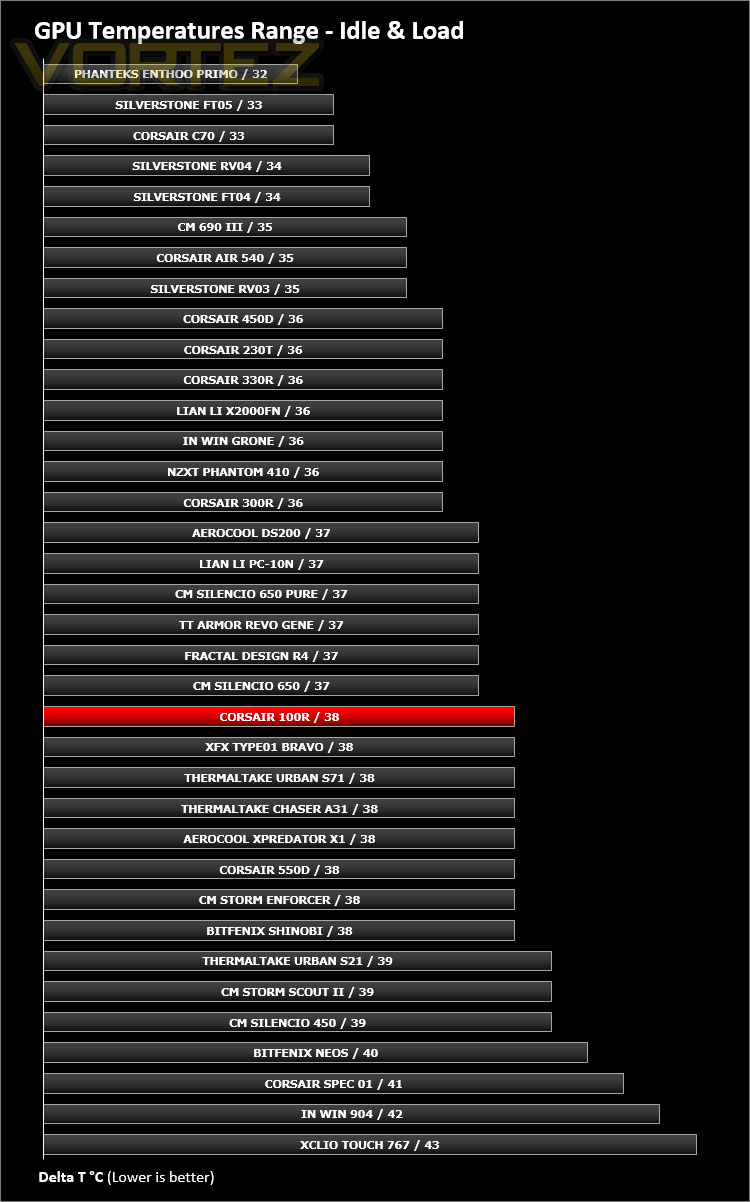
Thermal Performance Testing
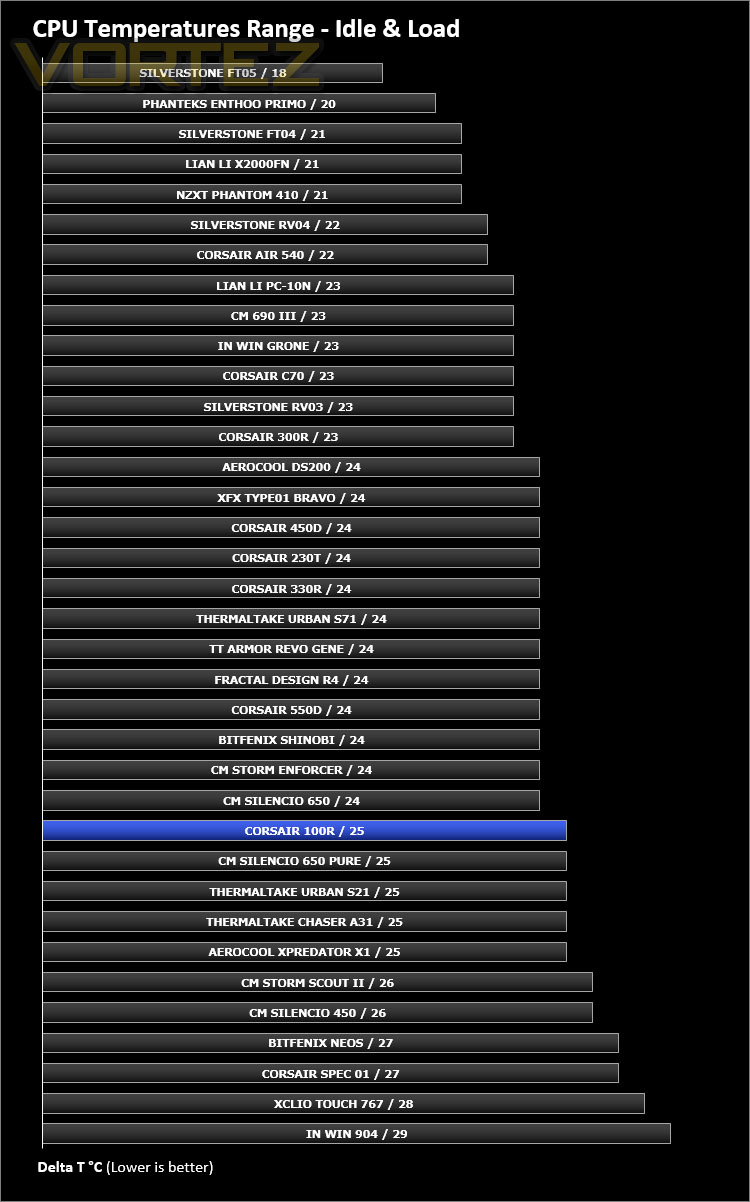
Inside 100R we have two cooling fans – two 120mm fans configured in a push/pull configuration with a front intake and rear exhaust.
To discover the thermal performance of 100R we will record idle temperatures after 20 minutes from a cold boot. We will then stress the system and temperatures will again be monitored after 30 minutes have elapsed.
Fan controller will be set to maximum
For the purpose of accurate analysis the idle and load temperatures for CPU and GPU will be recorded and the range between idle and load will be calculated to determine how efficient cooling is.
NOTE: Ambient temperature is 20C
System Components
CPU AMD Phenom II X6 1055T 2.8GHz
Motherboard ASUS M4A89TD PRO
Graphics NVIDIA GTX 480 (Different from card pictured)
Memory 4GB Kingston HyperX DDR3
HDD Samsung Spinpoint 500GB SATA-II
PSU DeepCool DQ750
Motherboard ASUS M4A89TD PRO
Graphics NVIDIA GTX 480 (Different from card pictured)
Memory 4GB Kingston HyperX DDR3
HDD Samsung Spinpoint 500GB SATA-II
PSU DeepCool DQ750
Noise
The aim of 100R (especially with this silent edition) is to keep noise to a minimum. Since all the panels are closed off and we have a resourceful fan controller to tweak the fan speeds, noise can be easily managed. Noise can only be heard if the maximum setting is used – both the low and mid settings cause the fans to be almost inaudible.
Conclusion
Casting a quick look over the Carbide Series portfolio reveals a strong lineup of computer cases and this latest edition in the 100R only strengthens this further.
Following in the footsteps of previous models within the series, 100R uses elegant styling which is neither gaudy nor ultra-minimalist. Corsair’s overriding principle in this silent edition of 100R is of course silence and by designing to this criteria we naturally have a rather tidy enclosure.
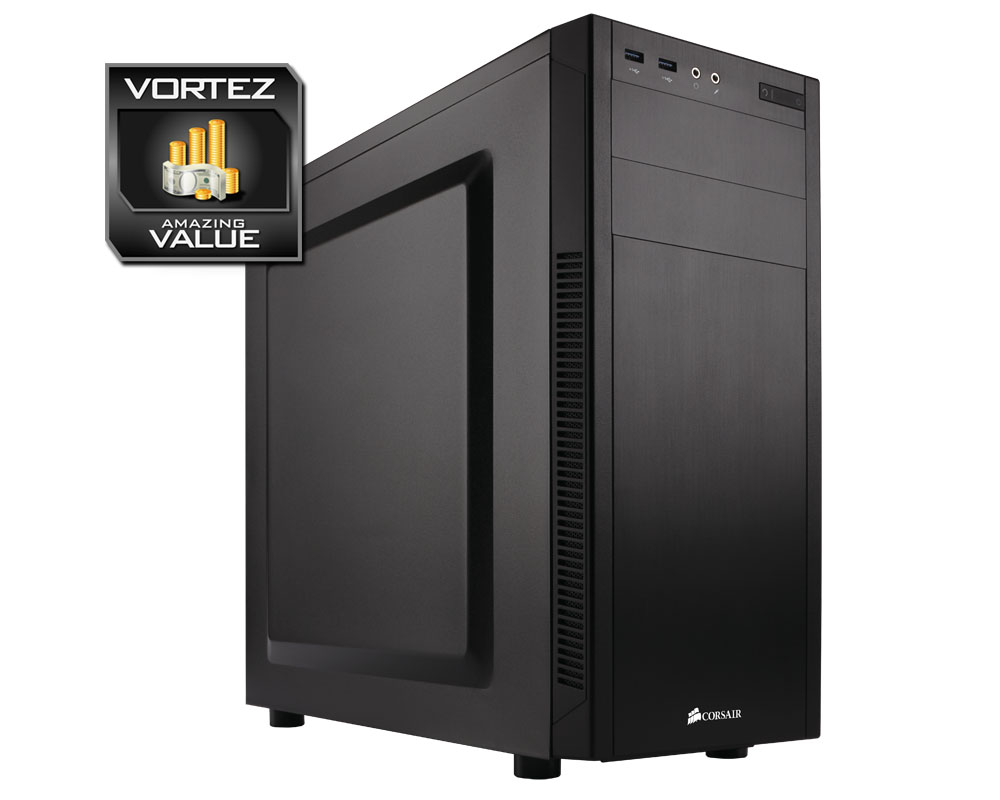
100R may be intended for entry level but this case still retains a good level of build quality. After having first-hand experience with the case we’re confident Corsair hasn’t cut any corners with this chassis. In fact this silent edition has a considerable number of features over the standard version which we think are definitely worth the supplementary fee; an extra fan, fan controller, noise damping material.
The only thing to be aware of with this case is the limitation on the CPU cooler. Those with one of the bigger, flagship air coolers will need to double-check the measurements.
Priced at just £50 GBP / $59 USD, we think that 100R is an excellent value for money offering which should be on any short-list if the intention is to keep costs to a minimum.
The Carbide Series 100R is a superb entry-level computer chassis. It ticks all the boxes for visuals, quality, features and more importantly the price. Anyone on a tight budget should certainly consider this affordable enclosure.
VIDEO REVIEW – VORTEZ TV
Pros
+ Clean aesthetics
+ Decent build quality
+ Low-noise features
+ Extra features with silent edition
+ Great value for money
Cons
– Tight space behind motherboard tray
– Flagship air coolers may not fit
+ Clean aesthetics
+ Decent build quality
+ Low-noise features
+ Extra features with silent edition
+ Great value for money
Cons
– Tight space behind motherboard tray
– Flagship air coolers may not fit

Click here for an explanation of our awards at Vortez.net.