







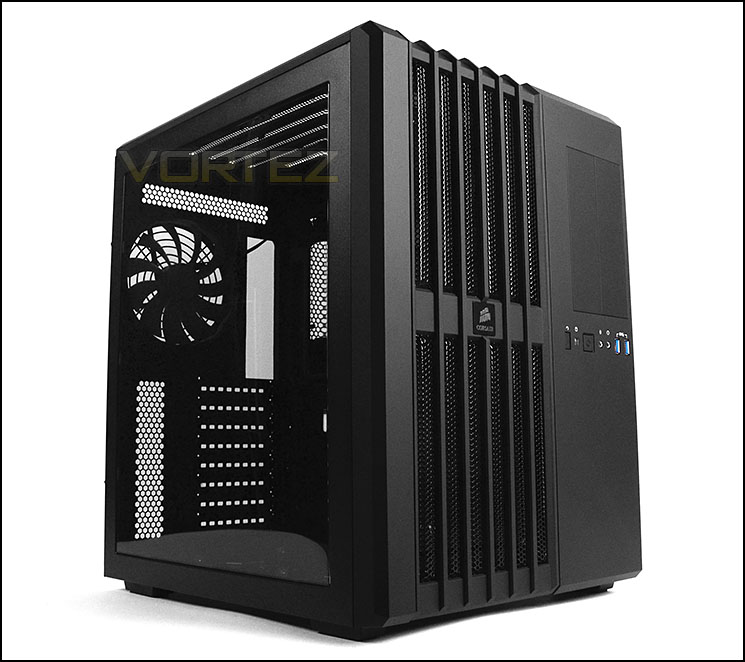
A new concept enters the ring – Air 540 joins the Carbide Series as a unique mid-tower chassis bringing a dual chamber design and a new approach.

Product on Review: Carbide Series Air 540
Manufacturer and Sponsor: Corsair
Street Price: £120 / $140 (At time of review)
Corsair are a force to be reckoned with in the broad range of sectors they are involved in but more especially the computer chassis arena. They have brought many successful offerings to the table over the years and we have had the delight in putting these cases under close scrutiny but today’s review sample is a step into new territory for the multi-award winning brand.
It’s rare that we see anything truly innovative in the computer chassis department nowadays but Corsair are attempting to push the boundaries with their new offering to join the Carbide Series. The Air 540 brings with it a unique design containing dual chambers to separate components in a bid to deliver superior air cooling. Touted as Corsair’s new brainchild can the Air 540 push the boundaries for innovation or will it simply fall flat on its face? Join us as we closely examine this exciting new case.
Corsair on their Air 540
The unconventional design of Carbide Series Air 540 utilizes dual chambers to deliver cooler air to your CPU, graphics cards, motherboard, and memory without your drives or power supply getting in the way. The included custom Air Series AF140L intake and exhaust fans provide great airflow performance at lower noise levels than typical case fans. And, you can mount up to six 120mm or five 140mm fans, with 280mm top radiator support and room for a 360mm radiator on the front panel.
Technical Specifications
Warranty
Two years
Dimension
415mm x 332mm x 458mm
MB Support
ATX, EATX, Micro ATX, Mini ITX
Expansion Slots
8
Form Factor
Mid-tower
Material
Steel and plastic
Drive Bays
(x2) 5.25” tool-free
(x2) 3.5”/2.5” tool-free Drive Caddies (Hot Swap)
(x4) 2.5” tool-free SSD cage
Cooling
(x2) AF140L 140mm Intake fans
(x1) AF140L 140mm Exhaust fan
Front I/O
(x2) USB 3.0
(x1) Headphone
(x1) Mic
Power Supply
ATX (not included)
Two years
Dimension
415mm x 332mm x 458mm
MB Support
ATX, EATX, Micro ATX, Mini ITX
Expansion Slots
8
Form Factor
Mid-tower
Material
Steel and plastic
Drive Bays
(x2) 5.25” tool-free
(x2) 3.5”/2.5” tool-free Drive Caddies (Hot Swap)
(x4) 2.5” tool-free SSD cage
Cooling
(x2) AF140L 140mm Intake fans
(x1) AF140L 140mm Exhaust fan
Front I/O
(x2) USB 3.0
(x1) Headphone
(x1) Mic
Power Supply
ATX (not included)
Packaging & First Look
Air 540 arrives in an eco-friendly, double reinforced cardboard box. The front features an illustration of the case and lists essential features. Around the back there is a schematic diagram of the case and its various parts.
Inside, the case is covered in a fabric sheet and held in place via dual polystyrene pillars for a safe arrival during transit.
The packaging for Air 540
Air 540 is the result of Corsair pursuing innovation. With a unique design, this case is a representation of Corsair thinking ‘outside of the box’. Air 540 is wider than the traditional case in order to cater for a dual chamber design within the chassis.
On the outside, Air 540 features a large Perspex window on the prominent side to allow for a view inside the system and on the alternate side there is a plain panel with a section of honeycomb mesh for ventilation. This ventilation covers the PSU area, Corsair decided against a dust filter because their rigorous testing revealed very little dust collection in this area, even after long periods of time.
The prominent side panel with large Perspex window
Stylish aesthetics with ventilation
Exterior
At the front of Air 540 on the left-hand side is a large perforated mesh panel which delivers ventilation for the dual front 140mm cooling fans. This panel can be detached and a dust filter is also removable via magnets.
On the right side are dual 5.25” drive bay covers which are positioned vertically. Beneath these covers are the front panel controls which include: dual USB 3.0 ports (via internal motherboard header), headphone and microphone jacks and power/reset buttons with activity LED.
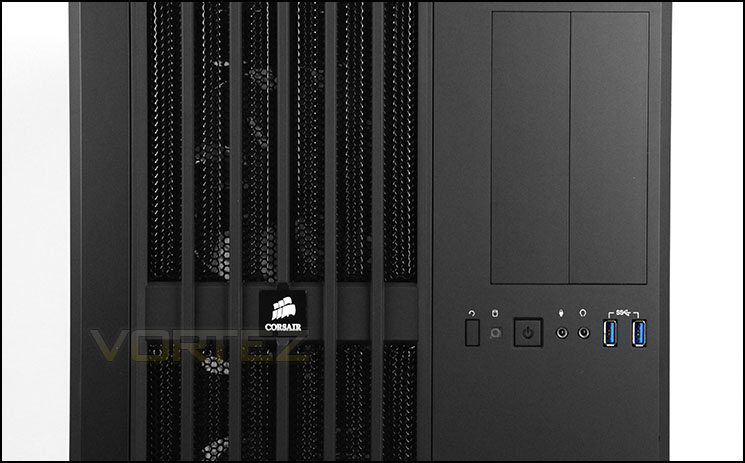
The front of Air 540
Around the back of the case the PSU mounting is over on the left side because it sits behind the motherboard tray in another chamber. On the right side are eight PCI expansion slot covers – each of them are ventilated and have thumbscrews for easy removal. There is a 140mm rear exhaust fan towards the top which will push heat/air out of the case. Ventilation mesh can be found in a number of places to help dispel unwanted heat. Air 540 has its focus on air cooling and the various placements for these features help to reinforce this.
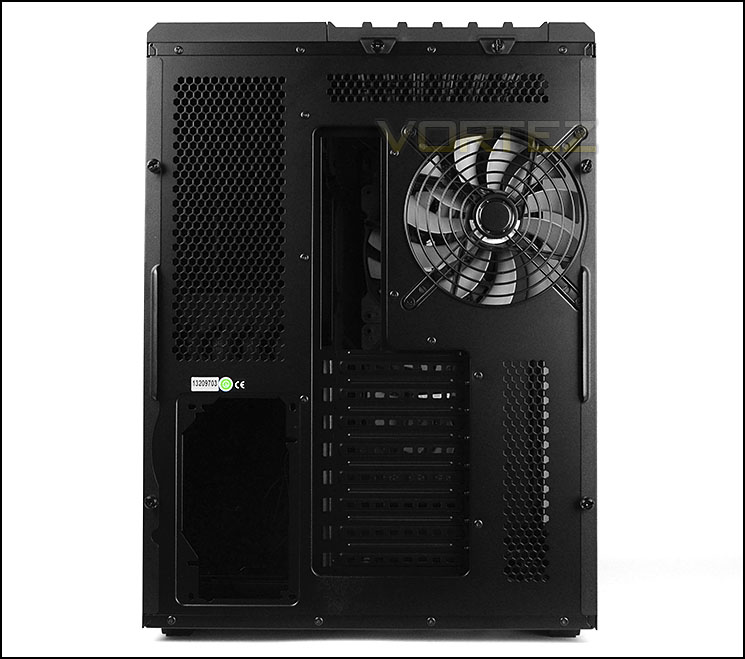
The rear of Air 540
At the top of the case is a continuation of this mesh configuration. Again, this panel is removable – two thumbscrews simply need unscrewing to detach. On the underside, dual 120/140mm cooling fans can be installed and there is support for water-cooling radiators such as 240/280mm – therefore support for Corsair’s H100i, we’ll explore the water cooling options in the clearance section a little later.
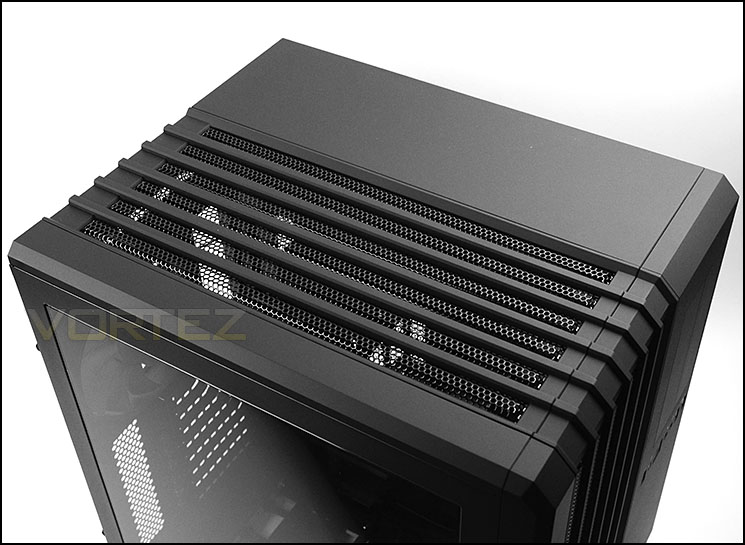
The top of Air 540 with ventilation mesh
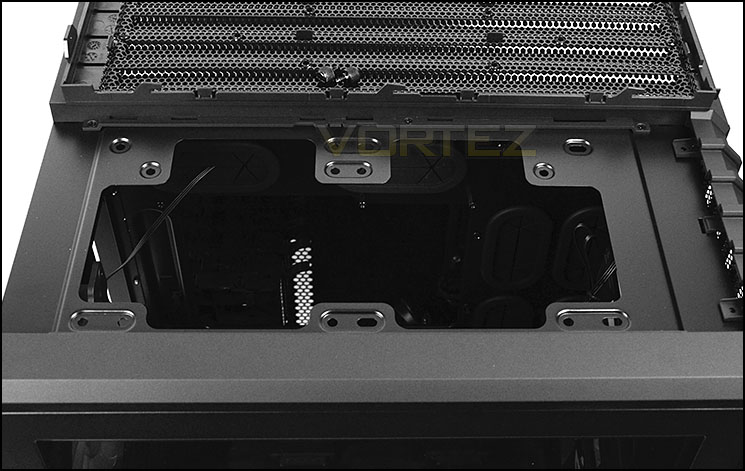
Support for 120/140mm cooling fans and 240/280mm radiators
Finally, on the underside there are four rubber feet to prevent the case from slipping and a series of four ventilation cut-outs for the optional storage mounts. We’d have liked to see removable dust filters in this area to prevent dust from entering the case from the underneath.
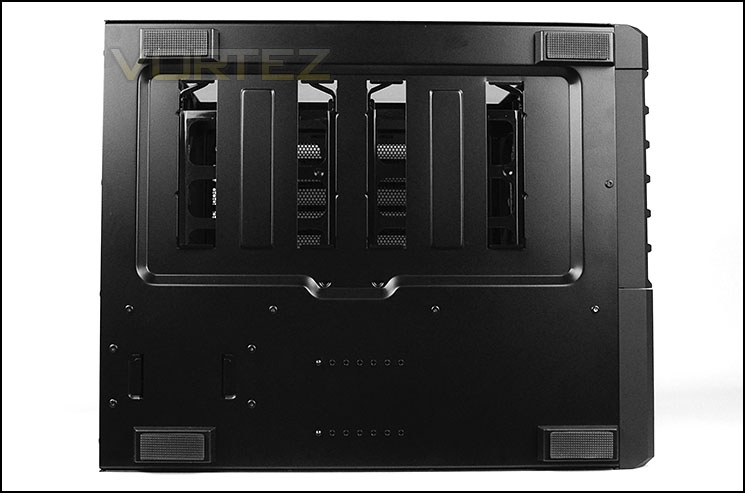
The underneath of Air 540
Interior
Both side panels on Air 540 are secured via dual thumbscrews. Once these panels are removed we have a clear view of the interesting internal layout to which this case adopts. There is lots of clearance around the motherboard tray which supports up to E-ATX form factor. Cable management grommets surround the outer edge to ensure the prominent side remains cable-free. The idea with Air 540 is to keep devices which require less cooling behind the motherboard tray such as storage and PSU. The HDD cage which is typically placed at the front of the prominent side is absent from the case to help sustain better airflow and assist with better radiator support for water-cooling enthusiasts.
Overall the design is very interesting and we like the idea of two chambers separately certain devices.
A look inside the interesting Air 540
A step away from the norm – behind the motherboard tray
Stepping inside for a close look, we can see that the PSU is mounted behind the motherboard tray. It will also sit on its side with the fan facing the side panel. Sadly, Corsair haven’t included any anti-vibration padding here to protect against vibration and scratching – this is something which shouldn’t be overlooked, even on a case which sits within the Carbide series (known for being good value). The PSU seating area has an adjustment adapter to address different sized units.
The PSU region is situated behind the motherboard tray
Above the PSU is a small plastic cage which can house 2.5” drives. Each tray is detachable and there is no need for a screwdriver in order to attach a drive since the clip mechanism just fixes the drive in place. This cage can accommodate up to five drives.
A tool-free SSD cage
Over on the other side of this chamber is the optical drive cage. This cage can house up to two 5.25” drives in a vertical alignment. To fix the drive into place, again, a tool-free mechanism is integrated which removes the need for a screwdriver.
The optical drive cage can house up to two drives
Continue with us over the page for a look at the other chamber and its features.
Interior (Continued)
Over on the other side at the bottom of the case are two HDD trays which can accommodate both 3.5” and 2.5” drives. This is the only location to store 3.5” drives so if you have more than two you will have to make alternative arrangements. This may come as a shortfall to some, but to others who rely solely upon SSDs – no real concern. It’s a shame that Corsair didn’t include such placement behind the motherboard tray since there is more than enough space there and enthusiasts don’t really show off their 3.5” storage anyway.
Further to these trays, there are SATA ports at the back, allowing the drives to be hot-swapped. The SATA ports have cables on the other side which need power and connectivity to the motherboard. There is ventilation on the underside of these trays which may help to keep the drives cool but we would have hoped to see a filter of some kind to help prevent dust from entering the chassis.
More HDD storage at the bottom of the prominent side
At the back of Air 540 are a series of eight PCI expansion slot covers, each have the ventilation for better airflow within the case and each have the thumbscrews to assist with easy removal. Honeycomb ventilation is also present to the immediate left.
Multi GPU support via eight PCI expansion slot covers
Above this, at the back of the case, is an Air Series AF-140 cooling fan which is 140mm. This is positioned as a rear exhaust to dispel heat out of the case. There is also mounting holes for downsizing to a 120mm fan too whilst at the top there are mounting holes for dual 120mm/140mm cooling fans and 240/280mm radiators – meaning full support for the Hydro Series of coolers.
An AF-140 acts as a rear exhaust fan
Finally, at the front of Air 540 are more AF-140s. These dual 140mm intake cooling fans bring cool air inside the system from outside and push across key components. At the front there are also mounting holes for 240/280/360mm radiators and this is something we will be observing later in the review.
Dual AF-140s at the front bring cool air inside
Installation
Without installing any kit inside Air 540 we have no idea about how easy the task of installation is and whether there are any limitations and so this part of the review is essential.
As you can see an ATX motherboard/system can reside within the case with plenty of space. The installation process was very easy thanks to the dual chamber design. Cable management was also very easy to maintain and although there is no immediate concern for cable management due to the chamber being unseen it’s still good to keep this under control.
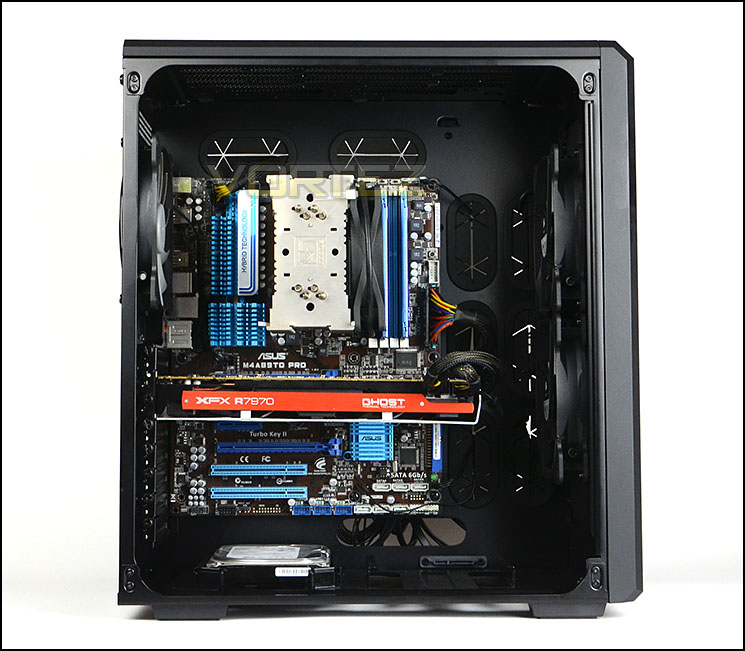
Lots of space for high-end kit
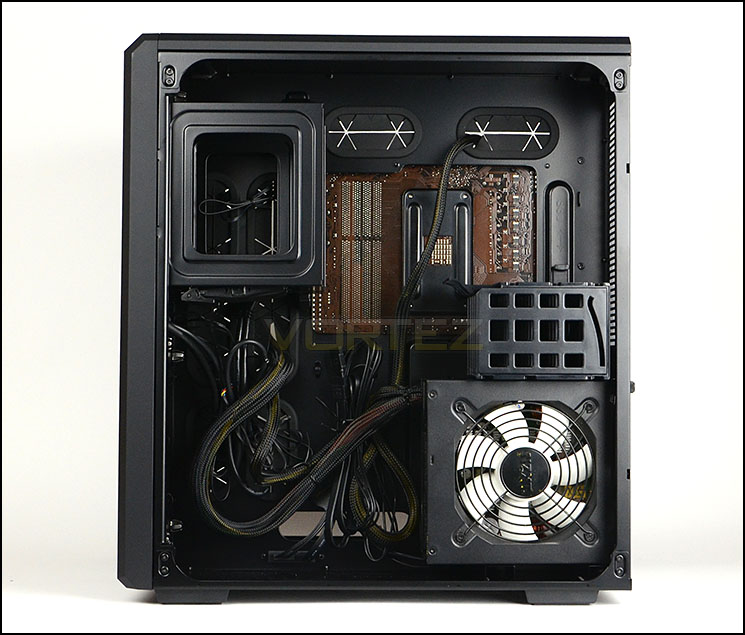
Cable management is easy to maintain
In order to install storage devices on the front side the drive simply needs attaching to the provided tray. Screws are required for 2.5” drives.
This method we have used in the past and is hassle-free.
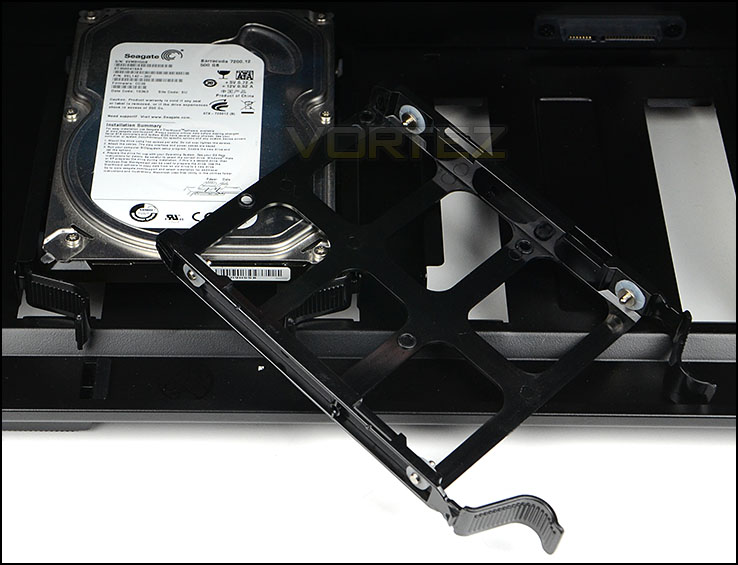
Storage installation is also easy
Clearance – CPU Cooler, GPU, WC, Cable Management
The limitations of clearance is a big thing for enthusiasts who want to know what they can fit inside the case and in this section we will be considering a number of aspects including water-cooling support.
CPU Cooler
Inside Air 540 there is plenty of space for air coolers. Up to 190mm of clearance is available for even the tallest of units. So there is no worry in this regard.
Graphics Cards
Air 540 also lends itself to housing high-end graphics cards with total clearance of up to 12-13” for the total length. Pictured is XFX 7970 DoubleD which is 10.5” in length. As well as having the support for the size of one card, this case can support SLI and CrossfireX since there are no HDD cages to obstruct the path.
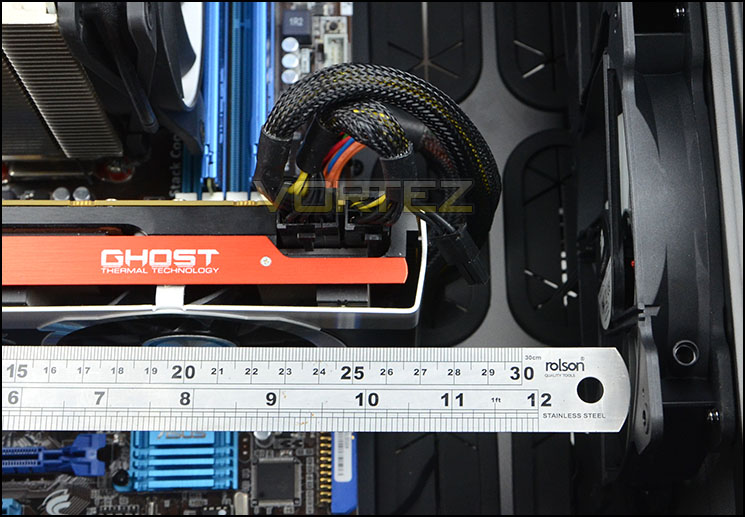
Space for high-end graphics
Water Cooling
Corsair have designed Air 540 in such a way that it can support various sized radiators and positions. At the top there is support for up to 280mm radiators and of course support for the H100i (240mm radiator) pictured below. Furthermore the distance between the top of the motherboard and the case is such that thicker radiators have enough clearance too. Pictured is the Phobya G-Charger 240 which is 60mm thick.
At the front of Air 540 radiators which are 360mm in size can also be fitted though a 60mm thick radiator which we used struggled to fit. Pictured is Phobya G-Charger 360mm – you can see the mounting hole don’t quite match up, this is because the thickness of the radiator is pushing it ever so slightly to the side. Radiators which are 30/45mm thick will be fine in this area.
The mounting holes at the front are such that 240/280mm radiators can also be fitted.
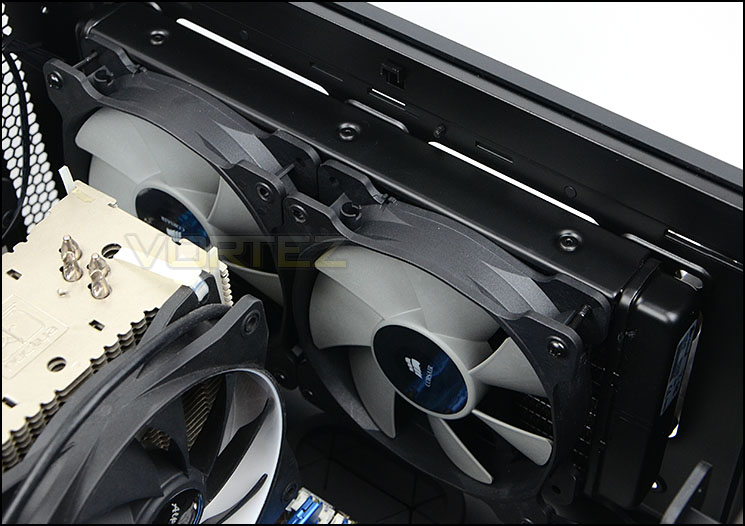
Air 540 can house the popular H100i
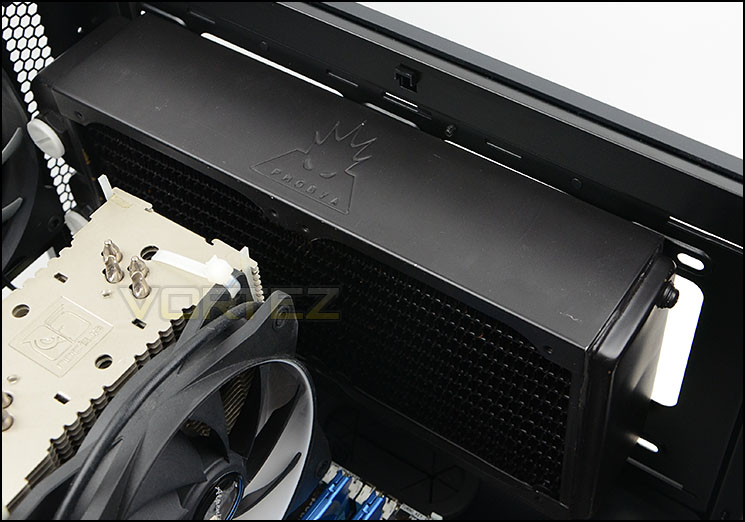
60mm thick radiators also fit fine
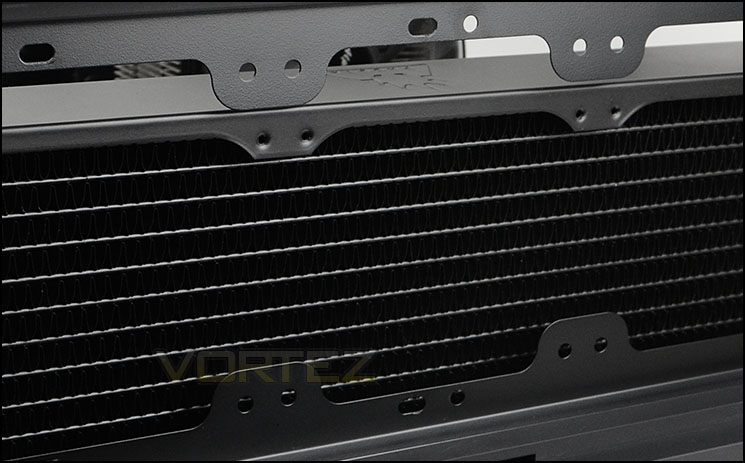
60mm thick 360mm radiator struggles to match up
Cable Management
Lastly, the cable management. In this regard Air 540 excels – unlike other cases, there is an over generous amount of distance between the back of the motherboard tray and the side panel. A total of 12cm of clearance is available which results in no excuse for poor cable management.
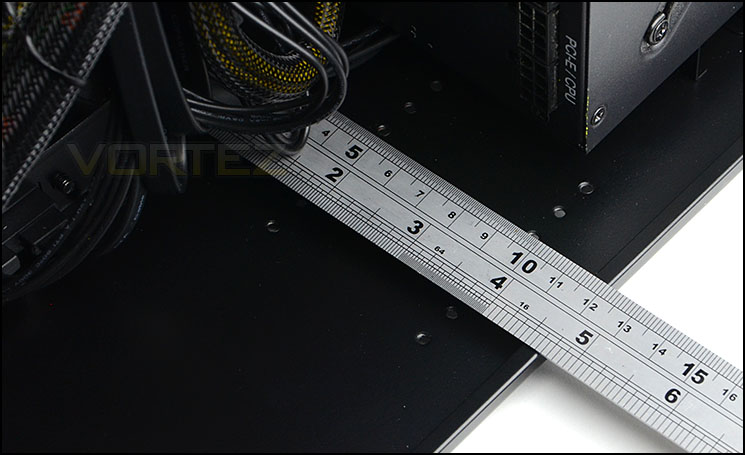
Massive clearance for cable management
Thermal Performance Testing
Air 540 has three pre-installed fans – 1x 140mm rear exhaust and 2x 140mm front intakes. All fans are AF140s.
To discover the thermal performance of Air 540 we will record idle temperatures after 20 minutes from a cold boot. We will then stress the system and temperatures will again be monitored after 30 minutes have elapsed.
For the purpose of accurate analysis the idle and load temperatures for CPU and GPU will be recorded and the range between idle and load will be calculated to determine how efficient cooling is.
NOTE: Ambient temperature is 20C
System Components
CPU AMD Phenom II X6 1055T 2.8GHz
Motherboard ASUS M4A89TD PRO
Graphics NVIDIA GTX 480 (Different from card pictured)
Memory 4GB Mushkin EM3-10666 DDR3
HDD Samsung Spinpoint 500GB SATA-II
PSU FSP AURUM GOLD 650M
Motherboard ASUS M4A89TD PRO
Graphics NVIDIA GTX 480 (Different from card pictured)
Memory 4GB Mushkin EM3-10666 DDR3
HDD Samsung Spinpoint 500GB SATA-II
PSU FSP AURUM GOLD 650M
Noise
Air 540 is designed to be strong in thermal performance and as a result sacrifices on noise. Combine the fast spinning cooling fans and the perforated areas, noise is something which is noticeable. Noise leaks out of the case and may be disruptive for some, so this is something to bear in mind.
Conclusion
The Air 540 is a fresh looking a computer chassis design and you can clearly see that Corsair are thinking ‘outside of the box’. This case brings a unique and innovative design which is useful for a number of reasons. Not only are components separated into different chambers making the installation process easy but the thermal performance results for the integral aspects of the system are noticeably cooler thanks to the airflow design.
We found the build quality for Air 540 to be very good indeed. Previous Carbide Series cases are testament to this point and our case is no exception. The smooth outer surface we especially liked as it not only felt good to touch but also looked great too.
Clearance for certain hardware specifications and choices is an important factor when deciding upon a computer case and thankfully Air 540 has no such limitations for many different categories of kit. We did find it difficult to house an oversized 360mm radiator but that was the only exception. This case can accommodate big PSUs, big CPU coolers and big graphics cards due to the large expanse within both chambers – even cable management is a breeze due to there being a huge 12cm of clearance in the chamber behind the motherboard tray.
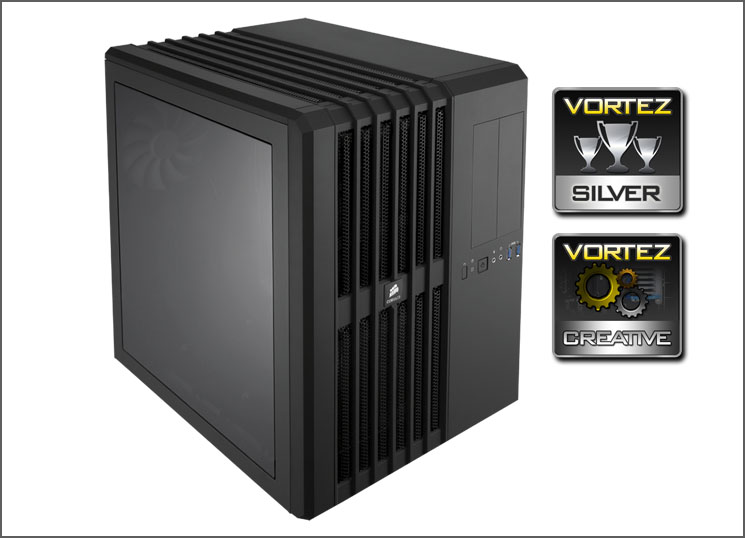
Priced at £120 in UK and $140 in US the Air 540 is right on the money for value. It’s neither expensive nor cheap. The only aspects we’d have liked to see improved upon or included are the anti-vibration pads for the PSU and 3.5” filters to alleviate dust entering the case from the underside. Corsair also missed a treat in not putting the 3.5” drives behind the motherboard tray – there is plenty of space there for such devices and with only two being supporting in the entire case we can understand why some folk will be disappointed.
Corsair have boldly stepped into new territory with the Air 540 and have certainly pulled it off. A unique and innovative computer case can be found in the Air 540 – those who demand great air cooling for their enclosure should definitely consider this rather interesting and exciting new offering.
VIDEO REVIEW – VORTEZ TV
Pros
+ Unique and innovative design
+ Great build quality
+ Excellent thermal performance
+ Brilliant clearance for hardware
+ Water cooling support throughout
+ Great cable management
Cons
– Can be noisy
– No PSU anti-vibration
– Only two 3.5” drive accomodation
– 3.5” HDD storage needs filter
+ Unique and innovative design
+ Great build quality
+ Excellent thermal performance
+ Brilliant clearance for hardware
+ Water cooling support throughout
+ Great cable management
Cons
– Can be noisy
– No PSU anti-vibration
– Only two 3.5” drive accomodation
– 3.5” HDD storage needs filter

Click here for an explanation of our awards at Vortez.net.


