







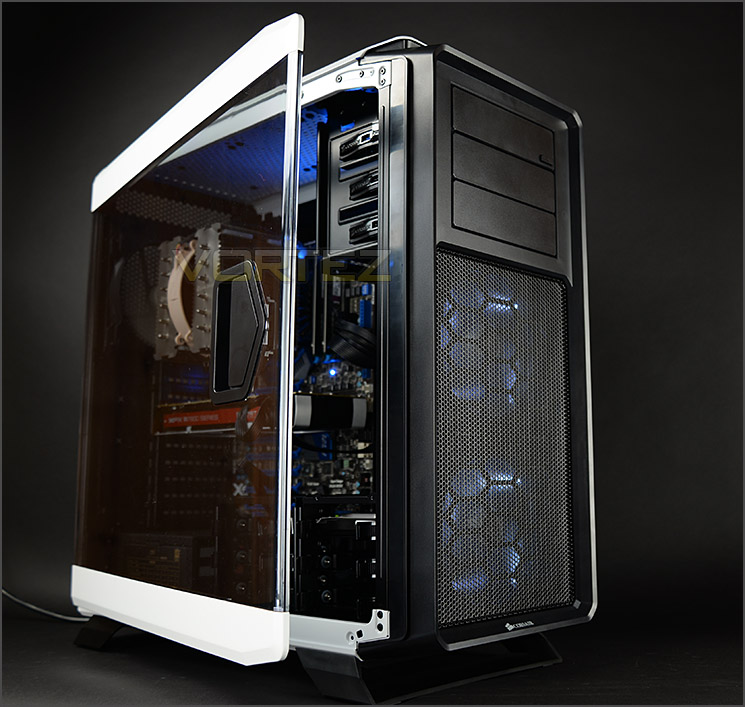
A new full ATX computer chassis joins the Graphite Series featuring hinged/latched side panels and an eye-catching two-tone asthetic.

Product On Review: Graphite Series 760T
Manufacturer & Sponsor: Corsair
Street Price: £150 GBP / $189 USD
It was only a few days ago that we were looking at the new Obsidian 450D and yet again, today Corsair are in the spotlight. Advocates of the Graphite Series and more particularly the 600T will be pleased to know that a new case is joining the family – 760T.
It’s been some 4 years since 600T arrived on the scene and yet this case still holds a special place in many a system builder’s heart. Can this new high-end offering change all this?
760T is a full ATX computer chassis which features two-tone aesthetics and comes equipped with two hinged and latched side panels. Inside, a plethora of hardware can be installed some of which include extensive water cooling support.
Technical Specifications
Form Factor
Mini-ITX, Micro-ATX, ATX, EATX, XL-ATX
Dimensions (H x W x D)
568mm x 246mm x 564mm (22.4” x 9.7” x 22.2”)
Drive Bays
Front: Three 5.25″
Internal: 6x 2.5”/3.5” in 2 included drive cages
4x 2.5” side-mounted
Cooling
Front: 2x 140mm AF140L LED fans (mount supports 120mm)
Rear: 1x 140mm AF140L (mount supports 120mm)
Top: Supports 3x 120mm / 140mm
Bottom: Supports 120mm with 3.5” cage removed
Radiator Support
Front: Up to 240mm / 280mm
Rear: 120mm / 140mm
Top: Up to 360mm / 280mm
Bottom: 120mm
Expansion Slots
9
I/O Port
2x USB 2.0 2x USB 3.0 Headphone and Mic Fan speed toggle
Power Supply Standard
ATX (not included)
Clearances
Heatsink: 180mm
PSU: Any
Graphics: 340mm with drive cage, 460mm without
Mini-ITX, Micro-ATX, ATX, EATX, XL-ATX
Dimensions (H x W x D)
568mm x 246mm x 564mm (22.4” x 9.7” x 22.2”)
Drive Bays
Front: Three 5.25″
Internal: 6x 2.5”/3.5” in 2 included drive cages
4x 2.5” side-mounted
Cooling
Front: 2x 140mm AF140L LED fans (mount supports 120mm)
Rear: 1x 140mm AF140L (mount supports 120mm)
Top: Supports 3x 120mm / 140mm
Bottom: Supports 120mm with 3.5” cage removed
Radiator Support
Front: Up to 240mm / 280mm
Rear: 120mm / 140mm
Top: Up to 360mm / 280mm
Bottom: 120mm
Expansion Slots
9
I/O Port
2x USB 2.0 2x USB 3.0 Headphone and Mic Fan speed toggle
Power Supply Standard
ATX (not included)
Clearances
Heatsink: 180mm
PSU: Any
Graphics: 340mm with drive cage, 460mm without
Packaging & First Look
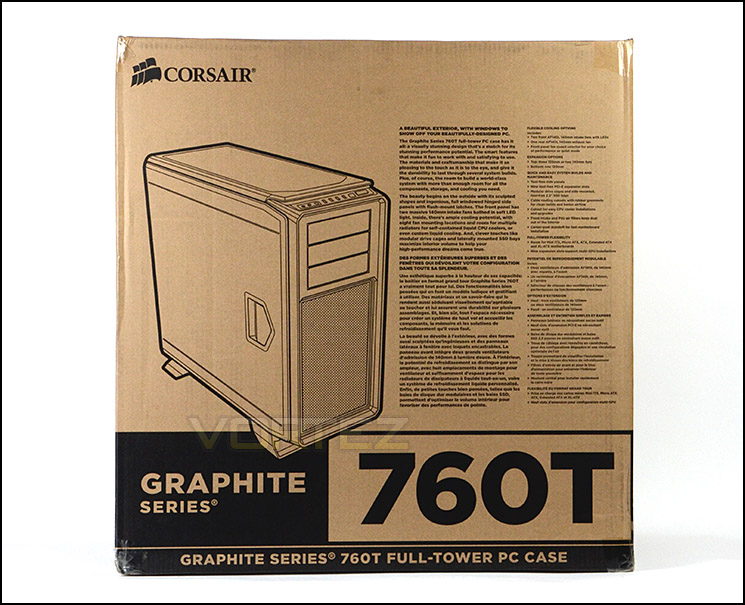
Packaging for 760T
As we’ve seen many times before with previous Corsair cases, 760T arrives in an eco-friendly, monochrome box which has an illustration of the case on the front and around the back a breakdown of all the features with a schematic diagram.
Within the box 760T is concealed with a fabric sheet and two large polystyrene blocks help to ensure a safe delivery at the destination.
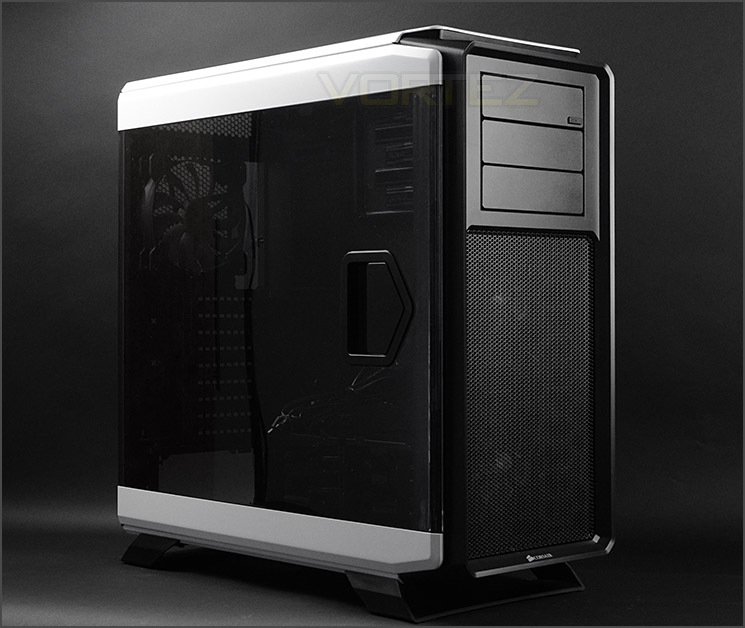
Large side panels
760T is a classy full ATX computer case which has windowed side panels unlike its sibling the 730T. Both cases are structurally the same, the only difference are those side panels and whether or not you prefer to have a window or solid panel.
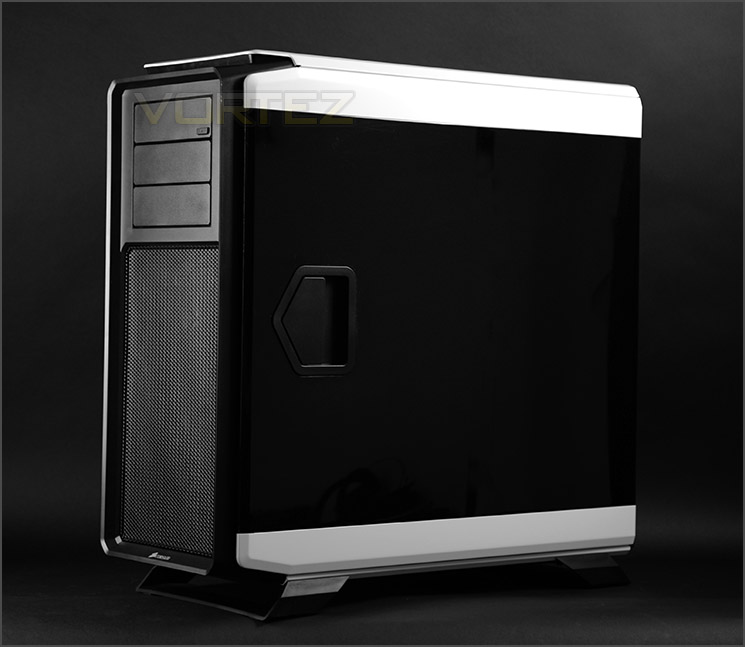
A two tone desire
Both side panels on 760T are hinged and rotate beyond 180 degrees. Corsair has also engineered these panels so that the side panels can be completely removed – it’s advisable to do this when installing components as it makes the task much easier. Furthermore, each door has a large latch to open and close, so there is no need to apply screws.
Overall we really like the styling and aesthetics on 760T and on the next page we’ll move in for a closer look at the external details of the case.
Exterior

The front and back of 760T
The front of 760T utilises a plastic fascia and has a large perforated mesh panel in the lower region which can be detached to gain access to the dual AF140L LED fans. This panel has an integrated dust filter which can be cleaned since there is potential for dust buildup here due to the pressure from the front intakes being configured as intakes. There are a total of three 5.25” drive bay covers on 760T and the top cover pivots and has an eject button so that the drive can be concealed behind the fascia.
Around the back there is an opening at the bottom for mounting the PSU and there are a total of nine PCI expansion slot covers for multi-GPU support. There is another AF140L at the rear of the case which is configured to be an exhaust and there is additional ventilation above this fan. The gap which can be seen is an indicator of the generous clearance for water cooling radiators (more on this later).
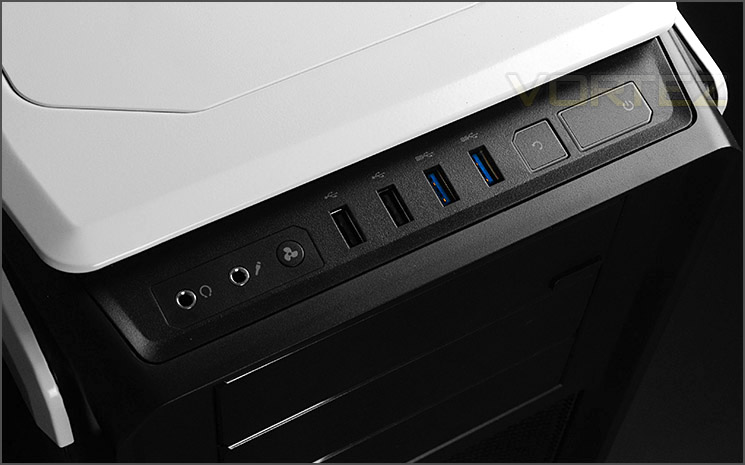
The front panel connectivity
At the very top of 760T there are a variety of ports and buttons to use. The front panel connectivity consists of the following (Left to right):
• Headphone/Microphone jacks
• Fan controller button (Low/High Speed)
• 2x USB 2.0 ports
• 2x USB 3.0 ports (via internal header)
• Reset button
• Power button
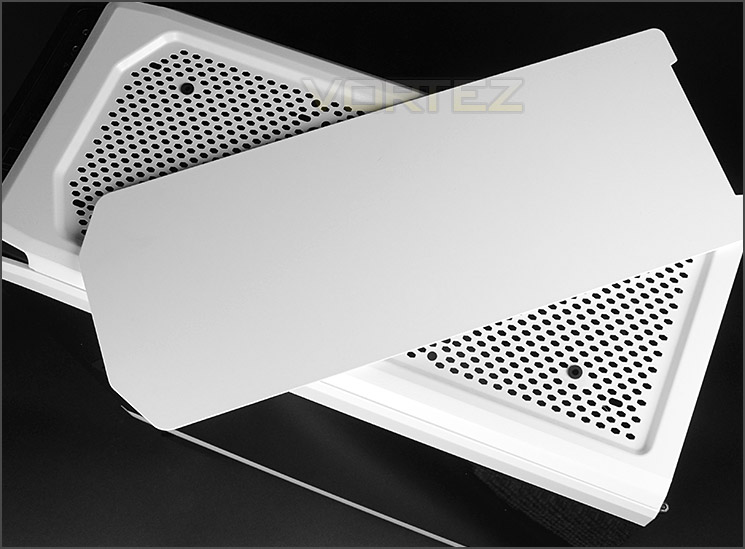
Removable top panel
The entire top section of 760T is covered by a large plastic panel which has a series of strong magnetics to help it fix into place. Removing this cover reveals a perforated mesh region which can accommodate 3x 120mm / 140mm cooling fans – this also means different sized water cooling radiators are supported (more on this later).
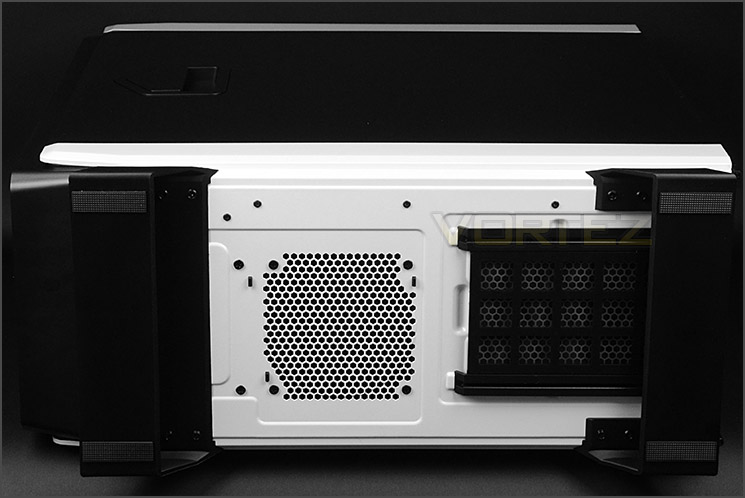
The underside of 760T
Flipping the case over we have two large plastic feet which each feature two rubber strips to prevent the case from slipping on smooth surfaces. These feet can be removed.
Corsair has included a detachable dust filter over the PSU region – this can be removed whilst the case is stood up.
Interior

The latch mechanism for opening/closing the side panels
760T has been given two latch mechanisms on each side panel to open/close so there is no need to remove any screws. This latch is plastic and will likely be listed as a replacement part.

The internal layout of 760T
760T can accommodate an assortment of different form factors including: XL-ATX, ATX, M-ATX and Mini-ITX. The inside has been powder coated black and there are numerous tool-free mechanisms for installing components. Since this case can handle the size of XL-ATX, the interior is rather spacious.

Plenty of cut-outs and grommets for cable management
Around the back of the motherboard tray there are numerous cable management cut-outs and grommets which make it easy to arrange cables in an orderly fashion.
Also around the back are a series of brackets which can accommodate 2.5” drives such as an SSD.
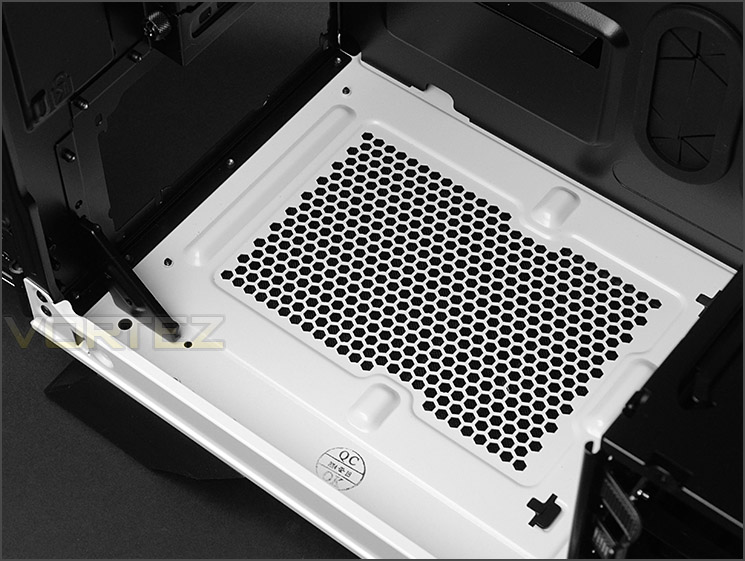
The area for mounting the PSU
At the bottom of the case there is an area for mounting the PSU. Oddly, this has no anti-vibration padding which is peculiar for a case of this calibre. Thankfully, there is a removable dust filter underneath though and 760T does not need to be flipped on its side to extract this. PSUs of any size will fit inside the case and the fact the nearest HDD cage can be relocated adds further versatility to this.
On the next page we’ll be looking at the internal features in more detail.
Interior (Continued)
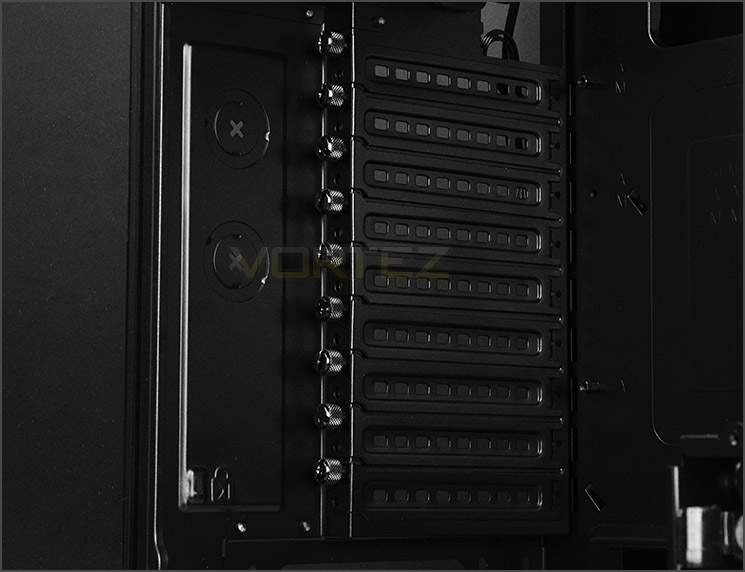
Multi-GPU support
760T has up to nine PCI expansion slot covers, each have ventilation cut-outs to encourage better airflow inside the chassis and each come with an easy to remove thumbscrew.

AF140L sits as rear exhaust
Corsair have given 760T an AF140L rear exhaust fan and there are multiple options at the top of the case for optional cooling fans or even radiators. 760T can accommodate 3x 120mm / 140mm cooling fans at the top and therefore different sized radiators too which we’ll explore in the clearance section of this review later.

Tool-free 5.25” drive bays
As can be expected, 760T uses tool-free mechanisms for the optical drive installation or 5.25” device. There are up to three bays to use and the latch system is simple to use and is now a common feature on many Corsair enclosures.

Multiple storage and cooling options
By default, Corsair aligns the two HDD cages inside 760T side-by-side but these storage cages can be relocated vertically or even completely removed if desired. This presents many different orientations and caters for long graphics cards – it even means there is the opportunity to have water cooling configurations at the front without compromising on HDD storage.
Each cage can accommodate up to 3x 2.5”/3.5” drives.
Behind the storage are dual AF140L cooling fans which are LED ready. Once powered up they will emit a white glow. Again, just like the top of the case there are different options for cooling and radiators at the front. 2x 120mm or 2x 140mm are both options here and this therefore allows different sized radiators to be attached (more on this in the clearance section later).
Installation

XL-ATX test system installed
With XL-ATX being the biggest form factor to be housed within 760T, we installed our XL-ATX test system inside the case.
As you can see, 760T handles this large form factor with ease and we encountered no issues during the installation period. After installing such components its evident how much space there is inside the chassis, there is a remarkable amount of clearance at the top, above the motherboard.

Easy to arrange cable management
One important thing to mention is that it’s far easier to transfer components and work on 760T with the side panels removed. To do this they simply need to be lifted off their pins.
Thanks to the grommets, hooks and general space, cable management is easy to control.
As well as the SSD support on the reverse side of 760T there are a series of trays within the HDD cages which can entertain 2.5” and 3.5” drives. Attaching a 3.5” drive is simple because there are no tools required, the drive is just inserted into the tray and the pins slot into the mounting holes. For 2.5” drives, screws need to be attached from the underside.
Clearance – CPU Cooler, GPU
Clearance is an important aspect of case design for the enthusiast as it establishes whether key components will be compatible with a chassis or not.
CPU Cooler

Sufficient space for high-end CPU Coolers
If you’re planning to go down the air cooling route there is more than adequate space for flagship CPU coolers as you can see above. Units which are 180mm tall can be housed within 760T – we’ve installed Noctua NH-D14 which is 160mm in height and you can clearly see there is copious amounts of clearance before it touches the side panel.
Graphics Cards

Support for long graphics cards
In the graphics card department there are obviously different options available with the interchangeable HDD cages but even with them in their default position a dual-card configuration is possible. There is approximately 9” / 230mm to the first cage and then 13” / 330mm to the second cage – so any graphics card on the market will fit within this case.
Clearance – WC, Cable Management
Water Cooling
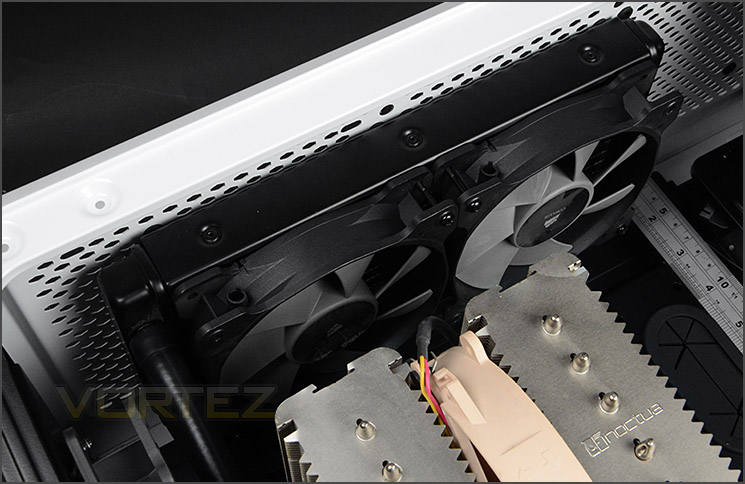
Allocation at the top for mounting radiators such as H100i
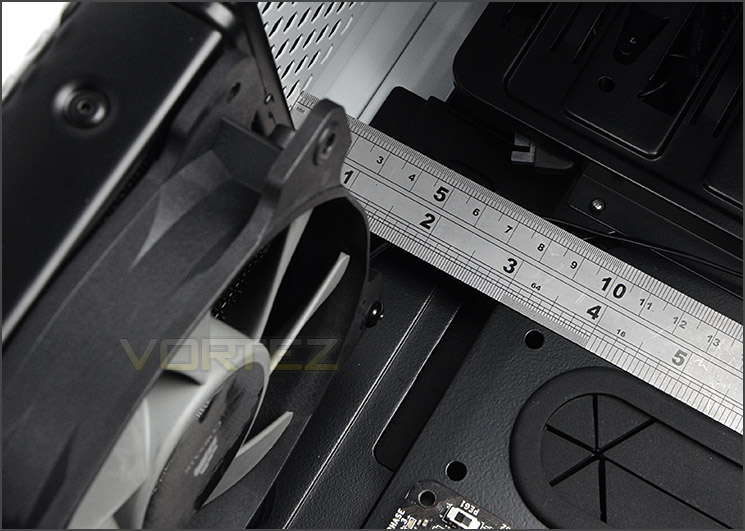
Lots of space between top and motherboard
There are numerous locations within 760T that can cater for different sized radiators. At the top the popular Hydro Series H100i can be installed.
240mm / 280mm / 360mm radiators can be installed at the top of 760T.
At the top there is approximately 3” / 7.5cm of clearance for attaching such products but do bear in mind some motherboards have oversized and bulky heatsinks which may interfere.
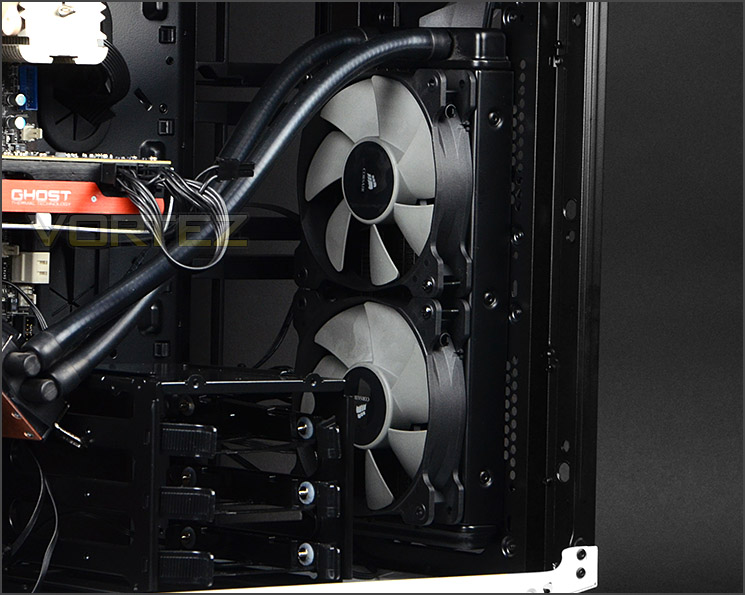
Hydro H100i fitted the to front
The great thing about 760T is that different sized radiators can also fit at the front with the secondary HDD cage still attached to the chassis. This means that, unlike other cases, you do not have to sacrifice storage space to house water cooling.
240mm / 280mm radiators can be installed at the front of 760T. There is approximately 5” / 12cm of clearance from the front to the second HDD cage.
Cable Management
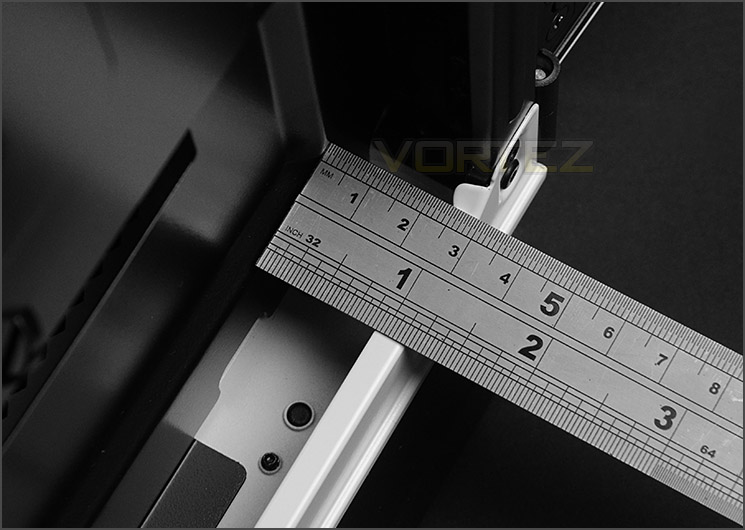
Generous clearance behind motherboard tray
Coupled with the numerous cable management grommets, 760T has 1” / 2.5cm of clearance behind the motherboard tray for arranging the cables, this generous amount of clearance means organising all of the cables behind the motherboard tray is trouble-free.
Thermal Performance Testing
760T has three pre-installed cooling fans which are all 140mm in specifications – AF140L. There are two front intakes and one rear exhaust. This configuration is proven to yield great results so we expect good results for the cooling performance.
To discover the thermal performance of the 760T we will record idle temperatures after 20 minutes from a cold boot. We will then stress the system and temperatures will again be monitored after 30 minutes have elapsed.
For the purpose of accurate analysis the idle and load temperatures for CPU and GPU will be recorded and the range between idle and load will be calculated to determine how efficient cooling is.
Fan controller will be set to “high” setting.
NOTE: Ambient temperature is 20C
System Components
CPU Intel Core i5 2500K
Motherboard MSI Big Bang Marshal (P67)
Graphics ZOTAC NVIDIA GTX 480 AMP (Different to GPU used in pictures)
Memory 8GB Kingston HyperX Genesis 1600MHz CL9
HDD Samsung Spinpoint 500GB SATA-II
PSU FSP AURUM 620M
Motherboard MSI Big Bang Marshal (P67)
Graphics ZOTAC NVIDIA GTX 480 AMP (Different to GPU used in pictures)
Memory 8GB Kingston HyperX Genesis 1600MHz CL9
HDD Samsung Spinpoint 500GB SATA-II
PSU FSP AURUM 620M


Conclusion
It wasn’t too long ago that we were looking at the 230T and although this case has its roots within the Graphite Series, there has been an extremely long interval for a high-end offering from this family of enclosures. The 600T was released some 4 years ago now and even many years later is held in high regard.
While 760T isn’t really a successor to 600T it does have some noticeable similarities but more importantly – refinements. Like it or hate it, the two-tone styling is sleek and eye-catching. The integration of hinged and latched side panels is handy; gaining access to the inside of the case is both convenient and efficient.
The sheer size of 760T, with its wide chassis and defined areas results in excellent clearance for various components such as the CPU cooler, graphics card and cable management. Furthermore, different sized radiators can be attached to the case in different locations and even having such a device installed at the front doesn’t force the system builder to compromise on HDD storage.
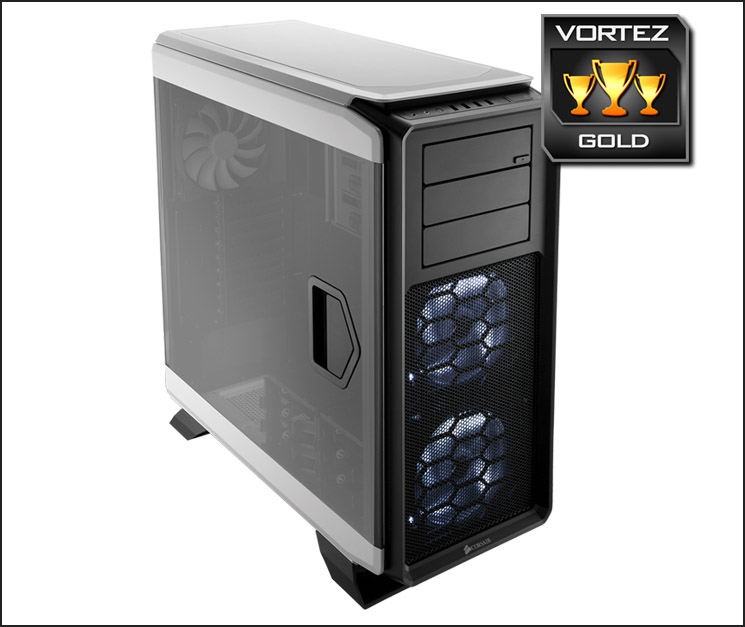
The inclusion of interchangeable HDD cages and even SSD support beside the motherboard tray demonstrates Corsair’s ability to make good use of space without causing detriment to other features.
On launch 760T costs £150 GBP / $189 USD, which may unsettle some due to the plastic front panel. The bonus may come in that 760T is a fairly small full tower compared to other options out there.
The Graphite Series finally has a high-end computer chassis to add to the portfolio and a good one it is too. 760T builds on the success of the highly revered 600T by accommodating a wide spectrum of hardware including the ever popular Hydro Series water cooling units.
VIDEO REVIEW – VORTEZ TV
Pros
+ Pleasing to the eye
+ Spacious – can house XL-ATX
+ Easy to open side panels
+ Wide chassis, great clearance
+ Can house different sized radiators
+ Two-speed fan controller included
+ Interchangeable HDD storage
Cons
– Pricey
– Plastic front fascia
– Side panels attract lots of dust
+ Pleasing to the eye
+ Spacious – can house XL-ATX
+ Easy to open side panels
+ Wide chassis, great clearance
+ Can house different sized radiators
+ Two-speed fan controller included
+ Interchangeable HDD storage
Cons
– Pricey
– Plastic front fascia
– Side panels attract lots of dust

Click here for an explanation of our awards at Vortez.net.


