







The Obsidian Series receives another mid-tower to the lineup with the 450D; Featuring anodized brushed aluminium and countless cooling options.

Product On Review: Obsidian 450D Mid Tower
Manufacturer & Sponsor: Corsair
Street Price: £92 GBP / $120 USD
In a bid to supply the system builder with just about every possible size of computer chassis, Corsair are back again with yet another Obsidian Series enclosure. Their continuous dedication to this series has certainly been a worthwhile venture with success across all parts of the globe.
450D is a mid-tower chassis which as tradition would have it, features classy brushed aluminium. This new addition to the Obsidian family has lots of opportunities to include water cooling and should offer plenty of flexibility for clearance options throughout.
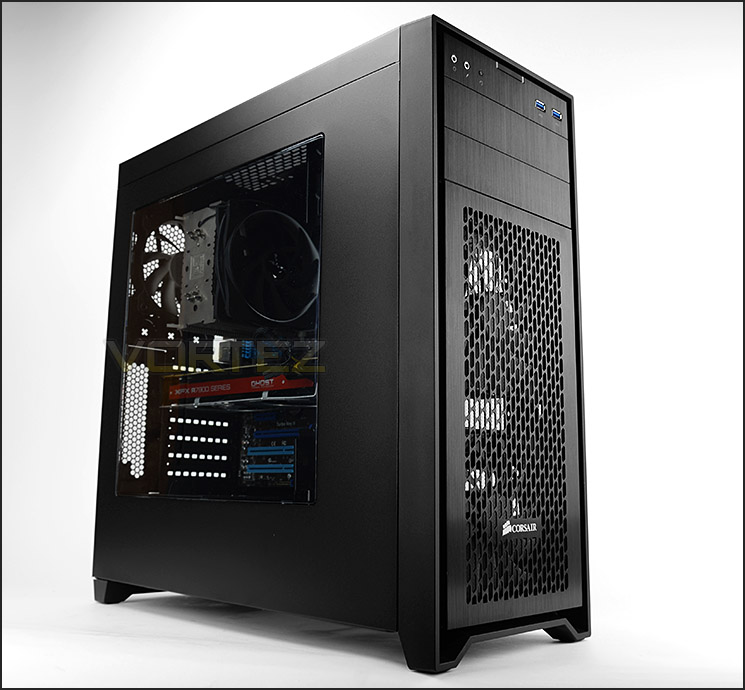
Corsair on their 450D
Obsidian Series 450D has an elegant brushed aluminum front panel and a solid steel body, with an interior that’s optimized for efficient, high-volume airflow. But don’t let its mid-tower size fool you – the 450D can also house some serious watercooling gear. The included dual front AF140L intake fans provide direct GPU cooling, and there’s a total of seven fan mounts for your extremely high volume airflow projects. All air intakes are protected with removable dust filters.
Technical Specifications
Form Factor
Mini-ITX, Micro-ATX, ATX
Dimensions
(H x W x D) 494mm x 210mm x 497mm (19.5” x 8.3” x 19.6”)
Drive Bays
Front: Two 5.25″
Internal: 3x 2.5”/3.5” in 1 included drive cage 2x 2.5”
Cooling
Front: 2x 140mm AF140L fans (supports 2x 120mm)
Rear: 1x 120mm AF120L
Top: Supports 3x 120mm / 2 x 140mm
Bottom: Supports 2x 120mm with 3.5” cage removed or relocated
Radiator Support
Front: Up to 240mm / 280mm
Rear: 120mm Top Up to 360mm / 280mm
Bottom: 240mm
Expansion Slots
7
I/O Port
2x USB 3.0 Headphone and Mic
Power Supply
Standard ATX (not included)
Clearances
Heatsink: 165mm
PSU: Any
Graphics: 430mm
Mini-ITX, Micro-ATX, ATX
Dimensions
(H x W x D) 494mm x 210mm x 497mm (19.5” x 8.3” x 19.6”)
Drive Bays
Front: Two 5.25″
Internal: 3x 2.5”/3.5” in 1 included drive cage 2x 2.5”
Cooling
Front: 2x 140mm AF140L fans (supports 2x 120mm)
Rear: 1x 120mm AF120L
Top: Supports 3x 120mm / 2 x 140mm
Bottom: Supports 2x 120mm with 3.5” cage removed or relocated
Radiator Support
Front: Up to 240mm / 280mm
Rear: 120mm Top Up to 360mm / 280mm
Bottom: 240mm
Expansion Slots
7
I/O Port
2x USB 3.0 Headphone and Mic
Power Supply
Standard ATX (not included)
Clearances
Heatsink: 165mm
PSU: Any
Graphics: 430mm
Packaging & First Look
Just like other Corsair cases; 450D is packaged in a monochrome box which is recyclable. This box features an illustration of the case on the front and a schematic breakdown of the components and features can be found on the reverse.
Inside, the case is covered in a clear plastic sheet and is given extra protection with polystyrene pillars to ensure everything arrives safely to the destination.
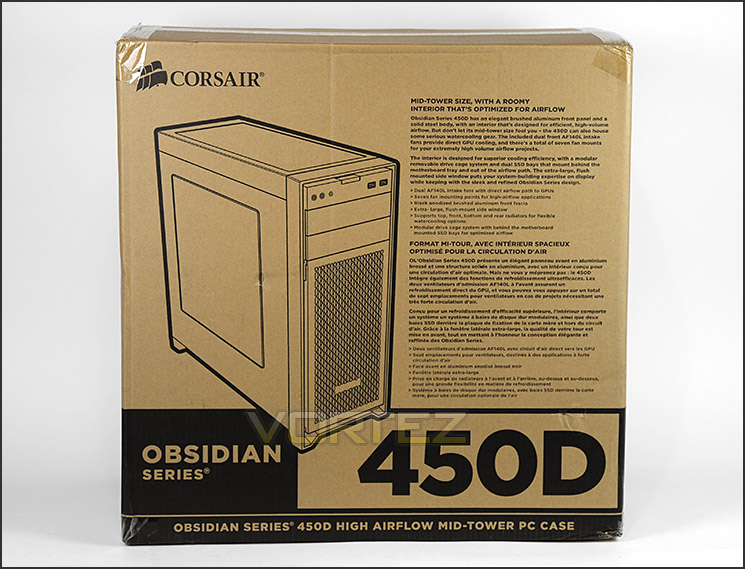
Eco-friendly packaging
Unveiling 450D, we are met by a rather elegant enclosure which has a recognisable visual appearance to that of its Obsidian counterparts.
The prominent side has a large Perspex window allowing a view inside the case, whilst the alternate side has completely solid and without any significant features. Both side panels are steel.

Large Perspex window

In keeping with the elegance of the Obsidian series
Exterior

The front and back of 450D
The front of 450D has a brushed aluminium faceplate, the lower section features a detachable cover which has a perforated surface to allow air for the dual 140mm cooling fans underneath. Corsair has given 450D two 5.25” drive bay covers with the same brush aluminium effect. The front panel connectivity can be found at the top.
Around the back there is an opening at the bottom for mounting a PSU and above this there are a total of seven PCI expansion slot covers and some additional ventilation to the immediate right. Above this there are three circular markings for routing cables/tubing and a 120mm rear exhaust cooling fan.

Detachable front cover
As mentioned above, the panel on the front of 450D is removable. A thin layer of dust filter material has been stuck to the inside edge of this fascia and it can be washed/cleaned.
Having removed this panel this reveals the 120mm cooling fans which are indeed AF120L units. These fans have been configured as intakes to bring cool air into the case.
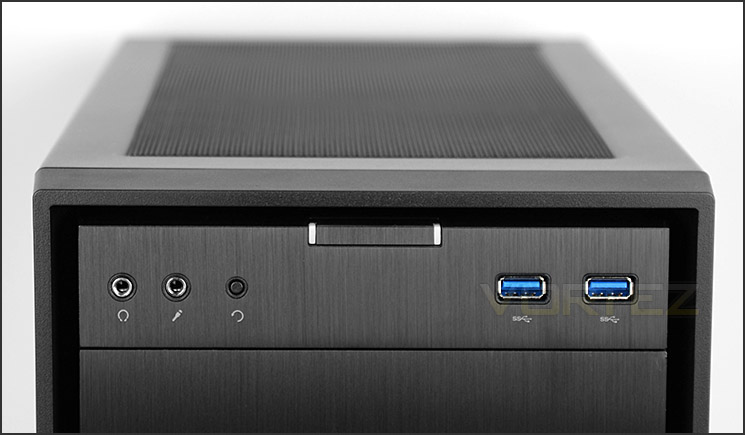
Front panel connectivity includes dual USB 3.0 ports
In terms of front panel connectivity, there are just a few options available which include headphone/microphone jacks, a reset button, power button and dual USB 3.0 ports (via internal header).
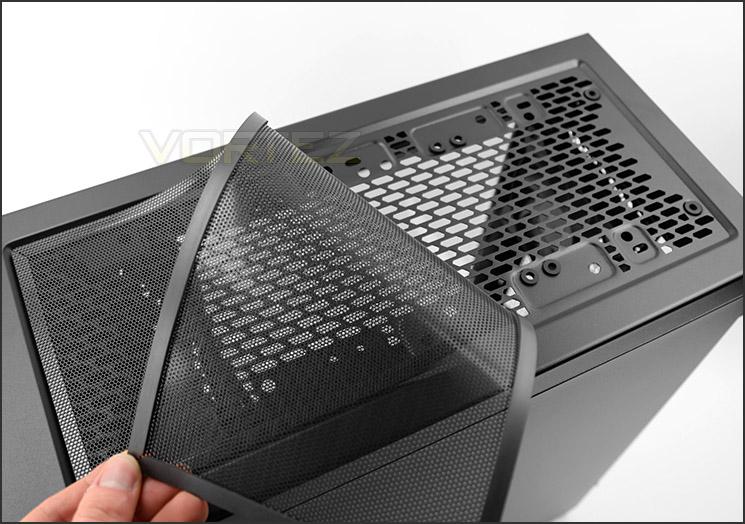
The top of 450D
At the top of 450D there is a detachable sheet of plastic dust filter – this filter has a magnetic edge and fits snug to the concave of the top section of the chassis.
There is allocation at the top for mounting different cooling fans including: 3x 120mm / 2 x 140mm.
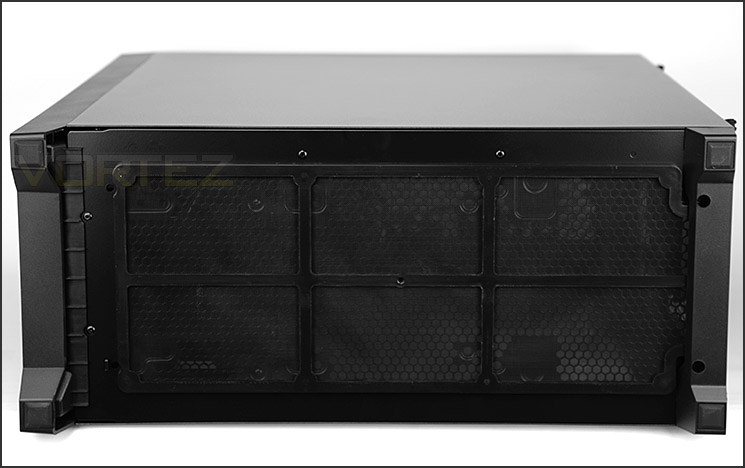
Large dust filter underneath 450D
Flipping the case over there are four rubber pads to prevent the case from slipping on smooth surfaces and a large, removable dust filter covers the entire underside of 450D. This filter can only be removed by turning the case on its side.
On the next page we’ll move inside 450D to report back on the features which are included.
Interior

An view of the internal layout
450D is equipped to accommodate Mini-ITX, M-ATX and ATX motherboards and the internal components are all powder coated black. We’re also pleased to see the cabling has also been darkened too, this helps maintain a clean looking interior.

Behind the motherboard tray
As well as featuring tool-free mechanisms for installing kit, Corsair also include a variety of cut-outs and grommets for good cable management practise. The reverse of the case contains two unique mechanisms for attaching 2.5” drives too – this is something we’ll look at closely on the next page.
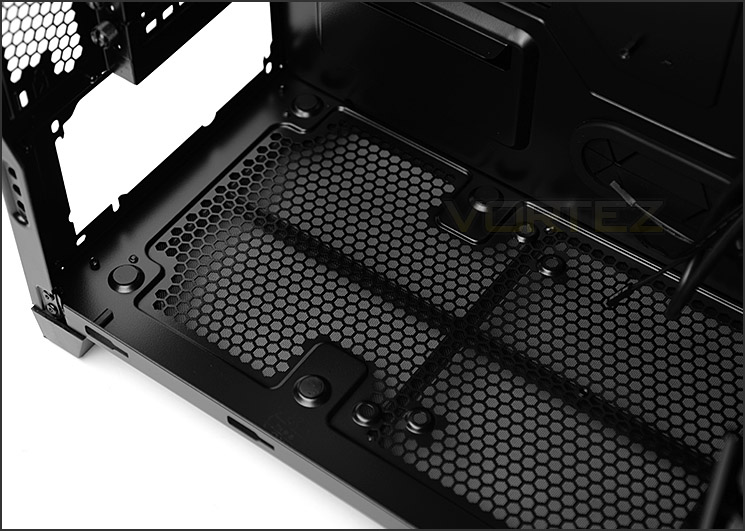
The area for mounting the PSU
At the bottom of 450D there is space for mounting any sized PSU and Corsair has attached four rubber pads to provide a soft cushion when placing such a product within the case.
If the HDD cage is removed from the case 2x 120mm cooling fans can be attached to the bottom for additional cooling.
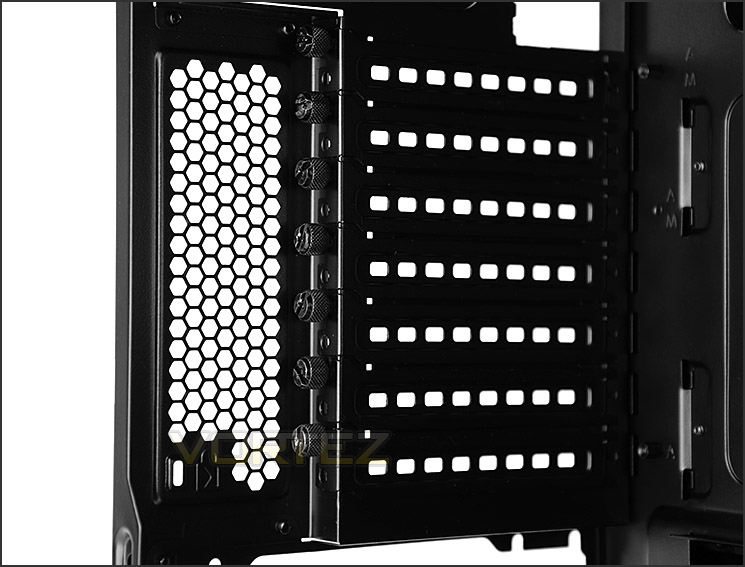
Multi-GPU support
Further up we have seven PCI expansion slot covers, each have ventilation cut-outs to encourage better airflow within 450D and each have a thumbscrew for easy removal. The honeycomb design beside these covers provides some additional ventilation.

AF120L sits at the back of 450D
An AF120L cooling fan has been placed at the rear of 450D and is configured as an exhaust, pushing the air out of the back of the case. Corsair has included a number of mounting holes into the roof of the case for those wanting to apply extra cooling. These optional placements can accommodate the following fans: 3x 120mm / 2 x 140mm – this also means that there is support for different sized radiators, we’ll be covering this later in the review under the “Clearance” section.
Interior (Continued)
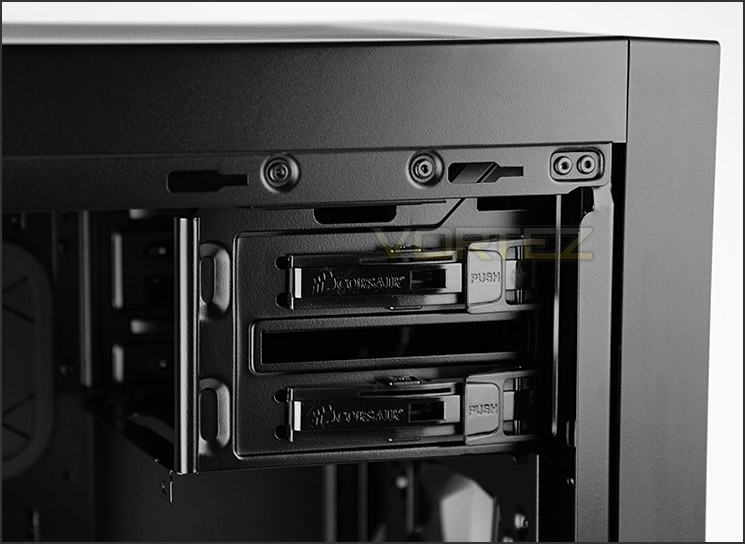
Allocation for 2x 5.25” drives
Over on the other side of 450D there are 2x 5.25” drive bays and both have the tool-free mechanism we have seen on many other Corsair cases in the past. This latch system makes the job of installing such devices much easier.

Dual AF140L cooling fans and single HDD cage
As we’ve already seen, there are 2x 140mm cooling fans at the front of 450D but there are also mounting holes for 2x 120mm cooling fans too – this variety of options paves the way for different radiator options which we’ll investigate later.
Corsair has included a single HDD cage which is removable and features just three trays to entertain 3x 2.5”/3.5” drives. These tool-less trays are now deemed as conventional in computer chassis design.

SSD support behind motherboard tray
Corsair has been innovative and placed two 2.5” (SSD) brackets onto the reverse of the motherboard tray. To do this they have had to make the chassis wide enough and it’s actually a novel idea of bringing additional functionality whilst utilising free/unused space.
These brackets are also tool-free, with the drive snapping securely into place without the need to use the screwdriver.
Installation

A roomy computer chassis
With ATX being the biggest form factor available within 450D we installed our test system which is based around this specification and we encountered no problems whatsoever.
Cable management is surprisingly easy to keep under control and there is great clearance for high-end components.

Good cable management features
In order to install HDD devices inside 450D the drive needs to be dropped into one of the provided trays – these trays can accommodate 2.5” or 3.5” drives. 3.5” drives (as pictured) take advantage of the tool-free pins whilst a 2.5” drive requires screws on the underside

HDDs fit into tool-free trays
On the next page we’ll be reporting back on the clearance options available within 450D.
Clearance – CPU Cooler, GPU, Cable Management, WC
Recognising the clearance limitations within a computer case is essential for system builders as it identifies which hardware fits and which doesn’t.
CPU Cooler

Good clearance for high-end CPU coolers
450D has reasonable allocation for big CPU coolers – allowing up to 165mm in height before the top touches the side panel. As you can see, our Noctua NH-U12P which is 158mm in height has no problem fitting inside the chassis.
Graphics Card

Space for long graphics cards
In the graphics card department there is liberal space for fitting long graphics cards too. If you are planning to use only one card there is unlimited clearance but if a dual-card configuration is on the agenda there is a limitation of 11” / 280mm before the card will touch the HDD cage. This cage can be removed to alleviate this problem and since there is allocation for 2.5” drives behind the motherboard tray this is certainly a viable option.
Cable Management

Generous space behind the motherboard tray
Since Corsair has decided to implement SSD storage behind the motherboard tray there is plenty of space in this area for cable management, in fact there is up to 2cm / < 1” for arranging cables. Due to such space, we were able to neatly organise the system and its PSU cables.
Water Cooling
Coming soon…..
Thermal Performance Testing
450D features three pre-installed cooling fans – dual 140mm intakes at the front and a single 120mm exhaust at the rear. This is considered a traditional airflow methodology and yields good results usually.
To discover the thermal performance of 450D we will record idle temperatures after 20 minutes from a cold boot. We will then stress the system and temperatures will again be monitored after 30 minutes have elapsed.
For the purpose of accurate analysis the idle and load temperatures for CPU and GPU will be recorded and the range between idle and load will be calculated to determine how efficient cooling is.
NOTE: Ambient temperature is 20C
System Components
CPU AMD Phenom II X6 1055T 2.8GHz
Motherboard ASUS M4A89TD PRO
Graphics NVIDIA GTX 480 (Different from card pictured)
Memory 4GB Kingston HyperX DDR3
HDD Samsung Spinpoint 500GB SATA-II
PSU FSP AURUM GOLD 650M
Motherboard ASUS M4A89TD PRO
Graphics NVIDIA GTX 480 (Different from card pictured)
Memory 4GB Kingston HyperX DDR3
HDD Samsung Spinpoint 500GB SATA-II
PSU FSP AURUM GOLD 650M
Noise
Noise levels are moderate when the system is powered up. The cooling fans are neither unsettling nor quiet.


Conclusion
It was only weeks ago when we were casting a critical eye over Obsidian 250D and yet again we have another case from this series under the spotlight.
450D could be easily mistaken for any of the other models within the Obsidian series because of the consistent styling and aesthetics. To the eye, 450D is very pleasing. It adopts an elegant approach to computer case design and avoids being garish in any way.
Inside, system builders will be pleased to know a plethora of different hardware can be installed – including flagship solutions for the CPU cooler or graphics card. Corsair has even placed two HDD brackets behind the motherboard tray so that there is still space for storage with the primary storage cage removed. This means those wanting to attach radiators at the front or fit dual graphics card configurations can do so without losing the ability to house a storage device.
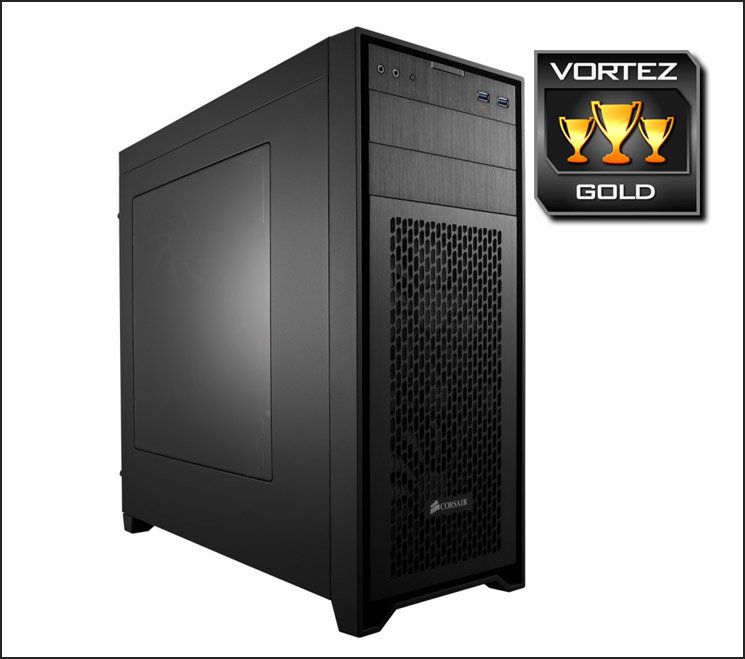
If the three cooling fans aren’t adequate Corsair has furnished the inside of 450D with numerous places to include mounting spots for 120 / 140mm fans. This extends the flexibility of this case and provides even more cooling to what is already rather effective.
450D will be available around mid-April and will be priced around £92 GBP / $120 USD. All things considered we think this case represents good value but there are enticements just over the £100 mark which could deflect attention off 450D.
Expanding the iconic Obsidian Series further, Corsair adds yet another mid-tower to the portfolio. 450D not only looks great, but it can house an assortment of high-end kit and is flexible enough to include extensive water cooling support for those wanting to go down that route.
Pros
+ Stylish aesthetics
+ Good build quality
+ Decent cooling performance
+ Tool-free mechanisms throughout
+ SSD support behind mobo tray
+ Can accommodate high-end kit
+ Multiple locations for varied radiator support
Cons
– Case has to be flipped to remove PSU dust filter
– Basic options available for front panel controls
+ Stylish aesthetics
+ Good build quality
+ Decent cooling performance
+ Tool-free mechanisms throughout
+ SSD support behind mobo tray
+ Can accommodate high-end kit
+ Multiple locations for varied radiator support
Cons
– Case has to be flipped to remove PSU dust filter
– Basic options available for front panel controls

Click here for an explanation of our awards at Vortez.net.


