Corsair release the latest Harpoon, with added wireless connectivity and a new, more accurate optical sensor.

Product on Review: Corsair Harpoon RGB Wireless
Manufacturer: Corsair
Street Price: £54.99 / $49.99
Corsair have, in recent years, transformed themselves from a memory manufacturer to a fully-fledged PC industry leader, offering products in hundreds of different categories; one particular area they see a lot of success is with their keyboards, specifically the K70, and their mice. Today we look at one of the three releases of today, the Corsair Harpoon RGB Wireless.
The Harpoon RGB Wireless offers three different connectivity modes; wired, Bluetooth or 2.4GHz via the included USB adapter, with the 2.4GHz option offering sub-1ms response times via the Corsair Slipstream Wireless Technology. Corsair also claim up to 60 hours of use between charges.
Weighing in at 99g, the Harpoon is certainly on the lighter end of the scale, particularly for a wireless option, but that doesn’t mean it lacks features, with a 10,000 DPI optical sensor for high accuracy tracking and OMRON switches which guarantee at least 50,000,000 clicks during the life of the mouse.
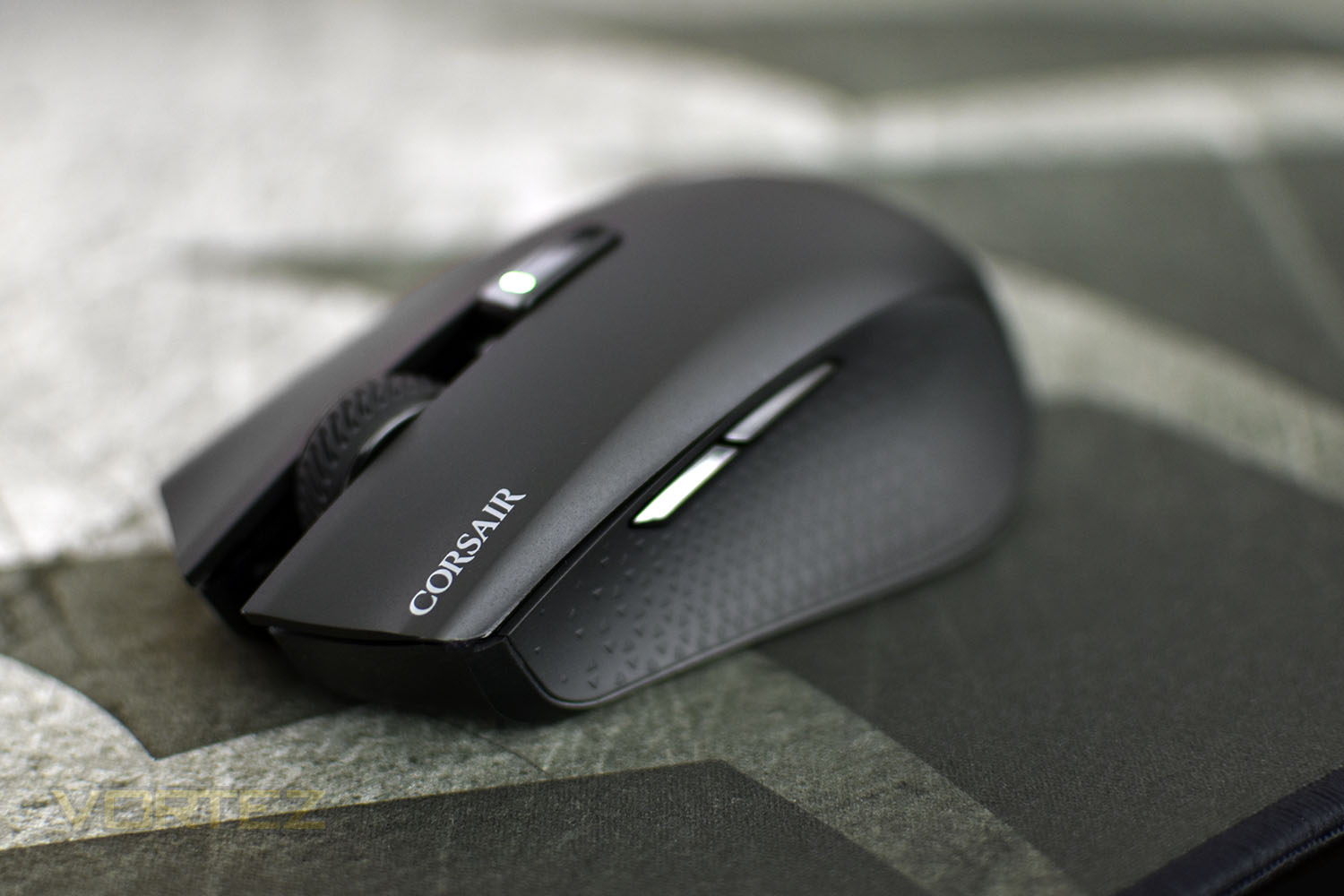
There’s also RGB lighting on the palm area of the mouse, which can be configured within Corsair iCUE software.
The Harpoon RGB Wireless arrives in stores priced at £54.99 in the UK or $49.99 in the US, putting it considerably higher than its strictly-wired predecessor but lower than other wireless mice in this sector. We’ll take a look and see how it performs.
Corsair on the Harpoon RGB Wireless:
The CORSAIR HARPOON RGB WIRELESS gaming mouse lets you choose how to play, with the ability to easily connect to your PC via hyper-fast, sub-1ms SLIPSTREAM CORSAIR WIRELESS TECHNOLOGY, Bluetooth or USB wired connection.
Technical Specifications
Mouse Warranty: Two years
Prog Buttons: 6
DPI: 10,000 DPI
Sensor: PMW3325
Sensor Type: Optical
Mouse Backlighting: 1 Zone RGB
On Board Memory: Yes
Mouse button Type: Omron
Connectivity: Wireless, Wired
Mouse Button Durability: 50M L/R Click
Grip Type: Claw
Weight: 99g
CUE Software: Supported in iCUE
Cable: 1.8m Tangle Free Rubber
Game Type: FPS, MOBA
Report Rate Selectable: 1000Hz/500Hz/250Hz/125Hz
Battery Life: 2.4GHz SLIPSTREAM: Up to 30hrs w/ standard lighting and 45hrs w/out backlighting | Bluetooth: Up to 40hrs w/ standard lighting and 60hrs w/out backlighting
Battery Type: Rechargeable Lithium-Polymer
Prog Buttons: 6
DPI: 10,000 DPI
Sensor: PMW3325
Sensor Type: Optical
Mouse Backlighting: 1 Zone RGB
On Board Memory: Yes
Mouse button Type: Omron
Connectivity: Wireless, Wired
Mouse Button Durability: 50M L/R Click
Grip Type: Claw
Weight: 99g
CUE Software: Supported in iCUE
Cable: 1.8m Tangle Free Rubber
Game Type: FPS, MOBA
Report Rate Selectable: 1000Hz/500Hz/250Hz/125Hz
Battery Life: 2.4GHz SLIPSTREAM: Up to 30hrs w/ standard lighting and 45hrs w/out backlighting | Bluetooth: Up to 40hrs w/ standard lighting and 60hrs w/out backlighting
Battery Type: Rechargeable Lithium-Polymer
Packaging & First Look
Corsair’s use of black and yellow is reaching new heights, with the packaging standing out from the crowd quite considerably. The front of the box shows a large image of the Harpoon, a quick summary of what the product is and the Corsair logo.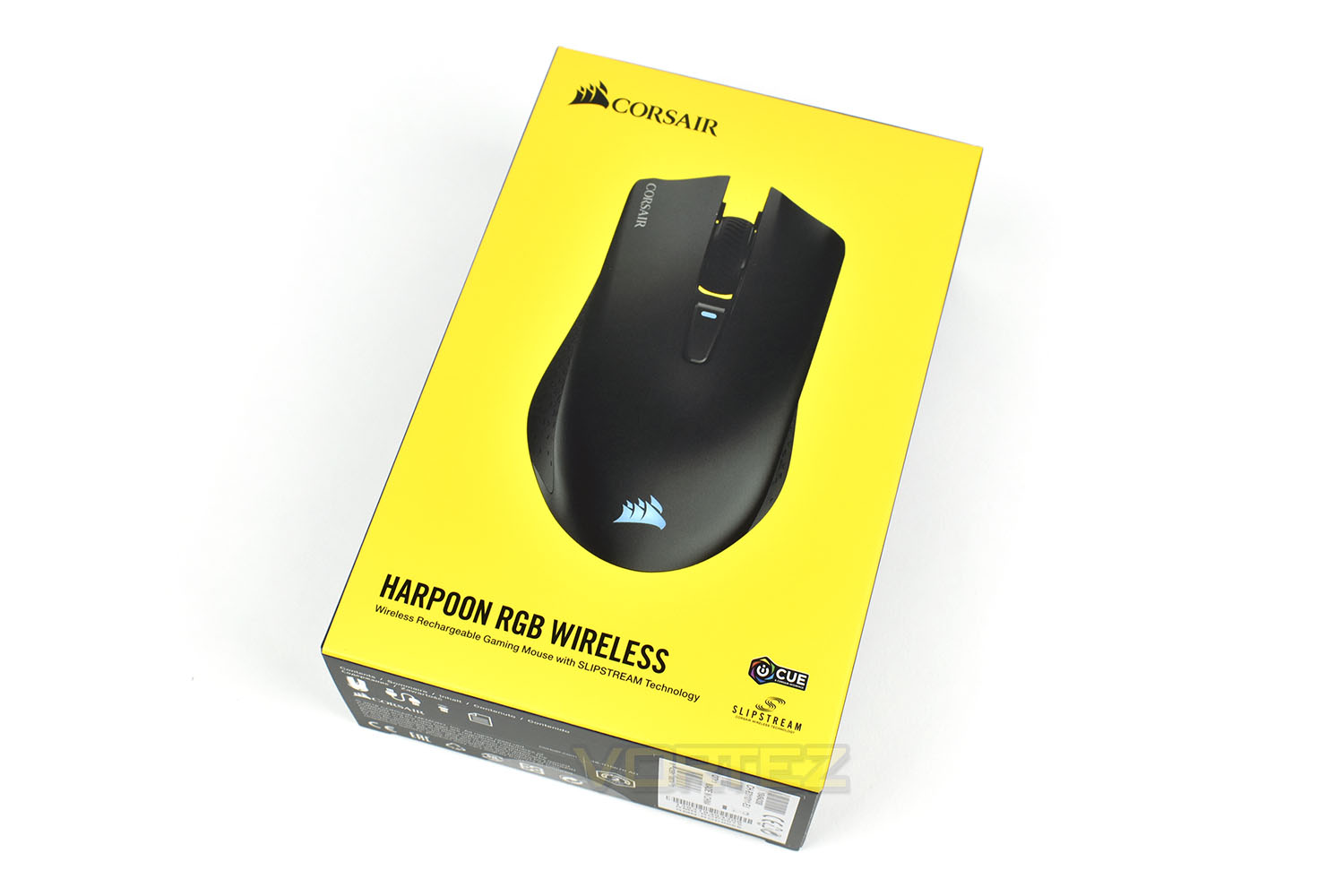
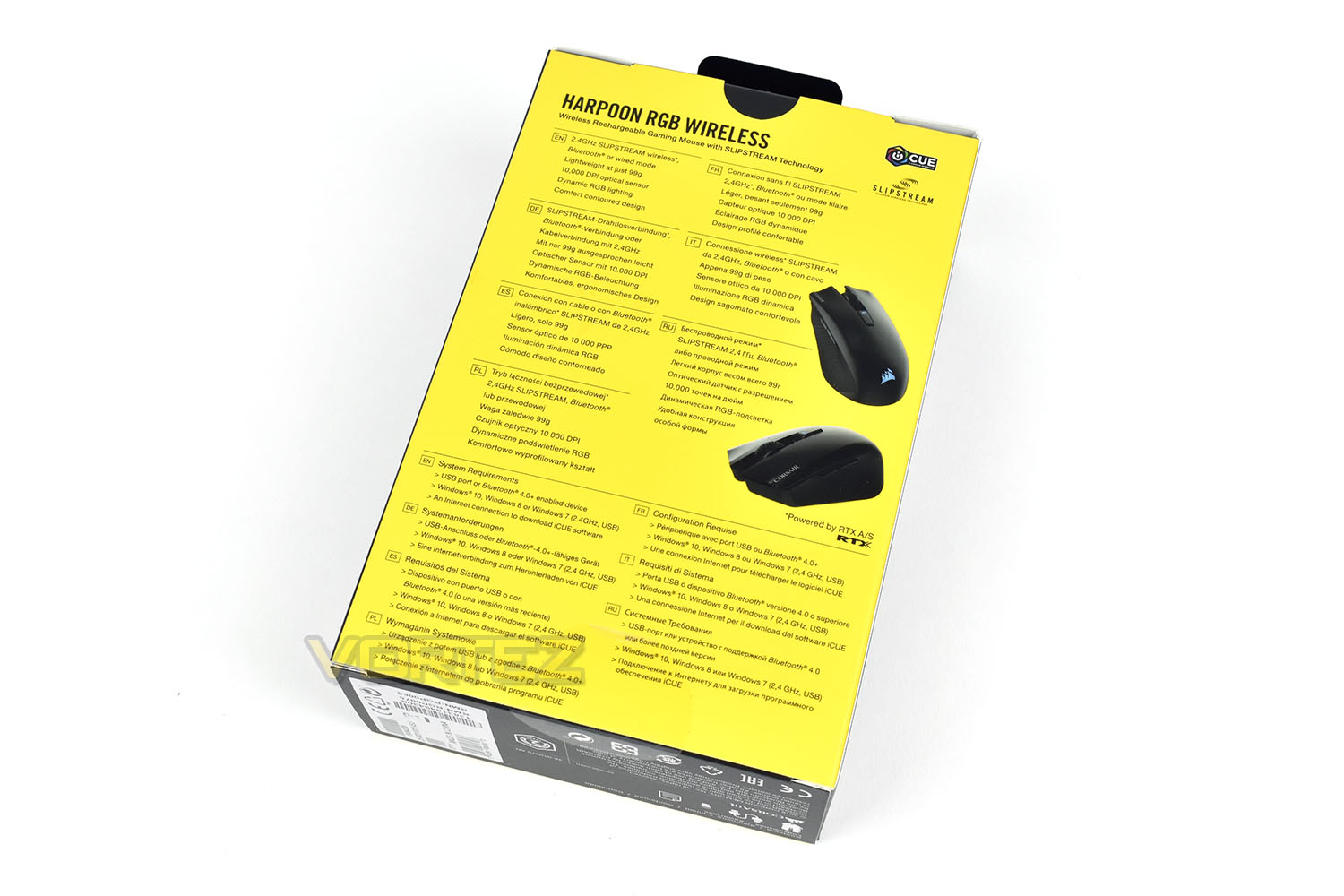
The rear shows a couple more angles of the mouse and a breakdown of features and requirements, in multiple languages.
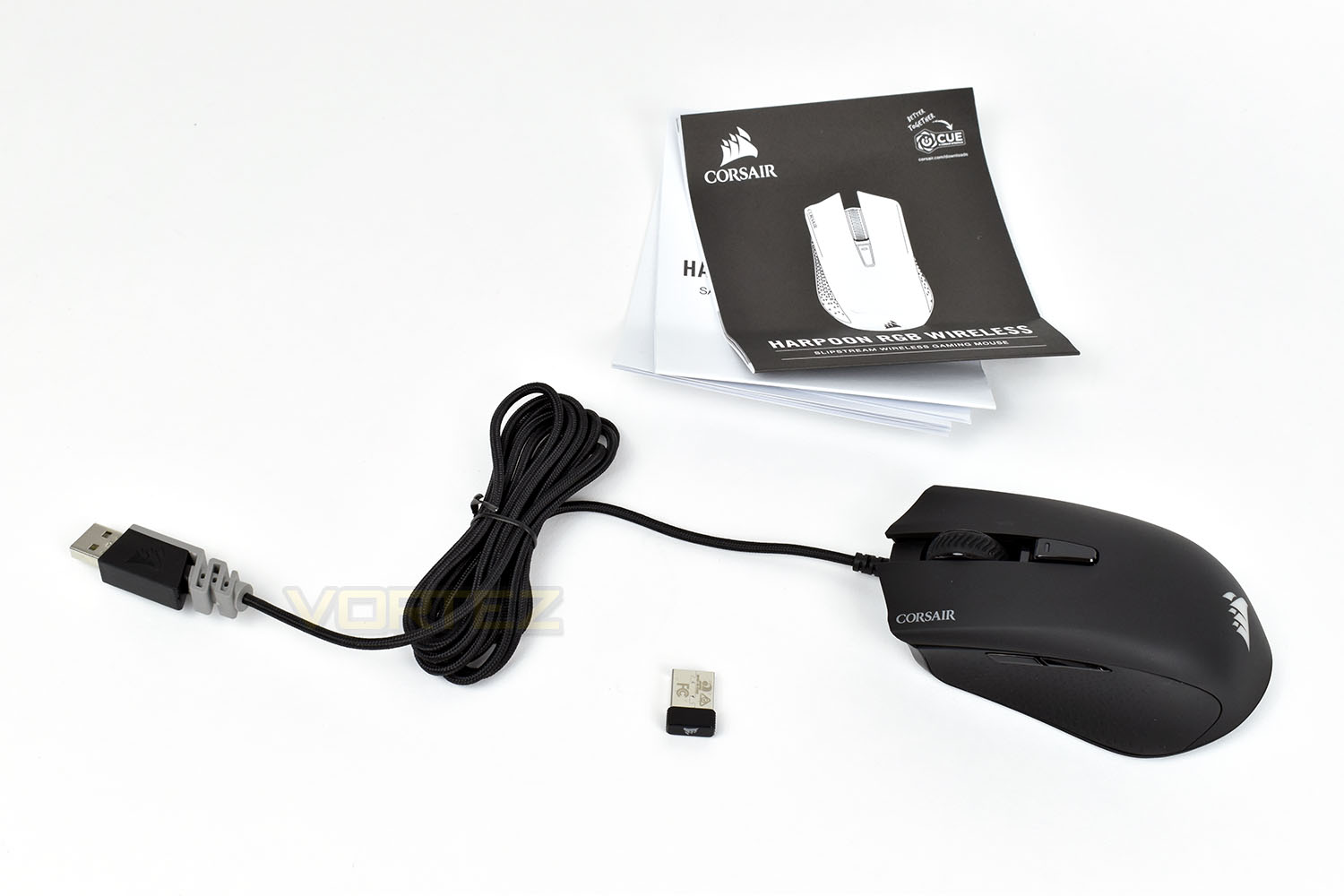
Keeping things simple, there’s an instruction manual and warranty info alongside the mouse, wireless receiver (which was actually stowed away in the bottom of the mouse) and the charging cable pre-attached.
Closer Look
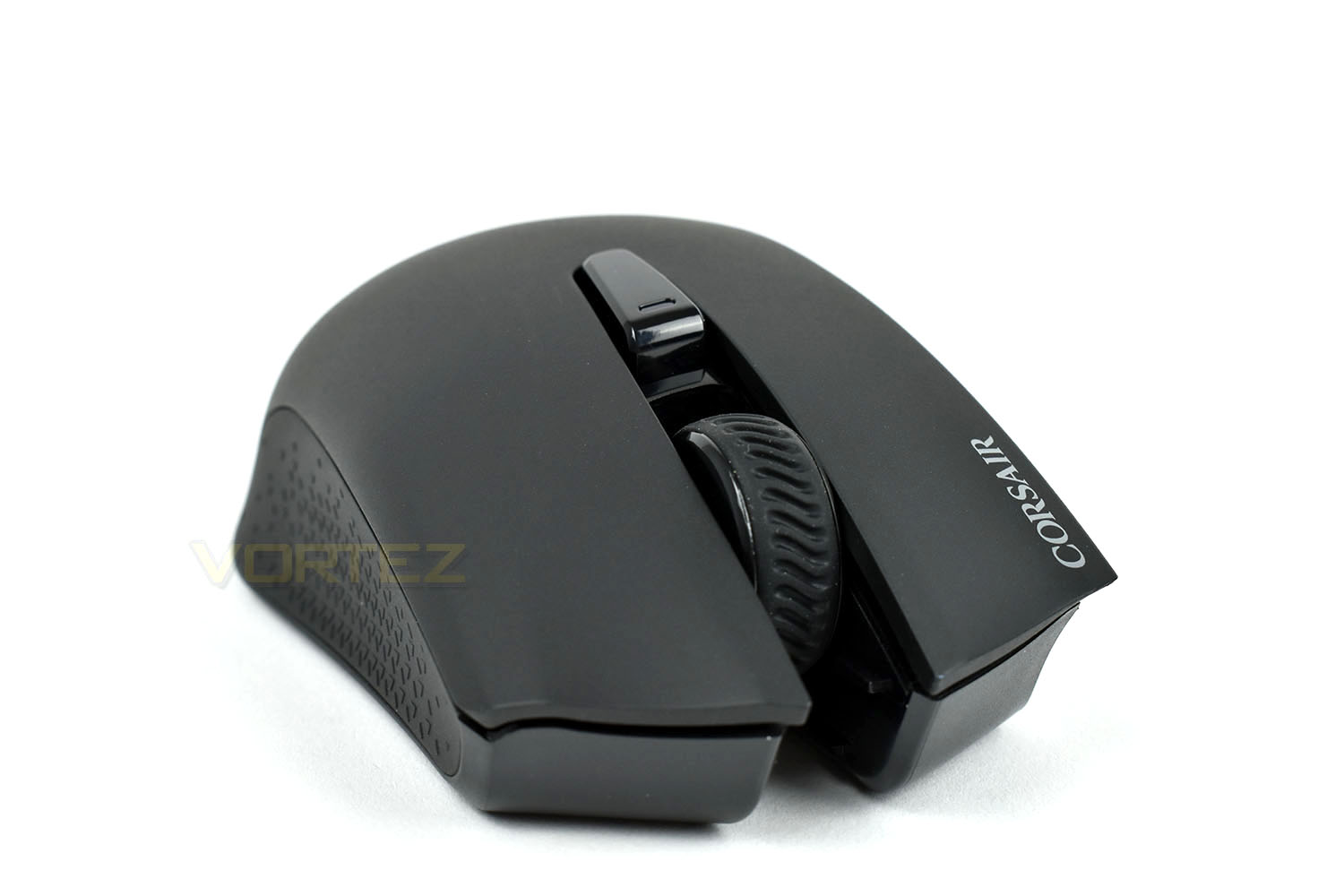
With the cable removed, the mouse is very sleek and short. The USB connection is deep within the mouse for a solid connection. The ribbed scroll wheel is coated in thick rubber for extra traction. You can also see the concave area for the thumb from this angle.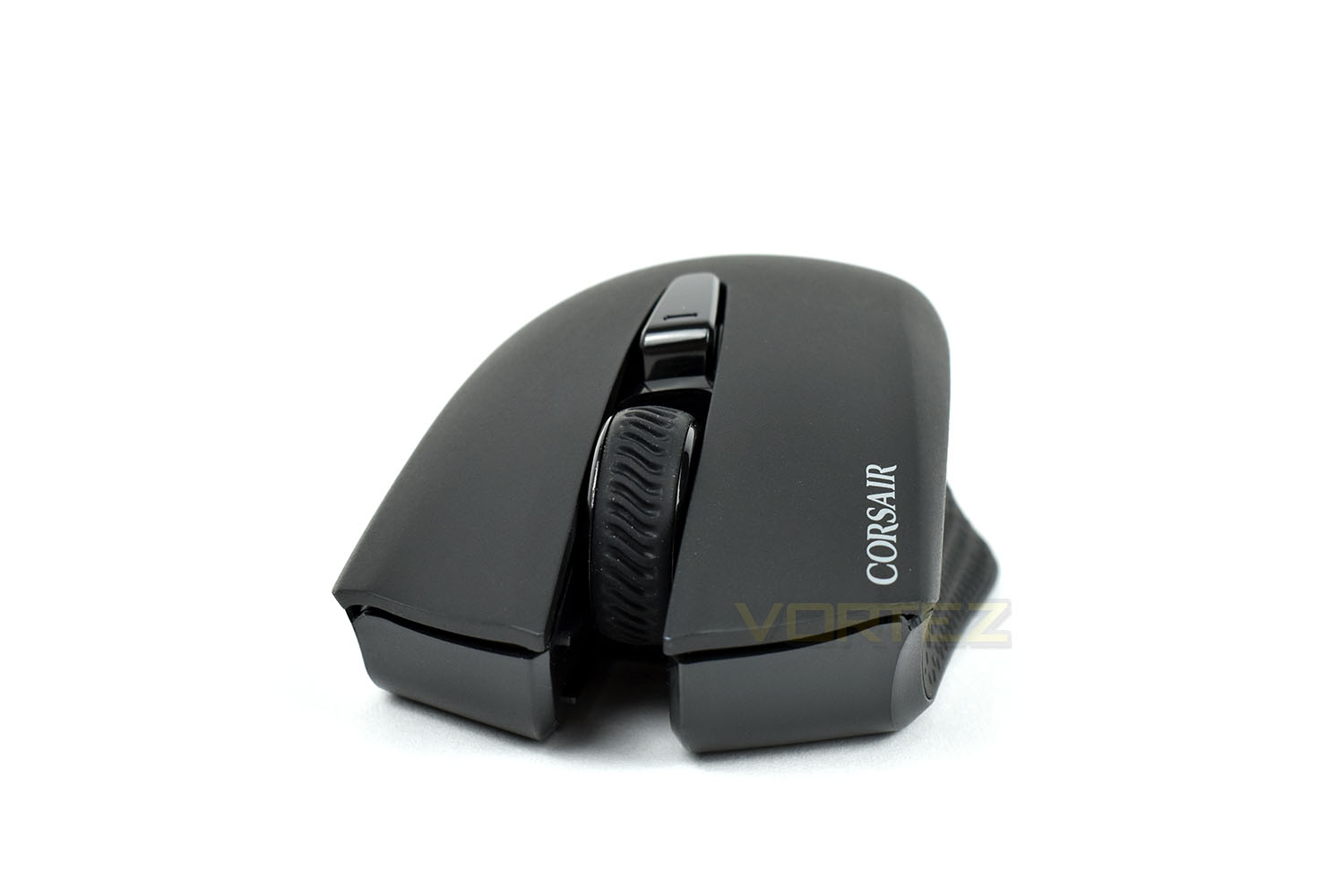
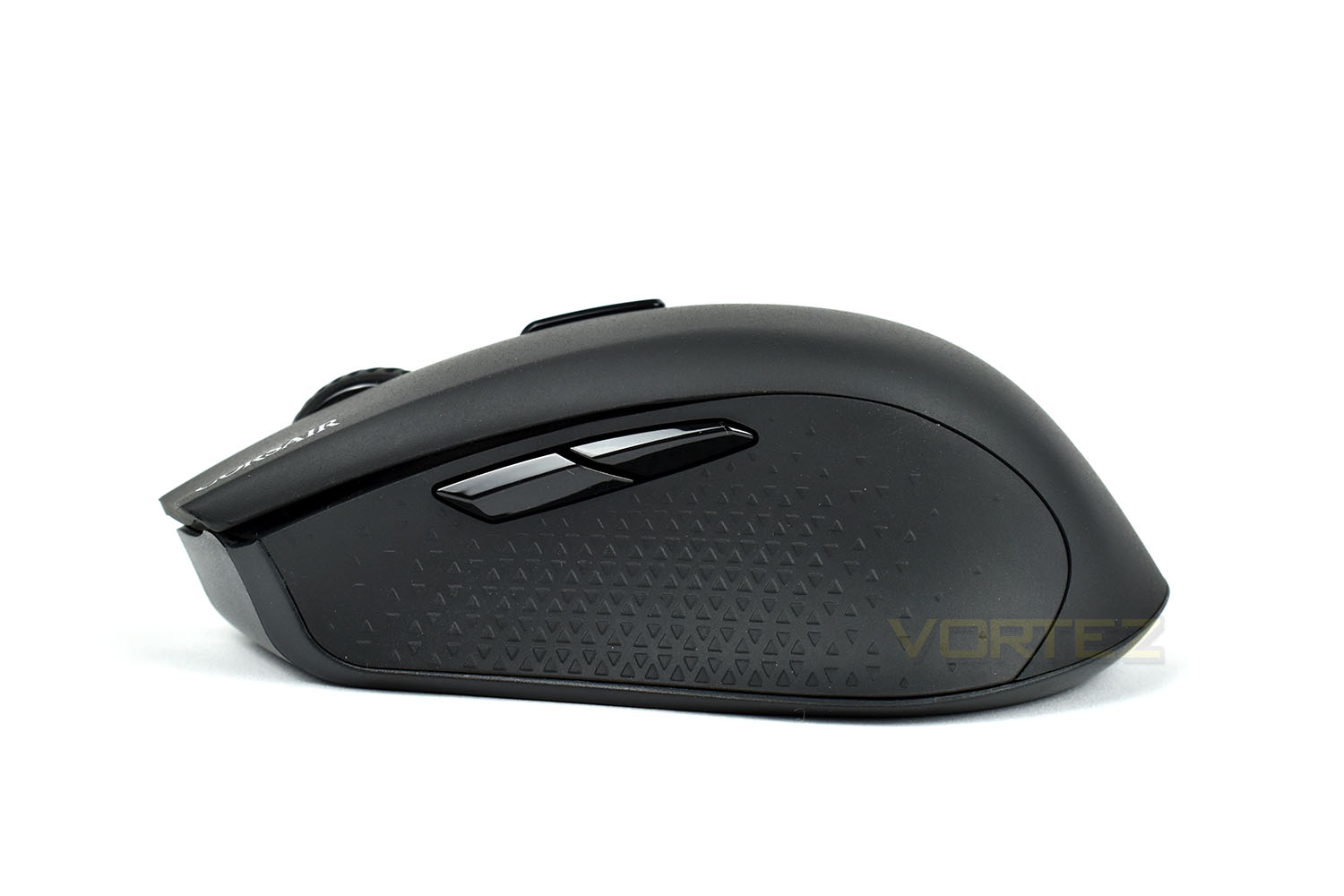
The left edge of the mouse, where the thumb will lie due to it’s right-handed shape, is coated in triangular sections on the rubber area, which fade away at each end. There’s also a pair of thumb buttons which can be configured within the software.
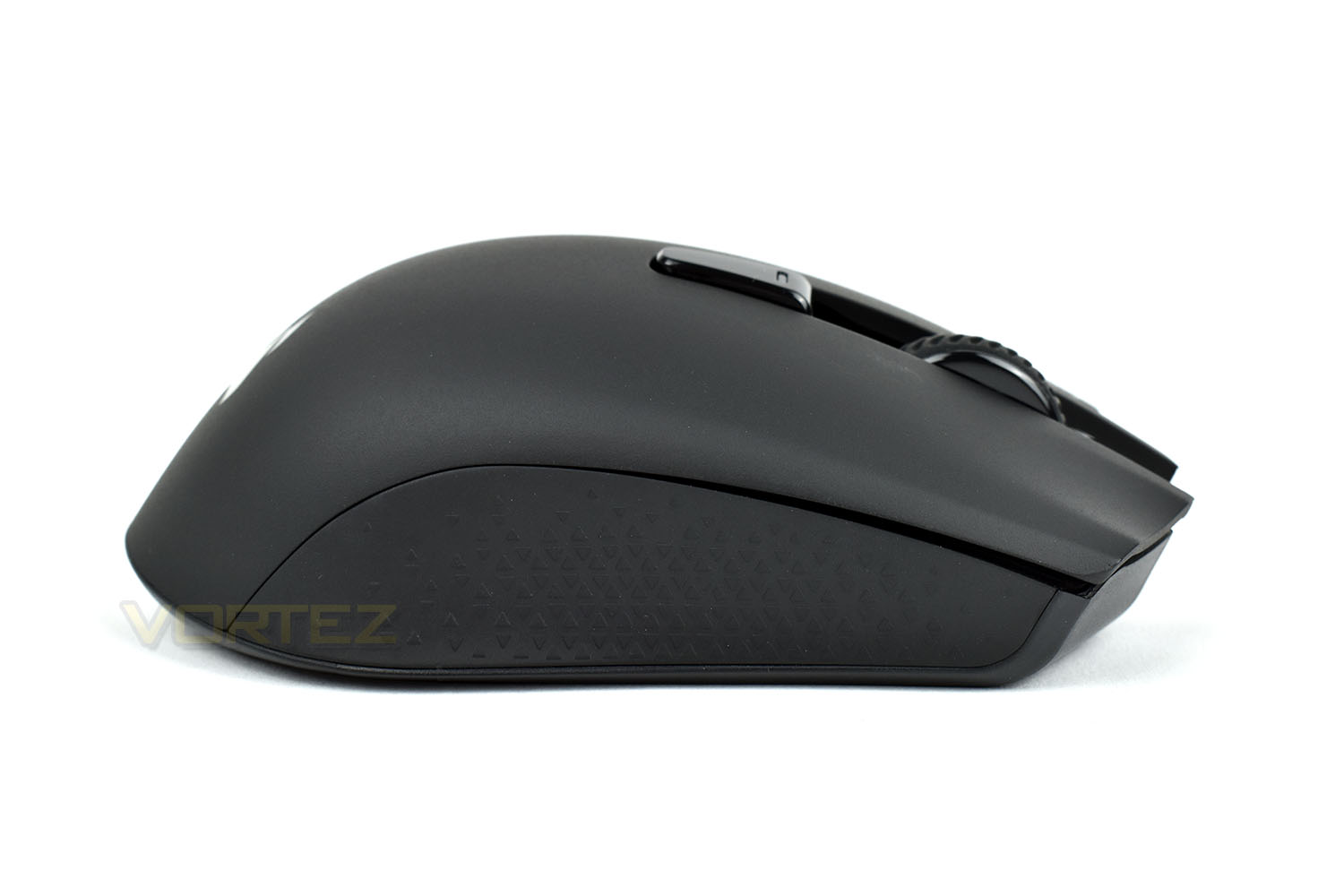
The opposite side features the same rubber design but no additional buttons.
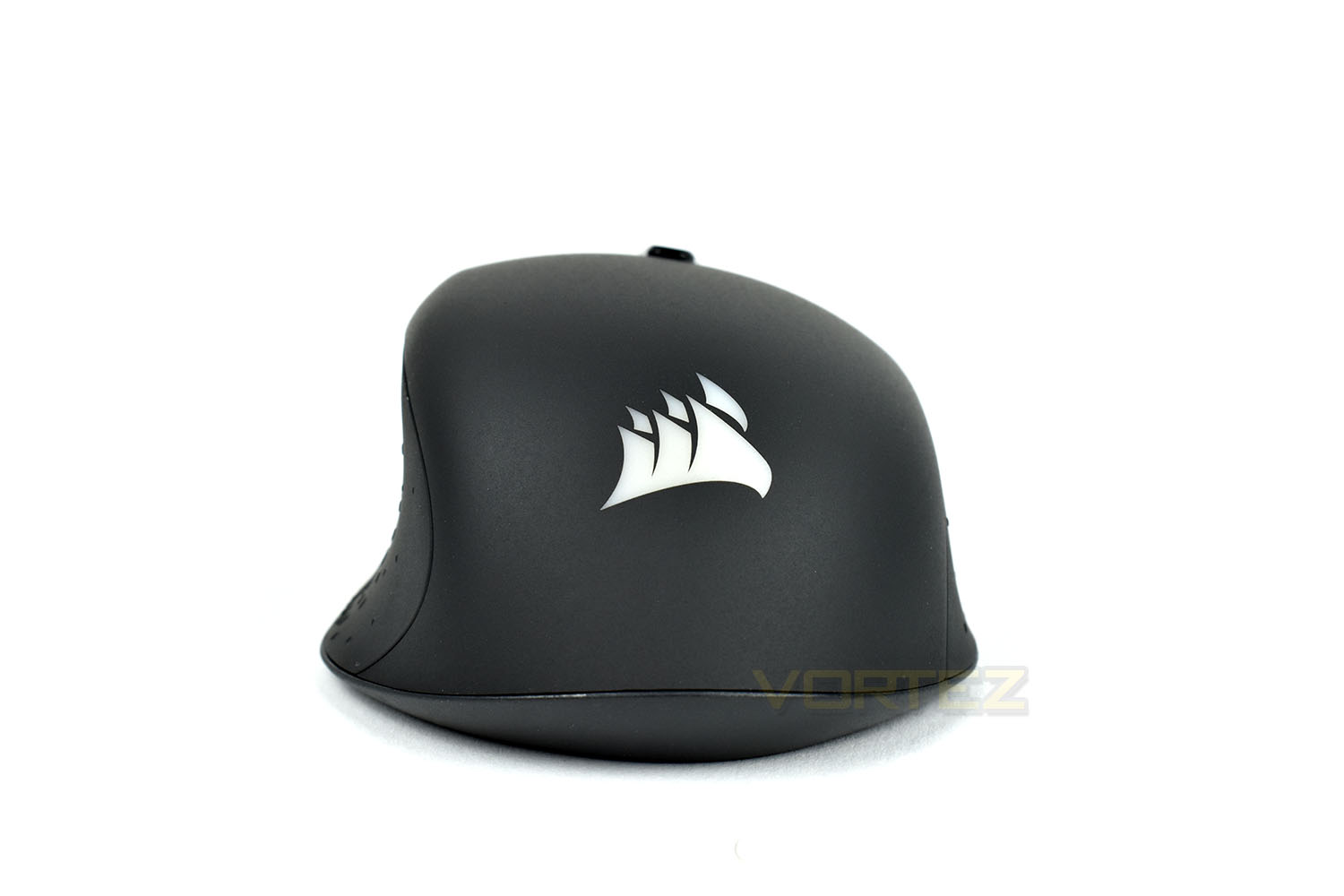
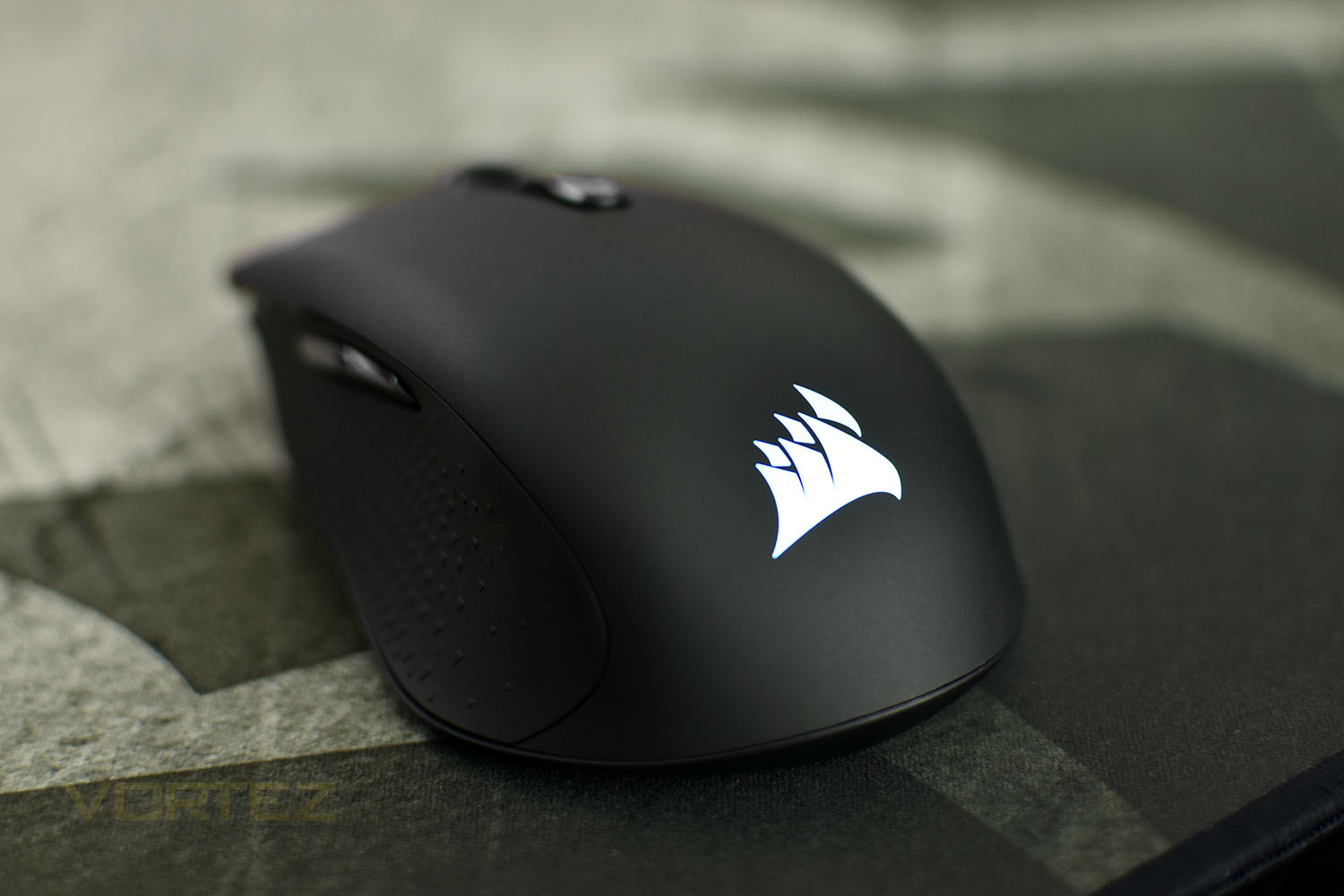
Looking at the back end of the mouse, the curved, right-handed shape is obvious. The white section is the Corsair RGB logo.
On top of the mouse is a profile switch button, which can be pre-configured with up to 5 different profiles which you can toggle between. The small LED will change colour to display which profile is currently active.
Closer Look (Continued)
Looking at the underside, there’s a little more going on than a typical mouse. Firstly, there’s 4 separate PTFE pads to help the mouse glide over the tracking surface. The small rectangle section is where the USB wireless adapter is housed for easy transportation or safe keeping while you use the mouse in wired mode. Lastly, there’s the small toggle switch at the bottom, for selecting between the 2.4GHz or Bluetooth.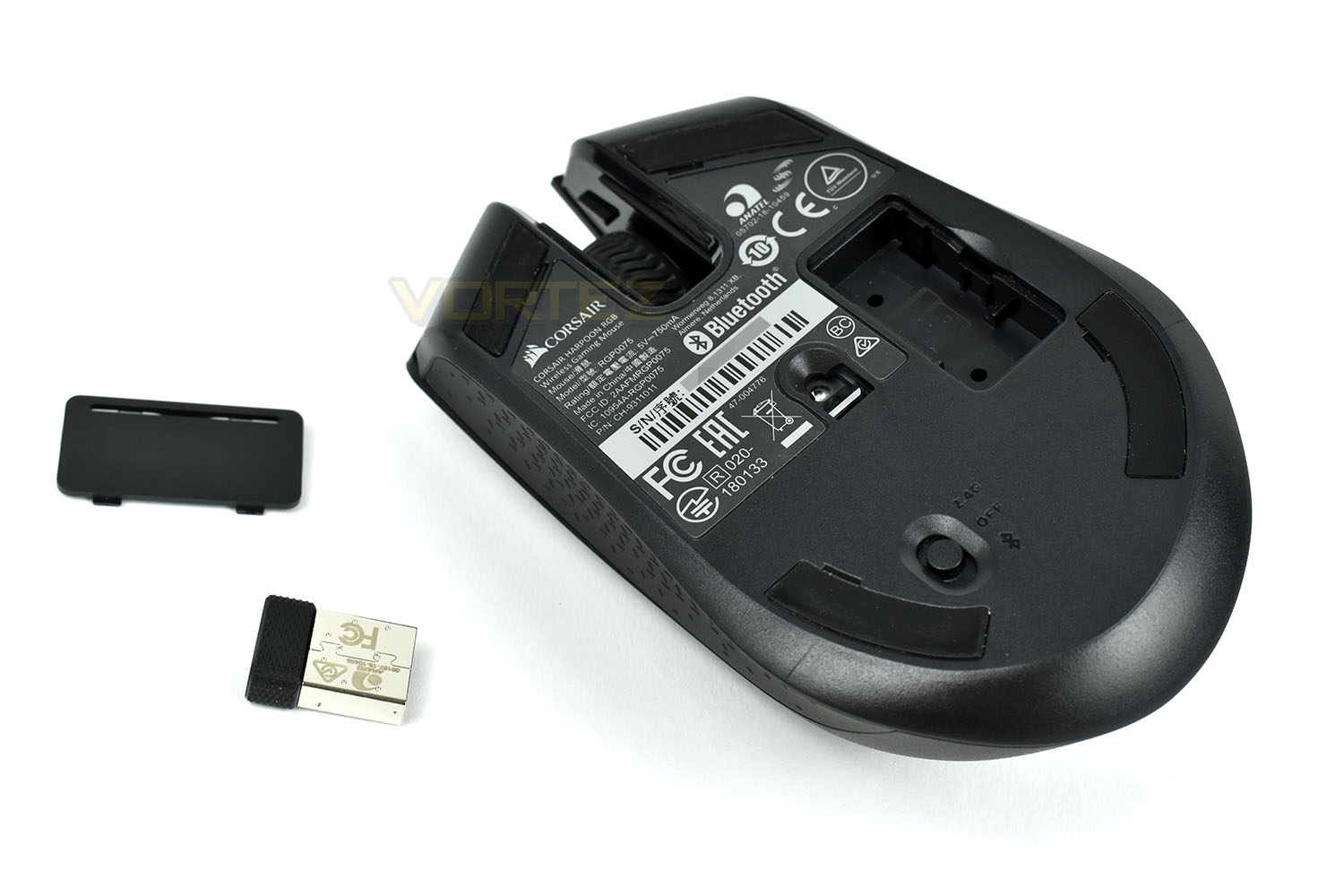
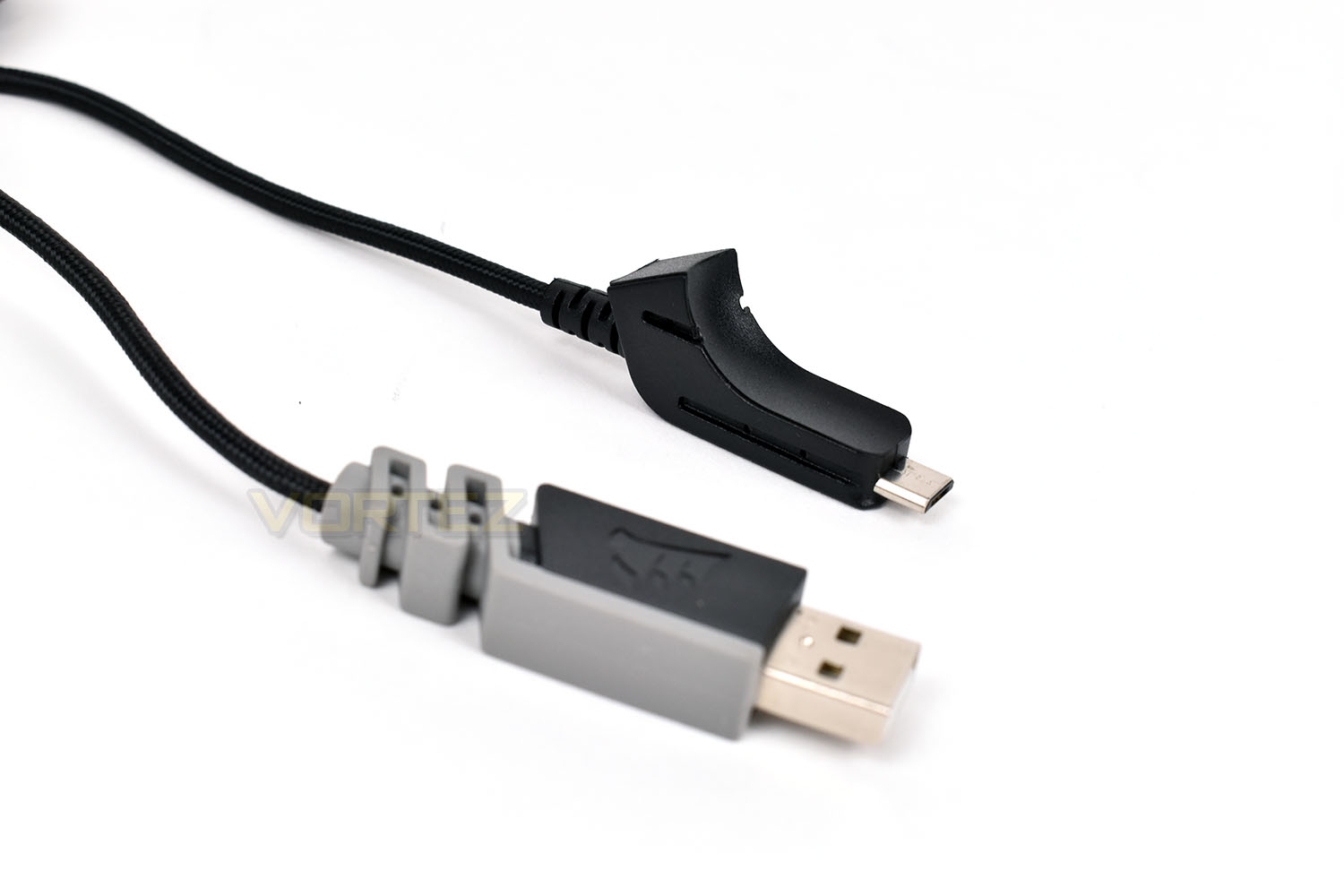
The 1.8M cable is braided for longevity, with a unique moulded adapter for ensuring a solid connection to the Harpoon.
Software
The Corsair Harpoon RGB Wireless uses Corsair’s latest iCUE software for all customisation but will function without the software in wired mode.Here’s a short video showing what the software can do.
Performance Testing
Starting with the setup, this genuinely couldn’t have been any easier. You flick the switch on the underside to the 2.4GHz option and plug in the USB receiver. Within about 2 or 3 seconds, they’d synchronised and were ready to go. Connecting via Bluetooth was similarly as painless, taking only a few seconds. Making the experience even more pleasant was finding the mouse was already juiced up with 95% battery capacity.Build quality, which Corsair are well-known for within the PC industry, is, as expected, not an issue at all. The mouse feels robust enough to deal with hour after hour of use.
Moving onto comfort, which we’d argue is the most important aspect of any mouse; you must be happy using it for any of the optical sensor or lightweight designs to be fully appreciated. The smooth plastic shell is formed very well and suits the hand almost perfectly for any of the three main grip types. The rubber sides help aid grip for longer sessions, or when your PC has pumped out enough hot air to raise the room temperature enough to cause perspiration in your palms. Our only concern in terms of design, and this will be difficult to describe, are the thumb buttons. The top shell overhangs the left side of the mouse slightly, causing an abrupt lip directly above the thumb buttons; because of this, it’s sometimes difficult to press these buttons without catching the lip instead, though that depends entirely on where you rest your thumb while using the mouse.
Thanks to the OMRON switches, rated for 50 million actuations, the left and right mouse buttons feel crisp and responsive underneath the all-in-one top shell. The scroll wheel is quiet with a tactile and chunky click feel, so you get the best of both worlds there.
In terms of the sensor’s performance, we can’t find any information on the actual sensor used, but we can tell you it allows up to 10,000 DPI of accuracy and offers a smooth and enjoyable gaming experience. The DPI can be adjusted in steps of 100 DPI, from 200 all the way up to 10,000. Angle snapping can be toggled as well and pointer precision on a scale, with the software helping to smooth out and improve the sensor’s accuracy.
The mouse, despite its wireless connection, is capable of a 1000Hz polling rate thanks to the Corsair Slipstream technology, ensuring that all of your actions are translated into movement within a millisecond. We noticed absolutely no delay when using the mouse on the desktop or in game; it was easily just as reliable as a fully wired solution. The Bluetooth connection was a little different however, where it felt a tiny little bit more sluggish, but nothing you would really notice for desktop/office use. Our recommendation, in this case, would be to always use the provided dongle.
RGB lighting on this, with its single lighting zone (excluding the profile display on the DPI button) was vibrant and transitioned nicely. It wasn’t too bright that it caused a distraction but was bright enough to look good in the middle of the mousemat. The iCUE software compliments the RGB lighting well, with plenty of built in effects or the ability to create your own from the ground, up.
Lastly, the battery life, with claims of it lasting 60 hours seem to ring true. We used the mouse for just over three days and watched the battery life move from 95% to a little under 40% with a couple of lengthy gaming sessions on Battlefield V and War Thunder. We can safely say we put at least 30 hours onto the mouse. The vast majority of our testing, save for around 30 minutes on the Bluetooth mode, was using 1000Hz and the USB dongle with RGB illumination.
Conclusion
Corsair, as is generally the case, have nailed it once again with this mouse. Beginning with the price, at £55 in the UK and $50 in the US, there aren’t many proper gaming-orientated wireless mice around this price point, and certainly not with this level of performance.Firstly, there’s the 10,000 DPI optical sensor which we found to be brilliant for daily use as well as gaming; that sensor coupled with the Corsair Slipstream wireless technology provided a flawless gaming experience that we thoroughly enjoyed.
Comfort is certainly a strong suit of the mouse, suiting a palm grip very nicely, though Corsair could perhaps take a look at the layout of the top shell and the thumb buttons. The tactile OMRON switches are lovely to use and give a solid peace of mind with their 50M click rating. Even clicking the mouse 10,000 times a day, which is an awful lot, you’ll get roughly 13 years out of them.
RGB lighting, which is something many people actively look for these days, is a little lacklustre on this model, but we can fully understand Corsair’s choice to illuminate only a single zone to conserve battery life and reduce weight.
As a roundup, we’d be perfectly happy using the Harpoon Wireless RGB as a daily driver, especially if we were on the move often, the sensor, wireless transmission and battery life are all brilliant, especially for a mouse with this price tag.
Pros
+ Solid connection
+ Easy set up
+ Good battery life
+ Excellent gaming performance
+ Comfortable shape
+ Good value
+ Bluetooth, 2.4GHz or wired connections
Cons
– Awkward thumb buttons
– RGB lighting lacks any “oomph”
+ Solid connection
+ Easy set up
+ Good battery life
+ Excellent gaming performance
+ Comfortable shape
+ Good value
+ Bluetooth, 2.4GHz or wired connections
Cons
– Awkward thumb buttons
– RGB lighting lacks any “oomph”
Click here for an explanation of our awards at Vortez.net.
Stay connected with the Vortez Social Media pages:
Join in with the discussions on Discord