The K95 RGB PLATINUM is Corsair’s latest flagship mechanical keyboard that adopts a ‘no-compromise’ approach to durability and functionality to achieve next-level performance.

Product on Review: Corsair K95 RGB PLATINUM
Manufacturer and Sponsor: Corsair
Street Price: UK: £189.99, US: $199.99
It has been quite some time since the flagship mechanical keyboard from Corsair has had any attention. The K95‘s first inception had an entire additional panel of 18 dedicated macro keys, and really screamed for the attention of gamers. Cutting back a little on the dedicated macro keys, and desk space, the K95 RGB PLATINUM brings a whole new meaning to what a no-compromise gaming keyboard is all about.
From the get go, Corsair weigh in offering the K95 RGB PLATINUM in two, very sensible flavours: Cherry MX Brown, which are silent, tactile type switches (and a personal favourite here at Vortez). Or Cherry MX Speed Silver, which are very fast, responsive linear type switches with just a 1.2mm actuation (compared to the standard 2mm), so basically Red but on steroids.
The frame itself is made from aircraft-grade aluminium that is brushed and anodised black (also available in gunmetal in North America). It features 6x dedicated macro keys, dedicated media keys, 100% full anti-ghosting, 100% fully programmable keys, and fully customisable per-key RGB back-lighting along with a new 19 RGB LED LightEdge feature. By default the dedicated macro keys feature a contoured, textured key-cap to ensure complete awareness to prevent accidental keystrokes. Inside the packaging, Corsair also include additional WASD (FPS), and QWERDF (MOBA), textured keycaps, as well as a wrist-rest that features two different textured surfaces.
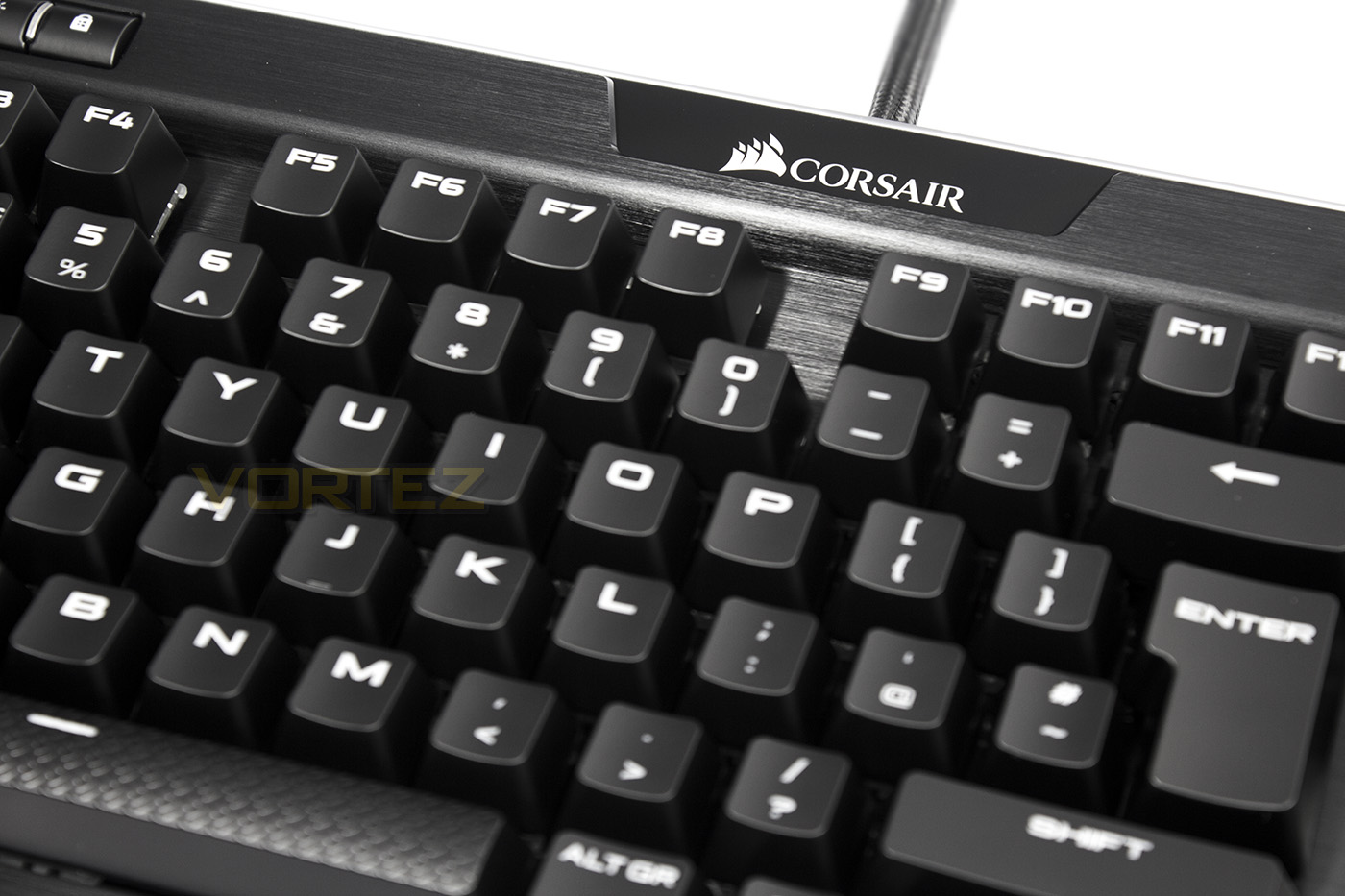
Overview by Corsair
The K95 RGB PLATINUM takes CORSAIR performance to another level. It’s a premium, best-in-class mechanical gaming keyboard for the hardcore gamer who doesn’t settle for anything less than the best of the best in gaming peripherals, demands premium material finishes, the highest durability, functionality and unreal performance. We listened to customer feedback and responded with the keyboard that will even perfectly their style and demands.
Technical Specifications
Key Switches:
Cherry MX Speed RGB, mechanical, 45g actuation force, 1.2mm actuation distance.
Cherry MX RGB Brown, mechanical, 45g actuation force, 2.0mm actuation distance.
Guaranteed durability for >50M keystrokes, gold cross-point contacts
Backlighting: Individually lit keys and per key programmable; 19-zone fully programmable LightEdge
Chassis Color: Black
LED Color: RGB
USB Pass-through: Yes
Macro Keys: Yes, 6
Matrix: 100% anti-ghosting with full key rollover on USB
Onboard Storage: Yes, 3 profiles, fully customizable with actions and dynamic lighting effects
Media keys: Six dedicated multimedia keys, incl. Volume Up/Down roller
Windows Lock key: Yes
Wrist rest: Full length detachable, dual-sided, with soft touch finish
CUE (Software): Enabled
Cable: Braided Fiber
Dimensions: 465(L) x 171(W) x 36(H) mm / 18.3”(L) x 6.7”(W) x 1.40”(H)
Weight: 1.31 kg / 2.88 lbs.
Warranty: Two years
Cherry MX Speed RGB, mechanical, 45g actuation force, 1.2mm actuation distance.
Cherry MX RGB Brown, mechanical, 45g actuation force, 2.0mm actuation distance.
Guaranteed durability for >50M keystrokes, gold cross-point contacts
Backlighting: Individually lit keys and per key programmable; 19-zone fully programmable LightEdge
Chassis Color: Black
LED Color: RGB
USB Pass-through: Yes
Macro Keys: Yes, 6
Matrix: 100% anti-ghosting with full key rollover on USB
Onboard Storage: Yes, 3 profiles, fully customizable with actions and dynamic lighting effects
Media keys: Six dedicated multimedia keys, incl. Volume Up/Down roller
Windows Lock key: Yes
Wrist rest: Full length detachable, dual-sided, with soft touch finish
CUE (Software): Enabled
Cable: Braided Fiber
Dimensions: 465(L) x 171(W) x 36(H) mm / 18.3”(L) x 6.7”(W) x 1.40”(H)
Weight: 1.31 kg / 2.88 lbs.
Warranty: Two years
Packaging & First Look
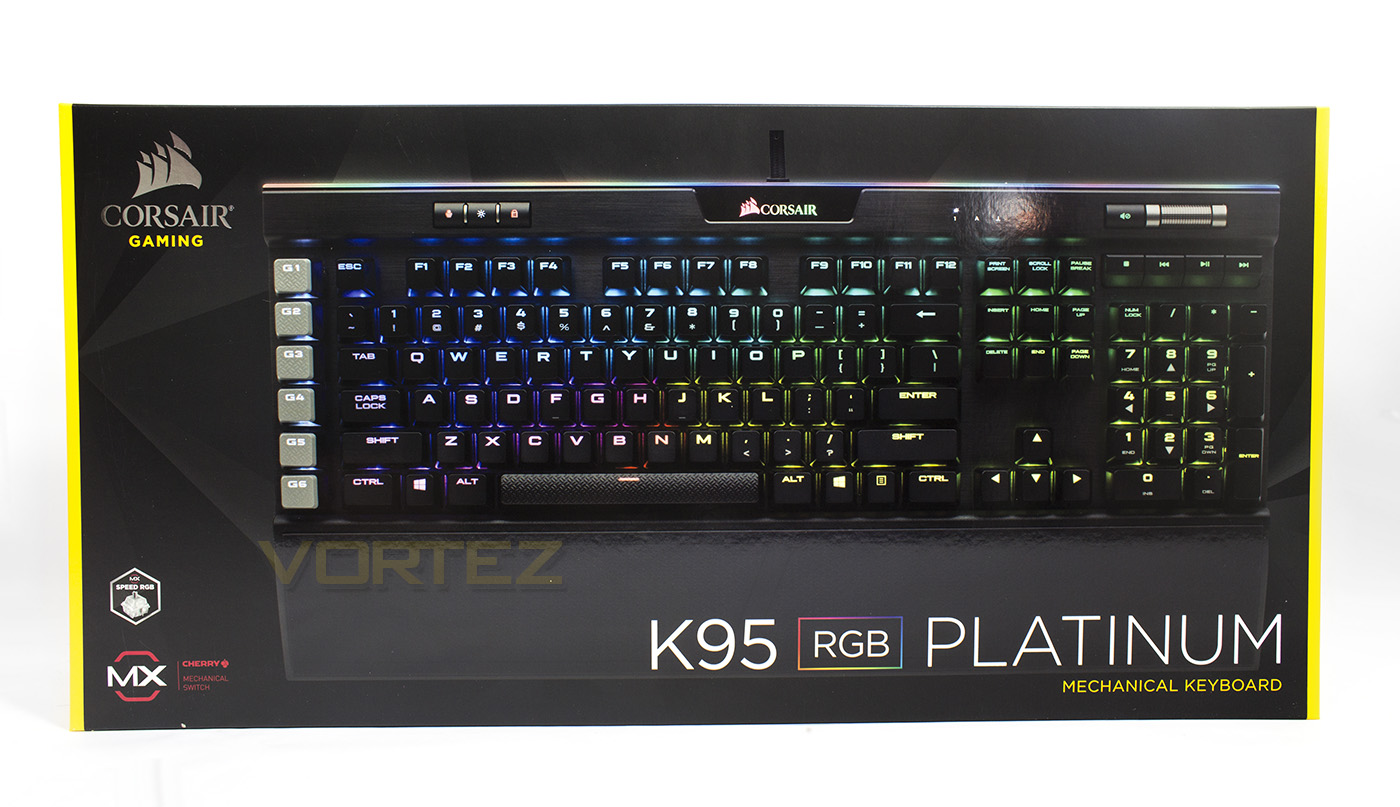
Corsair’s packaging has settled since the days where they were trying to steer their gaming line of products in various directions and now feels settled, distinguished and comfortable. The packaging is the Black with with bold yellow accents and is easily identifiable as a Corsair product. There is a large image of the product on the front, with the model name and which mechanical switches it uses.
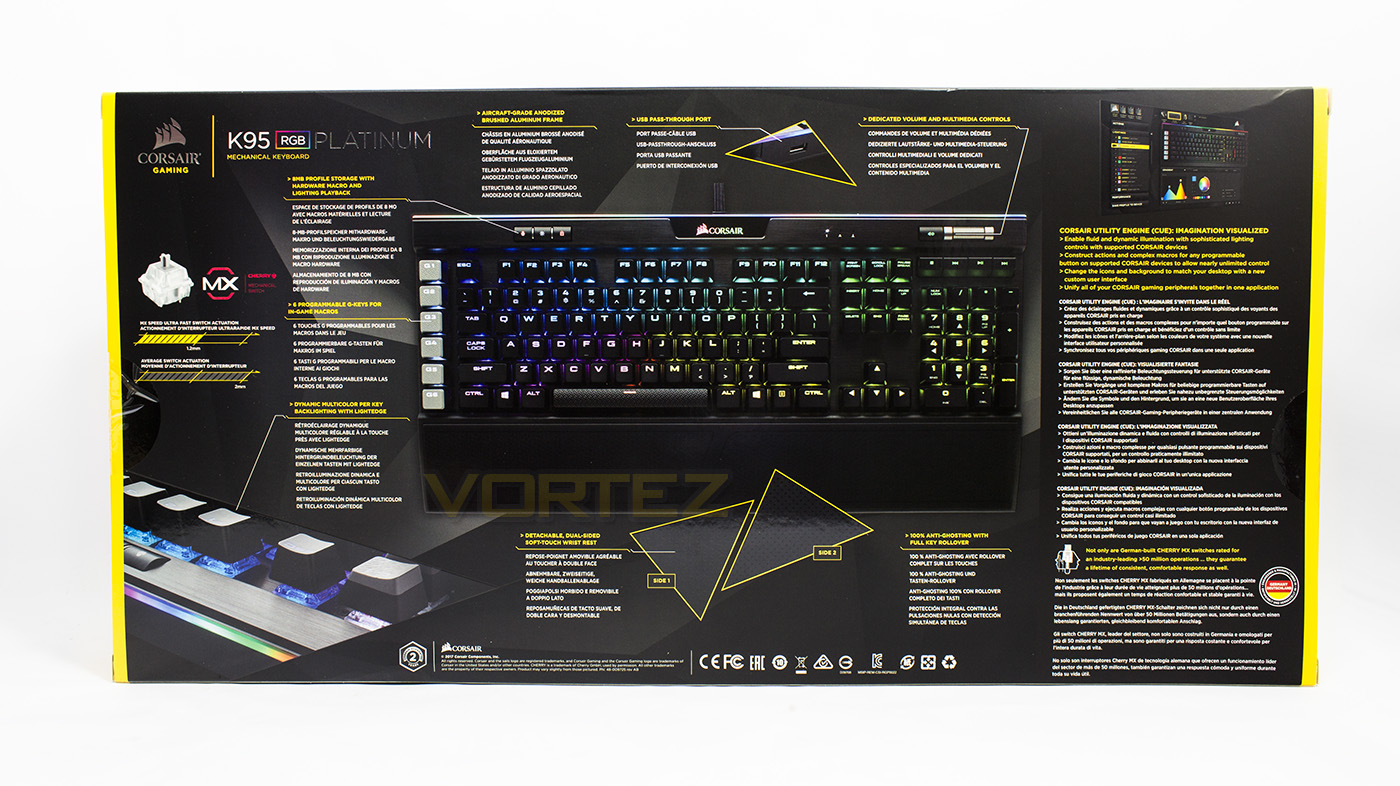
The reverse side gives a multi-lingual breakdown of its various features, as well as giving information about the mechanical switch types, the different sides to the wrist rest as well as discussing the new CUE software.
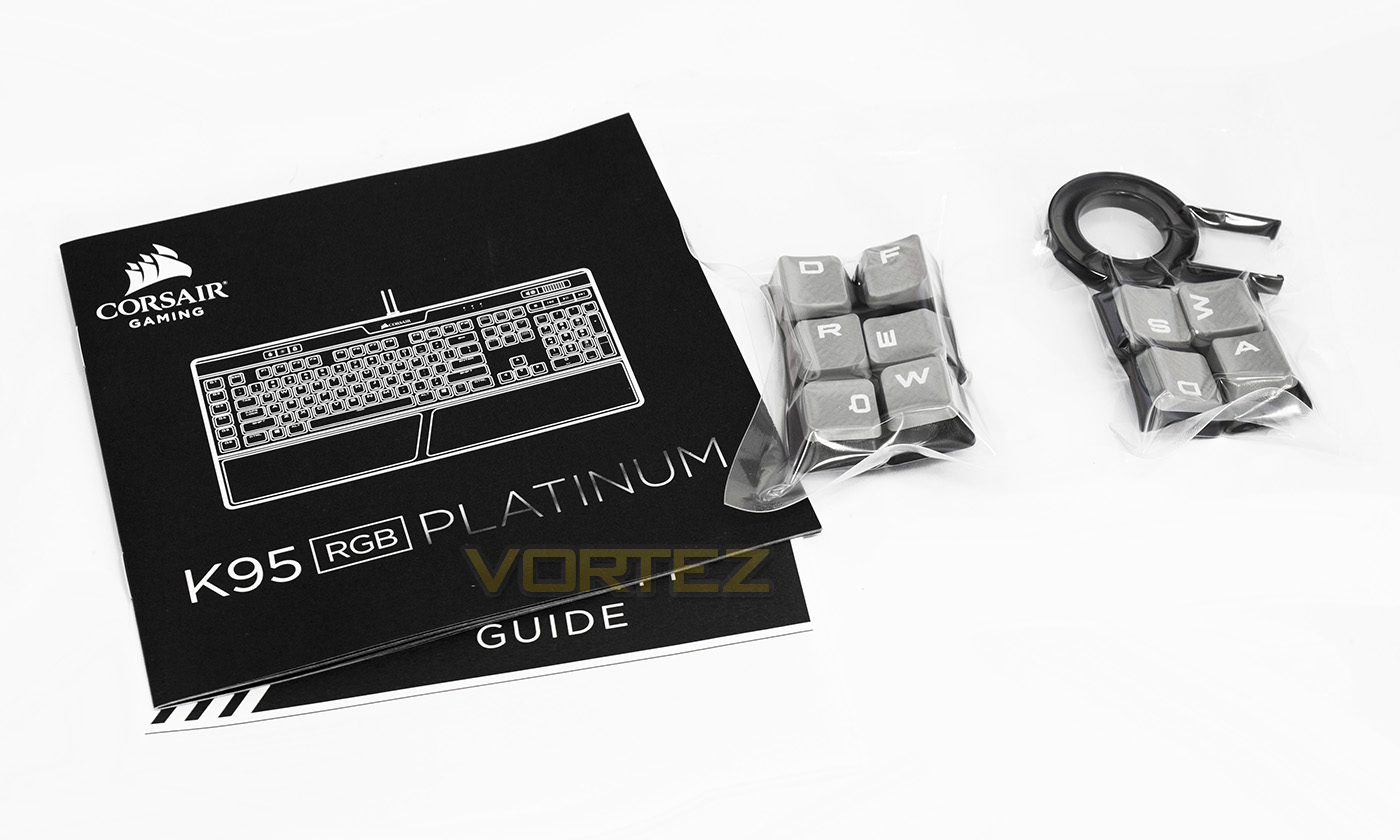
Sitting underneath the keyboard is a small, optical disc sized yellow box, inside that box you will find the quick-start guide, warranty information, and the additional keycaps, and keycap remover.
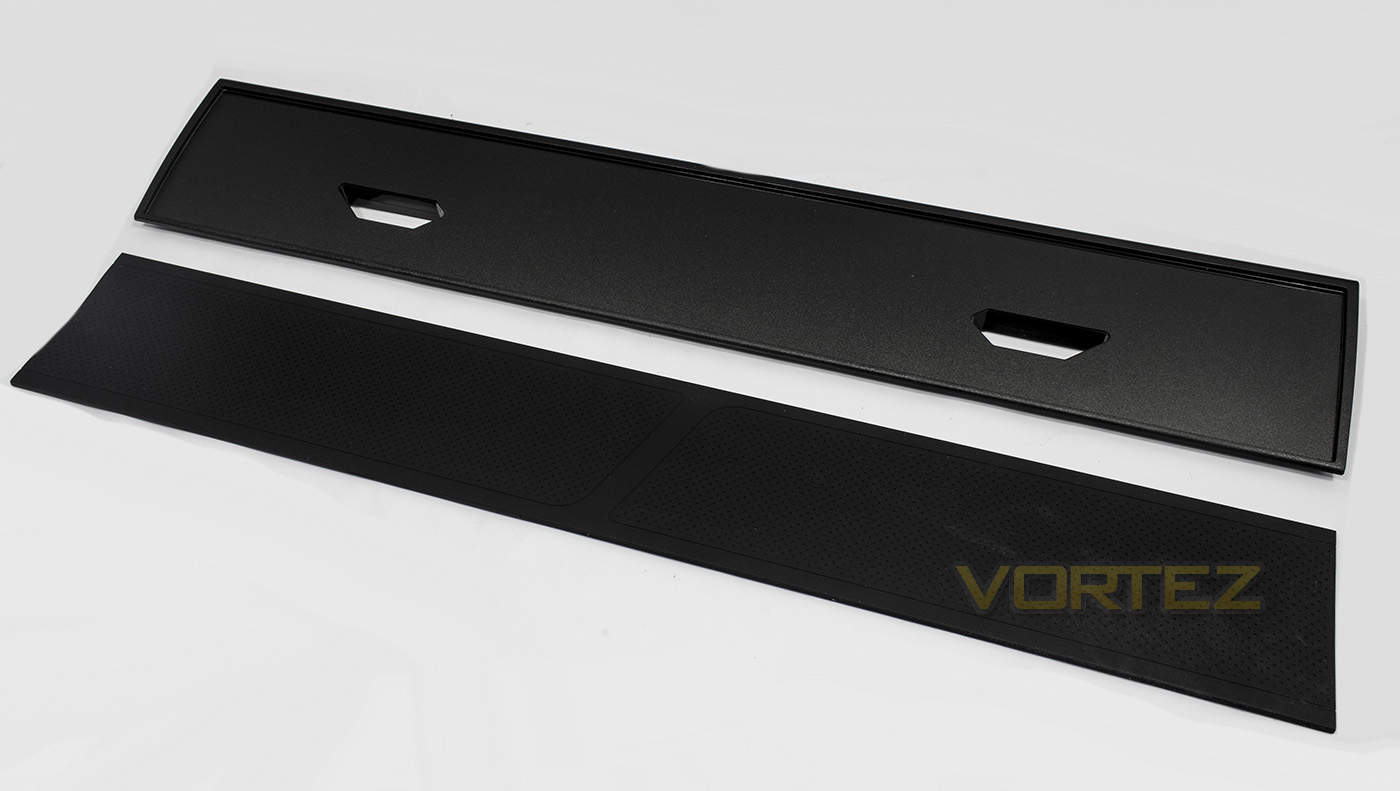
Again, sitting underneath the small accessories box, you will find the protective cardboard sleeve for the wrist rest. The wrist rest features a removable rubber insert that has a ‘hard’ side and a ‘soft’ side, though it seems to be more like a ‘smooth’ side and a ‘rough’ side to me. Unfortunately, the wrist-rest attaches to the frame by plastic hinges, rather than magnets.
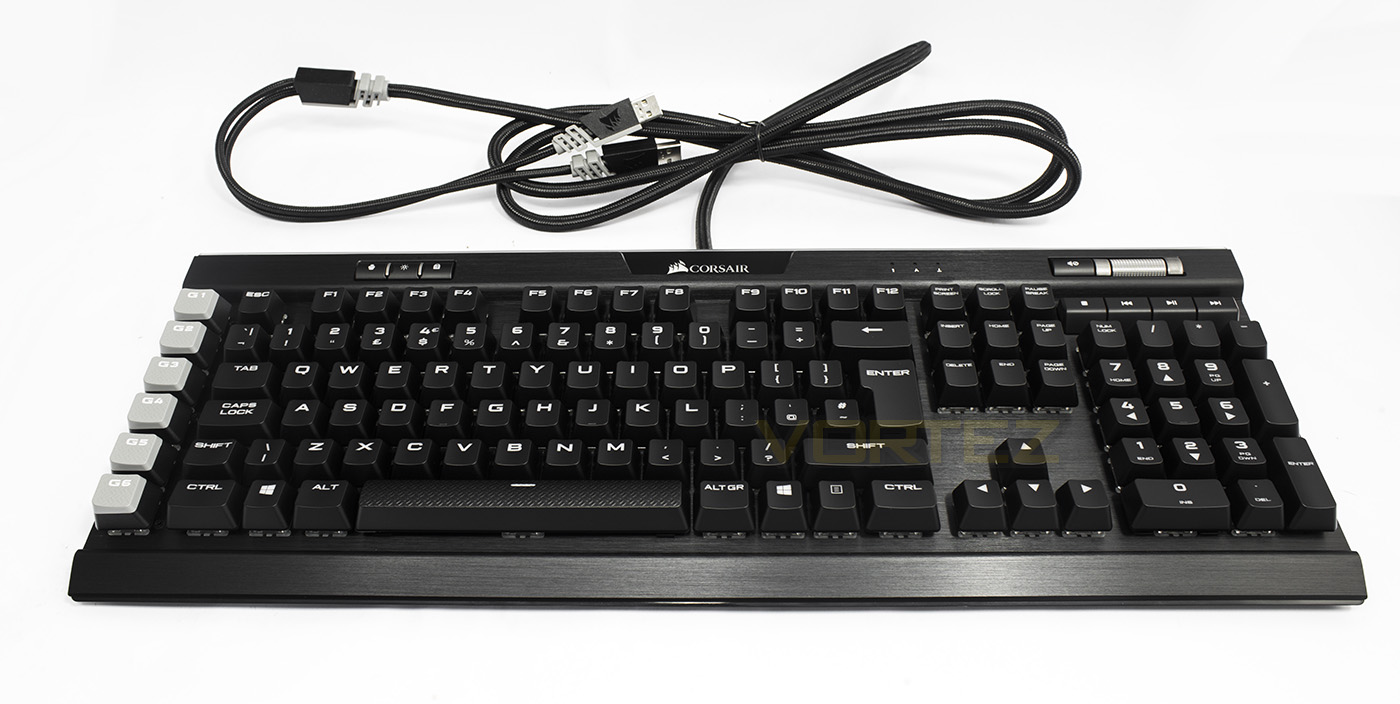
The K95 RGB PLATINUM has a very sleek, well rounded finish that is not too dissimilar to the current K70 model, though as it is a little wider, it will not be compatible with the Corsair Lapdog. The overall finish is sleek, and more coherent than the older K95. The additional features like the textured space-bar, the macro keys, and the media key placements, just seems satisfying without being messy.
Closer Look
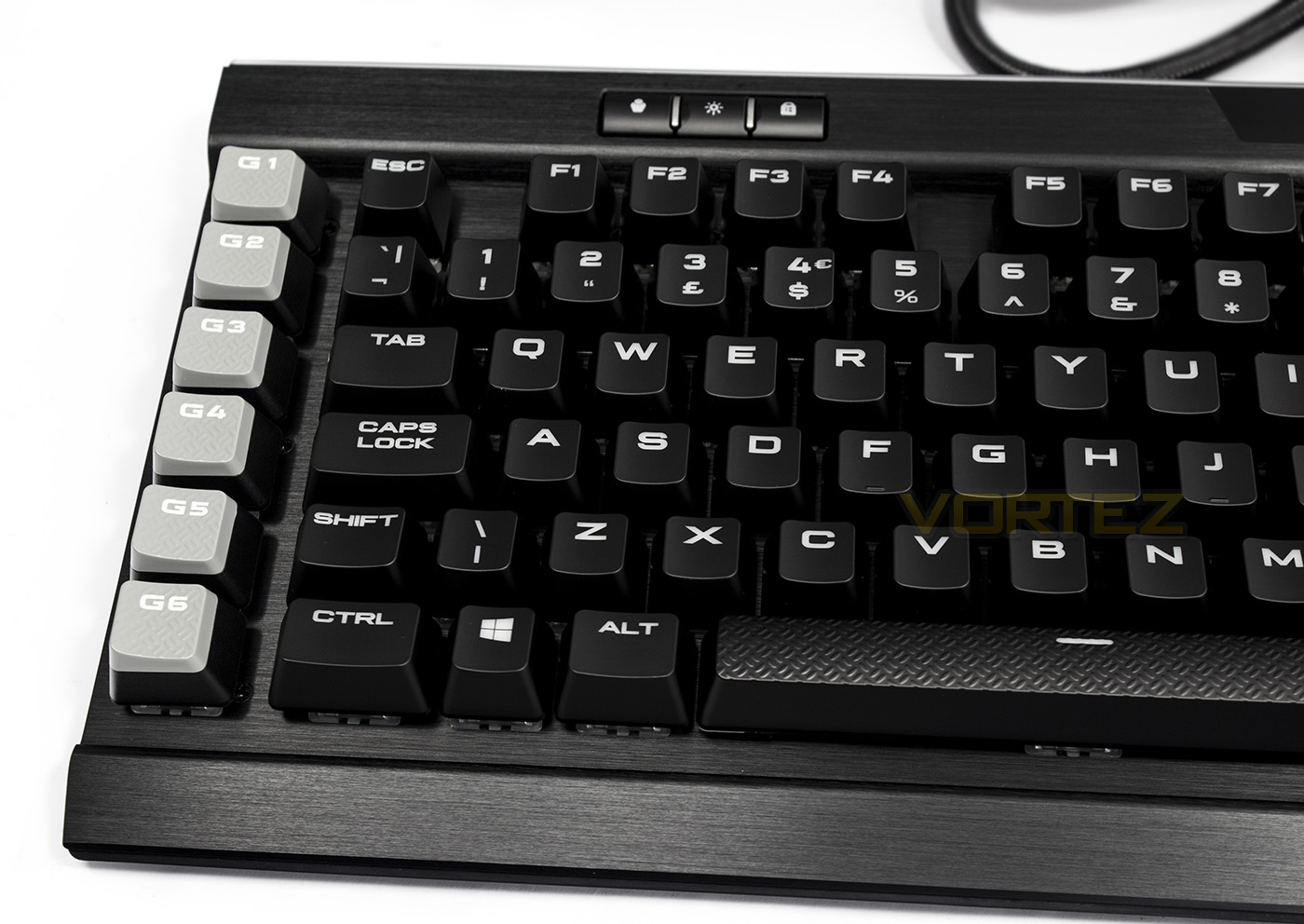
Keyboards with a row of macro keys on the left hand side are often accidentally pressed as they are either placed with very little space between the left control line, and/or the key-caps are the same texture feeling as every other key-cap, making it difficult to differentiate between the macro key, and the commonly pressed ESC, or CTRL keys. So, Corsair have chosen to head their macros with a rubberised, textured, and contoured key-cap, that not only look remarkably different, but feel different, reducing the likelyhood of accidental actuation.
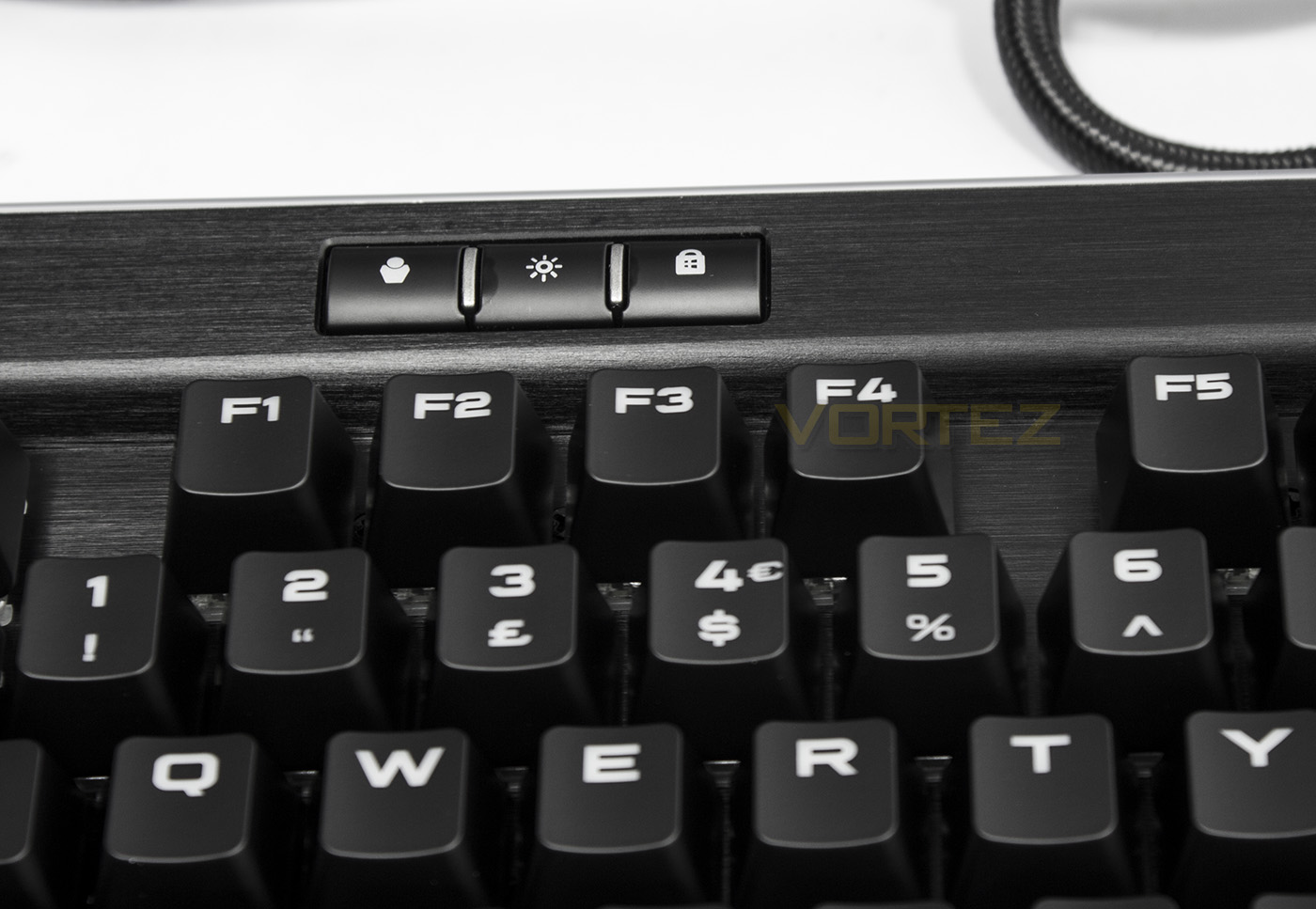
The top left side of the K95 RGB PLATINUM features a line of 3 keys, one for profile toggling, one for LED brightness, and one as a dedicated Windows key lock.
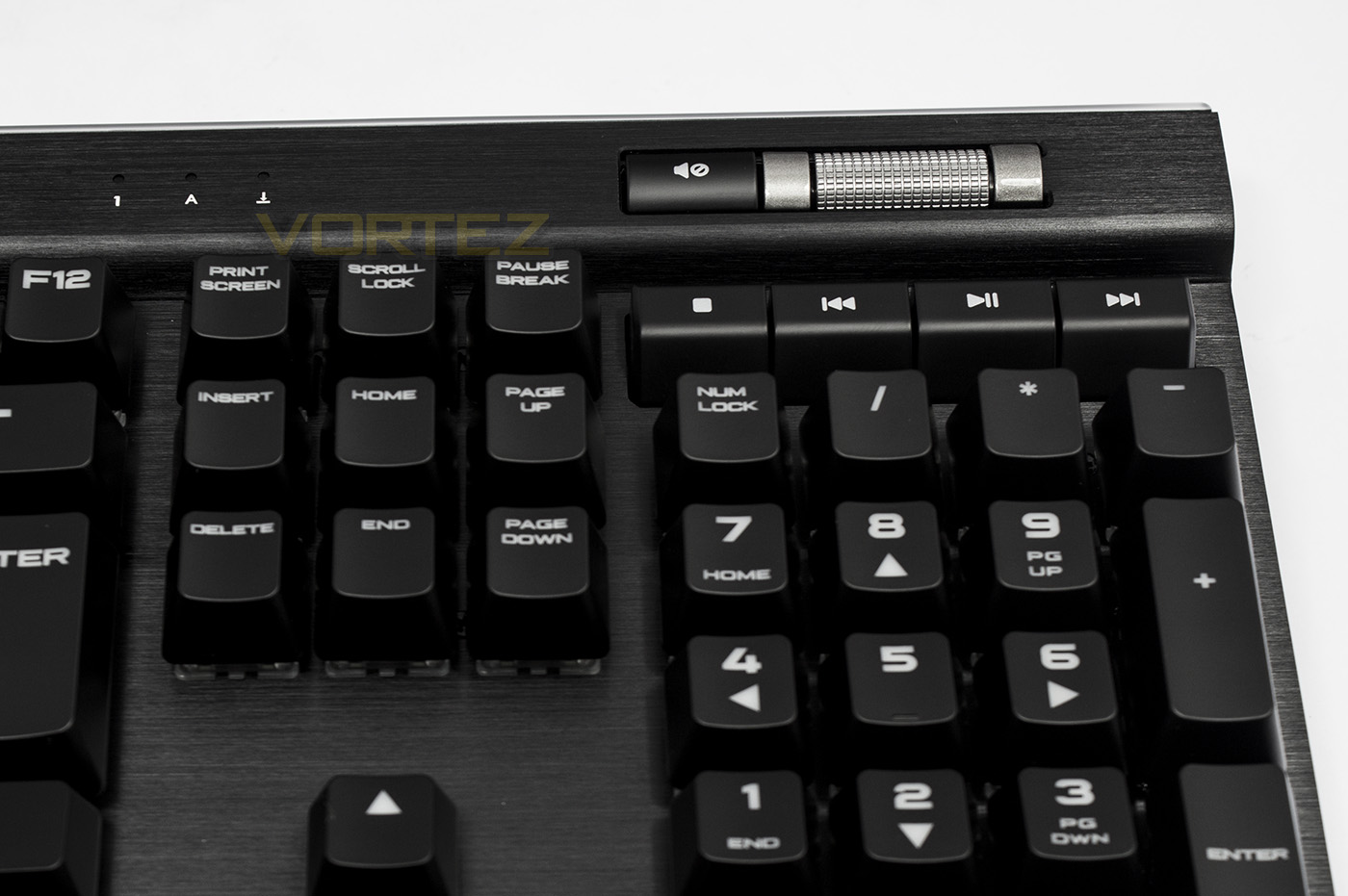
On the top right side, there are dedicated media keys, including volume mute, a volume up/down roller, as well as stop, play/pause, previous, and next buttons. These keys are set to be lower profile than that of the primary numpad area to prevent any accidental blind presses.
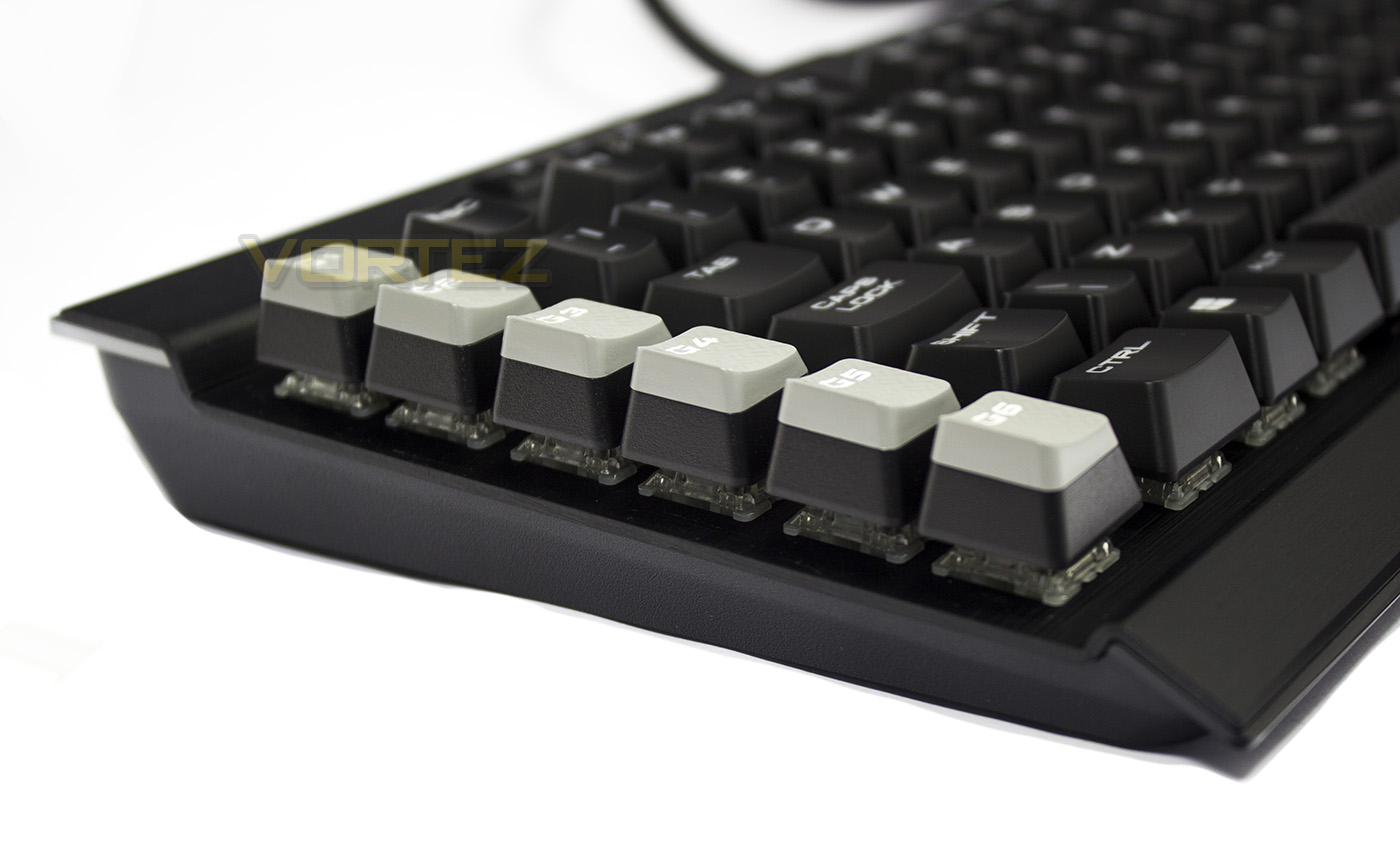
As expected, the frame features a slight wedge shape, gradually getting higher towards the rear. The Macro key-caps are slightly taller on the left side and reach peak of around 42mm in height, while the rest sits a few mm lower. Though relatively low profile for a mechanical keyboard, most will prefer to use this with a wrist rest.
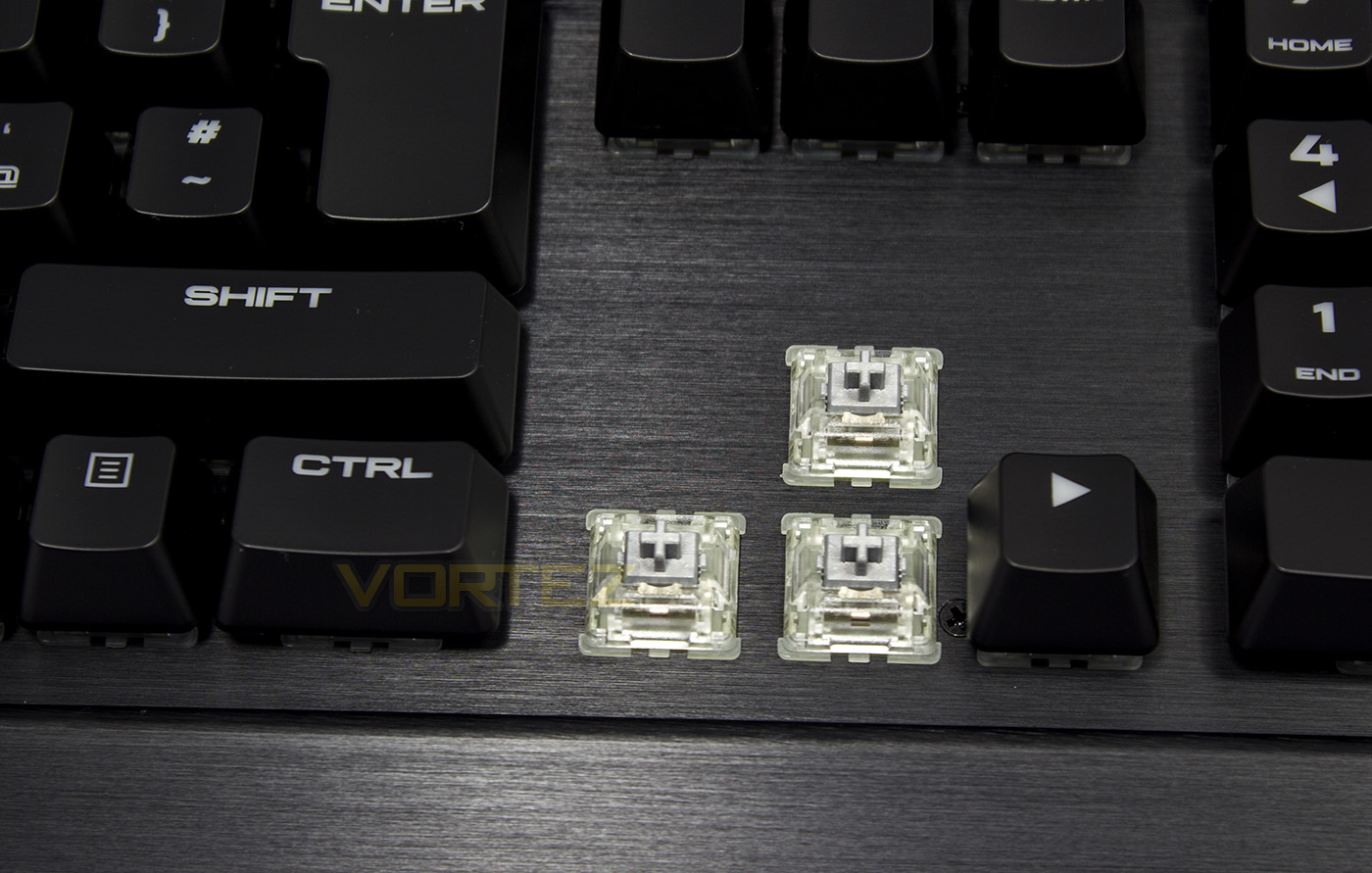
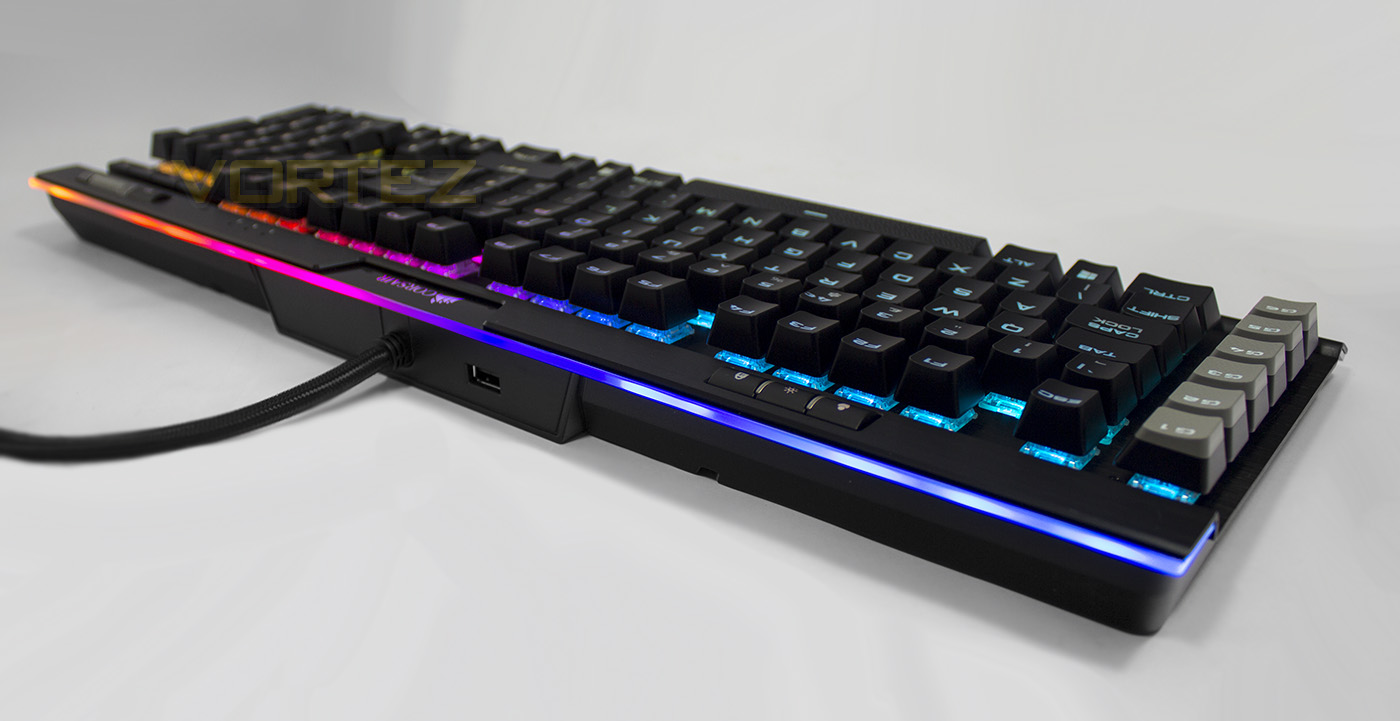
Being a RGB keyboard, the switches have a transparent housing, allowing better transmittance of the lighting. Our model of the K95 RGB PLATINUM features the Speed Silver switches from Cherry.
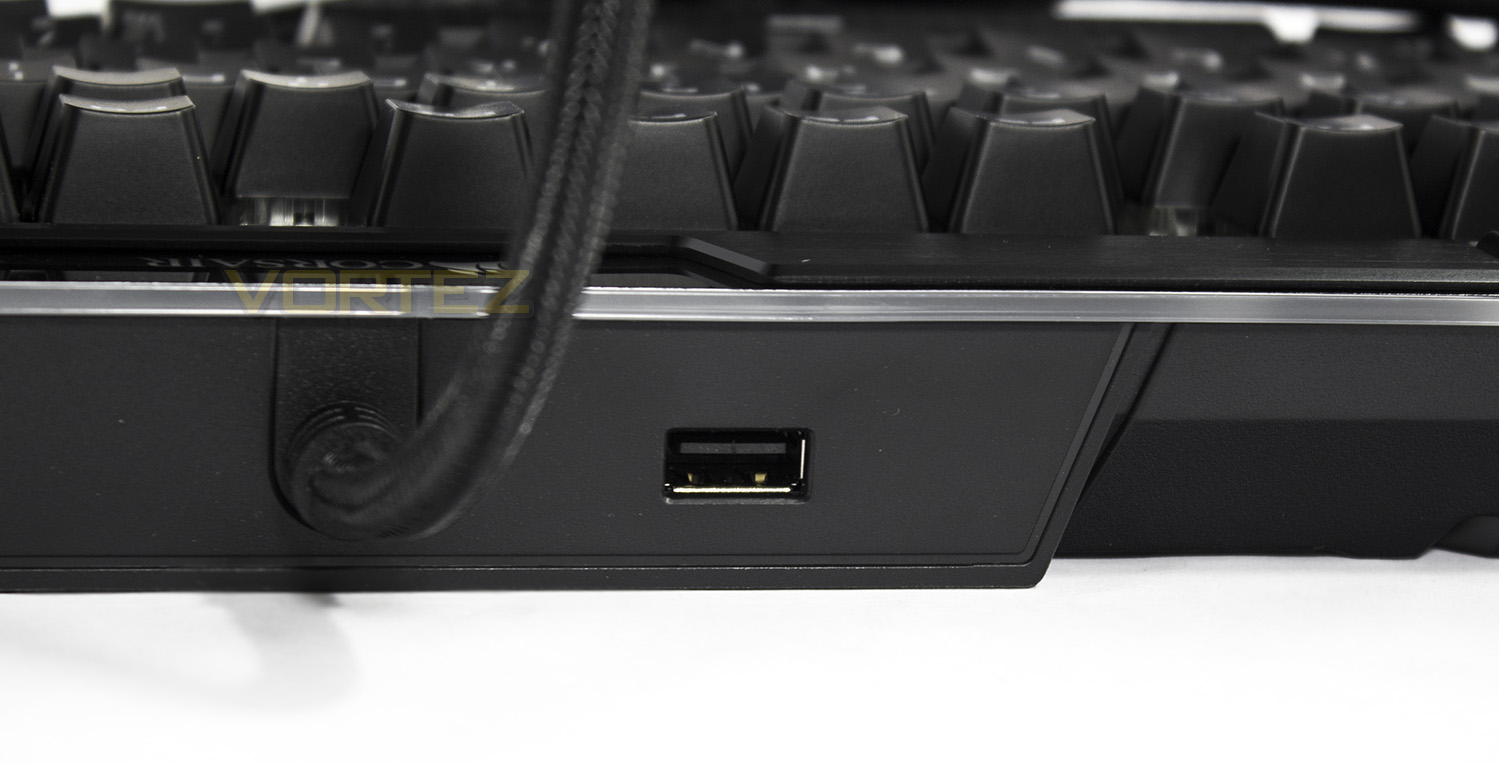
Here is an overlooked feature, a handy USB 2.0 pass-through. If you use this USB slot with the Corsair VOID USB headset, you can unlock additional, audio based lighting effects, including various EQ response effects.
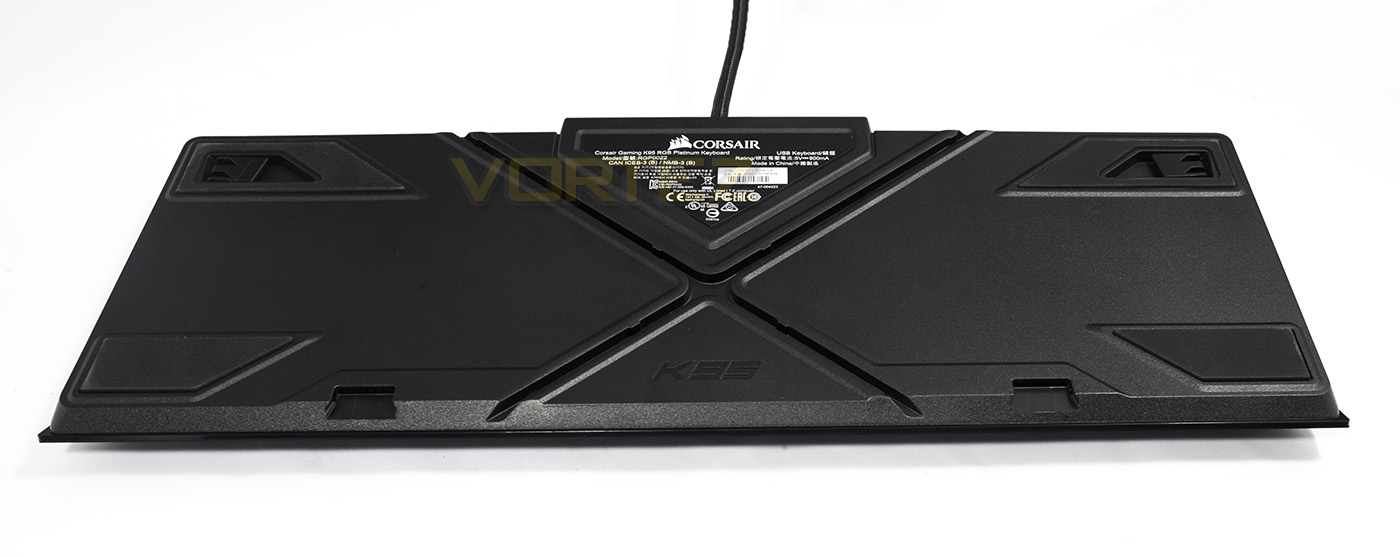
The underside of the K95 RGB PLATINUM features some large padded feet, to prevent it from slipping across your desk, the ever present angle adjustment feet. By now you would also have noticed the large cross of cable channels, which is to allow your headset cable to pass under the keyboard neatly without having to encircle it.
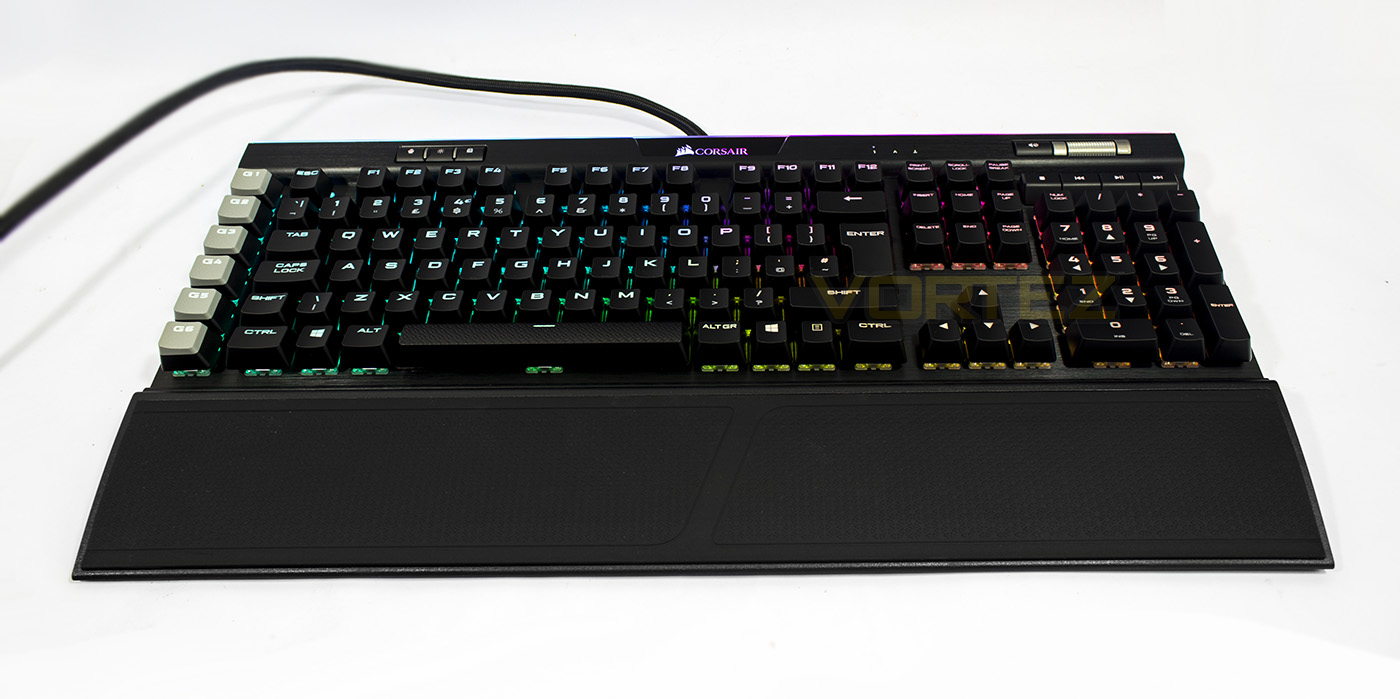
Complete with wrist-rest, the K95 RGB PLATINUM may look rather large, but overall it is a reasonable proportion for a standard desktop. Those that use small, space saving computer desks (the kind that give me nightmares) will certainly struggle with this one however so it is worth minding the dimensions as it measures around 465 x 250 mm, including the wrist rest.
Software & Lighting
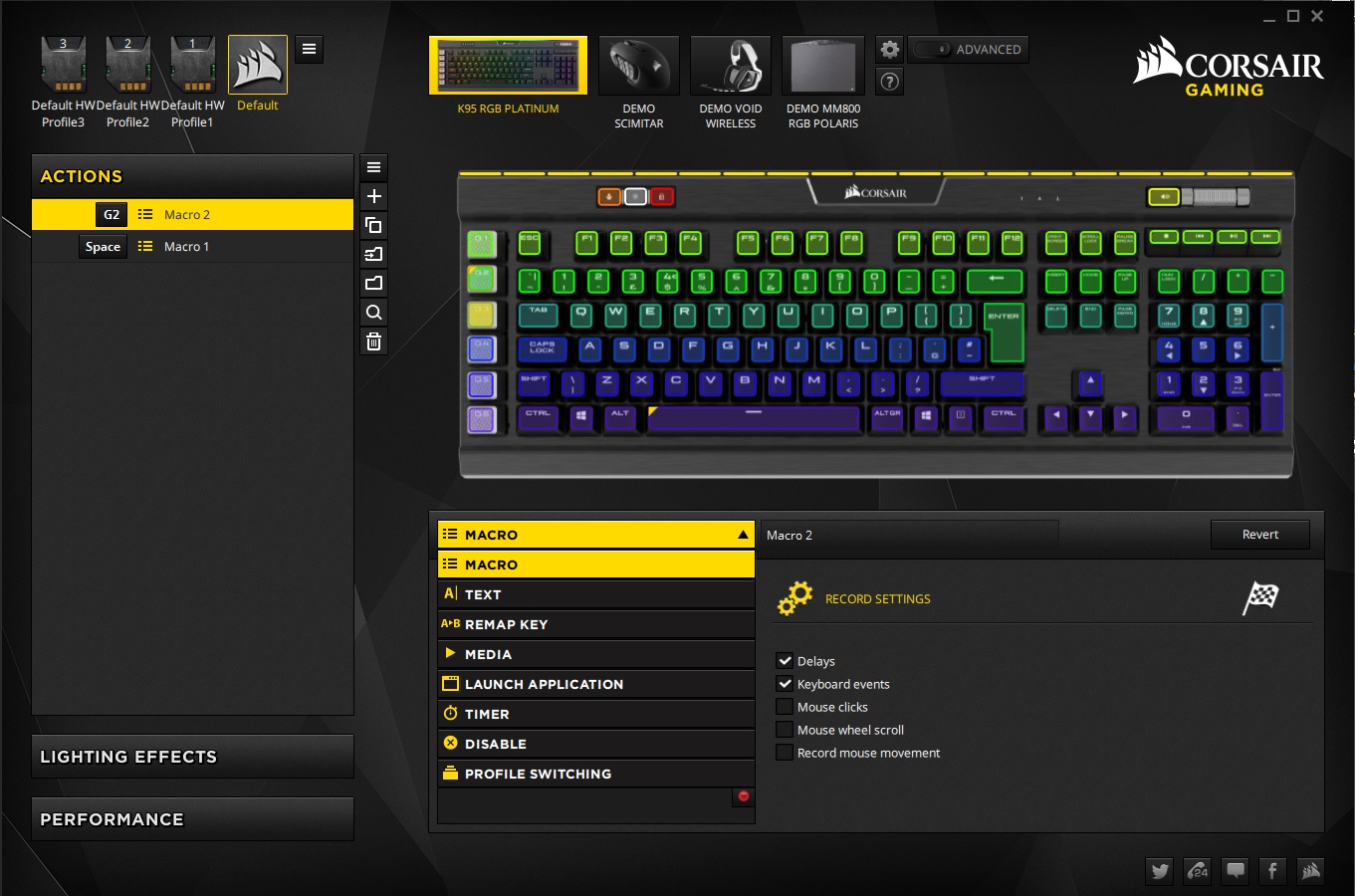
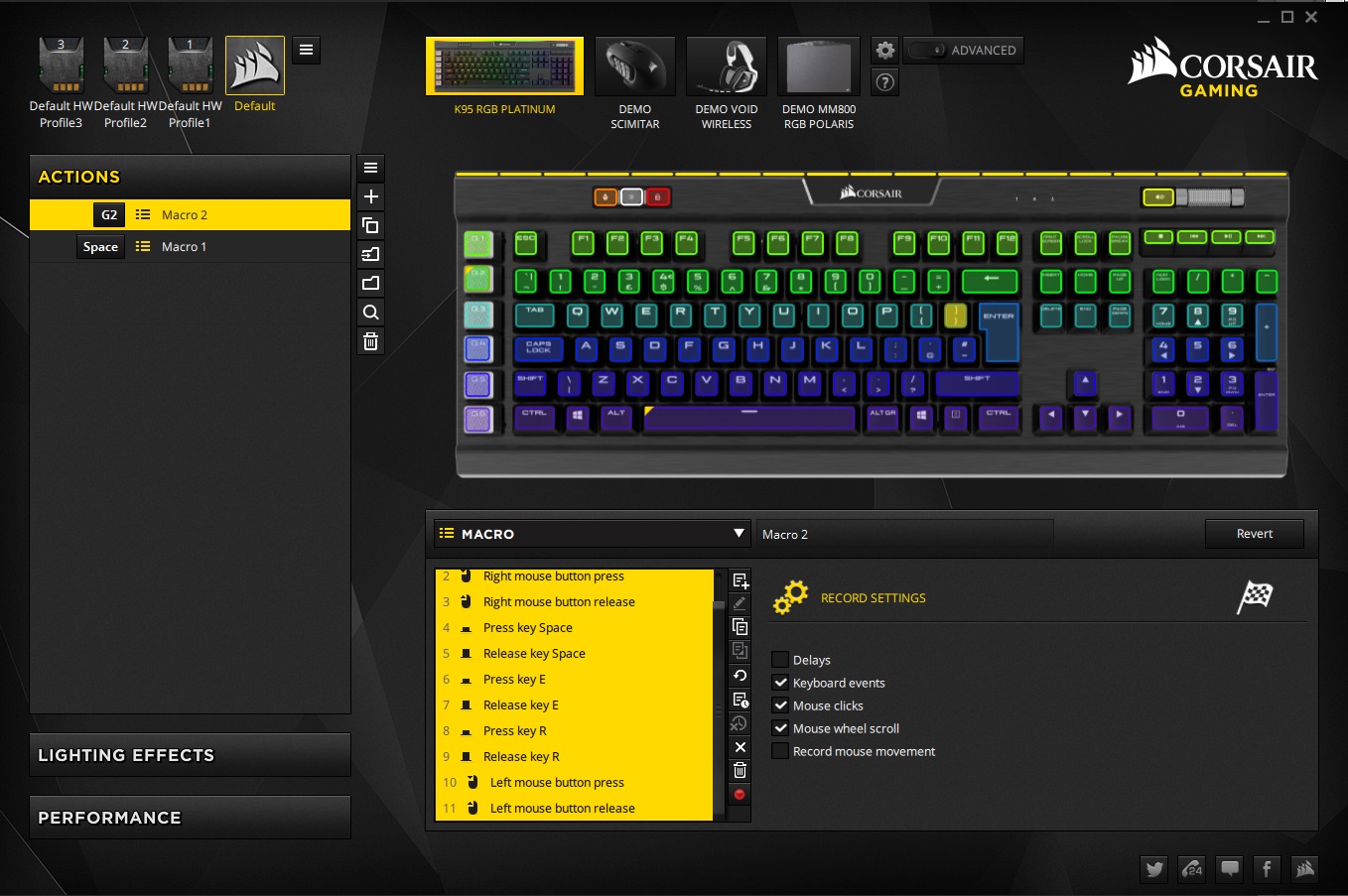
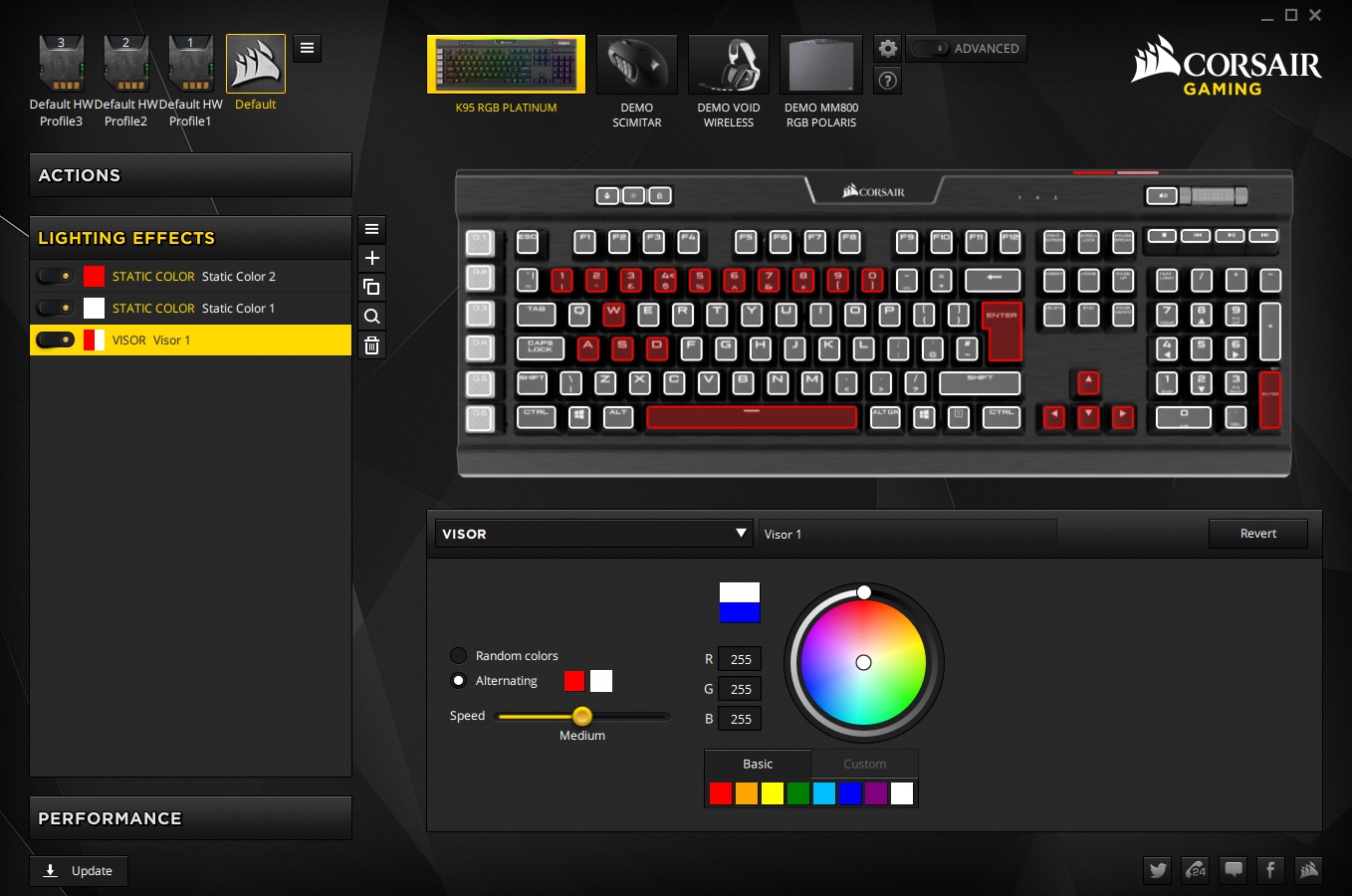
As with many peripherals, it isn’t essential to install the software drivers, but to access the full functionality, it is recommended that you do. The K95 RGB PLATINUM is supported by Corsair’s latest CUE software, featuring the new GUI. It is intuitive, easy to navigate, and even shows off the features of various other Corsair products (you can turn off the product demos by selecting ‘only show connected devices’ in the settings).
This software allows you to individually program each and every key on the K95 RGB PLATINUM with various commands, actions, shortcuts, keystrokes, and macros. The macro recorder is advanced and records various inputs from the keyboard and mouse, and even mouse position (if you wanted). It didn’t register my mouse side buttons, but if you remap their functions (if available in its supporting software) then it does.
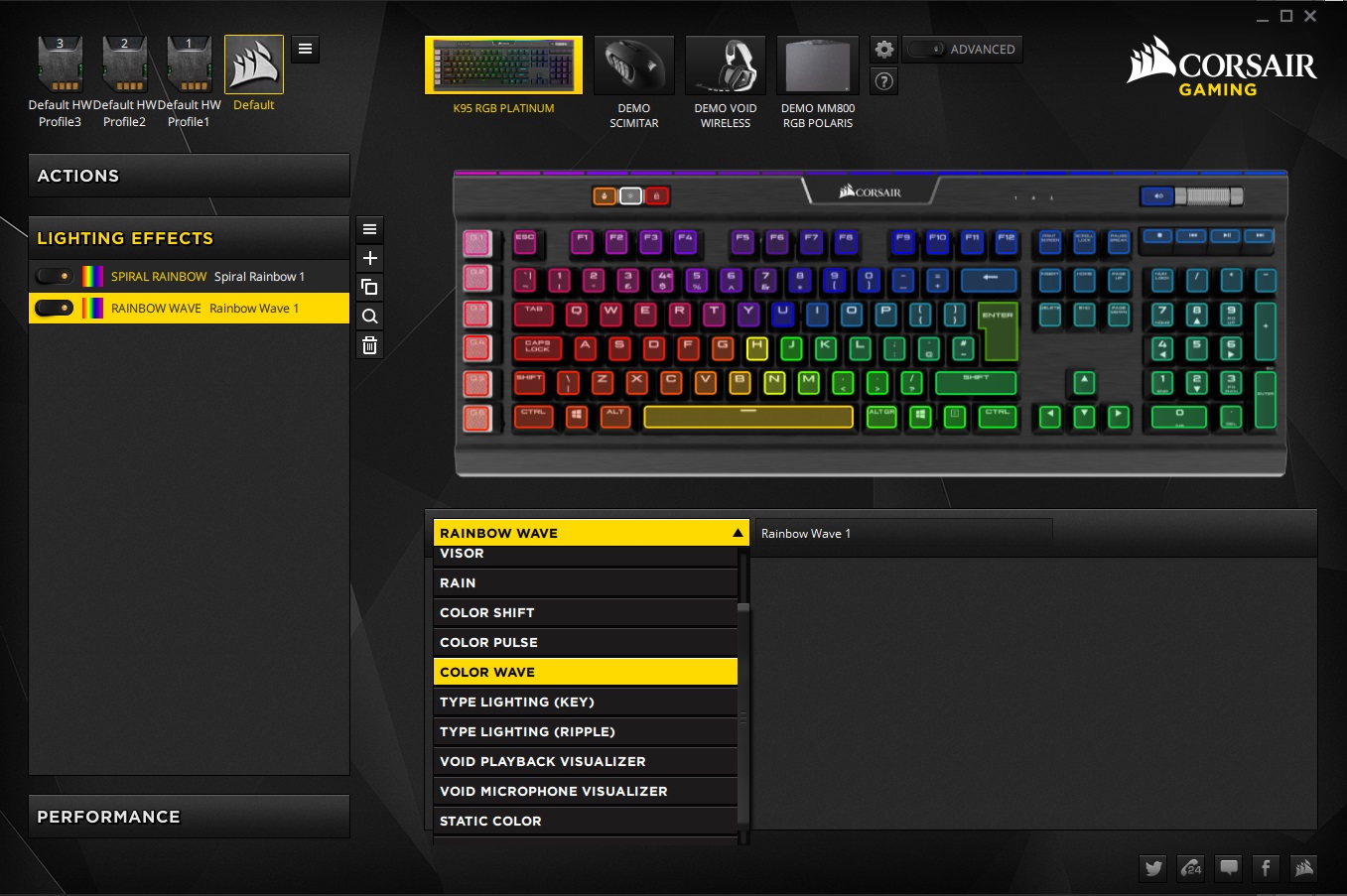
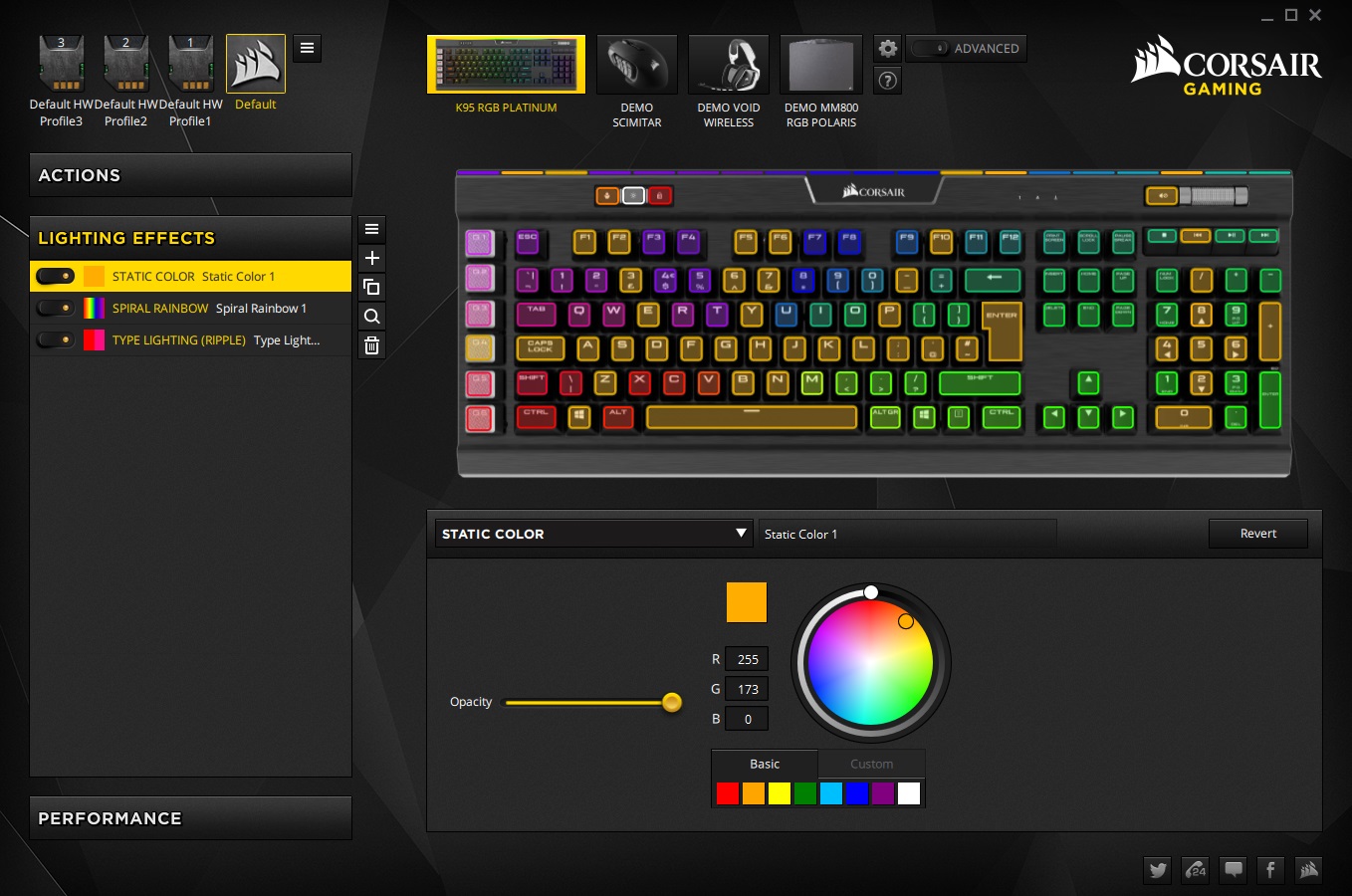
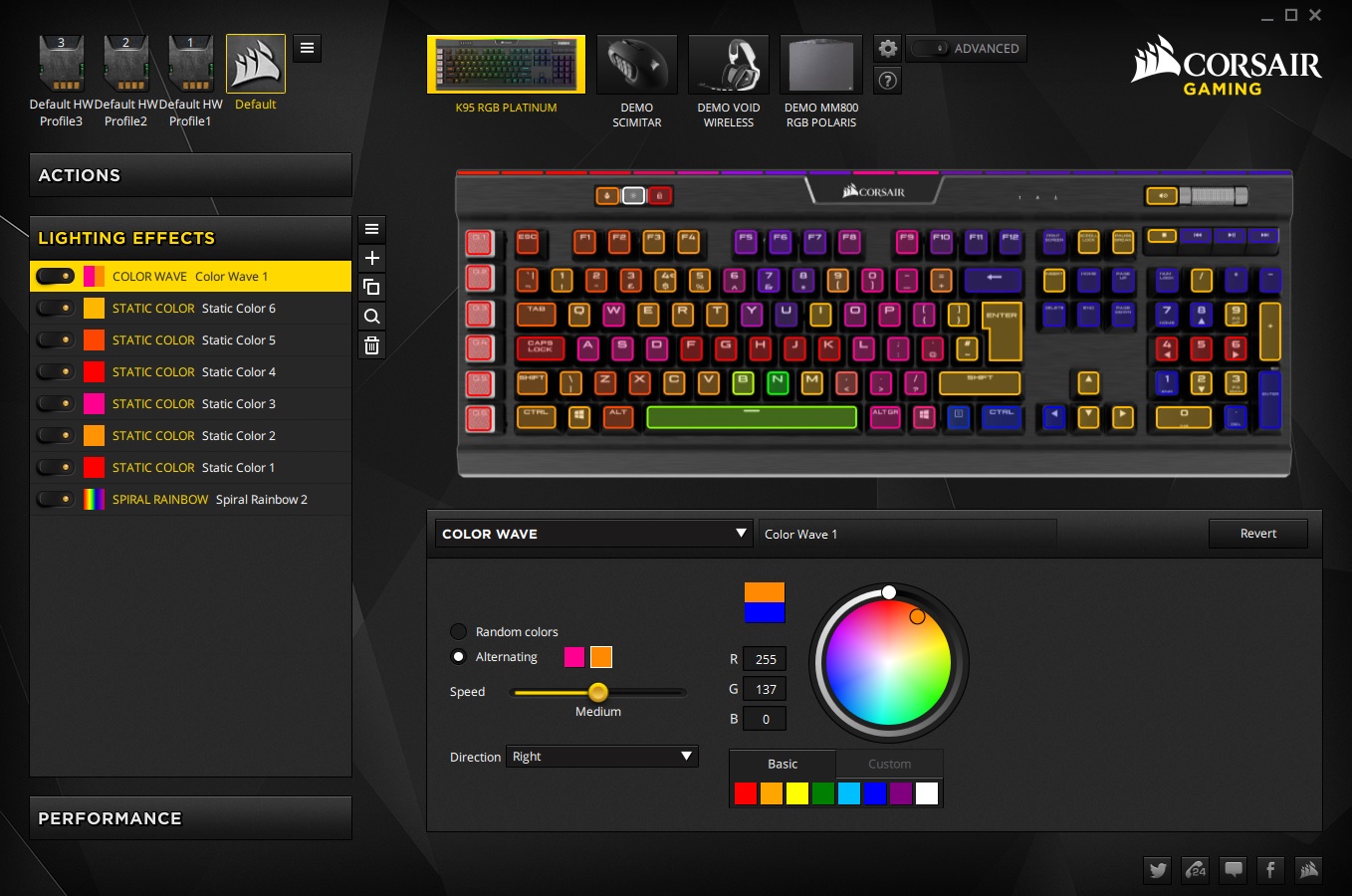
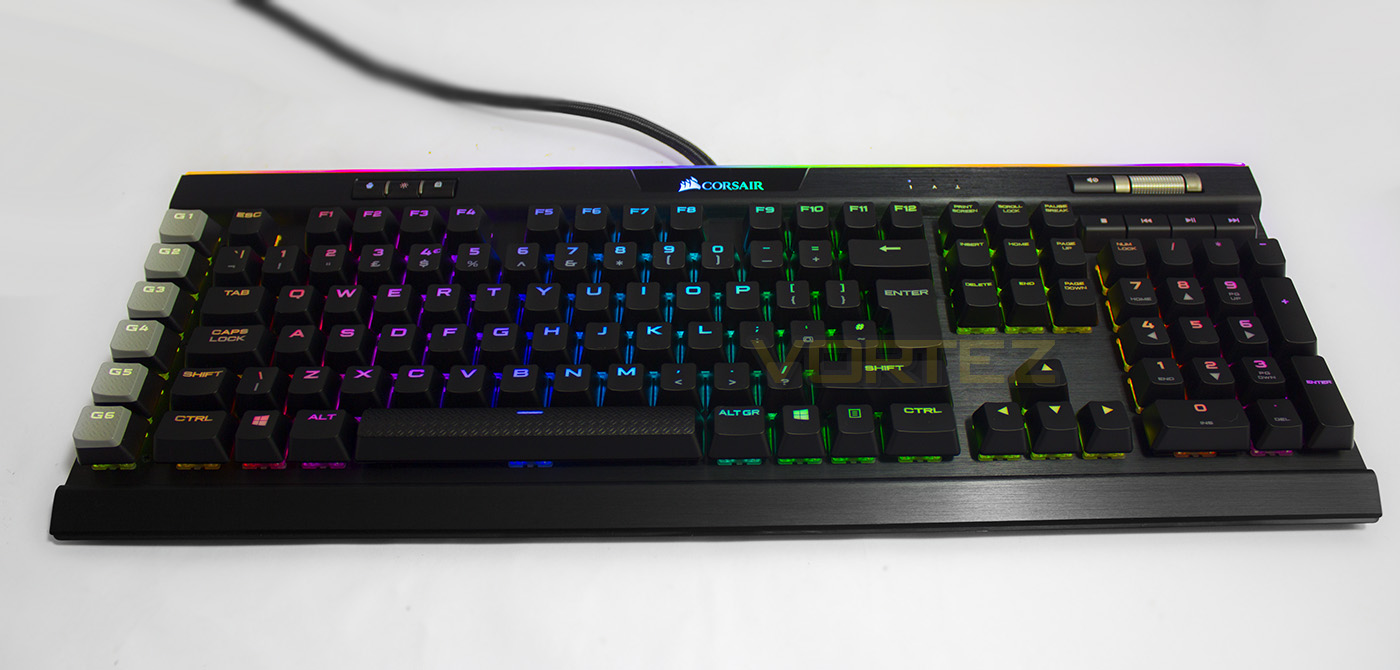
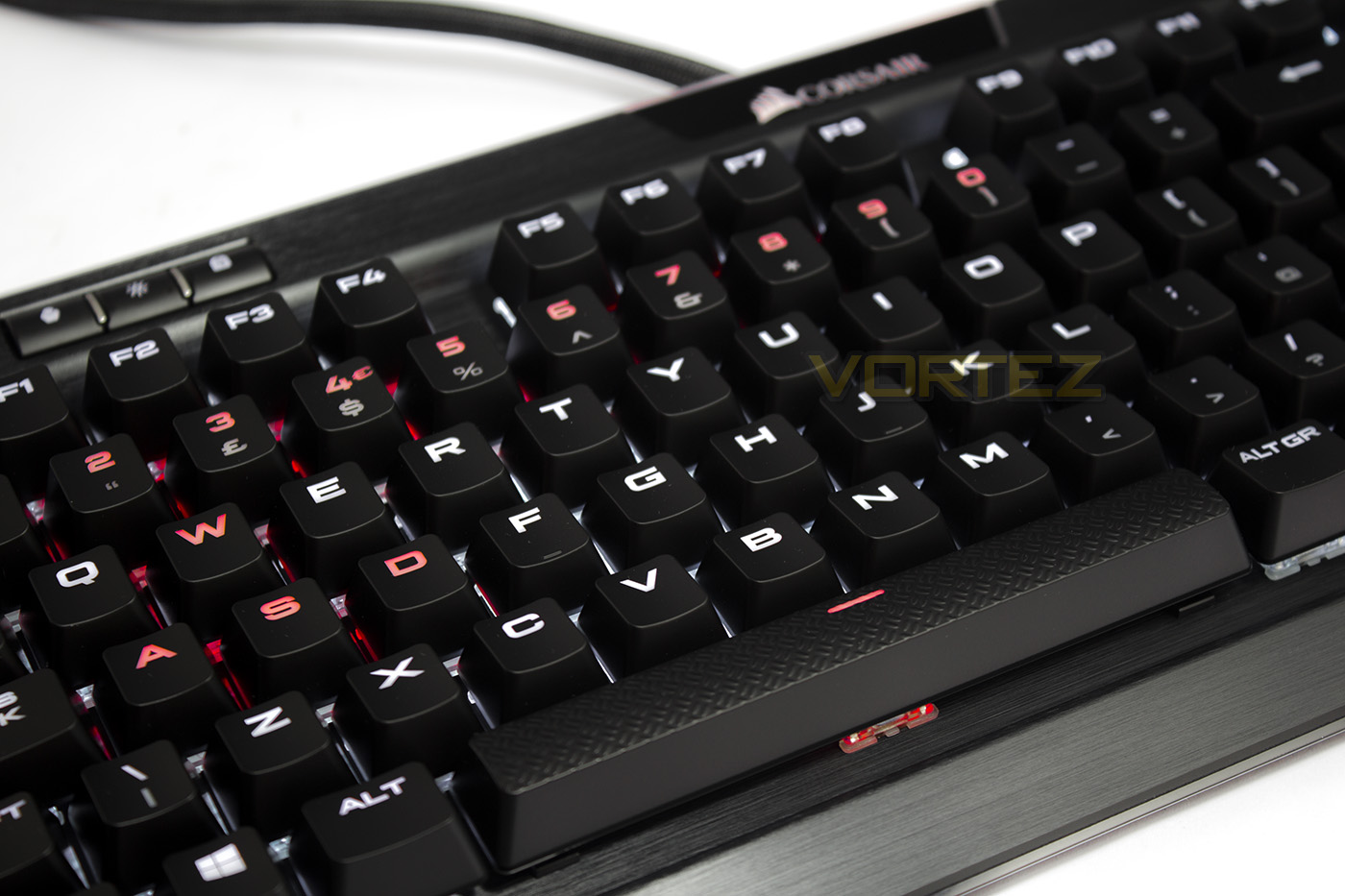
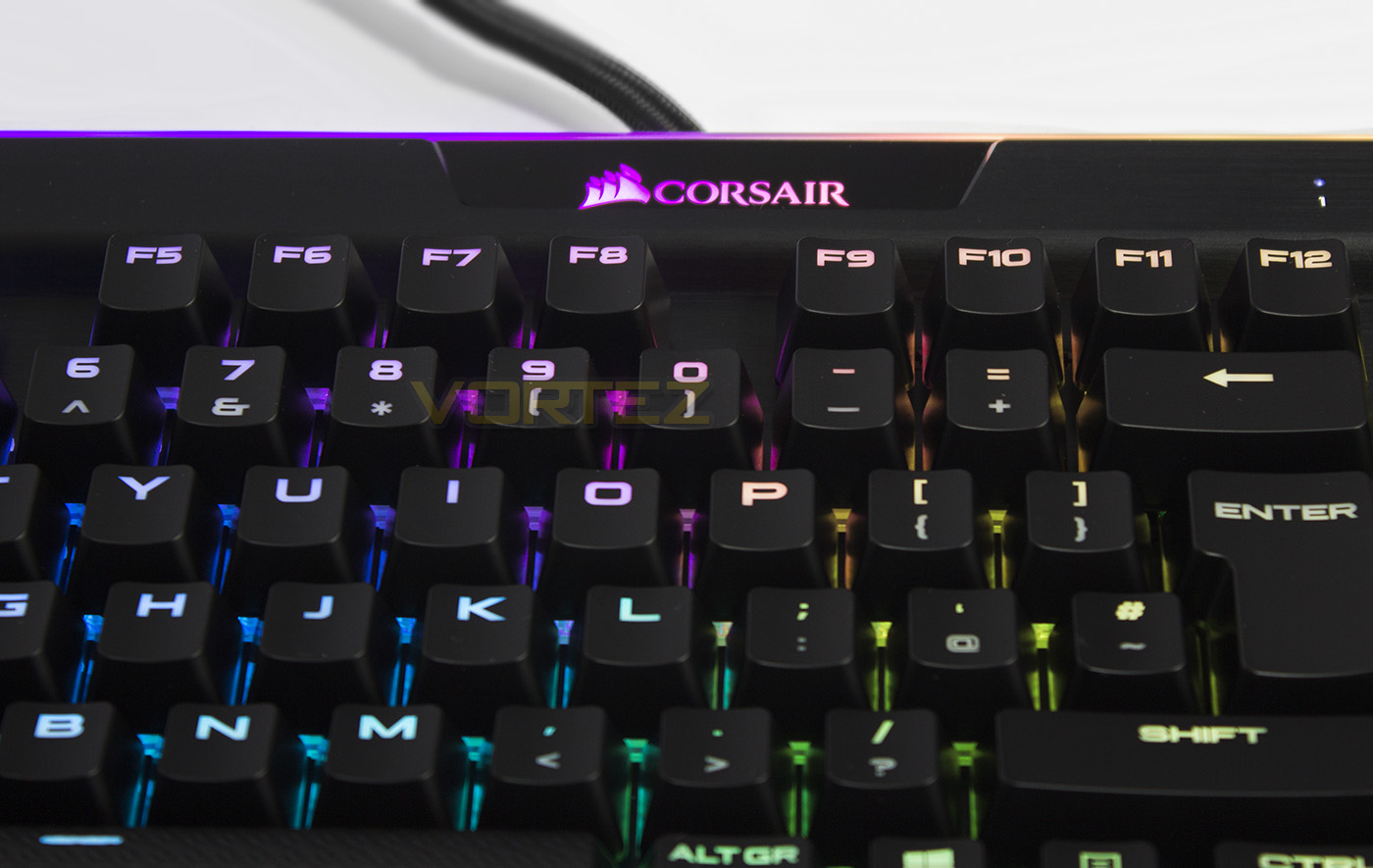
The lighting effects are also top tier quality, giving fantastic vibrancy and accurate rendering. White is slightly bluish by default, but that can be compensated for. You can layer various effects on top of each other for advanced effects. Though many may be torn by the RGB fad, symbolised by the full spectrum wave effect, thinking it is nothing more than a gimmick, I would argue that RGB is certainly more than that, but needs a creative twist. Rather than full on vibrant rainbows, farting out of each and every key, consider the keyboard a canvas that can create an ambience that can be a genuine feature. This is exactly what the LightEdge does. The very top-most edge of the K95 RGB PLATINUM features an strip of 19 programmable LEDs that create an incredible border of light around the keyboard itself. It of course seamlessly fits into the colourful pre-set effects,though each of the 19 LEDs can be customised to your own desires too. I did discover an annoyance with the custom lighting options, and that is, specifically with the static lighting mode, you can only assign 1 colour, per layer. Rather than being able to individually assign a colour to each key. This means that if you want several colours in a custom pattern, you need to create a separate layer for each static colour. Once you get several layers, they start being a little slow/laggy to drag into desired priority.
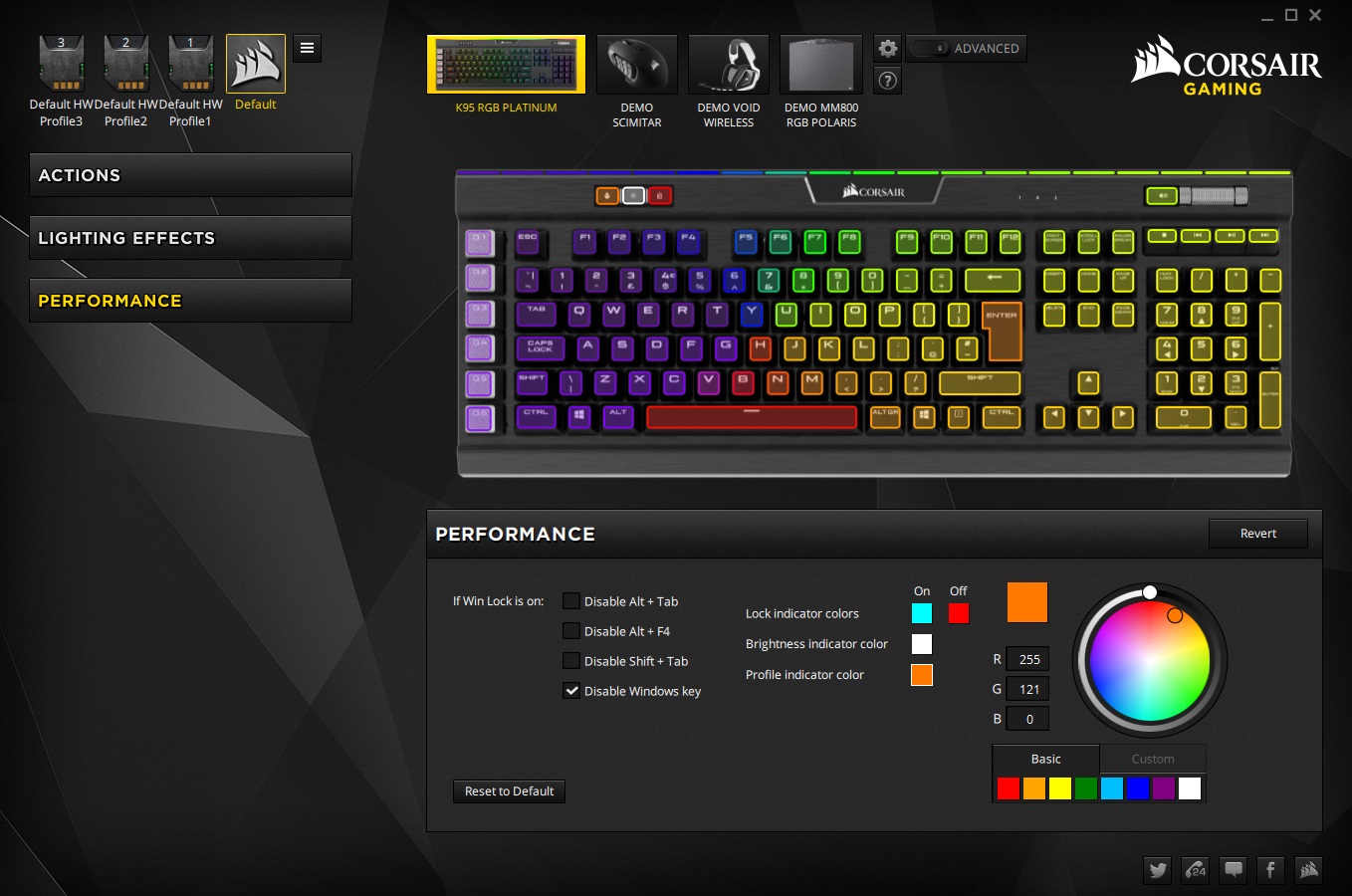
In the performance tab, you can also adjust the colour of each of the profiles, the brightness button, and the windows lock key, meaning, every single LED on the keyboard, (except the Lock indicators which are a neutral white) is programmable.
It is now worth noting that this keyboard features 8MB of on-board memory to save 3x advanced profiles for on-the-go use without needing to install the software. This means advanced lighting profiles, programmed keys, shortcuts, and macros. If you consider than the most memory you find on peripherals tends to be 512KB, 8MB is certainly a large amount of on-board storage.
Performance Testing
Setup, Design & ObservationsFor full use of the keyboard, it is advised that you have 2x USB 2.0 ports available, one for the keyboard itself, the other for the USB pass-through.
If you wish to use the additional textured key-caps, you can use the included key-cap remover to easily swap them out. The standard key-caps, along with the rest of the K95, feels like they are made from high-quality premium materials. Thanks to the textured macro keys, I was able to keep track of my hand positioning without accidentally pressing the macros once, something I commonly do on keyboards with dedicated macro keys.
I discovered that I couldn’t use the profile switch button on the keyboard while CUE was running, so if you want to swap profile, you can either do it within the CUE GUI, or make sure you close the CUE software correctly (meaning, ensure it isn’t running in the background, which will result in removing any software based changes to the default setting).
The Media keys are slightly spongy (as they are not mechanical), but they feel great to press, and the volume roller feels of excellent construction and quality.
I was a little surprised that the LED brightness switch didn’t have more than its 4 settings, including off. The LED colours mix rather well despite having a background of black brushed aluminium, this is likely aided by the transparent housing on the mechanical switches, and so it doesn’t lose much in terms if vibrancy against more flashy RGB orientated keyboards such as the STRAFE RGB and the Razer BlackWidow Chroma. Though, speaking of LED effects, I would advise against using a visor mode of high contrasting colours as the LightEdge can become rather distracting.
Performance
In games and while typing, the K95 felt fabulous in all the glory of that word. The cool aluminium along with wrist rest and the combined premium materials made using the K95 RGB PLATINUM a wonderful experience. AQUA’s KeyTest reveals that it does have full anti-ghosting (I literally had to find a board to push down as many keys as I could, and the media keys still functioned, and the roller still adjusted volume, indicating that they were still being registered too. So gamers will have no issue at all with their keystrokes registering. The use of Cherry MX switches will always go down well as they are renowned for quality and reliability. The MX Speed Silver switches feel awesome, I really wish Cherry would make a MX Gold Silent (1.2mm actuation, tactile (like browns), and quiet, like the silent switches, that is pretty much the dream mechanical switch).
Conclusion
From the aesthetic to the use of premium materials, the K95 RGB PLATINUM oozes gloriousness that can be seen and felt. Every edge, and every inch is meticulously designed to ensure not just ideal performance, but an ideal experience. Aside from the small, neutral white indicators, you can customise the lighting on each key, and as far as RGB bling goes, the LightEdge looks absurdly brilliant. Though if you are worried that it might be stuck on rainbow vomit mode, rest assured you have complete control over that, and each of the 19 LED strips too.
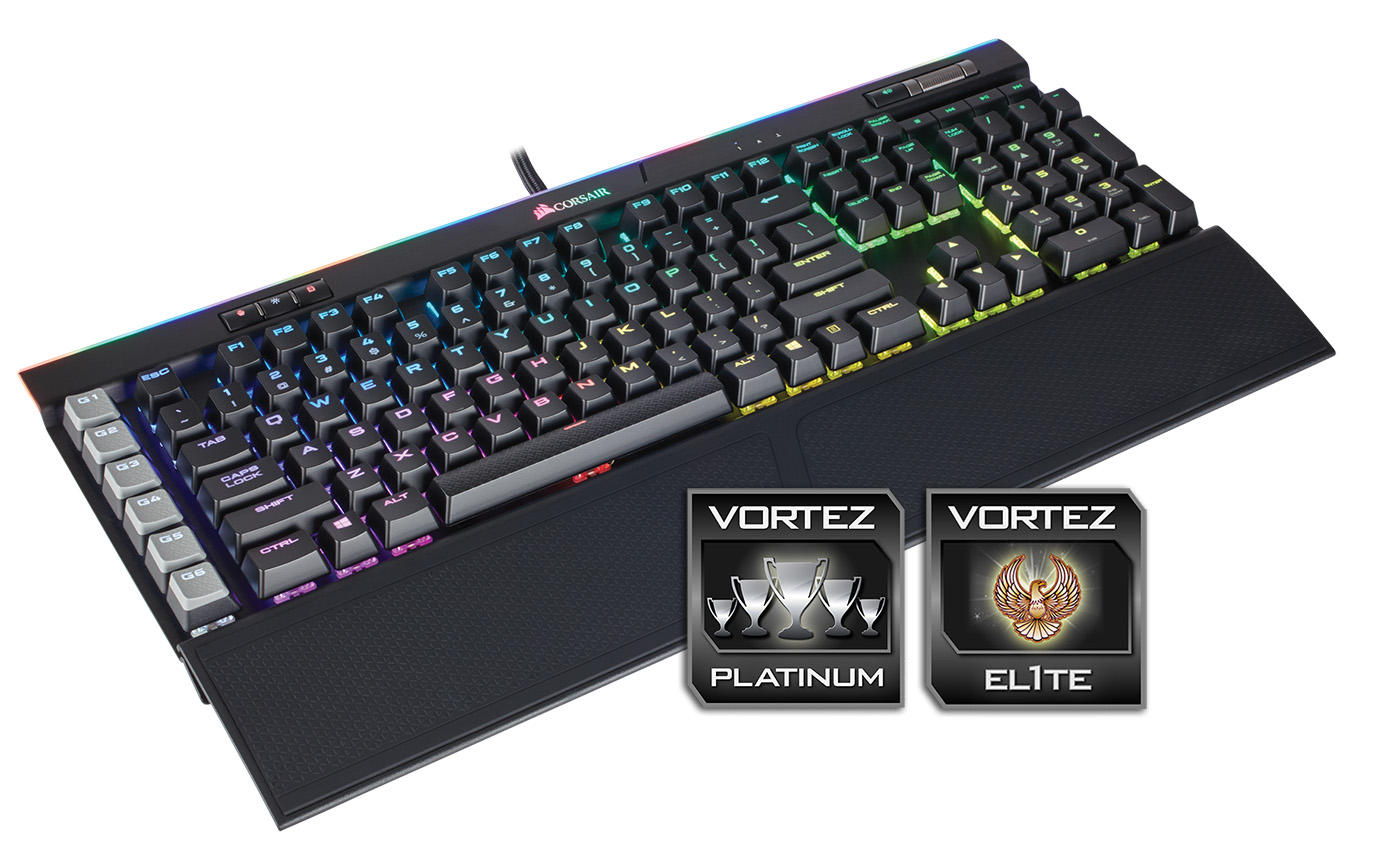
There are some clear counter arguments against the K95 RGB PLATINUM, and none more so prominent as the pricing. Sitting at £190/$200, it is a very expensive keyboard. In fact it is twice the price of many reasonable mechanical keyboards that offer a comparable feature set. Though, they will never be a beautiful K95. A K95 with advanced RGB lighting, and to really kick the competitors while they are down, a K95, with advanced RGB lighting AND exclusive Cherry MX Speed Silver switches. And of course you genuinely get a top tier level of performance and reliability from your keyboard. Some could argue that it doesn’t have a headphone/microphone pass-through, but Corsair kinda killed that premise on the basis that the USB pass-through provided was intentionally there for use with a USB headset. And so, regardless of pricing, it would be fair to claim that the K95 RGB PLATINUM is, the ultimate gaming keyboard in aesthetic, essence and actuality. If price is no object, this is will likely be your #1 consideration. (Now make it wireless and rechargeable!)
The K95 RGB PLATINUM isn’t just a mechanical gaming keyboard, but a reminder of how beautiful the interaction between man and machine can be.
Pros.
+ Beautiful aesthetic
+ Dedicated media keys
+ Comfortable to use
+ 100% Anti-Ghosting
+ 6 Dedicated macro keys
+ Fully programmable
+ 8MB of onboard memory (3 profiles independent of software)
+ Choice of Cherry MX Silver or Brown
+ Shipped with a double sided wrist rest
+ Additional textured key-caps are included
+ Advanced RGB LED lighting + LightEdge
+ USB pass-through
Cons.
– Price
+ Beautiful aesthetic
+ Dedicated media keys
+ Comfortable to use
+ 100% Anti-Ghosting
+ 6 Dedicated macro keys
+ Fully programmable
+ 8MB of onboard memory (3 profiles independent of software)
+ Choice of Cherry MX Silver or Brown
+ Shipped with a double sided wrist rest
+ Additional textured key-caps are included
+ Advanced RGB LED lighting + LightEdge
+ USB pass-through
Cons.
– Price
Click here for an explanation of our awards at Vortez.net.