Corsair often mix with the big hitters in several markets. Today we see them trade blows with the likes of Samsung and ADATA in the NVMe segment for the overall performance crown. Does the MP510 have what it takes?

Product on Review: Corsair Force MP510 SSD
Manufacturer: Corsair
Street Price: 240GB – £69.99 / $69.99 – 480GB – £119.99 / $129.99 – 960GB £229.99 / $239.99 – 1920GB – £439.99 / $474.99
Corsair’s released a couple of NVMe SSDs in the past, with the MP300 and the MP500. Both of which were a little lacklustre in terms of raw, outright performance, but Corsair promise something a little different with the model in our test rig today, the Corsair MP510 NVMe SSD.
The MP510 launches with four capacities, 240GB, 480GB, 960GB and 1920GB and boasts sequential read and write speeds of a lofty 3480MB/s and 3000MB/s respectively. Corsair also claim the drive can manage 610,000 4K IOPS read and 580,000 4K IOPS write. Providing all of that horsepower is the new Phison E12 controller and Toshiba’s latest BiCS3 64-layer 3D TLC NAND modules.
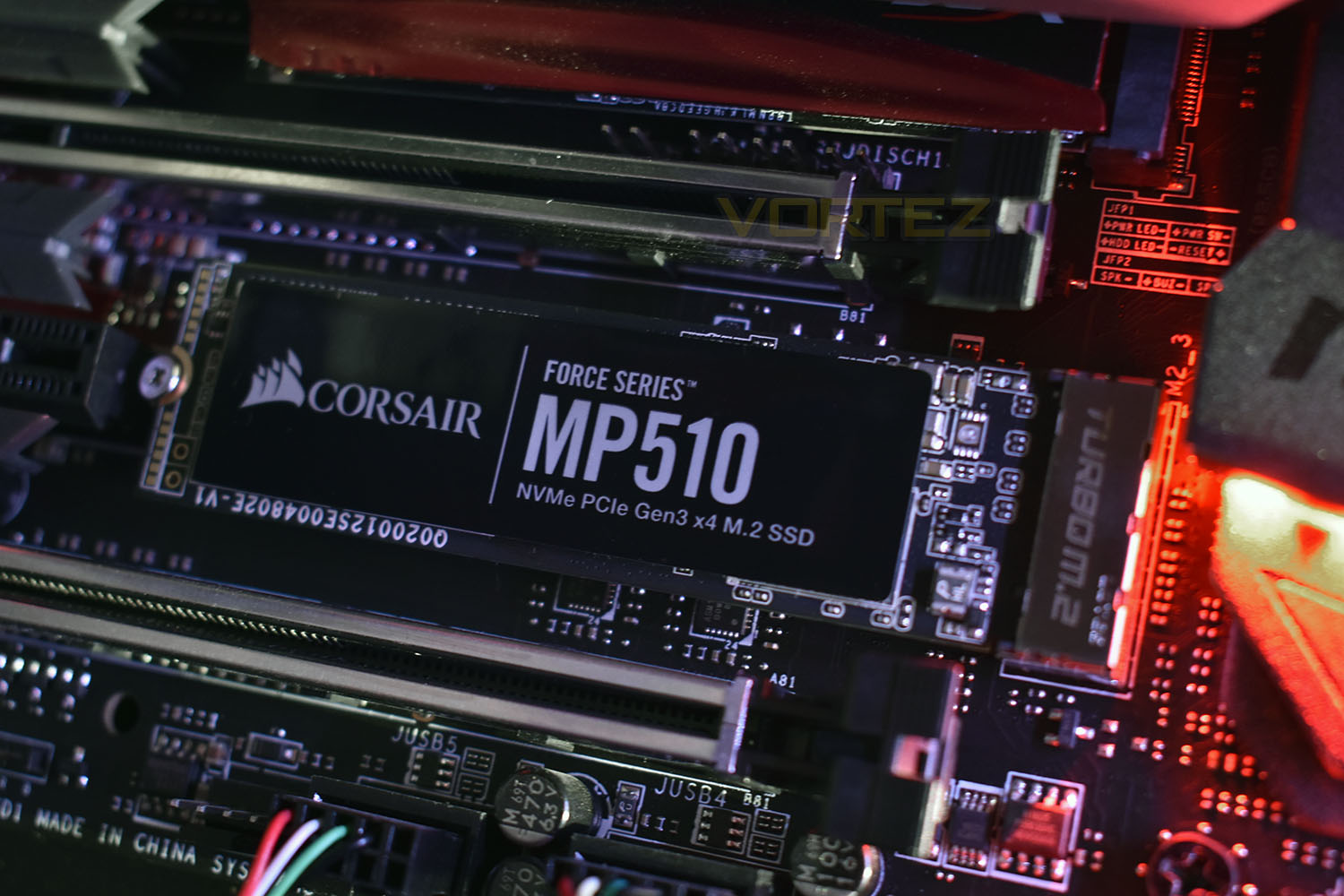
The 960GB model we’re testing today houses an outstanding level of endurance, with Corsair promising up to 1700TB of wear, and the 1920GB drive up to 3120TBW. Those figures come backed by a 5-year warranty for absolute peace of mind.
Let’s chuck this into our test bench and see how it performs.
Corsair on the MP510:
All-new extreme data performance controller delivers up to 3,480MB/sec sequential read, and up to 3,000MB/s sequential write, for blazing fast read, write and response times.
Technical Specifications
960GB model (Reviewed)Endurance: 1,700 TBW
MTBF: 1,800,000 Hours
DEVSLP: L1.2 < 2mW
Encryption: AES 256-bit Encryption
Storage Temperature: -40°C to +85°C
SSD Operating Temperature: 0°C to +70°C
SSD Shock: 1500 G
Storage Humidity: 93% RH (40° C)
Operating Humidity: 90% RH (40° C)
Vibration: 20Hz~80Hz/1.52mm, 80Hz~2000Hz/20G
SSD Interface: PCIe Gen 3.0 x4
SSD Max Sequential Read CDM: Up to 3,480MB/s
SSD Max Sequential Write CDM: Up to 3,000MB/s
Max Random Write QD32 IOMeter: Up to 570K IOPS
Max Random Read QD32 IOMeter: Up to 610K IOPS
Form Factor: M.2 2280
Dimension: 80mm x 22mm x 3mm
Application Consumer: Client
MTBF: 1,800,000 Hours
DEVSLP: L1.2 < 2mW
Encryption: AES 256-bit Encryption
Storage Temperature: -40°C to +85°C
SSD Operating Temperature: 0°C to +70°C
SSD Shock: 1500 G
Storage Humidity: 93% RH (40° C)
Operating Humidity: 90% RH (40° C)
Vibration: 20Hz~80Hz/1.52mm, 80Hz~2000Hz/20G
SSD Interface: PCIe Gen 3.0 x4
SSD Max Sequential Read CDM: Up to 3,480MB/s
SSD Max Sequential Write CDM: Up to 3,000MB/s
Max Random Write QD32 IOMeter: Up to 570K IOPS
Max Random Read QD32 IOMeter: Up to 610K IOPS
Form Factor: M.2 2280
Dimension: 80mm x 22mm x 3mm
Application Consumer: Client
Packaging, Bundle & Closer Look
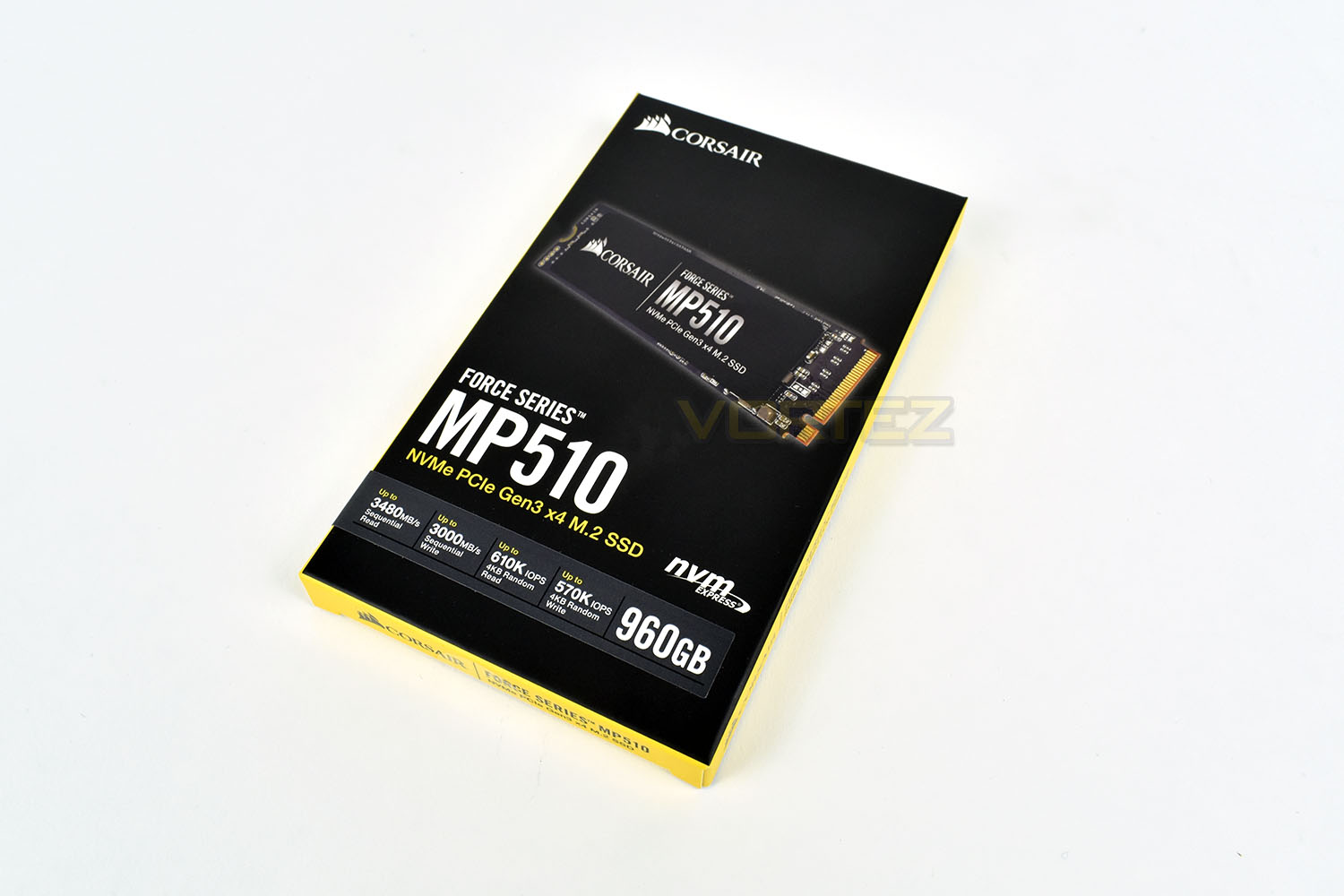
It wouldn’t be Corsair if the packaging was any other colours. Black and yellow.The front gives capacity, interface, form factor and speed information in a neat format, with a large image of the drive.
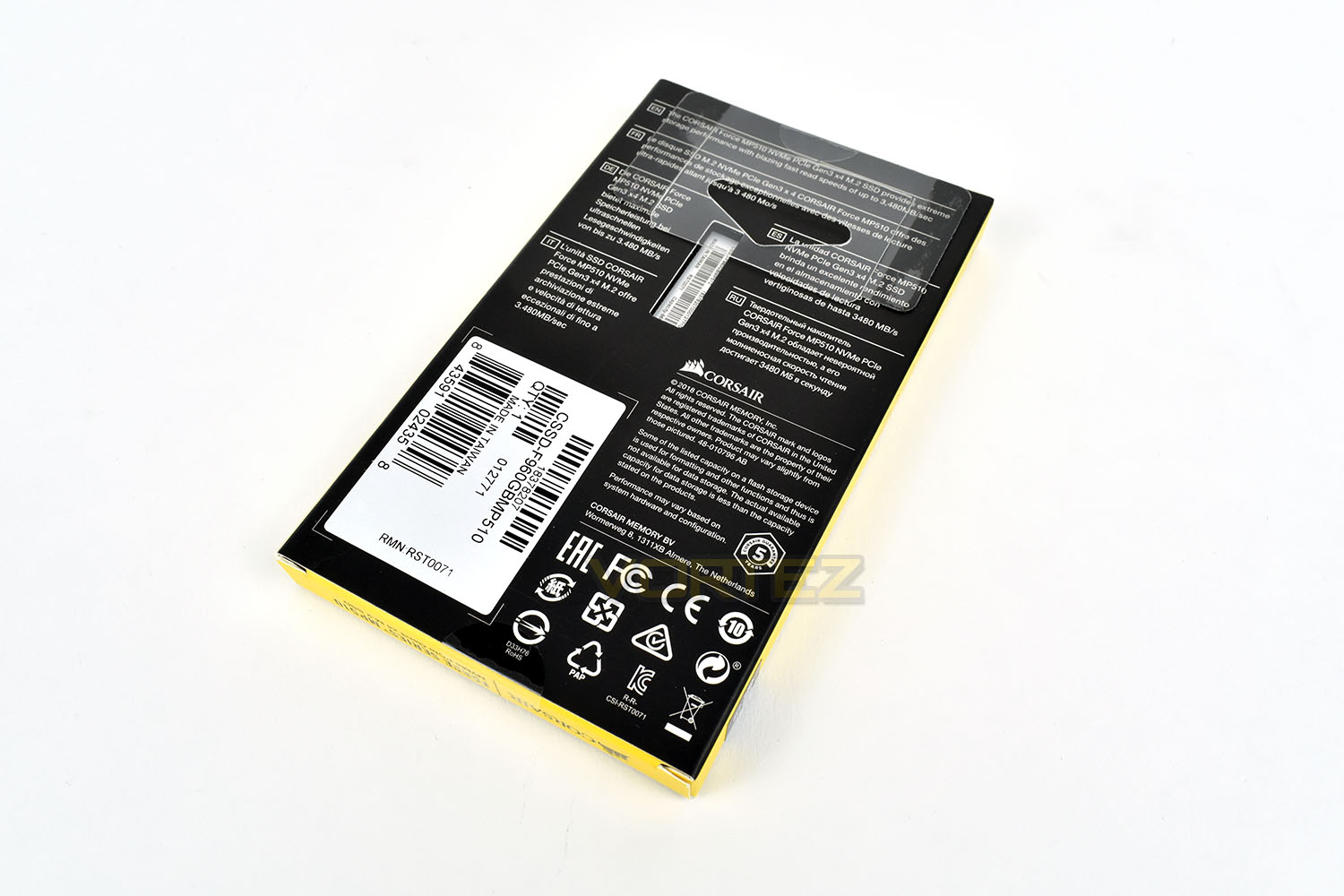
With the front of the packet showing plenty of information, the rear is pretty void of anything meaningful.
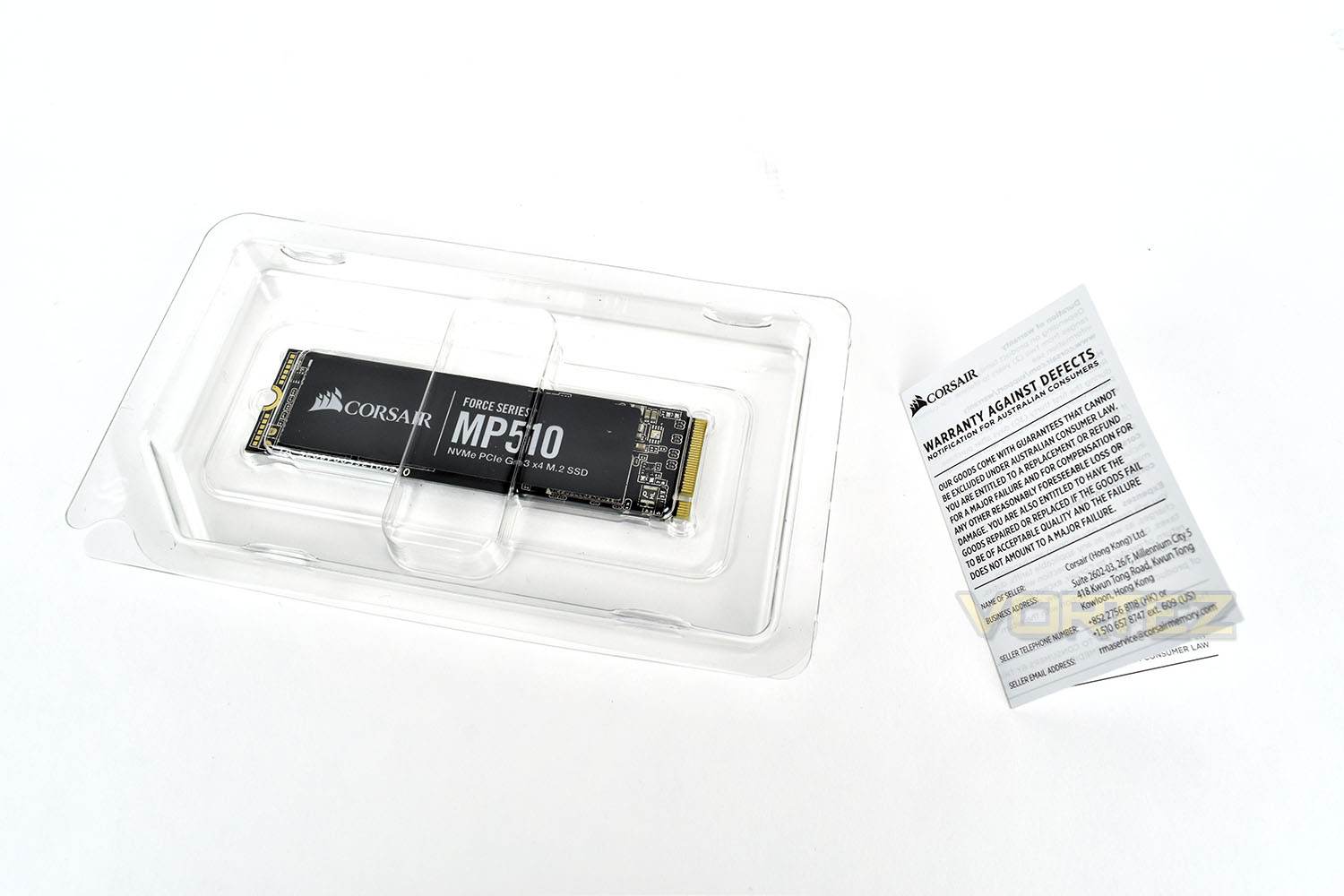
As is becoming the case with SSDs, especially M.2 form factors that require no mounting hardware or connection cables, we find the MP510 in a plastic case with the smallest warranty booklet we’ve ever seen; though at least that goes some way to combatting deforestation, if that bothers you.
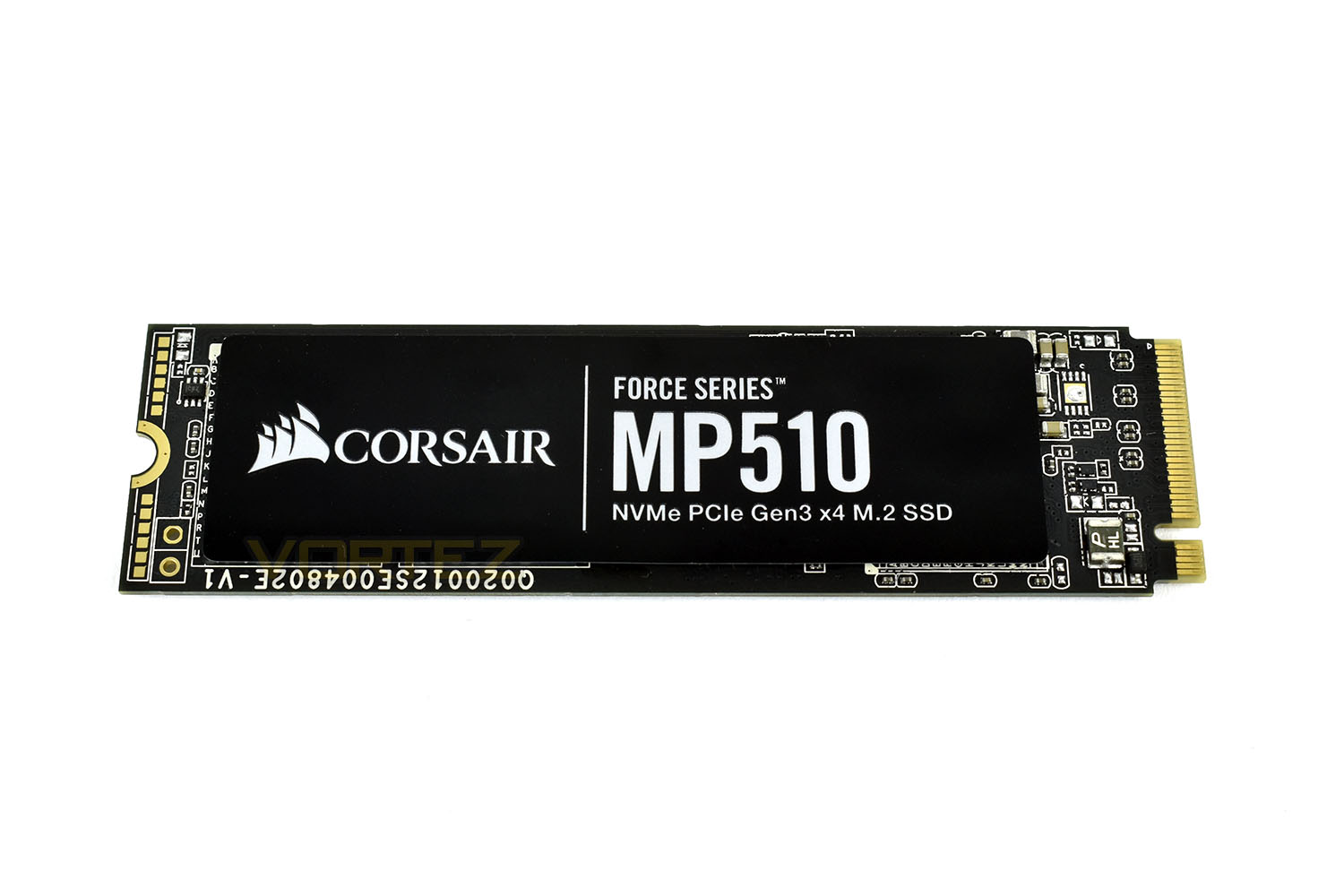
The front of the drive is dominated by a black, metallic label, which will hopefully help reduce temperatures a small amount to prolong performance before any kind of throttling kicks in.
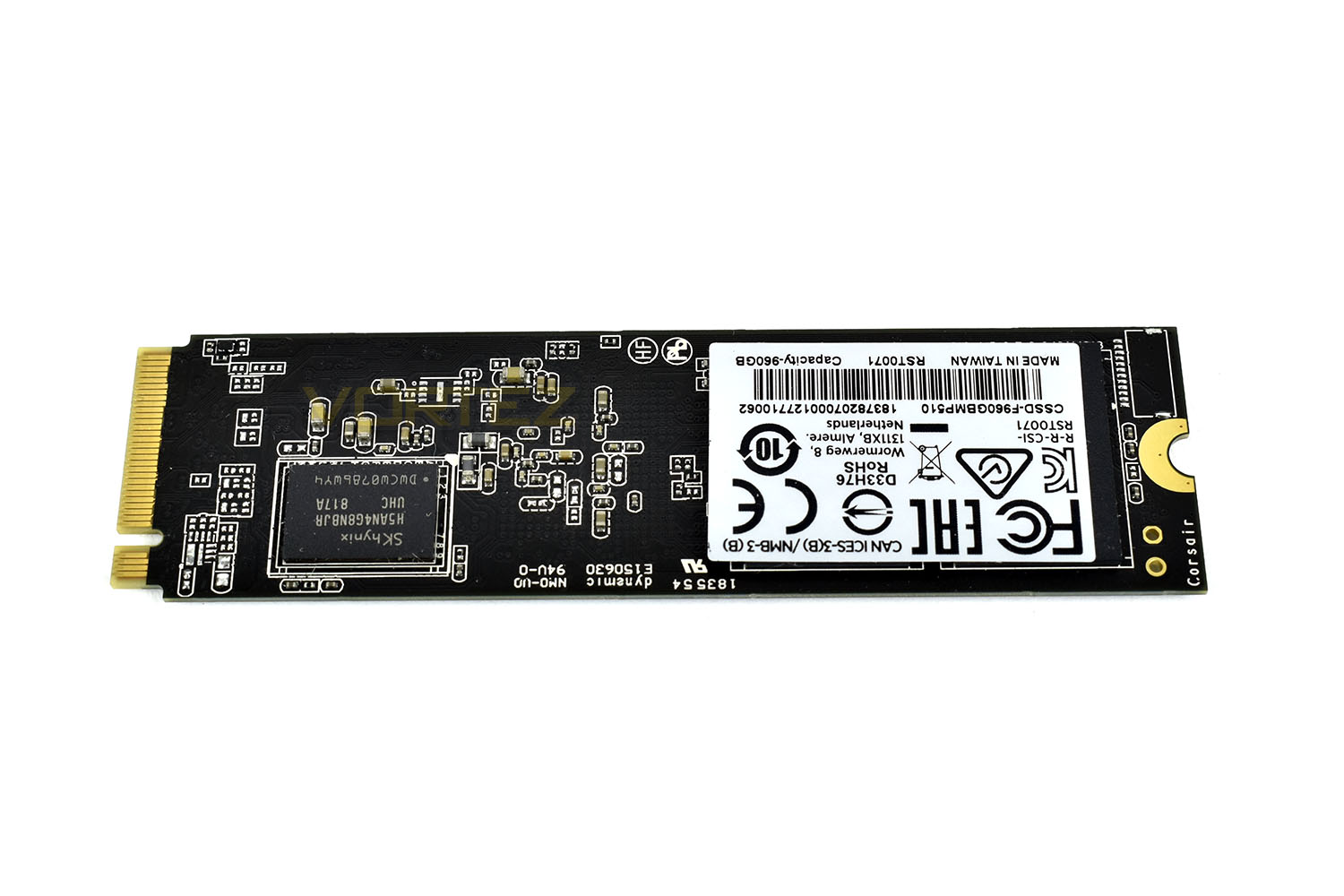
The reverse side is populated with NAND flash as well as a controller chip. Generally, single-sided M.2 drives fair better thermally, with it being almost impossible to cool the side adjacent to the motherboard.
Test Setup & Methodology
Our test system is formatted and a fresh version of Windows is installed with just drives in place – no additional applications. Windows is then updated to the latest release and the drivers are installed.Included in the list of benchmarks are the following applications:
Benchmarks
Anvil Pro
AS SSD
ATTO Disk Benchmark v2.46
Futuremark PCMark 8
AIDA64
AS SSD
ATTO Disk Benchmark v2.46
Futuremark PCMark 8
AIDA64
Test system
CPU: Intel Core i7 7700K
Motherboard: MSI Z270 Gaming M7
Graphics: EVGA GTX 1070 SC
Memory: 16GB CORSAIR Vengeance LPX 3200MHz DDR4
Samsung 970 EVO 1TB
Corsair MP510 960GB
PSU: BeQuiet Straight Power 11 650W
OS: Microsoft Windows 10 Pro 64-Bit
Monitor: ASUS ROG PG279Q
Motherboard: MSI Z270 Gaming M7
Graphics: EVGA GTX 1070 SC
Memory: 16GB CORSAIR Vengeance LPX 3200MHz DDR4
Samsung 970 EVO 1TB
Corsair MP510 960GB
PSU: BeQuiet Straight Power 11 650W
OS: Microsoft Windows 10 Pro 64-Bit
Monitor: ASUS ROG PG279Q
Benchmarks: Anvil Pro
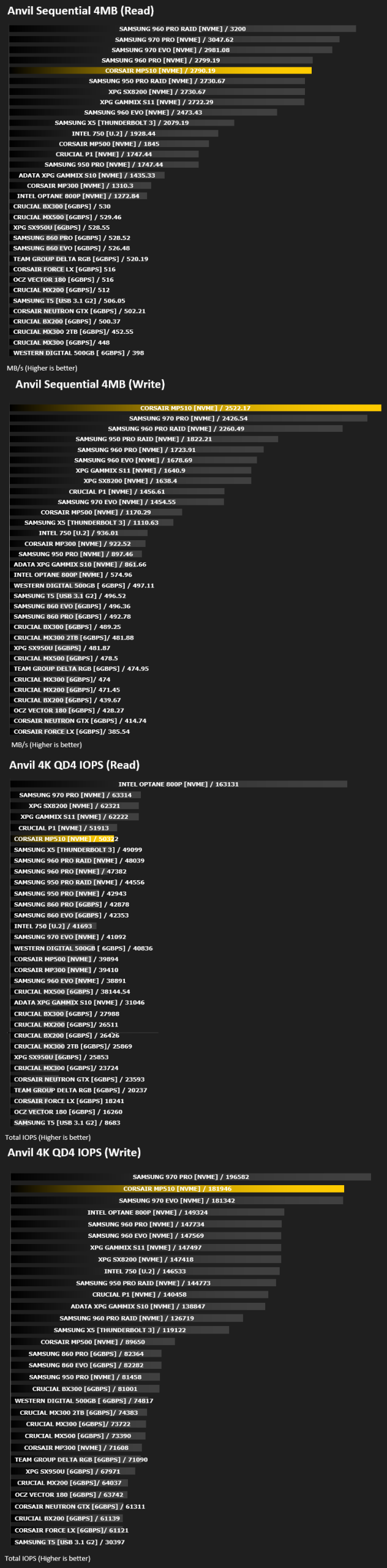
Anvil Pro from Anvil Storage utilities is one of the most popular storage benchmarking utilities today thanks to the large suit of tests available. You can test pretty much anything from Read/write Speed to IOPs with many variables to tweak allowing you to get either a single or host of results to compare with other likeminded enthusiasts. In our test we ran the standard suite 5 times, subtracting both the highest and lowest scores and determined the final result from the average of the remaining three results.
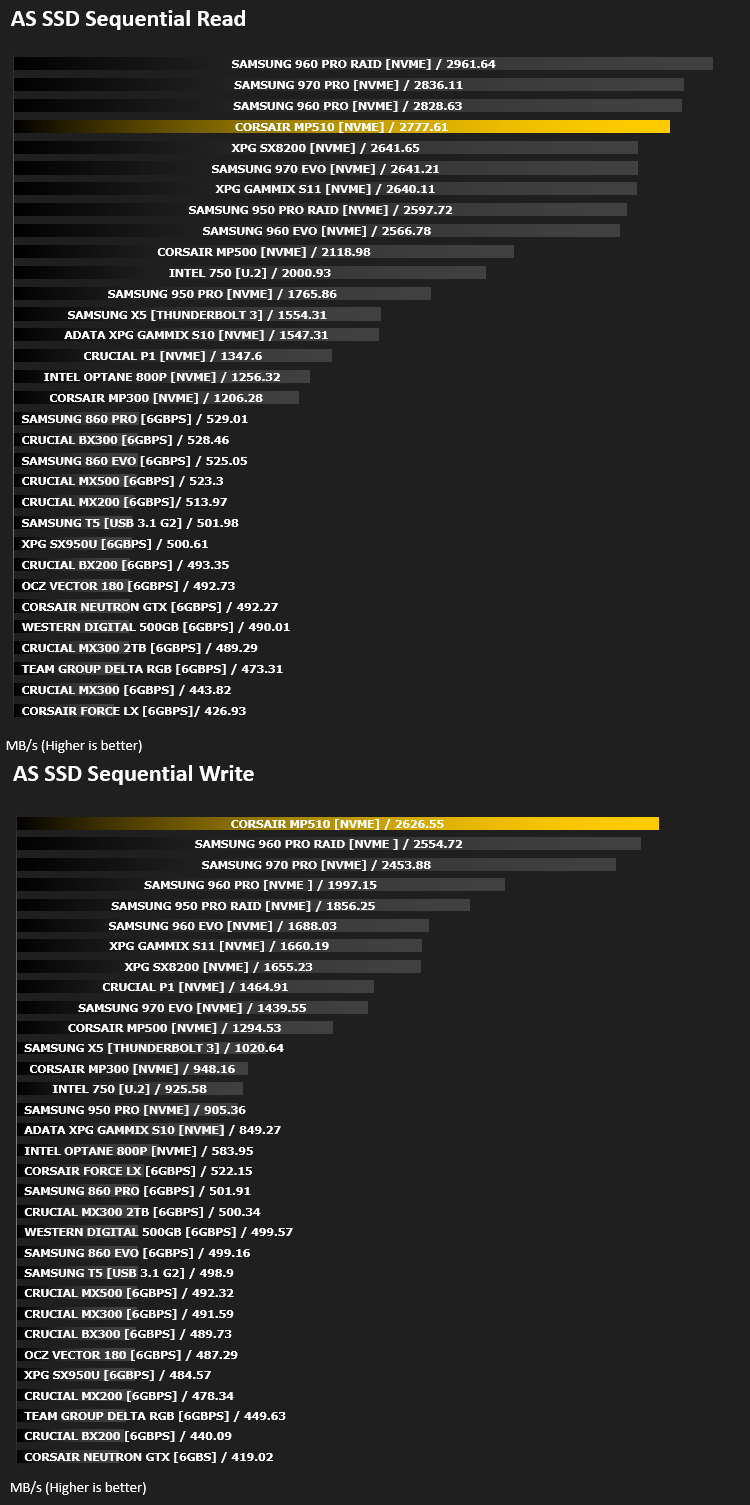
Benchmarks: AS SSD
AS SSD Benchmark is a straightforward tool for measuring the speed of your SSD drive.
Simply launch the program, choose your drive, click Start, and it’ll test your SSD’s read and write speed in a variety of ways, delivering a score for each when it’s done. And if that’s not enough, there are also additional file copy and compression-related benchmarks available from the Tools menu. (The author’s support page is German only, but if you need further English explanations then there’s a thread on the program at the OCZ Technology forum.).
Simply launch the program, choose your drive, click Start, and it’ll test your SSD’s read and write speed in a variety of ways, delivering a score for each when it’s done. And if that’s not enough, there are also additional file copy and compression-related benchmarks available from the Tools menu. (The author’s support page is German only, but if you need further English explanations then there’s a thread on the program at the OCZ Technology forum.).
Benchmarks: ATTO
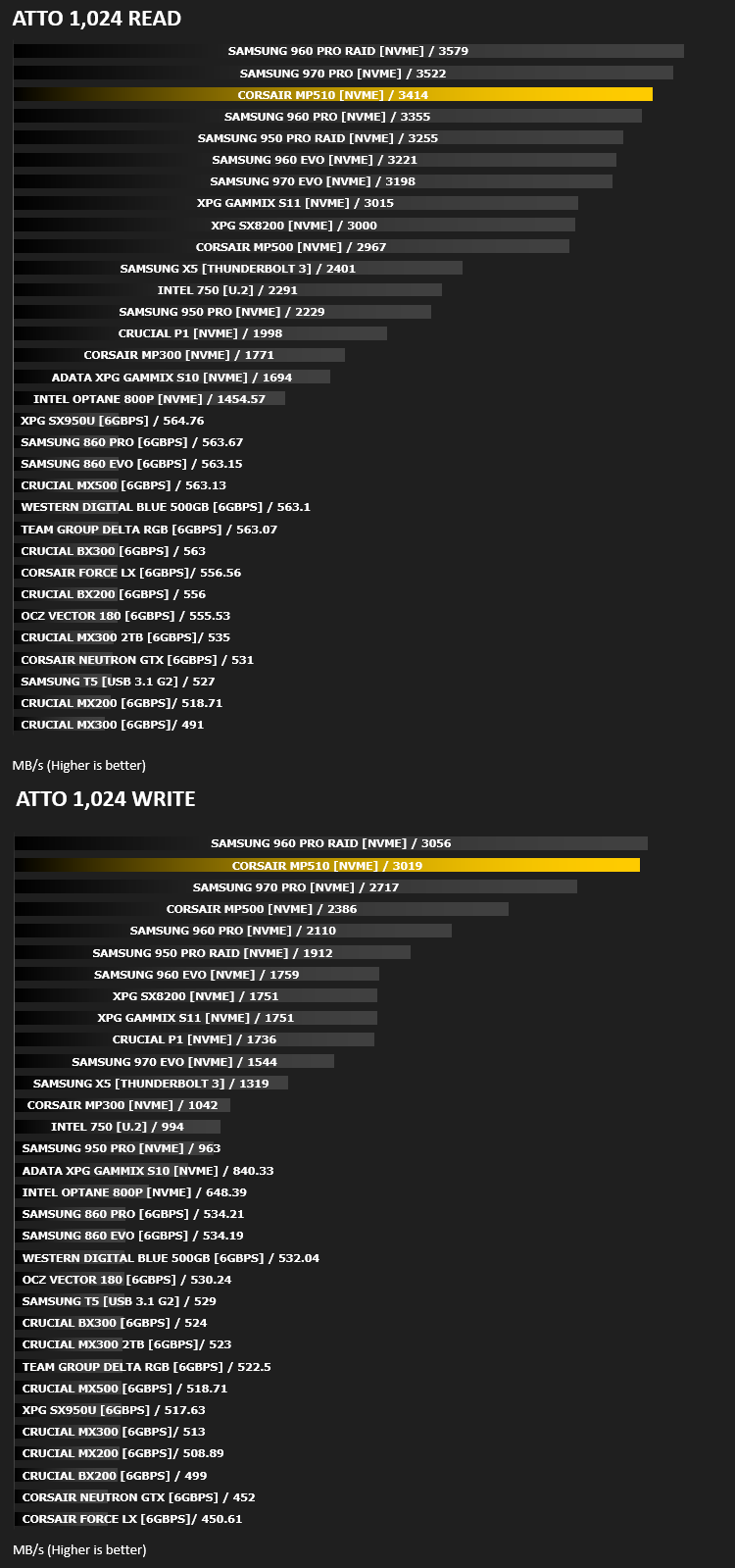
The ATTO Disk Benchmark performance measurement tool is compatible with Microsoft Windows. Measure your storage systems performance with various transfer sizes and test lengths for reads and writes. Several options are available to customize your performance measurement including queue depth, overlapped I/O and even a comparison mode with the option to run continuously. Use ATTO Disk Benchmark to test any manufacturers RAID controllers, storage controllers, host adapters, hard drives and SSD drives and notice that ATTO products will consistently provide the highest level of performance to your storage.
Benchmarks: AIDA64
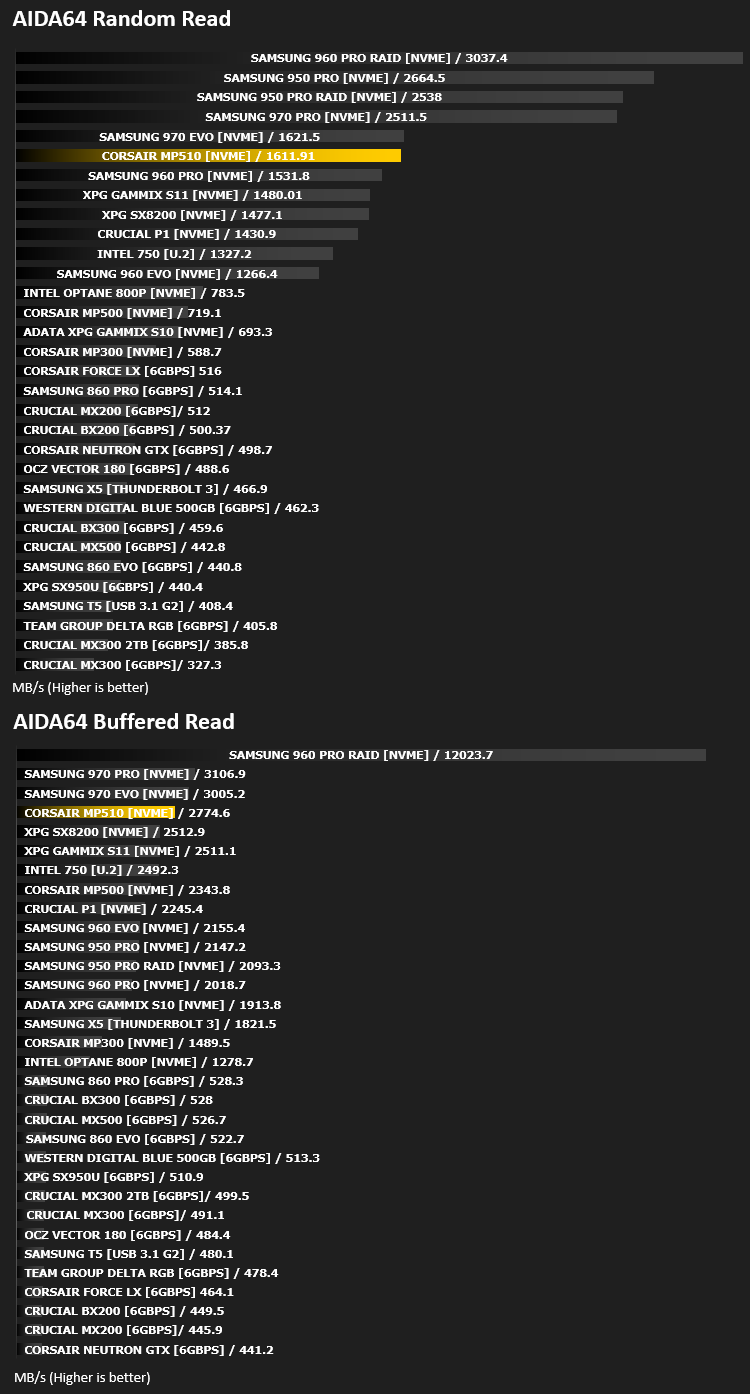
With this module, we can measure the performance of the PC’s storage devices, including (S)ATA or SCSI hard disk drives, RAID arrays, optical drives, solid-state drives (SSD), USB drives and memory cards. It also allows us to perform write tests, which helps us detect fake products and errors on the devices. In order to attain reliable benchmark results we have to make sure to close all background applications.
Benchmarks: PCMark 8
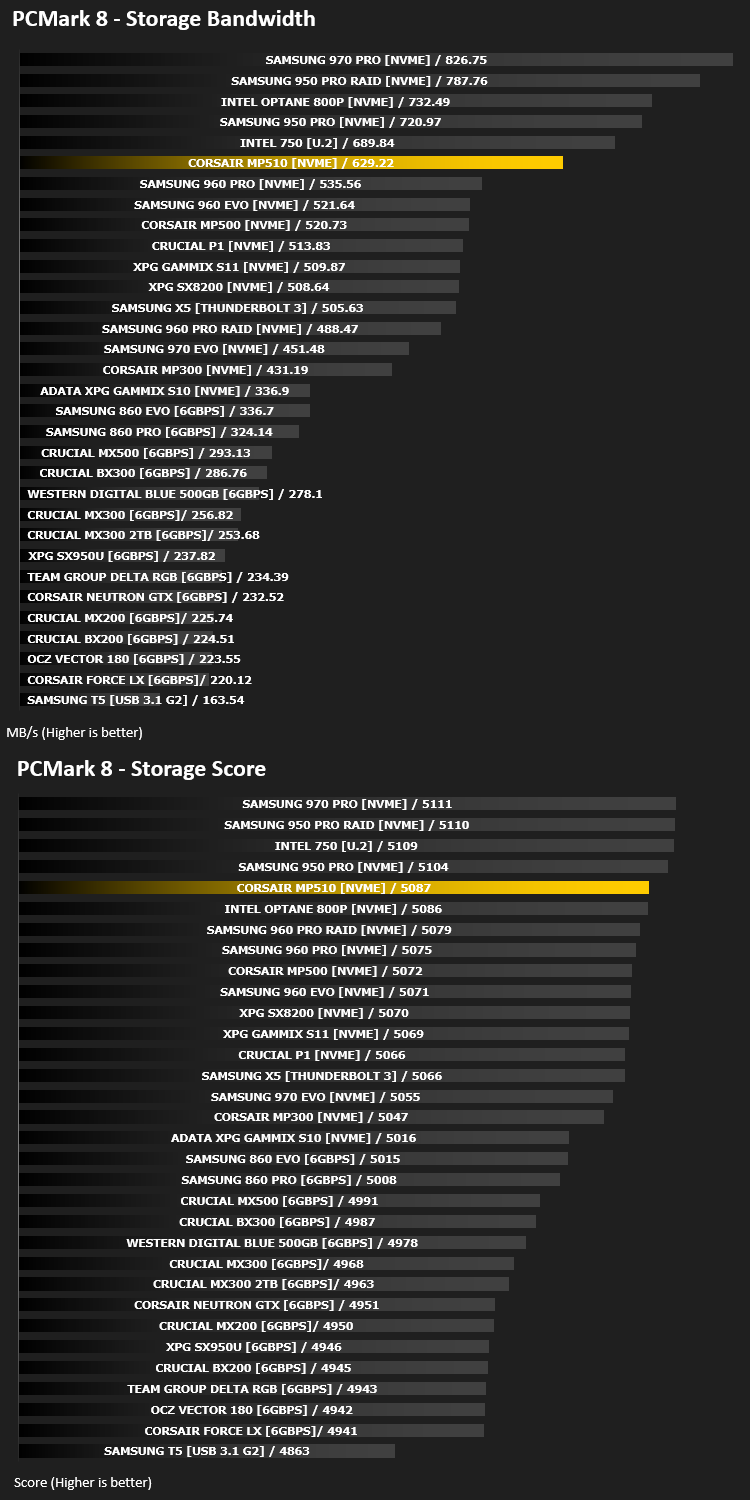
We use the Futuremark PCMark 8 utility to measure storage via Photoshop performance under both light and heavy loading conditions. Accelerated (open CL) is used to perform this test. The test is measured in seconds to complete.
Conclusion
So, it turns out that Corsair’s claims of “our fastest drive yet” are well-founded and true, but the real question we wanted to know was, how did it compare to the competition? Well, as it happens, fairly well.Starting off with the appearance of the drive, which matters to many of the potential customers, with a focus on RGB lighting and cable management. The black PCB and black label looks great, and with the warranty label being on the reverse side, we avoid any ugly white labels. Good news for users with tempered glass panel sides hoping for a beautiful build.
But, much more importantly, the performance. Corsair reckon the NVMe drive is capable of up to 3480MB/s read and 3000MB/s write, which our ATTO test proved to be true, with the rear test managing just shy of that figure, at 3414MB/s and the write speed actually surpassing the quoted speed at 3019MB/s. Not only that, we also find the Corsair drive topping many of our tests, which may surprise Samsung somewhat. The one test that the MP510 seemed to struggle in was the PCMark 8, which tests the drive with a broad range of varying tasks to give a good idea of how the drive will fare in real world tests.
Endurance is another point which needs highlighting. The Samsung 970 Pro 1TB offers up 1200TBW and a 5 year warranty, which is great, but Corsair go ahead and mash that into the ground with a 1700TBW rating; that’s 1.7 Petabytes! It’s not often we get to talk about Petabytes in the general consumer space. This makes the Corsair MP510 a true workhorse that’s designed for proper longevity. To put those numbers into Lehman’s terms, across the five-year warranty, you can complete almost an entire drive write, around 900GB, per day, without reaching that maximum figure.
Finally, pricing, which is yet another strong suit of the Corsair MP510. The 960GB model that we reviewed today arrives to market with a price tag of £230/$240, this is just a smidge above the pricing of a 512GB Samsung 970 Pro. Moving up to the highest capacity 1920GB drive, at £430, you’re getting almost twice the capacity for a given price than if you were shopping for the 970 PRO.
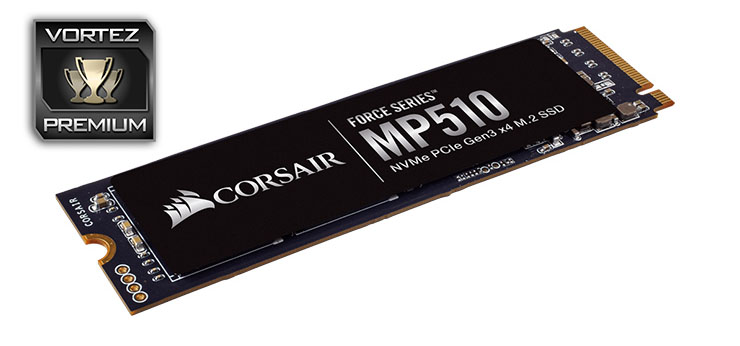
As much as we try, we’re struggling to find any reason to not recommend this drive. If you want a fast, reliable, good looking NVMe drive, this is the one to go for.
Pros
+ Brilliant performance
+ Simple aesthetics
+ Class-leading endurance
+ Price
+ Easy installation
Neutral
+- PC Mark 8 performance lacked slightly
Cons
– None
+ Brilliant performance
+ Simple aesthetics
+ Class-leading endurance
+ Price
+ Easy installation
Neutral
+- PC Mark 8 performance lacked slightly
Cons
– None
Click here for an explanation of our awards at Vortez.net.
Stay connected with the Vortez Social Media pages:
Join in with the discussions on Discord