







750D is the new addition to the Obsidian Series. This full tower chassis has XL-ATX and E-ATX support and is ready for water cooling fanatics.

Product On Review: Obsidian Series 750D
Manufacturer and Sponsor: Corsair
Street Price: £135
Corsair have had a very productive year where computer chassis are concerned. Both their Carbide and Obsidian series have been inundated with new additions, facelifts and refinements. Today we will be looking to the Obsidian series for yet another new inclusion to the family. Fitting in between the pioneering 800D and 650D, the new 750D hopes to bring elements from the newly released 900D and 350D together.
750D is a full-tower minimalist chassis which as tradition would have it, features luxurious brushed aluminium. This new addition to the Obsidian family has water cooling boxed off and should offer plenty of flexibility for clearance options throughout. Let’s waste no further time and begin our look at this new full tower!
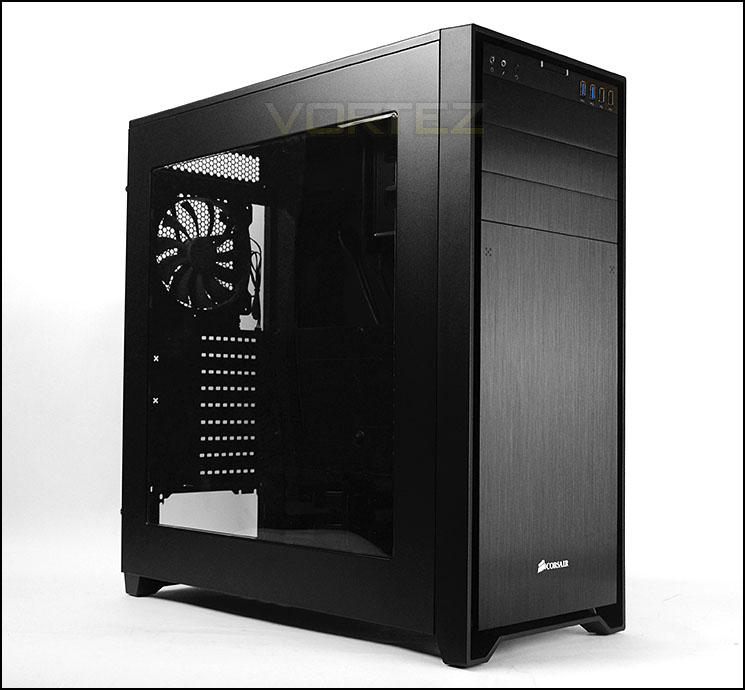
Corsair on their 750D
The Obsidian Series 750D is the third new Obsidian case for 2013. Sharing many of the same design elements present on the award-winning Obsidian 350D microATX chassis and the 900D super-tower, the 750D offers an elegant, refined look in a full tower package. If you are a fan of the Obsidian look and have been waiting for a standard sized full-tower version, your time has come!
Obsidian Series 750D has a clean, elegant exterior that dispenses with arbitrary plastic add-ons in exchange for the beauty of brushed aluminum and solid steel. This rigid, rugged exterior surrounds a frame that has ample room for high-performance components and the sophisticated cooling you’ll need if you’re going to push those components to their limits. And, it incorporates a host of clever builder-focused features, because we know that building a system should be straightforward, trouble-free, and even fun.
Obsidian Series 750D has a clean, elegant exterior that dispenses with arbitrary plastic add-ons in exchange for the beauty of brushed aluminum and solid steel. This rigid, rugged exterior surrounds a frame that has ample room for high-performance components and the sophisticated cooling you’ll need if you’re going to push those components to their limits. And, it incorporates a host of clever builder-focused features, because we know that building a system should be straightforward, trouble-free, and even fun.
Technical Specifications
Dimensions (L x W x H)
Metric (mm): 546 x 235 x 560
Imperial (inches): 21.5 x 9.3 x 22.1
Weight
Metric (kg): 9.7 kg
Imperial (pounds): 21.4 lbs
Storage
2.5 inch bays: 4
3.5 inch bays: 6 (with caddies)
5.25 inch bays: 3
Cooling
Fans: 2x 140mm intake (AF140L), 1x 140mm exhaust (AF140L)
Total fan mounting locations
8
Motherboard compatibility
mATX, ATX, EATX, XL-ATX
Expansion slots
9
Max CPU cooler height
180mm
Max GPU Length
460mm (top slots), 340mm (lower slots)
Metric (mm): 546 x 235 x 560
Imperial (inches): 21.5 x 9.3 x 22.1
Weight
Metric (kg): 9.7 kg
Imperial (pounds): 21.4 lbs
Storage
2.5 inch bays: 4
3.5 inch bays: 6 (with caddies)
5.25 inch bays: 3
Cooling
Fans: 2x 140mm intake (AF140L), 1x 140mm exhaust (AF140L)
Total fan mounting locations
8
Motherboard compatibility
mATX, ATX, EATX, XL-ATX
Expansion slots
9
Max CPU cooler height
180mm
Max GPU Length
460mm (top slots), 340mm (lower slots)
Packaging & First Look
In true Corsair fashion, 750D is presented in a large eco-friendly box which can be recycled after being discarded. The front has an illustration of the case inside and the rear contains a break-down of the feature-set. Inside the box, the case is covered in a clear plastic sheet and held in place with two Styrofoam pillars to protect the product during transit.
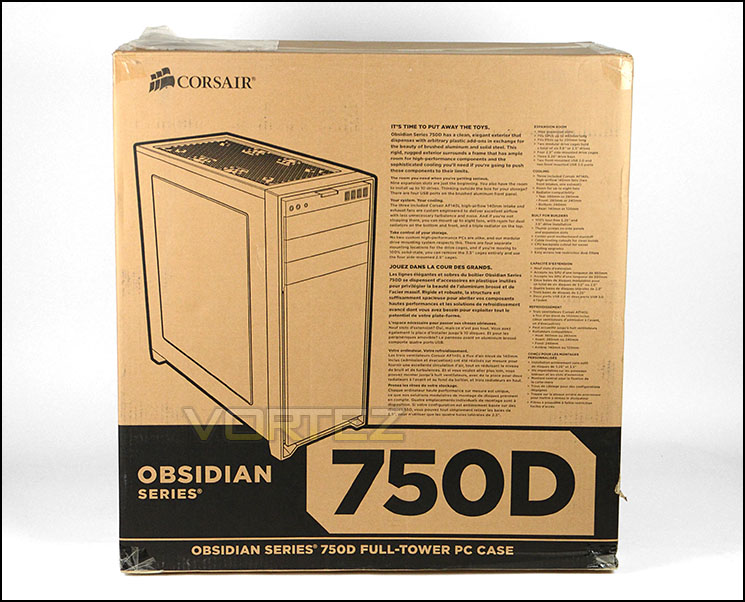
Eco-friendly packaging
Unveiling the 750D, we see that this case delivers a rather elegant exterior with minimalist and professional styling being a predominant characteristic.
The prominent side panel features a large Perspex window which spans the entire surface area. This should give a generous preview inside the case so that hardware can be easily displayed. Over on the reverse side, there are no significant features – just a solid steel panel.
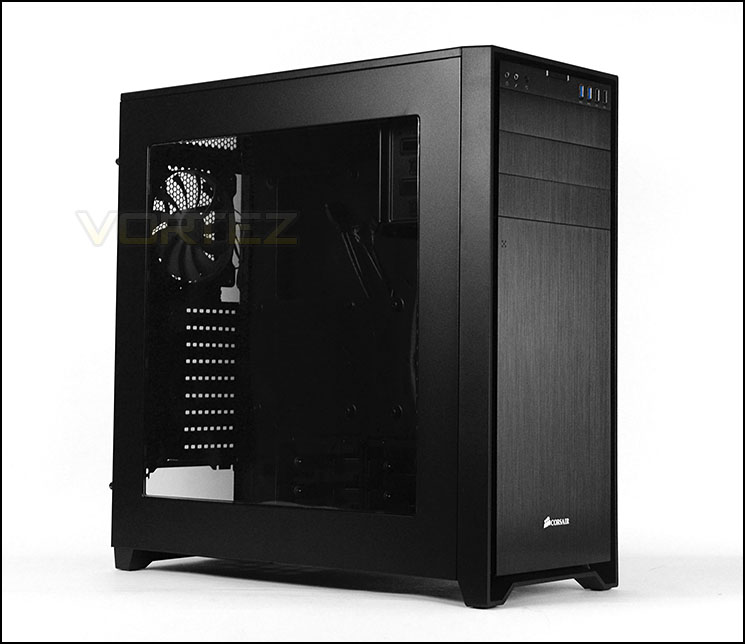
The prominent side with large Perspex window
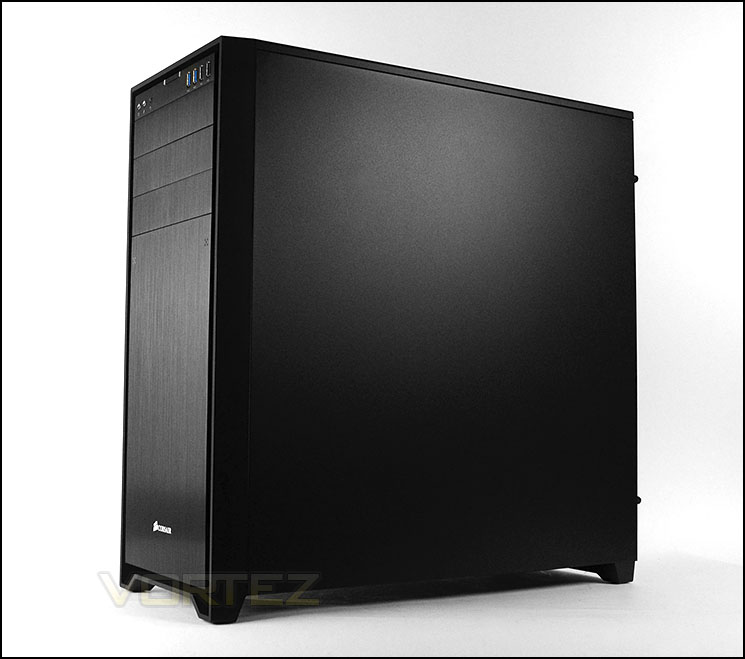
Discreet and minimalist styling
Exterior
As tradition would have it, our new Obsidian case comes equipped with a brushed aluminium front panel. The finish on this front-side looks and feels great. In the lower region the panel is detachable, providing access to the cooling fans underneath. Above this there are 3x 5.25” drive bay covers which are removable from the inside of the chassis. The front panel controls are accessible at the top, from the front side.
At the rear of 750D there is an opening at the bottom for mounting the PSU, whilst above there are a total of nine PCI expansion slot covers which all have ventilation slots. To the immediate right there are two marked out grommet, if you want to use these they need to be carved out the case. Above this there is an Air Series 140mm cooling fan which acts as an exhaust. Ventilation mesh can be found at the very top.

The front and back of 750D
As mentioned above, the lower region of 750D opens out by a simple press in each corner. Behind this cover there is a removable dust filter which can be taken out and cleaned. Behind the filter sit two Air Series 140mm cooling fans which act as intakes. Later in the review we will investigate the water-cooling options.
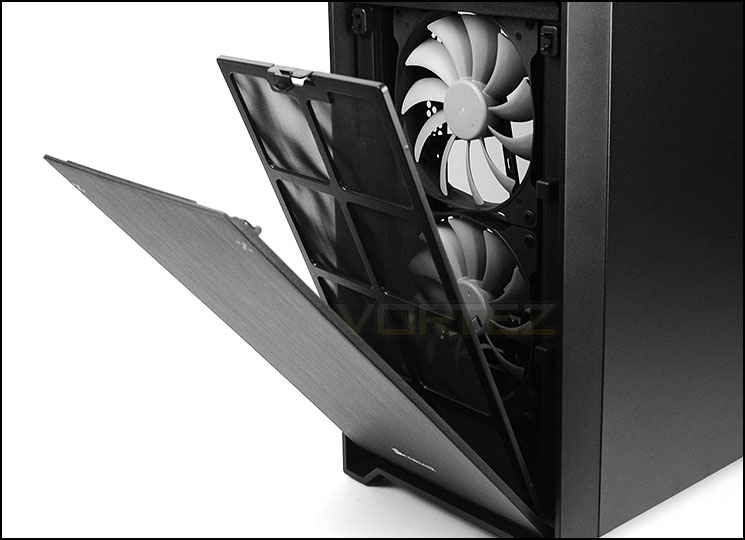
Front cover is detachable
Up at the top of the case Corsair have given 750D the following options for connectivity:
• Headphone/Microphone jacks
• Reset button
• Power button
• 2x USB 3.0 ports
• 2x USB 2.0 ports
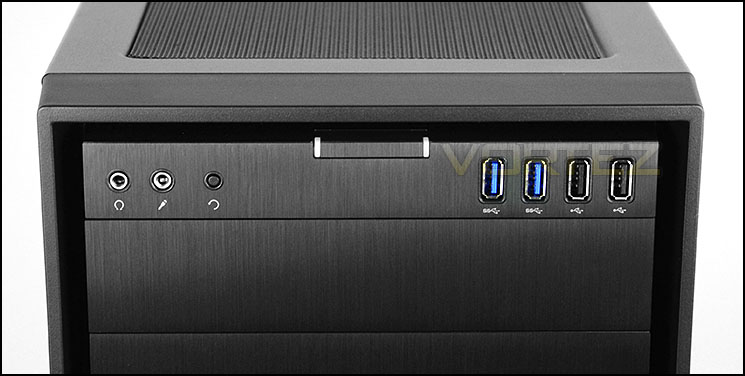
The front panel connectivity
At the top of 750D there is a removable dust filter which as magnetic strips along the edge to help it bond to the case. Due to this filter being accessible from the outside of the case, it will be easier to detach and clean when required. Underneath there are mounting holes for attaching 3x 120/140mm cooling fans but none are included. Later in the review we will be looking at the water-cooling clearance options.
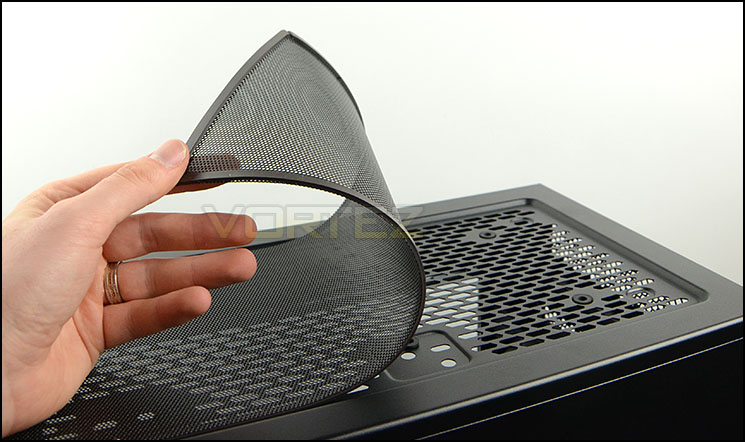
The top of 750D with magnetic dust filter on outside
On the underside of the case there are four rubber pads in each corner which help keep the case from moving when it’s placed on smooth surfaces. The underside also features a removable dust filter for the PSU and honeycomb mesh where you can mount dual 120mm cooling fans within the chassis.
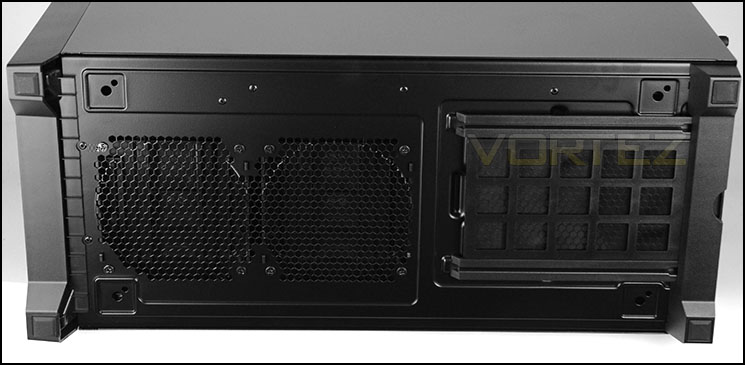
Dust filter for PSU and optional fan mounts
Interior
Both side panels on 750D are fixed into place with dual thumbscrews. After taking these side panels off the case we have an overview of the internal layout and feature selection.
Corsair have powder coated the interior in black and the eagle eyed amongst you will notice there is no requirement for motherboard stand-offs since this case has been engineered with projected mounds on the motherboard tray. 750D has support for all major form factors, including ATX, XL-ATX and E-ATX – although XL-ATX lacks the bottom row of mounting hole support. Also noticeable are the plethora of tool-free mechanisms for installing kit and different storage allocation which we will look at in more details on the subsequent pages.
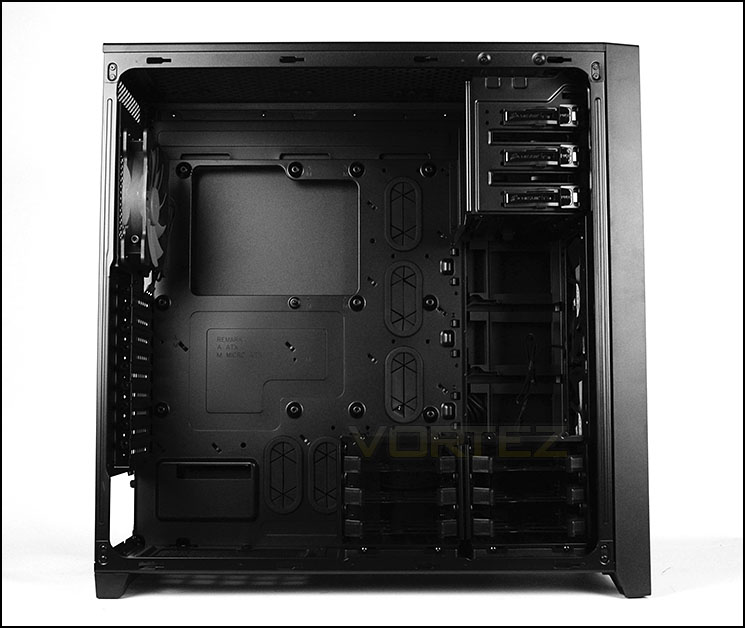
Support for XL-ATX and E-ATX form factors
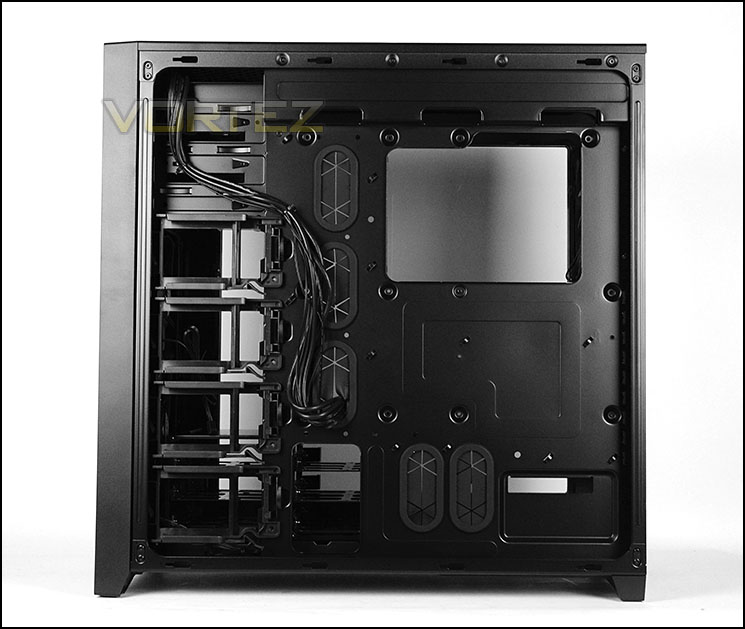
A look behind the motherboard tray
At the bottom of the case there is space for mounting the PSU. Unfortunately Corsair have made the decision to abstain from including anti-vibration padding which is rather a disappointment. As a result, extra care will have to be taken to not scratch the case or the PSU when installing. Nevertheless, on the underside there is a removable filter which we are pleased to report can be detached when the case is stood upright.
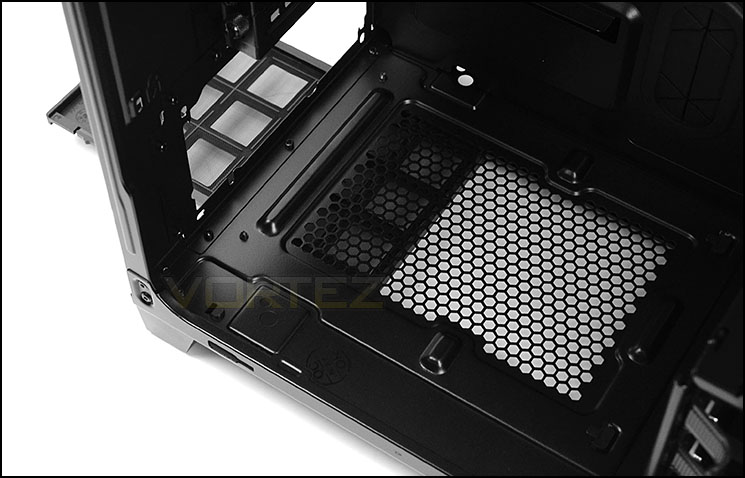
The PSU area lacks anti-vibration padding
Moving up, we see there are a total of nine PCI expansion slot covers, each of these have the ventilation holes for encouraging better airflow inside the case and all come with an easy to remove thumbscrew.
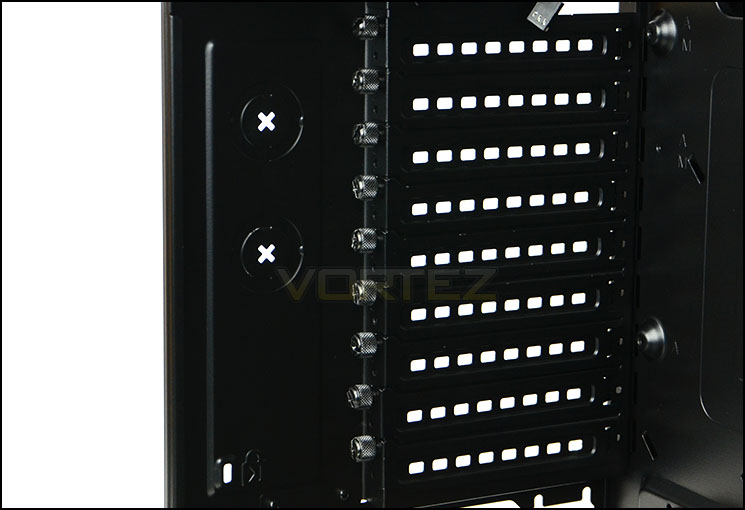
Multi-GPU support with nine PCI expansion slot covers
Interior (Continued)
Corsair have included an Air Series 140mm cooling fan at the back of 750D which has been positioned to be an exhaust. There is a noticeable gap between the top of the fan and the top of the case, this assists with radiator support.
At the top of the chassis, 3x 120/140mm cooling fans can be included and radiators up to 360mm in specification can also fit – as we will see later. Corsair’s Hydro Series can be installed at the top without any problems whatsoever.
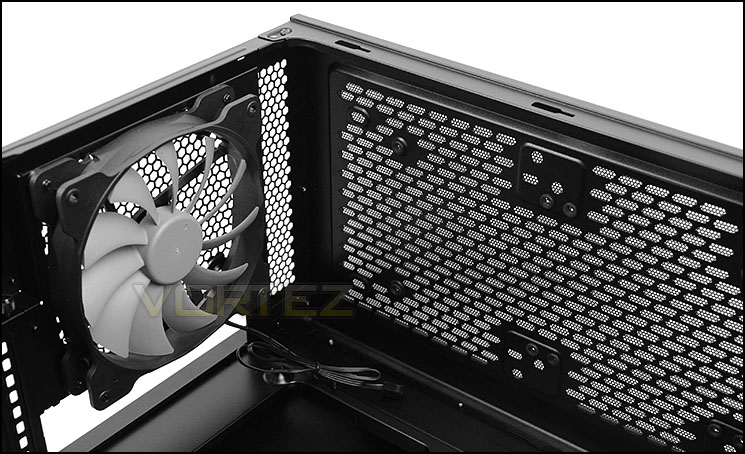
Air Series 140mm rear exhaust
Over on the other side the optical drive cage can support up to 3x 5.25” devices and each bay has a tool-free mechanism – helping to install efficiently.
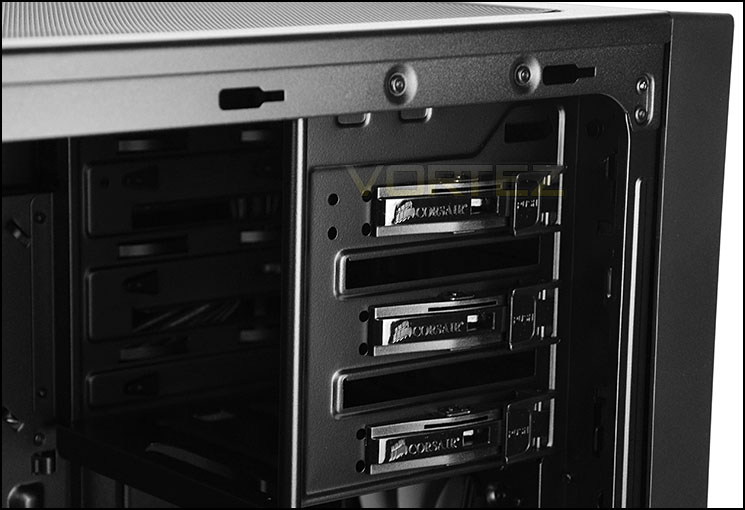
Tool-free mechanisms for 5.25” devices
At the bottom of 750D there are two storage cages, by default these are positioned side-by-side but they can also be stacked on top of each other too. Each cage can accommodate 3x 2.5” or 3.5” drives via storage trays which we have seen many times with previous Corsair cases.
Behind the storage cages Corsair have also equipped 750D with a series of four 2.5” adapter brackets. These handy brackets are a welcome feature – Corsair have utilised space which would otherwise be wasted.
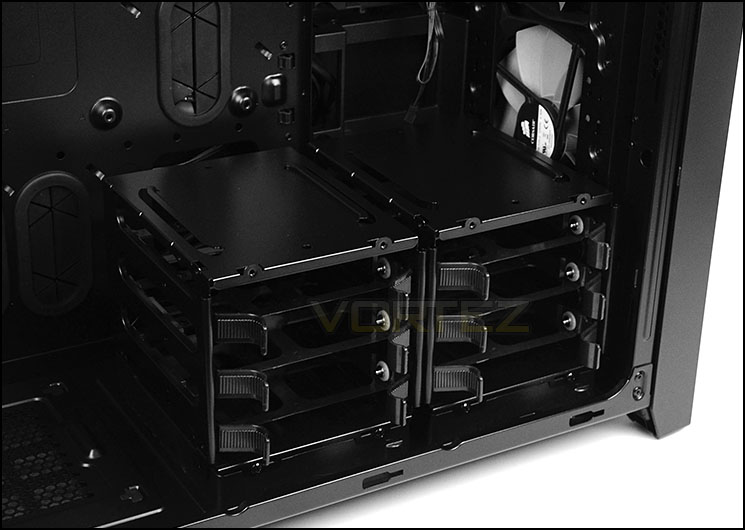
Dual storage cages
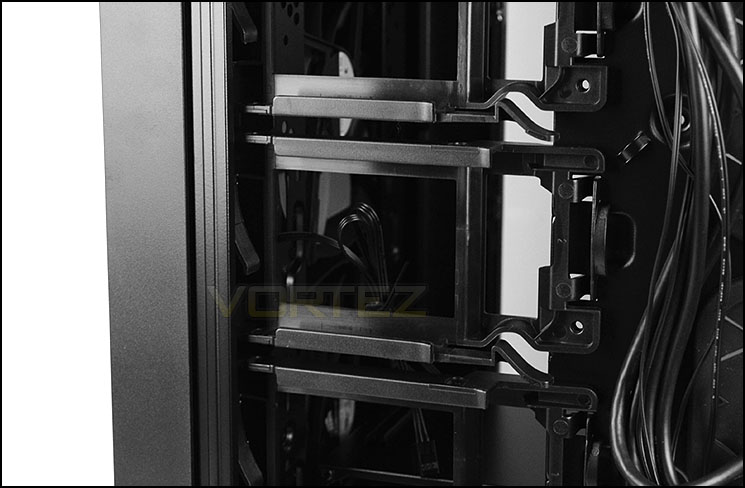
SSD trays utilise space
Installation
Since 750D has XL-ATX compatibility we installed our test system which uses this form factor. Our only complaint with installing an XL-ATX motherboard inside this case is that the bottom row of mounting holes have no support.
Installation was a breeze thanks to the space and tool-free mechanisms used throughout this chassis. The option of being able to move the HDD cages around in different configurations or even altogether is a key advantage.
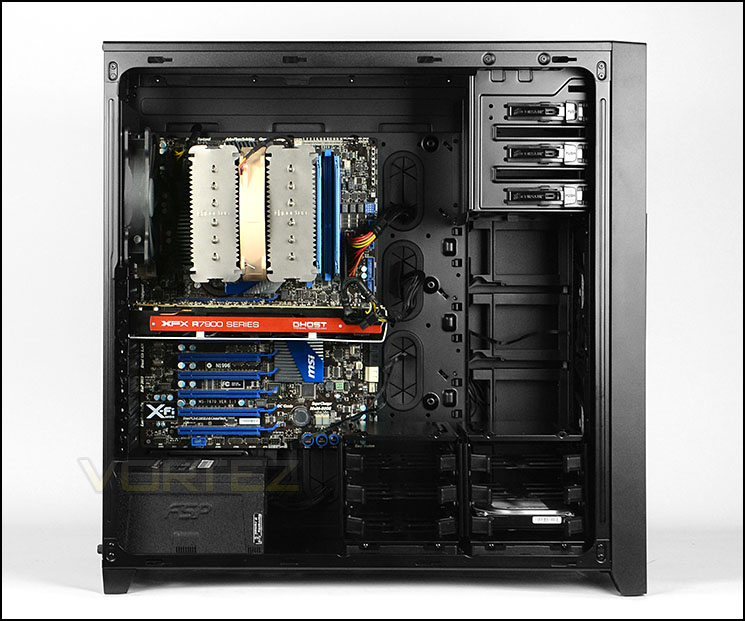
Our XL-ATX test system sat inside 750D

Cable management behind the motherboard tray
Now a common feature in most cases, the HDD tray features within 750D and offers support for 2.5” and 3.5” drives. 2.5” drives require a set of screws attaching to the underside, whilst the 3.5” drive can take advantage of tool-free mounting studs.
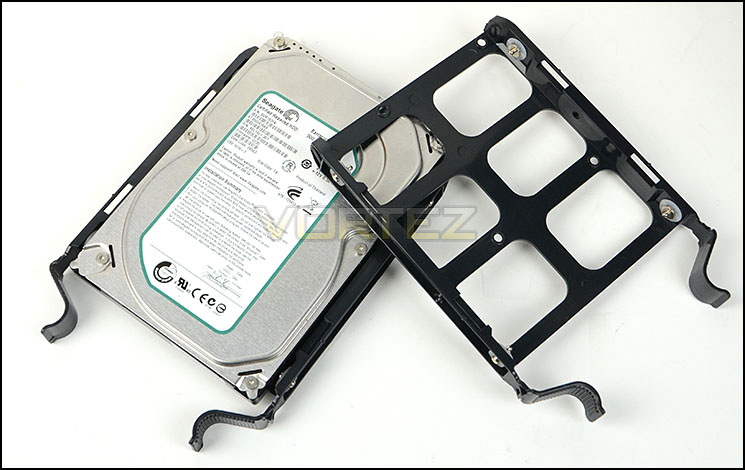
HDD trays for installing 2.5” and 3.5” drives
Clearance – CPU Cooler, GPU
The clearance options inside a chassis are paramount to system builders since it highlights what hardware will be compatible with a specific case.
In the CPU cooler department, there is more than adequate clearance for tall coolers. Our Noctua NH-D14 which is 160mm in height had plenty of room to play with. Corsair claim there is up to 180mm in clearance.
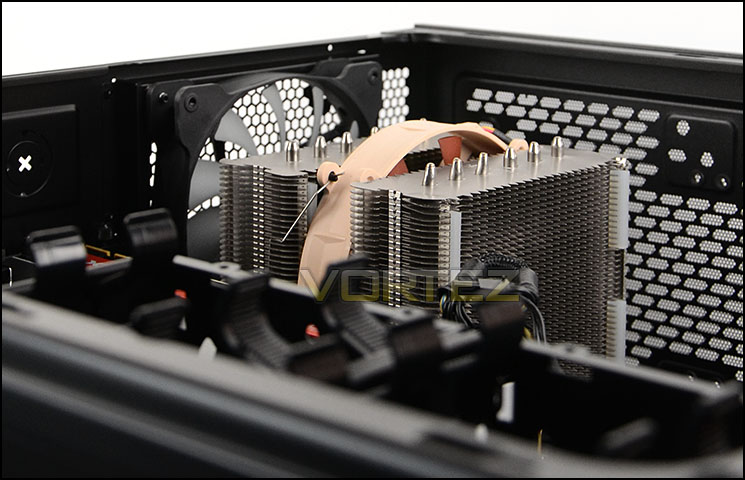
Enough space for flagship CPU coolers
The graphics card is where things alter slightly. If you are using a single card configuration then you will undoubtedly use the top PCI-E slot on the motherboard and therefore have enough clearance for any graphics card currently on the market. If you are planning to use lower slots then there could be a collision with the graphics card but since the storage cages can be stacked this does not present a problem. There is 460mm clearance when using top PCI-E slots and 340mm for the lower slots – with the HDD cages side-by-side.
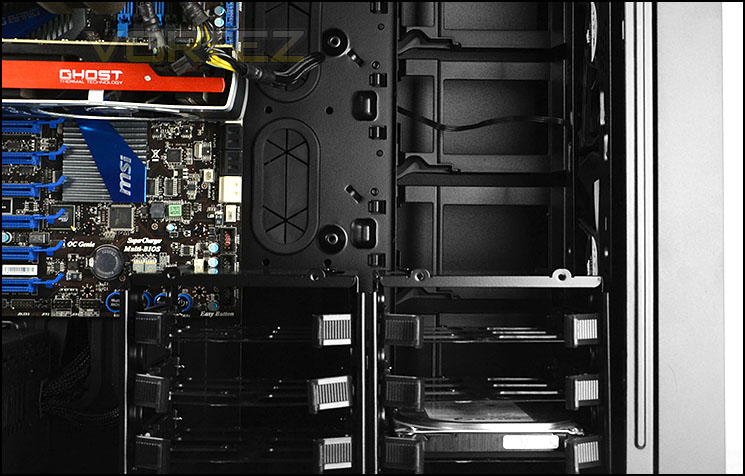
Corsair have taken care of GPU clearance
Clearance – Water cooling, Cable management
We are pleased to report, 750D has plenty of options for water cooling support. At the top of the chassis up to 360mm radiators fit – those which are 60mm also have no problems attaching, all mounting holes line up perfectly. Pictured below is the Phobya G-Charger 360. As you can assume, the Hydro Series of coolers also fit at the top of 750D.
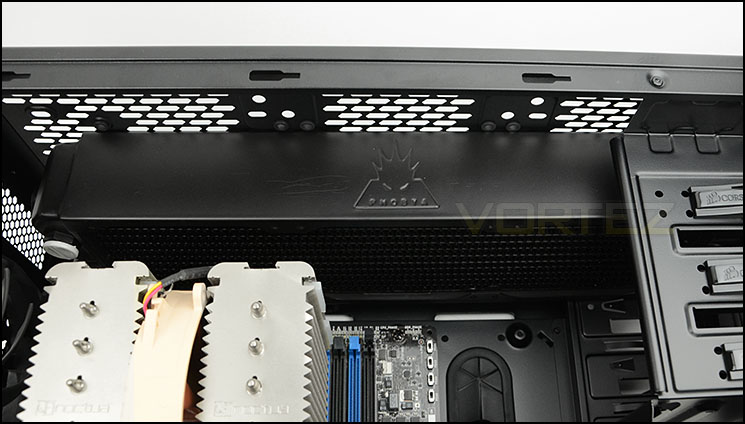
Radiators up to 360mm fit at the top
With the HDD cages removed we are able to install a 240mm radiator at the bottom and once again, the thicker type which are 60mm will fit without any hassle. Pictured below is Phobya G-Charger 240.
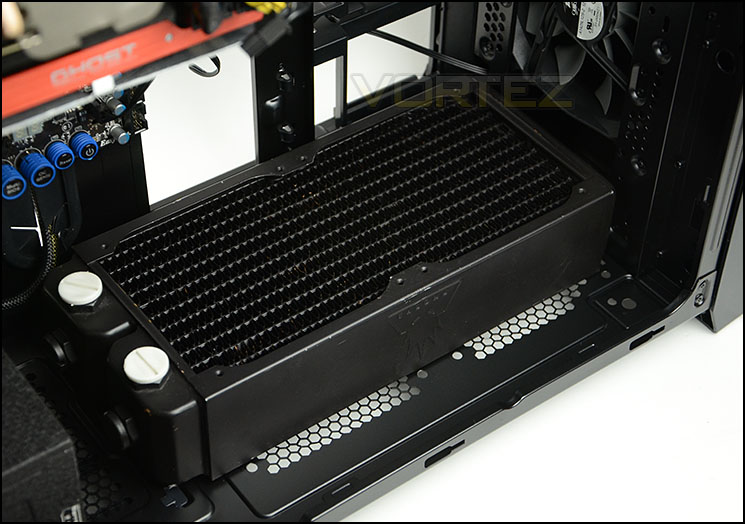
Clearance and mounting holes at the bottom for up to 240mm radiators
Allocation at the front is also pleasing to see with support for 240mm radiators again. As you can see, 60mm specification can be installed without any clearance issues.
So there are a range of areas to install long radiators for custom kits of even ALCs. The rear exhaust fan can also be take out and replaced with a 140mm radiator if desired.
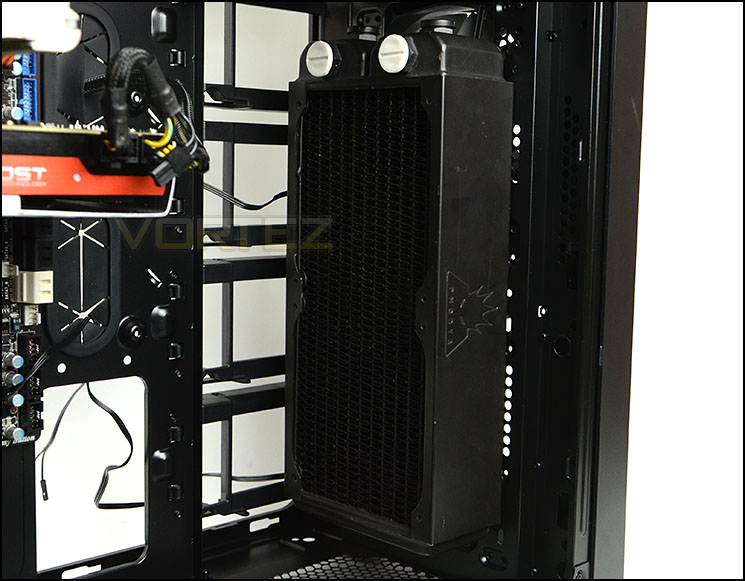
240mm radiators fit at the front
Behind the motherboard tray there is approximately 2.5cm of clearance which is sufficient for ensuring good cable management practises. We were able to neatly arrange the cables at the back of the motherboard tray and still slide the side panel back onto the case.
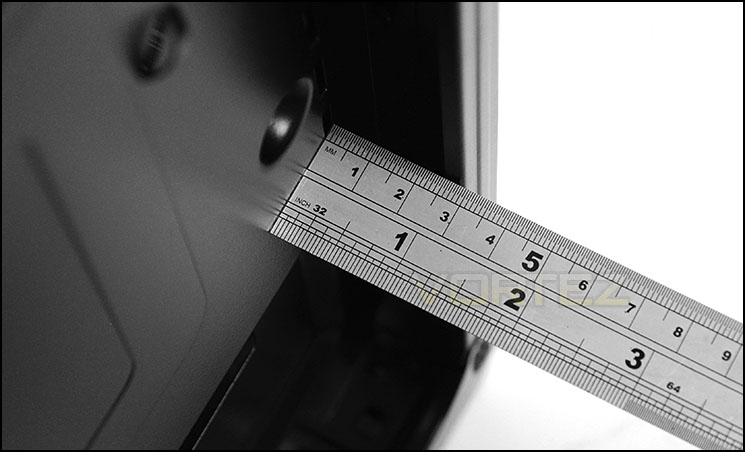
Clearance behind the motherboard tray
Thermal Performance Testing
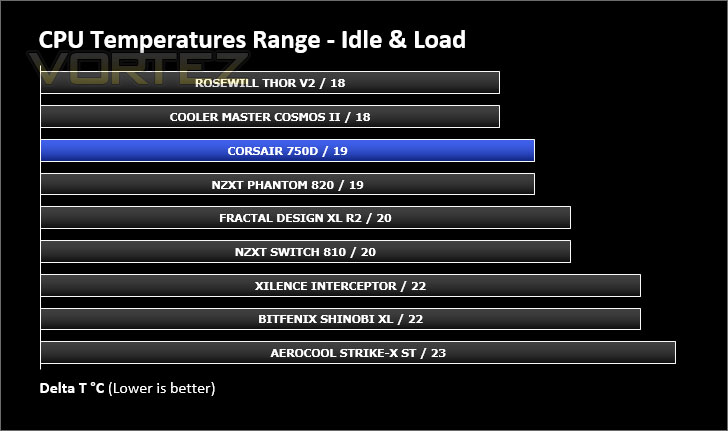
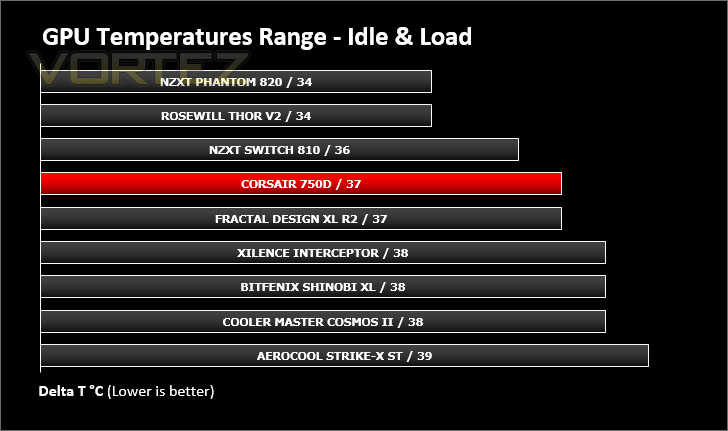
750D has a total of three cooling fans – two 140mm as intakes at the front and one 140mm acting as an exhaust at the rear. This push/pull configuration usually yields good results.
To discover the thermal performance of the 750D we will record idle temperatures after 20 minutes from a cold boot. We will then stress the system and temperatures will again be monitored after 30 minutes have elapsed.
For the purpose of accurate analysis the idle and load temperatures for CPU and GPU will be recorded and the range between idle and load will be calculated to determine how efficient cooling is.
NOTE: Ambient temperature is 20C
System Components
CPU Intel Core i5 2500K
Motherboard MSI Big Bang Marshal (P67)
Graphics ZOTAC NVIDIA GTX 480 AMP (Different to GPU used in pictures)
Memory 8GB Kingston HyperX Genesis 1600MHz CL9
HDD Samsung Spinpoint 500GB SATA-II
PSU FSP AURUM 620M
Motherboard MSI Big Bang Marshal (P67)
Graphics ZOTAC NVIDIA GTX 480 AMP (Different to GPU used in pictures)
Memory 8GB Kingston HyperX Genesis 1600MHz CL9
HDD Samsung Spinpoint 500GB SATA-II
PSU FSP AURUM 620M
Noise
The Air Series cooling fans are known for giving good results at a decent noise level. We found the cooling fans unobtrusive when the system was in use.
Conclusion
The Obsidian Series is synonymous with quality and it’s no surprise that this third Obsidian chassis for 2013 has gathered plenty of attention amongst avid Corsair patriots. Where this new chassis fits in is a little unclear since both the 650D and 800D (which 750D fits in between) aren’t vastly dissimilar.
750D carries with it the professional styling which is now a much loved trait of the Obsidian series. Sleek and elegance aesthetics are clearly seen from the exterior, the brushed aluminium front faceplate looks and feels fantastic.
Delving inside the chassis it isn’t long before a strong feature-set is identified. Water cooling support is a particular highlight for this case, with many regions catering for different sized options. Those who have a taste for furnishing their system with a custom loop will be pleased to see that HDD storage is very flexible and thus sacrifices do not necessarily have to be made. The space inside 750D also lends itself to accommodating XL-ATX and E-ATX form factors opens the door for high-end builds.
The 750D isn’t without a few niggles though. The lack of anti-vibration padding for the PSU at this level is unforgiveable. This is the type of feature which should now be obligatory, especially with a case at this price-point. The side panels are also on the thin side and do also flex, we’d have liked to see these thicker on a case of this calibre and even a return to those super-cool side panels found on the 650D with clips.
Coming in at £135 / $160, 750D is a great case if you are planning to water cool but if you are opting for air cooling, in order to be competitive in this arena, the price should really be closer to the £100 mark.
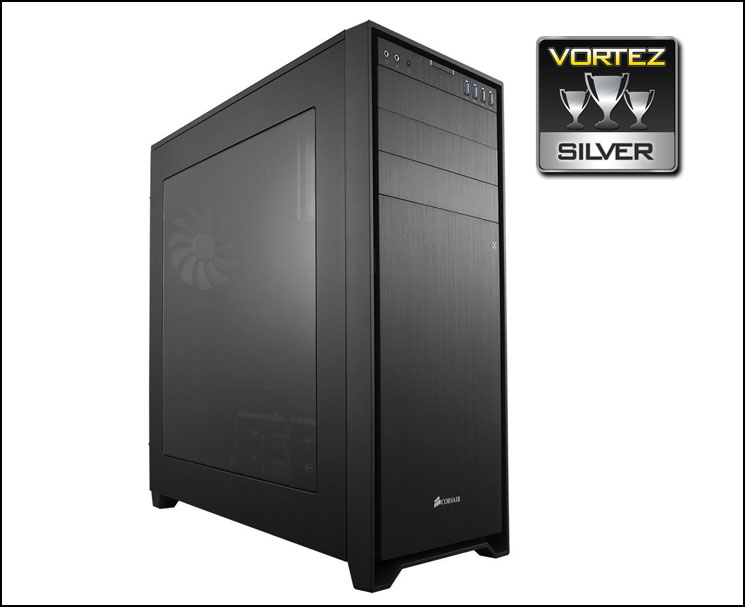
Joining the Obsidian family, the 750D is a great choice for water cooling enthusiasts looking for a mid-range case. Super clean aesthetics and good functionality mean this case will undoubtedly drop onto the short list.
Pros
+ Professional aesthetics
+ Dust filters are easy to remove
+ Strong radiator support within
+ XL-ATX and E-ATX support
+ Flexible storage options
+ Good clearance for hardware
Cons
– Price
– No anti-vibration padding for PSU
– Side panels flex / thin
– Lack of mounting holes for bottom row on XL-ATX motherboards
+ Professional aesthetics
+ Dust filters are easy to remove
+ Strong radiator support within
+ XL-ATX and E-ATX support
+ Flexible storage options
+ Good clearance for hardware
Cons
– Price
– No anti-vibration padding for PSU
– Side panels flex / thin
– Lack of mounting holes for bottom row on XL-ATX motherboards

Click here for an explanation of our awards at Vortez.net.


