Building on the groundwork laid out by the Sound BlasterX G5, will Creative’s new and improved Sound BlasterX G6 be the only gaming amplifier you’ll ever need?

Product on Review: Creative Sound BlasterX G6
Manufacturer: Creative
Street Price: £129.99 / $149.99
As you are probably aware, Creative has been in the audio game a long time and have always been one of the go-to companies if you’ve ever wanted to upgrade your audio. They manufacture everything from earphones to sound cards and today we’ll be putting their latest offering through its paces.
The Sound BlasterX G6 follows in the footsteps of the Sound BlasterX G5 from 2016 and improves upon the foundation that the G5 provided. Some notable upgrades that have been made are an enhanced DAC and Amp. The previous version utilised a 24-bit / 192kHz – which is impressive in its own right, but the G6 betters that with a new 32-bit / 384kHz variant. The Amp also sees a boost and features an ultra-low out impedance of 1ohm which is great when compared to 2.2ohm over the G5. The G6 also adds support for Dolby Digital Decoding and also increases the DNR from 120dB to 130dB.
That isn’t all as the G6 works with a broader range of platforms too, the G5 worked with the PC, PS4 and Xbox, the G6 adds to this with support for Nintendo Switch. The final big improvement is the inclusion of Xamp, this feature is a discrete headphone amplifier which amplifies both the left and right channels individually, this in theory results in more detailed audio across the board.
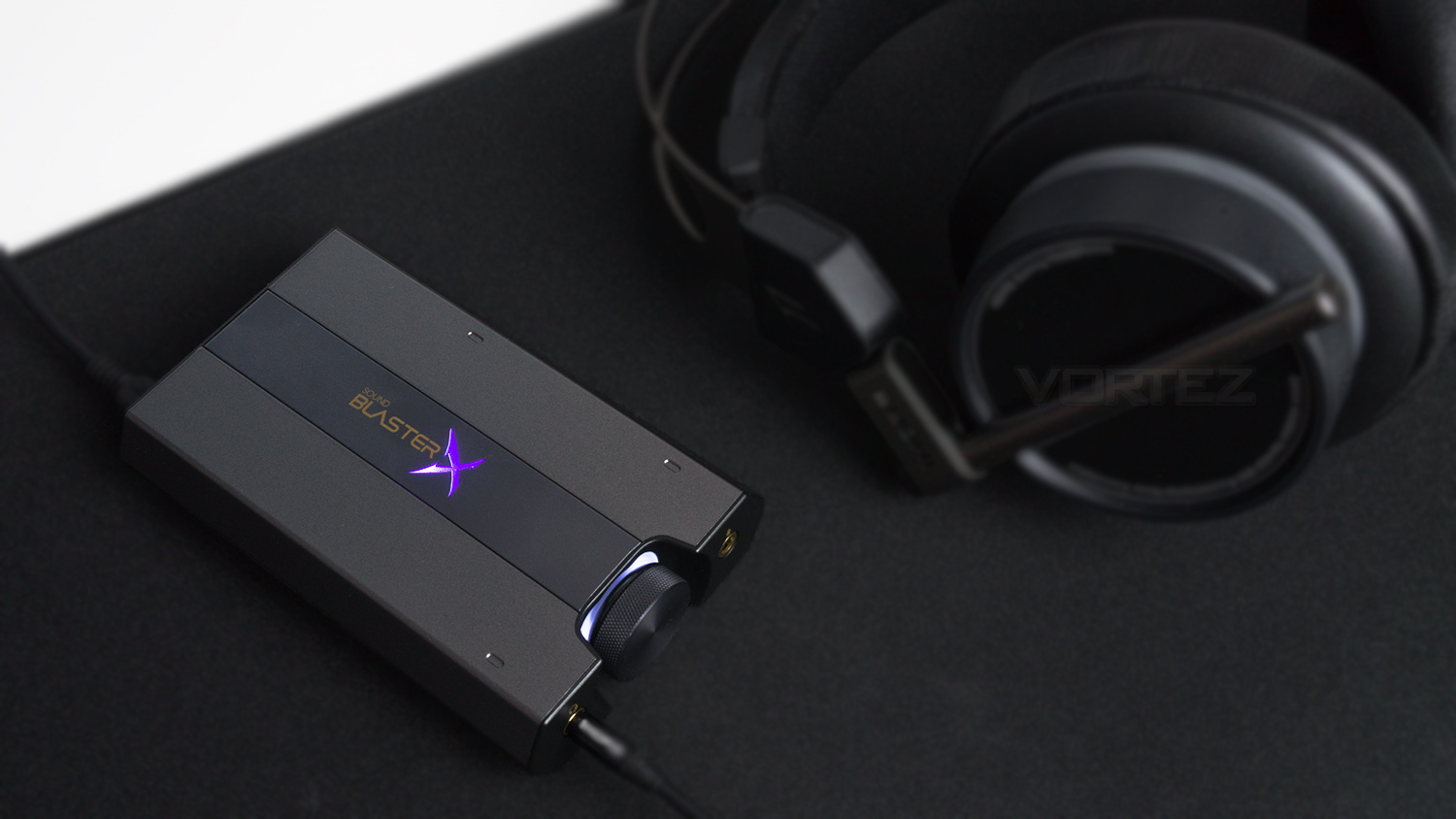
Creative on the Blaster X G6:
Upgrade your game! An amazing upgrade over our well-received Sound BlasterX G5, the Sound BlasterX G6 immediately improves your audio, giving you a much more enjoyable experience compared to what you get from default motherboard audio or any other USB Gaming DAC in the market.
Technical Specifications
Audio
Audio technology – SB-Axx1
Audio technologies – Scout mode
DAC
Dynamic Range – 130dB (A-weighted)
THD+N – 0.0002%
Sampling rate (DSP playback) – PCM 16/24/32-bit / 44.1, 48.9, 88.2, 96.0, 176.4, 192.0kHz
Sampling rate (Direct mode playback) – PCM 16/24/32-bit / 44.1, 48.9, 88.2, 96.0, 176.4, 192.0, 352.8, 384.0kHz
DoP 24-bit / 176.4, 352kHz
ADC
Dynamic Range – 114dB (A-weighted)
THD+N – 0.0006%
Sampling rate (Mic in) – 16/24/32-bit / 44.1, 48.9, 88.2, 96.0, 176.4, 192.0kHz
Sampling rate (Line in) – 15/24/32-bit / 44.1, 48.9, 88.2, 96.0, 176.4, 192.0kHz
Output impedance – 1 ohm supported
Headphone impedance – 16 – 600 ohm
High gain – 150 -600 ohm (+14dB)
Low gain – 16 – 149 ohm (+0dB)
Connectivity
1 x 1/8″ Line In/mini TOSLINK In Combo Jack
1 x 1/8″ Line Out/mini TOSLINK Out Combo Jack
1 x 1/8″ Headphone/Headset Jack
1 x 1/8″ Ext. Mic In Jack
1 x microUSB port for PC/Mac
Interface & Power
USB 2.0
USB Bus Powered
Dimensions & Weight
Dimensions – 111 x 70 x 24 mm
Weight – 144 g
Supported Operating systems
Windows 7, Windows 8, Windows Vista, Windows 8.1, Windows 10
Mac OS X v10.8 and above
Supported Platforms
Windows OS
Mac OS
Console – PS4 (Firmware v5.0 or later), Xbox One (Firmware v10.0 or later), Nintendo Switch (Switch OS 5.0 or later)
Audio technology – SB-Axx1
Audio technologies – Scout mode
DAC
Dynamic Range – 130dB (A-weighted)
THD+N – 0.0002%
Sampling rate (DSP playback) – PCM 16/24/32-bit / 44.1, 48.9, 88.2, 96.0, 176.4, 192.0kHz
Sampling rate (Direct mode playback) – PCM 16/24/32-bit / 44.1, 48.9, 88.2, 96.0, 176.4, 192.0, 352.8, 384.0kHz
DoP 24-bit / 176.4, 352kHz
ADC
Dynamic Range – 114dB (A-weighted)
THD+N – 0.0006%
Sampling rate (Mic in) – 16/24/32-bit / 44.1, 48.9, 88.2, 96.0, 176.4, 192.0kHz
Sampling rate (Line in) – 15/24/32-bit / 44.1, 48.9, 88.2, 96.0, 176.4, 192.0kHz
Output impedance – 1 ohm supported
Headphone impedance – 16 – 600 ohm
High gain – 150 -600 ohm (+14dB)
Low gain – 16 – 149 ohm (+0dB)
Connectivity
1 x 1/8″ Line In/mini TOSLINK In Combo Jack
1 x 1/8″ Line Out/mini TOSLINK Out Combo Jack
1 x 1/8″ Headphone/Headset Jack
1 x 1/8″ Ext. Mic In Jack
1 x microUSB port for PC/Mac
Interface & Power
USB 2.0
USB Bus Powered
Dimensions & Weight
Dimensions – 111 x 70 x 24 mm
Weight – 144 g
Supported Operating systems
Windows 7, Windows 8, Windows Vista, Windows 8.1, Windows 10
Mac OS X v10.8 and above
Supported Platforms
Windows OS
Mac OS
Console – PS4 (Firmware v5.0 or later), Xbox One (Firmware v10.0 or later), Nintendo Switch (Switch OS 5.0 or later)
Packaging & First Look
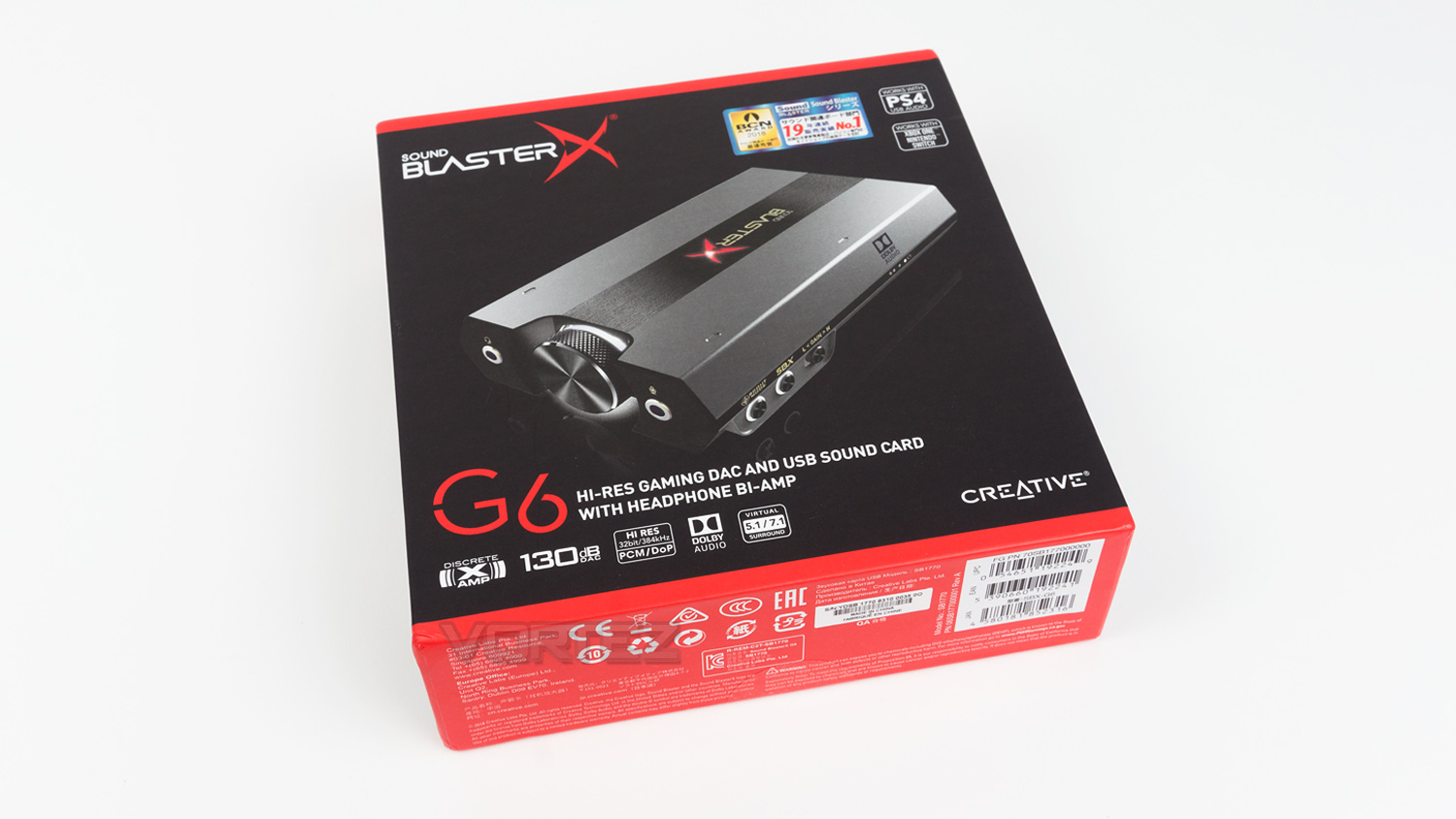
The Creative Sound BlasterX G6 arrives in a black and red box which has an image of the G6 on the front; this is surrounded by some branding, a few of the key features and a shortlist of the compatible platforms that it works with.
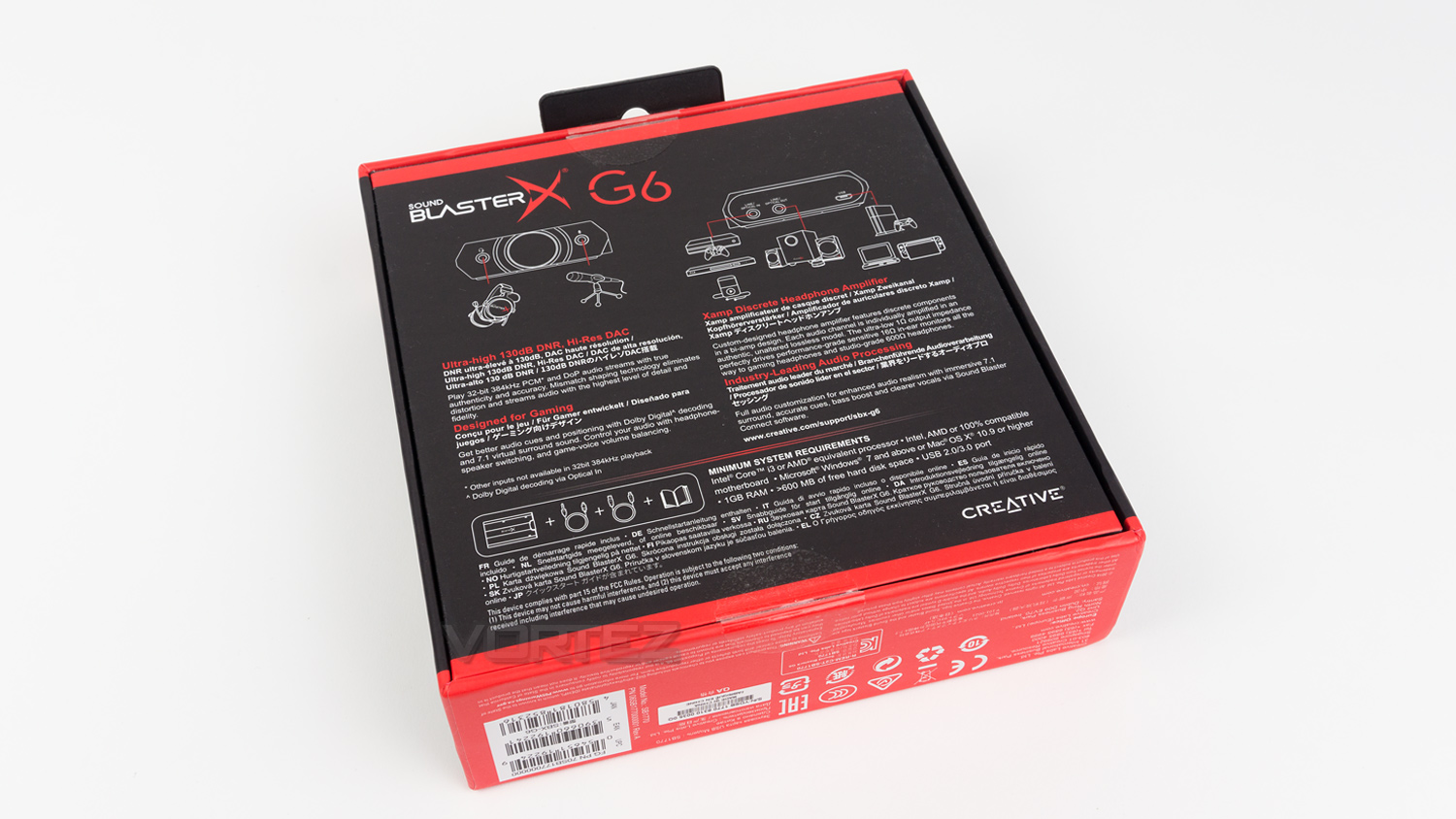
Flipping the box to the rear and it displays a few diagrams of the G6 as well as a few methods of connection and what items can connect to the G6. There is also a more detailed specs list and list of requirements for PC.
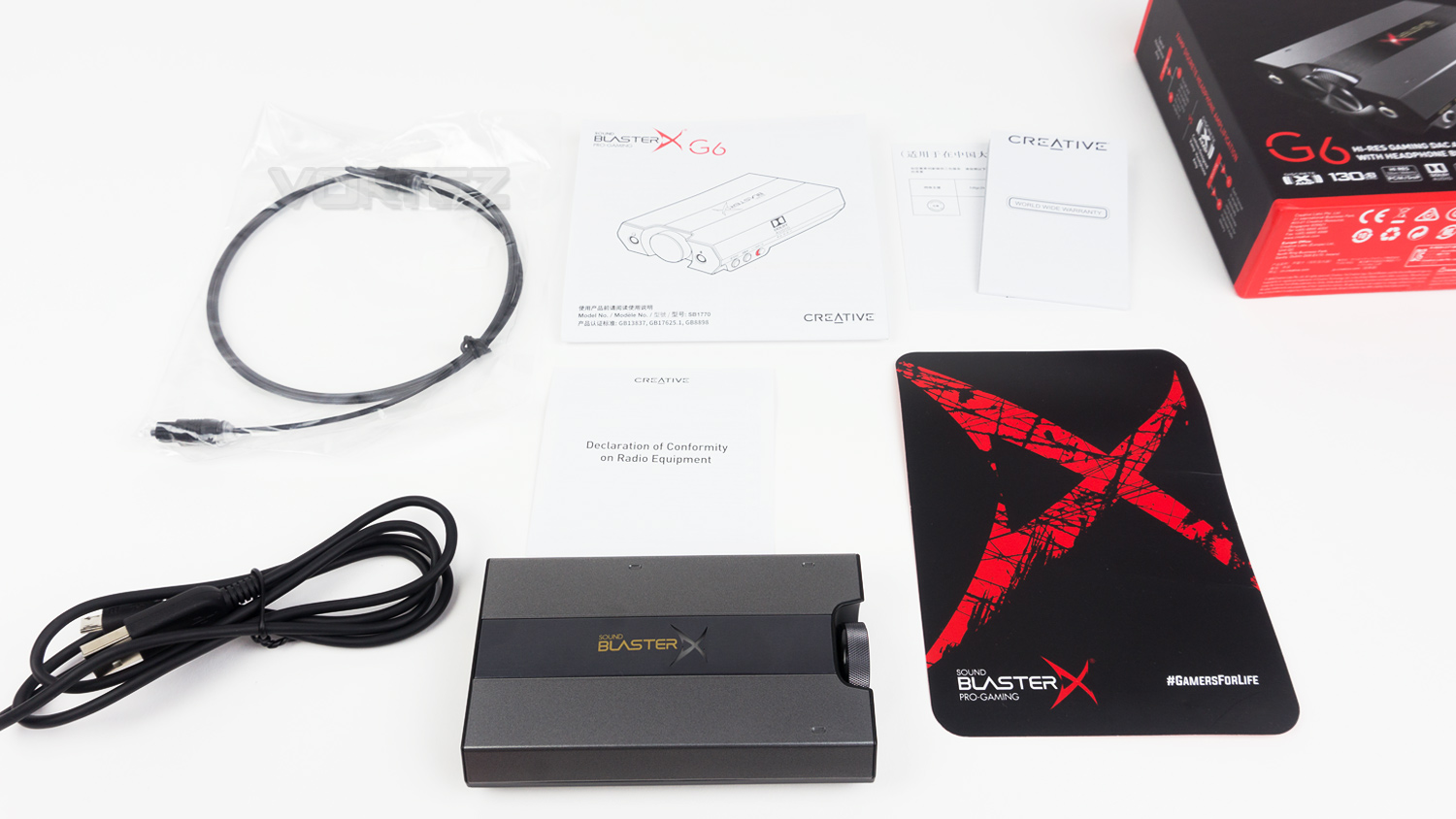
Along with the G6, the box includes a user guide, documentation, 1 x micro USB cable and a TOSLINK cable.
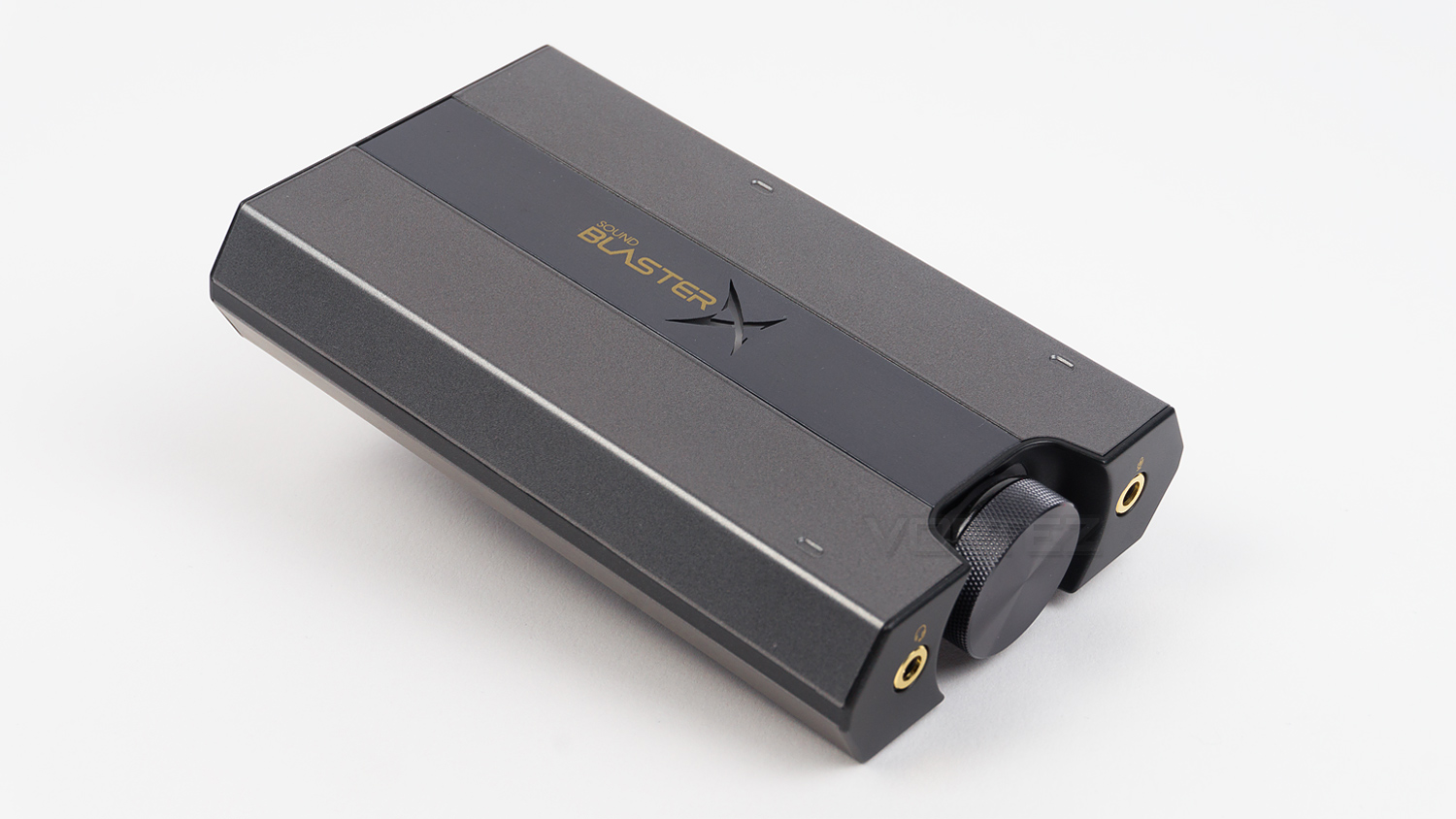
Not much has changed with the G6 when compared to the previous generation G5. There are of course a few minor visual tweaks like the finish on the body and the right-hand side, but the form factor and overall styling remain quite similar.
Closer Look
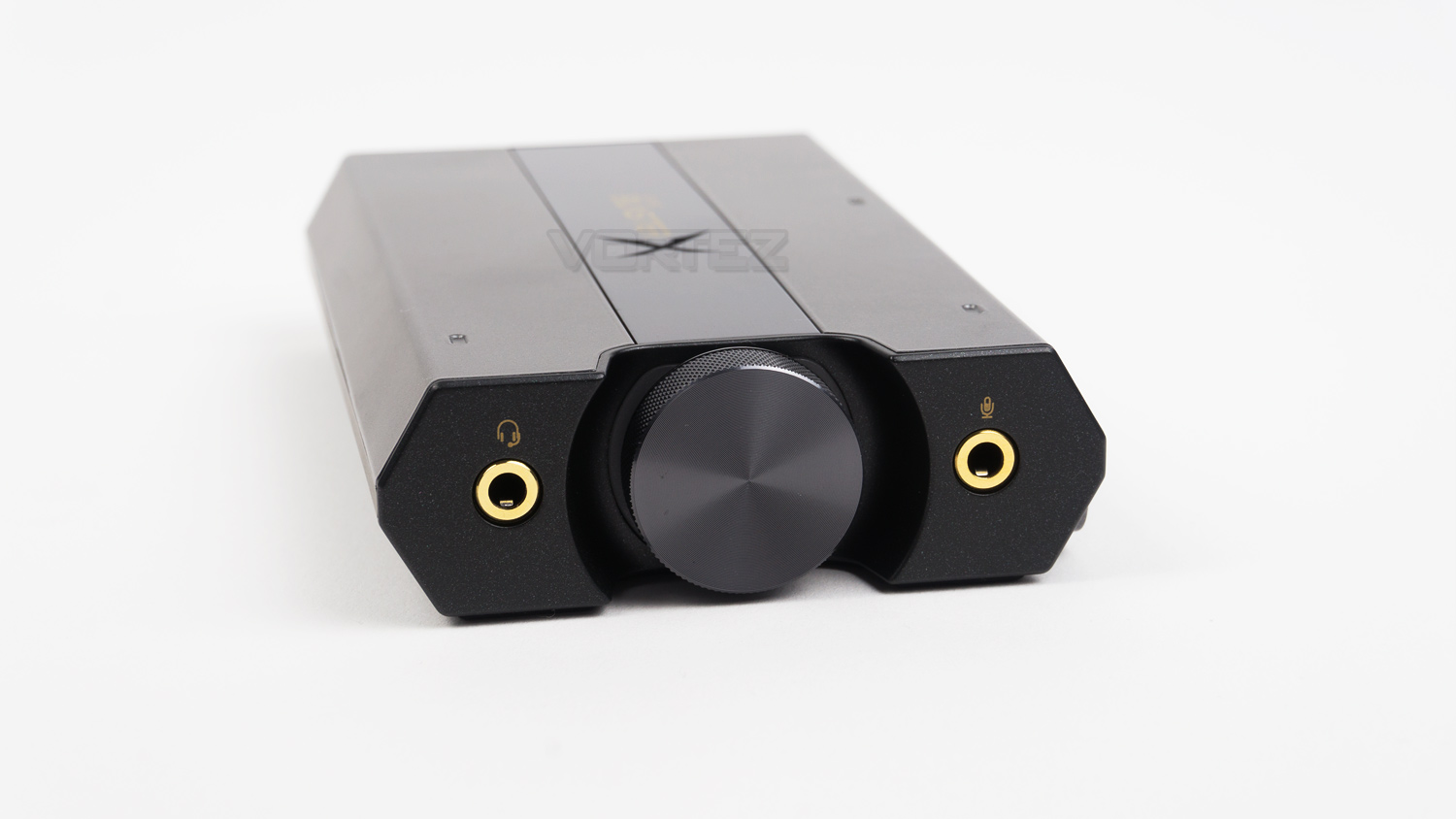
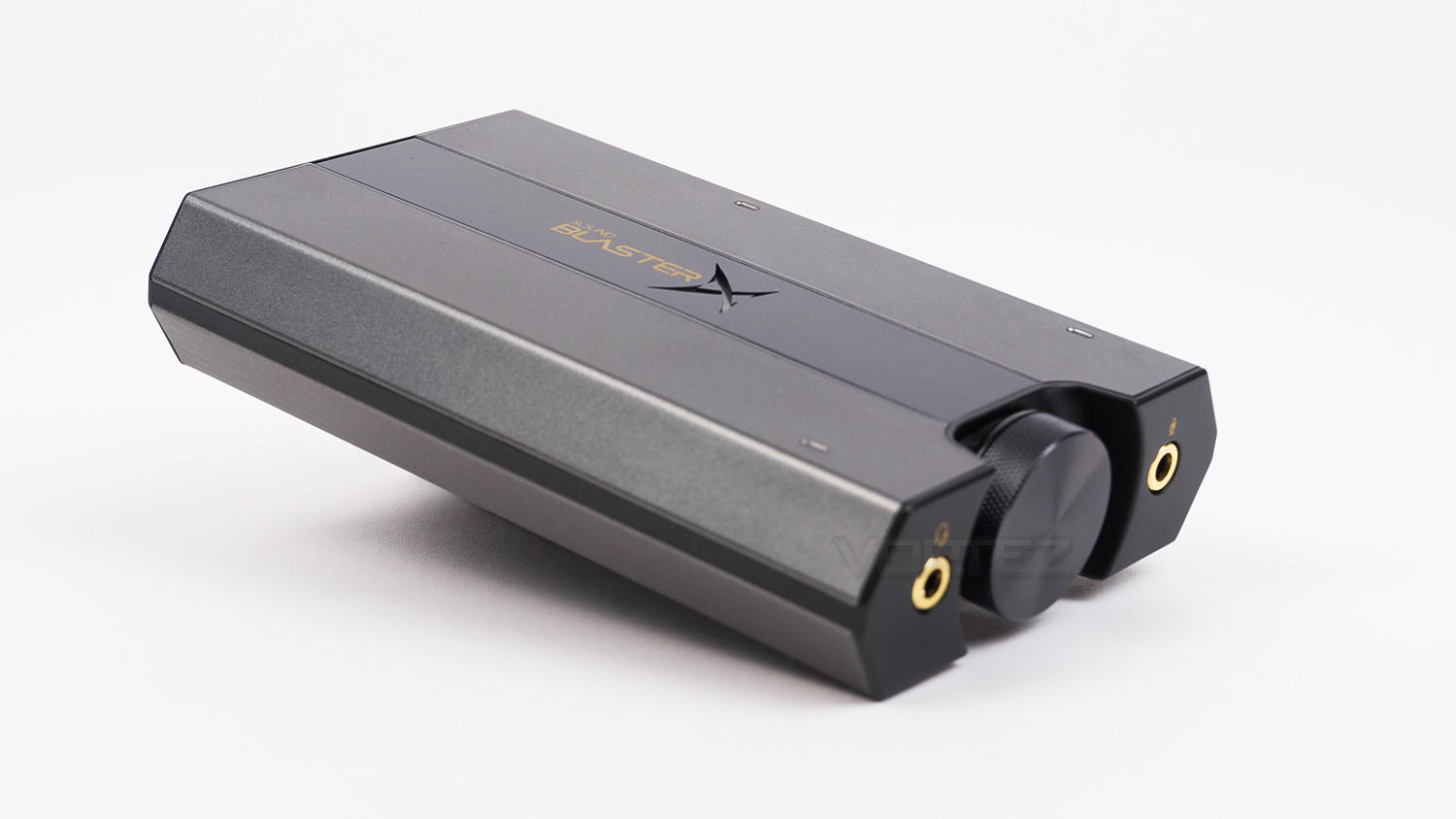
The front of the Sound BlasterX G6 features a prominent centralised volume dial which is backed by a really nice white glow. To the left side there is the headphone output and to the right is the output for 3.5mm microphones.
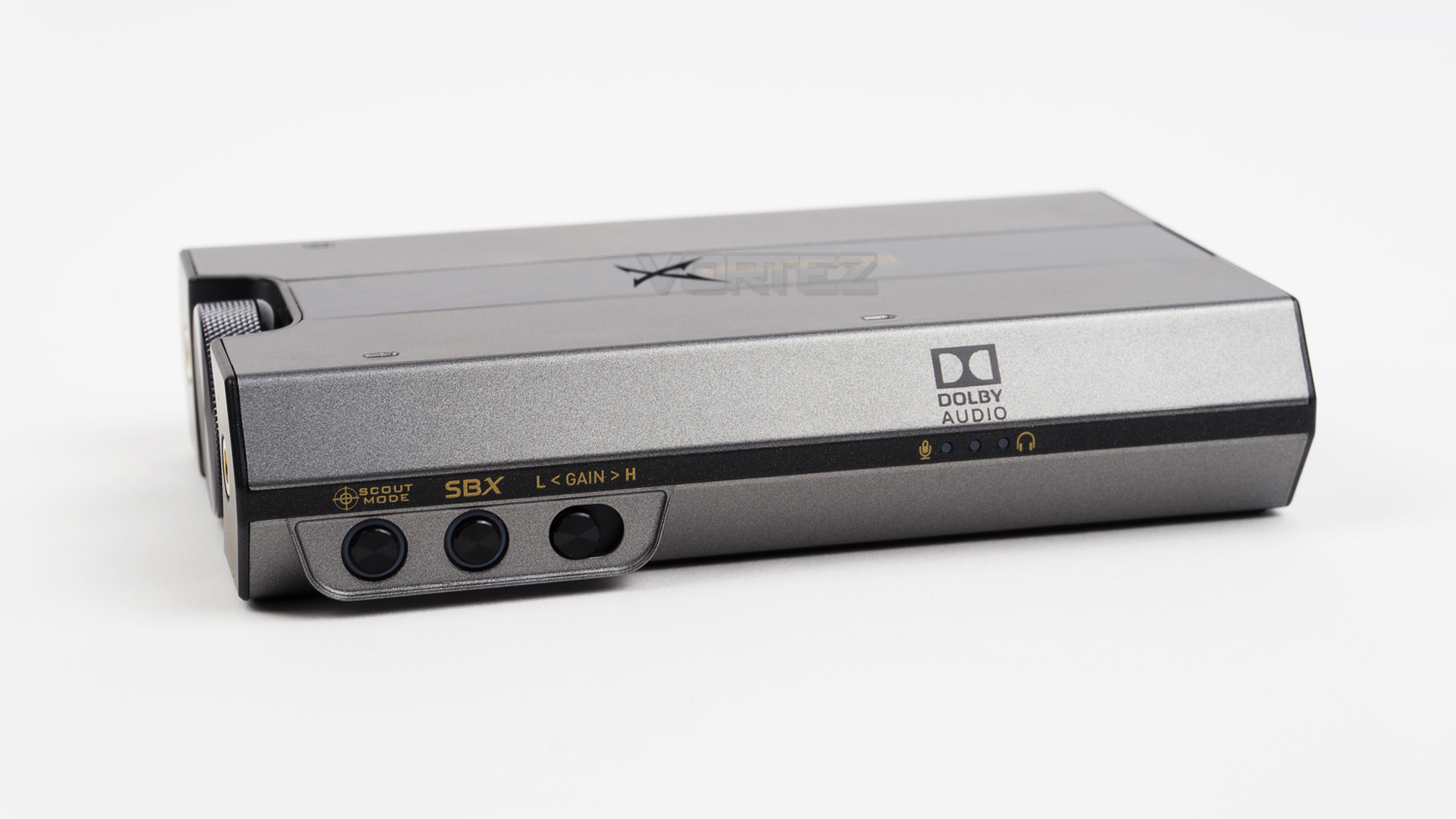
On the right-hand side, there are a series of buttons and LED indicators. The buttons are used to activate different effects, and there is also a separate switch to alter the gain. The LED indicators are used to let you know which profile the amp is currently in; these modes include headphone, microphone or Dolby.
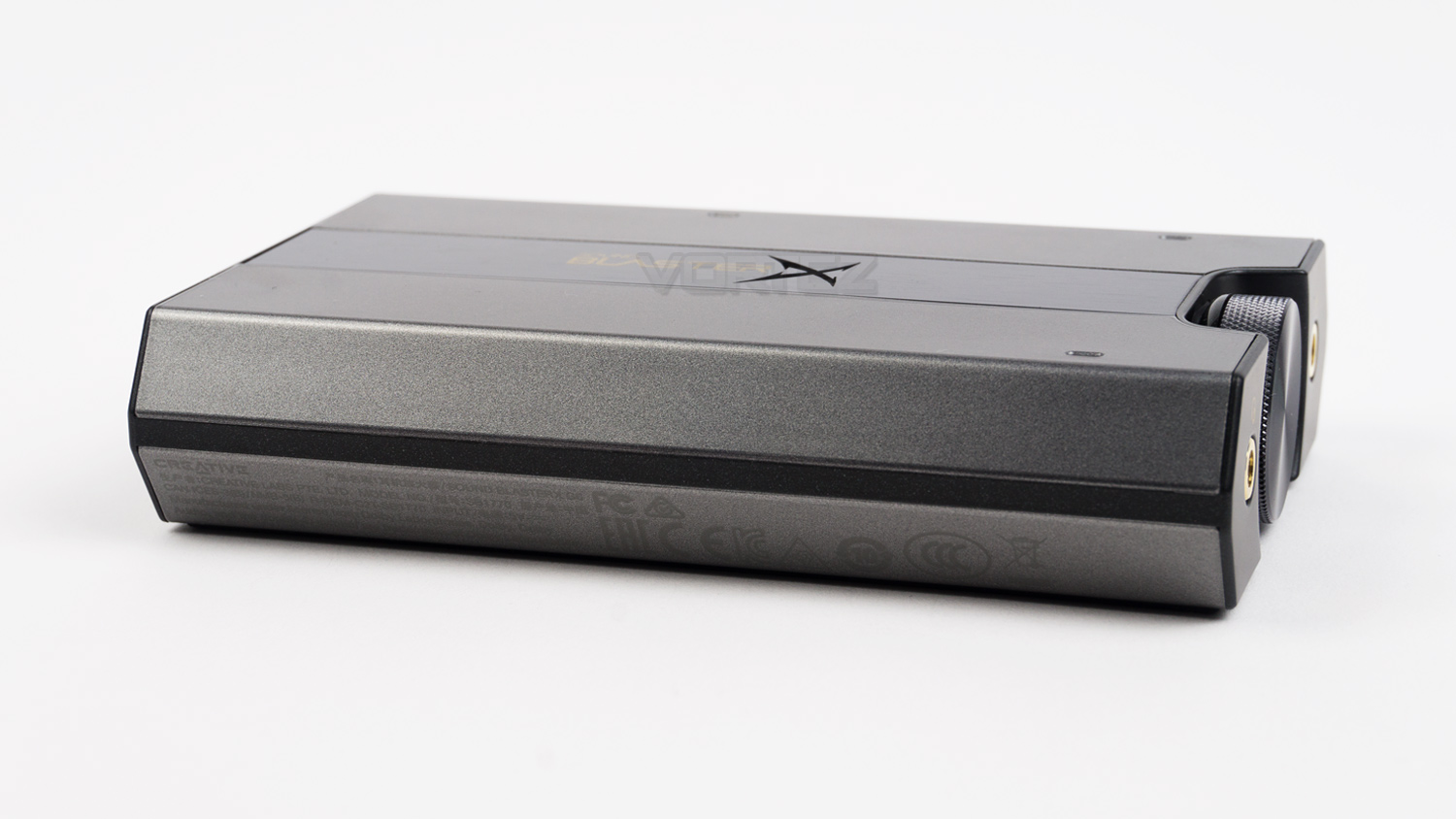
The left-hand side remains clear of ports and buttons but does feature the model number as well as all the marks of confirmation that allows it to be sold worldwide.
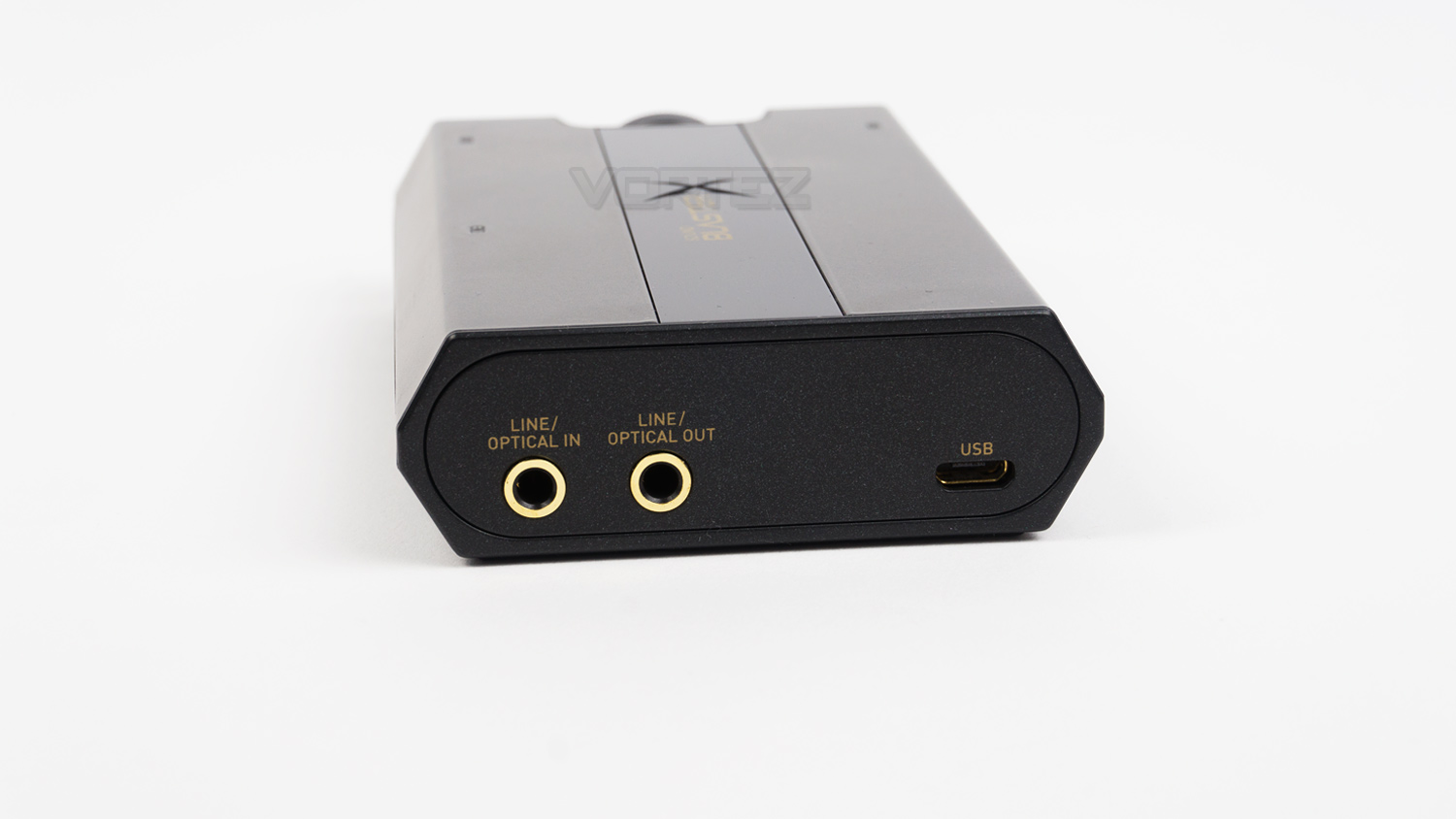
At the rear of the G6, there is a micro USB port as well as an optical in and optical out. The previous gen model did have a full-size USB port, but Creative has omitted that on this newer model.
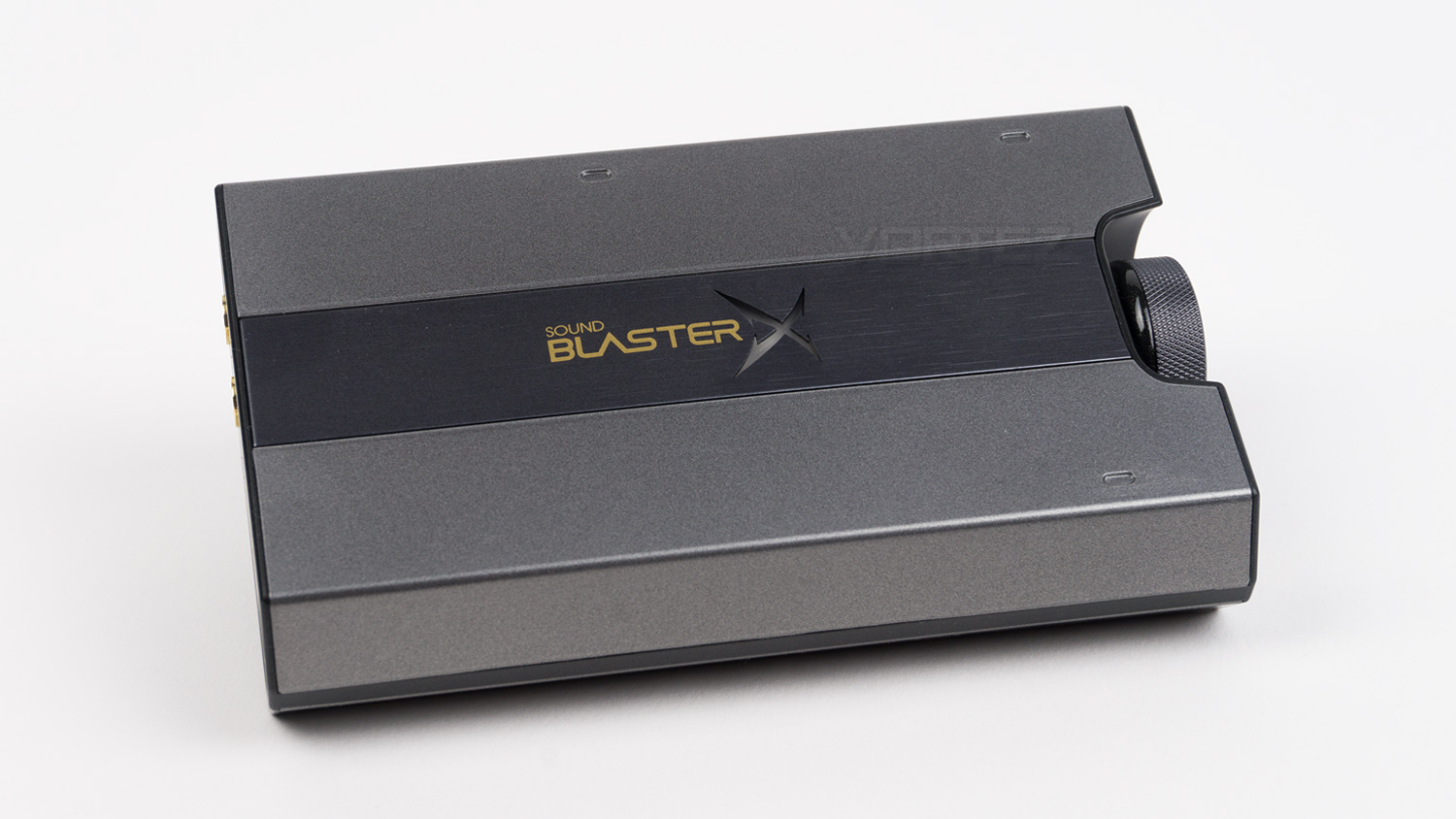
The top section has a very attractive brushed metal section in the centre that features the Sound Blaster branding and also a customisable X logo, this is RGB and can be changed within the software.
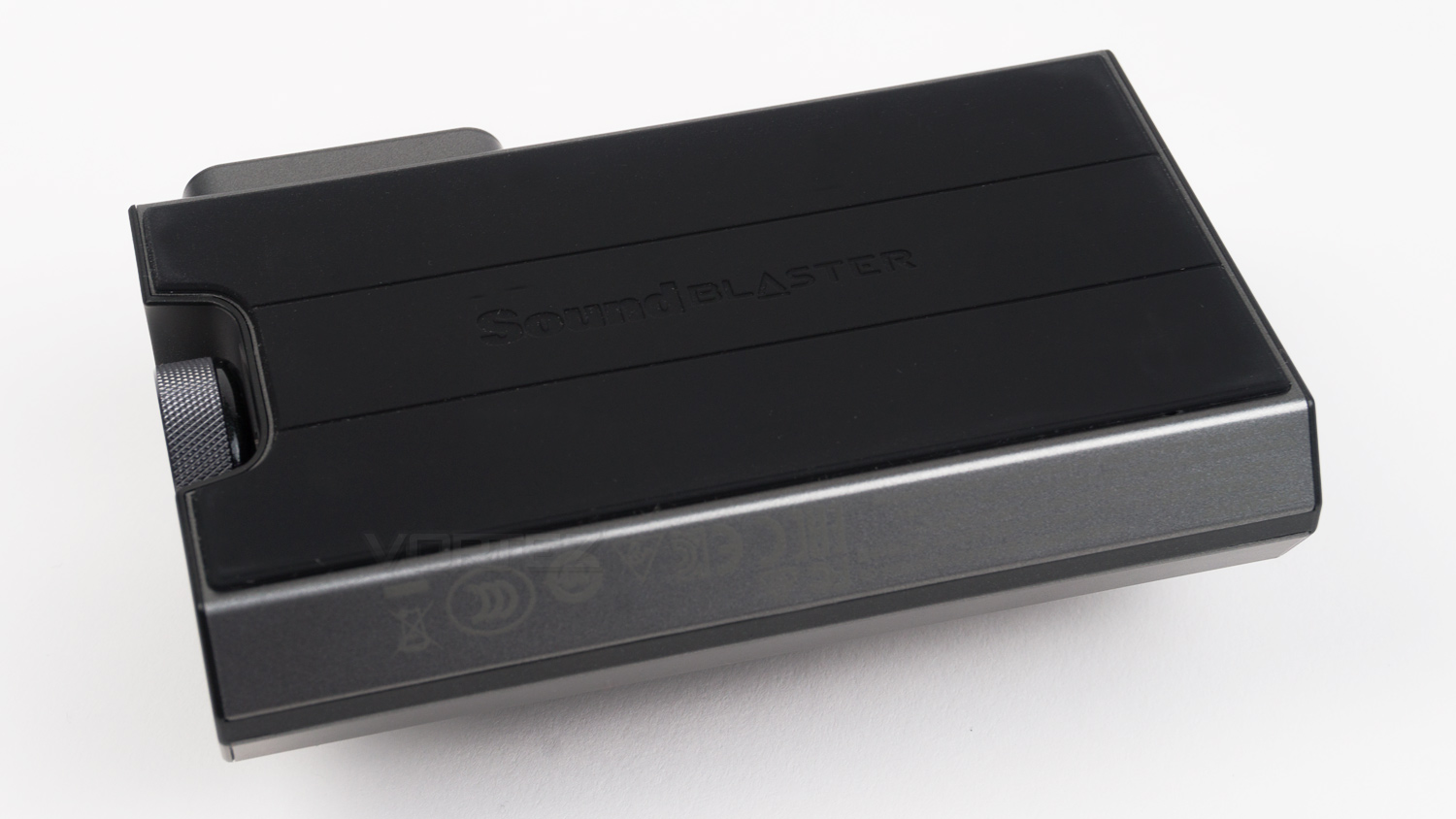
The underside of the G6 is covered entirely in a rubberised material, this not only provides the G6 with a bit of grip but it also provides a layer of isolation against vibrations.
Software
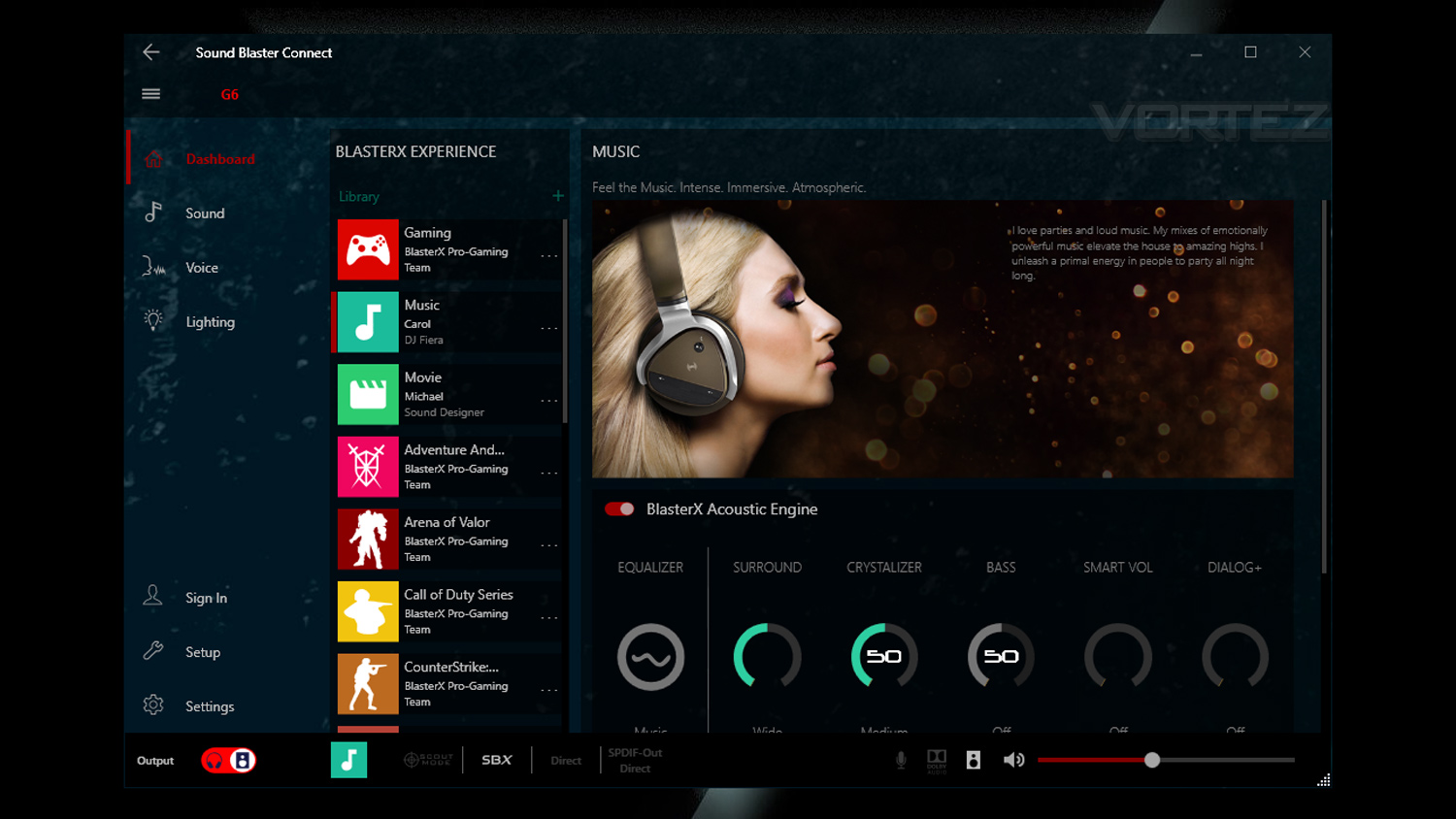
Creative’s Sound Blaster Connect is designed to work with their Sound Blaster branded products, this software gives you full control over a various number of different aspects of your connected device, these include audio, voice and lighting. The only thing that is missing from the main UI is the mic settings. To access these, you need to delve into the setup menu and press the gear icon next to mic under the recording section. Why this isn’t on the main section, we don’t know, but it would be a much nicer experience if it were located in an easier to find location. Also at times, we noted that some effects were delayed when using them, especially the lighting ones. On occasion, we noticed that sometimes the effects took a long time to apply and other times it didn’t apply what we set, so there is still some work that needs to be done to smooth out the user experience.
Performance Testing
Setup & Observations
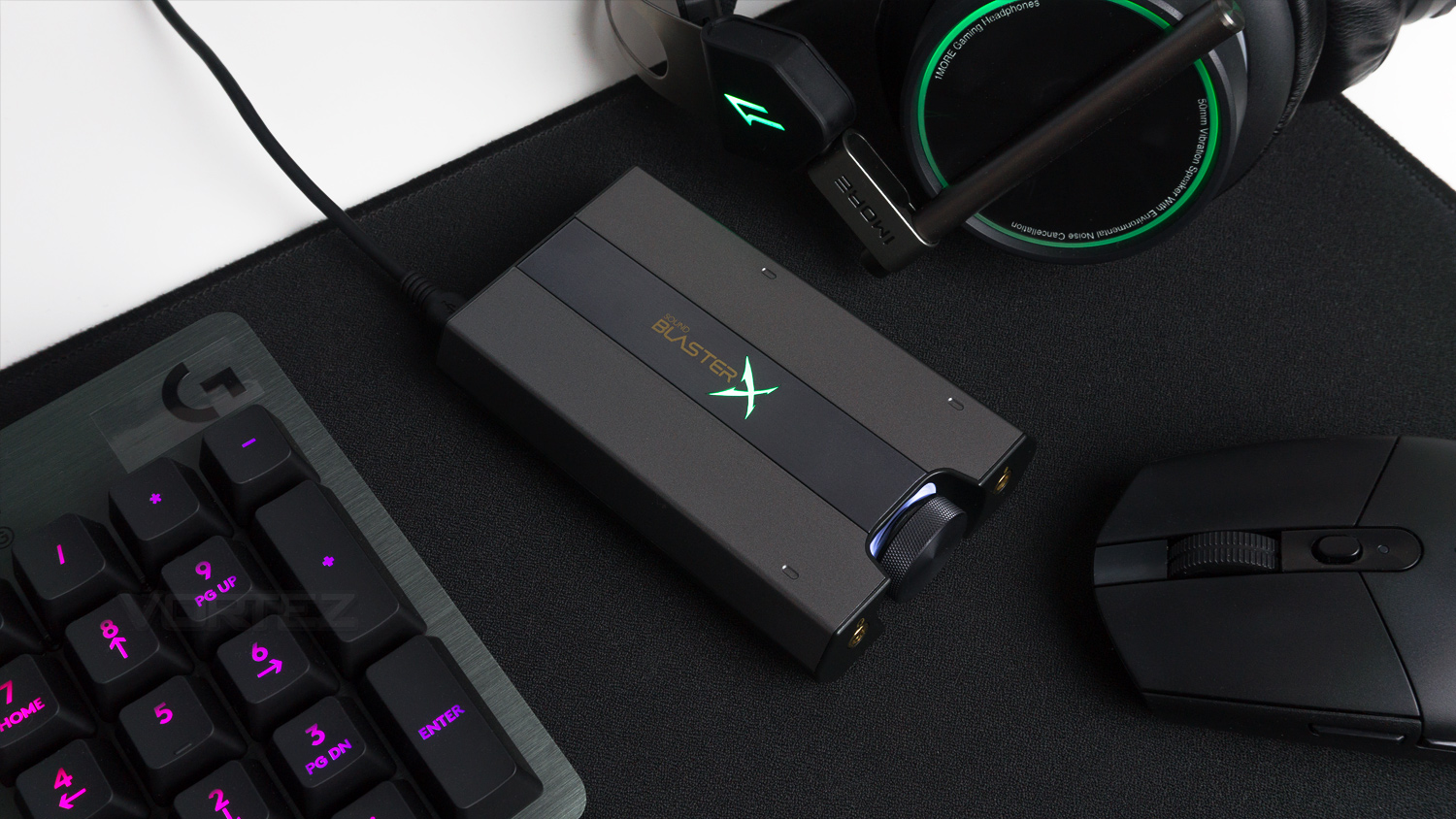
Setting up the Sound BlasterX G6 is very simple, we connected our unit to the PC which involved plugging in the micro USB and USB type A in and that is all. For PS4, Nintendo Switch and Laptop you use the same method, it does slightly differ for Xbox as you use the Optical connection rather than the USB. Keep in mind that if you’re using it with a console, you’ll need to provide a source of power as the G6 doesn’t come with one. You will need one that can output 5V at 1A to ensure it works correctly. You can also connect a pair of powered speakers to the Optical out if you so wish.
Using the G6 as a daily audio source has been a great experience, firstly the build quality and it is good, the outer body is constructed from metal which feels solid and gives it a decent amount of weight, the connections are very high quality too as they are all gold plated. The volume control on the front has a very nice heavily textured surface which provides a good amount of grip when using it. The only downside to this is that the gap between the sides of the unit and the dial is very small and you can’t really get your fingers in to turn it, this results in you having to use your index finger to change the volume. On the plus side, the dial is smooth and adjusts easily, which does somewhat make up for the previous issue. Another slight issue is the underside grip not being very good, but this is only an issue in some cases. If you are constantly unplugging and plugging in your headphones, then the G6 does move around considerably and is a bit of a bugbear, however, if you don’t do this often then it shouldn’t bother you at all. The buttons on the right-hand side are fairly easy to press, depending on where you have it, if it’s situated in a place that is small then it could be a bit of an issue, but if it’s on your desk then they shouldn’t be a problem. Plus the G6 is light and small meaning that if you do need to move it, it isn’t a difficult task to carry out.
Illumination
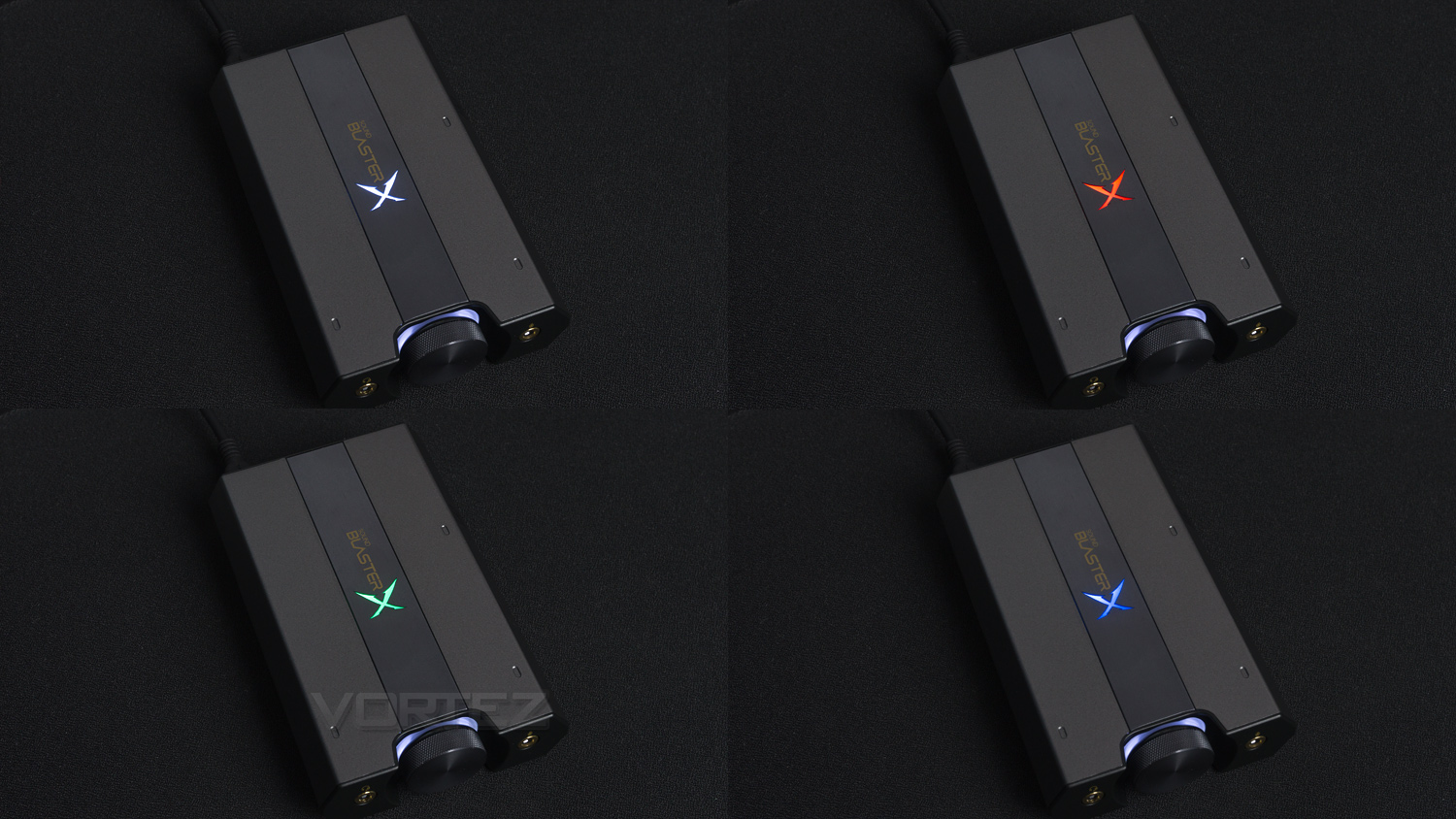
The illumination on the G6 can be found in two individual zones, the front zone can only be white, and the secondary zone is where the customisation can begin. This area is found on the top of the G6 and is in the form of an X branded logo. This logo is fully RGB capable, and there are a few effects that can be used, these are as follows. There is the ‘solo’ mode which is a solid colour fill, and with that, you can change it to any colour you wish. The next effect is ‘pulsate’, this pulses the light, and with this effect, you can alter the speed of it. The third effect is music reactive, and that pulses and glows in time with any music that you are playing, the final effect is ‘cycle’ and that transitions through a predetermined selection of colours – the speed can also be changed as well.
As for the illumination effect it is quite good; the front lighting is nice and subtle which creates a really soft glow around the volume dial. The second zone is bright, the colours are vibrant, and the whole implementation is done tastefully. Of course, if you aren’t a fan then you can switch the illumination off.
Performance Testing (Multimedia)
To test the Sound BlasterX G6 we pitted against the onboard audio solution of the MSI X370 Gaming Pro Carbon. That features Audio Boost 4 with Nahimic 2 which is set out on an isolated section of the motherboard which ensures all the audio signals stay pure, and it works in a similar fashion to a dedicated soundcard. It features a built-in 120dB SNR / 32-bit DAC and supports DSD super audio, plus it can power headphones up to 600 ohm as well as using chemi-con audio capacitors. So the solution is pretty good, but will the Creative G6 be better?

The Creative G6 is packaging a 32-bit 384.0kHz DAC with a 130dB DNR. It supports Dolby Digital Decoding, a discrete headphone amp, enough power to run 600 ohm headphones as well as an ultra-low THD (Total Harmonic Distortion) and SB-Axx1 audio tech. Specs wise it is close with the G6 slightly beating the MSI in every regard, but numbers only tell part of the story and in reality, it’s all about which sounds and performs better. For the comparison, we used the same headset, identical tracks, same audio player, the same volume output and an identical flat eq profile, that way we could keep the test as fair as possible. The parameters are….
50% volume
Standard Windows Audio player
Same tracks across a mix of genres
Flat eq profile set for both the motherboard and G6
1MORE Spearhead VRX headset
3.5mm connection used
SBX mode switched off on the Creative
We’ll start with how the MSI sounds and then add if the G6 has improved the sound or not. The first thing we noted is that when plugged directly into the motherboard the audio output was quiet, even at the baseline 50% output. Swapping over to the G6 and you’ll notice an immediate increase in output with the audio being considerably louder at the same 50% setting. As a more direct comparison, it wasn’t until 75% on the MSI that the volume output matches what the Creative offers at 50%. The bass production from the MSI is pretty good; we noted that it is tight, controlled and possesses a decent low end with solid levels of depth, punch and vigour. Changing to the G6 again lead to a change that was quite drastic, the bass became fuller, more potent and had a low-end extension that the MSI could not match.
Onto the treble and the MSI is again good, the treble is clean and clear with good amounts of detail and a broadness that is very commendable. Small detail delivery is impressive too. Switching to the G6 and again each good aspect of what the MSI offered is made better. The clarity is bolstered, the output signal is cleaner resulting in a crisper treble, it’s also more pronounced and helps create an overall sound that is even more balanced. Vocal production from the MSI is again good, the tonal delivery is natural, it has plenty of energy alongside impressive clarity and control. Plugging the headset into the G6 and the vocal has more noticeable presence and sinew, as well as more spark and life. The higher frequencies produced by the MSI are slightly subdued and don’t shine that much, but with the Creative, they are elevated and can be identified easier. Overall the sound produced by the Creative is richer and just has an ability to draw more from your headphones and deliver it to you in a way that is more enjoyable and exciting.
For gaming you’ll note a good improvement too especially with the clarity and detail you gain from the treble, this helps with competitive titles as it makes identifying sounds much easier. Things like gun loading, swapping or gun-fire is easier to pick up on and helps you pinpoint sound sources much easier as these sounds come through clearer. The increased sound scope helps too as it broadens what you can hear and helps with locating battles to join in or avoid. Another great feature is the pre-tuned profiles that come baked into the software; these profiles can be quickly changed depending on what title you are playing, the list of compatible games is as follows.
Arena of Valor
Call of Duty
Counterstrike
DOTA 2
Driving simulator
Fortnite
League of Legends
Metal Gear Solid
Overwatch
PUBG
Project cars
Rocket League
The Witcher 3
There are also other presets that include FPS, Strategy games, RPG and Stadium, these all alter the profile depending on what you are playing. For solo adventure titles the improved sound helps create a greater sense of atmosphere and helps with immersion, plus the more potent bass gives deeper sounds more purpose and brunt. We aren’t trying to detract from what the MSI solution offers as it is very good in its own right and though most would likely be perfectly happy with it, the Creative just improves upon every aspect of what it offers and heightens it.
Now we’ll be looking at some of the other features the Creative offers; these include the effects under Creative SBX and Scout mode for gaming.
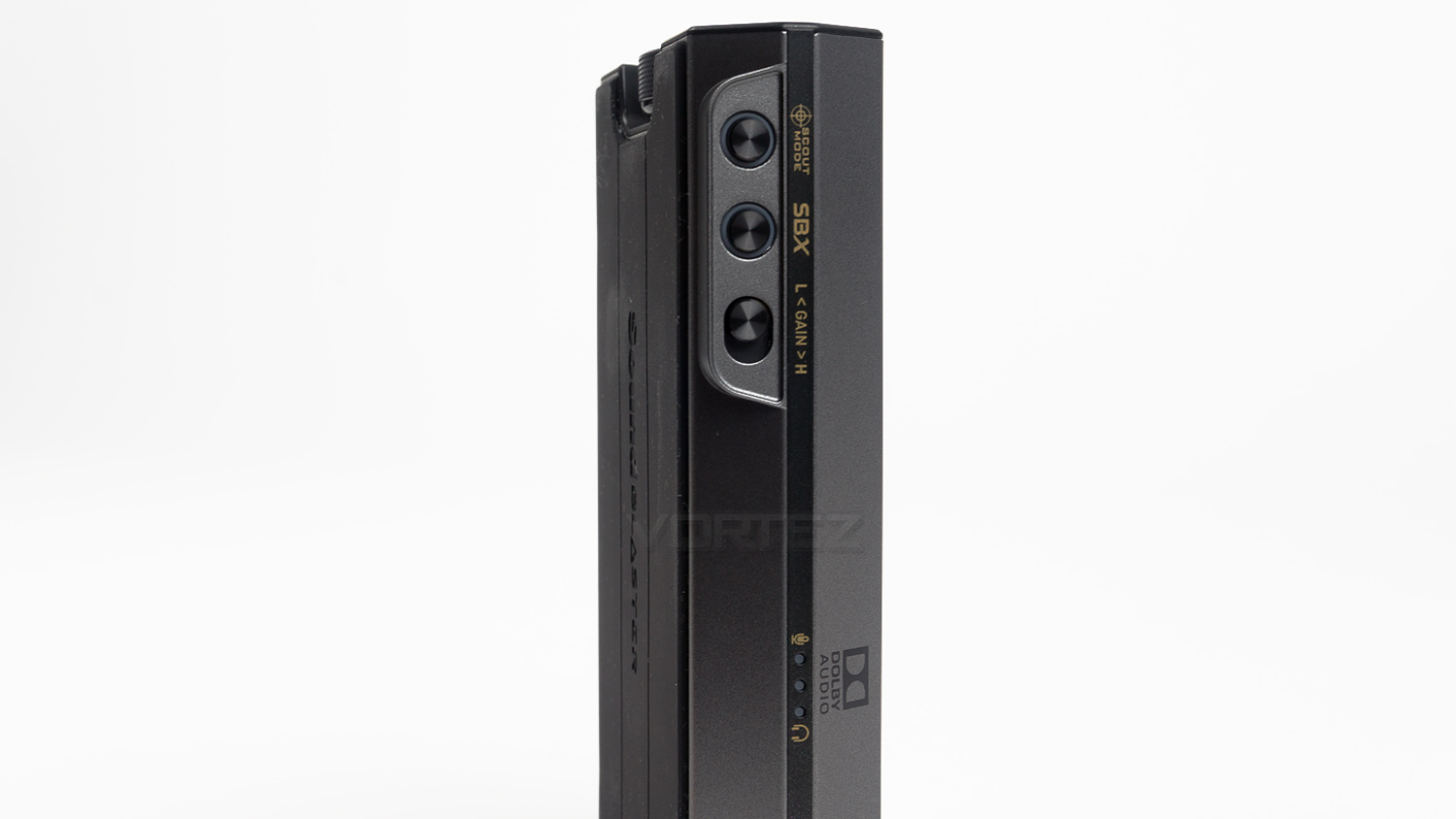
Creative SBX off – this mode turns all electronics effects off and provides you with the most natural representation of what the G6 sounds like. This can be seen in the paragraphs above.
Creative SBX on – activating SBX essentially gives you access to the full suite of audio features the Creative offers, and there is quite a lot. Firstly is the Acoustic Engine which provides you with a few features that can be tweaked, these include the Surround effect, Crystalizer, Bass, Smart volume and Dialog+. First, there is Surround which virtually creates speakers all around you, this turns the headset into a 7.1 setup. There are three levels of this; there is Normal which is no effect, Wide and Ultra Wide. The Wide setting does create a good sense of surround sound, but it’s not at a level that is overly artificial sounding. The sound still sounds quite natural and although not necessarily better it does change the characteristics slightly. Switching to Ultra Wide there is a slight perceivable drop in quality and the effect does become too unnatural sounding and not all that realistic, for software it isn’t bad as such, but it still doesn’t compare to a true surround setup.
Crystalizer – basically tries to fill out the sounds within music by lifting the detail found within the treble. This feature does work, and it does successfully draw out more from your music. It does this by increasing the intensity of the treble and highlighting some details that are often shadowed within music files, this effect works better for MP3 files than it does for FLAC as FLAC has more detail to offer from the get-go.
Bass – does what it’s designed to; it beefs up the low end but to be honest, the effect isn’t all that good and does somewhat cast a cloud over the low end which reduces the lucidity. It does fill out the bass, but it does lose some of its detail, it also impacts the treble and vocal in a negative manner by reducing its clarity and presence which is not a good thing.
Smart volume & Dialog+ – Smart volume didn’t really appear to do much, we played back a few movies with big changes in volume and didn’t notice a difference with the effect on or off. Dialog+ does do a better job where it manages to highlight vocals and bring them more to the forefront of the sound this is great if you’ve ever been listening to speech in movies or TV and found it too quiet.
Scout mode – is designed to help you hear beyond what you see, things footsteps, speech and weaponry handling are supposed to become clearer making it even easier to pinpoint these sounds. This feature really works as it does a superb job at highlighting exactly what it’s supposed to where gun-fire, footsteps and weapon switching all become magnified and highlighted more clearly. It does have an impact on bass however which does give more force to bass-heavy sounds, this is a touch of a downer as you really require as clear a treble as possible, of course, a quick eq tweak can sort this but it would be better if just the treble was lifted and not the bass. You can also assign a hotkey to turn this mode on and off if as and when you require it.
Conclusion
Creative know what they are doing, and it shows, their Sound BlasterX G6 is an audio solution that ticks almost every single box, but there are a few things that need to be improved. One such thing is the software; the main UI is nice and very easy to use, however, the microphone settings are hidden away and really should be part of the main UI. The settings are tucked away inside the setup menu rather than being available to access straight away this has been done for a reason, though we still feel that it would serve the end user better if you could access them without having to spend time searching for it. The second issue is again software related, and during our testing, we noted that at times it would be slow and fail to apply effects, this was mostly common for the lighting effects, but on occasion, the audio effects would misbehave as well. These issues are, to be honest not major as they can be easily remedied with a software update, the next issue though is a bit more of an oversight. As is the G6 comes with a USB power cable – which is fine if you plan on using it with PC, but if you want to use it with a console, you’ll need to supply your own source of power. We get that for some this won’t be an issue, but for others, it might be, and the inclusion of a power adapter would be very welcomed.Performance is where the Sound BlasterX G6 shines, the audio quality delivered by the G6 is superb, it was an immediate improvement over the MSI motherboard we tested it against, and it enhanced every single aspect of the sound. The bass became richer and fuller, the treble was cleaner and more detailed, vocal production became more powerful, and the highs were heightened as well. This not only improved the sound for music, but for movies and gaming. All the above was achieved with just a stock flat eq profile, and when adding enhancements the sound changed again, some of the effects were better than others, but those that did work worked very well and helped enrich the sound produced even further. Other strong points include the G6s ability to work with a variety of platforms, these include PC, PS4, Xbox and Nintendo Switch. It’s also very easy to swap between the platforms and to perform the initial setup as its very well thought out and highly user-friendly. This means that the G6 is pretty much the only audio solution you’d need – if you’re willing to swap it between the platforms you use. This makes it even more appealing as it is so easy to improve your audio with minimal effort.
Creative have manufactured a highly versatile and extremely impressive audio solution that manages to breathe new life into your existing platforms.
Pros
+ Nice design and good build quality
+ Straightforward to setup and use
+ Works with a wide range of products
+ Easy to swap between platforms
+ Fantastic audio performance
+ Full featured software
+ Well priced
Neutral
+- Software isn’t 100% reliable with adding effects
+- Microphone settings hidden away
Cons
– Doesn’t come with a power adapter for console use
+ Nice design and good build quality
+ Straightforward to setup and use
+ Works with a wide range of products
+ Easy to swap between platforms
+ Fantastic audio performance
+ Full featured software
+ Well priced
Neutral
+- Software isn’t 100% reliable with adding effects
+- Microphone settings hidden away
Cons
– Doesn’t come with a power adapter for console use
Click here for an explanation of our awards at Vortez.net.
Stay connected with the Vortez Social Media pages:
Join in with the discussions on Discord