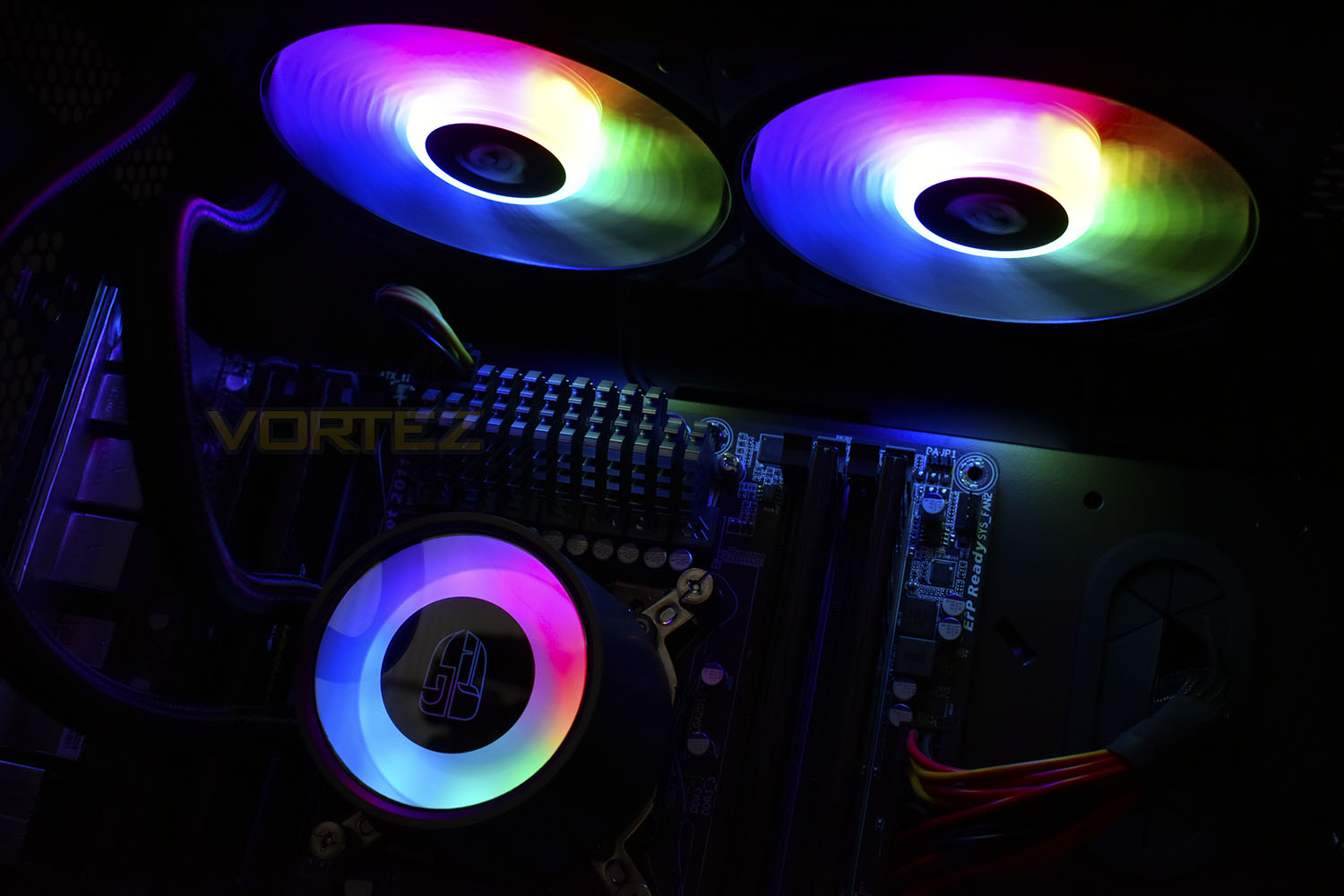
Deepcool are known amongst the enthusiast community for high-end cooling products but how does their latest Castle 240 RGB cope in our tests?

Product on Review: Deepcool Gamer Storm Castle 240 RGB
Manufacturer: Deepcool
Street Price: £95.99 / $109.99
Deepcool were established back in 1996 in Beijing, since then they’ve focussed solely on producing computer chassis and cooling equipment; recently we’ve seen some incredibly wacky designs leaving their factory, many receiving high praise from the enthusiast markets. Today we look at their latest and greatest RGB CPU Cooler, available with either a 240mm or 280mm radiator at present. We’ve been provided the 240mm version for testing.
The Castle 240 promises efficient cooling and high performance thanks to large heat contact areas under the large RGB pump alongside high RPM RGB fans. We also see compatibility with AMDs TR4 socket as well as the mainstream sockets from AMD and Intel.
Provided with the Castle 240 is a pair of motherboard adaptors, for syncing the RGB lighting with ASUS, Gigabyte, MSI and ASRock motherboards, as well as a SATA power adaptor with in-line RGB controls for those without RGB motherboard headers.
We’re excited to see the RGB effects in full flow, as well as testing the thermal dissipation capacity of the cooler so lets get stuck in and see how it performs.
Deepcool on the Castle 240 RGB:
DEEPCOOL, the company that specializes in water-cooled and illuminated cases for the PC enthusiast has just introduced a brand new AIO liquid cooler- CASTLE 240RGB, suitable for Intel and AMD based systems. Its featured built-in double window panes and 16.7M true color lighting system provide a perfect display of aesthetic illumination. Its ultra-large, pure copper CPU block and its optimized E-shaped micro water channel designed to enlarge heat contact areas and effectively enhance heat circulation efficiency meet users’ needs for high performance and aesthetics
Technical Specifications
Intel
LGA20XX/LGA1366/LGA115X
High End Desktop i9/i7
Core i7/i5/i3
Pentium G
Celeron G
AMD
TR4/AM4/AM3+/AM3/AM2+/AM2/FM2+/FM2/FM1
Ryzen
APU A12/A10/A8/A6/A4
FX 8/6/4-Core
Phenom II X6/X4/X3/X2
Athlon II X4/X3/X2
Athlon X4
Technical Spec
Pump Dimensions: 91×79×71mm(L×W×H)
Radiator Dimensions: 274×120×27mm(L×W×H)
Radiator Material: Aluminum
Fan Dimensions: 120×120×25mm(2pcs)
Fan Speed: 500±200~1800±10%RPM
Fan Air Flow: 69.34CFM
Fan Air Pressure: 2.42mmH2O
Fan Life Expectancy: 40000 hours
Fan Noise Level: 17.8~30dB(A)
Fan Bearing Type: Hydro Bearing
Fan Connector: 4Pin
Fan Rated Voltage: 12VDC
Fan Rated Current: 0.17A±10%A
Fan Power Consumption: 2.04W
Pump Life Expectancy: 120000 hours
Pump Connector: 3Pin
Pump Operating Voltage: 10.8~13.2VDC
Pump Rated Voltage: 12VDC
Pump Speed: 2550±10%RPM
Pump Load Current: 0.21±10%A
Pump Power Consumption: 2.52W
Net Weight: 1318±10g
LED Type: Addressable RGB LED
LED Rated Voltage: 5VDC
LED Rated Current: 0.48±10%A
LED Rated Power: 2.4W
LED Connector: 3pin(+5V-D-G)
LED Control: M/B with 5V ADD-RGB Header
LGA20XX/LGA1366/LGA115X
High End Desktop i9/i7
Core i7/i5/i3
Pentium G
Celeron G
AMD
TR4/AM4/AM3+/AM3/AM2+/AM2/FM2+/FM2/FM1
Ryzen
APU A12/A10/A8/A6/A4
FX 8/6/4-Core
Phenom II X6/X4/X3/X2
Athlon II X4/X3/X2
Athlon X4
Technical Spec
Pump Dimensions: 91×79×71mm(L×W×H)
Radiator Dimensions: 274×120×27mm(L×W×H)
Radiator Material: Aluminum
Fan Dimensions: 120×120×25mm(2pcs)
Fan Speed: 500±200~1800±10%RPM
Fan Air Flow: 69.34CFM
Fan Air Pressure: 2.42mmH2O
Fan Life Expectancy: 40000 hours
Fan Noise Level: 17.8~30dB(A)
Fan Bearing Type: Hydro Bearing
Fan Connector: 4Pin
Fan Rated Voltage: 12VDC
Fan Rated Current: 0.17A±10%A
Fan Power Consumption: 2.04W
Pump Life Expectancy: 120000 hours
Pump Connector: 3Pin
Pump Operating Voltage: 10.8~13.2VDC
Pump Rated Voltage: 12VDC
Pump Speed: 2550±10%RPM
Pump Load Current: 0.21±10%A
Pump Power Consumption: 2.52W
Net Weight: 1318±10g
LED Type: Addressable RGB LED
LED Rated Voltage: 5VDC
LED Rated Current: 0.48±10%A
LED Rated Power: 2.4W
LED Connector: 3pin(+5V-D-G)
LED Control: M/B with 5V ADD-RGB Header
Packaging & Bundle
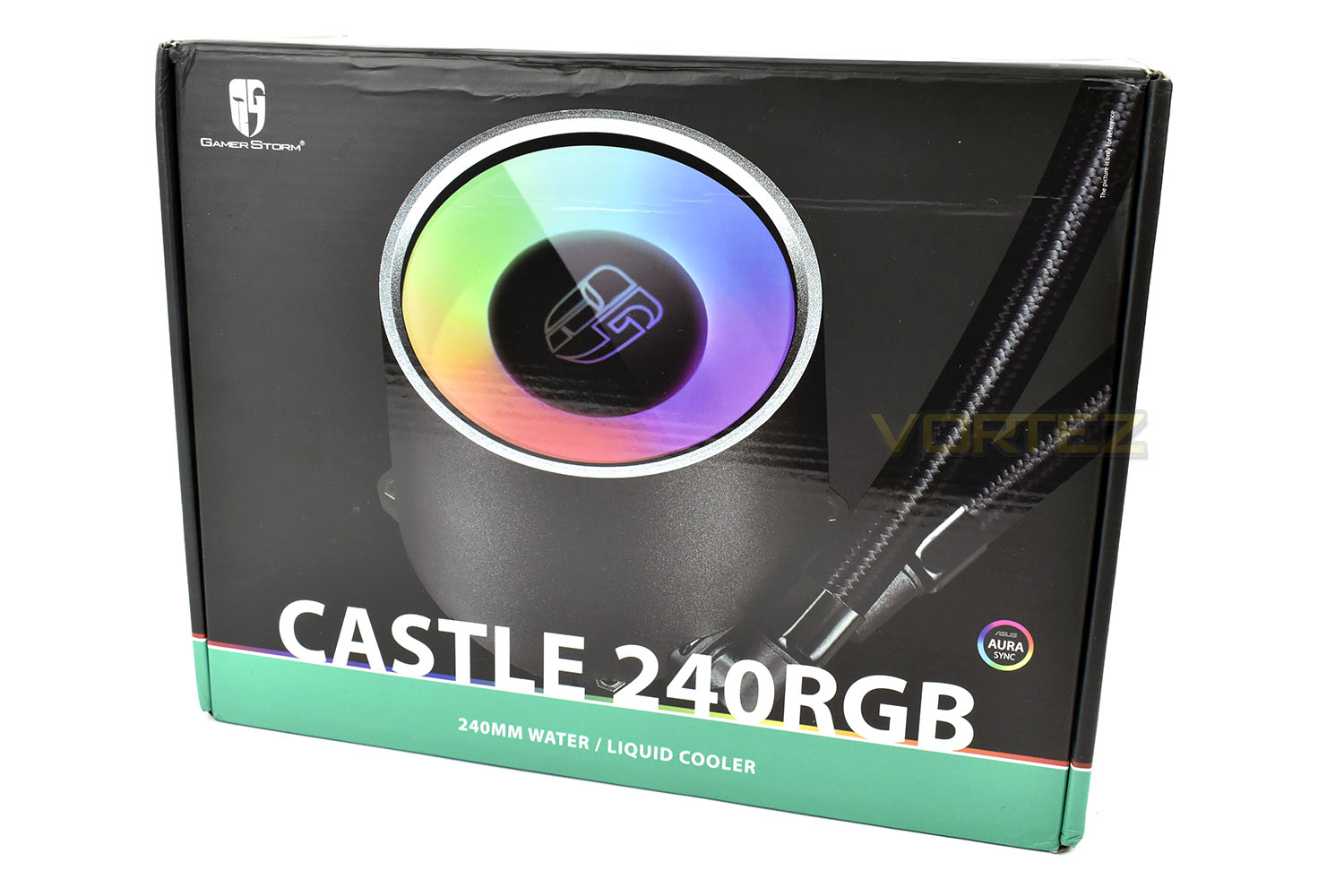
Unfortunately, due to our unit being an early retail sample, it was shipped half way around the globe and it took a bit of a bashing along the way, luckily everything inside is in perfect working order however, so the packaging has done its job very well.The front of the box shows a massive close up of the pump head and the name of the product, that’s about it.
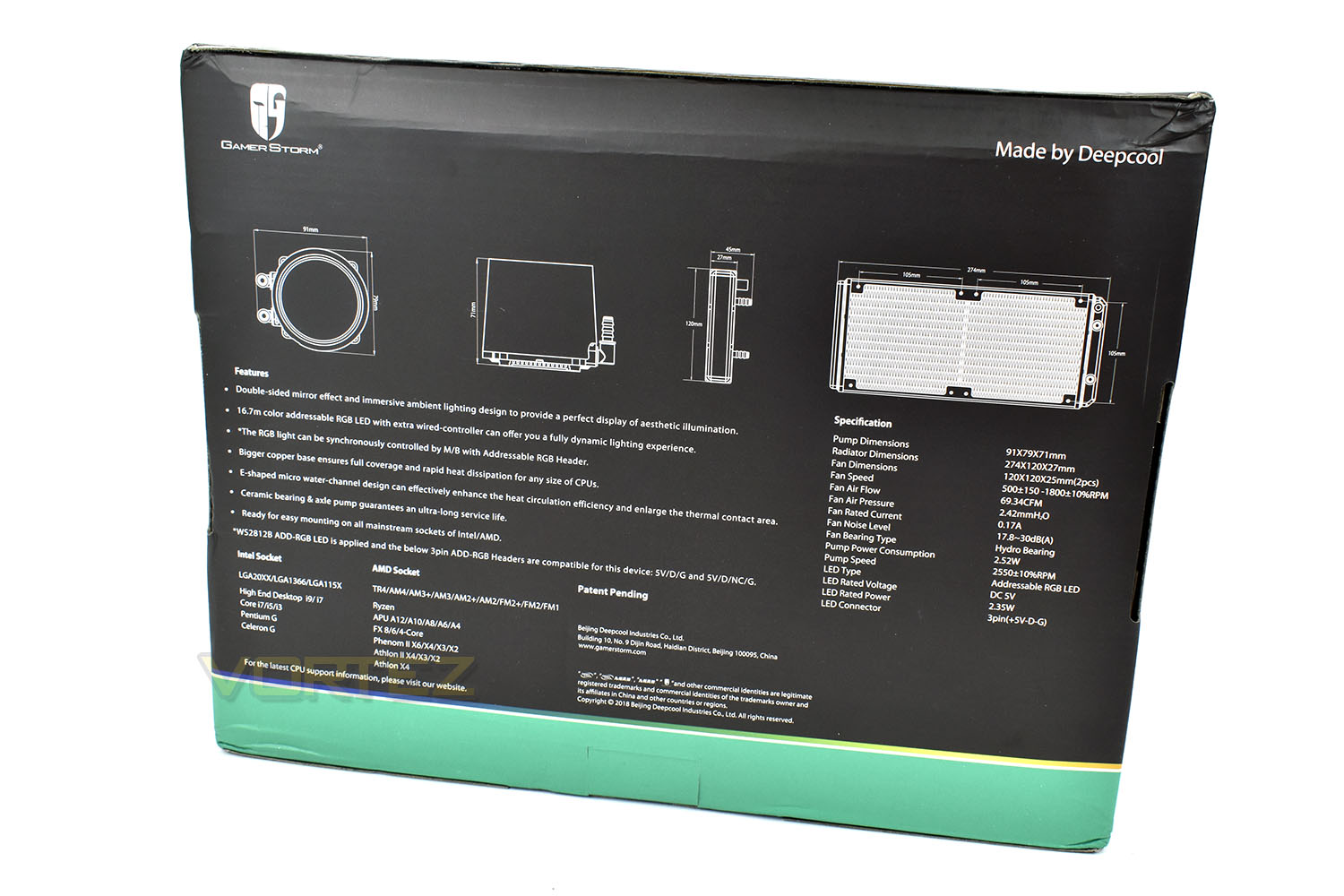
Turning the box around shows a list of bullet point features and accurate dimensions of each component, handy if you’re fitting the cooler into a smaller case.
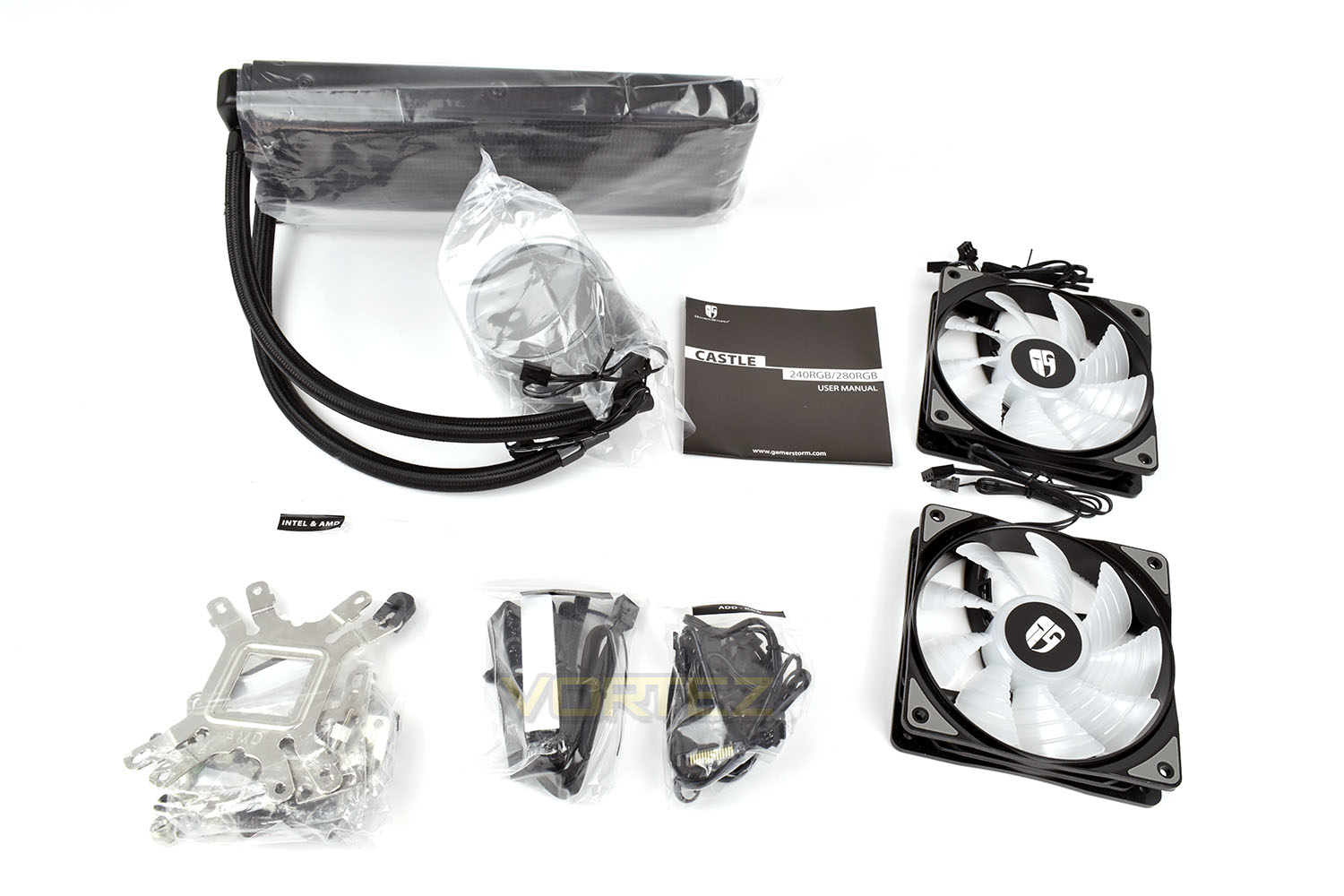
Included with the pump and radiator are a pair of Deepcool RGB 120mm fans, mounting hardware for all of Intel and AMD’s current socket types, a detailed instruction manual (that’s actually easy to follow), RGB cables and a small PWM fan hub with adhesive per-applied.
Closer Look
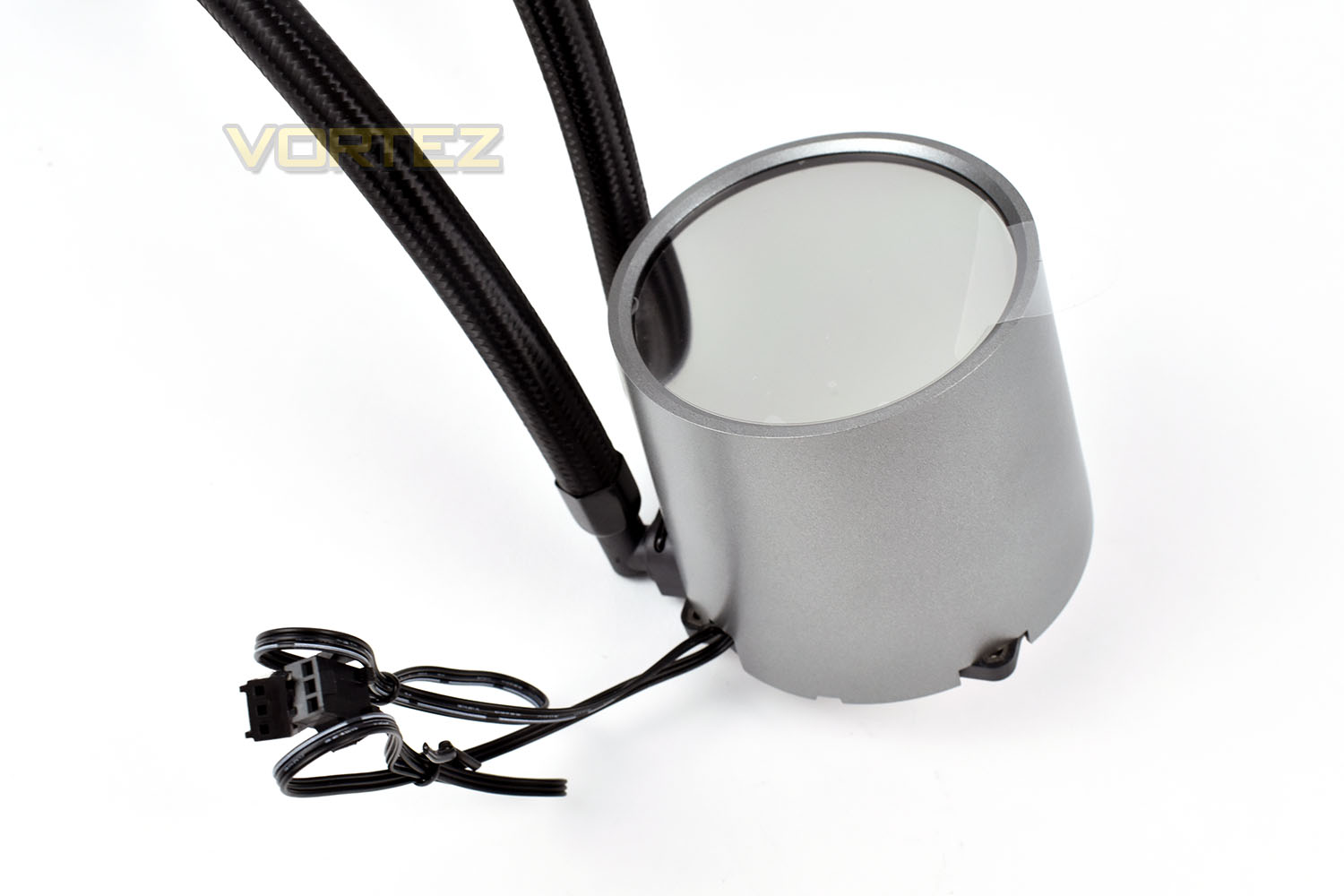
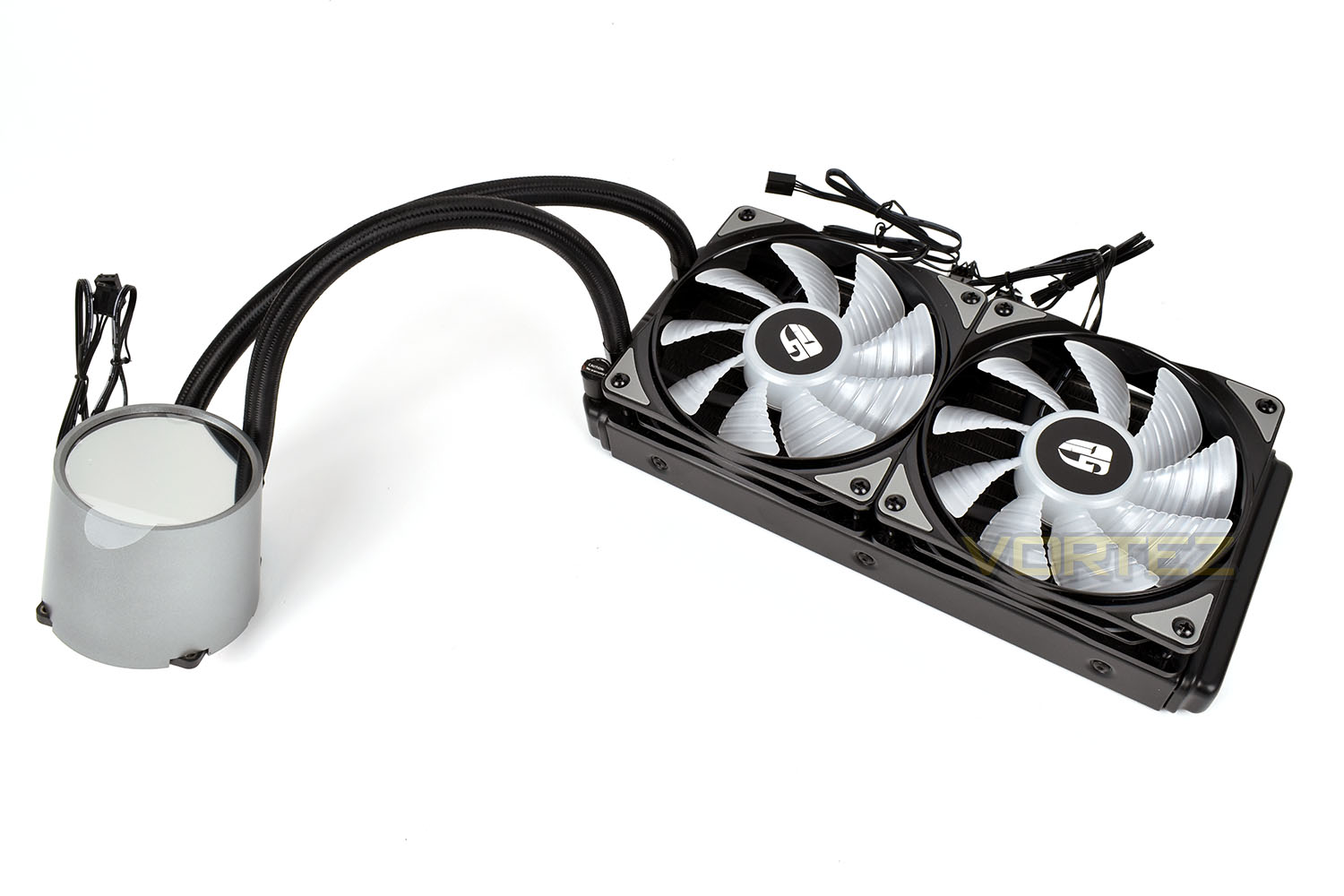
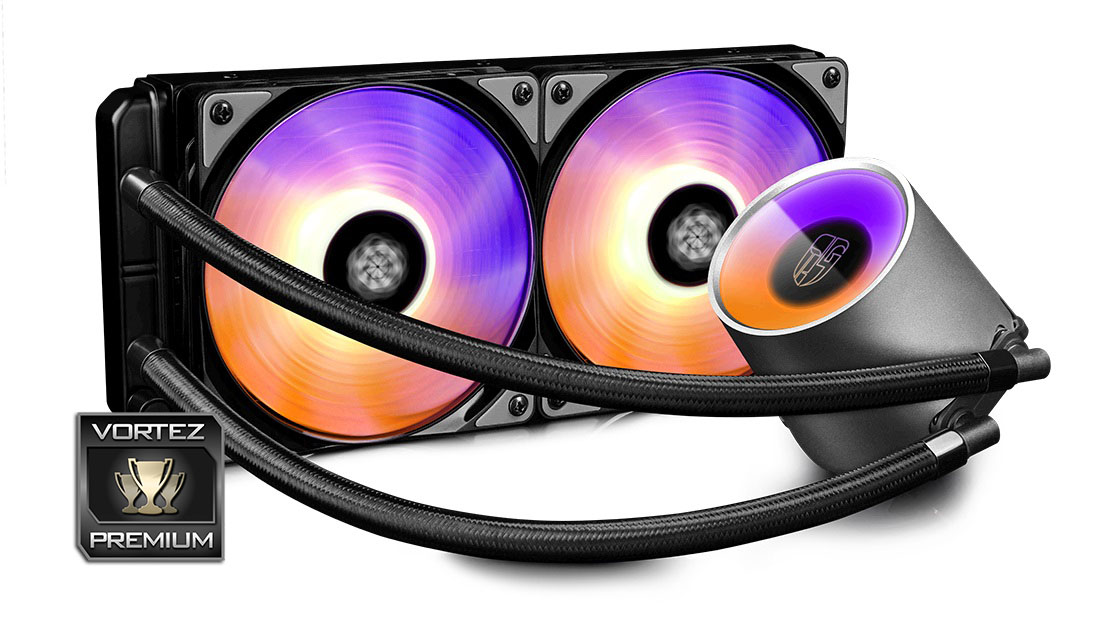
Compared to many all-in-one watercooling loops on the market, the Castle 240’s pump is certainly on the larger side, but due to things like induction motors and closed impellers, the height had to be increased, while ensuring compatibility with AMD’s ThreadRipper also required a large copper base to cover the huge heatspreader.The top is covered by a one-way mirror, so you can’t see the inner workings while the PC is switched off.
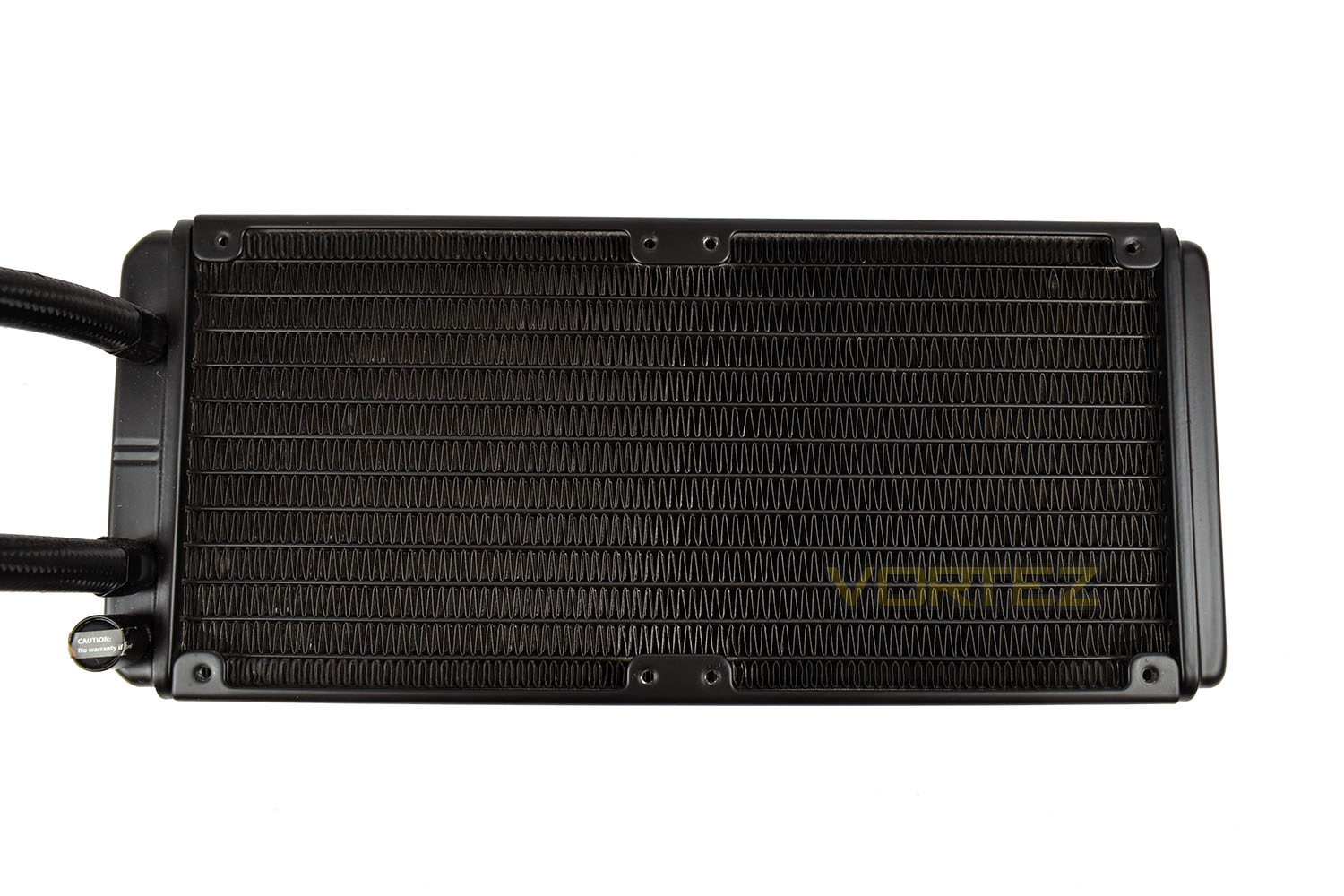
There’s nothing fancy about the radiator, it’s constructed from aluminium and features many fins.
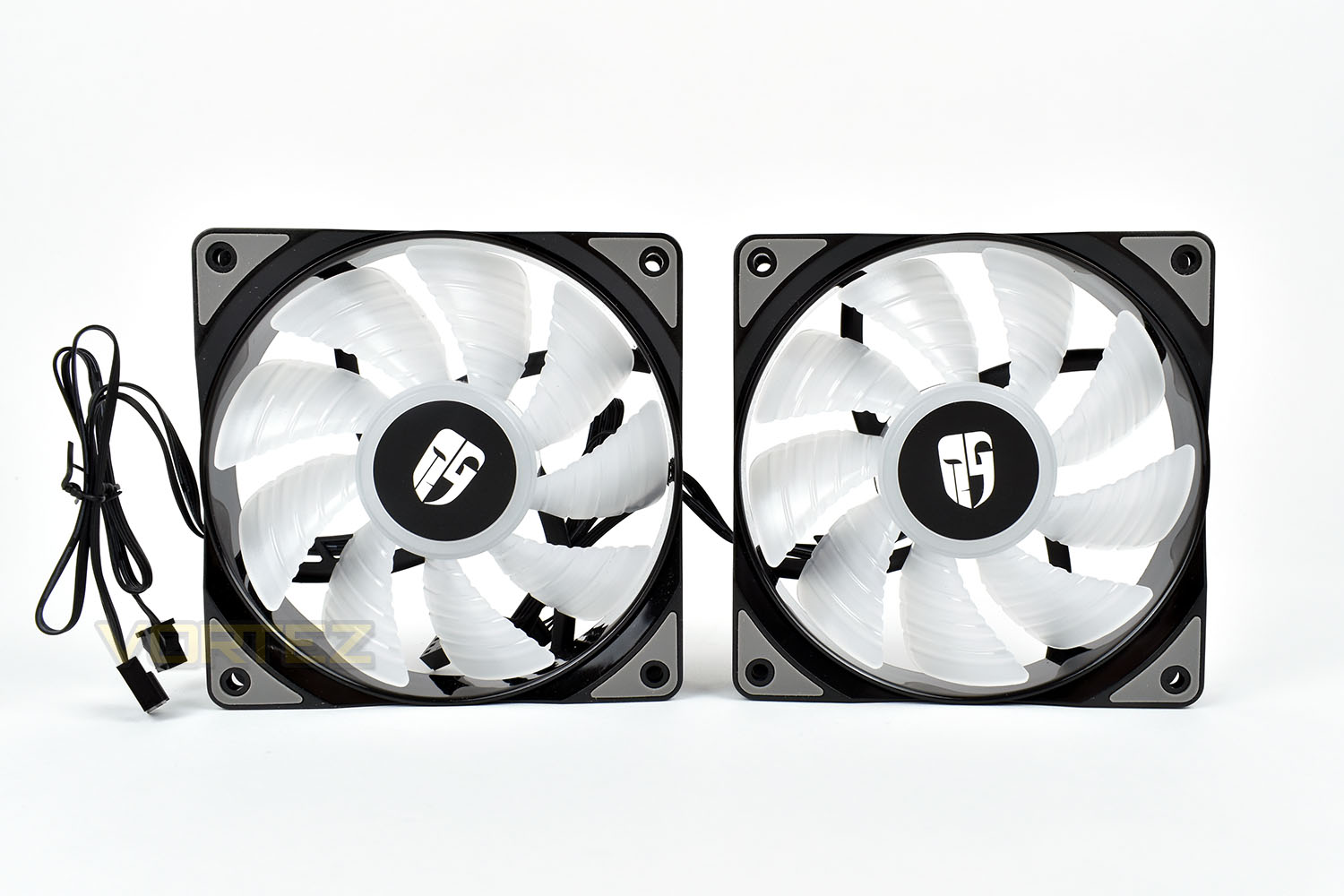
The 120mm RGB fans are constructed from a translucent plastic, with the RGB LEDs being mounted into the central hub of the fan. We’ll see how effective they are later on.
With the fans installed onto the radiator, it’s time to connect this to our 3930K CPU and see how it performs.
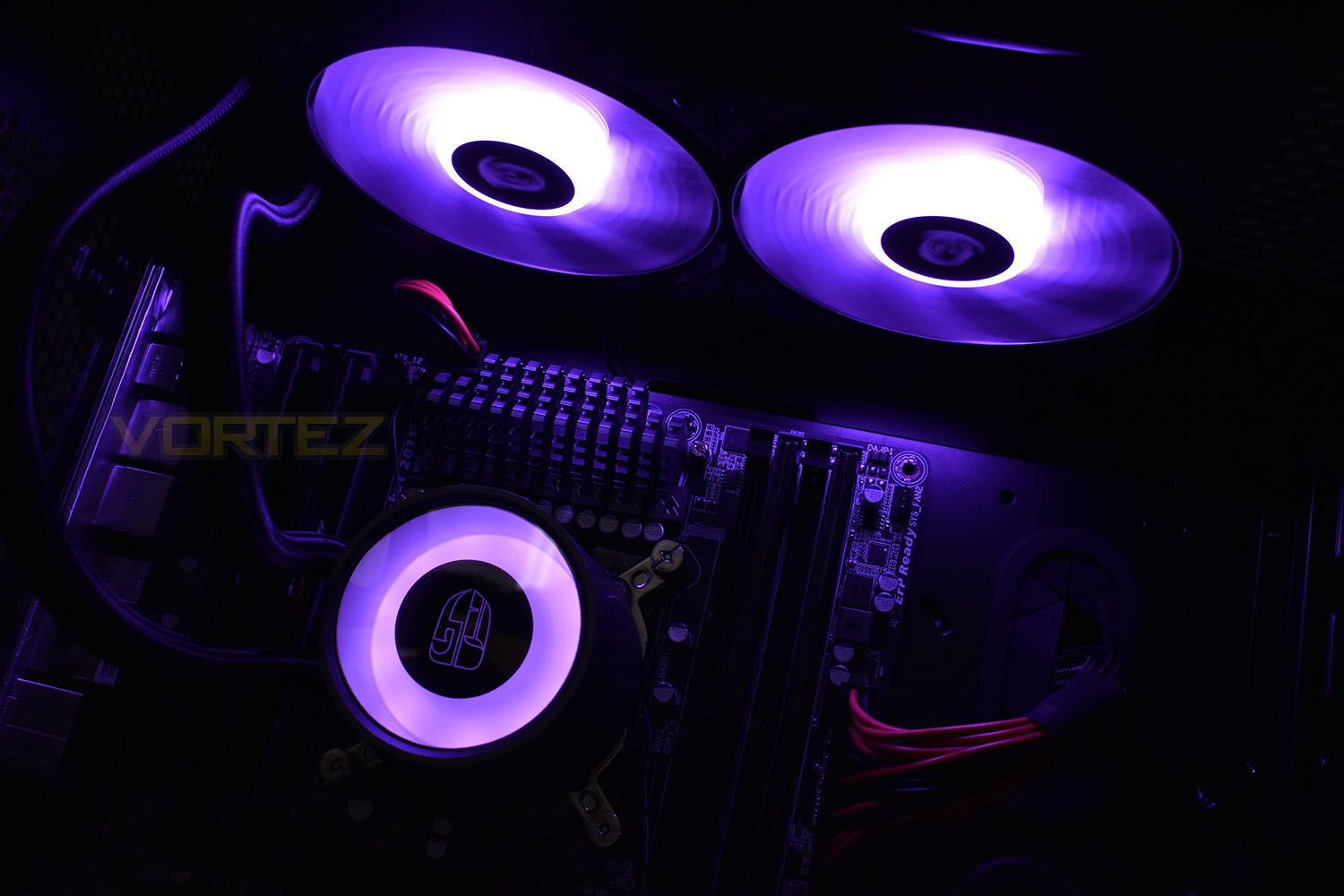
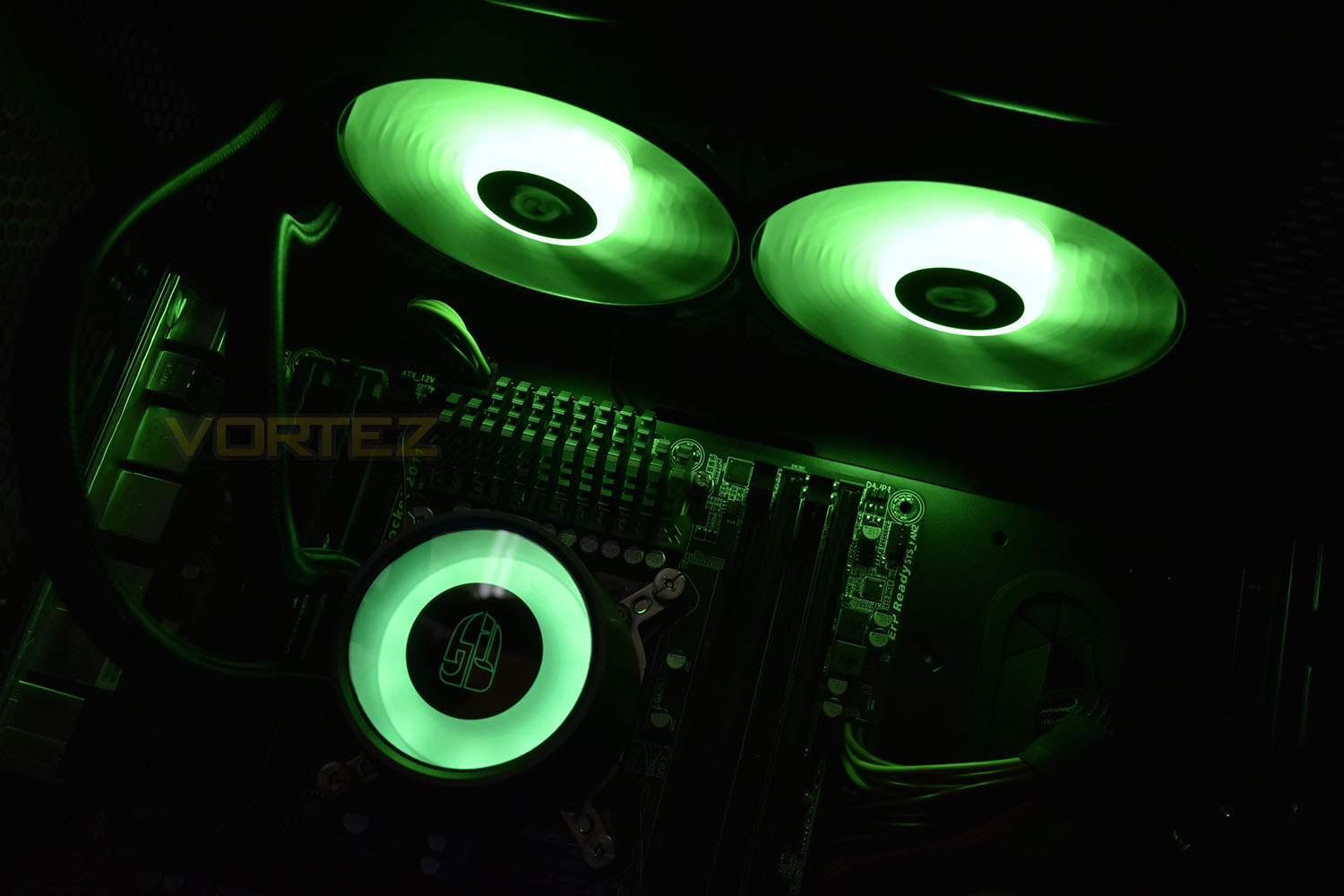
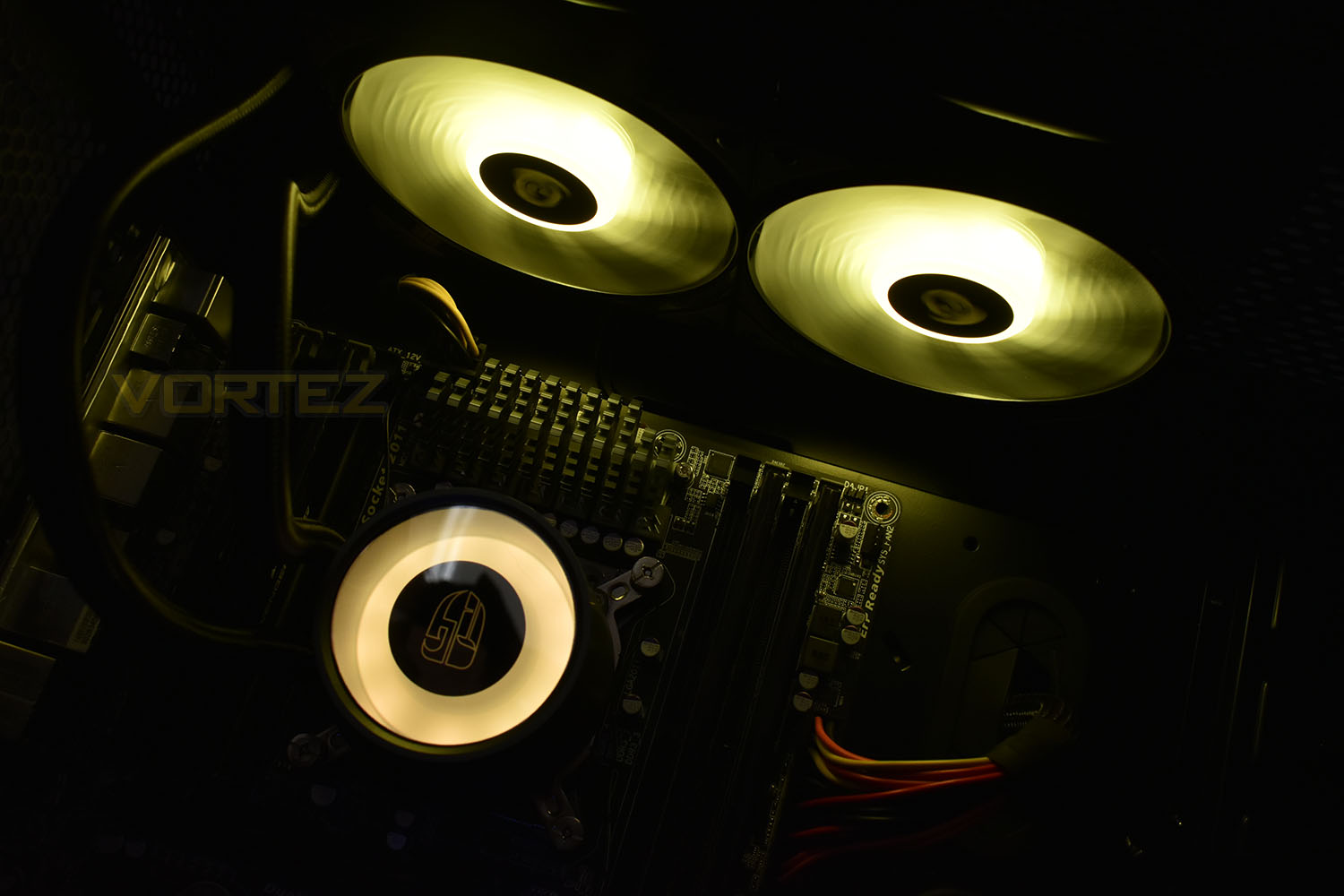
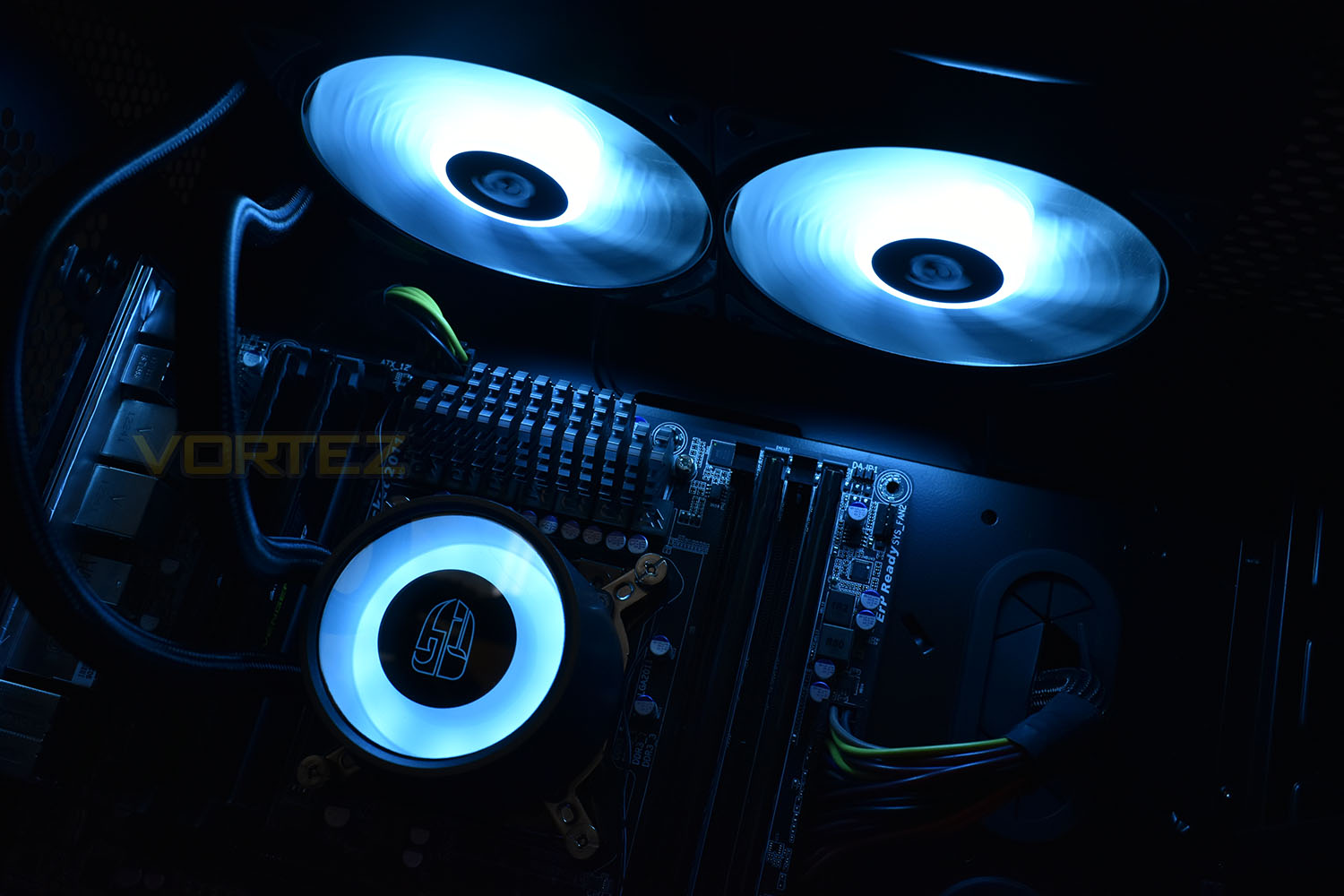
RGB Lighting
Feast your eyes on the photos below, or the video for a full demo of the full lighting effects.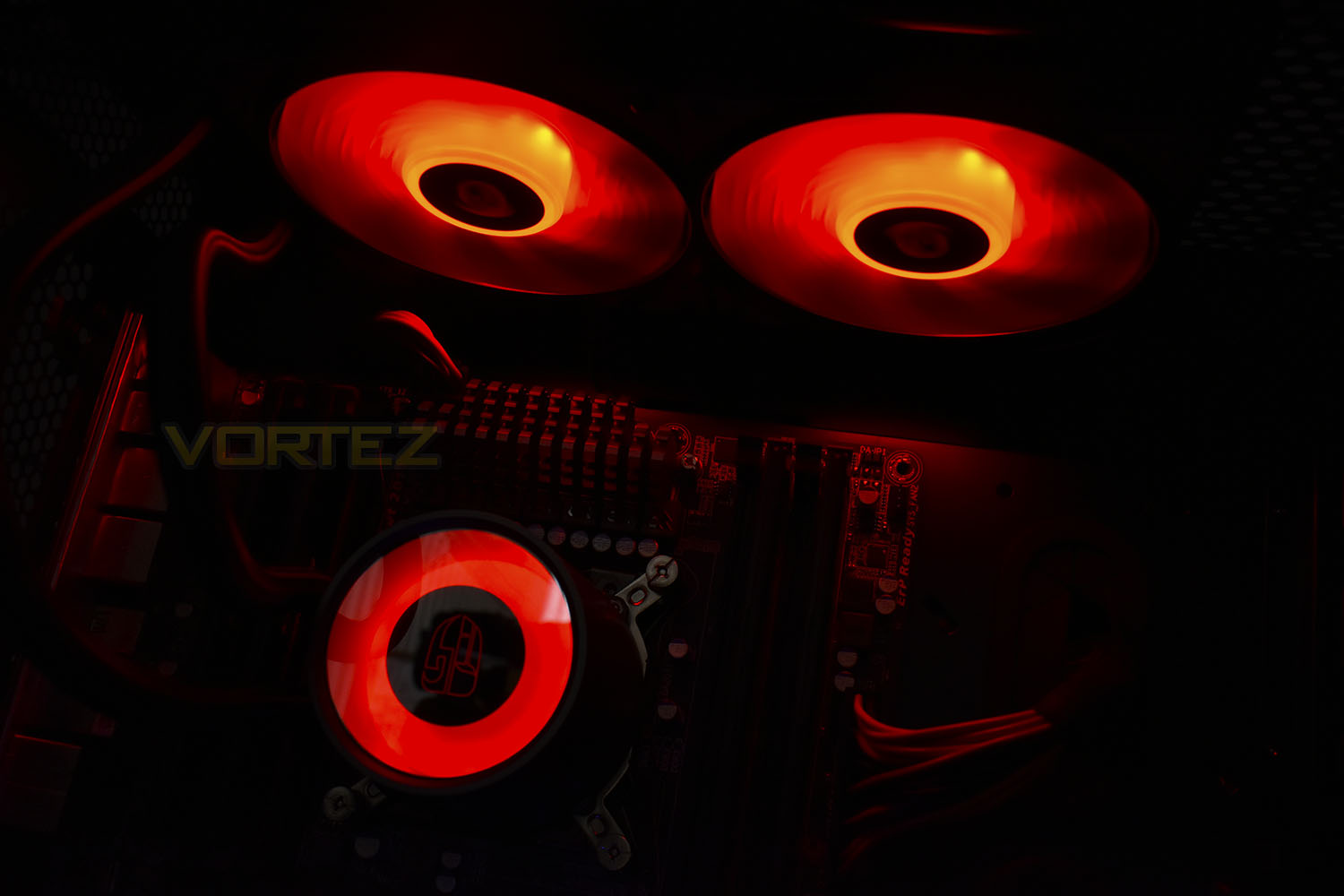
Installation
With each CPU cooler that we test, a small pea-sized blob of Noctua NT-H1 thermal paste is applied to our CPU ahead of heatsink installation. We choose to use this high-quality paste in all of our CPU cooler reviews, essentially eliminating an unnecessary variable from the subsequent results and comparison graphs.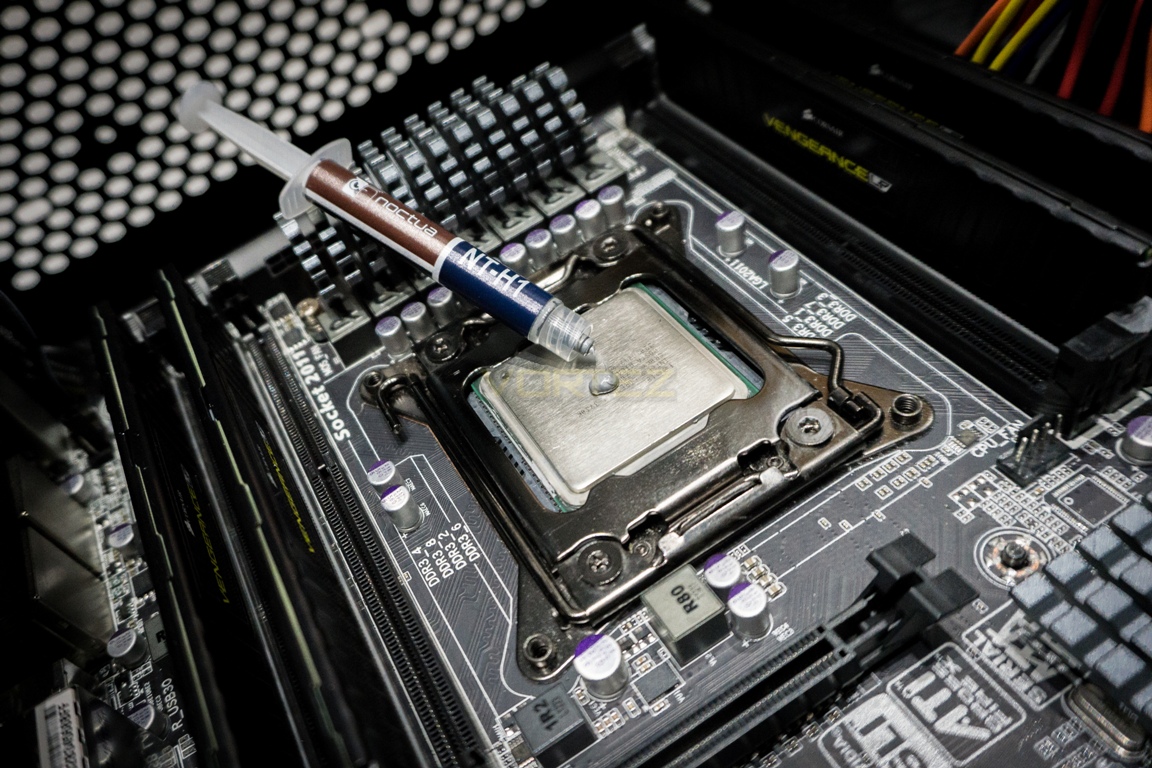
The Castle 240 RGB arrives with all of the necessary mounting hardware for all of the current sockets on both sides of the fence, with a solid metal backplate for sockets without one built in.
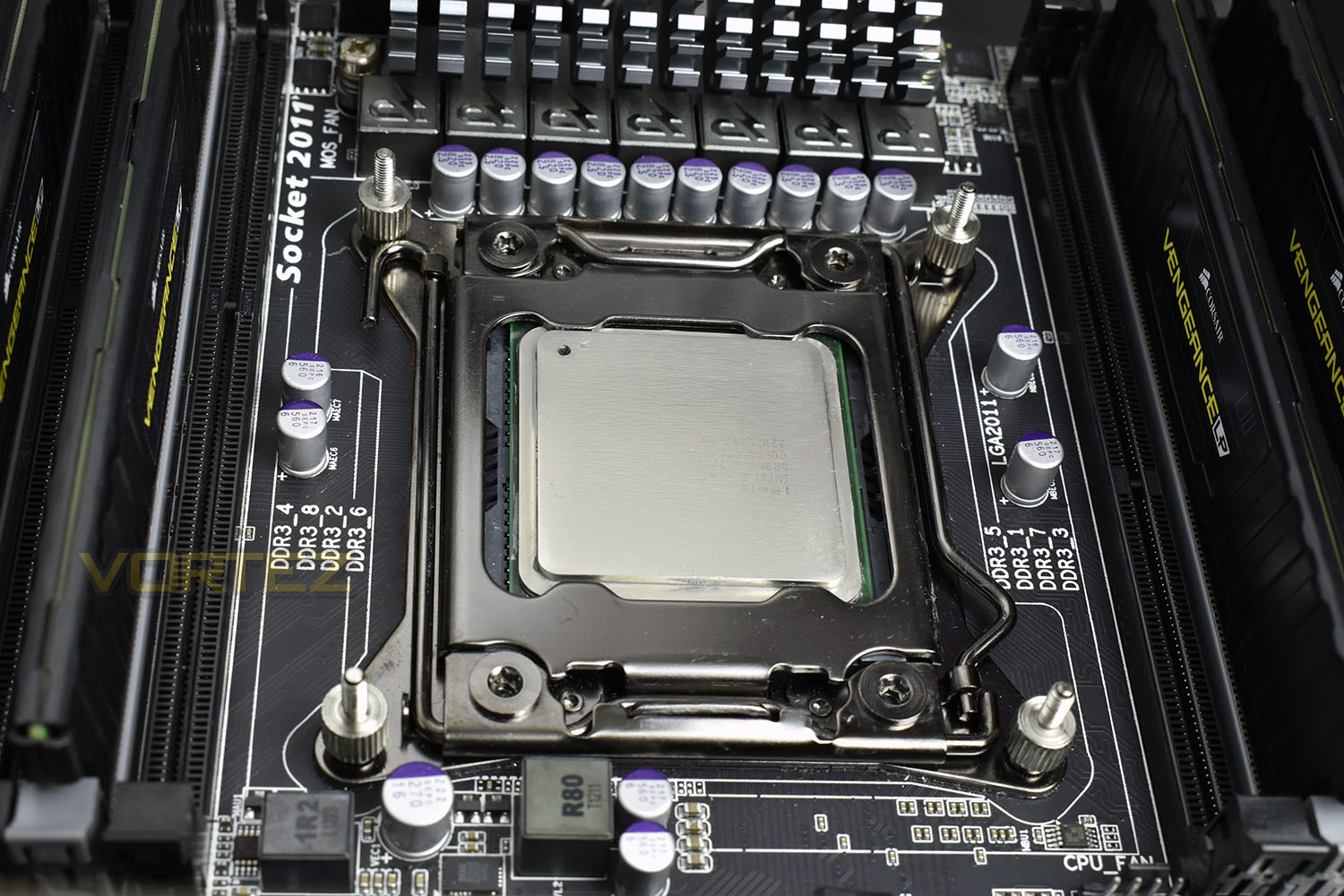
We use a Socket 2011 Intel system with a 3930K for a “worst case scenario” approach to our testing. The 2011 Socket only requires four screws to be installed, one in each corner. We would’ve preferred there to be a slot cut out of each mounting screw to ensure these are tight.
The next step is connecting the Intel or AMD bracket to the pump enclosure; this is done using finely machined, chamfered screws, locking the brackets to the pump tightly and securely.
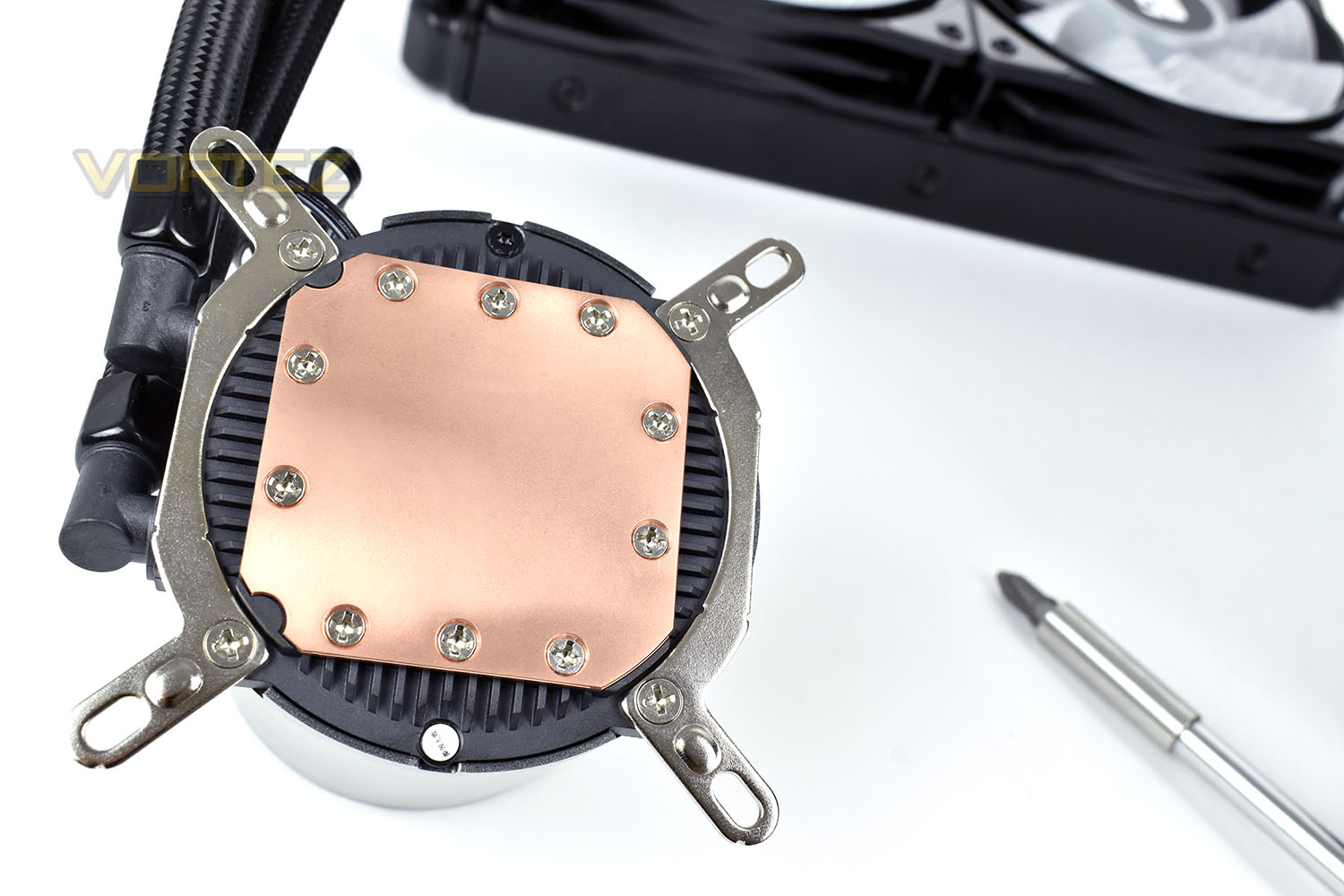
Installing the radiator into position is just like any other, the 8 included screws work perfectly well.
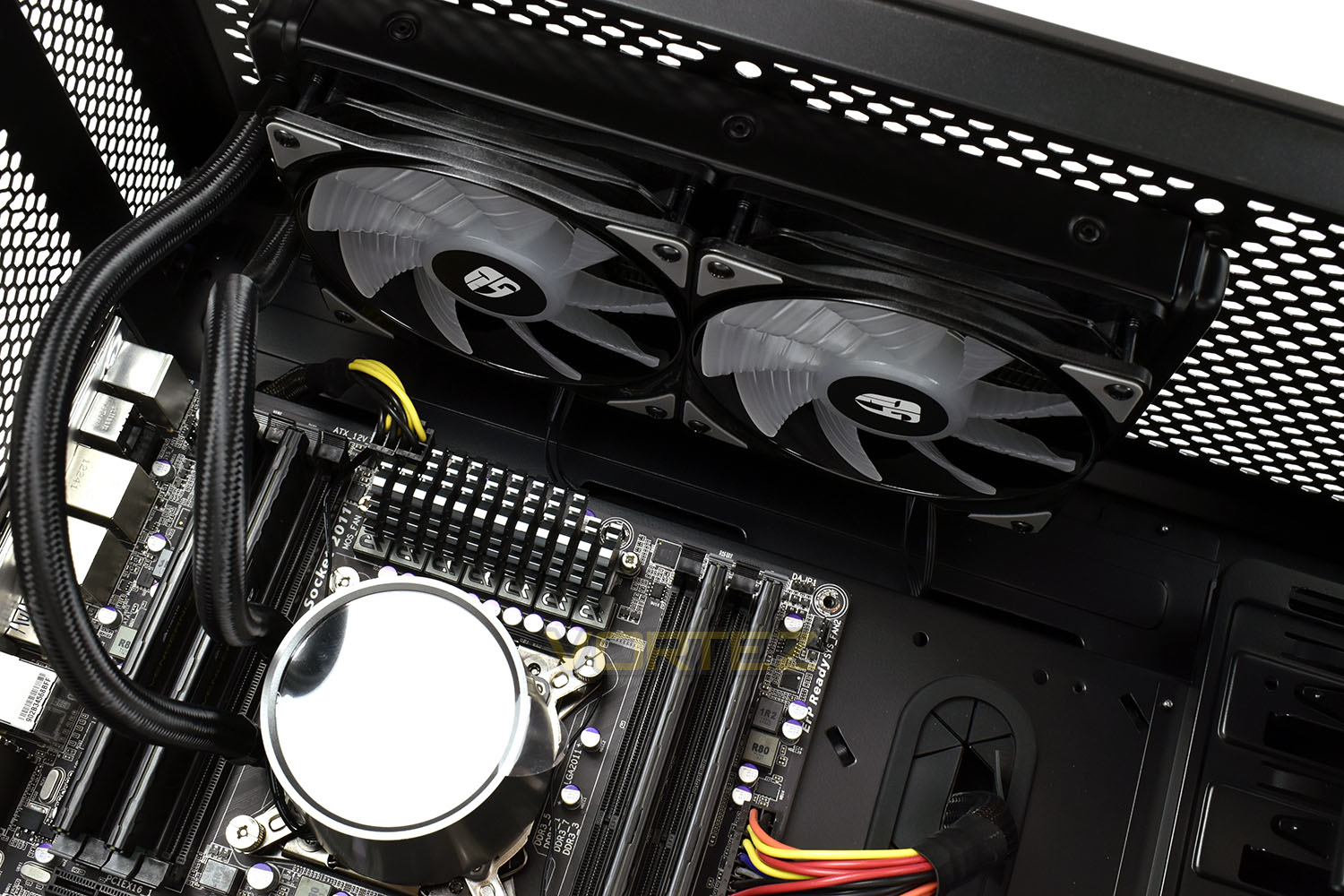
Finally, completing the procedure, we install the pump enclosure, the thumb screws make this simple and straight forward, with the recess on the top being useful for tightening the screws.
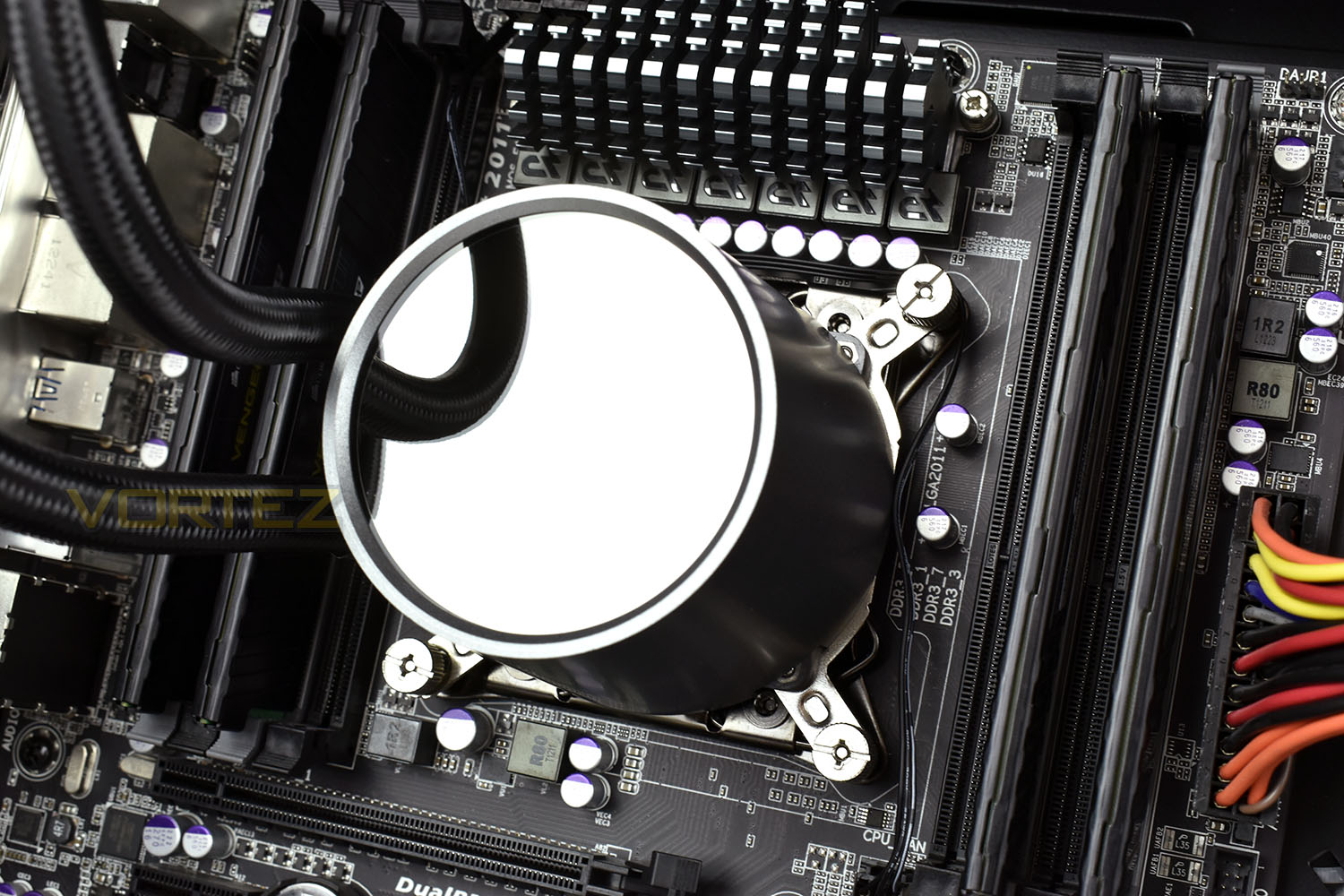
All things considered, installation is simple and easy.
Test Setup & Methodology
We have recently made changes to our cooling department and the associated testing methodology, so please note that the number of results shown will increase over time as we add additional products. We hope that these results will appear clearer to the majority of our readership and look forward to building upon the baselines that we currently have.We perform two individual testing routines with each CPU cooler that we receive – temperatures and acoustics. The system used is as follows and all tests are performed at stock 3.8 GHz and overclocked 4.4 GHz frequencies.
Processor – Intel Core i7-3930K
Motherboard – Gigabyte X79-UP4
Memory – 8GB Corsair Vengeance LP 1600MHz CL9
Video Card – Sapphire Radeon HD 6850 1GB
Power Supply – NZXT Hale90 650W
Storage Drive – Kingston HyperX 240GB SATA III SSD
Case – Corsair Carbide 760T
Monitor ASUS ROG SWIFT PG278Q
Motherboard – Gigabyte X79-UP4
Memory – 8GB Corsair Vengeance LP 1600MHz CL9
Video Card – Sapphire Radeon HD 6850 1GB
Power Supply – NZXT Hale90 650W
Storage Drive – Kingston HyperX 240GB SATA III SSD
Case – Corsair Carbide 760T
Monitor ASUS ROG SWIFT PG278Q
To keep our tests consistent, we always review CPU coolers as they come out of the box – with their factory cooling fans, as the manufacturer intended and as the consumer expects. It should, however, be noted that we do not use supplied thermal paste but instead, Noctua NT-H1 paste to, again, ensure consistency. The paste is applied and the CPU allowed to run for a couple of hours, at idle, to give the thermal compound some time to “bed in.”
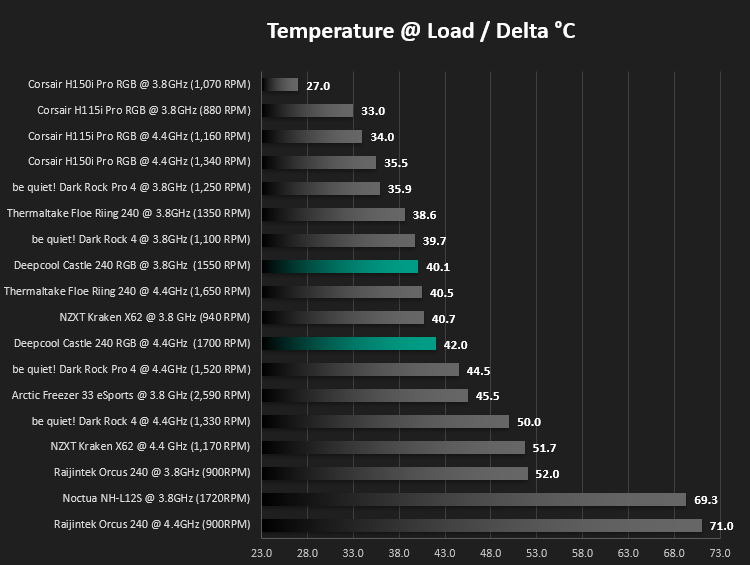
In the first test, we record idle and load temperatures as shown by the most current version of the Real Temp monitoring utility. The test system is booted to the Windows desktop and left to idle for 20 minutes to ensure temperatures have stabilised. The average core temperatures are then recorded over a 1 minute period and averaged across the six cores. We then perform a continuous 20 minute AIDA 64 stress test. The maximum absolute core temperatures are recorded immediately after the test has completed and averaged across the six cores. All results are displayed as delta temperatures – these are calculated by subtracting the ambient room temperature from the average core temperatures recorded. For temperature testing, the Corsair 760T chassis door is closed and has all three systems fans powered on to simulate real-world conditions.
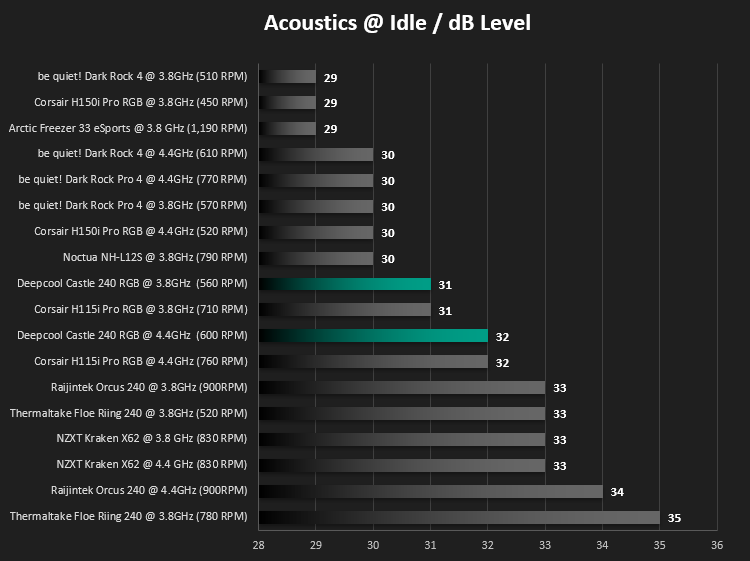
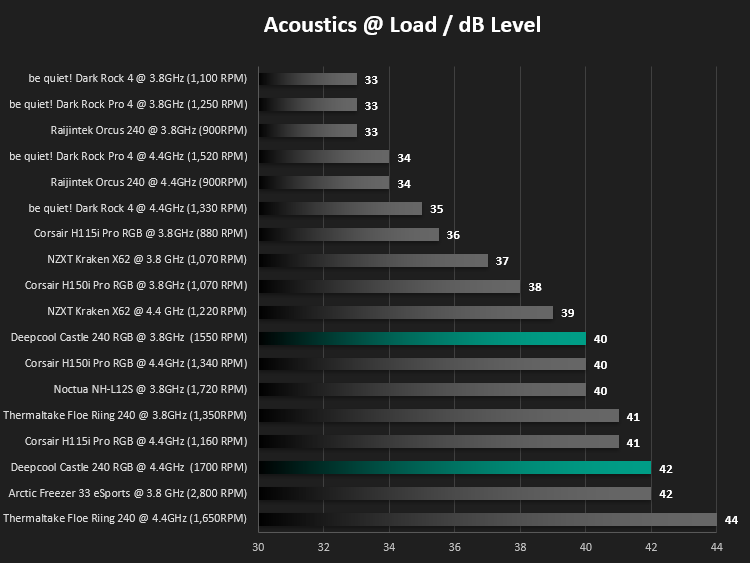
Our second test follows a similar methodology to the first, with the key difference being that the Corsair 760T chassis door is now left open and all three systems fans are disabled. This allows for the CPU cooler fans acoustic profiles to be captured in isolation. From cold, the system is again booted to the Windows desktop and left to idle for 20 minutes to ensure temperatures have stabilised. The acoustic level is then recorded at a distance of 20cm from the CPU cooler and where the individual result is an average level over a 1 minute period. We then perform our continuous 20 minutes AIDA 64 stress test. Acoustic levels are again recorded at a distance of 20cm from the CPU cooler and where the individual result is an average level over a 1 minute period.
Benchmarks: Thermal Results
We have recently made changes to our cooling department and the associated testing methodology, so please note that the number of results shown below will increase over time as we add additional products. We hope that these results will appear clearer to the majority of our readership and look forward to building upon the baselines that you see below.We start off by letting the CPU cooler “bed in” for a couple of hours, to ensure the paste has time to move around and form an even layer, after which an idle result is taken.
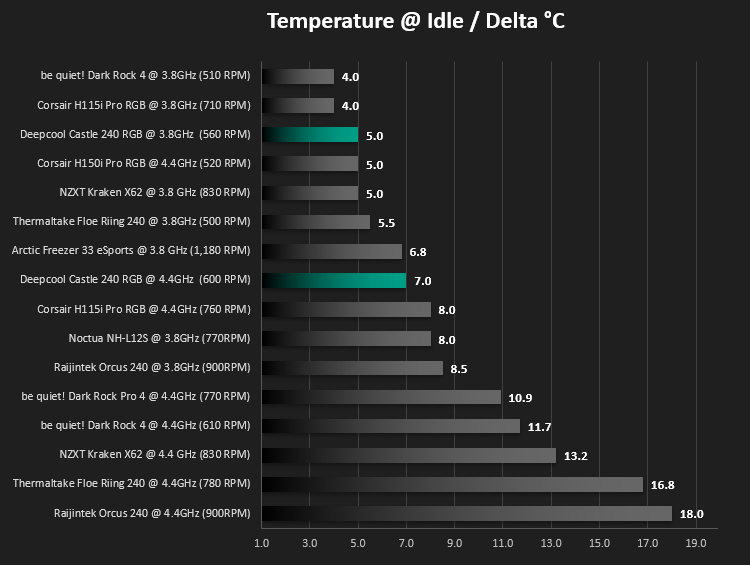
Then we apply a load to the CPU, both at the stock clocks of 3.8GHz, then we configure the 4.4GHz overclock to really stress the CPU cooler.
Benchmarks: Acoustic Results
We have recently made changes to our cooling department and the associated testing methodology, so please note that the number of results shown below will increase over time as we add additional products. We hope that these results will appear clearer to the majority of our readership and look forward to building upon the baselines that you see below.Using a Noctua NA-FC1 fan control unit, all fans were set to 1,000 RPM which is generally considered a good balance between air flow and perceived acoustic quality. Whilst some fans may run at slower speeds, this is considered to be our baseline reading. Please also note that in the case of certain models, the NF-A20 for example, their maximum speed is actually beneath this threshold meaning their results will appear only in the subsequent ‘Maximum RPM’ test results. The distance tested at is 20cm from the fan, in a room with an ambient noise level of 25dB, and where the individual acoustic results are an average level over the set testing period.
Conclusion
Deepcool, a company which has impressed us on many fronts recently, has again struck all the notes required for a quality product.Performance may not be chart-topping, but it’s certainly more than good enough for any system, especially those remaining within the normal realms of 95w TDP CPUs, within which the Ryzen 7 and Core i7 CPUs currently reside. Our 3930K features a 130w TDP, which easily creeps towards 160-170w when overclocked to 4.4GHz. Handling a “worst case scenario” like that, without causing too much of a fuss, is a good sign!
The RGB lighting is genuinely beautiful. The LEDs transition well and the effects between the pump enclosure and fans are synchronised perfectly. Including the RGB header cables as well as the in-line controls for users such as ourselves, lacking the necessary motherboard header, is a good example of thinking of the customer. We also see support from MSI, ASRock, Gigabyte and ASUS in terms of RGB Sync with the motherboard.
Not forgetting that pricetag. At £95.99, the all-in-one watercooling loop performs very well, but with the RGB fans and pump enclosure also included at that price and putting on one hell of a show at the same time, we feel the Castle 240 RGB offers great value for money.
The large pump enclosure looks excellent, but due to the height, we feel it may foul on some smaller cases, ensure the dimensions suit your case if planning this for a small-form-factor. Being available with a black enclosure around the pump housing would also improve aesthetics for some builds.
Quiet cooling, bright and vibrant lighting, good value for money and simple installation. There’s not a lot we can criticise here.
Pros
+ Lovely RGB
+ Good, quiet performance
+ Easy installation
+ Extensive included bundle
+ Supports TR4 Socket
Neutral
+- A black variant would be nice
Cons
– Large pump enclosure may foul some cases
+ Lovely RGB
+ Good, quiet performance
+ Easy installation
+ Extensive included bundle
+ Supports TR4 Socket
Neutral
+- A black variant would be nice
Cons
– Large pump enclosure may foul some cases
Click here for an explanation of our awards at Vortez.net.
Stay connected with the Vortez Social Media pages: