Appealing to enthusiasts on a tight budget, the DeepCool GAMMAXX L240 offers all of the key features you need in a 240mm watercooling loop without the large price tag, but is it cheap for a reason? Let’s find out.

Product on Review: DeepCool GAMMAXX L240
Manufacturer: DeepCool
Street Price: GBP £49.99 / USD $79.99
DeepCool are a company we look at often, providing good quality cooling equipment at a price that usually heavily undercuts the competition, the GAMMAXX L240 we have today is no different, currently available at only £49.99 in the UK and $79.99 in the US.
The DeepCool GAMMAXX L240 offers all of the features you would require, including a pair of 120mm RGB PWM fans, braided tubing, an RGB pump, full mainstream Intel and AMD socket support and much more.
The RGB lighting can be synced with ASUS, AS Rock, Gigabyte and MSI motherboards via the relevant headers, though, likely as a cost-saving exercise, they’ve forgone the usual SATA powered RGB controller, so without any headers on your board, you won’t be able to take advantage of the LEDs.
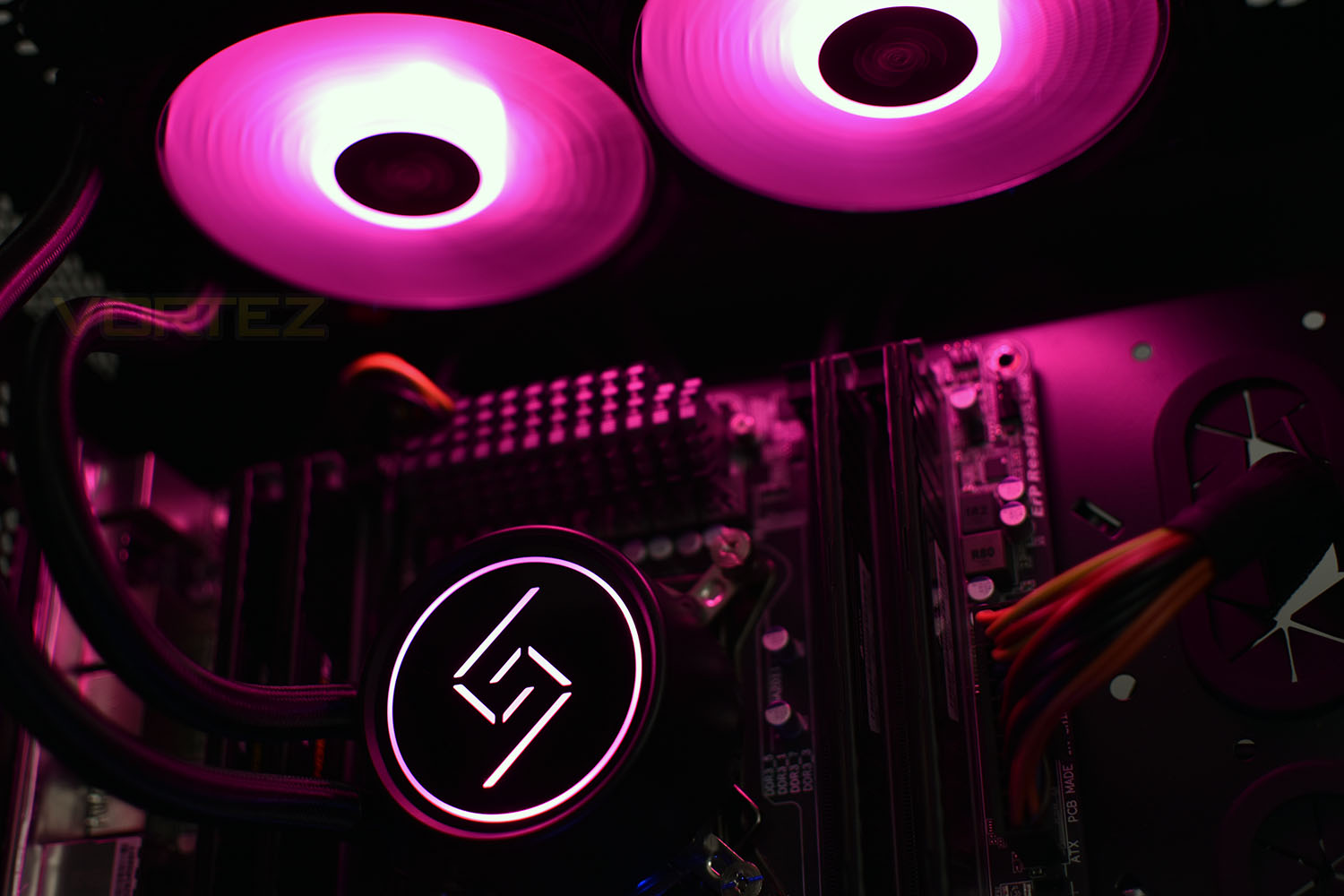
DeepCool have optimised the radiator using E-shaped micro water channels which increases surface area while enhancing heat circulation, both of which should improve overall performance.
Thanks to the availability of the GAMMAXX L240 at £49.99 in the UK, this, on the face of it, appears to offer excellent value for money, but are there any pitfalls to such a low cost? We’ll find out.
DeepCool on the GAMMAXX L240:
House Gammaxx is a great clan of Deepcool, ruling a vast territory of CPU coolers. From this noble family, many have earned their fame through battles of performances and prices, such as Gammaxx 400 and Gammaxx GT. In the past few years, more and more liquid coolers have been taking the stage, yet not so many enthusiasts are lucky enough to own one. To allow everyone to enjoy liquid cooling, the first liquid cooler of the House, Gammaxx L240 is finally ready to serve the world, after years of cultivation.
Technical Specifications
Net Weight: 1204 g
Radiator Dimensions: 274 × 120 × 27mm
Radiator Material: Aluminum
Tube Length: 310 mm
Pump Dimensions: 91 × 79 × 47mm
Pump Speed: 2550 RPM±10%
Pump Noise: 18.9 dB(A)
Pump Connector: 3-pin
Pump Rated Voltage: 12 VDC
Pump Rated Current: 0.21 A
Pump Power Consumption: 2.52 W
Fan Dimension: 120 × 120 × 25mm
Fan Speed: 500-1800 RPM±10%
Fan Airflow: 69.34 CFM
Fan Air Pressure: 2.42 mmAq
Fan Noise: ≤30 dB(A)
Fan Connector: 4-pin
Bearing Type: Hydro Bearing
Fan Rated Voltage: 12 VDC
Fan Rated Current: 0.17 A
Fan Power Consumption: 2.04 W
LED Type: RGB LED
LED Connector: 4-pin(+12V-G-R-B)
LED Rated Voltage: 12 VDC
LED Power Consumption: 3.72 W
Socket Compatibility: Intel LGA20XX/LGA1366/LGA115X ; AMD AM4/AM3+/AM3/AM2+/AM2 /FM2+/FM2/FM1.
Radiator Dimensions: 274 × 120 × 27mm
Radiator Material: Aluminum
Tube Length: 310 mm
Pump Dimensions: 91 × 79 × 47mm
Pump Speed: 2550 RPM±10%
Pump Noise: 18.9 dB(A)
Pump Connector: 3-pin
Pump Rated Voltage: 12 VDC
Pump Rated Current: 0.21 A
Pump Power Consumption: 2.52 W
Fan Dimension: 120 × 120 × 25mm
Fan Speed: 500-1800 RPM±10%
Fan Airflow: 69.34 CFM
Fan Air Pressure: 2.42 mmAq
Fan Noise: ≤30 dB(A)
Fan Connector: 4-pin
Bearing Type: Hydro Bearing
Fan Rated Voltage: 12 VDC
Fan Rated Current: 0.17 A
Fan Power Consumption: 2.04 W
LED Type: RGB LED
LED Connector: 4-pin(+12V-G-R-B)
LED Rated Voltage: 12 VDC
LED Power Consumption: 3.72 W
Socket Compatibility: Intel LGA20XX/LGA1366/LGA115X ; AMD AM4/AM3+/AM3/AM2+/AM2 /FM2+/FM2/FM1.
Packaging & Bundle
The GAMMAXX L240 is delivered in a large cardboard box, showing a large image of the loop on the front, complete with RGB illumination. There are the four main motherboard manufacturers listed across the top, for their RGB support.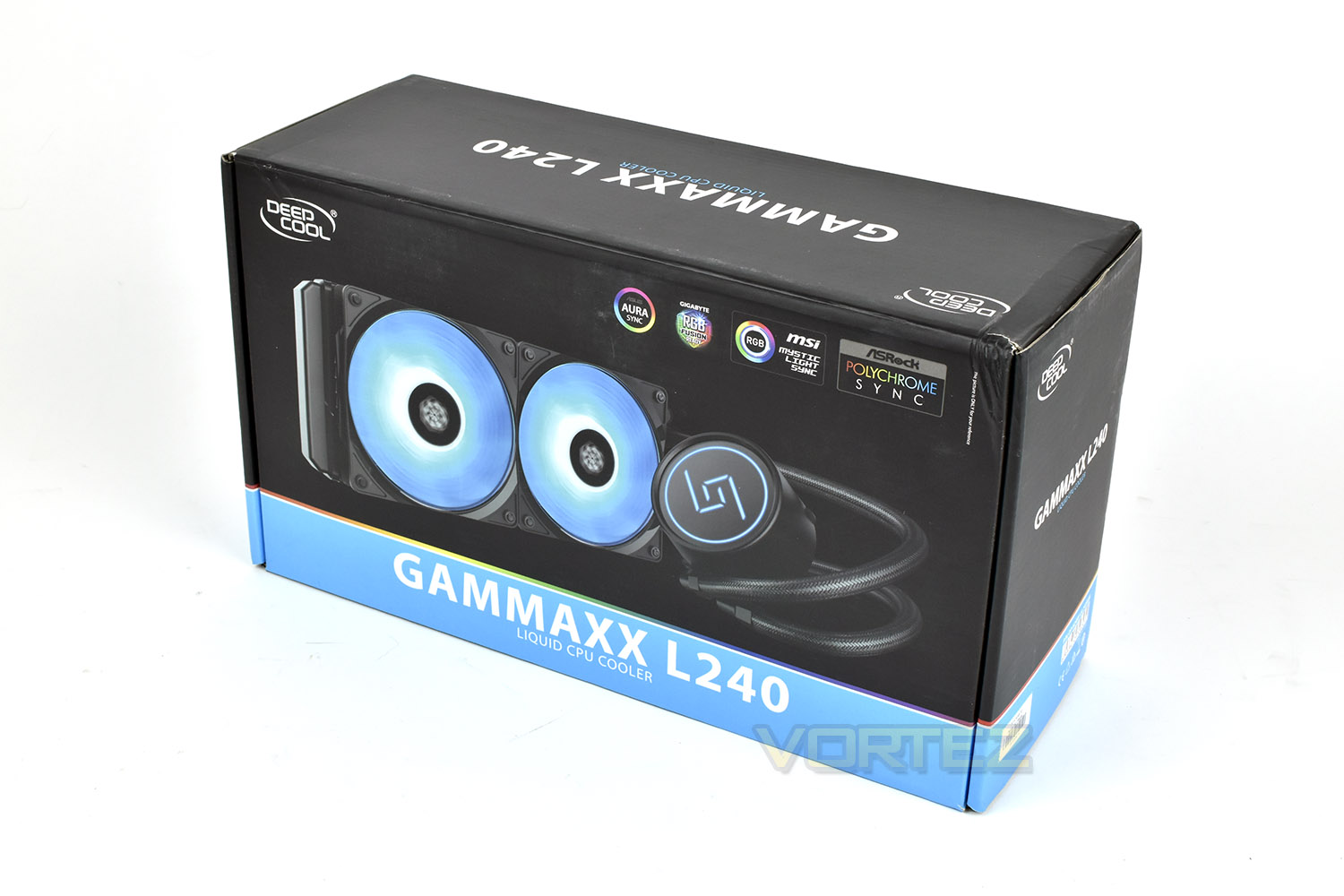
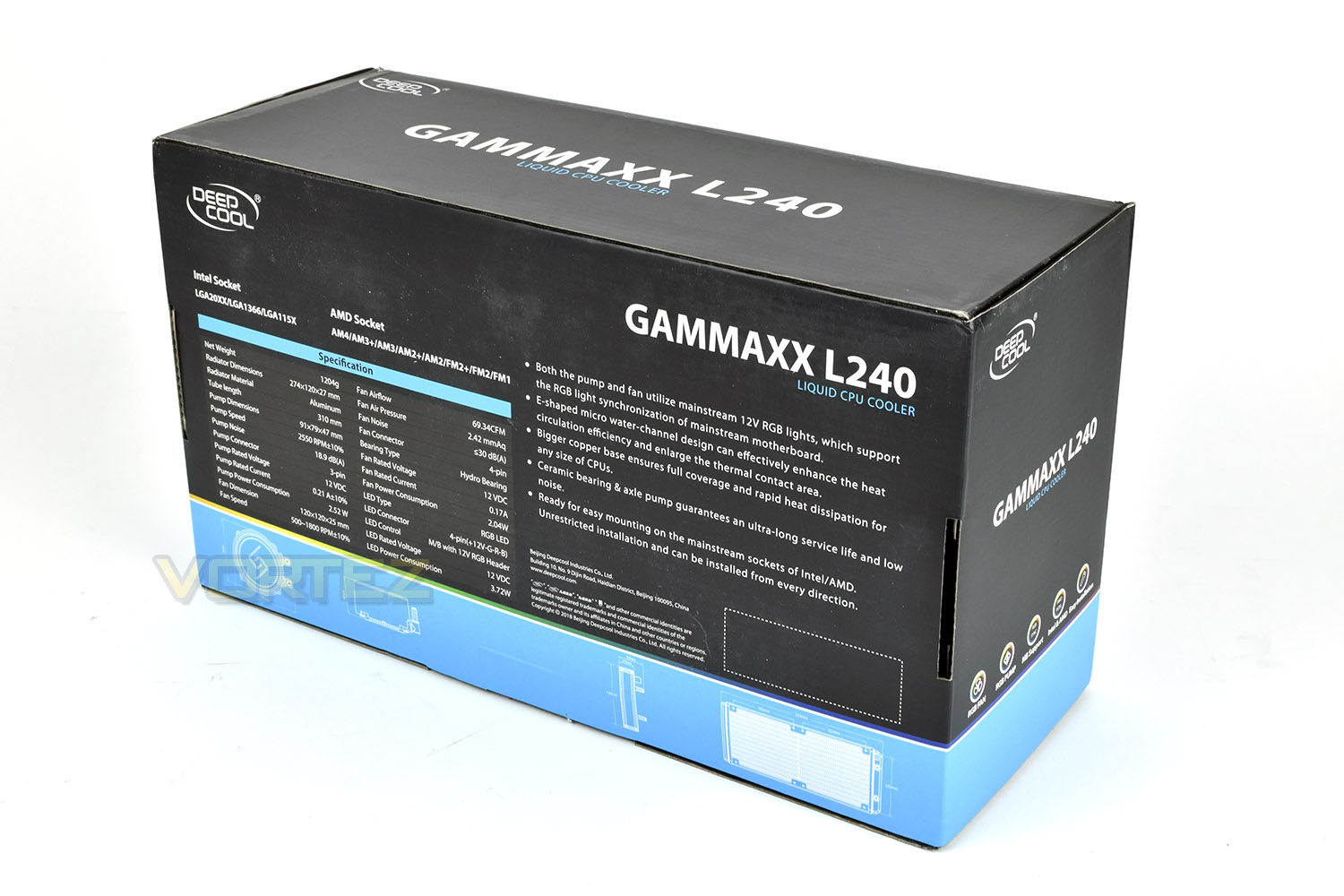
Reversing the box, the rear gives some good bullet point features as well as an extensive specifications list. We also find the usual exact dimensions of each component, useful for users with smaller cases or specific use cases.
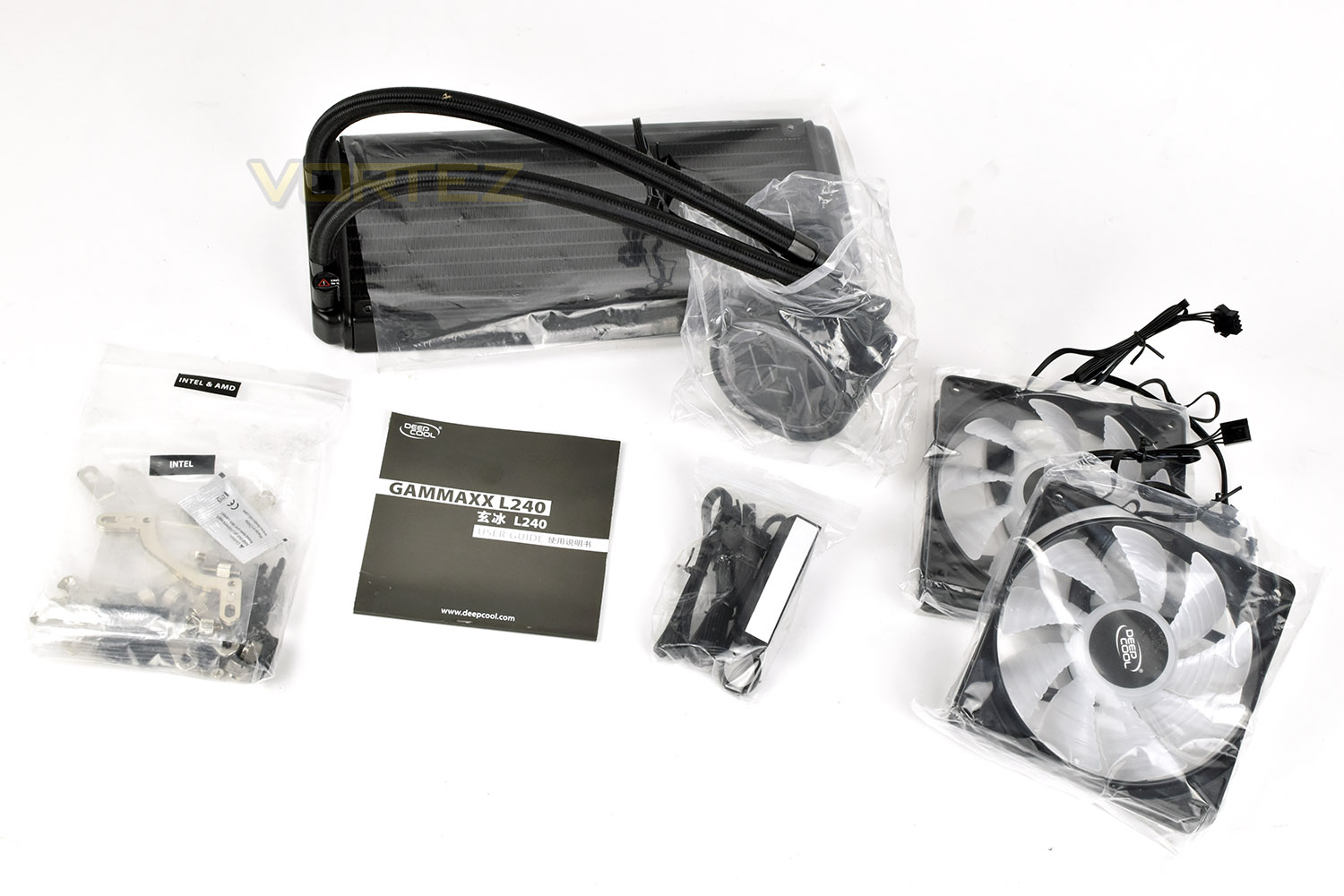
Laying out the entire contents, we see the cooling loop at the top with the two fans on the right. Along with that is a fan controller, ensuring both fans are controlled together via a single PWM header on the motherboard, there’s also a user guide for installation instructions and the relevant mounting hardware for Intel and AMD sockets.
Closer Look
The pump enclosure is relatively small with a very simplistic, round design. The top piece is a smooth plastic with a digital-like design, kind of like the old seven-segment displays from electronic devices, on the top.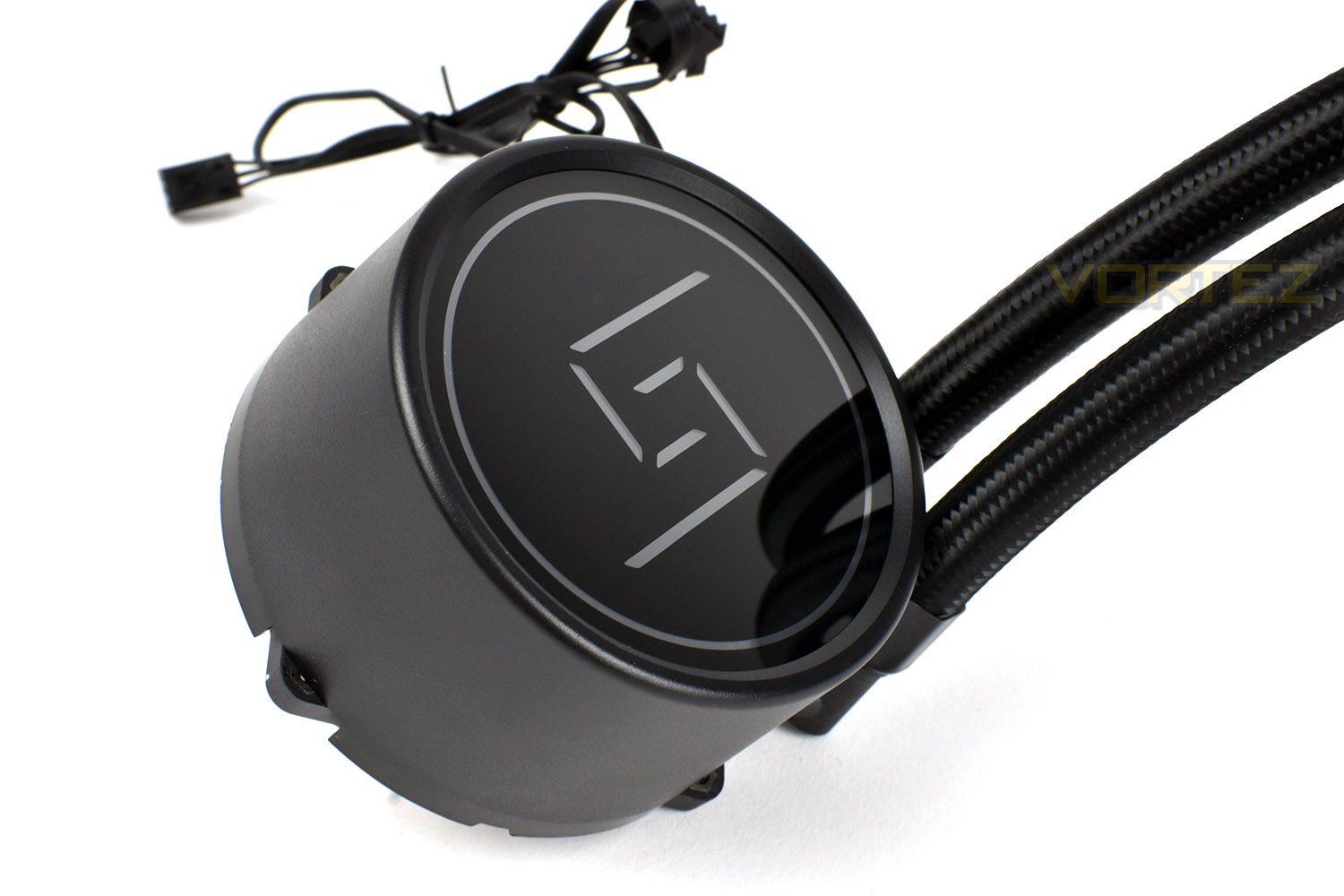
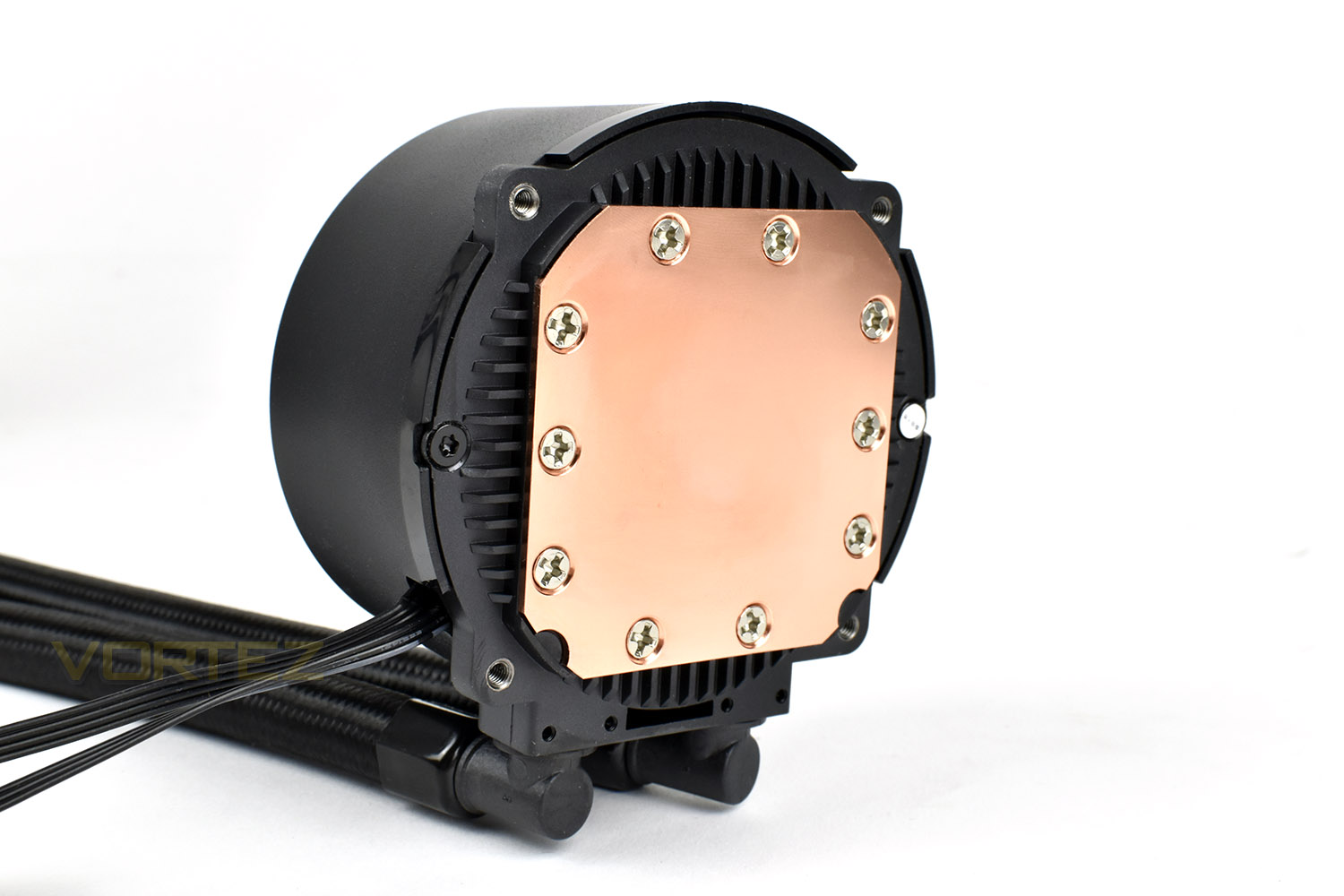
On the underside of the pump is a large copper plate, polished to a smooth finish for optimal thermal transfer. Each of the four corners houses a screw thread for installing the cooler.
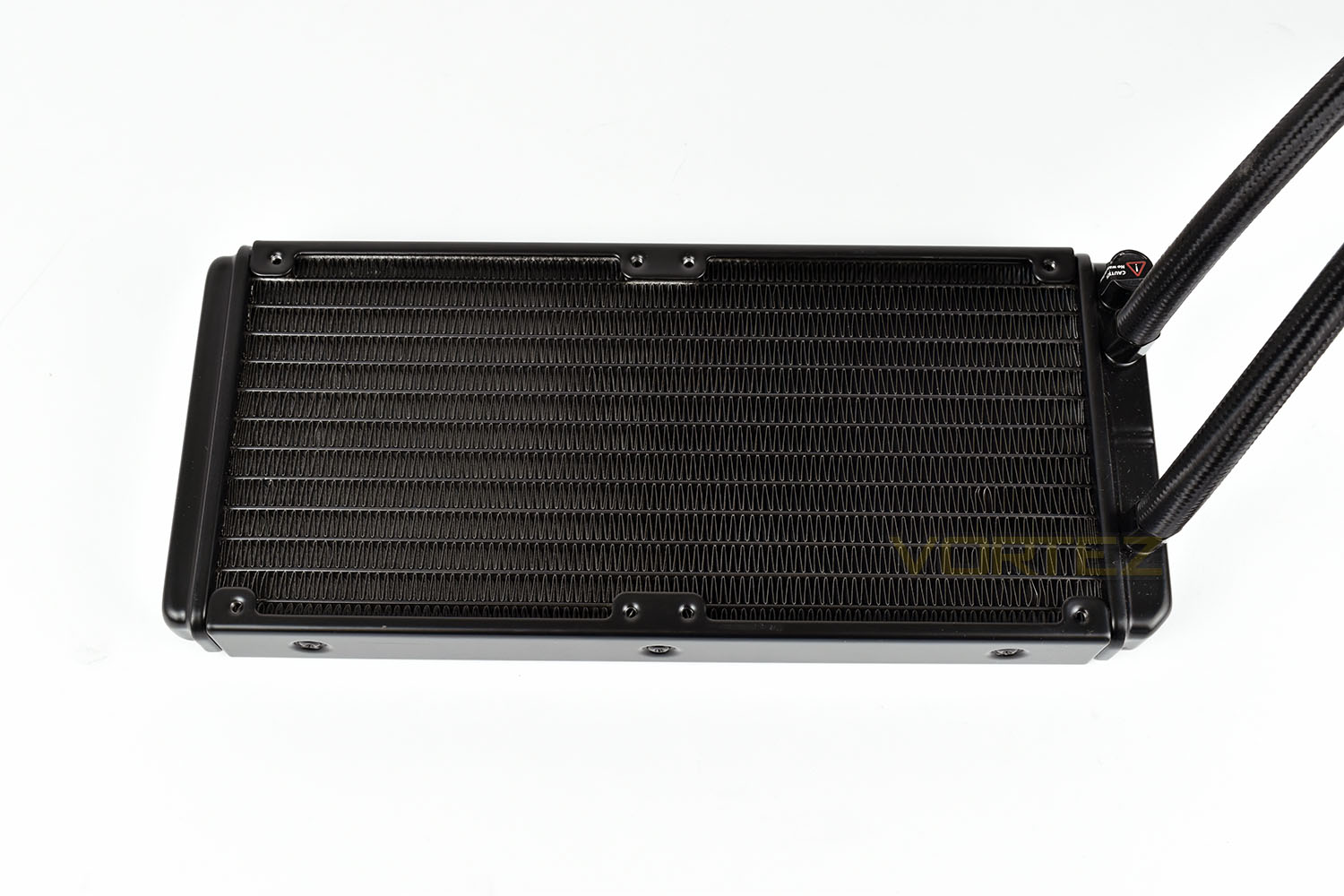
The radiator is about as basic as we’ve seen on an all-in-one watercooling loop. While that may sound like a negative, it almost undoubtedly helps to reduce that overall price tag to the desirable level that it’s at; if it performs well, it doesn’t really matter.
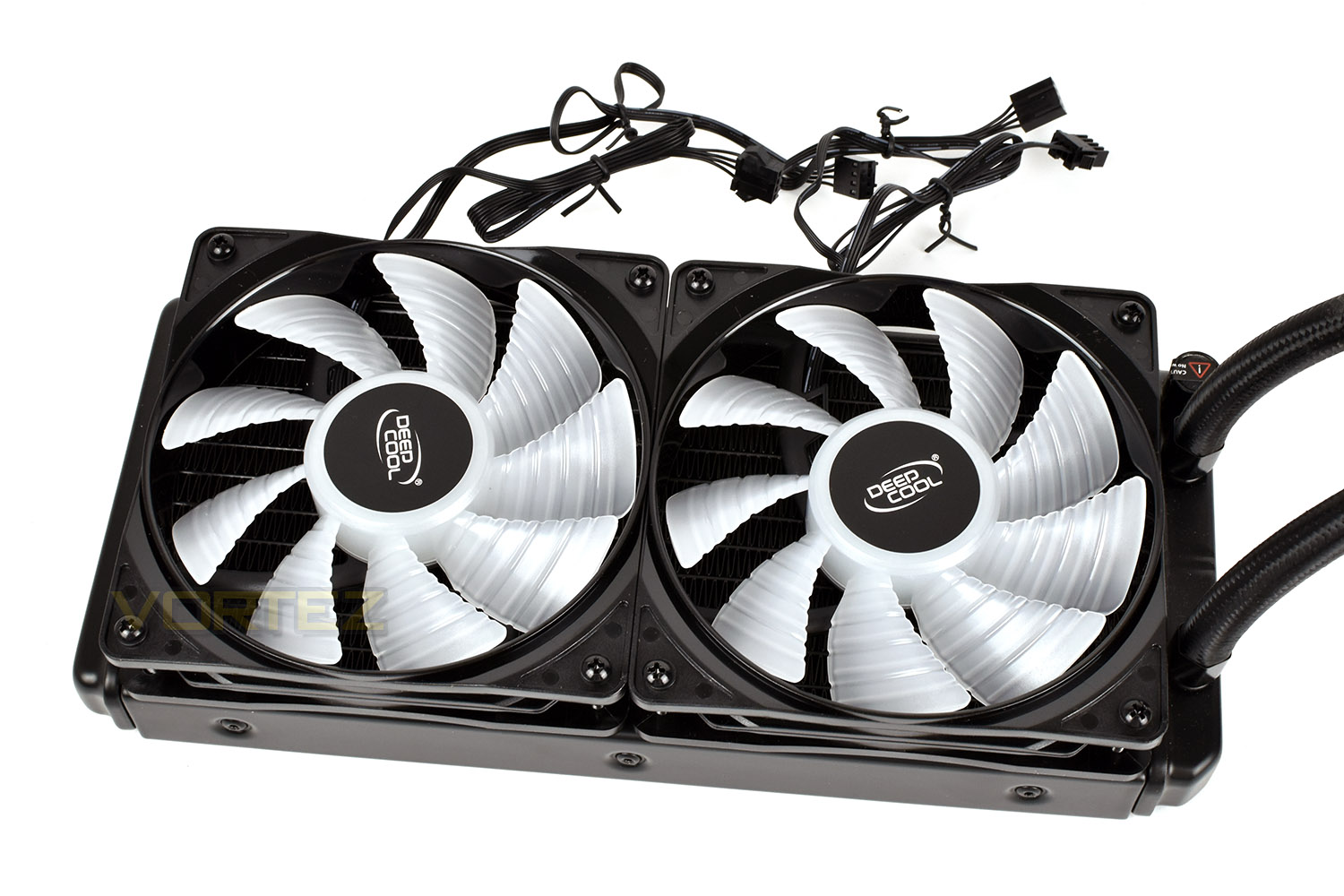
The 120mm PWM fans included with the cooler feature 9 translucent blades and individual RGB and PWM cables. There’s no fancy rubber mounting points or frame lighting though, so they’ve obviously been developed to a price point.

Installing the fans onto the cooler, things seem perfectly normal but we noticed that the mounting holes didn’t perfectly line up with the tapped holes on the radiator, making things slightly awkward, however, everything went together and seems fine so no harm done.
Installation
First things first, we have to install the mounting bracket to the pump, this is a simple process, with countersinks in each corner making it obvious which way it is to be installed.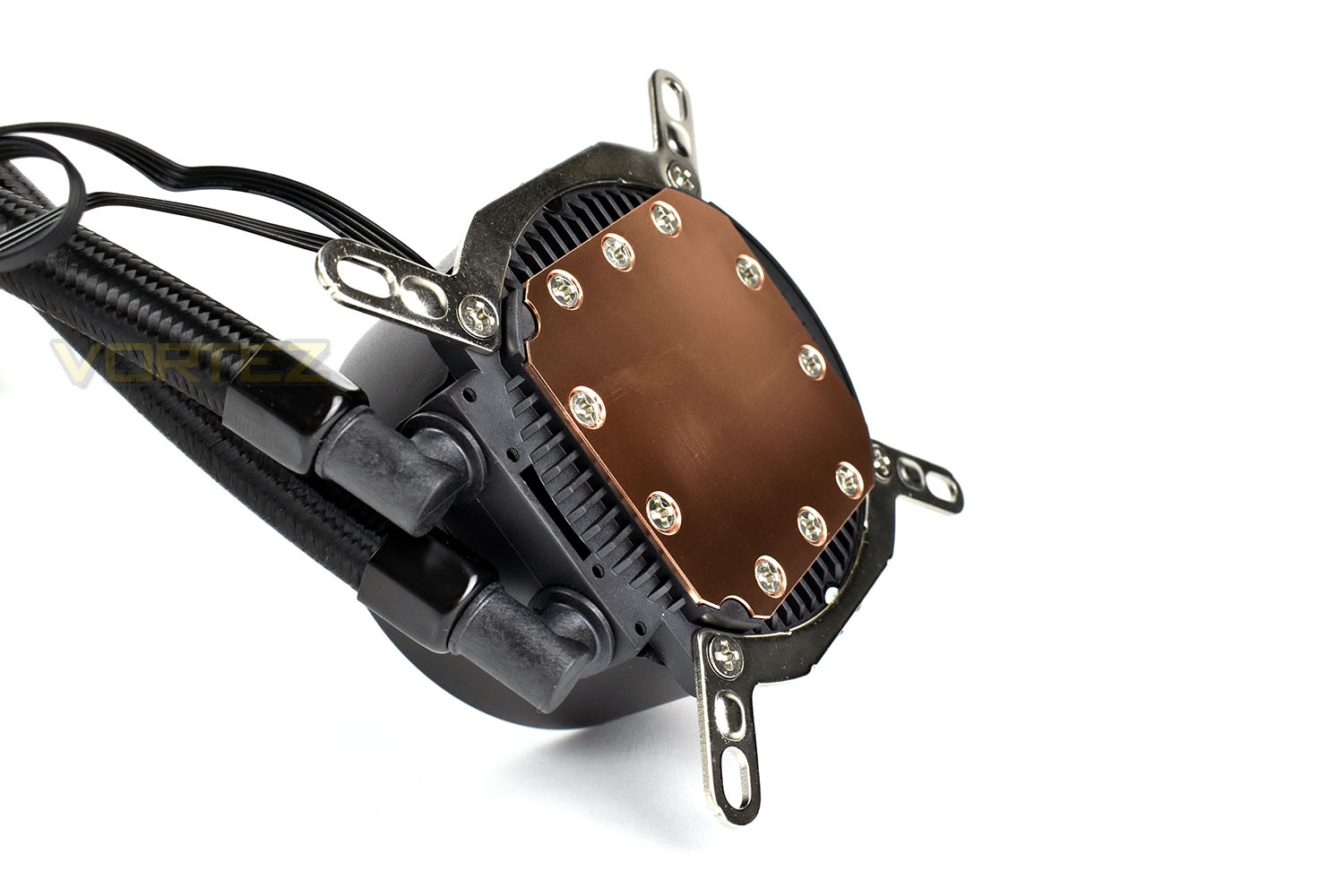
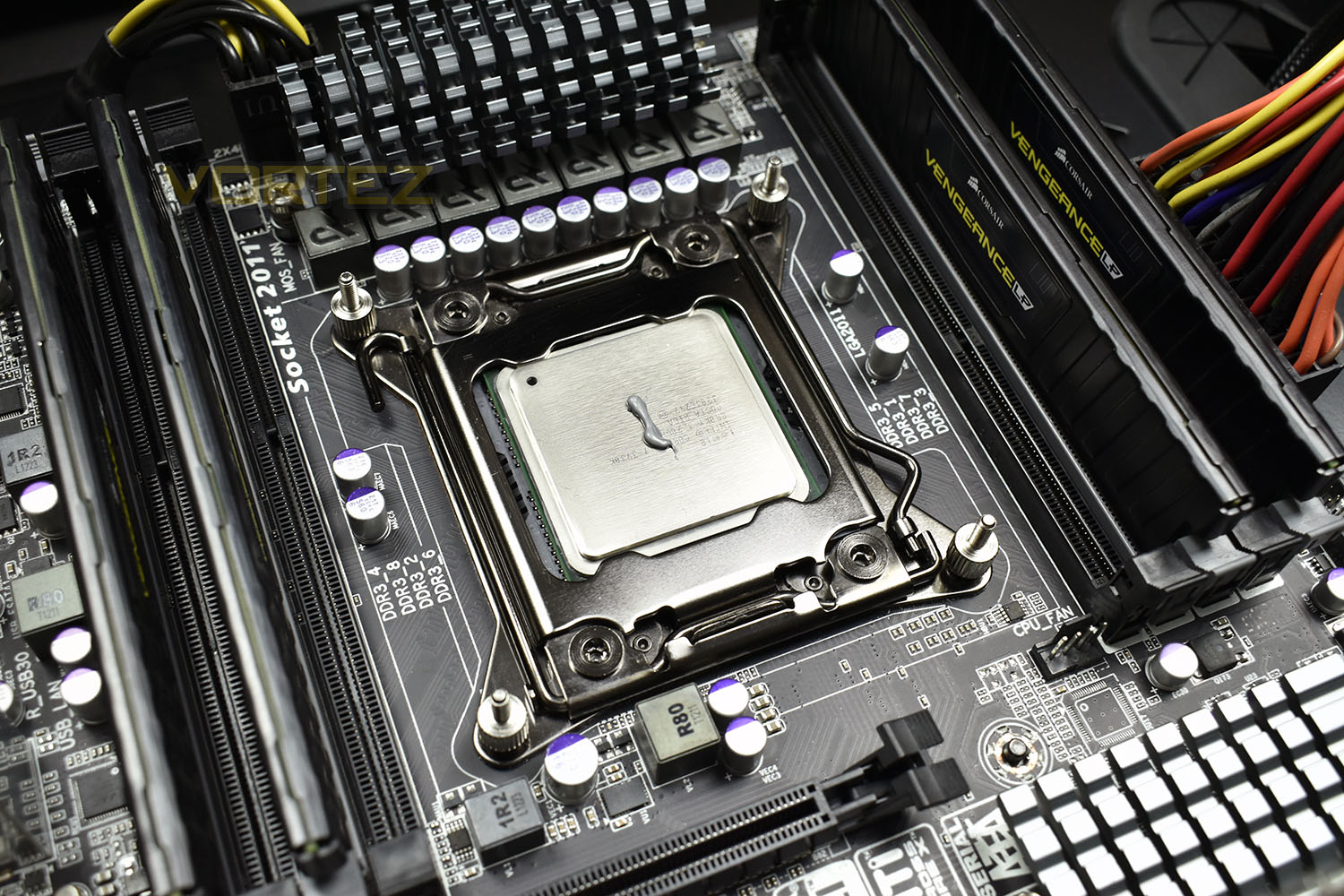
We then install the four standoffs onto our 2011 socket and apply a small amount of Noctua NT-H1 thermal paste. We use this to ensure results can be compared between all reviews.
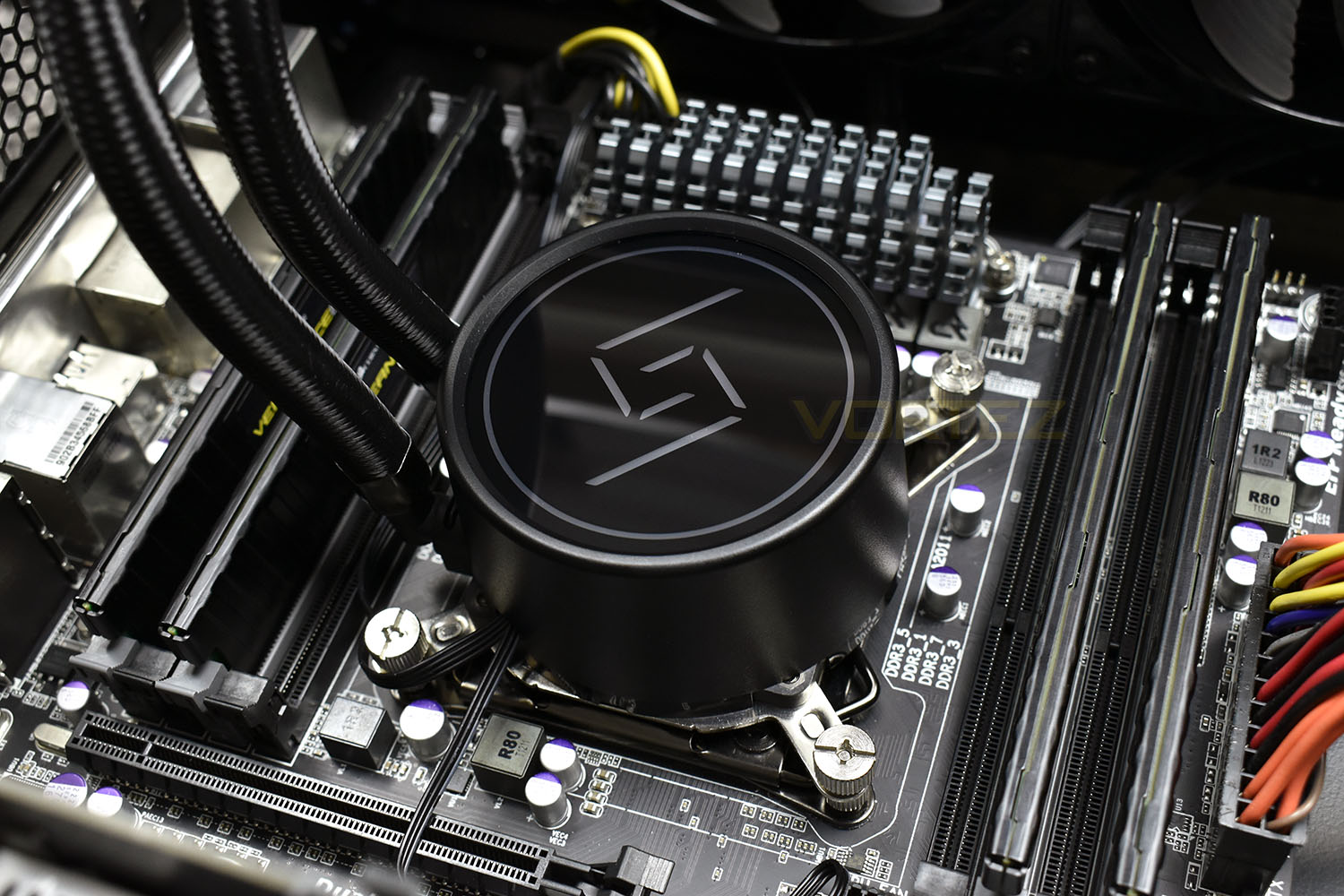
Next up is pushing the pump enclosure into place, ensuring to spread the paste around as much as possible, then install the thumb screws, tightening them up as evenly as you can, in a diagonal fashion; this helps to distribute the thermal paste into a thin, even layer, improving its effectiveness.
Finally, we install the radiator into the top. This is the same as any other radiator, with 8 screws connecting it to the top of the case to exhaust the heat directly out.
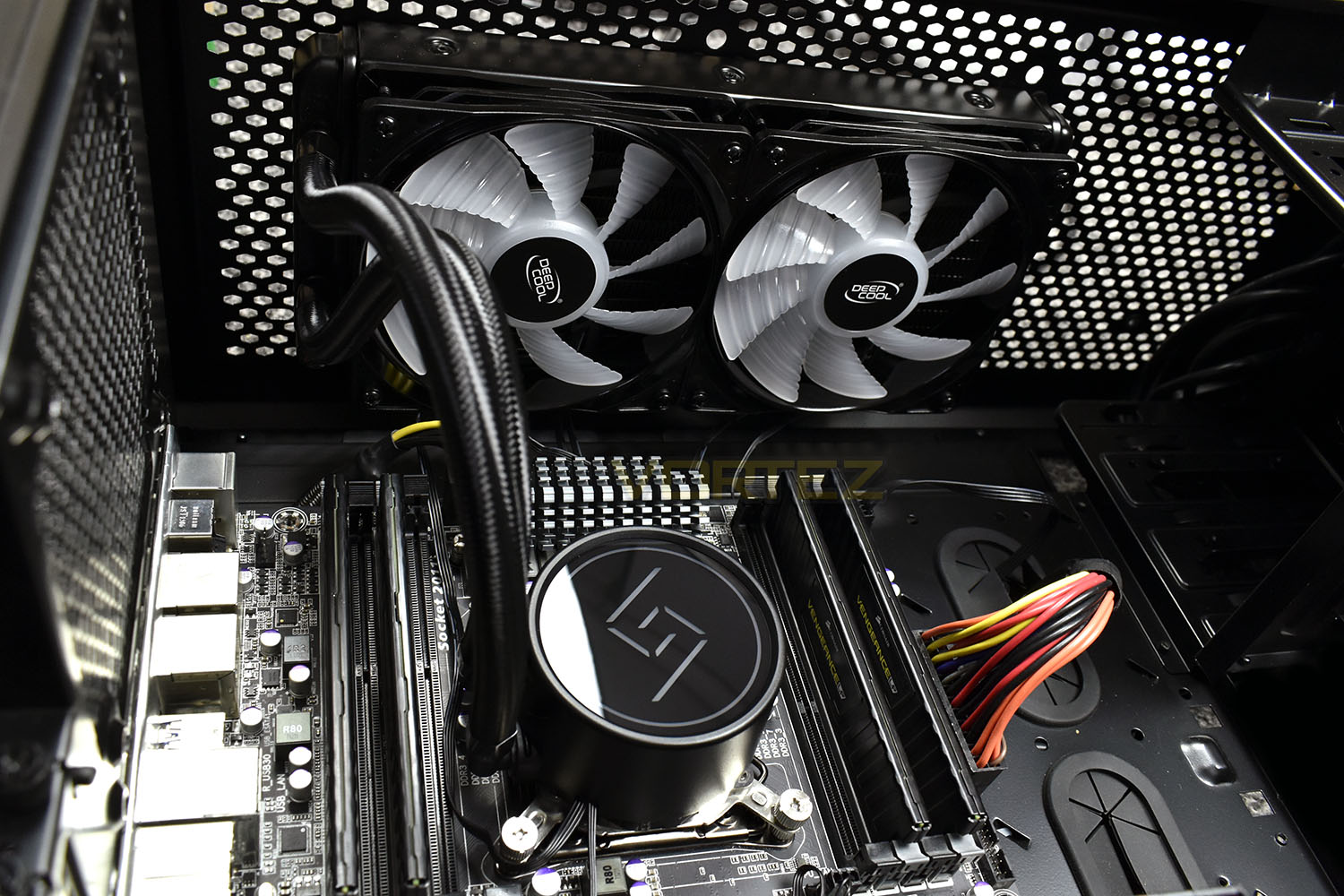
RGB Lighting
Due to the cooler having no way of controlling its own RGB, instead just defaulting to a slow, gradual transition through the available RGB range, here is a short, automated video of the lighting you could expect.Test Setup & Methodology
We have recently made changes to our cooling department and the associated testing methodology, so please note that the number of results shown will increase over time as we add additional products. We hope that these results will appear clearer to the majority of our readership and look forward to building upon the baselines that we currently have.We perform two individual testing routines with each CPU cooler that we receive – temperatures and acoustics. The system used is as follows and all tests are performed at stock 3.8 GHz and overclocked 4.4 GHz frequencies.
Processor – Intel Core i7-3930K
Motherboard – Gigabyte X79-UP4
Memory – 8GB Corsair Vengeance LP 1600MHz CL9
Video Card – Sapphire Radeon HD 6850 1GB
Power Supply – NZXT Hale90 650W
Storage Drive – Kingston HyperX 240GB SATA III SSD
Case – Corsair Carbide 760T
Monitor ASUS ROG SWIFT PG278Q
Motherboard – Gigabyte X79-UP4
Memory – 8GB Corsair Vengeance LP 1600MHz CL9
Video Card – Sapphire Radeon HD 6850 1GB
Power Supply – NZXT Hale90 650W
Storage Drive – Kingston HyperX 240GB SATA III SSD
Case – Corsair Carbide 760T
Monitor ASUS ROG SWIFT PG278Q
To keep our tests consistent, we always review CPU coolers as they come out of the box – with their factory cooling fans, as the manufacturer intended and as the consumer expects. It should, however, be noted that we do not use supplied thermal paste but instead, Noctua NT-H1 paste to, again, ensure consistency. The paste is applied and the CPU allowed to run for a couple of hours, at idle, to give the thermal compound some time to “bed in.”
In the first test, we record idle and load temperatures as shown by the most current version of the Real Temp monitoring utility. The test system is booted to the Windows desktop and left to idle for 20 minutes to ensure temperatures have stabilised. The average core temperatures are then recorded over a 1 minute period and averaged across the six cores. We then perform a continuous 20 minute AIDA 64 stress test. The maximum absolute core temperatures are recorded immediately after the test has completed and averaged across the six cores. All results are displayed as delta temperatures – these are calculated by subtracting the ambient room temperature from the average core temperatures recorded. For temperature testing, the Corsair 760T chassis door is closed and has all three systems fans powered on to simulate real-world conditions.
Our second test follows a similar methodology to the first, with the key difference being that the Corsair 760T chassis door is now left open and all three systems fans are disabled. This allows for the CPU cooler fans acoustic profiles to be captured in isolation. From cold, the system is again booted to the Windows desktop and left to idle for 20 minutes to ensure temperatures have stabilised. The acoustic level is then recorded at a distance of 20cm from the CPU cooler and where the individual result is an average level over a 1 minute period. We then perform our continuous 20 minutes AIDA 64 stress test. Acoustic levels are again recorded at a distance of 20cm from the CPU cooler and where the individual result is an average level over a 1 minute period.
Benchmarks – Thermal Results
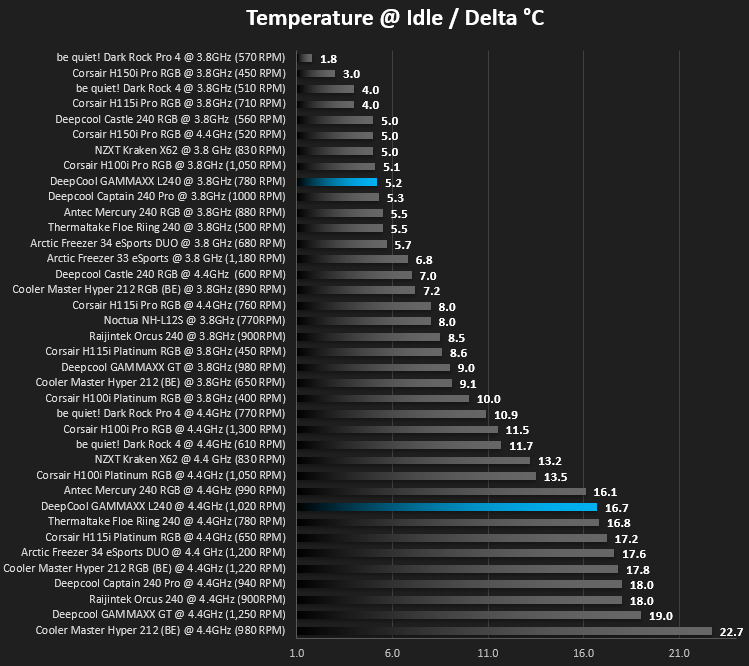
As mentioned on the previous page, we give the system a couple of hours to bed in, as we do with all of our cooling system reviews, to ensure things are as even and fair as possible. It also helps to give the system some time to equalise so that temperatures are normal and the CPU isn’t working on anything in the background, such as searching for updates.We then take an idle reading, both at 3.8GHz and our overclocked 4.4GHz profiles.
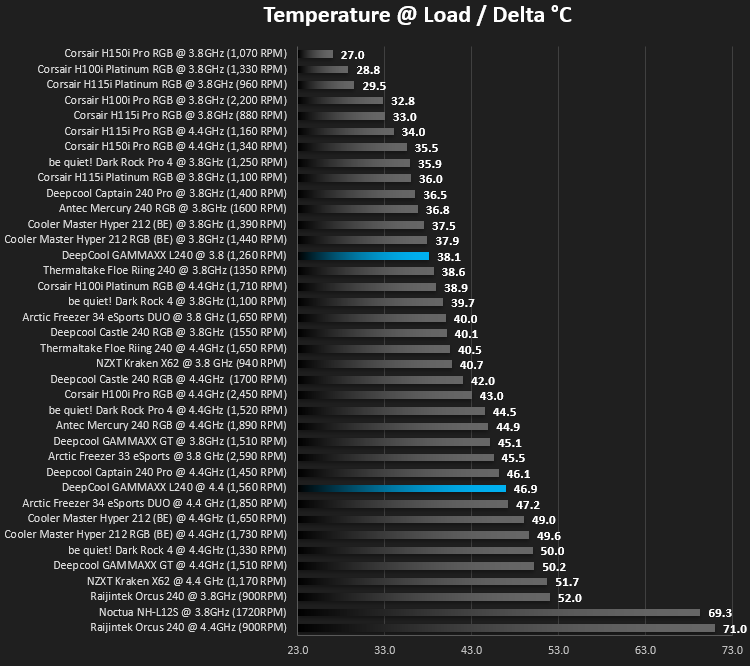
We then give it a blast of 20 minutes with AIDA 64 and measure the temperatures again, taking a reading over 60 seconds then averaging across the six cores.
Benchmarks – Acoustic Results
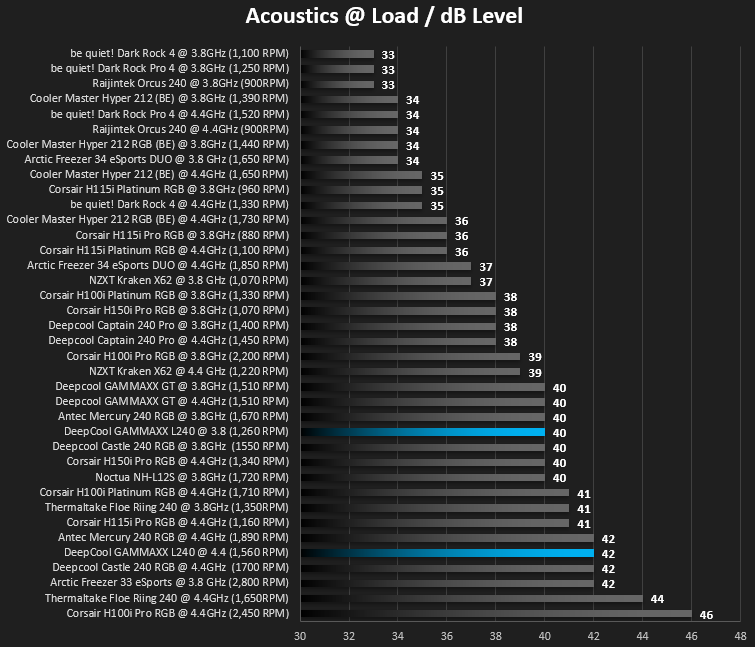
Moving onto acoustics, we take a measurement of the fan output at the same time as the temperature readings.We measure the noise output with the system at rest.
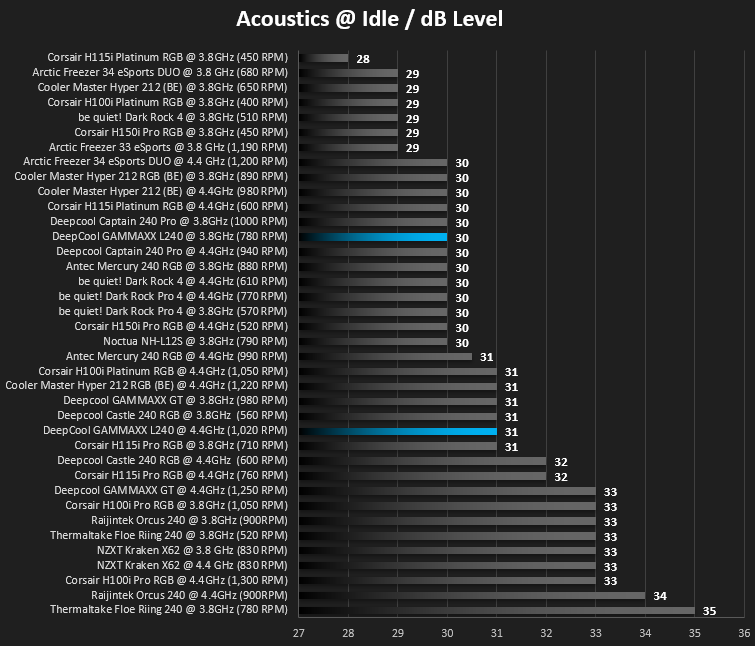
Then once the 20 minutes of AIDA 64 comes to an end, we measure the CPU temperature over 60 seconds and take the noise measurement below.
Conclusion
Well, we set about this review with the impression of it only costing £49.99 in the UK, an absurdly low price for a 240mm all-in-one watercooling loop, so bearing that in mind we tested it in the exact same manner we would any other cooler.Firstly, thermal performance, while not earth-shattering it was capable of beating some hard competition in the NZXT Kraken X62, a 280mm radiator loop costing over twice the price. Acoustics, however, did suffer somewhat, producing 40dB(A) at 3.8GHz and at 42dB(A) in our overclocked tests, we found it was almost topping the graphs, not particularly amazing, but we will keep going back to the point of the price. Please also bear in mind that our system, when overclocked to 4.4GHz, gives a “worst case scenario” for any CPU cooler, with the Intel i7 3930K producing around 170W of heat, if your CPU produces much less heat than that then take that into account.
Installation was no more difficult or awkward than most coolers on the market, but please remember our mention of the fan’s mounting holes not quite lining up with the tapped holes on the radiator; while it was only slight, we did have to do some jigging about to get all four screws into place. Having said that, in the grand scheme of things, it didn’t really change how the cooler was installed and it was only a minor inconvenience.
RGB lighting, which has been big on enthusiast components for a couple of years now, is big business and DeepCool, perhaps more than most, have truly jumped on the bandwagon, incorporating RGB into anything and everything they can; while we enjoy the RGB factor of the peripherals we test, we also like being able to control that lighting easily. DeepCool’s lack of a SATA-powered RGB controller, which they tend to include with all of their other CPU coolers, is a shame. We can’t imagine they cost much to produce, being only a few thin wires and a small plastic enclosure with three buttons, but it provides RGB lighting control for machines as aging as ours which lacks any RGB headers on the motherboard.
Above all else, really, is that price tag. At £49.99 it’s considerably cheaper than most cooling solutions sporting a 240mm radiator, especially when the RGB lighting is considered.
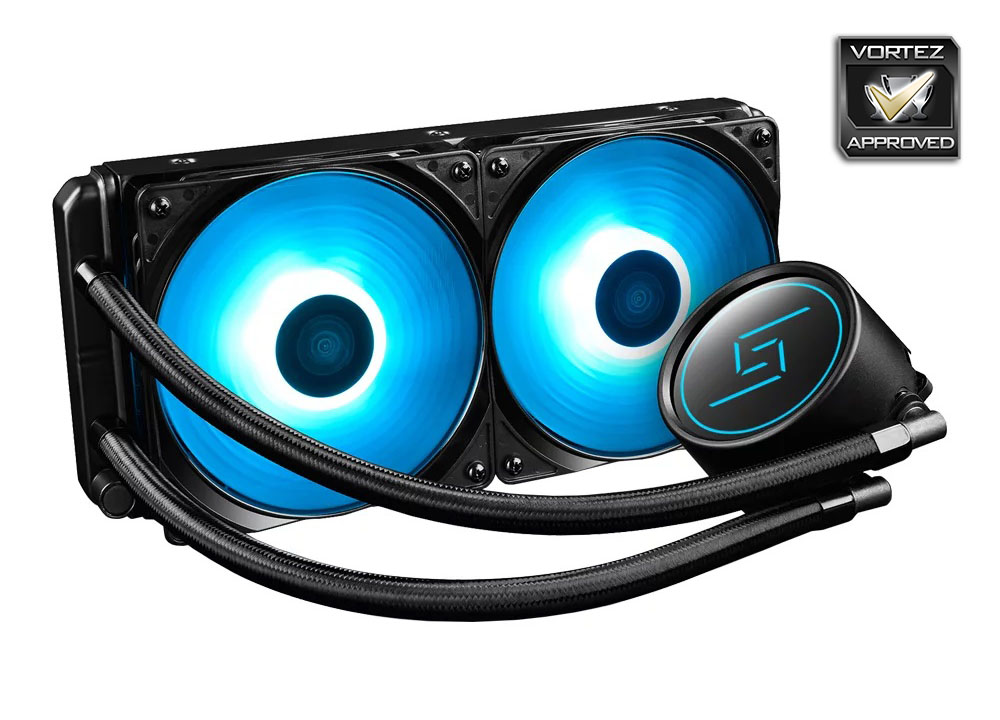
While we found flaws with the all-in-one cooling loop, in the form of loud audibles and the lack of RGB control, we can’t help but offer a recommendation of it based purely on the low price, providing you can cope with the louder cooling.
Pros
+ RGB lighting looks good
+ Plentiful socket support
+ Simple design
+ Multiple motherboard support for RGB lighting
+ Price
Cons
– Fan holes didn’t line up with radiator
– Noisy under consistent load
– Lacks an RGB controller
+ RGB lighting looks good
+ Plentiful socket support
+ Simple design
+ Multiple motherboard support for RGB lighting
+ Price
Cons
– Fan holes didn’t line up with radiator
– Noisy under consistent load
– Lacks an RGB controller
Click here for an explanation of our awards at Vortez.net.
Stay connected with the Vortez Social Media pages: