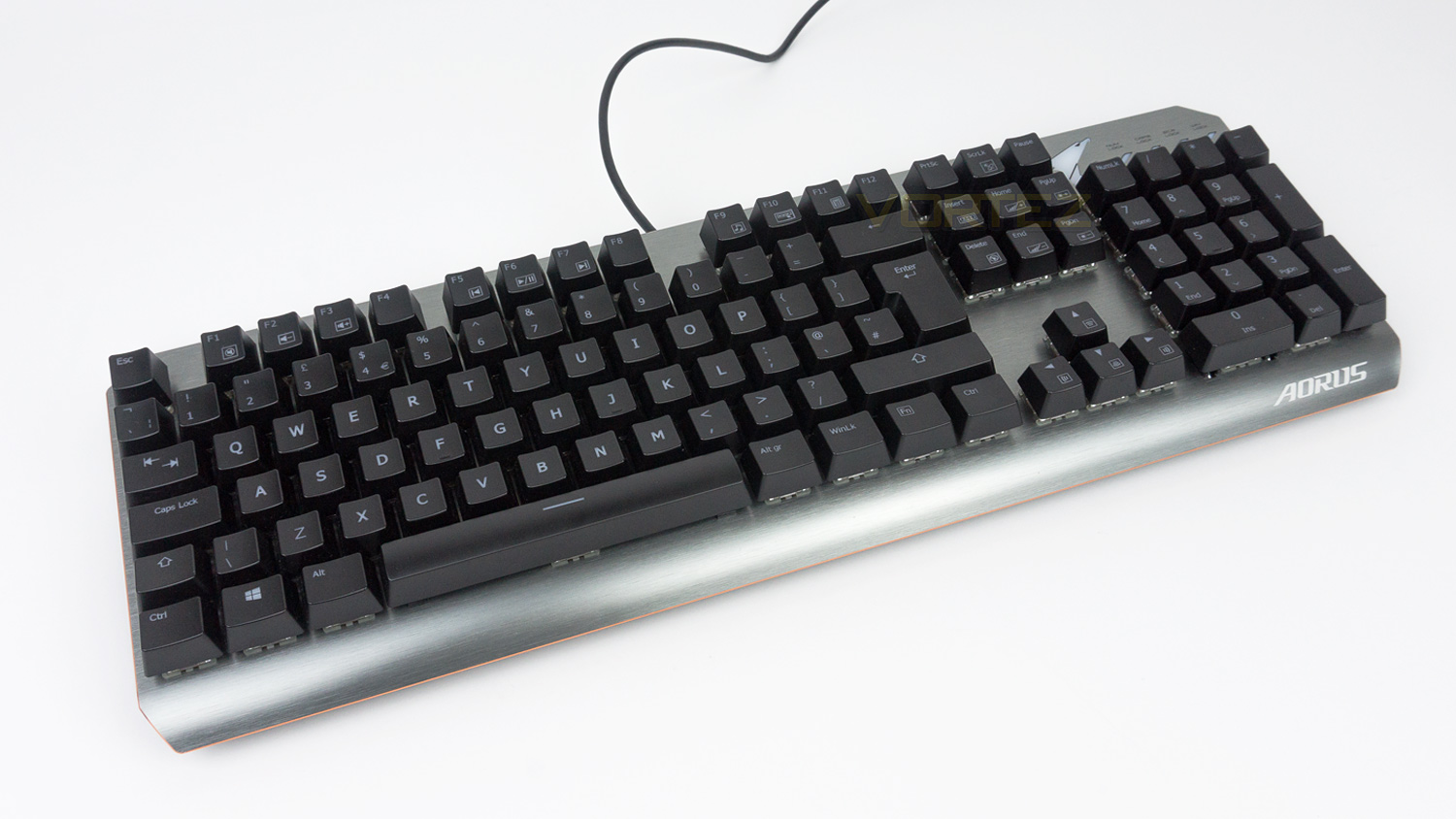
The AORUS K7 from GIGABYTE is a gamers keyboard through and through with its Cherry MX switches, N-key rollover, anti-ghosting and RGB fusion illumination.

Product on Review: AORUS K7
Manufacturer: GIGABYTE
Street Price: £81.98 / $109 / AUS$ 149
In 2018 the market is not short on great mechanical keyboards under the £100 price point; especially with companies like Corsair, Logitech, FNATIC and Cooler Master having strong contenders. The AORUS K7 will have to do a great job to set itself apart from the pack, and it does make a good first move. Swaying away from plastic for the top fascia, the K7 offers a metal one which looks and feels quite premium. Things like the highly adjustable feet stands, and on-the-fly controls do also help its push to differentiate itself.
The AORUS K7, however, strives to do one main task above all else and that is to provide a great gaming performance. It starts off strong as it utilises genuine Cherry MX reds which offer a responsive and quick experience thanks to the short 2mm actuation point and 45g actuation force. The K7 also makes use of GIGABYTE’s matrix key-switch design that enables it to provide anti-ghosting across all areas of the keyboard. N-key rollover is another strong addition that K7 posses as well as media controls and controls for the RGB illumination.
For lighting the AORUS K7 uses GIGABYTE’s RGB Fusion combined with their AORUS Engine software which enables per-key customisation and up to 16.7 million colour choices. The AORUS Engine software is compatible with a wide range of GIGABYTE products; this means you can create a nice ecosystem for your setup if you use compatible products.
About GIGABYTE AORUS
GIGABYTE shares the same passion for gaming as all gamers. Therefore we have extended the premium gaming brand – AORUS, the pinnacle of our hardware excellence, to provide a full spectrum of innovative gaming products that deliver the ultimate performance and exemplify PC’s capability of bringing gamers unprecedented delights. We continue to participate in global gaming events, connect with the community and actively listen to gamers’ desires in order to create marvelous products that are focused on gamers’ needs. AORUS is a team of gamers in the PC industry, looking to side with gamers on the gaming conquest, to challenge the limits, and become legendary.
Technical Specifications
Keyboard
Switches – Cherry MX
Variant – MX Red (45g actuation force, 2mm to actuate, 4mm to bottom)
Switch life – 50 million times
Report rate – 1000Hz
USB N-key rollover
Anti-ghosting
Per-key RGB illumination
Multimedia – 22 function keys in conjunction with “Fn” key
Dimensions & Weight
Dimensions – 440 x 150 x 40 (L*W*H mm)
Weight – 848g
Cable length – 2m
System requirements
Windows 7 / Windows 8/ Windows 10
One USB port
Internet connection for driver installation and software
Switches – Cherry MX
Variant – MX Red (45g actuation force, 2mm to actuate, 4mm to bottom)
Switch life – 50 million times
Report rate – 1000Hz
USB N-key rollover
Anti-ghosting
Per-key RGB illumination
Multimedia – 22 function keys in conjunction with “Fn” key
Dimensions & Weight
Dimensions – 440 x 150 x 40 (L*W*H mm)
Weight – 848g
Cable length – 2m
System requirements
Windows 7 / Windows 8/ Windows 10
One USB port
Internet connection for driver installation and software
Packaging & First Look
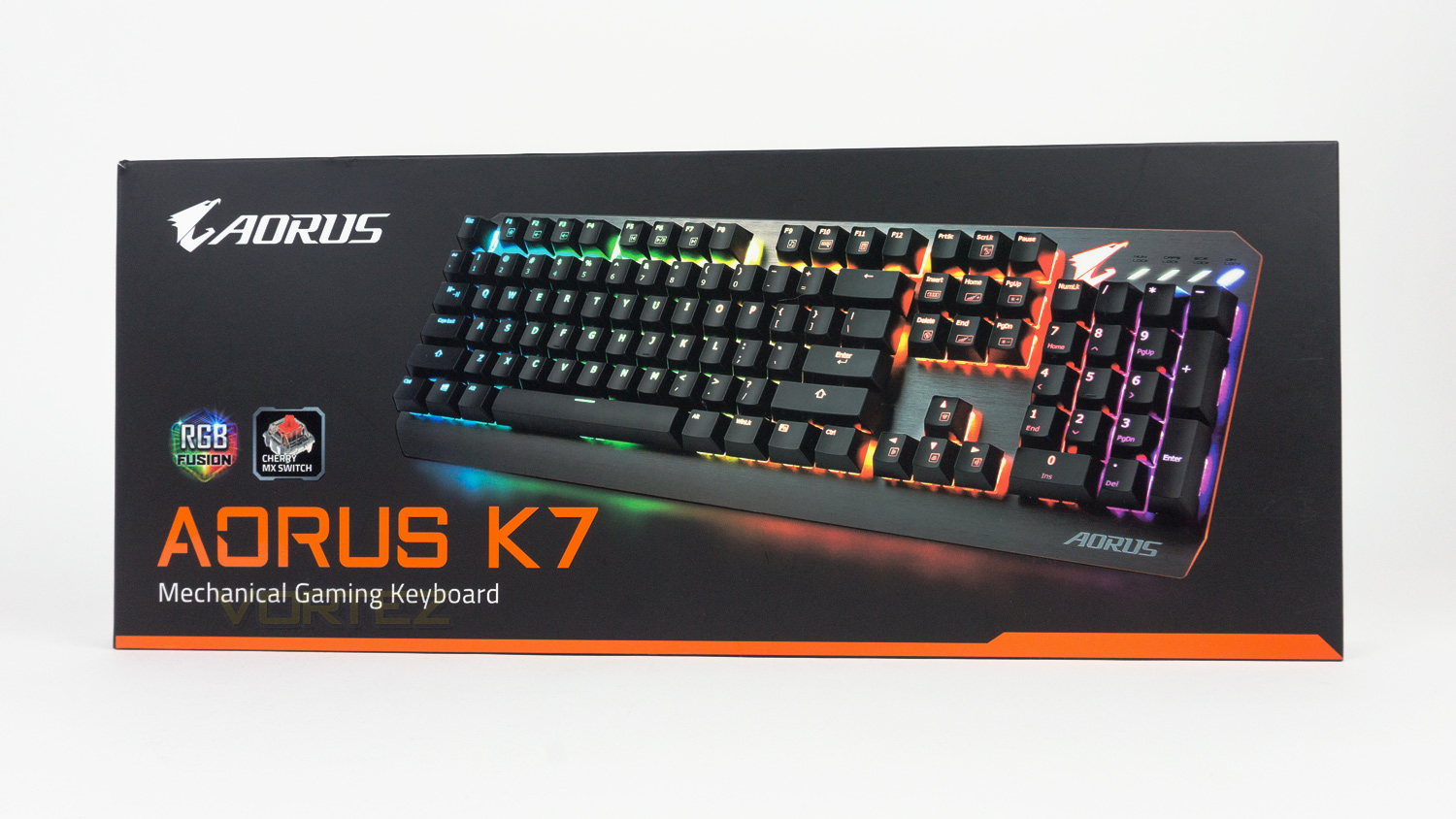
The AORUS K7 comes in a black box that features a large image of the K7 as well as the AORUS logo and some key details.
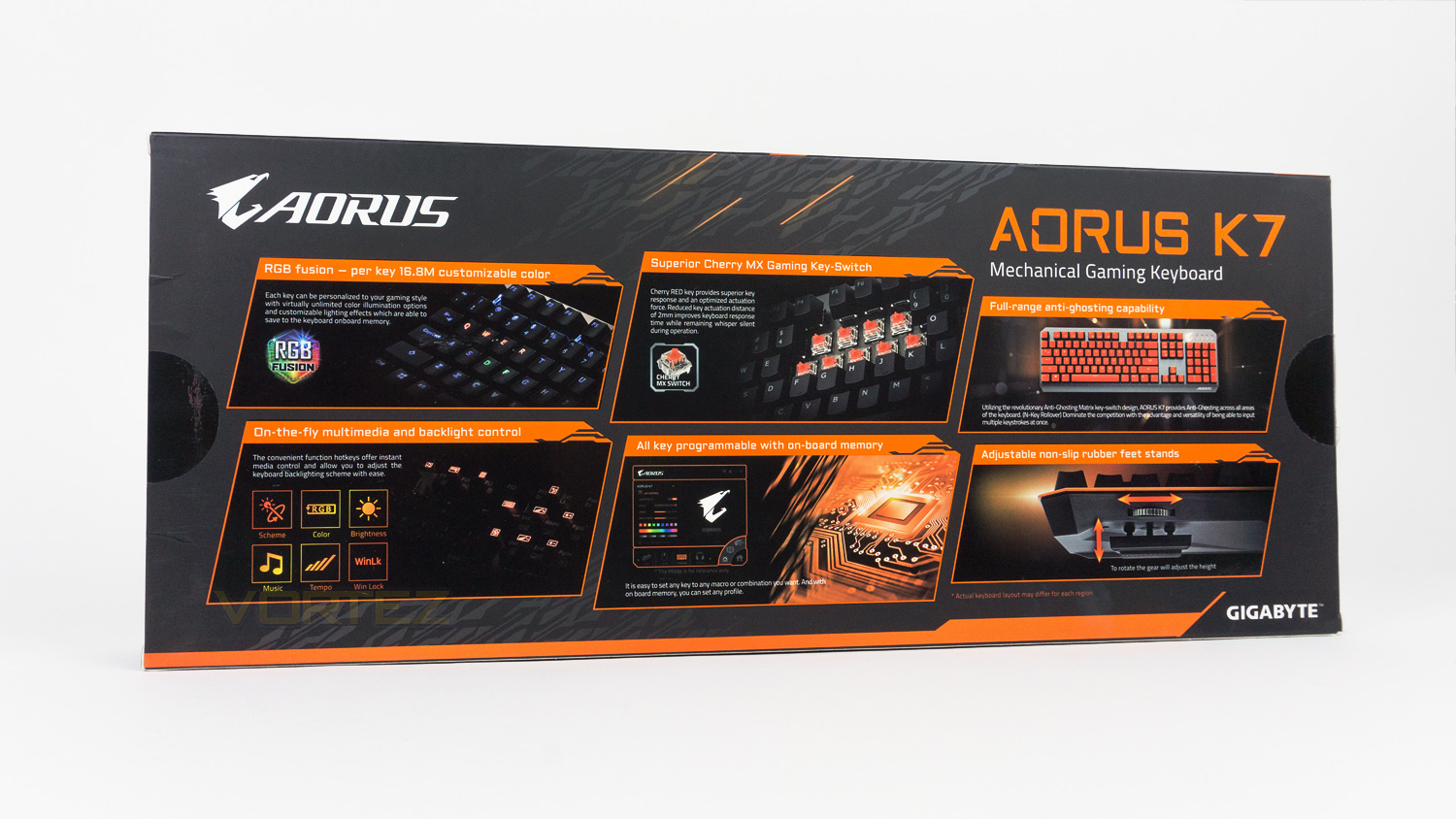
Round the back of the box, there are segments that display some of the highlight features of the K7.
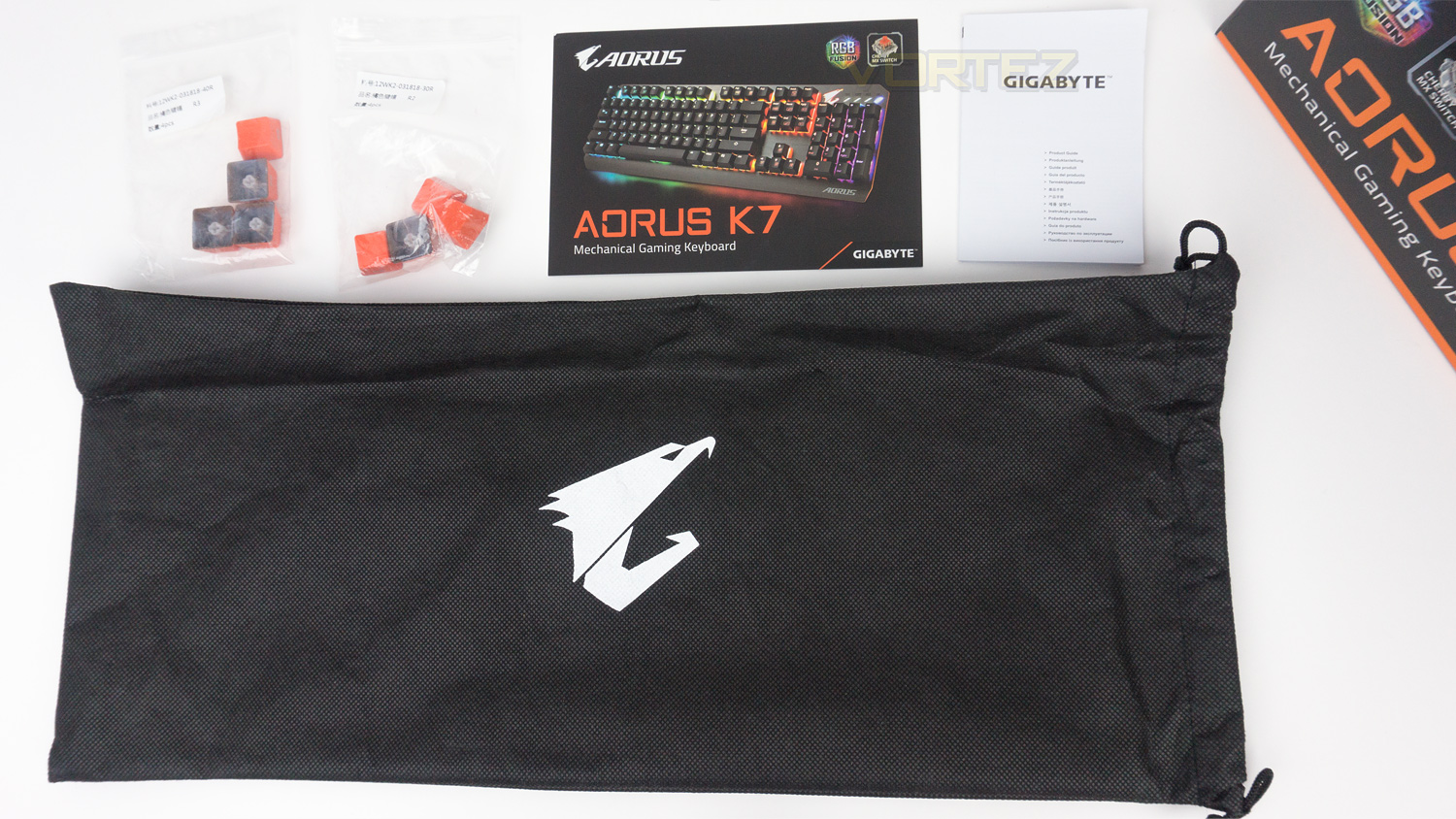
The AORUS K7 comes included with 8 additional keycaps as well as a metal sticker, keycap puller, multimedia guide, quick guide and keyboard bag. Our sample has previously been used and is missing the keycap puller and metal sticker.
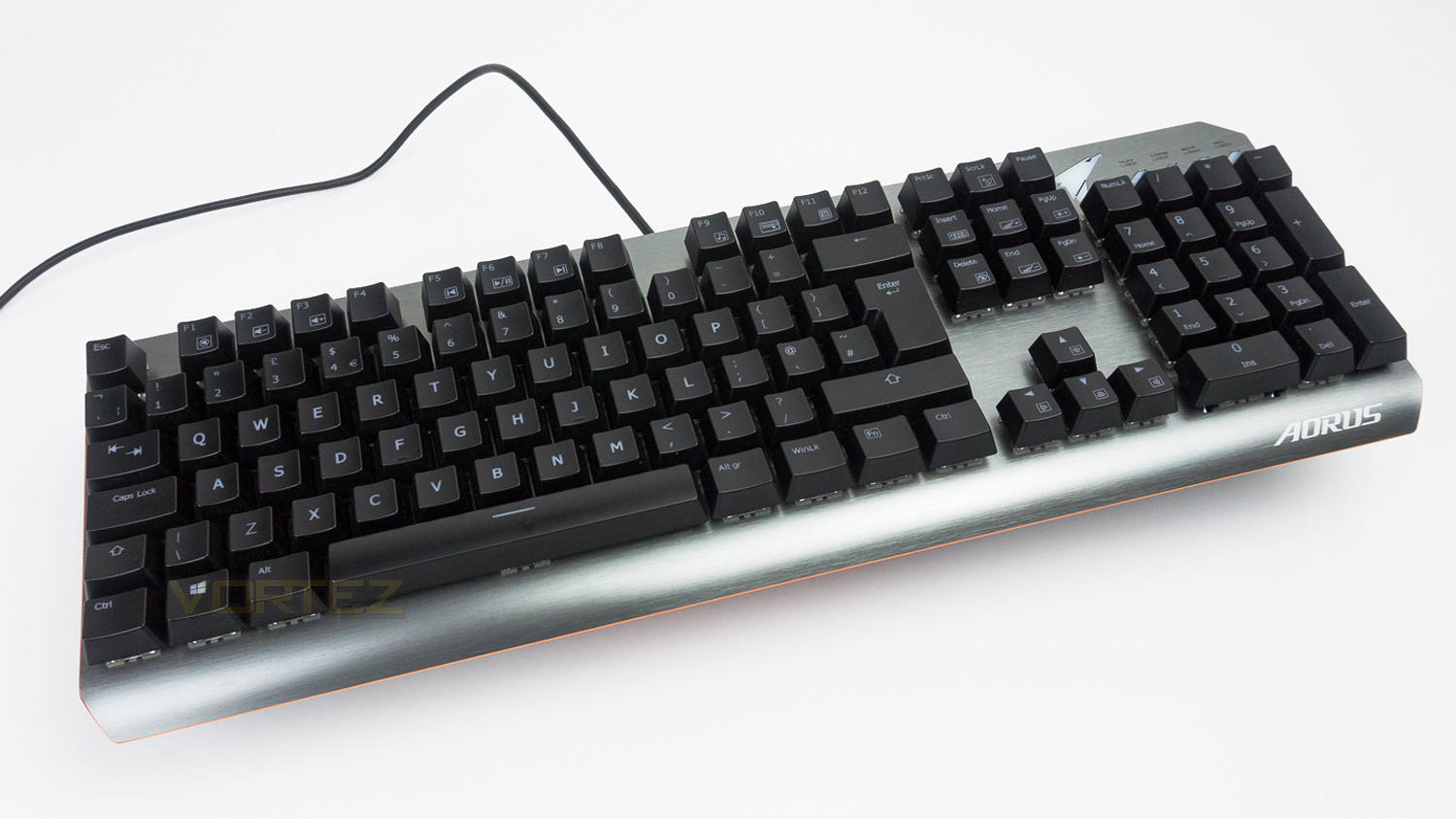
The AORUS K7 features a brushed effect on the metal facia and a tasteful copper trim which adds a bit of premium flare to the design.
Closer Look
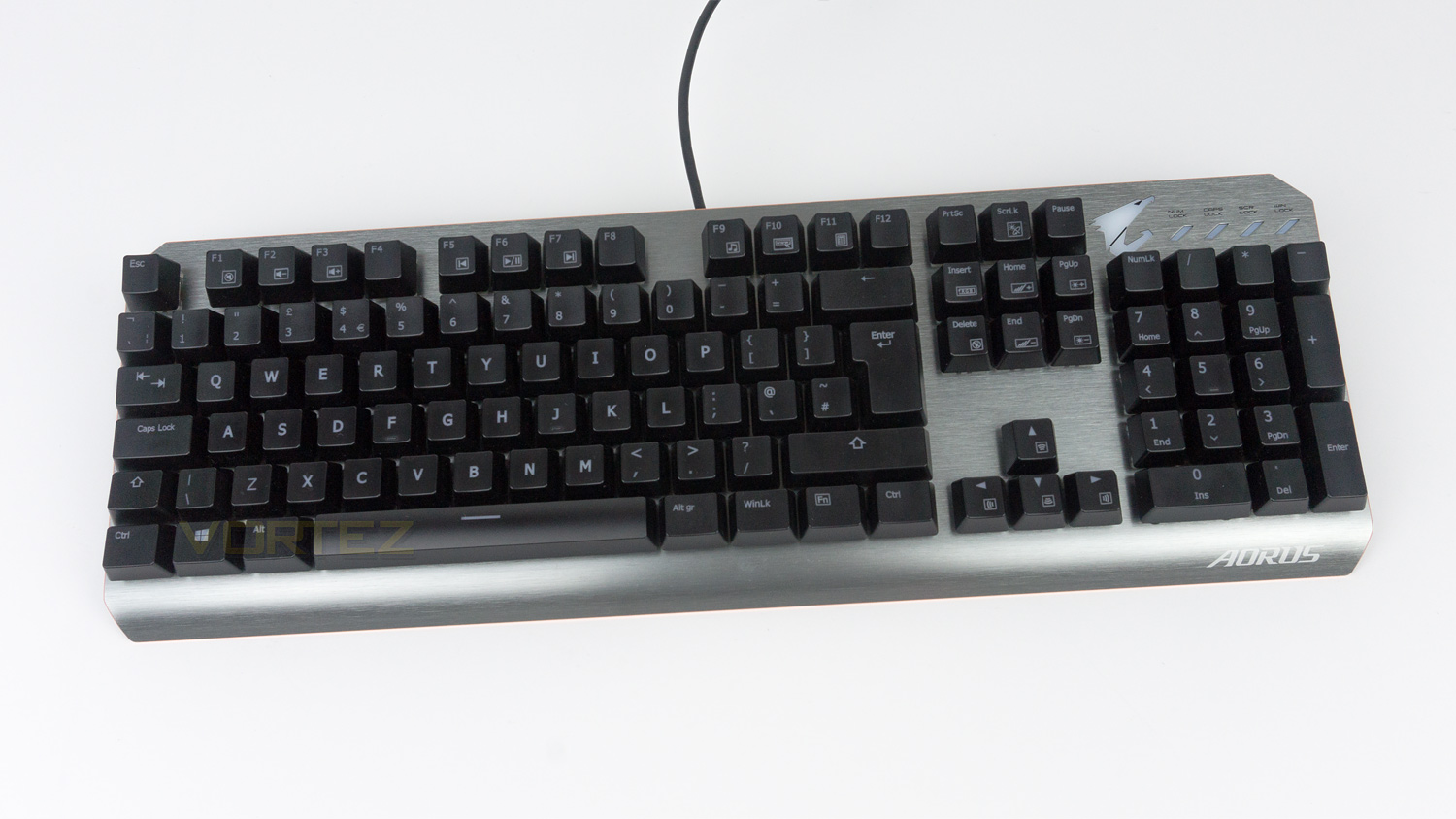
The AORUS K7 is relatively compact for a full-sized keyboard as it measures in at 440mm (L) x 150mm (W) x 40mm (H). The main key layout is nicely organised while being well spaced; there is also a full-sized number pad if you plan to use the K7 for more than just gaming.
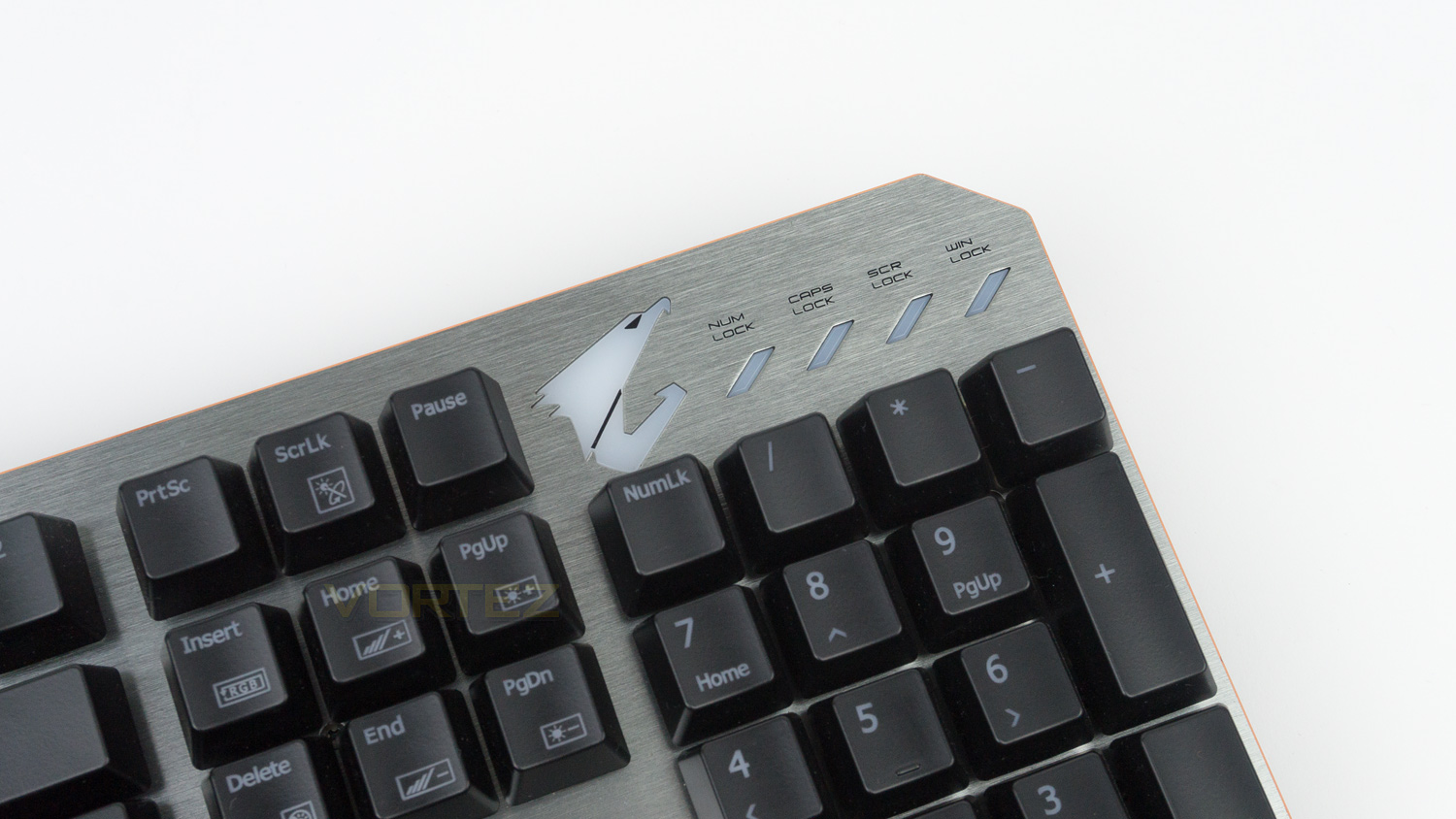
At the top right of the keyboard there is the AORUS logo and additional LED’s for the num lock, caps lock, scroll lock and win lock. The AORUS logo does feature backlight illumination and works with the lighting effect set via the software.
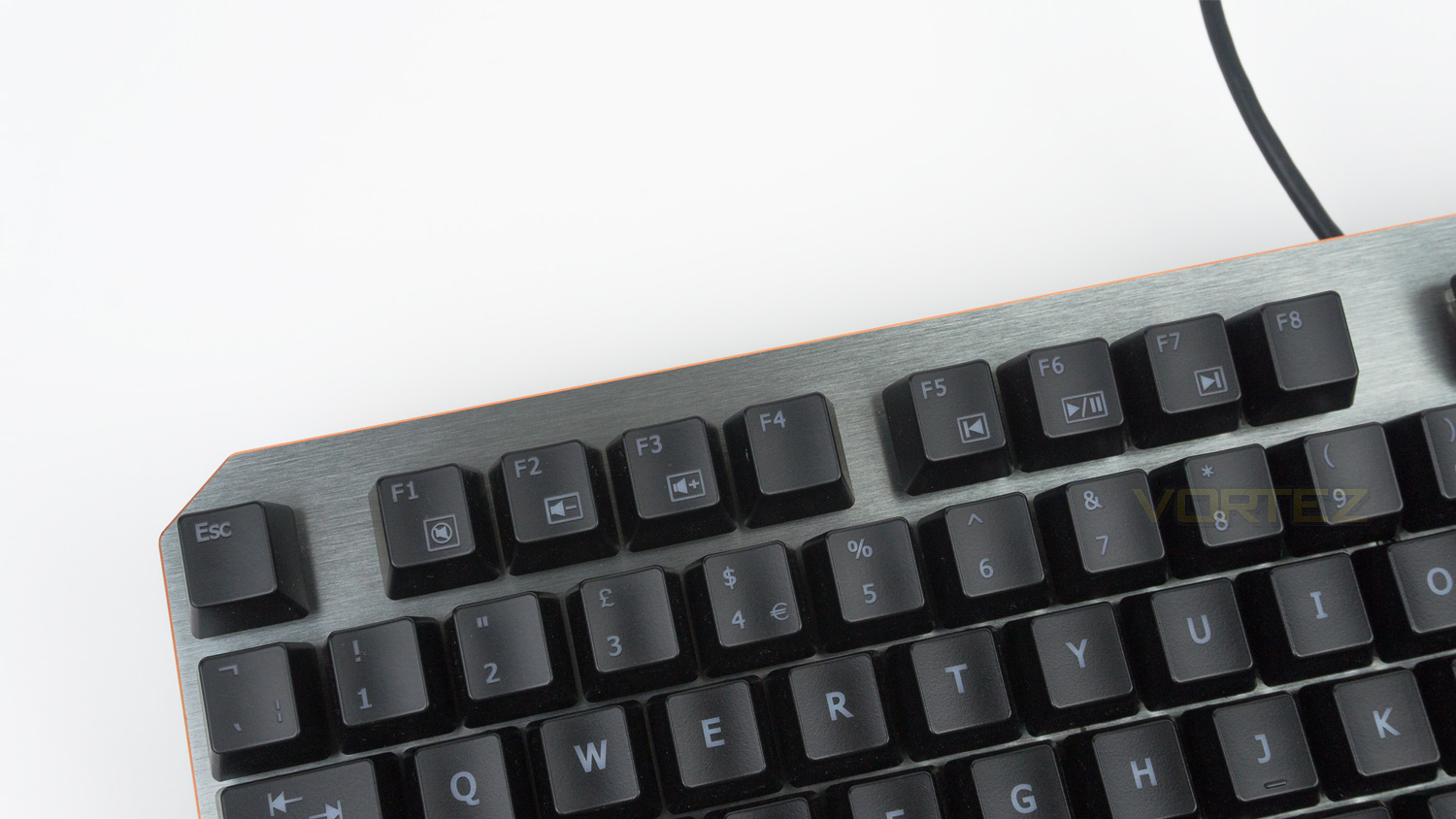
The top left features the media controls that can be used in conjunction with the Fn key. The media keys are F1, F2, F3, F5, F6, F7 and F9.
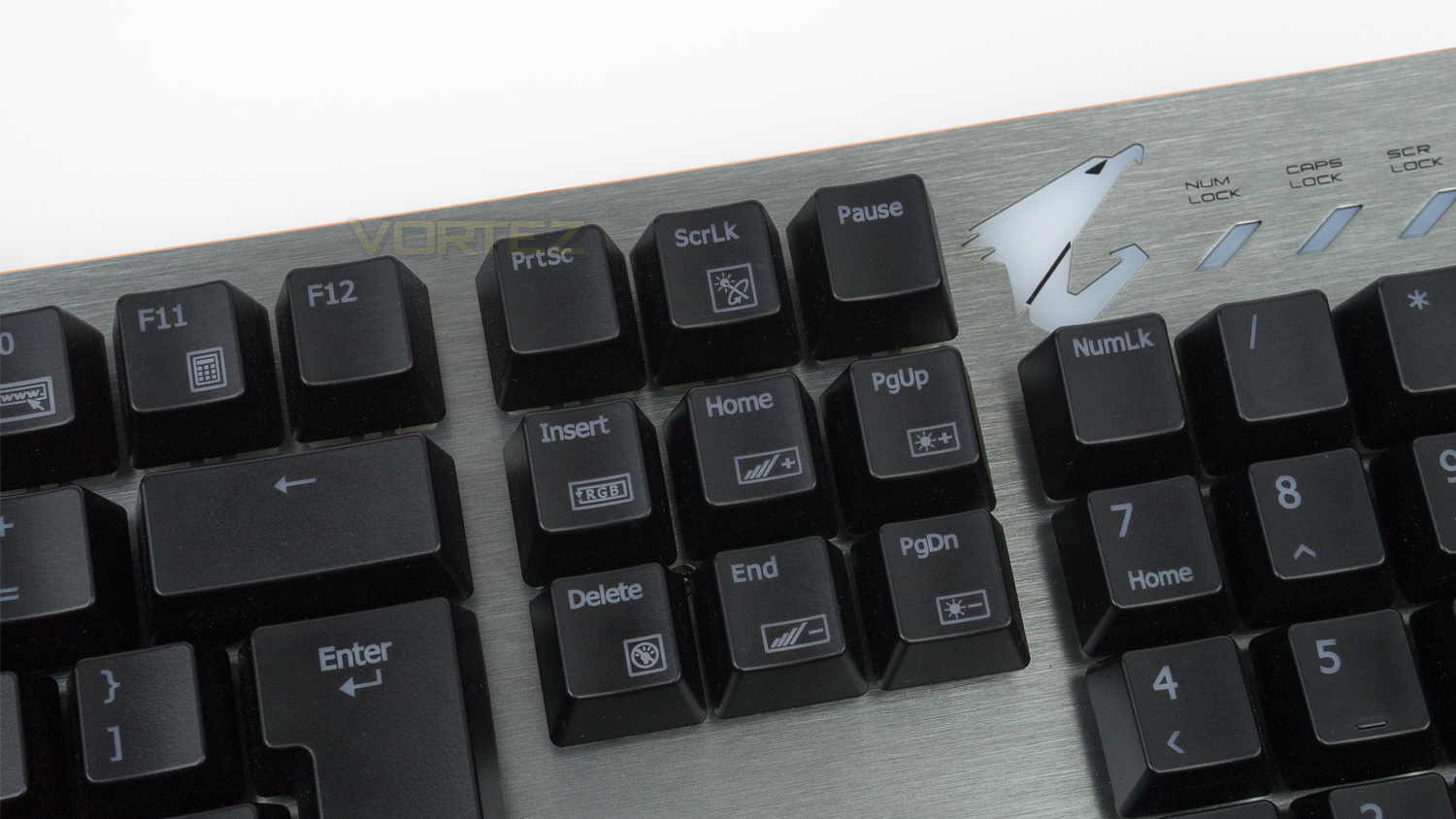
Towards the right side of the layout, the ScrLk, Insert, Delete, Home, End, PgUp and PgDn keys are used for controlling the lighting. These again work in conjunction with the Fn key.
Closer Look (Continued)
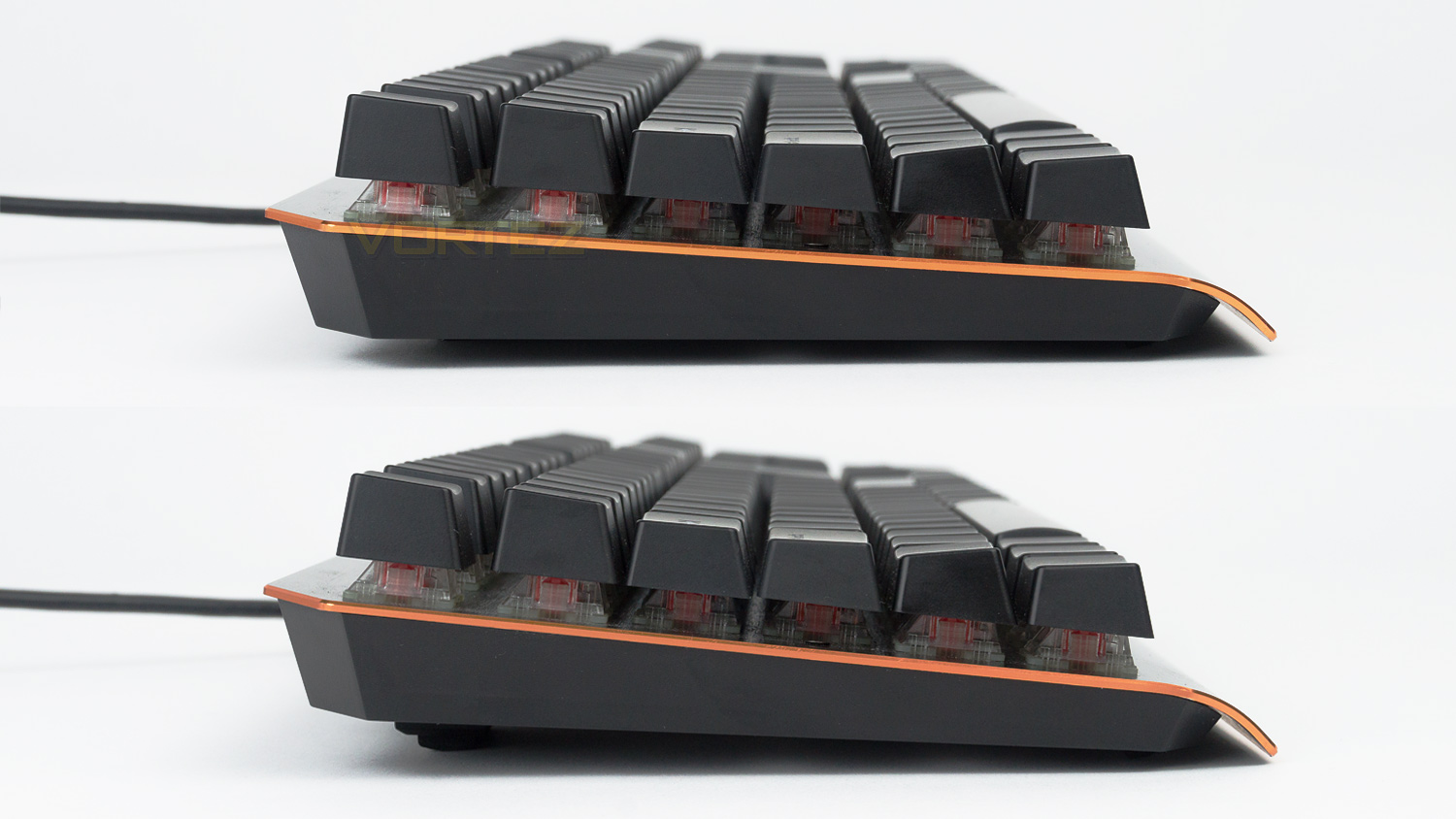
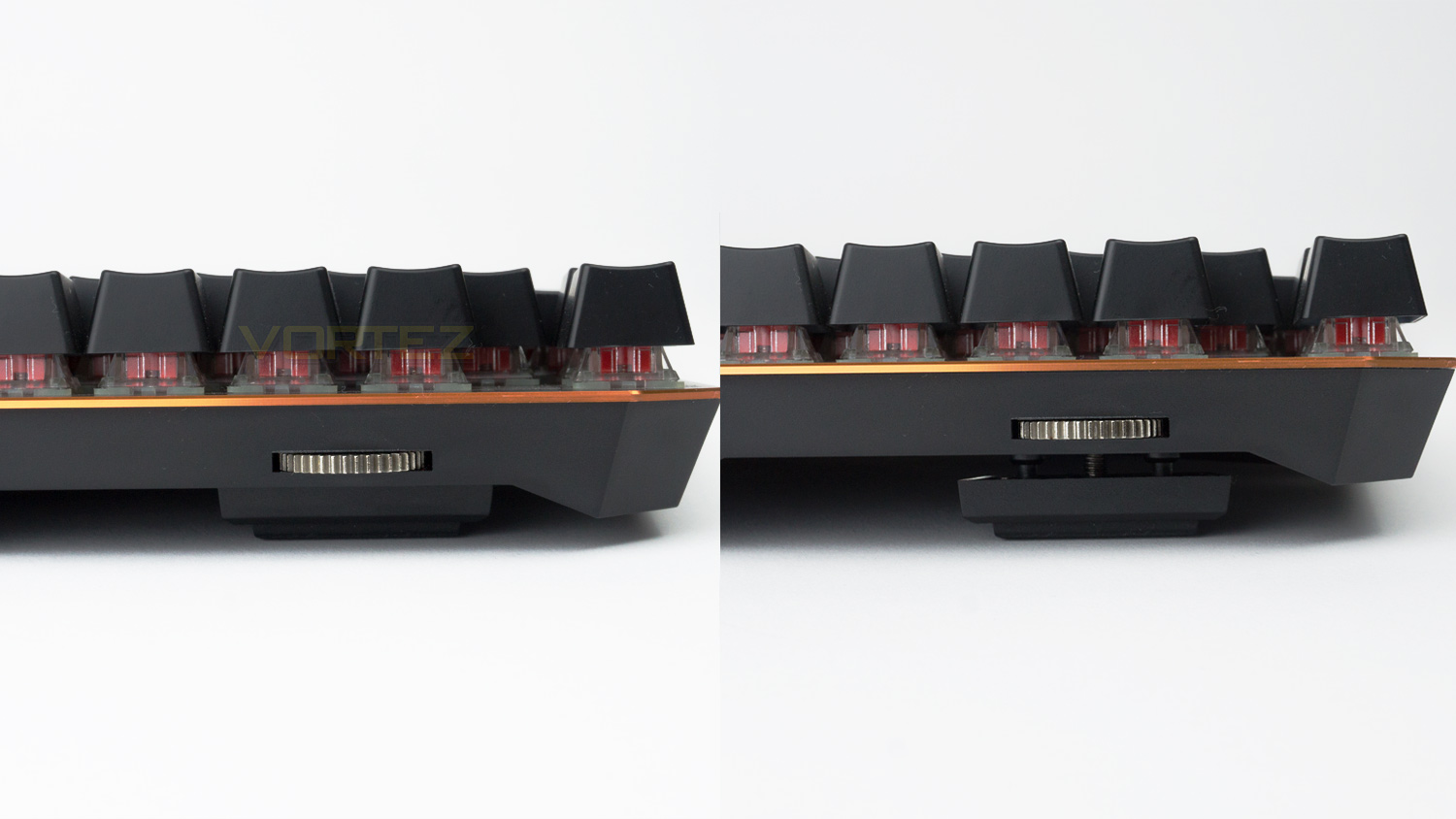
The side of the keyboard is very slightly raised thanks to the thick feet on the underside. This height is highly customisable thanks to the adjustable feet stand which can be adjusted by utilising the built-in circular gears at the top of the keyboard.
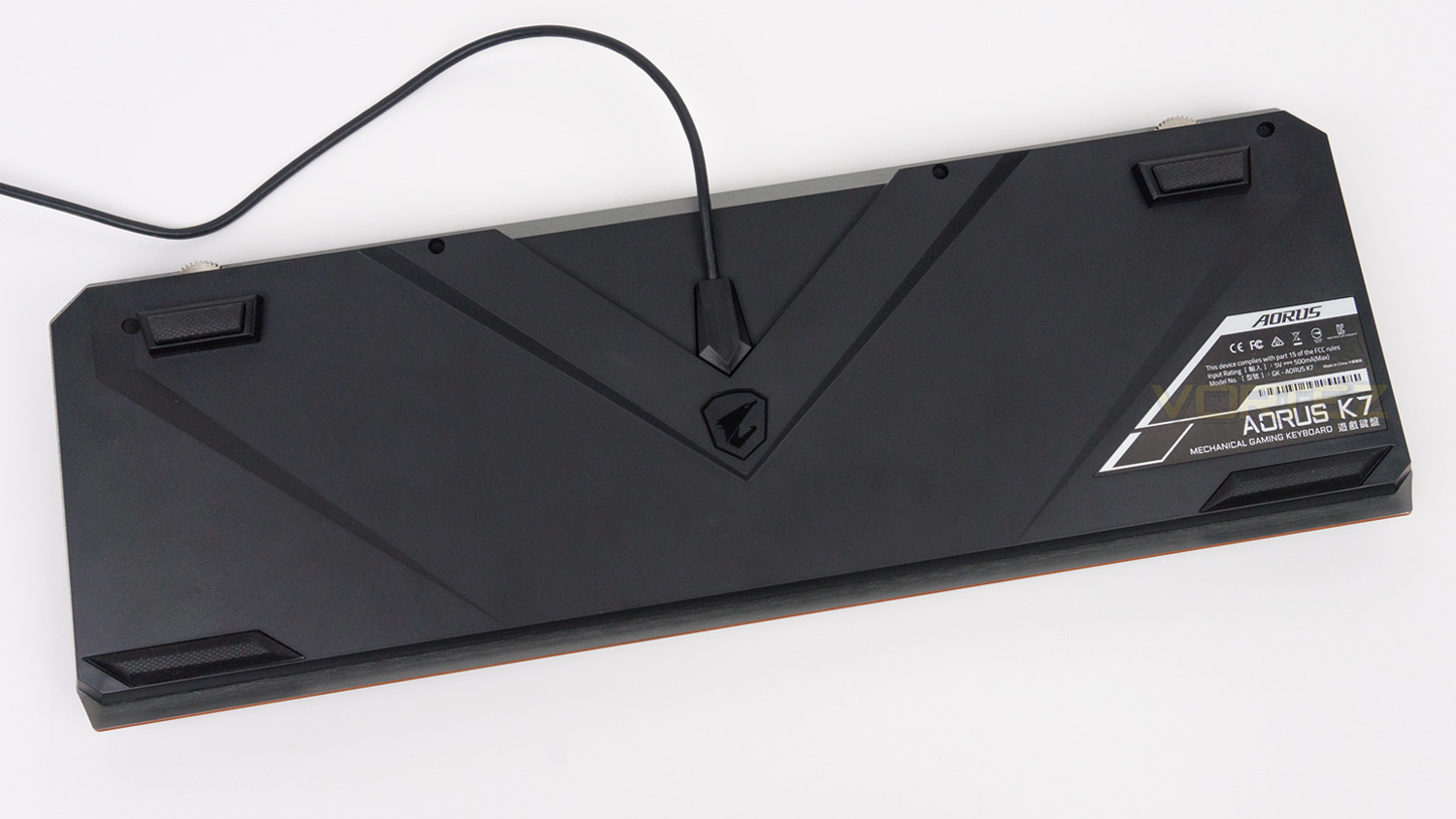
The underside of the keyboard features the AORUS emblem in the centre. There are four good sized rubber feet to help keep the keyboard stable while gaming.
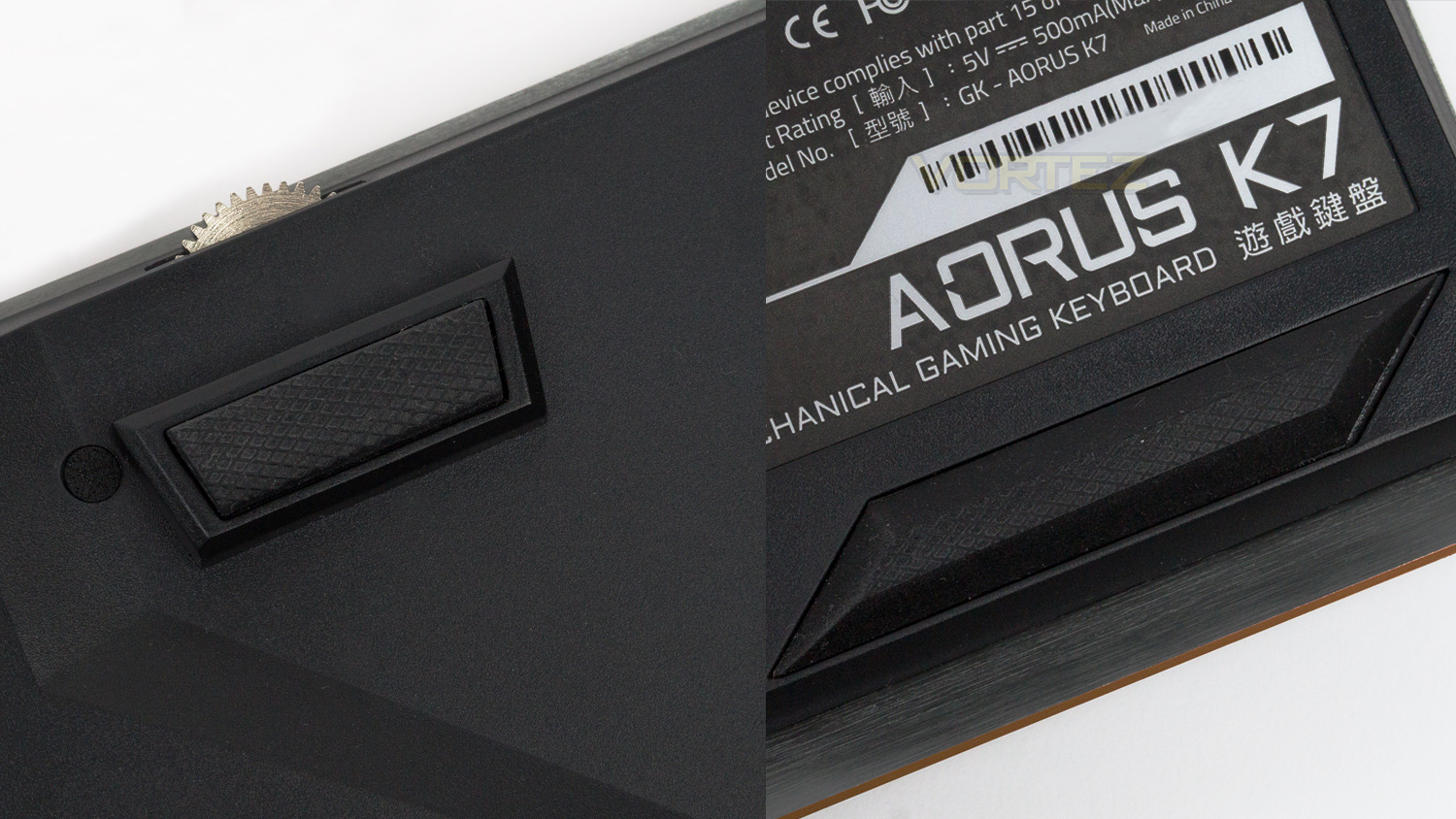
The rubber feet are heavily textured and provide very good stability and grip, even when gaming we found that the K7 stayed planted and didn’t move at all.
Software
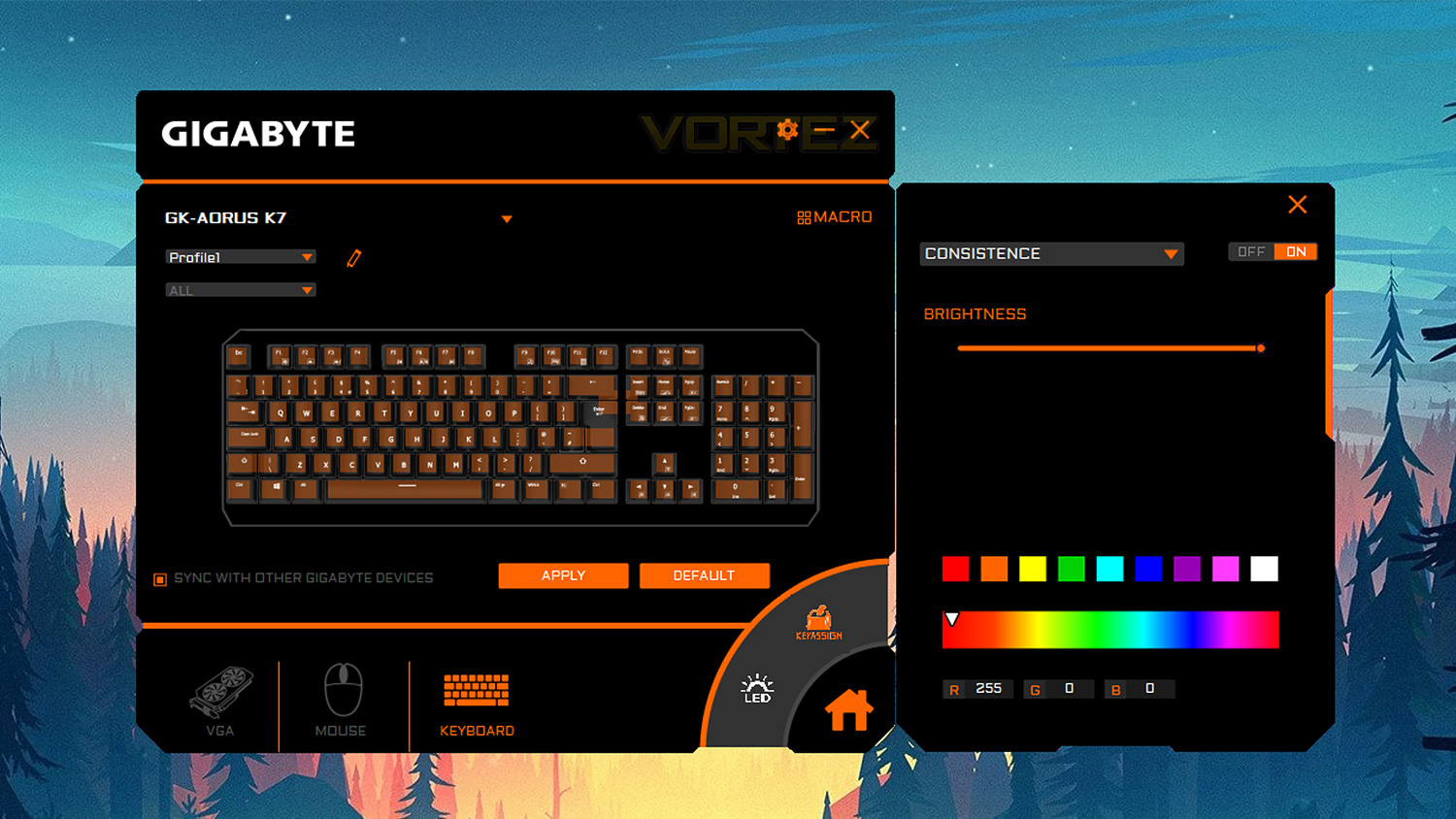
GIGABYTE’s AORUS Engine is a unified software that GIGABYTE use for their peripherals. Below is a short video demonstrating the features of the software.
We do feel that the AORUS Engine software needs a bit of work, with the first area of concern being the scaling which makes the software suite too small on a 1440p monitor. This also impacts the text and makes some of it quite difficult to read. We feel it would be of great benefit if the software window was made bigger. Doing so would make the suite feel less cramped and in-turn make it easier to use. We also found that on occasion the software is a bit slow to apply effects and if you plan on syncing the lighting across your peripherals, some of the effects will not be available. For example, the wave effect will not work with their M3 mouse; this means that illumination sync feature is quite limited – for now at least. The software does have some strong suits though; these being the comprehensive macro and key assignment features as well as the per-key RGB lighting feature and also the in-software update feature.
The base software is good, but we think that it needs some work if GIGABYTE plan on competing with the more established software packages out there.
Performance Testing
Setup & Observations
The initial setup is very straightforward. You only require one spare USB port and an internet connection if you plan on downloading the accompanying software. The cable is not overly thick which means that cable management shouldn’t be an issue.
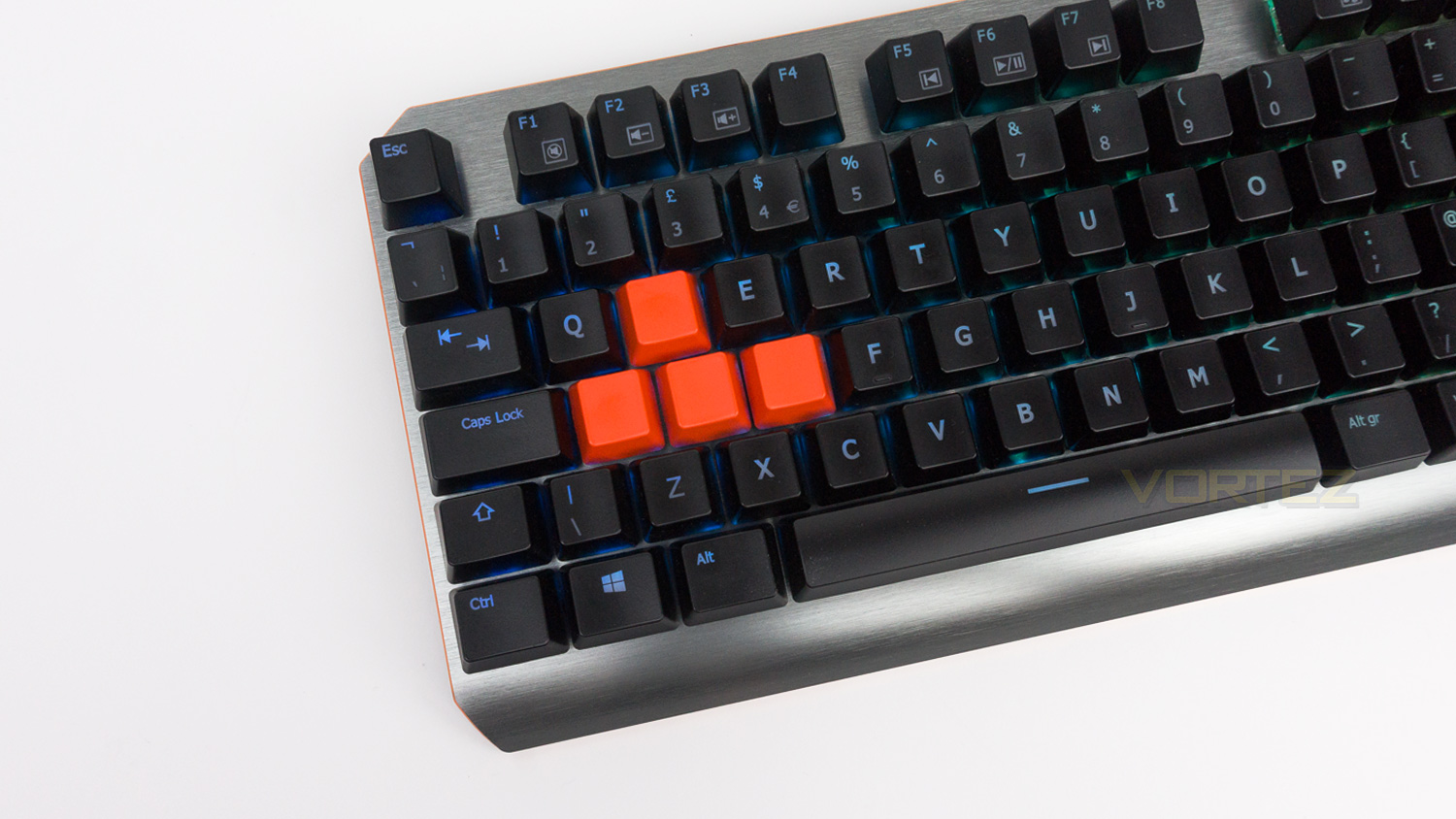
For everyday use the AORUS K7 is mostly good; the positives are the well-spaced layout that is not too cramped and makes typing quite easy and enjoyable. The lack of a wrist rest can make typing a bit uncomfortable at times, but this may not impact you if you are swapping from a keyboard that doesn’t have one. However, the built-in highly adjustable feet do help to combat the comfort issue a bit, especially given their good scope for customisation. This means you can set the height and get it just right whereas with most other keyboards, the height is either fully up or down with no step in-between.
The media controls are nicely positioned and easy to use in conjunction with the Fn key. At times, when gaming, having to press the Fn key with the control was a bit of an issue as it meant having to remove my hand from my mouse, but if you preset the volume beforehand, this should not be a problem. Another minor issue is the keycaps as we feel that they don’t quite match the premium feel of the rest of the keyboard, this is due to them feeling a touch on the cheaper side. The rest of the keyboard is solid and really well constructed; the top section of the chassis is metal and has no flex at all, and the brushed effect adds a bit of flair to the styling. The main chassis is plastic, but it feels good quality and reassuringly solid.
RGB illumination
The AORUS K7 uses GIGABYTE’s AORUS engine which is not the most well polished of software suites out there. The illumination control is good – if a little limited in comparison to the competition. There are a few different effects to use, but as we mentioned in the software section, these are a bit short on supply when syncing with multiple peripherals.
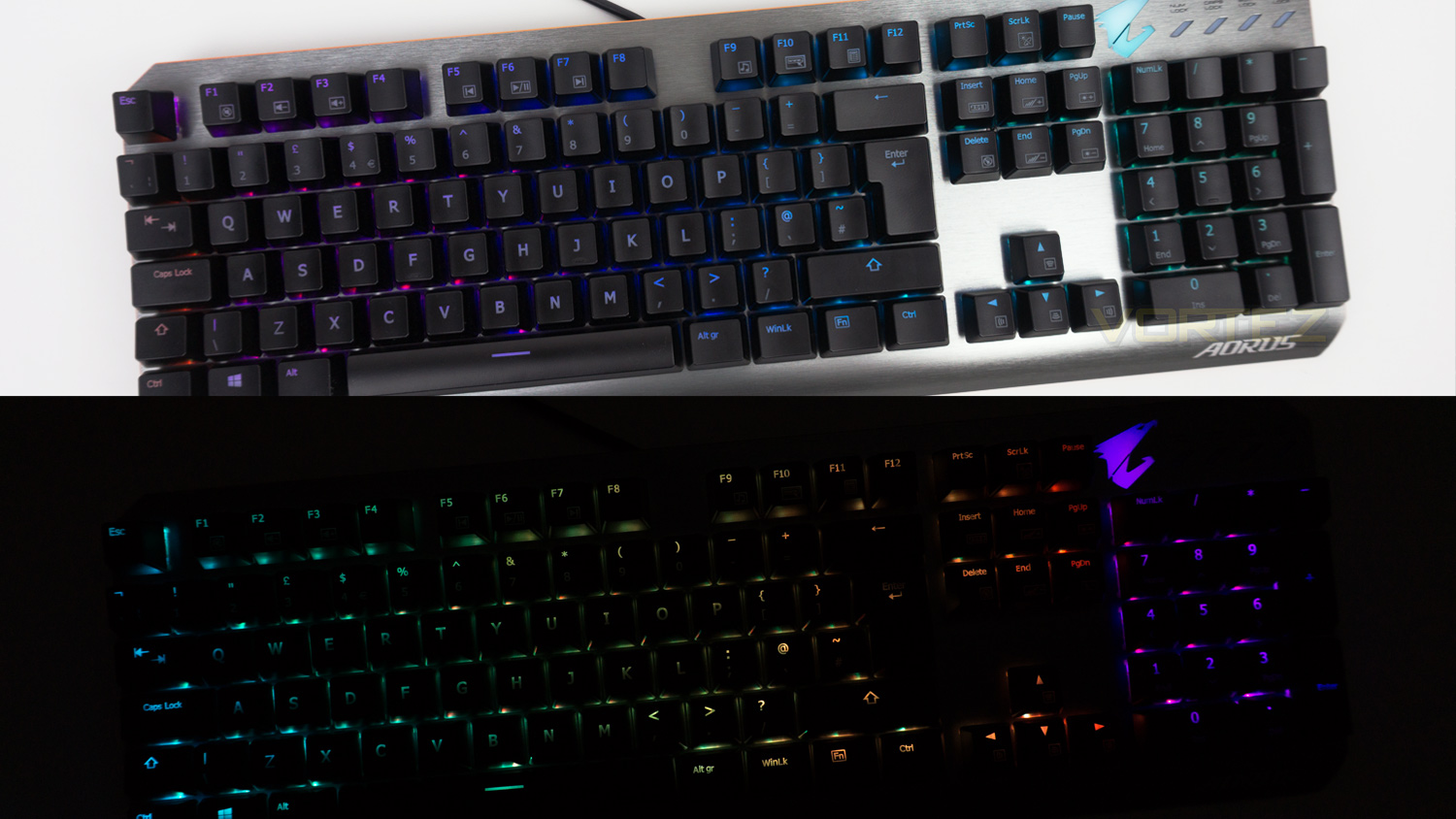
The effects found on the AORUS K7 are not the smoothest nor the cleanest implemented we have come across. The light diffusion is a bit weak, and the colour fill is not overly convincing. The illumination is also a bit weak when under lighting and becomes a bit thin, to the point where the colours look washed out. There are also some noticeable areas where the lighting doesn’t fully fill the keys which is more noticeable in some colours than it is others. When effects are in use, it becomes a bit less prominent and harder to see. When in the dark the illumination does improve becoming fuller and more vibrant. Colours are not the most accurate and the white has a magenta hue which throws off a lot of the lighter colours.
Performance
The AORUS K7 comes with Cherry MX reds which is the only option currently. Cherry MX reds are well known for their fluidity as well as their precision and speed. This set has an actuation force of 45g with the input being registered at 2mm. As per our other reviews; we used games from different genres to test out the switches, these games include Fortnite, Overwatch, PLAYERUNKNOWN’S BATTLEGROUNDS and Rise of the Tomb Raider.
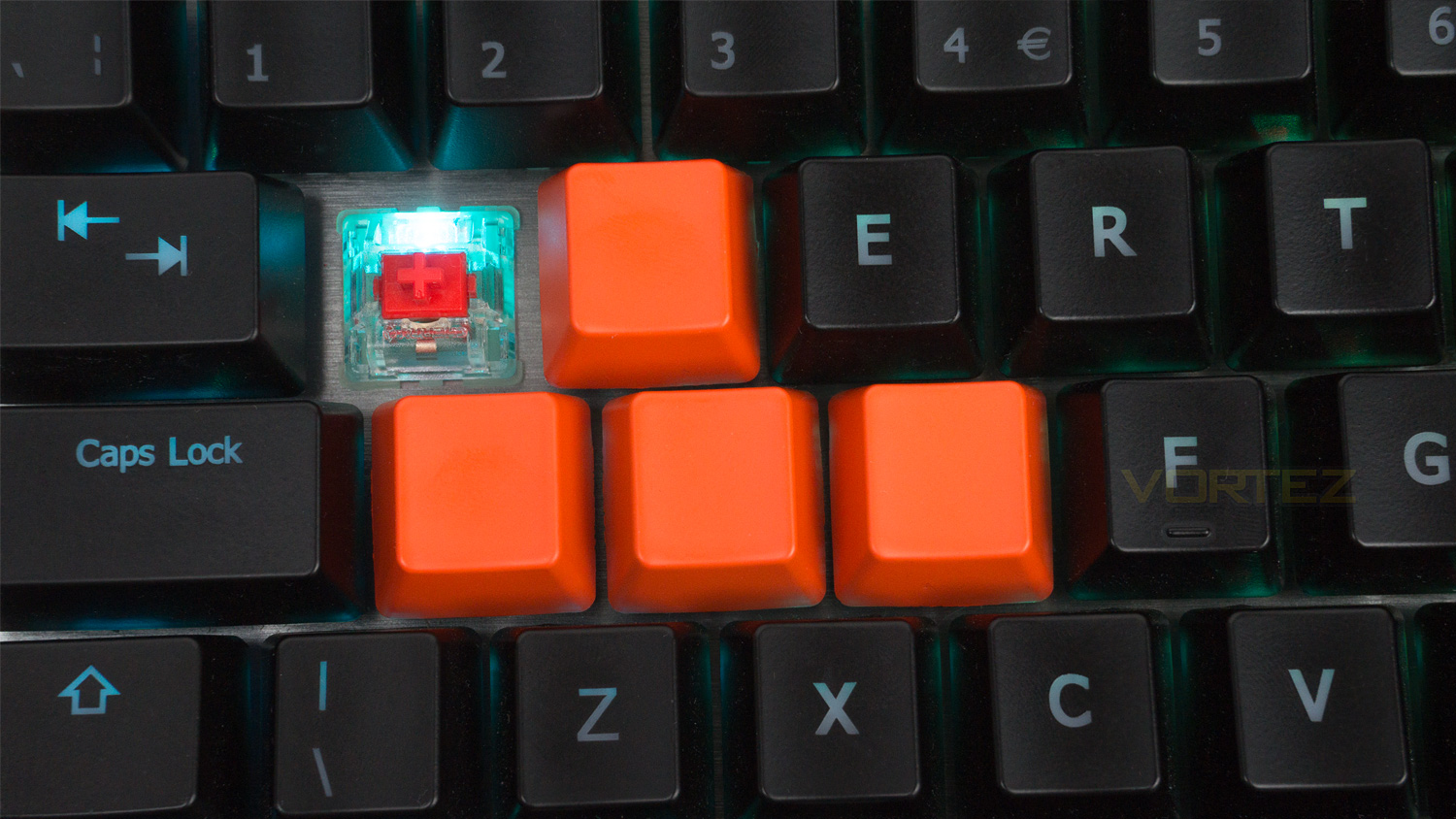
The switches in the K7 are great; they are fast, very responsive, precise and possess a linear motion that is superb. When combined together with the other attributes, this further heightens the overall gaming experience. This makes the K7 great for titles that are fast paced and require speedy input. But not only are they great for fast-paced titles but they are precise enough to be enjoyable for titles that require a bit more finesse with your input, these include genres that require high levels of accuracy when navigating your surroundings. The noise produced by the switches is noticeably quieter than some other mechanical switches, this means that the K7 could potentially be a great choice for game streamers that don’t want an overly intense clicky sound.
Conclusion
The AORUS K7s strongest suit has to be the Cherry MX reds, we were highly impressed by their performance when it came time to get some serious gaming done. They were fast, responsive and fluid – which are all highly sort after attributes that make them great for all types of games.
Aesthetically the K7 is an attractive keyboard, with its brushed metal fascia and very classy copper outlining trim, the only thing that does detract from its appearance is the RGB. The illumination is the not the best we’ve come across, and we found that it was lacking vibrancy and accurate colours. This is unfortunately not the only problematic area as the AORUS Engine software fails to compete with most other software suites that are currently available and we also had some issues with the feel of the included keycaps.
The K7 does claw back some points with the amount of bundled accessories that are included in the box. The best accessories are the replacement keycaps – which feel similar in quality to the stock ones, the keycap puller and included carry bag. However nice these additions are, it’s not likely going to be the deciding factor when considering purchasing the K7 as they only help sweeten the deal rather than make it a must buy.
Ultimately the GIGABYTE AORUS K7 performed superbly for gaming, unfortunately, this performance was slightly dampened by the weak software experience, poor RGB illumination and cheap feeling keycaps. However, given its price point, we understand that some corners have to be cut in order to make use of the higher tier Cherry switches, so with that in mind, the AORUS K7s price of £80 ($109) is quite reasonable.
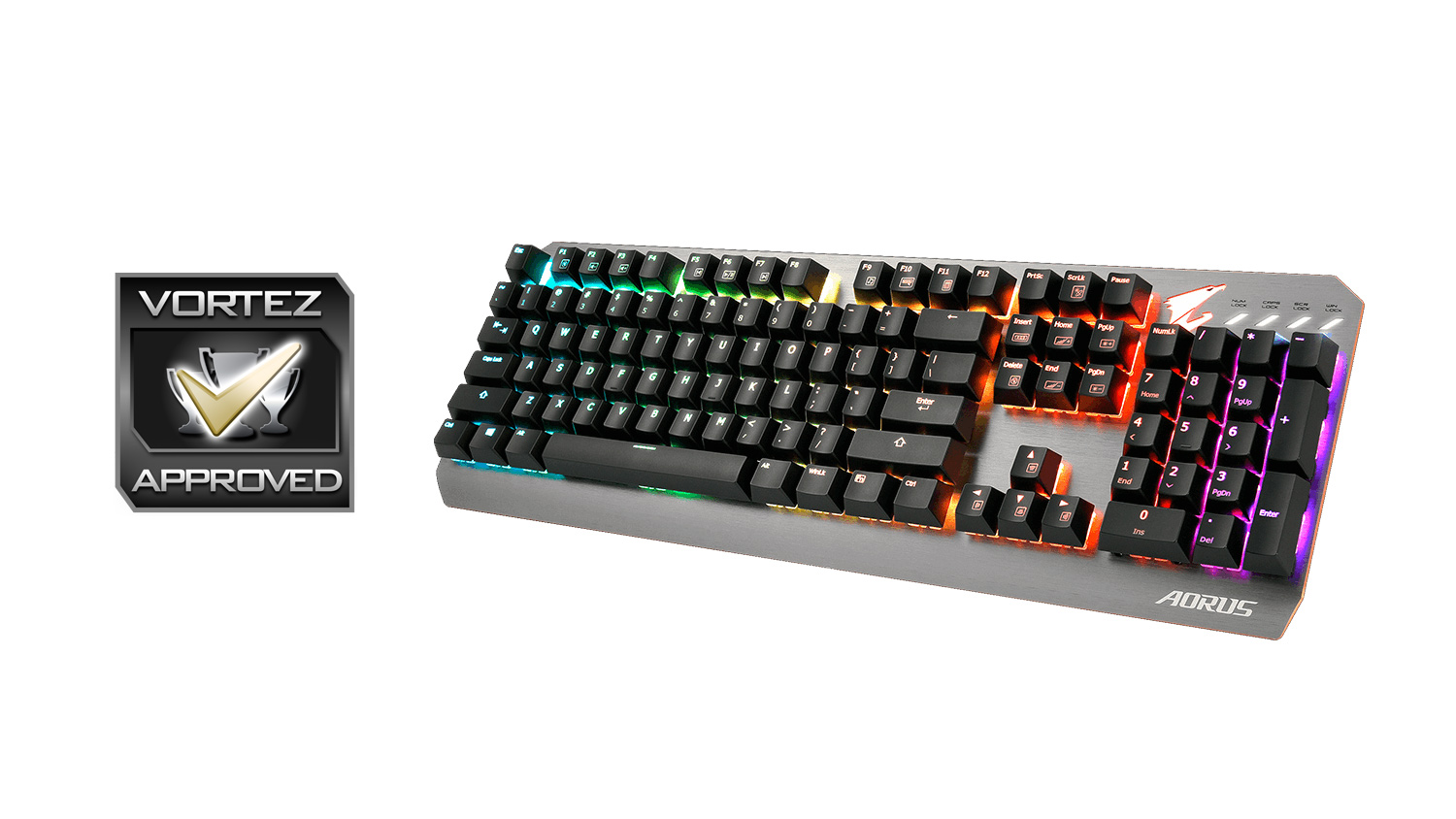
For gaming, the GIGABYTE AORUS K7 hits hard; as a whole package, it struggles to match the impact of the gaming performance.
Pros
+ Great gaming performance
+ Full N-key rollover and 1000Hz polling rate
+ Strong chassis
+ Adjustable feet stands
+ Plenty of bundled accessories
Neutral
+- Software needs works
Cons
– Poor illumination
– Cheap feeling keycaps
– Only one switch variant available
+ Great gaming performance
+ Full N-key rollover and 1000Hz polling rate
+ Strong chassis
+ Adjustable feet stands
+ Plenty of bundled accessories
Neutral
+- Software needs works
Cons
– Poor illumination
– Cheap feeling keycaps
– Only one switch variant available
Click here for an explanation of our awards at Vortez.net.
Stay connected with the Vortez Social Media pages:
Join in with the discussions on Discord