£159.00 isn’t a small sum for a mechanical keyboard but when you demand the best, there’s a pricetag to go along with that. Does the Logitech G513 tick all of your boxes? Read on to find out.

Product on Review: Logitech G513
Manufacturer: Logitech
Street Price: £159.00 / $149.99
Today we’re looking at the Logitech G513 gaming keyboard, packed with all of the wonderful features you expect, including RGB backlighting, 1ms response times, 26 key rollover, mechanical switches and an aluminium alloy construction.
This time around, unlike the Logitech G413 that we looked at a year ago, there’s a choice of three distinct Romer-G mechanical keyswitches, tactile, linear or GX Blue. To compare them to the market leader, the tactile is akin to a Cherry MX Brown, linear is similar to a Cherry MX Red and the GX Blue is most like the Cherry MX Blue. Logitech have provided us with both the Linear and Tactile Romer-G switches to test.
Another welcome feature is a memory-foam wrist rest for increased comfort along with a set of gaming specific keycaps for a better feel.
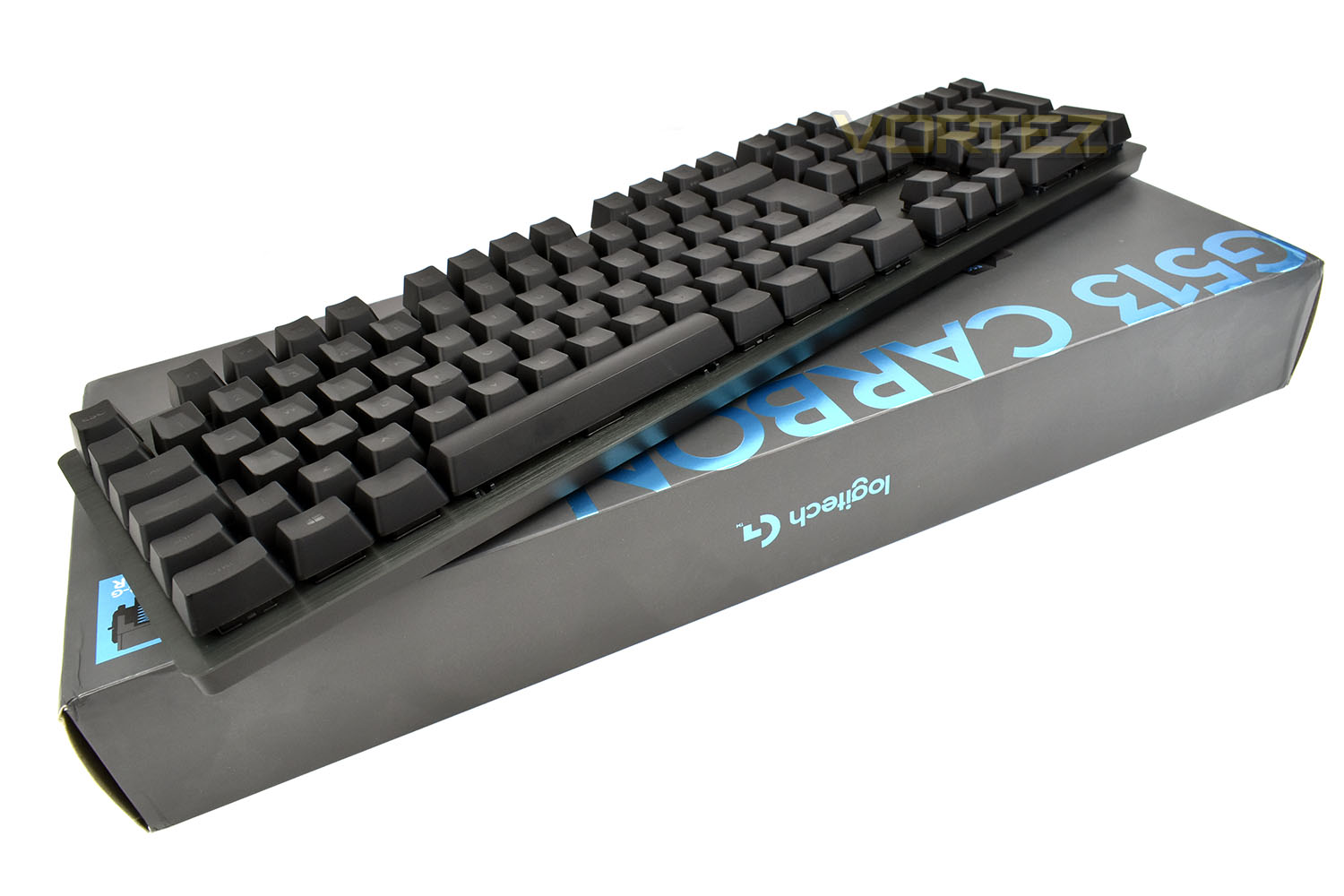
Arriving with a price tag of £159.00 in the UK, it’s pitted against some of the best in the business, therefore we expect nothing short of excellence to ensure its success in an increasingly competitive corner of the market.
Without further ado, lets tear them open and see how the perform.
Logitech on the G513:
G513 is a high performance gaming keyboard, delivering 1 ms report rate and featuring choice of advanced Romer-G Tactile, Romer-G Linear or GX Blue mechanical switch. Full-spectrum RGB combined with LIGHTSYNC technology takes the lighting experience with your games to a whole new level. Aluminum alloy enables a bladelike chassis with a beautiful brushed metal finish
Technical Specifications
G513 ROMER-G TACTILE/LINEAR KEYBOARD DIMENSIONS:
Keyboard dimensions:
Height: 132 mm
Width: 455 mm
Depth: 34 mm
Weight: (w/o cable): 1105 g
Cable: 1.8 m
Palmrest dimensions:
Height: 88 mm
Width: 445 mm
Depth: .21.5 mm
G513 GX BLUE KEYBOARD DIMENSIONS:
Keyboard dimensions:
Height: 132 mm
Width: 455 mm
Depth: 35.5 mm
Weight: (w/o cable): 962 g
Cable: 1.8 m
Palmrest dimensions:
Height: 88 mm
Width: 445 mm
Depth: .21.5 mm
ROMER-G MECHANICAL SWITCHES:
Durability: 70 million keypresses
Actuation distance: 1.5 mm
Actuation force: 45 g
Total travel distance: 3.2 mm
GX BLUE MECHANICAL SWITCHES:
Durability: 70 million keypresses
Actuation distance: 1.9 mm
Actuation force: 45 g
Total travel distance: 4.0 mm
KEYBOARD SPECIFICATIONS:
Connection Type: USB 2.0
USB Protocol: USB 2.0
Indicator Lights (LED): 2
USB Ports (Built-in): Yes, 2.0
Backlighting: Yes, RGB per key lighting
Special Keys:
Lighting Controls: FN+F5/F6/F7
Game Mode: FN+F8
Media Controls: FN+F9/F10/F11/F12
Volume Controls: FN+ PRTSC/SCRLK/PAUSE
Programmable FN keys via Logitech Gaming Software
WARRANTY INFORMATION
2-Year Limited Hardware Warranty
SYSTEM REQUIREMENTS
Windows® 10, Windows 8.1, Windows 8, Windows 7
USB port (for keyboard)
Second USB port (for USB passthrough port)
(Optional) Internet access for Logitech Gaming Software
Requires LGS 8.98 or higher for advanced settings.
PACKAGE CONTENTS
Gaming keyboard
Palmrest
Gaming keycaps
Keycap puller
User documentation
Keyboard dimensions:
Height: 132 mm
Width: 455 mm
Depth: 34 mm
Weight: (w/o cable): 1105 g
Cable: 1.8 m
Palmrest dimensions:
Height: 88 mm
Width: 445 mm
Depth: .21.5 mm
G513 GX BLUE KEYBOARD DIMENSIONS:
Keyboard dimensions:
Height: 132 mm
Width: 455 mm
Depth: 35.5 mm
Weight: (w/o cable): 962 g
Cable: 1.8 m
Palmrest dimensions:
Height: 88 mm
Width: 445 mm
Depth: .21.5 mm
ROMER-G MECHANICAL SWITCHES:
Durability: 70 million keypresses
Actuation distance: 1.5 mm
Actuation force: 45 g
Total travel distance: 3.2 mm
GX BLUE MECHANICAL SWITCHES:
Durability: 70 million keypresses
Actuation distance: 1.9 mm
Actuation force: 45 g
Total travel distance: 4.0 mm
KEYBOARD SPECIFICATIONS:
Connection Type: USB 2.0
USB Protocol: USB 2.0
Indicator Lights (LED): 2
USB Ports (Built-in): Yes, 2.0
Backlighting: Yes, RGB per key lighting
Special Keys:
Lighting Controls: FN+F5/F6/F7
Game Mode: FN+F8
Media Controls: FN+F9/F10/F11/F12
Volume Controls: FN+ PRTSC/SCRLK/PAUSE
Programmable FN keys via Logitech Gaming Software
WARRANTY INFORMATION
2-Year Limited Hardware Warranty
SYSTEM REQUIREMENTS
Windows® 10, Windows 8.1, Windows 8, Windows 7
USB port (for keyboard)
Second USB port (for USB passthrough port)
(Optional) Internet access for Logitech Gaming Software
Requires LGS 8.98 or higher for advanced settings.
PACKAGE CONTENTS
Gaming keyboard
Palmrest
Gaming keycaps
Keycap puller
User documentation
Packaging & First Look
We’re a big fan of the Logitech style of packaging, with clear and concise stickers used to mark the exact contents, such as the UK sticker for keyboard layout as well as the Romer-G Tactile to signify which keys are used. The keyboard is shown in a lovely large image.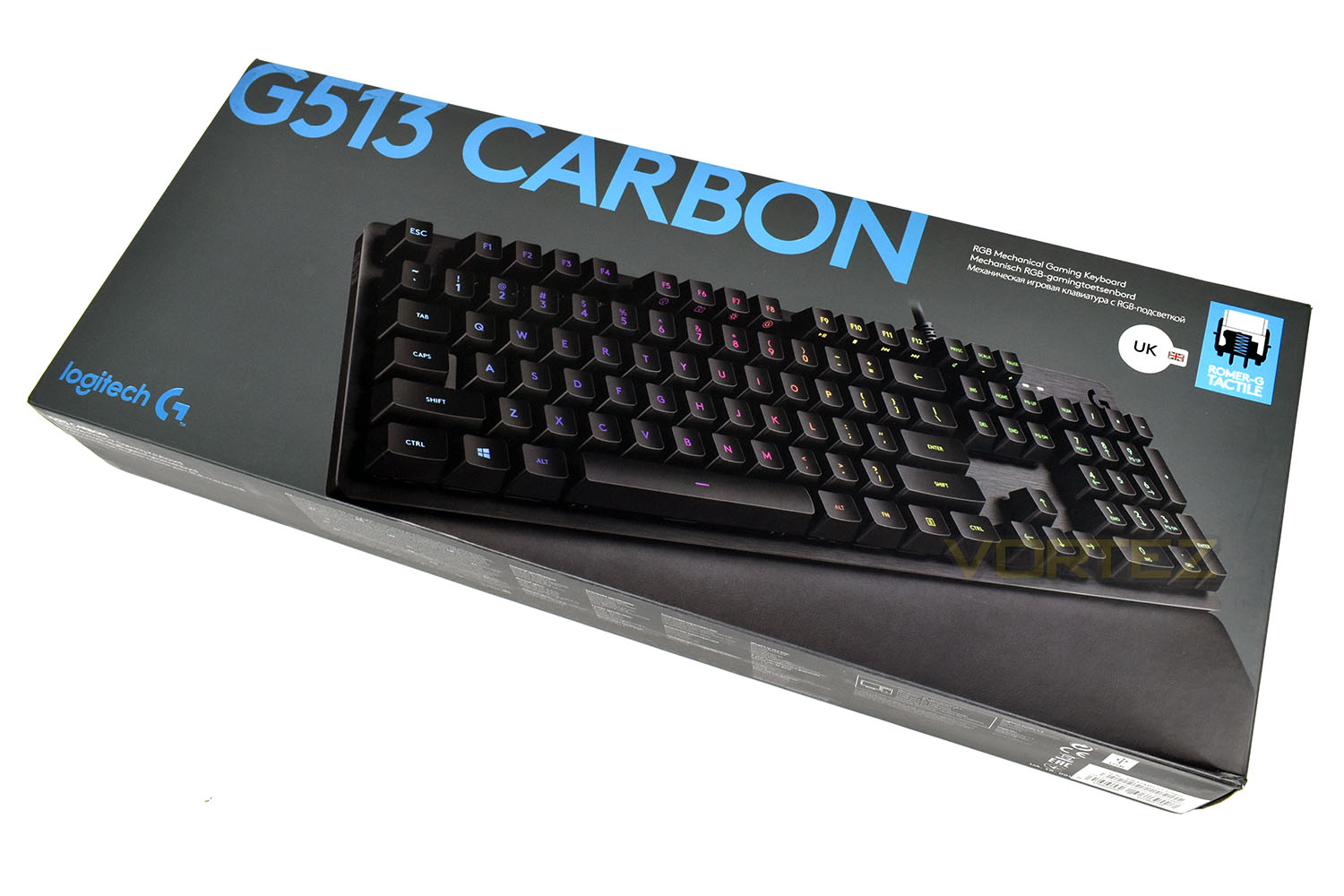
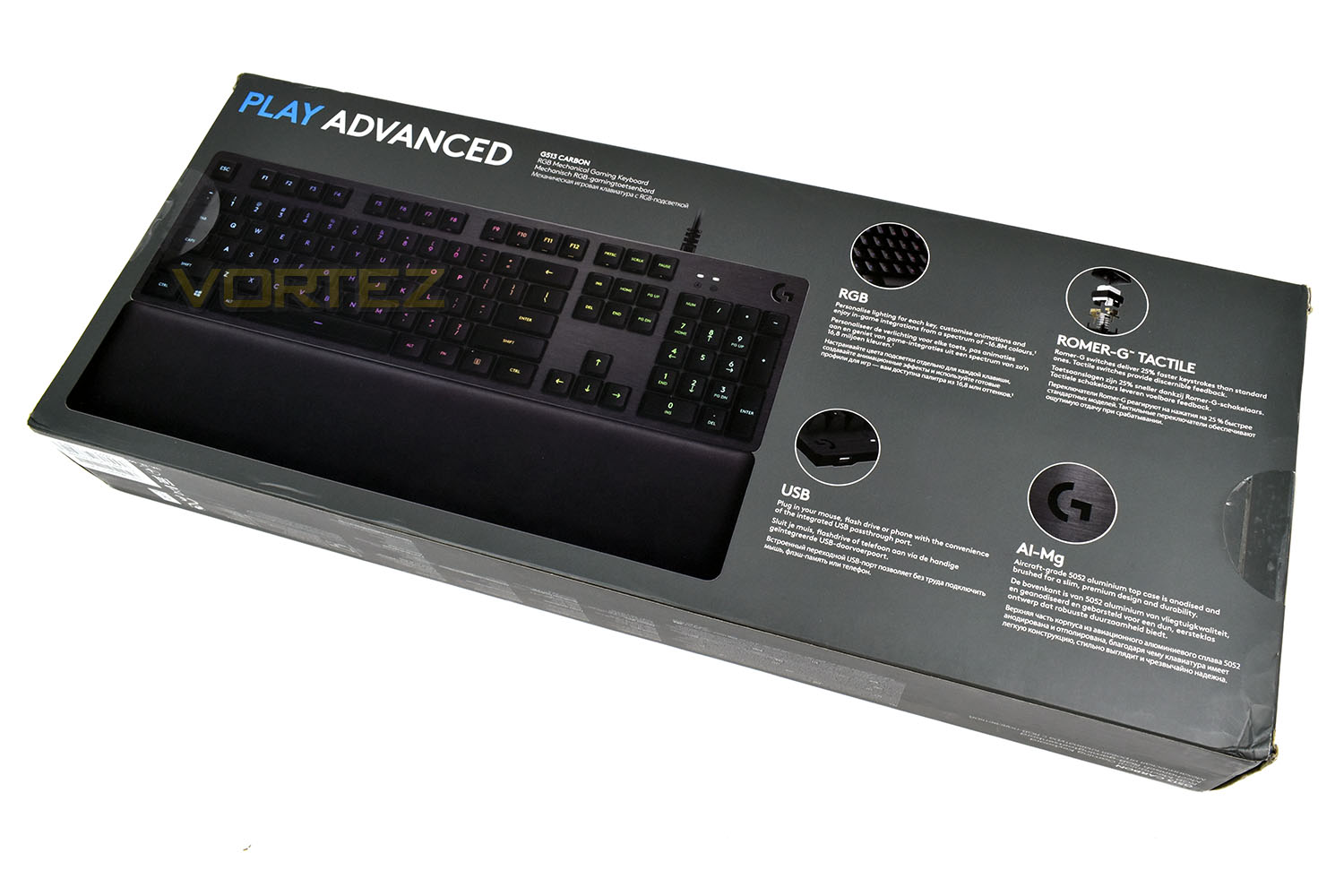
Flipping the box over, there’s some brief details on the key aspects of the G513.
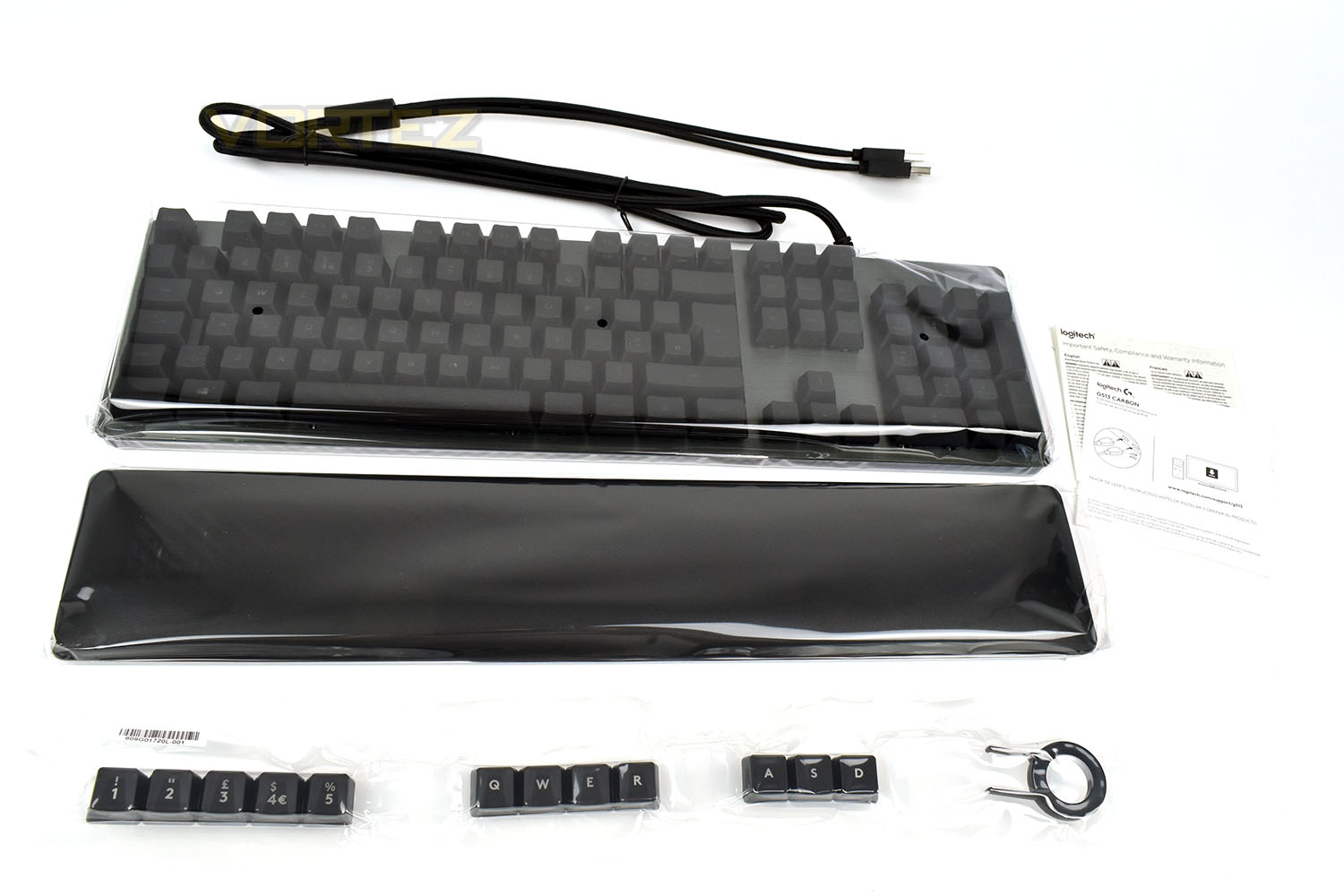
Arranged within the solid packaging is the keyboard, a wrist rest and a set of faceted keycaps for gaming use, along with a keypuller to make swapping them over as painless as possible. We do wish manufacturers would include a small box to keep the spare keys in though.
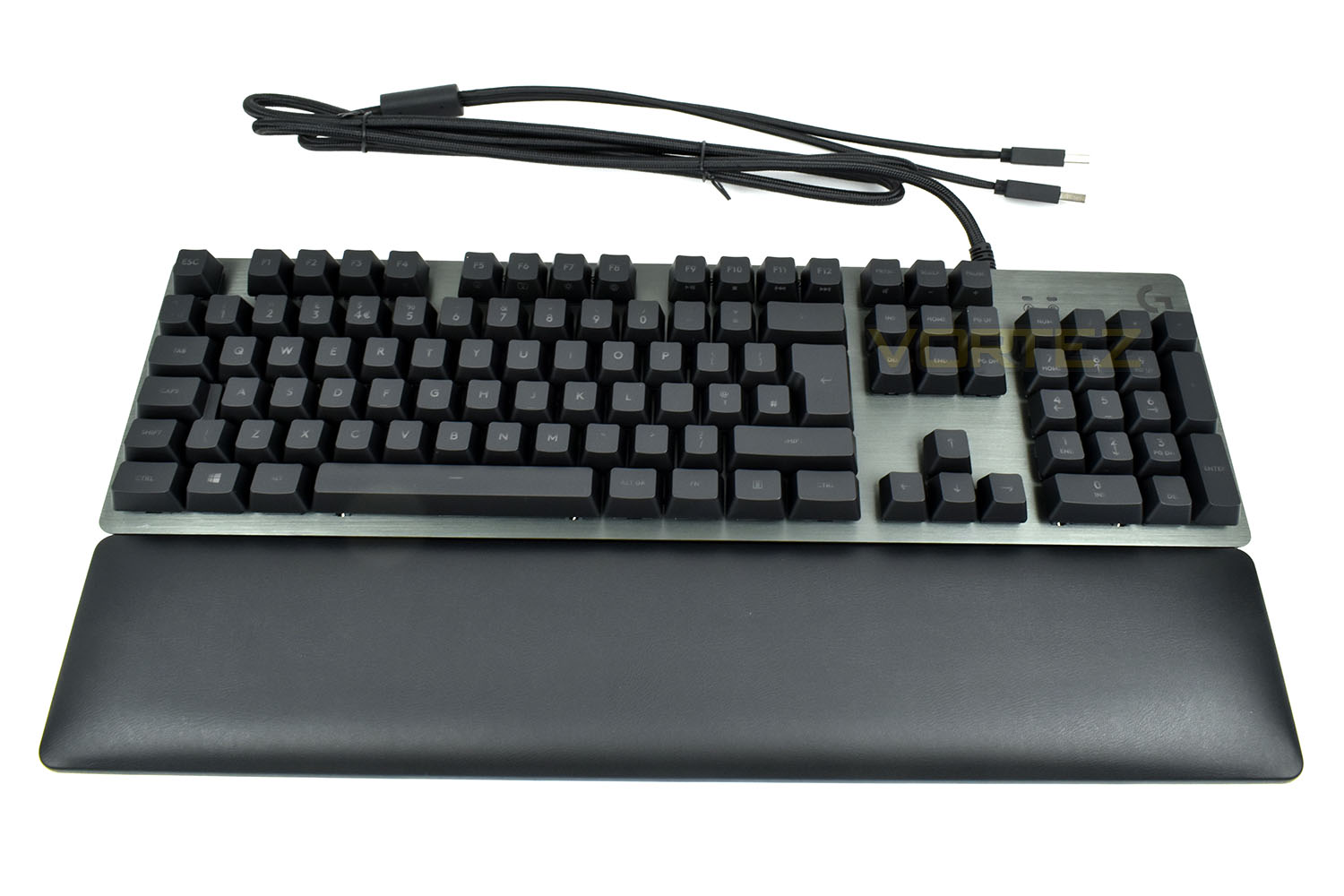
Keeping things simple, Logitech haven’t messed about with the layout at all, everything is spaced and located exactly where you’d expect.
Closer Look
On the previous page, we mentioned everything is found exactly where you’d expect it, however that was a bit of a fib. Logitech have added an Fn (Function) key for a set of extra buttons, including media keys, volume control and lighting, among others.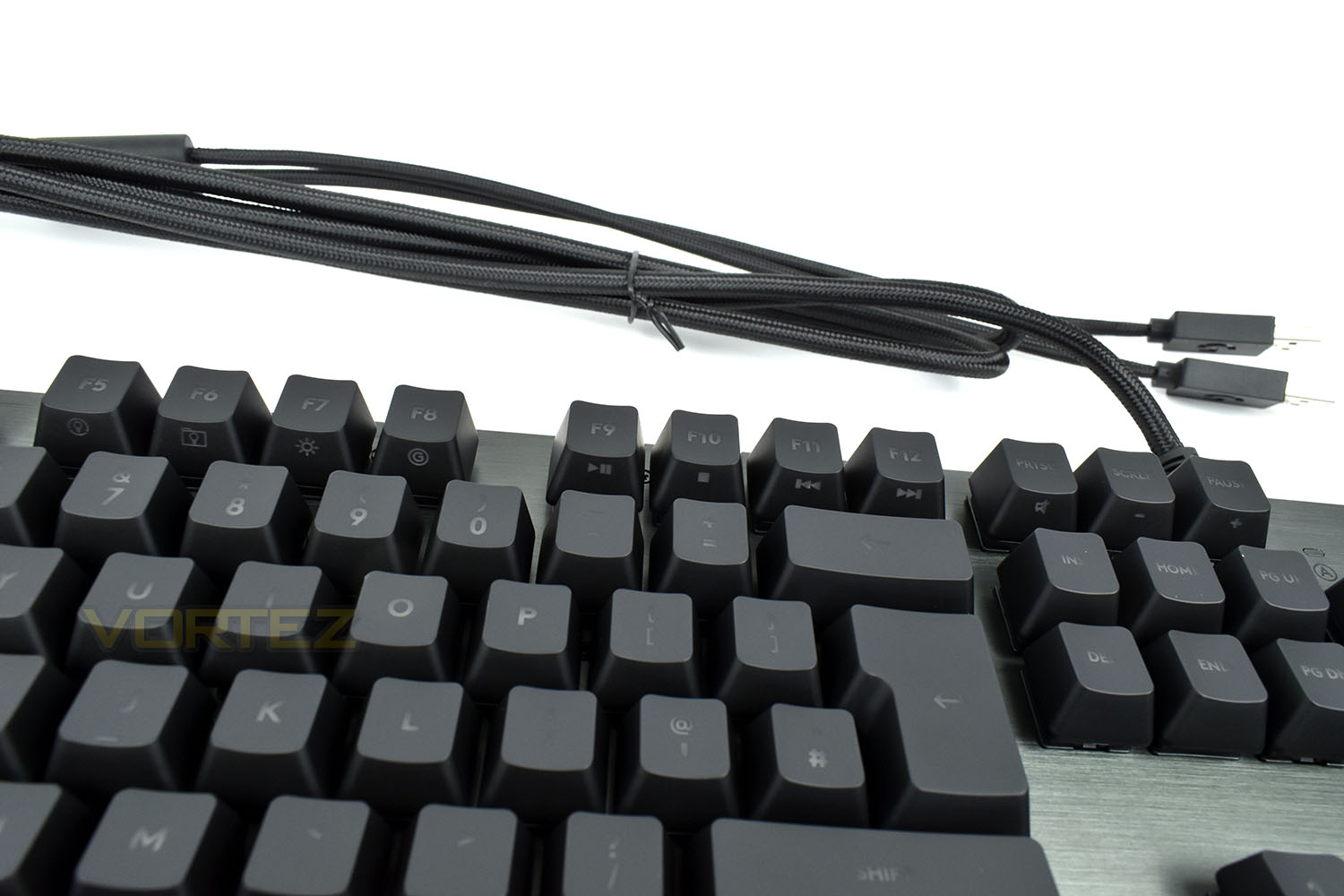
The top-right of a keyboard is typically used to display the Caps Lock, Num Lock and Scroll Lock, Logitech, on the other hand, have decided to display only the Caps Lock and use the 2nd LED to identify the Gaming Mode. Gaming Mode turns off specific keys, such as the Windows key, to prevent them from being pressed accidentally during gaming sessions.
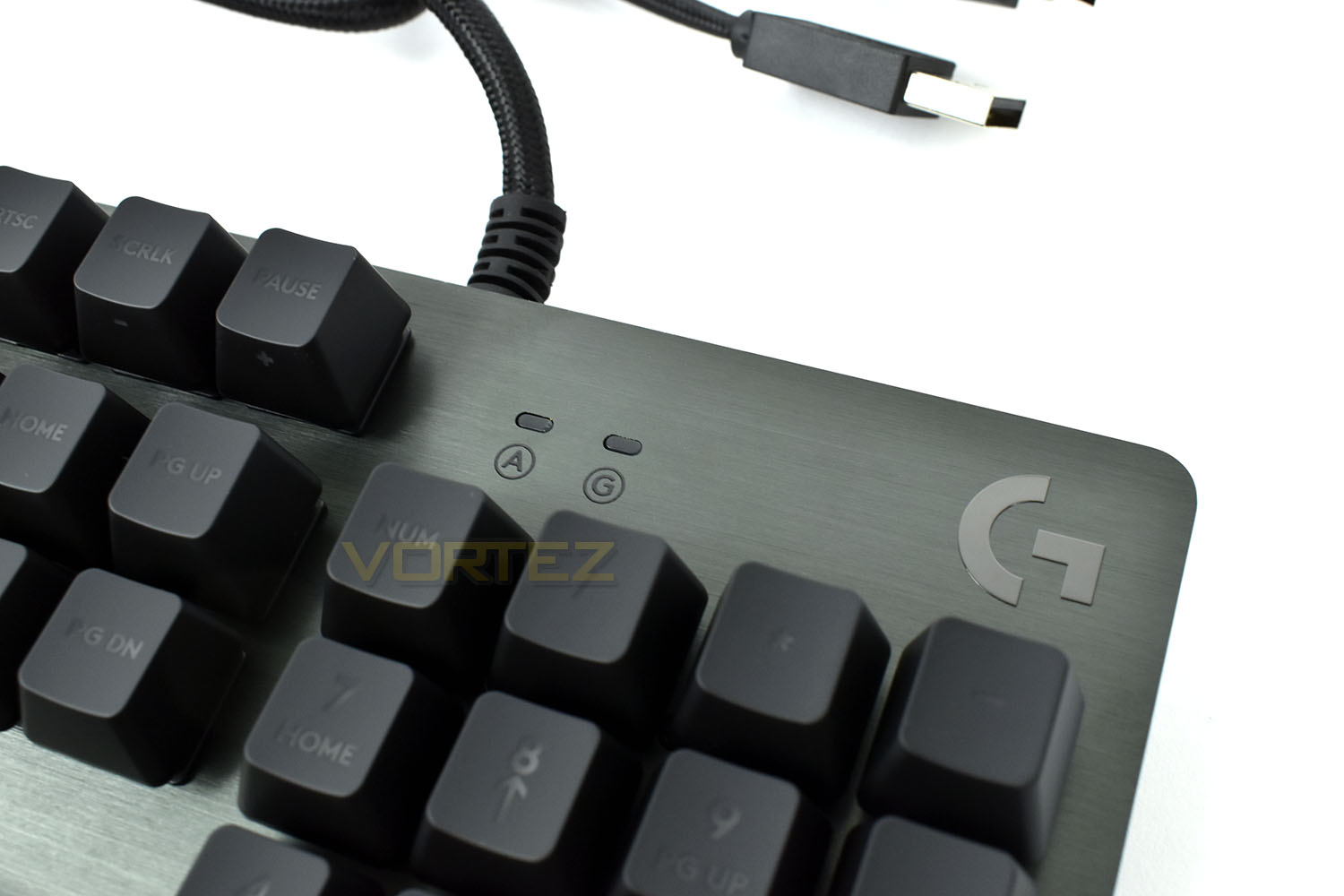
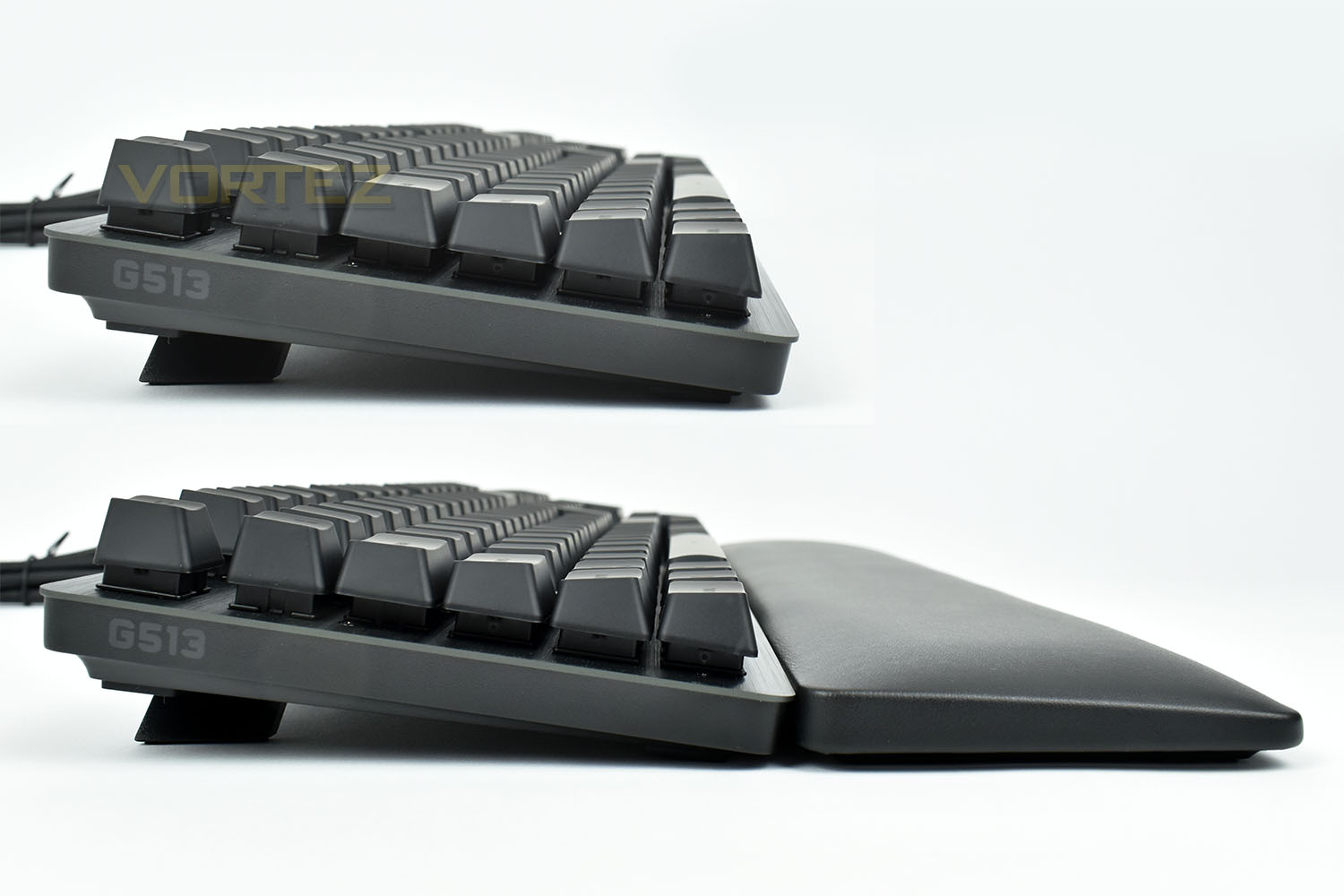
The G513 logo on the edge of the keyboard is a nice touch, not detracting from the beautiful design employed by Logitech. Also, the stand-off feet on the underside raise the keyboard from 17mm to 30mm.
As you can see, the leather wrist rest sits flush with the front of the keyboard but doesn’t require any kind of connection so can be angled or positioned wherever you like.
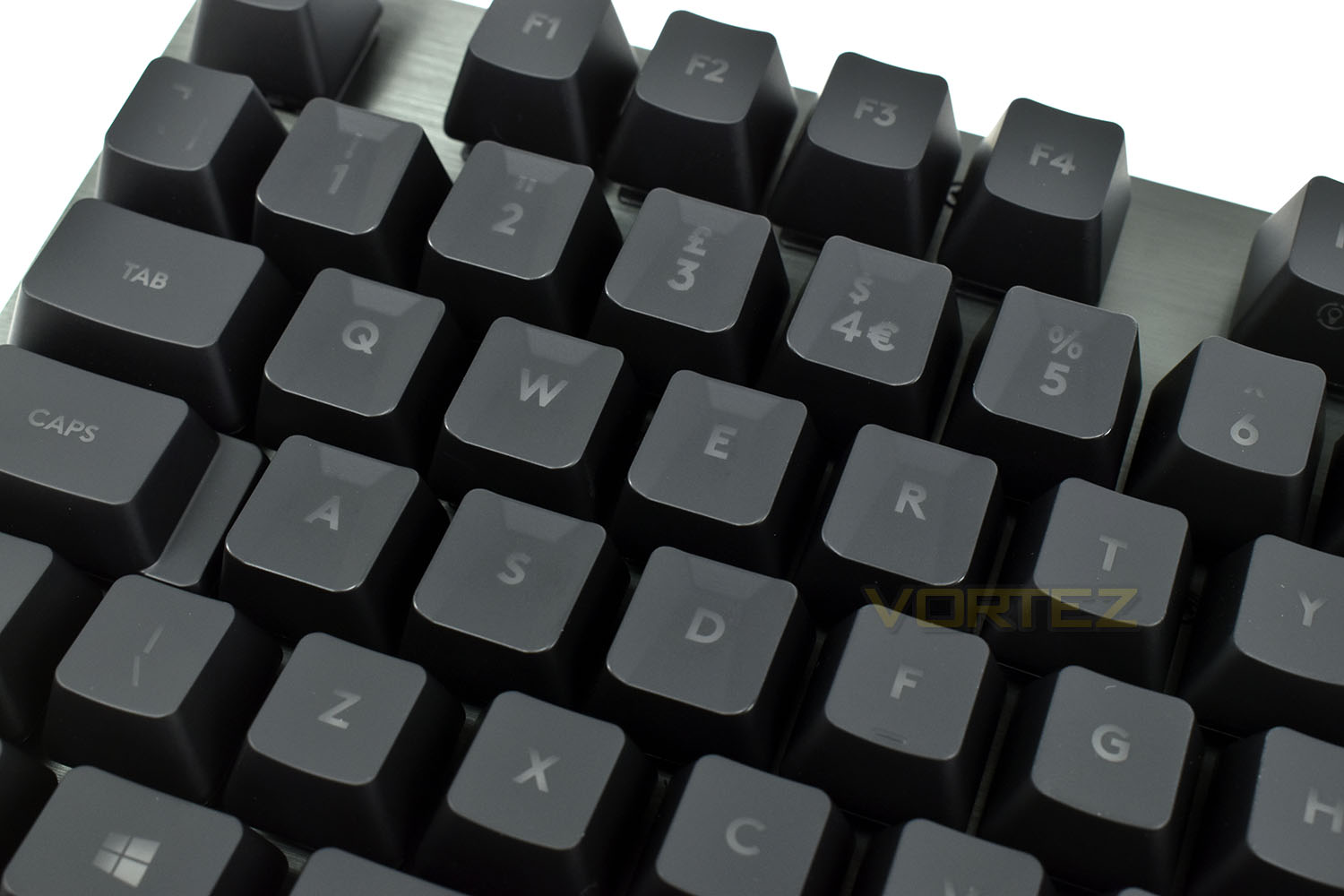
As shown on the previous page, the keyboard arrives with a set of faceted gaming keys. These keys replace 1, 2, 3, 4 and 5, as well as Q, W, E, R, A, S and D, or any variation of those.
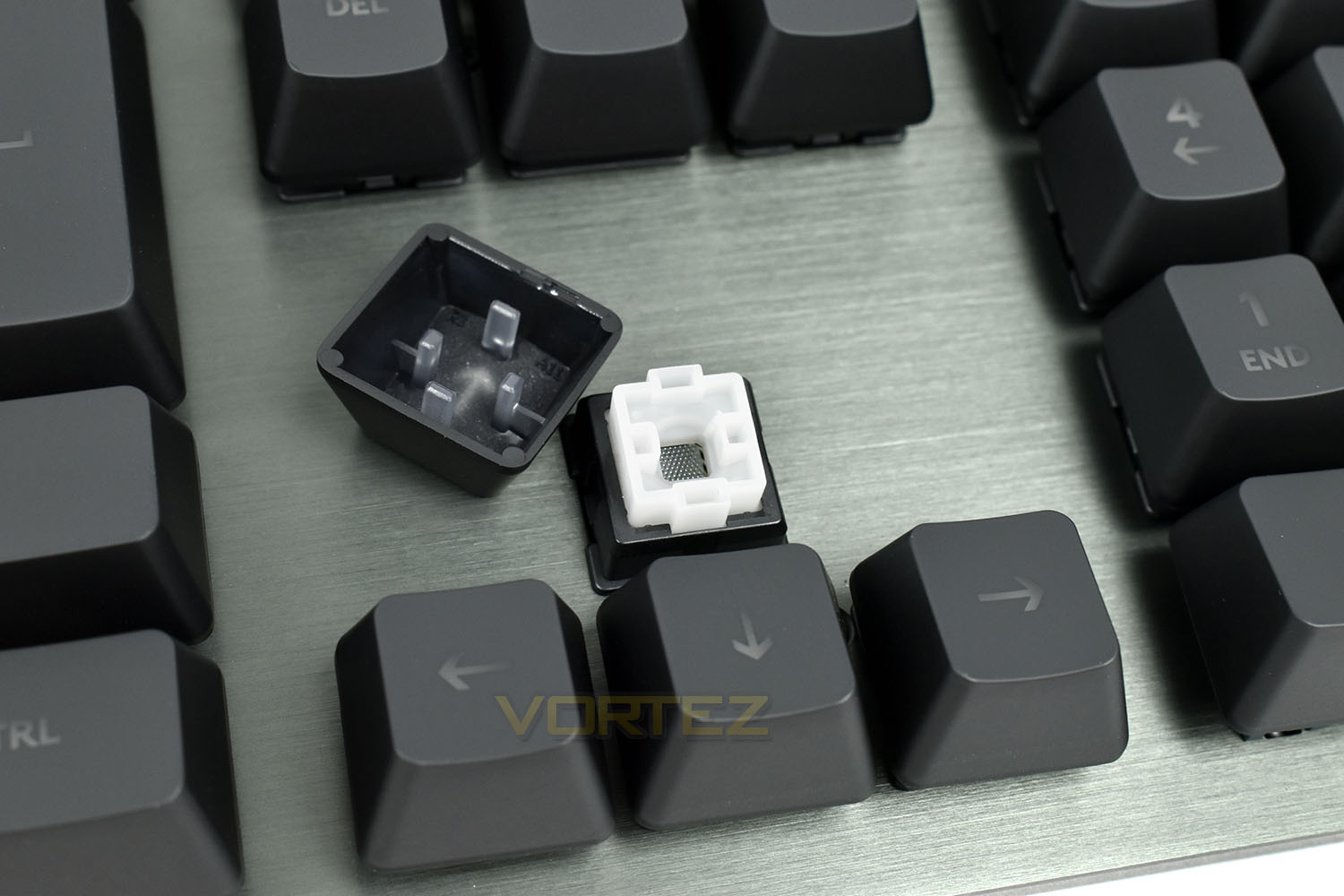
Removing a keycap with the included keypuller reveals the switch housing underneath, which you may notice has no obvious LED in sight, this is because the LED is positioned in the centre of the switch, inside the spring, to ensure illumination of the key is much more uniform and, hopefully, brighter. The way the keycap connects to the switch isn’t as easy to locate as a Cherry MX cross but once locked into place, there’s very little keycap movement.
Closer Look (Continued)
The bottom tray is also worth looking at, with a small cable look to prevent a cable being snagged and damaging the USB port, as well as a trough for running a cable under the keyboard, such as a headset. If the keyboard is laid flat, there’s 6 rubber contact patches to prevent it moving around, whereas when the feet are used, they’re also tipped with rubber.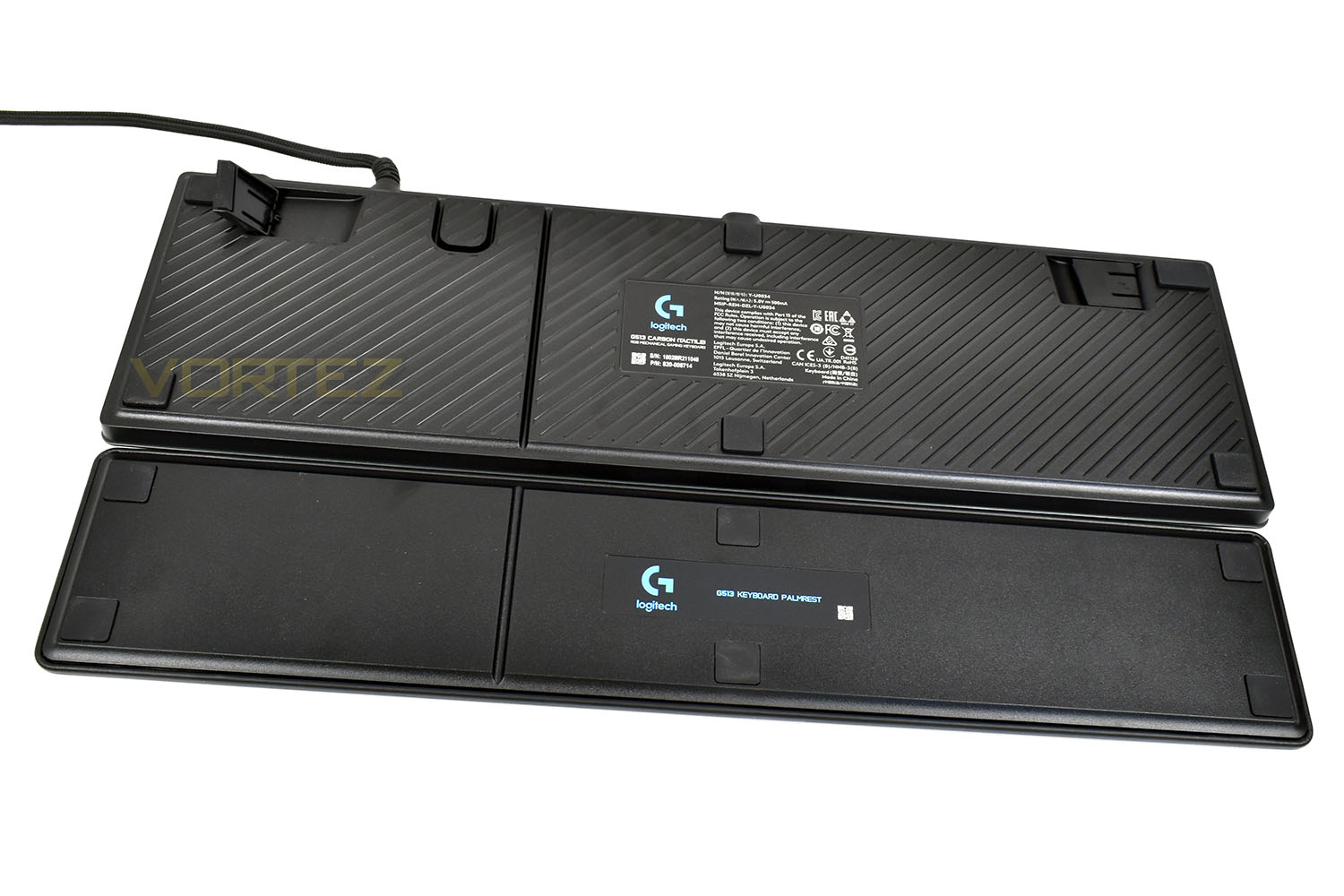
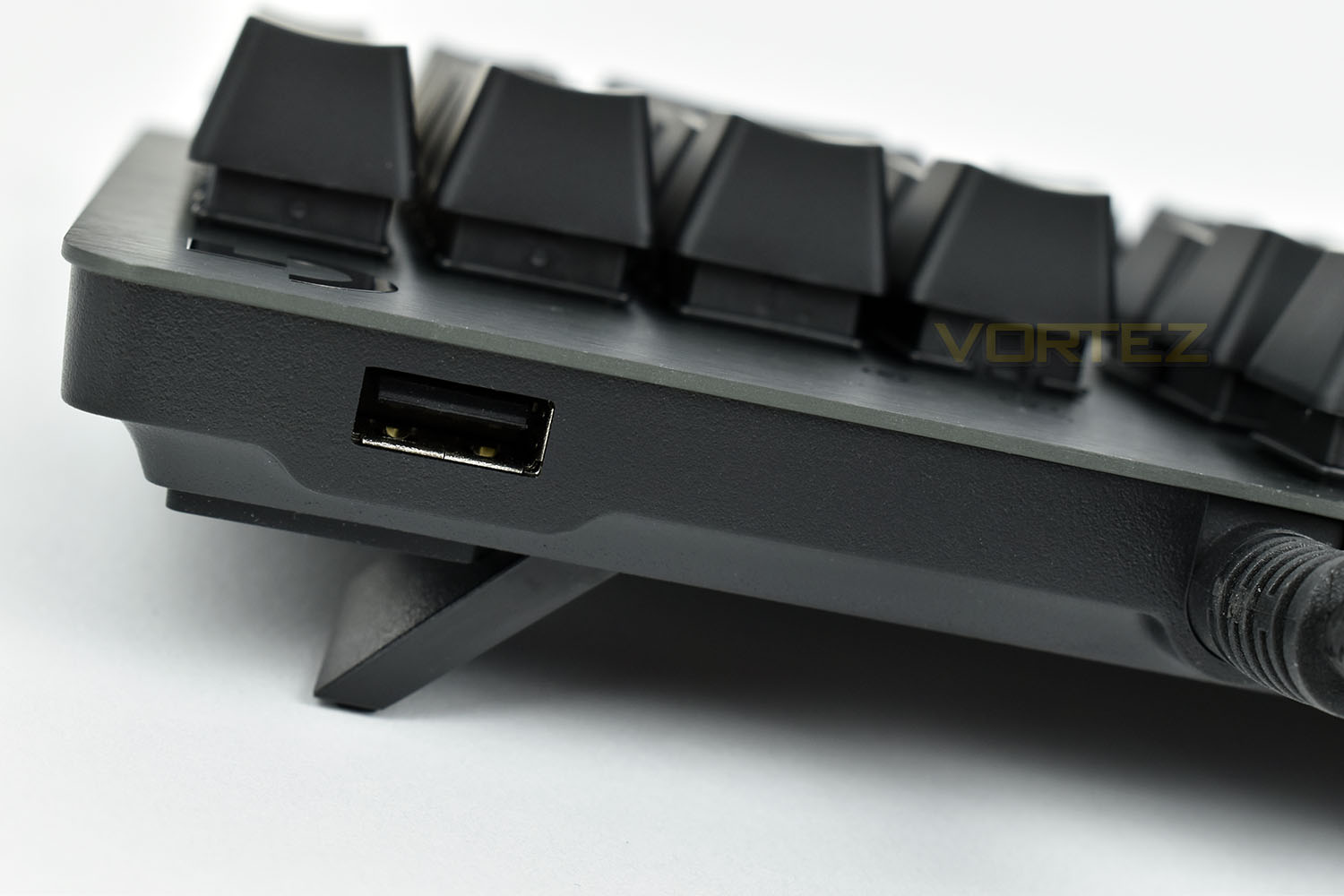
On the rear of the keyboard, in the far top-right is a USB pass-through; sadly, this is only a 2.0 pass-through so still not capable of massive file transfers or better power delivery but it’s more than capable of connecting a mouse or headset.
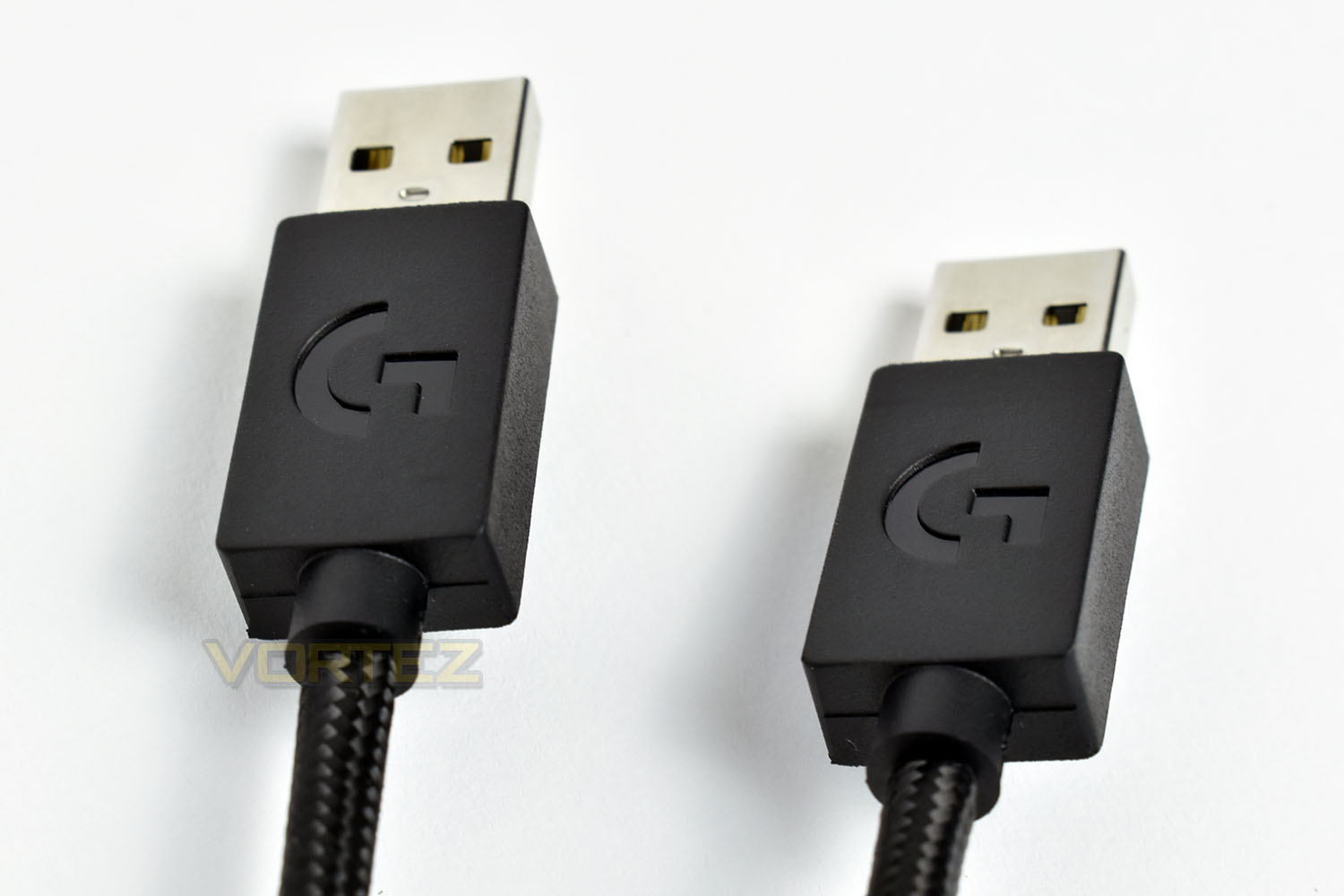
To provide full power to the keyboard as well as full bandwidth for the pass-through, the keyboard’s 1.8m braided cable is split into two separate USB headers.
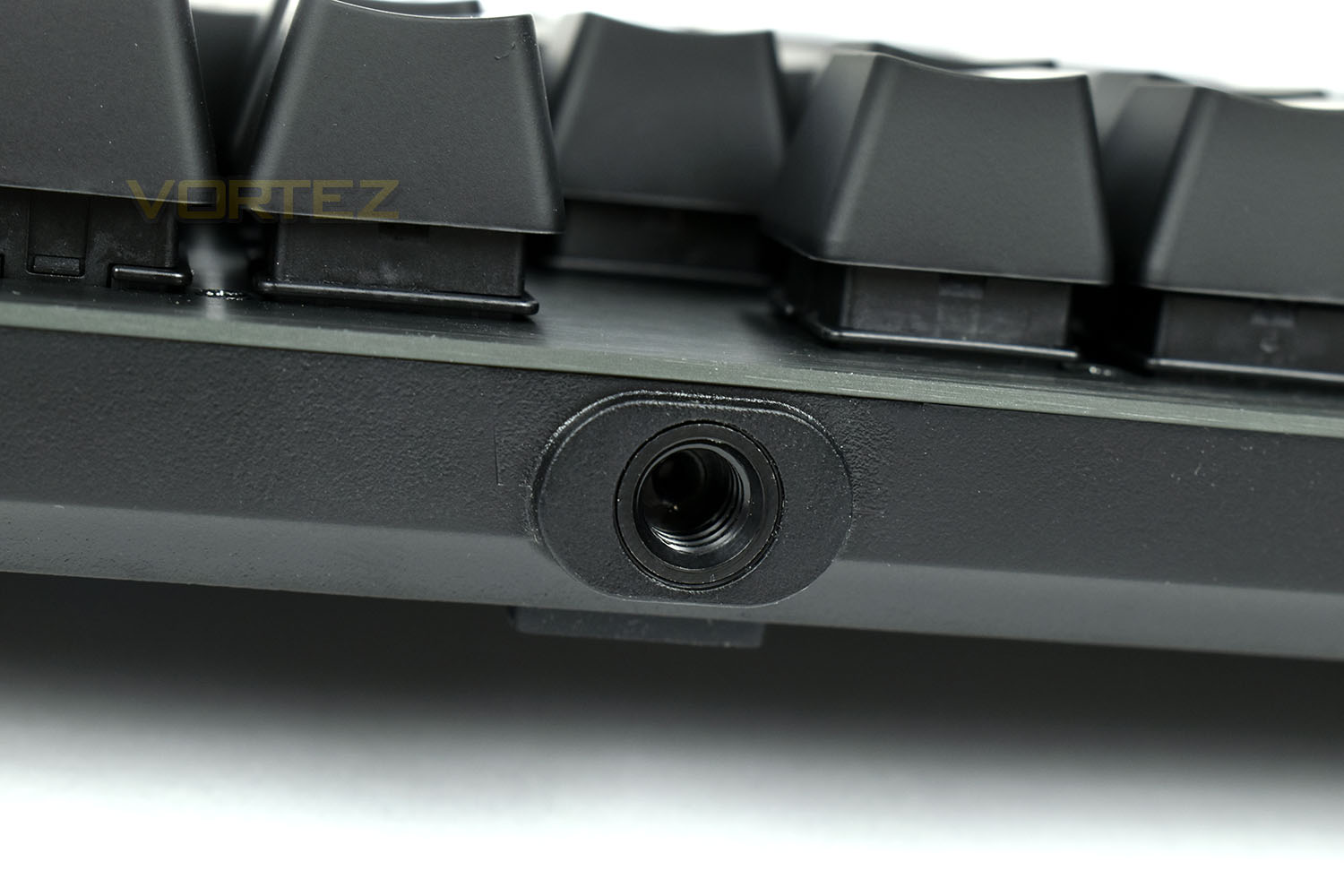
Focusing on the rear of the keyboard once more, there’s a 1/4-20 thread secured into the solid chassis of the G513. There’s no mention in the manual or on their website what this is for but we suspect it may be for future adaptability or for 3D Printing opportunities within the PC Enthusiast community.
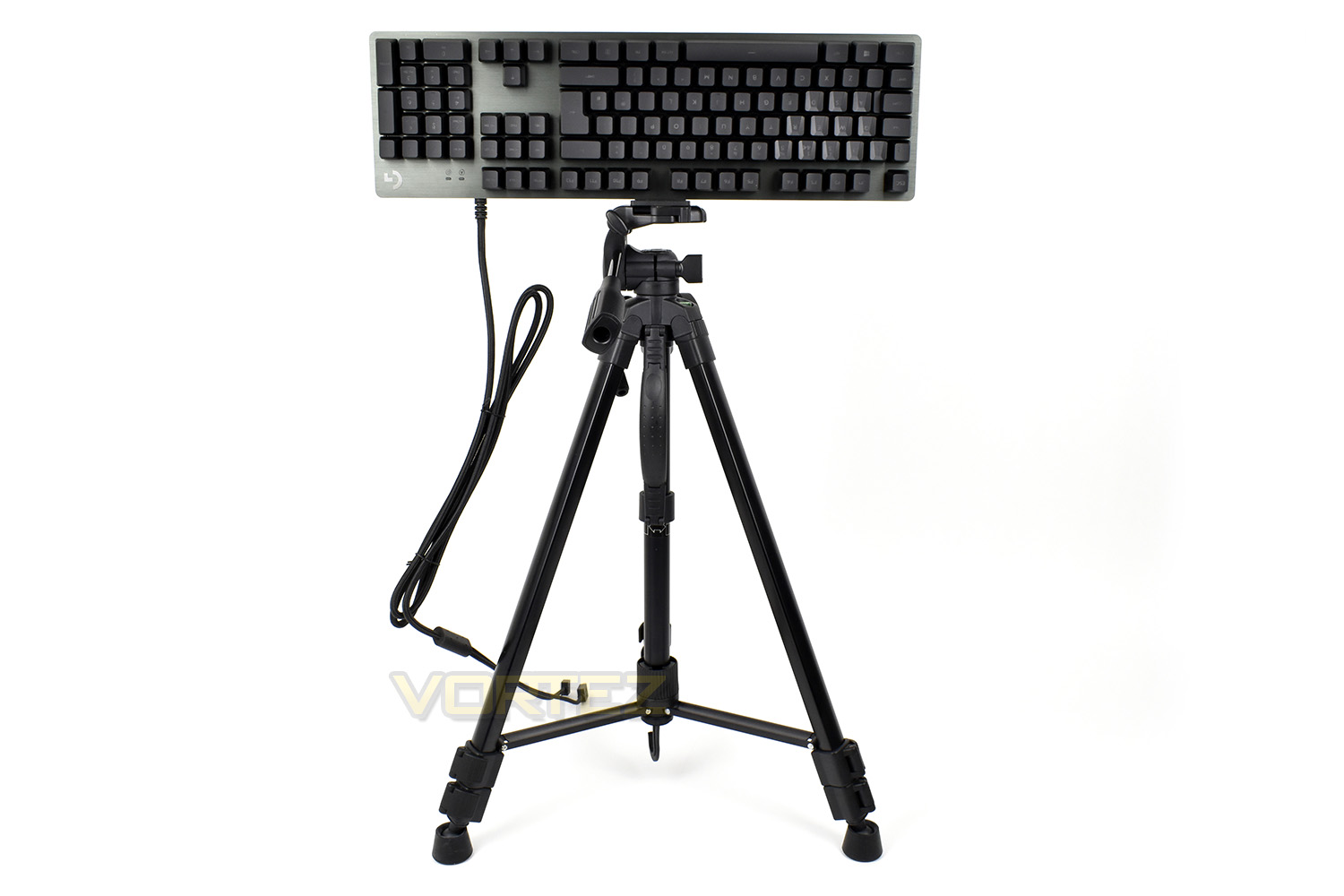
We did find that the 1/4-20 thread is the exact thread size most camera manufacturers use, which is handy if you need to mount your keyboard on a tripod.
Software
The G513 utilises the Logitech Gaming Software, a unified install that controls all of Logitech’s recent hardware in one easy to use package.The software is incredibly easy to learn and configure, with things laid out where you’d expect them to be and everything responding instantly, without any delay.
We’ve put together a short video clip to show the basics of the software, however we feel it’s worth mentioning the FN Key Inverson; this toggle switch alters the behaviour of the top row of keys, from F5 through F12 and also including PRTSC, SCRLK and PAUSE. The secondary functions then become the main functions, such as the volume keys being easier to use without the need for the Fn key. We love this tiny addition to the software, giving the user a choice as to what order the key should prioritise its functions. We saw this on the Logitech G413 last year but it’s great to see it carried on to future models.
Performance Testing
We’ve made reference to the Logitech G413 a few times, which we thought was an excellent keyboard, but the lack of mechanical keyswitch choice and the option of red or white LEDs was very limiting. That’s where the Logitech G513 has stepped up to the mark and staked a claim.Perhaps the most important property of a keyboard is the ability to type efficiently and accurately; it took very little time to become accustomed to the key spacing and wrist rest layout, which we found to be insanely comfortable, perhaps even the most comfortable keyboard we’ve tested to date. The Tactile keyswitch was our favourite for typing and gaming. In such a role as this, with typing making up a large portion of a daily workload, and gaming taking a bit of a back seat, the similar feel to a Cherry MX Brown provided the best of both worlds for us. The linear, on the other hand was a little less impressive, however, it definitely felt quicker to use in games that require multiple fast inputs such as Battlefield 1 or Borderlands 2. To give a very crude comparison, the Tactile = Cherry MX Browns. Linear = Cherry MX Reds. Happily though, you get the choice of the two keyswitches with no price difference.
The choice between red or white LEDs is no more, welcome to the world of RGB, and what an impression its made on our desk space. The Romer-G key switches have been developed by Logitech, in partnership with OMRON, (two companies known for quality items) and have been optimised for both typing and gaming. The RGB LED is located in the centre of the key switch, providing a lot less light-bleed around the keycap along with a more focussed illumination on the keycap itself, the light also permeates from the Fn key row much better than it would’ve with a traditional LED placement above the keyswitch. The placement of the LED may seem insignificant most of the time, but in this instance, Logitech have nailed it.
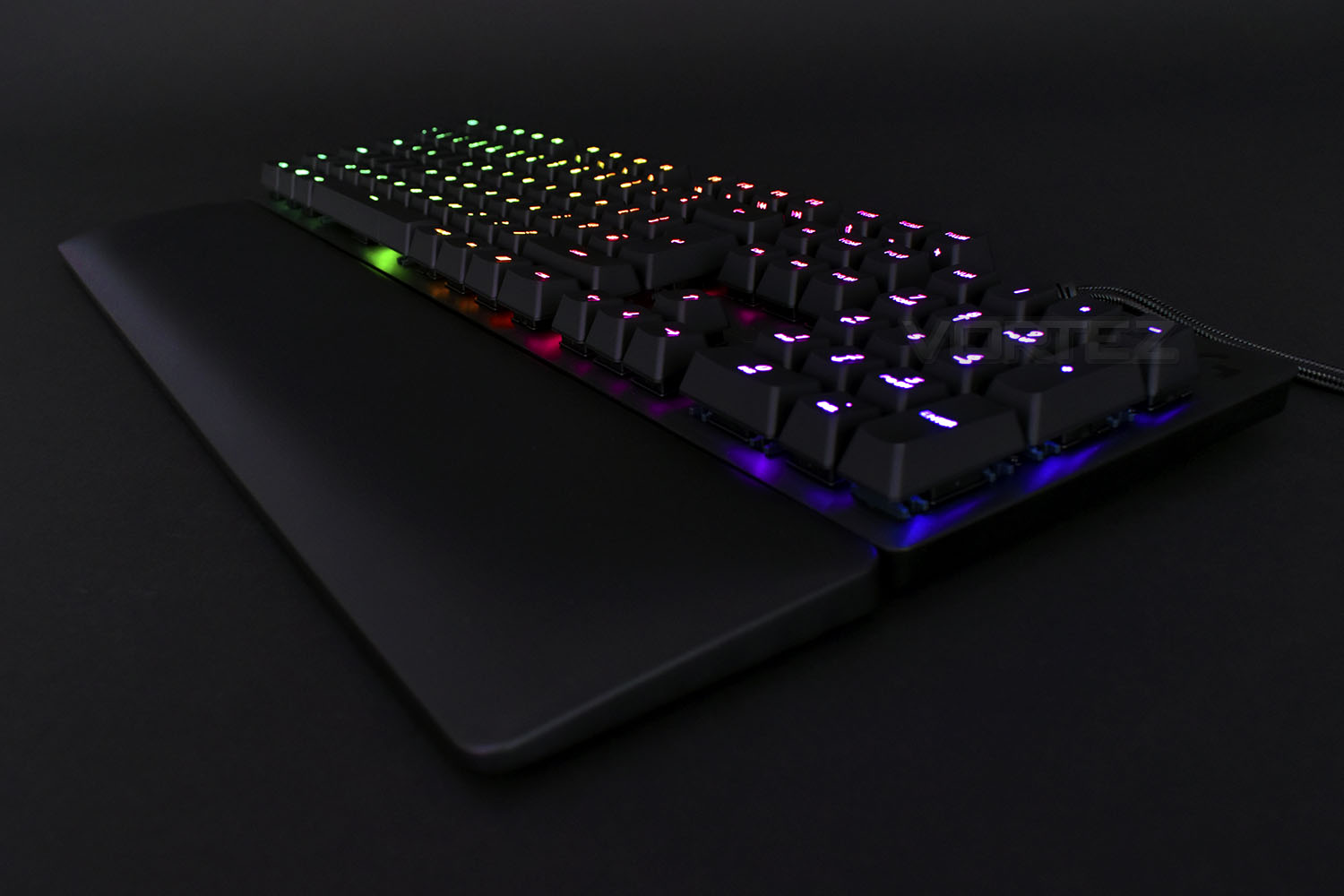
Staying with the RGB topic, the lighting effects available in the LGS software are fantastic. The variety and unique style of the included light shows were excellent.
Build quality, as you may expect from Logitech, is absolutely rock solid. There’s a negligible amount of bend from the body and the keyswitches themselves feature a lot less “play” than a typical Cherry MX or Razer Keyswitch. The wrist rest also feels decidedly premium, with the faux leather topping and memory foam cushioning, somewhat justifying that £160 price-tag.
Now, for that USB 2.0 passthrough, while it’s great to include a passthrough, we feel it’s becoming more and more necessary to include a 3.0 port, for the increase in amps as well as increased data throughput for high-speed USB drives and other frequently used devices. And while we’re on the negatives, a lack of Macro keys may make or break this choice for some; they can be vital for some actions inside and outside of games; a little extra row of keys is all we ask for Logitech.
Conclusion
We were blown away by the RGB LEDs, by their bright colours, vast array of effects and almost total lack of light bleed, even in a pitch-black room. Sticking the LED in the centre is certainly the way forwards as far as we’re concerned.Aesthetically, with the brushed aluminium fascia and slim, almost frame-less design the G513 looks gorgeous, only accentuated by the RGB lighting. Adding the wrist rest improves the appearance with its premium look and feel.
We’ve spent a few days trying out both keyboards and trying to appreciate the pros and cons of the Romer-G Linear and Tactile keyswitches, however, they don’t quite compare to their better-established Cherry MX counterparts, which arrive with more flavour variations, and arguably a better typing or gaming experience; though, to give Logitech their full due, there was very little in the choice between the two.
Logitech producing a device which feels solid and properly constructed is no surprise, however it’s certainly worth a mention within our conclusion of the keyboard; if you’re spending close to £160 on a single peripheral, you need to feel as though it’ll last the test of time, which we’re certain the G513 will.
While keeping the £159.00 pricetag in constant consideration, the Logitech G513 has exceeded in several areas and came a close second place in others. The keyboard feels premium and solid, the RGB lighting is beautiful, the software is excellent and the Tactile key is brilliant for day to day use.
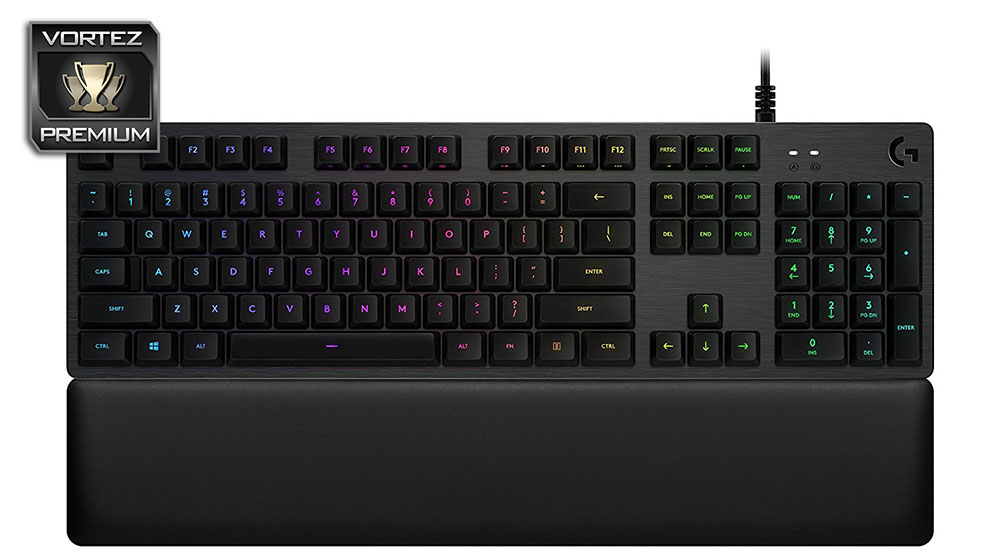
A few quirky features and a sturdy feel give the Logitech G513 a real appeal compared to the competition.
Pros
+ Rock solid design
+ Beautiful RGB lighting
+ Premium look and feel
+ Great software
+ Comfortable for extended periods
+ Gaming keycaps included
+ We love the Tactile Romer-G keyswitch
Neutral
+- Pricey
Cons
– Linear keykeyswitch isn’t great
– No macro keys
– Still only USB 2.0 pass-through
+ Rock solid design
+ Beautiful RGB lighting
+ Premium look and feel
+ Great software
+ Comfortable for extended periods
+ Gaming keycaps included
+ We love the Tactile Romer-G keyswitch
Neutral
+- Pricey
Cons
– Linear keykeyswitch isn’t great
– No macro keys
– Still only USB 2.0 pass-through
Click here for an explanation of our awards at Vortez.net.
Stay connected with the Vortez Social Media pages:
Join in with the discussions on Discord