







A sneak preview of GIGABYTE’s UD4 with the new Intel Z68 chipset. Performance/overclocking coming soon!
FULL REVIEW NOW ONLINE: GIGABYTE Z68X UD4 Review – Introduction

Big features for the Z68-UD4 are dual BIOS, SSD caching and touch BIOS. SSD caching will be a fundamental selling point for Z68 with it bringing in better performance and efficiency for those opting for SSD storage. This SSD caching uses Intel Smart Response Technology and stores frequently used applications to improve overall system performance. GIGABYTE have even described this as like having “a massive L4 CPU cache”. In the full review we will be investigating this new feature!
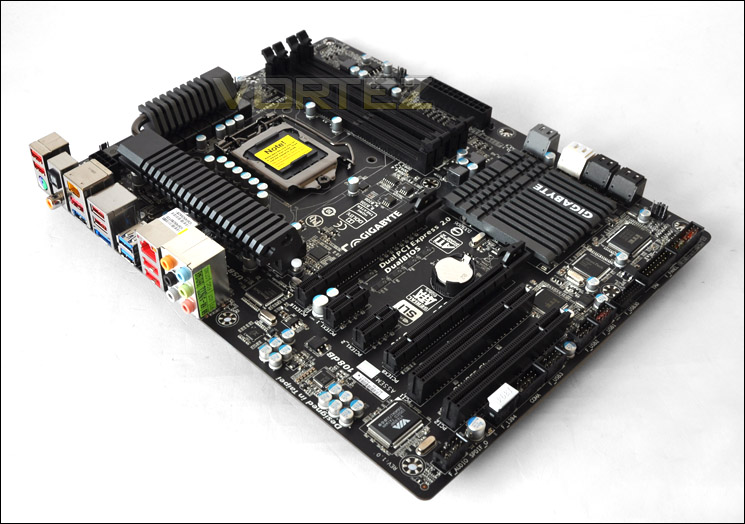
An overview of GIGABYTE Z68 UD4
Continue over the page for a closer look at the Z68-UD4. Revealing the phase power, PCI-E and other elements!
Closer Look
Moving from P67 to Z68, the UD4 has some subtle changes. Starting around the CPU socket we have a 16 phase power design over the 12 Phases found on the P67 UD4. We still have the Ultra Durable heatsink around the mosfets with a 2x Copper layer desgn. GIGABYTE claim this will lower PCB impedance by 50%. It’s always important to have adequate cooling around this region, especially concerning stability and better overclocking potential – every element counts.
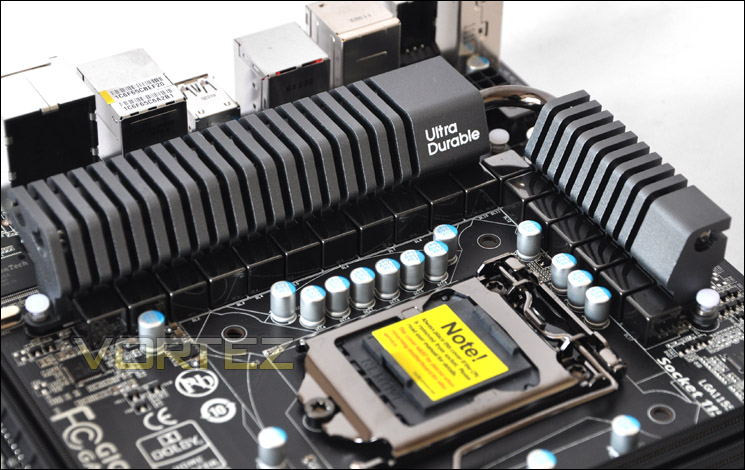
16 Phase power design and the Ultra Durable heatsink
DDR3 DIMM slots provide up to 32GB of capacity, support Intel XMP and allow frequencies of 1066MHz right through to 2133MHz. Of course this is dual channel.
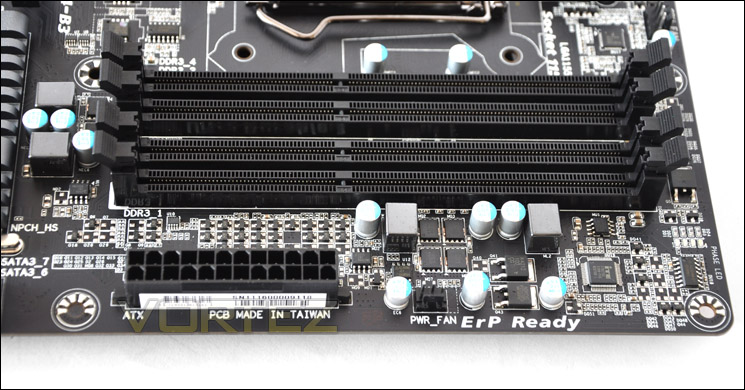
DDR3 DIMMs provide up to 32GB and 2133MHz
Moving to storage, available are 4 x SATA 3G and 4 x SATA 6G. The 3G ports are signified by black and the 6G in cream/grey. The reason for the colour difference within the 6G ports is due to two controllers that have been used. Notice how the SATA ports now sit right on the edge of the board. On the P67A-UD4 there was a gap, angled SATA connectors would have trouble slotting into the bottom ports… not anymore!
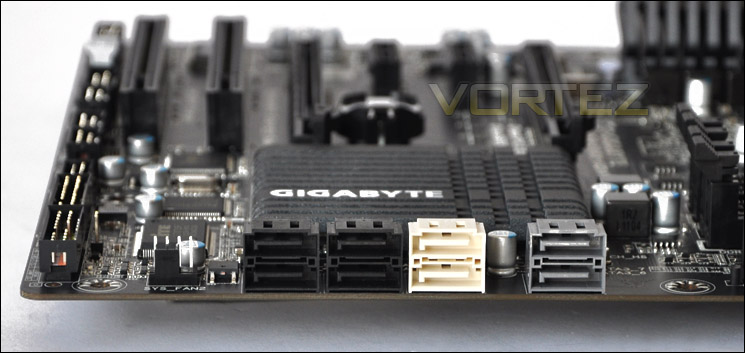
3Gbps and 6Gbps SATA functionality
USB functionality is abundant. We have a USB3.0 header for front panel USB3.0 functionality on the chassis. 3 x USB2.0 headers contribute to up to 14 USB2.0 ports. The headers here give a maximum of 6.
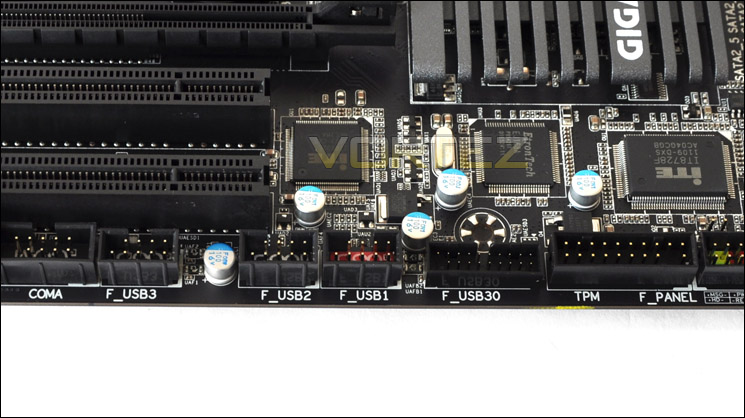
Lots of USB functionality
Over on the PCI-E lanes we have 1 – x16 and 1 – x8 slot. Unlike the ASUS P8P67 that we reviewed back in January, the Z68-UD4 will support both SLI and Crossfire. If you do choose to go with a dual card configuration, bandwidth will drop to x8. We also have 2 – x1 slots and 2 x PCI legacy slots.
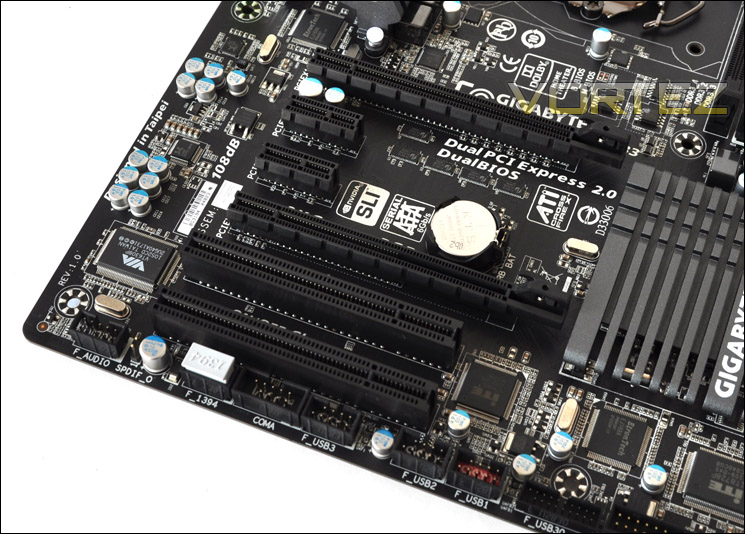
SLI and CrossfireX is supported
Looking at the back panel there are quite a lot of features integrated.
• PS2 keyboard/mouse
• 2 x USB2.0 ports
• SPD/IF optical/coaxial
• IEEE 13394
• USB/ESATA Combo
• 2 x USB2.0
• 2 x USB3.0
• Gigabit LAN (Realtek 8111E)
• 2 x USB2.0
• 6 Audio Jacks – Realtek ALC 889 with integrated Dolby
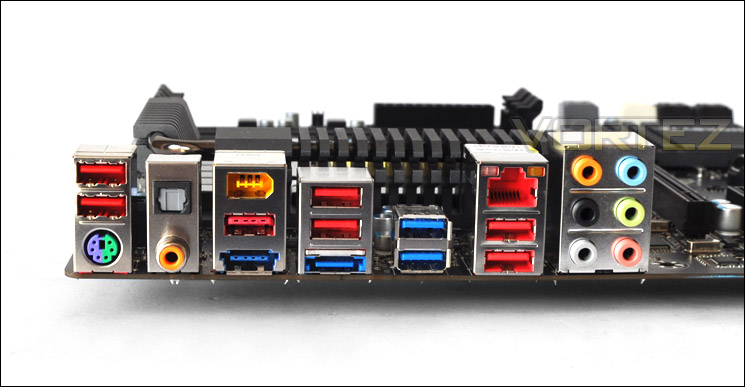
The I/O panel on Z68-UD4
To discuss this preview in our community forums click here!
