Lian Li have sent this new MATX case to us for review. Spec’d to take a massive 35cm GPU… let’s see how this mighty little enclosure does!
Product on Review: Lian Li PC-V354(R)
Manufacturer and Sponsor: Lian Li
Street Price: £149.98/189.90EURO At the time of review

It’s been a while since I’ve had the opportunity to review a case from Taiwanese manufacturer Lian Li. The PC-V354 is their new M-ATX case and sports many interesting features that the company has been busy developing over the years.
Lian Li are one of the most popular and well known manufacturers of aluminium enclosures. They also produce other components including additional chassis modification and expansion kits as well as power supplies, notebook coolers and more recently NAS devices too.
Here’s what Lian Li have to say about themselves…
Lian Li Industrial Co., LTD was founded in 1983. We are the one of the largest and most reputable manufacturer of aluminium PC case in Taiwan . With over twenty years of experience in the computer products field, our dedicated team of engineers, production specialists and administrative staff provide the finest quality accessories available on the market.
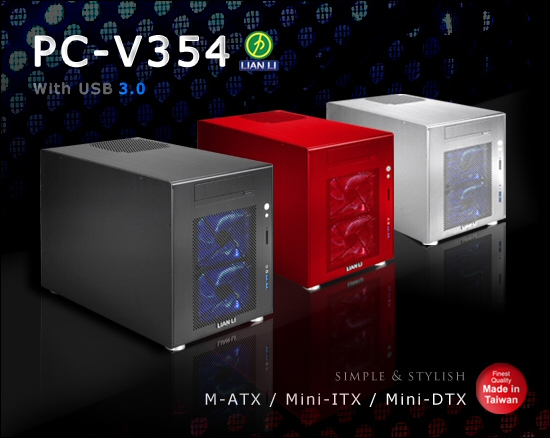
Specifications
Here are Lian Li’s specifications for the PC-V354. There are three versions – all identical apart from their colours which as you can see come in Black, Silver and as with our review sample Red.
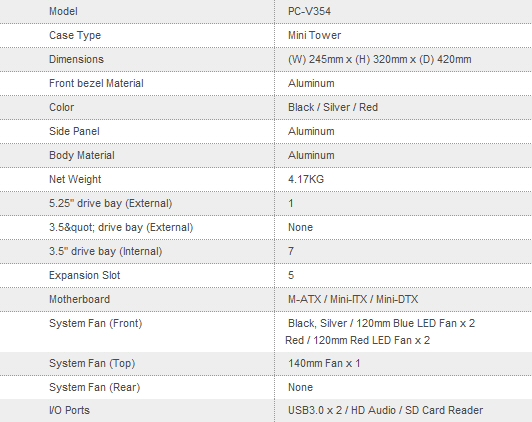
The case is surprisingly well specified – particularly with regards to its ability to either accommodate no less than seven 3.5″ drives or three drives and (with a suitably specified motherboard) a couple of very high end GPU’s!
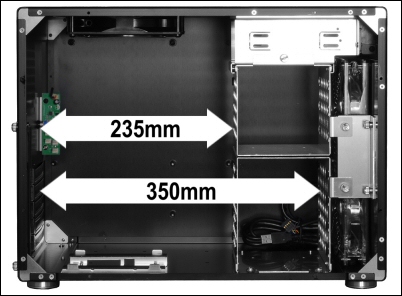
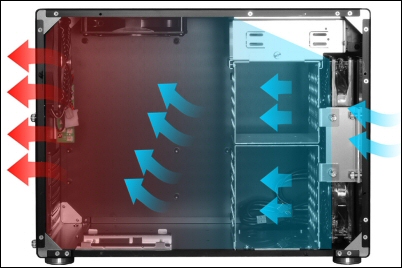
You can also see from this Lian Li diagrams the expected airflow profile of the board. The wall of cool air supplied by the forward fans should help keep almost any high end system in check.
Packaging and exterior
As with every Lian Li I’ve had the pleasure of unpacking the PC-V354 arrived in a sturdy full colour box. The case is cradled within by two foam bracing cages that protect it from both shock damage and any possible puncture damage from sharp objects pushing through the cardboard boxes skin. It is also wrapped in a thick plastic bag that further protects the case from scratches. That tick you can see in the ‘red’ option box hints that this will be a colourful review!
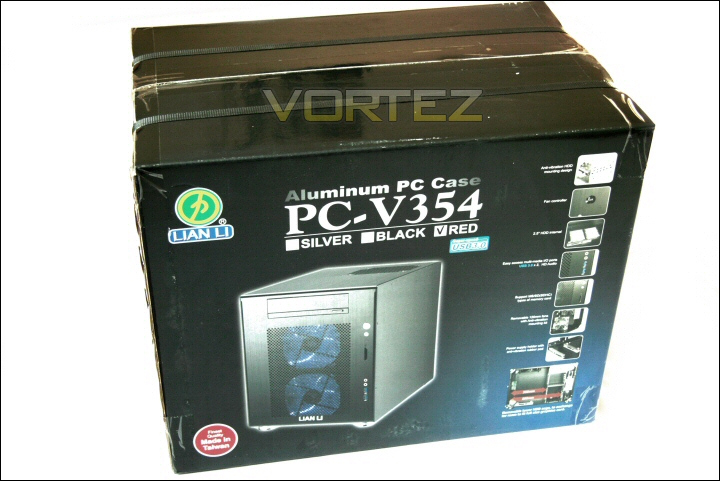
The box.
As promised the case is anodised in a beautiful ‘pinkish red’ hue. It’s a very pretty case. Panel gaps are nonexistent – the fit and finish is certainly right up there with the best I’ve seen from the company. Indeed, from any company!
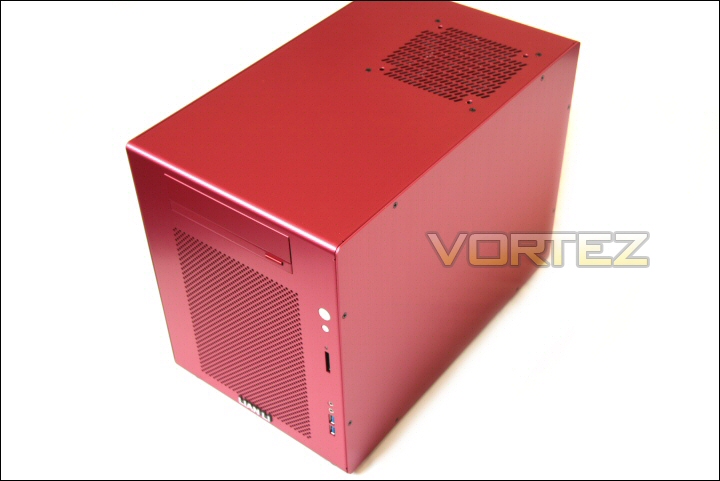
The PC-V354R.
Along with the box you receive a case usage manual and a catalogue showing a selection of cases, accessories and other products offered by Lian Li.
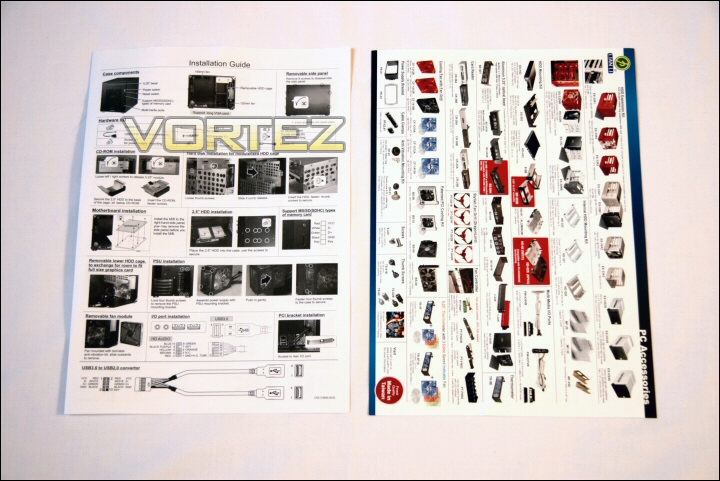
Manual and catalogue.
Also held within the case are a selection of accessories including motherboard, hdd and optical drive mounting screws, a cable tidy loop, zip ties and a case speaker to plug into the motherboard. There’s also a USB header to dual USB socket cable and a PCI plate to allow that cable outside the rear of the case… if needed.
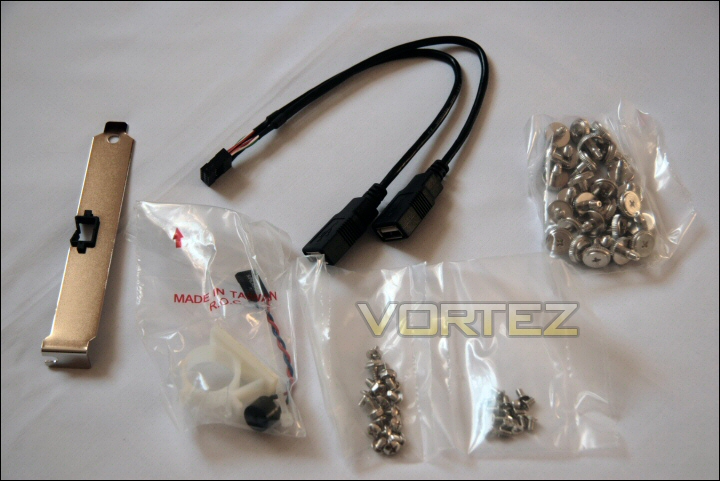
The extras.
The case has a very clean exterior – the front is dominated by a large perforated rectangular portion to allow cool airflow into the case. The upper most section contains the now ubiquitous ‘stealth cover’ to hide (or at least better match) the optical drive.
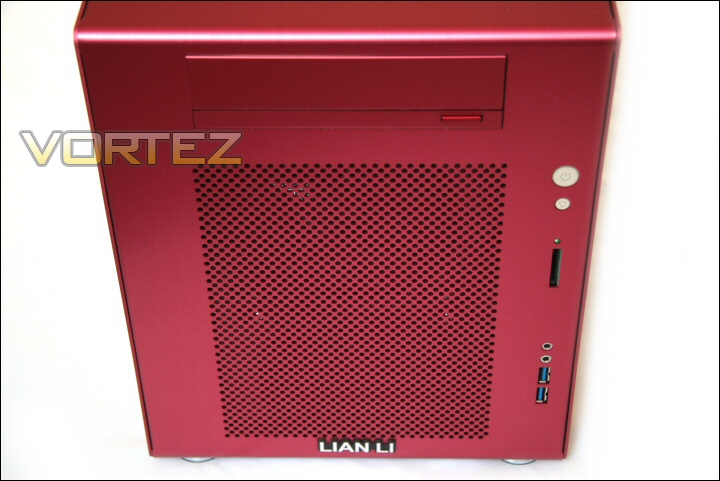
A clean looking front.
At the base of the front we find the ‘Lian Li’ name – it’s certainly a subtle design… well, as long as you don’t include the bright red finish!
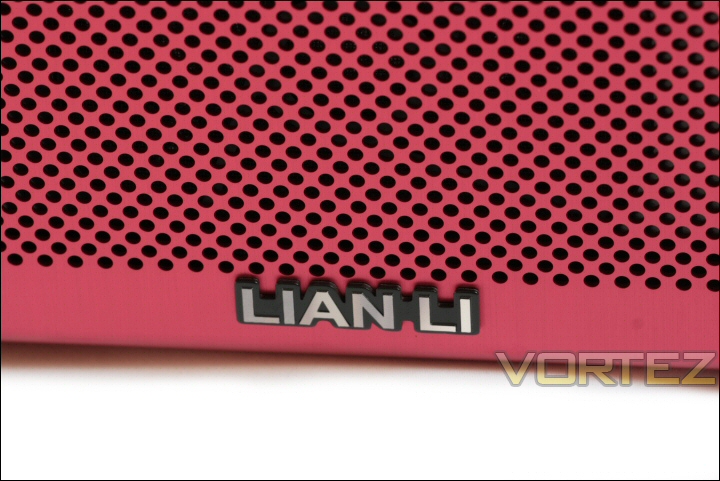
The logo.
Exterior continued
The right side of the PC-V354’s front houses the power, reset and some connectivity. Near the top we get the power and reset buttons and a useful addition in the form of an SD card reader. Of course multi card readers are nice but besides being physically larger and more complex I can honestly say that these days almost every new product that requires a flash card use the SD standard. Even DSLR’s, once the proud home of the physically much larger CF card, are defecting gradually to accommodate SD units.
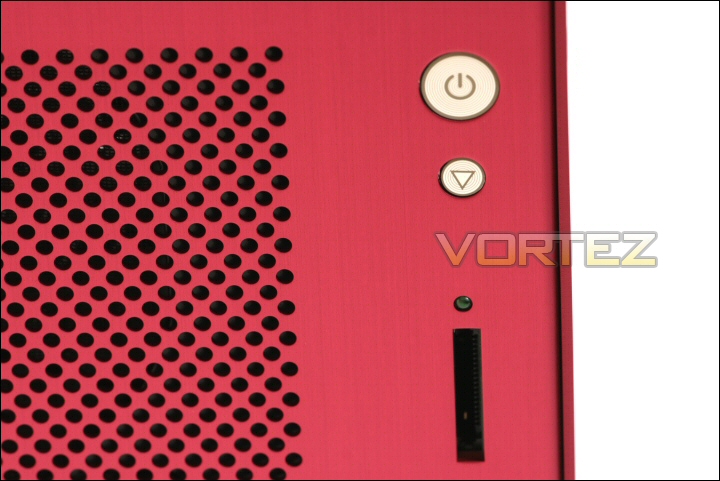
Power, reset and CF reader.
Below that are the standard headphone and microphone sockets and two blue USB 3.0 spec sockets. Of course these can be used as standard USB 1.1 and USB 2.0 sockets too if needed.
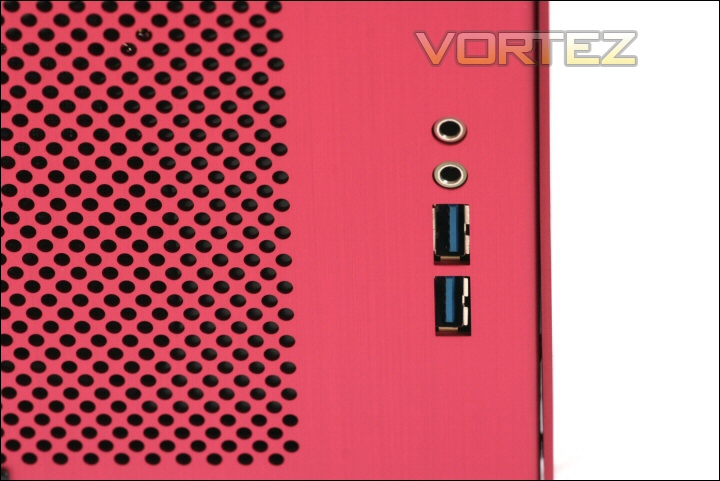
Standard sockets and USB 3.0 connectivity.
The top of the case has only one dominating feature and that is the fan grill behind which is the cases 140mm exhaust fan. You’ll see that if you desired you can change this for a 120mm fan as well. This is a nice touch as many users have fans they favour – indeed, for many enthusiasts a complete fan exchange is the first thing on their system build ‘to do’ list!
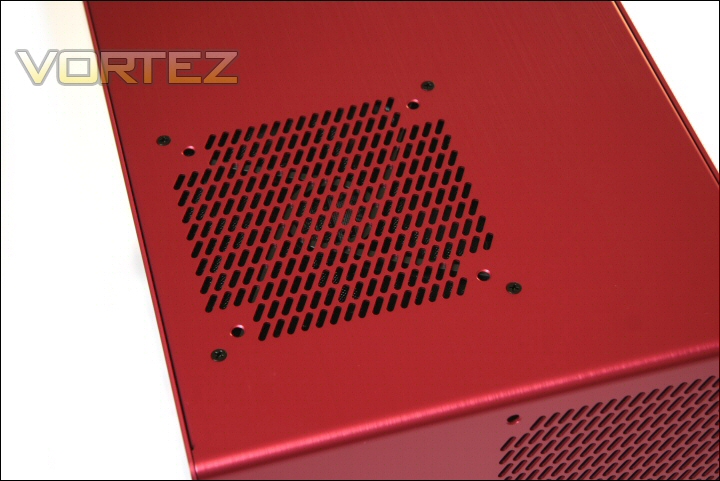
The 140mm top fan.
The rear reminds me of Lian Li’s own PC-V350 tipped on its side. The PC-V354 is a touch narrower than its sibling is tall and that looks to come from the switch of the PSU position. Instead of sitting across from the CPU socket it now resides next to the vented PCI slots. Lian Li’s PSU plate design is another useful innovation that allows the easy install and/or removal by directly sliding out of the case rather than having to wiggle it out of place like a game of ‘Operation’! Buzzzzzzz!!! Cooling is also important here it seems with a chance to install an optional 120mm fan for yet more additional cooling. Also of note here is the small black control knob.
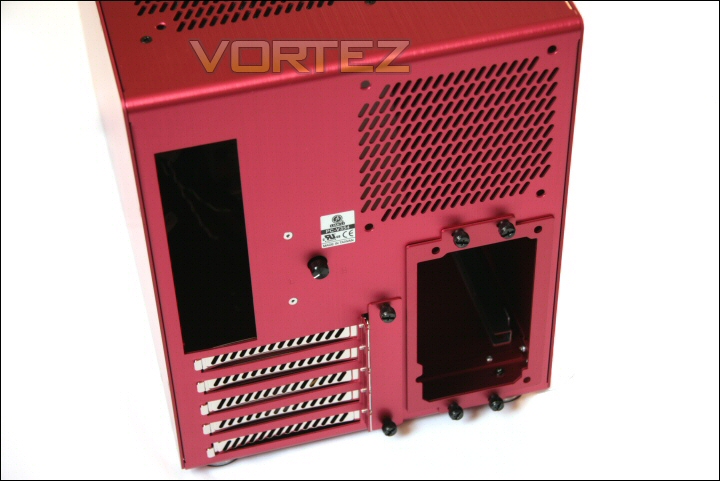
The case rear.
This is an integrated fan speed control knob that allows control of four fans at once. Should help the end user achieve the perfect balance between cooling performance and silence!
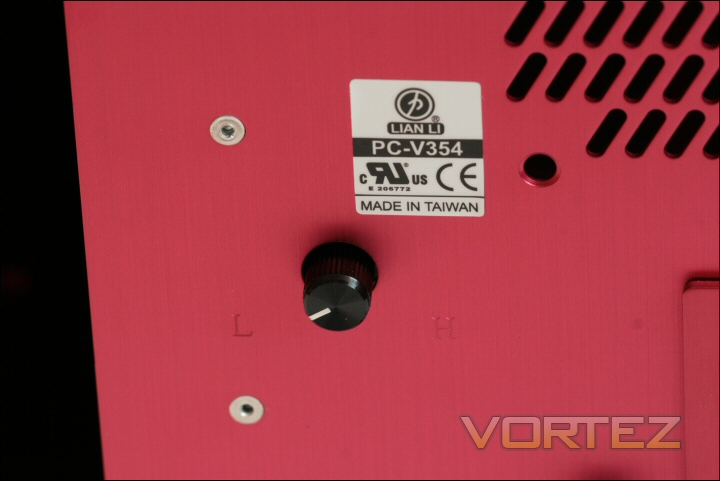
Fan controller.
The base of the PC-V354 has four identical ‘hi-fi’ style spherical brushed metal feet. These are very attractive and add to the aesthetics of the case. They have little rubber pads to help stop the transfer of vibrations from the case to whatever surface the case is placed on.
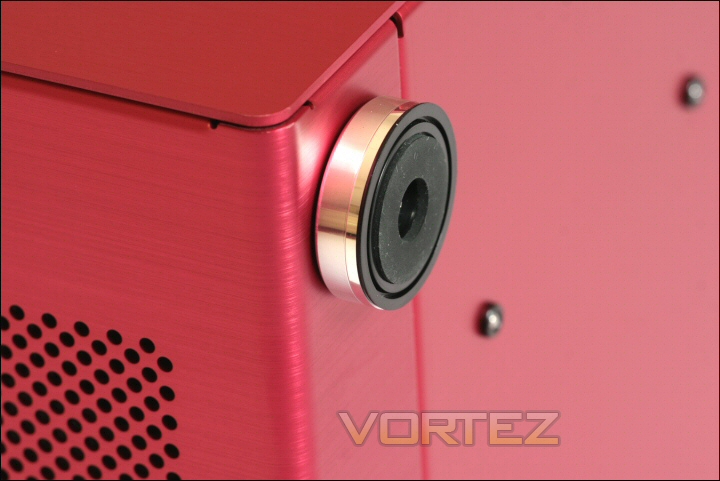
Hi-fi style feet.
Interior
First things first is to remove the cases side panel. This is achieved through the removal of eight black screws that have been countersunk into the panel. You can see four of the eight black screws here.
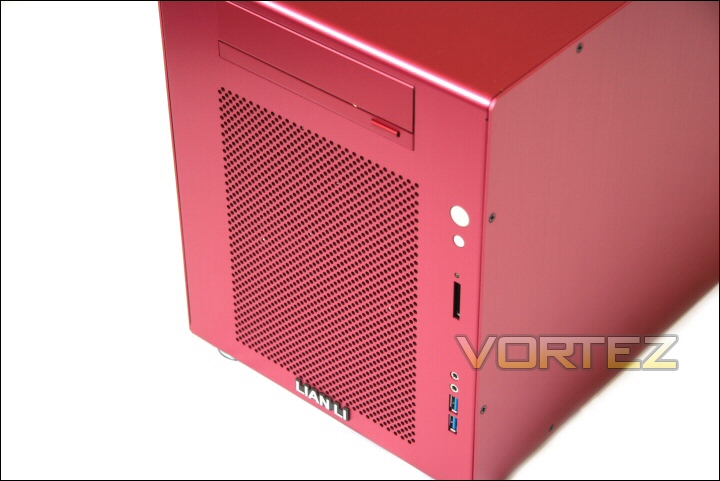
Side panel screws.
Lian Li says this screw approach actually aids quiet computing by fully locking the panel into place. It’s a little tedious but doesn’t take too long with a decent screwdriver.
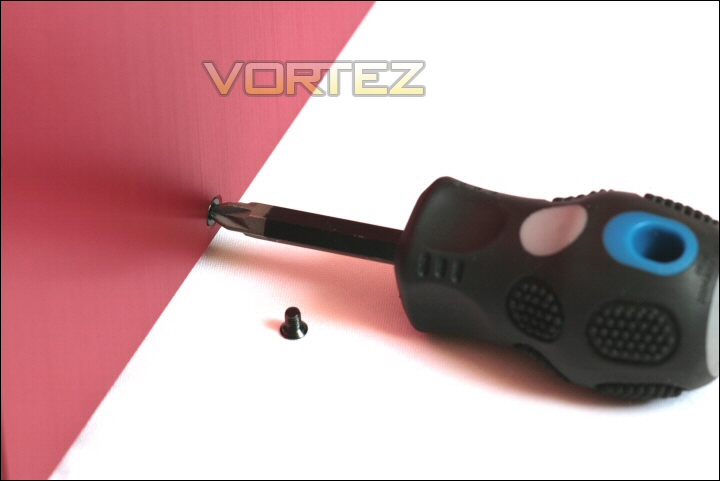
Time to get the tools out.
Once removed you’re greeted with the guts of the PC-V354. It’s obviously not the most expansive case but it certainly seems to use its space well. In this picture you can also see the accessories box zip tied to the hdd rack.
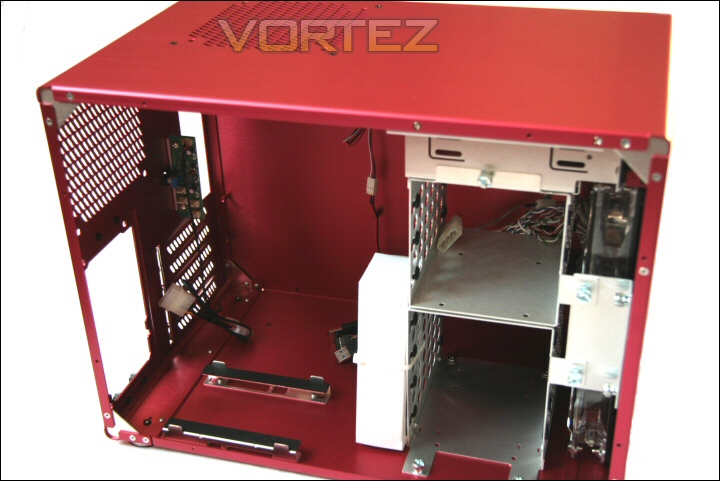
Inside the PC-V354.
Looking to the rear most section of the case we see vented PCI expansion slots and the PSU mounting zone. Lian Li have provided a small cradle for the PSU and also chosen to cover it with rubber pads. Like the base of the feet seen on the previous page this should help reduce the transfer of noise generating vibrations. In this case to help reduce vibration transfer from the PSU to the PC-V354 itself.
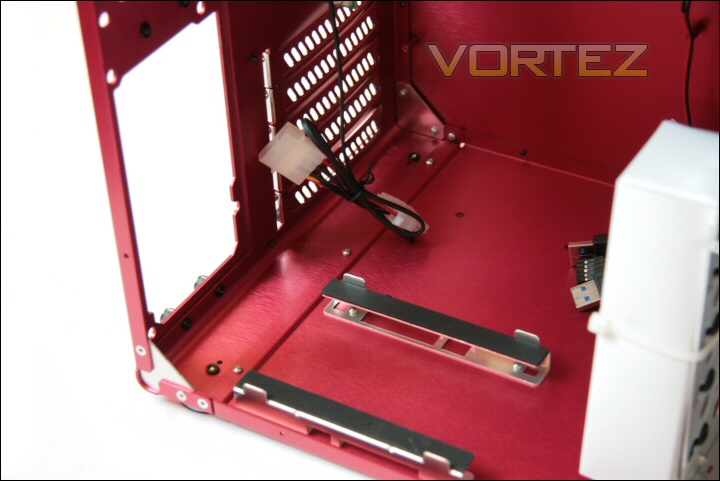
PSU mounting area.
Above the PCI/PSU zone we find the business end of the fan controller whose control dial protrudes out of the rear of the case. As you can see it has four 3-pin sockets for attaching fans and is powered by a molex connection to the installed PSU. It’s not terribly small but it certainly looks well put together and should hopefully work nicely.
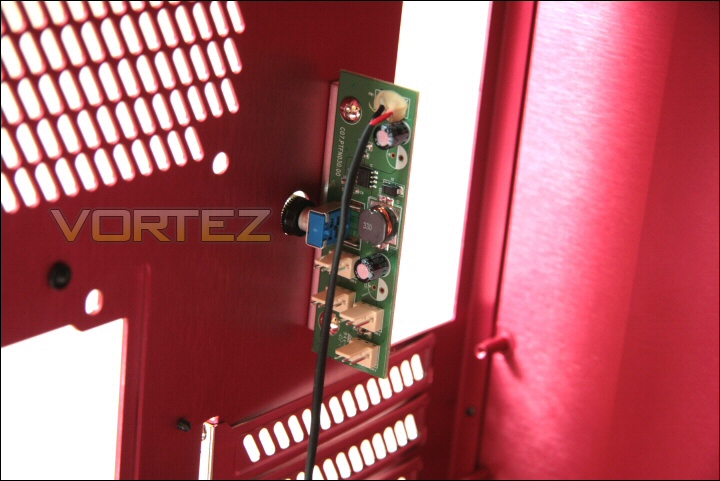
Controller for four fans.
Loking above this and past the I/O panel to the underside of the roof of the case we can see that 140mm fan. Lian Li have thoughtfully added a grill so no rogue cabling gets caught in the rotating fan and also a dust filter – nice touches!
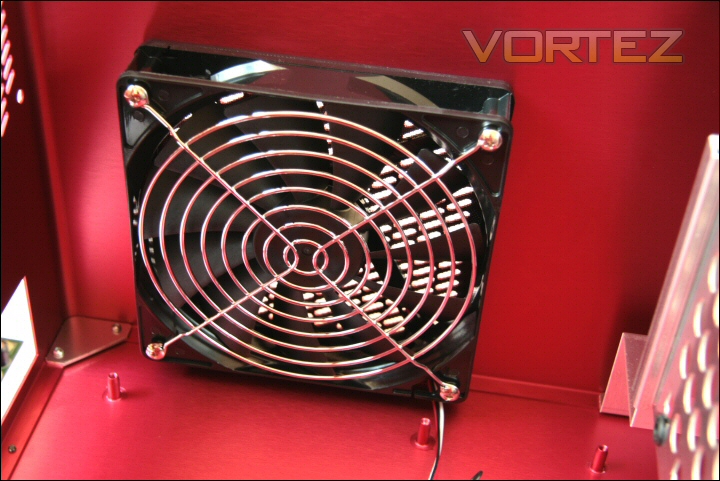
The filtered and grilled 140mm fan.
Looking towards the front of the case we find the frame for accommodating seven 3.5″ drives. It’s quite impressive for a case this relatively compact and could mean that some find their way into use as backup and/or network attached storage roles.
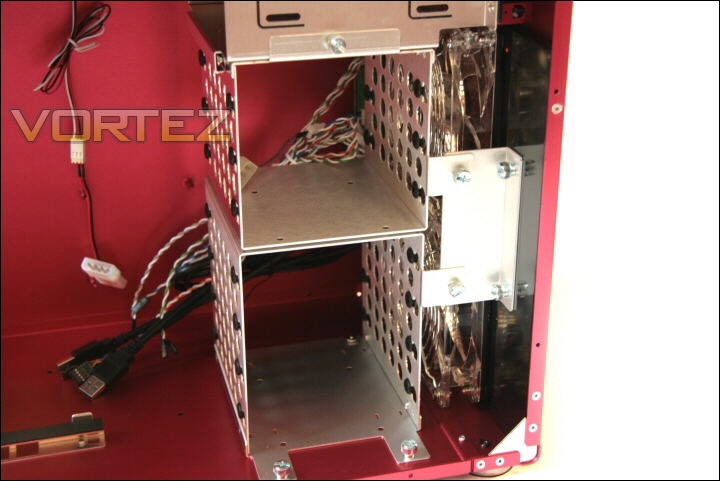
The HDD cages.
The process of removing the hdd cages could not be simpler. Thumbscrews are the order of the day here and with only five securing the cages in place the process of removal is quick and painless.
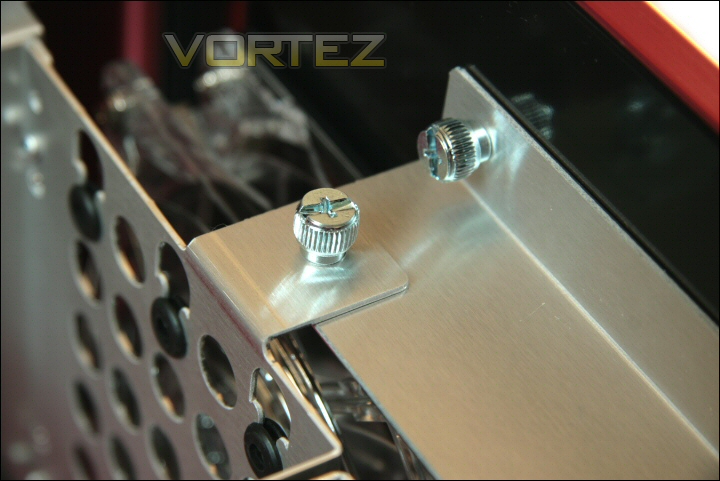
Thumbscrews!
Interior continued
Here you can see them out of the case – each drive has rubber mounts for each of the four mount points needed to secure the individual drives. This once again will help isolate any vibrations from the rest of the case.
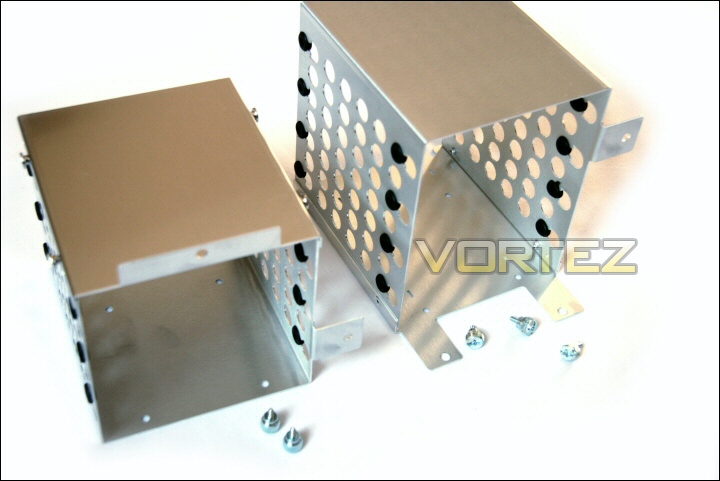
The HDD cages.
As you can see from this image from Lian Li the supplied hdd thumbscrews can be tightened by a screw driver but thumb tightening is more than sufficient in most cases!
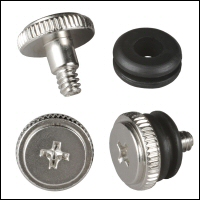
Convenient and easy to use.
The possibility of a NAS role becomes even more likely when you have removed the cages and unveil the dual 120mm fans. These units should provide excellent cooling to all those drives and besides the filters and grills they also use rubber mounts.
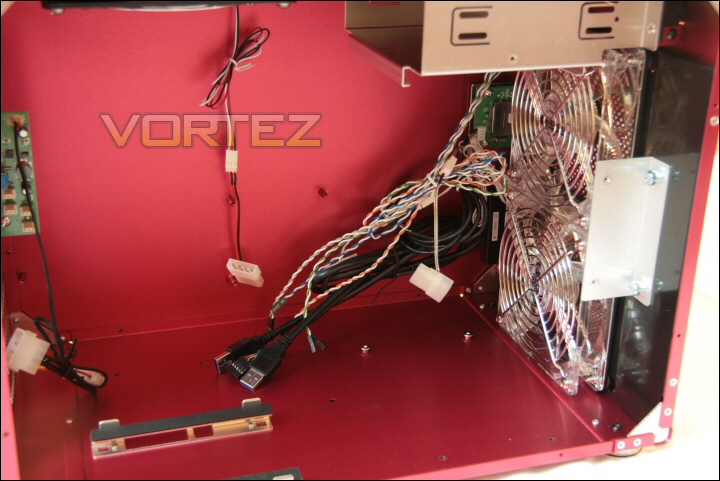
Dual 120mm fans for excellent cooling.
Here’s another image from Lian Li showing one of their LED fans with the filter, grill and rubber vibration damping mounts in place.
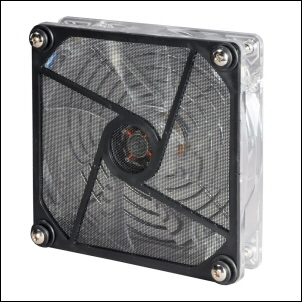
Fan Lian Li style!
Hiding behind the 120mm fans you can see the PCB for the SD card reader as well as the bundle of cabling needed for the various front panel switched and connectors.
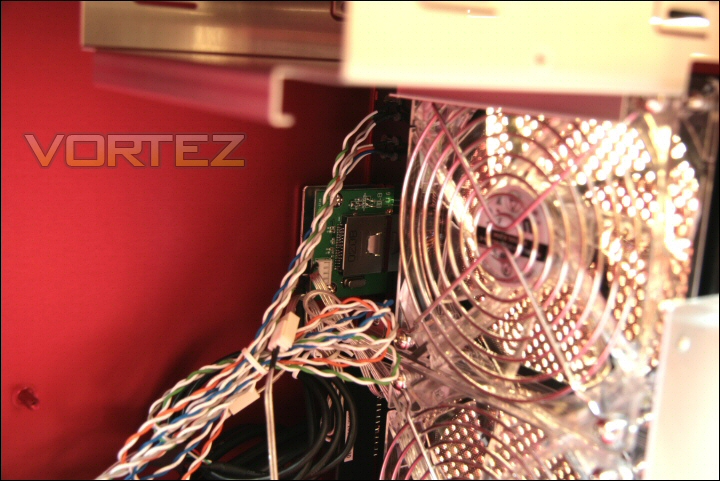
SD reader PCB.
Above this zone is the 5.25″ optical bay. A fairly standard design although I would say it is the first questionable design I’ve seen so far – In order to remove the caddy to install the DVD/Bluray drive there are four screws that need to be removed. The first are the two silver screws you can see in the image. The other two are on the other side of the case meaning all eight side panel screws have to be removed before you even get to those last two silver screws. Now that in itself is a little laborious but if, like many system builders, you have already installed the motherboard then you’ll find that the motherboard is now connected directly to that very side panel you need to remove. It is VERY fiddly but it can be done without too much cursing!!
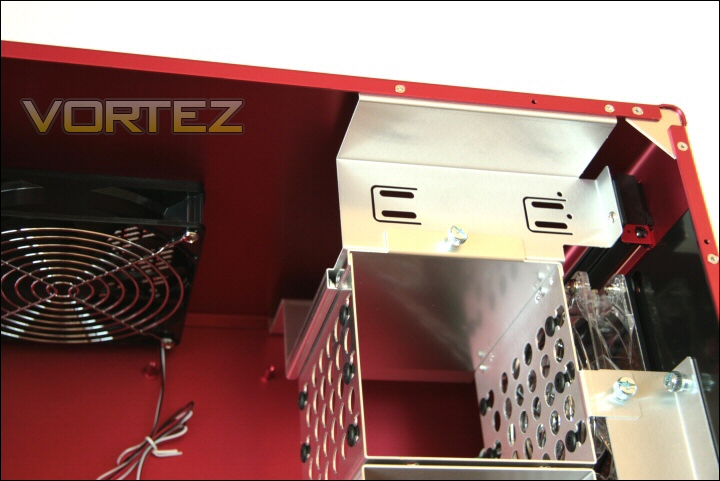
The dreaded optical bay.
Here’s an overview of the case internals with the cages removed. There’s certainly a decent space available and with that split cage design some flexibility is available for either maximum hdd quota or maximum GPU install!
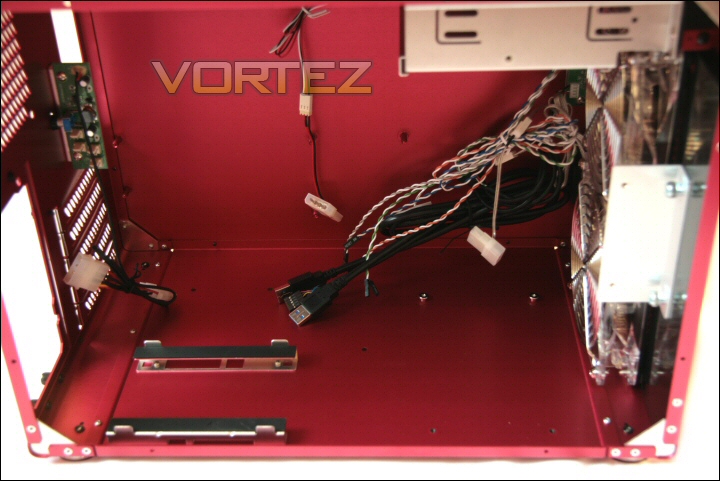
Pretty spacious with cages out.
Installation
Installation was largely straight forward. Only the optical drive proved time consuming due to the sheer number of screws that needed to be removed before you could even extract the caddy.
Once out of the case the entire caddy and consists of the metal frame and the stealth cover for the drive. This is useful since you’re able to align the drive so the eject button is in the correct position.
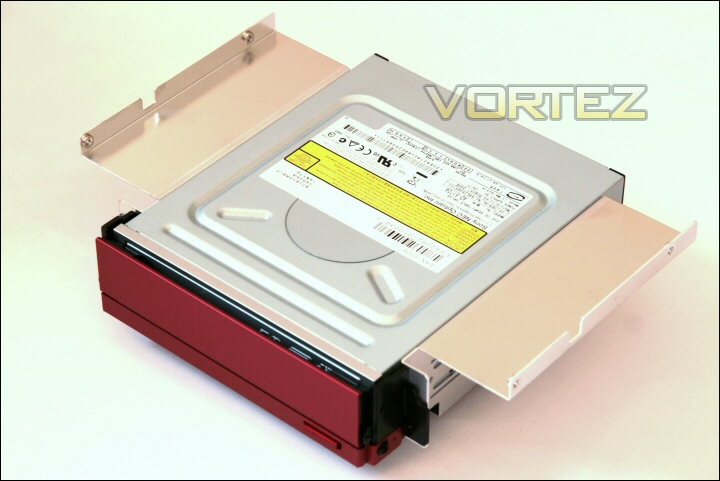
The DVDRW caddy.
This is the DVDRW and motherboard (with CPU) in place. The I/O plate fit nicely and all the motherboard standoffs were in the correct position.
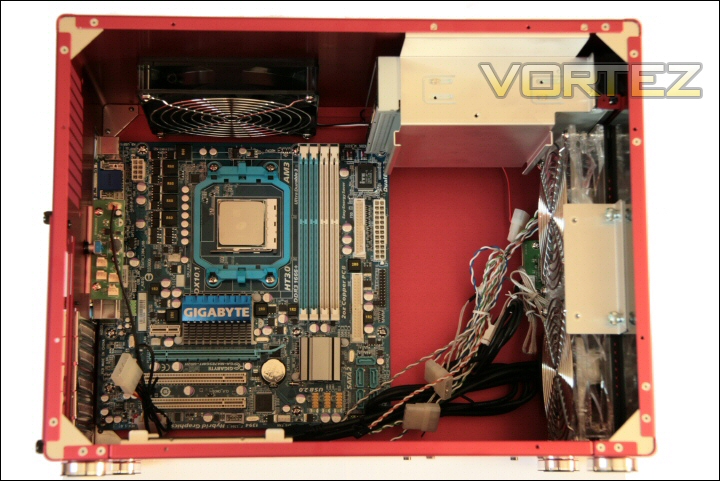
DVD, Mobo and CPU installed.
I installed the HDD by removing the cage and using the thumbscrew outside of the case. It’s then a simple process of sliding the cage into place and voila! If you only have up to three HDD’s to install then you won’t need the lower cage meaning the PC-V354 will now accept a couple of high end GPU’s up to 35cm in length.
Here you can see the install progressing with the CPU cooler mounted vertically to blow straight up and out of the 140mm exhaust. The HDD and DDR3 is in place and a GTX260 has also been installed. What’s surprising is how much space there is beyond the GPU which I would already describe as large.
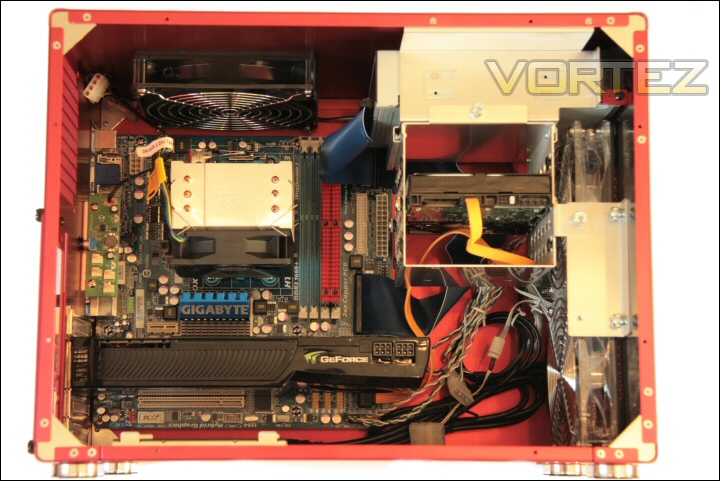
Cooler, HDD, memory and GPU installed.
An extreme user might even consider watercooling here since I’d say you’d have space between the dual front fans and the GPU for some kind of pump reservoir. Add one or two 120.1 radiators to the rear fan mounts – perhaps even one where the lower front fan resides and you could build quite a high spec compact machine.
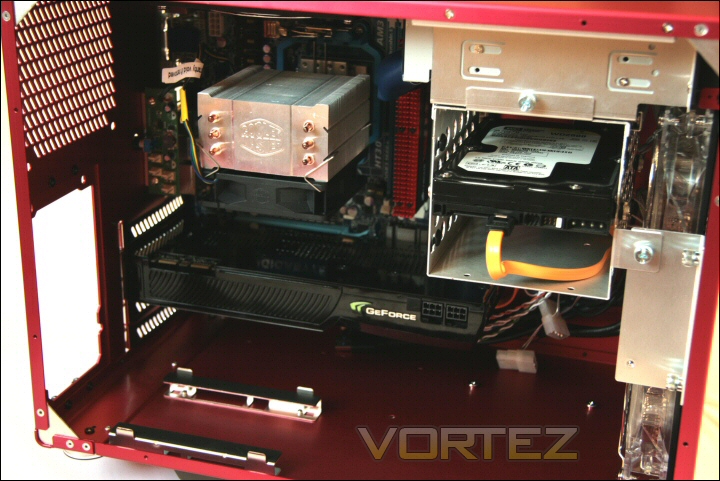
Space in front of that GTX260.
Here’s an image to show the final stage of the install – as you can see there’s just enough space for the PSU to clear the Cooler Master heatsink. I know it’s not quite as tall as a performance tower design but I certainly wouldn’t describe it as small so that’s pretty impressive. I can imagine some of the larger non tower designs like Noctua’s NH-C12P working in this case unhindered by the PSU.
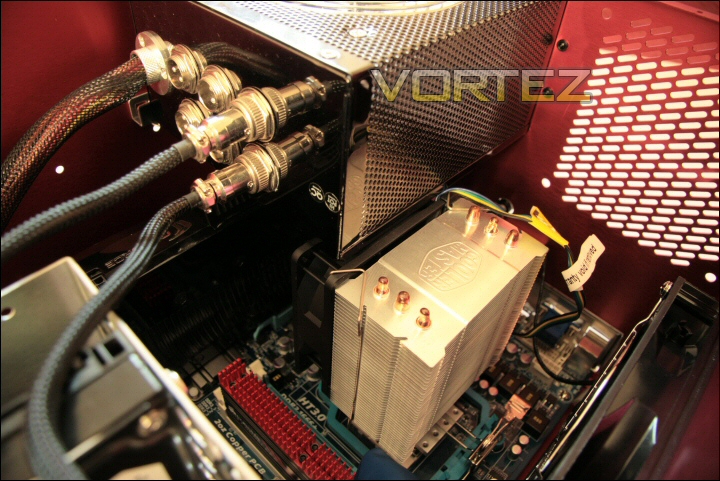
Clearance is pretty good.
Once screwed together and powered up I’m very impressed. The fit and finish is top drawer and besides that optical drive installation it’s very easy to work with.
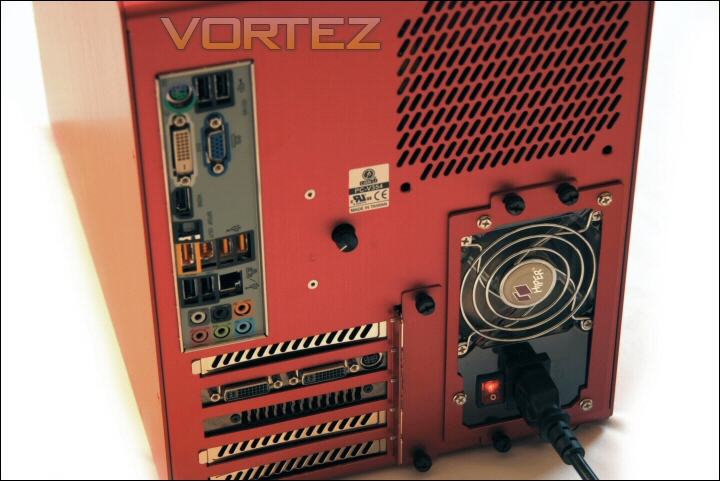
Case rear.
The 120mm red LED fans look particularly good in their matching colours!
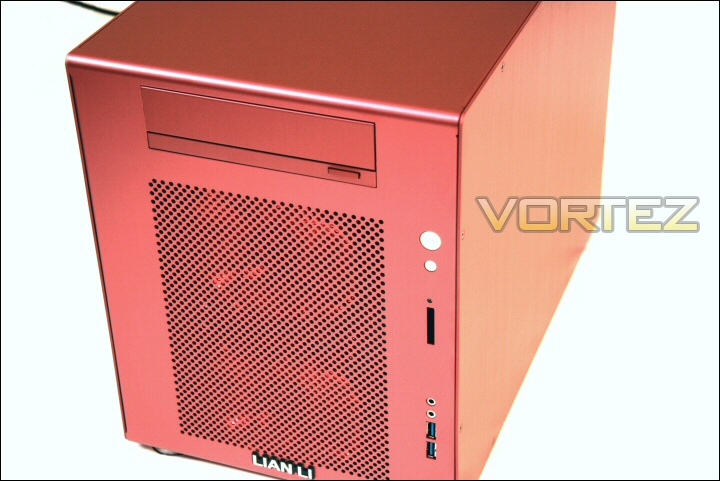
Case front.
Setup and testing
Test setup
| Processor Athlon II X3 440 @ 3ghz Motherboard Gigabyte GA-MA785GMT-UD2H CPU Cooler Cooler Master Hyper TX3 Memory 4GB Corsair 1600MHz DDR3 Graphics Gainward GTX260 Hard Disk Western Digital 250GB SATA PSU Hiper Type-R 580W PSU |
I left the PC to idle until the temperature stabilised (usually 10-15 minutes) and then took a reading. Load temperatures were generated using OCCT’s CPU stress test which loaded the CPU. GPU loading was done using looped instance of Far Cry 2. In both instances the testing continued until the temperature plateaued.
Temperature results
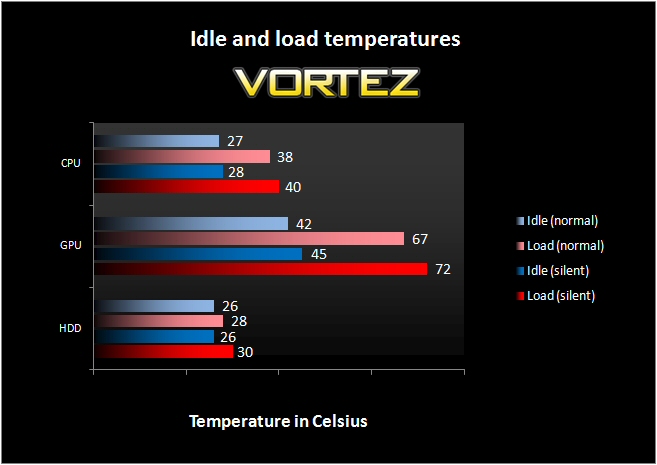
Temperature
Very impressive although with the airflow on offer not much of a surprise!
Sound
Now let’s see how noisy all those fans make the PC-V354. In actual fact the enclosure is quite acceptable @ full tilt. All fans running at 12v are a little intrusive so if you were watching a fairly quiet film it may distract. However, you’d only need the fans running like that if you were stressing the machine by gaming for example. When it needs to be quiet it can be. That speed controller is a godsend in this regard and allows you to throttle the speed (and consequently noise) of the fans.
I found that a little above their lowest setting (perhaps a third on the dial) was perfectly adequate for cooling and virtually silent at the same time.
Another plus point and something I touched on a little while back is that I found no part of the case that resonated or buzzed which is an issue known to plague aluminium cases. I would also say that the rubber feet and mounts peppered throughout the design successfully decoupled vibration generating items.
Conclusion
Lian Li has yet another great case here. The PC-V354 is an incredibly well thought out M-ATX enclosure with some great ‘original’ design touches and some nice new ones.
My first reservation with any Lian Li case at present is the effective price of the unit. At around £150 for this particular red version it commands a price similar to many high class tower designs. Indeed you could get a selection of very decent tower designs for less.
My other concern is that fairly laborious optical drive install routine that can be easily compounded by a premature motherboard installation. I would have also mentioned a lack of direct SSD install support but given that some SSD’s come with 3.5″ adapters it’s not too much of an issue in my eyes.
The truly excellent if somewhat pricy Lian Li PC-V354R
For the remaining features I can’t speak highly enough with excellent fit and finish (probably the best I’ve come across with the company) and a plethora of features offered by a ‘relatively’ compact enclosure.
You want to install seven HDD’s… you got it! You want to run a bleeding edge Xfire or SLi set up… you got it!
Add the fact you can use virtually any high power full ATX PSU and have enough room to install a decent sized CPU cooler (or even water) and the merits of this case seem to outweigh the negatives!
This is almost a ‘jack of all trades’ case. I’d imagine you could use it as a high end gaming rig that you could then take it to a lanparty. Not only that but when you return home you could throttle the fans and use it as an HTPC.
Pros
+ Quiet operation
+ Up to 7 HDD’s can be installed
+ Ability to accommodate serious top end GPU’s
+ Outstanding thermal performance
+ Excellent fit and finish
+ Great looking
Cons
– It is not cheap
– Optical drive install could be easier
+ Quiet operation
+ Up to 7 HDD’s can be installed
+ Ability to accommodate serious top end GPU’s
+ Outstanding thermal performance
+ Excellent fit and finish
+ Great looking
Cons
– It is not cheap
– Optical drive install could be easier
So there you have it – The Lian Li PC-V354 is a truly fabulous case that is somewhat let down by a hefty price tag. As a result of this I give the PC-V354 our (still very impressive) Silver award.