A gaming keyboard from SteelSeries that can be altered in both appearance and functionality. Z board eat your heart out!
Product on Review: SteelSeries Shift
Manufacturer and Sponsor: SteelSeries
Street Price: £77 / €90 / $124
Just a few weeks ago SteelSeries announced the Shift gaming keyboard. A versatile gaming peripheral with a difference. Not only are you able to change the visual appearance of the keyboard by swapping out the keyset but you can switch the functionality too. Gamers also have the choice of accessing on-the-fly macro recordings with 8 hotkeys in 3 unique layers. Resulting in 24 options. Commands can be rerecorded and assigned to a single key.
With many more features in the bag, lets waste no more time and take a look at this new release from SteelSeries.

SteelSeries Take:
Shift the rules. Winning is everything. The SteelSeries Shift is the gaming keyboard designed to change and adapt to real-time strategy (RTS), and massively multiplayer online (MMO) games through interchangeable keysets. Powered by SteelSeries Engine software, the SteelSeries Shift provides gamers with predefined game mods and an intuitive layout of the most common commands and actions for specific game genres and titles. With the functionality to customize every key on the keyset, on-the-fly macro recording, and the anti-ghosting of up to 7 simultaneous keystrokes, the SteelSeries Shift is designed to help in the mastery of any game.
Specifications
Weight 1800 gram / 4 lbs
Height 260 mm
Width 520 mm
Depth 65 mm
– Multiple layers of full keyboard customization
– On-the-fly macro recording with 8 specific hotkeys in 3 unique layers
– Bar and Pad Lock allow additional layers of mapping on the F and NUM Pad keys
– Access to media controls directly on the keyboard
– Anti-ghosting up to 7 simultaneous keystrokes
– Fine-tuned heat spots for frequent key strokes
– Gold plated microphone-in and audio-out ports, two 2.0 USB ports (one powered)
– 3 height settings with adjustable, rubberized feet
– Gaming Grade lifecycle of 15 million keystrokes per key
Closer Look (1)
Continuing the SteelSeries product branding we have come to know in the past, the Shift comes in an elongated box. Styled in black and grey there is a large impression of the Shift on the face of the box. A smaller image of one of the prominent features and on the reverse a run-down of the features – including a diagram of the keyboard, picking out important features and explaining their usage leaving you in no doubt what they are there for.
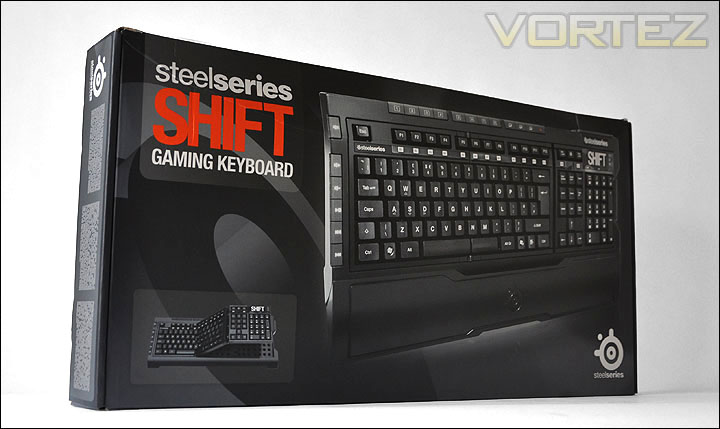
SteelSeries Shift packaging
Within the box there is a small selection of pamphlets – a sticker, product manual, software instructions and product catalogue. Aside from the informative items, there is the inclusion of an attachable wrist-wrest to prevent any RSI.
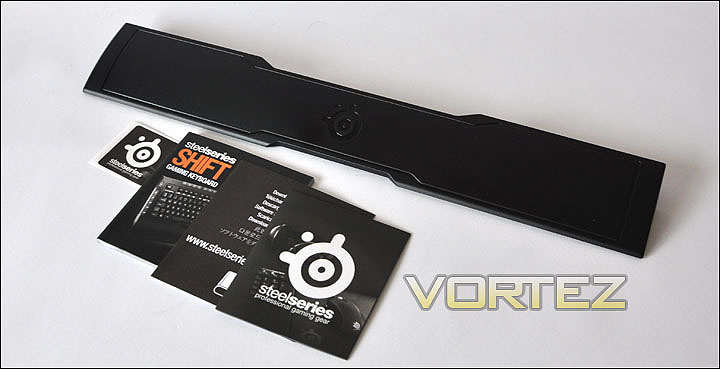
Inside the packaging, leaflets and wrist-wrest.
The Shift follows the traditional layout of the keyboard. It’s described by SteelSeries as an ‘original gaming keyboard’ in fact. Where this keyboard differs from the conventional keyboard visually is the additional buttons along the edges – left hand-side (multimedia) and top (macro). There is another significant difference too. The space bar is also split into two independent keys. The reason this is so is to allow the keyset to fold into the 3 different sections.
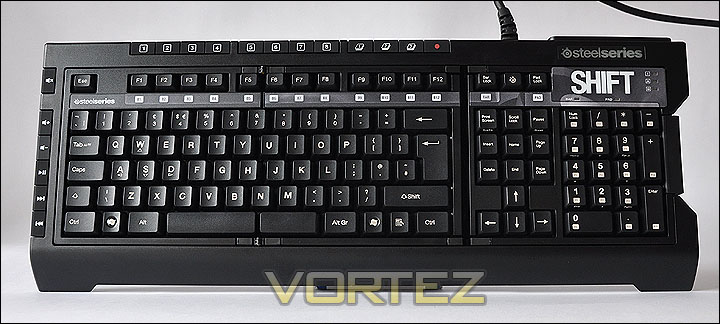
Keyboard layout similar to the conventional board but with subtle changes
Flipping the board over we can see the Shift has a solid structure. Even holding the keyboard in your hands you will be confident that this board has strong construction and is weighty. There are lots of screw holes on the back panel with two feet to alter the height of the Shift.
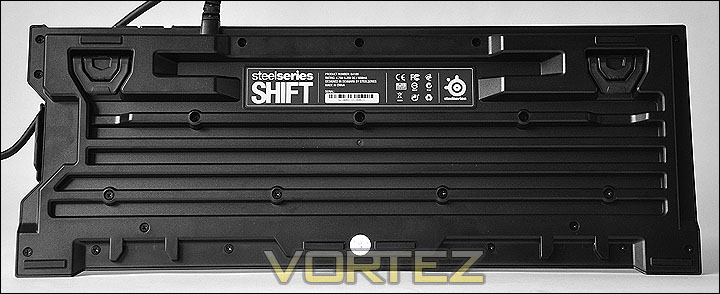
The back of the Shift, solid construction with adjustable height
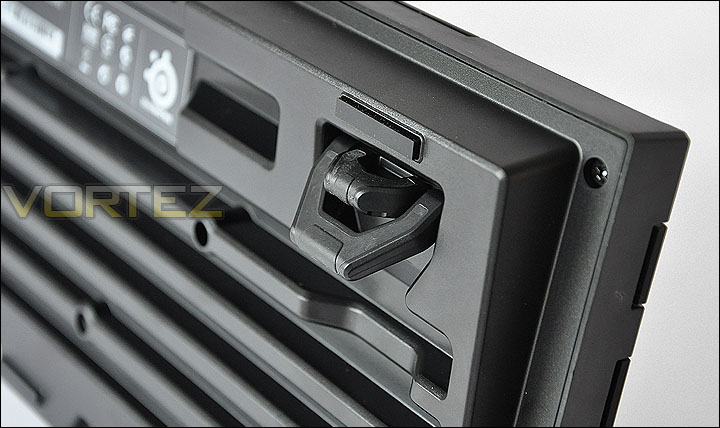
Paramount to the Shift’s feature-set is the interchangeable keysets. By this, we are able to switch to another keyset by simply unclipping the rubberised lever on the side of the board. When this has been unclipped, the keyset folds into 3 sections and can be completely removed.
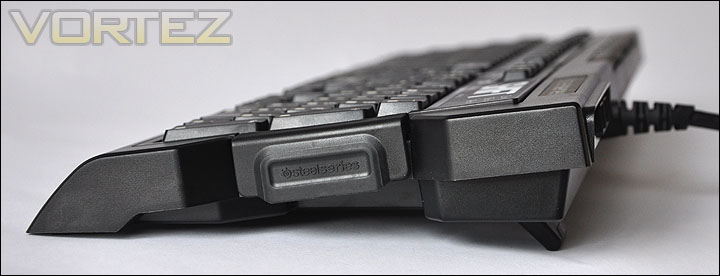
Rubberised level on the side of the Shift and side profile
No matter what your genre of game is, the idea with the Shift is that you can swap these keysets to a different design – all available from SteelSeries and eventually etailers. The Medal of Honor version is available now:
http://shop.steelseries.com/index.php/keyboards/steelseries-shift-keyset-medal-of-honor.html
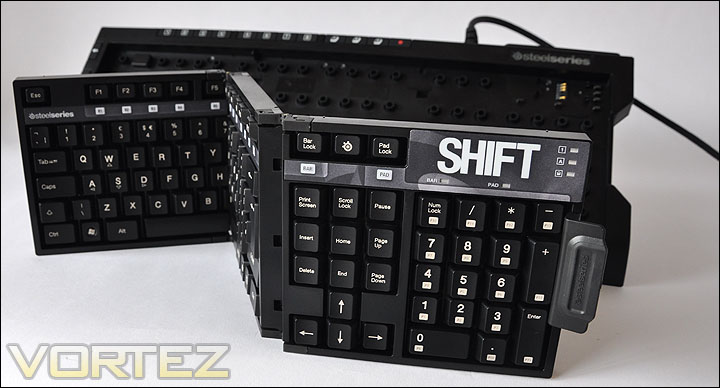
Keyset is interchangeable. Different designs are available at SteelSeries
Closer Look (2)
As already mentioned, along the edges there are additional keys on the Shift. On the left hand side quick access multimedia keys to manage things like volume, pausing, next and previous track as well as the especially useful mute key.
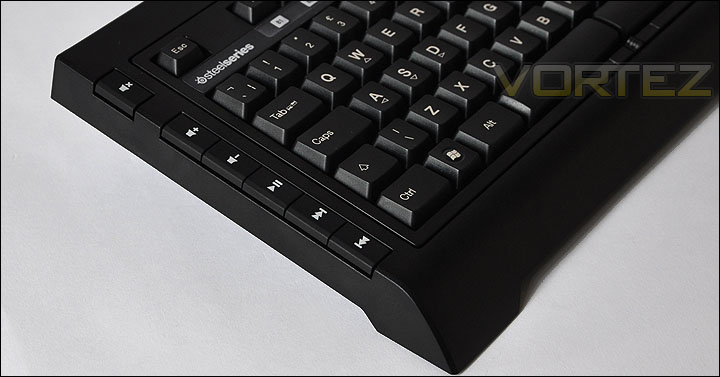
Multimedia keys for on-the-fly management of things like volume
On the topside of the Shift we have up to 8 keys for macros, and 3 buttons for controlling layers on the keyboard. The key with the red circle printed on it below, allows for the recording of particular actions. With 3 layers and 8 macro buttons there is a access to a total of 24 keys.
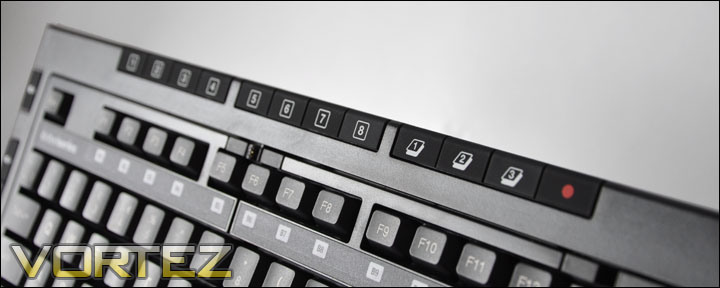
8 macro buttons along the top with access to 3 layers and a record macro button
The keys around the Numpad area are fairly standard although there are ‘Bar Lock’ and ‘Pad Lock’ buttons. The Bar Lock buttons are in fact what you would commonly call the F buttons underneath an additional layer whilst the Pad Lock buttons are located in the Numpad area again under a separate layer. There is a key with the SteelSeries emblem printed on it. This button when pressed launches the SteelSeries Engine software. NOTE: you do need to download this from the SteelSeries website. We will take a look at this in the next section.
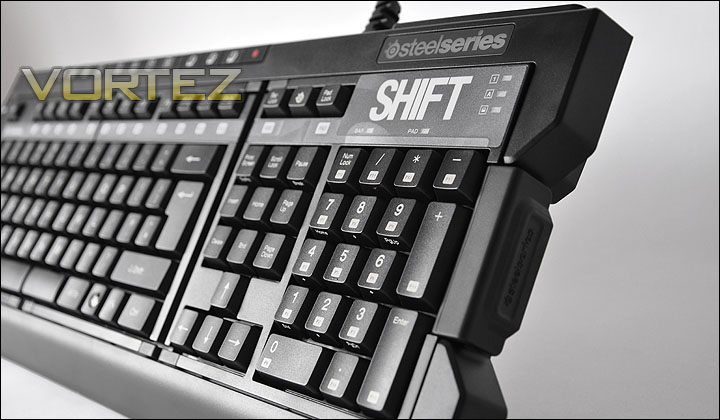
Numpad with LED indication above
There are two feet on the underside of the Shift. These feet allow the height of the keyboard to be changed at 3 different levels giving you the choice. Quite a novel idea for a simple function.
Feet that allow the option of 3 different heights
The Shift also gives you even greater functionality because onboard are two USB2.0 ports. Audio input sockets are also present, allowing you to easily slot in headphone and microphone jacks.
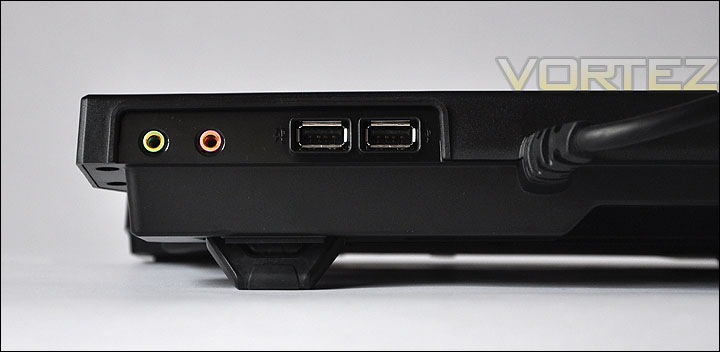
Audio and USB functionality multiplying use of devices
Gold plated cables for both USB cables and headphone-in and microphone-out. On the USB cables there are EXT and K/B labels. The EXT is for powering the 2 mounted USB ports and the K/B is for powering the actual keyboard. All of these cables sprout from a neat looking rubber hub.
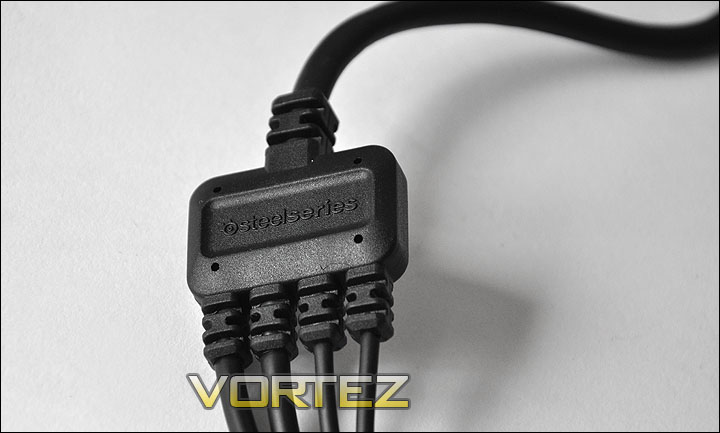
Hub holding all 4 cables
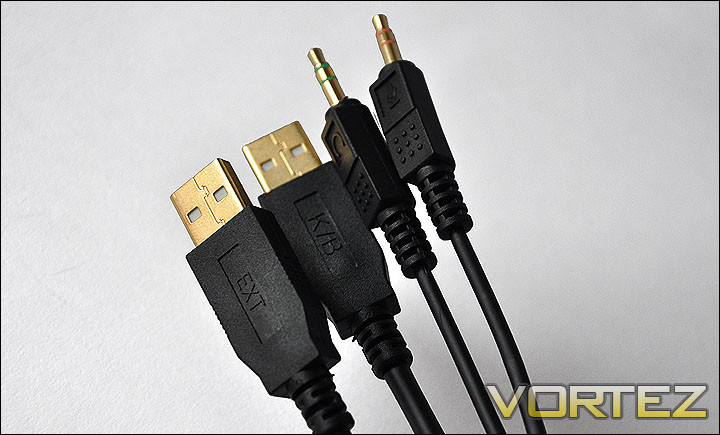
Gold plated cables throughout
Software – SteelSeries ENGINE
You may have already noticed that the Shift does not come with any bundled software as such. There is a leaflet within the packaging however that points you to the website to download drivers and software. So upon testing the Shift, I took a quick visit to:
http://steelseries.com/support/downloads
Within a short space of time, the software – named SteelSeries ENGINE was installed and I was ready to customise the Shift. Now what I will say from the outset is that this software isn’t as intuitive as it could be. It took a little longer than expected investigation to get tweaking the Shift board – but as SteelSeries did claim, this board is full customisable. There seem to be no bounds at all with the mapping of keys to commands and macros. The use of layers is especially useful if you happen to run out of keys to assign commands to!
Below is the main screen that you are presented with upon launching the SteelSeries ENGINE. An overview of the keyboard is shown. From the bottom of the page you are able to choose between what layer you want to alter on that particular key. To the left hand side is the profile – so you can have multiple profiles setup. This is great if you take part in varied genres as not all games follow similar commands or layouts.
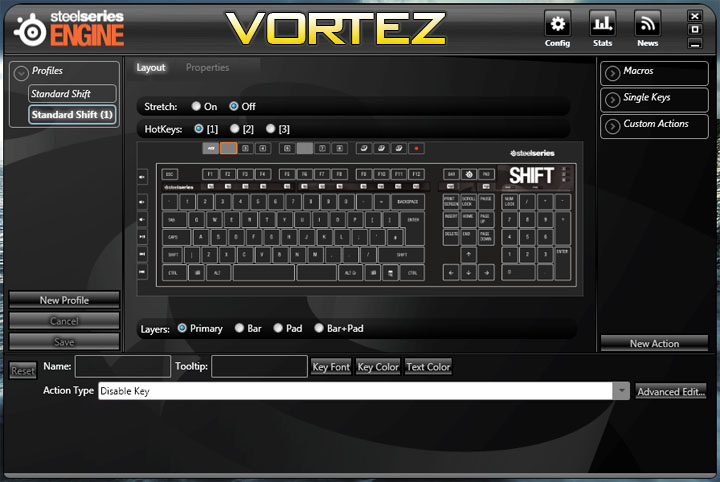
The main screen you are presented with upon launching the software
To test out the usability of this software I experimented with assigning keys, macros and commands. Shown below, I assigned the key [1] at the very top of the keyboard to launch a game installed on the test system. So when pressed, this key will launch the execute file for Assassin’s Creed 2. Very handy! It’s simple to setup, all you do is select the key, choose from the dropdown ActionType list whether you want to assign a macro or application launch and then specify the path. You can also label the key, colour it and change the font which is a neat feature to distinguish certain regions on the keyset.
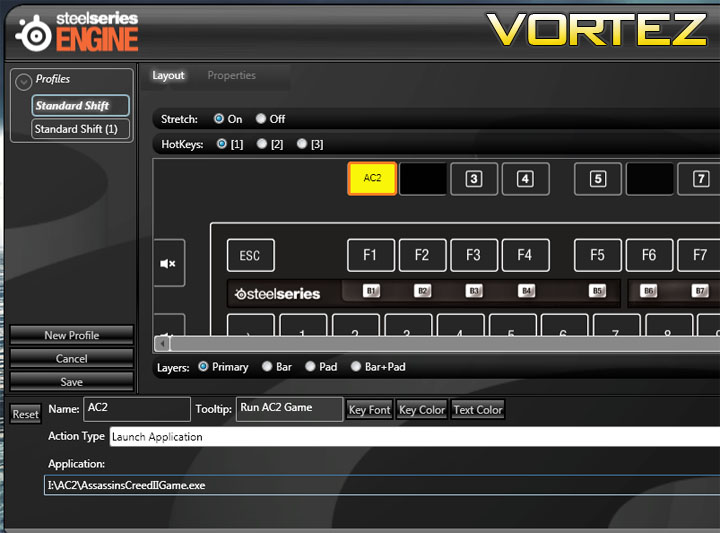
Assigning a key to launch an execute file
Another element of the software that is worth a look is the ability to launch a profile against a game or EXE. This as I have mentioned is very handy because you could have a profile set up for World at Warcraft. So when the game launches, a profile is activated especially designed by yourself and then another profile can be set for Medal of Honor – when this game is launched a completely different profile is activated. And so it is evident that with the Shift there are many facets to its ability within the software. Not only can you tailor the choice of commands to specific profiles across different games, but you can have these profiles launch when the game is launched, this is a very useful and innovative feature.
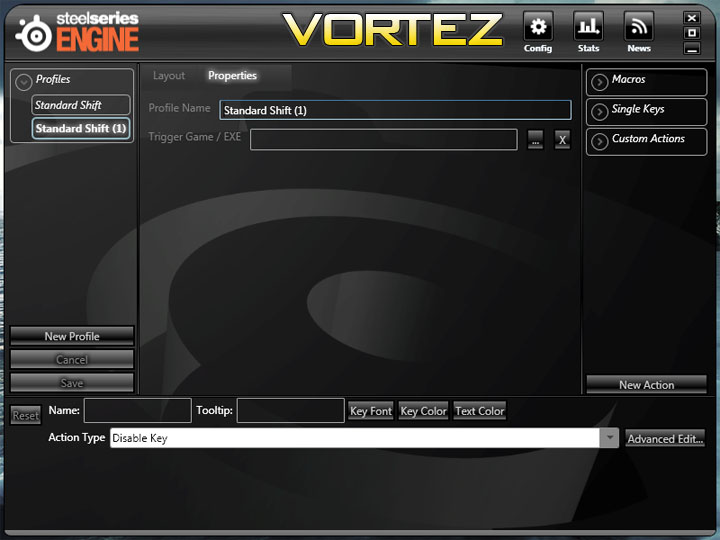
Profiles can be activated upon launching your favourite games
Performance
There are no hard and fast rules for determining if a gaming peripheral is better than another but I have thoroughly tested the Shift over a period of 3 days in order to give quality feedback both in-game and within Windows.
Windows based tasks
Whilst the Shift is categorised as a gaming keyboard, there is no hiding that this keyboard will be used in the Windows environment to type messages, web addresses and other such tasks. I used the Shift for general web browsing and talking to friends over Live Messenger. Using the keyboard in this environment reveals the keys have soft feedback to them. One thing that seriously disadvantaged quick and efficient typing was the un-needed length of the caps lock key. The letter ‘A’ which is beside this key is frequently used because it is a vowel and I forever found myself accidently knocking the caps key which inevitably forces all proceeding keys into upper-case format. It became quite a hindrance. On a traditional keyboard as shown below the caps has a cut-out or is smaller in length so that it doesn’t interfere with fast touch typing. SteelSeries ought to have thought about this prior to producing the Shift, I know this is a small request, but it has big implications and can be adjusted so easily without too much hassle.
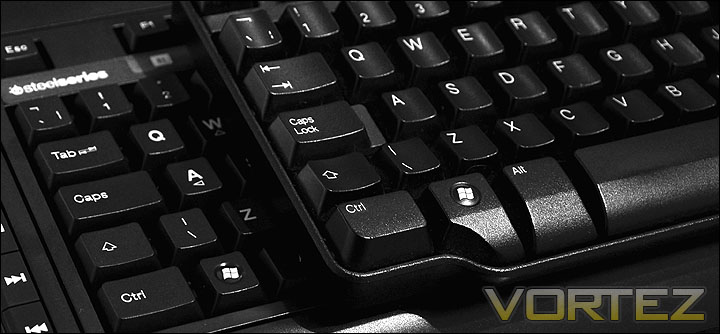
Dell keyboard on top of SteelSeries Shift. Showing the caps keys are different
The multimedia buttons on the side of the Shift are a nice touch, using these whilst watching YouTube, listening to music or watching a movie reveals just how useful they truly are.
Gaming
This is where the Shift shines, being a gaming keyboard its only fair that the Shift has a chance to flex its muscles in the gaming arena. Standard games became very easy throughout, applying some macros and adjusting a few commands through layers was very easy via the SteelSeries ENGINE software. To put the Shift through its paces I played Call of Duty Modern Warfare 2 for many hours. I assigned buttons surrounding the WASD area with commands such as throw grenade, flash bang and change class. Without any hassle at all these simple tasks were made possible.
The Shift is a solid unit, it rests comfortably on the desk and with the 3 levels of height adjustment on the feet you can adjust the keyboard to whatever height is best for you.
Conclusion
If you ever wondered what it would be like to have a keyboard that knows no limits then the Shift will be right up your street. With customisation as one of the Shift’s strongest features, SteelSeries has brought to the market a versatile gaming peripheral. No longer are you bound to just the one layer of customisable keys, but with the handy inclusion of layers there are now even greater options for assigning commands and macros to the keyboard.
The Shift is a practical gaming solution too. The keysets can be quickly and easily swapped out for a keyset of your choice available from the SteelSeries website. The software if at first overwhelming – provides an all-inclusive adaptation. One of the aspects about the software that I found very interesting was the ability to store separate profiles and have these profiles activate when a specific game is launched. The software did have trouble changing certain aspects of the profile diagram as I mentioned in the Software section of this review and I think the overall look and organisation of the GUI could be improved slightly to provide a more helpful experience.
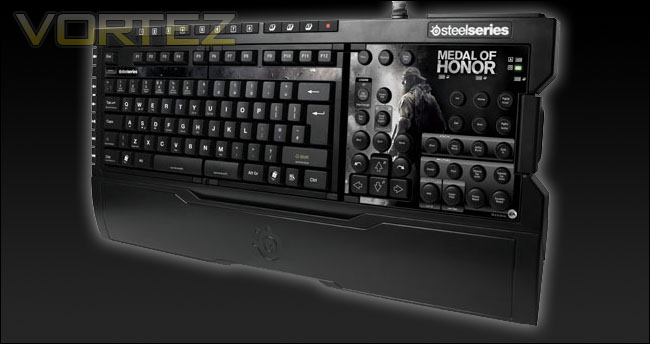
At £77 / €90 / $124 the Shift, compared to other keyboards on the market like the G15 from Logitech for example could be deemed as expensive. These features whilst innovative, aren’t revolutionary. Other keyboards do have similar features for a smaller price-tag. If the Shift found itself at around the £50 mark or less it would make it a worthwhile consideration but as it stands its rather steep. What I would say about the Shift is that it does come with a wealth of features and has gaming grade materials throughout not only making it have a strong makeup but allowing it to withstand a phenomenal 15 million keystrokes per key. (A typical keyboard withstands between 1-5 million keystrokes per key) and as with most products I’m sure the set price will alter slightly as the weeks pass by, hopefully in the consumers direction because at the moment it isn’t doing it any favours!
Pros
+ Extremely customisable
+ Innovative features within Software
+ Reasonable price tag
+ Good quality, durable
Cons
– Poor caps key design spoils typing
– Software could be more intuitive
– More expensive than similar alternatives
+ Extremely customisable
+ Innovative features within Software
+ Reasonable price tag
+ Good quality, durable
Cons
– Poor caps key design spoils typing
– Software could be more intuitive
– More expensive than similar alternatives