We’ve already put the Logitech G513 with the Romer-G switches through its paces, so will the G513 with GX Blue switches be just as good?

Product on Review: Logitech G513 – GX Blue
Manufacturer: Logitech
Street Price: £159 / $149 / AU$ 175
Back in July of this year, we reviewed the Logitech G513 with the tactile and linear Romer-G switches, this time around we’ll be taking a look at the GX Blue variant. This version shares an identical feature set to the Romer based keyboards with the only difference being the mechanical GX switch instead of the Romer-Gs.
If you are unfamiliar with Logitech’s Romer-G switches, then we will explain by comparing them with the leading manufacturer of mechanical switches. Their Romer tactile switch is similar in feel to the Cherry MX Browns, the linear is comparable to the MX Red, and the GX Blue is akin to the MX Blue. This is a not an apples-to-apples comparison, but it does paint a picture to what the Romer-G are like, and though similar they aren’t identical and they do all have their own unique character traits that make them different to use.
Switches aside for a moment, the G513 has a very well thought and abundant feature set, some notable ones include an Aircraft-grade Anodised AI Mg (aluminium-magnesium) Alloy top deck, 1ms report rate, LIGHTSYNC RGB, a lavish memory foam wrist rest and a USB pass-through, just to mention a few.
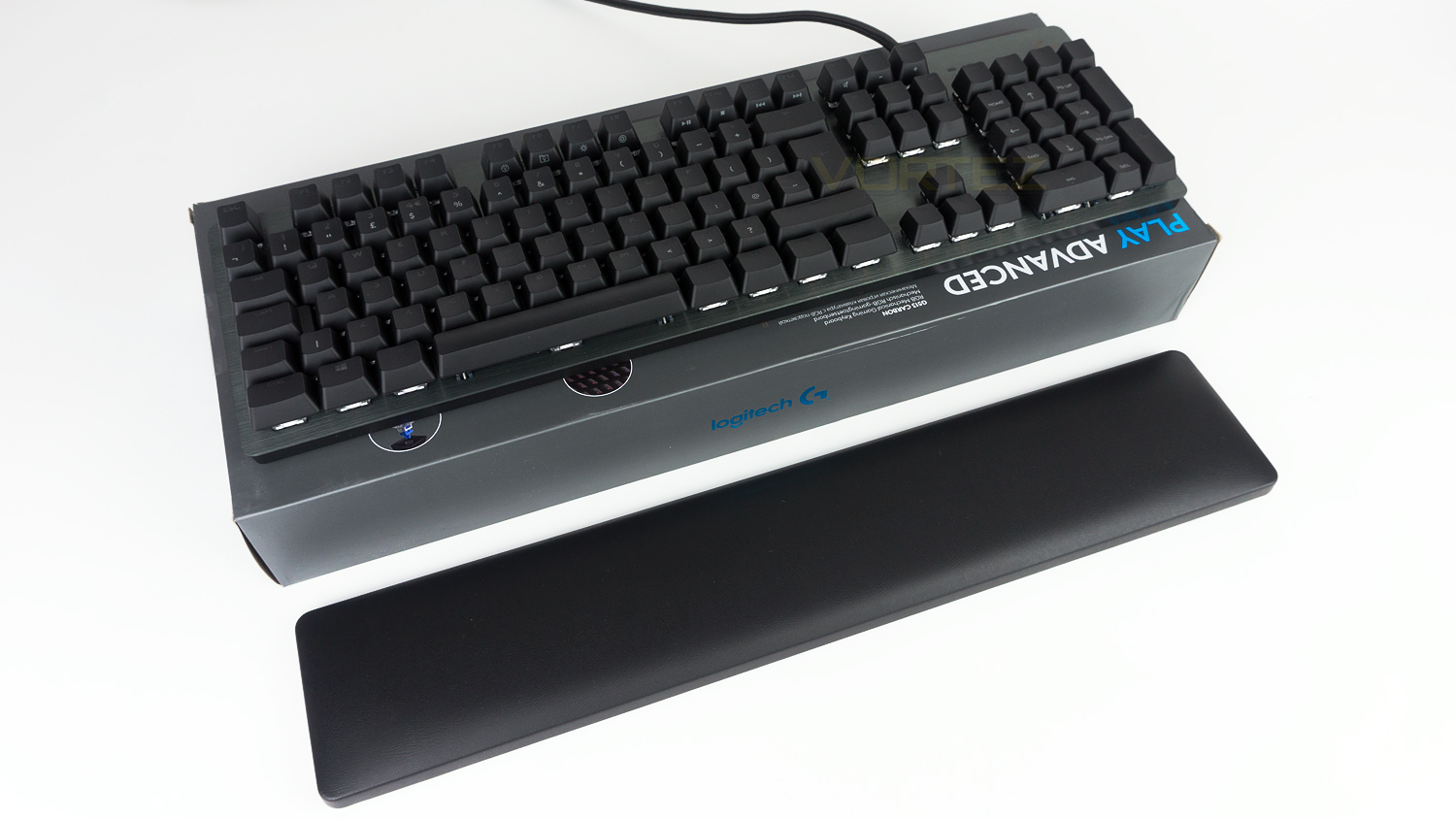
Manufacturer on the product:
G513 is a high-performance gaming keyboard featuring your choice of advanced Romer-G Tactile, Romer-G Linear and GX Blue mechanical switches. The detachable, memory-foam palmrest and premium aluminum-alloy construction make G513 full-featured and best-in-class.
Technical Specifications
Keyboard Specifications
Connection Type – USB 2.0
USB Protocol – USB 2.0
Indicator Lights (LED) – 2
USB Ports (Built-in) – Yes, 2.0
Backlighting – Yes, RGB per key lighting
Special Keys –
Lighting Controls – FN+F5/F6/F7
Game Mode – FN+F8
Media Controls – FN+F9/F10/F11/F12
Volume Controls – FN+ PRTSC/SCRLK/PAUSE
Programmable FN keys via Logitech Gaming Software
G513 GX Blue Keyboard Dimensions
Keyboard dimensions – H: 132mm W: 455mm D: 35.5mm
Weight – (w/o cable): 962 g
Cable – 1.8 m
Palmrest dimensions
H: 88mm W: 445mm D: 21.5mm
GX Blue Mechanical Switches
Durability – 70 million keypresses
Actuation distance – 1.9mm
Actuation force – 45 g
Total travel distance – 4.0mm
Warranty Information
2-Year Limited Hardware Warranty
System Requirements
Windows® 10, Windows 8.1, Windows 8, Windows 7
USB port (for keyboard)
Second USB port (for USB passthrough port)
(Optional) Internet access for Logitech Gaming Software
Requires LGS 8.98 or higher for advanced settings.
Connection Type – USB 2.0
USB Protocol – USB 2.0
Indicator Lights (LED) – 2
USB Ports (Built-in) – Yes, 2.0
Backlighting – Yes, RGB per key lighting
Special Keys –
Lighting Controls – FN+F5/F6/F7
Game Mode – FN+F8
Media Controls – FN+F9/F10/F11/F12
Volume Controls – FN+ PRTSC/SCRLK/PAUSE
Programmable FN keys via Logitech Gaming Software
G513 GX Blue Keyboard Dimensions
Keyboard dimensions – H: 132mm W: 455mm D: 35.5mm
Weight – (w/o cable): 962 g
Cable – 1.8 m
Palmrest dimensions
H: 88mm W: 445mm D: 21.5mm
GX Blue Mechanical Switches
Durability – 70 million keypresses
Actuation distance – 1.9mm
Actuation force – 45 g
Total travel distance – 4.0mm
Warranty Information
2-Year Limited Hardware Warranty
System Requirements
Windows® 10, Windows 8.1, Windows 8, Windows 7
USB port (for keyboard)
Second USB port (for USB passthrough port)
(Optional) Internet access for Logitech Gaming Software
Requires LGS 8.98 or higher for advanced settings.
Packaging & First Look
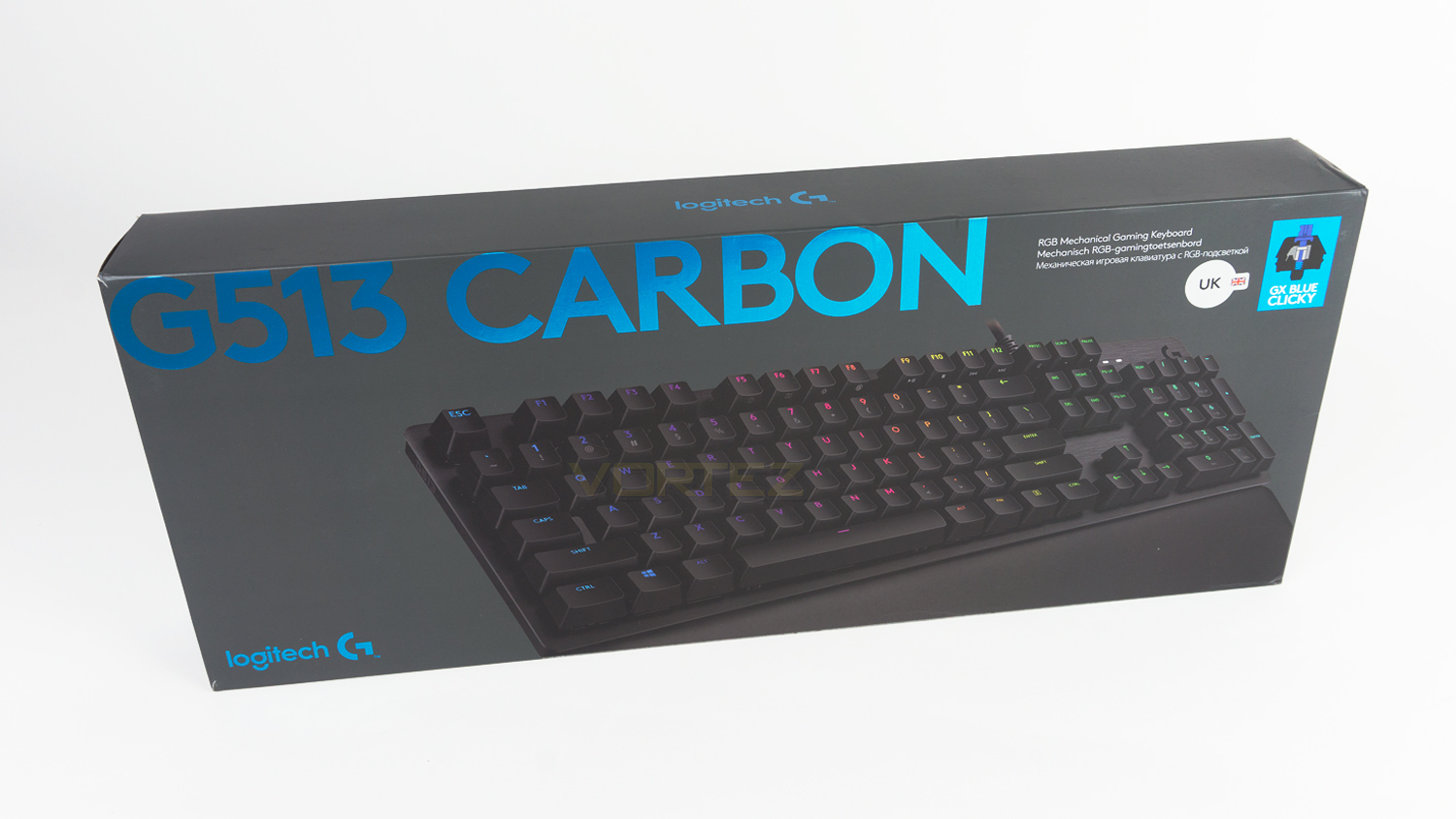
We like Logitech’s way of presenting boxes, the front is clean and isn’t too fussy. We also like how the switch type is pictured along with a sticker that displays the layout, so you know for sure which keyboard you’ve got without the need to look further.
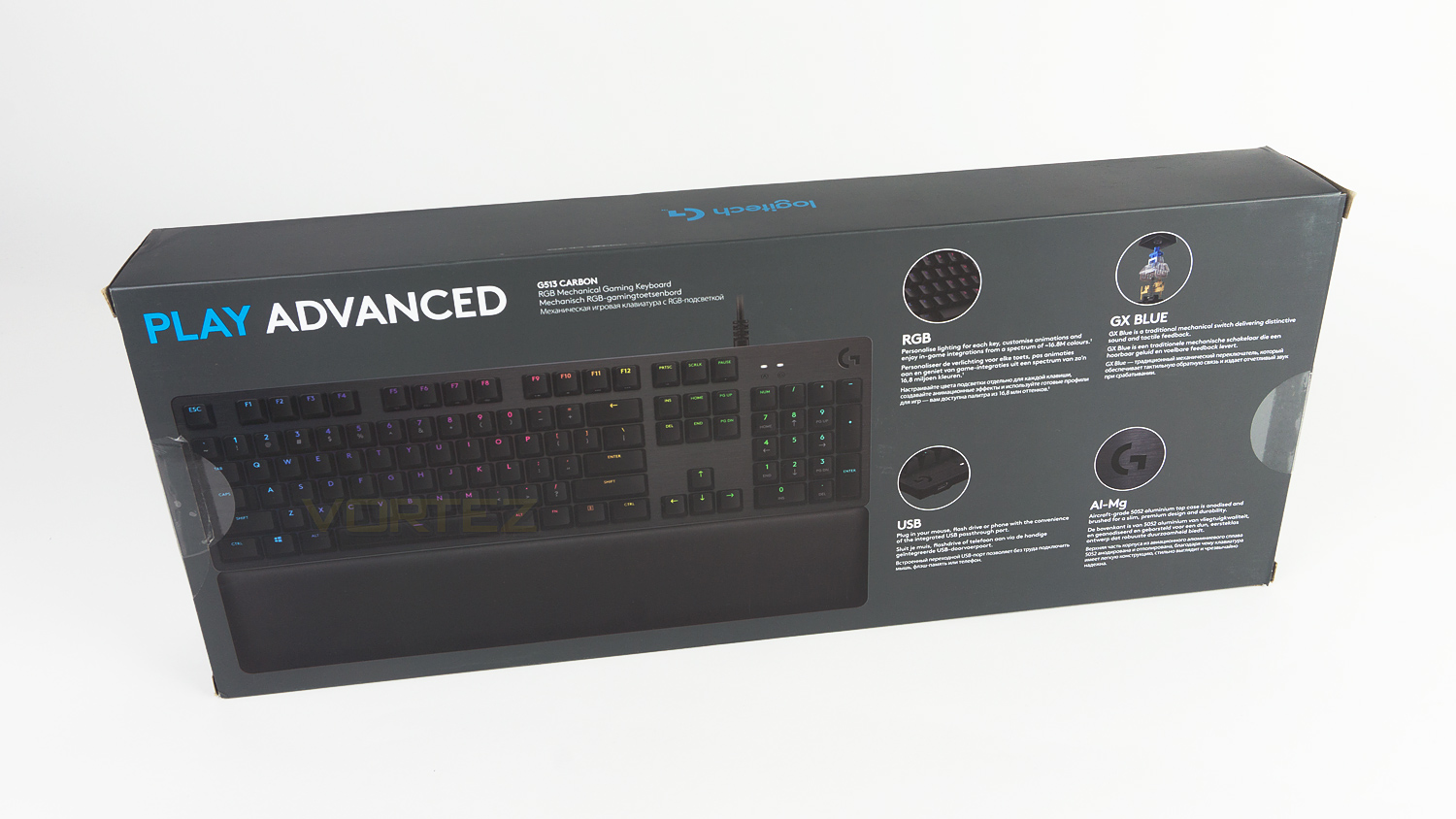
Turn the box to the pack, and there is a good amount of information that is clear and concise, its also displayed in multiple languages which is nice.
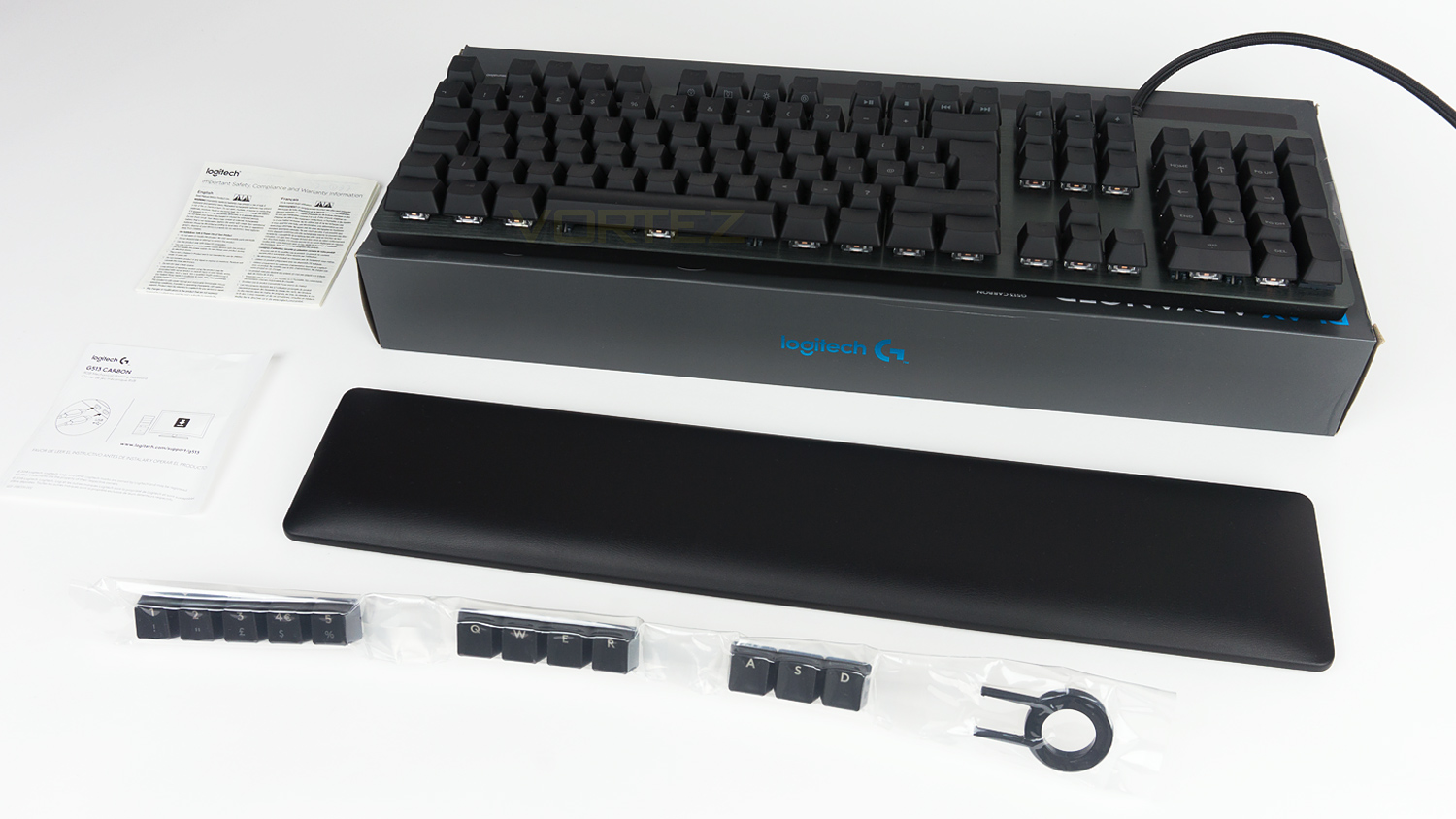
Within the packaging, there is the G513 along with a keycap puller, the palm rest, the documentation and a set of keycaps that are designed for gaming. We would have liked to have seen some sort of storage though to keep the spare keycaps safe when not in use. You can, however, store them inside the box, but it does mean keeping it out if you wish to swap them over.
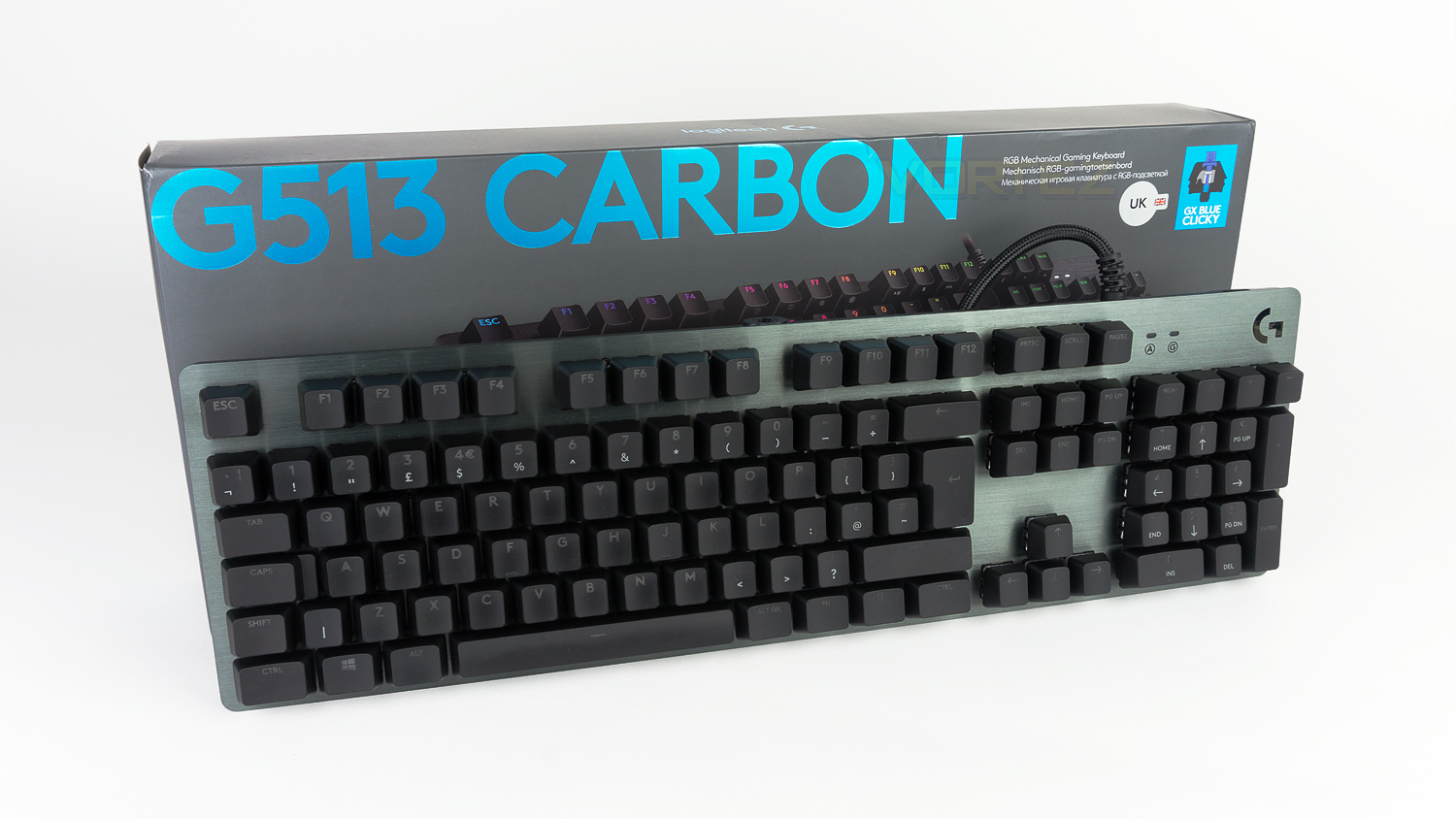
The G513 is a stylish keyboard, the brushed Anodised AI Mg top deck looks very premium and adds a real touch of class to the design. Branding is kept minimal which is great and means that this wouldn’t look out of place in a gaming setup or even in an office environment.
Closer Look
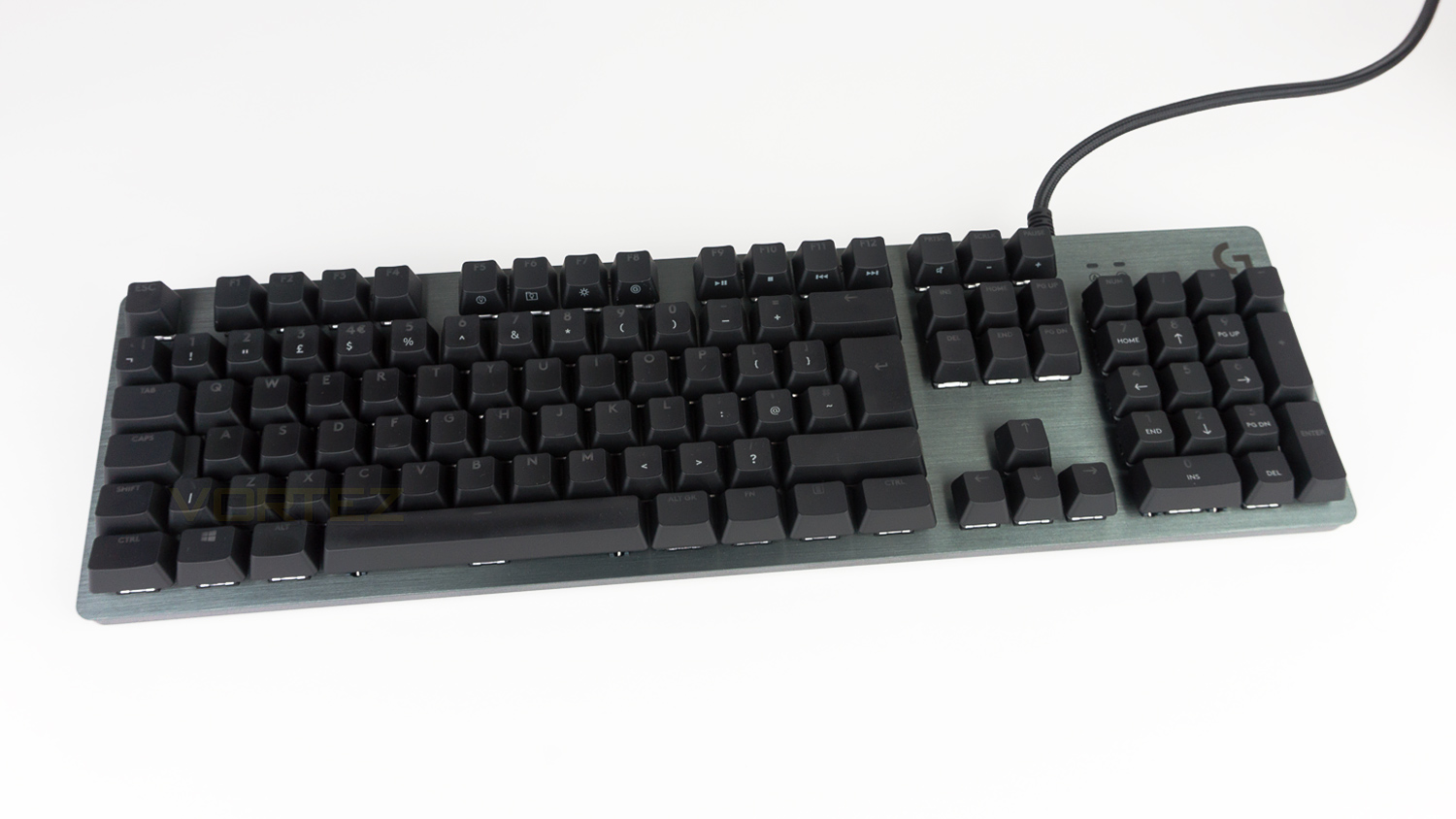
The Logitech G513 is a full-sized keyboard with dimensions of H: 132mm W: 455mm D: 35.5mm, this is fairly large, and it does eat up a lot of desk real estate, so it may not be ideal for those that have an ultra-compact setup.
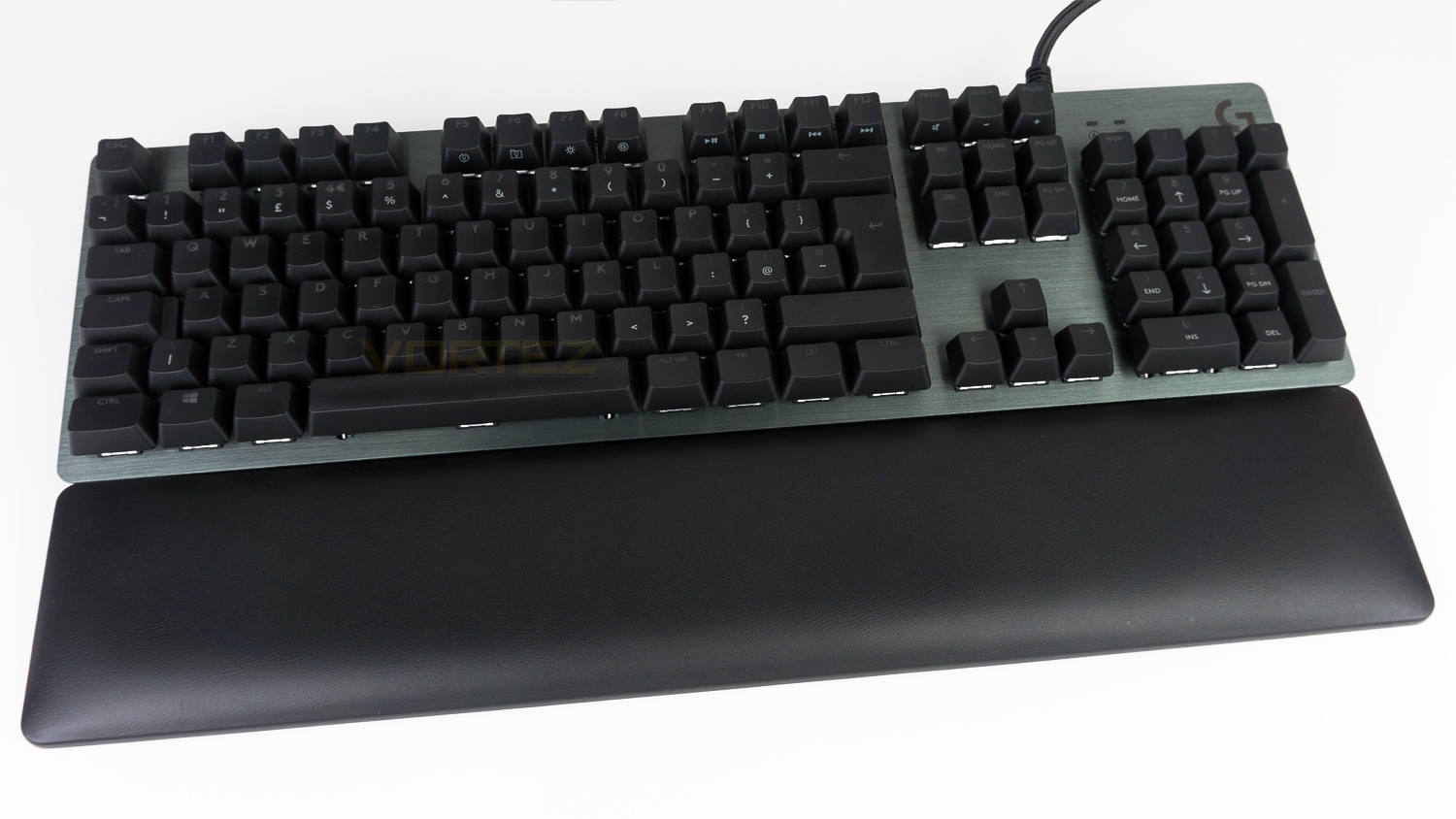
Adding the palm rest does increase the size by 88mm, but it makes the world of difference for typing and gaming, so if you have the room to accommodate it, it’s well worth using. Also noteworthy is the fact that the keyboard doesn’t physically attach to the palm rest meaning it can be positioned to suit your preference.
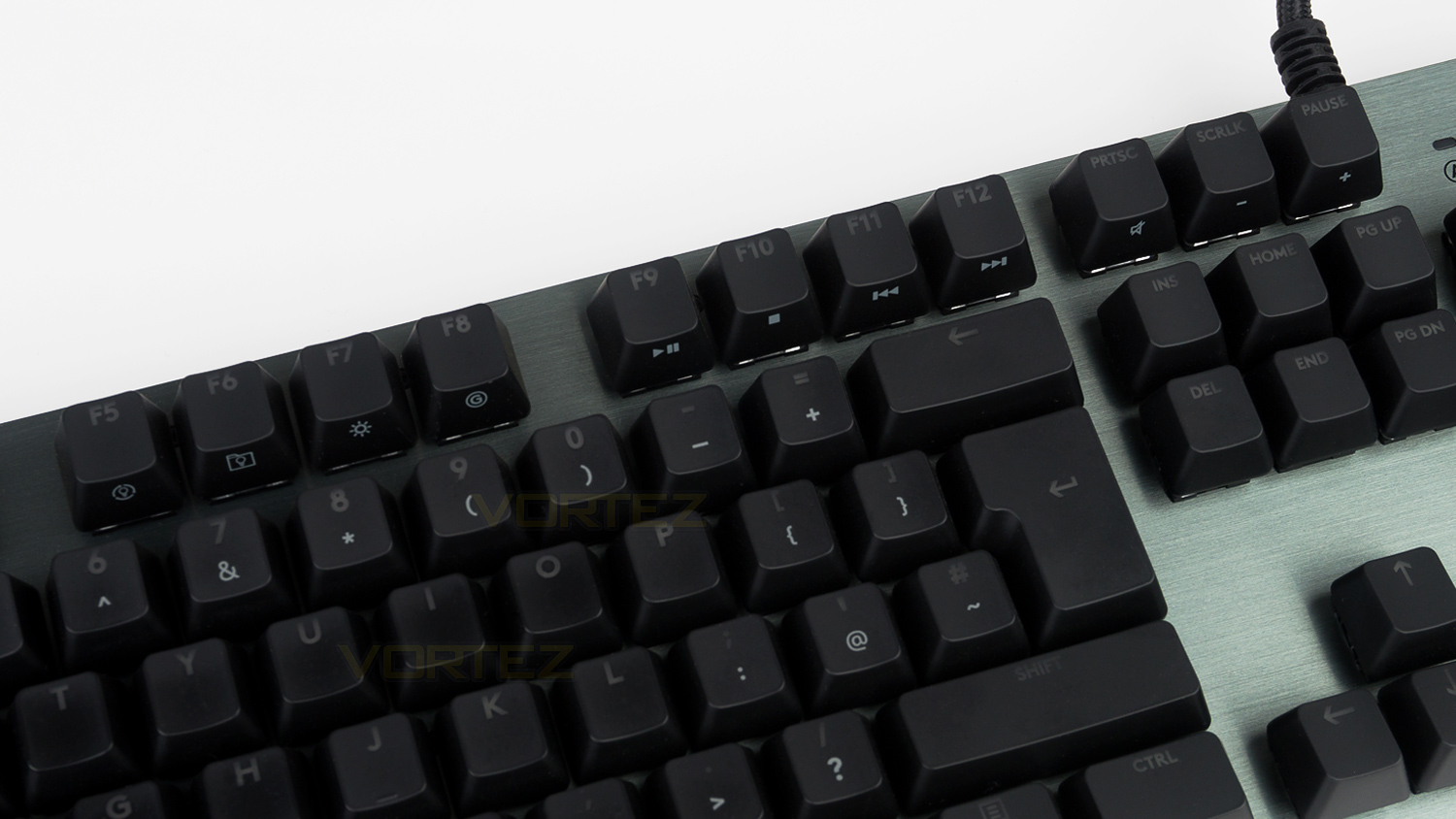
Logitech has added a full row of FN keys to the top of the G513, F1 through to F4 have their usual functions but the rest double as controls for lighting and audio. F9 to F12 double as media controls whereas F5 to F8 can alter the RGB lighting effects. PRTSC, SCRLK and PAUSE also work as controls for audio and allow you to adjust the volume or mute it when pressed with the FN key.
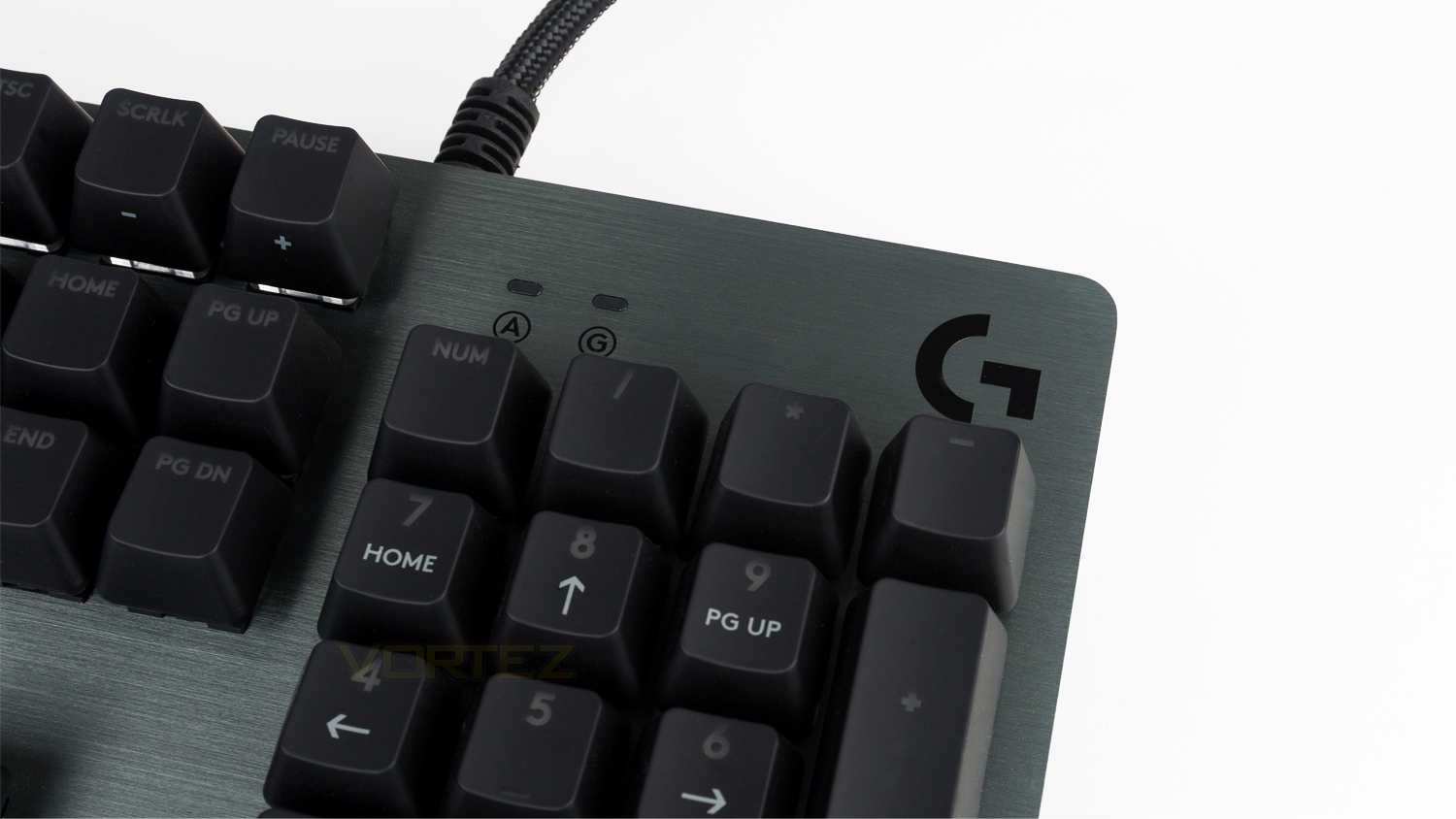
The right side of the keyboard features the G branding alongside two LEDs, one LED is for the caps lock, and the other is for the gaming mode. Missing though are the LEDs for the Num lock and Scroll lock.
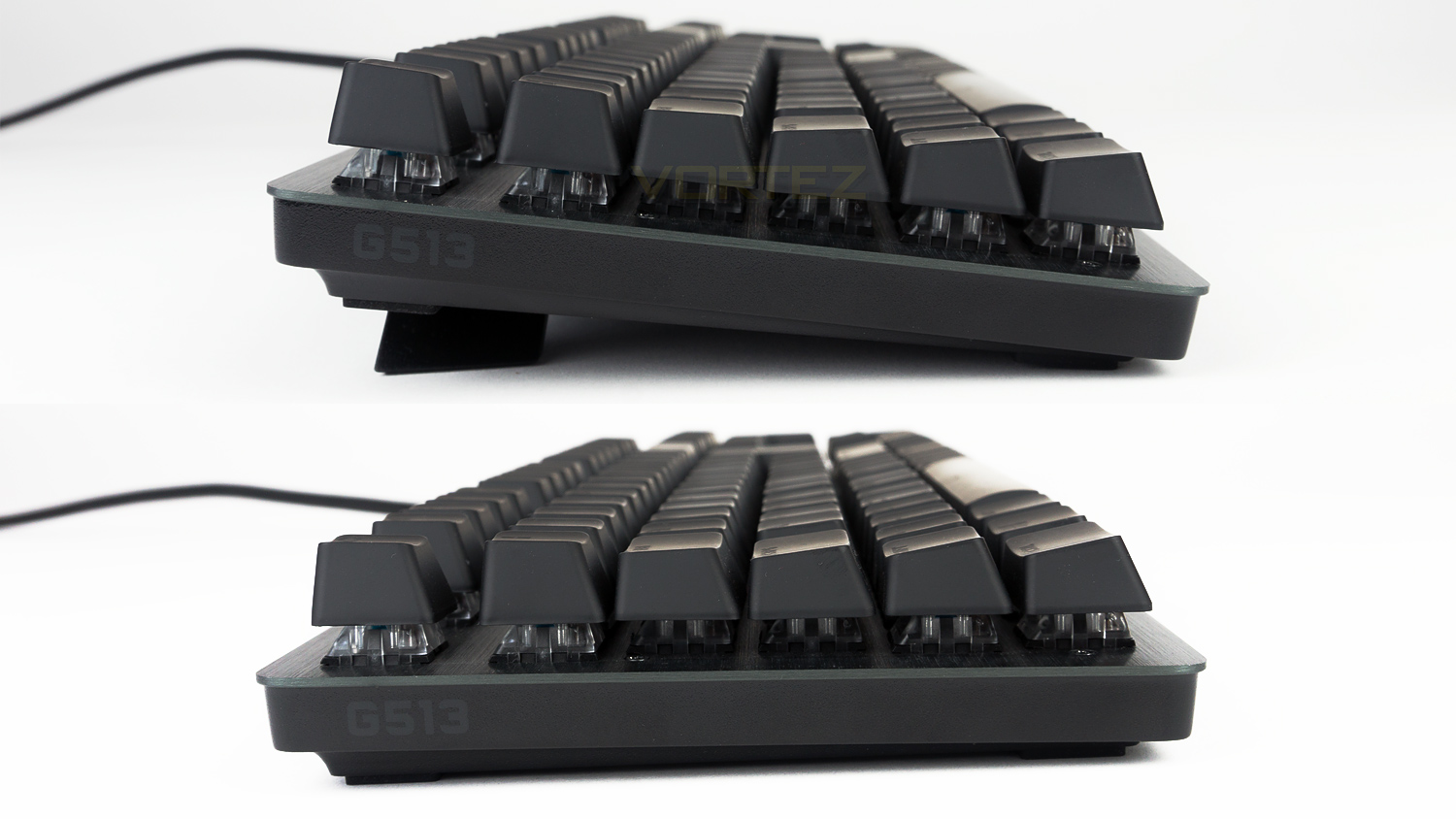
On the left edge of the Keyboard, there is the G513 model name, here you can also see the feet which when utilised take the height of the keyboard from 17mm up to 30mm.
Closer Look (Continued)
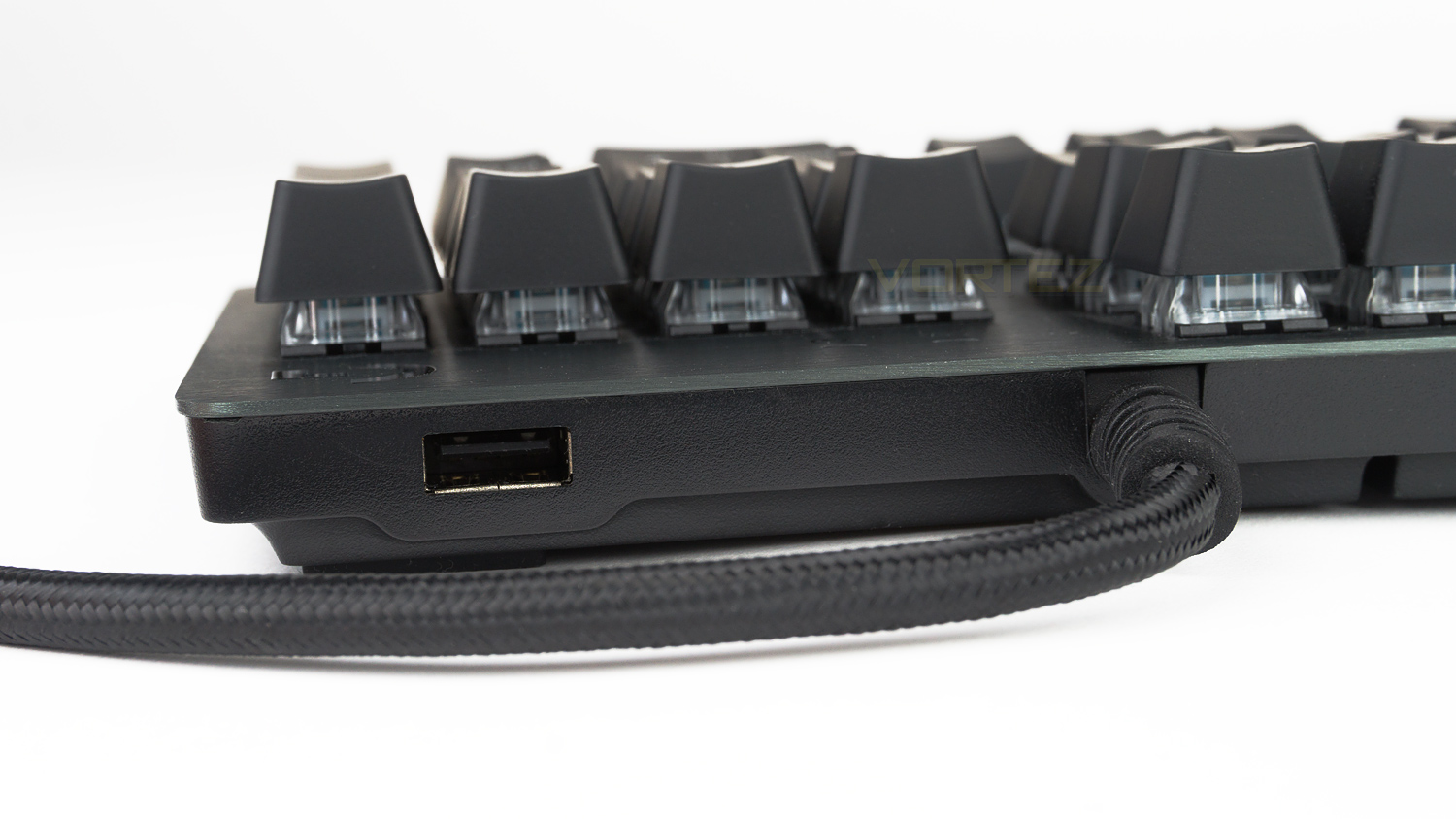
On the top edge of the keyboard, there is a single USB pass-through which is only 2.0, it would have been nice to have seen a 3.0 so that this could have been used for external storage drives, but the 2.0 will be fine for connecting a mouse or headset.
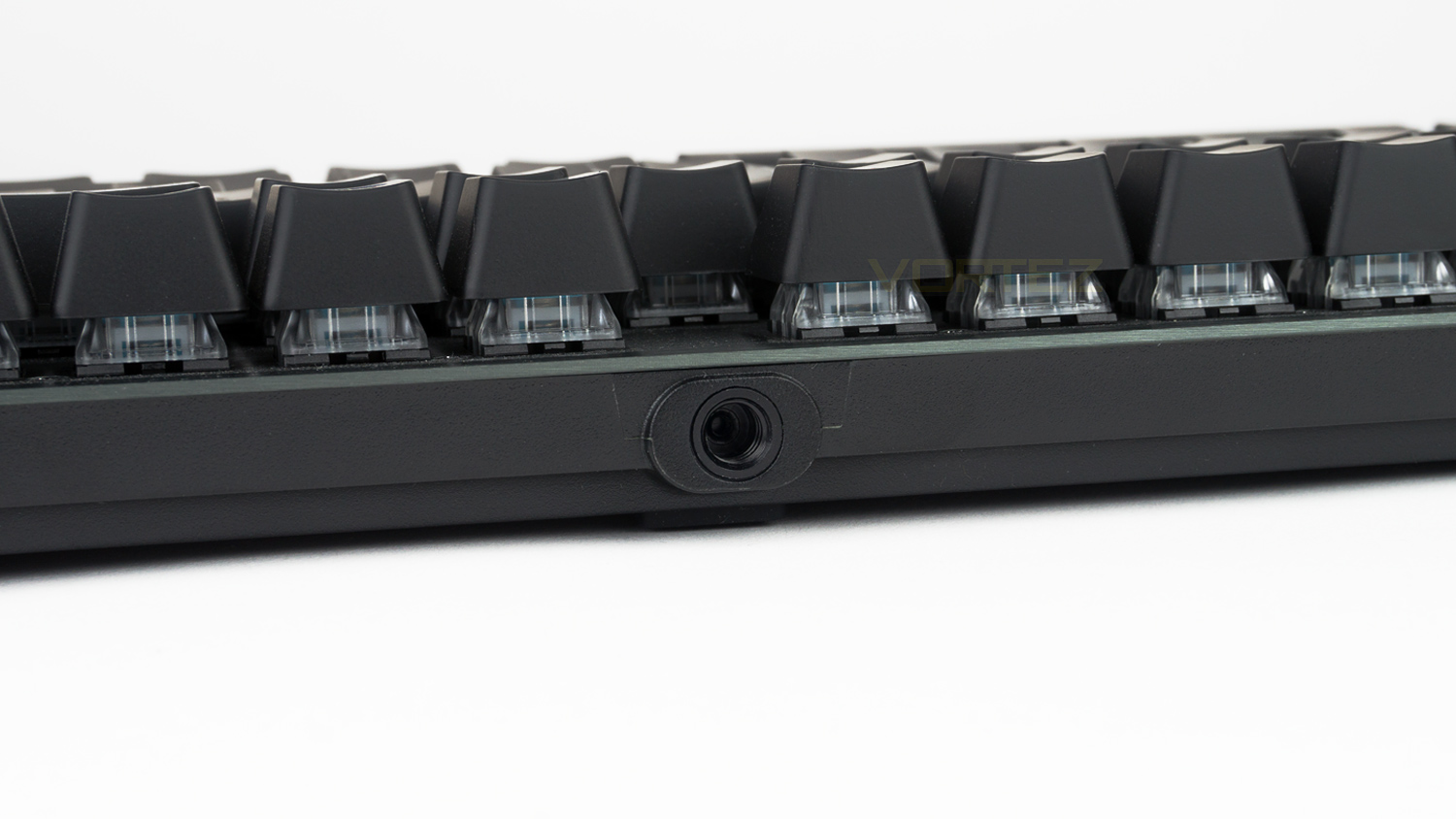
Also on the top edge is a 1/4-20 thread which is embedded in the chassis. Logitech doesn’t mention what it is for, but it could be used for mounting the keyboard to a tripod or possibly for 3D printing applications among the modding community.
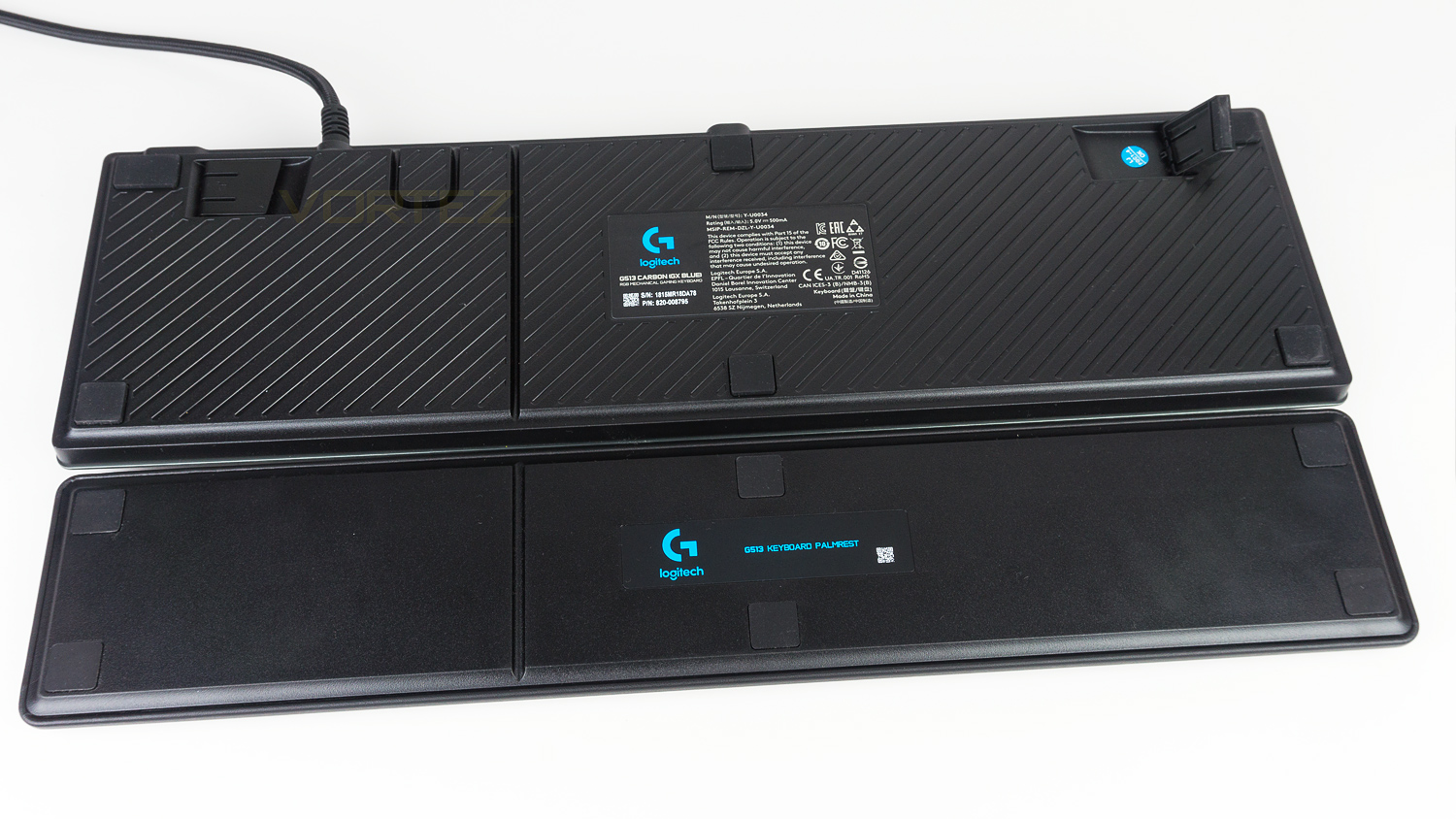
The underside of the G513 features a distinctive design and also has some cutouts for cable management if you wish to route a headset cable under the keyboard. There are also six rubber feet on the keyboard with an additional six on the palm rest – if you decide to use it.
Software
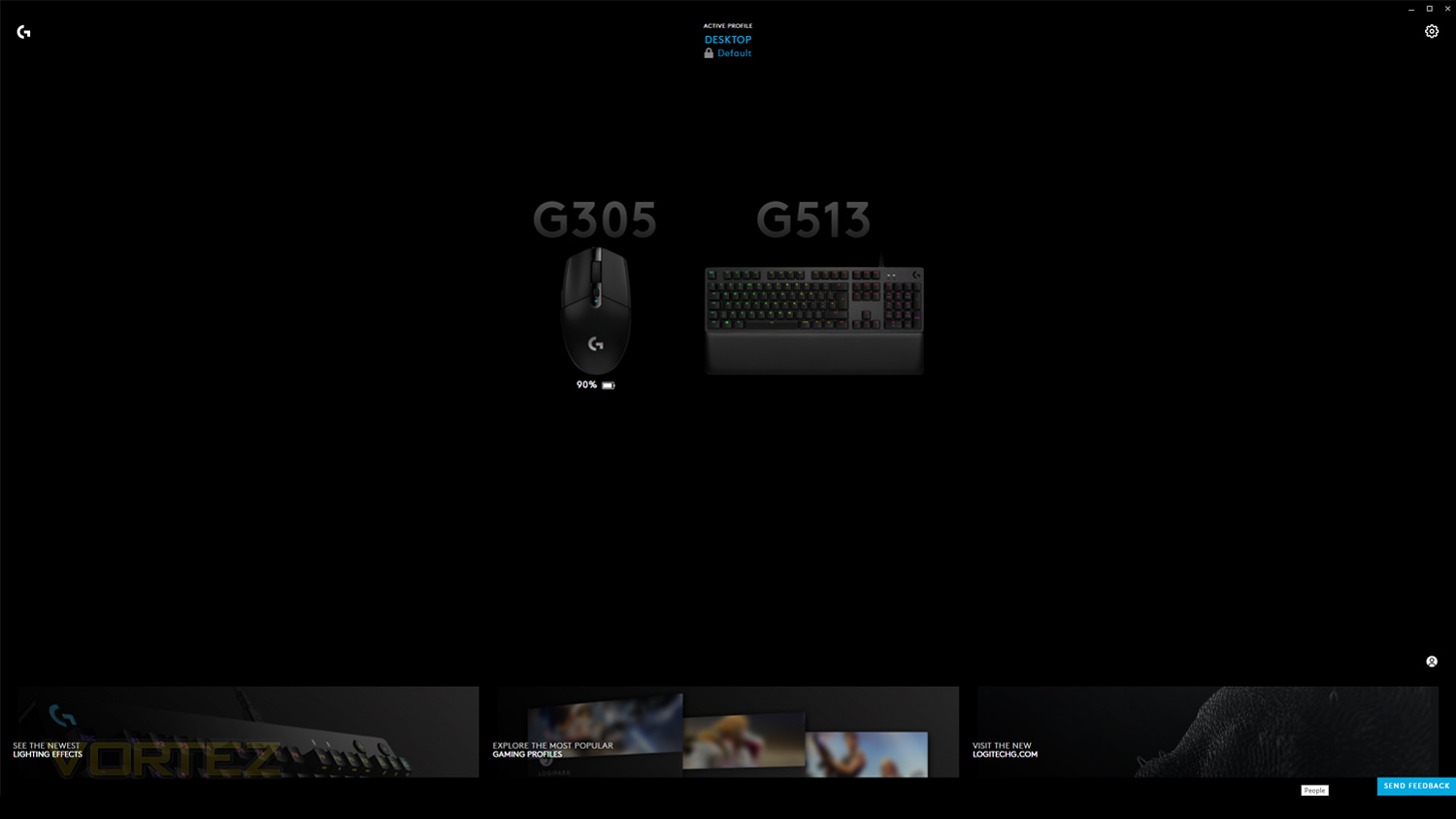
As we noted in our review of the Logitech G305 mouse there appears to be two software suites that currently work with the G513 keyboard. The older software was featured in our G513 review back in July, but now there is a newer version. The latest version is branded a G Hub and features a more modern UI than the older suite.
The video below shows an overview of the new software and some of its new features, however, it is worth noting that this software is in early access and is likely to be improved upon before its wider release. So far though in our testing the software has been stable and works well. We’ve also included some timestamps as the demo is quite long.
Timestamps
General look & settings 00:00 – 1:07
LIGHTSYNC 1:07 – 6:32 (This section is very long as there are so many different effects and features)
Assignments 6:32 – 7:52
Game mode 7:52 – end
Performance Testing
Setup & Observations
Setup is very straightforward and only requires some spare USB ports and an internet connection if you plan on using the software. You can either install the keyboard with one or two USB’s depending on if you wish to utilise the USB pass-through feature.
Typing is what we mostly use keyboards for, and is a property that needs to be done right and it’s safe to say that the Logitech G513 excels here offering one of the best typing experiences we’ve ever encountered. The G513 is so easy to adjust to as the key spacing is just about perfect, the layout is really nice as well as familiar, but it’s the palm rest that seals the deal. It’s covered in a synthetic leather that is very smooth and feels great against your skin plus the internal padding is memory foam and provides a nice cushion that is also supportive. It is honestly one of the best, maybe even the best palm rest we’ve used. What is missing though is the dedicated macro keys, this could be a deal breaker for some as they can really help enhance the user experience for those that use macros on a daily basis. Macros can be set, but you have to add them to existing keys rather than a set of dedicated ones.
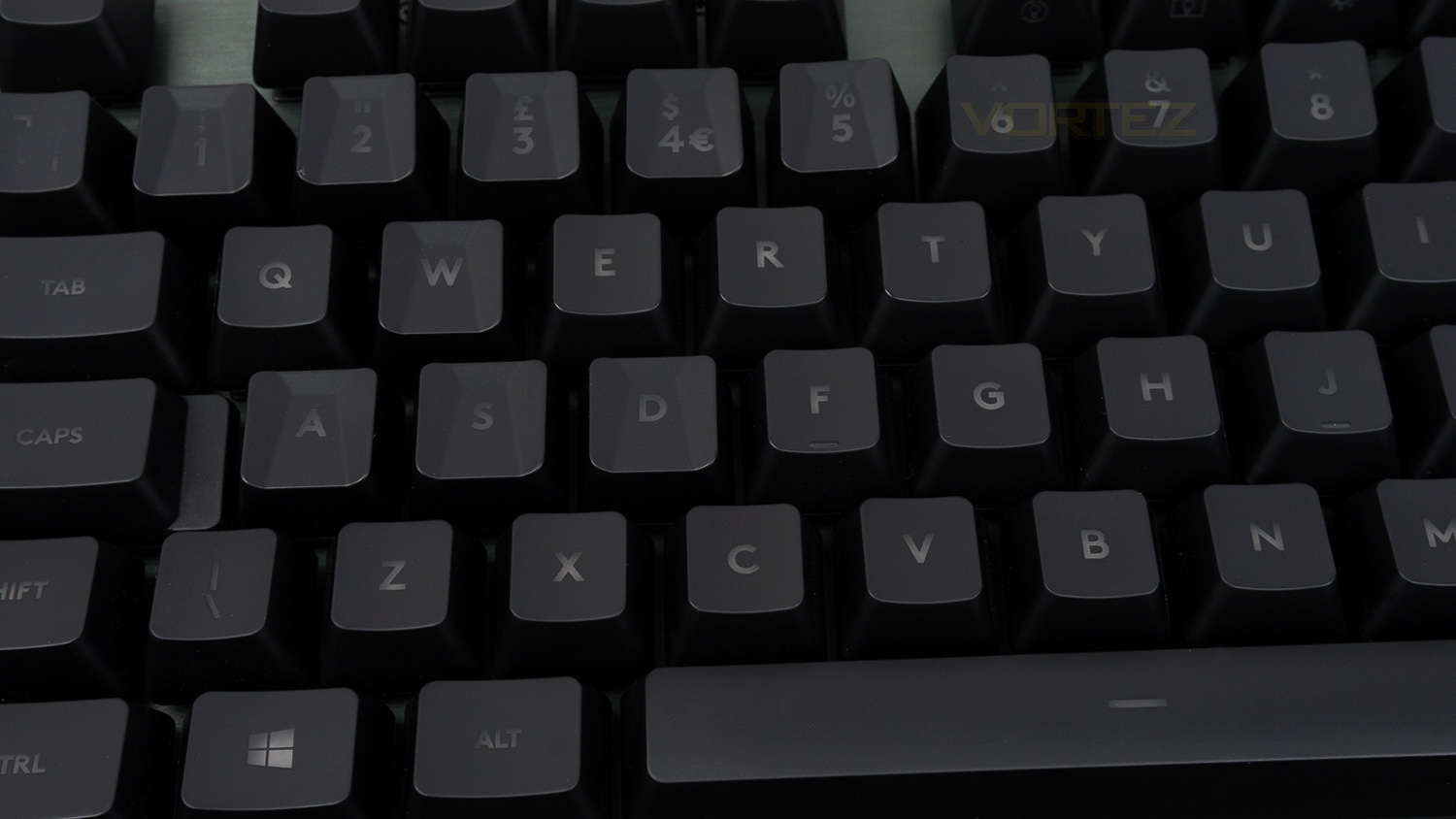
In terms of design and build the G513 shows its class as Logitech haven’t really cut any corners. The top fascia is an aluminium alloy that is solid and looks very classy thanks to a brushed finish. The main chassis is robust with minimal flex to it, the keys feel planted and don’t shift around that much, and the keycaps are high quality as well. To add to the premium aspect there is also a USB pass-through, this is a 2.0 which is common, yet we’d like to see 3.0 featured as it offers faster speeds and means the range of items that could be connected would be increased.
Performance
Switches are a big factor when looking at a keyboard – especially one costing north of £120 and Logitech have upped their game with three switch variants to choose from, this is still somewhat lacking behind the competition as usually they have more switch offerings to select, but this is an improvement over the G413. On hand, we have the GX Blue and Romer-G tactile – for comparison, but the G513 also comes with Romer-G Linear switches. We’ve already looked at the Romer offerings in our original review of the G513 back in July and the GX Blue look to bolster the lineup, but are they any good?
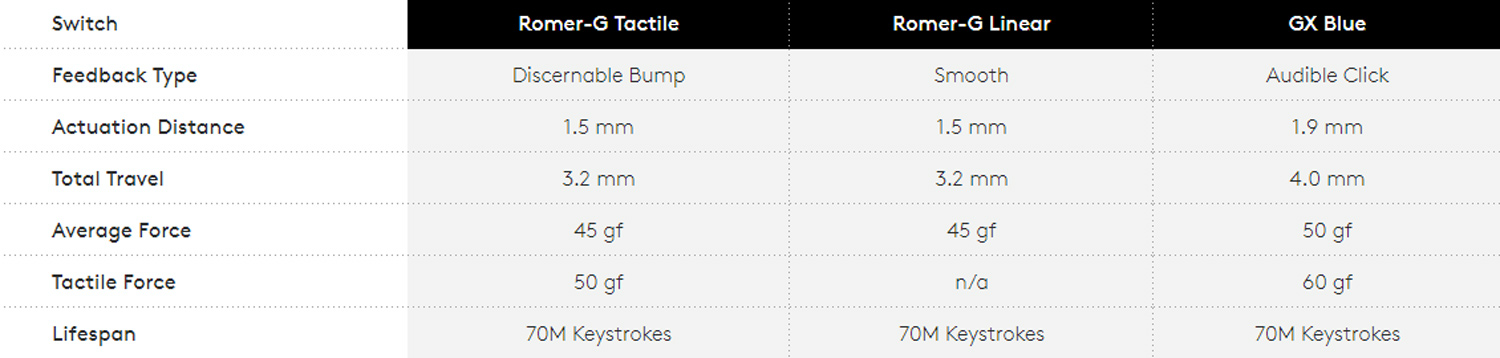
Well in terms of numbers they are similar. Below is an image of them compared side by side and you can see that there are some things that are very close. For example, the average force required to activate the switch is only 5g more between the variants with the GX Blue at 50g and Romer-G at 45g. Also slightly different is the travel distance of both the actuation point and total travel, the Romers are shorter by 0.4mm on the actuation and 0.8mm on the total travel, this, in theory, means that the Romer-G should feel a bit quicker.
How does this translate to gaming? Well the GX Blue are capable switches and they’re good enough to keep up with titles like Overwatch, Fortnite and PUBG yet they offer good control for titles that run at a slower pace. Compared to Cherry MX Blues they do hold their own and are slightly quicker in terms of speed, though the GX Blue still fall slightly behind the MX Reds. If you want that bit of extra performance from Logitech, then the Romer-G are where it’s at, they are a touch quicker thanks to the shorter actuation point and means that they are even better for the titles we mentioned. It’s worth noting though that the difference isn’t massive between the GX Blue, Romer-G tactile and Romer-G linear or even the offerings from Cherry. What makes the switches feel faster is how they are designed and how they move, in reality there is probably microseconds of difference and all are fast enough for modern FPS titles. This can be experienced in use as the GX Blue feel a touch more resistive which can make them feel a slight amount slower than the Romer-G offerings, but again the difference is only very slim. In terms of key travel, the GX Blue offers an action that is nicely smooth, yet it offers some tactile feedback. The GX Blue also have the iconic audible feedback you’d recognise if you’ve ever used or heard Cherry MX Blue switches. If you want a quieter switch then the Romer-G would be the right choice as they don’t give off the same mechanical noise. This makes them more ideal for streamers that don’t want the clicky sounds to disrupt their audio. Of course, key switches are a matter of preference which is why we’d always recommend trying all the different switch types at a local electronics store if that is possible.
You also get a set of replacement faceted keycaps that offer a different experience than the ones that are installed as standard. These caps don’t make you a better gamer as such, but they can help assist you when gaming.
RGB illumination
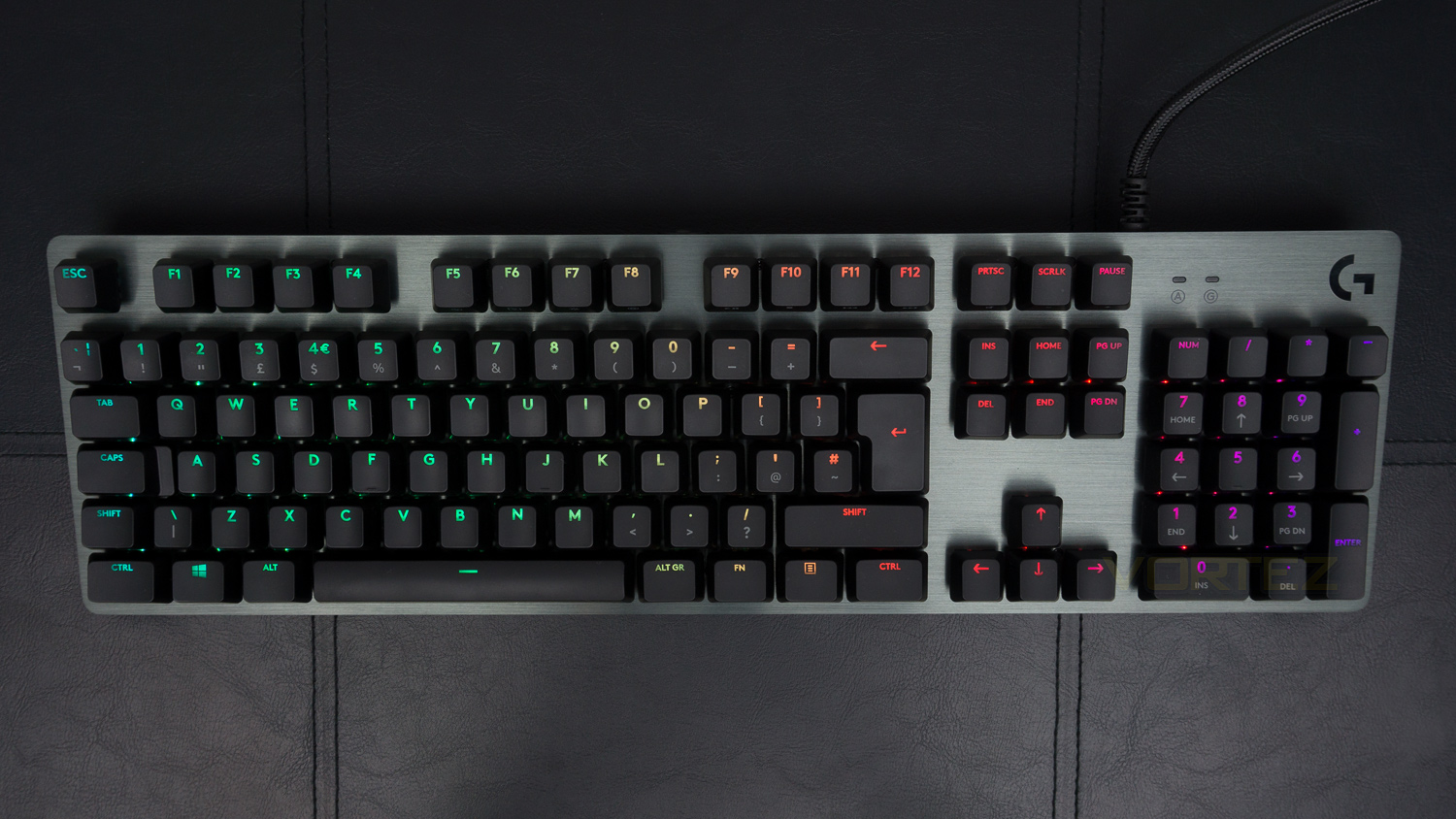
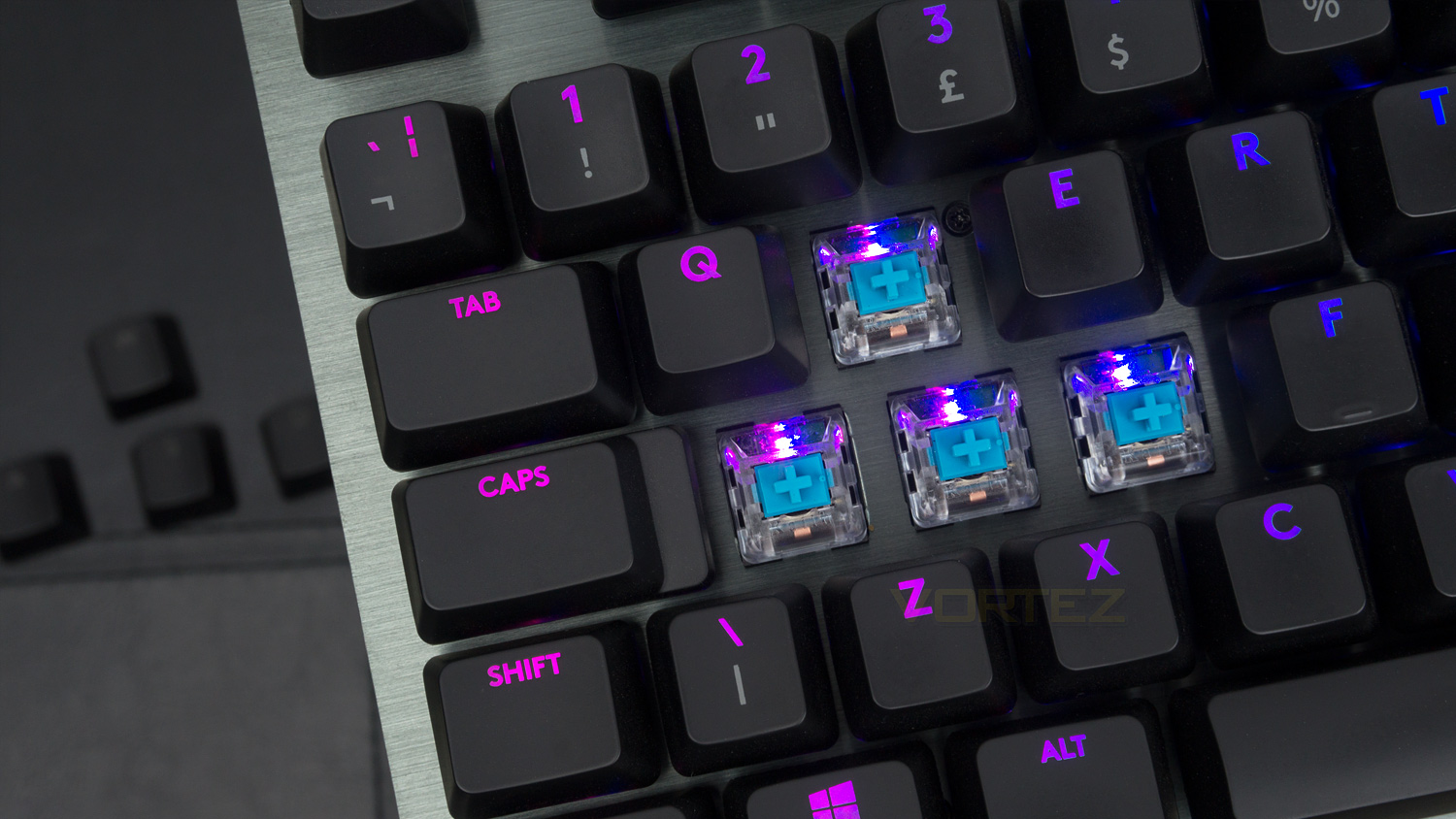
If you’re a fan of RGB then you’re in luck as the G513s implementation is great, the text fill is proper, and the vibrancy of the colours is nice, the colours do have a cooler hue though as whites are slightly blue-tinged. The colour spill is not kept in check that well, but that is due to the placement of the LED on the switch, this is kept better under control with the Romer-G switch as the LED is centralised rather than offset. As for effects there are quite a lot, and each is done well, you can also customise the keys on a per-key basis if that is something you’d like to do.
Conclusion
As we’ve already covered the Logitech G513 we knew what to expect, the build and design are in keeping with the premium price point as its super solid and looks very high-class. The comfort is superb too, and the G513 is honestly one of the best keyboards to type on that we’ve encountered. As for the RGB, we feel that it’s better done on the Romer-G variants simply due to the placement of the LED on the switch, it is good on the GX Blue version, and the effects are nice, but the RGB looks even nicer on the versions with Romer-G switches.
As for the switches, the GX Blue is a great switch, the feel a touch faster than the Cherry MX Blue and are equally as well made, they also offer a very similar audible click that you’ll either love or loathe. If you aren’t a fan of the noise, then the Romer-G switches would be our pick as they are a considerable amount quieter. Back to the GX Blue and the performance on offer is solid, they are fast and feel smooth to travel yet we still prefer the tactile Romer-G in terms of feel. But if you are inclined to a more traditional mechanical experience, then the GX Blue are the ones to go for as they are a brilliant switch in their own right. Of course, switch choice is down to preference and we’d advise trying them out first if you can.
Some things that are a touch of a downer are the lack of dedicated macro keys, now you can use macros, but it means that you need to set them to keys that have functions already rather than a more traditional blank slate. We’d also have liked to have seen a volume control wheel, this for us would have been the icing on the cake and made the £159 ($149 / AU$175) price point even more justifiable. As for other features, it does have a USB pass-through which is a 2.0 port and is very welcomed. In 2018 this is still the norm, and we can’t fault Logitech for having this, we do wish though that someone would kick-off the 3.0 trend and make that the industry standard as it is far superior to 2.0, but again we get why Logitech has gone this route. The final gripe we have with the G513 is actually nothing to do with the keyboard but is instead to do with the number of switch types available. At present, there is the GX Blue, Romer-G tactile and Romer-G linear which are great, rivals though do offer more variety, and we would like to see Logitech do the same.
As things stand with its price, the GX Blue switches and all its other features, the G513 is still a premium keyboard that we can stamp our approval on as it offers nearly everything you could possibly want. There are still a few things missing, but as a whole, the G513 is a brilliant keyboard and is one that should be at the top of your shortlist if you’re after a high-quality gaming keyboard.
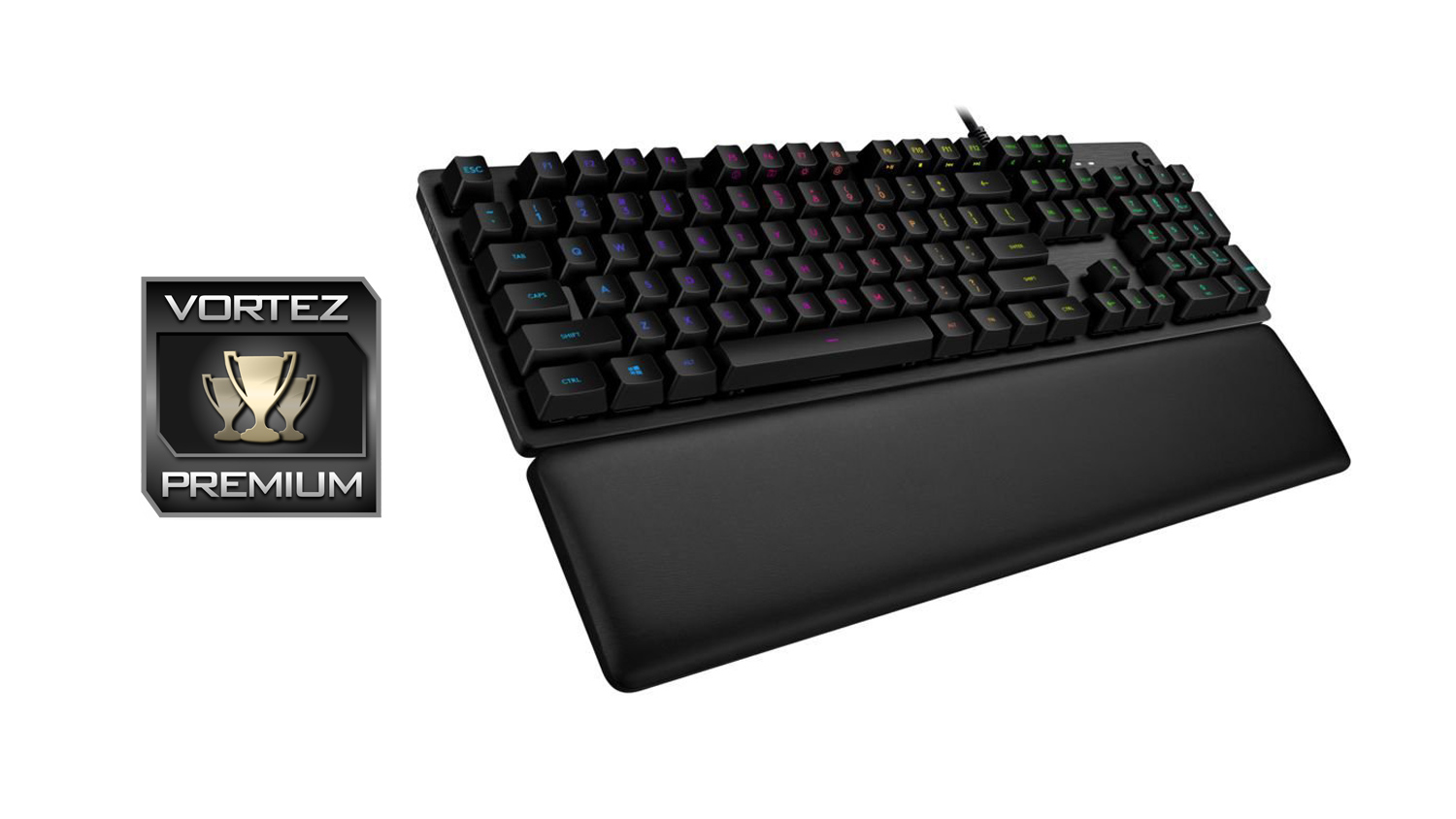
Offering a different experience to the Romer-G, the Logitech G513 with the GX Blue switches is a great addition to the lineup and should be a serious contender if you’re looking for a premium mechanical keyboard.
Pros
+ Very solid build quality
+ Classy and premium design
+ Extremely comfortable
+ Really nice RGB implementation
+ Extra gaming style keycaps included
+ Impressive software experience
+ Brilliant mechanical switches
+ Superb all-around performance
Neutral
+- A touch pricey
+- Dedicated volume control wheel would have been nice
Cons
– Not as many switch variants as some rivals
– No dedicated macro keys
+ Very solid build quality
+ Classy and premium design
+ Extremely comfortable
+ Really nice RGB implementation
+ Extra gaming style keycaps included
+ Impressive software experience
+ Brilliant mechanical switches
+ Superb all-around performance
Neutral
+- A touch pricey
+- Dedicated volume control wheel would have been nice
Cons
– Not as many switch variants as some rivals
– No dedicated macro keys
Click here for an explanation of our awards at Vortez.net.
Stay connected with the Vortez Social Media pages:
Join in with the discussions on Discord