







A wireless gaming mouse featuring the Delta Zero sensor and boasting up to 1440 hours of operation. Can Logitech convince the gamer to ditch the cord?

Product on Review: G602 Wireless Gaming Mouse
Manufacturer & Sponsor: Logitech
Street Price: £69 GBP / $64.99 USD
Wireless connectivity isn’t just limited to the household router, laptop or smartphone, there are now numerous devices which take advantage of this type of communication in a bid to discard cables and reduce clutter. Today we are to take a look at a wireless mouse from peripheral forerunner, Logitech, which is primarily designed for gamers.
G602 is a wireless gaming mouse with boasts up to 1440 hours of usage, up to 2500 DPI of sensitivity and a plethora button customisation to name just a few of the features. At the heart of G602 is an exclusive optical sensor named Delta Zero. Can Logitech convince gamers to ditch the trusty, corded gaming mouse for this new wireless weapon?
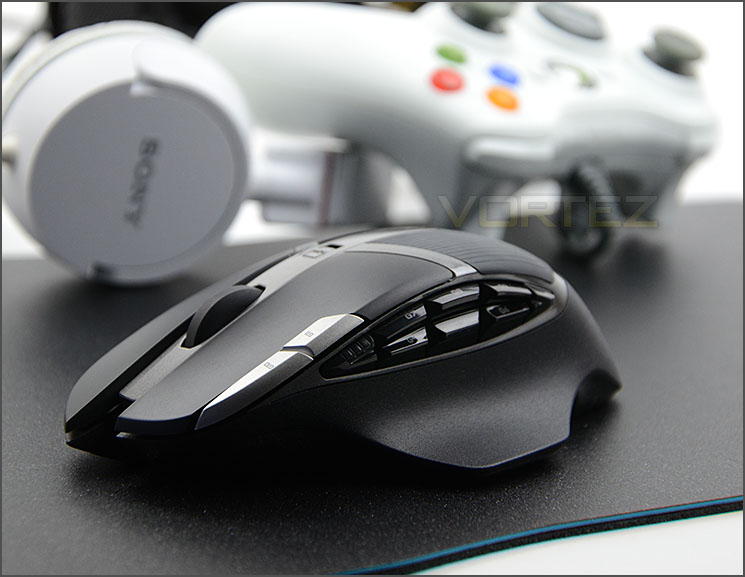
Logitech on their G602
The G602 features over 250 hours of non-stop wireless gaming experience, up to 1440 hours in endurance mode while the Delta-zero sensor technology provides a high accuracy tracking. 15 times more gameplay action than the competition which means relentless gaming for over ten days of non-stop kick butt winning. WE WIN. YOU WIN. SCIENCE WINS.
Technical Specifications
Tracking
Resolution: 250 – 2,500 dpi
Max. acceleration: >20G
Max. speed: up to 2 meters/second (80ips)
Responsiveness
USB data format: 16 bits/axis
USB report rate: Up to 500 reports/second
Glide
Dynamic coefficient of friction – Mu (k): .09
Static coefficient of friction – Mu (s): .14
Durability
Buttons (Left / Right): 20 million clicks
Feet: 250 kilometers
Battery Life and Wireless
Performance mode: up to 250 hours
Endurance mode: up to 1440 hours
Wireless range: 3 meters
Warranty
3 years
Resolution: 250 – 2,500 dpi
Max. acceleration: >20G
Max. speed: up to 2 meters/second (80ips)
Responsiveness
USB data format: 16 bits/axis
USB report rate: Up to 500 reports/second
Glide
Dynamic coefficient of friction – Mu (k): .09
Static coefficient of friction – Mu (s): .14
Durability
Buttons (Left / Right): 20 million clicks
Feet: 250 kilometers
Battery Life and Wireless
Performance mode: up to 250 hours
Endurance mode: up to 1440 hours
Wireless range: 3 meters
Warranty
3 years
Packaging & Bundle
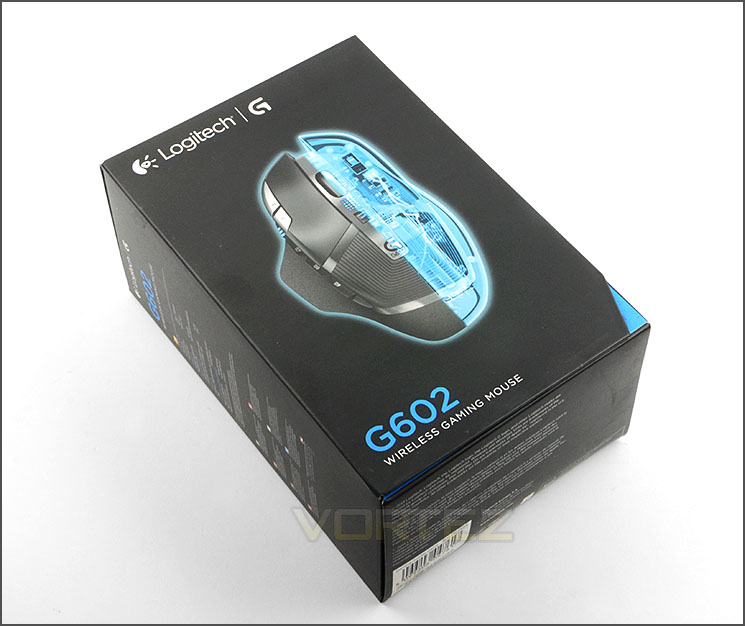
Professionally designed packaging
G602 is presented in a small but neatly designed box. There is a depiction of the mouse on the front and on the sides and rear there is technical details for those who are interested.
The box which Logitech has used opens out to give a sneak preview of the G602. If you are buying from a store, this will be useful because you can easily assume the size and curvature of the mouse.
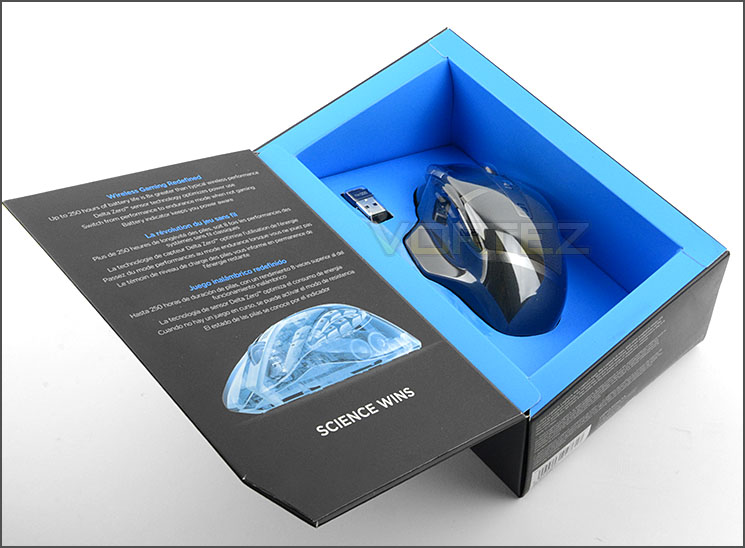
Box opens to showcase G602
Opening this box up, we find just a few bundled items including the mouse itself of course. They are as follows:
• Wireless receiver
• Receiver extender cable
• 2 AA batteries, pre-installed
• User documentation
We’re pleased to see that Logitech has not only included batteries (which are already fitted inside the G602) but they also include an extension cable to which the WiFi receiver is plugged into. This means you will have no problems with poor signal because the cable and receiver can be positioned pretty much anywhere desired. Without this cable, the position of your computer tower would be critical.
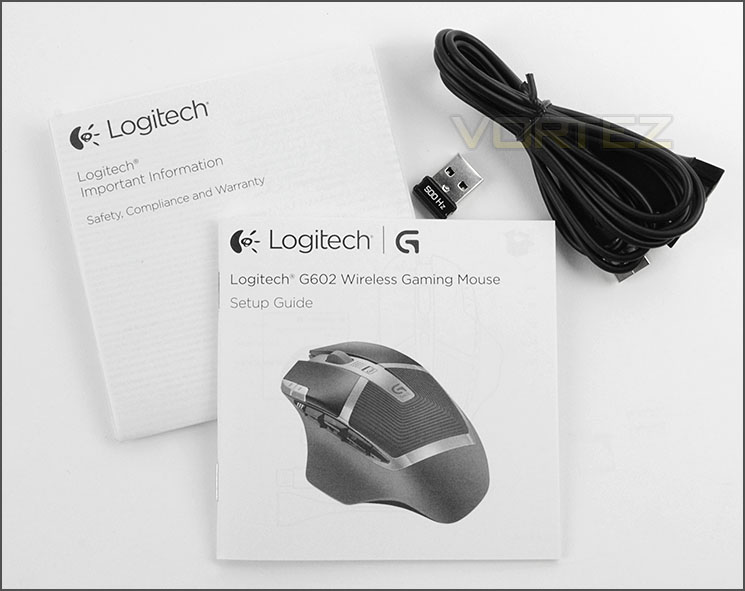
The items bundled with G602
Closer Look
An overview of G602
G602 is specifically designed for right-handed gamers. Its shape follows natural contours both for good comfort and grip. Logitech has engineered this mouse to have a selection of different materials too and having such a design not only looks and feels great but it ensures a firm grip throughout extensive gaming sessions when the palm of the hand can get rather moist. There is smooth plastic on the mouse buttons, soft rubber on the palm and grainy plastic on the sides.
We know G602 focusses primarily on the right-handed gamer because Logitech has given this mouse a shelf for the thumb to rest upon and the bulk of customisable buttons reside on the left side too.
To the left the G602 has two buttons positioned on the outside edge of the left-mouse button, by default these buttons allow the DPI to be adjusted up or down on-the-fly. Further across there are a group of six smaller buttons in easy reach for the thumb. All of these buttons can of course be customised to precisely the designed functions via the supplied software.
A group of customisable buttons on the left side
Over on the right of G602 there are no significant features aside from a right-mouse button – the grainy material wraps around the lower region to enhance grip during usage.
A rather sleek looking mouse from the right view
As is customary to the computer mouse, G602 has a scrolling wheel between both left and right mouse buttons. This wheel is quite loose in its motion, in as much that it doesn’t snap to each individual increment.
Behind this wheel is a mode selector switch, this switch allows you to enter “Performance” or “Endurance”. Performance provides up to 250 hours of play without compromising on performance features and thus is ideal for gaming, whilst Endurance provides up to 1440 hours of use but is much more refined and disables certain features.
Logitech has given G602 an LED indicator for these two presets – when a mode is selected the small panel between the scrolling wheel and the switch illuminates blue for Performance and green for Endurance. This LED panel also serves as the battery level gauge too.
As you can tell, G602 is feature-packed and is certainly an innovative piece of kit. Logitech has carefully and thoughtfully designed this mouse.
Poised and ready for action
On the underside of G602 resides the Delta Zero sensor which Logitech are using for the first time. This sensor is an optical variant and allows up to 2500 DPI – the sensitivity can be adjusted in increments of 250 DPI.
Logitech has also placed the on/off switch directly above the sensor. This allows you to conserve battery power when the mouse is not in use. There are a selection of four Teflon pads located in significant areas at the top, sides and bottom – these pads ensure there is smooth movement when G602 is used.
Below the sensor is a compartment which makes use of a snap on cover. Removing this cover reveals the slot for adding in batteries. G602 requires 2x AA batteries in order to function and we’re really pleased to see Logitech provide a pair of Duracell out of the box. As previously mentioned, G602 can run up to 250 hours in Performance mode or 1440 hours in Endurance mode, so there really is no need to worry about longevity.
The underside with exclusive Delta Zero sensor
Logitech kindly provide two Duracell batteries
Software & Performance
Logitech’s software is attractive and easy to use
If you thought the mouse itself and the feature-set are impressive then you have yet to see the software. This aspect of any peripheral is usually the area where cutbacks and compromises are made, but not so with Logitech’s offering.
Logitech’s software exhausts every possible avenue and is interactive in these efforts too. On entry, we are met with a view of G602 and there are an assortment of options to tweak and customise.
Each button can be adjusted to whatever command the user desires – so things can be completely swapped up to your own style and all of these settings can be stored to profiles and even specific games can be given a profile so that when you load up a title, your favourite settings can be loaded up too.
Lots of customisation over G602
DPI from 500-2500 can be selected and the increments move in values of 250. A total of five checkpoints can be set for the DPI sensitivity but this can be reduced to just two if you don’t indulge in such variation between games.
Macros are an area which the Logitech software covers too. These commands can be drag’n’dropped into the software and the settings area allows for advanced tweaking of not just the macro functionality but also other options too such as notifications and firmware update.
Advanced settings can be adjusted
Performance
There are certain attributes which work together in presenting a decent gaming mouse, or even a mouse in general and one of the fundamentals is having a uniform base and equal weight. G602 has a nice, even underside and thanks to its wider lower regions it levels out very well. The inclusion of two batteries and just the overall design translates to quite a weighty peripheral. The weight isn’t overbearing or detrimental to usage, it actually ensures the mouse is solid when on its pad.
G602 has a scrolling wheel which feels quite loose and so, the ratchet points are almost barely recognisable. Button placement on our mouse is very good. The section of black buttons are perfectly inline with the thumb and they are ideal if you want to configure macros for specific games. Whilst the silver buttons towards the front are out of reach for the thumb, the index finger can easily reach this area for even more functionality. We especially like the curved shelf for resting the thumb, this prevents the thumb from dragging on the mouse pad.
Extending the functionality of G602, the LED on the top of the mouse is discreet enough to not cause a distraction but helps identify which profile is selected, what mode the mouse is currently in and what the battery levels are. Having access to such features is very helpful, the LED doesn’t stay permanently glowing – it only lights up when initiated.
G602 is extremely comfortable to use for long periods of time due to its ergonomic design and choose of materials used. It is quite a large mouse compared to other options we have in the office such as ROCCAT Savu and SteelSeries Xai, but G602 is designed for medium-large hands anyway.
We found this mouse performs excellent across a broad spectrum of games, regardless of whether they are FPS or MMO. The extension cable for the WiFi receiver ensures the module isn’t far away and as a result there is no latency delay for the mouse to operate. Tracking is an essential characteristic for gaming mice and in this arena, G602 does not struggle, nor does it with glide. Motion is accurate and precise using the exclusive Delta Zero sensor.
So it’s fair to say that G602 is flexible and versatile in its operation. Regardless of what gaming titles you play, this mouse is a top-pick and it changes the way that a gaming device such as a mouse is viewed. For a long time now gamers have avoided this type of product and have chosen to opt for the trusty corded variant instead, but we can see things are about to change.
Conclusion
It’s been considerable time since we last reviewed a Logitech product and many peripherals have passed through our hands since then. In the early days Logitech were a forerunner for gaming peripherals but with so many newcomers to this arena and in an ever competitive market, do they still have what it takes to lead the way?
Wireless gaming mice are few and far between due to the fact that gamers prefer to use corded products for reliability. But we think the G602 is set to change this. Thanks to the high-quality WiFi receiver and extender cable a strong signal is always present and since G602 can operate in two modes for up to 250 hours or up to 1440 hours there is no worry about short gaming sessions.
On the eye, G602 is pleasing. It will coordinate with other devices in and around the desk easily and we found the mixture of materials used not only assisted with superb build quality but it also felt comfortable, even after hours of usage.
The software which links a peripheral to the computer is often the most overlooked aspect of the product but this is not so with Logitech’s offering. We found the software a delight to use, it is intuitive, interactive and extensive. Working hand-in-hand with the G602, the software allows you to modify a plethora of attributes including the DPI, button functionality, profile configuration and macro usage.
In terms of performance, we discovered that G602 is suited to a wide range of different games and is flexible in this area. All aspects which are critical to the gamer such as glide, traction and latency were consistent with the rest of the experience – top-class.
Whilst for a corded mouse the G602’s price point may be deemed quite high, we actually think the cost of £69 GBP / $65 USD is quite reasonable compared to the small selection of wireless gaming mice available and considering the calibre of this mouse.
Logitech’s G602 redefines the Wireless Gaming Mouse experience. Gamers needn’t worry about poor battery life which depletes rapidly, nor do they need to worry about latency issues. G602 offers extensive operating times with pinpoint accuracy and motion. Also on offer is a plethora of customisation and we have no hesitation in giving out our prestigious gold award and creative award for innovation.
Pros
+ Aesthetically pleasing
+ Comfortable in the hand
+ Great build quality
+ Long operating times
+ Excellent WiFi signal
+ Flexible DPI adjustments
+ Numerous customisation options
+ Handy LED indicator for battery / profile
+ Intuitive software suite
+ Versatile with games
Cons
– Scrolling wheel doesn’t have ratchet increments
+ Aesthetically pleasing
+ Comfortable in the hand
+ Great build quality
+ Long operating times
+ Excellent WiFi signal
+ Flexible DPI adjustments
+ Numerous customisation options
+ Handy LED indicator for battery / profile
+ Intuitive software suite
+ Versatile with games
Cons
– Scrolling wheel doesn’t have ratchet increments

Click here for an explanation of our awards at Vortez.net.


