Boasting an Intel Core i7-9700K processor alongside an NVIDIA GeForce RTX 2080, MSI have certainly put effort into shoehorning this horsepower into a small machine but can it satisfy the needs of gamers and enthusiasts?

Product on Review: MSI Trident X
Manufacturer: MSI
Street Price: £2,899
Unless you’ve been hiding from the internet for the past few months, both NVIDIA and Intel have released their latest and greatest components for gamers and PC enthusiasts to lust over. MSI have wasted absolutely no time in creating their own masterpiece, using the Intel Core 9th Generation CPUs and NVIDIA GeForce RTX GPUs to construct the ultimate small-form-factor gaming rig.
Meet the MSI Trident X, a small gaming machine with a volume of only 10L and of course, RGB lighting. The Trident X can be equipped with an Intel Core i9-9900K and an NVIDIA GeForce RTX 2080Ti, though today we look at a much more affordable model, boasting a 9700K and RTX 2080; not too shabby by any means.
Rounding out the rest of the specification is 32GB of DDR4-2666 memory, a 512GB Samsung NVMe OS drive, 2TBs of Hard Drive, Intel I219v LAN and Wireless AC connectivity. All of which is based on the Intel Z370 platform.
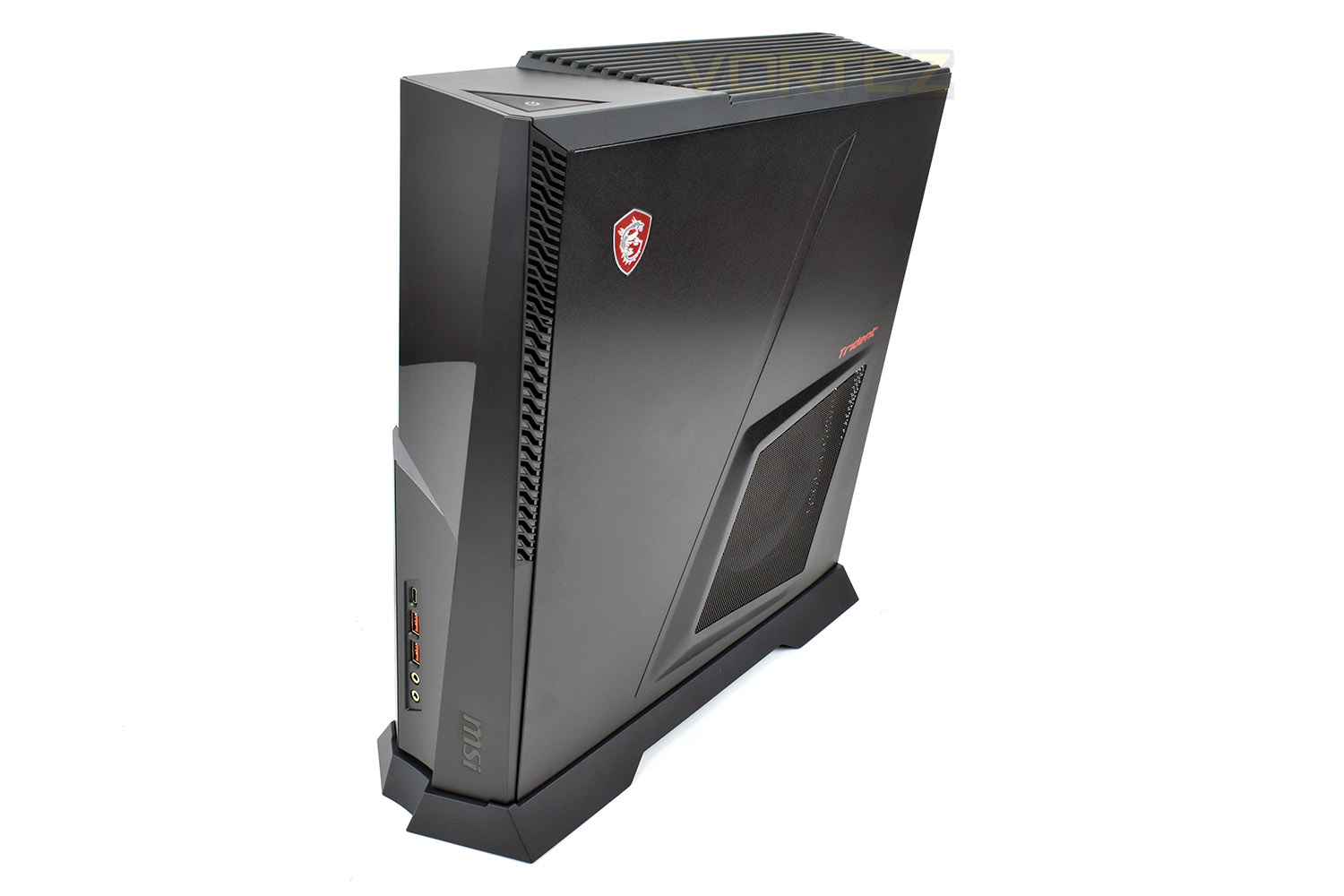
Alongside the blazing fast specification, we get a gorgeous chassis, with metal or tempered glass sides (both included), multi-zone RGB lighting and a whole horde of connectivity.
Whether you plan to use the Trident X for gaming, productivity, content creation or even just browsing the web, we’re sure it’ll handle it, but just quite how well is another question. Read on to find out.
MSI on the Trident X:
Trident X is the world’s smallest gaming desktop to incorporate Intel® 9th gen Core i9 CPU, plus a SFX power supply and the breathtaking latest MSI GeForce RTX graphics card, into a case only 10 liters in volume. Trident X series targeted gamers who demand the highest game performance from PC. With the Intel® 9th Gen Core™ i9/i7 K series processors and MSI GeForce RTX graphics card, Trident X can provide impressive performance for any task including gaming and video editing.
Technical Specifications
OPERATING SYSTEM:
Windows 10 Home
CPU:
Intel® Core™ i9-9700K Processor
CHIPSET:
Intel® Z370
STORAGE:
1 x M.2 SSD – 512GB NVMe
2 x 2.5″ HDD (One populated – 2TB 5400RPM HDD)
SYSTEM MEMORY:
2 x DDR4 2666MHz Long-DIMMs – 32GB
GRAPHICS:
MSI GeForce RTX™ 2080 8GB GDDR6
SOUND:
7.1 Channel HD Audio with Nahimic audio enhancer
I/O (FRONT):
1x USB 3.1 Gen1 Type C
1x USB 2.0 Type A
1x USB 3.1 Gen1 Type A
1x Mic-in
1x Headphone-out
I/O (REAR):
1x PS/2 Combo Port
2x USB 2.0
1x DP out (1.2)
1x HDMI out (1.4)
1x USB 3.1 Gen2 Type A
1x USB 3.1 Gen2 Type C
2x USB 3.1 Gen1 Type A
1x RJ45
5x Audio jacks
1x Optical S/PDIF out
WIRELESS LAN:
Intel® Dual Band Wireless-AC
BLUETOOTH:
4.2
LAN:
Intel I219-V
AC ADAPTER / PSU:
Modular 650W 80 Plus Gold Certified PSU
COOLING SYSTEM:
Fan Cooler
VOLUME:
10.36 L / 21.89pt
DIMENSION (WXDXH):
129.74 x 382.73 x 396.39 mm/ 5.1” x 15.06” x 15.6”
WEIGHT (N.W./ G.W.):
6.55 Kg / 9.5 Kg ; 14.44 lbs / 20.94 lbs
ACCESSORIES:
1x Manual (optional)
1x Quick guide
1x Warranty card
1x Power cord
SOFTWARE:
Drivers & MSI Utilities
MSI Gaming center
Anti-Virus (60 days trial)
Windows 10 Home
CPU:
Intel® Core™ i9-9700K Processor
CHIPSET:
Intel® Z370
STORAGE:
1 x M.2 SSD – 512GB NVMe
2 x 2.5″ HDD (One populated – 2TB 5400RPM HDD)
SYSTEM MEMORY:
2 x DDR4 2666MHz Long-DIMMs – 32GB
GRAPHICS:
MSI GeForce RTX™ 2080 8GB GDDR6
SOUND:
7.1 Channel HD Audio with Nahimic audio enhancer
I/O (FRONT):
1x USB 3.1 Gen1 Type C
1x USB 2.0 Type A
1x USB 3.1 Gen1 Type A
1x Mic-in
1x Headphone-out
I/O (REAR):
1x PS/2 Combo Port
2x USB 2.0
1x DP out (1.2)
1x HDMI out (1.4)
1x USB 3.1 Gen2 Type A
1x USB 3.1 Gen2 Type C
2x USB 3.1 Gen1 Type A
1x RJ45
5x Audio jacks
1x Optical S/PDIF out
WIRELESS LAN:
Intel® Dual Band Wireless-AC
BLUETOOTH:
4.2
LAN:
Intel I219-V
AC ADAPTER / PSU:
Modular 650W 80 Plus Gold Certified PSU
COOLING SYSTEM:
Fan Cooler
VOLUME:
10.36 L / 21.89pt
DIMENSION (WXDXH):
129.74 x 382.73 x 396.39 mm/ 5.1” x 15.06” x 15.6”
WEIGHT (N.W./ G.W.):
6.55 Kg / 9.5 Kg ; 14.44 lbs / 20.94 lbs
ACCESSORIES:
1x Manual (optional)
1x Quick guide
1x Warranty card
1x Power cord
SOFTWARE:
Drivers & MSI Utilities
MSI Gaming center
Anti-Virus (60 days trial)
Packaging & Bundle
The MSI Trident X system arrives in a pretty standard box, though it’s considerably larger than the machine itself to ensure plenty of foam protection.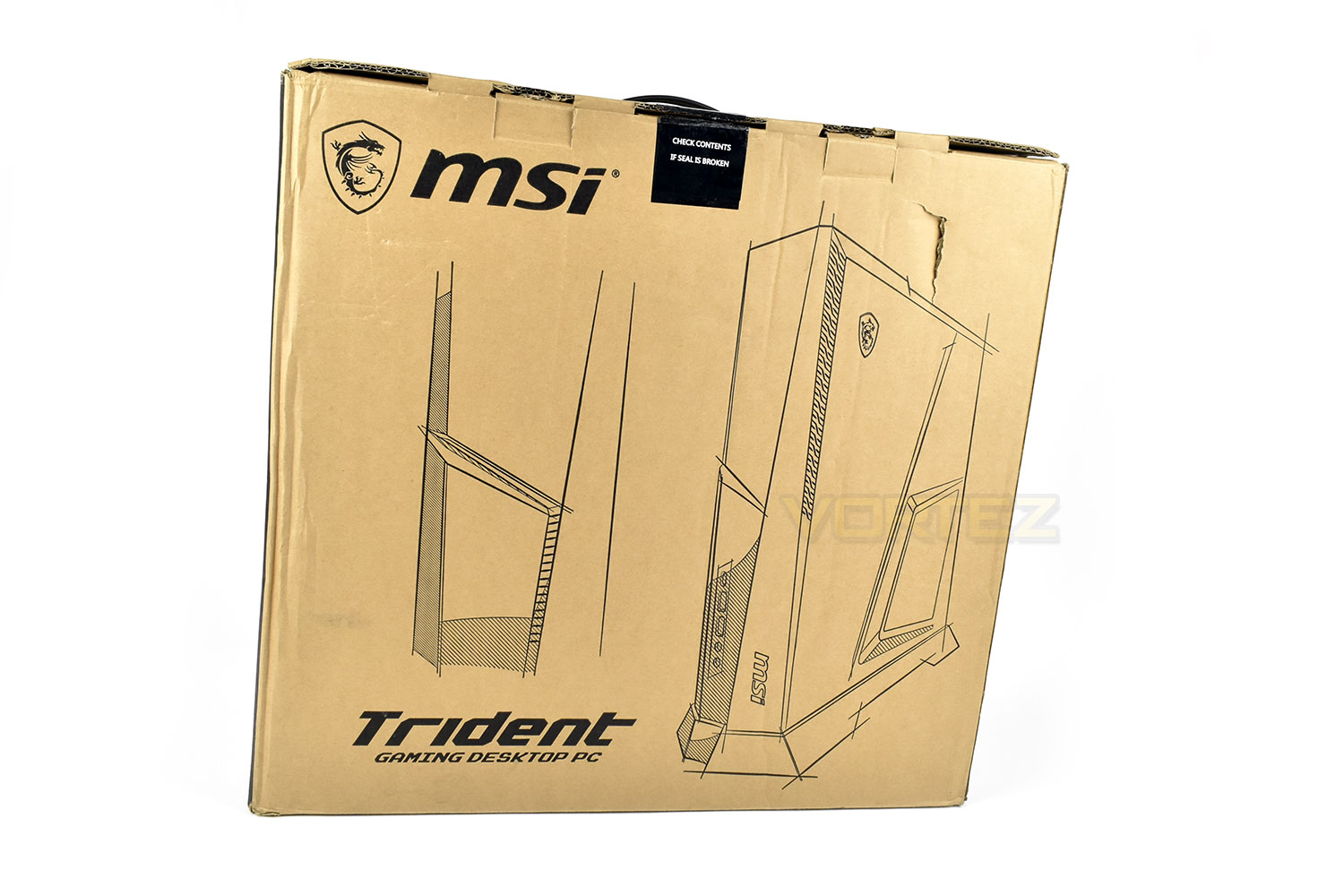
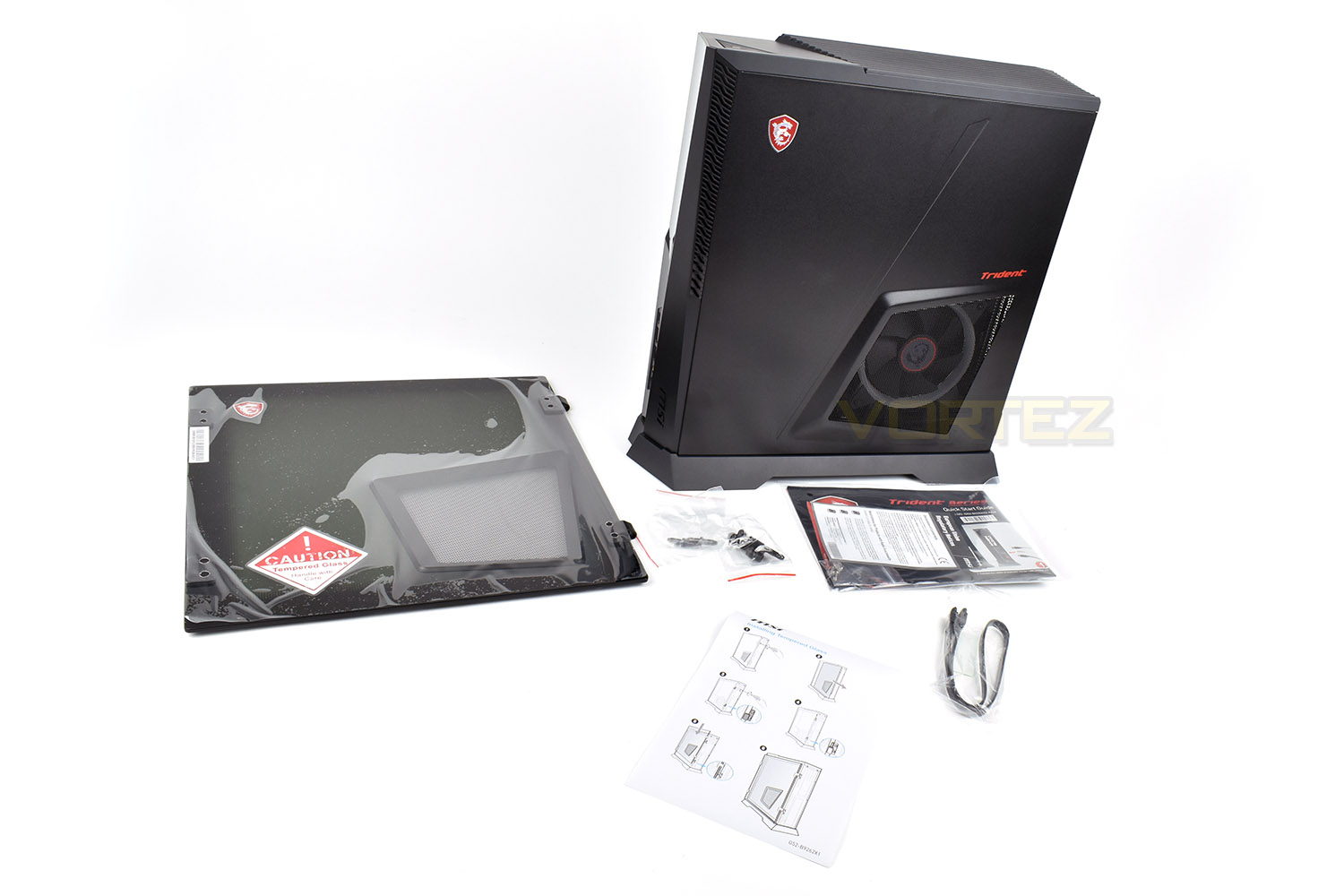
Inside the box, alongside your shiny new system, you’ll also find a tempered glass panel, with venting for the CPU cooler, an additional SATA cable and some warranty and set-up information.
Closer Look
The Trident X stands at almost 400mm tall, making the machine considerably smaller than most gaming machines out there, especially when they’re packing the kind of specification that this is. To compare the size to another machine, the Xbox One, it’s 70mm taller, 100mm wider and 50mm deeper.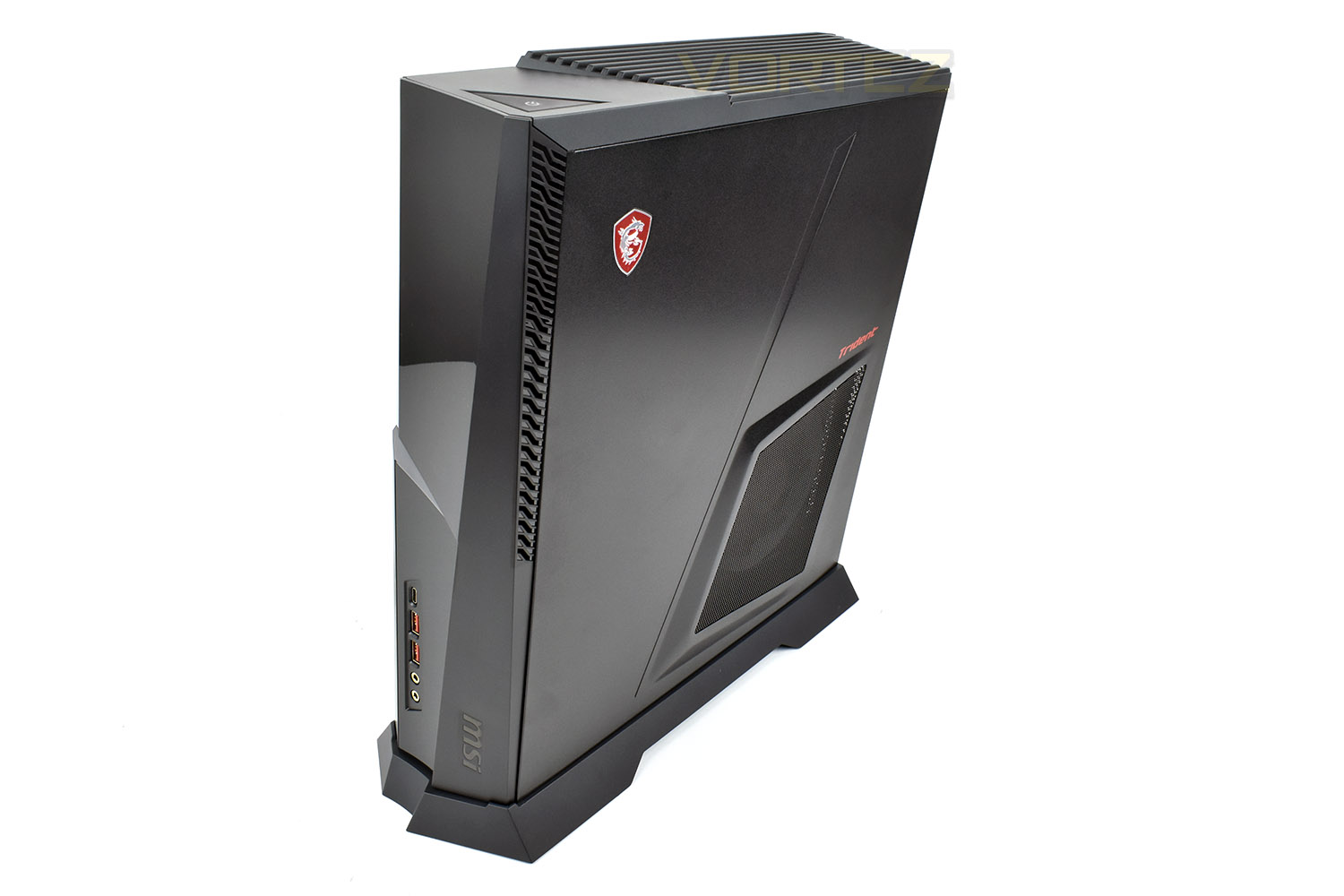
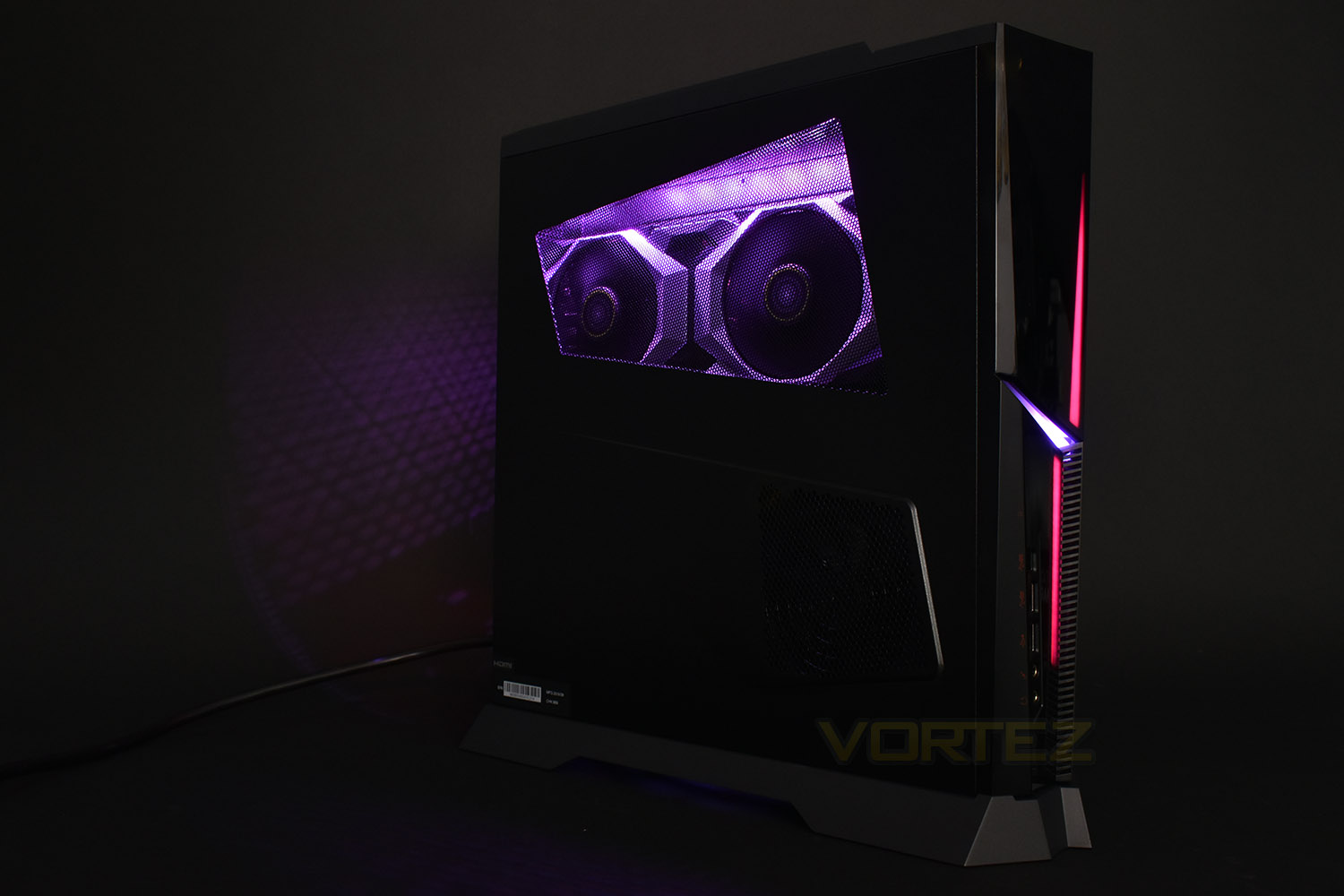
The left side of the chassis is vented in two key locations, right across the top section to allow optimal airflow to the graphics card, and RTX 2080 in this case, and a smaller section towards the front to ensure the power supply can breathe and maintain a steady output for the components within.
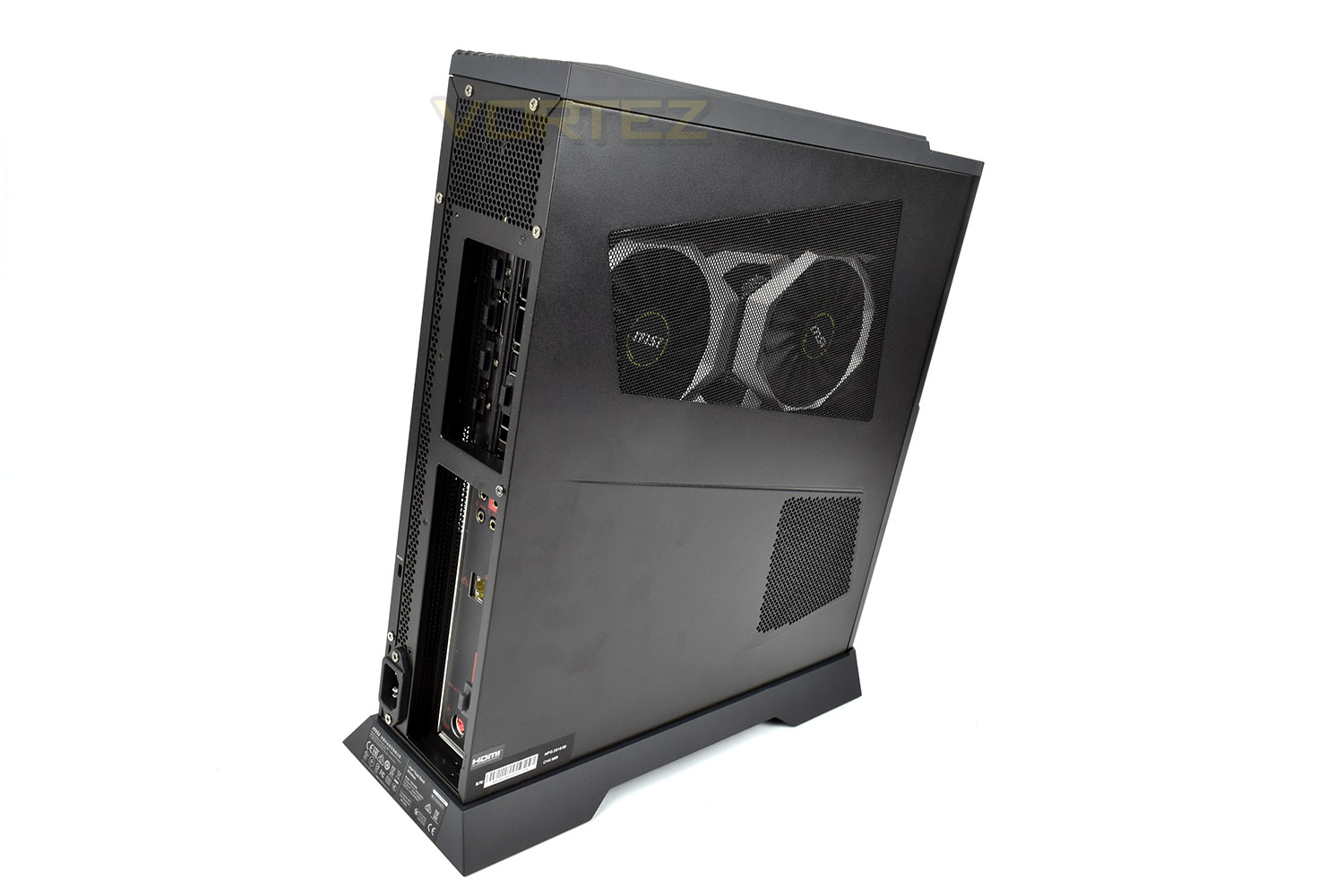
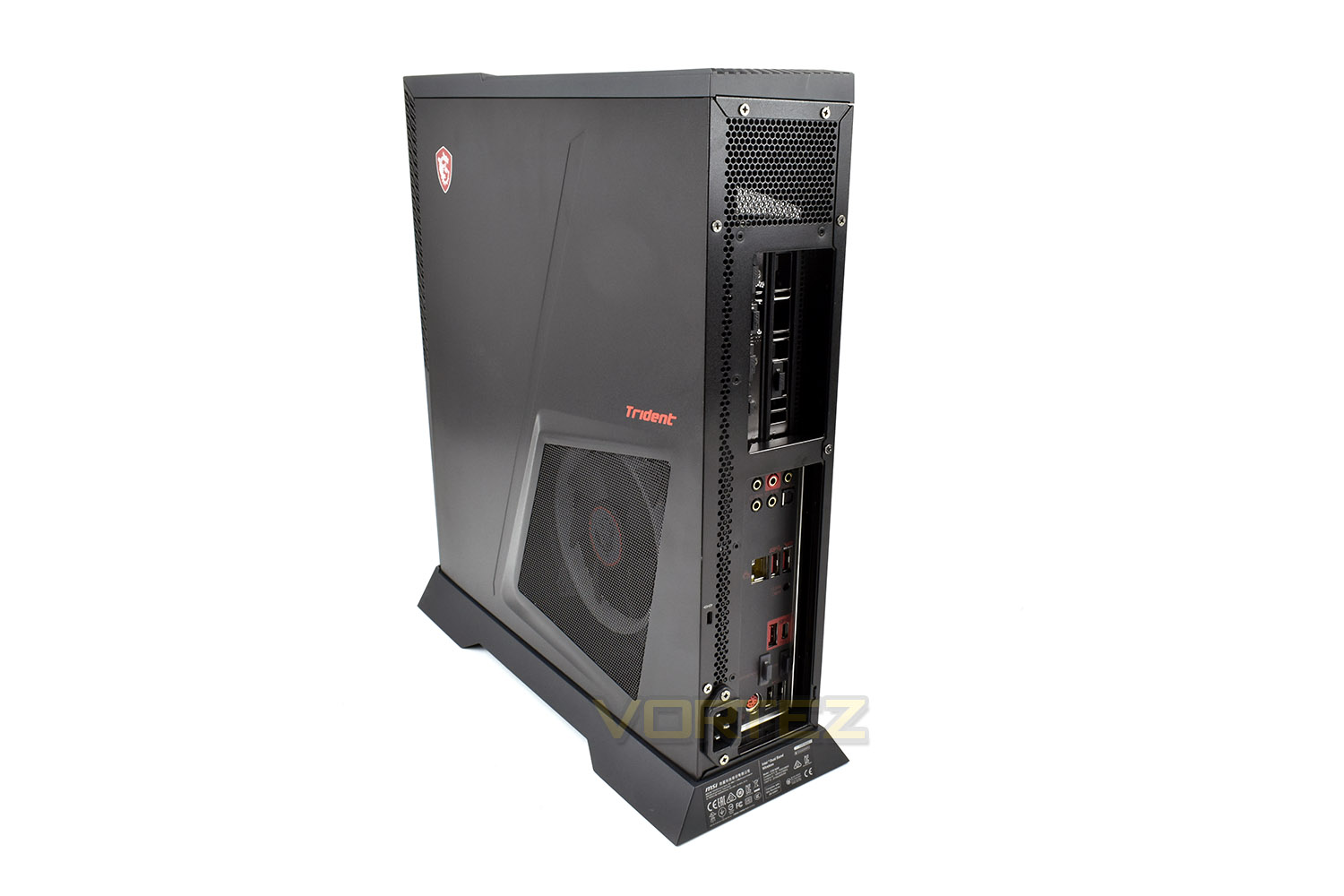
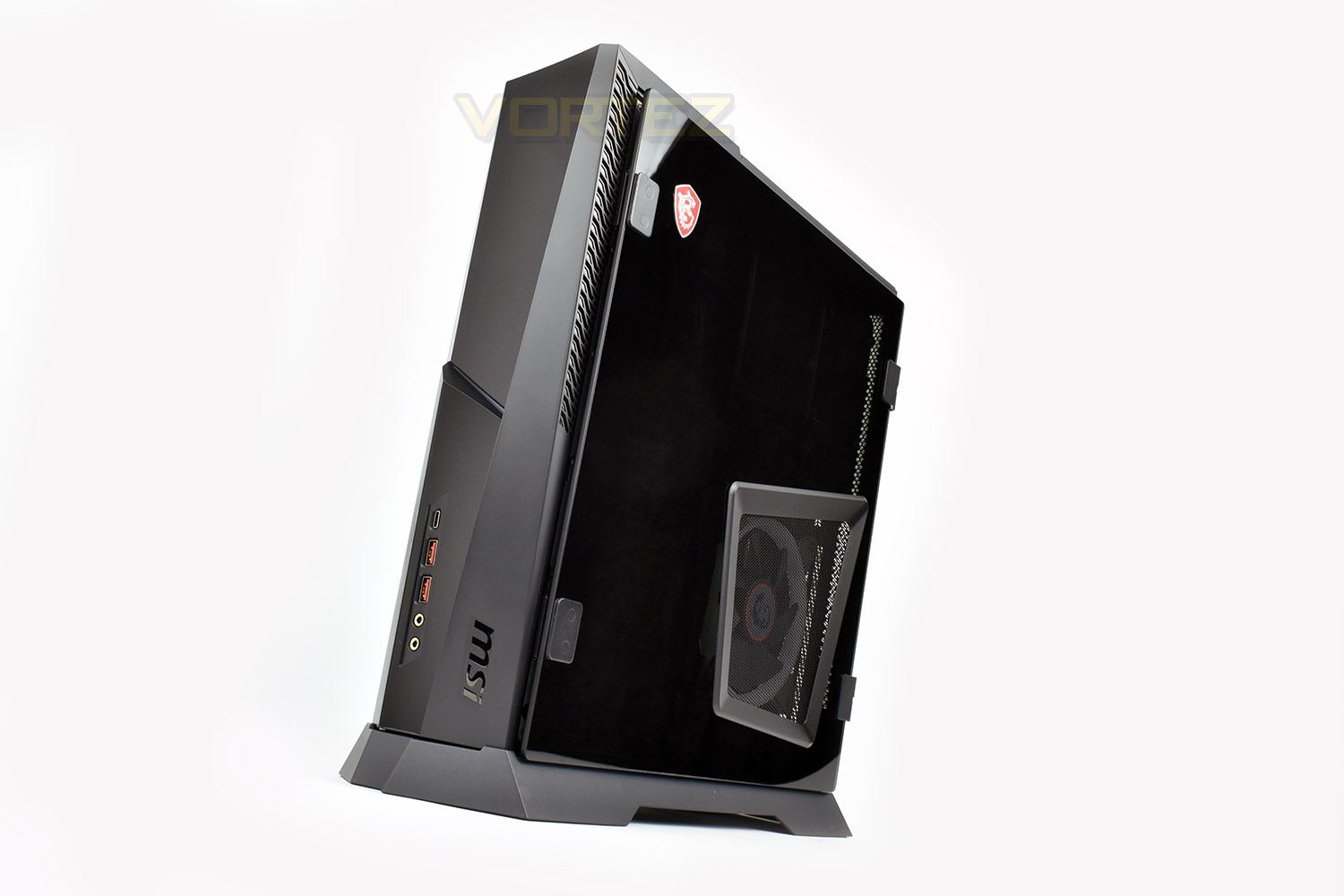
The right-hand side is a little more orthodox, with a perforated mesh segment giving the Intel Core i7 9700K CPU lovely, cool air. This section is replaceable, which we’ll demonstrate on the following page.
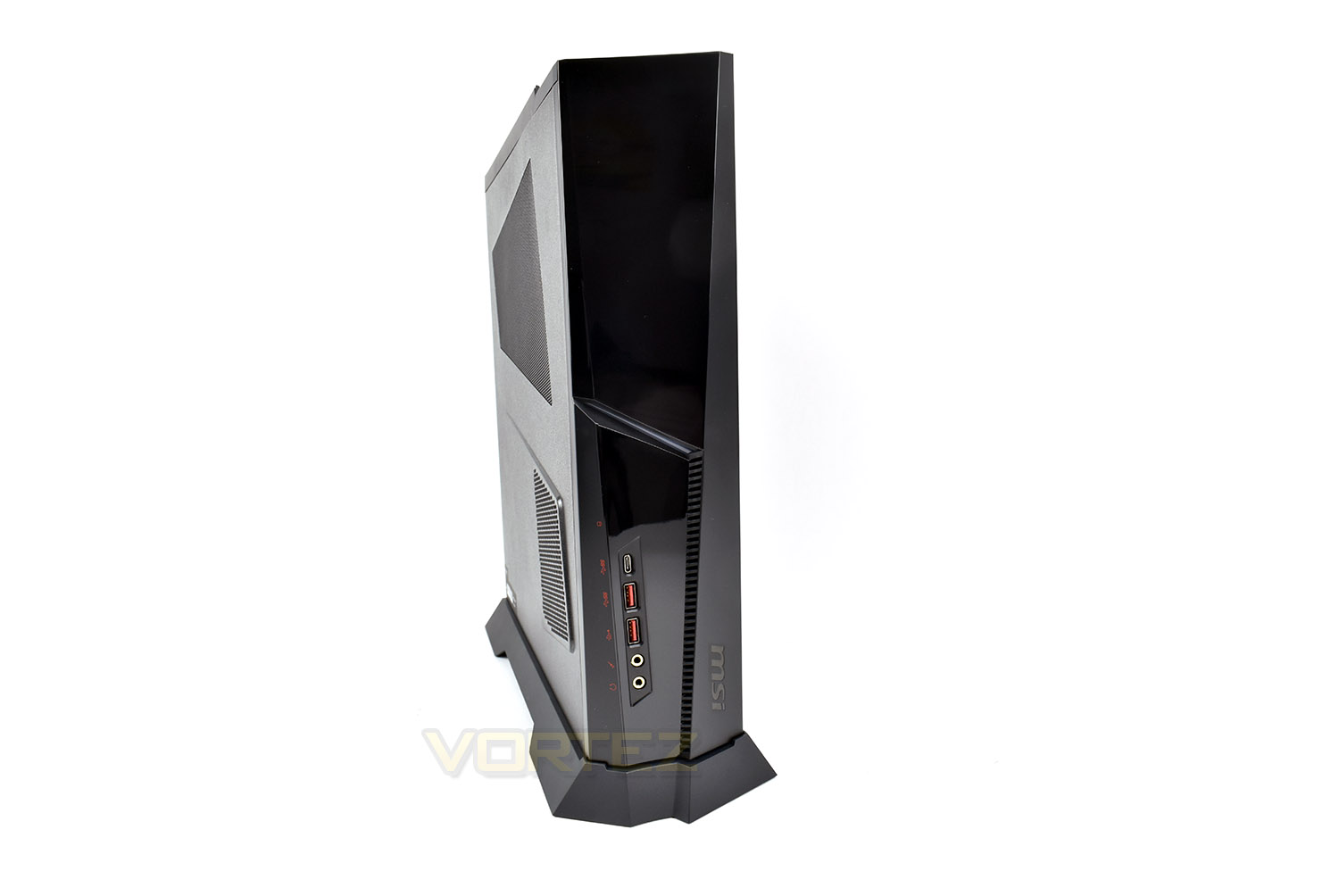
The front is angular and made from glossy plastic (a fingerprint and dust magnet), with a strip of vents along the front and some decent connectivity.
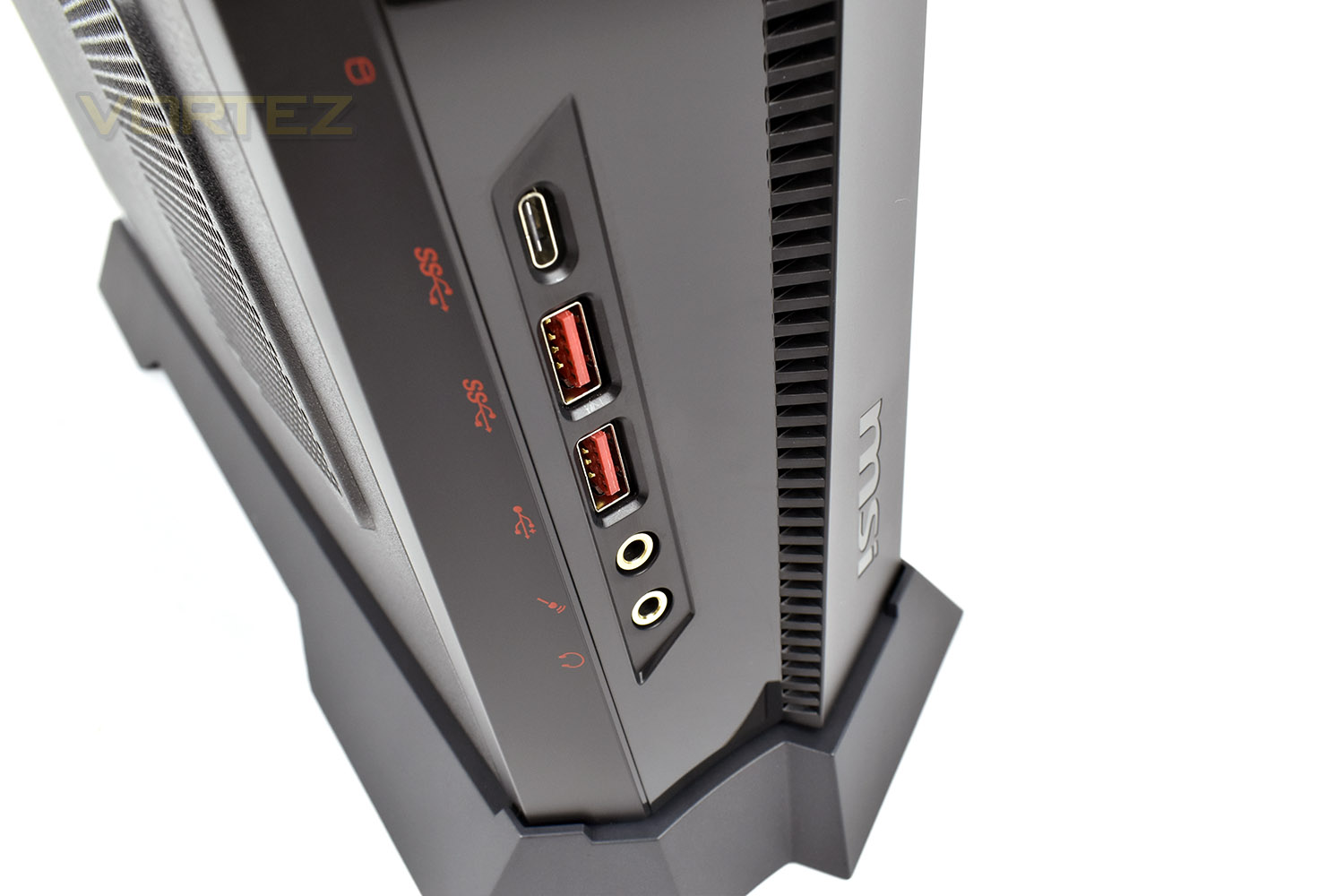
Honing in on that front IO, we have a USB 3.1 Gen. 2 Type C port, as well as a pair of Gen. 2 Type A ports. This should be ample for daily use, when combined with the rear ports. You also find a microphone and headphone jack for easy connection.
Closer Look (Continued)
Along the top is a row of vent strips to allow hot exhaust air to escape from the RTX 2080/RTX 2080 Ti GPU. In the side, out the top. The large power button is also well placed and features a lovely “click”.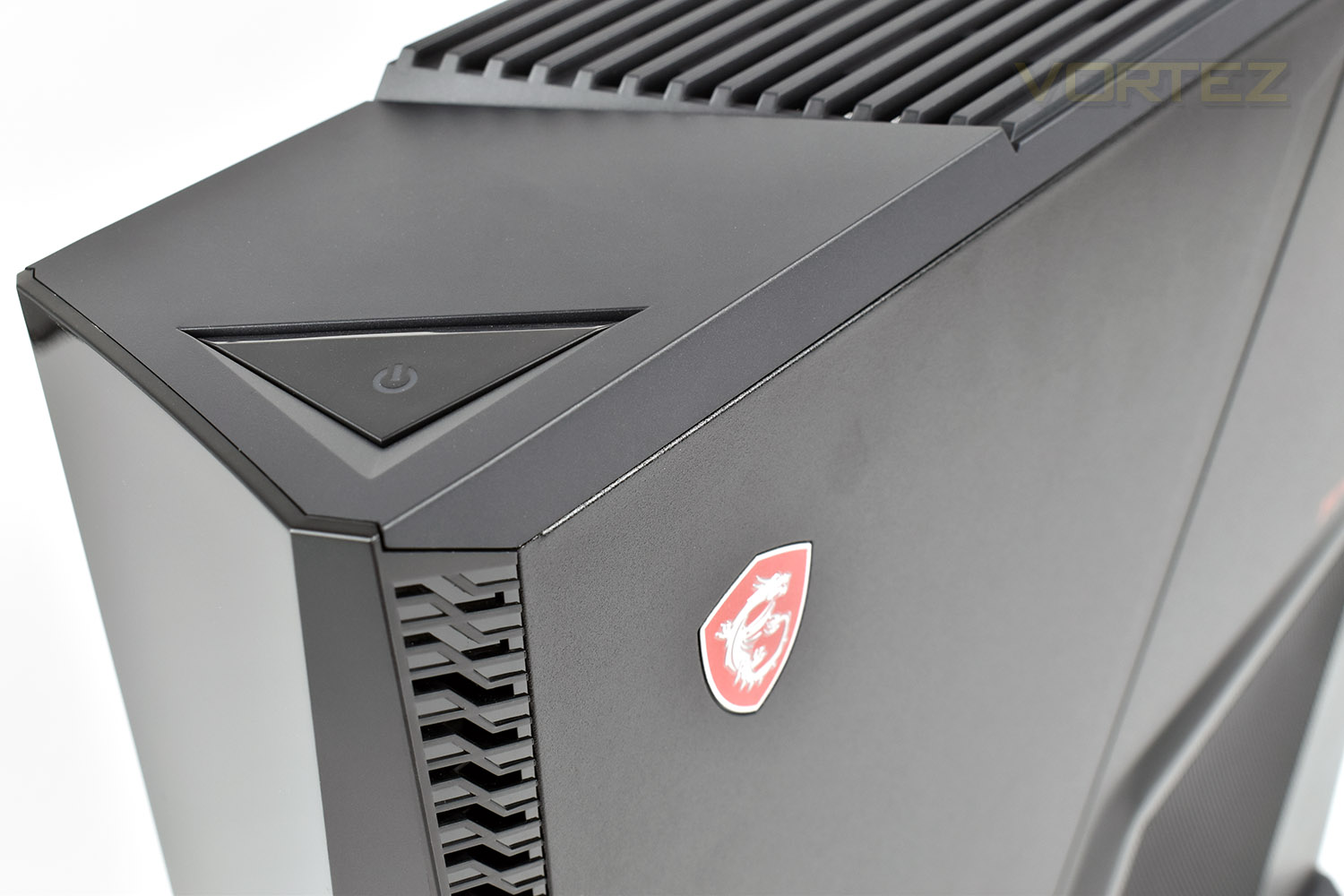
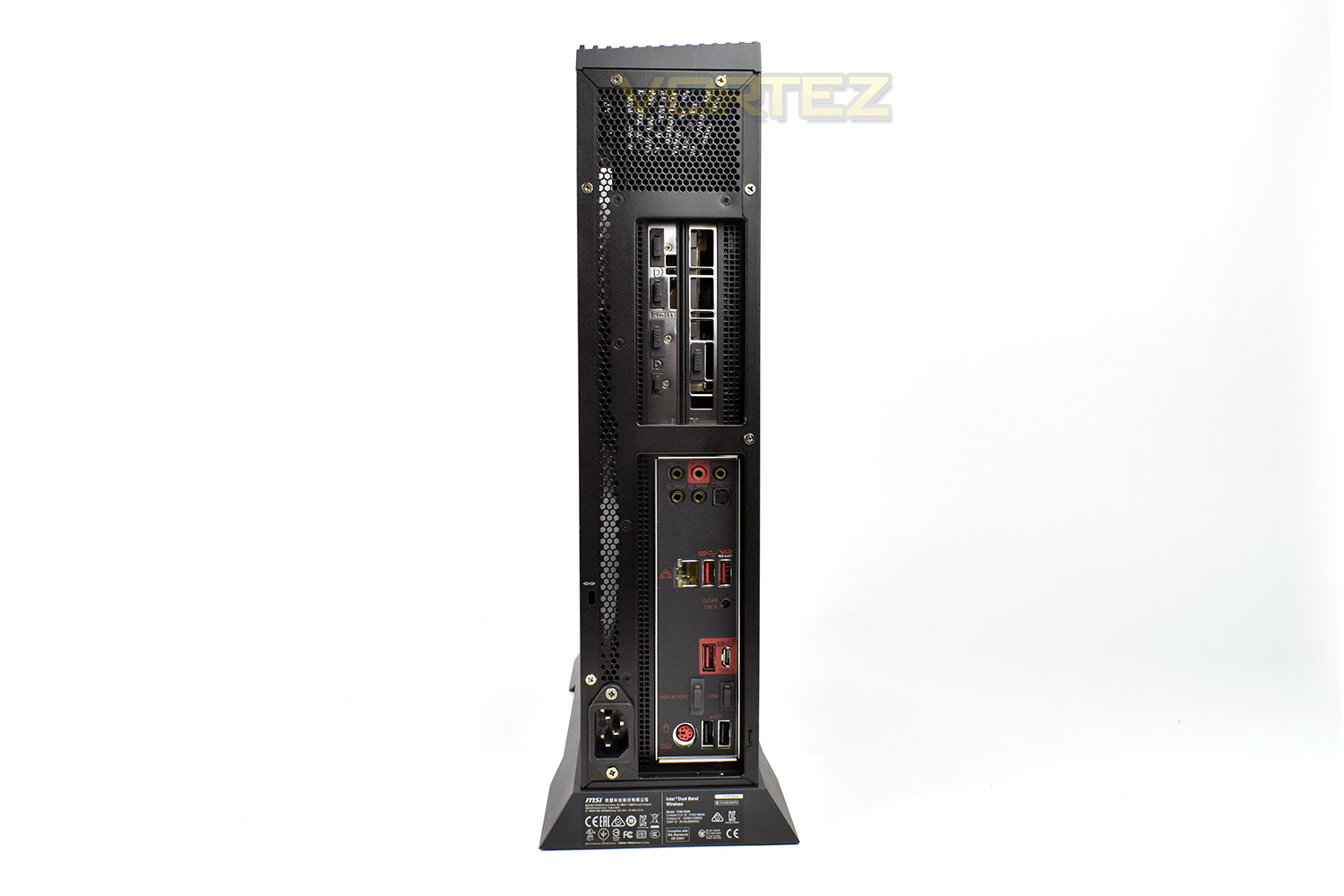
Switching to the back side, we can look at the rear IO and what it has to offer. Starting with the MSI Ventus RTX 2080, we’re catered to by a trio of DisplayPort 1.4 connections, an HDMI 2.0b and a USB Type-C with DisplayPort.
Moving further south, we look at the motherboard’s IO plate.
Here we find the following:
• 7.1 Audio (5x 3.5mm jacks)
• SPDIF Optical out
• Intel I219-V Gigabit LAN
• 2x USB 3.1 Gen. 2 ports (one of which is VR Ready)
• Clear CMOS switch
• 1x USB 3.1 Gen. 2 Type-A
• 1x USB 3.1 Gen. 2 Type-C
• 1x DisplayPort
• 1x HDMI
• 2x USB 2.0
• 1x PS/2 keyboard and mouse port
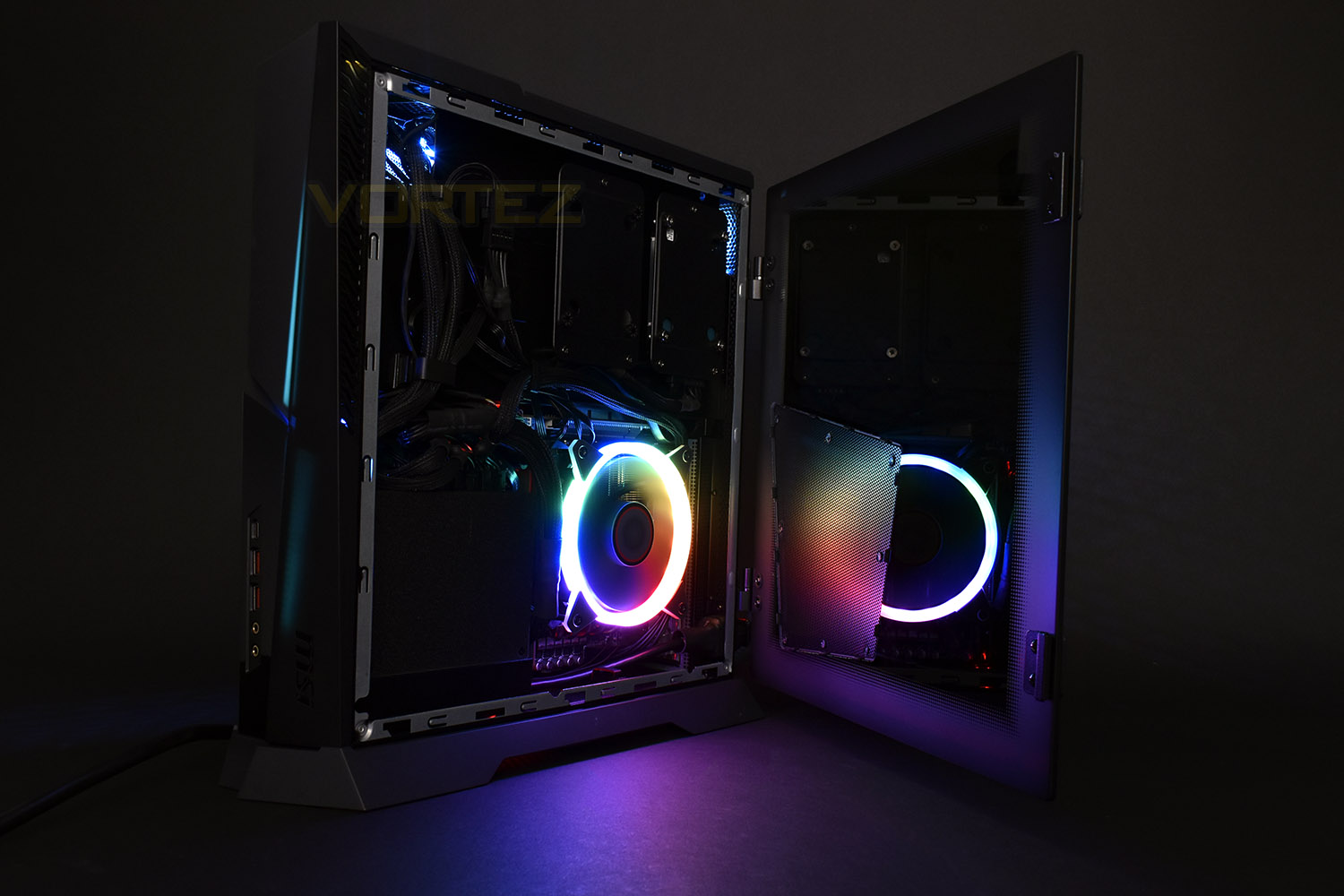
The metal side panel can be removed by undoing a pair of screws on the rear and sliding backwards. You’re then required to install a couple of hinges, which is as easy as nipping up four screws and hanging the door in place with the provided pins. The door doesn’t ever clip shut but is held closed with magnets at the top and bottom. Having the choice between metal or glass is nice.
Closer Look (Internals)
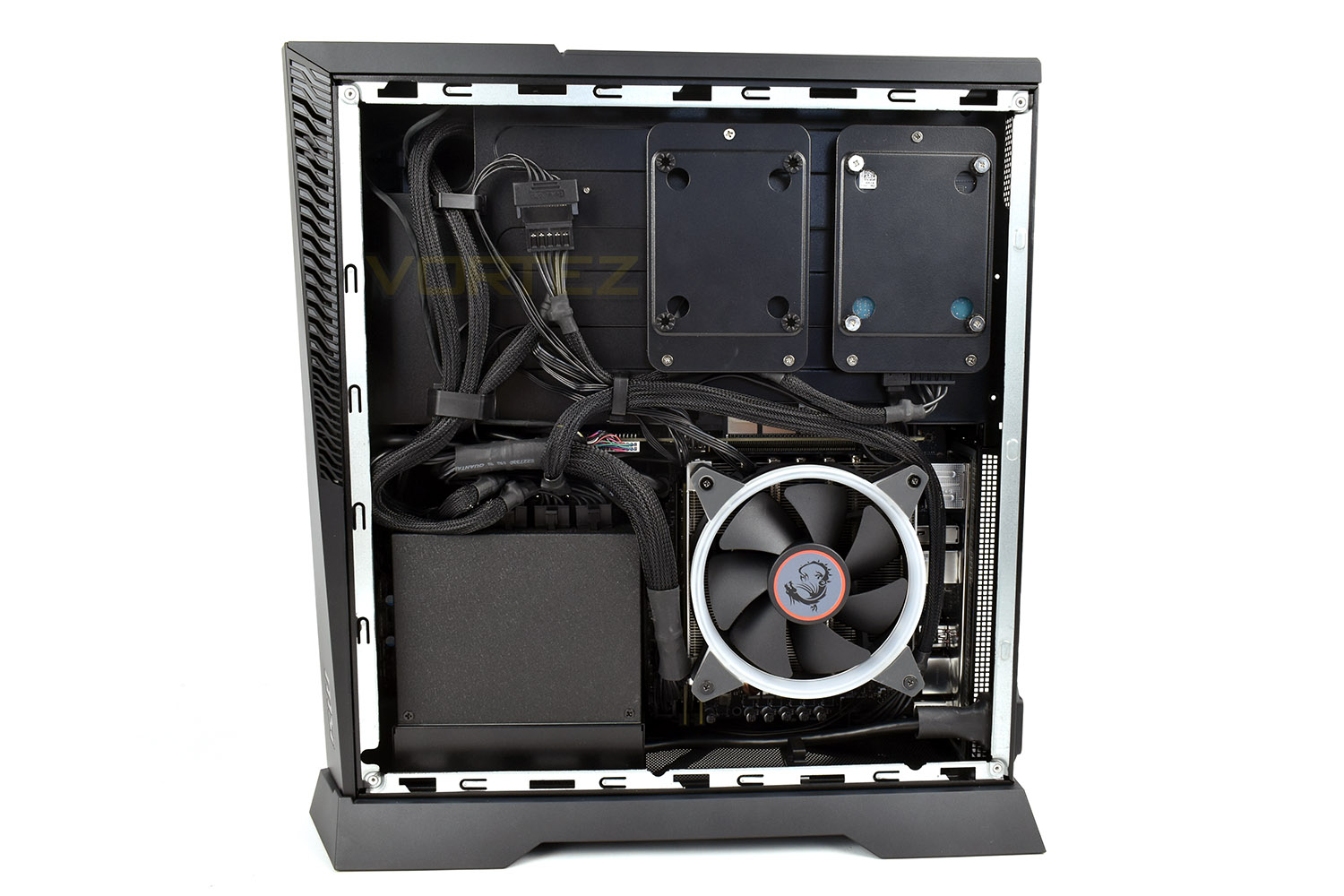
Removing the side panels, we look at the GPU face on, the MSI NVIDIA GeForce RTX 2080 Ventus, packing 8GB of GDDR6 VRAM and 2944 Unified shaders. Underneath the GPU is the back of the LGA 1151 CPU socket, where the 9700K is housed. We also see the NVMe SSD in this location; a Samsung PM981 512GB model, with a large thermal pad added to the top to contact the case side for better thermal performance and less likelihood of throttling. The 650W PSU is tucked away in its own corner.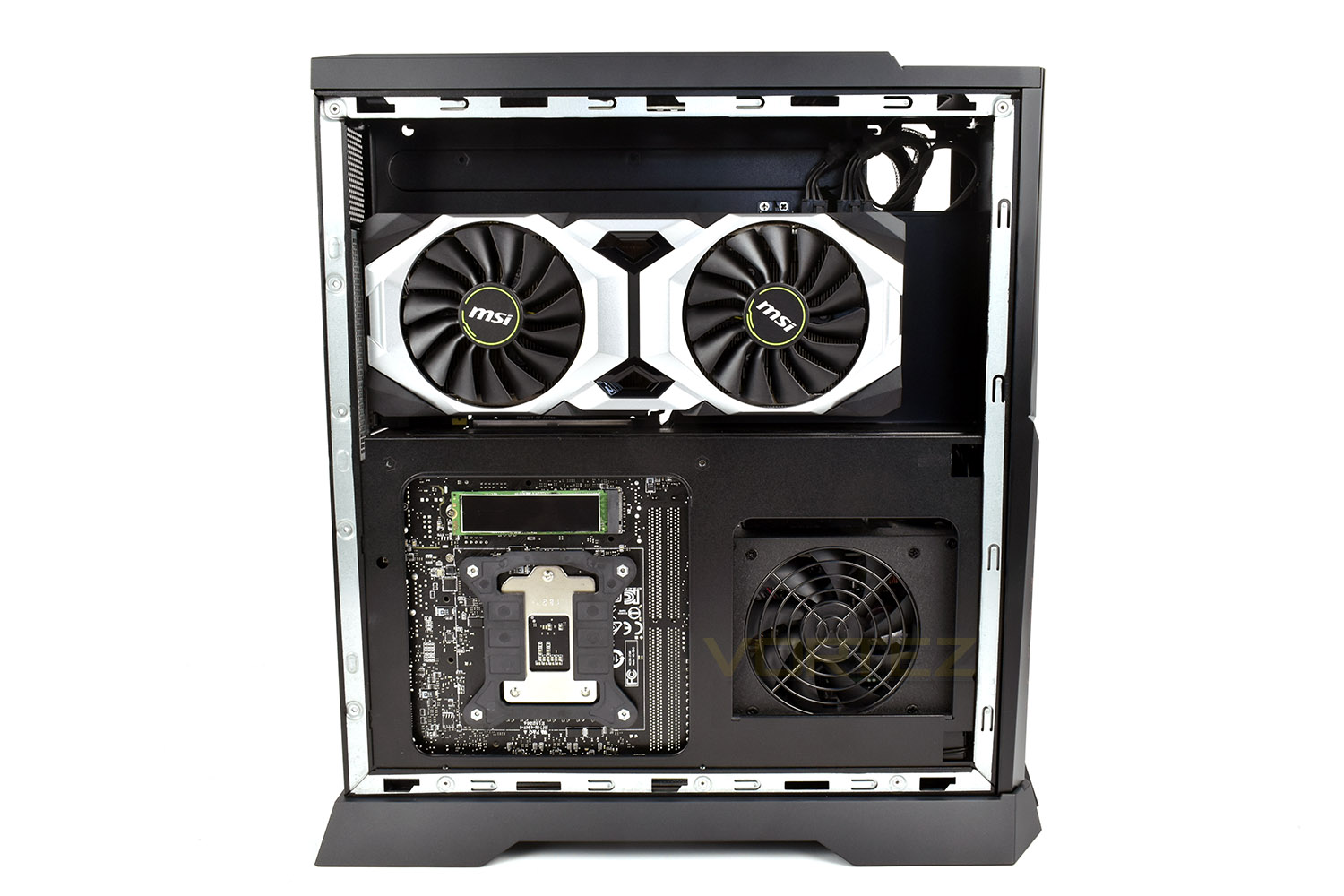
You may have questioned the inclusion of the extra SATA cable within the bundle, but that’s because MSI have added a second, empty, drive bay to their chassis, allowing a certain degree of expandability; something not often found in custom systems such as this.
The RGB CPU cooler uses a blower style fan, pushing air through the heatsink and onto the motherboard and RAM, helping to move air around to prevent pockets of heat being trapped due to the small chassis.
Closer Look (RGB Lighting)
A few shots of the RGB lighting in action.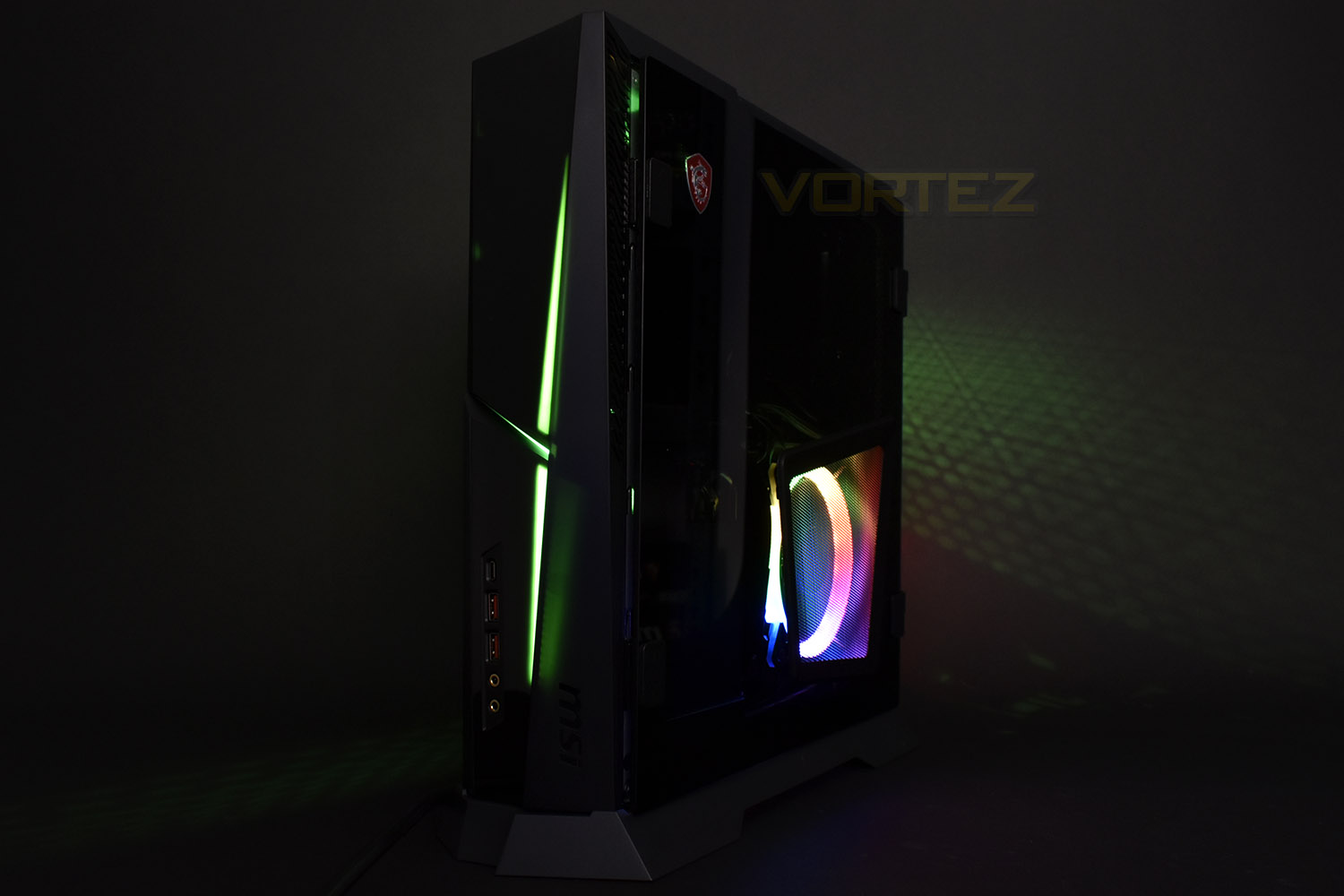
Benchmarks: Temperatures & Boot Time
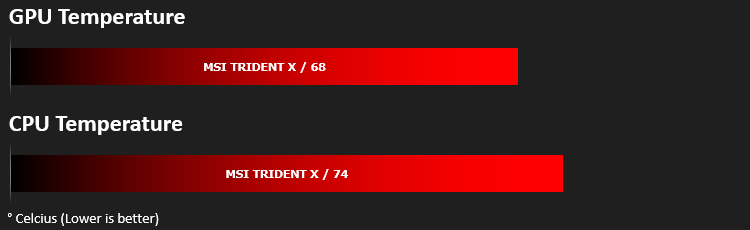
For our first benchmark test we observe the max. CPU/GPU temperatures of the system while allowing Unigine Heaven 4.0 to run on a 30-minute loop. To report back on the temperatures we use RealTemp and GPU-Z which provide the peak figures.
In this test we observe how fast the boot into Windows 10 is by using a digital stopwatch.

Benchmarks: Cinebench R15 & Handbrake
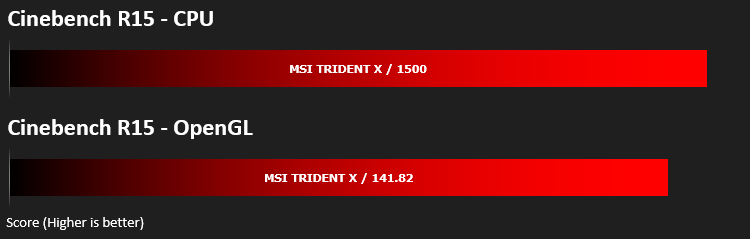
CINEBENCH can measure systems with up to 64 processor threads. This test scene contains approximately 2,000 objects which in turn contain more than 300,000 polygons in total, and uses sharp and blurred reflections, area lights, shadows, procedural shaders, antialiasing, and much more. The result is displayed in points (pts). The higher the number, the faster your processor is.
Benchmarks: PCMark 8 & 10
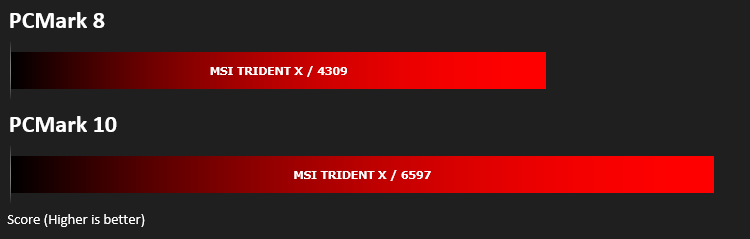
PCMark 10 combines performance benchmarking with battery life measurement and includes tests based on popular Adobe and Microsoft applications. Whether you are looking for long battery life, or maximum power, PCMark 10 will help you find the devices that offer the perfect combination of efficiency and performance for your needs. It’s the complete PC performance benchmark for home and business.
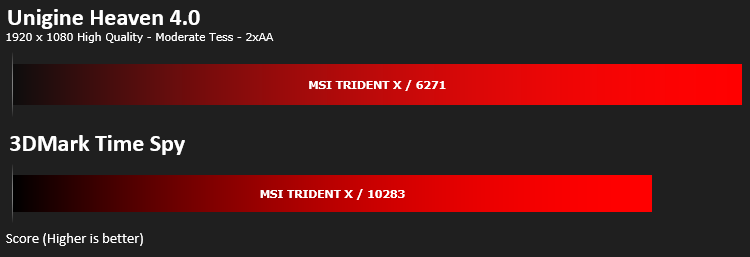
Benchmarks: 3DMark & Heaven 4.0
Time Spy is a DirectX 12 benchmark test for gaming PCs running Windows 10. With its pure DirectX 12 engine, built from the ground up to support new API features like asynchronous compute, explicit multi-adapter, and multi-threading, Time Spy is the ideal benchmark for testing the DirectX 12 performance of the latest graphics cards.
Benchmarks: Gaming (1080p)
The Trident X uses the NVIDIA GeForce MSI RTX 2080 Ventus for graphics delivery, in this section we test the latest gaming titles to see how effective the 3D capabilities are. We report on the average framerate using FRAPS.

Benchmarks: Gaming (1440p)
The Trident X uses the NVIDIA GeForce MSI RTX 2080 Ventus for graphics delivery, in this section we test the latest gaming titles to see how effective the 3D capabilities are. We report on the average framerate using FRAPS.

Benchmarks: Gaming (2160p)
The Trident X uses the NVIDIA GeForce MSI RTX 2080 Ventus for graphics delivery, in this section we test the latest gaming titles to see how effective the 3D capabilities are. We report on the average framerate using FRAPS.

Conclusion
There’s no denying how strong MSIs current portfolio is amongst the gaming PC community, offering strong motherboards, GPUs, laptops and monitors, and of course, desktops. That broad range of expertise seems to have paid off when constructing their latest PC.Obviously, if you’re shelling out £2900 on something not much bigger than an Xbox One, you want some serious grunt to back that up, which the Trident X delivers in spades.
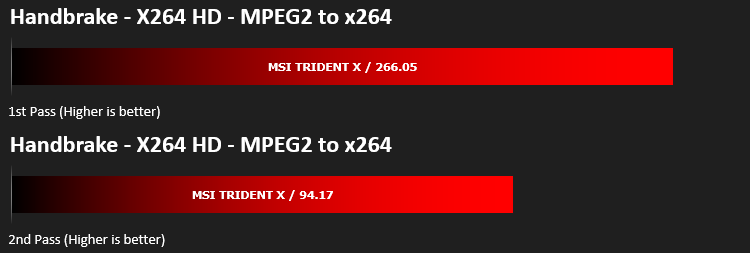
Firstly, looking at CPU performance, Cinebench, Handbrake and PC Mark 8 & 10 all threw out some truly impressive scores, making this machine more-than-suitable as a workstation device.
But then if we switch to gaming performance, this is where the machine truly shines, due to the high clock speeds that the Core i7 9700K is capable of, as well as the excellent performance offered by NVIDIA’s RTX 2080. Our tests in Total War: Warhammer, Rise of the Tomb Raider, Deus Ex: Mankind Divided, DOOM and DiRT 4 all showed the true performance of this machine, managing over 60FPS in all but Deus Ex at 4k resolution. At 1440p, we saw Deus Ex manage 60FPS average for the first time in a pre-built machine.
Despite the tiny stature of the machine, along with the power-hungry components fighting for space and cool air, the Trident X keeps itself remarkably cool, and quiet too. Much quieter than some PCs considerably larger than this. Our GPU topped out at 68°C and the CPU found itself at 74°C during our temperature tests.
While the performance is great, the chassis also looks amazing. We loved the inclusion of several RGB zones as well as the choice of metal or tempered glass side panel, giving the machine a real “gamer feel”. Something we’d like to see improved is cable management; the product renders we received before we got the product showed a much cleaner and less obstructed interior, whereas the reality is a good ¼ of the machine being a mess of cables. A blanking plate or tunnel to hide the cables in would be welcomed.
Thanks to the 512GB Samsung PM981 NVMe SSD, the system reacts quickly and boots up in less time than it takes to organise yourself at your desk. There’s also the 2TB hard disk drive providing plenty of storage space.
Finally, the important bit. Price. The MSI Trident X will arrive in stores soon and will set you back £2,899 in the UK. We don’t have pricing for other markets yet. That’s a not-inconsiderable amount of cash, especially when having a quick dance around the internet turns up desktops from system integrators that we know and trust, for much less money, with similar components. Though, let it be said, they don’t arrive in a custom chassis like the MSI and will take up much more room on your desk.
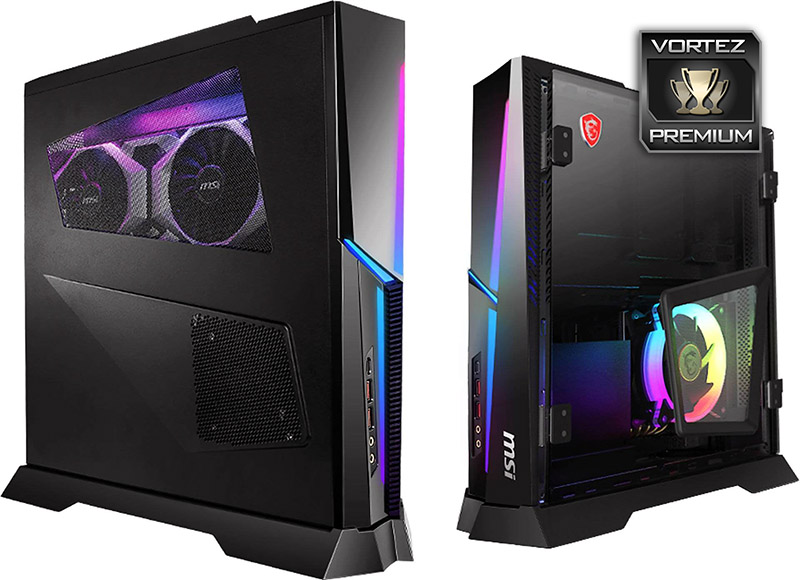
The Trident X provides impressive performance in a small form-factor, though it is costly.
Pros
+ Incredible performance
+ Looks beautiful
+ Small chassis
+ Fully customisable RGB lighting
+ Snappy and responsive thanks to NVMe
+ Will feature RTX
+ Runs cool and quiet
+ Upgradeable
+ Tempered glass or metal side panel
Neutral
+- RTX features are an unknown quantity right now
+- Can only be stood up
Cons
– Pricey
– Messy wires inside
+ Incredible performance
+ Looks beautiful
+ Small chassis
+ Fully customisable RGB lighting
+ Snappy and responsive thanks to NVMe
+ Will feature RTX
+ Runs cool and quiet
+ Upgradeable
+ Tempered glass or metal side panel
Neutral
+- RTX features are an unknown quantity right now
+- Can only be stood up
Cons
– Pricey
– Messy wires inside
Click here for an explanation of our awards at Vortez.net.
Stay connected with the Vortez Social Media pages:
Join in with the discussions on Discord