







Looking for a simple, precise, and flexible option for firm gaming control at your fingertips? NZXT have a new laser gaming mouse.

Product on Review : Avatar S Gaming Mouse
Manufacturer and Sponsor : NZXT
Street Price: £30 inc. VAT (GBP)
Just last month NZXT unveiled a new gaming mouse to replace the discontinued Avatar. The Avatar S is NZXT’s 2nd peripheral to date and features a 1600 DPI Laser sensor. A stark contrast to the 2600 DPI optical sensor found on the original Avatar gaming mouse. This new release hopes to offer a cheaper, more affordable option for gamers with an on-the-fly DPI adjustment system and 16kb of onboard memory for customisation via software. Available in black or white the Avatar Seeks to offer an alternative, sylish look to the desk whilst pursuing the ‘white craze’ that seems to be dominating the computer case market.
Will the Avatar S be able to live up to the good reputation of its older counterpart? Let’s begin our analysis of NZXT’s Avatar S.
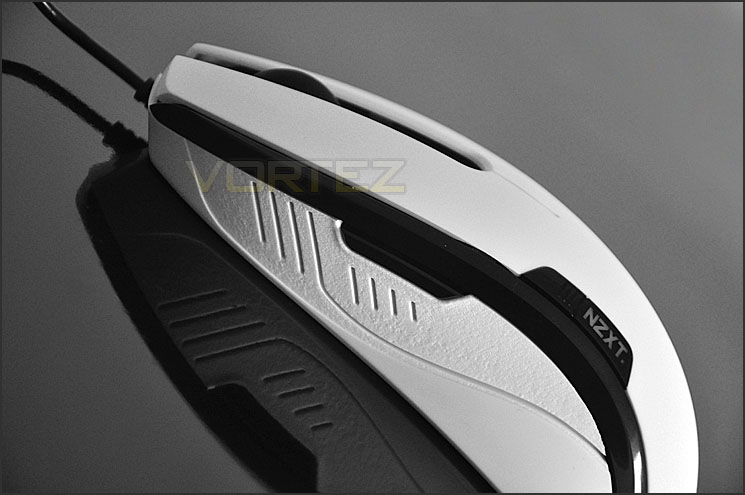
If you are looking for a simple, precise, and flexible option for firm gaming control at your fingertips, the NZXT Avatar S Gaming Mouse is for you. Crafted with Teflon feet for gliding action on any surface, Avatar S is armed with a 1000Hz polling rate to match your reflexes and 30 inches per second tracking to match your speed.
Personalize mouse settings such as default DPI (1600/800/400), in-game macros, media keys, and X-Y sensitivity, LED settings and save your favorite setting profile to your 16Kb Onboard Memory for on-the-go gaming. A hardware DPI switch also allows DPI change while gaming.
Personalize mouse settings such as default DPI (1600/800/400), in-game macros, media keys, and X-Y sensitivity, LED settings and save your favorite setting profile to your 16Kb Onboard Memory for on-the-go gaming. A hardware DPI switch also allows DPI change while gaming.
Specifications
Max Speed
– 30 Inches/Second
Max Acceleration
– 20g
Resolution
– 400-1600 DPI
Buttons
– 5 Buttons
Onboard Memory
– 16Kb
Features
• Precision and Flexibility: 1600 DPI laser sensor with 1600/800/400 • •
• DPI settings out of the box
• Tracking speed of 30 inches per second and acceleration up to 20G
• Hardware DPI switch allows for driver-less DPI switch while in game
without the hassle of drivers
• 16Kb Onboard Memory stores 1 profile of macros/key assignments ,
dpi settings, polling rate, X-Y master sensitivity, and LED settings for
gaming on-the-go
• Narrow and medium sized mice ideal for users that prefer a thinner
and lower profile form
• Ambidextrous design ideal for both left and right handed users
• LED on/off settings
• Teflon feet for effortless gliding on any surface
• 5 Key programmable mice
• Immense customizability: Ability to modify default DPI settings
individually, setup in-game macros, media keys, and X-Y sensitivity
options
• Polling rate of 1000Hz
Packaging & Closer Look
The Avatar S is presented in a semi-transparent white box. The transparency gives you a sneak preview of what’s inside. The box is small and NZXT have been sensible with how much they have spent on packaging. On the reverse of the box we have some of the features listed and some technical specifications.
Inside, the only other item included is a card that instructs you to visit the website for user manual.
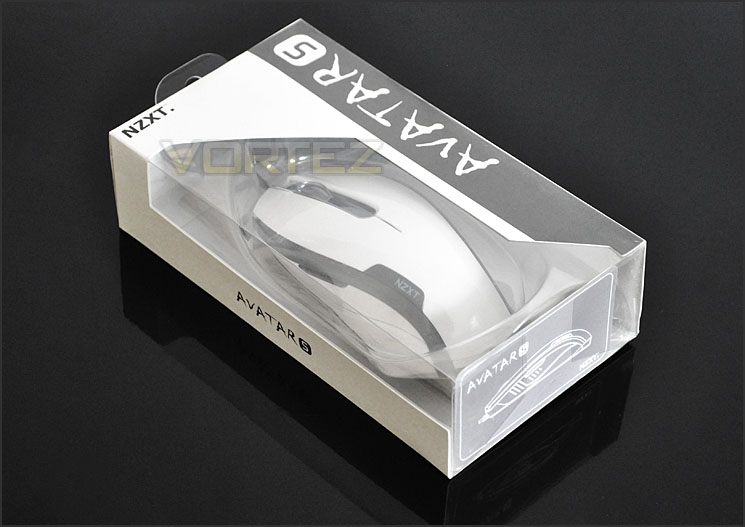
Semi-transparent box to tease
The Avatar S is available in 2 different colour variations – white or black. Today we have the white variant which is a nice change from the typical black gaming mouse usually under review. White is definitely a colour that seems to be trendy right now with computer case manufacture so why not try it with peripherals too?
With the mouse out of its packet we can see its chic exterior. NZXT have designed the Avatar S in such a way that it will cater for both left and right handed gamers. Each side has what a typical mouse would call the “nagivator” button – in web browser you can use this to cycle back through previous pages etc. On the left side we have the NZXT logo imprinted, when powered up this will illuminate blue, purple or red depending on the DPI setting. To tweak the DPI the left button has to be held in whilst the scrolling wheel is moved up or down. DPI can be changed from 400 to 800 to 1600. Blue for 1600, purple for 800 and red for 400. Drivers do not need to be installed to take advantage of this but there is a software package that can be downloaded via the NZXT website.
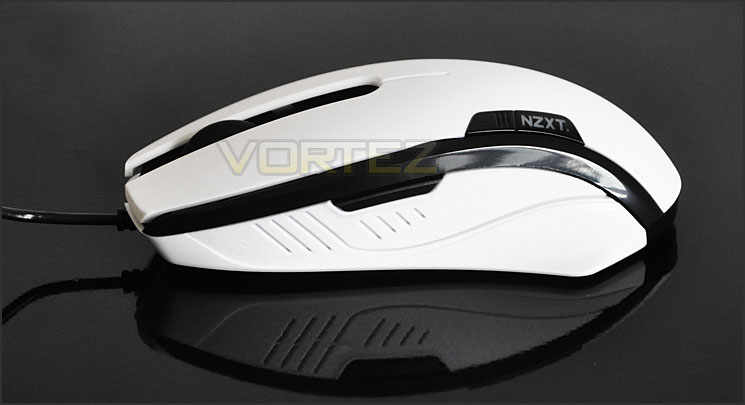
The left side of Avatar S
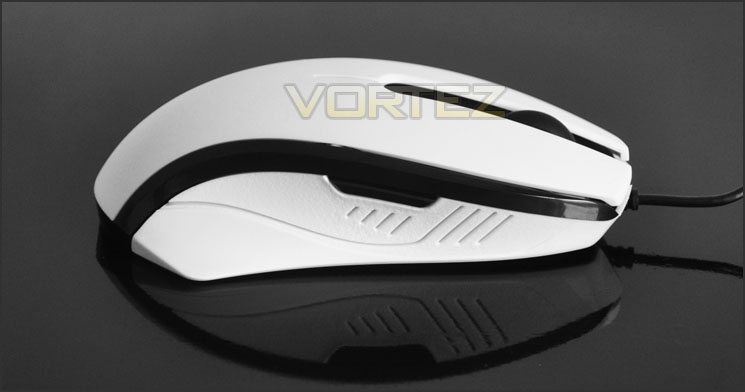
The right side of Avatar S
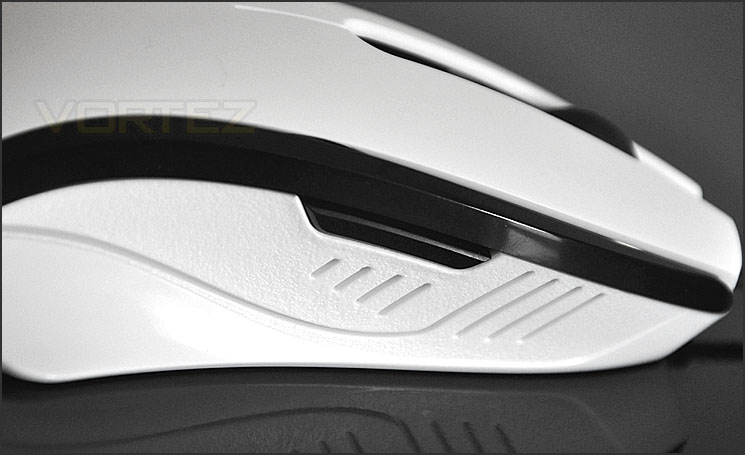
Avatar S is designed for left and right handed – symmetrical design
Looking directly at the Avatar S from the front we can see the scrolling wheel. This is quite firm to rotate and feels of good quality. Along the black edges of the mouse are some LED lights that will emit a cool blue colour when the mouse has power.
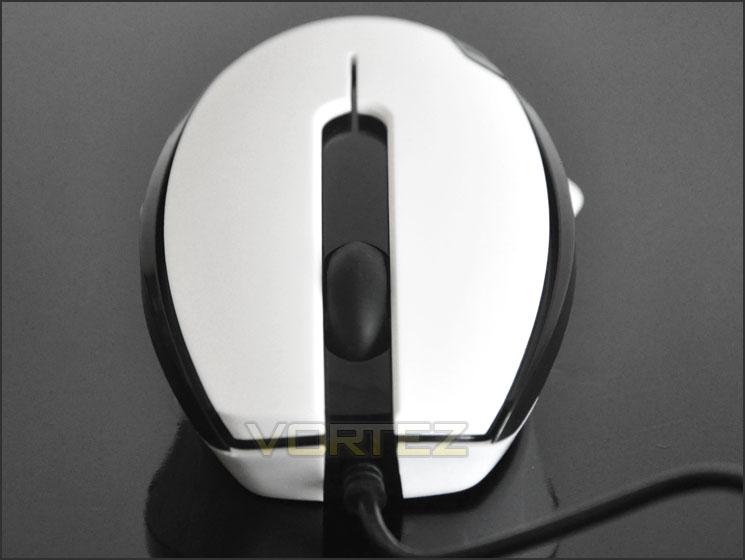
The front of the Avatar S
Taking a look at the underside we can see that the Avatar S uses a 1600 DPI laser sensor. We also have 3 Teflon gliding feet for movement.
Finally, the USB connector is gold-plated. Unlike most gaming mice, the cable isn’t braided but has rubber insulation. The imprint of NZXT’s logo has been positioned on the plastic of the connector to assist with locating it behind the computer – in hard to reach areas.
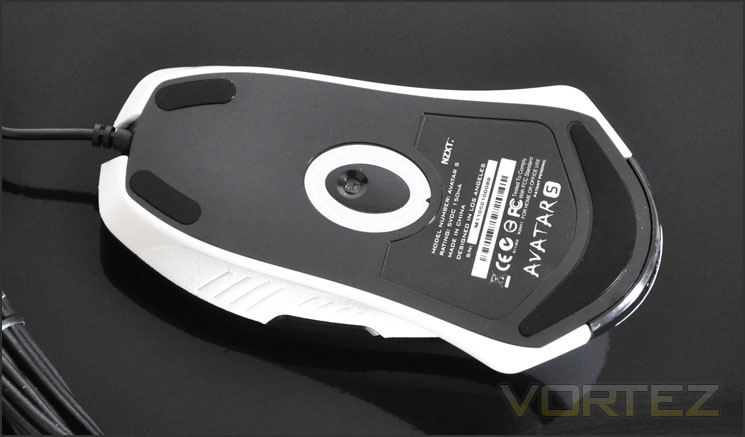
The underside showing 1600 DPI laser sensor
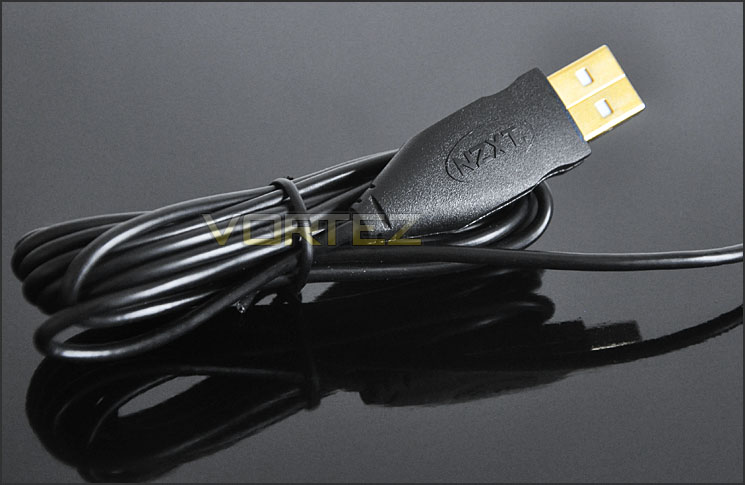
Gold plated USB connector
Comparison – popular gaming mice
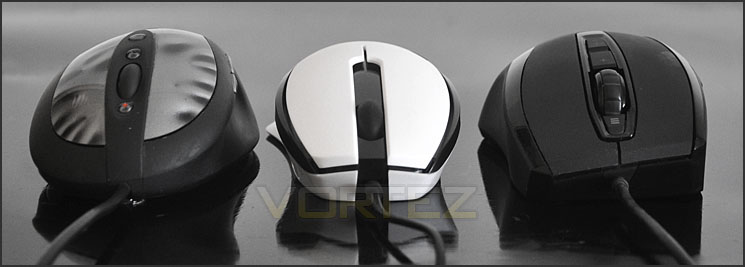
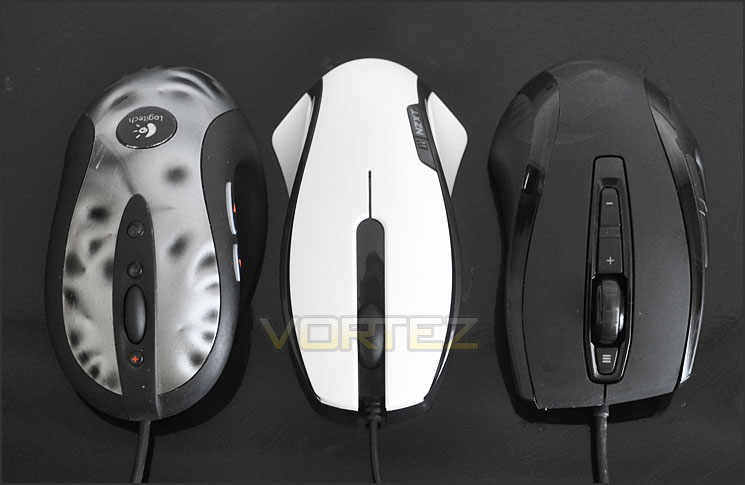
As with previous mouse reviews, it’s useful to compare the size, stature, and shape of the product under observation against a range of commonly used gaming mice. So below the NZXT Avatar S stands next to 2 popular gaming mice. I would usually include a lseries of mice to compare against but as one gets added the overall size of the mice get smaller so I have narrowed this down to 2 of the most popular mice on the market. Logitech MX-518 and ROCCAT Kone[+].
As you can see the Avatar S is the thinnest and shortest of the mice on display. Those that favour the claw-type grip might have to look elsewhere!
Software & Performance
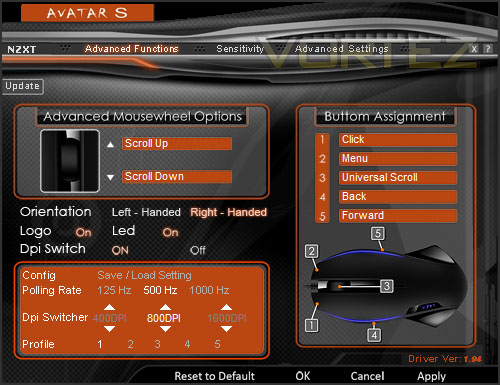
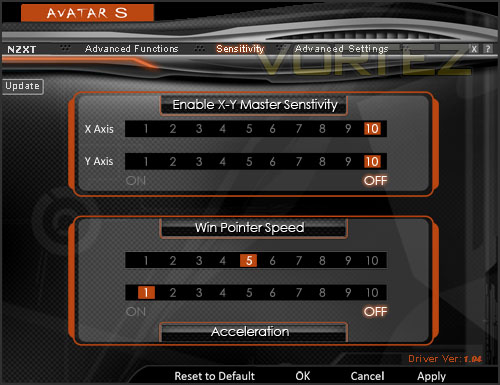
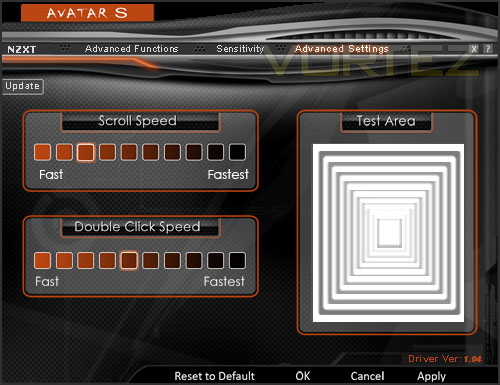
The NZXT Avatar S features on-the-fly hardware DPI switching and doesn’t need any software in order for the mouse to work but NZXT do include a driver/software download on their website for the Avatar S.Inside this software we are able to tweak all of the setting we would typical want to adjust such as polling rate, DPI, button customisation and of course the standard windows setting such as double click speed. The software may not look the best but it does offer some nice functionality options, we are able to tweak the DPI in increments of 100 and even turn off the LEDs that run along the edges.
Performance
Visual opinions to the side, we now have to consider the performance aspect of the Avatar S. In some ways, establishing if a peripheral is a good performer is quite a hard thing to conclude. After all we all have our own personal preferences; different shaped or sized hands and tastes. Nevertheless I will express my views on the mouse as best I can. So the real question is: How does the Avatar S perform in-game? As after all, it is a gaming grade mouse. In order to ascertain the performance of the Avatar S it is necessary to put the mouse to good use for over a day within a selection of environments.
– Call of Duty Black Ops
– Battlefield Bad Company 2
– Windows 7 – browsing etc.
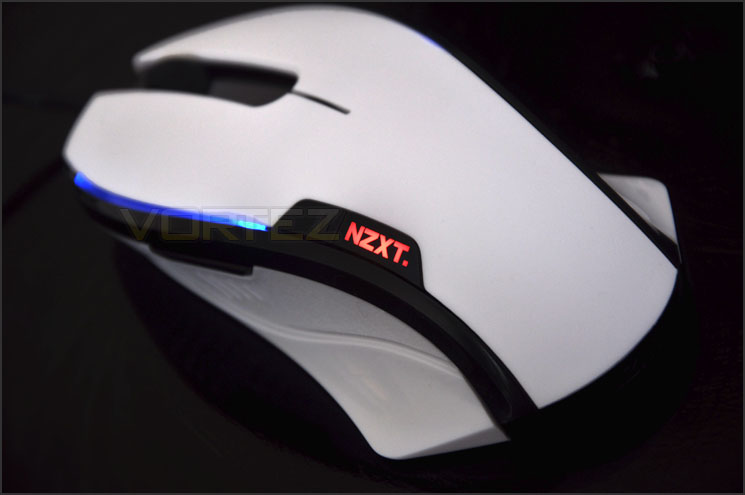
The Avatar S handles games with a pleasing degree of precision. Not all gamers favour the laser sensor for gaming and more specifically FPS but I found it to be very accurate. The shape and size of the Avatar S means that it would be more suitable if you have smaller hands. It’s also quite light too and without any weight adjustment – so it does glide faster than other mice. I found it a vast difference compared to my typical mouse of choice – ROCCAT Kone[+] due to the size, shape and weight.
It’s nice to be able to change the DPI on-the-fly without having to go into the software to adjust things. Configuring buttons and other options within the software inside windows presented no issues.
I tested the laser sensor on a hardened plastic surface and a soft cloth pad. I experienced no problems whatsoever during the testing period, movements were fluid and without interruption.
Conclusion
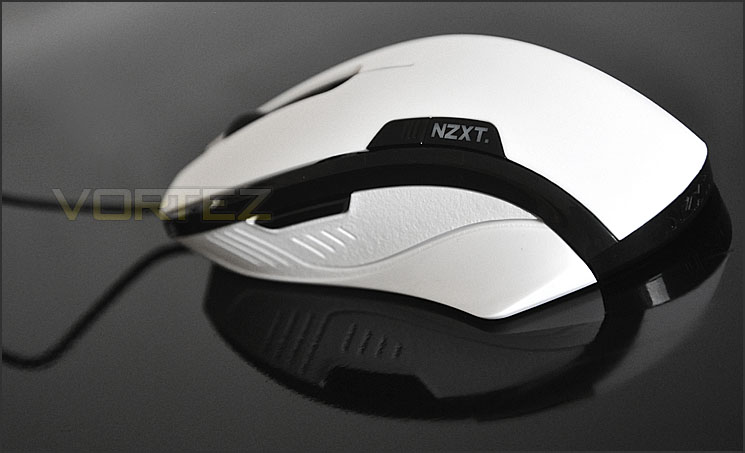
What can we say about the new Avatar S? Well it certainly ticks all the right boxes in terms of style. NZXT give gamers the option of black or white, the white variant we have looked at today has distinct looks that set it apart from all the standard black gaming mice that pervade the shelves these days.
It’s shape, size and weight came as quite a surprise and made it particularly different to most of the peripherals we have tested before. If you have smaller sized hands then Avatar S is probably going to favour much better than if you have larger hands but due to the ambidextrous design it means both left and right handed gamers can take advantage of this new mouse – a claim that very few companies can make.
In terms of performance, Avatar S worked very well in our gaming and operating system usage, showing no noticeable signs of tracking loss on hard plastic surfaces or soft cloth.
NZXT don’t bundle mouse software with the Avatar S (it works fine without it) but you can download a package via their website. This allows you to customise up to 5 buttons on the mouse and tweak settings such as double click speed, polling rate and even DPI in 100 increments.
Available for £30 inc. VAT (GBP) the Avatar S is the gamer’s good value for money option. Most gaming mice of similar calibre cost above £40!
The bottom line is: NZXT have designed another great gaming peripheral that delivers decent performance at a low cost.
Pros
+ Stylish design
+ Light software with customisation
+ On-the-fly DPI adjustment
+ Available in black or white
+ Ambidextrous
+ Good value for money
Cons
– Thin, short and lightweight
– Not ideal for big handed gamers
+ Stylish design
+ Light software with customisation
+ On-the-fly DPI adjustment
+ Available in black or white
+ Ambidextrous
+ Good value for money
Cons
– Thin, short and lightweight
– Not ideal for big handed gamers


