







In the spotlight today is Prolimatech’s third instalment of their popular Megahalems CPU cooler which features a twin heatsink design and six burly copper heatpipes.
Product on Review: Megahalems Rev C
Manufacturer and Sponsor: Prolimatech
Street Price: £42.98
You don’t have to look too far to discover that Prolimatech have been a prolific influence on the CPU cooler market with their Megahalems and Super Mega offerings. Whilst the cooling segment has many brands and models for the consumer to choose from, these particular models have stood out as being shining examples, and today we are to look at the Megahalems in its third instalment.
The Megahalems Rev. C continues with the trusty dual heatsink design from previous versions but now has the added AMD hold down components for AMD system builders. Prolimatech have always been keen to laden their coolers with appealing and clean aesthetics and Rev. C does not shy away from this. With a robust mounting kit, six burly copper heatpipes and support for numerous socket types this latest production looks set to impress, so let’s check it out!
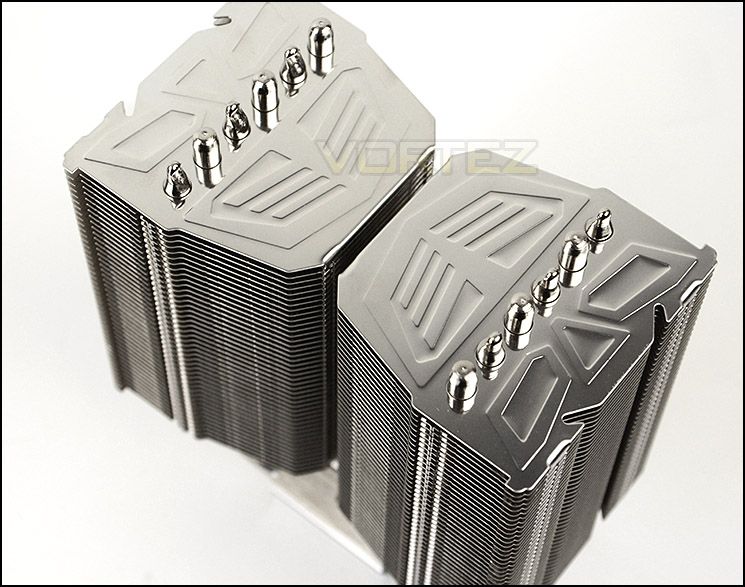
Prolimatech’s take on Megahalems Rev. C
In early September, Intel has finally released the long-anticipated Socket 1156. In following pursuit, Prolimatech released the bigger and better version of the Megahalems. Now it comes with extra set of fan clips for even better cooling results. It also includes the new all-in-one backplate for an easy, convenient installation on Intel Socket 775, 1156/1155,1150,1366 and 2011. Also added to the upgrade package is the new material for the top fin on this “Mega” heatsink. This particular fin is made of all stainless steel. Its main features incorporate a greater resistance to accidental scratches and oxidation. For regular maintenance, all you have to do is lightly polish it with a soft cloth so you’ll always have that new out-of-the-box shiny looks; great for showing off at LAN parties and to your friends!
Technical Specifications
Heatsink Dimension
(L)130mm X (W)74mmX (H)158.7mm
Heatsink Weight
790 g
Heatpipe
Ø 6mm X 6pcs
Direction of heatsink
Faces the rear exhaust system fan
CPU Platform
Intel Socket LGA 775/1366/1156/1155/1150/2011
AMD Socket AM2/2+/3/3+/FM1/FM2
(L)130mm X (W)74mmX (H)158.7mm
Heatsink Weight
790 g
Heatpipe
Ø 6mm X 6pcs
Direction of heatsink
Faces the rear exhaust system fan
CPU Platform
Intel Socket LGA 775/1366/1156/1155/1150/2011
AMD Socket AM2/2+/3/3+/FM1/FM2
Packaging & Bundle
Megahalems is presented in a large white box which has been given a rather professional design. Information on the front details the support socket compatibility and specific fan compatibility too. The only other information found on the packaging are the technical specifications on the side.
Inside, the heatsink is covered in a clear plastic bag and held in place with polystyrene.
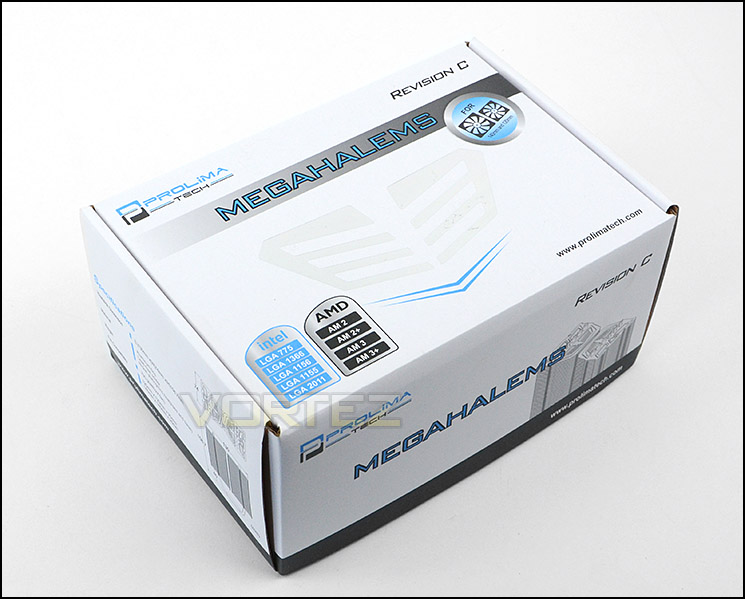
The packaging for Megahalems Rev C
The Megahalems Rev. C has an assortment of accessories including mounting kit for the following sockets: Intel Socket LGA 775/1366/1156/1155/1150/2011 AMD Socket AM2/2+/3/3+/FM1/FM2. Also included is an instructions leaflet to help with the installation process and a flashy Prolimatech sticker. The Megahalems comes without the any cooling fans, though it does come with support for 120/140mm options.
The only difference between Rev B and Rev C is that the AMD hold down hardware is included in the Rev C.
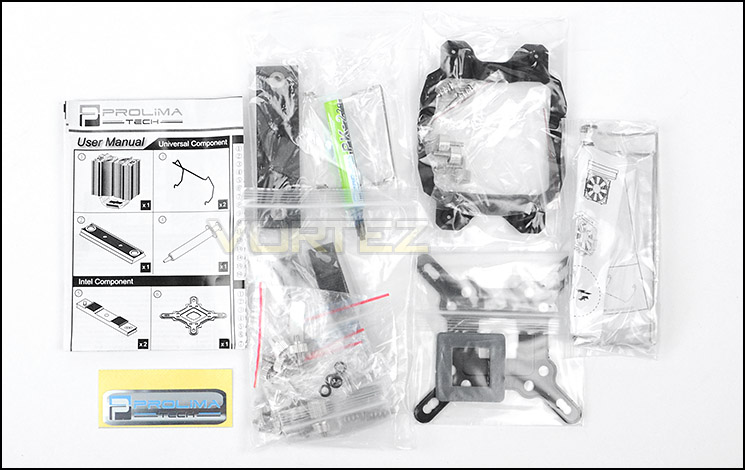
Included accessories for bundle
Closer Look
The Megahalems heatsink features a twin tower design with condensed fin structure. The fins are aluminium and follow a descending contour towards the inside of each tower.
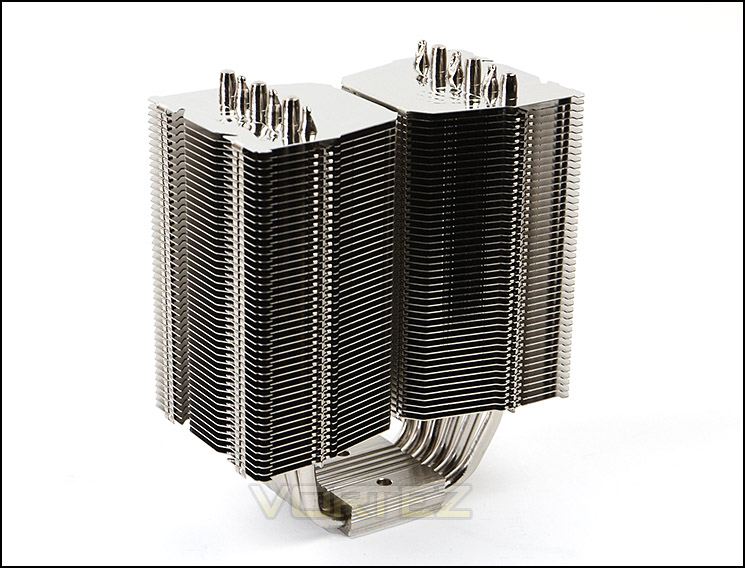
An overview of Megahalems
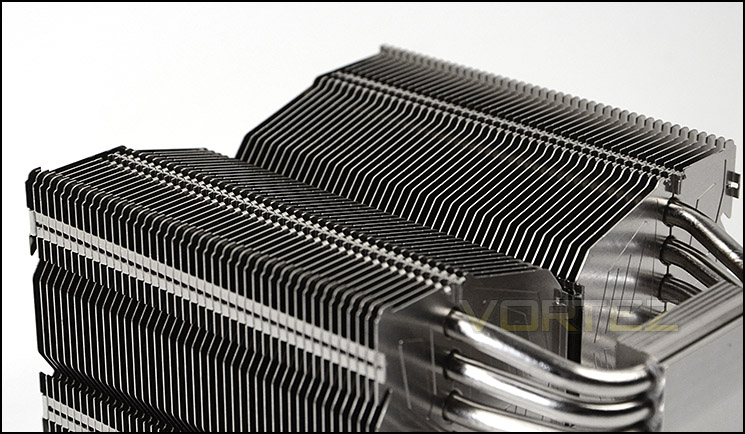
Profile of contours
At the top of the heatsinks Prolimatech have used a scratch-resistant stainless steel material with the Prolimatech logos engraved. From the top view, the six heatpipes can be seen protruding out.
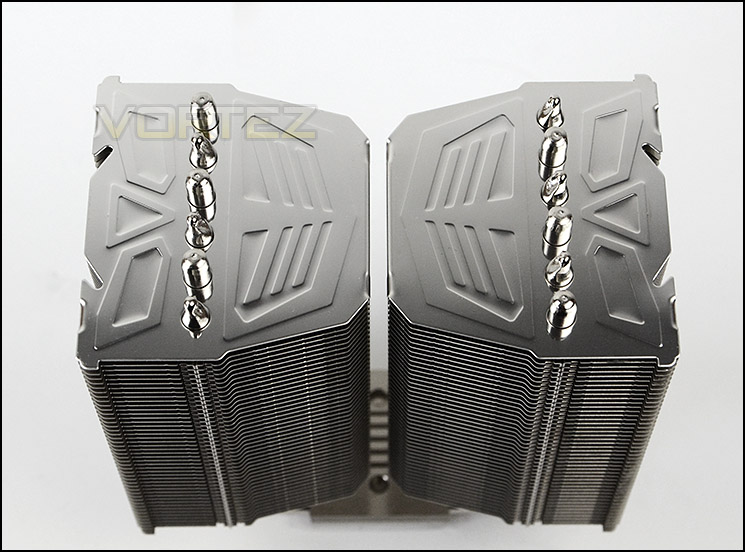
The top of Megahalems
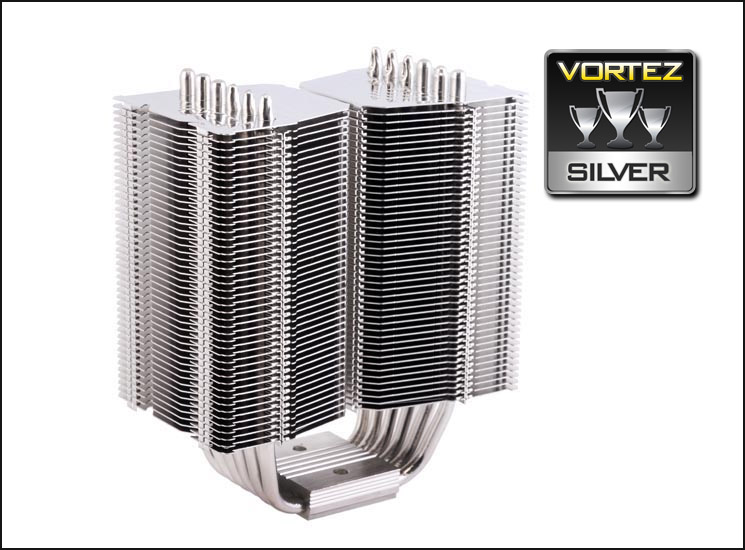
As mentioned, there are 6x 6mm copper heatpipes which are nickel plated which pass through the baseplate and up through the fin stack. The baseplate is also copper with nickel plating and has a semi-transparent finish.
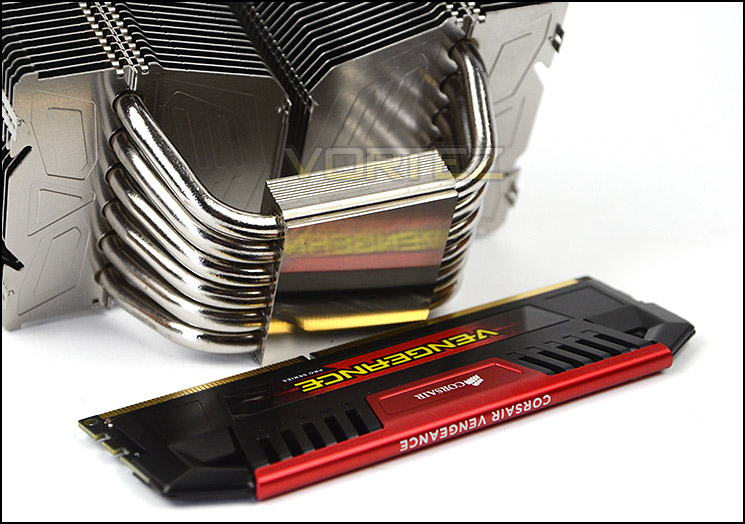
A plethora of heatpipes
Although there are no included cooling fans, there is support for 120/140mm fans. Attaching a fan to the heatsink is simple, the fan clips fit into the grooves which run vertically down the side of the heatsink, the v shaped bend in the clip slots directly into the screw holes on the fan as pictured below.
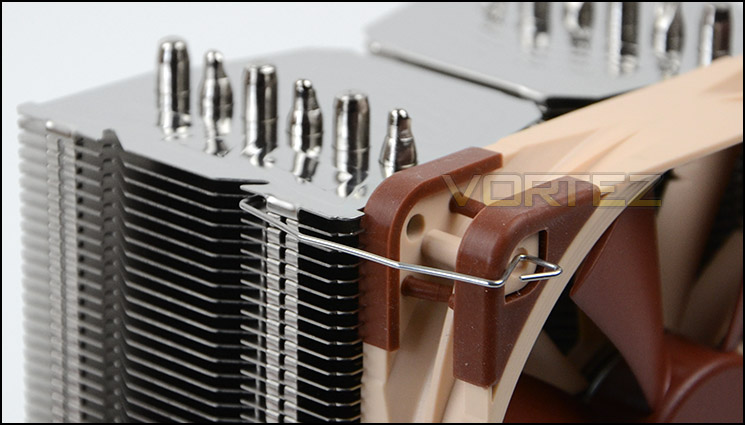
Fan clips allow 120/140mm cooling fans to be attached easily
We will be using a Noctua NF-F12 PWM cooling fan for our tests as it came out as one of the best fans we have tested in our Ultimate Cooling Fan Grouptest 2012 Review.
Installation Process
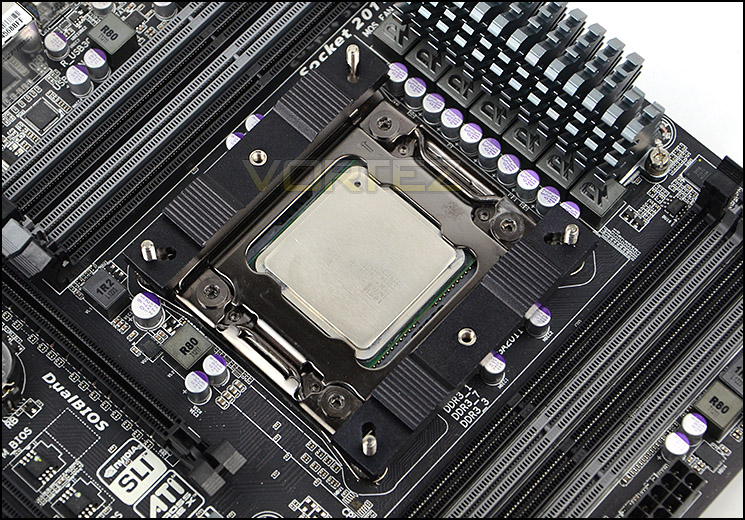
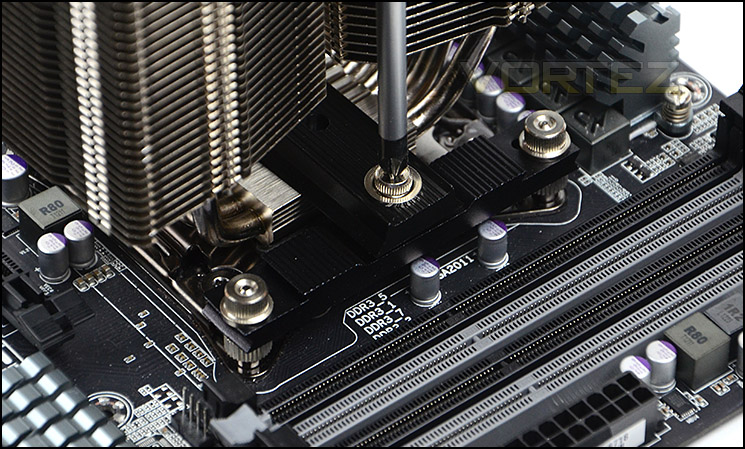
In order to demonstrate the installation process for Megahalems we are installing the cooler on the Intel LGA2011 socket.
The installation process is really quite simple and only takes a few steps. The first thing to do is attach four stand-off screws to the socket plate and place the two steel plates over the screws. For the traditional orientation of having the cooler face the rear exhaust within a computer chassis it is a necessity to have these plates as pictured below. Next the thumbscrews are placed over the threads and tightened, thermal paste is applied to the CPU, the heatsink is placed onto the CPU and the crossbar is positioned over the top of the baseplate and screws are then tightened. It’s advisable to tighten each screw a few turns and then move to the other screw so that even pressure is applied.
The installation process takes very little time and is a very secure method of attaching a cooler to the motherboard.
Installed – Memory Clearance
Memory clearance is something which many system builders and enthusiasts are eager to discover since this will ascertain whether a memory kit will be compatible with the CPU cooler or not. To demonstrate this, a low profile memory kit is used.
Dimensions: (L)130mm X (W)74mmX (H)158.7mm
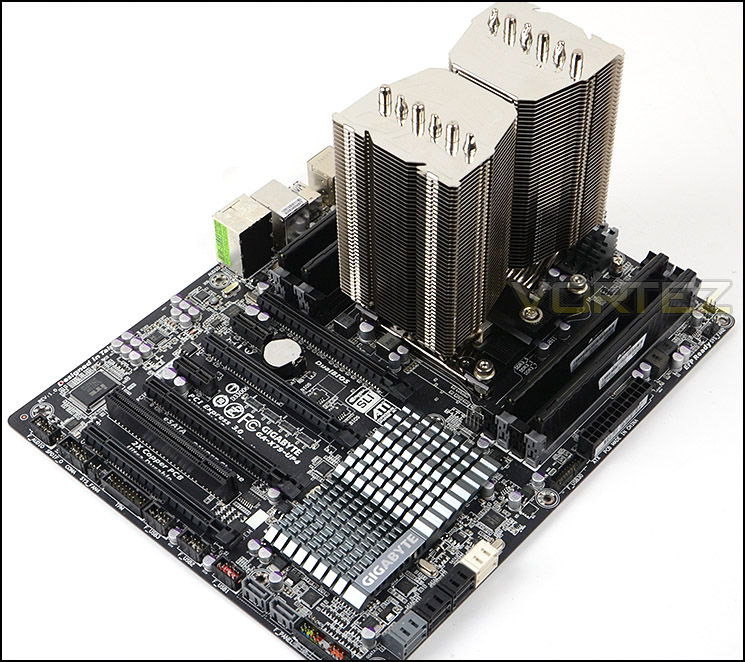
Installation complete, Megahalems is a rather large heatsink
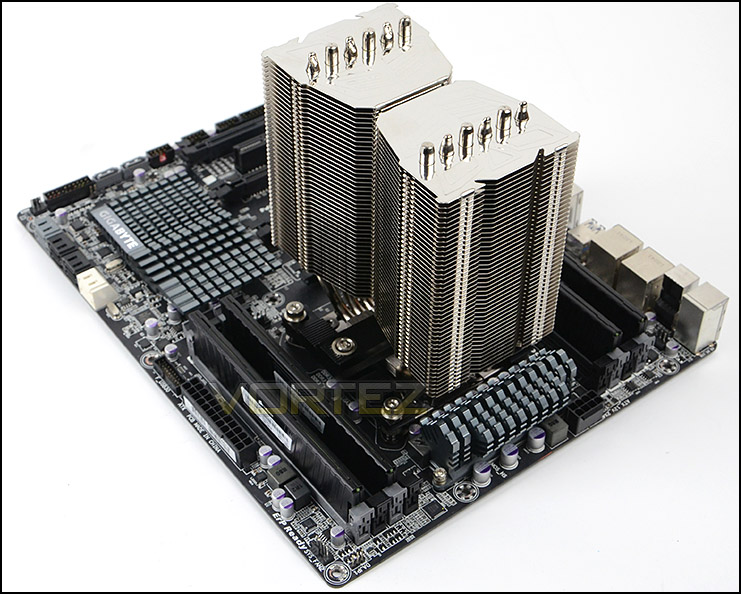
Megahalems in all its glory
Being large in size, the Megahalems does cover the first memory slot on an LGA2011 motherboard when a cooling fan is attached.
This limitation means that memory kits over 3.5cm in height will struggle to fit with the cooler and a fan attached, though the outer memory slots are typical used with a single kit anyway.

Cooler overhangs slightly – only when fan is attached

Measuring the clearance when fan is attached
Test Setup & Methodology
Test System
CPU – Intel Core i7-3930K (3.6GHz)
Motherboard – GIGABYTE X79-UP4
Memory – 8GB Corsair Vengeance LP 1600MHz CL9
Graphics – Sapphire Radeon HD 6850 1GB
PSU – NZXT Hale90 650W
Hard Drive – Kingston HyperX 240GB SATA III SSD
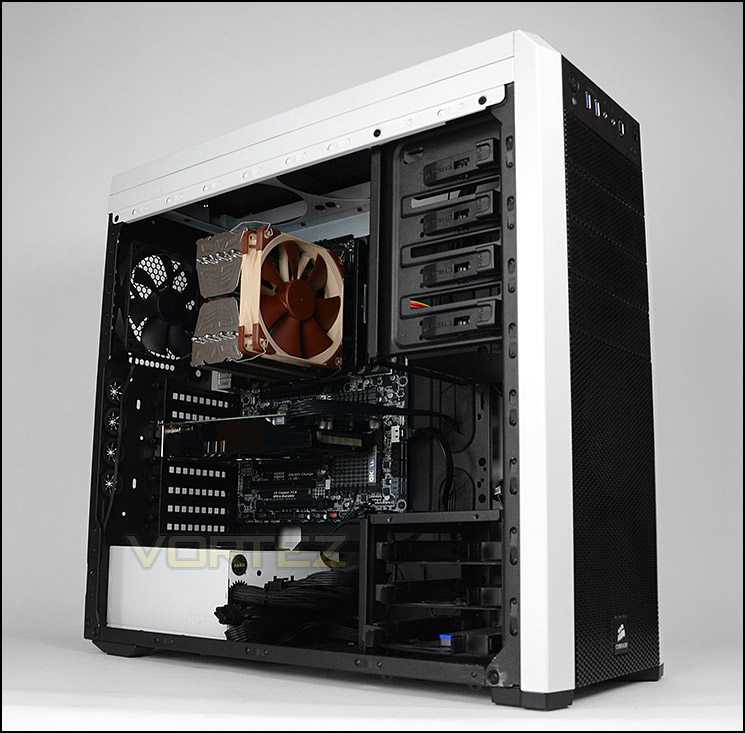
Case – Corsair Carbide 500R White
Motherboard – GIGABYTE X79-UP4
Memory – 8GB Corsair Vengeance LP 1600MHz CL9
Graphics – Sapphire Radeon HD 6850 1GB
PSU – NZXT Hale90 650W
Hard Drive – Kingston HyperX 240GB SATA III SSD
Case – Corsair Carbide 500R White
CPU Coolers
Alpenföhn Matterhorn Pure(120mm Wingboost: 300-1200RPM)
Alpenföhn K2 (120mm Wingboost: 500-1500RPM, 140mm Wingboost: 300-1100RPM)
Alpenföhn Gotthard (140mm Wingboost: 300-1100RPM)
Noctua NH-D14 (120mm NF-P12 PWM + 140mm NF-P14 PWM: up to 1200RPM)
Thermalright SilverArrow SB-E Extreme (Dual TY-143 fans – 600-2500RPM)
Corsair Hydro H100 (Dual 120mm fans – low: 1300RPM, mid: 2000RPM, high: 2600RPM Push Config)
SilverStone HE01 (140mm PWM fan – 500RPM-1200RPM – 500RPM-2000RPM)
be quiet! Dark Rock Pro 2 (135mm + 120mm PWM Fans – up to 1500RPM and 1700RPM)
Thermaltake Water 2.0 Pro (Dual 120mm PWM fans – up to 2000RPM)
Corsair Hydro Series H100i (Dual 120mm fans – up to 2700RPM Push Config)
Be Quiet! Shadow Rock TopFlow(1x 135mm PWM fan – up to 1500RPM)
SilverStone HE02 (Passive – optional fan used: Noctua NF-F12 120mm PWM)
Corsair H55 (Single 120mm fan – 1700RPM Exhaust Push)
Cooler Master Seidon 120M (Single 120mm fan – Up to 2500RPM Exhaust Push)
Zalman CNPS11X Extreme (Single 120mm fan – Up to 1950RPM)
Phanteks PH-TC12DX (Dual 120mm fans – 600-1800RPM)
Noctua NH-U14S (Single 140mm cooling fan – 300-1500RPM)
SilverStone TD03 (Dual 120mm fans – 1500-2500RPM)
Thermaltake]Thermaltake NiC C5 (Dual 120mm fans – 1000RPM – 2000RPM)
Raijintek EreBoss (Single 140mm fan – 1100RPM – 1600RPM)
Prolimatech Megahalems Rev. C (Single Noctua NF-F12 PWM – Up to 1500RPM – Optional)
Program Suite
Real Temp – Maximum temperature analysis
LinX 0.6.4 – Applies thorough stress test to CPU
CPU-Z – Confirmation of CPU frequency/voltage
AIDA64 Extreme Edition – Confirmation of temperatures/fan speeds
Testing methodology
Testing will be based on temperatures recorded by Real Temp after 20 passes of LinX stress test. The maximum absolute temperatures will be recorded after the test and averaged over the 6 cores. The delta is then calculated by subtracting the ambient temperature recorded near the intake fans from the average temperature calculated. Tests are conducted with the Intel i7 3930K at its default 3.6GHz stock speed and overclocked to 4.6GHz @ 1.42V. The tests are done inside the Corsair Carbide 500R chassis to simulate real world conditions. To keep the tests standardised we are using Noctua’s NT-H1 thermal paste on all coolers.
CPU coolers are reviewed as they come out of the box – with their factory cooling fans, as the manufacturer intended and as the consumer expects.
Additional tests include a passive test where the cooling fans are taken away from the heatsink and a comparison between the cooler used with stock thermal paste against our Noctua NT-H1 paste.
A kind thank you to Noctua for supplying us with NT-H1 thermal compound.
Results – Stock Performance
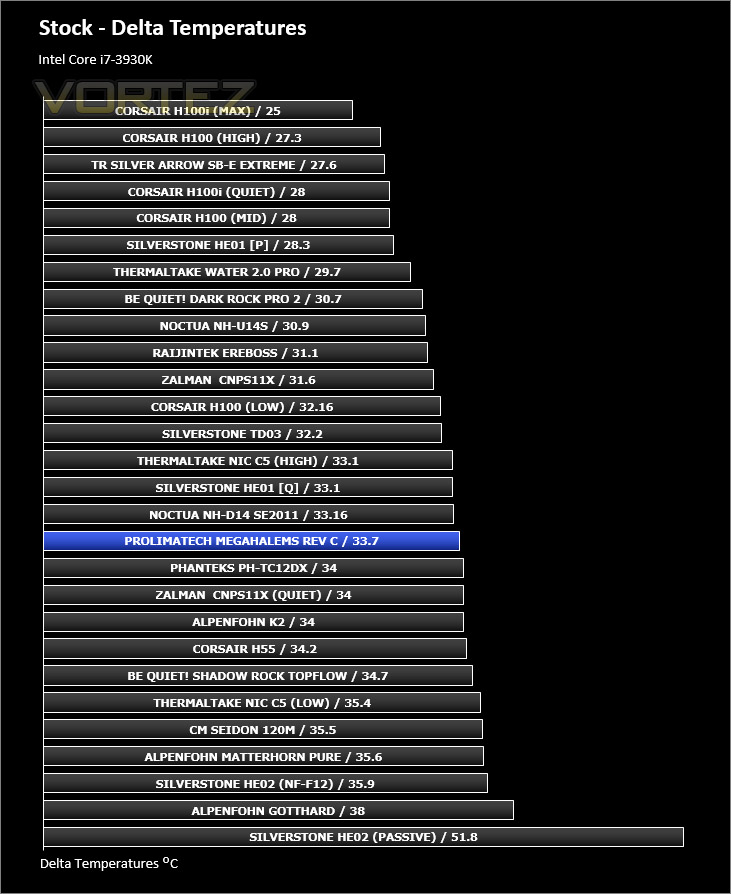
Megahalems does a great job during stock conditions with an Intel Core i7-3930K. Although it lands in the middle of our previously tested coolers the actual figures are still impressive.
Noctua NF-F12 PWM Fan Speed
1200RPM – during stock testing
Results – Overclocked Performance
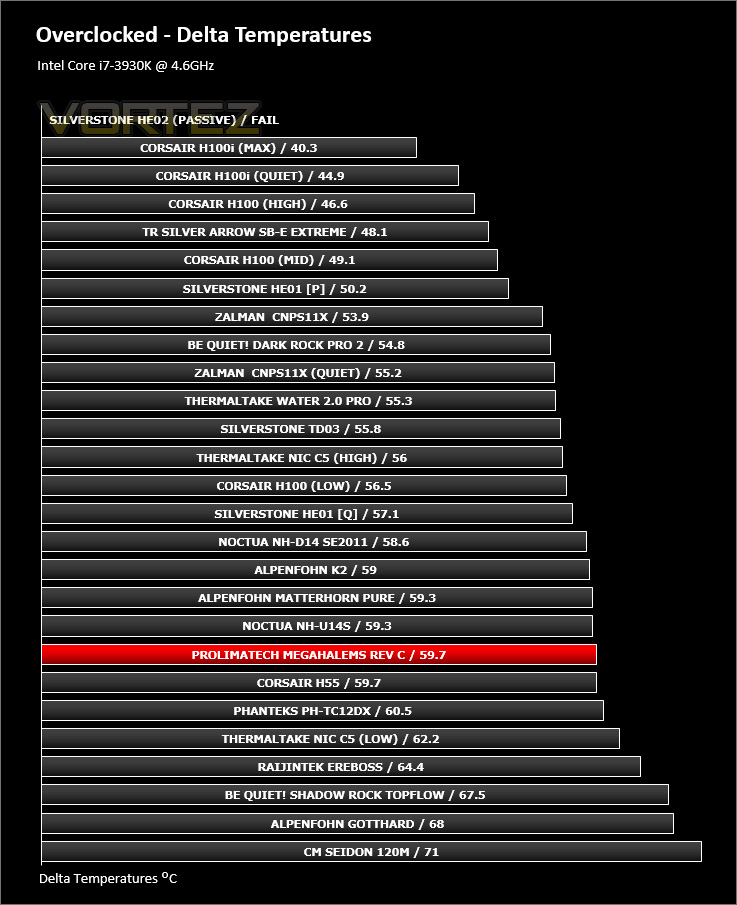
Applying a significant overclock to the Intel 3930K Megahalems falls behind slightly and other offerings appear much more attractive. Though, the fan speed is only moderate with the Noctua NF-F12, something with 1800RPM – 2000RPM would probably show significant improvement for the result when overclocking.
Noctua NF-F12 PWM Fan Speed
1573RPM – during overclocked testing
Results – Passive Performance
During the passive tests the Megahalems heatsink just about managed to keep within the acceptable temperatures. Against other coolers that also achieved acceptable results in the chart the Megahalems fell behind.

Results – Thermal Paste Comparison
Most CPU coolers come accompanied with thermal paste provided by the manufacturer. For our CPU cooling tests we use Noctua’s NT-H1, so to offer up some interesting analysis we test the thermal paste given with the Megahalems against NT-H1 to see which gives the best results during stock and overclocked performance and the results really aren’t that much different, the Noctua is only slightly better.

Conclusion
Prolimatech are firm advocates for strong aesthetics and whilst the Megahalems remains quite simple from a styling aspect, it has some extremely nice touches which will look superb in any computer system.
Right from the packaging through to the finished product, the Megahalems has all the boxes ticked. We found the mounting system for LGA 2011 to be one of the best we have used; not only is it easy to install the cooler, but the method for getting it attached is robust and reliable with support for numerous sockets from both Intel and AMD parties.
Whilst we aren’t keen on the idea of having to supply our own cooling fan(s) with Megahalems it does have support for both 120mm and 140mm options so there is plenty of variation. The only thing we would add, if you are planning to do some heavy overclocking then anything up to 1500RPM probably won’t cut it, aim for something higher.
Priced around the £42-45 mark the Megahalems is quite a pricey investment when you bear in mind extra expenditure will come by having to add in those cooling fans, pushing the cost up another £20/30… unless however you have them already lying around in storage.
Megahalems Rev. C is a good looking CPU cooler which responds well to stock and overclocked processors. Its easy to install and has one of the best mounting systems we have had the pleasure of using.
Pros
+ Clean, attractive aesthetics
+ Good packaging
+ Robust, reliable mounting system
+ Support for numerous sockets
+ Compatible with 120mm and 140mm fans
+ Easy to install
Cons
– No fan included
– Cost
– Big overclocks will need 1500RPM+ fans
+ Clean, attractive aesthetics
+ Good packaging
+ Robust, reliable mounting system
+ Support for numerous sockets
+ Compatible with 120mm and 140mm fans
+ Easy to install
Cons
– No fan included
– Cost
– Big overclocks will need 1500RPM+ fans

Click here for an explanation of our awards at Vortez.net.


